Accessibility pattern · Data display
Responsive table
A wide table can scroll inside a labelled, focusable region, collapse each row into a card, or hide its least important columns behind a toggle. Whichever you pick, it stays a table to assistive technology: explicit roles keep the rows, cells and headers when CSS turns them into cards.
- WCAG criteria
- 6
- Keyboard rules
- 3
- Checked with
- axe, keyboard and the inspector
Live demo
Try it
Use it with a mouse, a keyboard or a screen reader. The inspector beside it shows what the browser tells assistive technology as you go: focus, state changes and announcements.
The table keeps its shape and scrolls sideways inside a labelled region you can focus.
Each row becomes a card. Explicit table roles keep its rows, cells and headers for screen readers.
Lower-priority columns give way as space runs out, and Show more columns brings them back.
| Shipment | Destination | Service | Weight | Dispatched | Delivery by | Cost | Status |
|---|---|---|---|---|---|---|---|
| SH-2041 | Kochi | Express | 2.4 kg | 29 Sep | 1 Oct | ₹480 | Delivered |
| SH-2042 | Jaipur | Standard | 0.8 kg | 30 Sep | 3 Oct | ₹260 | Delivered |
| SH-2043 | Guwahati | Economy | 5.1 kg | 1 Oct | 8 Oct | ₹615 | Delayed |
| SH-2044 | Indore | Standard | 1.2 kg | 2 Oct | 6 Oct | ₹310 | In transit |
| SH-2045 | Mysuru | Express | 3.0 kg | 3 Oct | 5 Oct | ₹395 | Out for delivery |
| SH-2046 | Surat | Standard | 0.5 kg | 4 Oct | 7 Oct | ₹240 | Packed |
Scroll for more
The demo works without JavaScript only as far as its HTML does; the inspector needs JavaScript.
Keyboard
Keys it answers to
Every action works without a pointer.
| Key | What it does |
|---|---|
| Arrow Left or Arrow Right | In the layout switch, picks the previous or next layout. In the focused scroll region, scrolls the table sideways. |
| Tab | Moves to the scroll region while the table overflows, then to Show more columns in the priority layout. |
| Enter or Space | On Show more columns, shows every column or goes back to the priority ones. |
Screen readers
What it announces
Written from the roles, names and states in the markup.
| When | Expected announcement |
|---|---|
| Tab reaches the scroll region | Shipments this week, region, Scroll for more |
| A screen reader's table commands move into a stacked card | Destination, column 2, Kochi |
| Focus reaches the toggle in the priority layout | Show more columns, toggle button, not pressed |
| Enter shows every column | Show more columns, toggle button, pressed |
These are expected announcements, not recordings. Wording and order differ between screen readers and browsers.
Code
Copy the code
The exact files this demo runs on. The styles are served with a prefix that keeps this site's own styles out of the demo; what you copy is the original.
<div class="ap-rtable" data-ap-rtable data-layout="scroll">
  <fieldset class="ap-rtable__modes">
    <legend class="ap-rtable__legend">Layout on narrow screens</legend>
    <div class="ap-rtable__seg">
      <label class="ap-rtable__mode"><input type="radio" name="rtable-layout" value="scroll" checked /><span>Scroll</span></label>
      <label class="ap-rtable__mode"><input type="radio" name="rtable-layout" value="stack" /><span>Stack</span></label>
      <label class="ap-rtable__mode"><input type="radio" name="rtable-layout" value="priority" /><span>Priority columns</span></label>
    </div>
  </fieldset>
  <p class="ap-rtable__about" data-ap-about="scroll">The table keeps its shape and scrolls sideways inside a labelled region you can focus.</p>
  <p class="ap-rtable__about" data-ap-about="stack" hidden>Each row becomes a card. Explicit table roles keep its rows, cells and headers for screen readers.</p>
  <p class="ap-rtable__about" data-ap-about="priority" hidden>Lower-priority columns give way as space runs out, and Show more columns brings them back.</p>

  <div class="ap-rtable__card">
    <div class="ap-rtable__frame" data-ap-frame>
      <div class="ap-rtable__scroll" role="region" aria-labelledby="rtable-name" tabindex="0" data-ap-scroll>
        <!-- Explicit roles: the stacked layout changes how table parts display, and some browsers drop table semantics when that happens. -->
        <table class="ap-rtable__table" id="rtable-table" role="table">
          <caption class="ap-rtable__cap"><span class="ap-rtable__name" id="rtable-name">Shipments this week</span></caption>
          <thead role="rowgroup">
            <tr role="row">
              <th role="columnheader" scope="col">Shipment</th>
              <th role="columnheader" scope="col" data-priority="2">Destination</th>
              <th role="columnheader" scope="col" data-priority="3">Service</th>
              <th role="columnheader" scope="col" class="ap-rtable__num" data-priority="3">Weight</th>
              <th role="columnheader" scope="col" data-priority="3">Dispatched</th>
              <th role="columnheader" scope="col">Delivery by</th>
              <th role="columnheader" scope="col" class="ap-rtable__num" data-priority="2">Cost</th>
              <th role="columnheader" scope="col">Status</th>
            </tr>
          </thead>
          <tbody role="rowgroup">
            <tr role="row">
              <th role="rowheader" scope="row">SH-2041</th>
              <td role="cell" data-priority="2"><span class="ap-rtable__label" aria-hidden="true">Destination</span><span class="ap-rtable__value">Kochi</span></td>
              <td role="cell" data-priority="3"><span class="ap-rtable__label" aria-hidden="true">Service</span><span class="ap-rtable__value">Express</span></td>
              <td role="cell" class="ap-rtable__num" data-priority="3"><span class="ap-rtable__label" aria-hidden="true">Weight</span><span class="ap-rtable__value">2.4 kg</span></td>
              <td role="cell" data-priority="3"><span class="ap-rtable__label" aria-hidden="true">Dispatched</span><span class="ap-rtable__value">29 Sep</span></td>
              <td role="cell"><span class="ap-rtable__label" aria-hidden="true">Delivery by</span><span class="ap-rtable__value">1 Oct</span></td>
              <td role="cell" class="ap-rtable__num" data-priority="2"><span class="ap-rtable__label" aria-hidden="true">Cost</span><span class="ap-rtable__value">₹480</span></td>
              <td role="cell"><span class="ap-rtable__label" aria-hidden="true">Status</span><span class="ap-rtable__status ap-rtable__status--done"><svg class="ap-rtable__icon" viewBox="0 0 24 24" aria-hidden="true" focusable="false"><circle cx="12" cy="12" r="9"/><path d="m8.2 12.4 2.6 2.6 5-5.2"/></svg>Delivered</span></td>
            </tr>
            <tr role="row">
              <th role="rowheader" scope="row">SH-2042</th>
              <td role="cell" data-priority="2"><span class="ap-rtable__label" aria-hidden="true">Destination</span><span class="ap-rtable__value">Jaipur</span></td>
              <td role="cell" data-priority="3"><span class="ap-rtable__label" aria-hidden="true">Service</span><span class="ap-rtable__value">Standard</span></td>
              <td role="cell" class="ap-rtable__num" data-priority="3"><span class="ap-rtable__label" aria-hidden="true">Weight</span><span class="ap-rtable__value">0.8 kg</span></td>
              <td role="cell" data-priority="3"><span class="ap-rtable__label" aria-hidden="true">Dispatched</span><span class="ap-rtable__value">30 Sep</span></td>
              <td role="cell"><span class="ap-rtable__label" aria-hidden="true">Delivery by</span><span class="ap-rtable__value">3 Oct</span></td>
              <td role="cell" class="ap-rtable__num" data-priority="2"><span class="ap-rtable__label" aria-hidden="true">Cost</span><span class="ap-rtable__value">₹260</span></td>
              <td role="cell"><span class="ap-rtable__label" aria-hidden="true">Status</span><span class="ap-rtable__status ap-rtable__status--done"><svg class="ap-rtable__icon" viewBox="0 0 24 24" aria-hidden="true" focusable="false"><circle cx="12" cy="12" r="9"/><path d="m8.2 12.4 2.6 2.6 5-5.2"/></svg>Delivered</span></td>
            </tr>
            <tr role="row">
              <th role="rowheader" scope="row">SH-2043</th>
              <td role="cell" data-priority="2"><span class="ap-rtable__label" aria-hidden="true">Destination</span><span class="ap-rtable__value">Guwahati</span></td>
              <td role="cell" data-priority="3"><span class="ap-rtable__label" aria-hidden="true">Service</span><span class="ap-rtable__value">Economy</span></td>
              <td role="cell" class="ap-rtable__num" data-priority="3"><span class="ap-rtable__label" aria-hidden="true">Weight</span><span class="ap-rtable__value">5.1 kg</span></td>
              <td role="cell" data-priority="3"><span class="ap-rtable__label" aria-hidden="true">Dispatched</span><span class="ap-rtable__value">1 Oct</span></td>
              <td role="cell"><span class="ap-rtable__label" aria-hidden="true">Delivery by</span><span class="ap-rtable__value">8 Oct</span></td>
              <td role="cell" class="ap-rtable__num" data-priority="2"><span class="ap-rtable__label" aria-hidden="true">Cost</span><span class="ap-rtable__value">₹615</span></td>
              <td role="cell"><span class="ap-rtable__label" aria-hidden="true">Status</span><span class="ap-rtable__status ap-rtable__status--late"><svg class="ap-rtable__icon" viewBox="0 0 24 24" aria-hidden="true" focusable="false"><circle cx="12" cy="12" r="9"/><path d="M12 7v5.5"/><path d="M12 16.2v.1"/></svg>Delayed</span></td>
            </tr>
            <tr role="row">
              <th role="rowheader" scope="row">SH-2044</th>
              <td role="cell" data-priority="2"><span class="ap-rtable__label" aria-hidden="true">Destination</span><span class="ap-rtable__value">Indore</span></td>
              <td role="cell" data-priority="3"><span class="ap-rtable__label" aria-hidden="true">Service</span><span class="ap-rtable__value">Standard</span></td>
              <td role="cell" class="ap-rtable__num" data-priority="3"><span class="ap-rtable__label" aria-hidden="true">Weight</span><span class="ap-rtable__value">1.2 kg</span></td>
              <td role="cell" data-priority="3"><span class="ap-rtable__label" aria-hidden="true">Dispatched</span><span class="ap-rtable__value">2 Oct</span></td>
              <td role="cell"><span class="ap-rtable__label" aria-hidden="true">Delivery by</span><span class="ap-rtable__value">6 Oct</span></td>
              <td role="cell" class="ap-rtable__num" data-priority="2"><span class="ap-rtable__label" aria-hidden="true">Cost</span><span class="ap-rtable__value">₹310</span></td>
              <td role="cell"><span class="ap-rtable__label" aria-hidden="true">Status</span><span class="ap-rtable__status ap-rtable__status--move"><svg class="ap-rtable__icon" viewBox="0 0 24 24" aria-hidden="true" focusable="false"><path d="M2.5 6.5h11v9h-11z"/><path d="M13.5 9.5h4l3 3.2v2.8h-7"/><circle cx="6.5" cy="17.5" r="1.8"/><circle cx="16.5" cy="17.5" r="1.8"/></svg>In transit</span></td>
            </tr>
            <tr role="row">
              <th role="rowheader" scope="row">SH-2045</th>
              <td role="cell" data-priority="2"><span class="ap-rtable__label" aria-hidden="true">Destination</span><span class="ap-rtable__value">Mysuru</span></td>
              <td role="cell" data-priority="3"><span class="ap-rtable__label" aria-hidden="true">Service</span><span class="ap-rtable__value">Express</span></td>
              <td role="cell" class="ap-rtable__num" data-priority="3"><span class="ap-rtable__label" aria-hidden="true">Weight</span><span class="ap-rtable__value">3.0 kg</span></td>
              <td role="cell" data-priority="3"><span class="ap-rtable__label" aria-hidden="true">Dispatched</span><span class="ap-rtable__value">3 Oct</span></td>
              <td role="cell"><span class="ap-rtable__label" aria-hidden="true">Delivery by</span><span class="ap-rtable__value">5 Oct</span></td>
              <td role="cell" class="ap-rtable__num" data-priority="2"><span class="ap-rtable__label" aria-hidden="true">Cost</span><span class="ap-rtable__value">₹395</span></td>
              <td role="cell"><span class="ap-rtable__label" aria-hidden="true">Status</span><span class="ap-rtable__status ap-rtable__status--near"><svg class="ap-rtable__icon" viewBox="0 0 24 24" aria-hidden="true" focusable="false"><path d="M12 21s-6.5-5.6-6.5-11a6.5 6.5 0 0 1 13 0c0 5.4-6.5 11-6.5 11Z"/><circle cx="12" cy="10" r="2.3"/></svg>Out for delivery</span></td>
            </tr>
            <tr role="row">
              <th role="rowheader" scope="row">SH-2046</th>
              <td role="cell" data-priority="2"><span class="ap-rtable__label" aria-hidden="true">Destination</span><span class="ap-rtable__value">Surat</span></td>
              <td role="cell" data-priority="3"><span class="ap-rtable__label" aria-hidden="true">Service</span><span class="ap-rtable__value">Standard</span></td>
              <td role="cell" class="ap-rtable__num" data-priority="3"><span class="ap-rtable__label" aria-hidden="true">Weight</span><span class="ap-rtable__value">0.5 kg</span></td>
              <td role="cell" data-priority="3"><span class="ap-rtable__label" aria-hidden="true">Dispatched</span><span class="ap-rtable__value">4 Oct</span></td>
              <td role="cell"><span class="ap-rtable__label" aria-hidden="true">Delivery by</span><span class="ap-rtable__value">7 Oct</span></td>
              <td role="cell" class="ap-rtable__num" data-priority="2"><span class="ap-rtable__label" aria-hidden="true">Cost</span><span class="ap-rtable__value">₹240</span></td>
              <td role="cell"><span class="ap-rtable__label" aria-hidden="true">Status</span><span class="ap-rtable__status ap-rtable__status--box"><svg class="ap-rtable__icon" viewBox="0 0 24 24" aria-hidden="true" focusable="false"><path d="m3.5 7.5 8.5-4 8.5 4v9l-8.5 4-8.5-4Z"/><path d="m3.5 7.5 8.5 4 8.5-4M12 11.5v9"/></svg>Packed</span></td>
            </tr>
          </tbody>
        </table>
      </div>
    </div>
    <div class="ap-rtable__foot">
      <p class="ap-rtable__hint" id="rtable-hint">
        <svg class="ap-rtable__icon" viewBox="0 0 24 24" aria-hidden="true" focusable="false"><path d="M5 12h14"/><path d="m13 6 6 6-6 6"/></svg>
        <span>Scroll for more</span>
      </p>
      <button type="button" class="ap-btn ap-rtable__more" aria-pressed="false" aria-controls="rtable-table" data-ap-more hidden>
        <svg class="ap-btn__icon" viewBox="0 0 24 24" aria-hidden="true" focusable="false"><rect x="3.5" y="4.5" width="17" height="15" rx="2"/><path d="M9.5 4.5v15M15 4.5v15"/></svg>
        Show more columns
      </button>
    </div>
  </div>
</div>
/* Shared primitives: buttons and form fields used across the patterns.
   Uses the --ap-* design tokens. */

.ap-btn {
  display: inline-flex;
  align-items: center;
  justify-content: center;
  gap: 8px;
  min-height: 40px;
  padding: 0 16px;
  border: 1px solid var(--ap-border-strong);
  border-radius: var(--ap-radius-sm);
  background: var(--ap-surface);
  color: var(--ap-text);
  font: inherit;
  font-weight: 600;
  line-height: 1.2;
  text-decoration: none;
  white-space: nowrap;
  cursor: pointer;
  transition: background-color var(--ap-duration) var(--ap-ease), border-color var(--ap-duration) var(--ap-ease), box-shadow var(--ap-duration) var(--ap-ease);
}
.ap-btn:hover {
  background: var(--ap-surface-2);
}
.ap-btn:focus-visible {
  outline: 2px solid var(--ap-focus);
  outline-offset: 2px;
}
.ap-btn:disabled,
.ap-btn[aria-disabled="true"] {
  opacity: .55;
  cursor: not-allowed;
}
.ap-btn--primary {
  border-color: var(--ap-accent);
  background: var(--ap-accent);
  color: var(--ap-on-accent);
  box-shadow: var(--ap-shadow-sm);
}
.ap-btn--primary:hover {
  border-color: var(--ap-accent-hover);
  background: var(--ap-accent-hover);
}
.ap-btn--danger {
  border-color: var(--ap-danger);
  background: var(--ap-danger);
  color: var(--ap-surface);
}
.ap-btn--danger:hover {
  filter: brightness(1.08);
}
.ap-btn--ghost {
  border-color: transparent;
  background: transparent;
}
.ap-btn--ghost:hover {
  background: var(--ap-surface-2);
}
.ap-btn__icon {
  width: 18px;
  height: 18px;
  flex-shrink: 0;
  fill: none;
  stroke: currentColor;
  stroke-width: 2;
  stroke-linecap: round;
  stroke-linejoin: round;
}

.ap-field {
  display: grid;
  gap: 6px;
}
.ap-label {
  color: var(--ap-text);
  font-weight: 600;
  font-size: .9375rem;
}
.ap-hint {
  margin: 0;
  color: var(--ap-text-3);
  font-size: .875rem;
  line-height: 1.45;
}
.ap-error {
  display: flex;
  align-items: flex-start;
  gap: 6px;
  margin: 0;
  color: var(--ap-danger);
  font-size: .875rem;
  font-weight: 600;
  line-height: 1.45;
}
.ap-input {
  width: 100%;
  min-height: 44px;
  padding: 10px 12px;
  border: 1px solid var(--ap-border-strong);
  border-radius: var(--ap-radius-sm);
  background: var(--ap-surface);
  color: var(--ap-text);
  font: inherit;
  line-height: 1.4;
  transition: border-color var(--ap-duration) var(--ap-ease), box-shadow var(--ap-duration) var(--ap-ease);
}
.ap-input::placeholder {
  color: var(--ap-text-3);
}
.ap-input:hover {
  border-color: var(--ap-text-2);
}
.ap-input:focus-visible {
  outline: 2px solid var(--ap-focus);
  outline-offset: 1px;
  border-color: var(--ap-focus);
}
.ap-input[aria-invalid="true"] {
  border-color: var(--ap-danger);
  box-shadow: inset 4px 0 0 var(--ap-danger);
}
textarea.ap-input {
  resize: vertical;
  min-height: 88px;
}

@media (prefers-reduced-motion: reduce) {
  .ap-btn,
  .ap-input { transition: none; }
}

/* Responsive table: scroll, stack or priority columns. Uses the --ap-* design tokens and the shared primitives. */
.ap-rtable {
  display: grid;
  gap: 12px;
  width: min(100%, 900px);
  margin-inline: auto;
  color: var(--ap-text);
  container-type: inline-size;
}

/* The layout switch: native radios, drawn as a segmented control. */
.ap-rtable__modes {
  min-width: 0;
  margin: 0;
  padding: 0;
  border: 0;
}
.ap-rtable__legend {
  margin-bottom: 8px;
  padding: 0;
  color: var(--ap-text-2);
  font-size: .875rem;
  font-weight: 600;
}
.ap-rtable__seg {
  display: inline-flex;
  flex-wrap: wrap;
  gap: 2px;
  max-width: 100%;
  padding: 4px;
  border: 1px solid var(--ap-border);
  border-radius: var(--ap-radius);
  background: var(--ap-surface-2);
}
.ap-rtable__mode {
  position: relative;
  display: inline-flex;
}
.ap-rtable__mode input {
  appearance: none;
  position: absolute;
  inset: 0;
  z-index: 1;
  width: 100%;
  height: 100%;
  margin: 0;
  border-radius: var(--ap-radius-sm);
  cursor: pointer;
}
.ap-rtable__mode span {
  display: inline-flex;
  align-items: center;
  min-height: 36px;
  padding: 0 14px;
  border-radius: var(--ap-radius-sm);
  color: var(--ap-text-2);
  font-size: .9375rem;
  font-weight: 500;
  white-space: nowrap;
  transition: background-color var(--ap-duration) var(--ap-ease), color var(--ap-duration) var(--ap-ease);
}
.ap-rtable__mode:hover span {
  color: var(--ap-text);
}
/* Chosen: a raised chip and a heavier label, not color alone. */
.ap-rtable__mode input:checked + span {
  background: var(--ap-surface);
  color: var(--ap-text);
  font-weight: 650;
  box-shadow: var(--ap-shadow-sm), 0 0 0 1px var(--ap-border);
}
.ap-rtable__mode input:focus-visible {
  outline: 2px solid var(--ap-focus);
  outline-offset: 1px;
}
.ap-rtable__about {
  max-width: 62ch;
  margin: 0;
  color: var(--ap-text-3);
  font-size: .875rem;
  line-height: 1.5;
}

/* The card around the table */
.ap-rtable__card {
  margin-top: 4px;
  border: 1px solid var(--ap-border);
  border-radius: var(--ap-radius-lg);
  background: var(--ap-surface);
  box-shadow: var(--ap-shadow-md);
  overflow: hidden;
}

/* Edge shadows on the clipped side, painted from the scroll position. */
.ap-rtable__frame {
  position: relative;
}
.ap-rtable__frame::before,
.ap-rtable__frame::after {
  content: "";
  position: absolute;
  top: 0;
  bottom: 0;
  z-index: 2;
  width: 18px;
  pointer-events: none;
  opacity: 0;
  transition: opacity var(--ap-duration) var(--ap-ease);
}
.ap-rtable__frame::before {
  left: 0;
  background: linear-gradient(to right, color-mix(in srgb, var(--ap-scrim) 45%, transparent), transparent);
}
.ap-rtable__frame::after {
  right: 0;
  background: linear-gradient(to left, color-mix(in srgb, var(--ap-scrim) 45%, transparent), transparent);
}
.ap-rtable__frame.has-start::before,
.ap-rtable__frame.has-end::after {
  opacity: 1;
}

.ap-rtable__scroll {
  overflow-x: auto;
  overscroll-behavior-x: contain;
}
.ap-rtable__scroll:focus-visible {
  outline: 2px solid var(--ap-focus);
  outline-offset: -2px;
  border-radius: var(--ap-radius-lg) var(--ap-radius-lg) 0 0;
}

.ap-rtable__table {
  width: 100%;
  border-collapse: separate;
  border-spacing: 0;
  font-size: .9375rem;
  line-height: 1.4;
}
.ap-rtable__cap {
  padding: 16px 20px 12px;
  text-align: start;
}
.ap-rtable__name {
  position: sticky;
  left: 20px;
  display: block;
  width: fit-content;
  font-size: 1.0625rem;
  font-weight: 650;
  line-height: 1.3;
}
.ap-rtable__table th,
.ap-rtable__table td {
  padding: 13px 16px;
  border-bottom: 1px solid var(--ap-border);
  text-align: start;
  vertical-align: middle;
  white-space: nowrap;
}
.ap-rtable__table thead th {
  padding-block: 11px;
  border-top: 1px solid var(--ap-border);
  background: var(--ap-surface-2);
  color: var(--ap-text-2);
  font-size: .8125rem;
  font-weight: 600;
}
.ap-rtable__table tbody th {
  font-weight: 650;
  font-variant-numeric: tabular-nums;
}
.ap-rtable__table tbody tr:last-child > * {
  border-bottom: 0;
}
.ap-rtable__table .ap-rtable__num {
  text-align: end;
  font-variant-numeric: tabular-nums;
}
/* Card labels: shown only in the stacked layout, and hidden from screen
   readers there too, because the column headers already name each cell. */
.ap-rtable__label {
  display: none;
}

/* Status: an icon and a word. */
.ap-rtable__status {
  display: inline-flex;
  align-items: center;
  gap: 6px;
  padding: 3px 10px 3px 7px;
  border-radius: var(--ap-radius-full);
  background: var(--ap-surface-2);
  color: var(--ap-text-2);
  font-size: .8125rem;
  font-weight: 600;
  line-height: 1.35;
  white-space: nowrap;
}
.ap-rtable__status--done { background: var(--ap-success-soft); color: var(--ap-success); }
.ap-rtable__status--move { background: var(--ap-info-soft); color: var(--ap-info); }
.ap-rtable__status--late { background: var(--ap-warning-soft); color: var(--ap-warning); }
.ap-rtable__status--near { background: var(--ap-accent-soft); color: var(--ap-accent-soft-text); }
.ap-rtable__icon {
  flex-shrink: 0;
  width: 15px;
  height: 15px;
  fill: none;
  stroke: currentColor;
  stroke-width: 2;
  stroke-linecap: round;
  stroke-linejoin: round;
}

/* Footer: the scroll hint and the column toggle. */
.ap-rtable__foot {
  display: flex;
  flex-wrap: wrap;
  align-items: center;
  justify-content: space-between;
  gap: 8px 16px;
  min-height: 56px;
  padding: 8px 10px 8px 20px;
  border-top: 1px solid var(--ap-border);
  background: var(--ap-surface-2);
}
.ap-rtable__hint {
  display: inline-flex;
  align-items: center;
  gap: 8px;
  margin: 0;
  color: var(--ap-text-2);
  font-size: .875rem;
  font-weight: 600;
}
.ap-rtable__hint .ap-rtable__icon {
  width: 18px;
  height: 18px;
  color: var(--ap-accent-text);
  animation: ap-rtable-nudge 1.6s var(--ap-ease) 3;
}
.ap-rtable:not(.is-overflowing) .ap-rtable__hint {
  display: none;
}
.ap-rtable:not(.is-overflowing):not([data-layout="priority"]) .ap-rtable__foot {
  display: none;
}
.ap-rtable__more {
  margin-left: auto;
}
.ap-rtable__more[hidden] {
  display: none;
}
.ap-rtable__more[aria-pressed="true"] {
  border-color: var(--ap-accent);
  background: var(--ap-accent-soft);
  color: var(--ap-accent-soft-text);
  box-shadow: inset 0 0 0 1px var(--ap-accent);
}

@keyframes ap-rtable-nudge {
  0%, 60%, 100% { transform: none; }
  30% { transform: translateX(4px); }
}

/* Wide enough for every column: nothing to switch, so no toggle. */
@container (min-width: 761px) {
  .ap-rtable__more { display: none; }
  .ap-rtable:not(.is-overflowing) .ap-rtable__foot { display: none; }
}

/* Priority columns: 3 give way first, then 2. */
@container (max-width: 760px) {
  .ap-rtable[data-layout="priority"]:not(.is-all) [data-priority="3"] { display: none; }
}
@container (max-width: 540px) {
  .ap-rtable[data-layout="priority"]:not(.is-all) [data-priority="2"] { display: none; }
  .ap-rtable[data-layout="priority"]:not(.is-all) .ap-rtable__table :is(th, td) { padding-inline: 10px; }
  .ap-rtable[data-layout="priority"]:not(.is-all) .ap-rtable__table thead th { white-space: normal; }
  .ap-rtable__foot { padding-left: 16px; }
}

/* Stacked cards. The roles in the markup keep this a table to assistive
   technology even though no part of it displays as one any more. */
@container (max-width: 760px) {
  .ap-rtable[data-layout="stack"] .ap-rtable__table,
  .ap-rtable[data-layout="stack"] .ap-rtable__table :is(caption, thead, tbody, tr, th, td) {
    display: block;
  }
  .ap-rtable[data-layout="stack"] .ap-rtable__table thead {
    position: absolute;
    width: 1px;
    height: 1px;
    overflow: hidden;
    clip-path: inset(50%);
    white-space: nowrap;
  }
  .ap-rtable[data-layout="stack"] .ap-rtable__table tbody {
    display: grid;
    grid-template-columns: repeat(auto-fill, minmax(min(100%, 260px), 1fr));
    gap: 12px;
    padding: 4px 16px 16px;
  }
  .ap-rtable[data-layout="stack"] .ap-rtable__table tbody tr {
    display: grid;
    grid-template-columns: repeat(2, minmax(0, 1fr));
    gap: 12px 16px;
    padding: 14px 16px 16px;
    border: 1px solid var(--ap-border);
    border-radius: var(--ap-radius);
    background: var(--ap-surface);
    box-shadow: var(--ap-shadow-sm);
  }
  .ap-rtable[data-layout="stack"] .ap-rtable__table tbody :is(th, td) {
    padding: 0;
    border: 0;
    text-align: start;
    white-space: normal;
  }
  .ap-rtable[data-layout="stack"] .ap-rtable__table tbody th {
    grid-column: 1 / -1;
    padding-bottom: 10px;
    border-bottom: 1px solid var(--ap-border);
    font-size: 1rem;
  }
  .ap-rtable[data-layout="stack"] .ap-rtable__table td:last-child {
    grid-column: 1 / -1;
  }
  .ap-rtable[data-layout="stack"] .ap-rtable__label {
    display: block;
    margin-bottom: 2px;
    color: var(--ap-text-3);
    font-size: .75rem;
    font-weight: 600;
    letter-spacing: .01em;
  }
  .ap-rtable[data-layout="stack"] .ap-rtable__value {
    font-weight: 500;
  }
}

@media (prefers-reduced-motion: reduce) {
  .ap-rtable__mode span,
  .ap-rtable__frame::before,
  .ap-rtable__frame::after { transition: none; }
  .ap-rtable__hint .ap-rtable__icon { animation: none; }
}
/**
 * Responsive table: one table, three ways to fit a narrow container.
 *
 *   scroll    the table keeps its shape and scrolls inside a labelled region
 *   stack     each row becomes a card (CSS), with explicit table roles
 *   priority  columns marked data-priority="2" or "3" give way first, and a
 *             toggle button brings them all back
 *
 * Markup: [data-ap-rtable][data-layout] holding radio inputs named for the
 * layout, a p[data-ap-about] per layout, div[data-ap-frame] around
 * div[data-ap-scroll][role=region][tabindex=0] around the table, the hint
 * #rtable-hint and button[data-ap-more][aria-pressed]. The script keeps the
 * region a tab stop (and points it at the hint) only while it overflows, and
 * paints the edge shadows from the scroll position.
 */

export function init(root) {
  const frame = root.querySelector("[data-ap-frame]");
  const scroller = root.querySelector("[data-ap-scroll]");
  const table = scroller.querySelector("table");
  const hint = root.querySelector("#rtable-hint");
  const more = root.querySelector("[data-ap-more]");
  const radios = [...root.querySelectorAll("input[type=radio]")];

  function edges() {
    const max = scroller.scrollWidth - scroller.clientWidth;
    // In a right-to-left page scrollLeft runs negative; compare magnitudes.
    const at = Math.abs(scroller.scrollLeft);
    frame.classList.toggle("has-start", max > 1 && at > 1);
    frame.classList.toggle("has-end", max > 1 && at < max - 1);
  }

  function fit() {
    const overflows = scroller.scrollWidth > scroller.clientWidth + 1;
    root.classList.toggle("is-overflowing", overflows);
    if (overflows) {
      scroller.tabIndex = 0;
      scroller.setAttribute("aria-describedby", hint.id);
    } else {
      scroller.removeAttribute("tabindex");
      scroller.removeAttribute("aria-describedby");
    }
    edges();
  }

  function setLayout(value) {
    root.dataset.layout = value;
    for (const p of root.querySelectorAll("[data-ap-about]")) p.hidden = p.dataset.apAbout !== value;
    more.hidden = value !== "priority";
    if (value !== "priority") {
      more.setAttribute("aria-pressed", "false");
      root.classList.remove("is-all");
    }
    scroller.scrollLeft = 0;
    fit();
  }

  function onChange(event) {
    if (radios.includes(event.target)) setLayout(event.target.value);
  }

  function onClick(event) {
    if (!event.target.closest("[data-ap-more]")) return;
    const all = more.getAttribute("aria-pressed") !== "true";
    more.setAttribute("aria-pressed", String(all));
    root.classList.toggle("is-all", all);
    fit();
  }

  const resize = new ResizeObserver(fit);
  resize.observe(scroller);
  resize.observe(table);

  root.addEventListener("change", onChange);
  root.addEventListener("click", onClick);
  scroller.addEventListener("scroll", edges, { passive: true });
  setLayout((radios.find((r) => r.checked) || radios[0]).value);

  return () => {
    resize.disconnect();
    root.removeEventListener("change", onChange);
    root.removeEventListener("click", onClick);
    scroller.removeEventListener("scroll", edges);
  };
}

for (const root of document.querySelectorAll("[data-ap-rtable]")) init(root);
/* Design tokens for the pattern components. Light by default, dark when the
   system asks for it; set data-theme="dark" on :root to force dark. */
:root {
    --ap-radius-sm: 8px;
    --ap-radius: 12px;
    --ap-radius-lg: 16px;
    --ap-radius-full: 999px;
    --ap-font: "Instrument Sans", ui-sans-serif, system-ui, -apple-system, "Segoe UI", Roboto, sans-serif;
    --ap-mono: "JetBrains Mono", ui-monospace, "Cascadia Mono", "SF Mono", Consolas, monospace;
    --ap-ease: cubic-bezier(.2, .8, .2, 1);
    --ap-duration: 180ms;
    --ap-target: 44px;
    --ap-bg: #F4F4F5;
    --ap-surface: #FFFFFF;
    --ap-surface-2: #F4F4F5;
    --ap-surface-3: #E4E4E7;
    --ap-border: #E4E4E7;
    --ap-border-strong: #76767F;
    --ap-text: #18181B;
    --ap-text-2: #3F3F46;
    --ap-text-3: #5E5E66;
    --ap-accent: #4F46E5;
    --ap-accent-hover: #4338CA;
    --ap-on-accent: #FFFFFF;
    --ap-accent-text: #4338CA;
    --ap-accent-soft: #EEF2FF;
    --ap-accent-soft-text: #3730A3;
    --ap-focus: #4F46E5;
    --ap-danger: #B91C1C;
    --ap-danger-soft: #FEF2F2;
    --ap-success: #15803D;
    --ap-success-soft: #F0FDF4;
    --ap-warning: #A15C07;
    --ap-warning-soft: #FEFCE8;
    --ap-info: #1D4ED8;
    --ap-info-soft: #EFF6FF;
    --ap-scrim: rgb(9 9 11 / .48);
    --ap-shadow-sm: 0 1px 2px rgb(9 9 11 / .06);
    --ap-shadow-md: 0 1px 2px rgb(9 9 11 / .05), 0 6px 16px -4px rgb(9 9 11 / .1);
    --ap-shadow-lg: 0 2px 6px rgb(9 9 11 / .06), 0 20px 40px -12px rgb(9 9 11 / .22);
    --ap-light-bg: #F4F4F5;
    --ap-light-surface: #FFFFFF;
    --ap-light-surface-2: #F4F4F5;
    --ap-light-surface-3: #E4E4E7;
    --ap-light-border: #E4E4E7;
    --ap-light-border-strong: #76767F;
    --ap-light-text: #18181B;
    --ap-light-text-2: #3F3F46;
    --ap-light-text-3: #5E5E66;
    --ap-light-accent: #4F46E5;
    --ap-light-accent-hover: #4338CA;
    --ap-light-on-accent: #FFFFFF;
    --ap-light-accent-text: #4338CA;
    --ap-light-accent-soft: #EEF2FF;
    --ap-light-accent-soft-text: #3730A3;
    --ap-light-focus: #4F46E5;
    --ap-light-danger: #B91C1C;
    --ap-light-danger-soft: #FEF2F2;
    --ap-light-success: #15803D;
    --ap-light-success-soft: #F0FDF4;
    --ap-light-warning: #A15C07;
    --ap-light-warning-soft: #FEFCE8;
    --ap-light-info: #1D4ED8;
    --ap-light-info-soft: #EFF6FF;
    --ap-light-scrim: rgb(9 9 11 / .48);
    --ap-light-shadow-sm: 0 1px 2px rgb(9 9 11 / .06);
    --ap-light-shadow-md: 0 1px 2px rgb(9 9 11 / .05), 0 6px 16px -4px rgb(9 9 11 / .1);
    --ap-light-shadow-lg: 0 2px 6px rgb(9 9 11 / .06), 0 20px 40px -12px rgb(9 9 11 / .22);
    --ap-dark-bg: #09090B;
    --ap-dark-surface: #18181B;
    --ap-dark-surface-2: #27272A;
    --ap-dark-surface-3: #3F3F46;
    --ap-dark-border: #2E2E33;
    --ap-dark-border-strong: #8E8E97;
    --ap-dark-text: #FAFAFA;
    --ap-dark-text-2: #D4D4D8;
    --ap-dark-text-3: #A1A1AA;
    --ap-dark-accent: #818CF8;
    --ap-dark-accent-hover: #A5B4FC;
    --ap-dark-on-accent: #0C0A1F;
    --ap-dark-accent-text: #A5B4FC;
    --ap-dark-accent-soft: #1E1B4B;
    --ap-dark-accent-soft-text: #C7D2FE;
    --ap-dark-focus: #A5B4FC;
    --ap-dark-danger: #F87171;
    --ap-dark-danger-soft: #2A1215;
    --ap-dark-success: #4ADE80;
    --ap-dark-success-soft: #0F2A1A;
    --ap-dark-warning: #FACC15;
    --ap-dark-warning-soft: #2A2410;
    --ap-dark-info: #60A5FA;
    --ap-dark-info-soft: #0F1D33;
    --ap-dark-scrim: rgb(0 0 0 / .62);
    --ap-dark-shadow-sm: 0 1px 2px rgb(0 0 0 / .4);
    --ap-dark-shadow-md: 0 1px 2px rgb(0 0 0 / .4), 0 8px 20px -6px rgb(0 0 0 / .5);
    --ap-dark-shadow-lg: 0 2px 8px rgb(0 0 0 / .45), 0 24px 48px -12px rgb(0 0 0 / .7);
}
@media (prefers-color-scheme: dark) {
  :root:not([data-theme="light"]) {
      --ap-bg: #09090B;
      --ap-surface: #18181B;
      --ap-surface-2: #27272A;
      --ap-surface-3: #3F3F46;
      --ap-border: #2E2E33;
      --ap-border-strong: #8E8E97;
      --ap-text: #FAFAFA;
      --ap-text-2: #D4D4D8;
      --ap-text-3: #A1A1AA;
      --ap-accent: #818CF8;
      --ap-accent-hover: #A5B4FC;
      --ap-on-accent: #0C0A1F;
      --ap-accent-text: #A5B4FC;
      --ap-accent-soft: #1E1B4B;
      --ap-accent-soft-text: #C7D2FE;
      --ap-focus: #A5B4FC;
      --ap-danger: #F87171;
      --ap-danger-soft: #2A1215;
      --ap-success: #4ADE80;
      --ap-success-soft: #0F2A1A;
      --ap-warning: #FACC15;
      --ap-warning-soft: #2A2410;
      --ap-info: #60A5FA;
      --ap-info-soft: #0F1D33;
      --ap-scrim: rgb(0 0 0 / .62);
      --ap-shadow-sm: 0 1px 2px rgb(0 0 0 / .4);
      --ap-shadow-md: 0 1px 2px rgb(0 0 0 / .4), 0 8px 20px -6px rgb(0 0 0 / .5);
      --ap-shadow-lg: 0 2px 8px rgb(0 0 0 / .45), 0 24px 48px -12px rgb(0 0 0 / .7);
  }
}
:root[data-theme="dark"] {
    --ap-bg: #09090B;
    --ap-surface: #18181B;
    --ap-surface-2: #27272A;
    --ap-surface-3: #3F3F46;
    --ap-border: #2E2E33;
    --ap-border-strong: #8E8E97;
    --ap-text: #FAFAFA;
    --ap-text-2: #D4D4D8;
    --ap-text-3: #A1A1AA;
    --ap-accent: #818CF8;
    --ap-accent-hover: #A5B4FC;
    --ap-on-accent: #0C0A1F;
    --ap-accent-text: #A5B4FC;
    --ap-accent-soft: #1E1B4B;
    --ap-accent-soft-text: #C7D2FE;
    --ap-focus: #A5B4FC;
    --ap-danger: #F87171;
    --ap-danger-soft: #2A1215;
    --ap-success: #4ADE80;
    --ap-success-soft: #0F2A1A;
    --ap-warning: #FACC15;
    --ap-warning-soft: #2A2410;
    --ap-info: #60A5FA;
    --ap-info-soft: #0F1D33;
    --ap-scrim: rgb(0 0 0 / .62);
    --ap-shadow-sm: 0 1px 2px rgb(0 0 0 / .4);
    --ap-shadow-md: 0 1px 2px rgb(0 0 0 / .4), 0 8px 20px -6px rgb(0 0 0 / .5);
    --ap-shadow-lg: 0 2px 8px rgb(0 0 0 / .45), 0 24px 48px -12px rgb(0 0 0 / .7);
}
WCAG 2.2
What it meets
The success criteria this pattern takes care of, and how.
-
1.3.1 Info and Relationships
Level A
Rows, cells and headers stay exposed in every layout: the stacked cards keep role=table, row, columnheader, rowheader and cell.
-
1.3.2 Meaningful Sequence
Level A
Each card reads in the same order as its table row, from the shipment number to its status.
-
1.4.10 Reflow
Level AA
At 320 pixels nothing makes the page scroll sideways: the table scrolls in its own region, stacks into cards, or drops columns.
-
2.1.1 Keyboard
Level A
The scroll region takes focus so the arrow keys scroll it, and the layout switch and column toggle are native controls.
-
2.4.7 Focus Visible
Level AA
The scroll region, the layout switch and the toggle all show a two-pixel focus ring.
-
4.1.2 Name, Role, Value
Level A
The column toggle reports pressed or not pressed, and names the table it controls.
Usage
When to use it
Use it
- Tables with more columns than a phone can show, such as orders, shipments or schedules.
- Scroll when people compare across rows; stack when each row is read on its own; drop columns when a few fields matter most.
Use something else
- Tables people must compare column by column on a phone: stacking breaks the side-by-side view, so let it scroll.
- Hiding columns with no way back: anything removed for small screens needs a control that shows it again.
- One record's fields: a description list is simpler than a one-row table.
Common failures
How it usually goes wrong
display: block on table parts with no roles
Older browsers, Safari before version 17 among them, stopped announcing rows, cells and headers once those parts were restyled as blocks or grid items. Explicit roles keep the table, whatever the CSS.
Column names drawn with CSS content
Labels from ::before and attr() are read along with the real headers and are skipped by translation tools. The labels here are real text, hidden from screen readers because the headers already name each cell.
A scroll area with no tab stop
If the region cannot take focus, keyboard users cannot scroll it and never see the right-hand columns.
No sign that there is more
A table cut at the edge can look complete. A shadow on the clipped side and a Scroll for more hint say there is more to see.
display: contents on the table
It still strips table semantics in some browsers, because of how the specification defines it. Use roles, or keep the table's own display values.
Hidden columns gone for good
Dropping columns with display: none removes them for everyone, screen reader users included. The toggle puts them back for anyone who needs them.
Notes
Building it
- The scroll layout needs a role=region with a name and tabindex=0 on the wrapper; the script removes the tab stop and the hint while the table fits.
- The stacked layout keeps thead in the page but visually hidden, so screen readers still have column headers; the labels in each card are aria-hidden.
- Explicit roles are only needed where table parts change display. A table that keeps its own display values, as in the scroll and priority layouts, needs none.
- Mark column priority with data-priority on both the th and its cells, and hide by container width, not viewport width, so the table adapts wherever it is placed.
- The edge shadows are decoration, empty pseudo-elements shown from the scroll position; the visible hint says the same thing in words.
Sources: Adrian Roselli: Tables, CSS Display Properties, and ARIA · Adrian Roselli: Under-Engineered Responsive Tables · WCAG 2.2 Understanding: Reflow
Checked with axe in light and dark themes, at desktop and phone widths, and by keyboard. Not yet tested with every screen reader and browser pair. Report a correction
Related
Patterns that go with it
-
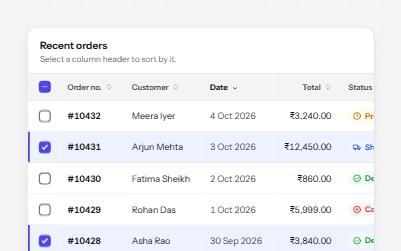
Sortable table
A data table with a caption, row headers, sort buttons that report the order, and row selection with a mixed Select all.
-
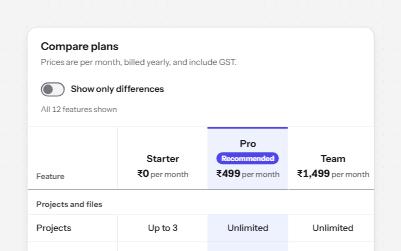
Comparison table
Plans side by side in a real table: plan and feature headers, ticks with words, and a filter that says what it hid.
-
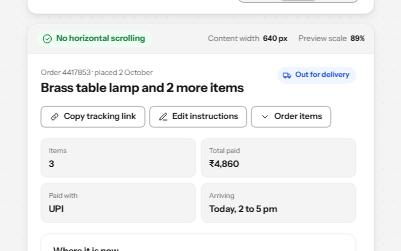
Reflow
A page that fits 320 CSS pixels, a 1280-pixel window at 400% zoom, with no sideways scrolling and nothing cut off.
-
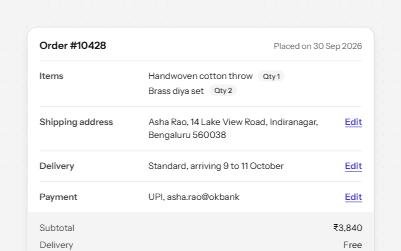
Description list
Name and value pairs in dl, dt and dd: an order summary and a profile card, with Edit links that say what they edit.