Accessibility pattern · Data display
Sortable table
The table stays a real table: a caption names it, th cells head every column and row, and a button in each column header sorts by that column. aria-sort moves to the one header that sets the order, and a status message says the new order in words.
- WCAG criteria
- 7
- Keyboard rules
- 4
- Checked with
- axe, keyboard and the inspector
Live demo
Try it
Use it with a mouse, a keyboard or a screen reader. The inspector beside it shows what the browser tells assistive technology as you go: focus, state changes and announcements.
| #10432 | Meera Iyer | ₹3,240.00 | Processing | ||
|---|---|---|---|---|---|
| #10431 | Arjun Mehta | ₹12,450.00 | Shipped | ||
| #10430 | Fatima Sheikh | ₹860.00 | Delivered | ||
| #10429 | Rohan Das | ₹5,999.00 | Cancelled | ||
| #10428 | Asha Rao | ₹3,840.00 | Delivered | ||
| #10427 | Kabir Singh | ₹1,275.50 | Refunded | ||
| #10426 | Lakshmi Nair | ₹24,800.00 | Delivered | ||
| #10425 | Vikram Joshi | ₹2,150.00 | Shipped | ||
| #10424 | Priya Kapoor | ₹7,320.00 | Delivered | ||
| #10423 | Nikhil Verma | ₹640.00 | Delivered |
2 selected
Sorted by Date, descending
The demo works without JavaScript only as far as its HTML does; the inspector needs JavaScript.
Keyboard
Keys it answers to
Every action works without a pointer.
| Key | What it does |
|---|---|
| Tab or ShiftTab | Moves through Select all, the sort buttons, then each row's checkbox; the scroll area is a stop too while it scrolls. |
| Enter or Space | On a sort button, sorts by that column, ascending first; pressing it again reverses the order. |
| Space | On a row's checkbox, selects or clears that row. On Select all, selects every row, or clears them when all are selected. |
| Arrow Left or Arrow Right or Arrow Up or Arrow Down | With the scroll area focused at narrow widths, scrolls the table sideways or up and down. |
Screen readers
What it announces
Written from the roles, names and states in the markup.
| When | Expected announcement |
|---|---|
| Focus reaches the Date sort button | Date, column header, sorted descending, button |
| Enter sorts by Total | Sorted by Total, ascending |
| Tab reaches a row's checkbox | #10431, Select order #10431, checkbox, checked |
| Space on Select all while some rows are selected | Select all orders, checkbox, checked. 10 selected |
| Tab reaches the scroll area at a narrow width | Recent orders, region |
These are expected announcements, not recordings. Wording and order differ between screen readers and browsers.
Code
Copy the code
The exact files this demo runs on. The styles are served with a prefix that keeps this site's own styles out of the demo; what you copy is the original.
<div class="ap-dtable" data-ap-dtable>
  <div class="ap-dtable__scroll" role="region" aria-labelledby="dtable-name" tabindex="0" data-ap-scroll>
    <table class="ap-dtable__table">
      <caption class="ap-dtable__cap">
        <span class="ap-dtable__name" id="dtable-name">Recent orders</span>
        <span class="ap-dtable__hint">Select a column header to sort by it.</span>
      </caption>
      <thead>
        <tr>
          <td class="ap-dtable__pick"><input class="ap-dtable__box" type="checkbox" aria-label="Select all orders" data-ap-all /></td>
          <th scope="col" data-type="text">
            <button type="button" class="ap-dtable__sort" data-ap-sort>Order no.<svg class="ap-dtable__arrows" viewBox="0 0 24 24" aria-hidden="true" focusable="false"><path class="ap-dtable__up" d="m8 10 4-4 4 4"/><path class="ap-dtable__down" d="m8 14 4 4 4-4"/></svg></button>
          </th>
          <th scope="col" data-type="text">
            <button type="button" class="ap-dtable__sort" data-ap-sort>Customer<svg class="ap-dtable__arrows" viewBox="0 0 24 24" aria-hidden="true" focusable="false"><path class="ap-dtable__up" d="m8 10 4-4 4 4"/><path class="ap-dtable__down" d="m8 14 4 4 4-4"/></svg></button>
          </th>
          <th scope="col" data-type="text" aria-sort="descending">
            <button type="button" class="ap-dtable__sort" data-ap-sort>Date<svg class="ap-dtable__arrows" viewBox="0 0 24 24" aria-hidden="true" focusable="false"><path class="ap-dtable__up" d="m8 10 4-4 4 4"/><path class="ap-dtable__down" d="m8 14 4 4 4-4"/></svg></button>
          </th>
          <th scope="col" class="ap-dtable__num" data-type="number">
            <button type="button" class="ap-dtable__sort" data-ap-sort>Total<svg class="ap-dtable__arrows" viewBox="0 0 24 24" aria-hidden="true" focusable="false"><path class="ap-dtable__up" d="m8 10 4-4 4 4"/><path class="ap-dtable__down" d="m8 14 4 4 4-4"/></svg></button>
          </th>
          <th scope="col" data-type="text">
            <button type="button" class="ap-dtable__sort" data-ap-sort>Status<svg class="ap-dtable__arrows" viewBox="0 0 24 24" aria-hidden="true" focusable="false"><path class="ap-dtable__up" d="m8 10 4-4 4 4"/><path class="ap-dtable__down" d="m8 14 4 4 4-4"/></svg></button>
          </th>
        </tr>
      </thead>
      <tbody>
        <tr>
          <td class="ap-dtable__pick"><input class="ap-dtable__box" type="checkbox" aria-label="Select order #10432" /></td>
          <th class="ap-dtable__id" scope="row">#10432</th>
          <td>Meera Iyer</td>
          <td class="ap-dtable__date"><time datetime="2026-10-04">4 Oct 2026</time></td>
          <td class="ap-dtable__num" data-value="3240">₹3,240.00</td>
          <td><span class="ap-dtable__status ap-dtable__status--wait"><svg class="ap-dtable__icon" viewBox="0 0 24 24" aria-hidden="true" focusable="false"><circle cx="12" cy="12" r="9"/><path d="M12 7v5l3 2"/></svg>Processing</span></td>
        </tr>
        <tr class="is-selected">
          <td class="ap-dtable__pick"><input class="ap-dtable__box" type="checkbox" aria-label="Select order #10431" checked /></td>
          <th class="ap-dtable__id" scope="row">#10431</th>
          <td>Arjun Mehta</td>
          <td class="ap-dtable__date"><time datetime="2026-10-03">3 Oct 2026</time></td>
          <td class="ap-dtable__num" data-value="12450">₹12,450.00</td>
          <td><span class="ap-dtable__status ap-dtable__status--ship"><svg class="ap-dtable__icon" viewBox="0 0 24 24" aria-hidden="true" focusable="false"><path d="M2.5 6.5h11v9h-11z"/><path d="M13.5 9.5h4l3 3.2v2.8h-7"/><circle cx="6.5" cy="17.5" r="1.8"/><circle cx="16.5" cy="17.5" r="1.8"/></svg>Shipped</span></td>
        </tr>
        <tr>
          <td class="ap-dtable__pick"><input class="ap-dtable__box" type="checkbox" aria-label="Select order #10430" /></td>
          <th class="ap-dtable__id" scope="row">#10430</th>
          <td>Fatima Sheikh</td>
          <td class="ap-dtable__date"><time datetime="2026-10-02">2 Oct 2026</time></td>
          <td class="ap-dtable__num" data-value="860">₹860.00</td>
          <td><span class="ap-dtable__status ap-dtable__status--done"><svg class="ap-dtable__icon" viewBox="0 0 24 24" aria-hidden="true" focusable="false"><circle cx="12" cy="12" r="9"/><path d="m8.2 12.4 2.6 2.6 5-5.2"/></svg>Delivered</span></td>
        </tr>
        <tr>
          <td class="ap-dtable__pick"><input class="ap-dtable__box" type="checkbox" aria-label="Select order #10429" /></td>
          <th class="ap-dtable__id" scope="row">#10429</th>
          <td>Rohan Das</td>
          <td class="ap-dtable__date"><time datetime="2026-10-01">1 Oct 2026</time></td>
          <td class="ap-dtable__num" data-value="5999">₹5,999.00</td>
          <td><span class="ap-dtable__status ap-dtable__status--stop"><svg class="ap-dtable__icon" viewBox="0 0 24 24" aria-hidden="true" focusable="false"><circle cx="12" cy="12" r="9"/><path d="m9.2 9.2 5.6 5.6m0-5.6-5.6 5.6"/></svg>Cancelled</span></td>
        </tr>
        <tr class="is-selected">
          <td class="ap-dtable__pick"><input class="ap-dtable__box" type="checkbox" aria-label="Select order #10428" checked /></td>
          <th class="ap-dtable__id" scope="row">#10428</th>
          <td>Asha Rao</td>
          <td class="ap-dtable__date"><time datetime="2026-09-30">30 Sep 2026</time></td>
          <td class="ap-dtable__num" data-value="3840">₹3,840.00</td>
          <td><span class="ap-dtable__status ap-dtable__status--done"><svg class="ap-dtable__icon" viewBox="0 0 24 24" aria-hidden="true" focusable="false"><circle cx="12" cy="12" r="9"/><path d="m8.2 12.4 2.6 2.6 5-5.2"/></svg>Delivered</span></td>
        </tr>
        <tr>
          <td class="ap-dtable__pick"><input class="ap-dtable__box" type="checkbox" aria-label="Select order #10427" /></td>
          <th class="ap-dtable__id" scope="row">#10427</th>
          <td>Kabir Singh</td>
          <td class="ap-dtable__date"><time datetime="2026-09-28">28 Sep 2026</time></td>
          <td class="ap-dtable__num" data-value="1275.5">₹1,275.50</td>
          <td><span class="ap-dtable__status ap-dtable__status--back"><svg class="ap-dtable__icon" viewBox="0 0 24 24" aria-hidden="true" focusable="false"><path d="M9 13.5 4.5 9 9 4.5"/><path d="M4.5 9h10a5.5 5.5 0 0 1 0 11H11"/></svg>Refunded</span></td>
        </tr>
        <tr>
          <td class="ap-dtable__pick"><input class="ap-dtable__box" type="checkbox" aria-label="Select order #10426" /></td>
          <th class="ap-dtable__id" scope="row">#10426</th>
          <td>Lakshmi Nair</td>
          <td class="ap-dtable__date"><time datetime="2026-09-27">27 Sep 2026</time></td>
          <td class="ap-dtable__num" data-value="24800">₹24,800.00</td>
          <td><span class="ap-dtable__status ap-dtable__status--done"><svg class="ap-dtable__icon" viewBox="0 0 24 24" aria-hidden="true" focusable="false"><circle cx="12" cy="12" r="9"/><path d="m8.2 12.4 2.6 2.6 5-5.2"/></svg>Delivered</span></td>
        </tr>
        <tr>
          <td class="ap-dtable__pick"><input class="ap-dtable__box" type="checkbox" aria-label="Select order #10425" /></td>
          <th class="ap-dtable__id" scope="row">#10425</th>
          <td>Vikram Joshi</td>
          <td class="ap-dtable__date"><time datetime="2026-09-25">25 Sep 2026</time></td>
          <td class="ap-dtable__num" data-value="2150">₹2,150.00</td>
          <td><span class="ap-dtable__status ap-dtable__status--ship"><svg class="ap-dtable__icon" viewBox="0 0 24 24" aria-hidden="true" focusable="false"><path d="M2.5 6.5h11v9h-11z"/><path d="M13.5 9.5h4l3 3.2v2.8h-7"/><circle cx="6.5" cy="17.5" r="1.8"/><circle cx="16.5" cy="17.5" r="1.8"/></svg>Shipped</span></td>
        </tr>
        <tr>
          <td class="ap-dtable__pick"><input class="ap-dtable__box" type="checkbox" aria-label="Select order #10424" /></td>
          <th class="ap-dtable__id" scope="row">#10424</th>
          <td>Priya Kapoor</td>
          <td class="ap-dtable__date"><time datetime="2026-09-24">24 Sep 2026</time></td>
          <td class="ap-dtable__num" data-value="7320">₹7,320.00</td>
          <td><span class="ap-dtable__status ap-dtable__status--done"><svg class="ap-dtable__icon" viewBox="0 0 24 24" aria-hidden="true" focusable="false"><circle cx="12" cy="12" r="9"/><path d="m8.2 12.4 2.6 2.6 5-5.2"/></svg>Delivered</span></td>
        </tr>
        <tr>
          <td class="ap-dtable__pick"><input class="ap-dtable__box" type="checkbox" aria-label="Select order #10423" /></td>
          <th class="ap-dtable__id" scope="row">#10423</th>
          <td>Nikhil Verma</td>
          <td class="ap-dtable__date"><time datetime="2026-09-22">22 Sep 2026</time></td>
          <td class="ap-dtable__num" data-value="640">₹640.00</td>
          <td><span class="ap-dtable__status ap-dtable__status--done"><svg class="ap-dtable__icon" viewBox="0 0 24 24" aria-hidden="true" focusable="false"><circle cx="12" cy="12" r="9"/><path d="m8.2 12.4 2.6 2.6 5-5.2"/></svg>Delivered</span></td>
        </tr>
      </tbody>
    </table>
  </div>
  <div class="ap-dtable__foot">
    <div class="ap-dtable__picked">
      <p class="ap-dtable__count" role="status" data-ap-picked><span class="ap-dtable__n" translate="no">2</span> <span>selected</span></p>
      <button type="button" class="ap-btn ap-btn--ghost ap-dtable__clear" aria-disabled="false" data-ap-deselect>Clear selection</button>
    </div>
    <p class="ap-dtable__sorted" role="status" data-ap-sorted><span>Sorted by</span> <span>Date,</span> <span>descending</span></p>
  </div>
</div>
/* Shared primitives: buttons and form fields used across the patterns.
   Uses the --ap-* design tokens. */

.ap-btn {
  display: inline-flex;
  align-items: center;
  justify-content: center;
  gap: 8px;
  min-height: 40px;
  padding: 0 16px;
  border: 1px solid var(--ap-border-strong);
  border-radius: var(--ap-radius-sm);
  background: var(--ap-surface);
  color: var(--ap-text);
  font: inherit;
  font-weight: 600;
  line-height: 1.2;
  text-decoration: none;
  white-space: nowrap;
  cursor: pointer;
  transition: background-color var(--ap-duration) var(--ap-ease), border-color var(--ap-duration) var(--ap-ease), box-shadow var(--ap-duration) var(--ap-ease);
}
.ap-btn:hover {
  background: var(--ap-surface-2);
}
.ap-btn:focus-visible {
  outline: 2px solid var(--ap-focus);
  outline-offset: 2px;
}
.ap-btn:disabled,
.ap-btn[aria-disabled="true"] {
  opacity: .55;
  cursor: not-allowed;
}
.ap-btn--primary {
  border-color: var(--ap-accent);
  background: var(--ap-accent);
  color: var(--ap-on-accent);
  box-shadow: var(--ap-shadow-sm);
}
.ap-btn--primary:hover {
  border-color: var(--ap-accent-hover);
  background: var(--ap-accent-hover);
}
.ap-btn--danger {
  border-color: var(--ap-danger);
  background: var(--ap-danger);
  color: var(--ap-surface);
}
.ap-btn--danger:hover {
  filter: brightness(1.08);
}
.ap-btn--ghost {
  border-color: transparent;
  background: transparent;
}
.ap-btn--ghost:hover {
  background: var(--ap-surface-2);
}
.ap-btn__icon {
  width: 18px;
  height: 18px;
  flex-shrink: 0;
  fill: none;
  stroke: currentColor;
  stroke-width: 2;
  stroke-linecap: round;
  stroke-linejoin: round;
}

.ap-field {
  display: grid;
  gap: 6px;
}
.ap-label {
  color: var(--ap-text);
  font-weight: 600;
  font-size: .9375rem;
}
.ap-hint {
  margin: 0;
  color: var(--ap-text-3);
  font-size: .875rem;
  line-height: 1.45;
}
.ap-error {
  display: flex;
  align-items: flex-start;
  gap: 6px;
  margin: 0;
  color: var(--ap-danger);
  font-size: .875rem;
  font-weight: 600;
  line-height: 1.45;
}
.ap-input {
  width: 100%;
  min-height: 44px;
  padding: 10px 12px;
  border: 1px solid var(--ap-border-strong);
  border-radius: var(--ap-radius-sm);
  background: var(--ap-surface);
  color: var(--ap-text);
  font: inherit;
  line-height: 1.4;
  transition: border-color var(--ap-duration) var(--ap-ease), box-shadow var(--ap-duration) var(--ap-ease);
}
.ap-input::placeholder {
  color: var(--ap-text-3);
}
.ap-input:hover {
  border-color: var(--ap-text-2);
}
.ap-input:focus-visible {
  outline: 2px solid var(--ap-focus);
  outline-offset: 1px;
  border-color: var(--ap-focus);
}
.ap-input[aria-invalid="true"] {
  border-color: var(--ap-danger);
  box-shadow: inset 4px 0 0 var(--ap-danger);
}
textarea.ap-input {
  resize: vertical;
  min-height: 88px;
}

@media (prefers-reduced-motion: reduce) {
  .ap-btn,
  .ap-input { transition: none; }
}

/* Sortable table with row selection. Uses the --ap-* design tokens and the shared primitives. */
.ap-dtable {
  width: min(100%, 780px);
  margin-inline: auto;
  border: 1px solid var(--ap-border);
  border-radius: var(--ap-radius-lg);
  background: var(--ap-surface);
  color: var(--ap-text);
  box-shadow: var(--ap-shadow-md);
  container-type: inline-size;
  overflow: hidden;
}

/* The scroll area: a labelled region. Sticky parts must not cover focus. */
.ap-dtable__scroll {
  overflow: auto;
  overscroll-behavior-x: contain;
  scroll-padding-top: 48px;
}
.ap-dtable__scroll:focus-visible {
  outline: 2px solid var(--ap-focus);
  outline-offset: -2px;
  border-radius: var(--ap-radius-lg) var(--ap-radius-lg) 0 0;
}

.ap-dtable__table {
  width: 100%;
  border-collapse: separate;
  border-spacing: 0;
  font-size: .9375rem;
  line-height: 1.4;
}

.ap-dtable__cap {
  padding: 18px 20px 14px;
  text-align: start;
}
/* Kept in view when the table scrolls sideways. */
.ap-dtable__name,
.ap-dtable__hint {
  position: sticky;
  left: 20px;
  display: block;
  width: fit-content;
}
.ap-dtable__name {
  font-size: 1.0625rem;
  font-weight: 650;
  line-height: 1.3;
}
.ap-dtable__hint {
  margin-top: 2px;
  color: var(--ap-text-3);
  font-size: .875rem;
}

/* Cells. Every cell paints its own background so sticky ones stay opaque. */
.ap-dtable__table th,
.ap-dtable__table td {
  height: 52px;
  padding: 0 14px;
  border-bottom: 1px solid var(--ap-border);
  background: var(--ap-surface);
  text-align: start;
  vertical-align: middle;
  white-space: nowrap;
  transition: background-color var(--ap-duration) var(--ap-ease);
}
.ap-dtable__table tbody tr:last-child > * {
  border-bottom: 0;
}
.ap-dtable__table tbody tr:hover > * {
  background: var(--ap-surface-2);
}
.ap-dtable__table tbody tr.is-selected > * {
  background: var(--ap-accent-soft);
}
/* Selection is not color alone: the checkbox, and a bar at the row's start. */
.ap-dtable__table tbody tr.is-selected > :first-child {
  box-shadow: inset 3px 0 0 var(--ap-accent);
}

/* The header row sticks to the top of the scroll area. */
.ap-dtable__table thead th,
.ap-dtable__table thead td {
  position: sticky;
  top: 0;
  z-index: 2;
  height: 46px;
  padding: 0 6px;
  border-top: 1px solid var(--ap-border);
  background: var(--ap-surface-2);
  color: var(--ap-text-2);
  font-size: .8125rem;
  font-weight: 600;
}
.ap-dtable__table thead .ap-dtable__pick {
  padding-inline: 18px 0;
}

.ap-dtable__id {
  font-weight: 600;
  font-variant-numeric: tabular-nums;
}
.ap-dtable__date {
  color: var(--ap-text-2);
  font-variant-numeric: tabular-nums;
}
.ap-dtable__num {
  text-align: end;
  font-variant-numeric: tabular-nums;
}
.ap-dtable__table td.ap-dtable__num,
.ap-dtable__table th.ap-dtable__num {
  text-align: end;
}

/* Sort buttons: the whole header is the target. */
.ap-dtable__sort {
  display: inline-flex;
  align-items: center;
  gap: 4px;
  width: 100%;
  min-height: 36px;
  padding: 0 6px 0 8px;
  border: 0;
  border-radius: var(--ap-radius-sm);
  background: transparent;
  color: inherit;
  font: inherit;
  font-weight: 600;
  text-align: start;
  white-space: nowrap;
  cursor: pointer;
  transition: background-color var(--ap-duration) var(--ap-ease), color var(--ap-duration) var(--ap-ease);
}
.ap-dtable__num .ap-dtable__sort {
  justify-content: flex-end;
}
.ap-dtable__sort:hover {
  background: var(--ap-surface-3);
  color: var(--ap-text);
}
.ap-dtable__sort:focus-visible {
  outline: 2px solid var(--ap-focus);
  outline-offset: -2px;
}
.ap-dtable__arrows {
  flex-shrink: 0;
  width: 16px;
  height: 16px;
  fill: none;
  stroke: currentColor;
  stroke-width: 2;
  stroke-linecap: round;
  stroke-linejoin: round;
}
.ap-dtable__arrows path {
  opacity: .45;
  transition: opacity var(--ap-duration) var(--ap-ease);
}
/* The sorted column: darker label, heavier weight, one arrow pointing the way. */
.ap-dtable__table th[aria-sort] .ap-dtable__sort {
  color: var(--ap-text);
  font-weight: 700;
}
.ap-dtable__table th[aria-sort] .ap-dtable__arrows {
  stroke: var(--ap-accent-text);
  stroke-width: 2.4;
}
.ap-dtable__table th[aria-sort="ascending"] .ap-dtable__up,
.ap-dtable__table th[aria-sort="descending"] .ap-dtable__down {
  opacity: 1;
}
.ap-dtable__table th[aria-sort="ascending"] .ap-dtable__down,
.ap-dtable__table th[aria-sort="descending"] .ap-dtable__up {
  opacity: 0;
}

/* The checkbox column */
.ap-dtable__table .ap-dtable__pick {
  width: 52px;
  padding: 0 0 0 18px;
}
.ap-dtable__box {
  appearance: none;
  display: grid;
  place-content: center;
  width: 20px;
  height: 20px;
  margin: 0;
  border: 2px solid var(--ap-border-strong);
  border-radius: 6px;
  background: var(--ap-surface);
  vertical-align: middle;
  cursor: pointer;
  transition: background-color var(--ap-duration) var(--ap-ease), border-color var(--ap-duration) var(--ap-ease);
}
.ap-dtable__box::before {
  content: "";
  width: 10px;
  height: 5px;
  margin-top: -2px;
  border: solid var(--ap-on-accent);
  border-width: 0 0 2.5px 2.5px;
  transform: rotate(-45deg) scale(0);
  transition: transform var(--ap-duration) var(--ap-ease);
}
.ap-dtable__box:checked,
.ap-dtable__box:indeterminate {
  border-color: var(--ap-accent);
  background: var(--ap-accent);
}
.ap-dtable__box:checked::before {
  transform: rotate(-45deg) scale(1);
}
.ap-dtable__box:indeterminate::before {
  width: 10px;
  height: 0;
  margin-top: 0;
  border-width: 0 0 2.5px;
  border-radius: 2px;
  transform: none;
}
.ap-dtable__box:focus-visible {
  outline: 2px solid var(--ap-focus);
  outline-offset: 2px;
}

/* Status: an icon and a word, never color alone. */
.ap-dtable__status {
  display: inline-flex;
  align-items: center;
  gap: 6px;
  padding: 3px 10px 3px 7px;
  border-radius: var(--ap-radius-full);
  background: var(--ap-surface-2);
  color: var(--ap-text-2);
  font-size: .8125rem;
  font-weight: 600;
  line-height: 1.35;
}
.ap-dtable__icon {
  flex-shrink: 0;
  width: 15px;
  height: 15px;
  fill: none;
  stroke: currentColor;
  stroke-width: 2;
  stroke-linecap: round;
  stroke-linejoin: round;
}
.ap-dtable__status--done { background: var(--ap-success-soft); color: var(--ap-success); }
.ap-dtable__status--ship { background: var(--ap-info-soft); color: var(--ap-info); }
.ap-dtable__status--wait { background: var(--ap-warning-soft); color: var(--ap-warning); }
.ap-dtable__status--stop { background: var(--ap-danger-soft); color: var(--ap-danger); }

/* Footer: the selection count and the sort order, both status messages. */
.ap-dtable__foot {
  display: flex;
  flex-wrap: wrap;
  align-items: center;
  justify-content: space-between;
  gap: 6px 16px;
  padding: 8px 20px 8px 10px;
  border-top: 1px solid var(--ap-border);
  background: var(--ap-surface-2);
  font-size: .875rem;
}
.ap-dtable__picked {
  display: flex;
  align-items: center;
  gap: 4px;
}
.ap-dtable__count {
  margin: 0;
  padding-left: 10px;
  color: var(--ap-text);
  font-weight: 600;
}
.ap-dtable__n {
  font-variant-numeric: tabular-nums;
}
.ap-dtable__clear {
  min-height: 36px;
  padding: 0 12px;
  color: var(--ap-accent-text);
  font-size: .875rem;
}
.ap-dtable__clear:hover {
  background: var(--ap-surface-3);
}
.ap-dtable__clear[aria-disabled="true"] {
  color: var(--ap-text-3);
  opacity: 1;
}
.ap-dtable__clear[aria-disabled="true"]:hover {
  background: transparent;
}
.ap-dtable__sorted {
  margin: 0;
  color: var(--ap-text-3);
}

/* Narrow: the area scrolls both ways, the header row sticks to its top and
   the checkbox and order columns stick to its left. */
@container (max-width: 660px) {
  .ap-dtable__scroll {
    max-height: 432px;
    scroll-padding-left: 140px;
  }
  .ap-dtable__table {
    min-width: 660px;
  }
  .ap-dtable__table .ap-dtable__pick {
    position: sticky;
    left: 0;
    z-index: 1;
  }
  .ap-dtable__table .ap-dtable__id,
  .ap-dtable__table thead th:nth-child(2) {
    position: sticky;
    left: 52px;
    z-index: 1;
  }
  .ap-dtable__table thead .ap-dtable__pick,
  .ap-dtable__table thead th:nth-child(2) {
    z-index: 3;
  }
  .ap-dtable.is-scrolled .ap-dtable__id,
  .ap-dtable.is-scrolled thead th:nth-child(2) {
    box-shadow: 8px 0 12px -10px var(--ap-text-3);
  }
  .ap-dtable__foot {
    padding-right: 14px;
  }
  .ap-dtable__sorted {
    padding-left: 10px;
  }
}

@media (prefers-reduced-motion: reduce) {
  .ap-dtable__table th,
  .ap-dtable__table td,
  .ap-dtable__sort,
  .ap-dtable__arrows path,
  .ap-dtable__box,
  .ap-dtable__box::before { transition: none; }
}
/**
 * Sortable table with row selection.
 *
 * Sort buttons sit inside the column headers; the header that sets the order
 * carries aria-sort (and no other header does), and a status message says
 * the new order. Each body row has a checkbox; Select all is checked, clear
 * or mixed to match them, and a second status message counts the selection.
 *
 * Markup: [data-ap-dtable] holding div[data-ap-scroll][role=region] around a
 * table with a caption. Sortable headers are th[data-type="text|number"]
 * containing button[data-ap-sort]; a cell sorts by its data-value, else its
 * time element's datetime, else its text. Select all is input[data-ap-all];
 * p[data-ap-picked] and p[data-ap-sorted] are role=status; the Clear selection
 * button is [data-ap-deselect].
 */

export function init(root) {
  const scroller = root.querySelector("[data-ap-scroll]");
  const table = scroller.querySelector("table");
  const body = table.tBodies[0];
  const all = root.querySelector("[data-ap-all]");
  const clear = root.querySelector("[data-ap-deselect]");
  const headers = [...table.tHead.querySelectorAll("th[data-type]")];
  const boxes = () => [...body.querySelectorAll("input[type=checkbox]")];

  const word = (text, raw = false) => {
    const span = document.createElement("span");
    span.textContent = text;
    if (raw) span.translate = false;
    return span;
  };

  /* ── Sorting ── */
  function keyOf(cell, type) {
    const raw = cell.dataset.value ?? cell.querySelector("time")?.getAttribute("datetime") ?? cell.textContent.trim();
    return type === "number" ? Number(raw) : raw;
  }

  function sortBy(th, direction) {
    const column = th.cellIndex;
    const type = th.dataset.type;
    const sign = direction === "ascending" ? 1 : -1;
    const rows = [...body.rows];
    rows.sort((a, b) => {
      const x = keyOf(a.cells[column], type);
      const y = keyOf(b.cells[column], type);
      const diff = type === "number" ? x - y : String(x).localeCompare(String(y), undefined, { numeric: true, sensitivity: "base" });
      return diff * sign;
    });
    body.append(...rows);
    // One sorted column at a time: the others lose the attribute entirely.
    for (const h of headers) if (h !== th) h.removeAttribute("aria-sort");
    th.setAttribute("aria-sort", direction);

    // The column's name is read from its button, so a translated page
    // announces the translated name; the fixed words around it translate too.
    const name = th.querySelector("[data-ap-sort]").textContent.trim();
    root.querySelector("[data-ap-sorted]").replaceChildren(word("Sorted by"), " ", word(`${name},`), " ", word(direction));
  }

  function onClick(event) {
    const button = event.target.closest("[data-ap-sort]");
    if (button && root.contains(button)) {
      const th = button.closest("th");
      sortBy(th, th.getAttribute("aria-sort") === "ascending" ? "descending" : "ascending");
      return;
    }
    if (event.target.closest("[data-ap-deselect]") && clear.getAttribute("aria-disabled") !== "true") {
      for (const box of boxes()) box.checked = false;
      sync();
    }
  }

  /* ── Selection ── */
  let shown = null; // the count the status message says now

  function sync() {
    const list = boxes();
    const on = list.filter((b) => b.checked).length;
    all.checked = on === list.length;
    all.indeterminate = on > 0 && on < list.length;
    for (const box of list) box.closest("tr").classList.toggle("is-selected", box.checked);
    clear.setAttribute("aria-disabled", String(on === 0));
    // Written only when the number changes, so the live region speaks once.
    if (shown !== null && shown !== on) {
      const count = root.querySelector("[data-ap-picked]");
      if (on === 0) count.replaceChildren(word("No orders selected"));
      else {
        const n = word(String(on), true);
        n.className = "ap-dtable__n";
        count.replaceChildren(n, " ", word("selected"));
      }
    }
    shown = on;
  }

  function onChange(event) {
    const box = event.target;
    if (box.type !== "checkbox") return;
    if (box === all) {
      // A click on a mixed or clear box selects every row; on a full one, clears them.
      for (const b of boxes()) b.checked = all.checked;
    }
    sync();
  }

  /* ── The scroll area is a tab stop only while there is something to scroll ── */
  function fit() {
    const scrolls = scroller.scrollWidth > scroller.clientWidth + 1 || scroller.scrollHeight > scroller.clientHeight + 1;
    if (scrolls) scroller.tabIndex = 0;
    else scroller.removeAttribute("tabindex");
    onScroll();
  }
  function onScroll() {
    root.classList.toggle("is-scrolled", scroller.scrollLeft > 0);
  }
  const resize = new ResizeObserver(fit);
  resize.observe(scroller);
  resize.observe(table);

  sync();
  root.addEventListener("click", onClick);
  root.addEventListener("change", onChange);
  scroller.addEventListener("scroll", onScroll, { passive: true });

  return () => {
    resize.disconnect();
    root.removeEventListener("click", onClick);
    root.removeEventListener("change", onChange);
    scroller.removeEventListener("scroll", onScroll);
  };
}

for (const root of document.querySelectorAll("[data-ap-dtable]")) init(root);
/* Design tokens for the pattern components. Light by default, dark when the
   system asks for it; set data-theme="dark" on :root to force dark. */
:root {
    --ap-radius-sm: 8px;
    --ap-radius: 12px;
    --ap-radius-lg: 16px;
    --ap-radius-full: 999px;
    --ap-font: "Instrument Sans", ui-sans-serif, system-ui, -apple-system, "Segoe UI", Roboto, sans-serif;
    --ap-mono: "JetBrains Mono", ui-monospace, "Cascadia Mono", "SF Mono", Consolas, monospace;
    --ap-ease: cubic-bezier(.2, .8, .2, 1);
    --ap-duration: 180ms;
    --ap-target: 44px;
    --ap-bg: #F4F4F5;
    --ap-surface: #FFFFFF;
    --ap-surface-2: #F4F4F5;
    --ap-surface-3: #E4E4E7;
    --ap-border: #E4E4E7;
    --ap-border-strong: #76767F;
    --ap-text: #18181B;
    --ap-text-2: #3F3F46;
    --ap-text-3: #5E5E66;
    --ap-accent: #4F46E5;
    --ap-accent-hover: #4338CA;
    --ap-on-accent: #FFFFFF;
    --ap-accent-text: #4338CA;
    --ap-accent-soft: #EEF2FF;
    --ap-accent-soft-text: #3730A3;
    --ap-focus: #4F46E5;
    --ap-danger: #B91C1C;
    --ap-danger-soft: #FEF2F2;
    --ap-success: #15803D;
    --ap-success-soft: #F0FDF4;
    --ap-warning: #A15C07;
    --ap-warning-soft: #FEFCE8;
    --ap-info: #1D4ED8;
    --ap-info-soft: #EFF6FF;
    --ap-scrim: rgb(9 9 11 / .48);
    --ap-shadow-sm: 0 1px 2px rgb(9 9 11 / .06);
    --ap-shadow-md: 0 1px 2px rgb(9 9 11 / .05), 0 6px 16px -4px rgb(9 9 11 / .1);
    --ap-shadow-lg: 0 2px 6px rgb(9 9 11 / .06), 0 20px 40px -12px rgb(9 9 11 / .22);
    --ap-light-bg: #F4F4F5;
    --ap-light-surface: #FFFFFF;
    --ap-light-surface-2: #F4F4F5;
    --ap-light-surface-3: #E4E4E7;
    --ap-light-border: #E4E4E7;
    --ap-light-border-strong: #76767F;
    --ap-light-text: #18181B;
    --ap-light-text-2: #3F3F46;
    --ap-light-text-3: #5E5E66;
    --ap-light-accent: #4F46E5;
    --ap-light-accent-hover: #4338CA;
    --ap-light-on-accent: #FFFFFF;
    --ap-light-accent-text: #4338CA;
    --ap-light-accent-soft: #EEF2FF;
    --ap-light-accent-soft-text: #3730A3;
    --ap-light-focus: #4F46E5;
    --ap-light-danger: #B91C1C;
    --ap-light-danger-soft: #FEF2F2;
    --ap-light-success: #15803D;
    --ap-light-success-soft: #F0FDF4;
    --ap-light-warning: #A15C07;
    --ap-light-warning-soft: #FEFCE8;
    --ap-light-info: #1D4ED8;
    --ap-light-info-soft: #EFF6FF;
    --ap-light-scrim: rgb(9 9 11 / .48);
    --ap-light-shadow-sm: 0 1px 2px rgb(9 9 11 / .06);
    --ap-light-shadow-md: 0 1px 2px rgb(9 9 11 / .05), 0 6px 16px -4px rgb(9 9 11 / .1);
    --ap-light-shadow-lg: 0 2px 6px rgb(9 9 11 / .06), 0 20px 40px -12px rgb(9 9 11 / .22);
    --ap-dark-bg: #09090B;
    --ap-dark-surface: #18181B;
    --ap-dark-surface-2: #27272A;
    --ap-dark-surface-3: #3F3F46;
    --ap-dark-border: #2E2E33;
    --ap-dark-border-strong: #8E8E97;
    --ap-dark-text: #FAFAFA;
    --ap-dark-text-2: #D4D4D8;
    --ap-dark-text-3: #A1A1AA;
    --ap-dark-accent: #818CF8;
    --ap-dark-accent-hover: #A5B4FC;
    --ap-dark-on-accent: #0C0A1F;
    --ap-dark-accent-text: #A5B4FC;
    --ap-dark-accent-soft: #1E1B4B;
    --ap-dark-accent-soft-text: #C7D2FE;
    --ap-dark-focus: #A5B4FC;
    --ap-dark-danger: #F87171;
    --ap-dark-danger-soft: #2A1215;
    --ap-dark-success: #4ADE80;
    --ap-dark-success-soft: #0F2A1A;
    --ap-dark-warning: #FACC15;
    --ap-dark-warning-soft: #2A2410;
    --ap-dark-info: #60A5FA;
    --ap-dark-info-soft: #0F1D33;
    --ap-dark-scrim: rgb(0 0 0 / .62);
    --ap-dark-shadow-sm: 0 1px 2px rgb(0 0 0 / .4);
    --ap-dark-shadow-md: 0 1px 2px rgb(0 0 0 / .4), 0 8px 20px -6px rgb(0 0 0 / .5);
    --ap-dark-shadow-lg: 0 2px 8px rgb(0 0 0 / .45), 0 24px 48px -12px rgb(0 0 0 / .7);
}
@media (prefers-color-scheme: dark) {
  :root:not([data-theme="light"]) {
      --ap-bg: #09090B;
      --ap-surface: #18181B;
      --ap-surface-2: #27272A;
      --ap-surface-3: #3F3F46;
      --ap-border: #2E2E33;
      --ap-border-strong: #8E8E97;
      --ap-text: #FAFAFA;
      --ap-text-2: #D4D4D8;
      --ap-text-3: #A1A1AA;
      --ap-accent: #818CF8;
      --ap-accent-hover: #A5B4FC;
      --ap-on-accent: #0C0A1F;
      --ap-accent-text: #A5B4FC;
      --ap-accent-soft: #1E1B4B;
      --ap-accent-soft-text: #C7D2FE;
      --ap-focus: #A5B4FC;
      --ap-danger: #F87171;
      --ap-danger-soft: #2A1215;
      --ap-success: #4ADE80;
      --ap-success-soft: #0F2A1A;
      --ap-warning: #FACC15;
      --ap-warning-soft: #2A2410;
      --ap-info: #60A5FA;
      --ap-info-soft: #0F1D33;
      --ap-scrim: rgb(0 0 0 / .62);
      --ap-shadow-sm: 0 1px 2px rgb(0 0 0 / .4);
      --ap-shadow-md: 0 1px 2px rgb(0 0 0 / .4), 0 8px 20px -6px rgb(0 0 0 / .5);
      --ap-shadow-lg: 0 2px 8px rgb(0 0 0 / .45), 0 24px 48px -12px rgb(0 0 0 / .7);
  }
}
:root[data-theme="dark"] {
    --ap-bg: #09090B;
    --ap-surface: #18181B;
    --ap-surface-2: #27272A;
    --ap-surface-3: #3F3F46;
    --ap-border: #2E2E33;
    --ap-border-strong: #8E8E97;
    --ap-text: #FAFAFA;
    --ap-text-2: #D4D4D8;
    --ap-text-3: #A1A1AA;
    --ap-accent: #818CF8;
    --ap-accent-hover: #A5B4FC;
    --ap-on-accent: #0C0A1F;
    --ap-accent-text: #A5B4FC;
    --ap-accent-soft: #1E1B4B;
    --ap-accent-soft-text: #C7D2FE;
    --ap-focus: #A5B4FC;
    --ap-danger: #F87171;
    --ap-danger-soft: #2A1215;
    --ap-success: #4ADE80;
    --ap-success-soft: #0F2A1A;
    --ap-warning: #FACC15;
    --ap-warning-soft: #2A2410;
    --ap-info: #60A5FA;
    --ap-info-soft: #0F1D33;
    --ap-scrim: rgb(0 0 0 / .62);
    --ap-shadow-sm: 0 1px 2px rgb(0 0 0 / .4);
    --ap-shadow-md: 0 1px 2px rgb(0 0 0 / .4), 0 8px 20px -6px rgb(0 0 0 / .5);
    --ap-shadow-lg: 0 2px 8px rgb(0 0 0 / .45), 0 24px 48px -12px rgb(0 0 0 / .7);
}
WCAG 2.2
What it meets
The success criteria this pattern takes care of, and how.
-
1.3.1 Info and Relationships
Level A
The caption names the table, th scope=col and scope=row tie every value to its column and its order number, and aria-sort marks the column that sets the order.
-
1.4.10 Reflow
Level AA
At narrow widths the table scrolls inside its own region, so the page never scrolls sideways; data tables are an allowed exception for two-way scrolling.
-
2.1.1 Keyboard
Level A
Sorting uses buttons and selection uses native checkboxes, and the scroll area takes focus so the arrow keys can scroll it.
-
2.4.7 Focus Visible
Level AA
Sort buttons, checkboxes and the scroll area all show a two-pixel focus ring.
-
2.4.11 Focus Not Obscured (Minimum)
Level AA
scroll-padding on the scroll area keeps a focused checkbox clear of the sticky header row and the sticky first columns.
-
4.1.2 Name, Role, Value
Level A
Each row's checkbox is named for its order, Select all reports partly checked, and the sorted header carries aria-sort.
-
4.1.3 Status Messages
Level AA
The new sort order and the number of selected rows are status messages, announced without moving focus.
Usage
When to use it
Use it
- Records people compare on the same fields, like orders, invoices or members.
- Lists long enough that changing the order helps people find a row.
- Rows people act on in bulk, such as downloading or archiving several at once.
Use something else
- Page layout: a table used for positioning reads as data to screen readers. Use CSS grid.
- Editing values cell by cell with the arrow keys: use a data grid.
- The details of one record: use a description list.
Common failures
How it usually goes wrong
Sort controls that are not buttons
A clickable th or a lone arrow icon cannot be reached with Tab and says nothing when used. A button inside the header can, and the header stays a header.
aria-sort left on several headers
Leaving the previous column marked, or setting none on every column, makes screen readers report more than one order. Only the column that sets the order carries aria-sort here.
Order shown only by an arrow
An arrow is not announced and is easy to miss. aria-sort on the header and a status message say the order in words.
Checkboxes all called Select row
Ten identical names are impossible to tell apart in a list of form controls. Each checkbox here names its order.
A sticky header over the focused row
Tab can scroll a row's checkbox to the top edge, right under the sticky header. scroll-padding keeps whatever has focus in view.
A scroll area keyboards cannot scroll
An overflowing box with no tab stop leaves keyboard users stuck at its left edge. This one is focusable and labelled while it scrolls.
Notes
Building it
- Put a button inside each sortable th, and move aria-sort to the header that was used; remove it from the others rather than setting none.
- Cells sort by data-value or a time element's datetime when the text people read is not the sort key, as with amounts and dates.
- Select all's mixed state is the indeterminate property, which only script can set; without JavaScript it starts clear.
- Don't put aria-selected on rows: it belongs to grids. In a table the checkbox carries the selected state, and the row's tint and bar only echo it.
- The script makes the scroll area a tab stop only while it overflows, so a table that fits does not add an empty stop.
Sources: WAI-ARIA Authoring Practices: Sortable Table Example · WAI Tutorials: Tables · Adrian Roselli: Under-Engineered Responsive Tables
Checked with axe in light and dark themes, at desktop and phone widths, and by keyboard. Not yet tested with every screen reader and browser pair. Report a correction
Related
Patterns that go with it
-
Responsive table
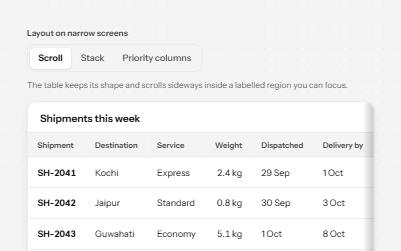
One table, three ways to fit a narrow screen: scroll it in a labelled region, stack rows into cards, or hide minor columns.
-
Data grid
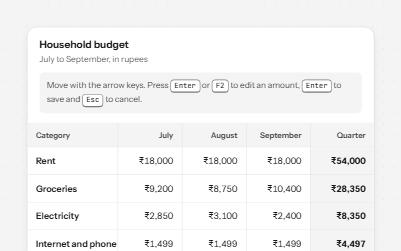
A spreadsheet-like grid with one tab stop: arrow keys move between cells, Enter edits an amount, and totals are announced.
-
Checkbox group with select all
A fieldset of related checkboxes with a Select all box that shows a mixed state and a live count of what is chosen.
-
Pagination
Page links in a labelled nav that name each page, mark the current one, and say when the list changes.