launch-brief.md
The Pune store opens on 14 November. We want 300 people on the mailing list by the end of the first week.
Every invitation goes out by email and WhatsApp, with the venue's step-free entrance on the map.
Accessibility pattern · Interaction and motion
The separator between the panes is a focusable element with role=separator and a value: the share of the space the file list takes. Arrow keys resize it, Enter collapses and restores the file list, and buttons in the toolbar do the same for anyone who cannot drag.
Live demo
Use it with a mouse, a keyboard or a screen reader. The inspector beside it shows what the browser tells assistive technology as you go: focus, state changes and announcements.
The Pune store opens on 14 November. We want 300 people on the mailing list by the end of the first week.
Every invitation goes out by email and WhatsApp, with the venue's step-free entrance on the map.
Hall B holds 120 people. The lift is at the back, beside the café, and the hall has a hearing loop.
86 people have replied so far. Twelve asked for seats near the front, and four for a sign language interpreter.
The demo works without JavaScript only as far as its HTML does; the inspector needs JavaScript.
Keyboard
Every action works without a pointer.
| Key | What it does |
|---|---|
| Tab | Reaches the toolbar, the files, the separator and the preview in turn. |
| Arrow Left or Arrow Right | On the separator, narrows or widens the file list by 5 percent, within its limits. |
| Arrow Up or Arrow Down | The same when the panes are stacked and the separator runs across. |
| Home or End | Gives the file list its smallest or its largest open size. |
| Enter | Collapses the file list, or restores it to the size it had before. |
Screen readers
Written from the roles, names and states in the markup.
| When | Expected announcement |
|---|---|
| Tab reaches the separator | Resize file list, separator, 38 |
| Arrow Right widens the file list | 43 |
| Enter collapses it | 0. File list collapsed |
| Enter restores it | 43. File list restored |
| The File list button is pressed | File list, button, collapsed. File list collapsed |
These are expected announcements, not recordings. Wording and order differ between screen readers and browsers.
Code
The exact files this demo runs on. The styles are served with a prefix that keeps this site's own styles out of the demo; what you copy is the original.
<div class="ap-window-splitter" data-ap-window-splitter>
  <div class="ap-window-splitter__bar">
    <button type="button" class="ap-window-splitter__toggle" data-ap-toggle aria-expanded="true" aria-controls="window-splitter-files">
      <svg viewBox="0 0 24 24" aria-hidden="true" focusable="false"><rect x="3" y="4" width="18" height="16" rx="2"/><path d="M9 4v16"/><path class="ap-window-splitter__toggle-fill" d="M3.5 6.5a2 2 0 0 1 2-2H9v15H5.5a2 2 0 0 1-2-2Z"/></svg>
      <span>File list</span>
    </button>
    <h3 class="ap-window-splitter__project">Diwali launch</h3>
    <div class="ap-window-splitter__sizes" role="group" aria-label="File list size">
      <button type="button" class="ap-window-splitter__size" data-ap-size="-1" aria-label="Make the file list smaller" aria-disabled="false"><svg viewBox="0 0 24 24" aria-hidden="true" focusable="false"><path d="M6 12h12"/></svg></button>
      <button type="button" class="ap-window-splitter__size" data-ap-size="1" aria-label="Make the file list larger" aria-disabled="false"><svg viewBox="0 0 24 24" aria-hidden="true" focusable="false"><path d="M6 12h12M12 6v12"/></svg></button>
    </div>
  </div>

  <div class="ap-window-splitter__panes" data-ap-panes>
    <div class="ap-window-splitter__pane ap-window-splitter__pane--files" id="window-splitter-files">
      <h4 class="ap-window-splitter__pane-name" id="window-splitter-files-name">Files</h4>
      <ul class="ap-window-splitter__files" aria-labelledby="window-splitter-files-name">
          <li><button type="button" class="ap-window-splitter__file" data-ap-file="brief" aria-current="true"><svg viewBox="0 0 24 24" aria-hidden="true" focusable="false"><path d="M14 3H7a2 2 0 0 0-2 2v14a2 2 0 0 0 2 2h10a2 2 0 0 0 2-2V8Z"/><path d="M14 3v5h5"/></svg><span translate="no">launch-brief.md</span></button></li>
          <li><button type="button" class="ap-window-splitter__file" data-ap-file="budget"><svg viewBox="0 0 24 24" aria-hidden="true" focusable="false"><rect x="4" y="4" width="16" height="16" rx="2"/><path d="M4 10h16M4 15h16M10 4v16"/></svg><span translate="no">budget.csv</span></button></li>
          <li><button type="button" class="ap-window-splitter__file" data-ap-file="venue"><svg viewBox="0 0 24 24" aria-hidden="true" focusable="false"><path d="M14 3H7a2 2 0 0 0-2 2v14a2 2 0 0 0 2 2h10a2 2 0 0 0 2-2V8Z"/><path d="M14 3v5h5"/></svg><span translate="no">venue-notes.txt</span></button></li>
          <li><button type="button" class="ap-window-splitter__file" data-ap-file="guests"><svg viewBox="0 0 24 24" aria-hidden="true" focusable="false"><rect x="4" y="4" width="16" height="16" rx="2"/><path d="M4 10h16M4 15h16M10 4v16"/></svg><span translate="no">guest-list.csv</span></button></li>
      </ul>
    </div>

    <div class="ap-window-splitter__sep" role="separator" tabindex="0" aria-label="Resize file list" aria-controls="window-splitter-files" aria-orientation="vertical" aria-valuenow="38" aria-valuemin="0" aria-valuemax="70" data-min="20" data-ap-sep>
      <span class="ap-window-splitter__grip" aria-hidden="true"></span>
      <span class="ap-window-splitter__readout" aria-hidden="true" translate="no" data-ap-readout>38%</span>
    </div>

    <div class="ap-window-splitter__pane ap-window-splitter__pane--preview" role="region" aria-label="Preview" tabindex="0">
      <article class="ap-window-splitter__doc" data-ap-doc="brief">
        <h4 class="ap-window-splitter__doc-name" translate="no">launch-brief.md</h4>
        <p class="ap-window-splitter__meta">Edited by Asha Rao, today</p>
        <p>The Pune store opens on 14 November. We want 300 people on the mailing list by the end of the first week.</p>
        <p>Every invitation goes out by email and WhatsApp, with the venue's step-free entrance on the map.</p>
      </article>
      <article class="ap-window-splitter__doc" data-ap-doc="budget" hidden>
        <h4 class="ap-window-splitter__doc-name" translate="no">budget.csv</h4>
        <p class="ap-window-splitter__meta">Edited by Ravi Menon, yesterday</p>
        <dl class="ap-window-splitter__sums">
          <div><dt>Venue</dt><dd translate="no">₹1,20,000</dd></div>
          <div><dt>Printing</dt><dd translate="no">₹45,000</dd></div>
          <div><dt>Online ads</dt><dd translate="no">₹80,000</dd></div>
        </dl>
      </article>
      <article class="ap-window-splitter__doc" data-ap-doc="venue" hidden>
        <h4 class="ap-window-splitter__doc-name" translate="no">venue-notes.txt</h4>
        <p class="ap-window-splitter__meta">Edited by Meera Iyer, Monday</p>
        <p>Hall B holds 120 people. The lift is at the back, beside the café, and the hall has a hearing loop.</p>
      </article>
      <article class="ap-window-splitter__doc" data-ap-doc="guests" hidden>
        <h4 class="ap-window-splitter__doc-name" translate="no">guest-list.csv</h4>
        <p class="ap-window-splitter__meta">Edited by Asha Rao, last week</p>
        <p>86 people have replied so far. Twelve asked for seats near the front, and four for a sign language interpreter.</p>
      </article>
    </div>
  </div>
  <p class="ap-window-splitter__sr" role="status" data-ap-live></p>
</div>
/* Window splitter. Uses the --ap-* design tokens. */
.ap-window-splitter {
  width: min(100%, 700px);
  margin-inline: auto;
  border: 1px solid var(--ap-border);
  border-radius: var(--ap-radius-lg);
  background: var(--ap-surface);
  color: var(--ap-text);
  box-shadow: var(--ap-shadow-md);
  overflow: hidden;
  container-type: inline-size;
}
.ap-window-splitter [hidden] {
  display: none;
}

/* ── Toolbar ── */
.ap-window-splitter__bar {
  display: flex;
  align-items: center;
  gap: 12px;
  padding: 10px 12px;
  border-bottom: 1px solid var(--ap-border);
}
.ap-window-splitter__toggle {
  display: inline-flex;
  align-items: center;
  gap: 8px;
  flex-shrink: 0;
  min-height: 36px;
  padding: 0 12px 0 10px;
  border: 1px solid var(--ap-border-strong);
  border-radius: var(--ap-radius-sm);
  background: var(--ap-surface);
  color: var(--ap-text);
  font: inherit;
  font-size: .875rem;
  font-weight: 600;
  cursor: pointer;
}
.ap-window-splitter__toggle:hover {
  background: var(--ap-surface-2);
}
.ap-window-splitter__toggle[aria-expanded="true"] {
  border-color: var(--ap-accent);
  background: var(--ap-accent-soft);
  color: var(--ap-accent-soft-text);
}
.ap-window-splitter__toggle svg {
  width: 18px;
  height: 18px;
  fill: none;
  stroke: currentColor;
  stroke-width: 2;
  stroke-linejoin: round;
}
/* The icon's sidebar is filled while the list is open: state in shape, not only color. */
.ap-window-splitter__toggle .ap-window-splitter__toggle-fill {
  fill: currentColor;
  stroke: none;
  opacity: .55;
}
.ap-window-splitter__toggle[aria-expanded="false"] .ap-window-splitter__toggle-fill {
  display: none;
}
.ap-window-splitter__project {
  flex: 1;
  min-width: 0;
  margin: 0;
  overflow: hidden;
  color: var(--ap-text);
  font-size: .9375rem;
  font-weight: 650;
  text-overflow: ellipsis;
  white-space: nowrap;
}
.ap-window-splitter__sizes {
  display: flex;
  flex-shrink: 0;
  gap: 4px;
}
.ap-window-splitter__size {
  display: grid;
  place-items: center;
  width: 36px;
  height: 36px;
  padding: 0;
  border: 1px solid var(--ap-border-strong);
  border-radius: var(--ap-radius-sm);
  background: var(--ap-surface);
  color: var(--ap-text);
  cursor: pointer;
}
.ap-window-splitter__size:hover {
  background: var(--ap-surface-2);
}
.ap-window-splitter__size[aria-disabled="true"] {
  opacity: .45;
  cursor: not-allowed;
}
.ap-window-splitter__size[aria-disabled="true"]:hover {
  background: var(--ap-surface);
}
.ap-window-splitter__size svg {
  width: 18px;
  height: 18px;
  fill: none;
  stroke: currentColor;
  stroke-width: 2;
  stroke-linecap: round;
}
.ap-window-splitter__toggle:focus-visible,
.ap-window-splitter__size:focus-visible {
  outline: 2px solid var(--ap-focus);
  outline-offset: 2px;
}

/* ── Panes: the first column follows --ws-size, set by the script ── */
.ap-window-splitter__panes {
  display: grid;
  grid-template-columns: var(--ws-size, 38%) 9px minmax(0, 1fr);
  height: 320px;
}
.ap-window-splitter[data-stacked] .ap-window-splitter__panes {
  grid-template-columns: none;
  grid-template-rows: var(--ws-size, 38%) 9px minmax(0, 1fr);
  height: 460px;
}
.ap-window-splitter__panes.is-easing {
  transition: grid-template-columns 220ms var(--ap-ease), grid-template-rows 220ms var(--ap-ease);
}
.ap-window-splitter__pane {
  min-width: 0;
  min-height: 0;
  overflow: auto;
}
.ap-window-splitter__pane--files {
  padding: 14px 10px;
  background: var(--ap-surface-2);
}
.ap-window-splitter__pane--preview {
  padding: 18px 22px;
}
.ap-window-splitter__pane--preview:focus-visible {
  outline: 2px solid var(--ap-focus);
  outline-offset: -2px;
}

.ap-window-splitter__pane-name {
  margin: 0 8px 8px;
  color: var(--ap-text-3);
  font-size: .75rem;
  font-weight: 700;
  letter-spacing: .06em;
  text-transform: uppercase;
}
.ap-window-splitter__files {
  display: grid;
  gap: 2px;
  margin: 0;
  padding: 0;
  list-style: none;
}
.ap-window-splitter__file {
  display: flex;
  align-items: center;
  gap: 8px;
  width: 100%;
  min-height: 36px;
  padding: 0 10px;
  border: 0;
  border-radius: var(--ap-radius-sm);
  background: transparent;
  color: var(--ap-text-2);
  font: inherit;
  font-size: .875rem;
  text-align: start;
  cursor: pointer;
}
.ap-window-splitter__file:hover {
  background: var(--ap-surface-3);
  color: var(--ap-text);
}
.ap-window-splitter__file:focus-visible {
  outline: 2px solid var(--ap-focus);
  outline-offset: -2px;
}
.ap-window-splitter__file[aria-current="true"] {
  background: var(--ap-surface);
  color: var(--ap-text);
  font-weight: 650;
  box-shadow: inset 3px 0 0 var(--ap-accent), var(--ap-shadow-sm);
}
.ap-window-splitter__file svg {
  flex-shrink: 0;
  width: 16px;
  height: 16px;
  fill: none;
  stroke: currentColor;
  stroke-width: 1.8;
  stroke-linejoin: round;
}
.ap-window-splitter__file span {
  min-width: 0;
  overflow: hidden;
  text-overflow: ellipsis;
  white-space: nowrap;
}

/* ── The separator: a thin line, a grip, and a 25 px wide pointer target ── */
.ap-window-splitter__sep {
  position: relative;
  display: grid;
  place-items: center;
  background: var(--ap-surface);
  cursor: col-resize;
  touch-action: none;
  user-select: none;
}
.ap-window-splitter__sep::before {
  content: "";
  position: absolute;
  inset: 0 -8px;
  z-index: 1;
}
.ap-window-splitter__sep::after {
  content: "";
  position: absolute;
  top: 0;
  bottom: 0;
  left: 0;
  width: 1px;
  background: var(--ap-border);
}
.ap-window-splitter__grip {
  width: 4px;
  height: 32px;
  border-radius: var(--ap-radius-full);
  background: var(--ap-border-strong);
  transition: background-color var(--ap-duration) var(--ap-ease), height var(--ap-duration) var(--ap-ease);
}
.ap-window-splitter__sep:hover .ap-window-splitter__grip,
.ap-window-splitter__sep:focus-visible .ap-window-splitter__grip,
.is-dragging > .ap-window-splitter__sep .ap-window-splitter__grip {
  height: 48px;
  background: var(--ap-accent);
}
.ap-window-splitter__sep:focus-visible {
  outline: 2px solid var(--ap-focus);
  outline-offset: -2px;
}
.ap-window-splitter__readout {
  position: absolute;
  top: 10px;
  left: 50%;
  z-index: 2;
  padding: 2px 8px;
  border-radius: var(--ap-radius-full);
  background: var(--ap-text);
  color: var(--ap-surface);
  font-size: .75rem;
  font-weight: 700;
  font-variant-numeric: tabular-nums;
  white-space: nowrap;
  opacity: 0;
  pointer-events: none;
  transform: translateX(-50%);
  transition: opacity var(--ap-duration) var(--ap-ease);
}
.ap-window-splitter__sep:focus-visible .ap-window-splitter__readout,
.is-dragging > .ap-window-splitter__sep .ap-window-splitter__readout {
  opacity: 1;
}

/* Stacked: the separator runs across. */
.ap-window-splitter[data-stacked] .ap-window-splitter__sep {
  cursor: row-resize;
}
.ap-window-splitter[data-stacked] .ap-window-splitter__sep::before {
  inset: -8px 0;
}
.ap-window-splitter[data-stacked] .ap-window-splitter__sep::after {
  top: 0;
  right: 0;
  bottom: auto;
  width: auto;
  height: 1px;
}
.ap-window-splitter[data-stacked] .ap-window-splitter__grip {
  width: 32px;
  height: 4px;
}
.ap-window-splitter[data-stacked] .ap-window-splitter__sep:hover .ap-window-splitter__grip,
.ap-window-splitter[data-stacked] .ap-window-splitter__sep:focus-visible .ap-window-splitter__grip,
.ap-window-splitter[data-stacked] .is-dragging > .ap-window-splitter__sep .ap-window-splitter__grip {
  width: 48px;
  height: 4px;
}
.ap-window-splitter[data-stacked] .ap-window-splitter__readout {
  top: 50%;
  left: auto;
  right: 12px;
  transform: translateY(-50%);
}

/* ── The previewed file ── */
.ap-window-splitter__doc-name {
  margin: 0;
  font-size: 1rem;
  font-weight: 650;
  line-height: 1.35;
  overflow-wrap: anywhere;
}
.ap-window-splitter__meta {
  margin: 2px 0 14px;
  color: var(--ap-text-3);
  font-size: .8125rem;
}
.ap-window-splitter__doc p:not(.ap-window-splitter__meta) {
  margin: 0 0 10px;
  color: var(--ap-text-2);
  font-size: .9375rem;
  line-height: 1.6;
}
.ap-window-splitter__sums {
  display: grid;
  gap: 8px;
  margin: 0;
}
.ap-window-splitter__sums div {
  display: flex;
  flex-wrap: wrap;
  justify-content: space-between;
  gap: 4px 16px;
  padding-top: 8px;
  border-top: 1px solid var(--ap-border);
}
.ap-window-splitter__sums dt {
  color: var(--ap-text-3);
}
.ap-window-splitter__sums dd {
  margin: 0;
  font-weight: 650;
  font-variant-numeric: tabular-nums;
}

/* Read by screen readers, not shown. */
.ap-window-splitter__sr {
  position: absolute;
  width: 1px;
  height: 1px;
  margin: -1px;
  padding: 0;
  overflow: hidden;
  clip-path: inset(50%);
  white-space: nowrap;
  border: 0;
}

@container (max-width: 440px) {
  .ap-window-splitter__bar { gap: 8px; padding: 8px 10px; }
  .ap-window-splitter__pane--preview { padding: 14px 16px; }
  .ap-window-splitter__pane--files { padding: 12px 6px; }
}

@media (prefers-reduced-motion: reduce) {
  .ap-window-splitter__panes.is-easing,
  .ap-window-splitter__grip,
  .ap-window-splitter__readout { transition: none; }
}

@media (forced-colors: active) {
  .ap-window-splitter__grip { background: CanvasText; }
  .ap-window-splitter__sep:hover .ap-window-splitter__grip,
  .ap-window-splitter__sep:focus-visible .ap-window-splitter__grip { background: Highlight; }
}
/**
 * Window splitter: two panes and a focusable separator between them.
 *
 * The separator has role=separator and a value, the primary pane's share of
 * the space in percent. Arrow keys resize it (Left and Right side by side,
 * Up and Down when stacked), Home and End go to the smallest and largest open
 * sizes, and Enter collapses or restores the primary pane. A pointer can drag
 * it, and a double click resets it. Toolbar buttons do the same without a
 * drag. Only collapsing and restoring are announced.
 *
 * Markup: [data-ap-window-splitter] holding [data-ap-panes] with the primary
 * pane (the separator's aria-controls), div[role=separator][data-ap-sep]
 * (aria-valuenow, aria-valuemax and data-min set the sizes) and the second
 * pane; button[data-ap-toggle] collapses, button[data-ap-size="-1|1"]
 * resize, and [data-ap-live] is a role=status element. Add data-stacked to
 * the root to put the panes one above the other.
 */

export function init(root) {
  const panes = root.querySelector("[data-ap-panes]");
  const sep = root.querySelector("[data-ap-sep]");
  const primary = document.getElementById(sep.getAttribute("aria-controls"));
  const toggle = root.querySelector("[data-ap-toggle]");
  const readout = root.querySelector("[data-ap-readout]");
  const live = root.querySelector("[data-ap-live]");
  const sizers = [...root.querySelectorAll("[data-ap-size]")];
  const calm = window.matchMedia("(prefers-reduced-motion: reduce)");

  const MIN = Number(sep.dataset.min || 20);
  const MAX = Number(sep.getAttribute("aria-valuemax"));
  const START = Number(sep.getAttribute("aria-valuenow"));
  const KEY_STEP = 5;
  const BUTTON_STEP = 10;
  let size = START; // the open size, remembered while the pane is collapsed
  let collapsed = false;
  let drag = null;
  let easing = 0;
  let speaking = 0;

  const stacked = () => root.hasAttribute("data-stacked");
  const clamp = (n) => Math.min(MAX, Math.max(MIN, n));
  const set = (el, name, value) => { if (el.getAttribute(name) !== value) el.setAttribute(name, value); };

  function say(text) {
    clearTimeout(speaking);
    live.textContent = "";
    speaking = setTimeout(() => { live.textContent = text; }, 60);
  }

  function render(animate = false) {
    if (animate && !calm.matches) {
      panes.classList.add("is-easing");
      clearTimeout(easing);
      easing = setTimeout(() => panes.classList.remove("is-easing"), 260);
    }
    const value = collapsed ? 0 : Math.round(size);
    panes.style.setProperty("--ws-size", `${value}%`);
    readout.textContent = `${value}%`;
    primary.hidden = collapsed;
    set(sep, "aria-orientation", stacked() ? "horizontal" : "vertical");
    set(sep, "aria-valuenow", String(value));
    set(toggle, "aria-expanded", String(!collapsed));
    set(sizers.find((b) => b.dataset.apSize === "-1"), "aria-disabled", String(collapsed || size <= MIN));
    set(sizers.find((b) => b.dataset.apSize === "1"), "aria-disabled", String(!collapsed && size >= MAX));
  }

  function setCollapsed(on) {
    if (collapsed === on) return;
    collapsed = on;
    render(true);
    say(on ? "File list collapsed" : "File list restored");
  }

  /** Resize the open pane; a collapsed pane comes back at the new size. */
  function resize(to, animate = false) {
    size = clamp(to);
    if (collapsed) {
      collapsed = false;
      render(true);
      say("File list restored");
    } else render(animate);
  }

  function onKeydown(event) {
    const grow = stacked() ? "ArrowDown" : "ArrowRight";
    const shrink = stacked() ? "ArrowUp" : "ArrowLeft";
    if (event.key === grow) {
      if (collapsed) setCollapsed(false);
      else resize(size + KEY_STEP);
    } else if (event.key === shrink) {
      if (!collapsed) resize(size - KEY_STEP);
    } else if (event.key === "Home") resize(MIN, true);
    else if (event.key === "End") resize(MAX, true);
    else if (event.key === "Enter") setCollapsed(!collapsed);
    else return;
    event.preventDefault();
  }

  /* ── Pointer: drag the separator, double click to reset ── */
  function onPointerdown(event) {
    if (event.button !== 0 || !event.isPrimary) return;
    event.preventDefault(); // no text selection while dragging
    sep.focus({ preventScroll: true });
    sep.setPointerCapture(event.pointerId);
    drag = { id: event.pointerId };
    panes.classList.add("is-dragging");
  }
  function onPointermove(event) {
    if (!drag || event.pointerId !== drag.id) return;
    const box = panes.getBoundingClientRect();
    const half = (stacked() ? sep.offsetHeight : sep.offsetWidth) / 2;
    const at = stacked() ? (event.clientY - box.top - half) / box.height : (event.clientX - box.left - half) / box.width;
    resize(at * 100);
  }
  function onPointerend(event) {
    if (!drag || event.pointerId !== drag.id) return;
    drag = null;
    panes.classList.remove("is-dragging");
    if (sep.hasPointerCapture(event.pointerId)) sep.releasePointerCapture(event.pointerId);
  }
  function onDblclick() {
    resize(START, true);
  }

  /* ── Toolbar and file list ── */
  function onClick(event) {
    if (event.target.closest("[data-ap-toggle]")) {
      setCollapsed(!collapsed);
      return;
    }
    const sizer = event.target.closest("[data-ap-size]");
    if (sizer) {
      if (sizer.getAttribute("aria-disabled") === "true") return;
      if (sizer.dataset.apSize === "1" && collapsed) setCollapsed(false);
      else resize(size + Number(sizer.dataset.apSize) * BUTTON_STEP, true);
      return;
    }
    const file = event.target.closest("[data-ap-file]");
    if (file) {
      for (const f of root.querySelectorAll("[data-ap-file]")) {
        if (f === file) f.setAttribute("aria-current", "true");
        else f.removeAttribute("aria-current");
      }
      for (const doc of root.querySelectorAll("[data-ap-doc]")) doc.hidden = doc.dataset.apDoc !== file.dataset.apFile;
    }
  }

  sep.addEventListener("keydown", onKeydown);
  sep.addEventListener("pointerdown", onPointerdown);
  sep.addEventListener("pointermove", onPointermove);
  sep.addEventListener("pointerup", onPointerend);
  sep.addEventListener("pointercancel", onPointerend);
  sep.addEventListener("lostpointercapture", onPointerend);
  sep.addEventListener("dblclick", onDblclick);
  root.addEventListener("click", onClick);
  render();

  return () => {
    clearTimeout(easing);
    clearTimeout(speaking);
    sep.removeEventListener("keydown", onKeydown);
    sep.removeEventListener("pointerdown", onPointerdown);
    sep.removeEventListener("pointermove", onPointermove);
    sep.removeEventListener("pointerup", onPointerend);
    sep.removeEventListener("pointercancel", onPointerend);
    sep.removeEventListener("lostpointercapture", onPointerend);
    sep.removeEventListener("dblclick", onDblclick);
    root.removeEventListener("click", onClick);
  };
}

for (const root of document.querySelectorAll("[data-ap-window-splitter]")) init(root);
/* Design tokens for the pattern components. Light by default, dark when the
   system asks for it; set data-theme="dark" on :root to force dark. */
:root {
    --ap-radius-sm: 8px;
    --ap-radius: 12px;
    --ap-radius-lg: 16px;
    --ap-radius-full: 999px;
    --ap-font: "Instrument Sans", ui-sans-serif, system-ui, -apple-system, "Segoe UI", Roboto, sans-serif;
    --ap-mono: "JetBrains Mono", ui-monospace, "Cascadia Mono", "SF Mono", Consolas, monospace;
    --ap-ease: cubic-bezier(.2, .8, .2, 1);
    --ap-duration: 180ms;
    --ap-target: 44px;
    --ap-bg: #F4F4F5;
    --ap-surface: #FFFFFF;
    --ap-surface-2: #F4F4F5;
    --ap-surface-3: #E4E4E7;
    --ap-border: #E4E4E7;
    --ap-border-strong: #76767F;
    --ap-text: #18181B;
    --ap-text-2: #3F3F46;
    --ap-text-3: #5E5E66;
    --ap-accent: #4F46E5;
    --ap-accent-hover: #4338CA;
    --ap-on-accent: #FFFFFF;
    --ap-accent-text: #4338CA;
    --ap-accent-soft: #EEF2FF;
    --ap-accent-soft-text: #3730A3;
    --ap-focus: #4F46E5;
    --ap-danger: #B91C1C;
    --ap-danger-soft: #FEF2F2;
    --ap-success: #15803D;
    --ap-success-soft: #F0FDF4;
    --ap-warning: #A15C07;
    --ap-warning-soft: #FEFCE8;
    --ap-info: #1D4ED8;
    --ap-info-soft: #EFF6FF;
    --ap-scrim: rgb(9 9 11 / .48);
    --ap-shadow-sm: 0 1px 2px rgb(9 9 11 / .06);
    --ap-shadow-md: 0 1px 2px rgb(9 9 11 / .05), 0 6px 16px -4px rgb(9 9 11 / .1);
    --ap-shadow-lg: 0 2px 6px rgb(9 9 11 / .06), 0 20px 40px -12px rgb(9 9 11 / .22);
    --ap-light-bg: #F4F4F5;
    --ap-light-surface: #FFFFFF;
    --ap-light-surface-2: #F4F4F5;
    --ap-light-surface-3: #E4E4E7;
    --ap-light-border: #E4E4E7;
    --ap-light-border-strong: #76767F;
    --ap-light-text: #18181B;
    --ap-light-text-2: #3F3F46;
    --ap-light-text-3: #5E5E66;
    --ap-light-accent: #4F46E5;
    --ap-light-accent-hover: #4338CA;
    --ap-light-on-accent: #FFFFFF;
    --ap-light-accent-text: #4338CA;
    --ap-light-accent-soft: #EEF2FF;
    --ap-light-accent-soft-text: #3730A3;
    --ap-light-focus: #4F46E5;
    --ap-light-danger: #B91C1C;
    --ap-light-danger-soft: #FEF2F2;
    --ap-light-success: #15803D;
    --ap-light-success-soft: #F0FDF4;
    --ap-light-warning: #A15C07;
    --ap-light-warning-soft: #FEFCE8;
    --ap-light-info: #1D4ED8;
    --ap-light-info-soft: #EFF6FF;
    --ap-light-scrim: rgb(9 9 11 / .48);
    --ap-light-shadow-sm: 0 1px 2px rgb(9 9 11 / .06);
    --ap-light-shadow-md: 0 1px 2px rgb(9 9 11 / .05), 0 6px 16px -4px rgb(9 9 11 / .1);
    --ap-light-shadow-lg: 0 2px 6px rgb(9 9 11 / .06), 0 20px 40px -12px rgb(9 9 11 / .22);
    --ap-dark-bg: #09090B;
    --ap-dark-surface: #18181B;
    --ap-dark-surface-2: #27272A;
    --ap-dark-surface-3: #3F3F46;
    --ap-dark-border: #2E2E33;
    --ap-dark-border-strong: #8E8E97;
    --ap-dark-text: #FAFAFA;
    --ap-dark-text-2: #D4D4D8;
    --ap-dark-text-3: #A1A1AA;
    --ap-dark-accent: #818CF8;
    --ap-dark-accent-hover: #A5B4FC;
    --ap-dark-on-accent: #0C0A1F;
    --ap-dark-accent-text: #A5B4FC;
    --ap-dark-accent-soft: #1E1B4B;
    --ap-dark-accent-soft-text: #C7D2FE;
    --ap-dark-focus: #A5B4FC;
    --ap-dark-danger: #F87171;
    --ap-dark-danger-soft: #2A1215;
    --ap-dark-success: #4ADE80;
    --ap-dark-success-soft: #0F2A1A;
    --ap-dark-warning: #FACC15;
    --ap-dark-warning-soft: #2A2410;
    --ap-dark-info: #60A5FA;
    --ap-dark-info-soft: #0F1D33;
    --ap-dark-scrim: rgb(0 0 0 / .62);
    --ap-dark-shadow-sm: 0 1px 2px rgb(0 0 0 / .4);
    --ap-dark-shadow-md: 0 1px 2px rgb(0 0 0 / .4), 0 8px 20px -6px rgb(0 0 0 / .5);
    --ap-dark-shadow-lg: 0 2px 8px rgb(0 0 0 / .45), 0 24px 48px -12px rgb(0 0 0 / .7);
}
@media (prefers-color-scheme: dark) {
  :root:not([data-theme="light"]) {
      --ap-bg: #09090B;
      --ap-surface: #18181B;
      --ap-surface-2: #27272A;
      --ap-surface-3: #3F3F46;
      --ap-border: #2E2E33;
      --ap-border-strong: #8E8E97;
      --ap-text: #FAFAFA;
      --ap-text-2: #D4D4D8;
      --ap-text-3: #A1A1AA;
      --ap-accent: #818CF8;
      --ap-accent-hover: #A5B4FC;
      --ap-on-accent: #0C0A1F;
      --ap-accent-text: #A5B4FC;
      --ap-accent-soft: #1E1B4B;
      --ap-accent-soft-text: #C7D2FE;
      --ap-focus: #A5B4FC;
      --ap-danger: #F87171;
      --ap-danger-soft: #2A1215;
      --ap-success: #4ADE80;
      --ap-success-soft: #0F2A1A;
      --ap-warning: #FACC15;
      --ap-warning-soft: #2A2410;
      --ap-info: #60A5FA;
      --ap-info-soft: #0F1D33;
      --ap-scrim: rgb(0 0 0 / .62);
      --ap-shadow-sm: 0 1px 2px rgb(0 0 0 / .4);
      --ap-shadow-md: 0 1px 2px rgb(0 0 0 / .4), 0 8px 20px -6px rgb(0 0 0 / .5);
      --ap-shadow-lg: 0 2px 8px rgb(0 0 0 / .45), 0 24px 48px -12px rgb(0 0 0 / .7);
  }
}
:root[data-theme="dark"] {
    --ap-bg: #09090B;
    --ap-surface: #18181B;
    --ap-surface-2: #27272A;
    --ap-surface-3: #3F3F46;
    --ap-border: #2E2E33;
    --ap-border-strong: #8E8E97;
    --ap-text: #FAFAFA;
    --ap-text-2: #D4D4D8;
    --ap-text-3: #A1A1AA;
    --ap-accent: #818CF8;
    --ap-accent-hover: #A5B4FC;
    --ap-on-accent: #0C0A1F;
    --ap-accent-text: #A5B4FC;
    --ap-accent-soft: #1E1B4B;
    --ap-accent-soft-text: #C7D2FE;
    --ap-focus: #A5B4FC;
    --ap-danger: #F87171;
    --ap-danger-soft: #2A1215;
    --ap-success: #4ADE80;
    --ap-success-soft: #0F2A1A;
    --ap-warning: #FACC15;
    --ap-warning-soft: #2A2410;
    --ap-info: #60A5FA;
    --ap-info-soft: #0F1D33;
    --ap-scrim: rgb(0 0 0 / .62);
    --ap-shadow-sm: 0 1px 2px rgb(0 0 0 / .4);
    --ap-shadow-md: 0 1px 2px rgb(0 0 0 / .4), 0 8px 20px -6px rgb(0 0 0 / .5);
    --ap-shadow-lg: 0 2px 8px rgb(0 0 0 / .45), 0 24px 48px -12px rgb(0 0 0 / .7);
}
WCAG 2.2
The success criteria this pattern takes care of, and how.
The separator's grip uses the control border color, at least 3:1 against both panes, so people can find what to drag.
The arrow keys, Home, End and Enter do everything dragging does, and the toolbar buttons work from the keyboard too.
The separator shows a focus ring and a size readout while it has keyboard focus.
Dragging has single-pointer alternatives: the File list button collapses and restores, the size buttons resize in steps, and a double click resets.
The separator line is thin, but the area that takes the pointer is 25 pixels wide, and the toolbar buttons are 36 pixels square.
role=separator with aria-valuenow, aria-valuemin, aria-valuemax and aria-controls exposes the size and what it resizes; the File list button reports expanded or collapsed.
Collapsing and restoring are announced politely; the size itself is read from the separator's value, not repeated for every step.
Usage
Common failures
A plain div with a drag handler cannot be focused or named, so keyboard and screen reader users are stuck with whatever size it starts at.
Without aria-valuenow a screen reader says "separator" and nothing about where it is. The value here is the file list's share of the space.
A live region that reports each size change floods the speech queue during a drag. Only collapsing and restoring are announced; the size is read on focus.
A hairline that has to be hit exactly is hard for anyone with a tremor. The line is thin, but the area that responds to the pointer is 25 pixels wide.
Many people cannot press, hold and move. The File list and size buttons resize with single clicks or taps.
Without limits a pane can be dragged to nothing and look broken. The file list stays between its smallest and largest sizes; collapsing it is a separate, reversible step.
Notes
Sources: WAI-ARIA Authoring Practices: Window Splitter · WAI-ARIA 1.2: the separator role
Checked with axe in light and dark themes, at desktop and phone widths, and by keyboard. Not yet tested with every screen reader and browser pair. Report a correction
Related
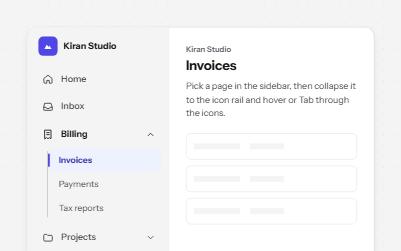
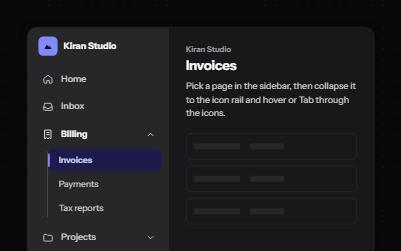
An app sidebar with grouped links that open and close, and a collapsed icon rail where every link keeps its name.
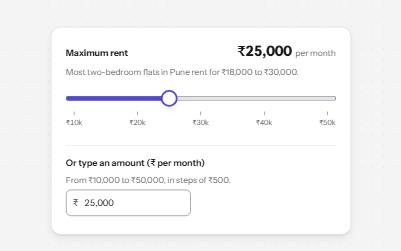
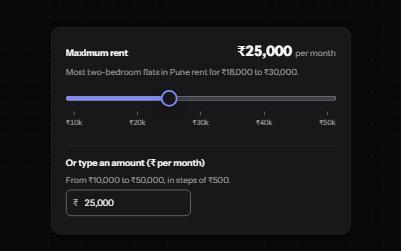
A native range input styled with a filled track and a large thumb, its value said with units, and a number field kept in step.
A named row of controls that is one stop in the Tab order, with arrow keys moving between alignment, size and color.
A panel that slides in from the side of the screen for a cart, filters or settings, built on a modal dialog.