Accessibility pattern · Overlays
Drawer
A drawer is a modal dialog that enters from the side: the same rules for focus, Escape and the page behind, in a different shape. Its header and footer stay put while the middle scrolls, so the close button and the main action are always in reach.
- WCAG criteria
- 7
- Keyboard rules
- 5
- Checked with
- axe, keyboard and the inspector
Live demo
Try it
Use it with a mouse, a keyboard or a screen reader. The inspector beside it shows what the browser tells assistive technology as you go: focus, state changes and announcements.
The demo works without JavaScript only as far as its HTML does; the inspector needs JavaScript.
Keyboard
Keys it answers to
Every action works without a pointer.
| Key | What it does |
|---|---|
| Enter or Space | On the Cart button, opens the drawer and moves focus to its close button. |
| Tab or ShiftTab | Moves through the drawer's controls only; the page behind cannot be reached. |
| Arrow Up or Arrow Down | In a quantity field, changes it by one; the subtotal follows. |
| Escape | Closes the drawer and returns focus to the Cart button. |
| Enter or Space | On Remove, takes the item out and moves focus to the next item's Remove button, or to the drawer's heading when the cart is empty. |
Screen readers
What it announces
Written from the roles, names and states in the markup.
| When | Expected announcement |
|---|---|
| The drawer opens | Your cart, dialog. Close cart, button |
| Focus reaches the Cart button | Cart 4 items, button, opens a dialog |
| A quantity changes | Subtotal ₹7,360 |
| An item is removed | Item removed. Subtotal ₹3,580 |
| Checkout is pressed | Checkout started (focus is back on the Cart button) |
These are expected announcements, not recordings. Wording and order differ between screen readers and browsers.
Code
Copy the code
The exact files this demo runs on. The styles are served with a prefix that keeps this site's own styles out of the demo; what you copy is the original.
<div class="ap-drawer" data-ap-drawer>
  <div class="ap-drawer__bar">
    <p class="ap-drawer__brand">
      <svg class="ap-drawer__mark" viewBox="0 0 24 24" aria-hidden="true" focusable="false"><path d="M12 2.5 21.5 12 12 21.5 2.5 12Z"/><path d="M12 8l4 4-4 4-4-4Z"/></svg>
      <span class="ap-drawer__store"><span class="ap-drawer__store-name">Indigo Loom</span> <span class="ap-drawer__tag">Handmade in Jaipur</span></span>
    </p>
    <button type="button" class="ap-btn ap-drawer__open" data-ap-open aria-haspopup="dialog">
      <svg class="ap-btn__icon" viewBox="0 0 24 24" aria-hidden="true" focusable="false"><path d="M5.5 7.5h13l1 13h-15Z"/><path d="M9 10V6.5a3 3 0 0 1 6 0V10"/></svg>
      <span>Cart</span>
      <span class="ap-drawer__badge" data-ap-badge><span data-ap-count>4</span> <span class="ap-drawer__vh" data-ap-unit>items</span></span>
    </button>
  </div>
  <p class="ap-drawer__status" role="status" data-ap-status></p>

  <dialog class="ap-drawer__panel" aria-labelledby="drawer-name">
    <form class="ap-drawer__form" method="dialog">
      <div class="ap-drawer__top">
        <h2 class="ap-drawer__name" id="drawer-name" tabindex="-1">Your cart</h2>
        <button type="button" class="ap-drawer__close" data-ap-close aria-label="Close cart" autofocus>
          <svg viewBox="0 0 24 24" aria-hidden="true" focusable="false"><path d="M6 6l12 12M18 6 6 18"/></svg>
        </button>
      </div>

      <div class="ap-drawer__body">
        <ul class="ap-drawer__items" data-ap-items>
          <li class="ap-drawer__item" data-price="1890">
            <span class="ap-drawer__thumb ap-drawer__thumb--1" aria-hidden="true"><svg viewBox="0 0 24 24" focusable="false"><path d="M9 3.5 4 6.5l2 4 2-1V21h8V9.5l2 1 2-4-5-3a3 3 0 0 1-6 0Z"/></svg></span>
            <div class="ap-drawer__info">
              <p class="ap-drawer__item-name">Block-print cotton kurta</p>
              <p class="ap-drawer__meta">Indigo · Size M</p>
            </div>
            <p class="ap-drawer__price">₹<span data-ap-line>1,890</span></p>
            <div class="ap-drawer__row">
              <label class="ap-drawer__qty-label" for="drawer-qty-1">Quantity</label>
              <input class="ap-drawer__qty" id="drawer-qty-1" type="number" inputmode="numeric" min="1" max="10" value="1" />
              <button type="button" class="ap-drawer__remove" data-ap-remove aria-label="Remove Block-print cotton kurta">Remove</button>
            </div>
          </li>
          <li class="ap-drawer__item" data-price="2450">
            <span class="ap-drawer__thumb ap-drawer__thumb--2" aria-hidden="true"><svg viewBox="0 0 24 24" focusable="false"><path d="M4 6.5c2.7-2 5.3 2 8 0s5.3-2 8 0v11c-2.7-2-5.3 2-8 0s-5.3-2-8 0Z"/><path d="M8 9.5v6M16 9.5v6"/></svg></span>
            <div class="ap-drawer__info">
              <p class="ap-drawer__item-name">Chanderi silk dupatta</p>
              <p class="ap-drawer__meta">Rust · 2.25 m</p>
            </div>
            <p class="ap-drawer__price">₹<span data-ap-line>2,450</span></p>
            <div class="ap-drawer__row">
              <label class="ap-drawer__qty-label" for="drawer-qty-2">Quantity</label>
              <input class="ap-drawer__qty" id="drawer-qty-2" type="number" inputmode="numeric" min="1" max="10" value="1" />
              <button type="button" class="ap-drawer__remove" data-ap-remove aria-label="Remove Chanderi silk dupatta">Remove</button>
            </div>
          </li>
          <li class="ap-drawer__item" data-price="780">
            <span class="ap-drawer__thumb ap-drawer__thumb--3" aria-hidden="true"><svg viewBox="0 0 24 24" focusable="false"><path d="M12 3c2 2.6 2 4.8 0 7-2-2.2-2-4.4 0-7Z"/><path d="M3.5 13h17c0 4-3.8 7-8.5 7s-8.5-3-8.5-7Z"/></svg></span>
            <div class="ap-drawer__info">
              <p class="ap-drawer__item-name">Brass diya, set of two</p>
              <p class="ap-drawer__meta">Hand-polished</p>
            </div>
            <p class="ap-drawer__price">₹<span data-ap-line>780</span></p>
            <div class="ap-drawer__row">
              <label class="ap-drawer__qty-label" for="drawer-qty-3">Quantity</label>
              <input class="ap-drawer__qty" id="drawer-qty-3" type="number" inputmode="numeric" min="1" max="10" value="1" />
              <button type="button" class="ap-drawer__remove" data-ap-remove aria-label="Remove Brass diya, set of two">Remove</button>
            </div>
          </li>
          <li class="ap-drawer__item" data-price="350">
            <span class="ap-drawer__thumb ap-drawer__thumb--4" aria-hidden="true"><svg viewBox="0 0 24 24" focusable="false"><rect x="5" y="3" width="14" height="18" rx="2"/><path d="M9 3v18M12.5 8h3M12.5 11.5h3"/></svg></span>
            <div class="ap-drawer__info">
              <p class="ap-drawer__item-name">Handmade paper notebook</p>
              <p class="ap-drawer__meta">A5 · Dotted</p>
            </div>
            <p class="ap-drawer__price">₹<span data-ap-line>350</span></p>
            <div class="ap-drawer__row">
              <label class="ap-drawer__qty-label" for="drawer-qty-4">Quantity</label>
              <input class="ap-drawer__qty" id="drawer-qty-4" type="number" inputmode="numeric" min="1" max="10" value="1" />
              <button type="button" class="ap-drawer__remove" data-ap-remove aria-label="Remove Handmade paper notebook">Remove</button>
            </div>
          </li>
        </ul>
        <div class="ap-drawer__empty" data-ap-cart-empty hidden>
          <svg viewBox="0 0 24 24" aria-hidden="true" focusable="false"><path d="M5.5 7.5h13l1 13h-15Z"/><path d="M9 10V6.5a3 3 0 0 1 6 0V10"/></svg>
          <p>Your cart is empty.</p>
        </div>
        <p class="ap-drawer__perk">
          <svg viewBox="0 0 24 24" aria-hidden="true" focusable="false"><path d="M4 12a8 8 0 1 0 2.4-5.7"/><path d="M4 4v4.5h4.5"/></svg>
          Free returns within 30 days.
        </p>
        <p class="ap-drawer__vh" role="status" data-ap-live></p>
      </div>

      <div class="ap-drawer__foot">
        <p class="ap-drawer__sum" aria-live="polite" aria-atomic="true"><span>Subtotal</span> <span class="ap-drawer__amount">₹<span data-ap-subtotal>5,470</span></span></p>
        <p class="ap-drawer__fine">Delivery and taxes are worked out at checkout.</p>
        <div class="ap-drawer__actions">
          <button type="button" class="ap-btn" data-ap-close>Keep shopping</button>
          <button type="submit" class="ap-btn ap-btn--primary" value="checkout" data-ap-checkout>
            Checkout
            <svg class="ap-btn__icon" viewBox="0 0 24 24" aria-hidden="true" focusable="false"><path d="M5 12h14M13 6l6 6-6 6"/></svg>
          </button>
        </div>
      </div>
    </form>
  </dialog>
</div>
/* Shared primitives: buttons and form fields used across the patterns.
   Uses the --ap-* design tokens. */

.ap-btn {
  display: inline-flex;
  align-items: center;
  justify-content: center;
  gap: 8px;
  min-height: 40px;
  padding: 0 16px;
  border: 1px solid var(--ap-border-strong);
  border-radius: var(--ap-radius-sm);
  background: var(--ap-surface);
  color: var(--ap-text);
  font: inherit;
  font-weight: 600;
  line-height: 1.2;
  text-decoration: none;
  white-space: nowrap;
  cursor: pointer;
  transition: background-color var(--ap-duration) var(--ap-ease), border-color var(--ap-duration) var(--ap-ease), box-shadow var(--ap-duration) var(--ap-ease);
}
.ap-btn:hover {
  background: var(--ap-surface-2);
}
.ap-btn:focus-visible {
  outline: 2px solid var(--ap-focus);
  outline-offset: 2px;
}
.ap-btn:disabled,
.ap-btn[aria-disabled="true"] {
  opacity: .55;
  cursor: not-allowed;
}
.ap-btn--primary {
  border-color: var(--ap-accent);
  background: var(--ap-accent);
  color: var(--ap-on-accent);
  box-shadow: var(--ap-shadow-sm);
}
.ap-btn--primary:hover {
  border-color: var(--ap-accent-hover);
  background: var(--ap-accent-hover);
}
.ap-btn--danger {
  border-color: var(--ap-danger);
  background: var(--ap-danger);
  color: var(--ap-surface);
}
.ap-btn--danger:hover {
  filter: brightness(1.08);
}
.ap-btn--ghost {
  border-color: transparent;
  background: transparent;
}
.ap-btn--ghost:hover {
  background: var(--ap-surface-2);
}
.ap-btn__icon {
  width: 18px;
  height: 18px;
  flex-shrink: 0;
  fill: none;
  stroke: currentColor;
  stroke-width: 2;
  stroke-linecap: round;
  stroke-linejoin: round;
}

.ap-field {
  display: grid;
  gap: 6px;
}
.ap-label {
  color: var(--ap-text);
  font-weight: 600;
  font-size: .9375rem;
}
.ap-hint {
  margin: 0;
  color: var(--ap-text-3);
  font-size: .875rem;
  line-height: 1.45;
}
.ap-error {
  display: flex;
  align-items: flex-start;
  gap: 6px;
  margin: 0;
  color: var(--ap-danger);
  font-size: .875rem;
  font-weight: 600;
  line-height: 1.45;
}
.ap-input {
  width: 100%;
  min-height: 44px;
  padding: 10px 12px;
  border: 1px solid var(--ap-border-strong);
  border-radius: var(--ap-radius-sm);
  background: var(--ap-surface);
  color: var(--ap-text);
  font: inherit;
  line-height: 1.4;
  transition: border-color var(--ap-duration) var(--ap-ease), box-shadow var(--ap-duration) var(--ap-ease);
}
.ap-input::placeholder {
  color: var(--ap-text-3);
}
.ap-input:hover {
  border-color: var(--ap-text-2);
}
.ap-input:focus-visible {
  outline: 2px solid var(--ap-focus);
  outline-offset: 1px;
  border-color: var(--ap-focus);
}
.ap-input[aria-invalid="true"] {
  border-color: var(--ap-danger);
  box-shadow: inset 4px 0 0 var(--ap-danger);
}
textarea.ap-input {
  resize: vertical;
  min-height: 88px;
}

@media (prefers-reduced-motion: reduce) {
  .ap-btn,
  .ap-input { transition: none; }
}

/* Drawer. Uses the --ap-* design tokens and the shared primitives. */
.ap-drawer {
  display: grid;
  justify-items: center;
  gap: 14px;
}
.ap-drawer [hidden] {
  display: none;
}
.ap-drawer__vh {
  position: absolute;
  width: 1px;
  height: 1px;
  margin: -1px;
  padding: 0;
  border: 0;
  overflow: hidden;
  clip-path: inset(50%);
  white-space: nowrap;
}

/* The shop header the trigger lives in */
.ap-drawer__bar {
  display: flex;
  align-items: center;
  justify-content: space-between;
  gap: 16px;
  width: min(100%, 600px);
  padding: 12px 12px 12px 20px;
  border: 1px solid var(--ap-border);
  border-radius: var(--ap-radius-lg);
  background: var(--ap-surface);
  box-shadow: var(--ap-shadow-md);
}
.ap-drawer__brand {
  display: flex;
  align-items: center;
  gap: 10px;
  margin: 0;
  font-size: 1.0625rem;
  font-weight: 700;
  letter-spacing: -.01em;
}
.ap-drawer__store {
  display: grid;
  line-height: 1.25;
}
.ap-drawer__tag {
  color: var(--ap-text-3);
  font-size: .8125rem;
  font-weight: 500;
  letter-spacing: 0;
}
.ap-drawer__mark {
  flex-shrink: 0;
  width: 26px;
  height: 26px;
  fill: none;
  stroke: var(--ap-accent-text);
  stroke-width: 2;
  stroke-linejoin: round;
}
.ap-drawer__open {
  min-height: var(--ap-target);
  padding: 0 12px 0 14px;
}
.ap-drawer__badge {
  display: inline-grid;
  place-items: center;
  min-width: 22px;
  height: 22px;
  padding: 0 6px;
  border-radius: var(--ap-radius-full);
  background: var(--ap-accent);
  color: var(--ap-on-accent);
  font-size: .75rem;
  font-weight: 700;
  font-variant-numeric: tabular-nums;
}
.ap-drawer__status {
  min-height: 1.5em;
  margin: 0;
  color: var(--ap-success);
  font-weight: 600;
}

/* The drawer: a modal dialog pinned to the inline-end edge */
.ap-drawer__panel {
  --ap-drawer-from: 100%;
  position: fixed;
  inset-block: 0;
  inset-inline: auto 0;
  width: min(100%, 420px);
  max-width: 100%;
  height: auto;
  max-height: none;
  margin: 0;
  padding: 0;
  border: 0;
  border-inline-start: 1px solid var(--ap-border);
  background: var(--ap-surface);
  color: var(--ap-text);
  box-shadow: var(--ap-shadow-lg);
  overflow: hidden;
  translate: 0 0;
  transition: translate 260ms var(--ap-ease), overlay 260ms allow-discrete, display 260ms allow-discrete;
}
.ap-drawer__panel:dir(rtl) {
  --ap-drawer-from: -100%;
}
.ap-drawer[data-start] .ap-drawer__panel {
  --ap-drawer-from: -100%;
  inset-inline: 0 auto;
  border-inline-start: 0;
  border-inline-end: 1px solid var(--ap-border);
}
.ap-drawer[data-start] .ap-drawer__panel:dir(rtl) {
  --ap-drawer-from: 100%;
}
.ap-drawer__panel:not([open]) {
  translate: var(--ap-drawer-from) 0;
}
@starting-style {
  .ap-drawer__panel[open] {
    translate: var(--ap-drawer-from) 0;
  }
}
.ap-drawer__panel::backdrop {
  background: var(--ap-scrim);
  transition: opacity 260ms, overlay 260ms allow-discrete, display 260ms allow-discrete;
}
@starting-style {
  .ap-drawer__panel[open]::backdrop { opacity: 0; }
}

/* Header, scrolling body, footer */
.ap-drawer__form {
  display: grid;
  grid-template-rows: auto minmax(0, 1fr) auto;
  height: 100%;
}
.ap-drawer__top {
  display: flex;
  align-items: center;
  justify-content: space-between;
  gap: 12px;
  padding: 14px 14px 14px 24px;
  border-bottom: 1px solid var(--ap-border);
}
.ap-drawer__name {
  margin: 0;
  font-size: 1.1875rem;
  font-weight: 650;
  line-height: 1.3;
}
.ap-drawer__name:focus {
  outline: none;
}
.ap-drawer__close {
  display: grid;
  place-items: center;
  width: var(--ap-target);
  height: var(--ap-target);
  flex-shrink: 0;
  padding: 0;
  border: 0;
  border-radius: var(--ap-radius-sm);
  background: transparent;
  color: var(--ap-text-2);
  cursor: pointer;
}
.ap-drawer__close:hover {
  background: var(--ap-surface-2);
  color: var(--ap-text);
}
.ap-drawer__close:focus-visible {
  outline: 2px solid var(--ap-focus);
  outline-offset: -2px;
}
.ap-drawer__close svg {
  width: 20px;
  height: 20px;
  fill: none;
  stroke: currentColor;
  stroke-width: 2;
  stroke-linecap: round;
}

.ap-drawer__body {
  overflow-y: auto;
  overscroll-behavior: contain;
  padding: 4px 24px 24px;
}
.ap-drawer__items {
  margin: 0;
  padding: 0;
  list-style: none;
}
.ap-drawer__item {
  display: grid;
  grid-template-columns: 68px minmax(0, 1fr) auto;
  grid-template-rows: auto 1fr;
  gap: 10px 14px;
  padding: 18px 0;
  border-bottom: 1px solid var(--ap-border);
}
.ap-drawer__thumb {
  grid-row: 1 / 3;
  display: grid;
  place-items: center;
  width: 68px;
  height: 80px;
  border-radius: var(--ap-radius);
  background: var(--ap-accent-soft);
  color: var(--ap-accent-soft-text);
}
.ap-drawer__thumb--2 { background: var(--ap-warning-soft); color: var(--ap-warning); }
.ap-drawer__thumb--3 { background: var(--ap-success-soft); color: var(--ap-success); }
.ap-drawer__thumb--4 { background: var(--ap-info-soft); color: var(--ap-info); }
.ap-drawer__thumb svg {
  width: 30px;
  height: 30px;
  fill: none;
  stroke: currentColor;
  stroke-width: 1.6;
  stroke-linecap: round;
  stroke-linejoin: round;
}
.ap-drawer__info {
  min-width: 0;
}
.ap-drawer__item-name {
  margin: 0;
  font-weight: 600;
  line-height: 1.35;
}
.ap-drawer__meta {
  margin: 2px 0 0;
  color: var(--ap-text-3);
  font-size: .875rem;
}
.ap-drawer__row {
  grid-column: 2 / 4;
  display: flex;
  flex-wrap: wrap;
  align-items: center;
  gap: 8px 12px;
}
.ap-drawer__qty-label {
  color: var(--ap-text-3);
  font-size: .8125rem;
  font-weight: 600;
}
.ap-drawer__qty {
  width: 64px;
  min-height: 36px;
  padding: 0 4px 0 10px;
  border: 1px solid var(--ap-border-strong);
  border-radius: var(--ap-radius-sm);
  background: var(--ap-surface);
  color: var(--ap-text);
  font: inherit;
  font-size: .9375rem;
  font-variant-numeric: tabular-nums;
}
.ap-drawer__qty:focus-visible {
  outline: 2px solid var(--ap-focus);
  outline-offset: 1px;
}
.ap-drawer__remove {
  min-height: 32px;
  padding: 0 4px;
  border: 0;
  border-radius: 6px;
  background: transparent;
  color: var(--ap-text-2);
  font: inherit;
  font-size: .875rem;
  text-decoration: underline;
  text-underline-offset: 3px;
  cursor: pointer;
}
.ap-drawer__remove:hover {
  color: var(--ap-danger);
}
.ap-drawer__remove:focus-visible {
  outline: 2px solid var(--ap-focus);
  outline-offset: 1px;
}
.ap-drawer__price {
  margin: 0;
  font-weight: 650;
  white-space: nowrap;
  font-variant-numeric: tabular-nums;
}

.ap-drawer__empty {
  display: grid;
  justify-items: center;
  gap: 10px;
  padding: 48px 0 32px;
  color: var(--ap-text-3);
  text-align: center;
}
.ap-drawer__empty svg {
  width: 40px;
  height: 40px;
  fill: none;
  stroke: currentColor;
  stroke-width: 1.5;
  stroke-linejoin: round;
}
.ap-drawer__empty p {
  margin: 0;
  font-weight: 600;
}
.ap-drawer__perk {
  display: flex;
  align-items: center;
  gap: 10px;
  margin: 20px 0 0;
  padding: 12px 14px;
  border-radius: var(--ap-radius);
  background: var(--ap-surface-2);
  color: var(--ap-text-2);
  font-size: .875rem;
}
.ap-drawer__perk svg {
  width: 18px;
  height: 18px;
  flex-shrink: 0;
  fill: none;
  stroke: currentColor;
  stroke-width: 2;
  stroke-linecap: round;
  stroke-linejoin: round;
}

.ap-drawer__foot {
  padding: 16px 24px 20px;
  border-top: 1px solid var(--ap-border);
  background: var(--ap-surface);
}
.ap-drawer__sum {
  display: flex;
  align-items: baseline;
  justify-content: space-between;
  gap: 12px;
  margin: 0;
  font-size: 1.0625rem;
  font-weight: 650;
}
.ap-drawer__amount {
  font-variant-numeric: tabular-nums;
}
.ap-drawer__fine {
  margin: 2px 0 16px;
  color: var(--ap-text-3);
  font-size: .875rem;
}
.ap-drawer__actions {
  display: grid;
  grid-template-columns: repeat(2, minmax(0, 1fr));
  gap: 10px;
}
.ap-drawer__actions .ap-btn {
  min-height: var(--ap-target);
}

@media (prefers-reduced-motion: reduce) {
  .ap-drawer__panel,
  .ap-drawer__panel::backdrop { transition: none; }
}
/**
 * Drawer: a side sheet on the native dialog element, here a shopping cart.
 *
 * Markup: [data-ap-drawer] holding a trigger button[data-ap-open] with a
 * [data-ap-count] badge, a dialog[aria-labelledby] whose form[method=dialog]
 * has a header (h2[tabindex=-1] and a close button[data-ap-close][autofocus]),
 * a scrolling body of li[data-price] lines, each with a quantity field and a
 * button[data-ap-remove], and a footer; plus a role=status
 * paragraph[data-ap-status] for the outcome. Clicking the shaded area closes
 * it. Add data-start to the root to open it from the start side instead.
 */

export function init(root) {
  const opener = root.querySelector("[data-ap-open]");
  const dialog = root.querySelector("dialog");
  const status = root.querySelector("[data-ap-status]");
  const live = dialog.querySelector("[data-ap-live]");
  const list = dialog.querySelector("[data-ap-items]");
  const empty = dialog.querySelector("[data-ap-cart-empty]");
  const heading = dialog.querySelector("h2");
  const checkout = dialog.querySelector("[data-ap-checkout]");
  const subtotal = dialog.querySelector("[data-ap-subtotal]");
  const badge = opener.querySelector("[data-ap-badge]");
  const html = document.documentElement;
  const money = new Intl.NumberFormat("en-IN");
  let saved = null;

  // Write only what changed, so live regions announce real changes only.
  const put = (el, text) => { if (el.textContent !== text) el.textContent = text; };

  function lockPage() {
    saved = [html.style.overflow, html.style.scrollbarGutter];
    // Keep the scrollbar's space so the page behind does not jump sideways.
    if (window.innerWidth > html.clientWidth) html.style.scrollbarGutter = "stable";
    html.style.overflow = "hidden";
  }
  function unlockPage() {
    if (!saved) return;
    [html.style.overflow, html.style.scrollbarGutter] = saved;
    saved = null;
  }

  // A quantity is a whole number from 1 to 10. While someone is typing it is
  // read leniently; when they leave the field it is written back tidied.
  function quantity(input, tidy) {
    const n = Math.min(10, Math.max(1, Math.round(Number(input.value)) || 1));
    if (tidy && input.value !== String(n)) input.value = String(n);
    return n;
  }

  function update(event) {
    let sum = 0;
    let count = 0;
    for (const li of list.children) {
      const qty = quantity(li.querySelector("input"), event?.type === "change");
      const line = qty * Number(li.dataset.price);
      put(li.querySelector("[data-ap-line]"), money.format(line));
      sum += line;
      count += qty;
    }
    put(subtotal, money.format(sum));
    put(badge.querySelector("[data-ap-count]"), String(count));
    put(badge.querySelector("[data-ap-unit]"), count === 1 ? "item" : "items");
    badge.hidden = count === 0;
    empty.hidden = count > 0;
    checkout.disabled = count === 0;
  }

  function removeItem(button) {
    const li = button.closest("li");
    const at = [...list.children].indexOf(li);
    li.remove();
    // The focused button is gone: move to the next line, the previous one,
    // or the heading when nothing is left.
    const next = list.children[at] || list.children[at - 1];
    (next ? next.querySelector("[data-ap-remove]") : heading).focus();
    // Empty the message first so the same words are announced again, then
    // say what happened before the new subtotal.
    live.textContent = "";
    requestAnimationFrame(() => {
      live.textContent = "Item removed";
      update();
    });
  }

  function open() {
    lockPage();
    status.textContent = "";
    dialog.returnValue = "";
    dialog.showModal();
  }

  function onClick(event) {
    const remove = event.target.closest("[data-ap-remove]");
    if (remove) removeItem(remove);
    // A click on the dialog element itself, not its content, is the backdrop.
    else if (event.target.closest("[data-ap-close]") || event.target === dialog) dialog.close();
  }

  function onClose() {
    unlockPage();
    if (dialog.returnValue === "checkout") status.textContent = "Checkout started";
    dialog.returnValue = "";
    live.textContent = "";
    // Browsers do this for modal dialogs; older engines need telling.
    opener.focus();
  }

  opener.addEventListener("click", open);
  dialog.addEventListener("click", onClick);
  dialog.addEventListener("input", update);
  dialog.addEventListener("change", update);
  dialog.addEventListener("close", onClose);

  return () => {
    dialog.removeEventListener("close", onClose);
    if (dialog.open) dialog.close();
    unlockPage();
    opener.removeEventListener("click", open);
    dialog.removeEventListener("click", onClick);
    dialog.removeEventListener("input", update);
    dialog.removeEventListener("change", update);
  };
}

for (const root of document.querySelectorAll("[data-ap-drawer]")) init(root);
/* Design tokens for the pattern components. Light by default, dark when the
   system asks for it; set data-theme="dark" on :root to force dark. */
:root {
    --ap-radius-sm: 8px;
    --ap-radius: 12px;
    --ap-radius-lg: 16px;
    --ap-radius-full: 999px;
    --ap-font: "Instrument Sans", ui-sans-serif, system-ui, -apple-system, "Segoe UI", Roboto, sans-serif;
    --ap-mono: "JetBrains Mono", ui-monospace, "Cascadia Mono", "SF Mono", Consolas, monospace;
    --ap-ease: cubic-bezier(.2, .8, .2, 1);
    --ap-duration: 180ms;
    --ap-target: 44px;
    --ap-bg: #F4F4F5;
    --ap-surface: #FFFFFF;
    --ap-surface-2: #F4F4F5;
    --ap-surface-3: #E4E4E7;
    --ap-border: #E4E4E7;
    --ap-border-strong: #76767F;
    --ap-text: #18181B;
    --ap-text-2: #3F3F46;
    --ap-text-3: #5E5E66;
    --ap-accent: #4F46E5;
    --ap-accent-hover: #4338CA;
    --ap-on-accent: #FFFFFF;
    --ap-accent-text: #4338CA;
    --ap-accent-soft: #EEF2FF;
    --ap-accent-soft-text: #3730A3;
    --ap-focus: #4F46E5;
    --ap-danger: #B91C1C;
    --ap-danger-soft: #FEF2F2;
    --ap-success: #15803D;
    --ap-success-soft: #F0FDF4;
    --ap-warning: #A15C07;
    --ap-warning-soft: #FEFCE8;
    --ap-info: #1D4ED8;
    --ap-info-soft: #EFF6FF;
    --ap-scrim: rgb(9 9 11 / .48);
    --ap-shadow-sm: 0 1px 2px rgb(9 9 11 / .06);
    --ap-shadow-md: 0 1px 2px rgb(9 9 11 / .05), 0 6px 16px -4px rgb(9 9 11 / .1);
    --ap-shadow-lg: 0 2px 6px rgb(9 9 11 / .06), 0 20px 40px -12px rgb(9 9 11 / .22);
    --ap-light-bg: #F4F4F5;
    --ap-light-surface: #FFFFFF;
    --ap-light-surface-2: #F4F4F5;
    --ap-light-surface-3: #E4E4E7;
    --ap-light-border: #E4E4E7;
    --ap-light-border-strong: #76767F;
    --ap-light-text: #18181B;
    --ap-light-text-2: #3F3F46;
    --ap-light-text-3: #5E5E66;
    --ap-light-accent: #4F46E5;
    --ap-light-accent-hover: #4338CA;
    --ap-light-on-accent: #FFFFFF;
    --ap-light-accent-text: #4338CA;
    --ap-light-accent-soft: #EEF2FF;
    --ap-light-accent-soft-text: #3730A3;
    --ap-light-focus: #4F46E5;
    --ap-light-danger: #B91C1C;
    --ap-light-danger-soft: #FEF2F2;
    --ap-light-success: #15803D;
    --ap-light-success-soft: #F0FDF4;
    --ap-light-warning: #A15C07;
    --ap-light-warning-soft: #FEFCE8;
    --ap-light-info: #1D4ED8;
    --ap-light-info-soft: #EFF6FF;
    --ap-light-scrim: rgb(9 9 11 / .48);
    --ap-light-shadow-sm: 0 1px 2px rgb(9 9 11 / .06);
    --ap-light-shadow-md: 0 1px 2px rgb(9 9 11 / .05), 0 6px 16px -4px rgb(9 9 11 / .1);
    --ap-light-shadow-lg: 0 2px 6px rgb(9 9 11 / .06), 0 20px 40px -12px rgb(9 9 11 / .22);
    --ap-dark-bg: #09090B;
    --ap-dark-surface: #18181B;
    --ap-dark-surface-2: #27272A;
    --ap-dark-surface-3: #3F3F46;
    --ap-dark-border: #2E2E33;
    --ap-dark-border-strong: #8E8E97;
    --ap-dark-text: #FAFAFA;
    --ap-dark-text-2: #D4D4D8;
    --ap-dark-text-3: #A1A1AA;
    --ap-dark-accent: #818CF8;
    --ap-dark-accent-hover: #A5B4FC;
    --ap-dark-on-accent: #0C0A1F;
    --ap-dark-accent-text: #A5B4FC;
    --ap-dark-accent-soft: #1E1B4B;
    --ap-dark-accent-soft-text: #C7D2FE;
    --ap-dark-focus: #A5B4FC;
    --ap-dark-danger: #F87171;
    --ap-dark-danger-soft: #2A1215;
    --ap-dark-success: #4ADE80;
    --ap-dark-success-soft: #0F2A1A;
    --ap-dark-warning: #FACC15;
    --ap-dark-warning-soft: #2A2410;
    --ap-dark-info: #60A5FA;
    --ap-dark-info-soft: #0F1D33;
    --ap-dark-scrim: rgb(0 0 0 / .62);
    --ap-dark-shadow-sm: 0 1px 2px rgb(0 0 0 / .4);
    --ap-dark-shadow-md: 0 1px 2px rgb(0 0 0 / .4), 0 8px 20px -6px rgb(0 0 0 / .5);
    --ap-dark-shadow-lg: 0 2px 8px rgb(0 0 0 / .45), 0 24px 48px -12px rgb(0 0 0 / .7);
}
@media (prefers-color-scheme: dark) {
  :root:not([data-theme="light"]) {
      --ap-bg: #09090B;
      --ap-surface: #18181B;
      --ap-surface-2: #27272A;
      --ap-surface-3: #3F3F46;
      --ap-border: #2E2E33;
      --ap-border-strong: #8E8E97;
      --ap-text: #FAFAFA;
      --ap-text-2: #D4D4D8;
      --ap-text-3: #A1A1AA;
      --ap-accent: #818CF8;
      --ap-accent-hover: #A5B4FC;
      --ap-on-accent: #0C0A1F;
      --ap-accent-text: #A5B4FC;
      --ap-accent-soft: #1E1B4B;
      --ap-accent-soft-text: #C7D2FE;
      --ap-focus: #A5B4FC;
      --ap-danger: #F87171;
      --ap-danger-soft: #2A1215;
      --ap-success: #4ADE80;
      --ap-success-soft: #0F2A1A;
      --ap-warning: #FACC15;
      --ap-warning-soft: #2A2410;
      --ap-info: #60A5FA;
      --ap-info-soft: #0F1D33;
      --ap-scrim: rgb(0 0 0 / .62);
      --ap-shadow-sm: 0 1px 2px rgb(0 0 0 / .4);
      --ap-shadow-md: 0 1px 2px rgb(0 0 0 / .4), 0 8px 20px -6px rgb(0 0 0 / .5);
      --ap-shadow-lg: 0 2px 8px rgb(0 0 0 / .45), 0 24px 48px -12px rgb(0 0 0 / .7);
  }
}
:root[data-theme="dark"] {
    --ap-bg: #09090B;
    --ap-surface: #18181B;
    --ap-surface-2: #27272A;
    --ap-surface-3: #3F3F46;
    --ap-border: #2E2E33;
    --ap-border-strong: #8E8E97;
    --ap-text: #FAFAFA;
    --ap-text-2: #D4D4D8;
    --ap-text-3: #A1A1AA;
    --ap-accent: #818CF8;
    --ap-accent-hover: #A5B4FC;
    --ap-on-accent: #0C0A1F;
    --ap-accent-text: #A5B4FC;
    --ap-accent-soft: #1E1B4B;
    --ap-accent-soft-text: #C7D2FE;
    --ap-focus: #A5B4FC;
    --ap-danger: #F87171;
    --ap-danger-soft: #2A1215;
    --ap-success: #4ADE80;
    --ap-success-soft: #0F2A1A;
    --ap-warning: #FACC15;
    --ap-warning-soft: #2A2410;
    --ap-info: #60A5FA;
    --ap-info-soft: #0F1D33;
    --ap-scrim: rgb(0 0 0 / .62);
    --ap-shadow-sm: 0 1px 2px rgb(0 0 0 / .4);
    --ap-shadow-md: 0 1px 2px rgb(0 0 0 / .4), 0 8px 20px -6px rgb(0 0 0 / .5);
    --ap-shadow-lg: 0 2px 8px rgb(0 0 0 / .45), 0 24px 48px -12px rgb(0 0 0 / .7);
}
WCAG 2.2
What it meets
The success criteria this pattern takes care of, and how.
-
1.3.1 Info and Relationships
Level A
The drawer is named by its heading, and every quantity has a real label, so the structure is exposed, not just drawn.
-
2.1.2 No Keyboard Trap
Level A
Focus stays in the drawer while it is open, and Escape, the close button and Keep shopping always let it out.
-
2.4.3 Focus Order
Level A
Focus moves into the drawer on open, back to the Cart button on close, and to a sensible neighbour when an item is removed.
-
2.4.11 Focus Not Obscured (Minimum)
Level AA
The header and footer are fixed rows and only the middle scrolls, so nothing sticky covers the control that has focus.
-
1.4.10 Reflow
Level AA
The drawer is never wider than the screen; on a phone it takes the full width instead of squeezing the content.
-
4.1.2 Name, Role, Value
Level A
The dialog element gives the role and modal state, and the Cart button's name includes how many items are in it.
-
4.1.3 Status Messages
Level AA
Removing an item and changing the subtotal are announced from live regions inside the drawer, without moving focus.
Usage
When to use it
Use it
- A secondary task that belongs to the current page, like a cart, filters or the details of a row.
- Content tall enough to need its own scroll, with actions that must stay in view.
Use something else
- The main navigation of a site on a phone: use the mobile navigation pattern, which is built for it.
- A short question or confirmation: a centred modal or alert dialog is quicker to read.
- Something people need to keep open while they work on the page: use a non-modal panel.
Common failures
How it usually goes wrong
A sliding div that is not a dialog
A panel moved on screen with a transform leaves the page behind fully reachable, so Tab and a screen reader wander out from under it.
Hidden but still focusable
A closed drawer parked off screen with its controls still in the Tab order makes keyboard users tab through things they cannot see. A closed dialog is not rendered at all.
The footer covers the focused control
A position: fixed footer laid over the list hides whatever is focused under it. Here the footer is its own row and only the body scrolls.
Focus lost after removing an item
Deleting the element that had focus drops focus to the page. The script moves it to the next item's Remove button, or to the heading.
The page scrolls underneath
Scrolling the page behind a drawer is disorienting, and on touch screens it often scrolls the wrong thing. The page is locked while the drawer is open.
Motion with no way to turn it off
A long slide can trigger nausea. This one is short, and it switches off when the system asks for reduced motion.
Notes
Building it
- Open it with showModal(): the top layer, the inert page and Escape come from the browser, the same as a centred dialog.
- Position it with logical properties (inset-inline-end), so in a right-to-left language it slides in from the left without extra code.
- Clicking the shaded area closes the drawer, because nothing in a cart is lost by closing it. For a drawer holding an unsaved form, leave that out.
- Lock the page by setting overflow: hidden on the html element while it is open, and keep the scrollbar's space (scrollbar-gutter) so the page does not jump.
Sources: WAI-ARIA Authoring Practices: Dialog (Modal) · HTML: the dialog element
Checked with axe in light and dark themes, at desktop and phone widths, and by keyboard. Not yet tested with every screen reader and browser pair. Report a correction
Related
Patterns that go with it
-
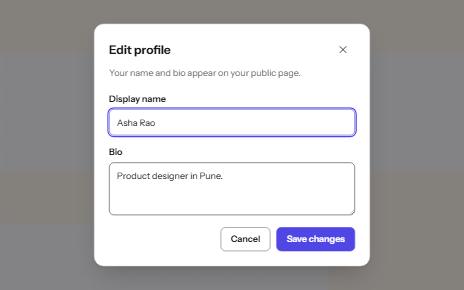
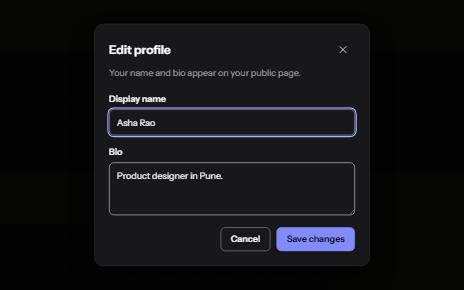
Modal dialog
A window over the page that holds focus until it is closed, built on the native dialog element.
-
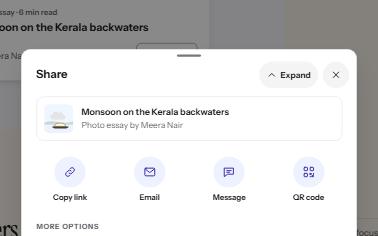
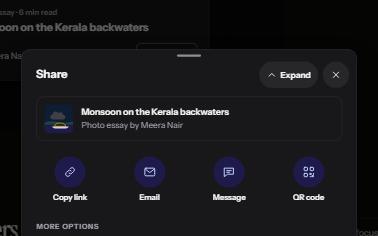
Bottom sheet
A panel that rises from the bottom edge for a short set of choices, with a close button and a button for every gesture.
-
Mobile navigation drawer
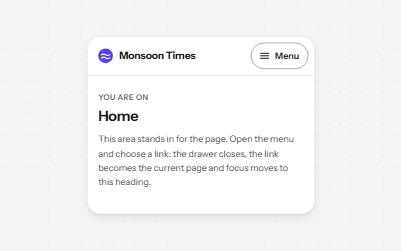
A Menu button that opens the site's navigation in a full-height drawer, with nested sections and focus held inside.
-
Search filters
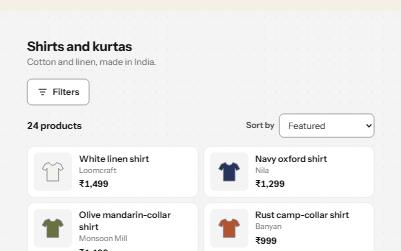
A product filter panel: grouped checkboxes with counts, a price range, sort, removable chips and a result count that is announced.