Photo essay · 6 min read
Accessibility pattern · Overlays
Bottom sheet
A bottom sheet is a modal dialog pinned to the bottom edge, in reach of a thumb. Every gesture has a button: the drag handle is decoration, Expand changes the height, and the close button and Escape dismiss it.
- WCAG criteria
- 7
- Keyboard rules
- 5
- Checked with
- axe, keyboard and the inspector
Live demo
Try it
Use it with a mouse, a keyboard or a screen reader. The inspector beside it shows what the browser tells assistive technology as you go: focus, state changes and announcements.
The demo works without JavaScript only as far as its HTML does; the inspector needs JavaScript.
Keyboard
Keys it answers to
Every action works without a pointer.
| Key | What it does |
|---|---|
| Enter or Space | On Share, opens the sheet with focus on Copy link. |
| Tab or ShiftTab | Moves through the sheet's buttons only; the page behind cannot be reached. |
| Enter or Space | On Expand, raises the sheet to full height; the button becomes Collapse, which lowers it again. |
| Enter or Space | On an option, carries it out, closes the sheet and reports what happened. |
| Escape | Closes the sheet without sharing and returns focus to Share. |
Screen readers
What it announces
Written from the roles, names and states in the markup.
| When | Expected announcement |
|---|---|
| The sheet opens | Share, dialog. Copy link, button |
| Focus reaches Expand | Expand, button, collapsed |
| Expand is pressed | Collapse, button, expanded |
| An option is chosen | Link copied (focus is back on Share) |
These are expected announcements, not recordings. Wording and order differ between screen readers and browsers.
Code
Copy the code
The exact files this demo runs on. The styles are served with a prefix that keeps this site's own styles out of the demo; what you copy is the original.
<div class="ap-bottom-sheet" data-ap-bottom-sheet>
  <article class="ap-bottom-sheet__story">
    <svg class="ap-bottom-sheet__art" viewBox="0 0 320 132" preserveAspectRatio="xMidYMid slice" aria-hidden="true" focusable="false">
      <rect class="ap-bottom-sheet__sky" width="320" height="132"/>
      <path class="ap-bottom-sheet__cloud" d="M188 44a15 15 0 0 1 28-9 13 13 0 0 1 24 7 11 11 0 0 1-1 22h-49a10 10 0 0 1-2-20Z"/>
      <path class="ap-bottom-sheet__cloud" d="M84 30a10 10 0 0 1 19-6 9 9 0 0 1 16 5 7.5 7.5 0 0 1-1 15H86a7 7 0 0 1-2-14Z"/>
      <path class="ap-bottom-sheet__rain" d="M196 70l-4 9M210 72l-4 9M224 70l-4 9M238 72l-4 9M92 50l-4 9M104 52l-4 9M116 50l-4 9M30 18l-4 9M150 14l-4 9M282 24l-4 9M300 54l-4 9M160 62l-4 9"/>
      <path class="ap-bottom-sheet__bank" d="M0 90c34-9 66-11 100-6s68 5 108-3 82-8 112 1v18H0Z"/>
      <rect class="ap-bottom-sheet__water" y="96" width="320" height="36"/>
      <path class="ap-bottom-sheet__ripple" d="M108 120h28M150 124h44M248 112h40M262 124h26M20 118h34"/>
      <path class="ap-bottom-sheet__near" d="M0 100c20-7 46-9 78-4v8H0Z"/>
      <path class="ap-bottom-sheet__palm" d="M40 99c3-20 3-35-3-50M37 49c-9-6-20-6-28 1M37 49c3-9 12-15 24-13M37 49c-2-10-9-16-18-18M37 49c9-2 19 3 23 12M62 99c1-12 0-21-4-30M58 69c-6-4-13-4-18 1M58 69c2-6 8-10 15-9M58 69c6-1 12 2 14 8"/>
      <path class="ap-bottom-sheet__roof" d="M164 106c2-11 11-17 25-17h18c14 0 23 6 25 17Z"/>
      <path class="ap-bottom-sheet__hull" d="M150 105h96c-3 7-11 10-22 10h-52c-11 0-19-3-22-10Z"/>
    </svg>
    <div class="ap-bottom-sheet__copy">
      <p class="ap-bottom-sheet__kicker">Photo essay · 6 min read</p>
      <h3 class="ap-bottom-sheet__story-name">Monsoon on the Kerala backwaters</h3>
      <div class="ap-bottom-sheet__byline">
        <p class="ap-bottom-sheet__by">By Meera Nair</p>
        <button type="button" class="ap-btn" data-ap-open aria-haspopup="dialog">
          <svg class="ap-btn__icon" viewBox="0 0 24 24" aria-hidden="true" focusable="false"><circle cx="18" cy="5.5" r="2.5"/><circle cx="6" cy="12" r="2.5"/><circle cx="18" cy="18.5" r="2.5"/><path d="m8.2 13.2 7.6 4.1M15.8 6.7l-7.6 4.1"/></svg>
          Share
        </button>
      </div>
    </div>
  </article>
  <p class="ap-bottom-sheet__status" role="status" data-ap-status></p>

  <dialog class="ap-bottom-sheet__sheet" id="bottom-sheet-dialog" aria-labelledby="bottom-sheet-name" data-snap="half">
    <div class="ap-bottom-sheet__grip" data-ap-grip>
      <span class="ap-bottom-sheet__handle" aria-hidden="true"></span>
    </div>
    <div class="ap-bottom-sheet__top" data-ap-grip>
      <h2 class="ap-bottom-sheet__name" id="bottom-sheet-name">Share</h2>
      <button type="button" class="ap-bottom-sheet__expand" data-ap-expand aria-expanded="false" aria-controls="bottom-sheet-dialog">
        <svg viewBox="0 0 24 24" aria-hidden="true" focusable="false"><path d="m6 15 6-6 6 6"/></svg>
        <span data-ap-expand-label>Expand</span>
      </button>
      <button type="button" class="ap-bottom-sheet__close" data-ap-close aria-label="Close">
        <svg viewBox="0 0 24 24" aria-hidden="true" focusable="false"><path d="M6 6l12 12M18 6 6 18"/></svg>
      </button>
    </div>
    <div class="ap-bottom-sheet__scroll">
      <div class="ap-bottom-sheet__item">
        <svg class="ap-bottom-sheet__mini" viewBox="0 0 48 48" aria-hidden="true" focusable="false">
          <rect class="ap-bottom-sheet__sky" width="48" height="48"/>
          <path class="ap-bottom-sheet__cloud" d="M14 17a5 5 0 0 1 9.5-2 4.5 4.5 0 0 1 8 2.5 4 4 0 0 1-.5 8H15a4 4 0 0 1-1-8.5Z"/>
          <path class="ap-bottom-sheet__bank" d="M0 31c8-3 16-3 24-1s16 1 24-1v6H0Z"/>
          <rect class="ap-bottom-sheet__water" y="34" width="48" height="14"/>
          <path class="ap-bottom-sheet__roof" d="M17 37c.6-3.5 3.5-5.5 8-5.5h3c4.5 0 7.4 2 8 5.5Z"/>
          <path class="ap-bottom-sheet__hull" d="M13 37h28c-1 2.5-3.5 3.5-7 3.5H20c-3.5 0-6-1-7-3.5Z"/>
        </svg>
        <div>
          <p class="ap-bottom-sheet__item-name">Monsoon on the Kerala backwaters</p>
          <p class="ap-bottom-sheet__item-meta">Photo essay by Meera Nair</p>
        </div>
      </div>
      <ul class="ap-bottom-sheet__grid">
          <li><button type="button" class="ap-bottom-sheet__tile" data-ap-action="link" autofocus><span class="ap-bottom-sheet__disc"><svg viewBox="0 0 24 24" aria-hidden="true" focusable="false"><path d="M10 14a4 4 0 0 0 5.7 0l3-3a4 4 0 0 0-5.7-5.7l-1 1"/><path d="M14 10a4 4 0 0 0-5.7 0l-3 3a4 4 0 0 0 5.7 5.7l1-1"/></svg></span><span>Copy link</span></button></li>
          <li><button type="button" class="ap-bottom-sheet__tile" data-ap-action="email"><span class="ap-bottom-sheet__disc"><svg viewBox="0 0 24 24" aria-hidden="true" focusable="false"><rect x="3" y="5" width="18" height="14" rx="2"/><path d="m3.5 6.5 8.5 6.5 8.5-6.5"/></svg></span><span>Email</span></button></li>
          <li><button type="button" class="ap-bottom-sheet__tile" data-ap-action="message"><span class="ap-bottom-sheet__disc"><svg viewBox="0 0 24 24" aria-hidden="true" focusable="false"><path d="M4 5h16v11H9.5L4 20Z"/><path d="M8 9.5h8M8 12.5h5"/></svg></span><span>Message</span></button></li>
          <li><button type="button" class="ap-bottom-sheet__tile" data-ap-action="qr"><span class="ap-bottom-sheet__disc"><svg viewBox="0 0 24 24" aria-hidden="true" focusable="false"><rect x="3.5" y="3.5" width="6" height="6" rx="1"/><rect x="14.5" y="3.5" width="6" height="6" rx="1"/><rect x="3.5" y="14.5" width="6" height="6" rx="1"/><path d="M14.5 14.5h2v2h-2ZM18.5 18.5h2v2h-2ZM14.5 20.5h2M20.5 14.5v2"/></svg></span><span>QR code</span></button></li>
      </ul>
      <h3 class="ap-bottom-sheet__group" id="bottom-sheet-more">More options</h3>
      <ul class="ap-bottom-sheet__list" aria-labelledby="bottom-sheet-more">
          <li><button type="button" class="ap-bottom-sheet__row" data-ap-action="later"><svg viewBox="0 0 24 24" aria-hidden="true" focusable="false"><path d="M6.5 3.5h11v17l-5.5-4-5.5 4Z"/></svg><span>Save for later</span></button></li>
          <li><button type="button" class="ap-bottom-sheet__row" data-ap-action="pdf"><svg viewBox="0 0 24 24" aria-hidden="true" focusable="false"><path d="M12 4v11M7.5 10.5 12 15l4.5-4.5"/><path d="M5 20h14"/></svg><span>Download as PDF</span></button></li>
          <li><button type="button" class="ap-bottom-sheet__row" data-ap-action="collection"><svg viewBox="0 0 24 24" aria-hidden="true" focusable="false"><path d="M3.5 7a2 2 0 0 1 2-2h4l2 2h7a2 2 0 0 1 2 2v8.5a2 2 0 0 1-2 2h-13a2 2 0 0 1-2-2Z"/><path d="M12 10.5v5M9.5 13h5"/></svg><span>Add to a collection</span></button></li>
          <li><button type="button" class="ap-bottom-sheet__row" data-ap-action="report"><svg viewBox="0 0 24 24" aria-hidden="true" focusable="false"><path d="M5.5 21V4"/><path d="M5.5 4h11l-2 4 2 4h-11"/></svg><span>Report this story</span></button></li>
      </ul>
    </div>
  </dialog>
</div>
/* Shared primitives: buttons and form fields used across the patterns.
   Uses the --ap-* design tokens. */

.ap-btn {
  display: inline-flex;
  align-items: center;
  justify-content: center;
  gap: 8px;
  min-height: 40px;
  padding: 0 16px;
  border: 1px solid var(--ap-border-strong);
  border-radius: var(--ap-radius-sm);
  background: var(--ap-surface);
  color: var(--ap-text);
  font: inherit;
  font-weight: 600;
  line-height: 1.2;
  text-decoration: none;
  white-space: nowrap;
  cursor: pointer;
  transition: background-color var(--ap-duration) var(--ap-ease), border-color var(--ap-duration) var(--ap-ease), box-shadow var(--ap-duration) var(--ap-ease);
}
.ap-btn:hover {
  background: var(--ap-surface-2);
}
.ap-btn:focus-visible {
  outline: 2px solid var(--ap-focus);
  outline-offset: 2px;
}
.ap-btn:disabled,
.ap-btn[aria-disabled="true"] {
  opacity: .55;
  cursor: not-allowed;
}
.ap-btn--primary {
  border-color: var(--ap-accent);
  background: var(--ap-accent);
  color: var(--ap-on-accent);
  box-shadow: var(--ap-shadow-sm);
}
.ap-btn--primary:hover {
  border-color: var(--ap-accent-hover);
  background: var(--ap-accent-hover);
}
.ap-btn--danger {
  border-color: var(--ap-danger);
  background: var(--ap-danger);
  color: var(--ap-surface);
}
.ap-btn--danger:hover {
  filter: brightness(1.08);
}
.ap-btn--ghost {
  border-color: transparent;
  background: transparent;
}
.ap-btn--ghost:hover {
  background: var(--ap-surface-2);
}
.ap-btn__icon {
  width: 18px;
  height: 18px;
  flex-shrink: 0;
  fill: none;
  stroke: currentColor;
  stroke-width: 2;
  stroke-linecap: round;
  stroke-linejoin: round;
}

.ap-field {
  display: grid;
  gap: 6px;
}
.ap-label {
  color: var(--ap-text);
  font-weight: 600;
  font-size: .9375rem;
}
.ap-hint {
  margin: 0;
  color: var(--ap-text-3);
  font-size: .875rem;
  line-height: 1.45;
}
.ap-error {
  display: flex;
  align-items: flex-start;
  gap: 6px;
  margin: 0;
  color: var(--ap-danger);
  font-size: .875rem;
  font-weight: 600;
  line-height: 1.45;
}
.ap-input {
  width: 100%;
  min-height: 44px;
  padding: 10px 12px;
  border: 1px solid var(--ap-border-strong);
  border-radius: var(--ap-radius-sm);
  background: var(--ap-surface);
  color: var(--ap-text);
  font: inherit;
  line-height: 1.4;
  transition: border-color var(--ap-duration) var(--ap-ease), box-shadow var(--ap-duration) var(--ap-ease);
}
.ap-input::placeholder {
  color: var(--ap-text-3);
}
.ap-input:hover {
  border-color: var(--ap-text-2);
}
.ap-input:focus-visible {
  outline: 2px solid var(--ap-focus);
  outline-offset: 1px;
  border-color: var(--ap-focus);
}
.ap-input[aria-invalid="true"] {
  border-color: var(--ap-danger);
  box-shadow: inset 4px 0 0 var(--ap-danger);
}
textarea.ap-input {
  resize: vertical;
  min-height: 88px;
}

@media (prefers-reduced-motion: reduce) {
  .ap-btn,
  .ap-input { transition: none; }
}

/* Bottom sheet. Uses the --ap-* design tokens and the shared primitives. */
.ap-bottom-sheet {
  display: grid;
  justify-items: center;
  gap: 14px;
}

/* The story card the trigger lives in */
.ap-bottom-sheet__story {
  width: min(100%, 420px);
  overflow: hidden;
  border: 1px solid var(--ap-border);
  border-radius: var(--ap-radius-lg);
  background: var(--ap-surface);
  box-shadow: var(--ap-shadow-md);
}
.ap-bottom-sheet__art {
  display: block;
  width: 100%;
  height: auto;
  aspect-ratio: 320 / 132;
}
.ap-bottom-sheet__sky { fill: var(--ap-info-soft); }
.ap-bottom-sheet__cloud { fill: var(--ap-surface-3); }
.ap-bottom-sheet__bank { fill: var(--ap-success); opacity: .22; }
.ap-bottom-sheet__near { fill: var(--ap-success); opacity: .4; }
.ap-bottom-sheet__water { fill: var(--ap-accent-soft); }
.ap-bottom-sheet__rain,
.ap-bottom-sheet__ripple {
  fill: none;
  stroke: var(--ap-info);
  stroke-width: 1.4;
  stroke-linecap: round;
  opacity: .45;
}
.ap-bottom-sheet__ripple { stroke: var(--ap-accent); opacity: .35; }
.ap-bottom-sheet__palm {
  fill: none;
  stroke: var(--ap-success);
  stroke-width: 2.6;
  stroke-linecap: round;
}
.ap-bottom-sheet__roof {
  fill: var(--ap-warning-soft);
  stroke: var(--ap-warning);
  stroke-width: 1.5;
  stroke-linejoin: round;
}
.ap-bottom-sheet__hull { fill: var(--ap-text-2); }

.ap-bottom-sheet__copy {
  padding: 16px 20px 18px;
}
.ap-bottom-sheet__kicker {
  margin: 0 0 4px;
  color: var(--ap-text-3);
  font-size: .8125rem;
  font-weight: 600;
}
.ap-bottom-sheet__story-name {
  margin: 0;
  font-size: 1.125rem;
  font-weight: 650;
  line-height: 1.3;
}
.ap-bottom-sheet__byline {
  display: flex;
  flex-wrap: wrap;
  align-items: center;
  justify-content: space-between;
  gap: 10px 16px;
  margin-top: 14px;
}
.ap-bottom-sheet__by {
  margin: 0;
  color: var(--ap-text-2);
  font-size: .9375rem;
}
.ap-bottom-sheet__byline .ap-btn {
  min-height: var(--ap-target);
}
.ap-bottom-sheet__status {
  min-height: 1.5em;
  margin: 0;
  color: var(--ap-success);
  font-weight: 600;
}

/* The sheet: a modal dialog pinned to the bottom edge */
.ap-bottom-sheet__sheet {
  position: fixed;
  inset: auto 0 0;
  width: min(100%, 560px);
  max-width: 100%;
  height: auto;
  max-height: min(56dvh, 380px);
  margin: 0 auto;
  padding: 0;
  border: 1px solid var(--ap-border);
  border-bottom: 0;
  border-radius: var(--ap-radius-lg) var(--ap-radius-lg) 0 0;
  background: var(--ap-surface);
  color: var(--ap-text);
  box-shadow: var(--ap-shadow-lg);
  overflow: hidden;
  translate: 0 0;
  transition: translate 280ms var(--ap-ease), max-height 280ms var(--ap-ease), overlay 280ms allow-discrete, display 280ms allow-discrete;
}
.ap-bottom-sheet__sheet[open] {
  display: flex;
  flex-direction: column;
}
.ap-bottom-sheet__sheet[data-snap="full"] {
  max-height: calc(100dvh - 24px);
}
.ap-bottom-sheet__sheet:not([open]) {
  translate: 0 100%;
}
@starting-style {
  .ap-bottom-sheet__sheet[open] {
    translate: 0 100%;
  }
}
.ap-bottom-sheet__sheet--dragging {
  transition: none;
}
.ap-bottom-sheet__sheet::backdrop {
  background: var(--ap-scrim);
  transition: opacity 280ms, overlay 280ms allow-discrete, display 280ms allow-discrete;
}
@starting-style {
  .ap-bottom-sheet__sheet[open]::backdrop { opacity: 0; }
}

/* Handle and header: the drag zone */
.ap-bottom-sheet__grip {
  display: grid;
  place-items: center;
  height: 20px;
  flex-shrink: 0;
  cursor: grab;
  touch-action: none;
}
.ap-bottom-sheet__handle {
  width: 40px;
  height: 4px;
  border-radius: var(--ap-radius-full);
  background: var(--ap-border-strong);
}
.ap-bottom-sheet__top {
  display: flex;
  align-items: center;
  gap: 8px;
  flex-shrink: 0;
  padding: 0 12px 10px 24px;
  touch-action: none;
}
.ap-bottom-sheet__name {
  flex: 1;
  margin: 0;
  font-size: 1.1875rem;
  font-weight: 650;
  line-height: 1.3;
}
.ap-bottom-sheet__expand,
.ap-bottom-sheet__close {
  display: inline-flex;
  align-items: center;
  justify-content: center;
  gap: 6px;
  min-width: var(--ap-target);
  min-height: var(--ap-target);
  padding: 0 12px;
  border: 0;
  border-radius: var(--ap-radius-full);
  background: var(--ap-surface-2);
  color: var(--ap-text);
  font: inherit;
  font-size: .875rem;
  font-weight: 600;
  cursor: pointer;
}
.ap-bottom-sheet__close {
  padding: 0;
}
.ap-bottom-sheet__expand:hover,
.ap-bottom-sheet__close:hover {
  background: var(--ap-surface-3);
}
.ap-bottom-sheet__expand svg,
.ap-bottom-sheet__close svg {
  width: 18px;
  height: 18px;
  fill: none;
  stroke: currentColor;
  stroke-width: 2;
  stroke-linecap: round;
  stroke-linejoin: round;
  transition: transform var(--ap-duration) var(--ap-ease);
}
.ap-bottom-sheet__expand[aria-expanded="true"] svg {
  transform: rotate(180deg);
}

/* Content */
.ap-bottom-sheet__scroll {
  flex: 1;
  min-height: 0;
  overflow-y: auto;
  overscroll-behavior: contain;
  padding: 4px 24px 28px;
}
.ap-bottom-sheet__item {
  display: flex;
  align-items: center;
  gap: 14px;
  padding: 12px;
  border: 1px solid var(--ap-border);
  border-radius: var(--ap-radius);
}
.ap-bottom-sheet__mini {
  width: 48px;
  height: 48px;
  flex-shrink: 0;
  border-radius: var(--ap-radius-sm);
}
.ap-bottom-sheet__mini .ap-bottom-sheet__roof {
  stroke-width: 1;
}
.ap-bottom-sheet__item p {
  margin: 0;
}
.ap-bottom-sheet__item-name {
  font-weight: 600;
  line-height: 1.35;
}
.ap-bottom-sheet__item-meta {
  color: var(--ap-text-3);
  font-size: .875rem;
}

.ap-bottom-sheet__grid {
  display: grid;
  grid-template-columns: repeat(4, minmax(0, 1fr));
  gap: 4px;
  margin: 16px -8px 0;
  padding: 0;
  list-style: none;
}
.ap-bottom-sheet__tile {
  display: flex;
  flex-direction: column;
  align-items: center;
  gap: 8px;
  width: 100%;
  min-height: var(--ap-target);
  padding: 10px 4px;
  border: 0;
  border-radius: var(--ap-radius);
  background: transparent;
  color: var(--ap-text);
  font: inherit;
  font-size: .8125rem;
  font-weight: 600;
  line-height: 1.25;
  text-align: center;
  cursor: pointer;
}
.ap-bottom-sheet__disc {
  display: grid;
  place-items: center;
  width: 52px;
  height: 52px;
  border-radius: var(--ap-radius-full);
  background: var(--ap-accent-soft);
  color: var(--ap-accent-soft-text);
  transition: background-color var(--ap-duration) var(--ap-ease);
}
.ap-bottom-sheet__tile:hover .ap-bottom-sheet__disc {
  background: var(--ap-surface-3);
  color: var(--ap-text);
}
.ap-bottom-sheet__disc svg,
.ap-bottom-sheet__row svg {
  width: 22px;
  height: 22px;
  fill: none;
  stroke: currentColor;
  stroke-width: 1.8;
  stroke-linecap: round;
  stroke-linejoin: round;
}

.ap-bottom-sheet__group {
  margin: 22px 0 6px;
  color: var(--ap-text-3);
  font-size: .75rem;
  font-weight: 700;
  letter-spacing: .08em;
  text-transform: uppercase;
}
.ap-bottom-sheet__list {
  margin: 0 -12px;
  padding: 0;
  list-style: none;
}
.ap-bottom-sheet__row {
  display: flex;
  align-items: center;
  gap: 14px;
  width: 100%;
  min-height: 48px;
  padding: 0 12px;
  border: 0;
  border-radius: var(--ap-radius-sm);
  background: transparent;
  color: var(--ap-text);
  font: inherit;
  text-align: start;
  cursor: pointer;
}
.ap-bottom-sheet__row svg {
  color: var(--ap-text-2);
}
.ap-bottom-sheet__row:hover {
  background: var(--ap-surface-2);
}

.ap-bottom-sheet__expand:focus-visible,
.ap-bottom-sheet__close:focus-visible,
.ap-bottom-sheet__tile:focus-visible,
.ap-bottom-sheet__row:focus-visible {
  outline: 2px solid var(--ap-focus);
  outline-offset: 0;
}

@media (prefers-reduced-motion: reduce) {
  .ap-bottom-sheet__sheet,
  .ap-bottom-sheet__sheet::backdrop,
  .ap-bottom-sheet__expand svg,
  .ap-bottom-sheet__disc { transition: none; }
}
/**
 * Bottom sheet: a modal dialog pinned to the bottom edge, here share options.
 *
 * Markup: [data-ap-bottom-sheet] holding a trigger button[data-ap-open], a
 * dialog[aria-labelledby][data-snap] with drag zones [data-ap-grip], an
 * Expand button[data-ap-expand][aria-expanded], a close button[data-ap-close]
 * and option buttons[data-ap-action], and a role=status paragraph
 * [data-ap-status] for the result. Swiping down closes the sheet and
 * swiping up expands it, but every gesture also has a button.
 */

const SAID = {
  email: "Email draft opened",
  message: "Message draft opened",
  qr: "QR code created",
  later: "Saved for later",
  pdf: "PDF download started",
  collection: "Added to your collection",
  report: "Report form opened",
};

export function init(root) {
  const opener = root.querySelector("[data-ap-open]");
  const dialog = root.querySelector("dialog");
  const status = root.querySelector("[data-ap-status]");
  const expand = dialog.querySelector("[data-ap-expand]");
  const expandLabel = expand.querySelector("[data-ap-expand-label]");
  const html = document.documentElement;
  let saved = null;
  let drag = null;

  function lockPage() {
    saved = [html.style.overflow, html.style.scrollbarGutter];
    // Keep the scrollbar's space so the page behind does not jump sideways.
    if (window.innerWidth > html.clientWidth) html.style.scrollbarGutter = "stable";
    html.style.overflow = "hidden";
  }
  function unlockPage() {
    if (!saved) return;
    [html.style.overflow, html.style.scrollbarGutter] = saved;
    saved = null;
  }

  function setFull(full) {
    dialog.dataset.snap = full ? "full" : "half";
    expand.setAttribute("aria-expanded", String(full));
    expandLabel.textContent = full ? "Collapse" : "Expand";
  }

  function open() {
    lockPage();
    status.textContent = "";
    setFull(false);
    dialog.showModal();
  }

  function act(key) {
    dialog.close();
    if (key === "link") {
      const copied = navigator.clipboard ? navigator.clipboard.writeText(location.href) : Promise.reject();
      copied.then(
        () => { status.textContent = "Link copied"; },
        () => { status.textContent = "Could not copy the link"; },
      );
    } else status.textContent = SAID[key];
  }

  function onClick(event) {
    const action = event.target.closest("[data-ap-action]");
    if (action) act(action.dataset.apAction);
    else if (event.target.closest("[data-ap-expand]")) setFull(dialog.dataset.snap !== "full");
    // A click on the dialog element itself, not its content, is the backdrop.
    else if (event.target.closest("[data-ap-close]") || event.target === dialog) dialog.close();
  }

  /* Swipe: an extra for pointers. Down past a third of the sheet (or a quick
     flick) closes it; up expands it. Buttons in the drag zone are left alone. */
  function onPointerDown(event) {
    const zone = event.target.closest("[data-ap-grip]");
    if (!zone || event.button !== 0 || event.target.closest("button")) return;
    drag = { id: event.pointerId, y: event.clientY, t: event.timeStamp, dy: 0 };
    zone.setPointerCapture(event.pointerId);
    dialog.classList.add("ap-bottom-sheet__sheet--dragging");
  }
  function onPointerMove(event) {
    if (!drag || event.pointerId !== drag.id) return;
    drag.dy = event.clientY - drag.y;
    // Down follows the pointer; up resists, as a hint that the sheet can grow.
    dialog.style.translate = `0 ${drag.dy > 0 ? drag.dy : drag.dy / 4}px`;
  }
  function onPointerUp(event) {
    if (!drag || event.pointerId !== drag.id) return;
    const { dy, t } = drag;
    const flick = dy > 30 && dy / Math.max(1, event.timeStamp - t) > 0.6;
    drag = null;
    dialog.classList.remove("ap-bottom-sheet__sheet--dragging");
    dialog.style.translate = "";
    if (event.type === "pointercancel") return;
    if (dy > dialog.offsetHeight / 3 || flick) dialog.close();
    else if (dy < -48) setFull(true);
  }

  function onClose() {
    unlockPage();
    // Browsers do this for modal dialogs; older engines need telling.
    opener.focus();
  }

  opener.addEventListener("click", open);
  dialog.addEventListener("click", onClick);
  dialog.addEventListener("pointerdown", onPointerDown);
  dialog.addEventListener("pointermove", onPointerMove);
  dialog.addEventListener("pointerup", onPointerUp);
  dialog.addEventListener("pointercancel", onPointerUp);
  dialog.addEventListener("close", onClose);

  return () => {
    dialog.removeEventListener("close", onClose);
    if (dialog.open) dialog.close();
    unlockPage();
    opener.removeEventListener("click", open);
    dialog.removeEventListener("click", onClick);
    dialog.removeEventListener("pointerdown", onPointerDown);
    dialog.removeEventListener("pointermove", onPointerMove);
    dialog.removeEventListener("pointerup", onPointerUp);
    dialog.removeEventListener("pointercancel", onPointerUp);
  };
}

for (const root of document.querySelectorAll("[data-ap-bottom-sheet]")) init(root);
/* Design tokens for the pattern components. Light by default, dark when the
   system asks for it; set data-theme="dark" on :root to force dark. */
:root {
    --ap-radius-sm: 8px;
    --ap-radius: 12px;
    --ap-radius-lg: 16px;
    --ap-radius-full: 999px;
    --ap-font: "Instrument Sans", ui-sans-serif, system-ui, -apple-system, "Segoe UI", Roboto, sans-serif;
    --ap-mono: "JetBrains Mono", ui-monospace, "Cascadia Mono", "SF Mono", Consolas, monospace;
    --ap-ease: cubic-bezier(.2, .8, .2, 1);
    --ap-duration: 180ms;
    --ap-target: 44px;
    --ap-bg: #F4F4F5;
    --ap-surface: #FFFFFF;
    --ap-surface-2: #F4F4F5;
    --ap-surface-3: #E4E4E7;
    --ap-border: #E4E4E7;
    --ap-border-strong: #76767F;
    --ap-text: #18181B;
    --ap-text-2: #3F3F46;
    --ap-text-3: #5E5E66;
    --ap-accent: #4F46E5;
    --ap-accent-hover: #4338CA;
    --ap-on-accent: #FFFFFF;
    --ap-accent-text: #4338CA;
    --ap-accent-soft: #EEF2FF;
    --ap-accent-soft-text: #3730A3;
    --ap-focus: #4F46E5;
    --ap-danger: #B91C1C;
    --ap-danger-soft: #FEF2F2;
    --ap-success: #15803D;
    --ap-success-soft: #F0FDF4;
    --ap-warning: #A15C07;
    --ap-warning-soft: #FEFCE8;
    --ap-info: #1D4ED8;
    --ap-info-soft: #EFF6FF;
    --ap-scrim: rgb(9 9 11 / .48);
    --ap-shadow-sm: 0 1px 2px rgb(9 9 11 / .06);
    --ap-shadow-md: 0 1px 2px rgb(9 9 11 / .05), 0 6px 16px -4px rgb(9 9 11 / .1);
    --ap-shadow-lg: 0 2px 6px rgb(9 9 11 / .06), 0 20px 40px -12px rgb(9 9 11 / .22);
    --ap-light-bg: #F4F4F5;
    --ap-light-surface: #FFFFFF;
    --ap-light-surface-2: #F4F4F5;
    --ap-light-surface-3: #E4E4E7;
    --ap-light-border: #E4E4E7;
    --ap-light-border-strong: #76767F;
    --ap-light-text: #18181B;
    --ap-light-text-2: #3F3F46;
    --ap-light-text-3: #5E5E66;
    --ap-light-accent: #4F46E5;
    --ap-light-accent-hover: #4338CA;
    --ap-light-on-accent: #FFFFFF;
    --ap-light-accent-text: #4338CA;
    --ap-light-accent-soft: #EEF2FF;
    --ap-light-accent-soft-text: #3730A3;
    --ap-light-focus: #4F46E5;
    --ap-light-danger: #B91C1C;
    --ap-light-danger-soft: #FEF2F2;
    --ap-light-success: #15803D;
    --ap-light-success-soft: #F0FDF4;
    --ap-light-warning: #A15C07;
    --ap-light-warning-soft: #FEFCE8;
    --ap-light-info: #1D4ED8;
    --ap-light-info-soft: #EFF6FF;
    --ap-light-scrim: rgb(9 9 11 / .48);
    --ap-light-shadow-sm: 0 1px 2px rgb(9 9 11 / .06);
    --ap-light-shadow-md: 0 1px 2px rgb(9 9 11 / .05), 0 6px 16px -4px rgb(9 9 11 / .1);
    --ap-light-shadow-lg: 0 2px 6px rgb(9 9 11 / .06), 0 20px 40px -12px rgb(9 9 11 / .22);
    --ap-dark-bg: #09090B;
    --ap-dark-surface: #18181B;
    --ap-dark-surface-2: #27272A;
    --ap-dark-surface-3: #3F3F46;
    --ap-dark-border: #2E2E33;
    --ap-dark-border-strong: #8E8E97;
    --ap-dark-text: #FAFAFA;
    --ap-dark-text-2: #D4D4D8;
    --ap-dark-text-3: #A1A1AA;
    --ap-dark-accent: #818CF8;
    --ap-dark-accent-hover: #A5B4FC;
    --ap-dark-on-accent: #0C0A1F;
    --ap-dark-accent-text: #A5B4FC;
    --ap-dark-accent-soft: #1E1B4B;
    --ap-dark-accent-soft-text: #C7D2FE;
    --ap-dark-focus: #A5B4FC;
    --ap-dark-danger: #F87171;
    --ap-dark-danger-soft: #2A1215;
    --ap-dark-success: #4ADE80;
    --ap-dark-success-soft: #0F2A1A;
    --ap-dark-warning: #FACC15;
    --ap-dark-warning-soft: #2A2410;
    --ap-dark-info: #60A5FA;
    --ap-dark-info-soft: #0F1D33;
    --ap-dark-scrim: rgb(0 0 0 / .62);
    --ap-dark-shadow-sm: 0 1px 2px rgb(0 0 0 / .4);
    --ap-dark-shadow-md: 0 1px 2px rgb(0 0 0 / .4), 0 8px 20px -6px rgb(0 0 0 / .5);
    --ap-dark-shadow-lg: 0 2px 8px rgb(0 0 0 / .45), 0 24px 48px -12px rgb(0 0 0 / .7);
}
@media (prefers-color-scheme: dark) {
  :root:not([data-theme="light"]) {
      --ap-bg: #09090B;
      --ap-surface: #18181B;
      --ap-surface-2: #27272A;
      --ap-surface-3: #3F3F46;
      --ap-border: #2E2E33;
      --ap-border-strong: #8E8E97;
      --ap-text: #FAFAFA;
      --ap-text-2: #D4D4D8;
      --ap-text-3: #A1A1AA;
      --ap-accent: #818CF8;
      --ap-accent-hover: #A5B4FC;
      --ap-on-accent: #0C0A1F;
      --ap-accent-text: #A5B4FC;
      --ap-accent-soft: #1E1B4B;
      --ap-accent-soft-text: #C7D2FE;
      --ap-focus: #A5B4FC;
      --ap-danger: #F87171;
      --ap-danger-soft: #2A1215;
      --ap-success: #4ADE80;
      --ap-success-soft: #0F2A1A;
      --ap-warning: #FACC15;
      --ap-warning-soft: #2A2410;
      --ap-info: #60A5FA;
      --ap-info-soft: #0F1D33;
      --ap-scrim: rgb(0 0 0 / .62);
      --ap-shadow-sm: 0 1px 2px rgb(0 0 0 / .4);
      --ap-shadow-md: 0 1px 2px rgb(0 0 0 / .4), 0 8px 20px -6px rgb(0 0 0 / .5);
      --ap-shadow-lg: 0 2px 8px rgb(0 0 0 / .45), 0 24px 48px -12px rgb(0 0 0 / .7);
  }
}
:root[data-theme="dark"] {
    --ap-bg: #09090B;
    --ap-surface: #18181B;
    --ap-surface-2: #27272A;
    --ap-surface-3: #3F3F46;
    --ap-border: #2E2E33;
    --ap-border-strong: #8E8E97;
    --ap-text: #FAFAFA;
    --ap-text-2: #D4D4D8;
    --ap-text-3: #A1A1AA;
    --ap-accent: #818CF8;
    --ap-accent-hover: #A5B4FC;
    --ap-on-accent: #0C0A1F;
    --ap-accent-text: #A5B4FC;
    --ap-accent-soft: #1E1B4B;
    --ap-accent-soft-text: #C7D2FE;
    --ap-focus: #A5B4FC;
    --ap-danger: #F87171;
    --ap-danger-soft: #2A1215;
    --ap-success: #4ADE80;
    --ap-success-soft: #0F2A1A;
    --ap-warning: #FACC15;
    --ap-warning-soft: #2A2410;
    --ap-info: #60A5FA;
    --ap-info-soft: #0F1D33;
    --ap-scrim: rgb(0 0 0 / .62);
    --ap-shadow-sm: 0 1px 2px rgb(0 0 0 / .4);
    --ap-shadow-md: 0 1px 2px rgb(0 0 0 / .4), 0 8px 20px -6px rgb(0 0 0 / .5);
    --ap-shadow-lg: 0 2px 8px rgb(0 0 0 / .45), 0 24px 48px -12px rgb(0 0 0 / .7);
}
WCAG 2.2
What it meets
The success criteria this pattern takes care of, and how.
-
2.1.1 Keyboard
Level A
Expand, Close and every share option are buttons, and Escape closes the sheet; nothing needs a swipe.
-
2.4.3 Focus Order
Level A
Focus moves to the first option when the sheet opens and back to Share when it closes.
-
2.5.1 Pointer Gestures
Level A
Swiping down to dismiss is an extra: the close button and Escape do the same with a single tap or key.
-
2.5.7 Dragging Movements
Level AA
Dragging the handle up or down has single-pointer alternatives in Expand, Collapse and Close.
-
2.5.8 Target Size (Minimum)
Level AA
Every option, Expand and Close are at least 44 pixels tall, well above the 24-pixel minimum.
-
4.1.2 Name, Role, Value
Level A
The sheet is a named modal dialog, and Expand reports its state with aria-expanded as its label changes.
-
4.1.3 Status Messages
Level AA
The result of an option is written to a status line that is announced after the sheet closes.
Usage
When to use it
Use it
- A short list of actions on a phone, like sharing, sorting or picking an option for one item.
- A quick task that should keep the page in view behind it.
Use something else
- Wide screens, where a sheet stretched along the bottom is far from the pointer: a popover or a centred dialog fits better.
- Long forms or content people read for a while: give it a page.
- Navigation between sections of a site: use the mobile navigation pattern.
Common failures
How it usually goes wrong
Swipe as the only way out
Anyone using a keyboard, a switch, voice control or a screen reader cannot swipe a sheet away. The close button and Escape always work.
A handle that pretends to be a control
A focusable "Drag handle" that does nothing from the keyboard is a dead stop in the Tab order. Here the handle is hidden from assistive technology and Expand does its job.
Icons with no words
A row of logos and glyphs leaves people guessing, and screen readers read nothing or a file name. Every option has a visible text label.
A sheet that is not modal
Dimming the page without making it inert lets Tab and a screen reader slip behind the sheet. showModal() makes the rest of the page unreachable.
The page scrolls instead of the sheet
Without touch-action on the handle, a drag scrolls or refreshes the page behind. The handle area claims the gesture, and the page is locked.
Notes
Building it
- It is a modal dialog opened with showModal(); CSS pins it to the bottom edge and slides it up, and the browser handles focus, Escape and the inert page.
- Expand changes its label and aria-expanded together, and aria-controls points at the sheet, so the text and the state agree.
- The drag zone uses pointer events with setPointerCapture and touch-action: none; buttons inside it are left alone, and the list below keeps its normal scrolling.
- When the system asks for reduced motion the sheet appears without sliding; a drag still follows the finger, because the person is moving it.
Sources: WAI-ARIA Authoring Practices: Dialog (Modal) · Understanding WCAG 2.2: Dragging Movements
Checked with axe in light and dark themes, at desktop and phone widths, and by keyboard. Not yet tested with every screen reader and browser pair. Report a correction
Related
Patterns that go with it
-
Modal dialog
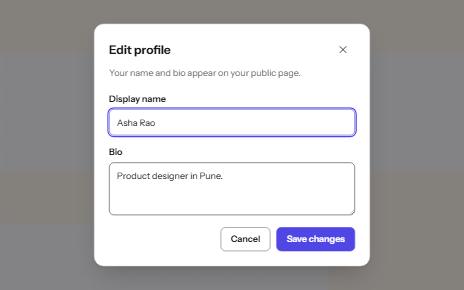
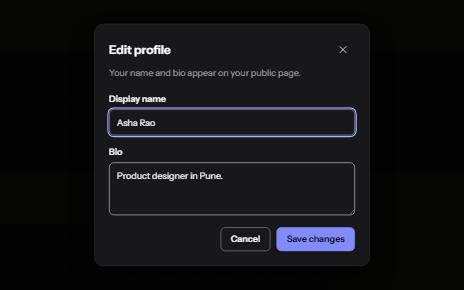
A window over the page that holds focus until it is closed, built on the native dialog element.
-
Drawer
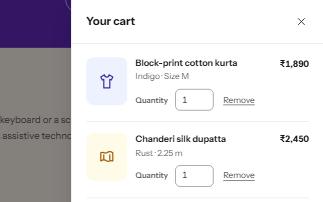
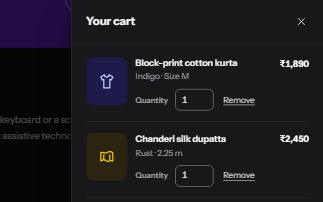
A panel that slides in from the side of the screen for a cart, filters or settings, built on a modal dialog.
-
Menu button
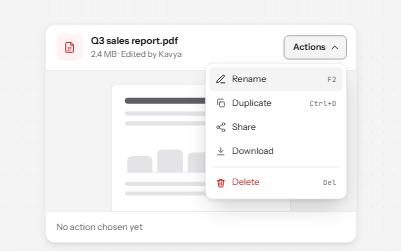
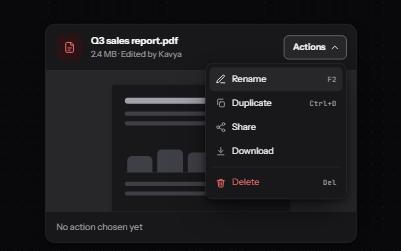
A button that opens a list of actions, moved through with the arrow keys and closed with Escape, focus going back to the button.
-
Copy to clipboard
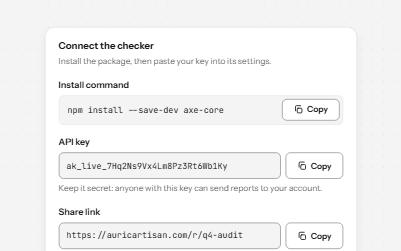
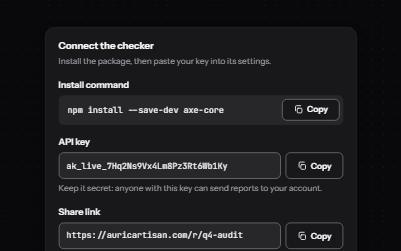
A button that copies a command, key or link, confirms it on the button and in a status message, and says what to do if it fails.