Accessibility pattern · Overlays
Image lightbox
Each thumbnail is a button named by its picture's alt text, and opens a modal dialog with the picture large, its caption and its place in the set. Previous, Next and the arrow keys move through the set, a polite live region says which picture is showing, and Escape returns focus to the thumbnail.
- WCAG criteria
- 7
- Keyboard rules
- 5
- Checked with
- axe, keyboard and the inspector
Live demo
Try it
Use it with a mouse, a keyboard or a screen reader. The inspector beside it shows what the browser tells assistive technology as you go: focus, state changes and announcements.
Kerala in six pictures
Choose a picture to see it larger, with its caption.
- Tea gardens above MunnarKolukkumalai at dawn. The last stretch up is a jeep track, so book a ride the evening before.
- Houseboat on the backwatersNear Alappuzha, an hour before sunset, when the water goes still.
- Fishing nets at Fort KochiThe nets are raised and lowered by hand, with stones for counterweights.
- Cliffs at VarkalaNorth Cliff in the late morning, from the path along its edge.
- Paddy fields in the rainKuttanad in July. Much of this farmland lies below sea level.
- Lighthouse at KovalamFrom Lighthouse Beach just after sunset, when the lamp comes on.
The demo works without JavaScript only as far as its HTML does; the inspector needs JavaScript.
Keyboard
Keys it answers to
Every action works without a pointer.
| Key | What it does |
|---|---|
| Enter or Space | On a thumbnail, opens the viewer at that picture, with focus on Next. |
| Arrow Right or Arrow Left | In the viewer, shows the next or previous picture, wrapping at the ends. |
| Home or End | In the viewer, shows the first or last picture. |
| Tab or ShiftTab | Moves through the viewer's buttons only; the page behind is inert while it is open. |
| Escape | Closes the viewer and returns focus to the thumbnail that opened it. |
Screen readers
What it announces
Written from the roles, names and states in the markup.
| When | Expected announcement |
|---|---|
| Focus reaches the third thumbnail | The silhouette of a large cantilevered fishing net against an orange sunset over the sea, button, opens a dialog |
| The viewer opens | Fishing nets at Fort Kochi, dialog, Image 3 of 6. Next, button |
| Next or Arrow Right shows the next picture | Cliffs at Varkala, Image 4 of 6 |
| Escape closes the viewer | The silhouette of a large cantilevered fishing net against an orange sunset over the sea, button (focus is back on the thumbnail) |
These are expected announcements, not recordings. Wording and order differ between screen readers and browsers.
Code
Copy the code
The exact files this demo runs on. The styles are served with a prefix that keeps this site's own styles out of the demo; what you copy is the original.
<div class="ap-lightbox" data-ap-lightbox>
  <div class="ap-lightbox__top">
    <h3 class="ap-lightbox__album">Kerala in six pictures</h3>
    <p class="ap-lightbox__hint">Choose a picture to see it larger, with its caption.</p>
  </div>

  <!-- Gradients the pictures share; drawn once, used by the thumbnails and the viewer. -->
  <svg class="ap-lightbox__defs" aria-hidden="true" focusable="false" width="0" height="0">
    <defs>
      <linearGradient id="lightbox-sky1" x1="0" y1="0" x2="0" y2="1"><stop offset="0" stop-color="#BDE2F0"/><stop offset="1" stop-color="#FBEBCB"/></linearGradient>
      <linearGradient id="lightbox-mist" x1="0" y1="0" x2="0" y2="1"><stop offset="0" stop-color="#FFFFFF" stop-opacity="0"/><stop offset=".5" stop-color="#FFFFFF" stop-opacity=".6"/><stop offset="1" stop-color="#FFFFFF" stop-opacity="0"/></linearGradient>
      <linearGradient id="lightbox-sky2" x1="0" y1="0" x2="0" y2="1"><stop offset="0" stop-color="#EF9068"/><stop offset=".6" stop-color="#F7C68A"/><stop offset="1" stop-color="#FCE3B0"/></linearGradient>
      <linearGradient id="lightbox-water2" x1="0" y1="0" x2="0" y2="1"><stop offset="0" stop-color="#4F8F8C"/><stop offset="1" stop-color="#1D4D52"/></linearGradient>
      <linearGradient id="lightbox-sky3" x1="0" y1="0" x2="0" y2="1"><stop offset="0" stop-color="#3A2462"/><stop offset=".5" stop-color="#B9496E"/><stop offset=".8" stop-color="#F08A5D"/><stop offset="1" stop-color="#FFCB80"/></linearGradient>
      <linearGradient id="lightbox-sea3" x1="0" y1="0" x2="0" y2="1"><stop offset="0" stop-color="#5B2E5F"/><stop offset="1" stop-color="#20132F"/></linearGradient>
      <linearGradient id="lightbox-sky4" x1="0" y1="0" x2="0" y2="1"><stop offset="0" stop-color="#6CC0E8"/><stop offset="1" stop-color="#DDF3FB"/></linearGradient>
      <linearGradient id="lightbox-sea4" x1="0" y1="0" x2="0" y2="1"><stop offset="0" stop-color="#2AA2C8"/><stop offset="1" stop-color="#0F6E95"/></linearGradient>
      <linearGradient id="lightbox-sky5" x1="0" y1="0" x2="0" y2="1"><stop offset="0" stop-color="#7B90A3"/><stop offset="1" stop-color="#C6D3DC"/></linearGradient>
      <pattern id="lightbox-rain" width="16" height="16" patternUnits="userSpaceOnUse"><path d="M12 0 8 9M4 8 1 15" stroke="#FFFFFF" stroke-width="1" stroke-linecap="round" opacity=".5"/></pattern>
      <linearGradient id="lightbox-sky6" x1="0" y1="0" x2="0" y2="1"><stop offset="0" stop-color="#141C46"/><stop offset=".45" stop-color="#44357A"/><stop offset=".8" stop-color="#C66F7E"/><stop offset="1" stop-color="#F2A982"/></linearGradient>
      <linearGradient id="lightbox-sea6" x1="0" y1="0" x2="0" y2="1"><stop offset="0" stop-color="#2B3567"/><stop offset="1" stop-color="#141A3D"/></linearGradient>
      <linearGradient id="lightbox-beam" x1="1" y1="0" x2="0" y2="0"><stop offset="0" stop-color="#FFE9A8" stop-opacity=".55"/><stop offset="1" stop-color="#FFE9A8" stop-opacity="0"/></linearGradient>
    </defs>
  </svg>

  <ul class="ap-lightbox__grid">
    <li class="ap-lightbox__item">
      <button type="button" class="ap-lightbox__thumb" aria-haspopup="dialog">
        <svg class="ap-lightbox__art" viewBox="0 0 320 200" role="img" aria-label="Rows of tea bushes curving over green hills, with morning mist in the valley and a pale sun"><rect width="320" height="200" fill="url(#lightbox-sky1)"/><circle cx="238" cy="58" r="20" fill="#FFF7E2"/><path d="M0 108C40 88 72 92 106 100s66-22 110-18 66 22 104 10v108H0Z" fill="#A8CDB2"/><rect y="94" width="320" height="44" fill="url(#lightbox-mist)"/><path d="M0 134c50-20 96-18 140-8s100-16 180-8v82H0Z" fill="#6FA97C"/><path d="M0 142c50-20 96-18 140-8s100-16 180-8M0 150c50-20 96-18 140-8s100-16 180-8" fill="none" stroke="#5B9568" stroke-width="2"/><path d="M118 126v-10M182 120v-12" stroke="#3B6B48" stroke-width="2"/><circle cx="118" cy="111" r="7" fill="#3E7550"/><circle cx="182" cy="104" r="8" fill="#3E7550"/><path d="M0 160c70-20 150-14 210-4s90-8 110-12v56H0Z" fill="#3F8050"/><path d="M-4 172c74-20 154-14 214-4s90-8 114-12M-4 184c74-20 154-14 214-4s90-8 114-12M-4 196c74-20 154-14 214-4s90-8 114-12" fill="none" stroke="#2C6A3D" stroke-width="3" stroke-linecap="round"/></svg>
      </button>
      <span class="ap-lightbox__data" hidden><span data-ap-name>Tea gardens above Munnar</span><span data-ap-caption>Kolukkumalai at dawn. The last stretch up is a jeep track, so book a ride the evening before.</span></span>
    </li>
    <li class="ap-lightbox__item">
      <button type="button" class="ap-lightbox__thumb" aria-haspopup="dialog">
        <svg class="ap-lightbox__art" viewBox="0 0 320 200" role="img" aria-label="A thatched houseboat on calm water at sunset, with coconut palms along the far bank"><rect width="320" height="200" fill="url(#lightbox-sky2)"/><circle cx="92" cy="90" r="18" fill="#FFF2CC"/><rect y="106" width="320" height="94" fill="url(#lightbox-water2)"/><path d="M0 100h320v8H0z" fill="#2E4A36"/><g fill="none" stroke="#24392B" stroke-width="2.5" stroke-linecap="round"><path d="M30 102q-4-20 4-38M34 64q-12-2-22 6M34 64q-8-9-20-8M34 64q9-9 21-5M34 64q12 1 18 10M34 64q1-9-3-15"/><path d="M150 102q3-18-3-34M147 68q-12-2-22 6M147 68q-8-9-20-8M147 68q9-9 21-5M147 68q12 1 18 10"/><path d="M262 102q-3-16 5-30M267 72q-12-2-21 6M267 72q-8-9-19-7M267 72q9-9 20-4M267 72q11 1 17 10"/><path d="M304 102q-2-12 3-22M307 80q-9-1-16 5M307 80q7-7 15-3M307 80q8 1 12 7"/></g><path d="M78 118h28M84 126h16M88 134h8" stroke="#FFE4A8" stroke-width="2" stroke-linecap="round" opacity=".7"/><ellipse cx="231" cy="170" rx="66" ry="6" fill="#143A3E" opacity=".6"/><path d="M166 150q10 14 34 14h60q24 0 36-16z" fill="#4A2E1B"/><path d="M180 150v-12q0-16 24-18h52q24 2 24 18v12z" fill="#C98B4B"/><path d="M196 122v28M212 120v30M228 120v30M244 120v30M260 121v29" stroke="#A86E35" stroke-width="1.5"/><rect x="184" y="139" width="92" height="7" rx="2" fill="#3A2414"/><path d="M190 142.5h8M206 142.5h8M222 142.5h8M238 142.5h8M254 142.5h8" stroke="#F6CC7A" stroke-width="3"/></svg>
      </button>
      <span class="ap-lightbox__data" hidden><span data-ap-name>Houseboat on the backwaters</span><span data-ap-caption>Near Alappuzha, an hour before sunset, when the water goes still.</span></span>
    </li>
    <li class="ap-lightbox__item">
      <button type="button" class="ap-lightbox__thumb" aria-haspopup="dialog">
        <svg class="ap-lightbox__art" viewBox="0 0 320 200" role="img" aria-label="The silhouette of a large cantilevered fishing net against an orange sunset over the sea"><rect width="320" height="200" fill="url(#lightbox-sky3)"/><circle cx="214" cy="134" r="28" fill="#FFE1A0"/><rect y="134" width="320" height="66" fill="url(#lightbox-sea3)"/><path d="M190 144h48M198 152h32M206 160h16" stroke="#FFC98A" stroke-width="2" stroke-linecap="round" opacity=".7"/><path d="M126 106 158 54 192 104q-34 24-66 2z" fill="#1B1029" opacity=".3"/><g fill="none" stroke="#1B1029" stroke-linecap="round"><path d="M70 154 158 54" stroke-width="3.5"/><path d="M70 154 36 112" stroke-width="3"/><path d="M158 54 126 106M158 54 192 104" stroke-width="1.5"/><path d="M126 106q32 22 66-2" stroke-width="2"/><path d="M136 111 158 54M147 115 158 54M168 115 158 54M180 111 158 54" stroke-width=".8"/><path d="M36 112v18M44 122v14M100 120 70 154" stroke-width="1.2"/></g><circle cx="36" cy="133" r="4" fill="#1B1029"/><circle cx="44" cy="139" r="3.5" fill="#1B1029"/><path d="M44 154h60v5H44z" fill="#1B1029"/><path d="M52 159v24M96 159v24" stroke="#1B1029" stroke-width="3"/><g fill="none" stroke="#2A1838" stroke-linecap="round"><path d="M268 150 300 96" stroke-width="2.5"/><path d="M300 96 286 122M300 96 314 120" stroke-width="1"/><path d="M286 122q14 9 28-2" stroke-width="1.2"/></g><path d="M110 40q4-4 8 0 4-4 8 0M136 30q3-3 6 0 3-3 6 0" fill="none" stroke="#1B1029" stroke-width="1.5" stroke-linecap="round"/></svg>
      </button>
      <span class="ap-lightbox__data" hidden><span data-ap-name>Fishing nets at Fort Kochi</span><span data-ap-caption>The nets are raised and lowered by hand, with stones for counterweights.</span></span>
    </li>
    <li class="ap-lightbox__item">
      <button type="button" class="ap-lightbox__thumb" aria-haspopup="dialog">
        <svg class="ap-lightbox__art" viewBox="0 0 320 200" role="img" aria-label="Red laterite cliffs topped with palms, above a sandy beach and a blue sea"><rect width="320" height="200" fill="url(#lightbox-sky4)"/><rect y="96" width="320" height="104" fill="url(#lightbox-sea4)"/><path d="M220 110h20M262 120h14M196 126h10" stroke="#E6F7FD" stroke-width="1.5" stroke-linecap="round" opacity=".8"/><path d="M150 200q22-34 64-38t106 6v32z" fill="#F2D4A2"/><path d="M166 176q30-12 70-10t84 8" fill="none" stroke="#FFFFFF" stroke-width="2.5" stroke-linecap="round" opacity=".85"/><path d="M0 74h118q14 2 18 14l12 58q6 26-8 54H0z" fill="#B5542F"/><path d="M118 74q14 2 18 14l12 58q6 26-8 54h-24q14-30 6-58z" fill="#8E3B22" opacity=".5"/><path d="M0 104h128M0 126h134M0 150h140M0 174h142" stroke="#8F3C22" stroke-width="2" opacity=".55"/><path d="M0 70h116q14 0 20 12l-2 2q-6-8-18-8H0z" fill="#5C9A4E"/><g fill="none" stroke="#2F5B34" stroke-width="2.5" stroke-linecap="round"><path d="M28 72q-3-18 4-32M32 40q-12-2-20 6M32 40q-8-9-19-7M32 40q9-9 20-4M32 40q11 1 17 10"/><path d="M70 72q3-16-3-28M67 44q-11-2-19 5M67 44q-7-8-17-6M67 44q8-8 18-4M67 44q10 1 15 9"/><path d="M104 72q-2-12 3-22M107 50q-9-1-15 5M107 50q7-7 15-3M107 50q8 1 12 7"/></g></svg>
      </button>
      <span class="ap-lightbox__data" hidden><span data-ap-name>Cliffs at Varkala</span><span data-ap-caption>North Cliff in the late morning, from the path along its edge.</span></span>
    </li>
    <li class="ap-lightbox__item">
      <button type="button" class="ap-lightbox__thumb" aria-haspopup="dialog">
        <svg class="ap-lightbox__art" viewBox="0 0 320 200" role="img" aria-label="Bands of green paddy fields under a grey monsoon sky, with rain falling and a canal running through them"><rect width="320" height="200" fill="url(#lightbox-sky5)"/><ellipse cx="80" cy="40" rx="90" ry="26" fill="#6E8396" opacity=".55"/><ellipse cx="240" cy="30" rx="110" ry="28" fill="#62788C" opacity=".5"/><path d="M0 98q20-8 40-2t40-4 40 3 40-5 40 4 40-3 40 4 40-2v16H0z" fill="#3E5B45"/><path d="M0 108h320v20H0z" fill="#93C063"/><path d="M0 128h320v26H0z" fill="#72A94C"/><path d="M0 154h320v24H0z" fill="#A3CE70"/><path d="M0 178h320v22H0z" fill="#5F9B45"/><path d="M0 128h320M0 154h320M0 178h320" stroke="#C8E3A0" stroke-width="1.5" opacity=".7"/><path d="M150 108h10l-58 92H70z" fill="#A9C9D6"/><path d="M106 160q10 4 22 0l-3 4h-16z" fill="#2E3A33"/><rect width="320" height="200" fill="url(#lightbox-rain)"/></svg>
      </button>
      <span class="ap-lightbox__data" hidden><span data-ap-name>Paddy fields in the rain</span><span data-ap-caption>Kuttanad in July. Much of this farmland lies below sea level.</span></span>
    </li>
    <li class="ap-lightbox__item">
      <button type="button" class="ap-lightbox__thumb" aria-haspopup="dialog">
        <svg class="ap-lightbox__art" viewBox="0 0 320 200" role="img" aria-label="A red and white striped lighthouse on dark rocks at dusk, its lamp lit and the first stars out"><rect width="320" height="200" fill="url(#lightbox-sky6)"/><g fill="#FFFFFF"><circle cx="40" cy="24" r="1"/><circle cx="92" cy="14" r="1.2"/><circle cx="150" cy="30" r=".9"/><circle cx="196" cy="12" r="1.1"/><circle cx="276" cy="26" r="1"/><circle cx="300" cy="10" r=".8"/><circle cx="20" cy="56" r=".8"/></g><path d="M230 59 20 26v64z" fill="url(#lightbox-beam)"/><rect y="142" width="320" height="58" fill="url(#lightbox-sea6)"/><path d="M40 156h40M60 166h24M206 160h50" stroke="#F3A981" stroke-width="1.5" stroke-linecap="round" opacity=".5"/><path d="M140 200l18-44q14-20 40-22l38-6q30 2 50 18l34 10v44z" fill="#211A36"/><path d="M221 134l3-68h12l3 68z" fill="#F4EFE6"/><path d="M223.4 82h13.2l.5 12h-14.2zM222.3 106h15.4l.5 12h-16.4z" fill="#C2412D"/><path d="M219 64h22v3h-22z" fill="#2A2340"/><rect x="224" y="54" width="12" height="10" fill="#FFE08A"/><path d="M222 54l8-8 8 8z" fill="#2A2340"/><path d="M206 134h14v-8h-14zM240 134h12v-6h-12z" fill="#2A2340"/></svg>
      </button>
      <span class="ap-lightbox__data" hidden><span data-ap-name>Lighthouse at Kovalam</span><span data-ap-caption>From Lighthouse Beach just after sunset, when the lamp comes on.</span></span>
    </li>
  </ul>

  <dialog class="ap-lightbox__viewer" aria-labelledby="lightbox-name" aria-describedby="lightbox-count">
    <div class="ap-lightbox__sheet">
      <div class="ap-lightbox__bar">
        <div class="ap-lightbox__id" aria-live="off" aria-atomic="true" data-ap-live>
          <h2 class="ap-lightbox__name" id="lightbox-name" data-ap-name-out>Tea gardens above Munnar</h2>
          <p class="ap-lightbox__count" id="lightbox-count"><span>Image</span> <span data-ap-n translate="no">1</span> <span>of</span> <span data-ap-total translate="no">6</span></p>
        </div>
        <button type="button" class="ap-lightbox__close" data-ap-close aria-label="Close">
          <svg viewBox="0 0 24 24" aria-hidden="true" focusable="false"><path d="M6 6l12 12M18 6 6 18"/></svg>
        </button>
      </div>
      <div class="ap-lightbox__frame" data-ap-frame></div>
      <p class="ap-lightbox__caption" data-ap-caption-out>Kolukkumalai at dawn. The last stretch up is a jeep track, so book a ride the evening before.</p>
      <p class="ap-lightbox__alt" aria-hidden="true"><span class="ap-lightbox__alt-k">Alt text</span> <span data-ap-alt-out></span></p>
      <div class="ap-lightbox__nav">
        <button type="button" class="ap-btn" data-ap-prev>
          <svg class="ap-btn__icon" viewBox="0 0 24 24" aria-hidden="true" focusable="false"><path d="m15 18-6-6 6-6"/></svg>
          Previous
        </button>
        <span class="ap-lightbox__dots" aria-hidden="true" data-ap-dots></span>
        <button type="button" class="ap-btn" data-ap-next autofocus>
          Next
          <svg class="ap-btn__icon" viewBox="0 0 24 24" aria-hidden="true" focusable="false"><path d="m9 18 6-6-6-6"/></svg>
        </button>
      </div>
    </div>
  </dialog>
</div>
/* Shared primitives: buttons and form fields used across the patterns.
   Uses the --ap-* design tokens. */

.ap-btn {
  display: inline-flex;
  align-items: center;
  justify-content: center;
  gap: 8px;
  min-height: 40px;
  padding: 0 16px;
  border: 1px solid var(--ap-border-strong);
  border-radius: var(--ap-radius-sm);
  background: var(--ap-surface);
  color: var(--ap-text);
  font: inherit;
  font-weight: 600;
  line-height: 1.2;
  text-decoration: none;
  white-space: nowrap;
  cursor: pointer;
  transition: background-color var(--ap-duration) var(--ap-ease), border-color var(--ap-duration) var(--ap-ease), box-shadow var(--ap-duration) var(--ap-ease);
}
.ap-btn:hover {
  background: var(--ap-surface-2);
}
.ap-btn:focus-visible {
  outline: 2px solid var(--ap-focus);
  outline-offset: 2px;
}
.ap-btn:disabled,
.ap-btn[aria-disabled="true"] {
  opacity: .55;
  cursor: not-allowed;
}
.ap-btn--primary {
  border-color: var(--ap-accent);
  background: var(--ap-accent);
  color: var(--ap-on-accent);
  box-shadow: var(--ap-shadow-sm);
}
.ap-btn--primary:hover {
  border-color: var(--ap-accent-hover);
  background: var(--ap-accent-hover);
}
.ap-btn--danger {
  border-color: var(--ap-danger);
  background: var(--ap-danger);
  color: var(--ap-surface);
}
.ap-btn--danger:hover {
  filter: brightness(1.08);
}
.ap-btn--ghost {
  border-color: transparent;
  background: transparent;
}
.ap-btn--ghost:hover {
  background: var(--ap-surface-2);
}
.ap-btn__icon {
  width: 18px;
  height: 18px;
  flex-shrink: 0;
  fill: none;
  stroke: currentColor;
  stroke-width: 2;
  stroke-linecap: round;
  stroke-linejoin: round;
}

.ap-field {
  display: grid;
  gap: 6px;
}
.ap-label {
  color: var(--ap-text);
  font-weight: 600;
  font-size: .9375rem;
}
.ap-hint {
  margin: 0;
  color: var(--ap-text-3);
  font-size: .875rem;
  line-height: 1.45;
}
.ap-error {
  display: flex;
  align-items: flex-start;
  gap: 6px;
  margin: 0;
  color: var(--ap-danger);
  font-size: .875rem;
  font-weight: 600;
  line-height: 1.45;
}
.ap-input {
  width: 100%;
  min-height: 44px;
  padding: 10px 12px;
  border: 1px solid var(--ap-border-strong);
  border-radius: var(--ap-radius-sm);
  background: var(--ap-surface);
  color: var(--ap-text);
  font: inherit;
  line-height: 1.4;
  transition: border-color var(--ap-duration) var(--ap-ease), box-shadow var(--ap-duration) var(--ap-ease);
}
.ap-input::placeholder {
  color: var(--ap-text-3);
}
.ap-input:hover {
  border-color: var(--ap-text-2);
}
.ap-input:focus-visible {
  outline: 2px solid var(--ap-focus);
  outline-offset: 1px;
  border-color: var(--ap-focus);
}
.ap-input[aria-invalid="true"] {
  border-color: var(--ap-danger);
  box-shadow: inset 4px 0 0 var(--ap-danger);
}
textarea.ap-input {
  resize: vertical;
  min-height: 88px;
}

@media (prefers-reduced-motion: reduce) {
  .ap-btn,
  .ap-input { transition: none; }
}

/* Image lightbox. Uses the --ap-* design tokens and the shared primitives. */
.ap-lightbox {
  width: min(100%, 620px);
  margin-inline: auto;
  container-type: inline-size;
}
.ap-lightbox__top {
  margin-bottom: 14px;
}
.ap-lightbox__album {
  margin: 0;
  font-size: 1.125rem;
  font-weight: 650;
  line-height: 1.3;
}
.ap-lightbox__hint {
  margin: 4px 0 0;
  color: var(--ap-text-3);
  font-size: .875rem;
}
.ap-lightbox__defs {
  position: absolute;
  width: 0;
  height: 0;
  overflow: hidden;
}

/* Thumbnails */
.ap-lightbox__grid {
  display: grid;
  grid-template-columns: repeat(3, minmax(0, 1fr));
  gap: 10px;
  margin: 0;
  padding: 0;
  list-style: none;
}
.ap-lightbox__thumb {
  position: relative;
  display: block;
  width: 100%;
  aspect-ratio: 16 / 10;
  padding: 0;
  border: 0;
  border-radius: var(--ap-radius);
  background: var(--ap-surface-2);
  box-shadow: var(--ap-shadow-sm);
  overflow: hidden;
  cursor: zoom-in;
}
.ap-lightbox__thumb svg {
  display: block;
  width: 100%;
  height: 100%;
  transition: transform 320ms var(--ap-ease);
}
.ap-lightbox__thumb:hover svg {
  transform: scale(1.05);
}
.ap-lightbox__thumb:focus-visible {
  outline: 2px solid var(--ap-focus);
  outline-offset: 2px;
}
/* A plus in a circle, drawn with gradients: "opens larger". */
.ap-lightbox__thumb::after {
  content: "";
  position: absolute;
  right: 8px;
  bottom: 8px;
  width: 28px;
  height: 28px;
  border-radius: var(--ap-radius-full);
  background:
    linear-gradient(var(--ap-text), var(--ap-text)) center / 12px 2px no-repeat,
    linear-gradient(var(--ap-text), var(--ap-text)) center / 2px 12px no-repeat,
    var(--ap-surface);
  box-shadow: var(--ap-shadow-md);
  opacity: 0;
  transform: scale(.8);
  transition: opacity var(--ap-duration) var(--ap-ease), transform var(--ap-duration) var(--ap-ease);
}
.ap-lightbox__thumb:is(:hover, :focus-visible)::after {
  opacity: 1;
  transform: none;
}

/* The viewer: a modal dialog in the top layer. It is its own container,
   because the gallery's width says nothing about the viewer's. */
.ap-lightbox__viewer {
  width: min(94vw, 800px);
  max-width: none;
  max-height: 94vh;
  padding: 0;
  border: 1px solid var(--ap-border);
  border-radius: var(--ap-radius-lg);
  background: var(--ap-surface);
  color: var(--ap-text);
  box-shadow: var(--ap-shadow-lg);
  overflow: auto;
  container-type: inline-size;
}
.ap-lightbox__viewer[open] {
  animation: ap-lightbox-in 220ms var(--ap-ease);
}
.ap-lightbox__viewer::backdrop {
  background: var(--ap-scrim);
  backdrop-filter: blur(3px);
}
.ap-lightbox__sheet {
  display: grid;
  gap: 14px;
  padding: 16px 18px 18px;
}
.ap-lightbox__bar {
  display: flex;
  align-items: flex-start;
  justify-content: space-between;
  gap: 12px;
}
.ap-lightbox__name {
  margin: 0;
  font-size: 1.125rem;
  font-weight: 650;
  line-height: 1.3;
}
.ap-lightbox__count {
  margin: 2px 0 0;
  color: var(--ap-text-3);
  font-size: .875rem;
  font-variant-numeric: tabular-nums;
}
.ap-lightbox__close {
  display: grid;
  place-items: center;
  width: 40px;
  height: 40px;
  flex-shrink: 0;
  margin: -4px -6px 0 0;
  padding: 0;
  border: 0;
  border-radius: var(--ap-radius-sm);
  background: transparent;
  color: var(--ap-text-2);
  cursor: pointer;
}
.ap-lightbox__close:hover {
  background: var(--ap-surface-2);
  color: var(--ap-text);
}
.ap-lightbox__close:focus-visible {
  outline: 2px solid var(--ap-focus);
  outline-offset: 2px;
}
.ap-lightbox__close svg {
  width: 20px;
  height: 20px;
  fill: none;
  stroke: currentColor;
  stroke-width: 2;
  stroke-linecap: round;
}

.ap-lightbox__frame {
  aspect-ratio: 16 / 10;
  max-height: 58vh;
  border-radius: var(--ap-radius);
  background: var(--ap-surface-2);
  overflow: hidden;
  touch-action: pan-y;
  user-select: none;
}
.ap-lightbox__frame svg {
  display: block;
  width: 100%;
  height: 100%;
}
.ap-lightbox__frame[data-dir="next"] svg {
  animation: ap-lightbox-next 260ms var(--ap-ease);
}
.ap-lightbox__frame[data-dir="prev"] svg {
  animation: ap-lightbox-prev 260ms var(--ap-ease);
}

.ap-lightbox__caption {
  margin: 0;
  color: var(--ap-text-2);
  line-height: 1.55;
}
.ap-lightbox__alt {
  display: flex;
  align-items: baseline;
  gap: 8px;
  margin: -4px 0 0;
  color: var(--ap-text-3);
  font-size: .875rem;
  line-height: 1.5;
}
.ap-lightbox__alt-k {
  flex-shrink: 0;
  padding: 0 6px;
  border: 1px solid var(--ap-border-strong);
  border-radius: calc(var(--ap-radius-sm) - 3px);
  color: var(--ap-text-2);
  font-size: .6875rem;
  font-weight: 700;
  letter-spacing: .04em;
  text-transform: uppercase;
}

.ap-lightbox__nav {
  display: flex;
  align-items: center;
  justify-content: space-between;
  gap: 12px;
  padding-top: 14px;
  border-top: 1px solid var(--ap-border);
}
.ap-lightbox__dots {
  display: flex;
  align-items: center;
  gap: 6px;
}
.ap-lightbox__dots span {
  width: 6px;
  height: 6px;
  border-radius: var(--ap-radius-full);
  background: var(--ap-border-strong);
  transition: width var(--ap-duration) var(--ap-ease), background-color var(--ap-duration) var(--ap-ease);
}
.ap-lightbox__dots span.is-on {
  width: 18px;
  background: var(--ap-accent);
}

@container (max-width: 420px) {
  .ap-lightbox__grid { grid-template-columns: repeat(2, minmax(0, 1fr)); }
  .ap-lightbox__sheet { gap: 12px; padding: 14px 14px 16px; }
  .ap-lightbox__nav .ap-btn { padding: 0 12px; }
  .ap-lightbox__dots { gap: 4px; }
}

@keyframes ap-lightbox-in {
  from { opacity: 0; transform: translateY(8px) scale(.98); }
}
@keyframes ap-lightbox-next {
  from { opacity: 0; transform: translateX(24px); }
}
@keyframes ap-lightbox-prev {
  from { opacity: 0; transform: translateX(-24px); }
}

@media (prefers-reduced-motion: reduce) {
  .ap-lightbox__thumb svg,
  .ap-lightbox__thumb::after,
  .ap-lightbox__dots span { transition: none; }
  .ap-lightbox__thumb:hover svg { transform: none; }
  .ap-lightbox__viewer[open],
  .ap-lightbox__frame[data-dir] svg { animation: none; }
}
/**
 * Image lightbox: thumbnail buttons that open a modal viewer with the
 * picture large, its caption, its alt text and its place in the set.
 *
 * Markup: [data-ap-lightbox] holding .ap-lightbox__item list items, each a
 * button.ap-lightbox__thumb around an svg[role=img][aria-label] (or an img
 * with alt) plus hidden [data-ap-name] and [data-ap-caption] text; and a
 * dialog with [data-ap-live] (title and count, aria-live="off" until the
 * viewer is open), [data-ap-frame],
 * [data-ap-caption-out], [data-ap-alt-out], [data-ap-dots], and buttons
 * [data-ap-prev], [data-ap-next] and [data-ap-close].
 */

const SWIPE = 40; // pixels of sideways travel that count as a swipe

export function init(root) {
  const dialog = root.querySelector("dialog");
  const $ = (sel) => dialog.querySelector(sel);
  const live = $("[data-ap-live]");
  const frame = $("[data-ap-frame]");
  const nameOut = $("[data-ap-name-out]");
  const captionOut = $("[data-ap-caption-out]");
  const altOut = $("[data-ap-alt-out]");
  const n = $("[data-ap-n]");
  const total = $("[data-ap-total]");
  const dots = $("[data-ap-dots]");
  const html = document.documentElement;
  const items = [...root.querySelectorAll(".ap-lightbox__item")].map((li) => ({
    thumb: li.querySelector(".ap-lightbox__thumb"),
    art: li.querySelector(".ap-lightbox__thumb > :is(svg, img)"),
    name: li.querySelector("[data-ap-name]"),
    caption: li.querySelector("[data-ap-caption]"),
  }));
  let index = 0;
  let opener = null;
  let scrollWas = "";
  let liveTimer = 0;
  let swipe = null;

  dots.replaceChildren(...items.map(() => document.createElement("span")));
  // Only if the markup's count is wrong: any write to the live region is a change.
  if (total.textContent !== String(items.length)) total.textContent = String(items.length);

  function show(i, dir = 0) {
    index = (i + items.length) % items.length;
    const item = items[index];
    const art = item.art.cloneNode(true);
    if (dir) frame.dataset.dir = dir > 0 ? "next" : "prev";
    else delete frame.dataset.dir;
    frame.replaceChildren(art);
    nameOut.textContent = item.name.textContent;
    captionOut.textContent = item.caption.textContent;
    altOut.textContent = item.art.getAttribute("aria-label") || item.art.getAttribute("alt") || "";
    n.textContent = String(index + 1);
    [...dots.children].forEach((dot, d) => dot.classList.toggle("is-on", d === index));
  }

  function open(i, from) {
    opener = from;
    // Quiet while closed and while opening: the dialog's own name and
    // description say which picture it is. From then on, each change of
    // picture is announced.
    clearTimeout(liveTimer);
    live.setAttribute("aria-live", "off");
    show(i);
    scrollWas = html.style.overflow;
    html.style.overflow = "hidden";
    dialog.showModal();
    liveTimer = setTimeout(() => live.setAttribute("aria-live", "polite"), 300);
  }

  function onClose() {
    clearTimeout(liveTimer);
    live.setAttribute("aria-live", "off");
    html.style.overflow = scrollWas;
    // Back to the thumbnail that opened the viewer, wherever the reader went.
    opener?.focus();
  }

  function onGalleryClick(event) {
    const thumb = event.target.closest(".ap-lightbox__thumb");
    const at = items.findIndex((item) => item.thumb === thumb);
    if (at !== -1) open(at, thumb);
  }

  function onDialogClick(event) {
    if (event.target.closest("[data-ap-prev]")) show(index - 1, -1);
    else if (event.target.closest("[data-ap-next]")) show(index + 1, 1);
    else if (event.target.closest("[data-ap-close]")) dialog.close();
    // A click on the dialog element itself, outside the sheet, is the backdrop.
    else if (event.target === dialog) dialog.close();
  }

  function onKeydown(event) {
    if (event.altKey || event.ctrlKey || event.metaKey) return;
    let to = null;
    if (event.key === "ArrowRight") to = [index + 1, 1];
    else if (event.key === "ArrowLeft") to = [index - 1, -1];
    else if (event.key === "Home") to = [0, -1];
    else if (event.key === "End") to = [items.length - 1, 1];
    if (!to) return;
    event.preventDefault();
    show(...to);
  }

  function onPointerDown(event) {
    swipe = { x: event.clientX, y: event.clientY };
  }
  function onPointerUp(event) {
    if (!swipe) return;
    const dx = event.clientX - swipe.x;
    const dy = event.clientY - swipe.y;
    swipe = null;
    if (Math.abs(dx) > SWIPE && Math.abs(dx) > Math.abs(dy)) show(index + (dx < 0 ? 1 : -1), dx < 0 ? 1 : -1);
  }
  function onPointerCancel() {
    swipe = null;
  }

  root.addEventListener("click", onGalleryClick);
  dialog.addEventListener("click", onDialogClick);
  dialog.addEventListener("keydown", onKeydown);
  dialog.addEventListener("close", onClose);
  frame.addEventListener("pointerdown", onPointerDown);
  frame.addEventListener("pointerup", onPointerUp);
  frame.addEventListener("pointercancel", onPointerCancel);

  return () => {
    clearTimeout(liveTimer);
    dialog.removeEventListener("close", onClose);
    if (dialog.open) {
      dialog.close();
      html.style.overflow = scrollWas;
    }
    root.removeEventListener("click", onGalleryClick);
    dialog.removeEventListener("click", onDialogClick);
    dialog.removeEventListener("keydown", onKeydown);
    frame.removeEventListener("pointerdown", onPointerDown);
    frame.removeEventListener("pointerup", onPointerUp);
    frame.removeEventListener("pointercancel", onPointerCancel);
  };
}

for (const root of document.querySelectorAll("[data-ap-lightbox]")) init(root);
/* Design tokens for the pattern components. Light by default, dark when the
   system asks for it; set data-theme="dark" on :root to force dark. */
:root {
    --ap-radius-sm: 8px;
    --ap-radius: 12px;
    --ap-radius-lg: 16px;
    --ap-radius-full: 999px;
    --ap-font: "Instrument Sans", ui-sans-serif, system-ui, -apple-system, "Segoe UI", Roboto, sans-serif;
    --ap-mono: "JetBrains Mono", ui-monospace, "Cascadia Mono", "SF Mono", Consolas, monospace;
    --ap-ease: cubic-bezier(.2, .8, .2, 1);
    --ap-duration: 180ms;
    --ap-target: 44px;
    --ap-bg: #F4F4F5;
    --ap-surface: #FFFFFF;
    --ap-surface-2: #F4F4F5;
    --ap-surface-3: #E4E4E7;
    --ap-border: #E4E4E7;
    --ap-border-strong: #76767F;
    --ap-text: #18181B;
    --ap-text-2: #3F3F46;
    --ap-text-3: #5E5E66;
    --ap-accent: #4F46E5;
    --ap-accent-hover: #4338CA;
    --ap-on-accent: #FFFFFF;
    --ap-accent-text: #4338CA;
    --ap-accent-soft: #EEF2FF;
    --ap-accent-soft-text: #3730A3;
    --ap-focus: #4F46E5;
    --ap-danger: #B91C1C;
    --ap-danger-soft: #FEF2F2;
    --ap-success: #15803D;
    --ap-success-soft: #F0FDF4;
    --ap-warning: #A15C07;
    --ap-warning-soft: #FEFCE8;
    --ap-info: #1D4ED8;
    --ap-info-soft: #EFF6FF;
    --ap-scrim: rgb(9 9 11 / .48);
    --ap-shadow-sm: 0 1px 2px rgb(9 9 11 / .06);
    --ap-shadow-md: 0 1px 2px rgb(9 9 11 / .05), 0 6px 16px -4px rgb(9 9 11 / .1);
    --ap-shadow-lg: 0 2px 6px rgb(9 9 11 / .06), 0 20px 40px -12px rgb(9 9 11 / .22);
    --ap-light-bg: #F4F4F5;
    --ap-light-surface: #FFFFFF;
    --ap-light-surface-2: #F4F4F5;
    --ap-light-surface-3: #E4E4E7;
    --ap-light-border: #E4E4E7;
    --ap-light-border-strong: #76767F;
    --ap-light-text: #18181B;
    --ap-light-text-2: #3F3F46;
    --ap-light-text-3: #5E5E66;
    --ap-light-accent: #4F46E5;
    --ap-light-accent-hover: #4338CA;
    --ap-light-on-accent: #FFFFFF;
    --ap-light-accent-text: #4338CA;
    --ap-light-accent-soft: #EEF2FF;
    --ap-light-accent-soft-text: #3730A3;
    --ap-light-focus: #4F46E5;
    --ap-light-danger: #B91C1C;
    --ap-light-danger-soft: #FEF2F2;
    --ap-light-success: #15803D;
    --ap-light-success-soft: #F0FDF4;
    --ap-light-warning: #A15C07;
    --ap-light-warning-soft: #FEFCE8;
    --ap-light-info: #1D4ED8;
    --ap-light-info-soft: #EFF6FF;
    --ap-light-scrim: rgb(9 9 11 / .48);
    --ap-light-shadow-sm: 0 1px 2px rgb(9 9 11 / .06);
    --ap-light-shadow-md: 0 1px 2px rgb(9 9 11 / .05), 0 6px 16px -4px rgb(9 9 11 / .1);
    --ap-light-shadow-lg: 0 2px 6px rgb(9 9 11 / .06), 0 20px 40px -12px rgb(9 9 11 / .22);
    --ap-dark-bg: #09090B;
    --ap-dark-surface: #18181B;
    --ap-dark-surface-2: #27272A;
    --ap-dark-surface-3: #3F3F46;
    --ap-dark-border: #2E2E33;
    --ap-dark-border-strong: #8E8E97;
    --ap-dark-text: #FAFAFA;
    --ap-dark-text-2: #D4D4D8;
    --ap-dark-text-3: #A1A1AA;
    --ap-dark-accent: #818CF8;
    --ap-dark-accent-hover: #A5B4FC;
    --ap-dark-on-accent: #0C0A1F;
    --ap-dark-accent-text: #A5B4FC;
    --ap-dark-accent-soft: #1E1B4B;
    --ap-dark-accent-soft-text: #C7D2FE;
    --ap-dark-focus: #A5B4FC;
    --ap-dark-danger: #F87171;
    --ap-dark-danger-soft: #2A1215;
    --ap-dark-success: #4ADE80;
    --ap-dark-success-soft: #0F2A1A;
    --ap-dark-warning: #FACC15;
    --ap-dark-warning-soft: #2A2410;
    --ap-dark-info: #60A5FA;
    --ap-dark-info-soft: #0F1D33;
    --ap-dark-scrim: rgb(0 0 0 / .62);
    --ap-dark-shadow-sm: 0 1px 2px rgb(0 0 0 / .4);
    --ap-dark-shadow-md: 0 1px 2px rgb(0 0 0 / .4), 0 8px 20px -6px rgb(0 0 0 / .5);
    --ap-dark-shadow-lg: 0 2px 8px rgb(0 0 0 / .45), 0 24px 48px -12px rgb(0 0 0 / .7);
}
@media (prefers-color-scheme: dark) {
  :root:not([data-theme="light"]) {
      --ap-bg: #09090B;
      --ap-surface: #18181B;
      --ap-surface-2: #27272A;
      --ap-surface-3: #3F3F46;
      --ap-border: #2E2E33;
      --ap-border-strong: #8E8E97;
      --ap-text: #FAFAFA;
      --ap-text-2: #D4D4D8;
      --ap-text-3: #A1A1AA;
      --ap-accent: #818CF8;
      --ap-accent-hover: #A5B4FC;
      --ap-on-accent: #0C0A1F;
      --ap-accent-text: #A5B4FC;
      --ap-accent-soft: #1E1B4B;
      --ap-accent-soft-text: #C7D2FE;
      --ap-focus: #A5B4FC;
      --ap-danger: #F87171;
      --ap-danger-soft: #2A1215;
      --ap-success: #4ADE80;
      --ap-success-soft: #0F2A1A;
      --ap-warning: #FACC15;
      --ap-warning-soft: #2A2410;
      --ap-info: #60A5FA;
      --ap-info-soft: #0F1D33;
      --ap-scrim: rgb(0 0 0 / .62);
      --ap-shadow-sm: 0 1px 2px rgb(0 0 0 / .4);
      --ap-shadow-md: 0 1px 2px rgb(0 0 0 / .4), 0 8px 20px -6px rgb(0 0 0 / .5);
      --ap-shadow-lg: 0 2px 8px rgb(0 0 0 / .45), 0 24px 48px -12px rgb(0 0 0 / .7);
  }
}
:root[data-theme="dark"] {
    --ap-bg: #09090B;
    --ap-surface: #18181B;
    --ap-surface-2: #27272A;
    --ap-surface-3: #3F3F46;
    --ap-border: #2E2E33;
    --ap-border-strong: #8E8E97;
    --ap-text: #FAFAFA;
    --ap-text-2: #D4D4D8;
    --ap-text-3: #A1A1AA;
    --ap-accent: #818CF8;
    --ap-accent-hover: #A5B4FC;
    --ap-on-accent: #0C0A1F;
    --ap-accent-text: #A5B4FC;
    --ap-accent-soft: #1E1B4B;
    --ap-accent-soft-text: #C7D2FE;
    --ap-focus: #A5B4FC;
    --ap-danger: #F87171;
    --ap-danger-soft: #2A1215;
    --ap-success: #4ADE80;
    --ap-success-soft: #0F2A1A;
    --ap-warning: #FACC15;
    --ap-warning-soft: #2A2410;
    --ap-info: #60A5FA;
    --ap-info-soft: #0F1D33;
    --ap-scrim: rgb(0 0 0 / .62);
    --ap-shadow-sm: 0 1px 2px rgb(0 0 0 / .4);
    --ap-shadow-md: 0 1px 2px rgb(0 0 0 / .4), 0 8px 20px -6px rgb(0 0 0 / .5);
    --ap-shadow-lg: 0 2px 8px rgb(0 0 0 / .45), 0 24px 48px -12px rgb(0 0 0 / .7);
}
WCAG 2.2
What it meets
The success criteria this pattern takes care of, and how.
-
1.1.1 Non-text Content
Level A
Every picture has alt text that says what is in it, and each thumbnail button takes its name from that alt text.
-
2.1.1 Keyboard
Level A
Opening, moving through the set and closing all work from the keyboard, with buttons for each as well as keys.
-
2.1.2 No Keyboard Trap
Level A
Focus stays in the viewer while it is open, but Escape and the close button always let it out.
-
2.4.3 Focus Order
Level A
Focus moves to Next when the viewer opens and back to the thumbnail that opened it when it closes.
-
2.5.1 Pointer Gestures
Level A
A swipe on the picture moves through the set, and the Previous and Next buttons do the same with a single tap.
-
4.1.2 Name, Role, Value
Level A
The viewer is a dialog named by the picture's title and described by its place in the set; thumbnails say they open a dialog.
-
4.1.3 Status Messages
Level AA
The title and Image 4 of 6 sit in a polite live region, so each change of picture is announced without moving focus.
Usage
When to use it
Use it
- Galleries where people want to see pictures larger, in order, without leaving the page.
- Product photos, portfolios and trip albums, where the thumbnails alone are too small to judge.
Use something else
- A single picture: show it at a readable size on the page, with its caption.
- Charts, maps and diagrams that carry information: give them room on the page and a text alternative.
- Slides that mix pictures, text and links: use a carousel.
Common failures
How it usually goes wrong
Thumbnails that are not buttons
An image with a click handler cannot be reached with Tab and announces nothing to act on. A button around the picture gives both.
Alt text that is a file name
IMG_2041.jpg or just photo tells nobody what is in the picture, so every thumbnail sounds the same. Describe what it shows.
Focus left on the page
If focus stays behind the viewer, keyboard users tab through hidden thumbnails. showModal() makes the page inert and moves focus in.
Focus lost on close
When the viewer closes and focus jumps to the top, people lose their place in the gallery. It goes back to the thumbnail that opened it.
Silent picture changes
Pressing Next changes the picture on screen, but without a live region a screen reader user hears nothing at all. The title and position are announced.
Swipe as the only way
A gesture-only gallery shuts out keyboard users and anyone who cannot swipe. Buttons and arrow keys do the same job here.
Notes
Building it
- The viewer opens with showModal(), which makes the page inert and lets Escape close it; the script returns focus to the thumbnail that opened it.
- The live region is off while the viewer is closed and as it opens, because the dialog's name and description already say which picture it is; from then on, each change is announced once.
- The visible Alt text line is for sighted readers, so it is hidden from screen readers, which already hear the same words as the picture's name.
- With real photos, use an img with the same alt in the thumbnail and the viewer, and load the large file only when the viewer opens.
- The arrow keys are handled on the whole dialog, so they work wherever focus is in it; the viewer has no text field that needs them.
Sources: WAI-ARIA Authoring Practices: Dialog (Modal) · W3C Images Tutorial: Functional images
Checked with axe in light and dark themes, at desktop and phone widths, and by keyboard. Not yet tested with every screen reader and browser pair. Report a correction
Related
Patterns that go with it
-
Modal dialog
A window over the page that holds focus until it is closed, built on the native dialog element.
-
Carousel
Rotating slides with pause, previous, next and a slide picker, that stop moving while someone is reading or using them.
-
Image alternatives
Four kinds of image with the alt text each needs, what a screen reader says when it is wrong, and a decision tree.
-
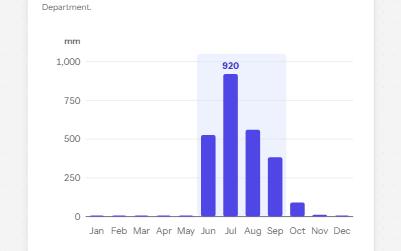
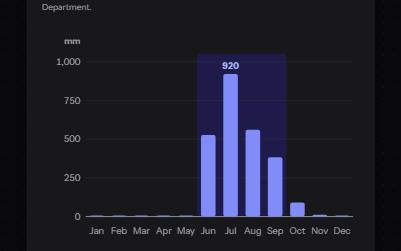
Complex image
A chart with a short alt that gives its point, a long description in a disclosure, and its data in a table beside it.