Accessibility pattern · Buttons and actions
Context menu
Right-click, Shift+F10 and the Menu key all open the same role=menu at the item, with focus on its first action. A More actions button on every row opens it as well, so nobody depends on a right-click or a key they have never heard of.
- WCAG criteria
- 6
- Keyboard rules
- 6
- Checked with
- axe, keyboard and the inspector
Live demo
Try it
Use it with a mouse, a keyboard or a screen reader. The inspector beside it shows what the browser tells assistive technology as you go: focus, state changes and announcements.
The demo works without JavaScript only as far as its HTML does; the inspector needs JavaScript.
Keyboard
Keys it answers to
Every action works without a pointer.
| Key | What it does |
|---|---|
| ShiftF10 or Menu | On a file, opens its menu at the file with focus on the first action. |
| Enter or Space | On More actions, opens the menu; in the menu, runs the focused action and returns focus to where the menu was opened. |
| Arrow Down or Arrow Up | Moves to the next or previous action, wrapping at the ends. On More actions, opens the menu at the first or last action. |
| Home or End | Moves to the first or last action. |
| A–Z | Moves to the next action that starts with that letter. |
| Escape or Tab | Closes the menu without acting and returns focus to the file or button that opened it. |
Screen readers
What it announces
Written from the roles, names and states in the markup.
| When | Expected announcement |
|---|---|
| Focus reaches a file | Q3 budget.xlsx, button, 48 KB · Edited today. Right-click a file or press Shift+F10 for its actions. |
| Shift+F10 opens the menu | Q3 budget.xlsx, menu. Preview, menu item, 1 of 5 |
| Focus reaches a More actions button | More actions Site plan.pdf, menu button, collapsed |
| Rename is chosen | Q3 budget.xlsx, button. Chosen: Rename Q3 budget.xlsx |
These are expected announcements, not recordings. Wording and order differ between screen readers and browsers.
Code
Copy the code
The exact files this demo runs on. The styles are served with a prefix that keeps this site's own styles out of the demo; what you copy is the original.
<div class="ap-context-menu" data-ap-context-menu>
  <div class="ap-context-menu__top">
    <h3 class="ap-context-menu__label" id="context-menu-files">Project files</h3>
    <p class="ap-context-menu__count">4 files</p>
  </div>
  <p class="ap-context-menu__hint" id="context-menu-hint">Right-click a file or press <kbd>Shift</kbd>+<kbd>F10</kbd> for its actions.</p>

  <ul class="ap-context-menu__list" aria-labelledby="context-menu-files">
    <li class="ap-context-menu__row" data-ap-file>
      <button type="button" class="ap-context-menu__item" data-ap-item aria-labelledby="context-menu-name-1" aria-describedby="context-menu-meta-1 context-menu-hint">
        <span class="ap-context-menu__type ap-context-menu__type--sheet" aria-hidden="true" translate="no">XLS</span>
        <span class="ap-context-menu__text">
          <span class="ap-context-menu__file" id="context-menu-name-1" translate="no">Q3 budget.xlsx</span>
          <span class="ap-context-menu__meta" id="context-menu-meta-1">48 KB · Edited today</span>
        </span>
      </button>
      <button type="button" class="ap-context-menu__more" data-ap-more aria-haspopup="menu" aria-expanded="false" aria-controls="context-menu-menu" aria-labelledby="context-menu-more context-menu-name-1">
        <svg viewBox="0 0 24 24" aria-hidden="true" focusable="false"><circle cx="5" cy="12" r="1.75"/><circle cx="12" cy="12" r="1.75"/><circle cx="19" cy="12" r="1.75"/></svg>
      </button>
    </li>
    <li class="ap-context-menu__row" data-ap-file>
      <button type="button" class="ap-context-menu__item" data-ap-item aria-labelledby="context-menu-name-2" aria-describedby="context-menu-meta-2 context-menu-hint">
        <span class="ap-context-menu__type ap-context-menu__type--pdf" aria-hidden="true" translate="no">PDF</span>
        <span class="ap-context-menu__text">
          <span class="ap-context-menu__file" id="context-menu-name-2" translate="no">Site plan.pdf</span>
          <span class="ap-context-menu__meta" id="context-menu-meta-2">2.4 MB · Edited yesterday</span>
        </span>
      </button>
      <button type="button" class="ap-context-menu__more" data-ap-more aria-haspopup="menu" aria-expanded="false" aria-controls="context-menu-menu" aria-labelledby="context-menu-more context-menu-name-2">
        <svg viewBox="0 0 24 24" aria-hidden="true" focusable="false"><circle cx="5" cy="12" r="1.75"/><circle cx="12" cy="12" r="1.75"/><circle cx="19" cy="12" r="1.75"/></svg>
      </button>
    </li>
    <li class="ap-context-menu__row" data-ap-file>
      <button type="button" class="ap-context-menu__item" data-ap-item aria-labelledby="context-menu-name-3" aria-describedby="context-menu-meta-3 context-menu-hint">
        <span class="ap-context-menu__type ap-context-menu__type--doc" aria-hidden="true" translate="no">DOC</span>
        <span class="ap-context-menu__text">
          <span class="ap-context-menu__file" id="context-menu-name-3" translate="no">Launch notes.docx</span>
          <span class="ap-context-menu__meta" id="context-menu-meta-3">16 KB · Edited 2 Oct</span>
        </span>
      </button>
      <button type="button" class="ap-context-menu__more" data-ap-more aria-haspopup="menu" aria-expanded="false" aria-controls="context-menu-menu" aria-labelledby="context-menu-more context-menu-name-3">
        <svg viewBox="0 0 24 24" aria-hidden="true" focusable="false"><circle cx="5" cy="12" r="1.75"/><circle cx="12" cy="12" r="1.75"/><circle cx="19" cy="12" r="1.75"/></svg>
      </button>
    </li>
    <li class="ap-context-menu__row" data-ap-file>
      <button type="button" class="ap-context-menu__item" data-ap-item aria-labelledby="context-menu-name-4" aria-describedby="context-menu-meta-4 context-menu-hint">
        <span class="ap-context-menu__type ap-context-menu__type--img" aria-hidden="true" translate="no">JPG</span>
        <span class="ap-context-menu__text">
          <span class="ap-context-menu__file" id="context-menu-name-4" translate="no">Team offsite.jpg</span>
          <span class="ap-context-menu__meta" id="context-menu-meta-4">3.1 MB · Edited 28 Sep</span>
        </span>
      </button>
      <button type="button" class="ap-context-menu__more" data-ap-more aria-haspopup="menu" aria-expanded="false" aria-controls="context-menu-menu" aria-labelledby="context-menu-more context-menu-name-4">
        <svg viewBox="0 0 24 24" aria-hidden="true" focusable="false"><circle cx="5" cy="12" r="1.75"/><circle cx="12" cy="12" r="1.75"/><circle cx="19" cy="12" r="1.75"/></svg>
      </button>
    </li>
  </ul>
  <span id="context-menu-more" hidden>More actions</span>

  <div class="ap-context-menu__foot">
    <svg class="ap-context-menu__foot-icon" viewBox="0 0 24 24" aria-hidden="true" focusable="false"><path d="M9 11.5 11.5 14 16 9.5"/><circle cx="12" cy="12" r="9"/></svg>
    <p class="ap-context-menu__status" role="status" aria-atomic="true">No action chosen yet</p>
  </div>

  <div class="ap-context-menu__menu" id="context-menu-menu" role="menu" popover="manual" aria-labelledby="context-menu-name-1">
    <button type="button" class="ap-context-menu__action" role="menuitem" tabindex="-1">
      <svg viewBox="0 0 24 24" aria-hidden="true" focusable="false"><path d="M2.5 12S6 5.5 12 5.5 21.5 12 21.5 12 18 18.5 12 18.5 2.5 12 2.5 12Z"/><circle cx="12" cy="12" r="3"/></svg>
      <span data-ap-label>Preview</span>
    </button>
    <button type="button" class="ap-context-menu__action" role="menuitem" tabindex="-1">
      <svg viewBox="0 0 24 24" aria-hidden="true" focusable="false"><path d="M12 20h9"/><path d="M16.5 3.5a2.1 2.1 0 0 1 3 3L7 19l-4 1 1-4Z"/></svg>
      <span data-ap-label>Rename</span>
    </button>
    <button type="button" class="ap-context-menu__action" role="menuitem" tabindex="-1">
      <svg viewBox="0 0 24 24" aria-hidden="true" focusable="false"><rect x="9" y="9" width="11" height="11" rx="2"/><path d="M5 15V5a2 2 0 0 1 2-2h10"/></svg>
      <span data-ap-label>Duplicate</span>
    </button>
    <button type="button" class="ap-context-menu__action" role="menuitem" tabindex="-1">
      <svg viewBox="0 0 24 24" aria-hidden="true" focusable="false"><path d="M12 4v11"/><path d="m7 10 5 5 5-5"/><path d="M5 20h14"/></svg>
      <span data-ap-label>Download</span>
    </button>
    <div class="ap-context-menu__sep" role="separator"></div>
    <button type="button" class="ap-context-menu__action ap-context-menu__action--danger" role="menuitem" tabindex="-1">
      <svg viewBox="0 0 24 24" aria-hidden="true" focusable="false"><path d="M4 7h16"/><path d="M9 7V4h6v3"/><path d="M6.5 7l1 13h9l1-13"/><path d="M10 11v5M14 11v5"/></svg>
      <span data-ap-label>Delete</span>
    </button>
  </div>
</div>
/* Context menu. Uses the --ap-* design tokens. */
.ap-context-menu {
  width: min(100%, 520px);
  margin-inline: auto;
  border: 1px solid var(--ap-border);
  border-radius: var(--ap-radius-lg);
  background: var(--ap-surface);
  color: var(--ap-text);
  box-shadow: var(--ap-shadow-md);
  container-type: inline-size;
}

.ap-context-menu__top {
  display: flex;
  align-items: baseline;
  justify-content: space-between;
  gap: 12px;
  padding: 18px 20px 4px;
}
.ap-context-menu__label {
  margin: 0;
  font-size: 1rem;
  font-weight: 650;
  line-height: 1.4;
}
.ap-context-menu__count {
  margin: 0;
  color: var(--ap-text-3);
  font-size: .875rem;
}
.ap-context-menu__hint {
  margin: 0;
  padding: 0 20px 14px;
  color: var(--ap-text-3);
  font-size: .875rem;
  line-height: 1.5;
}
.ap-context-menu__hint kbd {
  padding: 1px 6px;
  border: 1px solid var(--ap-border);
  border-bottom-width: 2px;
  border-radius: var(--ap-radius-sm);
  background: var(--ap-surface-2);
  color: var(--ap-text-2);
  font-family: var(--ap-mono);
  font-size: .75rem;
}

/* The files */
.ap-context-menu__list {
  display: grid;
  gap: 2px;
  margin: 0;
  padding: 6px;
  border-top: 1px solid var(--ap-border);
  list-style: none;
}
.ap-context-menu__row {
  display: flex;
  align-items: center;
  gap: 4px;
  padding-right: 6px;
  border-radius: var(--ap-radius);
  transition: background-color var(--ap-duration) var(--ap-ease);
}
.ap-context-menu__row:hover,
.ap-context-menu__row[data-active] {
  background: var(--ap-surface-2);
}

.ap-context-menu__item {
  display: flex;
  flex: 1;
  align-items: center;
  gap: 12px;
  min-width: 0;
  min-height: 60px;
  padding: 8px 10px;
  border: 0;
  border-radius: var(--ap-radius);
  background: transparent;
  color: inherit;
  font: inherit;
  text-align: start;
  cursor: pointer;
}
.ap-context-menu__item:focus-visible {
  outline: 2px solid var(--ap-focus);
  outline-offset: -2px;
}

.ap-context-menu__type {
  display: grid;
  flex-shrink: 0;
  place-items: center;
  width: 40px;
  height: 40px;
  border-radius: var(--ap-radius-sm);
  font-size: .6875rem;
  font-weight: 700;
  letter-spacing: .04em;
}
.ap-context-menu__type--sheet { background: var(--ap-success-soft); color: var(--ap-success); }
.ap-context-menu__type--pdf { background: var(--ap-danger-soft); color: var(--ap-danger); }
.ap-context-menu__type--doc { background: var(--ap-info-soft); color: var(--ap-info); }
.ap-context-menu__type--img { background: var(--ap-warning-soft); color: var(--ap-warning); }

.ap-context-menu__text {
  display: grid;
  gap: 2px;
  min-width: 0;
}
.ap-context-menu__file {
  overflow: hidden;
  font-weight: 600;
  text-overflow: ellipsis;
  white-space: nowrap;
}
.ap-context-menu__meta {
  color: var(--ap-text-3);
  font-size: .8125rem;
}

.ap-context-menu__more {
  display: grid;
  flex-shrink: 0;
  place-items: center;
  width: 40px;
  height: 40px;
  padding: 0;
  border: 1px solid transparent;
  border-radius: var(--ap-radius-sm);
  background: transparent;
  color: var(--ap-text-2);
  cursor: pointer;
  transition: background-color var(--ap-duration) var(--ap-ease), border-color var(--ap-duration) var(--ap-ease);
}
.ap-context-menu__more:hover {
  border-color: var(--ap-border-strong);
  background: var(--ap-surface);
  color: var(--ap-text);
}
.ap-context-menu__more[aria-expanded="true"] {
  border-color: var(--ap-accent);
  background: var(--ap-accent-soft);
  color: var(--ap-accent-soft-text);
}
.ap-context-menu__more:focus-visible {
  outline: 2px solid var(--ap-focus);
  outline-offset: 1px;
}
.ap-context-menu__more svg {
  width: 20px;
  height: 20px;
  fill: currentColor;
}

/* The status line */
.ap-context-menu__foot {
  display: flex;
  align-items: center;
  gap: 10px;
  min-height: 48px;
  padding: 10px 20px;
  border-top: 1px solid var(--ap-border);
  border-radius: 0 0 var(--ap-radius-lg) var(--ap-radius-lg);
  background: var(--ap-surface-2);
}
.ap-context-menu__foot-icon {
  flex-shrink: 0;
  width: 18px;
  height: 18px;
  fill: none;
  stroke: var(--ap-text-3);
  stroke-width: 2;
  stroke-linecap: round;
  stroke-linejoin: round;
}
.ap-context-menu[data-chosen] .ap-context-menu__foot-icon {
  stroke: var(--ap-success);
}
.ap-context-menu__status {
  min-width: 0;
  margin: 0;
  color: var(--ap-text-3);
  font-size: .875rem;
  line-height: 1.45;
}
.ap-context-menu__status strong {
  color: var(--ap-text);
  font-weight: 650;
}
.ap-context-menu__on {
  color: var(--ap-text-2);
  overflow-wrap: anywhere;
}

/* The menu: a manual popover the script places at the pointer or the file */
.ap-context-menu__menu {
  position: fixed;
  inset: auto;
  min-width: 212px;
  max-width: calc(100vw - 16px);
  margin: 0;
  padding: 6px;
  border: 1px solid var(--ap-border);
  border-radius: var(--ap-radius);
  background: var(--ap-surface);
  color: var(--ap-text);
  box-shadow: var(--ap-shadow-lg);
  font-family: var(--ap-font);
  font-size: .9375rem;
}
.ap-context-menu__menu:popover-open {
  animation: ap-context-menu-in 140ms var(--ap-ease);
}

.ap-context-menu__action {
  display: flex;
  align-items: center;
  gap: 12px;
  width: 100%;
  min-height: 40px;
  padding: 0 12px;
  border: 0;
  border-radius: var(--ap-radius-sm);
  background: transparent;
  color: var(--ap-text);
  font: inherit;
  text-align: start;
  white-space: nowrap;
  cursor: pointer;
}
.ap-context-menu__action svg {
  flex-shrink: 0;
  width: 18px;
  height: 18px;
  fill: none;
  stroke: var(--ap-text-3);
  stroke-width: 2;
  stroke-linecap: round;
  stroke-linejoin: round;
}
.ap-context-menu__action:focus {
  outline: none;
  background: var(--ap-accent-soft);
  color: var(--ap-accent-soft-text);
}
.ap-context-menu__action:focus svg {
  stroke: currentColor;
}
.ap-context-menu__action:focus-visible {
  outline: 2px solid var(--ap-focus);
  outline-offset: -2px;
}
.ap-context-menu__action--danger,
.ap-context-menu__action--danger svg {
  color: var(--ap-danger);
  stroke: currentColor;
}
.ap-context-menu__action--danger:focus {
  background: var(--ap-danger-soft);
  color: var(--ap-danger);
}
.ap-context-menu__action--danger:focus-visible {
  outline-color: var(--ap-danger);
}
.ap-context-menu__sep {
  height: 1px;
  margin: 6px 8px;
  background: var(--ap-border);
}

@container (max-width: 340px) {
  .ap-context-menu__top { flex-direction: column; gap: 0; }
  .ap-context-menu__type { width: 36px; height: 36px; }
}

@keyframes ap-context-menu-in {
  from { opacity: 0; transform: translateY(-4px) scale(.98); }
}

@media (prefers-reduced-motion: reduce) {
  .ap-context-menu__row,
  .ap-context-menu__more { transition: none; }
  .ap-context-menu__menu:popover-open { animation: none; }
}
/**
 * Context menu: one role=menu of actions for an item, opened by right-click,
 * Shift+F10 or the Menu key on the item, and by a visible More actions
 * button, so it never depends on a pointer.
 *
 * Markup: [data-ap-context-menu] holding li[data-ap-file] rows, each with a
 * button[data-ap-item] (named by its file name) and a button[data-ap-more]
 * [aria-haspopup=menu][aria-expanded]; one div[role=menu][popover=manual] of
 * button[role=menuitem] whose label is in [data-ap-label]; and a
 * p[role=status] that reports the action chosen.
 */

export function init(root) {
  const menu = root.querySelector("[role=menu]");
  const items = [...menu.querySelectorAll("[role=menuitem]")];
  const status = root.querySelector("[role=status]");
  const events = new AbortController();
  const signal = events.signal;
  // The open menu: which row, what to give focus back to, and where it sits.
  let current = null;

  const labelOf = (item) => item.querySelector("[data-ap-label]").textContent.trim();
  const nameOf = (row) => row.querySelector("[data-ap-item]").getAttribute("aria-labelledby");
  const isOpen = () => menu.matches(":popover-open");

  function place() {
    if (!current) return;
    const row = current.row.getBoundingClientRect();
    const w = menu.offsetWidth;
    const h = menu.offsetHeight;
    const vw = document.documentElement.clientWidth;
    const vh = window.innerHeight;
    let x;
    let y;
    if (current.dx != null) {
      // Opened by the pointer: keep the menu where it was asked for.
      x = row.left + current.dx;
      y = row.top + current.dy;
      if (y + h > vh - 8) y -= h;
    } else if (current.invoker.matches("[data-ap-more]")) {
      const b = current.invoker.getBoundingClientRect();
      x = b.right - w;
      y = b.bottom + 6;
      if (y + h > vh - 8) y = b.top - h - 6;
    } else {
      x = row.left + 12;
      y = row.bottom + 4;
      if (y + h > vh - 8) y = row.top - h - 4;
    }
    menu.style.left = `${Math.round(Math.min(Math.max(8, x), vw - w - 8))}px`;
    menu.style.top = `${Math.round(Math.max(8, y))}px`;
  }

  function open(row, invoker, { point = null, last = false } = {}) {
    if (current) close(false);
    const box = row.getBoundingClientRect();
    current = {
      row,
      invoker,
      dx: point ? point.x - box.left : null,
      dy: point ? point.y - box.top : null,
    };
    menu.setAttribute("aria-labelledby", nameOf(row));
    row.setAttribute("data-active", "");
    row.querySelector("[data-ap-more]").setAttribute("aria-expanded", "true");
    menu.showPopover();
    place();
    (last ? items[items.length - 1] : items[0]).focus({ preventScroll: true });
  }

  function close(returnFocus) {
    if (!current) return;
    const { row, invoker } = current;
    current = null;
    row.removeAttribute("data-active");
    row.querySelector("[data-ap-more]").setAttribute("aria-expanded", "false");
    if (isOpen()) menu.hidePopover();
    if (returnFocus) invoker.focus();
  }

  function report(action, row) {
    const said = document.createElement("span");
    said.textContent = "Chosen:";
    const what = document.createElement("strong");
    what.textContent = action;
    const on = document.createElement("span");
    on.className = "ap-context-menu__on";
    on.setAttribute("translate", "no");
    on.textContent = document.getElementById(nameOf(row)).textContent.trim();
    status.replaceChildren(said, " ", what, " ", on);
    root.setAttribute("data-chosen", "");
  }

  function choose(item) {
    const { row } = current;
    close(true);
    report(labelOf(item), row);
  }

  function onMenuKey(event) {
    const at = items.indexOf(document.activeElement);
    let next = null;
    if (event.key === "ArrowDown") next = items[(at + 1) % items.length];
    else if (event.key === "ArrowUp") next = items[at <= 0 ? items.length - 1 : at - 1];
    else if (event.key === "Home") next = items[0];
    else if (event.key === "End") next = items[items.length - 1];
    else if (event.key === "Escape" || event.key === "Tab") {
      event.preventDefault();
      close(true);
      return;
    } else if (event.key.length === 1 && event.key.trim() && !event.ctrlKey && !event.metaKey && !event.altKey) {
      // Type-ahead: the next action whose label starts with the letter.
      const letter = event.key.toLocaleLowerCase();
      const order = [...items.slice(at + 1), ...items.slice(0, at + 1)];
      next = order.find((item) => labelOf(item).toLocaleLowerCase().startsWith(letter)) || null;
    }
    if (next) {
      event.preventDefault();
      next.focus({ preventScroll: true });
    }
  }

  root.addEventListener("keydown", (event) => {
    if (menu.contains(event.target)) {
      onMenuKey(event);
      return;
    }
    const row = event.target.closest("[data-ap-file]");
    if (!row) return;
    if ((event.shiftKey && event.key === "F10") || event.key === "ContextMenu") {
      event.preventDefault();
      open(row, event.target.closest("button") || row.querySelector("[data-ap-item]"));
    } else if (event.target.matches("[data-ap-more]") && (event.key === "ArrowDown" || event.key === "ArrowUp")) {
      event.preventDefault();
      open(row, event.target, { last: event.key === "ArrowUp" });
    }
  }, { signal });

  root.addEventListener("contextmenu", (event) => {
    // The keyboard path above already opened it; don't show the browser's menu on top.
    if (menu.contains(event.target)) {
      event.preventDefault();
      return;
    }
    const row = event.target.closest("[data-ap-file]");
    if (!row) return;
    event.preventDefault();
    const box = row.getBoundingClientRect();
    const { clientX: x, clientY: y } = event;
    const atPointer = (x || y) && x >= box.left && x <= box.right && y >= box.top && y <= box.bottom;
    const invoker = event.target.closest("button") || row.querySelector("[data-ap-item]");
    open(row, invoker, { point: atPointer ? { x, y } : null });
  }, { signal });

  root.addEventListener("click", (event) => {
    const item = event.target.closest("[role=menuitem]");
    if (item && current) {
      choose(item);
      return;
    }
    const more = event.target.closest("[data-ap-more]");
    if (more) {
      const row = more.closest("[data-ap-file]");
      if (current && current.row === row) {
        close(false);
        more.focus();
      } else open(row, more);
      return;
    }
    const file = event.target.closest("[data-ap-item]");
    // Activating the file itself is the menu's first action.
    if (file) report(labelOf(items[0]), file.closest("[data-ap-file]"));
  }, { signal });

  // Hovering an action focuses it, so the highlight and keyboard focus agree.
  menu.addEventListener("pointermove", (event) => {
    const item = event.target.closest("[role=menuitem]");
    if (item && document.activeElement !== item) item.focus({ preventScroll: true });
  }, { signal });

  // Focus leaving the menu some other way (a click elsewhere) closes it. A
  // press on the open menu's own button is left to that button's click.
  menu.addEventListener("focusout", (event) => {
    const to = event.relatedTarget;
    if (!current || !to || menu.contains(to)) return;
    if (to === current.row.querySelector("[data-ap-more]")) return;
    close(false);
  }, { signal });

  document.addEventListener("pointerdown", (event) => {
    if (!current || menu.contains(event.target)) return;
    // A press on the open menu's own button is left to its click, which closes it.
    if (event.target.closest?.("[data-ap-more]") === current.row.querySelector("[data-ap-more]")) return;
    close(false);
  }, { signal });

  window.addEventListener("scroll", place, { signal, capture: true, passive: true });
  window.addEventListener("resize", place, { signal });

  return () => {
    events.abort();
    if (isOpen()) menu.hidePopover();
    current = null;
  };
}

for (const root of document.querySelectorAll("[data-ap-context-menu]")) init(root);
/* Design tokens for the pattern components. Light by default, dark when the
   system asks for it; set data-theme="dark" on :root to force dark. */
:root {
    --ap-radius-sm: 8px;
    --ap-radius: 12px;
    --ap-radius-lg: 16px;
    --ap-radius-full: 999px;
    --ap-font: "Instrument Sans", ui-sans-serif, system-ui, -apple-system, "Segoe UI", Roboto, sans-serif;
    --ap-mono: "JetBrains Mono", ui-monospace, "Cascadia Mono", "SF Mono", Consolas, monospace;
    --ap-ease: cubic-bezier(.2, .8, .2, 1);
    --ap-duration: 180ms;
    --ap-target: 44px;
    --ap-bg: #F4F4F5;
    --ap-surface: #FFFFFF;
    --ap-surface-2: #F4F4F5;
    --ap-surface-3: #E4E4E7;
    --ap-border: #E4E4E7;
    --ap-border-strong: #76767F;
    --ap-text: #18181B;
    --ap-text-2: #3F3F46;
    --ap-text-3: #5E5E66;
    --ap-accent: #4F46E5;
    --ap-accent-hover: #4338CA;
    --ap-on-accent: #FFFFFF;
    --ap-accent-text: #4338CA;
    --ap-accent-soft: #EEF2FF;
    --ap-accent-soft-text: #3730A3;
    --ap-focus: #4F46E5;
    --ap-danger: #B91C1C;
    --ap-danger-soft: #FEF2F2;
    --ap-success: #15803D;
    --ap-success-soft: #F0FDF4;
    --ap-warning: #A15C07;
    --ap-warning-soft: #FEFCE8;
    --ap-info: #1D4ED8;
    --ap-info-soft: #EFF6FF;
    --ap-scrim: rgb(9 9 11 / .48);
    --ap-shadow-sm: 0 1px 2px rgb(9 9 11 / .06);
    --ap-shadow-md: 0 1px 2px rgb(9 9 11 / .05), 0 6px 16px -4px rgb(9 9 11 / .1);
    --ap-shadow-lg: 0 2px 6px rgb(9 9 11 / .06), 0 20px 40px -12px rgb(9 9 11 / .22);
    --ap-light-bg: #F4F4F5;
    --ap-light-surface: #FFFFFF;
    --ap-light-surface-2: #F4F4F5;
    --ap-light-surface-3: #E4E4E7;
    --ap-light-border: #E4E4E7;
    --ap-light-border-strong: #76767F;
    --ap-light-text: #18181B;
    --ap-light-text-2: #3F3F46;
    --ap-light-text-3: #5E5E66;
    --ap-light-accent: #4F46E5;
    --ap-light-accent-hover: #4338CA;
    --ap-light-on-accent: #FFFFFF;
    --ap-light-accent-text: #4338CA;
    --ap-light-accent-soft: #EEF2FF;
    --ap-light-accent-soft-text: #3730A3;
    --ap-light-focus: #4F46E5;
    --ap-light-danger: #B91C1C;
    --ap-light-danger-soft: #FEF2F2;
    --ap-light-success: #15803D;
    --ap-light-success-soft: #F0FDF4;
    --ap-light-warning: #A15C07;
    --ap-light-warning-soft: #FEFCE8;
    --ap-light-info: #1D4ED8;
    --ap-light-info-soft: #EFF6FF;
    --ap-light-scrim: rgb(9 9 11 / .48);
    --ap-light-shadow-sm: 0 1px 2px rgb(9 9 11 / .06);
    --ap-light-shadow-md: 0 1px 2px rgb(9 9 11 / .05), 0 6px 16px -4px rgb(9 9 11 / .1);
    --ap-light-shadow-lg: 0 2px 6px rgb(9 9 11 / .06), 0 20px 40px -12px rgb(9 9 11 / .22);
    --ap-dark-bg: #09090B;
    --ap-dark-surface: #18181B;
    --ap-dark-surface-2: #27272A;
    --ap-dark-surface-3: #3F3F46;
    --ap-dark-border: #2E2E33;
    --ap-dark-border-strong: #8E8E97;
    --ap-dark-text: #FAFAFA;
    --ap-dark-text-2: #D4D4D8;
    --ap-dark-text-3: #A1A1AA;
    --ap-dark-accent: #818CF8;
    --ap-dark-accent-hover: #A5B4FC;
    --ap-dark-on-accent: #0C0A1F;
    --ap-dark-accent-text: #A5B4FC;
    --ap-dark-accent-soft: #1E1B4B;
    --ap-dark-accent-soft-text: #C7D2FE;
    --ap-dark-focus: #A5B4FC;
    --ap-dark-danger: #F87171;
    --ap-dark-danger-soft: #2A1215;
    --ap-dark-success: #4ADE80;
    --ap-dark-success-soft: #0F2A1A;
    --ap-dark-warning: #FACC15;
    --ap-dark-warning-soft: #2A2410;
    --ap-dark-info: #60A5FA;
    --ap-dark-info-soft: #0F1D33;
    --ap-dark-scrim: rgb(0 0 0 / .62);
    --ap-dark-shadow-sm: 0 1px 2px rgb(0 0 0 / .4);
    --ap-dark-shadow-md: 0 1px 2px rgb(0 0 0 / .4), 0 8px 20px -6px rgb(0 0 0 / .5);
    --ap-dark-shadow-lg: 0 2px 8px rgb(0 0 0 / .45), 0 24px 48px -12px rgb(0 0 0 / .7);
}
@media (prefers-color-scheme: dark) {
  :root:not([data-theme="light"]) {
      --ap-bg: #09090B;
      --ap-surface: #18181B;
      --ap-surface-2: #27272A;
      --ap-surface-3: #3F3F46;
      --ap-border: #2E2E33;
      --ap-border-strong: #8E8E97;
      --ap-text: #FAFAFA;
      --ap-text-2: #D4D4D8;
      --ap-text-3: #A1A1AA;
      --ap-accent: #818CF8;
      --ap-accent-hover: #A5B4FC;
      --ap-on-accent: #0C0A1F;
      --ap-accent-text: #A5B4FC;
      --ap-accent-soft: #1E1B4B;
      --ap-accent-soft-text: #C7D2FE;
      --ap-focus: #A5B4FC;
      --ap-danger: #F87171;
      --ap-danger-soft: #2A1215;
      --ap-success: #4ADE80;
      --ap-success-soft: #0F2A1A;
      --ap-warning: #FACC15;
      --ap-warning-soft: #2A2410;
      --ap-info: #60A5FA;
      --ap-info-soft: #0F1D33;
      --ap-scrim: rgb(0 0 0 / .62);
      --ap-shadow-sm: 0 1px 2px rgb(0 0 0 / .4);
      --ap-shadow-md: 0 1px 2px rgb(0 0 0 / .4), 0 8px 20px -6px rgb(0 0 0 / .5);
      --ap-shadow-lg: 0 2px 8px rgb(0 0 0 / .45), 0 24px 48px -12px rgb(0 0 0 / .7);
  }
}
:root[data-theme="dark"] {
    --ap-bg: #09090B;
    --ap-surface: #18181B;
    --ap-surface-2: #27272A;
    --ap-surface-3: #3F3F46;
    --ap-border: #2E2E33;
    --ap-border-strong: #8E8E97;
    --ap-text: #FAFAFA;
    --ap-text-2: #D4D4D8;
    --ap-text-3: #A1A1AA;
    --ap-accent: #818CF8;
    --ap-accent-hover: #A5B4FC;
    --ap-on-accent: #0C0A1F;
    --ap-accent-text: #A5B4FC;
    --ap-accent-soft: #1E1B4B;
    --ap-accent-soft-text: #C7D2FE;
    --ap-focus: #A5B4FC;
    --ap-danger: #F87171;
    --ap-danger-soft: #2A1215;
    --ap-success: #4ADE80;
    --ap-success-soft: #0F2A1A;
    --ap-warning: #FACC15;
    --ap-warning-soft: #2A2410;
    --ap-info: #60A5FA;
    --ap-info-soft: #0F1D33;
    --ap-scrim: rgb(0 0 0 / .62);
    --ap-shadow-sm: 0 1px 2px rgb(0 0 0 / .4);
    --ap-shadow-md: 0 1px 2px rgb(0 0 0 / .4), 0 8px 20px -6px rgb(0 0 0 / .5);
    --ap-shadow-lg: 0 2px 8px rgb(0 0 0 / .45), 0 24px 48px -12px rgb(0 0 0 / .7);
}
WCAG 2.2
What it meets
The success criteria this pattern takes care of, and how.
-
1.3.1 Info and Relationships
Level A
The menu is named after the file it acts on, and a separator sets Delete apart from the safer actions.
-
2.1.1 Keyboard
Level A
Everything a right-click opens, Shift+F10, the Menu key and the More actions button open too; inside, arrows, letters, Enter and Escape do the rest.
-
2.4.3 Focus Order
Level A
Focus moves into the menu when it opens and back to the file or button that opened it, however it closes.
-
2.4.7 Focus Visible
Level AA
The focused action is filled and ringed, and every file and button shows a ring when it has keyboard focus.
-
4.1.2 Name, Role, Value
Level A
Actions are menu items in a role=menu with a name; the More actions button says it opens a menu and whether it is expanded.
-
4.1.3 Status Messages
Level AA
The chosen action is reported in a status message that is announced without moving focus.
Usage
When to use it
Use it
- Quick access to actions on one item in a list, a table or a canvas, for people who expect a right-click.
- Apps where a visible button already offers the same actions, so the menu is a shortcut, not the only way.
Use something else
- As the only way to reach an action: a right-click menu is invisible, and many people never try one.
- Over ordinary links and text: replacing the browser's own menu takes away Open in new tab and Copy.
- Choosing a value, like a sort order: use a select or a radio group.
Common failures
How it usually goes wrong
Right-click as the only way in
Touch screens, keyboard users and many mouse users never find a right-click menu. A visible More actions button opens the same menu here.
No keyboard way to open it
Without Shift+F10 and the Menu key, keyboard users cannot reach the menu from the item at all. Both open it here, at the focused file.
Focus left behind on the page
If focus stays on the item while the menu opens, the arrow keys scroll the page instead of moving through actions. Focus moves to the first action.
Focus dropped on close
After an action or Escape, focus has to go back to the item. Losing it to the top of the page means finding your place again.
role=menu on navigation links
A menu promises arrow keys and menu items. Site links wrapped in role=menu lose their link behaviour; a plain list of links is the right markup.
Blocking the browser's menu everywhere
Cancelling every contextmenu event takes Copy and Open in new tab away from text and links too. Only the file rows open this menu.
Notes
Building it
- One menu serves every row: the script names it after the file with aria-labelledby and places it at the pointer, or under the file when opened from the keyboard.
- The menu is a manual popover, so it sits in the top layer where no overflow can clip it; the script closes it on Escape, Tab, a click outside or a chosen action.
- Some browsers fire contextmenu for Shift+F10 and the Menu key and some do not, so the script handles those keys itself and ignores the duplicate event.
- A page-wide custom right-click menu has to step aside over the rows, or it takes the right-click and the Menu key before this menu sees them.
- The menu items are buttons with role=menuitem and tabindex=-1: the arrow keys move between them, Tab never does, and hovering one focuses it so the highlight and focus agree.
Sources: WAI-ARIA Authoring Practices: Menu and Menubar · WAI-ARIA Authoring Practices: Menu Button · HTML: the popover attribute
Checked with axe in light and dark themes, at desktop and phone widths, and by keyboard. Not yet tested with every screen reader and browser pair. Report a correction
Related
Patterns that go with it
-
Menu button
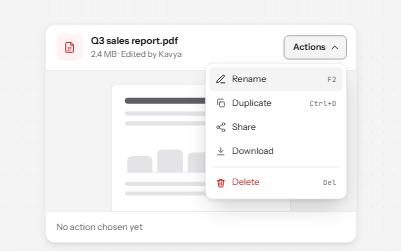
A button that opens a list of actions, moved through with the arrow keys and closed with Escape, focus going back to the button.
-
Toolbar
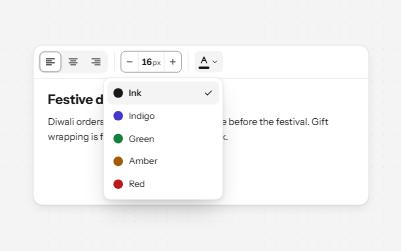
A named row of controls that is one stop in the Tab order, with arrow keys moving between alignment, size and color.
-
Split button
A main action joined to an arrow that opens related options: two buttons, two tab stops, two clear names.
-
Popover
A card anchored to its button, opened with the popover attribute and dismissed by Escape or a click outside.