Accessibility pattern · Form inputs
File upload
The drop zone is a native file input stretched over a styled area, so Tab, Enter, Space and the system file picker all work before any script runs. Each chosen file gets a row with its name, size, a progress bar, any error in words, and a Remove button that names the file.
- WCAG criteria
- 7
- Keyboard rules
- 3
- Checked with
- axe, keyboard and the inspector
Live demo
Try it
Use it with a mouse, a keyboard or a screen reader. The inspector beside it shows what the browser tells assistive technology as you go: focus, state changes and announcements.
Your latest salary slip and a photo of your PAN card, for the home loan application.
or drag them here
PDF, JPG or PNG, up to 5 MB each.
-
salary-slip-september.pdf 412 KB
Uploaded
The demo works without JavaScript only as far as its HTML does; the inspector needs JavaScript.
Keyboard
Keys it answers to
Every action works without a pointer.
| Key | What it does |
|---|---|
| Tab | Moves to the file input (drawn as the drop zone), then to each file's Remove button. |
| Enter or Space | On the drop zone, opens the system file picker; files chosen there are added to the list. |
| Enter or Space | On a Remove button, removes that file (or stops its upload) and moves focus to the next file, or back to the input. |
Screen readers
What it announces
Written from the roles, names and states in the markup.
| When | Expected announcement |
|---|---|
| Focus reaches the drop zone | Supporting documents Choose files, button. Your latest salary slip… PDF, JPG or PNG, up to 5 MB each. |
| Two files are chosen, one too large | 1 file uploading. 1 file can't be added; see the list. |
| An upload finishes | bank-statement.pdf uploaded |
| Focus reaches a Remove button | Remove bank-statement.pdf, button, Uploaded |
| A file is removed | bank-statement.pdf removed |
These are expected announcements, not recordings. Wording and order differ between screen readers and browsers.
Code
Copy the code
The exact files this demo runs on. The styles are served with a prefix that keeps this site's own styles out of the demo; what you copy is the original.
<div class="ap-file-upload" data-ap-file-upload data-max-mb="5" data-types="pdf jpg jpeg png">
  <div class="ap-file-upload__head">
    <label class="ap-label ap-file-upload__label" for="file-upload-input">Supporting documents</label>
    <p class="ap-hint" id="file-upload-help">Your latest salary slip and a photo of your PAN card, for the home loan application.</p>
  </div>

  <div class="ap-file-upload__zone" data-ap-zone>
    <input class="ap-file-upload__input" id="file-upload-input" type="file" name="documents" multiple accept=".pdf,.jpg,.jpeg,.png,application/pdf,image/jpeg,image/png" aria-describedby="file-upload-help file-upload-rules" />
    <span class="ap-file-upload__art" aria-hidden="true">
      <svg viewBox="0 0 24 24" focusable="false"><path d="M12 16V4"/><path d="m7 9 5-5 5 5"/><path d="M4 16v2a2 2 0 0 0 2 2h12a2 2 0 0 0 2-2v-2"/></svg>
    </span>
    <p class="ap-file-upload__lead"><label class="ap-file-upload__choose" for="file-upload-input">Choose files</label> <span class="ap-file-upload__or">or drag them here</span></p>
    <p class="ap-file-upload__rules" id="file-upload-rules">PDF, JPG or PNG, up to 5 MB each.</p>
  </div>

  <ul class="ap-file-upload__list" aria-label="Chosen files" data-ap-list>
    <li class="ap-file-upload__item" data-state="done">
      <span class="ap-file-upload__icon" aria-hidden="true">
        <svg viewBox="0 0 24 24" focusable="false"><path d="M14 3H7a2 2 0 0 0-2 2v14a2 2 0 0 0 2 2h10a2 2 0 0 0 2-2V8Z"/><path d="M14 3v5h5"/></svg>
      </span>
      <div class="ap-file-upload__body">
        <p class="ap-file-upload__row"><span class="ap-file-upload__file" id="file-upload-name-1" translate="no">salary-slip-september.pdf</span> <span class="ap-file-upload__size" translate="no">412 KB</span></p>
        <p class="ap-file-upload__state" id="file-upload-state-1"><svg viewBox="0 0 24 24" aria-hidden="true" focusable="false"><path d="m5 12 5 5L20 7"/></svg><span>Uploaded</span></p>
      </div>
      <button type="button" class="ap-file-upload__remove" id="file-upload-rm-1" aria-labelledby="file-upload-rm-1 file-upload-name-1" aria-describedby="file-upload-state-1">
        <svg viewBox="0 0 24 24" aria-hidden="true" focusable="false"><path d="M6 6l12 12M18 6 6 18"/></svg>
        <span class="ap-file-upload__sr">Remove</span>
      </button>
    </li>
  </ul>
  <p class="ap-file-upload__sr" role="status" data-ap-say></p>
</div>
/* Shared primitives: buttons and form fields used across the patterns.
   Uses the --ap-* design tokens. */

.ap-btn {
  display: inline-flex;
  align-items: center;
  justify-content: center;
  gap: 8px;
  min-height: 40px;
  padding: 0 16px;
  border: 1px solid var(--ap-border-strong);
  border-radius: var(--ap-radius-sm);
  background: var(--ap-surface);
  color: var(--ap-text);
  font: inherit;
  font-weight: 600;
  line-height: 1.2;
  text-decoration: none;
  white-space: nowrap;
  cursor: pointer;
  transition: background-color var(--ap-duration) var(--ap-ease), border-color var(--ap-duration) var(--ap-ease), box-shadow var(--ap-duration) var(--ap-ease);
}
.ap-btn:hover {
  background: var(--ap-surface-2);
}
.ap-btn:focus-visible {
  outline: 2px solid var(--ap-focus);
  outline-offset: 2px;
}
.ap-btn:disabled,
.ap-btn[aria-disabled="true"] {
  opacity: .55;
  cursor: not-allowed;
}
.ap-btn--primary {
  border-color: var(--ap-accent);
  background: var(--ap-accent);
  color: var(--ap-on-accent);
  box-shadow: var(--ap-shadow-sm);
}
.ap-btn--primary:hover {
  border-color: var(--ap-accent-hover);
  background: var(--ap-accent-hover);
}
.ap-btn--danger {
  border-color: var(--ap-danger);
  background: var(--ap-danger);
  color: var(--ap-surface);
}
.ap-btn--danger:hover {
  filter: brightness(1.08);
}
.ap-btn--ghost {
  border-color: transparent;
  background: transparent;
}
.ap-btn--ghost:hover {
  background: var(--ap-surface-2);
}
.ap-btn__icon {
  width: 18px;
  height: 18px;
  flex-shrink: 0;
  fill: none;
  stroke: currentColor;
  stroke-width: 2;
  stroke-linecap: round;
  stroke-linejoin: round;
}

.ap-field {
  display: grid;
  gap: 6px;
}
.ap-label {
  color: var(--ap-text);
  font-weight: 600;
  font-size: .9375rem;
}
.ap-hint {
  margin: 0;
  color: var(--ap-text-3);
  font-size: .875rem;
  line-height: 1.45;
}
.ap-error {
  display: flex;
  align-items: flex-start;
  gap: 6px;
  margin: 0;
  color: var(--ap-danger);
  font-size: .875rem;
  font-weight: 600;
  line-height: 1.45;
}
.ap-input {
  width: 100%;
  min-height: 44px;
  padding: 10px 12px;
  border: 1px solid var(--ap-border-strong);
  border-radius: var(--ap-radius-sm);
  background: var(--ap-surface);
  color: var(--ap-text);
  font: inherit;
  line-height: 1.4;
  transition: border-color var(--ap-duration) var(--ap-ease), box-shadow var(--ap-duration) var(--ap-ease);
}
.ap-input::placeholder {
  color: var(--ap-text-3);
}
.ap-input:hover {
  border-color: var(--ap-text-2);
}
.ap-input:focus-visible {
  outline: 2px solid var(--ap-focus);
  outline-offset: 1px;
  border-color: var(--ap-focus);
}
.ap-input[aria-invalid="true"] {
  border-color: var(--ap-danger);
  box-shadow: inset 4px 0 0 var(--ap-danger);
}
textarea.ap-input {
  resize: vertical;
  min-height: 88px;
}

@media (prefers-reduced-motion: reduce) {
  .ap-btn,
  .ap-input { transition: none; }
}

/* File upload. Uses the --ap-* design tokens and the shared primitives. */
.ap-file-upload {
  container-type: inline-size;
  width: min(100%, 540px);
  margin-inline: auto;
  padding: 22px 24px 24px;
  border: 1px solid var(--ap-border);
  border-radius: var(--ap-radius-lg);
  background: var(--ap-surface);
  box-shadow: var(--ap-shadow-md);
  color: var(--ap-text);
  font-family: var(--ap-font);
}

.ap-file-upload__head {
  display: grid;
  gap: 4px;
}
.ap-file-upload__label {
  font-size: 1.0625rem;
}

/* The zone: a native file input, transparent, stretched over the drawing. */
.ap-file-upload__zone {
  position: relative;
  display: grid;
  justify-items: center;
  gap: 10px;
  margin-top: 16px;
  padding: 28px 20px 24px;
  border: 2px dashed var(--ap-border-strong);
  border-radius: var(--ap-radius-lg);
  background: var(--ap-surface-2);
  text-align: center;
  transition: border-color var(--ap-duration) var(--ap-ease), background-color var(--ap-duration) var(--ap-ease);
}
.ap-file-upload__input {
  position: absolute;
  inset: 0;
  z-index: 1;
  width: 100%;
  height: 100%;
  margin: 0;
  padding: 0;
  opacity: 0;
  cursor: pointer;
}
.ap-file-upload__zone:hover {
  border-color: var(--ap-accent);
}
.ap-file-upload__zone:has(.ap-file-upload__input:focus-visible) {
  border-color: var(--ap-accent);
  outline: 2px solid var(--ap-focus);
  outline-offset: 3px;
}
.ap-file-upload__zone.is-over {
  border-style: solid;
  border-color: var(--ap-accent);
  background: var(--ap-accent-soft);
}

.ap-file-upload__art {
  display: grid;
  place-items: center;
  width: 48px;
  height: 48px;
  border-radius: 50%;
  background: var(--ap-accent-soft);
  color: var(--ap-accent-soft-text);
  transition: transform var(--ap-duration) var(--ap-ease);
}
.ap-file-upload__zone.is-over .ap-file-upload__art {
  transform: translateY(-3px);
}
.ap-file-upload__art svg {
  width: 24px;
  height: 24px;
  fill: none;
  stroke: currentColor;
  stroke-width: 2;
  stroke-linecap: round;
  stroke-linejoin: round;
}

.ap-file-upload__lead {
  display: flex;
  flex-wrap: wrap;
  align-items: center;
  justify-content: center;
  gap: 8px 10px;
  margin: 0;
  color: var(--ap-text-2);
}
.ap-file-upload__choose {
  display: inline-flex;
  align-items: center;
  min-height: 40px;
  padding: 0 16px;
  border-radius: var(--ap-radius-sm);
  background: var(--ap-accent);
  color: var(--ap-on-accent);
  font-weight: 600;
  box-shadow: var(--ap-shadow-sm);
  transition: background-color var(--ap-duration) var(--ap-ease);
}
.ap-file-upload__zone:hover .ap-file-upload__choose {
  background: var(--ap-accent-hover);
}
.ap-file-upload__rules {
  margin: 0;
  color: var(--ap-text-3);
  font-size: .875rem;
}

/* The list of chosen files */
.ap-file-upload__list {
  display: grid;
  gap: 10px;
  margin: 16px 0 0;
  padding: 0;
  list-style: none;
}
.ap-file-upload__list[hidden] {
  display: none;
}
.ap-file-upload__item {
  display: grid;
  grid-template-columns: 40px minmax(0, 1fr) auto;
  align-items: center;
  gap: 12px;
  padding: 12px 10px 12px 12px;
  border: 1px solid var(--ap-border);
  border-radius: var(--ap-radius);
  background: var(--ap-surface);
  animation: ap-file-upload-in 200ms var(--ap-ease);
}
.ap-file-upload__item[data-state="error"] {
  border-color: var(--ap-danger);
  background: var(--ap-danger-soft);
}

.ap-file-upload__icon {
  display: grid;
  place-items: center;
  width: 40px;
  height: 40px;
  border-radius: var(--ap-radius-sm);
  background: var(--ap-surface-2);
  color: var(--ap-text-2);
}
.ap-file-upload__item[data-state="error"] .ap-file-upload__icon {
  background: var(--ap-surface);
  color: var(--ap-danger);
}
.ap-file-upload__icon svg {
  width: 20px;
  height: 20px;
  fill: none;
  stroke: currentColor;
  stroke-width: 1.8;
  stroke-linecap: round;
  stroke-linejoin: round;
}

.ap-file-upload__body {
  min-width: 0;
}
.ap-file-upload__row {
  display: flex;
  flex-wrap: wrap;
  align-items: baseline;
  gap: 2px 8px;
  margin: 0;
}
.ap-file-upload__file {
  min-width: 0;
  color: var(--ap-text);
  font-weight: 600;
  overflow-wrap: anywhere;
}
.ap-file-upload__size {
  color: var(--ap-text-3);
  font-size: .8125rem;
  font-variant-numeric: tabular-nums;
  white-space: nowrap;
}

.ap-file-upload__bar {
  display: block;
  width: 100%;
  height: 6px;
  margin: 8px 0 2px;
  border: 0;
  border-radius: var(--ap-radius-full);
  background: var(--ap-surface-3);
  overflow: hidden;
  appearance: none;
  -webkit-appearance: none;
}
.ap-file-upload__bar::-webkit-progress-bar {
  border-radius: var(--ap-radius-full);
  background: var(--ap-surface-3);
}
.ap-file-upload__bar::-webkit-progress-value {
  border-radius: var(--ap-radius-full);
  background: var(--ap-accent);
  transition: width 150ms linear;
}
.ap-file-upload__bar::-moz-progress-bar {
  border-radius: var(--ap-radius-full);
  background: var(--ap-accent);
}

.ap-file-upload__state {
  display: flex;
  align-items: flex-start;
  gap: 6px;
  margin: 4px 0 0;
  color: var(--ap-text-3);
  font-size: .875rem;
  line-height: 1.4;
}
.ap-file-upload__state svg {
  flex-shrink: 0;
  width: 16px;
  height: 16px;
  margin-top: 1px;
  fill: none;
  stroke: currentColor;
  stroke-width: 2.2;
  stroke-linecap: round;
  stroke-linejoin: round;
}
.ap-file-upload__item[data-state="done"] .ap-file-upload__state {
  color: var(--ap-success);
  font-weight: 600;
}
.ap-file-upload__item[data-state="error"] .ap-file-upload__state {
  color: var(--ap-danger);
  font-weight: 600;
}
.ap-file-upload__pct {
  font-variant-numeric: tabular-nums;
}

.ap-file-upload__remove {
  display: grid;
  place-items: center;
  width: 40px;
  height: 40px;
  padding: 0;
  border: 0;
  border-radius: var(--ap-radius-sm);
  background: transparent;
  color: var(--ap-text-2);
  cursor: pointer;
}
.ap-file-upload__remove:hover {
  background: var(--ap-surface-2);
  color: var(--ap-text);
}
.ap-file-upload__item[data-state="error"] .ap-file-upload__remove:hover {
  background: var(--ap-surface);
}
.ap-file-upload__remove:focus-visible {
  outline: 2px solid var(--ap-focus);
  outline-offset: 1px;
}
.ap-file-upload__remove svg {
  width: 18px;
  height: 18px;
  fill: none;
  stroke: currentColor;
  stroke-width: 2;
  stroke-linecap: round;
}

.ap-file-upload__sr {
  position: absolute;
  width: 1px;
  height: 1px;
  margin: -1px;
  padding: 0;
  overflow: hidden;
  clip-path: inset(50%);
  white-space: nowrap;
  border: 0;
}

@keyframes ap-file-upload-in {
  from { opacity: 0; transform: translateY(4px); }
}

@container (max-width: 360px) {
  .ap-file-upload__item { grid-template-columns: minmax(0, 1fr) auto; }
  .ap-file-upload__icon { display: none; }
}

@media (prefers-reduced-motion: reduce) {
  .ap-file-upload__zone,
  .ap-file-upload__art,
  .ap-file-upload__choose { transition: none; }
  .ap-file-upload__zone.is-over .ap-file-upload__art { transform: none; }
  .ap-file-upload__item { animation: none; }
  .ap-file-upload__bar::-webkit-progress-value { transition: none; }
}
/**
 * File upload: a native file input stretched over a drop zone, a list of
 * chosen files with progress, errors in words and a Remove button each, and
 * polite announcements queued so none cuts off another.
 *
 * Markup: [data-ap-file-upload] with data-max-mb and data-types (allowed
 * extensions), holding [data-ap-zone] > input[type=file], a ul[data-ap-list]
 * of .ap-file-upload__item rows, and a visually hidden [role=status]
 * [data-ap-say]. Add data-slow to the root to slow the simulated network.
 */

const MB = 1024 * 1024;
const SVG = "http://www.w3.org/2000/svg";
const ICONS = {
  file: ["M14 3H7a2 2 0 0 0-2 2v14a2 2 0 0 0 2 2h10a2 2 0 0 0 2-2V8Z", "M14 3v5h5"],
  alert: ["M12 3 2 20h20Z", "M12 10v4", "M12 17h.01"],
  check: ["m5 12 5 5L20 7"],
  clock: ["M12 7v5l3 2", "M21 12a9 9 0 1 1-18 0 9 9 0 0 1 18 0Z"],
  cross: ["M6 6l12 12M18 6 6 18"],
};

function icon(name) {
  const svg = document.createElementNS(SVG, "svg");
  svg.setAttribute("viewBox", "0 0 24 24");
  svg.setAttribute("aria-hidden", "true");
  svg.setAttribute("focusable", "false");
  for (const d of ICONS[name]) {
    const path = document.createElementNS(SVG, "path");
    path.setAttribute("d", d);
    svg.append(path);
  }
  return svg;
}

function el(tag, className, text) {
  const node = document.createElement(tag);
  if (className) node.className = className;
  if (text != null) node.textContent = text;
  return node;
}

/** Numbers and file names never go through translation. */
function raw(text, className = "") {
  const node = el("span", className, text);
  node.setAttribute("translate", "no");
  return node;
}

const sizeOf = (bytes) => (bytes < MB ? `${Math.max(1, Math.round(bytes / 1024))} KB` : `${(bytes / MB).toFixed(1)} MB`);

export function init(root) {
  const input = root.querySelector("input[type=file]");
  const zone = root.querySelector("[data-ap-zone]");
  const list = root.querySelector("[data-ap-list]");
  const say = root.querySelector("[data-ap-say]");
  const maxBytes = Number(root.dataset.maxMb) * MB;
  const types = root.dataset.types.split(/\s+/);
  const uploads = new Map();
  const queue = [];
  let speaking = 0;
  let serial = list.children.length;

  /* Announcements: one at a time, each given time to be heard. */
  function speak(parts) {
    queue.push(parts);
    if (!speaking) flush();
  }
  function flush() {
    const parts = queue.shift();
    if (!parts) {
      speaking = 0;
      return;
    }
    say.replaceChildren(...parts);
    speaking = setTimeout(flush, 1500);
  }

  function problem(file, key) {
    const ext = (file.name.includes(".") ? file.name.split(".").pop() : "").toLowerCase();
    if (!types.includes(ext)) return "This type of file can't be used. Choose a PDF, JPG or PNG.";
    if (file.size > maxBytes) return "This file is over 5 MB. Choose a smaller one.";
    if (list.querySelector(`[data-key="${CSS.escape(key)}"]:not([data-state="error"])`)) return "This file is already in the list.";
    return null;
  }

  function row(file, key, error) {
    serial += 1;
    const id = (part) => `file-upload-${part}-${serial}`;
    const li = el("li", "ap-file-upload__item");
    li.dataset.state = error ? "error" : "uploading";
    li.dataset.key = key;

    const badge = el("span", "ap-file-upload__icon");
    badge.setAttribute("aria-hidden", "true");
    badge.append(icon("file"));

    const body = el("div", "ap-file-upload__body");
    const top = el("p", "ap-file-upload__row");
    const name = raw(file.name, "ap-file-upload__file");
    name.id = id("name");
    top.append(name, " ", raw(sizeOf(file.size), "ap-file-upload__size"));
    body.append(top);

    const state = el("p", "ap-file-upload__state");
    state.id = id("state");
    if (error) {
      state.append(icon("alert"), el("span", "", error));
    } else {
      const bar = el("progress", "ap-file-upload__bar");
      bar.max = 100;
      bar.value = 0;
      bar.setAttribute("aria-labelledby", name.id);
      body.append(bar);
      state.append(icon("clock"), el("span", "", "Uploading"), " ", raw("0%", "ap-file-upload__pct"));
    }
    body.append(state);

    const remove = el("button", "ap-file-upload__remove");
    remove.type = "button";
    remove.id = id("rm");
    remove.setAttribute("aria-labelledby", `${remove.id} ${name.id}`);
    remove.setAttribute("aria-describedby", state.id);
    remove.append(icon("cross"), el("span", "ap-file-upload__sr", "Remove"));

    li.append(badge, body, remove);
    return li;
  }

  /* The network, simulated: progress in steps, slower with data-slow. */
  function upload(li, file) {
    const slow = root.hasAttribute("data-slow");
    const duration = (slow ? 7000 : 1400) + (file.size / MB) * (slow ? 2500 : 500);
    const started = performance.now();
    const bar = li.querySelector("progress");
    const pct = li.querySelector(".ap-file-upload__pct");
    const timer = setInterval(() => {
      const share = Math.min(1, (performance.now() - started) / duration);
      bar.value = Math.round(share * 100);
      pct.textContent = `${bar.value}%`;
      if (share < 1) return;
      clearInterval(timer);
      uploads.delete(li);
      finish(li);
    }, 150);
    uploads.set(li, timer);
  }

  function finish(li) {
    li.dataset.state = "done";
    li.querySelector("progress").remove();
    const state = li.querySelector(".ap-file-upload__state");
    state.replaceChildren(icon("check"), el("span", "", "Uploaded"));
    const name = li.querySelector(".ap-file-upload__file").textContent;
    speak([raw(name), " ", el("span", "", "uploaded")]);
  }

  function addFiles(files) {
    let ok = 0;
    let bad = 0;
    for (const file of files) {
      const key = `${file.name}|${file.size}`;
      const error = problem(file, key);
      const li = row(file, key, error);
      list.append(li);
      if (error) bad += 1;
      else {
        ok += 1;
        upload(li, file);
      }
    }
    list.hidden = list.children.length === 0;
    const parts = [];
    if (ok) parts.push(raw(String(ok)), " ", el("span", "", ok === 1 ? "file uploading." : "files uploading."));
    if (bad) {
      if (ok) parts.push(" ");
      parts.push(raw(String(bad)), " ", el("span", "", bad === 1 ? "file can't be added; see the list." : "files can't be added; see the list."));
    }
    if (parts.length) speak(parts);
  }

  function onChange() {
    if (!input.files || !input.files.length) return;
    addFiles(input.files);
    // The list is what gets uploaded; clearing lets the same file be chosen again.
    input.value = "";
  }

  function onClick(event) {
    const button = event.target.closest(".ap-file-upload__remove");
    if (!button || !list.contains(button)) return;
    const li = button.closest("li");
    clearInterval(uploads.get(li));
    uploads.delete(li);
    // Focus goes to the next file, else the previous one, else back to the input.
    const after = li.nextElementSibling || li.previousElementSibling;
    const name = li.querySelector(".ap-file-upload__file").textContent;
    li.remove();
    list.hidden = list.children.length === 0;
    (after ? after.querySelector(".ap-file-upload__remove") : input).focus();
    speak([raw(name), " ", el("span", "", "removed")]);
  }

  /* Dragging: a pointer extra on top of the input, which works on its own. */
  function onDragOver(event) {
    if (![...(event.dataTransfer?.types || [])].includes("Files")) return;
    event.preventDefault();
    event.dataTransfer.dropEffect = "copy";
    zone.classList.add("is-over");
  }
  function onDragLeave(event) {
    if (!zone.contains(event.relatedTarget)) zone.classList.remove("is-over");
  }
  function onDrop(event) {
    event.preventDefault();
    zone.classList.remove("is-over");
    if (event.dataTransfer?.files?.length) addFiles(event.dataTransfer.files);
  }

  input.addEventListener("change", onChange);
  list.addEventListener("click", onClick);
  zone.addEventListener("dragenter", onDragOver);
  zone.addEventListener("dragover", onDragOver);
  zone.addEventListener("dragleave", onDragLeave);
  zone.addEventListener("drop", onDrop);
  list.hidden = list.children.length === 0;

  return () => {
    for (const timer of uploads.values()) clearInterval(timer);
    clearTimeout(speaking);
    input.removeEventListener("change", onChange);
    list.removeEventListener("click", onClick);
    zone.removeEventListener("dragenter", onDragOver);
    zone.removeEventListener("dragover", onDragOver);
    zone.removeEventListener("dragleave", onDragLeave);
    zone.removeEventListener("drop", onDrop);
  };
}

for (const root of document.querySelectorAll("[data-ap-file-upload]")) init(root);
/* Design tokens for the pattern components. Light by default, dark when the
   system asks for it; set data-theme="dark" on :root to force dark. */
:root {
    --ap-radius-sm: 8px;
    --ap-radius: 12px;
    --ap-radius-lg: 16px;
    --ap-radius-full: 999px;
    --ap-font: "Instrument Sans", ui-sans-serif, system-ui, -apple-system, "Segoe UI", Roboto, sans-serif;
    --ap-mono: "JetBrains Mono", ui-monospace, "Cascadia Mono", "SF Mono", Consolas, monospace;
    --ap-ease: cubic-bezier(.2, .8, .2, 1);
    --ap-duration: 180ms;
    --ap-target: 44px;
    --ap-bg: #F4F4F5;
    --ap-surface: #FFFFFF;
    --ap-surface-2: #F4F4F5;
    --ap-surface-3: #E4E4E7;
    --ap-border: #E4E4E7;
    --ap-border-strong: #76767F;
    --ap-text: #18181B;
    --ap-text-2: #3F3F46;
    --ap-text-3: #5E5E66;
    --ap-accent: #4F46E5;
    --ap-accent-hover: #4338CA;
    --ap-on-accent: #FFFFFF;
    --ap-accent-text: #4338CA;
    --ap-accent-soft: #EEF2FF;
    --ap-accent-soft-text: #3730A3;
    --ap-focus: #4F46E5;
    --ap-danger: #B91C1C;
    --ap-danger-soft: #FEF2F2;
    --ap-success: #15803D;
    --ap-success-soft: #F0FDF4;
    --ap-warning: #A15C07;
    --ap-warning-soft: #FEFCE8;
    --ap-info: #1D4ED8;
    --ap-info-soft: #EFF6FF;
    --ap-scrim: rgb(9 9 11 / .48);
    --ap-shadow-sm: 0 1px 2px rgb(9 9 11 / .06);
    --ap-shadow-md: 0 1px 2px rgb(9 9 11 / .05), 0 6px 16px -4px rgb(9 9 11 / .1);
    --ap-shadow-lg: 0 2px 6px rgb(9 9 11 / .06), 0 20px 40px -12px rgb(9 9 11 / .22);
    --ap-light-bg: #F4F4F5;
    --ap-light-surface: #FFFFFF;
    --ap-light-surface-2: #F4F4F5;
    --ap-light-surface-3: #E4E4E7;
    --ap-light-border: #E4E4E7;
    --ap-light-border-strong: #76767F;
    --ap-light-text: #18181B;
    --ap-light-text-2: #3F3F46;
    --ap-light-text-3: #5E5E66;
    --ap-light-accent: #4F46E5;
    --ap-light-accent-hover: #4338CA;
    --ap-light-on-accent: #FFFFFF;
    --ap-light-accent-text: #4338CA;
    --ap-light-accent-soft: #EEF2FF;
    --ap-light-accent-soft-text: #3730A3;
    --ap-light-focus: #4F46E5;
    --ap-light-danger: #B91C1C;
    --ap-light-danger-soft: #FEF2F2;
    --ap-light-success: #15803D;
    --ap-light-success-soft: #F0FDF4;
    --ap-light-warning: #A15C07;
    --ap-light-warning-soft: #FEFCE8;
    --ap-light-info: #1D4ED8;
    --ap-light-info-soft: #EFF6FF;
    --ap-light-scrim: rgb(9 9 11 / .48);
    --ap-light-shadow-sm: 0 1px 2px rgb(9 9 11 / .06);
    --ap-light-shadow-md: 0 1px 2px rgb(9 9 11 / .05), 0 6px 16px -4px rgb(9 9 11 / .1);
    --ap-light-shadow-lg: 0 2px 6px rgb(9 9 11 / .06), 0 20px 40px -12px rgb(9 9 11 / .22);
    --ap-dark-bg: #09090B;
    --ap-dark-surface: #18181B;
    --ap-dark-surface-2: #27272A;
    --ap-dark-surface-3: #3F3F46;
    --ap-dark-border: #2E2E33;
    --ap-dark-border-strong: #8E8E97;
    --ap-dark-text: #FAFAFA;
    --ap-dark-text-2: #D4D4D8;
    --ap-dark-text-3: #A1A1AA;
    --ap-dark-accent: #818CF8;
    --ap-dark-accent-hover: #A5B4FC;
    --ap-dark-on-accent: #0C0A1F;
    --ap-dark-accent-text: #A5B4FC;
    --ap-dark-accent-soft: #1E1B4B;
    --ap-dark-accent-soft-text: #C7D2FE;
    --ap-dark-focus: #A5B4FC;
    --ap-dark-danger: #F87171;
    --ap-dark-danger-soft: #2A1215;
    --ap-dark-success: #4ADE80;
    --ap-dark-success-soft: #0F2A1A;
    --ap-dark-warning: #FACC15;
    --ap-dark-warning-soft: #2A2410;
    --ap-dark-info: #60A5FA;
    --ap-dark-info-soft: #0F1D33;
    --ap-dark-scrim: rgb(0 0 0 / .62);
    --ap-dark-shadow-sm: 0 1px 2px rgb(0 0 0 / .4);
    --ap-dark-shadow-md: 0 1px 2px rgb(0 0 0 / .4), 0 8px 20px -6px rgb(0 0 0 / .5);
    --ap-dark-shadow-lg: 0 2px 8px rgb(0 0 0 / .45), 0 24px 48px -12px rgb(0 0 0 / .7);
}
@media (prefers-color-scheme: dark) {
  :root:not([data-theme="light"]) {
      --ap-bg: #09090B;
      --ap-surface: #18181B;
      --ap-surface-2: #27272A;
      --ap-surface-3: #3F3F46;
      --ap-border: #2E2E33;
      --ap-border-strong: #8E8E97;
      --ap-text: #FAFAFA;
      --ap-text-2: #D4D4D8;
      --ap-text-3: #A1A1AA;
      --ap-accent: #818CF8;
      --ap-accent-hover: #A5B4FC;
      --ap-on-accent: #0C0A1F;
      --ap-accent-text: #A5B4FC;
      --ap-accent-soft: #1E1B4B;
      --ap-accent-soft-text: #C7D2FE;
      --ap-focus: #A5B4FC;
      --ap-danger: #F87171;
      --ap-danger-soft: #2A1215;
      --ap-success: #4ADE80;
      --ap-success-soft: #0F2A1A;
      --ap-warning: #FACC15;
      --ap-warning-soft: #2A2410;
      --ap-info: #60A5FA;
      --ap-info-soft: #0F1D33;
      --ap-scrim: rgb(0 0 0 / .62);
      --ap-shadow-sm: 0 1px 2px rgb(0 0 0 / .4);
      --ap-shadow-md: 0 1px 2px rgb(0 0 0 / .4), 0 8px 20px -6px rgb(0 0 0 / .5);
      --ap-shadow-lg: 0 2px 8px rgb(0 0 0 / .45), 0 24px 48px -12px rgb(0 0 0 / .7);
  }
}
:root[data-theme="dark"] {
    --ap-bg: #09090B;
    --ap-surface: #18181B;
    --ap-surface-2: #27272A;
    --ap-surface-3: #3F3F46;
    --ap-border: #2E2E33;
    --ap-border-strong: #8E8E97;
    --ap-text: #FAFAFA;
    --ap-text-2: #D4D4D8;
    --ap-text-3: #A1A1AA;
    --ap-accent: #818CF8;
    --ap-accent-hover: #A5B4FC;
    --ap-on-accent: #0C0A1F;
    --ap-accent-text: #A5B4FC;
    --ap-accent-soft: #1E1B4B;
    --ap-accent-soft-text: #C7D2FE;
    --ap-focus: #A5B4FC;
    --ap-danger: #F87171;
    --ap-danger-soft: #2A1215;
    --ap-success: #4ADE80;
    --ap-success-soft: #0F2A1A;
    --ap-warning: #FACC15;
    --ap-warning-soft: #2A2410;
    --ap-info: #60A5FA;
    --ap-info-soft: #0F1D33;
    --ap-scrim: rgb(0 0 0 / .62);
    --ap-shadow-sm: 0 1px 2px rgb(0 0 0 / .4);
    --ap-shadow-md: 0 1px 2px rgb(0 0 0 / .4), 0 8px 20px -6px rgb(0 0 0 / .5);
    --ap-shadow-lg: 0 2px 8px rgb(0 0 0 / .45), 0 24px 48px -12px rgb(0 0 0 / .7);
}
WCAG 2.2
What it meets
The success criteria this pattern takes care of, and how.
-
1.3.1 Info and Relationships
Level A
The file input has a real label, and its hint and rules are tied to it with aria-describedby, so they are read on focus.
-
2.1.1 Keyboard
Level A
Everything works from the keyboard through the native input; dragging is an extra for pointer users, never the only way.
-
2.5.3 Label in Name
Level A
The input's name contains both visible words on it, Supporting documents and Choose files, so voice commands match what people see.
-
3.3.1 Error Identification
Level A
A file that cannot be used stays in the list with the reason in words, next to its name, not just a red outline.
-
3.3.2 Labels or Instructions
Level A
Accepted types and the size limit are shown before anyone chooses a file, inside the zone and in the input's description.
-
4.1.2 Name, Role, Value
Level A
Each Remove button's name includes its file name, and each progress bar is named by its file.
-
4.1.3 Status Messages
Level AA
Files added, uploads finished, errors and removals are announced politely, one message at a time, without moving focus.
Usage
When to use it
Use it
- Forms that need documents or images, like applications, claims, support tickets or profile photos.
- Uploads that start as soon as files are chosen, where people need to see each file's progress and outcome.
Use something else
- A single small file in a short form: a plain labelled file input is enough.
- Pasting text that could be typed: a text field is quicker than making someone save a file first.
Common failures
How it usually goes wrong
A div that only accepts drops
A drop target with no file input cannot be reached by keyboard, switch or screen reader users at all. The input here is the zone.
Hiding the input with display: none
That removes it from the Tab order and from assistive technology. The input here is transparent but still there, focusable and labelled.
Rules revealed only after a failure
Telling people the limit after a long upload wastes their time. The types and size limit are on screen and read with the input.
Errors shown as a red border
A colored outline says nothing about what went wrong. Each rejected file says why in words, with an icon, and is announced.
Remove buttons that all say Remove
In a list of five files, five buttons called Remove are impossible to tell apart. Each one here says which file it removes.
Focus lost after a removal
When the focused row disappears, focus falls to the top of the page. It moves to the next file's button, or back to the input.
Notes
Building it
- The input is stretched over the zone with opacity: 0, so a click anywhere opens the picker and the zone shows its focus ring through :has(:focus-visible).
- The accept attribute only filters the picker; files that are dropped, or chosen with All files, still need checking, which the script does by extension and type.
- The input is cleared after each choice so the same file can be added again after a removal; the list, not the input, is what gets uploaded.
- Announcements go through one polite status region in a queue, so a finished upload never cuts off the message before it.
- The demo simulates the network. Turn on Slow connection to watch the progress bars; in a real form, report progress from XMLHttpRequest upload events or a streamed fetch.
Sources: HTML: the file input · GOV.UK Design System: File upload
Checked with axe in light and dark themes, at desktop and phone widths, and by keyboard. Not yet tested with every screen reader and browser pair. Report a correction
Related
Patterns that go with it
-
Progress bar
Determinate and indeterminate progress on the native progress element, with a label, visible numbers and milestone announcements.
-
Form errors
An error summary that takes focus, messages tied to each field, and a status message when the form is sent.
-
Status message
Results, confirmations and saves told to screen readers through role=status, without moving focus, once each time.
-
Button
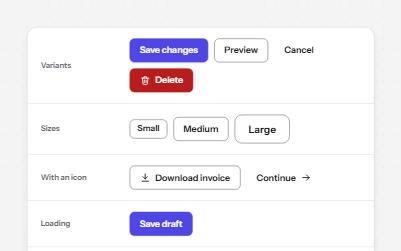
Native buttons in four variants and three sizes, with a loading state that keeps focus and a disabled state that says why.