Meera Iyer
We shipped the new checkout today. Thank you to everyone who tested it on slow networks last week.
Checkout v2: release notesAccessibility pattern · Communication
Each reaction is a toggle button with aria-pressed, named in words with its count, while the emoji itself is hidden from screen readers so it is not read twice. Add reaction opens a grid of emoji that the arrow keys move through and typing a name jumps into; who reacted shows on hover and on keyboard focus.
Live demo
Use it with a mouse, a keyboard or a screen reader. The inspector beside it shows what the browser tells assistive technology as you go: focus, state changes and announcements.
We shipped the new checkout today. Thank you to everyone who tested it on slow networks last week.
Checkout v2: release notesThe demo works without JavaScript only as far as its HTML does; the inspector needs JavaScript.
Keyboard
Every action works without a pointer.
| Key | What it does |
|---|---|
| Tab | Moves through the reactions, then to Add reaction; each reaction shows who reacted while it has focus. |
| Enter or Space | On a reaction, adds or removes yours and updates the count. On Add reaction, opens the picker. |
| Arrow Left or Arrow Right or Arrow Up or Arrow Down | In the picker, moves through the emoji grid by one, or by a row. |
| A–Z | In the picker, jumps to the next emoji whose name starts with what is typed. |
| Home or End | In the picker, moves to the first or last emoji. |
| Escape | Closes the picker and returns focus to Add reaction; on a reaction, hides who reacted. |
Screen readers
Written from the roles, names and states in the markup.
| When | Expected announcement |
|---|---|
| Tab reaches a reaction | Thumbs up, 12 reactions, toggle button, not pressed. Asha Rao, Vikram Shetty and 10 others |
| Enter adds your reaction | Pressed. Thumbs up, 13 reactions, you reacted |
| Enter on Add reaction | Add a reaction, dialog. Emoji, list box. Thumbs up, selected, 1 of 12 |
| Typing "ro" in the picker | Rocket, selected, 9 of 12 |
| Enter chooses it | Rocket, 1 reaction, you reacted (focus is back on Add reaction) |
These are expected announcements, not recordings. Wording and order differ between screen readers and browsers.
Code
The exact files this demo runs on. The styles are served with a prefix that keeps this site's own styles out of the demo; what you copy is the original.
<article class="ap-reactions" data-ap-reactions aria-labelledby="rx-author">
  <div class="ap-reactions__top">
    <span class="ap-reactions__avatar" aria-hidden="true" translate="no">MI</span>
    <div>
      <h3 class="ap-reactions__author" id="rx-author">Meera Iyer</h3>
      <p class="ap-reactions__meta">Design lead · <time datetime="2026-10-05T10:15+05:30">2 hours ago</time></p>
    </div>
  </div>
  <p class="ap-reactions__text">We shipped the new checkout today. Thank you to everyone who tested it on slow networks last week.</p>
  <a class="ap-reactions__link" href="#reactions-notes">
    <span class="ap-reactions__doc" aria-hidden="true"><svg viewBox="0 0 24 24" focusable="false"><path d="M7 3h7l5 5v13H7Z"/><path d="M14 3v5h5"/><path d="M10 13h6M10 17h4"/></svg></span>
    <span><span class="ap-reactions__doc-name">Checkout v2: release notes</span><span class="ap-reactions__doc-meta">Docs · 4 min read</span></span>
  </a>

  <div class="ap-reactions__bar" role="group" aria-label="Reactions">
    <div class="ap-reactions__item">
      <button type="button" class="ap-reactions__chip" data-ap-rx-chip="Thumbs up" aria-pressed="false" aria-label="Thumbs up, 12 reactions" aria-describedby="rx-tip-thumbs-up">
        <span class="ap-reactions__emoji" aria-hidden="true">👍</span>
        <span class="ap-reactions__n">12</span>
      </button>
      <span class="ap-reactions__tip" role="tooltip" id="rx-tip-thumbs-up" data-off="Asha Rao, Vikram Shetty and 10 others" data-on="You, Asha Rao, Vikram Shetty and 10 others" hidden>Asha Rao, Vikram Shetty and 10 others</span>
    </div>
    <div class="ap-reactions__item">
      <button type="button" class="ap-reactions__chip" data-ap-rx-chip="Red heart" aria-pressed="true" aria-label="Red heart, 8 reactions, you reacted" aria-describedby="rx-tip-red-heart">
        <span class="ap-reactions__emoji" aria-hidden="true">❤️</span>
        <span class="ap-reactions__n">8</span>
      </button>
      <span class="ap-reactions__tip" role="tooltip" id="rx-tip-red-heart" data-off="Neha Kulkarni, Rohan Mehta and 5 others" data-on="You, Neha Kulkarni, Rohan Mehta and 5 others" hidden>You, Neha Kulkarni, Rohan Mehta and 5 others</span>
    </div>
    <div class="ap-reactions__item">
      <button type="button" class="ap-reactions__chip" data-ap-rx-chip="Party popper" aria-pressed="false" aria-label="Party popper, 5 reactions" aria-describedby="rx-tip-party-popper">
        <span class="ap-reactions__emoji" aria-hidden="true">🎉</span>
        <span class="ap-reactions__n">5</span>
      </button>
      <span class="ap-reactions__tip" role="tooltip" id="rx-tip-party-popper" data-off="Rohan Mehta, Asha Rao and 3 others" data-on="You, Rohan Mehta, Asha Rao and 3 others" hidden>Rohan Mehta, Asha Rao and 3 others</span>
    </div>
    <div class="ap-reactions__item">
      <button type="button" class="ap-reactions__chip" data-ap-rx-chip="Eyes" aria-pressed="false" aria-label="Eyes, 2 reactions" aria-describedby="rx-tip-eyes">
        <span class="ap-reactions__emoji" aria-hidden="true">👀</span>
        <span class="ap-reactions__n">2</span>
      </button>
      <span class="ap-reactions__tip" role="tooltip" id="rx-tip-eyes" data-off="Vikram Shetty and Neha Kulkarni" data-on="You, Vikram Shetty and Neha Kulkarni" hidden>Vikram Shetty and Neha Kulkarni</span>
    </div>
    <div class="ap-reactions__item">
      <button type="button" class="ap-reactions__add" data-ap-rx-add aria-haspopup="dialog" aria-expanded="false" aria-controls="rx-picker" aria-label="Add reaction">
        <svg viewBox="0 0 24 24" aria-hidden="true" focusable="false"><path d="M20.5 11.5a8.5 8.5 0 1 1-8-8.5"/><path d="M9 14.5a4 4 0 0 0 6 0"/><path d="M9 9.5h.01M15 9.5h.01"/><path d="M19 2v6M16 5h6"/></svg>
      </button>
      <span class="ap-reactions__tip ap-reactions__tip--add" aria-hidden="true">Add reaction</span>
      <dialog class="ap-reactions__picker" id="rx-picker" aria-labelledby="rx-picker-name">
        <div class="ap-reactions__phead">
          <h4 class="ap-reactions__pname" id="rx-picker-name">Add a reaction</h4>
          <p class="ap-reactions__hint" id="rx-hint">Arrow keys move. Type a name to jump.</p>
        </div>
        <ul class="ap-reactions__grid" role="listbox" aria-label="Emoji" aria-describedby="rx-hint" tabindex="0" autofocus>
            <li class="ap-reactions__opt" role="option" id="rx-o-thumbs-up" aria-selected="false" data-glyph="👍" data-en="Thumbs up"><span aria-hidden="true">👍</span><span class="ap-reactions__vh">Thumbs up</span></li>
            <li class="ap-reactions__opt" role="option" id="rx-o-thumbs-down" aria-selected="false" data-glyph="👎" data-en="Thumbs down"><span aria-hidden="true">👎</span><span class="ap-reactions__vh">Thumbs down</span></li>
            <li class="ap-reactions__opt" role="option" id="rx-o-red-heart" aria-selected="false" data-glyph="❤️" data-en="Red heart"><span aria-hidden="true">❤️</span><span class="ap-reactions__vh">Red heart</span></li>
            <li class="ap-reactions__opt" role="option" id="rx-o-laughing" aria-selected="false" data-glyph="😂" data-en="Laughing"><span aria-hidden="true">😂</span><span class="ap-reactions__vh">Laughing</span></li>
            <li class="ap-reactions__opt" role="option" id="rx-o-party-popper" aria-selected="false" data-glyph="🎉" data-en="Party popper"><span aria-hidden="true">🎉</span><span class="ap-reactions__vh">Party popper</span></li>
            <li class="ap-reactions__opt" role="option" id="rx-o-clapping-hands" aria-selected="false" data-glyph="👏" data-en="Clapping hands"><span aria-hidden="true">👏</span><span class="ap-reactions__vh">Clapping hands</span></li>
            <li class="ap-reactions__opt" role="option" id="rx-o-fire" aria-selected="false" data-glyph="🔥" data-en="Fire"><span aria-hidden="true">🔥</span><span class="ap-reactions__vh">Fire</span></li>
            <li class="ap-reactions__opt" role="option" id="rx-o-eyes" aria-selected="false" data-glyph="👀" data-en="Eyes"><span aria-hidden="true">👀</span><span class="ap-reactions__vh">Eyes</span></li>
            <li class="ap-reactions__opt" role="option" id="rx-o-rocket" aria-selected="false" data-glyph="🚀" data-en="Rocket"><span aria-hidden="true">🚀</span><span class="ap-reactions__vh">Rocket</span></li>
            <li class="ap-reactions__opt" role="option" id="rx-o-thank-you" aria-selected="false" data-glyph="🙏" data-en="Thank you"><span aria-hidden="true">🙏</span><span class="ap-reactions__vh">Thank you</span></li>
            <li class="ap-reactions__opt" role="option" id="rx-o-tea" aria-selected="false" data-glyph="☕" data-en="Tea"><span aria-hidden="true">☕</span><span class="ap-reactions__vh">Tea</span></li>
            <li class="ap-reactions__opt" role="option" id="rx-o-done" aria-selected="false" data-glyph="✅" data-en="Done"><span aria-hidden="true">✅</span><span class="ap-reactions__vh">Done</span></li>
        </ul>
        <p class="ap-reactions__preview" aria-hidden="true"><span class="ap-reactions__big" data-ap-rx-big>👍</span><span data-ap-rx-name>Thumbs up</span></p>
      </dialog>
    </div>
  </div>
  <p class="ap-reactions__vh" aria-live="polite" data-ap-rx-say></p>
</article>
/* Emoji reactions. Uses the --ap-* design tokens. */
.ap-reactions {
  width: min(100%, 540px);
  margin-inline: auto;
  padding: 22px 24px 20px;
  border: 1px solid var(--ap-border);
  border-radius: var(--ap-radius-lg);
  background: var(--ap-surface);
  color: var(--ap-text);
  box-shadow: var(--ap-shadow-md);
  container-type: inline-size;
}
.ap-reactions [hidden] {
  display: none !important;
}

/* The post */
.ap-reactions__top {
  display: flex;
  align-items: center;
  gap: 12px;
}
.ap-reactions__avatar {
  display: grid;
  place-items: center;
  flex-shrink: 0;
  width: 42px;
  height: 42px;
  border-radius: var(--ap-radius-full);
  background: var(--ap-accent-soft);
  color: var(--ap-accent-soft-text);
  font-size: .8125rem;
  font-weight: 700;
}
.ap-reactions__author {
  margin: 0;
  font-size: 1rem;
  font-weight: 650;
  line-height: 1.3;
}
.ap-reactions__meta {
  margin: 2px 0 0;
  color: var(--ap-text-3);
  font-size: .8125rem;
}
.ap-reactions__text {
  margin: 14px 0 0;
  color: var(--ap-text);
  line-height: 1.6;
}
.ap-reactions__link {
  display: flex;
  align-items: center;
  gap: 12px;
  margin-top: 14px;
  padding: 12px 14px;
  border: 1px solid var(--ap-border);
  border-radius: var(--ap-radius);
  color: inherit;
  text-decoration: none;
  transition: background-color var(--ap-duration) var(--ap-ease);
}
.ap-reactions__link:hover {
  background: var(--ap-surface-2);
}
.ap-reactions__link:focus-visible {
  outline: 2px solid var(--ap-focus);
  outline-offset: 2px;
}
.ap-reactions__doc {
  display: grid;
  place-items: center;
  flex-shrink: 0;
  width: 40px;
  height: 40px;
  border-radius: var(--ap-radius-sm);
  background: var(--ap-surface-2);
  color: var(--ap-text-2);
}
.ap-reactions__doc svg {
  width: 20px;
  height: 20px;
  fill: none;
  stroke: currentColor;
  stroke-width: 1.8;
  stroke-linecap: round;
  stroke-linejoin: round;
}
.ap-reactions__doc-name {
  display: block;
  color: var(--ap-accent-text);
  font-weight: 600;
  text-decoration: underline;
  text-underline-offset: 3px;
}
.ap-reactions__doc-meta {
  display: block;
  margin-top: 1px;
  color: var(--ap-text-3);
  font-size: .8125rem;
}

/* The reaction bar */
.ap-reactions__bar {
  display: flex;
  flex-wrap: wrap;
  align-items: center;
  gap: 8px;
  margin-top: 16px;
  padding-top: 14px;
  border-top: 1px solid var(--ap-border);
}
.ap-reactions__item {
  position: relative;
}
.ap-reactions__chip {
  display: inline-flex;
  align-items: center;
  gap: 6px;
  min-height: 36px;
  padding: 0 12px 0 10px;
  border: 1px solid var(--ap-border);
  border-radius: var(--ap-radius-full);
  background: var(--ap-surface-2);
  color: var(--ap-text-2);
  font: inherit;
  font-size: .875rem;
  cursor: pointer;
  transition: background-color var(--ap-duration) var(--ap-ease), border-color var(--ap-duration) var(--ap-ease);
}
.ap-reactions__chip:hover {
  border-color: var(--ap-border-strong);
}
.ap-reactions__chip:focus-visible,
.ap-reactions__add:focus-visible {
  outline: 2px solid var(--ap-focus);
  outline-offset: 2px;
}
/* Yours: tint, a thicker border and a bold count, not the tint alone */
.ap-reactions__chip[aria-pressed="true"] {
  border: 2px solid var(--ap-accent);
  padding: 0 11px 0 9px;
  background: var(--ap-accent-soft);
  color: var(--ap-accent-soft-text);
}
.ap-reactions__emoji {
  font-size: 1.0625rem;
  line-height: 1;
}
.ap-reactions__n {
  min-width: 1ch;
  font-weight: 600;
  font-variant-numeric: tabular-nums;
}
.ap-reactions__chip[aria-pressed="true"] .ap-reactions__n {
  font-weight: 750;
}
.ap-reactions__add {
  display: grid;
  place-items: center;
  width: 36px;
  height: 36px;
  padding: 0;
  border: 1px dashed var(--ap-border-strong);
  border-radius: var(--ap-radius-full);
  background: transparent;
  color: var(--ap-text-2);
  cursor: pointer;
}
.ap-reactions__add:hover,
.ap-reactions__add[aria-expanded="true"] {
  border-style: solid;
  background: var(--ap-surface-2);
  color: var(--ap-text);
}
.ap-reactions__add svg {
  width: 20px;
  height: 20px;
  fill: none;
  stroke: currentColor;
  stroke-width: 1.9;
  stroke-linecap: round;
  stroke-linejoin: round;
}

/* Who reacted, and the Add reaction label */
.ap-reactions__tip {
  position: absolute;
  bottom: calc(100% + 8px);
  left: 0;
  z-index: 30;
  width: max-content;
  max-width: 280px;
  padding: 6px 10px;
  border-radius: var(--ap-radius-sm);
  background: var(--ap-text);
  color: var(--ap-surface);
  font-size: .8125rem;
  font-weight: 500;
  line-height: 1.4;
  box-shadow: var(--ap-shadow-md);
}
.ap-reactions__tip--add {
  display: none;
  left: 50%;
  white-space: nowrap;
  transform: translateX(-50%);
  pointer-events: none;
}
.ap-reactions__add:is(:hover, :focus-visible):not([aria-expanded="true"]) + .ap-reactions__tip--add {
  display: block;
}

/* The picker: a dialog opened with show(), above the bar */
.ap-reactions__picker {
  position: absolute;
  inset: auto auto calc(100% + 10px) 0;
  z-index: 40;
  display: none;
  width: 292px;
  max-width: none;
  margin: 0;
  padding: 12px 12px 10px;
  border: 1px solid var(--ap-border);
  border-radius: var(--ap-radius-lg);
  background: var(--ap-surface);
  color: var(--ap-text);
  box-shadow: var(--ap-shadow-lg);
}
.ap-reactions__picker[open] {
  display: block;
  animation: ap-reactions-in 160ms var(--ap-ease);
}
.ap-reactions__picker[data-side="bottom"] {
  top: calc(100% + 10px);
  bottom: auto;
}
.ap-reactions__pname {
  margin: 0;
  font-size: .9375rem;
  font-weight: 650;
}
.ap-reactions__hint {
  margin: 2px 0 0;
  color: var(--ap-text-3);
  font-size: .8125rem;
}
.ap-reactions__grid {
  display: grid;
  grid-template-columns: repeat(6, 40px);
  justify-content: space-between;
  gap: 4px;
  margin: 10px 0 8px;
  padding: 2px;
  list-style: none;
  border-radius: var(--ap-radius-sm);
}
.ap-reactions__grid:focus-visible {
  outline: 2px solid var(--ap-focus);
  outline-offset: 2px;
}
.ap-reactions__opt {
  display: grid;
  place-items: center;
  width: 40px;
  height: 40px;
  border-radius: var(--ap-radius-sm);
  font-size: 1.375rem;
  line-height: 1;
  cursor: pointer;
}
.ap-reactions__opt:hover {
  background: var(--ap-surface-2);
}
.ap-reactions__opt[aria-selected="true"] {
  background: var(--ap-accent-soft);
  box-shadow: inset 0 0 0 2px var(--ap-accent);
}
.ap-reactions__preview {
  display: flex;
  align-items: center;
  gap: 10px;
  min-height: 40px;
  margin: 0;
  padding-top: 8px;
  border-top: 1px solid var(--ap-border);
  color: var(--ap-text);
  font-size: .9375rem;
  font-weight: 600;
}
.ap-reactions__big {
  font-size: 1.625rem;
  line-height: 1;
}

.ap-reactions__vh {
  position: absolute;
  width: 1px;
  height: 1px;
  margin: -1px;
  padding: 0;
  overflow: hidden;
  clip-path: inset(50%);
  white-space: nowrap;
}

@keyframes ap-reactions-in {
  from { opacity: 0; transform: translateY(6px) scale(.98); }
}

@container (max-width: 420px) {
  .ap-reactions { padding: 18px 16px 16px; }
  .ap-reactions__picker { width: min(292px, calc(100cqi - 8px)); }
}

@media (prefers-reduced-motion: reduce) {
  .ap-reactions__picker[open] { animation: none; }
  .ap-reactions__chip,
  .ap-reactions__link { transition: none; }
}

@media (forced-colors: active) {
  .ap-reactions__opt[aria-selected="true"] { outline: 2px solid Highlight; }
  .ap-reactions__tip { border: 1px solid CanvasText; }
}
/**
 * Emoji reactions: toggle buttons (aria-pressed) named with the emoji's
 * meaning and the count, the emoji itself aria-hidden; who reacted in a
 * tooltip shown on hover and focus; and an Add reaction picker, a dialog
 * holding a listbox with arrow keys, Home, End and type-to-find.
 *
 * Markup: [data-ap-reactions] holding a role=group bar of
 * .ap-reactions__item > button[data-ap-rx-chip][aria-pressed] (emoji and
 * .ap-reactions__n count) + span[role=tooltip][data-on][data-off], an Add
 * button[data-ap-rx-add] with a dialog > ul[role=listbox] of li[role=option]
 * (data-glyph, data-en), and a polite region [data-ap-rx-say].
 */

const COLUMNS = 6;     // the picker grid, as drawn in the CSS
const SETTLE = 450;    // ms of quiet before a count is announced
const TYPE_RESET = 700; // ms before typed letters start a new search

// One string per name and count, so translations can order the words.
const labelFor = (name, n, mine) => `${name}, ${n} ${n === 1 ? "reaction" : "reactions"}${mine ? ", you reacted" : ""}`;

export function init(root) {
  const ac = new AbortController();
  const on = (target, type, fn, opts) => target.addEventListener(type, fn, { ...opts, signal: ac.signal });
  const bar = root.querySelector("[role=group]");
  const add = root.querySelector("[data-ap-rx-add]");
  const addItem = add.closest(".ap-reactions__item");
  const picker = root.querySelector("dialog");
  const grid = picker.querySelector("[role=listbox]");
  const options = [...grid.querySelectorAll("[role=option]")];
  const big = picker.querySelector("[data-ap-rx-big]");
  const bigName = picker.querySelector("[data-ap-rx-name]");
  const say = root.querySelector("[data-ap-rx-say]");
  const model = bar.querySelector(".ap-reactions__item")?.cloneNode(true);
  let active = options[0];
  let typed = "";
  let typedAt = 0;
  let sayTimer = 0;
  let hideTimer = 0;

  const chips = () => [...bar.querySelectorAll("[data-ap-rx-chip]")];
  const nameOf = (option) => option.querySelector(".ap-reactions__vh").textContent.trim();
  const tipOf = (chip) => chip.closest(".ap-reactions__item").querySelector("[role=tooltip]");

  function speak(text) {
    clearTimeout(sayTimer);
    sayTimer = setTimeout(() => {
      say.textContent = "";
      requestAnimationFrame(() => { say.textContent = text; });
    }, SETTLE);
  }

  /* ── Who reacted: shown on hover and focus, dismissed with Escape ── */
  function place(tip, anchor) {
    const box = root.getBoundingClientRect();
    const a = anchor.getBoundingClientRect();
    const item = anchor.closest(".ap-reactions__item").getBoundingClientRect();
    const width = tip.offsetWidth;
    const left = Math.min(Math.max(a.left + a.width / 2 - width / 2, box.left + 8), box.right - 8 - width);
    tip.style.left = `${Math.round(left - item.left)}px`;
  }

  function showTip(chip) {
    clearTimeout(hideTimer);
    for (const other of chips()) if (other !== chip) tipOf(other).hidden = true;
    if (picker.open) return;
    const tip = tipOf(chip);
    tip.hidden = false;
    place(tip, chip);
  }

  function hideTip(chip, later) {
    clearTimeout(hideTimer);
    const tip = tipOf(chip);
    if (later) hideTimer = setTimeout(() => { tip.hidden = true; }, 150);
    else tip.hidden = true;
  }

  /* ── Toggling a reaction ── */
  function paint(chip, count, mine) {
    chip.setAttribute("aria-pressed", String(mine));
    chip.setAttribute("aria-label", labelFor(chip.dataset.apRxChip, count, mine));
    chip.querySelector(".ap-reactions__n").textContent = String(count);
    const tip = tipOf(chip);
    tip.textContent = mine ? tip.dataset.on : tip.dataset.off;
  }

  function toggle(chip) {
    const mine = chip.getAttribute("aria-pressed") !== "true";
    const count = Number(chip.querySelector(".ap-reactions__n").textContent) + (mine ? 1 : -1);
    if (count === 0) {
      // Nobody else reacted with it: the reaction goes, and focus moves on.
      const hadFocus = chip === document.activeElement;
      chip.closest(".ap-reactions__item").remove();
      if (hadFocus) add.focus();
      speak("Reaction removed");
      return;
    }
    paint(chip, count, mine);
    if (!tipOf(chip).hidden) place(tipOf(chip), chip);
    speak(chip.getAttribute("aria-label"));
  }

  function newChip(option) {
    const item = model.cloneNode(true);
    const name = option.dataset.en;
    const chip = item.querySelector("button");
    const tip = item.querySelector("[role=tooltip]");
    tip.id = `rx-tip-${option.id.slice(5)}`;
    tip.dataset.on = "You reacted";
    tip.dataset.off = "";
    tip.hidden = true;
    chip.setAttribute("aria-describedby", tip.id);
    chip.dataset.apRxChip = name;
    chip.querySelector(".ap-reactions__emoji").textContent = option.dataset.glyph;
    paint(chip, 1, true);
    addItem.before(item);
    return chip;
  }

  /* ── The picker ── */
  function setActive(option) {
    active = option;
    for (const o of options) {
      const on = String(o === option);
      if (o.getAttribute("aria-selected") !== on) o.setAttribute("aria-selected", on);
    }
    if (grid.getAttribute("aria-activedescendant") !== option.id) grid.setAttribute("aria-activedescendant", option.id);
    big.textContent = option.dataset.glyph;
    bigName.textContent = nameOf(option);
    option.scrollIntoView({ block: "nearest" });
  }

  function openPicker() {
    for (const chip of chips()) hideTip(chip);
    picker.show();
    add.setAttribute("aria-expanded", "true");
    const box = root.getBoundingClientRect();
    const item = addItem.getBoundingClientRect();
    const width = picker.offsetWidth;
    const left = Math.min(Math.max(item.left, box.left + 8), box.right - 8 - width);
    picker.style.left = `${Math.round(left - item.left)}px`;
    // Above the bar when it fits on screen, otherwise below it.
    picker.dataset.side = item.top - picker.offsetHeight - 10 >= 8 ? "top" : "bottom";
    typed = "";
    setActive(active);
    if (document.activeElement !== grid) grid.focus();
  }

  function closePicker(returnFocus) {
    if (!picker.open) return;
    picker.close();
    add.setAttribute("aria-expanded", "false");
    if (returnFocus) add.focus();
  }

  function choose(option) {
    closePicker(true);
    const existing = chips().find((c) => c.dataset.apRxChip === option.dataset.en);
    if (existing) toggle(existing);
    else speak(newChip(option).getAttribute("aria-label"));
  }

  // Type-to-find: the next name starting with the letters typed so far.
  function find(key) {
    const now = Date.now();
    typed = now - typedAt > TYPE_RESET ? key : typed + key;
    typedAt = now;
    const query = typed.toLocaleLowerCase();
    // One letter pressed again moves on to the next match; more letters refine this one.
    const repeat = query.length > 1 && [...query].every((c) => c === query[0]);
    const from = options.indexOf(active) + (query.length === 1 || repeat ? 1 : 0);
    const needle = repeat ? query[0] : query;
    for (let i = 0; i < options.length; i++) {
      const option = options[(from + i) % options.length];
      if (nameOf(option).toLocaleLowerCase().startsWith(needle) || option.dataset.en.toLowerCase().startsWith(needle)) {
        setActive(option);
        return;
      }
    }
  }

  function onGridKeydown(event) {
    const at = options.indexOf(active);
    let next = null;
    switch (event.key) {
      case "ArrowRight": next = options[Math.min(at + 1, options.length - 1)]; break;
      case "ArrowLeft": next = options[Math.max(at - 1, 0)]; break;
      case "ArrowDown": next = options[at + COLUMNS] || active; break;
      case "ArrowUp": next = options[at - COLUMNS] || active; break;
      case "Home": next = options[0]; break;
      case "End": next = options[options.length - 1]; break;
      case "Enter":
      case " ":
        if (event.key === " " && typed && Date.now() - typedAt < TYPE_RESET) {
          // A space inside a name being typed ("OK hand") keeps searching.
          event.preventDefault();
          find(" ");
          return;
        }
        event.preventDefault();
        choose(active);
        return;
      default:
        if (event.key.length === 1 && !event.ctrlKey && !event.metaKey && !event.altKey) {
          event.preventDefault();
          find(event.key);
        }
        return;
    }
    event.preventDefault();
    setActive(next);
  }

  /* ── Wiring ── */
  function onClick(event) {
    const chip = event.target.closest("[data-ap-rx-chip]");
    if (chip) return toggle(chip);
    if (event.target.closest("[data-ap-rx-add]")) return picker.open ? closePicker(true) : openPicker();
    const option = event.target.closest("[role=option]");
    if (option) return choose(option);
    return undefined;
  }

  function onKeydown(event) {
    if (event.key !== "Escape") return;
    if (picker.open) {
      event.preventDefault();
      closePicker(true);
      return;
    }
    const chip = event.target.closest?.("[data-ap-rx-chip]");
    if (chip && !tipOf(chip).hidden) {
      event.preventDefault();
      hideTip(chip);
    }
  }

  function onOver(event) {
    const chip = event.target.closest("[data-ap-rx-chip]");
    if (chip) showTip(chip);
    else if (event.target.closest("[role=tooltip]")) clearTimeout(hideTimer); // the pointer moved onto it
  }

  function onOut(event) {
    const from = event.target.closest("[data-ap-rx-chip], [role=tooltip]");
    if (!from || from.contains(event.relatedTarget)) return;
    const item = from.closest(".ap-reactions__item");
    const chip = item.querySelector("[data-ap-rx-chip]");
    if (chip && chip !== document.activeElement) hideTip(chip, true);
  }

  function onFocusin(event) {
    const chip = event.target.closest("[data-ap-rx-chip]");
    if (chip) showTip(chip);
  }

  function onFocusout(event) {
    const chip = event.target.closest("[data-ap-rx-chip]");
    if (chip) hideTip(chip);
    if (picker.open && picker.contains(event.target) && !picker.contains(event.relatedTarget) && event.relatedTarget !== add) {
      closePicker(false);
    }
  }

  function onPointerdown(event) {
    if (picker.open && !picker.contains(event.target) && !add.contains(event.target)) closePicker(false);
  }

  function onPickerMove(event) {
    const option = event.target.closest("[role=option]");
    if (option && option !== active) setActive(option);
  }

  // Clicking an emoji must not take focus from the listbox first.
  function onPickerMousedown(event) {
    if (event.target.closest("[role=option]")) event.preventDefault();
  }

  on(root, "click", onClick);
  on(root, "keydown", onKeydown);
  on(bar, "mouseover", onOver);
  on(bar, "mouseout", onOut);
  on(bar, "focusin", onFocusin);
  on(bar, "focusout", onFocusout);
  on(grid, "keydown", onGridKeydown);
  on(grid, "mousemove", onPickerMove);
  on(grid, "mousedown", onPickerMousedown);
  on(document, "pointerdown", onPointerdown);

  return () => {
    clearTimeout(sayTimer);
    clearTimeout(hideTimer);
    ac.abort();
    if (picker.open) picker.close();
  };
}

for (const root of document.querySelectorAll("[data-ap-reactions]")) init(root);
/* Design tokens for the pattern components. Light by default, dark when the
   system asks for it; set data-theme="dark" on :root to force dark. */
:root {
    --ap-radius-sm: 8px;
    --ap-radius: 12px;
    --ap-radius-lg: 16px;
    --ap-radius-full: 999px;
    --ap-font: "Instrument Sans", ui-sans-serif, system-ui, -apple-system, "Segoe UI", Roboto, sans-serif;
    --ap-mono: "JetBrains Mono", ui-monospace, "Cascadia Mono", "SF Mono", Consolas, monospace;
    --ap-ease: cubic-bezier(.2, .8, .2, 1);
    --ap-duration: 180ms;
    --ap-target: 44px;
    --ap-bg: #F4F4F5;
    --ap-surface: #FFFFFF;
    --ap-surface-2: #F4F4F5;
    --ap-surface-3: #E4E4E7;
    --ap-border: #E4E4E7;
    --ap-border-strong: #76767F;
    --ap-text: #18181B;
    --ap-text-2: #3F3F46;
    --ap-text-3: #5E5E66;
    --ap-accent: #4F46E5;
    --ap-accent-hover: #4338CA;
    --ap-on-accent: #FFFFFF;
    --ap-accent-text: #4338CA;
    --ap-accent-soft: #EEF2FF;
    --ap-accent-soft-text: #3730A3;
    --ap-focus: #4F46E5;
    --ap-danger: #B91C1C;
    --ap-danger-soft: #FEF2F2;
    --ap-success: #15803D;
    --ap-success-soft: #F0FDF4;
    --ap-warning: #A15C07;
    --ap-warning-soft: #FEFCE8;
    --ap-info: #1D4ED8;
    --ap-info-soft: #EFF6FF;
    --ap-scrim: rgb(9 9 11 / .48);
    --ap-shadow-sm: 0 1px 2px rgb(9 9 11 / .06);
    --ap-shadow-md: 0 1px 2px rgb(9 9 11 / .05), 0 6px 16px -4px rgb(9 9 11 / .1);
    --ap-shadow-lg: 0 2px 6px rgb(9 9 11 / .06), 0 20px 40px -12px rgb(9 9 11 / .22);
    --ap-light-bg: #F4F4F5;
    --ap-light-surface: #FFFFFF;
    --ap-light-surface-2: #F4F4F5;
    --ap-light-surface-3: #E4E4E7;
    --ap-light-border: #E4E4E7;
    --ap-light-border-strong: #76767F;
    --ap-light-text: #18181B;
    --ap-light-text-2: #3F3F46;
    --ap-light-text-3: #5E5E66;
    --ap-light-accent: #4F46E5;
    --ap-light-accent-hover: #4338CA;
    --ap-light-on-accent: #FFFFFF;
    --ap-light-accent-text: #4338CA;
    --ap-light-accent-soft: #EEF2FF;
    --ap-light-accent-soft-text: #3730A3;
    --ap-light-focus: #4F46E5;
    --ap-light-danger: #B91C1C;
    --ap-light-danger-soft: #FEF2F2;
    --ap-light-success: #15803D;
    --ap-light-success-soft: #F0FDF4;
    --ap-light-warning: #A15C07;
    --ap-light-warning-soft: #FEFCE8;
    --ap-light-info: #1D4ED8;
    --ap-light-info-soft: #EFF6FF;
    --ap-light-scrim: rgb(9 9 11 / .48);
    --ap-light-shadow-sm: 0 1px 2px rgb(9 9 11 / .06);
    --ap-light-shadow-md: 0 1px 2px rgb(9 9 11 / .05), 0 6px 16px -4px rgb(9 9 11 / .1);
    --ap-light-shadow-lg: 0 2px 6px rgb(9 9 11 / .06), 0 20px 40px -12px rgb(9 9 11 / .22);
    --ap-dark-bg: #09090B;
    --ap-dark-surface: #18181B;
    --ap-dark-surface-2: #27272A;
    --ap-dark-surface-3: #3F3F46;
    --ap-dark-border: #2E2E33;
    --ap-dark-border-strong: #8E8E97;
    --ap-dark-text: #FAFAFA;
    --ap-dark-text-2: #D4D4D8;
    --ap-dark-text-3: #A1A1AA;
    --ap-dark-accent: #818CF8;
    --ap-dark-accent-hover: #A5B4FC;
    --ap-dark-on-accent: #0C0A1F;
    --ap-dark-accent-text: #A5B4FC;
    --ap-dark-accent-soft: #1E1B4B;
    --ap-dark-accent-soft-text: #C7D2FE;
    --ap-dark-focus: #A5B4FC;
    --ap-dark-danger: #F87171;
    --ap-dark-danger-soft: #2A1215;
    --ap-dark-success: #4ADE80;
    --ap-dark-success-soft: #0F2A1A;
    --ap-dark-warning: #FACC15;
    --ap-dark-warning-soft: #2A2410;
    --ap-dark-info: #60A5FA;
    --ap-dark-info-soft: #0F1D33;
    --ap-dark-scrim: rgb(0 0 0 / .62);
    --ap-dark-shadow-sm: 0 1px 2px rgb(0 0 0 / .4);
    --ap-dark-shadow-md: 0 1px 2px rgb(0 0 0 / .4), 0 8px 20px -6px rgb(0 0 0 / .5);
    --ap-dark-shadow-lg: 0 2px 8px rgb(0 0 0 / .45), 0 24px 48px -12px rgb(0 0 0 / .7);
}
@media (prefers-color-scheme: dark) {
  :root:not([data-theme="light"]) {
      --ap-bg: #09090B;
      --ap-surface: #18181B;
      --ap-surface-2: #27272A;
      --ap-surface-3: #3F3F46;
      --ap-border: #2E2E33;
      --ap-border-strong: #8E8E97;
      --ap-text: #FAFAFA;
      --ap-text-2: #D4D4D8;
      --ap-text-3: #A1A1AA;
      --ap-accent: #818CF8;
      --ap-accent-hover: #A5B4FC;
      --ap-on-accent: #0C0A1F;
      --ap-accent-text: #A5B4FC;
      --ap-accent-soft: #1E1B4B;
      --ap-accent-soft-text: #C7D2FE;
      --ap-focus: #A5B4FC;
      --ap-danger: #F87171;
      --ap-danger-soft: #2A1215;
      --ap-success: #4ADE80;
      --ap-success-soft: #0F2A1A;
      --ap-warning: #FACC15;
      --ap-warning-soft: #2A2410;
      --ap-info: #60A5FA;
      --ap-info-soft: #0F1D33;
      --ap-scrim: rgb(0 0 0 / .62);
      --ap-shadow-sm: 0 1px 2px rgb(0 0 0 / .4);
      --ap-shadow-md: 0 1px 2px rgb(0 0 0 / .4), 0 8px 20px -6px rgb(0 0 0 / .5);
      --ap-shadow-lg: 0 2px 8px rgb(0 0 0 / .45), 0 24px 48px -12px rgb(0 0 0 / .7);
  }
}
:root[data-theme="dark"] {
    --ap-bg: #09090B;
    --ap-surface: #18181B;
    --ap-surface-2: #27272A;
    --ap-surface-3: #3F3F46;
    --ap-border: #2E2E33;
    --ap-border-strong: #8E8E97;
    --ap-text: #FAFAFA;
    --ap-text-2: #D4D4D8;
    --ap-text-3: #A1A1AA;
    --ap-accent: #818CF8;
    --ap-accent-hover: #A5B4FC;
    --ap-on-accent: #0C0A1F;
    --ap-accent-text: #A5B4FC;
    --ap-accent-soft: #1E1B4B;
    --ap-accent-soft-text: #C7D2FE;
    --ap-focus: #A5B4FC;
    --ap-danger: #F87171;
    --ap-danger-soft: #2A1215;
    --ap-success: #4ADE80;
    --ap-success-soft: #0F2A1A;
    --ap-warning: #FACC15;
    --ap-warning-soft: #2A2410;
    --ap-info: #60A5FA;
    --ap-info-soft: #0F1D33;
    --ap-scrim: rgb(0 0 0 / .62);
    --ap-shadow-sm: 0 1px 2px rgb(0 0 0 / .4);
    --ap-shadow-md: 0 1px 2px rgb(0 0 0 / .4), 0 8px 20px -6px rgb(0 0 0 / .5);
    --ap-shadow-lg: 0 2px 8px rgb(0 0 0 / .45), 0 24px 48px -12px rgb(0 0 0 / .7);
}
WCAG 2.2
The success criteria this pattern takes care of, and how.
Each emoji is aria-hidden and its meaning is in words, so screen readers say Thumbs up, not a Unicode name, and never twice.
Your reactions have a thicker border and bold count as well as a tint, and the name says you reacted.
Who reacted shows on hover and on keyboard focus, stays while the pointer moves onto it, and Escape hides it.
Toggling, opening the picker, moving through it, finding by name and choosing all work from the keyboard.
Each reaction's name contains the count it shows, so voice control users can say the number they see.
Reactions are toggle buttons with aria-pressed; the picker is a dialog holding a listbox whose active emoji is set with aria-activedescendant.
A new count is written to a polite live region once the pressing stops, so it is read briefly and once.
Usage
Common failures
A button holding 👍 12 with no name is read "thumbs up sign 12" or worse. Here the emoji is aria-hidden and the name says Thumbs up, 12 reactions.
A slightly blue chip is invisible to many people. Your reactions here also have a thicker border, a bold count and aria-pressed.
A title attribute or hover card leaves keyboard and touch users out. The list here shows on focus too and is the button's description.
A grid of emoji spans that cannot be focused is unreachable. This one is a listbox with arrow keys, Home, End and typing to find.
Toggling quickly can queue a string of numbers. The live message waits until the pressing stops and says the final count once.
Closing the picker without placing focus drops keyboard users at the top of the page. Focus returns to Add reaction.
Notes
Sources: WAI-ARIA Authoring Practices: Button (toggle) · WAI-ARIA Authoring Practices: Listbox · WAI-ARIA Authoring Practices: Tooltip
Checked with axe in light and dark themes, at desktop and phone widths, and by keyboard. Not yet tested with every screen reader and browser pair. Report a correction
Related
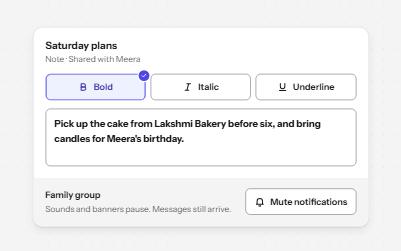
Buttons that stay on or off, like Bold or Mute, with aria-pressed reporting the state while the label stays the same.
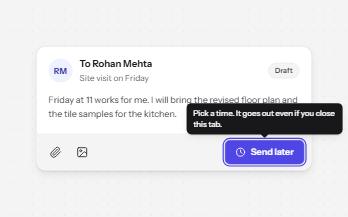
A short label or hint that appears on hover and keyboard focus, stays while you read it, and hides on Escape.
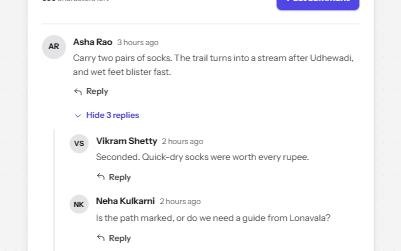
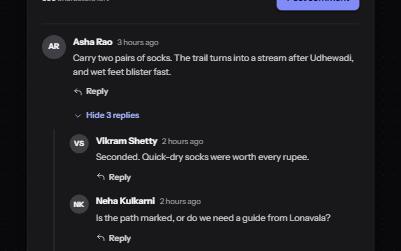
A threaded discussion with replies that open in place, collapsible threads, and edit or delete for your own comments.
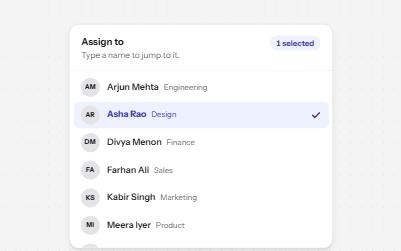
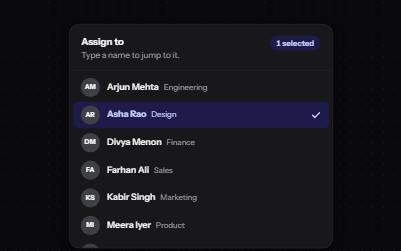
A list of options to choose one or several from, with arrow keys, typing to jump and a count of what is selected.