सुलभता पैटर्न · बटन और क्रियाएँ
कॉन्टेक्स्ट मेनू
राइट-क्लिक, Shift+F10 और Menu कुंजी, तीनों आइटम के पास वही role=menu खोलते हैं, और फ़ोकस उसके पहले एक्शन पर होता है। हर पंक्ति का और एक्शन बटन भी उसे खोलता है, इसलिए किसी को राइट-क्लिक या किसी अनजानी कुंजी पर निर्भर नहीं रहना पड़ता।
- डब्ल्यूसीएजी मानदंड
- 6
- कीबोर्ड नियम
- 6
- जाँच का तरीक़ा
- axe, कीबोर्ड और इंस्पेक्टर
लाइव डेमो
आज़माएँ
इसे माउस, कीबोर्ड या स्क्रीन रीडर से इस्तेमाल करें। साथ का इंस्पेक्टर दिखाता है कि आपके इस्तेमाल के दौरान ब्राउज़र सहायक तकनीक को क्या बताता है: फ़ोकस, स्थिति में बदलाव और घोषणाएँ।
जावास्क्रिप्ट के बिना डेमो उतना ही काम करता है जितना उसका एचटीएमएल; इंस्पेक्टर के लिए जावास्क्रिप्ट चाहिए।
कीबोर्ड
जिन कुंजियों पर यह काम करता है
हर क्रिया पॉइंटर के बिना काम करती है।
| कुंजी | यह क्या करती है |
|---|---|
| ShiftF10याMenu | किसी फ़ाइल पर, उसका मेन्यू फ़ाइल के पास खोलता है और फ़ोकस पहले एक्शन पर रखता है। |
| EnterयाSpace | और एक्शन पर, मेन्यू खोलता है; मेन्यू में, फ़ोकस वाला एक्शन चलाता है और फ़ोकस वहीं लौटाता है जहाँ से मेन्यू खुला था। |
| Arrow DownयाArrow Up | अगले या पिछले एक्शन पर जाता है, और सिरों पर घूमकर दूसरी ओर पहुँचता है। और एक्शन पर, मेन्यू को पहले या आख़िरी एक्शन पर खोलता है। |
| HomeयाEnd | पहले या आख़िरी एक्शन पर जाता है। |
| A–Z | उस अक्षर से शुरू होने वाले अगले एक्शन पर जाता है। |
| EscapeयाTab | बिना कुछ किए मेन्यू बंद करता है और फ़ोकस उस फ़ाइल या बटन पर लौटाता है जिसने उसे खोला था। |
स्क्रीन रीडर
यह क्या घोषित करता है
मार्कअप की भूमिकाओं, नामों और स्थितियों से लिखा गया।
| कब | अपेक्षित घोषणा |
|---|---|
| फ़ोकस किसी फ़ाइल पर पहुँचता है | Q3 budget.xlsx, बटन, 48 KB · आज एडिट की गई। किसी फ़ाइल पर राइट-क्लिक करें या उसके एक्शन के लिए Shift+F10 दबाएँ। |
| Shift+F10 मेन्यू खोलता है | Q3 budget.xlsx, मेन्यू। प्रीव्यू, मेन्यू आइटम, 5 में से 1 |
| फ़ोकस किसी और एक्शन बटन पर पहुँचता है | और एक्शन Site plan.pdf, मेन्यू बटन, बंद |
| नाम बदलें चुना जाता है | Q3 budget.xlsx, बटन। चुना गया: नाम बदलें Q3 budget.xlsx |
ये अपेक्षित घोषणाएँ हैं, रिकॉर्डिंग नहीं। स्क्रीन रीडर और ब्राउज़र के हिसाब से शब्द और क्रम बदलते हैं।
कोड
कोड कॉपी करें
वही फ़ाइलें जिन पर यह डेमो चलता है। स्टाइल एक प्रीफ़िक्स के साथ परोसी जाती हैं जो इस साइट की अपनी स्टाइल को डेमो से दूर रखता है; आप जो कॉपी करते हैं वह मूल है।
<div class="ap-context-menu" data-ap-context-menu>
  <div class="ap-context-menu__top">
    <h3 class="ap-context-menu__label" id="context-menu-files">Project files</h3>
    <p class="ap-context-menu__count">4 files</p>
  </div>
  <p class="ap-context-menu__hint" id="context-menu-hint">Right-click a file or press <kbd>Shift</kbd>+<kbd>F10</kbd> for its actions.</p>

  <ul class="ap-context-menu__list" aria-labelledby="context-menu-files">
    <li class="ap-context-menu__row" data-ap-file>
      <button type="button" class="ap-context-menu__item" data-ap-item aria-labelledby="context-menu-name-1" aria-describedby="context-menu-meta-1 context-menu-hint">
        <span class="ap-context-menu__type ap-context-menu__type--sheet" aria-hidden="true" translate="no">XLS</span>
        <span class="ap-context-menu__text">
          <span class="ap-context-menu__file" id="context-menu-name-1" translate="no">Q3 budget.xlsx</span>
          <span class="ap-context-menu__meta" id="context-menu-meta-1">48 KB · Edited today</span>
        </span>
      </button>
      <button type="button" class="ap-context-menu__more" data-ap-more aria-haspopup="menu" aria-expanded="false" aria-controls="context-menu-menu" aria-labelledby="context-menu-more context-menu-name-1">
        <svg viewBox="0 0 24 24" aria-hidden="true" focusable="false"><circle cx="5" cy="12" r="1.75"/><circle cx="12" cy="12" r="1.75"/><circle cx="19" cy="12" r="1.75"/></svg>
      </button>
    </li>
    <li class="ap-context-menu__row" data-ap-file>
      <button type="button" class="ap-context-menu__item" data-ap-item aria-labelledby="context-menu-name-2" aria-describedby="context-menu-meta-2 context-menu-hint">
        <span class="ap-context-menu__type ap-context-menu__type--pdf" aria-hidden="true" translate="no">PDF</span>
        <span class="ap-context-menu__text">
          <span class="ap-context-menu__file" id="context-menu-name-2" translate="no">Site plan.pdf</span>
          <span class="ap-context-menu__meta" id="context-menu-meta-2">2.4 MB · Edited yesterday</span>
        </span>
      </button>
      <button type="button" class="ap-context-menu__more" data-ap-more aria-haspopup="menu" aria-expanded="false" aria-controls="context-menu-menu" aria-labelledby="context-menu-more context-menu-name-2">
        <svg viewBox="0 0 24 24" aria-hidden="true" focusable="false"><circle cx="5" cy="12" r="1.75"/><circle cx="12" cy="12" r="1.75"/><circle cx="19" cy="12" r="1.75"/></svg>
      </button>
    </li>
    <li class="ap-context-menu__row" data-ap-file>
      <button type="button" class="ap-context-menu__item" data-ap-item aria-labelledby="context-menu-name-3" aria-describedby="context-menu-meta-3 context-menu-hint">
        <span class="ap-context-menu__type ap-context-menu__type--doc" aria-hidden="true" translate="no">DOC</span>
        <span class="ap-context-menu__text">
          <span class="ap-context-menu__file" id="context-menu-name-3" translate="no">Launch notes.docx</span>
          <span class="ap-context-menu__meta" id="context-menu-meta-3">16 KB · Edited 2 Oct</span>
        </span>
      </button>
      <button type="button" class="ap-context-menu__more" data-ap-more aria-haspopup="menu" aria-expanded="false" aria-controls="context-menu-menu" aria-labelledby="context-menu-more context-menu-name-3">
        <svg viewBox="0 0 24 24" aria-hidden="true" focusable="false"><circle cx="5" cy="12" r="1.75"/><circle cx="12" cy="12" r="1.75"/><circle cx="19" cy="12" r="1.75"/></svg>
      </button>
    </li>
    <li class="ap-context-menu__row" data-ap-file>
      <button type="button" class="ap-context-menu__item" data-ap-item aria-labelledby="context-menu-name-4" aria-describedby="context-menu-meta-4 context-menu-hint">
        <span class="ap-context-menu__type ap-context-menu__type--img" aria-hidden="true" translate="no">JPG</span>
        <span class="ap-context-menu__text">
          <span class="ap-context-menu__file" id="context-menu-name-4" translate="no">Team offsite.jpg</span>
          <span class="ap-context-menu__meta" id="context-menu-meta-4">3.1 MB · Edited 28 Sep</span>
        </span>
      </button>
      <button type="button" class="ap-context-menu__more" data-ap-more aria-haspopup="menu" aria-expanded="false" aria-controls="context-menu-menu" aria-labelledby="context-menu-more context-menu-name-4">
        <svg viewBox="0 0 24 24" aria-hidden="true" focusable="false"><circle cx="5" cy="12" r="1.75"/><circle cx="12" cy="12" r="1.75"/><circle cx="19" cy="12" r="1.75"/></svg>
      </button>
    </li>
  </ul>
  <span id="context-menu-more" hidden>More actions</span>

  <div class="ap-context-menu__foot">
    <svg class="ap-context-menu__foot-icon" viewBox="0 0 24 24" aria-hidden="true" focusable="false"><path d="M9 11.5 11.5 14 16 9.5"/><circle cx="12" cy="12" r="9"/></svg>
    <p class="ap-context-menu__status" role="status" aria-atomic="true">No action chosen yet</p>
  </div>

  <div class="ap-context-menu__menu" id="context-menu-menu" role="menu" popover="manual" aria-labelledby="context-menu-name-1">
    <button type="button" class="ap-context-menu__action" role="menuitem" tabindex="-1">
      <svg viewBox="0 0 24 24" aria-hidden="true" focusable="false"><path d="M2.5 12S6 5.5 12 5.5 21.5 12 21.5 12 18 18.5 12 18.5 2.5 12 2.5 12Z"/><circle cx="12" cy="12" r="3"/></svg>
      <span data-ap-label>Preview</span>
    </button>
    <button type="button" class="ap-context-menu__action" role="menuitem" tabindex="-1">
      <svg viewBox="0 0 24 24" aria-hidden="true" focusable="false"><path d="M12 20h9"/><path d="M16.5 3.5a2.1 2.1 0 0 1 3 3L7 19l-4 1 1-4Z"/></svg>
      <span data-ap-label>Rename</span>
    </button>
    <button type="button" class="ap-context-menu__action" role="menuitem" tabindex="-1">
      <svg viewBox="0 0 24 24" aria-hidden="true" focusable="false"><rect x="9" y="9" width="11" height="11" rx="2"/><path d="M5 15V5a2 2 0 0 1 2-2h10"/></svg>
      <span data-ap-label>Duplicate</span>
    </button>
    <button type="button" class="ap-context-menu__action" role="menuitem" tabindex="-1">
      <svg viewBox="0 0 24 24" aria-hidden="true" focusable="false"><path d="M12 4v11"/><path d="m7 10 5 5 5-5"/><path d="M5 20h14"/></svg>
      <span data-ap-label>Download</span>
    </button>
    <div class="ap-context-menu__sep" role="separator"></div>
    <button type="button" class="ap-context-menu__action ap-context-menu__action--danger" role="menuitem" tabindex="-1">
      <svg viewBox="0 0 24 24" aria-hidden="true" focusable="false"><path d="M4 7h16"/><path d="M9 7V4h6v3"/><path d="M6.5 7l1 13h9l1-13"/><path d="M10 11v5M14 11v5"/></svg>
      <span data-ap-label>Delete</span>
    </button>
  </div>
</div>
/* Context menu. Uses the --ap-* design tokens. */
.ap-context-menu {
  width: min(100%, 520px);
  margin-inline: auto;
  border: 1px solid var(--ap-border);
  border-radius: var(--ap-radius-lg);
  background: var(--ap-surface);
  color: var(--ap-text);
  box-shadow: var(--ap-shadow-md);
  container-type: inline-size;
}

.ap-context-menu__top {
  display: flex;
  align-items: baseline;
  justify-content: space-between;
  gap: 12px;
  padding: 18px 20px 4px;
}
.ap-context-menu__label {
  margin: 0;
  font-size: 1rem;
  font-weight: 650;
  line-height: 1.4;
}
.ap-context-menu__count {
  margin: 0;
  color: var(--ap-text-3);
  font-size: .875rem;
}
.ap-context-menu__hint {
  margin: 0;
  padding: 0 20px 14px;
  color: var(--ap-text-3);
  font-size: .875rem;
  line-height: 1.5;
}
.ap-context-menu__hint kbd {
  padding: 1px 6px;
  border: 1px solid var(--ap-border);
  border-bottom-width: 2px;
  border-radius: var(--ap-radius-sm);
  background: var(--ap-surface-2);
  color: var(--ap-text-2);
  font-family: var(--ap-mono);
  font-size: .75rem;
}

/* The files */
.ap-context-menu__list {
  display: grid;
  gap: 2px;
  margin: 0;
  padding: 6px;
  border-top: 1px solid var(--ap-border);
  list-style: none;
}
.ap-context-menu__row {
  display: flex;
  align-items: center;
  gap: 4px;
  padding-right: 6px;
  border-radius: var(--ap-radius);
  transition: background-color var(--ap-duration) var(--ap-ease);
}
.ap-context-menu__row:hover,
.ap-context-menu__row[data-active] {
  background: var(--ap-surface-2);
}

.ap-context-menu__item {
  display: flex;
  flex: 1;
  align-items: center;
  gap: 12px;
  min-width: 0;
  min-height: 60px;
  padding: 8px 10px;
  border: 0;
  border-radius: var(--ap-radius);
  background: transparent;
  color: inherit;
  font: inherit;
  text-align: start;
  cursor: pointer;
}
.ap-context-menu__item:focus-visible {
  outline: 2px solid var(--ap-focus);
  outline-offset: -2px;
}

.ap-context-menu__type {
  display: grid;
  flex-shrink: 0;
  place-items: center;
  width: 40px;
  height: 40px;
  border-radius: var(--ap-radius-sm);
  font-size: .6875rem;
  font-weight: 700;
  letter-spacing: .04em;
}
.ap-context-menu__type--sheet { background: var(--ap-success-soft); color: var(--ap-success); }
.ap-context-menu__type--pdf { background: var(--ap-danger-soft); color: var(--ap-danger); }
.ap-context-menu__type--doc { background: var(--ap-info-soft); color: var(--ap-info); }
.ap-context-menu__type--img { background: var(--ap-warning-soft); color: var(--ap-warning); }

.ap-context-menu__text {
  display: grid;
  gap: 2px;
  min-width: 0;
}
.ap-context-menu__file {
  overflow: hidden;
  font-weight: 600;
  text-overflow: ellipsis;
  white-space: nowrap;
}
.ap-context-menu__meta {
  color: var(--ap-text-3);
  font-size: .8125rem;
}

.ap-context-menu__more {
  display: grid;
  flex-shrink: 0;
  place-items: center;
  width: 40px;
  height: 40px;
  padding: 0;
  border: 1px solid transparent;
  border-radius: var(--ap-radius-sm);
  background: transparent;
  color: var(--ap-text-2);
  cursor: pointer;
  transition: background-color var(--ap-duration) var(--ap-ease), border-color var(--ap-duration) var(--ap-ease);
}
.ap-context-menu__more:hover {
  border-color: var(--ap-border-strong);
  background: var(--ap-surface);
  color: var(--ap-text);
}
.ap-context-menu__more[aria-expanded="true"] {
  border-color: var(--ap-accent);
  background: var(--ap-accent-soft);
  color: var(--ap-accent-soft-text);
}
.ap-context-menu__more:focus-visible {
  outline: 2px solid var(--ap-focus);
  outline-offset: 1px;
}
.ap-context-menu__more svg {
  width: 20px;
  height: 20px;
  fill: currentColor;
}

/* The status line */
.ap-context-menu__foot {
  display: flex;
  align-items: center;
  gap: 10px;
  min-height: 48px;
  padding: 10px 20px;
  border-top: 1px solid var(--ap-border);
  border-radius: 0 0 var(--ap-radius-lg) var(--ap-radius-lg);
  background: var(--ap-surface-2);
}
.ap-context-menu__foot-icon {
  flex-shrink: 0;
  width: 18px;
  height: 18px;
  fill: none;
  stroke: var(--ap-text-3);
  stroke-width: 2;
  stroke-linecap: round;
  stroke-linejoin: round;
}
.ap-context-menu[data-chosen] .ap-context-menu__foot-icon {
  stroke: var(--ap-success);
}
.ap-context-menu__status {
  min-width: 0;
  margin: 0;
  color: var(--ap-text-3);
  font-size: .875rem;
  line-height: 1.45;
}
.ap-context-menu__status strong {
  color: var(--ap-text);
  font-weight: 650;
}
.ap-context-menu__on {
  color: var(--ap-text-2);
  overflow-wrap: anywhere;
}

/* The menu: a manual popover the script places at the pointer or the file */
.ap-context-menu__menu {
  position: fixed;
  inset: auto;
  min-width: 212px;
  max-width: calc(100vw - 16px);
  margin: 0;
  padding: 6px;
  border: 1px solid var(--ap-border);
  border-radius: var(--ap-radius);
  background: var(--ap-surface);
  color: var(--ap-text);
  box-shadow: var(--ap-shadow-lg);
  font-family: var(--ap-font);
  font-size: .9375rem;
}
.ap-context-menu__menu:popover-open {
  animation: ap-context-menu-in 140ms var(--ap-ease);
}

.ap-context-menu__action {
  display: flex;
  align-items: center;
  gap: 12px;
  width: 100%;
  min-height: 40px;
  padding: 0 12px;
  border: 0;
  border-radius: var(--ap-radius-sm);
  background: transparent;
  color: var(--ap-text);
  font: inherit;
  text-align: start;
  white-space: nowrap;
  cursor: pointer;
}
.ap-context-menu__action svg {
  flex-shrink: 0;
  width: 18px;
  height: 18px;
  fill: none;
  stroke: var(--ap-text-3);
  stroke-width: 2;
  stroke-linecap: round;
  stroke-linejoin: round;
}
.ap-context-menu__action:focus {
  outline: none;
  background: var(--ap-accent-soft);
  color: var(--ap-accent-soft-text);
}
.ap-context-menu__action:focus svg {
  stroke: currentColor;
}
.ap-context-menu__action:focus-visible {
  outline: 2px solid var(--ap-focus);
  outline-offset: -2px;
}
.ap-context-menu__action--danger,
.ap-context-menu__action--danger svg {
  color: var(--ap-danger);
  stroke: currentColor;
}
.ap-context-menu__action--danger:focus {
  background: var(--ap-danger-soft);
  color: var(--ap-danger);
}
.ap-context-menu__action--danger:focus-visible {
  outline-color: var(--ap-danger);
}
.ap-context-menu__sep {
  height: 1px;
  margin: 6px 8px;
  background: var(--ap-border);
}

@container (max-width: 340px) {
  .ap-context-menu__top { flex-direction: column; gap: 0; }
  .ap-context-menu__type { width: 36px; height: 36px; }
}

@keyframes ap-context-menu-in {
  from { opacity: 0; transform: translateY(-4px) scale(.98); }
}

@media (prefers-reduced-motion: reduce) {
  .ap-context-menu__row,
  .ap-context-menu__more { transition: none; }
  .ap-context-menu__menu:popover-open { animation: none; }
}
/**
 * Context menu: one role=menu of actions for an item, opened by right-click,
 * Shift+F10 or the Menu key on the item, and by a visible More actions
 * button, so it never depends on a pointer.
 *
 * Markup: [data-ap-context-menu] holding li[data-ap-file] rows, each with a
 * button[data-ap-item] (named by its file name) and a button[data-ap-more]
 * [aria-haspopup=menu][aria-expanded]; one div[role=menu][popover=manual] of
 * button[role=menuitem] whose label is in [data-ap-label]; and a
 * p[role=status] that reports the action chosen.
 */

export function init(root) {
  const menu = root.querySelector("[role=menu]");
  const items = [...menu.querySelectorAll("[role=menuitem]")];
  const status = root.querySelector("[role=status]");
  const events = new AbortController();
  const signal = events.signal;
  // The open menu: which row, what to give focus back to, and where it sits.
  let current = null;

  const labelOf = (item) => item.querySelector("[data-ap-label]").textContent.trim();
  const nameOf = (row) => row.querySelector("[data-ap-item]").getAttribute("aria-labelledby");
  const isOpen = () => menu.matches(":popover-open");

  function place() {
    if (!current) return;
    const row = current.row.getBoundingClientRect();
    const w = menu.offsetWidth;
    const h = menu.offsetHeight;
    const vw = document.documentElement.clientWidth;
    const vh = window.innerHeight;
    let x;
    let y;
    if (current.dx != null) {
      // Opened by the pointer: keep the menu where it was asked for.
      x = row.left + current.dx;
      y = row.top + current.dy;
      if (y + h > vh - 8) y -= h;
    } else if (current.invoker.matches("[data-ap-more]")) {
      const b = current.invoker.getBoundingClientRect();
      x = b.right - w;
      y = b.bottom + 6;
      if (y + h > vh - 8) y = b.top - h - 6;
    } else {
      x = row.left + 12;
      y = row.bottom + 4;
      if (y + h > vh - 8) y = row.top - h - 4;
    }
    menu.style.left = `${Math.round(Math.min(Math.max(8, x), vw - w - 8))}px`;
    menu.style.top = `${Math.round(Math.max(8, y))}px`;
  }

  function open(row, invoker, { point = null, last = false } = {}) {
    if (current) close(false);
    const box = row.getBoundingClientRect();
    current = {
      row,
      invoker,
      dx: point ? point.x - box.left : null,
      dy: point ? point.y - box.top : null,
    };
    menu.setAttribute("aria-labelledby", nameOf(row));
    row.setAttribute("data-active", "");
    row.querySelector("[data-ap-more]").setAttribute("aria-expanded", "true");
    menu.showPopover();
    place();
    (last ? items[items.length - 1] : items[0]).focus({ preventScroll: true });
  }

  function close(returnFocus) {
    if (!current) return;
    const { row, invoker } = current;
    current = null;
    row.removeAttribute("data-active");
    row.querySelector("[data-ap-more]").setAttribute("aria-expanded", "false");
    if (isOpen()) menu.hidePopover();
    if (returnFocus) invoker.focus();
  }

  function report(action, row) {
    const said = document.createElement("span");
    said.textContent = "Chosen:";
    const what = document.createElement("strong");
    what.textContent = action;
    const on = document.createElement("span");
    on.className = "ap-context-menu__on";
    on.setAttribute("translate", "no");
    on.textContent = document.getElementById(nameOf(row)).textContent.trim();
    status.replaceChildren(said, " ", what, " ", on);
    root.setAttribute("data-chosen", "");
  }

  function choose(item) {
    const { row } = current;
    close(true);
    report(labelOf(item), row);
  }

  function onMenuKey(event) {
    const at = items.indexOf(document.activeElement);
    let next = null;
    if (event.key === "ArrowDown") next = items[(at + 1) % items.length];
    else if (event.key === "ArrowUp") next = items[at <= 0 ? items.length - 1 : at - 1];
    else if (event.key === "Home") next = items[0];
    else if (event.key === "End") next = items[items.length - 1];
    else if (event.key === "Escape" || event.key === "Tab") {
      event.preventDefault();
      close(true);
      return;
    } else if (event.key.length === 1 && event.key.trim() && !event.ctrlKey && !event.metaKey && !event.altKey) {
      // Type-ahead: the next action whose label starts with the letter.
      const letter = event.key.toLocaleLowerCase();
      const order = [...items.slice(at + 1), ...items.slice(0, at + 1)];
      next = order.find((item) => labelOf(item).toLocaleLowerCase().startsWith(letter)) || null;
    }
    if (next) {
      event.preventDefault();
      next.focus({ preventScroll: true });
    }
  }

  root.addEventListener("keydown", (event) => {
    if (menu.contains(event.target)) {
      onMenuKey(event);
      return;
    }
    const row = event.target.closest("[data-ap-file]");
    if (!row) return;
    if ((event.shiftKey && event.key === "F10") || event.key === "ContextMenu") {
      event.preventDefault();
      open(row, event.target.closest("button") || row.querySelector("[data-ap-item]"));
    } else if (event.target.matches("[data-ap-more]") && (event.key === "ArrowDown" || event.key === "ArrowUp")) {
      event.preventDefault();
      open(row, event.target, { last: event.key === "ArrowUp" });
    }
  }, { signal });

  root.addEventListener("contextmenu", (event) => {
    // The keyboard path above already opened it; don't show the browser's menu on top.
    if (menu.contains(event.target)) {
      event.preventDefault();
      return;
    }
    const row = event.target.closest("[data-ap-file]");
    if (!row) return;
    event.preventDefault();
    const box = row.getBoundingClientRect();
    const { clientX: x, clientY: y } = event;
    const atPointer = (x || y) && x >= box.left && x <= box.right && y >= box.top && y <= box.bottom;
    const invoker = event.target.closest("button") || row.querySelector("[data-ap-item]");
    open(row, invoker, { point: atPointer ? { x, y } : null });
  }, { signal });

  root.addEventListener("click", (event) => {
    const item = event.target.closest("[role=menuitem]");
    if (item && current) {
      choose(item);
      return;
    }
    const more = event.target.closest("[data-ap-more]");
    if (more) {
      const row = more.closest("[data-ap-file]");
      if (current && current.row === row) {
        close(false);
        more.focus();
      } else open(row, more);
      return;
    }
    const file = event.target.closest("[data-ap-item]");
    // Activating the file itself is the menu's first action.
    if (file) report(labelOf(items[0]), file.closest("[data-ap-file]"));
  }, { signal });

  // Hovering an action focuses it, so the highlight and keyboard focus agree.
  menu.addEventListener("pointermove", (event) => {
    const item = event.target.closest("[role=menuitem]");
    if (item && document.activeElement !== item) item.focus({ preventScroll: true });
  }, { signal });

  // Focus leaving the menu some other way (a click elsewhere) closes it. A
  // press on the open menu's own button is left to that button's click.
  menu.addEventListener("focusout", (event) => {
    const to = event.relatedTarget;
    if (!current || !to || menu.contains(to)) return;
    if (to === current.row.querySelector("[data-ap-more]")) return;
    close(false);
  }, { signal });

  document.addEventListener("pointerdown", (event) => {
    if (!current || menu.contains(event.target)) return;
    // A press on the open menu's own button is left to its click, which closes it.
    if (event.target.closest?.("[data-ap-more]") === current.row.querySelector("[data-ap-more]")) return;
    close(false);
  }, { signal });

  window.addEventListener("scroll", place, { signal, capture: true, passive: true });
  window.addEventListener("resize", place, { signal });

  return () => {
    events.abort();
    if (isOpen()) menu.hidePopover();
    current = null;
  };
}

for (const root of document.querySelectorAll("[data-ap-context-menu]")) init(root);
/* Design tokens for the pattern components. Light by default, dark when the
   system asks for it; set data-theme="dark" on :root to force dark. */
:root {
    --ap-radius-sm: 8px;
    --ap-radius: 12px;
    --ap-radius-lg: 16px;
    --ap-radius-full: 999px;
    --ap-font: "Instrument Sans", ui-sans-serif, system-ui, -apple-system, "Segoe UI", Roboto, sans-serif;
    --ap-mono: "JetBrains Mono", ui-monospace, "Cascadia Mono", "SF Mono", Consolas, monospace;
    --ap-ease: cubic-bezier(.2, .8, .2, 1);
    --ap-duration: 180ms;
    --ap-target: 44px;
    --ap-bg: #F4F4F5;
    --ap-surface: #FFFFFF;
    --ap-surface-2: #F4F4F5;
    --ap-surface-3: #E4E4E7;
    --ap-border: #E4E4E7;
    --ap-border-strong: #76767F;
    --ap-text: #18181B;
    --ap-text-2: #3F3F46;
    --ap-text-3: #5E5E66;
    --ap-accent: #4F46E5;
    --ap-accent-hover: #4338CA;
    --ap-on-accent: #FFFFFF;
    --ap-accent-text: #4338CA;
    --ap-accent-soft: #EEF2FF;
    --ap-accent-soft-text: #3730A3;
    --ap-focus: #4F46E5;
    --ap-danger: #B91C1C;
    --ap-danger-soft: #FEF2F2;
    --ap-success: #15803D;
    --ap-success-soft: #F0FDF4;
    --ap-warning: #A15C07;
    --ap-warning-soft: #FEFCE8;
    --ap-info: #1D4ED8;
    --ap-info-soft: #EFF6FF;
    --ap-scrim: rgb(9 9 11 / .48);
    --ap-shadow-sm: 0 1px 2px rgb(9 9 11 / .06);
    --ap-shadow-md: 0 1px 2px rgb(9 9 11 / .05), 0 6px 16px -4px rgb(9 9 11 / .1);
    --ap-shadow-lg: 0 2px 6px rgb(9 9 11 / .06), 0 20px 40px -12px rgb(9 9 11 / .22);
    --ap-light-bg: #F4F4F5;
    --ap-light-surface: #FFFFFF;
    --ap-light-surface-2: #F4F4F5;
    --ap-light-surface-3: #E4E4E7;
    --ap-light-border: #E4E4E7;
    --ap-light-border-strong: #76767F;
    --ap-light-text: #18181B;
    --ap-light-text-2: #3F3F46;
    --ap-light-text-3: #5E5E66;
    --ap-light-accent: #4F46E5;
    --ap-light-accent-hover: #4338CA;
    --ap-light-on-accent: #FFFFFF;
    --ap-light-accent-text: #4338CA;
    --ap-light-accent-soft: #EEF2FF;
    --ap-light-accent-soft-text: #3730A3;
    --ap-light-focus: #4F46E5;
    --ap-light-danger: #B91C1C;
    --ap-light-danger-soft: #FEF2F2;
    --ap-light-success: #15803D;
    --ap-light-success-soft: #F0FDF4;
    --ap-light-warning: #A15C07;
    --ap-light-warning-soft: #FEFCE8;
    --ap-light-info: #1D4ED8;
    --ap-light-info-soft: #EFF6FF;
    --ap-light-scrim: rgb(9 9 11 / .48);
    --ap-light-shadow-sm: 0 1px 2px rgb(9 9 11 / .06);
    --ap-light-shadow-md: 0 1px 2px rgb(9 9 11 / .05), 0 6px 16px -4px rgb(9 9 11 / .1);
    --ap-light-shadow-lg: 0 2px 6px rgb(9 9 11 / .06), 0 20px 40px -12px rgb(9 9 11 / .22);
    --ap-dark-bg: #09090B;
    --ap-dark-surface: #18181B;
    --ap-dark-surface-2: #27272A;
    --ap-dark-surface-3: #3F3F46;
    --ap-dark-border: #2E2E33;
    --ap-dark-border-strong: #8E8E97;
    --ap-dark-text: #FAFAFA;
    --ap-dark-text-2: #D4D4D8;
    --ap-dark-text-3: #A1A1AA;
    --ap-dark-accent: #818CF8;
    --ap-dark-accent-hover: #A5B4FC;
    --ap-dark-on-accent: #0C0A1F;
    --ap-dark-accent-text: #A5B4FC;
    --ap-dark-accent-soft: #1E1B4B;
    --ap-dark-accent-soft-text: #C7D2FE;
    --ap-dark-focus: #A5B4FC;
    --ap-dark-danger: #F87171;
    --ap-dark-danger-soft: #2A1215;
    --ap-dark-success: #4ADE80;
    --ap-dark-success-soft: #0F2A1A;
    --ap-dark-warning: #FACC15;
    --ap-dark-warning-soft: #2A2410;
    --ap-dark-info: #60A5FA;
    --ap-dark-info-soft: #0F1D33;
    --ap-dark-scrim: rgb(0 0 0 / .62);
    --ap-dark-shadow-sm: 0 1px 2px rgb(0 0 0 / .4);
    --ap-dark-shadow-md: 0 1px 2px rgb(0 0 0 / .4), 0 8px 20px -6px rgb(0 0 0 / .5);
    --ap-dark-shadow-lg: 0 2px 8px rgb(0 0 0 / .45), 0 24px 48px -12px rgb(0 0 0 / .7);
}
@media (prefers-color-scheme: dark) {
  :root:not([data-theme="light"]) {
      --ap-bg: #09090B;
      --ap-surface: #18181B;
      --ap-surface-2: #27272A;
      --ap-surface-3: #3F3F46;
      --ap-border: #2E2E33;
      --ap-border-strong: #8E8E97;
      --ap-text: #FAFAFA;
      --ap-text-2: #D4D4D8;
      --ap-text-3: #A1A1AA;
      --ap-accent: #818CF8;
      --ap-accent-hover: #A5B4FC;
      --ap-on-accent: #0C0A1F;
      --ap-accent-text: #A5B4FC;
      --ap-accent-soft: #1E1B4B;
      --ap-accent-soft-text: #C7D2FE;
      --ap-focus: #A5B4FC;
      --ap-danger: #F87171;
      --ap-danger-soft: #2A1215;
      --ap-success: #4ADE80;
      --ap-success-soft: #0F2A1A;
      --ap-warning: #FACC15;
      --ap-warning-soft: #2A2410;
      --ap-info: #60A5FA;
      --ap-info-soft: #0F1D33;
      --ap-scrim: rgb(0 0 0 / .62);
      --ap-shadow-sm: 0 1px 2px rgb(0 0 0 / .4);
      --ap-shadow-md: 0 1px 2px rgb(0 0 0 / .4), 0 8px 20px -6px rgb(0 0 0 / .5);
      --ap-shadow-lg: 0 2px 8px rgb(0 0 0 / .45), 0 24px 48px -12px rgb(0 0 0 / .7);
  }
}
:root[data-theme="dark"] {
    --ap-bg: #09090B;
    --ap-surface: #18181B;
    --ap-surface-2: #27272A;
    --ap-surface-3: #3F3F46;
    --ap-border: #2E2E33;
    --ap-border-strong: #8E8E97;
    --ap-text: #FAFAFA;
    --ap-text-2: #D4D4D8;
    --ap-text-3: #A1A1AA;
    --ap-accent: #818CF8;
    --ap-accent-hover: #A5B4FC;
    --ap-on-accent: #0C0A1F;
    --ap-accent-text: #A5B4FC;
    --ap-accent-soft: #1E1B4B;
    --ap-accent-soft-text: #C7D2FE;
    --ap-focus: #A5B4FC;
    --ap-danger: #F87171;
    --ap-danger-soft: #2A1215;
    --ap-success: #4ADE80;
    --ap-success-soft: #0F2A1A;
    --ap-warning: #FACC15;
    --ap-warning-soft: #2A2410;
    --ap-info: #60A5FA;
    --ap-info-soft: #0F1D33;
    --ap-scrim: rgb(0 0 0 / .62);
    --ap-shadow-sm: 0 1px 2px rgb(0 0 0 / .4);
    --ap-shadow-md: 0 1px 2px rgb(0 0 0 / .4), 0 8px 20px -6px rgb(0 0 0 / .5);
    --ap-shadow-lg: 0 2px 8px rgb(0 0 0 / .45), 0 24px 48px -12px rgb(0 0 0 / .7);
}
डब्ल्यूसीएजी 2.2
यह किन मानदंडों को पूरा करता है
वे सफलता मानदंड जिनका यह पैटर्न ध्यान रखता है, और कैसे।
-
1.3.1 जानकारी और संबंध
स्तर A
मेन्यू का नाम उसी फ़ाइल पर रखा जाता है जिस पर वह काम करता है, और एक विभाजक डिलीट को बाकी सुरक्षित एक्शन से अलग करता है।
-
2.1.1 कीबोर्ड
स्तर A
जो कुछ राइट-क्लिक खोलता है, वह Shift+F10, Menu कुंजी और और एक्शन बटन से भी खुलता है; अंदर, ऐरो कुंजियाँ, अक्षर, Enter और Escape बाकी काम करते हैं।
-
2.4.3 फ़ोकस क्रम
स्तर A
मेन्यू खुलने पर फ़ोकस उसके अंदर जाता है, और वह कैसे भी बंद हो, फ़ोकस उसे खोलने वाली फ़ाइल या बटन पर लौटता है।
-
2.4.7 फ़ोकस दिखाई देना
स्तर AA
फ़ोकस वाला एक्शन भराव और रिंग से दिखता है, और हर फ़ाइल और बटन कीबोर्ड फ़ोकस मिलने पर रिंग दिखाता है।
-
4.1.2 नाम, भूमिका, मान
स्तर A
एक्शन किसी नाम वाले role=menu के मेन्यू आइटम हैं; और एक्शन बटन बताता है कि वह मेन्यू खोलता है और मेन्यू खुला है या नहीं।
-
4.1.3 स्टेटस मैसेज
स्तर AA
चुने गए एक्शन की जानकारी एक स्टेटस मैसेज में दी जाती है, जिसकी घोषणा फ़ोकस हिलाए बिना होती है।
उपयोग
इसे कब इस्तेमाल करें
इसे अपनाएँ
- सूची, टेबल या कैनवस के किसी एक आइटम के एक्शन तक जल्दी पहुँच, उन लोगों के लिए जो राइट-क्लिक की उम्मीद करते हैं।
- ऐसे ऐप जिनमें वही एक्शन पहले से एक दिखने वाले बटन में हैं, ताकि मेन्यू एक शॉर्टकट हो, अकेला रास्ता नहीं।
कुछ और इस्तेमाल करें
- किसी एक्शन तक पहुँचने के अकेले रास्ते के रूप में: राइट-क्लिक मेन्यू दिखता नहीं, और बहुत से लोग उसे कभी आज़माते ही नहीं।
- सामान्य लिंक और टेक्स्ट पर: ब्राउज़र का अपना मेन्यू बदलने से नए टैब में खोलें और कॉपी करें जैसे विकल्प छिन जाते हैं।
- कोई मान चुनना, जैसे क्रम लगाने का तरीका: select या रेडियो ग्रुप इस्तेमाल करें।
आम विफलताएँ
आमतौर पर यह कहाँ गलत होता है
अंदर जाने का अकेला रास्ता राइट-क्लिक
टच स्क्रीन, कीबोर्ड इस्तेमाल करने वाले और बहुत से माउस इस्तेमाल करने वाले राइट-क्लिक मेन्यू कभी ढूँढ ही नहीं पाते। यहाँ एक दिखने वाला और एक्शन बटन वही मेन्यू खोलता है।
उसे खोलने का कोई कीबोर्ड रास्ता नहीं
Shift+F10 और Menu कुंजी के बिना कीबोर्ड इस्तेमाल करने वाले आइटम से मेन्यू तक पहुँच ही नहीं सकते। यहाँ दोनों उसे फ़ोकस वाली फ़ाइल के पास खोलते हैं।
फ़ोकस पेज पर ही छूट जाना
अगर मेन्यू खुलते समय फ़ोकस आइटम पर ही रहे, तो ऐरो कुंजियाँ एक्शन के बीच चलने की बजाय पेज स्क्रॉल करती हैं। यहाँ फ़ोकस पहले एक्शन पर जाता है।
बंद होने पर फ़ोकस खो जाना
किसी एक्शन या Escape के बाद फ़ोकस को आइटम पर लौटना चाहिए। उसके पेज के ऊपर चले जाने का मतलब है अपनी जगह फिर से ढूँढना।
नेविगेशन लिंक पर role=menu
मेन्यू ऐरो कुंजियों और मेन्यू आइटम का वादा करता है। role=menu में लपेटे गए साइट लिंक अपना लिंक वाला व्यवहार खो देते हैं; लिंक की सादी सूची ही सही मार्कअप है।
हर जगह ब्राउज़र का मेन्यू रोकना
हर contextmenu इवेंट रद्द करने से टेक्स्ट और लिंक से भी कॉपी करें और नए टैब में खोलें छिन जाते हैं। यह मेन्यू सिर्फ़ फ़ाइल वाली पंक्तियाँ खोलती हैं।
नोट्स
इसे बनाना
- एक ही मेन्यू हर पंक्ति के काम आता है: स्क्रिप्ट aria-labelledby से उसे फ़ाइल का नाम देती है और उसे पॉइंटर के पास रखती है, या कीबोर्ड से खुलने पर फ़ाइल के नीचे।
- मेन्यू popover="manual" वाला पॉपओवर है, इसलिए वह टॉप लेयर में रहता है जहाँ कोई overflow उसे काट नहीं सकता; स्क्रिप्ट उसे Escape, Tab, बाहर क्लिक या कोई एक्शन चुनने पर बंद करती है।
- कुछ ब्राउज़र Shift+F10 और Menu कुंजी पर contextmenu भेजते हैं और कुछ नहीं, इसलिए स्क्रिप्ट इन कुंजियों को ख़ुद संभालती है और दोहराए गए इवेंट को अनदेखा करती है।
- पूरे पेज के लिए बने कस्टम राइट-क्लिक मेन्यू को इन पंक्तियों पर हट जाना चाहिए, वरना वह राइट-क्लिक और मेन्यू कुंजी को इस मेन्यू से पहले ही ले लेता है।
- मेन्यू आइटम role=menuitem और tabindex=-1 वाले बटन हैं: उनके बीच ऐरो कुंजियाँ ले जाती हैं, Tab कभी नहीं, और किसी पर माउस ले जाने से उस पर फ़ोकस आता है, ताकि हाइलाइट और फ़ोकस एक ही जगह रहें।
स्रोत: WAI-एआरआईए ऑथरिंग प्रैक्टिसेज़: मेन्यू और मेन्यूबार · WAI-एआरआईए ऑथरिंग प्रैक्टिसेज़: मेन्यू बटन · एचटीएमएल: popover एट्रिब्यूट
लाइट और डार्क थीम में, डेस्कटॉप और फ़ोन की चौड़ाई पर axe से और कीबोर्ड से जाँचा गया। अभी हर स्क्रीन रीडर और ब्राउज़र जोड़ी के साथ नहीं परखा गया। सुधार बताएँ
संबंधित
इसके साथ जाने वाले पैटर्न
-
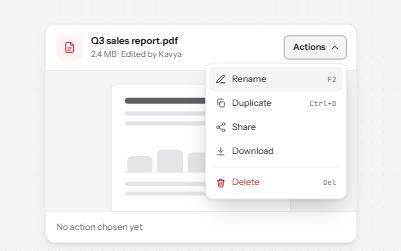
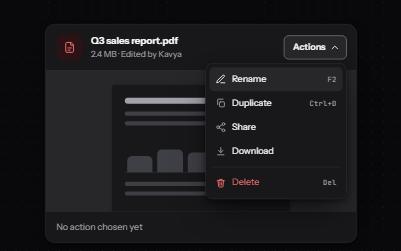
मेन्यू बटन
एक्शन की सूची खोलने वाला बटन, जिसमें ऐरो कुंजियों से चला जाता है और Escape से बंद किया जाता है, और फ़ोकस बटन पर लौट आता है।
-
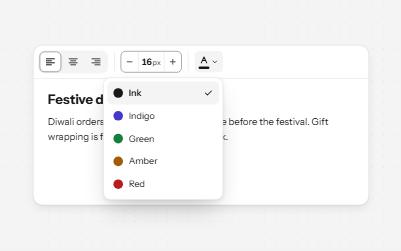
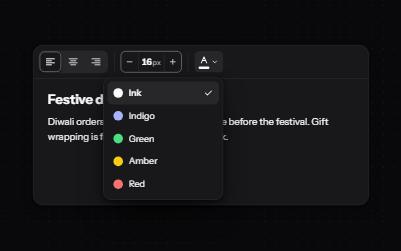
टूलबार
नियंत्रणों की एक नामित पंक्ति जो टैब क्रम में एक ही पड़ाव है, और जिसमें ऐरो कुंजियाँ संरेखण, आकार और रंग के बीच ले जाती हैं।
-
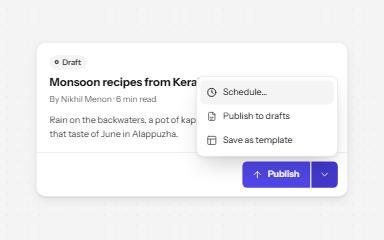
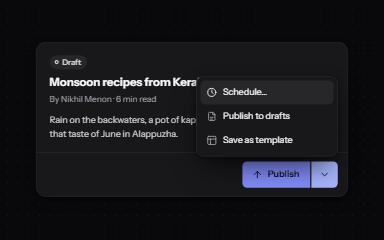
स्प्लिट बटन
एक मुख्य काम, जुड़े हुए विकल्प खोलने वाले तीर के साथ: दो बटन, दो टैब स्टॉप, दो साफ़ नाम।
-
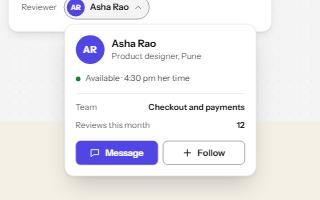
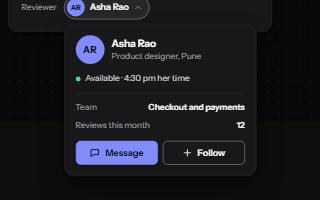
पॉपओवर
अपने बटन से जुड़ा एक कार्ड, जो popover एट्रिब्यूट से खुलता है और Escape या बाहर क्लिक करने पर बंद होता है।