सुलभता पैटर्न · बटन और क्रियाएँ
पहले जैसा करने के विकल्प के साथ डिलीट
डिलीट तुरंत होता है और फ़ोकस अगले आइटम के डिलीट बटन पर जाता है, इसलिए कीबोर्ड इस्तेमाल करने वाले सूची में अपनी जगह नहीं खोते। एक टोस्ट पहले जैसा करें देता है और पॉइंटर या फ़ोकस रहने तक रुका रहता है, और उसके जाने के बाद भी Ctrl+Z काम करता है, इसलिए पहले जैसा करना कभी दौड़ नहीं बनता।
- डब्ल्यूसीएजी मानदंड
- 6
- कीबोर्ड नियम
- 5
- जाँच का तरीक़ा
- axe, कीबोर्ड और इंस्पेक्टर
लाइव डेमो
आज़माएँ
इसे माउस, कीबोर्ड या स्क्रीन रीडर से इस्तेमाल करें। साथ का इंस्पेक्टर दिखाता है कि आपके इस्तेमाल के दौरान ब्राउज़र सहायक तकनीक को क्या बताता है: फ़ोकस, स्थिति में बदलाव और घोषणाएँ।
बाद के लिए सहेजा गया
गलती से कुछ डिलीट हो गया? उसे मैसेज से वापस लाएँ, या Ctrl+Z दबाएँ।
- हथकरघा सूती साड़ी ₹2,450
- पीतल का दीया सेट ₹899
- टेराकोटा गमला ₹640
- ब्लॉक-प्रिंट कुशन कवर ₹520
कुछ सहेजा नहीं गया। जो चीज़ें आप बाद के लिए सहेजते हैं, वे यहाँ दिखती हैं।
हटा दिया
जावास्क्रिप्ट के बिना डेमो उतना ही काम करता है जितना उसका एचटीएमएल; इंस्पेक्टर के लिए जावास्क्रिप्ट चाहिए।
कीबोर्ड
जिन कुंजियों पर यह काम करता है
हर क्रिया पॉइंटर के बिना काम करती है।
| कुंजी | यह क्या करती है |
|---|---|
| EnterयाSpace | डिलीट पर, आइटम हटाता है और फ़ोकस अगले आइटम के डिलीट बटन पर ले जाता है, या पिछले पर, या कुछ न बचे तो सूची के शीर्षक पर। |
| CtrlZया⌘Z | फ़ोकस डेमो में हो तो आख़िरी डिलीट किया आइटम वापस लाता है, टोस्ट बंद होने के बाद भी। |
| Tab | सूची से टोस्ट के पहले जैसा करें बटन तक पहुँचता है; फ़ोकस रहने तक टोस्ट की उलटी गिनती रुकी रहती है। |
| Enter | पहले जैसा करें पर, आइटम को उसकी जगह वापस रखता है और फ़ोकस उसके डिलीट बटन पर ले जाता है। |
| Escape | टोस्ट में, उसे बंद करता है और फ़ोकस सूची पर लौटाता है। |
स्क्रीन रीडर
यह क्या घोषित करता है
मार्कअप की भूमिकाओं, नामों और स्थितियों से लिखा गया।
| कब | अपेक्षित घोषणा |
|---|---|
| फ़ोकस किसी डिलीट बटन पर पहुँचता है | डिलीट करें पीतल का दीया सेट, बटन |
| डिलीट दबाया जाता है | डिलीट करें टेराकोटा गमला, बटन। पीतल का दीया सेट हटाया गया। वापस लाने के लिए Ctrl+Z दबाएँ। |
| पहले जैसा करें दबाया जाता है | डिलीट करें पीतल का दीया सेट, बटन। पीतल का दीया सेट वापस आ गया। |
| आख़िरी आइटम डिलीट होता है | बाद के लिए सहेजा गया, शीर्षक लेवल 3। ब्लॉक-प्रिंट कुशन कवर हटाया गया। वापस लाने के लिए Ctrl+Z दबाएँ। |
ये अपेक्षित घोषणाएँ हैं, रिकॉर्डिंग नहीं। स्क्रीन रीडर और ब्राउज़र के हिसाब से शब्द और क्रम बदलते हैं।
कोड
कोड कॉपी करें
वही फ़ाइलें जिन पर यह डेमो चलता है। स्टाइल एक प्रीफ़िक्स के साथ परोसी जाती हैं जो इस साइट की अपनी स्टाइल को डेमो से दूर रखता है; आप जो कॉपी करते हैं वह मूल है।
<div class="ap-confirm-action" data-ap-confirm-action>
  <div class="ap-confirm-action__card">
    <div class="ap-confirm-action__top">
      <h3 class="ap-confirm-action__label" id="confirm-action-list" tabindex="-1">Saved for later</h3>
      <p class="ap-confirm-action__hint">Deleted one by mistake? Undo it from the message, or press <kbd>Ctrl</kbd>+<kbd>Z</kbd>.</p>
    </div>
    <ul class="ap-confirm-action__list" aria-labelledby="confirm-action-list">
      <li class="ap-confirm-action__row">
        <span class="ap-confirm-action__art ap-confirm-action__art--cloth" aria-hidden="true"><svg viewBox="0 0 24 24" focusable="false"><path d="M5 4h14l-2 16H7Z"/><path d="M9 4c0 4 6 4 6 0M8 12h8"/></svg></span>
        <span class="ap-confirm-action__text">
          <span class="ap-confirm-action__name" id="confirm-action-name-1">Handloom cotton saree</span>
          <span class="ap-confirm-action__price">₹2,450</span>
        </span>
        <button type="button" class="ap-confirm-action__delete" id="confirm-action-del-1" aria-labelledby="confirm-action-del-1 confirm-action-name-1" data-ap-delete>
          <svg viewBox="0 0 24 24" aria-hidden="true" focusable="false"><path d="M4 7h16"/><path d="M9 7V4h6v3"/><path d="M6.5 7l1 13h9l1-13"/></svg>
          Delete
        </button>
      </li>
      <li class="ap-confirm-action__row">
        <span class="ap-confirm-action__art ap-confirm-action__art--lamp" aria-hidden="true"><svg viewBox="0 0 24 24" focusable="false"><path d="M4 13h16c0 4-3.6 6-8 6s-8-2-8-6Z"/><path d="M12 13c-2-2-1-5 0-8 1 3 2 6 0 8Z"/></svg></span>
        <span class="ap-confirm-action__text">
          <span class="ap-confirm-action__name" id="confirm-action-name-2">Brass diya set</span>
          <span class="ap-confirm-action__price">₹899</span>
        </span>
        <button type="button" class="ap-confirm-action__delete" id="confirm-action-del-2" aria-labelledby="confirm-action-del-2 confirm-action-name-2" data-ap-delete>
          <svg viewBox="0 0 24 24" aria-hidden="true" focusable="false"><path d="M4 7h16"/><path d="M9 7V4h6v3"/><path d="M6.5 7l1 13h9l1-13"/></svg>
          Delete
        </button>
      </li>
      <li class="ap-confirm-action__row">
        <span class="ap-confirm-action__art ap-confirm-action__art--pot" aria-hidden="true"><svg viewBox="0 0 24 24" focusable="false"><path d="M5 9h14l-2 11H7Z"/><path d="M4 9h16M12 9V6c0-2 2-3 4-3M12 6c0-2-2-3-4-3"/></svg></span>
        <span class="ap-confirm-action__text">
          <span class="ap-confirm-action__name" id="confirm-action-name-3">Terracotta planter</span>
          <span class="ap-confirm-action__price">₹640</span>
        </span>
        <button type="button" class="ap-confirm-action__delete" id="confirm-action-del-3" aria-labelledby="confirm-action-del-3 confirm-action-name-3" data-ap-delete>
          <svg viewBox="0 0 24 24" aria-hidden="true" focusable="false"><path d="M4 7h16"/><path d="M9 7V4h6v3"/><path d="M6.5 7l1 13h9l1-13"/></svg>
          Delete
        </button>
      </li>
      <li class="ap-confirm-action__row">
        <span class="ap-confirm-action__art ap-confirm-action__art--cushion" aria-hidden="true"><svg viewBox="0 0 24 24" focusable="false"><rect x="4" y="5" width="16" height="14" rx="3"/><circle cx="12" cy="12" r="2.5"/><path d="M8 9h.01M16 9h.01M8 15h.01M16 15h.01"/></svg></span>
        <span class="ap-confirm-action__text">
          <span class="ap-confirm-action__name" id="confirm-action-name-4">Block-print cushion cover</span>
          <span class="ap-confirm-action__price">₹520</span>
        </span>
        <button type="button" class="ap-confirm-action__delete" id="confirm-action-del-4" aria-labelledby="confirm-action-del-4 confirm-action-name-4" data-ap-delete>
          <svg viewBox="0 0 24 24" aria-hidden="true" focusable="false"><path d="M4 7h16"/><path d="M9 7V4h6v3"/><path d="M6.5 7l1 13h9l1-13"/></svg>
          Delete
        </button>
      </li>
    </ul>
    <p class="ap-confirm-action__empty" data-ap-nothing hidden>Nothing saved. Items you save for later appear here.</p>
  </div>

  <div class="ap-confirm-action__shelf">
    <div class="ap-confirm-action__toast" data-ap-toast hidden>
      <svg class="ap-confirm-action__toast-icon" viewBox="0 0 24 24" aria-hidden="true" focusable="false"><path d="M4 7h16"/><path d="M9 7V4h6v3"/><path d="M6.5 7l1 13h9l1-13"/></svg>
      <p class="ap-confirm-action__msg"><span class="ap-confirm-action__what" data-ap-what></span> <span>removed</span></p>
      <button type="button" class="ap-confirm-action__undo" data-ap-undo>Undo</button>
      <button type="button" class="ap-confirm-action__x" data-ap-dismiss aria-label="Dismiss">
        <svg viewBox="0 0 24 24" aria-hidden="true" focusable="false"><path d="M6 6l12 12M18 6 6 18"/></svg>
      </button>
      <span class="ap-confirm-action__timer" aria-hidden="true"></span>
    </div>
  </div>
  <p class="ap-confirm-action__say" role="status"></p>
</div>
/* Delete with undo. Uses the --ap-* design tokens. */
.ap-confirm-action {
  display: grid;
  gap: 14px;
  width: min(100%, 520px);
  margin-inline: auto;
  color: var(--ap-text);
  container-type: inline-size;
}

.ap-confirm-action__card {
  border: 1px solid var(--ap-border);
  border-radius: var(--ap-radius-lg);
  background: var(--ap-surface);
  box-shadow: var(--ap-shadow-md);
}
.ap-confirm-action__top {
  padding: 18px 20px 14px;
  border-bottom: 1px solid var(--ap-border);
}
.ap-confirm-action__label {
  margin: 0;
  font-size: 1rem;
  font-weight: 650;
  line-height: 1.35;
}
.ap-confirm-action__label:focus-visible {
  outline: 2px solid var(--ap-focus);
  outline-offset: 4px;
  border-radius: var(--ap-radius-sm);
}
.ap-confirm-action__hint {
  margin: 4px 0 0;
  color: var(--ap-text-3);
  font-size: .875rem;
  line-height: 1.5;
}
.ap-confirm-action__hint kbd {
  padding: 1px 6px;
  border: 1px solid var(--ap-border);
  border-bottom-width: 2px;
  border-radius: var(--ap-radius-sm);
  background: var(--ap-surface-2);
  color: var(--ap-text-2);
  font-family: var(--ap-mono);
  font-size: .75rem;
}

/* The saved items */
.ap-confirm-action__list {
  display: grid;
  margin: 0;
  padding: 6px 8px;
  list-style: none;
}
.ap-confirm-action__row {
  display: flex;
  align-items: center;
  gap: 12px;
  padding: 10px 6px 10px 12px;
  animation: ap-confirm-action-in 220ms var(--ap-ease);
}
.ap-confirm-action__row + .ap-confirm-action__row {
  border-top: 1px solid var(--ap-border);
}
.ap-confirm-action__art {
  display: grid;
  flex-shrink: 0;
  place-items: center;
  width: 44px;
  height: 44px;
  border-radius: var(--ap-radius);
}
.ap-confirm-action__art svg {
  width: 22px;
  height: 22px;
  fill: none;
  stroke: currentColor;
  stroke-width: 1.8;
  stroke-linecap: round;
  stroke-linejoin: round;
}
.ap-confirm-action__art--cloth { background: var(--ap-accent-soft); color: var(--ap-accent-soft-text); }
.ap-confirm-action__art--lamp { background: var(--ap-warning-soft); color: var(--ap-warning); }
.ap-confirm-action__art--pot { background: var(--ap-danger-soft); color: var(--ap-danger); }
.ap-confirm-action__art--cushion { background: var(--ap-info-soft); color: var(--ap-info); }

.ap-confirm-action__text {
  display: grid;
  flex: 1;
  gap: 2px;
  min-width: 0;
}
.ap-confirm-action__name {
  font-weight: 600;
  line-height: 1.35;
}
.ap-confirm-action__price {
  color: var(--ap-text-3);
  font-size: .875rem;
}

.ap-confirm-action__delete {
  display: inline-flex;
  flex-shrink: 0;
  align-items: center;
  gap: 6px;
  min-height: 40px;
  padding: 0 12px;
  border: 1px solid transparent;
  border-radius: var(--ap-radius-sm);
  background: transparent;
  color: var(--ap-danger);
  font: inherit;
  font-size: .875rem;
  font-weight: 600;
  cursor: pointer;
  transition: background-color var(--ap-duration) var(--ap-ease), border-color var(--ap-duration) var(--ap-ease);
}
.ap-confirm-action__delete:hover {
  border-color: var(--ap-danger);
  background: var(--ap-danger-soft);
}
.ap-confirm-action__delete:focus-visible {
  outline: 2px solid var(--ap-focus);
  outline-offset: 2px;
}
.ap-confirm-action__delete svg,
.ap-confirm-action__toast-icon,
.ap-confirm-action__x svg {
  flex-shrink: 0;
  width: 17px;
  height: 17px;
  fill: none;
  stroke: currentColor;
  stroke-width: 2;
  stroke-linecap: round;
  stroke-linejoin: round;
}

.ap-confirm-action__empty {
  margin: 0;
  padding: 28px 20px;
  color: var(--ap-text-3);
  text-align: center;
}

/* The toast, in a shelf that keeps its space so nothing jumps */
.ap-confirm-action__shelf {
  min-height: 60px;
}
.ap-confirm-action__toast {
  position: relative;
  display: flex;
  align-items: center;
  gap: 10px;
  overflow: hidden;
  padding: 8px 8px 8px 16px;
  border: 1px solid var(--ap-border);
  border-radius: var(--ap-radius);
  background: var(--ap-surface);
  box-shadow: var(--ap-shadow-lg);
  animation: ap-confirm-action-up 200ms var(--ap-ease);
}
.ap-confirm-action__toast[hidden] {
  display: none;
}
.ap-confirm-action__toast-icon {
  color: var(--ap-text-3);
}
.ap-confirm-action__msg {
  flex: 1;
  min-width: 0;
  margin: 0;
  color: var(--ap-text-2);
  font-size: .9375rem;
  line-height: 1.4;
}
.ap-confirm-action__what {
  color: var(--ap-text);
  font-weight: 650;
}
.ap-confirm-action__undo {
  flex-shrink: 0;
  min-height: 40px;
  padding: 0 14px;
  border: 1px solid var(--ap-border-strong);
  border-radius: var(--ap-radius-sm);
  background: var(--ap-surface);
  color: var(--ap-accent-text);
  font: inherit;
  font-weight: 650;
  cursor: pointer;
}
.ap-confirm-action__undo:hover {
  background: var(--ap-accent-soft);
}
.ap-confirm-action__x {
  display: grid;
  flex-shrink: 0;
  place-items: center;
  width: 40px;
  height: 40px;
  padding: 0;
  border: 0;
  border-radius: var(--ap-radius-sm);
  background: transparent;
  color: var(--ap-text-2);
  cursor: pointer;
}
.ap-confirm-action__x:hover {
  background: var(--ap-surface-2);
  color: var(--ap-text);
}
.ap-confirm-action__undo:focus-visible,
.ap-confirm-action__x:focus-visible {
  outline: 2px solid var(--ap-focus);
  outline-offset: 1px;
}

/* Time left, as a bar along the bottom edge. Decoration only. */
.ap-confirm-action__timer {
  position: absolute;
  right: 0;
  bottom: 0;
  left: 0;
  height: 3px;
  background: var(--ap-accent);
  transform-origin: left center;
  animation: ap-confirm-action-time 8s linear forwards;
}
.ap-confirm-action__toast[data-paused] .ap-confirm-action__timer {
  animation-play-state: paused;
}
.ap-confirm-action[data-sticky] .ap-confirm-action__timer {
  display: none;
}

/* Read by screen readers, not shown */
.ap-confirm-action__say {
  position: absolute;
  width: 1px;
  height: 1px;
  margin: -1px;
  padding: 0;
  overflow: hidden;
  clip-path: inset(50%);
  white-space: nowrap;
}

@container (max-width: 360px) {
  .ap-confirm-action__row { gap: 10px; padding-left: 6px; }
  .ap-confirm-action__art { width: 36px; height: 36px; }
  .ap-confirm-action__delete { padding: 0 8px; }
  .ap-confirm-action__toast { flex-wrap: wrap; padding-left: 12px; }
  .ap-confirm-action__msg { flex-basis: calc(100% - 40px); }
  .ap-confirm-action__undo { margin-left: auto; }
}

@keyframes ap-confirm-action-in {
  from { opacity: 0; transform: translateY(-4px); }
}
@keyframes ap-confirm-action-up {
  from { opacity: 0; transform: translateY(8px); }
}
@keyframes ap-confirm-action-time {
  to { transform: scaleX(0); }
}

@media (prefers-reduced-motion: reduce) {
  .ap-confirm-action__row,
  .ap-confirm-action__toast { animation: none; }
  .ap-confirm-action__timer { display: none; }
  .ap-confirm-action__delete { transition: none; }
}
/**
 * Delete with undo: Delete acts at once, focus moves to the next item, and a
 * toast offers Undo. The toast waits while it is hovered or focused (and
 * while the tab is in the background), closes after 8 seconds otherwise,
 * and Ctrl+Z or ⌘Z undoes the last delete even after it has gone.
 *
 * Markup: [data-ap-confirm-action] holding a ul (aria-labelledby a heading
 * with tabindex=-1) of li rows, each with an .ap-confirm-action__name and a
 * button[data-ap-delete]; a p[data-ap-nothing] for the empty list; a toast
 * [data-ap-toast] with [data-ap-what], button[data-ap-undo],
 * button[data-ap-dismiss] and an .ap-confirm-action__timer bar; and a
 * p[role=status]. Add data-sticky to the root to keep the toast until it is
 * dismissed.
 */

const WAIT = 8000;

export function init(root) {
  const list = root.querySelector("ul");
  const heading = document.getElementById(list.getAttribute("aria-labelledby"));
  const nothing = root.querySelector("[data-ap-nothing]");
  const toast = root.querySelector("[data-ap-toast]");
  const what = toast.querySelector("[data-ap-what]");
  const bar = toast.querySelector(".ap-confirm-action__timer");
  const say = root.querySelector("[role=status]");
  const events = new AbortController();
  const signal = events.signal;
  const removed = []; // { row, index }, most recent last
  const holds = new Set(); // why the countdown is paused: hover, focus, away
  let left = WAIT;
  let startedAt = 0;
  let clock = 0;
  let sayTimer = 0;
  let spot = null; // where focus went after the last delete

  const nameOf = (row) => row.querySelector(".ap-confirm-action__name").textContent.trim();
  const deleteOf = (row) => row.querySelector("[data-ap-delete]");

  // The item's name in one element, the fixed words in another.
  function announce(name, words) {
    clearTimeout(sayTimer);
    say.textContent = "";
    sayTimer = setTimeout(() => {
      const a = document.createElement("span");
      a.textContent = name;
      const b = document.createElement("span");
      b.textContent = words;
      say.replaceChildren(a, " ", b);
    }, 60);
  }

  function refresh() {
    const empty = list.children.length === 0;
    list.hidden = empty;
    nothing.hidden = !empty;
  }

  /* ── The countdown ── */
  function tick() {
    clearTimeout(clock);
    clock = 0;
    if (toast.hidden) return;
    if (holds.size || root.hasAttribute("data-sticky")) {
      toast.setAttribute("data-paused", "");
      return;
    }
    toast.removeAttribute("data-paused");
    startedAt = performance.now();
    clock = setTimeout(() => hideToast(), left);
  }
  function hold(reason) {
    if (clock) left = Math.max(0, left - (performance.now() - startedAt));
    holds.add(reason);
    tick();
  }
  function release(reason) {
    if (!holds.delete(reason)) return;
    tick();
  }

  function showToast(name) {
    what.textContent = name;
    toast.hidden = false;
    left = WAIT;
    // Restart the bar from full.
    bar.style.animation = "none";
    void bar.offsetWidth;
    bar.style.animation = "";
    bar.style.animationDuration = `${WAIT}ms`;
    tick();
  }

  function hideToast() {
    clearTimeout(clock);
    clock = 0;
    const hadFocus = toast.contains(document.activeElement);
    toast.hidden = true;
    holds.delete("hover");
    holds.delete("focus");
    if (hadFocus) (spot && spot.isConnected ? spot : (list.querySelector("[data-ap-delete]") || heading)).focus();
  }

  /* ── Delete and undo ── */
  function remove(row) {
    const rows = [...list.children];
    const index = rows.indexOf(row);
    const next = rows[index + 1] || rows[index - 1];
    removed.push({ row, index });
    row.remove();
    refresh();
    spot = next ? deleteOf(next) : heading;
    spot.focus();
    showToast(nameOf(row));
    announce(nameOf(row), "removed. Press Ctrl+Z to undo.");
  }

  function undo() {
    const last = removed.pop();
    if (!last) return;
    list.insertBefore(last.row, list.children[last.index] || null);
    refresh();
    toast.hidden = true;
    clearTimeout(clock);
    clock = 0;
    holds.delete("hover");
    holds.delete("focus");
    deleteOf(last.row).focus();
    announce(nameOf(last.row), "restored.");
  }

  root.addEventListener("click", (event) => {
    const del = event.target.closest("[data-ap-delete]");
    if (del) remove(del.closest("li"));
    else if (event.target.closest("[data-ap-undo]")) undo();
    else if (event.target.closest("[data-ap-dismiss]")) hideToast();
  }, { signal });

  root.addEventListener("keydown", (event) => {
    const isZ = event.key.toLowerCase() === "z" || event.code === "KeyZ";
    if (isZ && (event.ctrlKey || event.metaKey) && !event.shiftKey && !event.altKey) {
      if (!removed.length) return;
      event.preventDefault();
      undo();
    } else if (event.key === "Escape" && toast.contains(event.target)) {
      event.preventDefault();
      hideToast();
    }
  }, { signal });

  toast.addEventListener("mouseenter", () => hold("hover"), { signal });
  toast.addEventListener("mouseleave", () => release("hover"), { signal });
  toast.addEventListener("focusin", () => hold("focus"), { signal });
  toast.addEventListener("focusout", (event) => {
    if (!toast.contains(event.relatedTarget)) release("focus");
  }, { signal });
  document.addEventListener("visibilitychange", () => {
    if (document.hidden) hold("away");
    else release("away");
  }, { signal });

  return () => {
    events.abort();
    clearTimeout(clock);
    clearTimeout(sayTimer);
  };
}

for (const root of document.querySelectorAll("[data-ap-confirm-action]")) init(root);
/* Design tokens for the pattern components. Light by default, dark when the
   system asks for it; set data-theme="dark" on :root to force dark. */
:root {
    --ap-radius-sm: 8px;
    --ap-radius: 12px;
    --ap-radius-lg: 16px;
    --ap-radius-full: 999px;
    --ap-font: "Instrument Sans", ui-sans-serif, system-ui, -apple-system, "Segoe UI", Roboto, sans-serif;
    --ap-mono: "JetBrains Mono", ui-monospace, "Cascadia Mono", "SF Mono", Consolas, monospace;
    --ap-ease: cubic-bezier(.2, .8, .2, 1);
    --ap-duration: 180ms;
    --ap-target: 44px;
    --ap-bg: #F4F4F5;
    --ap-surface: #FFFFFF;
    --ap-surface-2: #F4F4F5;
    --ap-surface-3: #E4E4E7;
    --ap-border: #E4E4E7;
    --ap-border-strong: #76767F;
    --ap-text: #18181B;
    --ap-text-2: #3F3F46;
    --ap-text-3: #5E5E66;
    --ap-accent: #4F46E5;
    --ap-accent-hover: #4338CA;
    --ap-on-accent: #FFFFFF;
    --ap-accent-text: #4338CA;
    --ap-accent-soft: #EEF2FF;
    --ap-accent-soft-text: #3730A3;
    --ap-focus: #4F46E5;
    --ap-danger: #B91C1C;
    --ap-danger-soft: #FEF2F2;
    --ap-success: #15803D;
    --ap-success-soft: #F0FDF4;
    --ap-warning: #A15C07;
    --ap-warning-soft: #FEFCE8;
    --ap-info: #1D4ED8;
    --ap-info-soft: #EFF6FF;
    --ap-scrim: rgb(9 9 11 / .48);
    --ap-shadow-sm: 0 1px 2px rgb(9 9 11 / .06);
    --ap-shadow-md: 0 1px 2px rgb(9 9 11 / .05), 0 6px 16px -4px rgb(9 9 11 / .1);
    --ap-shadow-lg: 0 2px 6px rgb(9 9 11 / .06), 0 20px 40px -12px rgb(9 9 11 / .22);
    --ap-light-bg: #F4F4F5;
    --ap-light-surface: #FFFFFF;
    --ap-light-surface-2: #F4F4F5;
    --ap-light-surface-3: #E4E4E7;
    --ap-light-border: #E4E4E7;
    --ap-light-border-strong: #76767F;
    --ap-light-text: #18181B;
    --ap-light-text-2: #3F3F46;
    --ap-light-text-3: #5E5E66;
    --ap-light-accent: #4F46E5;
    --ap-light-accent-hover: #4338CA;
    --ap-light-on-accent: #FFFFFF;
    --ap-light-accent-text: #4338CA;
    --ap-light-accent-soft: #EEF2FF;
    --ap-light-accent-soft-text: #3730A3;
    --ap-light-focus: #4F46E5;
    --ap-light-danger: #B91C1C;
    --ap-light-danger-soft: #FEF2F2;
    --ap-light-success: #15803D;
    --ap-light-success-soft: #F0FDF4;
    --ap-light-warning: #A15C07;
    --ap-light-warning-soft: #FEFCE8;
    --ap-light-info: #1D4ED8;
    --ap-light-info-soft: #EFF6FF;
    --ap-light-scrim: rgb(9 9 11 / .48);
    --ap-light-shadow-sm: 0 1px 2px rgb(9 9 11 / .06);
    --ap-light-shadow-md: 0 1px 2px rgb(9 9 11 / .05), 0 6px 16px -4px rgb(9 9 11 / .1);
    --ap-light-shadow-lg: 0 2px 6px rgb(9 9 11 / .06), 0 20px 40px -12px rgb(9 9 11 / .22);
    --ap-dark-bg: #09090B;
    --ap-dark-surface: #18181B;
    --ap-dark-surface-2: #27272A;
    --ap-dark-surface-3: #3F3F46;
    --ap-dark-border: #2E2E33;
    --ap-dark-border-strong: #8E8E97;
    --ap-dark-text: #FAFAFA;
    --ap-dark-text-2: #D4D4D8;
    --ap-dark-text-3: #A1A1AA;
    --ap-dark-accent: #818CF8;
    --ap-dark-accent-hover: #A5B4FC;
    --ap-dark-on-accent: #0C0A1F;
    --ap-dark-accent-text: #A5B4FC;
    --ap-dark-accent-soft: #1E1B4B;
    --ap-dark-accent-soft-text: #C7D2FE;
    --ap-dark-focus: #A5B4FC;
    --ap-dark-danger: #F87171;
    --ap-dark-danger-soft: #2A1215;
    --ap-dark-success: #4ADE80;
    --ap-dark-success-soft: #0F2A1A;
    --ap-dark-warning: #FACC15;
    --ap-dark-warning-soft: #2A2410;
    --ap-dark-info: #60A5FA;
    --ap-dark-info-soft: #0F1D33;
    --ap-dark-scrim: rgb(0 0 0 / .62);
    --ap-dark-shadow-sm: 0 1px 2px rgb(0 0 0 / .4);
    --ap-dark-shadow-md: 0 1px 2px rgb(0 0 0 / .4), 0 8px 20px -6px rgb(0 0 0 / .5);
    --ap-dark-shadow-lg: 0 2px 8px rgb(0 0 0 / .45), 0 24px 48px -12px rgb(0 0 0 / .7);
}
@media (prefers-color-scheme: dark) {
  :root:not([data-theme="light"]) {
      --ap-bg: #09090B;
      --ap-surface: #18181B;
      --ap-surface-2: #27272A;
      --ap-surface-3: #3F3F46;
      --ap-border: #2E2E33;
      --ap-border-strong: #8E8E97;
      --ap-text: #FAFAFA;
      --ap-text-2: #D4D4D8;
      --ap-text-3: #A1A1AA;
      --ap-accent: #818CF8;
      --ap-accent-hover: #A5B4FC;
      --ap-on-accent: #0C0A1F;
      --ap-accent-text: #A5B4FC;
      --ap-accent-soft: #1E1B4B;
      --ap-accent-soft-text: #C7D2FE;
      --ap-focus: #A5B4FC;
      --ap-danger: #F87171;
      --ap-danger-soft: #2A1215;
      --ap-success: #4ADE80;
      --ap-success-soft: #0F2A1A;
      --ap-warning: #FACC15;
      --ap-warning-soft: #2A2410;
      --ap-info: #60A5FA;
      --ap-info-soft: #0F1D33;
      --ap-scrim: rgb(0 0 0 / .62);
      --ap-shadow-sm: 0 1px 2px rgb(0 0 0 / .4);
      --ap-shadow-md: 0 1px 2px rgb(0 0 0 / .4), 0 8px 20px -6px rgb(0 0 0 / .5);
      --ap-shadow-lg: 0 2px 8px rgb(0 0 0 / .45), 0 24px 48px -12px rgb(0 0 0 / .7);
  }
}
:root[data-theme="dark"] {
    --ap-bg: #09090B;
    --ap-surface: #18181B;
    --ap-surface-2: #27272A;
    --ap-surface-3: #3F3F46;
    --ap-border: #2E2E33;
    --ap-border-strong: #8E8E97;
    --ap-text: #FAFAFA;
    --ap-text-2: #D4D4D8;
    --ap-text-3: #A1A1AA;
    --ap-accent: #818CF8;
    --ap-accent-hover: #A5B4FC;
    --ap-on-accent: #0C0A1F;
    --ap-accent-text: #A5B4FC;
    --ap-accent-soft: #1E1B4B;
    --ap-accent-soft-text: #C7D2FE;
    --ap-focus: #A5B4FC;
    --ap-danger: #F87171;
    --ap-danger-soft: #2A1215;
    --ap-success: #4ADE80;
    --ap-success-soft: #0F2A1A;
    --ap-warning: #FACC15;
    --ap-warning-soft: #2A2410;
    --ap-info: #60A5FA;
    --ap-info-soft: #0F1D33;
    --ap-scrim: rgb(0 0 0 / .62);
    --ap-shadow-sm: 0 1px 2px rgb(0 0 0 / .4);
    --ap-shadow-md: 0 1px 2px rgb(0 0 0 / .4), 0 8px 20px -6px rgb(0 0 0 / .5);
    --ap-shadow-lg: 0 2px 8px rgb(0 0 0 / .45), 0 24px 48px -12px rgb(0 0 0 / .7);
}
डब्ल्यूसीएजी 2.2
यह किन मानदंडों को पूरा करता है
वे सफलता मानदंड जिनका यह पैटर्न ध्यान रखता है, और कैसे।
-
2.1.1 कीबोर्ड
स्तर A
डिलीट, पहले जैसा करें, बंद करें और Ctrl+Z, सब कीबोर्ड से काम करते हैं।
-
2.2.1 समय समायोज्य
स्तर A
होवर या फ़ोकस रहने पर टोस्ट रुक जाता है, एक विकल्प उसे बंद किए जाने तक रखता है, और उसके बंद होने के बाद भी Ctrl+Z काम करता है, इसलिए पहले जैसा करने की कोई पक्की समय-सीमा नहीं है।
-
2.4.3 फ़ोकस क्रम
स्तर A
डिलीट के बाद फ़ोकस अगले डिलीट बटन, पिछले बटन या शीर्षक पर जाता है, कभी पेज के ऊपर नहीं।
-
3.3.4 त्रुटि निवारण (क़ानूनी, वित्तीय, डेटा)
स्तर AA
डिलीट करना वापस पलटा जा सकता है: पहले जैसा करें आइटम को उसकी जगह वापस रखता है, जिसे यह मानदंड पुष्टि पूछने की जगह स्वीकार करता है।
-
4.1.2 नाम, भूमिका, मान
स्तर A
हर डिलीट बटन के नाम में उसका आइटम है, जैसे डिलीट करें पीतल का दीया सेट, इसलिए बटनों की सूची संदर्भ के बिना भी समझ आती है।
-
4.1.3 स्टेटस मैसेज
स्तर AA
हटाने और वापस लाने की घोषणा एक शांत स्टेटस से होती है, फ़ोकस को टोस्ट में खींचे बिना।
उपयोग
इसे कब इस्तेमाल करें
इसे अपनाएँ
- ऐसी चीज़ें हटाना जिन्हें लोग आसानी से वापस पा सकें: सहेजे आइटम, ड्राफ़्ट, सूची की प्रविष्टियाँ, सूचनाएँ।
- ऐसी सूचियाँ जिनमें लोग एक के बाद एक कई चीज़ें डिलीट करते हैं, और हर बार डायलॉग उन्हें धीमा कर देगा।
कुछ और इस्तेमाल करें
- ऐसे काम जो पलटे नहीं जा सकते, जैसे खाता बंद करना या पैसे भेजना: पहले अलर्ट डायलॉग से पूछें।
- ऐसे डिलीट जो तुरंत सर्वर तक पहुँचते हैं और लौट नहीं सकते: पहले उन्हें पलटने लायक बनाएँ, या पुष्टि करवाएँ।
आम विफलताएँ
आमतौर पर यह कहाँ गलत होता है
आइटम के साथ फ़ोकस भी खो जाना
जब फ़ोकस वाला बटन हटता है, तो फ़ोकस पेज के ऊपर चला जाता है। उसे अगले आइटम पर ले जाने से लोग सूची में ही रहते हैं।
ख़त्म हो जाने वाला पहले जैसा करें
कुछ सेकंड में बंद होने वाला टोस्ट स्क्रीन रीडर इस्तेमाल करने वाले के पहुँचने से पहले ही पहले जैसा करने का अकेला रास्ता साथ ले जा सकता है। यह टोस्ट होवर और फ़ोकस पर रुकता है, और उसके बाद भी Ctrl+Z काम करता है।
फ़ोकस को टोस्ट में खींचना
हर डिलीट के बाद फ़ोकस टोस्ट पर ले जाना लोगों को उस सूची से बाहर खींच लेता है जिस पर वे काम कर रहे हैं। टोस्ट की घोषणा होती है; ज़रूरत हो तो Tab उस तक पहुँचता है।
हर बार पक्का है?
रोज़ के डिलीट पर पुष्टि वाले डायलॉग लोगों को बिना पढ़े हाँ दबाना सिखा देते हैं। असली पहले जैसा करें उनकी बेहतर हिफ़ाज़त करता है और इस्तेमाल न हो तो कुछ नहीं बिगाड़ता।
सारे बटनों का नाम डिलीट करें
संदर्भ के बिना डिलीट करें, डिलीट करें, डिलीट करें से पता नहीं चलता कि क्या हटेगा। aria-labelledby हर बटन में आइटम का नाम जोड़ता है।
सर्वर पर तुरंत डिलीट करना
अगर टोस्ट बंद होने से पहले ही रिकॉर्ड चला गया, तो पहले जैसा करें को उसे फिर से बनाना पड़ता है। पहले जैसा करने का समय ख़त्म होने पर डिलीट पक्का करें, या एक कूड़ेदान रखें।
नोट्स
इसे बनाना
- हर डिलीट बटन का नाम aria-labelledby से आता है, जो ख़ुद उसकी और आइटम के नाम की ओर इशारा करता है, इसलिए दिखने वाला शब्द पहले आता है और कुछ भी दो बार नहीं लिखना पड़ता।
- डिलीट किए आइटम अपनी जगह के साथ एक स्टैक में रखे जाते हैं; पहले जैसा करें और Ctrl+Z सबसे हाल वाले को उसकी जगह वापस रखते हैं।
- होवर और फ़ोकस पर उलटी गिनती फिर से शुरू नहीं होती, रुकती है, और ब्राउज़र टैब के पीछे होने पर भी रुकी रहती है।
- टोस्ट के नीचे की पतली पट्टी बचा हुआ समय दिखाती है; वह सजावट है, सहायक तकनीक से छिपी है और कम मोशन चुनने पर बंद हो जाती है।
स्रोत: डब्ल्यूसीएजी 2.2 को समझना: समय को समायोजित करने योग्य · डब्ल्यूसीएजी 2.2 को समझना: त्रुटि की रोकथाम (क़ानूनी, वित्तीय, डेटा)
लाइट और डार्क थीम में, डेस्कटॉप और फ़ोन की चौड़ाई पर axe से और कीबोर्ड से जाँचा गया। अभी हर स्क्रीन रीडर और ब्राउज़र जोड़ी के साथ नहीं परखा गया। सुधार बताएँ
संबंधित
इसके साथ जाने वाले पैटर्न
-
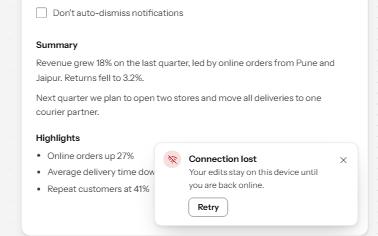
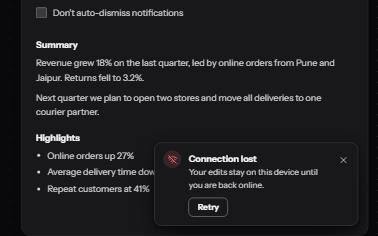
टोस्ट सूचनाएँ
कोने में दिखने वाले छोटे संदेश, जिनकी घोषणा विनम्रता से होती है, जो कभी फ़ोकस नहीं लेते, और जब तक आप उन्हें पढ़ें या उन पर कुछ करें, रुके रहते हैं।
-
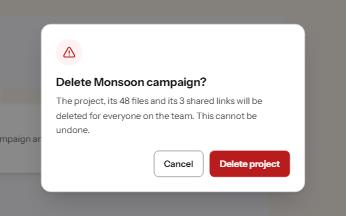
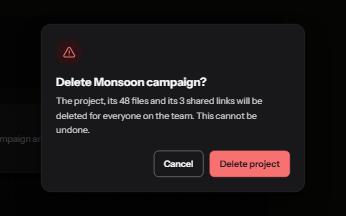
अलर्ट डायलॉग
एक मोडल जो किसी ऐसे काम की पुष्टि के लिए रुकता है जिसे पलटा नहीं जा सकता, फ़ोकस सुरक्षित जवाब पर और नुकसान सीधे शब्दों में।
-
बटन
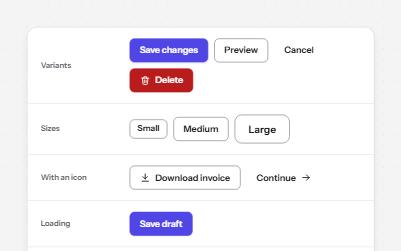
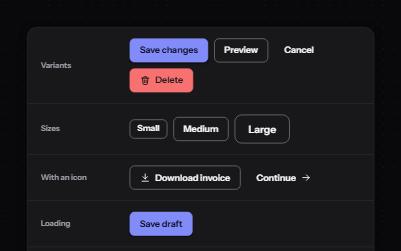
चार वैरिएंट और तीन आकारों में नेटिव बटन, ऐसी लोडिंग स्थिति के साथ जो फ़ोकस बनाए रखती है और ऐसी बंद स्थिति के साथ जो कारण बताती है।
-
स्टेटस मैसेज
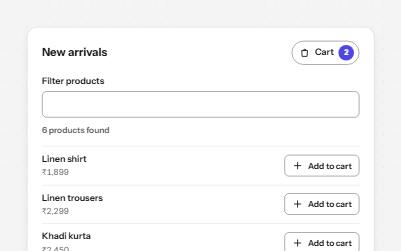
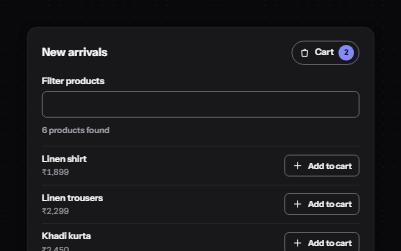
नतीजे, पुष्टियाँ और सेव role=status के ज़रिए स्क्रीन रीडर को बताए जाते हैं, फ़ोकस हिलाए बिना, हर बार एक ही बार।