सुलभता पैटर्न · फ़ीडबैक और स्थिति
स्टेटस मैसेज
स्टेटस मैसेज वह ख़बर है जो लोगों को अपना काम छोड़े बिना सुननी चाहिए: कोई आइटम जुड़ा, कितने नतीजे मिले, ड्राफ़्ट सहेजा गया। हर एक उस role=status एलिमेंट में लिखा जाता है जो शुरू से पेज में था, हर बदलाव पर एक बार, और जब वही शब्द दोबारा कहने हों तो पहले उसे खाली किया जाता है।
- डब्ल्यूसीएजी मानदंड
- 5
- कीबोर्ड नियम
- 4
- जाँच का तरीक़ा
- axe, कीबोर्ड और इंस्पेक्टर
लाइव डेमो
आज़माएँ
इसे माउस, कीबोर्ड या स्क्रीन रीडर से इस्तेमाल करें। साथ का इंस्पेक्टर दिखाता है कि आपके इस्तेमाल के दौरान ब्राउज़र सहायक तकनीक को क्या बताता है: फ़ोकस, स्थिति में बदलाव और घोषणाएँ।
जावास्क्रिप्ट के बिना डेमो उतना ही काम करता है जितना उसका एचटीएमएल; इंस्पेक्टर के लिए जावास्क्रिप्ट चाहिए।
कीबोर्ड
जिन कुंजियों पर यह काम करता है
हर क्रिया पॉइंटर के बिना काम करती है।
| कुंजी | यह क्या करती है |
|---|---|
| EnterयाSpace | कार्ट में जोड़ें पर, आइटम जोड़ता है। फ़ोकस बटन पर रहता है; कार्ट की गिनती बदलती है और नतीजा एक बार घोषित होता है। |
| Type | उत्पाद फ़िल्टर करें में, टाइपिंग रुकने पर सूची फ़िल्टर करता है; मिली संख्या तभी घोषित होती है, हर कुंजी पर नहीं। |
| Type | उपहार संदेश में, टाइपिंग रुकने के डेढ़ सेकंड बाद सहेजता है, फिर सहेजने का समय घोषित करता है। |
| EnterयाSpace | अभी सहेजें पर, तुरंत सहेजता है; समय न बदला हो तब भी वह फिर से घोषित होता है। |
स्क्रीन रीडर
यह क्या घोषित करता है
मार्कअप की भूमिकाओं, नामों और स्थितियों से लिखा गया।
| कब | अपेक्षित घोषणा |
|---|---|
| लिनन शर्ट के लिए कार्ट में जोड़ें दबाया जाता है | लिनन शर्ट जोड़ी गई। 3 आइटम कार्ट में हैं |
| उसके पास की कार्ट गिनती बदलती है | कुछ नहीं: वह लाइव रीजन नहीं है, इसलिए ख़बर एक बार सुनाई देती है |
| फ़िल्टर में “linen” टाइप करके रुकना | 3 उत्पाद मिले |
| उपहार संदेश में टाइपिंग रुकती है | सहेजा गया: 10:42 (सहेजा जा रहा है… दिखता है, घोषित नहीं होता) |
| उसी मिनट में अभी सहेजें दबाया जाता है | सहेजा गया: 10:42, फिर से, क्योंकि रीजन पहले खाली किया गया |
ये अपेक्षित घोषणाएँ हैं, रिकॉर्डिंग नहीं। स्क्रीन रीडर और ब्राउज़र के हिसाब से शब्द और क्रम बदलते हैं।
कोड
कोड कॉपी करें
वही फ़ाइलें जिन पर यह डेमो चलता है। स्टाइल एक प्रीफ़िक्स के साथ परोसी जाती हैं जो इस साइट की अपनी स्टाइल को डेमो से दूर रखता है; आप जो कॉपी करते हैं वह मूल है।
<div class="ap-status-message" data-ap-status-message>
  <section class="ap-status-message__card" aria-labelledby="status-shop-h">
    <div class="ap-status-message__top">
      <h3 class="ap-status-message__h" id="status-shop-h">New arrivals</h3>
      <a class="ap-status-message__cart" href="#status-cart">
        <svg viewBox="0 0 24 24" aria-hidden="true" focusable="false"><path d="M6 7h12l-1 13H7Z"/><path d="M9 7a3 3 0 0 1 6 0"/></svg>
        <span>Cart</span>
        <span class="ap-status-message__badge"><span data-ap-count>2</span><span class="ap-status-message__sr"> items</span></span>
      </a>
    </div>

    <div class="ap-field">
      <label class="ap-label" for="status-filter">Filter products</label>
      <input class="ap-input" id="status-filter" type="search" autocomplete="off" spellcheck="false" data-ap-filter />
    </div>
    <p class="ap-status-message__found" role="status" data-ap-found><span data-ap-n>6</span> <span>products found</span></p>

    <ul class="ap-status-message__list" aria-labelledby="status-shop-h">
      <li class="ap-status-message__item">
        <span class="ap-status-message__what">
          <span class="ap-status-message__name" id="status-name-1">Linen shirt</span>
          <span class="ap-status-message__price">₹1,899</span>
        </span>
        <button type="button" class="ap-btn ap-status-message__add" id="status-add-1" aria-labelledby="status-add-1 status-name-1" data-ap-add>
          <svg class="ap-btn__icon" viewBox="0 0 24 24" aria-hidden="true" focusable="false"><path d="M12 5v14M5 12h14"/></svg>
          Add to cart
        </button>
      </li>
      <li class="ap-status-message__item">
        <span class="ap-status-message__what">
          <span class="ap-status-message__name" id="status-name-2">Linen trousers</span>
          <span class="ap-status-message__price">₹2,299</span>
        </span>
        <button type="button" class="ap-btn ap-status-message__add" id="status-add-2" aria-labelledby="status-add-2 status-name-2" data-ap-add>
          <svg class="ap-btn__icon" viewBox="0 0 24 24" aria-hidden="true" focusable="false"><path d="M12 5v14M5 12h14"/></svg>
          Add to cart
        </button>
      </li>
      <li class="ap-status-message__item">
        <span class="ap-status-message__what">
          <span class="ap-status-message__name" id="status-name-3">Khadi kurta</span>
          <span class="ap-status-message__price">₹2,450</span>
        </span>
        <button type="button" class="ap-btn ap-status-message__add" id="status-add-3" aria-labelledby="status-add-3 status-name-3" data-ap-add>
          <svg class="ap-btn__icon" viewBox="0 0 24 24" aria-hidden="true" focusable="false"><path d="M12 5v14M5 12h14"/></svg>
          Add to cart
        </button>
      </li>
      <li class="ap-status-message__item">
        <span class="ap-status-message__what">
          <span class="ap-status-message__name" id="status-name-4">Cotton dupatta</span>
          <span class="ap-status-message__price">₹950</span>
        </span>
        <button type="button" class="ap-btn ap-status-message__add" id="status-add-4" aria-labelledby="status-add-4 status-name-4" data-ap-add>
          <svg class="ap-btn__icon" viewBox="0 0 24 24" aria-hidden="true" focusable="false"><path d="M12 5v14M5 12h14"/></svg>
          Add to cart
        </button>
      </li>
      <li class="ap-status-message__item">
        <span class="ap-status-message__what">
          <span class="ap-status-message__name" id="status-name-5">Silk stole</span>
          <span class="ap-status-message__price">₹1,650</span>
        </span>
        <button type="button" class="ap-btn ap-status-message__add" id="status-add-5" aria-labelledby="status-add-5 status-name-5" data-ap-add>
          <svg class="ap-btn__icon" viewBox="0 0 24 24" aria-hidden="true" focusable="false"><path d="M12 5v14M5 12h14"/></svg>
          Add to cart
        </button>
      </li>
      <li class="ap-status-message__item">
        <span class="ap-status-message__what">
          <span class="ap-status-message__name" id="status-name-6">Linen tote bag</span>
          <span class="ap-status-message__price">₹799</span>
        </span>
        <button type="button" class="ap-btn ap-status-message__add" id="status-add-6" aria-labelledby="status-add-6 status-name-6" data-ap-add>
          <svg class="ap-btn__icon" viewBox="0 0 24 24" aria-hidden="true" focusable="false"><path d="M12 5v14M5 12h14"/></svg>
          Add to cart
        </button>
      </li>
    </ul>
    <p class="ap-status-message__added" role="status" data-ap-added></p>
  </section>

  <section class="ap-status-message__card" aria-labelledby="status-gift-h">
    <div class="ap-status-message__top">
      <h3 class="ap-status-message__h" id="status-gift-h">Gift message</h3>
      <p class="ap-status-message__save" role="status" data-ap-save>
        <span class="ap-status-message__busy" aria-hidden="true" hidden data-ap-busy>
          <span class="ap-status-message__dots"><span></span><span></span><span></span></span>
          Saving…
        </span>
        <span class="ap-status-message__done" data-ap-done>No changes yet</span>
      </p>
    </div>
    <div class="ap-field">
      <label class="ap-label" for="status-note">Message on the card</label>
      <textarea class="ap-input" id="status-note" rows="3" maxlength="200" aria-describedby="status-note-hint" data-ap-note></textarea>
      <p class="ap-hint" id="status-note-hint">Saved as you type. Up to 200 characters.</p>
    </div>
    <div class="ap-status-message__actions">
      <button type="button" class="ap-btn" data-ap-save-now>Save now</button>
    </div>
  </section>
</div>
/* Shared primitives: buttons and form fields used across the patterns.
   Uses the --ap-* design tokens. */

.ap-btn {
  display: inline-flex;
  align-items: center;
  justify-content: center;
  gap: 8px;
  min-height: 40px;
  padding: 0 16px;
  border: 1px solid var(--ap-border-strong);
  border-radius: var(--ap-radius-sm);
  background: var(--ap-surface);
  color: var(--ap-text);
  font: inherit;
  font-weight: 600;
  line-height: 1.2;
  text-decoration: none;
  white-space: nowrap;
  cursor: pointer;
  transition: background-color var(--ap-duration) var(--ap-ease), border-color var(--ap-duration) var(--ap-ease), box-shadow var(--ap-duration) var(--ap-ease);
}
.ap-btn:hover {
  background: var(--ap-surface-2);
}
.ap-btn:focus-visible {
  outline: 2px solid var(--ap-focus);
  outline-offset: 2px;
}
.ap-btn:disabled,
.ap-btn[aria-disabled="true"] {
  opacity: .55;
  cursor: not-allowed;
}
.ap-btn--primary {
  border-color: var(--ap-accent);
  background: var(--ap-accent);
  color: var(--ap-on-accent);
  box-shadow: var(--ap-shadow-sm);
}
.ap-btn--primary:hover {
  border-color: var(--ap-accent-hover);
  background: var(--ap-accent-hover);
}
.ap-btn--danger {
  border-color: var(--ap-danger);
  background: var(--ap-danger);
  color: var(--ap-surface);
}
.ap-btn--danger:hover {
  filter: brightness(1.08);
}
.ap-btn--ghost {
  border-color: transparent;
  background: transparent;
}
.ap-btn--ghost:hover {
  background: var(--ap-surface-2);
}
.ap-btn__icon {
  width: 18px;
  height: 18px;
  flex-shrink: 0;
  fill: none;
  stroke: currentColor;
  stroke-width: 2;
  stroke-linecap: round;
  stroke-linejoin: round;
}

.ap-field {
  display: grid;
  gap: 6px;
}
.ap-label {
  color: var(--ap-text);
  font-weight: 600;
  font-size: .9375rem;
}
.ap-hint {
  margin: 0;
  color: var(--ap-text-3);
  font-size: .875rem;
  line-height: 1.45;
}
.ap-error {
  display: flex;
  align-items: flex-start;
  gap: 6px;
  margin: 0;
  color: var(--ap-danger);
  font-size: .875rem;
  font-weight: 600;
  line-height: 1.45;
}
.ap-input {
  width: 100%;
  min-height: 44px;
  padding: 10px 12px;
  border: 1px solid var(--ap-border-strong);
  border-radius: var(--ap-radius-sm);
  background: var(--ap-surface);
  color: var(--ap-text);
  font: inherit;
  line-height: 1.4;
  transition: border-color var(--ap-duration) var(--ap-ease), box-shadow var(--ap-duration) var(--ap-ease);
}
.ap-input::placeholder {
  color: var(--ap-text-3);
}
.ap-input:hover {
  border-color: var(--ap-text-2);
}
.ap-input:focus-visible {
  outline: 2px solid var(--ap-focus);
  outline-offset: 1px;
  border-color: var(--ap-focus);
}
.ap-input[aria-invalid="true"] {
  border-color: var(--ap-danger);
  box-shadow: inset 4px 0 0 var(--ap-danger);
}
textarea.ap-input {
  resize: vertical;
  min-height: 88px;
}

@media (prefers-reduced-motion: reduce) {
  .ap-btn,
  .ap-input { transition: none; }
}

/* Status message. Uses the --ap-* design tokens and the shared primitives. */
.ap-status-message {
  display: grid;
  gap: 16px;
  width: min(100%, 580px);
  margin-inline: auto;
  container-type: inline-size;
}

.ap-status-message__card {
  display: grid;
  gap: 16px;
  padding: 22px 24px 24px;
  border: 1px solid var(--ap-border);
  border-radius: var(--ap-radius-lg);
  background: var(--ap-surface);
  color: var(--ap-text);
  box-shadow: var(--ap-shadow-md);
}
.ap-status-message__top {
  display: flex;
  flex-wrap: wrap;
  align-items: center;
  justify-content: space-between;
  gap: 8px 16px;
}
.ap-status-message__h {
  margin: 0;
  font-size: 1.1875rem;
  font-weight: 650;
  line-height: 1.3;
}

/* The cart link: its count changes quietly, it is not a live region. */
.ap-status-message__cart {
  display: inline-flex;
  align-items: center;
  gap: 8px;
  min-height: 40px;
  padding: 0 8px 0 12px;
  border: 1px solid var(--ap-border-strong);
  border-radius: var(--ap-radius-full);
  color: var(--ap-text);
  font-weight: 600;
  text-decoration: none;
}
.ap-status-message__cart:hover {
  background: var(--ap-surface-2);
}
.ap-status-message__cart:focus-visible {
  outline: 2px solid var(--ap-focus);
  outline-offset: 2px;
}
.ap-status-message__cart svg {
  width: 18px;
  height: 18px;
  fill: none;
  stroke: currentColor;
  stroke-width: 2;
  stroke-linecap: round;
  stroke-linejoin: round;
}
.ap-status-message__badge {
  display: inline-grid;
  place-items: center;
  min-width: 26px;
  height: 26px;
  padding: 0 7px;
  border-radius: var(--ap-radius-full);
  background: var(--ap-accent);
  color: var(--ap-on-accent);
  font-size: .8125rem;
  font-weight: 700;
  font-variant-numeric: tabular-nums;
}
.ap-status-message__badge.is-bumped {
  animation: ap-status-message-bump 260ms var(--ap-ease);
}

.ap-status-message__found {
  margin: -6px 0 0;
  color: var(--ap-text-3);
  font-size: .875rem;
  font-weight: 600;
  min-height: 1.4em;
}

.ap-status-message__list {
  display: grid;
  margin: 0;
  padding: 0;
  list-style: none;
  border-top: 1px solid var(--ap-border);
}
.ap-status-message__item {
  display: flex;
  align-items: center;
  justify-content: space-between;
  gap: 12px;
  padding: 10px 0;
  border-bottom: 1px solid var(--ap-border);
}
.ap-status-message__item[hidden] {
  display: none;
}
.ap-status-message__what {
  display: grid;
  min-width: 0;
}
.ap-status-message__name {
  font-weight: 600;
}
.ap-status-message__price {
  color: var(--ap-text-3);
  font-size: .875rem;
  font-variant-numeric: tabular-nums;
}
.ap-status-message__add {
  flex-shrink: 0;
  min-height: 36px;
  padding: 0 12px;
  font-size: .875rem;
}

/* A sentence, with a tick that only repeats it. */
.ap-status-message__added {
  display: flex;
  align-items: center;
  gap: 8px;
  min-height: 1.5em;
  margin: -4px 0 0;
  color: var(--ap-success);
  font-weight: 600;
}
.ap-status-message__added svg {
  width: 18px;
  height: 18px;
  flex-shrink: 0;
  fill: none;
  stroke: currentColor;
  stroke-width: 2.2;
  stroke-linecap: round;
  stroke-linejoin: round;
}

/* The autosave indicator */
.ap-status-message__save {
  display: inline-flex;
  align-items: center;
  gap: 8px;
  min-height: 28px;
  margin: 0;
  color: var(--ap-text-3);
  font-size: .875rem;
  font-weight: 600;
}
.ap-status-message__busy {
  display: inline-flex;
  align-items: center;
  gap: 8px;
}
.ap-status-message__busy[hidden] {
  display: none;
}
.ap-status-message__done {
  display: inline-flex;
  align-items: center;
  gap: 6px;
}
.ap-status-message__done svg {
  width: 16px;
  height: 16px;
  fill: none;
  stroke: var(--ap-success);
  stroke-width: 2.4;
  stroke-linecap: round;
  stroke-linejoin: round;
}
.ap-status-message__dots {
  display: inline-flex;
  gap: 3px;
}
.ap-status-message__dots span {
  width: 5px;
  height: 5px;
  border-radius: var(--ap-radius-full);
  background: currentColor;
  animation: ap-status-message-dot 900ms var(--ap-ease) infinite;
}
.ap-status-message__dots span:nth-child(2) {
  animation-delay: 150ms;
}
.ap-status-message__dots span:nth-child(3) {
  animation-delay: 300ms;
}
.ap-status-message__actions {
  display: flex;
  justify-content: flex-end;
}

/* Read by screen readers, not shown. */
.ap-status-message__sr {
  position: absolute;
  width: 1px;
  height: 1px;
  margin: -1px;
  padding: 0;
  overflow: hidden;
  clip-path: inset(50%);
  white-space: nowrap;
  border: 0;
}

@keyframes ap-status-message-bump {
  50% { transform: scale(1.18); }
}
@keyframes ap-status-message-dot {
  0%, 100% { opacity: .3; }
  40% { opacity: 1; }
}

@container (max-width: 440px) {
  .ap-status-message__card {
    padding: 18px 16px 20px;
  }
}

@media (prefers-reduced-motion: reduce) {
  .ap-status-message__badge.is-bumped { animation: none; }
  .ap-status-message__dots span { animation: none; opacity: .7; }
}
/**
 * Status messages (WCAG 4.1.3): news told to screen readers through
 * role=status regions that are in the page from the start, without moving
 * focus, once per change.
 *
 * Markup: [data-ap-status-message] holding
 *   a cart link with a [data-ap-count] (not live: it changes quietly);
 *   an input[data-ap-filter], a p[role=status][data-ap-found] for the count,
 *   and li.ap-status-message__item rows, each with an .ap-status-message__name
 *   and a button[data-ap-add];
 *   a p[role=status][data-ap-added] for the cart message;
 *   a textarea[data-ap-note], a button[data-ap-save-now], and a
 *   p[role=status][data-ap-save] holding an aria-hidden [data-ap-busy]
 *   ("Saving…", shown but not announced) and a [data-ap-done] span.
 */

const PAUSE = 500; // the filter waits this long after the last key
const IDLE = 1500; // the autosave waits this long after typing stops
const SAVE_MS = 700; // the simulated save

const SVG = "http://www.w3.org/2000/svg";

export function init(root) {
  const filter = root.querySelector("[data-ap-filter]");
  const found = root.querySelector("[data-ap-found]");
  const items = [...root.querySelectorAll(".ap-status-message__item")];
  const count = root.querySelector("[data-ap-count]");
  const added = root.querySelector("[data-ap-added]");
  const note = root.querySelector("[data-ap-note]");
  const busy = root.querySelector("[data-ap-busy]");
  const done = root.querySelector("[data-ap-done]");
  const badge = count.parentElement;
  const events = new AbortController();
  const signal = events.signal;
  const writes = new Map(); // region -> pending write
  let filterTimer = 0;
  let typeTimer = 0;
  let saveTimer = 0;

  function el(tag, ...content) {
    const node = document.createElement(tag);
    node.append(...content);
    return node;
  }
  function tick() {
    const svg = document.createElementNS(SVG, "svg");
    svg.setAttribute("viewBox", "0 0 24 24");
    svg.setAttribute("aria-hidden", "true");
    svg.setAttribute("focusable", "false");
    const path = document.createElementNS(SVG, "path");
    path.setAttribute("d", "m5 12.5 4.5 4.5L19 7.5");
    svg.append(path);
    return svg;
  }

  // Empty the region, then write a moment later. The region has been in the
  // page all along, so the change is announced; starting from empty makes the
  // same words count as a change when they need saying again.
  function write(region, parts) {
    clearTimeout(writes.get(region));
    region.replaceChildren();
    writes.set(region, setTimeout(() => region.replaceChildren(...parts), 80));
  }

  /* ── Add to cart: the badge changes quietly, the message says it once ── */
  function add(button) {
    const name = button.closest(".ap-status-message__item").querySelector(".ap-status-message__name").textContent.trim();
    const total = Number(count.textContent) + 1;
    count.textContent = String(total);
    badge.classList.remove("is-bumped");
    void badge.offsetWidth;
    badge.classList.add("is-bumped");
    // The number sits in its own element, between fixed phrases.
    write(added, [tick(), el("span", el("span", name), " ", el("span", "added."), " ", el("span", String(total)), " ", el("span", "items in cart"))]);
  }

  /* ── Filter: the list and the count change once typing pauses ── */
  function applyFilter() {
    const q = filter.value.trim().toLowerCase();
    let n = 0;
    for (const li of items) {
      const show = !q || li.querySelector(".ap-status-message__name").textContent.toLowerCase().includes(q);
      li.hidden = !show;
      if (show) n++;
    }
    if (n === 0) write(found, [el("span", "No products found")]);
    else write(found, [el("span", String(n)), " ", el("span", n === 1 ? "product found" : "products found")]);
  }

  /* ── Autosave: Saving… is shown but hidden from the region ── */
  function save() {
    clearTimeout(typeTimer);
    clearTimeout(saveTimer);
    done.replaceChildren();
    busy.hidden = false;
    saveTimer = setTimeout(() => {
      busy.hidden = true;
      const now = new Date();
      const hhmm = `${String(now.getHours()).padStart(2, "0")}:${String(now.getMinutes()).padStart(2, "0")}`;
      const time = el("time", hhmm);
      time.dateTime = hhmm;
      done.replaceChildren(tick(), el("span", el("span", "Saved at"), " ", time));
    }, SAVE_MS);
  }

  root.addEventListener("click", (event) => {
    const button = event.target.closest("[data-ap-add]");
    if (button) add(button);
    else if (event.target.closest("[data-ap-save-now]")) save();
  }, { signal });
  filter.addEventListener("input", () => {
    clearTimeout(filterTimer);
    filterTimer = setTimeout(applyFilter, PAUSE);
  }, { signal });
  note.addEventListener("input", () => {
    clearTimeout(typeTimer);
    typeTimer = setTimeout(save, IDLE);
  }, { signal });

  return () => {
    events.abort();
    for (const t of writes.values()) clearTimeout(t);
    clearTimeout(filterTimer);
    clearTimeout(typeTimer);
    clearTimeout(saveTimer);
  };
}

for (const root of document.querySelectorAll("[data-ap-status-message]")) init(root);
/* Design tokens for the pattern components. Light by default, dark when the
   system asks for it; set data-theme="dark" on :root to force dark. */
:root {
    --ap-radius-sm: 8px;
    --ap-radius: 12px;
    --ap-radius-lg: 16px;
    --ap-radius-full: 999px;
    --ap-font: "Instrument Sans", ui-sans-serif, system-ui, -apple-system, "Segoe UI", Roboto, sans-serif;
    --ap-mono: "JetBrains Mono", ui-monospace, "Cascadia Mono", "SF Mono", Consolas, monospace;
    --ap-ease: cubic-bezier(.2, .8, .2, 1);
    --ap-duration: 180ms;
    --ap-target: 44px;
    --ap-bg: #F4F4F5;
    --ap-surface: #FFFFFF;
    --ap-surface-2: #F4F4F5;
    --ap-surface-3: #E4E4E7;
    --ap-border: #E4E4E7;
    --ap-border-strong: #76767F;
    --ap-text: #18181B;
    --ap-text-2: #3F3F46;
    --ap-text-3: #5E5E66;
    --ap-accent: #4F46E5;
    --ap-accent-hover: #4338CA;
    --ap-on-accent: #FFFFFF;
    --ap-accent-text: #4338CA;
    --ap-accent-soft: #EEF2FF;
    --ap-accent-soft-text: #3730A3;
    --ap-focus: #4F46E5;
    --ap-danger: #B91C1C;
    --ap-danger-soft: #FEF2F2;
    --ap-success: #15803D;
    --ap-success-soft: #F0FDF4;
    --ap-warning: #A15C07;
    --ap-warning-soft: #FEFCE8;
    --ap-info: #1D4ED8;
    --ap-info-soft: #EFF6FF;
    --ap-scrim: rgb(9 9 11 / .48);
    --ap-shadow-sm: 0 1px 2px rgb(9 9 11 / .06);
    --ap-shadow-md: 0 1px 2px rgb(9 9 11 / .05), 0 6px 16px -4px rgb(9 9 11 / .1);
    --ap-shadow-lg: 0 2px 6px rgb(9 9 11 / .06), 0 20px 40px -12px rgb(9 9 11 / .22);
    --ap-light-bg: #F4F4F5;
    --ap-light-surface: #FFFFFF;
    --ap-light-surface-2: #F4F4F5;
    --ap-light-surface-3: #E4E4E7;
    --ap-light-border: #E4E4E7;
    --ap-light-border-strong: #76767F;
    --ap-light-text: #18181B;
    --ap-light-text-2: #3F3F46;
    --ap-light-text-3: #5E5E66;
    --ap-light-accent: #4F46E5;
    --ap-light-accent-hover: #4338CA;
    --ap-light-on-accent: #FFFFFF;
    --ap-light-accent-text: #4338CA;
    --ap-light-accent-soft: #EEF2FF;
    --ap-light-accent-soft-text: #3730A3;
    --ap-light-focus: #4F46E5;
    --ap-light-danger: #B91C1C;
    --ap-light-danger-soft: #FEF2F2;
    --ap-light-success: #15803D;
    --ap-light-success-soft: #F0FDF4;
    --ap-light-warning: #A15C07;
    --ap-light-warning-soft: #FEFCE8;
    --ap-light-info: #1D4ED8;
    --ap-light-info-soft: #EFF6FF;
    --ap-light-scrim: rgb(9 9 11 / .48);
    --ap-light-shadow-sm: 0 1px 2px rgb(9 9 11 / .06);
    --ap-light-shadow-md: 0 1px 2px rgb(9 9 11 / .05), 0 6px 16px -4px rgb(9 9 11 / .1);
    --ap-light-shadow-lg: 0 2px 6px rgb(9 9 11 / .06), 0 20px 40px -12px rgb(9 9 11 / .22);
    --ap-dark-bg: #09090B;
    --ap-dark-surface: #18181B;
    --ap-dark-surface-2: #27272A;
    --ap-dark-surface-3: #3F3F46;
    --ap-dark-border: #2E2E33;
    --ap-dark-border-strong: #8E8E97;
    --ap-dark-text: #FAFAFA;
    --ap-dark-text-2: #D4D4D8;
    --ap-dark-text-3: #A1A1AA;
    --ap-dark-accent: #818CF8;
    --ap-dark-accent-hover: #A5B4FC;
    --ap-dark-on-accent: #0C0A1F;
    --ap-dark-accent-text: #A5B4FC;
    --ap-dark-accent-soft: #1E1B4B;
    --ap-dark-accent-soft-text: #C7D2FE;
    --ap-dark-focus: #A5B4FC;
    --ap-dark-danger: #F87171;
    --ap-dark-danger-soft: #2A1215;
    --ap-dark-success: #4ADE80;
    --ap-dark-success-soft: #0F2A1A;
    --ap-dark-warning: #FACC15;
    --ap-dark-warning-soft: #2A2410;
    --ap-dark-info: #60A5FA;
    --ap-dark-info-soft: #0F1D33;
    --ap-dark-scrim: rgb(0 0 0 / .62);
    --ap-dark-shadow-sm: 0 1px 2px rgb(0 0 0 / .4);
    --ap-dark-shadow-md: 0 1px 2px rgb(0 0 0 / .4), 0 8px 20px -6px rgb(0 0 0 / .5);
    --ap-dark-shadow-lg: 0 2px 8px rgb(0 0 0 / .45), 0 24px 48px -12px rgb(0 0 0 / .7);
}
@media (prefers-color-scheme: dark) {
  :root:not([data-theme="light"]) {
      --ap-bg: #09090B;
      --ap-surface: #18181B;
      --ap-surface-2: #27272A;
      --ap-surface-3: #3F3F46;
      --ap-border: #2E2E33;
      --ap-border-strong: #8E8E97;
      --ap-text: #FAFAFA;
      --ap-text-2: #D4D4D8;
      --ap-text-3: #A1A1AA;
      --ap-accent: #818CF8;
      --ap-accent-hover: #A5B4FC;
      --ap-on-accent: #0C0A1F;
      --ap-accent-text: #A5B4FC;
      --ap-accent-soft: #1E1B4B;
      --ap-accent-soft-text: #C7D2FE;
      --ap-focus: #A5B4FC;
      --ap-danger: #F87171;
      --ap-danger-soft: #2A1215;
      --ap-success: #4ADE80;
      --ap-success-soft: #0F2A1A;
      --ap-warning: #FACC15;
      --ap-warning-soft: #2A2410;
      --ap-info: #60A5FA;
      --ap-info-soft: #0F1D33;
      --ap-scrim: rgb(0 0 0 / .62);
      --ap-shadow-sm: 0 1px 2px rgb(0 0 0 / .4);
      --ap-shadow-md: 0 1px 2px rgb(0 0 0 / .4), 0 8px 20px -6px rgb(0 0 0 / .5);
      --ap-shadow-lg: 0 2px 8px rgb(0 0 0 / .45), 0 24px 48px -12px rgb(0 0 0 / .7);
  }
}
:root[data-theme="dark"] {
    --ap-bg: #09090B;
    --ap-surface: #18181B;
    --ap-surface-2: #27272A;
    --ap-surface-3: #3F3F46;
    --ap-border: #2E2E33;
    --ap-border-strong: #8E8E97;
    --ap-text: #FAFAFA;
    --ap-text-2: #D4D4D8;
    --ap-text-3: #A1A1AA;
    --ap-accent: #818CF8;
    --ap-accent-hover: #A5B4FC;
    --ap-on-accent: #0C0A1F;
    --ap-accent-text: #A5B4FC;
    --ap-accent-soft: #1E1B4B;
    --ap-accent-soft-text: #C7D2FE;
    --ap-focus: #A5B4FC;
    --ap-danger: #F87171;
    --ap-danger-soft: #2A1215;
    --ap-success: #4ADE80;
    --ap-success-soft: #0F2A1A;
    --ap-warning: #FACC15;
    --ap-warning-soft: #2A2410;
    --ap-info: #60A5FA;
    --ap-info-soft: #0F1D33;
    --ap-scrim: rgb(0 0 0 / .62);
    --ap-shadow-sm: 0 1px 2px rgb(0 0 0 / .4);
    --ap-shadow-md: 0 1px 2px rgb(0 0 0 / .4), 0 8px 20px -6px rgb(0 0 0 / .5);
    --ap-shadow-lg: 0 2px 8px rgb(0 0 0 / .45), 0 24px 48px -12px rgb(0 0 0 / .7);
}
डब्ल्यूसीएजी 2.2
यह किन मानदंडों को पूरा करता है
वे सफलता मानदंड जिनका यह पैटर्न ध्यान रखता है, और कैसे।
-
1.3.1 जानकारी और संबंध
स्तर A
हर संदेश अपने ही खंड में, उसे पैदा करने वाले कंट्रोल के पास रहता है, और फ़िल्टर और उपहार संदेश के असली लेबल हैं।
-
2.5.3 नाम में लेबल
स्तर A
हर कार्ट में जोड़ें बटन का नाम उसके दिखने वाले शब्दों से शुरू होता है, फिर उत्पाद जोड़ता है, इसलिए स्क्रीन पर दिख रही चीज़ का वॉइस कमांड काम करता है।
-
3.2.2 इनपुट पर
स्तर A
फ़िल्टर में टाइप करने से सूची और गिनती बदलती हैं, पर फ़ोकस कभी नहीं हिलता और कुछ सबमिट नहीं होता।
-
4.1.2 नाम, भूमिका, मान
स्तर A
कार्ट में जोड़ें बटनों के नाम में उनके उत्पाद हैं, जैसे कार्ट में जोड़ें लिनन शर्ट, इसलिए बटनों की सूची अपने-आप में समझ आती है।
-
4.1.3 स्टेटस मैसेज
स्तर AA
कार्ट, नतीजों की गिनती और सहेजने का समय role=status एलिमेंट से बताए जाते हैं, और फ़ोकस उन तक ले जाए बिना सुनाई देते हैं।
उपयोग
इसे कब इस्तेमाल करें
इसे अपनाएँ
- किसी ऐसी क्रिया का नतीजा जो फ़ोकस को उसकी जगह छोड़ देती है: आइटम जुड़ा, फ़िल्टर लगा, ड्राफ़्ट सहेजा गया।
- प्रगति या गिनती जो लोगों के काम करते समय बदलती है, और ठहरने पर एक बार कही जाती है।
कुछ और इस्तेमाल करें
- त्रुटियाँ या जोखिम जिन पर अभी ध्यान चाहिए: अलर्ट बैनर में role=alert इस्तेमाल करें।
- जिन संदेशों का जवाब चाहिए: डायलॉग इस्तेमाल करें।
- ऐसा बदलाव जो लोगों को कहीं नई जगह ले जाए, जैसे नया पेज या कदम: इसके बजाय फ़ोकस उसकी हेडिंग पर ले जाएँ।
आम विफलताएँ
आमतौर पर यह कहाँ गलत होता है
कुछ कहने के लिए फ़ोकस ले जाना
संदेश सुनाने के लिए उस पर फ़ोकस करना लोगों को उस बटन या फ़ील्ड से दूर खींच लेता है जिसे वे इस्तेमाल कर रहे थे। स्टेटस मैसेज वहीं सुनाई देता है जहाँ वे हैं।
हर कुंजी पर घोषित होने वाली गिनती
हर कीस्ट्रोक पर लाइव गिनती बदलने से टाइपिंग के ऊपर संख्याओं की कतार लग जाती है। यहाँ फ़िल्टर ठहराव का इंतज़ार करता है और एक संख्या कहता है।
एक ही ख़बर दो बार
कार्ट बैज और संदेश दोनों लाइव हों तो गिनती दो बार कही जाती है। सिर्फ़ संदेश लाइव रीजन है; बैज चुपचाप बदलता है।
अनसुना रह जाने वाला दोहराव
किसी रीजन में वही शब्द फिर से लिखना शायद बदलाव न माना जाए। उसे पहले खाली करके एक पल बाद लिखने से वह फिर ख़बर बन जाता है।
अपने संदेश के साथ जोड़ा गया रीजन
पहले से भरे टेक्स्ट के साथ डाला गया role=status एलिमेंट अक्सर छूट जाता है। ये रीजन शुरू से एचटीएमएल में हैं, खाली या पिछले संदेश के साथ।
हर बार सहेजा जा रहा है और सहेजा गया
हर ऑटोसेव पर सहेजा जा रहा है… और फिर सहेजा गया घोषित करने से टाइप करते व्यक्ति के लिए शोर दोगुना हो जाता है। सहेजा जा रहा है… दिखता है, पर रीजन से बाहर रखा गया है।
नोट्स
इसे बनाना
- role=status polite और atomic है: वह स्क्रीन रीडर के बोल लेने का इंतज़ार करता है, फिर पूरा रीजन पढ़ता है। इसे नतीजों, पुष्टियों और प्रगति के लिए इस्तेमाल करें; role=alert बीच में रोकता है और समस्याओं के लिए है।
- रीजन को उसका टेक्स्ट बदलने से पहले मौजूद और रेंडर होना चाहिए, क्योंकि स्क्रीन रीडर उन्हीं रीजन के बदलाव घोषित करते हैं जिन्हें वे पहले से जानते हैं। display: none या hidden एट्रिब्यूट से छिपा रीजन सुलभता ट्री में नहीं होता, इसलिए उसे एक ही पल में दिखाना और भरना अक्सर छूट जाता है।
- संख्याएँ किसी तय वाक्यांश के अंदर उनके अपने एलिमेंट में लिखें, जैसा यहाँ गिनतियाँ करती हैं, ताकि शब्दों का अनुवाद हो सके और संख्या कभी उनका हिस्सा न बने।
- सहेजा जा रहा है… रीजन में aria-hidden="true" के साथ है, इसलिए वह दिखता है पर घोषित नहीं होता, और हर सेव एक बार सुनाई देता है, उसके पूरे होने के समय के रूप में।
- डेमो में कार्ट लिंक # पता इस्तेमाल करता है, जहाँ वह कार्ट पेज की जगह है।
स्रोत: SC 4.1.3 को समझना: स्टेटस मैसेज · तकनीक ARIA22: स्टेटस मैसेज दिखाने के लिए role=status का उपयोग · WAI-एआरआईए 1.2: status रोल
आगे पढ़ें: सिमेंटिक रंग: यूआई में स्टेटस, स्टेट और फीडबैक
लाइट और डार्क थीम में, डेस्कटॉप और फ़ोन की चौड़ाई पर axe से और कीबोर्ड से जाँचा गया। अभी हर स्क्रीन रीडर और ब्राउज़र जोड़ी के साथ नहीं परखा गया। सुधार बताएँ
संबंधित
इसके साथ जाने वाले पैटर्न
-
अलर्ट बैनर
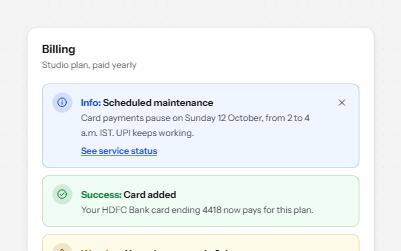
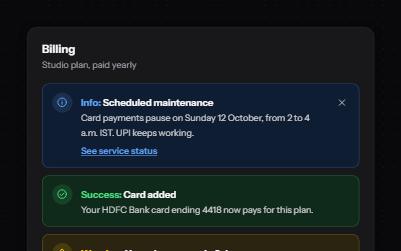
चार टोन वाले संदेश, हर एक के साथ एक शब्द और एक आइकन, और role=alert सिर्फ़ उन त्रुटियों के लिए जो किसी के काम करते समय होती हैं।
-
टोस्ट सूचनाएँ
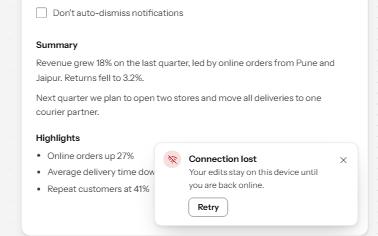
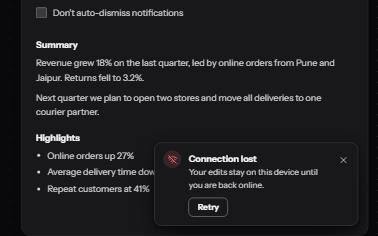
कोने में दिखने वाले छोटे संदेश, जिनकी घोषणा विनम्रता से होती है, जो कभी फ़ोकस नहीं लेते, और जब तक आप उन्हें पढ़ें या उन पर कुछ करें, रुके रहते हैं।
-
लोडिंग स्थिति
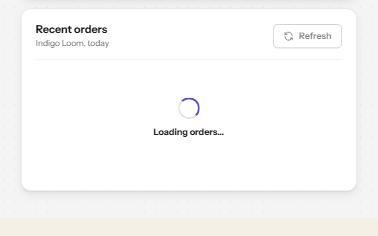
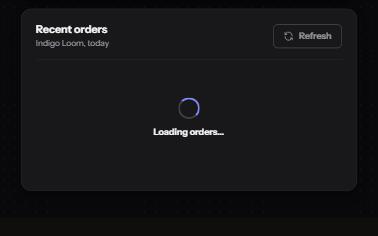
फ़ोकस न खोने वाला व्यस्त बटन, लोड होते समय व्यस्त चिह्नित क्षेत्र, शब्दों वाला स्पिनर, और देर होने पर एक सूचना।
-
खोज फ़िल्टर
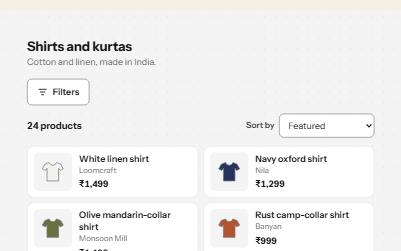
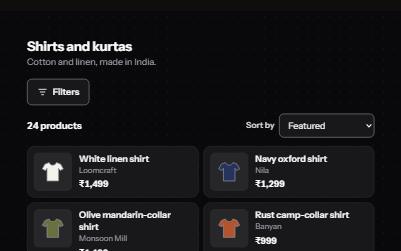
उत्पाद फ़िल्टर पैनल: गिनती वाले समूहबद्ध चेकबॉक्स, कीमत की सीमा, क्रम, हटाए जा सकने वाले चिप और घोषित होने वाली नतीजों की गिनती।