सुलभता पैटर्न · फ़ीडबैक और स्थिति
त्रुटि पेज
त्रुटि पेज भी बाक़ी पेजों जैसा ही है: उसका टाइटल और उसकी हेडिंग शब्दों में बताते हैं कि क्या ग़लत हुआ, ताकि टैब, हिस्ट्री और स्क्रीन रीडर की पढ़ी पहली चीज़, सब एक ही बात कहें। उसके नीचे असफल पता, एक खोज, नाम वाले लिंकों का छोटा समूह, और सर्वर व कनेक्शन की त्रुटियों के लिए सुझाए गए इंतज़ार के साथ फिर कोशिश करें बटन आता है, जो कभी अपने-आप रीलोड नहीं करता।
- डब्ल्यूसीएजी मानदंड
- 7
- कीबोर्ड नियम
- 4
- जाँच का तरीक़ा
- axe, कीबोर्ड और इंस्पेक्टर
लाइव डेमो
आज़माएँ
इसे माउस, कीबोर्ड या स्क्रीन रीडर से इस्तेमाल करें। साथ का इंस्पेक्टर दिखाता है कि आपके इस्तेमाल के दौरान ब्राउज़र सहायक तकनीक को क्या बताता है: फ़ोकस, स्थिति में बदलाव और घोषणाएँ।
पेज का टाइटल: पेज नहीं मिला · कपड़ा कं. कुछ गड़बड़ हो गई · कपड़ा कं. आप ऑफ़लाइन हैं · कपड़ा कं.
त्रुटि 404
हमें वह पेज नहीं मिल रहा
हो सकता है लिंक टूटा हो, या पेज कहीं और चला गया हो। पता जाँचें, या जो चाहिए उसे खोजें।
आपने माँगा था: kapda.co/fabrics/linen-kurtaa
त्रुटि 500
हमारी तरफ़ कुछ गड़बड़ हो गई
ग़लती आपकी नहीं है: यह पेज लोड करते समय हमारे सर्वर में समस्या आई, और हमें इसकी सूचना मिल गई है। आपका कार्ट सुरक्षित है।
सहायता के लिए संदर्भ: 7F3K-29QA
सुझाया गया इंतज़ार 0:30
कोई कनेक्शन नहीं
आप ऑफ़लाइन हैं
अपना वाई-फ़ाई या मोबाइल डेटा जाँचें। पहले खोले गए पेज अब भी चलते हैं, और आपका कार्ट इस डिवाइस पर सहेजा हुआ है।
सुझाया गया इंतज़ार 0:30
जावास्क्रिप्ट के बिना डेमो उतना ही काम करता है जितना उसका एचटीएमएल; इंस्पेक्टर के लिए जावास्क्रिप्ट चाहिए।
कीबोर्ड
जिन कुंजियों पर यह काम करता है
हर क्रिया पॉइंटर के बिना काम करती है।
| कुंजी | यह क्या करती है |
|---|---|
| Arrow RightयाArrow Left | दिखाने वाली त्रुटि में, अगली या पिछली तरह की त्रुटि चुनता है; नीचे का पेज उसी के मुताबिक़ बदल जाता है। |
| Tab | चुनने वाले हिस्से से पेज में ले जाता है: खोज फ़ील्ड और बटन (404) या फिर कोशिश करें (500 और ऑफ़लाइन), फिर काम के लिंक। |
| Enter | खोज फ़ील्ड में, खोज भेजता है। |
| EnterयाSpace | फिर कोशिश करें पर, एक बार और कोशिश करता है; बटन पर फिर कोशिश हो रही है लिखा आता है और फ़ोकस उसी पर रहता है, फिर स्टेटस मैसेज नतीजा बताता है। |
स्क्रीन रीडर
यह क्या घोषित करता है
मार्कअप की भूमिकाओं, नामों और स्थितियों से लिखा गया।
| कब | अपेक्षित घोषणा |
|---|---|
| स्क्रीन रीडर 404 पेज ऊपर से पढ़ता है | त्रुटि 404. हमें वह पेज नहीं मिल रहा, हेडिंग लेवल 3 |
| फ़ोकस खोज फ़ील्ड पर पहुँचता है | शॉप में खोजें, खोज एडिट टेक्स्ट |
| Tab लिंकों तक पहुँचता है | काम के लिंक, नेविगेशन. होम पेज, लिंक |
| फिर कोशिश करें दबाया जाता है | फिर कोशिश हो रही है, बटन, अनुपलब्ध |
| कोशिश असफल होती है | अब भी काम नहीं कर रहा। थोड़ा रुकें, फिर कोशिश करें। |
| सुझाया गया इंतज़ार पूरा होता है | अब आप फिर कोशिश कर सकते हैं |
ये अपेक्षित घोषणाएँ हैं, रिकॉर्डिंग नहीं। स्क्रीन रीडर और ब्राउज़र के हिसाब से शब्द और क्रम बदलते हैं।
कोड
कोड कॉपी करें
वही फ़ाइलें जिन पर यह डेमो चलता है। स्टाइल एक प्रीफ़िक्स के साथ परोसी जाती हैं जो इस साइट की अपनी स्टाइल को डेमो से दूर रखता है; आप जो कॉपी करते हैं वह मूल है।
<div class="ap-errpage" data-ap-error-page>
  <fieldset class="ap-errpage__pick">
    <legend class="ap-errpage__legend">Error to show</legend>
    <div class="ap-errpage__track">
      <label class="ap-errpage__seg">
        <input class="ap-errpage__radio" type="radio" name="errpage-kind" value="404" checked />
        <span>Not found</span>
      </label>
      <label class="ap-errpage__seg">
        <input class="ap-errpage__radio" type="radio" name="errpage-kind" value="500" />
        <span>Server error</span>
      </label>
      <label class="ap-errpage__seg">
        <input class="ap-errpage__radio" type="radio" name="errpage-kind" value="offline" />
        <span>Offline</span>
      </label>
    </div>
  </fieldset>

  <div class="ap-errpage__window">
    <div class="ap-errpage__chrome">
      <p class="ap-errpage__tab">
        <span class="ap-errpage__favicon" aria-hidden="true"></span>
        <span class="ap-errpage__vh">Page title:</span>
        <span data-ap-title="404">Page not found · Kapda Co.</span>
        <span data-ap-title="500" hidden>Something went wrong · Kapda Co.</span>
        <span data-ap-title="offline" hidden>You're offline · Kapda Co.</span>
      </p>
    </div>

    <div class="ap-errpage__page">
      <section class="ap-errpage__variant" data-ap-variant="404" aria-labelledby="errpage-404-name">
        <svg class="ap-errpage__art" viewBox="0 0 96 64" aria-hidden="true" focusable="false"><rect class="ap-errpage__art-fill" x="8" y="10" width="62" height="44" rx="8"/><path class="ap-errpage__art-line" d="M8 22h62"/><circle class="ap-errpage__art-dot" cx="17" cy="16" r="1.6"/><circle class="ap-errpage__art-dot" cx="23" cy="16" r="1.6"/><path class="ap-errpage__art-soft" d="M20 33h24M20 42h14"/><circle class="ap-errpage__art-glass" cx="70" cy="40" r="12"/><path class="ap-errpage__art-line" d="m79 49 9 9"/></svg>
        <p class="ap-errpage__code">Error 404</p>
        <h3 class="ap-errpage__name" id="errpage-404-name" tabindex="-1">We can't find that page</h3>
        <p class="ap-errpage__what">The link may be broken, or the page may have moved. Check the address, or search for what you need.</p>
        <p class="ap-errpage__url"><span>You asked for:</span> <code translate="no">kapda.co/fabrics/linen-kurtaa</code></p>
        <form class="ap-errpage__search" role="search" aria-label="Shop" data-ap-search>
          <label class="ap-label" for="errpage-q">Search the shop</label>
          <div class="ap-errpage__search-row">
            <input class="ap-input" id="errpage-q" type="search" name="q" autocomplete="off" />
            <button type="submit" class="ap-btn">Search</button>
          </div>
        </form>
      </section>

      <section class="ap-errpage__variant" data-ap-variant="500" aria-labelledby="errpage-500-name" hidden>
        <svg class="ap-errpage__art" viewBox="0 0 96 64" aria-hidden="true" focusable="false"><rect class="ap-errpage__art-fill" x="20" y="8" width="56" height="20" rx="5"/><rect class="ap-errpage__art-fill" x="20" y="34" width="56" height="20" rx="5"/><rect class="ap-errpage__art-frame" x="20" y="8" width="56" height="20" rx="5"/><rect class="ap-errpage__art-frame" x="20" y="34" width="56" height="20" rx="5"/><circle class="ap-errpage__art-dot" cx="30" cy="18" r="2"/><circle class="ap-errpage__art-dot" cx="30" cy="44" r="2"/><path class="ap-errpage__art-soft" d="M42 18h22M42 44h22"/><path class="ap-errpage__art-line" d="m60 26-6 6h8l-6 6"/></svg>
        <p class="ap-errpage__code">Error 500</p>
        <h3 class="ap-errpage__name" id="errpage-500-name" tabindex="-1">Something went wrong on our side</h3>
        <p class="ap-errpage__what">It's not you: our server hit a problem loading this page, and we have been told. Your cart is safe.</p>
        <p class="ap-errpage__url"><span>Reference for support:</span> <code translate="no">7F3K-29QA</code></p>
        <div class="ap-errpage__retry">
          <button type="button" class="ap-btn ap-btn--primary" data-ap-retry>
            <svg class="ap-btn__icon ap-errpage__spin" viewBox="0 0 24 24" aria-hidden="true" focusable="false"><path d="M20 12a8 8 0 1 1-2.3-5.7"/><path d="M20 4v4.5h-4.5"/></svg>
            <span data-ap-retry-label>Try again</span>
          </button>
          <p class="ap-errpage__wait" data-ap-wait>
            <span data-ap-wait-text>Suggested wait</span>
            <span class="ap-errpage__secs" role="timer" aria-live="off" translate="no" data-ap-secs>0:30</span>
          </p>
        </div>
      </section>

      <section class="ap-errpage__variant" data-ap-variant="offline" aria-labelledby="errpage-offline-name" hidden>
        <svg class="ap-errpage__art" viewBox="0 0 96 64" aria-hidden="true" focusable="false"><path class="ap-errpage__art-soft" d="M22 30a37 37 0 0 1 52 0M30 39a25 25 0 0 1 36 0"/><path class="ap-errpage__art-line" d="M39 48a13 13 0 0 1 18 0"/><circle class="ap-errpage__art-dot" cx="48" cy="55" r="2.6"/><path class="ap-errpage__art-line" d="M24 12 72 58"/></svg>
        <p class="ap-errpage__code">No connection</p>
        <h3 class="ap-errpage__name" id="errpage-offline-name" tabindex="-1">You're offline</h3>
        <p class="ap-errpage__what">Check your Wi-Fi or mobile data. Pages you opened before still work, and your cart is saved on this device.</p>
        <div class="ap-errpage__retry">
          <button type="button" class="ap-btn ap-btn--primary" data-ap-retry>
            <svg class="ap-btn__icon ap-errpage__spin" viewBox="0 0 24 24" aria-hidden="true" focusable="false"><path d="M20 12a8 8 0 1 1-2.3-5.7"/><path d="M20 4v4.5h-4.5"/></svg>
            <span data-ap-retry-label>Try again</span>
          </button>
          <p class="ap-errpage__wait" data-ap-wait>
            <span data-ap-wait-text>Suggested wait</span>
            <span class="ap-errpage__secs" role="timer" aria-live="off" translate="no" data-ap-secs>0:30</span>
          </p>
        </div>
      </section>

      <nav class="ap-errpage__links" aria-labelledby="errpage-links-name">
        <h4 class="ap-errpage__links-name" id="errpage-links-name">Helpful links</h4>
        <ul>
          <li><a href="#errpage-home">Home page</a></li>
          <li><a href="#errpage-new">New arrivals</a></li>
          <li><a href="#errpage-orders">Track an order</a></li>
          <li><a href="#errpage-help">Help centre</a></li>
        </ul>
      </nav>
    </div>
  </div>

  <p class="ap-errpage__vh" role="status" data-ap-live></p>
</div>
/* Shared primitives: buttons and form fields used across the patterns.
   Uses the --ap-* design tokens. */

.ap-btn {
  display: inline-flex;
  align-items: center;
  justify-content: center;
  gap: 8px;
  min-height: 40px;
  padding: 0 16px;
  border: 1px solid var(--ap-border-strong);
  border-radius: var(--ap-radius-sm);
  background: var(--ap-surface);
  color: var(--ap-text);
  font: inherit;
  font-weight: 600;
  line-height: 1.2;
  text-decoration: none;
  white-space: nowrap;
  cursor: pointer;
  transition: background-color var(--ap-duration) var(--ap-ease), border-color var(--ap-duration) var(--ap-ease), box-shadow var(--ap-duration) var(--ap-ease);
}
.ap-btn:hover {
  background: var(--ap-surface-2);
}
.ap-btn:focus-visible {
  outline: 2px solid var(--ap-focus);
  outline-offset: 2px;
}
.ap-btn:disabled,
.ap-btn[aria-disabled="true"] {
  opacity: .55;
  cursor: not-allowed;
}
.ap-btn--primary {
  border-color: var(--ap-accent);
  background: var(--ap-accent);
  color: var(--ap-on-accent);
  box-shadow: var(--ap-shadow-sm);
}
.ap-btn--primary:hover {
  border-color: var(--ap-accent-hover);
  background: var(--ap-accent-hover);
}
.ap-btn--danger {
  border-color: var(--ap-danger);
  background: var(--ap-danger);
  color: var(--ap-surface);
}
.ap-btn--danger:hover {
  filter: brightness(1.08);
}
.ap-btn--ghost {
  border-color: transparent;
  background: transparent;
}
.ap-btn--ghost:hover {
  background: var(--ap-surface-2);
}
.ap-btn__icon {
  width: 18px;
  height: 18px;
  flex-shrink: 0;
  fill: none;
  stroke: currentColor;
  stroke-width: 2;
  stroke-linecap: round;
  stroke-linejoin: round;
}

.ap-field {
  display: grid;
  gap: 6px;
}
.ap-label {
  color: var(--ap-text);
  font-weight: 600;
  font-size: .9375rem;
}
.ap-hint {
  margin: 0;
  color: var(--ap-text-3);
  font-size: .875rem;
  line-height: 1.45;
}
.ap-error {
  display: flex;
  align-items: flex-start;
  gap: 6px;
  margin: 0;
  color: var(--ap-danger);
  font-size: .875rem;
  font-weight: 600;
  line-height: 1.45;
}
.ap-input {
  width: 100%;
  min-height: 44px;
  padding: 10px 12px;
  border: 1px solid var(--ap-border-strong);
  border-radius: var(--ap-radius-sm);
  background: var(--ap-surface);
  color: var(--ap-text);
  font: inherit;
  line-height: 1.4;
  transition: border-color var(--ap-duration) var(--ap-ease), box-shadow var(--ap-duration) var(--ap-ease);
}
.ap-input::placeholder {
  color: var(--ap-text-3);
}
.ap-input:hover {
  border-color: var(--ap-text-2);
}
.ap-input:focus-visible {
  outline: 2px solid var(--ap-focus);
  outline-offset: 1px;
  border-color: var(--ap-focus);
}
.ap-input[aria-invalid="true"] {
  border-color: var(--ap-danger);
  box-shadow: inset 4px 0 0 var(--ap-danger);
}
textarea.ap-input {
  resize: vertical;
  min-height: 88px;
}

@media (prefers-reduced-motion: reduce) {
  .ap-btn,
  .ap-input { transition: none; }
}

/* Error page. Uses the --ap-* design tokens and the shared primitives. */
.ap-errpage {
  display: grid;
  gap: 16px;
  width: min(100%, 620px);
  margin-inline: auto;
  color: var(--ap-text);
}
.ap-errpage [hidden] {
  display: none !important;
}

/* Demo control: which error to show, as a row of radio buttons. */
.ap-errpage__pick {
  justify-self: center;
  min-width: 0;
  max-width: 100%;
  margin: 0;
  padding: 0;
  border: 0;
}
.ap-errpage__legend {
  float: left;
  width: 100%;
  margin: 0 0 8px;
  padding: 0;
  color: var(--ap-text-3);
  font-size: .75rem;
  font-weight: 650;
  letter-spacing: .06em;
  text-align: center;
  text-transform: uppercase;
}
.ap-errpage__track {
  clear: both;
  display: flex;
  flex-wrap: wrap;
  justify-content: center;
  gap: 2px;
  padding: 3px;
  border: 1px solid var(--ap-border);
  border-radius: 22px;
  background: var(--ap-surface);
  box-shadow: var(--ap-shadow-sm);
}
.ap-errpage__seg {
  position: relative;
  display: flex;
  align-items: center;
  min-height: 36px;
  padding: 0 14px;
  border-radius: var(--ap-radius-full);
  color: var(--ap-text-2);
  font-size: .875rem;
  font-weight: 500;
  white-space: nowrap;
  cursor: pointer;
}
.ap-errpage__seg:hover {
  background: var(--ap-surface-2);
  color: var(--ap-text);
}
.ap-errpage__seg:has(.ap-errpage__radio:checked) {
  background: var(--ap-text);
  color: var(--ap-surface);
  font-weight: 650;
}
.ap-errpage__seg:has(.ap-errpage__radio:focus-visible) {
  outline: 2px solid var(--ap-focus);
  outline-offset: 2px;
}
/* The real radio: invisible, covering its label, so it takes clicks and focus. */
.ap-errpage__radio {
  position: absolute;
  inset: 0;
  width: 100%;
  height: 100%;
  margin: 0;
  opacity: 0;
  cursor: pointer;
}

/* The page, in a window with its tab, so the document title is visible. */
.ap-errpage__window {
  border: 1px solid var(--ap-border);
  border-radius: var(--ap-radius-lg);
  background: var(--ap-surface);
  box-shadow: var(--ap-shadow-md);
  overflow: hidden;
  container-type: inline-size;
}
.ap-errpage__chrome {
  display: flex;
  padding: 10px 14px 0;
  border-bottom: 1px solid var(--ap-border);
  background: var(--ap-surface-2);
}
.ap-errpage__tab {
  display: flex;
  align-items: center;
  gap: 8px;
  min-width: 0;
  max-width: 100%;
  margin: 0 0 -1px;
  padding: 8px 16px 9px 12px;
  border: 1px solid var(--ap-border);
  border-bottom-color: var(--ap-surface);
  border-radius: var(--ap-radius-sm) var(--ap-radius-sm) 0 0;
  background: var(--ap-surface);
  color: var(--ap-text-2);
  font-size: .8125rem;
  font-weight: 500;
  line-height: 1.35;
}
.ap-errpage__favicon {
  flex: none;
  width: 14px;
  height: 14px;
  border-radius: 4px;
  background: var(--ap-accent);
}

.ap-errpage__page {
  display: grid;
  gap: 24px;
  padding: 28px 30px 26px;
}
.ap-errpage__variant {
  display: grid;
  justify-items: start;
  gap: 8px;
}
.ap-errpage__variant:not([hidden]) {
  animation: ap-errpage-in 220ms var(--ap-ease);
}
.ap-errpage__art {
  width: 96px;
  height: auto;
  margin-bottom: 4px;
  overflow: visible;
}
.ap-errpage__art-fill {
  fill: var(--ap-accent-soft);
}
.ap-errpage__art-frame,
.ap-errpage__art-line {
  fill: none;
  stroke: var(--ap-accent-text);
  stroke-width: 2.5;
  stroke-linecap: round;
  stroke-linejoin: round;
}
.ap-errpage__art-soft {
  fill: none;
  stroke: var(--ap-accent);
  stroke-width: 3;
  stroke-linecap: round;
  opacity: .45;
}
.ap-errpage__art-dot {
  fill: var(--ap-accent-text);
}
.ap-errpage__art-glass {
  fill: var(--ap-surface);
  stroke: var(--ap-accent-text);
  stroke-width: 2.5;
}
.ap-errpage__code {
  margin: 0;
  padding: 2px 9px;
  border: 1px solid var(--ap-border);
  border-radius: var(--ap-radius-full);
  background: var(--ap-surface-2);
  color: var(--ap-text-2);
  font-family: var(--ap-mono);
  font-size: .75rem;
  font-weight: 600;
  letter-spacing: .02em;
}
.ap-errpage__name {
  margin: 2px 0 0;
  font-size: 1.5rem;
  font-weight: 700;
  letter-spacing: -.01em;
  line-height: 1.25;
}
.ap-errpage__name:focus-visible {
  outline: 2px solid var(--ap-focus);
  outline-offset: 4px;
  border-radius: 4px;
}
.ap-errpage__what {
  max-width: 52ch;
  margin: 0;
  color: var(--ap-text-2);
  line-height: 1.55;
}
.ap-errpage__url {
  display: flex;
  flex-wrap: wrap;
  align-items: baseline;
  gap: 4px 8px;
  margin: 2px 0 0;
  color: var(--ap-text-3);
  font-size: .875rem;
}
.ap-errpage__url code {
  padding: 2px 8px;
  border: 1px solid var(--ap-border);
  border-radius: 6px;
  background: var(--ap-surface-2);
  color: var(--ap-text);
  font-family: var(--ap-mono);
  font-size: .8125rem;
  overflow-wrap: anywhere;
}

.ap-errpage__search {
  display: grid;
  gap: 6px;
  width: 100%;
  margin-top: 12px;
}
.ap-errpage__search-row {
  display: flex;
  gap: 8px;
}
.ap-errpage__search-row .ap-input {
  flex: 1;
  min-width: 0;
}
.ap-errpage__search-row .ap-btn {
  min-height: 44px;
}

/* Try again, with a suggested wait beside it. */
.ap-errpage__retry {
  display: flex;
  flex-wrap: wrap;
  align-items: center;
  gap: 10px 16px;
  margin-top: 12px;
}
.ap-errpage__retry .ap-btn {
  min-height: var(--ap-target);
}
.ap-errpage__wait {
  display: inline-flex;
  align-items: center;
  gap: 8px;
  margin: 0;
  color: var(--ap-text-3);
  font-size: .875rem;
}
.ap-errpage__secs {
  padding: 2px 9px;
  border-radius: var(--ap-radius-full);
  background: var(--ap-surface-2);
  color: var(--ap-text);
  font-family: var(--ap-mono);
  font-size: .8125rem;
  font-variant-numeric: tabular-nums;
  font-weight: 600;
}
.ap-errpage .is-busy .ap-errpage__spin {
  animation: ap-errpage-spin 900ms linear infinite;
}

/* Helpful links, as a named navigation region. */
.ap-errpage__links {
  padding-top: 20px;
  border-top: 1px solid var(--ap-border);
}
.ap-errpage__links-name {
  margin: 0 0 8px;
  color: var(--ap-text-3);
  font-size: .75rem;
  font-weight: 650;
  letter-spacing: .06em;
  text-transform: uppercase;
}
.ap-errpage__links ul {
  display: grid;
  grid-template-columns: repeat(2, minmax(0, 1fr));
  gap: 2px 18px;
  margin: 0;
  padding: 0;
  list-style: none;
}
.ap-errpage__links a {
  display: inline-flex;
  align-items: center;
  min-height: 36px;
  color: var(--ap-accent-text);
  font-weight: 600;
  text-decoration: underline;
  text-decoration-thickness: 1px;
  text-underline-offset: .2em;
}
.ap-errpage__links a:hover {
  text-decoration-thickness: 2px;
}
.ap-errpage__links a:focus-visible {
  outline: 2px solid var(--ap-focus);
  outline-offset: 2px;
  border-radius: 2px;
}

.ap-errpage__vh {
  position: absolute;
  width: 1px;
  height: 1px;
  margin: -1px;
  padding: 0;
  overflow: hidden;
  clip-path: inset(50%);
  white-space: nowrap;
  border: 0;
}

@container (max-width: 440px) {
  .ap-errpage__page { padding: 22px 20px 20px; }
  .ap-errpage__name { font-size: 1.3125rem; }
  .ap-errpage__links ul { grid-template-columns: minmax(0, 1fr); }
}

@keyframes ap-errpage-in {
  from { opacity: 0; transform: translateY(4px); }
}
@keyframes ap-errpage-spin {
  to { transform: rotate(360deg); }
}

@media (prefers-reduced-motion: reduce) {
  .ap-errpage__variant:not([hidden]),
  .ap-errpage .is-busy .ap-errpage__spin { animation: none; }
}
/**
 * Error page: 404, 500 and offline views with a matching document title, a
 * search and labelled links, and a Try again button whose suggested wait
 * never reloads anything by itself.
 *
 * Markup: [data-ap-error-page] holding radios (name="errpage-kind") that
 * pick the view, title spans [data-ap-title="<kind>"], sections
 * [data-ap-variant="<kind>"] (the 500 and offline ones with a
 * button[data-ap-retry] and a [data-ap-wait] line), and a role=status
 * paragraph. Add data-set-title to the root to set document.title as well.
 */

const WAIT = 30; // seconds suggested between attempts

const clock = (s) => `${Math.floor(s / 60)}:${String(s % 60).padStart(2, "0")}`;

// The request to repeat. In the demo there is nothing to load, so it fails;
// in a real page, fetch the page again and replace this view when it works.
function attempt(kind) {
  return new Promise((resolve, reject) => {
    setTimeout(() => reject(new Error(kind === "offline" && !navigator.onLine ? "offline" : "failed")), 1400);
  });
}

export function init(root) {
  const live = root.querySelector("[data-ap-live]");
  const radios = [...root.querySelectorAll("input[name='errpage-kind']")];
  const startTitle = document.title;
  const events = new AbortController();
  let kind = (radios.find((r) => r.checked) || radios[0]).value;
  let tick = 0;
  let busy = false;
  let titleChanged = false;
  let gone = false;

  const view = () => root.querySelector(`[data-ap-variant="${kind}"]`);
  const say = (text) => {
    live.textContent = "";
    requestAnimationFrame(() => { live.textContent = text; });
  };

  /* The suggested wait: a count, then a nudge. Nothing happens at zero. */
  function stopWait() {
    clearInterval(tick);
  }
  function startWait() {
    stopWait();
    const wait = view().querySelector("[data-ap-wait]");
    if (!wait) return;
    const text = wait.querySelector("[data-ap-wait-text]");
    const secs = wait.querySelector("[data-ap-secs]");
    let left = WAIT;
    text.textContent = "Suggested wait";
    secs.hidden = false;
    secs.textContent = clock(left);
    tick = setInterval(() => {
      left -= 1;
      secs.textContent = clock(left);
      if (left > 0) return;
      stopWait();
      text.textContent = "You can try again now";
      secs.hidden = true;
      say("You can try again now");
    }, 1000);
  }

  function setBusy(button, on) {
    busy = on;
    button.querySelector("[data-ap-retry-label]").textContent = on ? "Trying again" : "Try again";
    button.classList.toggle("is-busy", on);
    // aria-disabled, not disabled: the button keeps focus while it works.
    if (on) button.setAttribute("aria-disabled", "true");
    else button.removeAttribute("aria-disabled");
  }

  async function retry(button) {
    if (busy) return;
    stopWait();
    setBusy(button, true);
    const tried = kind;
    try {
      await attempt(tried);
      if (!gone) say("Page loaded");
    } catch (error) {
      if (gone || tried !== kind) return;
      say(error.message === "offline" || tried === "offline"
        ? "Still offline. Check your connection, then try again."
        : "Still not working. Wait a moment, then try again.");
      startWait();
    } finally {
      if (!gone && tried === kind) setBusy(button, false);
    }
  }

  /* Showing one kind of error: its section, its title, its wait. */
  function show(next) {
    kind = next;
    for (const section of root.querySelectorAll("[data-ap-variant]")) section.hidden = section.dataset.apVariant !== kind;
    let title = "";
    for (const span of root.querySelectorAll("[data-ap-title]")) {
      span.hidden = span.dataset.apTitle !== kind;
      if (!span.hidden) title = span.textContent.trim();
    }
    if (root.hasAttribute("data-set-title")) {
      document.title = title;
      titleChanged = true;
    }
    for (const button of root.querySelectorAll("[data-ap-retry]")) setBusy(button, false);
    stopWait();
    startWait();
  }

  function onChange(event) {
    if (radios.includes(event.target)) show(event.target.value);
  }

  function onClick(event) {
    const button = event.target.closest("[data-ap-retry]");
    if (button) {
      retry(button);
      return;
    }
    if (event.target.closest("a[href^='#errpage-']")) {
      // The demo's pages do not exist here; a real page follows the link.
      event.preventDefault();
      say("In a real shop, this link opens that page.");
    }
  }

  function onSubmit(event) {
    event.preventDefault();
    say("In a real shop, this opens the search results.");
  }

  // A connection coming back is news, not a reason to reload on its own.
  window.addEventListener("online", () => {
    if (kind === "offline") say("You're back online. Try again to load the page.");
  }, { signal: events.signal });

  show(kind);
  root.addEventListener("change", onChange);
  root.addEventListener("click", onClick);
  root.addEventListener("submit", onSubmit);
  return () => {
    gone = true;
    stopWait();
    events.abort();
    if (titleChanged) document.title = startTitle;
    root.removeEventListener("change", onChange);
    root.removeEventListener("click", onClick);
    root.removeEventListener("submit", onSubmit);
  };
}

for (const root of document.querySelectorAll("[data-ap-error-page]")) init(root);
/* Design tokens for the pattern components. Light by default, dark when the
   system asks for it; set data-theme="dark" on :root to force dark. */
:root {
    --ap-radius-sm: 8px;
    --ap-radius: 12px;
    --ap-radius-lg: 16px;
    --ap-radius-full: 999px;
    --ap-font: "Instrument Sans", ui-sans-serif, system-ui, -apple-system, "Segoe UI", Roboto, sans-serif;
    --ap-mono: "JetBrains Mono", ui-monospace, "Cascadia Mono", "SF Mono", Consolas, monospace;
    --ap-ease: cubic-bezier(.2, .8, .2, 1);
    --ap-duration: 180ms;
    --ap-target: 44px;
    --ap-bg: #F4F4F5;
    --ap-surface: #FFFFFF;
    --ap-surface-2: #F4F4F5;
    --ap-surface-3: #E4E4E7;
    --ap-border: #E4E4E7;
    --ap-border-strong: #76767F;
    --ap-text: #18181B;
    --ap-text-2: #3F3F46;
    --ap-text-3: #5E5E66;
    --ap-accent: #4F46E5;
    --ap-accent-hover: #4338CA;
    --ap-on-accent: #FFFFFF;
    --ap-accent-text: #4338CA;
    --ap-accent-soft: #EEF2FF;
    --ap-accent-soft-text: #3730A3;
    --ap-focus: #4F46E5;
    --ap-danger: #B91C1C;
    --ap-danger-soft: #FEF2F2;
    --ap-success: #15803D;
    --ap-success-soft: #F0FDF4;
    --ap-warning: #A15C07;
    --ap-warning-soft: #FEFCE8;
    --ap-info: #1D4ED8;
    --ap-info-soft: #EFF6FF;
    --ap-scrim: rgb(9 9 11 / .48);
    --ap-shadow-sm: 0 1px 2px rgb(9 9 11 / .06);
    --ap-shadow-md: 0 1px 2px rgb(9 9 11 / .05), 0 6px 16px -4px rgb(9 9 11 / .1);
    --ap-shadow-lg: 0 2px 6px rgb(9 9 11 / .06), 0 20px 40px -12px rgb(9 9 11 / .22);
    --ap-light-bg: #F4F4F5;
    --ap-light-surface: #FFFFFF;
    --ap-light-surface-2: #F4F4F5;
    --ap-light-surface-3: #E4E4E7;
    --ap-light-border: #E4E4E7;
    --ap-light-border-strong: #76767F;
    --ap-light-text: #18181B;
    --ap-light-text-2: #3F3F46;
    --ap-light-text-3: #5E5E66;
    --ap-light-accent: #4F46E5;
    --ap-light-accent-hover: #4338CA;
    --ap-light-on-accent: #FFFFFF;
    --ap-light-accent-text: #4338CA;
    --ap-light-accent-soft: #EEF2FF;
    --ap-light-accent-soft-text: #3730A3;
    --ap-light-focus: #4F46E5;
    --ap-light-danger: #B91C1C;
    --ap-light-danger-soft: #FEF2F2;
    --ap-light-success: #15803D;
    --ap-light-success-soft: #F0FDF4;
    --ap-light-warning: #A15C07;
    --ap-light-warning-soft: #FEFCE8;
    --ap-light-info: #1D4ED8;
    --ap-light-info-soft: #EFF6FF;
    --ap-light-scrim: rgb(9 9 11 / .48);
    --ap-light-shadow-sm: 0 1px 2px rgb(9 9 11 / .06);
    --ap-light-shadow-md: 0 1px 2px rgb(9 9 11 / .05), 0 6px 16px -4px rgb(9 9 11 / .1);
    --ap-light-shadow-lg: 0 2px 6px rgb(9 9 11 / .06), 0 20px 40px -12px rgb(9 9 11 / .22);
    --ap-dark-bg: #09090B;
    --ap-dark-surface: #18181B;
    --ap-dark-surface-2: #27272A;
    --ap-dark-surface-3: #3F3F46;
    --ap-dark-border: #2E2E33;
    --ap-dark-border-strong: #8E8E97;
    --ap-dark-text: #FAFAFA;
    --ap-dark-text-2: #D4D4D8;
    --ap-dark-text-3: #A1A1AA;
    --ap-dark-accent: #818CF8;
    --ap-dark-accent-hover: #A5B4FC;
    --ap-dark-on-accent: #0C0A1F;
    --ap-dark-accent-text: #A5B4FC;
    --ap-dark-accent-soft: #1E1B4B;
    --ap-dark-accent-soft-text: #C7D2FE;
    --ap-dark-focus: #A5B4FC;
    --ap-dark-danger: #F87171;
    --ap-dark-danger-soft: #2A1215;
    --ap-dark-success: #4ADE80;
    --ap-dark-success-soft: #0F2A1A;
    --ap-dark-warning: #FACC15;
    --ap-dark-warning-soft: #2A2410;
    --ap-dark-info: #60A5FA;
    --ap-dark-info-soft: #0F1D33;
    --ap-dark-scrim: rgb(0 0 0 / .62);
    --ap-dark-shadow-sm: 0 1px 2px rgb(0 0 0 / .4);
    --ap-dark-shadow-md: 0 1px 2px rgb(0 0 0 / .4), 0 8px 20px -6px rgb(0 0 0 / .5);
    --ap-dark-shadow-lg: 0 2px 8px rgb(0 0 0 / .45), 0 24px 48px -12px rgb(0 0 0 / .7);
}
@media (prefers-color-scheme: dark) {
  :root:not([data-theme="light"]) {
      --ap-bg: #09090B;
      --ap-surface: #18181B;
      --ap-surface-2: #27272A;
      --ap-surface-3: #3F3F46;
      --ap-border: #2E2E33;
      --ap-border-strong: #8E8E97;
      --ap-text: #FAFAFA;
      --ap-text-2: #D4D4D8;
      --ap-text-3: #A1A1AA;
      --ap-accent: #818CF8;
      --ap-accent-hover: #A5B4FC;
      --ap-on-accent: #0C0A1F;
      --ap-accent-text: #A5B4FC;
      --ap-accent-soft: #1E1B4B;
      --ap-accent-soft-text: #C7D2FE;
      --ap-focus: #A5B4FC;
      --ap-danger: #F87171;
      --ap-danger-soft: #2A1215;
      --ap-success: #4ADE80;
      --ap-success-soft: #0F2A1A;
      --ap-warning: #FACC15;
      --ap-warning-soft: #2A2410;
      --ap-info: #60A5FA;
      --ap-info-soft: #0F1D33;
      --ap-scrim: rgb(0 0 0 / .62);
      --ap-shadow-sm: 0 1px 2px rgb(0 0 0 / .4);
      --ap-shadow-md: 0 1px 2px rgb(0 0 0 / .4), 0 8px 20px -6px rgb(0 0 0 / .5);
      --ap-shadow-lg: 0 2px 8px rgb(0 0 0 / .45), 0 24px 48px -12px rgb(0 0 0 / .7);
  }
}
:root[data-theme="dark"] {
    --ap-bg: #09090B;
    --ap-surface: #18181B;
    --ap-surface-2: #27272A;
    --ap-surface-3: #3F3F46;
    --ap-border: #2E2E33;
    --ap-border-strong: #8E8E97;
    --ap-text: #FAFAFA;
    --ap-text-2: #D4D4D8;
    --ap-text-3: #A1A1AA;
    --ap-accent: #818CF8;
    --ap-accent-hover: #A5B4FC;
    --ap-on-accent: #0C0A1F;
    --ap-accent-text: #A5B4FC;
    --ap-accent-soft: #1E1B4B;
    --ap-accent-soft-text: #C7D2FE;
    --ap-focus: #A5B4FC;
    --ap-danger: #F87171;
    --ap-danger-soft: #2A1215;
    --ap-success: #4ADE80;
    --ap-success-soft: #0F2A1A;
    --ap-warning: #FACC15;
    --ap-warning-soft: #2A2410;
    --ap-info: #60A5FA;
    --ap-info-soft: #0F1D33;
    --ap-scrim: rgb(0 0 0 / .62);
    --ap-shadow-sm: 0 1px 2px rgb(0 0 0 / .4);
    --ap-shadow-md: 0 1px 2px rgb(0 0 0 / .4), 0 8px 20px -6px rgb(0 0 0 / .5);
    --ap-shadow-lg: 0 2px 8px rgb(0 0 0 / .45), 0 24px 48px -12px rgb(0 0 0 / .7);
}
डब्ल्यूसीएजी 2.2
यह किन मानदंडों को पूरा करता है
वे सफलता मानदंड जिनका यह पैटर्न ध्यान रखता है, और कैसे।
-
1.1.1 गैर-टेक्स्ट सामग्री
स्तर A
चित्र aria-hidden हैं; त्रुटि कोड और हेडिंग वह सब कहते हैं जो चित्र कहता है।
-
1.3.1 जानकारी और संबंध
स्तर A
त्रुटि अपनी हेडिंग से नाम पाने वाला सेक्शन है, लिंक अपनी हेडिंग से नाम पाने वाला nav हैं, और खोज एक नाम वाला search लैंडमार्क है।
-
2.4.3 फ़ोकस क्रम
स्तर A
फिर कोशिश करें व्यस्त रहते समय disabled की जगह aria-disabled इस्तेमाल करता है, इसलिए फ़ोकस पेज के ऊपर गिरने के बजाय उसी पर रहता है।
-
2.4.2 पेज को शीर्षक दिया गया
स्तर A
हर तरह की त्रुटि का अपना डॉक्यूमेंट टाइटल है, जो पेज के ऊपर दिखाया गया है, ताकि टैब और हिस्ट्री बताएँ कि क्या हुआ।
-
2.4.6 हेडिंग और लेबल
स्तर AA
हेडिंग शब्दों में बताती है कि क्या ग़लत हुआ ("हमें वह पेज नहीं मिल रहा"), और कोड उसके ऊपर एक छोटे लेबल के रूप में है।
-
3.2.5 अनुरोध पर बदलाव
स्तर AAA
पेज तभी फिर कोशिश करता है जब कहा जाए; खोया कनेक्शन लौटने पर उसकी घोषणा होती है, उस पर अपने-आप कुछ नहीं किया जाता।
-
4.1.3 स्टेटस मैसेज
स्तर AA
फिर कोशिश करें का नतीजा, सुझाए गए इंतज़ार का अंत और लौटता कनेक्शन polite स्टेटस मैसेज हैं; फ़ोकस जहाँ है वहीं रहता है।
उपयोग
इसे कब इस्तेमाल करें
इसे अपनाएँ
- कोई भी अनुरोध जो पूरा न हो सके: ग़ायब पेज (404), सर्वर की विफलता (500), खोया कनेक्शन, ऐसा पेज जिसे कोई नहीं देख सकता।
- सिंगल-पेज ऐप में जब कोई रूट असफल हो: यह दृश्य दिखाएँ, टाइटल सेट करें, और फ़ोकस उसकी हेडिंग पर ले जाएँ।
कुछ और इस्तेमाल करें
- असफल फ़ॉर्म फ़ील्ड: त्रुटि फ़ील्ड के पास दिखाएँ और व्यक्ति को फ़ॉर्म पर ही रखें।
- ख़ाली खोज या सूची: वह ख़ाली स्थिति है, त्रुटि नहीं।
आम विफलताएँ
आमतौर पर यह कहाँ गलत होता है
बस एक बड़ा 404
ज़्यादातर लोगों के लिए संख्या का कोई अर्थ नहीं होता और वह "चार सौ चार" पढ़ी जाती है। शब्दों में बताएँ कि क्या हुआ, और कोड को सहायता के लिए छोटा दिखाएँ।
टाइटल अब भी पुराना पेज बताता है
सिंगल-पेज ऐप में टैब पिछले पेज का टाइटल रखे रहता है, और स्क्रीन रीडर वही घोषित करता है। त्रुटि वाले दृश्य के लिए document.title सेट करें।
अपने-आप रीलोड
हर कुछ सेकंड में ख़ुद रीफ़्रेश होने वाला पेज फ़ोकस ऊपर ले जाता है और पढ़ना फिर से शुरू करा देता है। यहाँ फिर कोशिश करें दबाने तक कुछ नहीं होता।
निष्क्रिय फिर-कोशिश बटन
उलटी गिनती के दौरान फिर कोशिश करें को धूसर कर देना एक बेकार कंट्रोल छोड़ देता है और कोई कारण नहीं बताता। बटन इस्तेमाल लायक़ रहता है; इंतज़ार सिर्फ़ एक सुझाव है।
आगे बढ़ने का कोई रास्ता नहीं
सिर्फ़ होम लिंक वाला त्रुटि पेज सबको शुरुआत पर लौटा देता है। एक खोज और कुछ नाम वाले लिंक लोगों को वहाँ पहुँचाते हैं जहाँ वे जाना चाहते थे।
आगंतुक पर दोष डालना
सर्वर की ग़लती के लिए "अमान्य अनुरोध" कहना ग़लत भी है और रूखा भी। बताएँ कि समस्या किसकी है और क्या कुछ खोया।
नोट्स
इसे बनाना
- असली पेज पर हेडिंग h1 होती है और टाइटल एचटीएमएल में होता है; डेमो h3 इस्तेमाल करता है क्योंकि वह इस पेज की h2 के नीचे है, और टाइटल एक टैब पट्टी में दिखाता है।
- ऊपर का विकल्प डेमो खुला रहने तक इस ब्राउज़र टैब का document.title भी सेट करता है; उसे चालू करें और हर तरह की त्रुटि के साथ टैब बदलता देखें।
- सर्वर से सही स्टेटस कोड (404, 500, 503) भी भेजें: पेज चाहे जो कहे, सर्च इंजन और निगरानी टूल वही पढ़ते हैं।
- ऑफ़लाइन दृश्य के लिए, window ऑब्जेक्ट के online इवेंट को सुनें और उसकी घोषणा करें, पर रीलोड व्यक्ति पर छोड़ दें।
- खोज के फ़ॉर्म में role=search और उसका अपना नाम है, और लिंकों का nav अपनी हेडिंग से नाम पाता है, इसलिए दोनों में से कोई भी साइट में पहले से इस्तेमाल लैंडमार्क नाम नहीं दोहराता।
स्रोत: डब्ल्यूसीएजी 2.2 समझ 2.4.2: पेज का टाइटल · डब्ल्यूसीएजी 2.2 समझ 3.2.5: अनुरोध पर बदलाव
लाइट और डार्क थीम में, डेस्कटॉप और फ़ोन की चौड़ाई पर axe से और कीबोर्ड से जाँचा गया। अभी हर स्क्रीन रीडर और ब्राउज़र जोड़ी के साथ नहीं परखा गया। सुधार बताएँ
संबंधित
इसके साथ जाने वाले पैटर्न
-
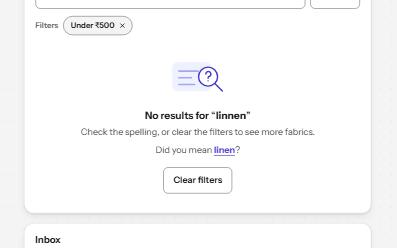
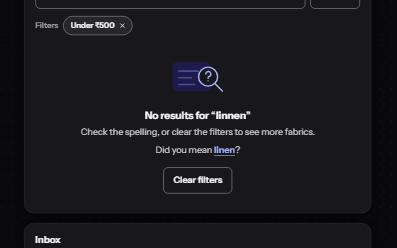
ख़ाली स्थिति
जब किसी सूची में कुछ न हो तब क्या दिखाएँ: वह ख़ाली क्यों है, और उसे भरने वाला एक काम, बदलने पर घोषित किया हुआ।
-
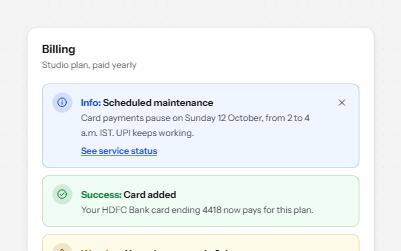
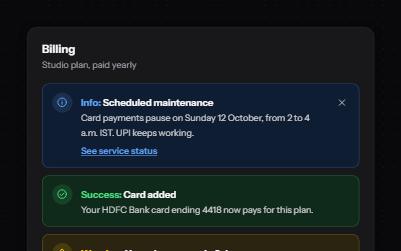
अलर्ट बैनर
चार टोन वाले संदेश, हर एक के साथ एक शब्द और एक आइकन, और role=alert सिर्फ़ उन त्रुटियों के लिए जो किसी के काम करते समय होती हैं।
-
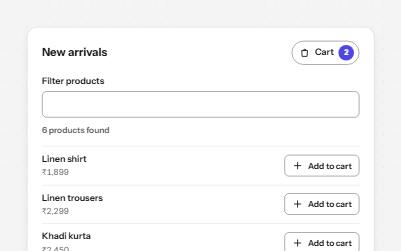
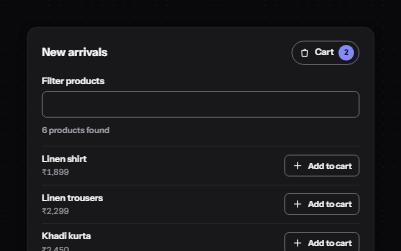
स्टेटस मैसेज
नतीजे, पुष्टियाँ और सेव role=status के ज़रिए स्क्रीन रीडर को बताए जाते हैं, फ़ोकस हिलाए बिना, हर बार एक ही बार।
-
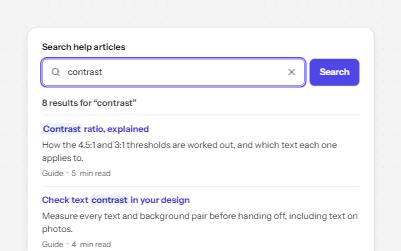
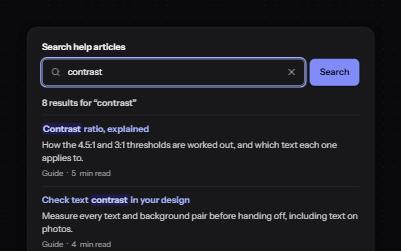
सर्च फ़ील्ड
नाम वाला एक सर्च लैंडमार्क, जिसमें साफ़ करने का बटन, हाल की खोजें, और नतीजों की गिनती है जो फ़ोकस हिलाए बिना घोषित होती है।