सुलभता पैटर्न · फ़ॉर्म इनपुट
सर्च फ़ील्ड
search एलिमेंट एक ऐसा लैंडमार्क बनाता है जिस पर लोग सीधे पहुँच सकते हैं, और उसके अंदर के फ़ील्ड में दिखने वाला लेबल, साफ़ करने का बटन और भेजने का असली बटन है। खोज भेजने पर फ़ोकस फ़ील्ड में ही रहता है और एक स्टेटस मैसेज बताता है कि कितने नतीजे मिले, ताकि लोग शब्द सुधार सकें या Tab से नतीजों पर जा सकें।
- डब्ल्यूसीएजी मानदंड
- 7
- कीबोर्ड नियम
- 4
- जाँच का तरीक़ा
- axe, कीबोर्ड और इंस्पेक्टर
लाइव डेमो
आज़माएँ
इसे माउस, कीबोर्ड या स्क्रीन रीडर से इस्तेमाल करें। साथ का इंस्पेक्टर दिखाता है कि आपके इस्तेमाल के दौरान ब्राउज़र सहायक तकनीक को क्या बताता है: फ़ोकस, स्थिति में बदलाव और घोषणाएँ।
क्या आपका मतलब था
वर्तनी जाँचें, या इनमें से कोई आज़माएँ:
जावास्क्रिप्ट के बिना डेमो उतना ही काम करता है जितना उसका एचटीएमएल; इंस्पेक्टर के लिए जावास्क्रिप्ट चाहिए।
कीबोर्ड
जिन कुंजियों पर यह काम करता है
हर क्रिया पॉइंटर के बिना काम करती है।
| कुंजी | यह क्या करती है |
|---|---|
| Tab | फ़ील्ड से साफ़ करने के बटन (जब टेक्स्ट हो) पर, फिर खोजें पर, हाल की खोजों पर, और फिर नतीजों पर ले जाता है। |
| Enter | फ़ील्ड में, खोज चलाता है; फ़ोकस फ़ील्ड में रहता है और गिनती घोषित होती है। |
| Escape | फ़ील्ड में, उसे साफ़ करता है और हाल की खोजें फिर से दिखाता है। |
| EnterयाSpace | हाल की किसी खोज या सुझाव पर, वह खोज चलाता है और फ़ोकस वापस फ़ील्ड में लाता है। |
स्क्रीन रीडर
यह क्या घोषित करता है
मार्कअप की भूमिकाओं, नामों और स्थितियों से लिखा गया।
| कब | अपेक्षित घोषणा |
|---|---|
| फ़ोकस फ़ील्ड पर पहुँचता है | सहायता लेख खोजें, सर्च, सहायता लेख खोजें, सर्च संपादन बॉक्स |
| Enter, “contrast” के लिए खोजता है | “contrast” के लिए 8 नतीजे |
| खोज में कुछ नहीं मिलता | “contast” के लिए कोई नतीजा नहीं |
| Tab पहले नतीजे पर पहुँचता है | कंट्रास्ट अनुपात, समझाया गया, लिंक, सूची, 8 आइटम |
| हाल की खोजें साफ़ की जाती हैं | हाल की खोजें साफ़ कर दी गईं |
ये अपेक्षित घोषणाएँ हैं, रिकॉर्डिंग नहीं। स्क्रीन रीडर और ब्राउज़र के हिसाब से शब्द और क्रम बदलते हैं।
कोड
कोड कॉपी करें
वही फ़ाइलें जिन पर यह डेमो चलता है। स्टाइल एक प्रीफ़िक्स के साथ परोसी जाती हैं जो इस साइट की अपनी स्टाइल को डेमो से दूर रखता है; आप जो कॉपी करते हैं वह मूल है।
<div class="ap-search-field" data-ap-search-field>
  <search class="ap-search-field__search" aria-labelledby="search-field-label">
    <form class="ap-search-field__form" action="#search-field-count" data-ap-form>
      <label class="ap-label" id="search-field-label" for="search-field-q">Search help articles</label>
      <div class="ap-search-field__row">
        <div class="ap-search-field__box">
          <svg class="ap-search-field__glass" viewBox="0 0 24 24" aria-hidden="true" focusable="false"><circle cx="11" cy="11" r="7"/><path d="m20 20-3.5-3.5"/></svg>
          <input class="ap-search-field__input" id="search-field-q" type="search" name="q" autocomplete="off" spellcheck="false" enterkeyhint="search" />
          <button type="button" class="ap-search-field__clear" data-ap-erase aria-label="Clear search" hidden>
            <svg viewBox="0 0 24 24" aria-hidden="true" focusable="false"><path d="M6 6l12 12M18 6 6 18"/></svg>
          </button>
        </div>
        <button type="submit" class="ap-btn ap-btn--primary ap-search-field__go">Search</button>
      </div>
    </form>
  </search>

  <div class="ap-search-field__recent" data-ap-recent>
    <div class="ap-search-field__bar">
      <h3 class="ap-search-field__sub" id="search-field-recent">Recent searches</h3>
      <button type="button" class="ap-search-field__forget" data-ap-forget aria-label="Clear recent searches">Clear</button>
    </div>
    <ul class="ap-search-field__chips" aria-labelledby="search-field-recent" data-ap-recent-list>
        <li><button type="button" class="ap-search-field__chip" data-ap-term><svg viewBox="0 0 24 24" aria-hidden="true" focusable="false"><path d="M3 12a9 9 0 1 0 3-6.7L3 8"/><path d="M3 3v5h5"/><path d="M12 7v5l3 2"/></svg><span translate="no">contrast</span></button></li>
        <li><button type="button" class="ap-search-field__chip" data-ap-term><svg viewBox="0 0 24 24" aria-hidden="true" focusable="false"><path d="M3 12a9 9 0 1 0 3-6.7L3 8"/><path d="M3 3v5h5"/><path d="M12 7v5l3 2"/></svg><span translate="no">focus order</span></button></li>
        <li><button type="button" class="ap-search-field__chip" data-ap-term><svg viewBox="0 0 24 24" aria-hidden="true" focusable="false"><path d="M3 12a9 9 0 1 0 3-6.7L3 8"/><path d="M3 3v5h5"/><path d="M12 7v5l3 2"/></svg><span translate="no">alt text</span></button></li>
    </ul>
  </div>

  <p class="ap-search-field__count" id="search-field-count" role="status" data-ap-status></p>
  <ul class="ap-search-field__hits" aria-labelledby="search-field-count" data-ap-hits hidden></ul>
  <div class="ap-search-field__none" data-ap-none hidden>
    <p class="ap-search-field__fix" data-ap-fix hidden><span>Did you mean</span> <button type="button" class="ap-search-field__fix-btn" data-ap-term><span translate="no" data-ap-fix-term></span></button></p>
    <p class="ap-search-field__tip">Check the spelling, or try one of these:</p>
    <ul class="ap-search-field__chips" aria-label="Suggested searches">
        <li><button type="button" class="ap-search-field__chip" data-ap-term><svg class="ap-search-field__glass" viewBox="0 0 24 24" aria-hidden="true" focusable="false"><circle cx="11" cy="11" r="7"/><path d="m20 20-3.5-3.5"/></svg><span translate="no">contrast</span></button></li>
        <li><button type="button" class="ap-search-field__chip" data-ap-term><svg class="ap-search-field__glass" viewBox="0 0 24 24" aria-hidden="true" focusable="false"><circle cx="11" cy="11" r="7"/><path d="m20 20-3.5-3.5"/></svg><span translate="no">forms</span></button></li>
        <li><button type="button" class="ap-search-field__chip" data-ap-term><svg class="ap-search-field__glass" viewBox="0 0 24 24" aria-hidden="true" focusable="false"><circle cx="11" cy="11" r="7"/><path d="m20 20-3.5-3.5"/></svg><span translate="no">keyboard</span></button></li>
        <li><button type="button" class="ap-search-field__chip" data-ap-term><svg class="ap-search-field__glass" viewBox="0 0 24 24" aria-hidden="true" focusable="false"><circle cx="11" cy="11" r="7"/><path d="m20 20-3.5-3.5"/></svg><span translate="no">captions</span></button></li>
    </ul>
  </div>
</div>
/* Shared primitives: buttons and form fields used across the patterns.
   Uses the --ap-* design tokens. */

.ap-btn {
  display: inline-flex;
  align-items: center;
  justify-content: center;
  gap: 8px;
  min-height: 40px;
  padding: 0 16px;
  border: 1px solid var(--ap-border-strong);
  border-radius: var(--ap-radius-sm);
  background: var(--ap-surface);
  color: var(--ap-text);
  font: inherit;
  font-weight: 600;
  line-height: 1.2;
  text-decoration: none;
  white-space: nowrap;
  cursor: pointer;
  transition: background-color var(--ap-duration) var(--ap-ease), border-color var(--ap-duration) var(--ap-ease), box-shadow var(--ap-duration) var(--ap-ease);
}
.ap-btn:hover {
  background: var(--ap-surface-2);
}
.ap-btn:focus-visible {
  outline: 2px solid var(--ap-focus);
  outline-offset: 2px;
}
.ap-btn:disabled,
.ap-btn[aria-disabled="true"] {
  opacity: .55;
  cursor: not-allowed;
}
.ap-btn--primary {
  border-color: var(--ap-accent);
  background: var(--ap-accent);
  color: var(--ap-on-accent);
  box-shadow: var(--ap-shadow-sm);
}
.ap-btn--primary:hover {
  border-color: var(--ap-accent-hover);
  background: var(--ap-accent-hover);
}
.ap-btn--danger {
  border-color: var(--ap-danger);
  background: var(--ap-danger);
  color: var(--ap-surface);
}
.ap-btn--danger:hover {
  filter: brightness(1.08);
}
.ap-btn--ghost {
  border-color: transparent;
  background: transparent;
}
.ap-btn--ghost:hover {
  background: var(--ap-surface-2);
}
.ap-btn__icon {
  width: 18px;
  height: 18px;
  flex-shrink: 0;
  fill: none;
  stroke: currentColor;
  stroke-width: 2;
  stroke-linecap: round;
  stroke-linejoin: round;
}

.ap-field {
  display: grid;
  gap: 6px;
}
.ap-label {
  color: var(--ap-text);
  font-weight: 600;
  font-size: .9375rem;
}
.ap-hint {
  margin: 0;
  color: var(--ap-text-3);
  font-size: .875rem;
  line-height: 1.45;
}
.ap-error {
  display: flex;
  align-items: flex-start;
  gap: 6px;
  margin: 0;
  color: var(--ap-danger);
  font-size: .875rem;
  font-weight: 600;
  line-height: 1.45;
}
.ap-input {
  width: 100%;
  min-height: 44px;
  padding: 10px 12px;
  border: 1px solid var(--ap-border-strong);
  border-radius: var(--ap-radius-sm);
  background: var(--ap-surface);
  color: var(--ap-text);
  font: inherit;
  line-height: 1.4;
  transition: border-color var(--ap-duration) var(--ap-ease), box-shadow var(--ap-duration) var(--ap-ease);
}
.ap-input::placeholder {
  color: var(--ap-text-3);
}
.ap-input:hover {
  border-color: var(--ap-text-2);
}
.ap-input:focus-visible {
  outline: 2px solid var(--ap-focus);
  outline-offset: 1px;
  border-color: var(--ap-focus);
}
.ap-input[aria-invalid="true"] {
  border-color: var(--ap-danger);
  box-shadow: inset 4px 0 0 var(--ap-danger);
}
textarea.ap-input {
  resize: vertical;
  min-height: 88px;
}

@media (prefers-reduced-motion: reduce) {
  .ap-btn,
  .ap-input { transition: none; }
}

/* Search field. Uses the --ap-* design tokens and the shared primitives. */
.ap-search-field {
  container-type: inline-size;
  width: min(100%, 600px);
  margin-inline: auto;
  padding: 22px 24px 24px;
  border: 1px solid var(--ap-border);
  border-radius: var(--ap-radius-lg);
  background: var(--ap-surface);
  box-shadow: var(--ap-shadow-md);
  color: var(--ap-text);
  font-family: var(--ap-font);
}

.ap-search-field__search {
  display: block;
}
.ap-search-field__form {
  display: grid;
  gap: 8px;
}
.ap-search-field__row {
  display: flex;
  gap: 8px;
}
.ap-search-field__box {
  position: relative;
  flex: 1;
  min-width: 0;
}
.ap-search-field__glass {
  width: 18px;
  height: 18px;
  flex-shrink: 0;
  fill: none;
  stroke: currentColor;
  stroke-width: 2;
  stroke-linecap: round;
}
.ap-search-field__box > .ap-search-field__glass {
  position: absolute;
  top: 50%;
  left: 14px;
  transform: translateY(-50%);
  color: var(--ap-text-3);
  pointer-events: none;
}
.ap-search-field__input {
  width: 100%;
  min-height: var(--ap-target);
  padding: 10px 44px 10px 42px;
  border: 1px solid var(--ap-border-strong);
  border-radius: var(--ap-radius-sm);
  background: var(--ap-surface);
  color: var(--ap-text);
  font: inherit;
  appearance: none;
  -webkit-appearance: none;
  transition: border-color var(--ap-duration) var(--ap-ease);
}
.ap-search-field__input:hover {
  border-color: var(--ap-text-2);
}
.ap-search-field__input:focus-visible {
  outline: 2px solid var(--ap-focus);
  outline-offset: 1px;
  border-color: var(--ap-focus);
}
/* One labelled clear button, not the browser's unnamed one as well. */
.ap-search-field__input::-webkit-search-cancel-button,
.ap-search-field__input::-webkit-search-decoration {
  -webkit-appearance: none;
  appearance: none;
}
.ap-search-field__clear {
  position: absolute;
  top: 50%;
  right: 4px;
  display: grid;
  place-items: center;
  width: 36px;
  height: 36px;
  margin-top: -18px;
  padding: 0;
  border: 0;
  border-radius: 6px;
  background: transparent;
  color: var(--ap-text-2);
  cursor: pointer;
}
.ap-search-field__clear[hidden] {
  display: none;
}
.ap-search-field__clear:hover {
  background: var(--ap-surface-2);
  color: var(--ap-text);
}
.ap-search-field__clear:focus-visible {
  outline: 2px solid var(--ap-focus);
  outline-offset: 0;
}
.ap-search-field__clear svg {
  width: 18px;
  height: 18px;
  fill: none;
  stroke: currentColor;
  stroke-width: 2;
  stroke-linecap: round;
}
.ap-search-field__go {
  min-height: var(--ap-target);
}

/* Recent searches and suggestions */
.ap-search-field__recent {
  margin-top: 18px;
}
.ap-search-field__recent[hidden] {
  display: none;
}
.ap-search-field__bar {
  display: flex;
  align-items: center;
  justify-content: space-between;
  gap: 12px;
  margin-bottom: 8px;
}
.ap-search-field__sub {
  margin: 0;
  color: var(--ap-text-3);
  font-size: .8125rem;
  font-weight: 600;
  letter-spacing: .04em;
  text-transform: uppercase;
}
.ap-search-field__forget {
  min-height: 32px;
  padding: 0 8px;
  border: 0;
  border-radius: 6px;
  background: transparent;
  color: var(--ap-accent-text);
  font: inherit;
  font-size: .875rem;
  font-weight: 600;
  cursor: pointer;
}
.ap-search-field__forget:hover {
  background: var(--ap-accent-soft);
}
.ap-search-field__forget:focus-visible {
  outline: 2px solid var(--ap-focus);
  outline-offset: 1px;
}
.ap-search-field__chips {
  display: flex;
  flex-wrap: wrap;
  gap: 8px;
  margin: 0;
  padding: 0;
  list-style: none;
}
.ap-search-field__chip {
  display: inline-flex;
  align-items: center;
  gap: 6px;
  min-height: 36px;
  padding: 0 14px 0 10px;
  border: 1px solid var(--ap-border-strong);
  border-radius: var(--ap-radius-full);
  background: var(--ap-surface);
  color: var(--ap-text);
  font: inherit;
  font-size: .9375rem;
  cursor: pointer;
  transition: background-color var(--ap-duration) var(--ap-ease);
}
.ap-search-field__chip:hover {
  background: var(--ap-surface-2);
}
.ap-search-field__chip:focus-visible {
  outline: 2px solid var(--ap-focus);
  outline-offset: 2px;
}
.ap-search-field__chip svg {
  width: 16px;
  height: 16px;
  fill: none;
  stroke: var(--ap-text-3);
  stroke-width: 2;
  stroke-linecap: round;
  stroke-linejoin: round;
}

/* The count and the results */
.ap-search-field__count {
  margin: 18px 0 0;
  color: var(--ap-text-2);
  font-size: .9375rem;
  font-weight: 600;
}
.ap-search-field__count:empty {
  margin: 0;
}
.ap-search-field__hits {
  display: grid;
  margin: 8px 0 0;
  padding: 0;
  list-style: none;
}
.ap-search-field__hits[hidden] {
  display: none;
}
.ap-search-field__hit {
  padding: 12px 0;
  border-top: 1px solid var(--ap-border);
  animation: ap-search-field-in 200ms var(--ap-ease);
}
.ap-search-field__link {
  color: var(--ap-accent-text);
  font-weight: 650;
  line-height: 1.4;
  text-decoration: none;
  border-radius: 4px;
}
.ap-search-field__link:hover {
  text-decoration: underline;
  text-underline-offset: 3px;
}
.ap-search-field__link:focus-visible {
  outline: 2px solid var(--ap-focus);
  outline-offset: 2px;
}
.ap-search-field__snippet {
  margin: 3px 0 0;
  color: var(--ap-text-2);
  font-size: .9375rem;
  line-height: 1.5;
}
.ap-search-field__meta {
  display: flex;
  flex-wrap: wrap;
  gap: 6px;
  margin: 4px 0 0;
  color: var(--ap-text-3);
  font-size: .8125rem;
}
.ap-search-field__hit mark {
  padding: 0 2px;
  border-radius: 3px;
  background: var(--ap-accent-soft);
  color: var(--ap-accent-soft-text);
}

.ap-search-field__none {
  margin-top: 10px;
  padding: 16px;
  border-radius: var(--ap-radius);
  background: var(--ap-surface-2);
}
.ap-search-field__none[hidden],
.ap-search-field__fix[hidden] {
  display: none;
}
.ap-search-field__fix {
  display: flex;
  flex-wrap: wrap;
  align-items: center;
  gap: 6px;
  margin: 0 0 10px;
  color: var(--ap-text);
  font-weight: 600;
}
.ap-search-field__fix-btn {
  min-height: 32px;
  padding: 0 6px;
  border: 0;
  border-radius: 6px;
  background: transparent;
  color: var(--ap-accent-text);
  font: inherit;
  font-weight: 650;
  text-decoration: underline;
  text-underline-offset: 3px;
  cursor: pointer;
}
.ap-search-field__fix-btn:hover {
  text-decoration-thickness: 2px;
}
.ap-search-field__fix-btn:focus-visible {
  outline: 2px solid var(--ap-focus);
  outline-offset: 1px;
}
.ap-search-field__tip {
  margin: 0 0 10px;
  color: var(--ap-text-2);
  font-size: .9375rem;
}

@keyframes ap-search-field-in {
  from { opacity: 0; transform: translateY(3px); }
}

@container (max-width: 360px) {
  .ap-search-field { padding: 18px 16px 20px; }
  .ap-search-field__row { flex-wrap: wrap; }
  .ap-search-field__go { flex: 1 0 100%; }
}

@media (prefers-reduced-motion: reduce) {
  .ap-search-field__input,
  .ap-search-field__chip { transition: none; }
  .ap-search-field__hit { animation: none; }
}
/**
 * Search field: a labelled search landmark with a clear button, recent
 * searches as buttons, results as a list named by a polite count, and a
 * no-results state with a spelling suggestion.
 *
 * Markup: [data-ap-search-field] holding a search > form[data-ap-form] with an
 * input[type=search] and a [data-ap-erase] button; [data-ap-recent] with a
 * [data-ap-forget] button and ul[data-ap-recent-list]; p[role=status]
 * [data-ap-status]; ul[data-ap-hits]; and [data-ap-none] with [data-ap-fix].
 * Any [data-ap-term] button runs a search for its text. Add data-instant to
 * the root to search as the person types, after a pause.
 */

// The help centre being searched: what a search API would answer with.
const ARTICLES = [
  { id: "contrast-ratio", title: "Contrast ratio, explained", text: "How the 4.5:1 and 3:1 thresholds are worked out, and which text each one applies to.", kind: "Guide", min: 5 },
  { id: "check-contrast", title: "Check text contrast in your design", text: "Measure every text and background pair before handing off, including text on photos.", kind: "Guide", min: 4 },
  { id: "non-text", title: "Contrast for icons and form borders", text: "Why the edges of controls and meaningful icons need 3:1 against what is next to them.", kind: "Guide", min: 3 },
  { id: "dark-mode", title: "Dark mode without losing contrast", text: "Choose dark surfaces and text colors that still pass, and avoid pure black.", kind: "Guide", min: 6 },
  { id: "brand-colors", title: "Brand colors that fail contrast", text: "Keep the brand color for fills and pair it with a darker shade for text.", kind: "Article", min: 4 },
  { id: "focus-rings", title: "Focus indicators that stand out", text: "A focus ring needs 3:1 contrast against what surrounds it, and room to show.", kind: "Guide", min: 3 },
  { id: "charts", title: "Contrast in charts and graphs", text: "Lines, bars and labels, and when patterns work better than more colors.", kind: "Article", min: 5 },
  { id: "testing", title: "Testing contrast with real people", text: "Low vision, glare and cheap screens: what a ratio does not tell you.", kind: "Article", min: 7 },
  { id: "alt-text", title: "Write useful alt text", text: "Describe what an image is for, not every detail in it.", kind: "Guide", min: 4 },
  { id: "focus-order", title: "A logical focus order", text: "Make the Tab key move through the page in the order people read it.", kind: "Guide", min: 3 },
  { id: "labels", title: "Label every form field", text: "Visible labels, hints and errors that screen readers announce.", kind: "Guide", min: 5 },
  { id: "shortcuts", title: "Keyboard shortcuts that don't clash", text: "Single-key shortcuts, and how to let people turn them off.", kind: "Article", min: 4 },
  { id: "captions", title: "Captions and transcripts", text: "What each one is for, and which videos need both.", kind: "Guide", min: 4 },
  { id: "headings", title: "Headings that make a page easy to scan", text: "One h1, levels in order, and words that say what follows.", kind: "Guide", min: 3 },
];

const WORDS = [...new Set(ARTICLES.flatMap((a) => `${a.title} ${a.text}`.toLowerCase().match(/[a-z]{4,}/g)))];

function distance(a, b) {
  const row = Array.from({ length: b.length + 1 }, (_, i) => i);
  for (let i = 1; i <= a.length; i++) {
    let prev = row[0];
    row[0] = i;
    for (let j = 1; j <= b.length; j++) {
      const keep = row[j];
      row[j] = Math.min(row[j] + 1, row[j - 1] + 1, prev + (a[i - 1] === b[j - 1] ? 0 : 1));
      prev = keep;
    }
  }
  return row[b.length];
}

/** The closest spelling for each unknown word, or null if nothing is close. */
function didYouMean(words) {
  let changed = false;
  const fixed = words.map((w) => {
    if (w.length < 4 || WORDS.some((known) => known.includes(w))) return w;
    const best = WORDS.map((known) => [known, distance(w, known)]).sort((x, y) => x[1] - y[1])[0];
    if (best && best[1] <= 2) {
      changed = true;
      return best[0];
    }
    return w;
  });
  return changed ? fixed.join(" ") : null;
}

/** Text with each query word wrapped in mark. */
function highlight(text, words) {
  const out = document.createDocumentFragment();
  if (!words.length) {
    out.append(text);
    return out;
  }
  const re = new RegExp(`(${words.map((w) => w.replace(/[.*+?^${}()|[\]\\]/g, "\\$&")).join("|")})`, "gi");
  text.split(re).forEach((part, i) => {
    if (!part) return;
    if (i % 2) {
      const mark = document.createElement("mark");
      mark.textContent = part;
      out.append(mark);
    } else out.append(part);
  });
  return out;
}

function span(text, raw = false) {
  const s = document.createElement("span");
  s.textContent = text;
  if (raw) s.setAttribute("translate", "no");
  return s;
}

export function init(root) {
  const form = root.querySelector("[data-ap-form]");
  const input = form.querySelector("input[type=search]");
  const clear = root.querySelector("[data-ap-erase]");
  const recent = root.querySelector("[data-ap-recent]");
  const recentList = root.querySelector("[data-ap-recent-list]");
  const status = root.querySelector("[data-ap-status]");
  const hits = root.querySelector("[data-ap-hits]");
  const none = root.querySelector("[data-ap-none]");
  const fix = root.querySelector("[data-ap-fix]");
  const clock = recentList.querySelector("svg")?.cloneNode(true);
  let typingTimer = 0;

  const terms = () => [...recentList.querySelectorAll("[data-ap-term]")].map((b) => b.textContent.trim());

  function sync() {
    const empty = input.value.trim() === "";
    clear.hidden = input.value === "";
    recent.hidden = !empty || recentList.children.length === 0;
    if (empty) {
      hits.hidden = true;
      none.hidden = true;
      status.replaceChildren();
    }
  }

  function remember(q) {
    const list = [q, ...terms().filter((t) => t.toLowerCase() !== q.toLowerCase())].slice(0, 5);
    recentList.replaceChildren(...list.map((t) => {
      const li = document.createElement("li");
      const b = document.createElement("button");
      b.type = "button";
      b.className = "ap-search-field__chip";
      b.dataset.apTerm = "";
      if (clock) b.append(clock.cloneNode(true));
      b.append(span(t, true));
      li.append(b);
      return li;
    }));
  }

  function search(raw, record) {
    const q = raw.trim().replace(/\s+/g, " ");
    if (!q) {
      status.replaceChildren(span("Type a word to search for."));
      return;
    }
    const words = q.toLowerCase().split(" ");
    const found = ARTICLES.filter((a) => {
      const hay = `${a.title} ${a.text}`.toLowerCase();
      return words.every((w) => hay.includes(w));
    }).sort((a, b) => Number(words.every((w) => b.title.toLowerCase().includes(w))) - Number(words.every((w) => a.title.toLowerCase().includes(w))));

    const quoted = span(`“${q}”`, true);
    if (found.length) {
      status.replaceChildren(span(String(found.length), true), " ", span(found.length === 1 ? "result for" : "results for"), " ", quoted);
    } else {
      status.replaceChildren(span("No results for"), " ", quoted);
    }

    hits.replaceChildren(...found.map((a) => {
      const li = document.createElement("li");
      li.className = "ap-search-field__hit";
      const link = document.createElement("a");
      link.className = "ap-search-field__link";
      link.href = `#search-field-${a.id}`;
      link.append(highlight(a.title, words));
      const text = document.createElement("p");
      text.className = "ap-search-field__snippet";
      text.append(highlight(a.text, words));
      const meta = document.createElement("p");
      meta.className = "ap-search-field__meta";
      const dot = span("·");
      dot.setAttribute("aria-hidden", "true");
      meta.append(span(a.kind), " ", dot, " ", span(String(a.min), true), " ", span("min read"));
      li.append(link, text, meta);
      return li;
    }));
    hits.hidden = found.length === 0;
    none.hidden = found.length > 0;
    const better = found.length ? null : didYouMean(words);
    fix.hidden = !better;
    if (better) fix.querySelector("[data-ap-fix-term]").textContent = better;
    recent.hidden = true;
    if (record) remember(q);
  }

  function onSubmit(event) {
    event.preventDefault();
    clearTimeout(typingTimer);
    search(input.value, true);
  }

  function onInput() {
    sync();
    clearTimeout(typingTimer);
    if (root.hasAttribute("data-instant") && input.value.trim()) {
      typingTimer = setTimeout(() => search(input.value, false), 450);
    }
  }

  function empty() {
    clearTimeout(typingTimer);
    input.value = "";
    sync();
    input.focus();
  }

  function onKeydown(event) {
    if (event.key === "Escape" && event.target === input && input.value) {
      event.preventDefault();
      empty();
    }
  }

  function onClick(event) {
    const term = event.target.closest("[data-ap-term]");
    if (term && root.contains(term)) {
      input.value = term.textContent.trim();
      sync();
      search(input.value, true);
      input.focus();
      return;
    }
    if (event.target.closest("[data-ap-erase]")) {
      empty();
      return;
    }
    if (event.target.closest("[data-ap-forget]")) {
      recentList.replaceChildren();
      sync();
      input.focus();
      status.replaceChildren(span("Recent searches cleared"));
    }
  }

  form.addEventListener("submit", onSubmit);
  input.addEventListener("input", onInput);
  root.addEventListener("keydown", onKeydown);
  root.addEventListener("click", onClick);
  sync();

  return () => {
    clearTimeout(typingTimer);
    form.removeEventListener("submit", onSubmit);
    input.removeEventListener("input", onInput);
    root.removeEventListener("keydown", onKeydown);
    root.removeEventListener("click", onClick);
  };
}

for (const root of document.querySelectorAll("[data-ap-search-field]")) init(root);
/* Design tokens for the pattern components. Light by default, dark when the
   system asks for it; set data-theme="dark" on :root to force dark. */
:root {
    --ap-radius-sm: 8px;
    --ap-radius: 12px;
    --ap-radius-lg: 16px;
    --ap-radius-full: 999px;
    --ap-font: "Instrument Sans", ui-sans-serif, system-ui, -apple-system, "Segoe UI", Roboto, sans-serif;
    --ap-mono: "JetBrains Mono", ui-monospace, "Cascadia Mono", "SF Mono", Consolas, monospace;
    --ap-ease: cubic-bezier(.2, .8, .2, 1);
    --ap-duration: 180ms;
    --ap-target: 44px;
    --ap-bg: #F4F4F5;
    --ap-surface: #FFFFFF;
    --ap-surface-2: #F4F4F5;
    --ap-surface-3: #E4E4E7;
    --ap-border: #E4E4E7;
    --ap-border-strong: #76767F;
    --ap-text: #18181B;
    --ap-text-2: #3F3F46;
    --ap-text-3: #5E5E66;
    --ap-accent: #4F46E5;
    --ap-accent-hover: #4338CA;
    --ap-on-accent: #FFFFFF;
    --ap-accent-text: #4338CA;
    --ap-accent-soft: #EEF2FF;
    --ap-accent-soft-text: #3730A3;
    --ap-focus: #4F46E5;
    --ap-danger: #B91C1C;
    --ap-danger-soft: #FEF2F2;
    --ap-success: #15803D;
    --ap-success-soft: #F0FDF4;
    --ap-warning: #A15C07;
    --ap-warning-soft: #FEFCE8;
    --ap-info: #1D4ED8;
    --ap-info-soft: #EFF6FF;
    --ap-scrim: rgb(9 9 11 / .48);
    --ap-shadow-sm: 0 1px 2px rgb(9 9 11 / .06);
    --ap-shadow-md: 0 1px 2px rgb(9 9 11 / .05), 0 6px 16px -4px rgb(9 9 11 / .1);
    --ap-shadow-lg: 0 2px 6px rgb(9 9 11 / .06), 0 20px 40px -12px rgb(9 9 11 / .22);
    --ap-light-bg: #F4F4F5;
    --ap-light-surface: #FFFFFF;
    --ap-light-surface-2: #F4F4F5;
    --ap-light-surface-3: #E4E4E7;
    --ap-light-border: #E4E4E7;
    --ap-light-border-strong: #76767F;
    --ap-light-text: #18181B;
    --ap-light-text-2: #3F3F46;
    --ap-light-text-3: #5E5E66;
    --ap-light-accent: #4F46E5;
    --ap-light-accent-hover: #4338CA;
    --ap-light-on-accent: #FFFFFF;
    --ap-light-accent-text: #4338CA;
    --ap-light-accent-soft: #EEF2FF;
    --ap-light-accent-soft-text: #3730A3;
    --ap-light-focus: #4F46E5;
    --ap-light-danger: #B91C1C;
    --ap-light-danger-soft: #FEF2F2;
    --ap-light-success: #15803D;
    --ap-light-success-soft: #F0FDF4;
    --ap-light-warning: #A15C07;
    --ap-light-warning-soft: #FEFCE8;
    --ap-light-info: #1D4ED8;
    --ap-light-info-soft: #EFF6FF;
    --ap-light-scrim: rgb(9 9 11 / .48);
    --ap-light-shadow-sm: 0 1px 2px rgb(9 9 11 / .06);
    --ap-light-shadow-md: 0 1px 2px rgb(9 9 11 / .05), 0 6px 16px -4px rgb(9 9 11 / .1);
    --ap-light-shadow-lg: 0 2px 6px rgb(9 9 11 / .06), 0 20px 40px -12px rgb(9 9 11 / .22);
    --ap-dark-bg: #09090B;
    --ap-dark-surface: #18181B;
    --ap-dark-surface-2: #27272A;
    --ap-dark-surface-3: #3F3F46;
    --ap-dark-border: #2E2E33;
    --ap-dark-border-strong: #8E8E97;
    --ap-dark-text: #FAFAFA;
    --ap-dark-text-2: #D4D4D8;
    --ap-dark-text-3: #A1A1AA;
    --ap-dark-accent: #818CF8;
    --ap-dark-accent-hover: #A5B4FC;
    --ap-dark-on-accent: #0C0A1F;
    --ap-dark-accent-text: #A5B4FC;
    --ap-dark-accent-soft: #1E1B4B;
    --ap-dark-accent-soft-text: #C7D2FE;
    --ap-dark-focus: #A5B4FC;
    --ap-dark-danger: #F87171;
    --ap-dark-danger-soft: #2A1215;
    --ap-dark-success: #4ADE80;
    --ap-dark-success-soft: #0F2A1A;
    --ap-dark-warning: #FACC15;
    --ap-dark-warning-soft: #2A2410;
    --ap-dark-info: #60A5FA;
    --ap-dark-info-soft: #0F1D33;
    --ap-dark-scrim: rgb(0 0 0 / .62);
    --ap-dark-shadow-sm: 0 1px 2px rgb(0 0 0 / .4);
    --ap-dark-shadow-md: 0 1px 2px rgb(0 0 0 / .4), 0 8px 20px -6px rgb(0 0 0 / .5);
    --ap-dark-shadow-lg: 0 2px 8px rgb(0 0 0 / .45), 0 24px 48px -12px rgb(0 0 0 / .7);
}
@media (prefers-color-scheme: dark) {
  :root:not([data-theme="light"]) {
      --ap-bg: #09090B;
      --ap-surface: #18181B;
      --ap-surface-2: #27272A;
      --ap-surface-3: #3F3F46;
      --ap-border: #2E2E33;
      --ap-border-strong: #8E8E97;
      --ap-text: #FAFAFA;
      --ap-text-2: #D4D4D8;
      --ap-text-3: #A1A1AA;
      --ap-accent: #818CF8;
      --ap-accent-hover: #A5B4FC;
      --ap-on-accent: #0C0A1F;
      --ap-accent-text: #A5B4FC;
      --ap-accent-soft: #1E1B4B;
      --ap-accent-soft-text: #C7D2FE;
      --ap-focus: #A5B4FC;
      --ap-danger: #F87171;
      --ap-danger-soft: #2A1215;
      --ap-success: #4ADE80;
      --ap-success-soft: #0F2A1A;
      --ap-warning: #FACC15;
      --ap-warning-soft: #2A2410;
      --ap-info: #60A5FA;
      --ap-info-soft: #0F1D33;
      --ap-scrim: rgb(0 0 0 / .62);
      --ap-shadow-sm: 0 1px 2px rgb(0 0 0 / .4);
      --ap-shadow-md: 0 1px 2px rgb(0 0 0 / .4), 0 8px 20px -6px rgb(0 0 0 / .5);
      --ap-shadow-lg: 0 2px 8px rgb(0 0 0 / .45), 0 24px 48px -12px rgb(0 0 0 / .7);
  }
}
:root[data-theme="dark"] {
    --ap-bg: #09090B;
    --ap-surface: #18181B;
    --ap-surface-2: #27272A;
    --ap-surface-3: #3F3F46;
    --ap-border: #2E2E33;
    --ap-border-strong: #8E8E97;
    --ap-text: #FAFAFA;
    --ap-text-2: #D4D4D8;
    --ap-text-3: #A1A1AA;
    --ap-accent: #818CF8;
    --ap-accent-hover: #A5B4FC;
    --ap-on-accent: #0C0A1F;
    --ap-accent-text: #A5B4FC;
    --ap-accent-soft: #1E1B4B;
    --ap-accent-soft-text: #C7D2FE;
    --ap-focus: #A5B4FC;
    --ap-danger: #F87171;
    --ap-danger-soft: #2A1215;
    --ap-success: #4ADE80;
    --ap-success-soft: #0F2A1A;
    --ap-warning: #FACC15;
    --ap-warning-soft: #2A2410;
    --ap-info: #60A5FA;
    --ap-info-soft: #0F1D33;
    --ap-scrim: rgb(0 0 0 / .62);
    --ap-shadow-sm: 0 1px 2px rgb(0 0 0 / .4);
    --ap-shadow-md: 0 1px 2px rgb(0 0 0 / .4), 0 8px 20px -6px rgb(0 0 0 / .5);
    --ap-shadow-lg: 0 2px 8px rgb(0 0 0 / .45), 0 24px 48px -12px rgb(0 0 0 / .7);
}
डब्ल्यूसीएजी 2.2
यह किन मानदंडों को पूरा करता है
वे सफलता मानदंड जिनका यह पैटर्न ध्यान रखता है, और कैसे।
-
1.3.1 जानकारी और संबंध
स्तर A
search एलिमेंट एक लैंडमार्क है, हाल की खोजें बटनों की नाम वाली सूची हैं, और नतीजे एक सूची हैं जिसका नाम गिनती से आता है।
-
2.4.6 हेडिंग और लेबल
स्तर AA
फ़ील्ड का लेबल, सहायता लेख खोजें, बताता है कि क्या खोजा जा रहा है, सिर्फ़ खोजें नहीं।
-
2.4.3 फ़ोकस क्रम
स्तर A
खोज के बाद फ़ोकस फ़ील्ड में रहता है, और Tab पढ़ने के क्रम में साफ़ करने के बटन, खोजें और नतीजों से होकर आगे बढ़ता है।
-
3.2.2 इनपुट पर
स्तर A
जब तक टाइप करते-करते खोजें चालू न हो, टाइप करना अपने-आप पेज नहीं बदलता; खोज Enter या खोजें बटन से चलती है।
-
3.3.3 त्रुटि सुझाव
स्तर AA
जब कुछ मेल नहीं खाता, तो वर्तनी का संभावित सुधार एक बटन के रूप में दिया जाता है, साथ में आज़माने के लिए दूसरी खोजें।
-
4.1.2 नाम, भूमिका, मान
स्तर A
साफ़ करने के बटन का नाम खोज साफ़ करें है, और हाल की हर खोज एक असली बटन है जिसका नाम उसके शब्दों से आता है।
-
4.1.3 स्टेटस मैसेज
स्तर AA
नतीजों की गिनती, या नतीजे न मिलना, फ़ोकस हिलाए बिना एक स्टेटस मैसेज में घोषित होता है।
उपयोग
इसे कब इस्तेमाल करें
इसे अपनाएँ
- साइट या हेल्प सेंटर की खोज, जहाँ लोग मोटे तौर पर जानते हैं कि उन्हें क्या चाहिए और उसे टाइप करते हैं।
- किसी बड़े संग्रह में खोजना जिसे एक-एक करके देखना धीमा होगा, जैसे लेख, ऑर्डर या संपर्क।
कुछ और इस्तेमाल करें
- टाइप करते हुए किसी जानी-पहचानी सूची से एक मान चुनना: ऑटोकम्प्लीट वाला कॉम्बोबॉक्स इस्तेमाल करें।
- स्क्रीन पर पहले से मौजूद सूची को कुछ गुणों से छोटा करना: फ़िल्टर इस्तेमाल करें।
आम विफलताएँ
आमतौर पर यह कहाँ गलत होता है
लेबल की जगह प्लेसहोल्डर
प्लेसहोल्डर टेक्स्ट पहली कुंजी पर ही ग़ायब हो जाता है और अक्सर पढ़ने के लिए बहुत हल्का होता है। यहाँ लेबल फ़ील्ड के ऊपर दिखता रहता है।
बिना नाम का, सिर्फ़ आइकन वाला भेजें बटन
बिना टेक्स्ट या aria-label वाला आवर्धक लेंस बटन बस "बटन" पढ़ा जाता है। यहाँ भेजने का बटन खोजें कहता है।
नतीजों पर फेंका गया फ़ोकस
हर खोज के बाद फ़ोकस हटा देने से शब्द सुधारना झंझट बन जाता है। यहाँ फ़ोकस अपनी जगह रहता है और उसकी जगह गिनती घोषित होती है।
चुपचाप ख़ाली नतीजा
जब कुछ मेल न खाए और कुछ कहा न जाए, तो लोग धीमी खोज और विफल खोज में फ़र्क नहीं कर पाते। यहाँ सुझावों के साथ "कोई नतीजा नहीं" घोषित होता है।
साफ़ करने के दो बटन
कुछ ब्राउज़रों में type=search अपना साफ़ करने का कंट्रोल बनाता है, जो बहुत छोटा और बिना नाम का होता है। यहाँ उसे छिपाकर नाम वाला एक ही बटन रखा गया है।
सादे टेक्स्ट जैसी हाल की खोजें
हाल के शब्द जो क्लिक करने लायक दिखते हैं पर span हैं, कीबोर्ड से नहीं पहुँचे जा सकते। यहाँ हर एक खोज चलाने वाला बटन है।
नोट्स
इसे बनाना
- पुराने ब्राउज़र अनजान search एलिमेंट को सादे div की तरह दिखाते हैं; अगर उन्हें सपोर्ट करना है, तो इसकी जगह फ़ॉर्म पर role="search" लगाएँ।
- लैंडमार्क का नाम फ़ील्ड के लेबल से आता है, ताकि उसे हेडर की पूरी साइट वाली खोज से अलग पहचाना जा सके।
- टाइप करते-करते खोजें, खोजने और घोषणा करने से पहले एक ठहराव का इंतज़ार करता है, ताकि हर कुंजी पर गिनती न पढ़ी जाए।
- यहाँ नतीजे स्क्रिप्ट की एक छोटी सूची से आते हैं; जब वे सर्वर से आएँ, तब भी वही मार्कअप और स्टेटस मैसेज रखें, और देर लगे तो "खोज रहे हैं" बताएँ।
- डेमो में नतीजों के लिंक # वाले लक्ष्यों पर जाते हैं, जो असली लेखों की जगह हैं।
स्रोत: एचटीएमएल: search एलिमेंट · WAI-एआरआईए ऑथरिंग प्रैक्टिसेज़: सर्च लैंडमार्क
लाइट और डार्क थीम में, डेस्कटॉप और फ़ोन की चौड़ाई पर axe से और कीबोर्ड से जाँचा गया। अभी हर स्क्रीन रीडर और ब्राउज़र जोड़ी के साथ नहीं परखा गया। सुधार बताएँ
संबंधित
इसके साथ जाने वाले पैटर्न
-
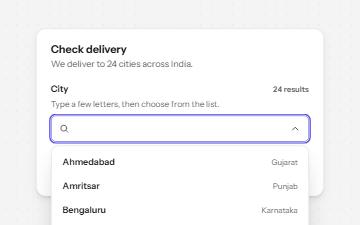
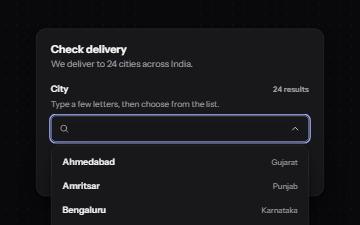
ऑटोकम्प्लीट वाला कॉम्बोबॉक्स
टाइप करते ही सुझावों की सूची छाँटने वाला टेक्स्ट फ़ील्ड, एक चुनने के लिए ऐरो कुंजियों और मेल खाने वालों की लाइव गिनती के साथ।
-
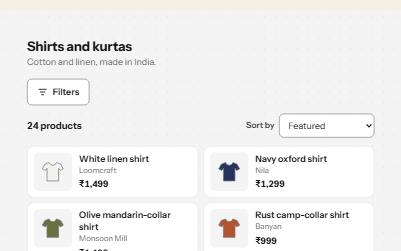
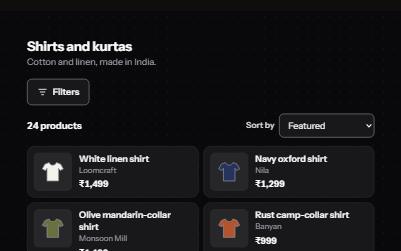
खोज फ़िल्टर
उत्पाद फ़िल्टर पैनल: गिनती वाले समूहबद्ध चेकबॉक्स, कीमत की सीमा, क्रम, हटाए जा सकने वाले चिप और घोषित होने वाली नतीजों की गिनती।
-
स्टेटस मैसेज
नतीजे, पुष्टियाँ और सेव role=status के ज़रिए स्क्रीन रीडर को बताए जाते हैं, फ़ोकस हिलाए बिना, हर बार एक ही बार।
-
ख़ाली स्थिति
जब किसी सूची में कुछ न हो तब क्या दिखाएँ: वह ख़ाली क्यों है, और उसे भरने वाला एक काम, बदलने पर घोषित किया हुआ।