सुलभता पैटर्न · फ़ॉर्म इनपुट
रेडियो कार्ड
हर कार्ड एक असली रेडियो बटन के चारों ओर लिपटा लेबल है, इसलिए उस पर कहीं भी क्लिक करने से प्लान चुना जाता है, और ऐरो कुंजियाँ प्लानों के बीच वैसे ही चलती हैं जैसे किसी भी रेडियो ग्रुप में। रेडियो का नाम प्लान और उसकी कीमत से बनता है और विवरण उसकी सुविधाओं से, इसलिए पूरा कार्ड एक लंबा नाम बने बिना पूरा पढ़ा जाता है।
- डब्ल्यूसीएजी मानदंड
- 7
- कीबोर्ड नियम
- 5
- जाँच का तरीक़ा
- axe, कीबोर्ड और इंस्पेक्टर
लाइव डेमो
आज़माएँ
इसे माउस, कीबोर्ड या स्क्रीन रीडर से इस्तेमाल करें। साथ का इंस्पेक्टर दिखाता है कि आपके इस्तेमाल के दौरान ब्राउज़र सहायक तकनीक को क्या बताता है: फ़ोकस, स्थिति में बदलाव और घोषणाएँ।
जावास्क्रिप्ट के बिना डेमो उतना ही काम करता है जितना उसका एचटीएमएल; इंस्पेक्टर के लिए जावास्क्रिप्ट चाहिए।
कीबोर्ड
जिन कुंजियों पर यह काम करता है
हर क्रिया पॉइंटर के बिना काम करती है।
| कुंजी | यह क्या करती है |
|---|---|
| Tab | चुने हुए प्लान पर जाता है, या कुछ न चुना हो तो पहले प्लान पर; अगला Tab ग्रुप से बाहर ले जाता है। |
| Arrow DownयाArrow Right | अगला प्लान चुनता है, आख़िरी से घूमकर पहले पर पहुँचता है। |
| Arrow UpयाArrow Left | पिछला प्लान चुनता है, पहले से घूमकर आख़िरी पर पहुँचता है। |
| Space | अगर अभी कुछ नहीं चुना गया है, तो फ़ोकस वाला प्लान चुनता है। |
| Enter | किसी प्लान पर, फ़ॉर्म भेजता है, ठीक वैसे ही जैसे जारी रखें दबाना। |
स्क्रीन रीडर
यह क्या घोषित करता है
मार्कअप की भूमिकाओं, नामों और स्थितियों से लिखा गया।
| कब | अपेक्षित घोषणा |
|---|---|
| Tab ग्रुप पर पहुँचता है | प्लान चुनें, समूह। कीमतों में GST शामिल है। स्टूडियो ₹499 हर महीने, रेडियो बटन, चुना हुआ, 3 में से 2। लोकप्रिय। फ़्रीलांसरों और छोटे स्टूडियो के लिए। |
| Arrow Down अगला प्लान चुनता है | टीम ₹1,299 हर महीने, रेडियो बटन, चुना हुआ, 3 में से 3। दस लोगों तक की टीमों के लिए। स्टूडियो का सब कुछ… |
| कुछ चुने बिना जारी रखें दबाया जाता है | फ़ोकस स्टार्टर पर जाता है: प्लान चुनें, समूह। जारी रखने के लिए कोई प्लान चुनें। स्टार्टर ₹0 हर महीने, रेडियो बटन, चुना नहीं गया, 3 में से 1 |
| प्लान चुनकर जारी रखें दबाया जाता है | चुना गया प्लान: टीम |
ये अपेक्षित घोषणाएँ हैं, रिकॉर्डिंग नहीं। स्क्रीन रीडर और ब्राउज़र के हिसाब से शब्द और क्रम बदलते हैं।
कोड
कोड कॉपी करें
वही फ़ाइलें जिन पर यह डेमो चलता है। स्टाइल एक प्रीफ़िक्स के साथ परोसी जाती हैं जो इस साइट की अपनी स्टाइल को डेमो से दूर रखता है; आप जो कॉपी करते हैं वह मूल है।
<form class="ap-radio-cards" data-ap-radio-cards novalidate>
  <fieldset class="ap-radio-cards__set" aria-describedby="radio-cards-hint">
    <legend class="ap-radio-cards__legend">Choose a plan</legend>
    <p class="ap-radio-cards__hint" id="radio-cards-hint">Prices include GST. Change or cancel at any time.</p>
    <p class="ap-error ap-radio-cards__error" id="radio-cards-error" hidden>
      <svg class="ap-radio-cards__error-icon" viewBox="0 0 24 24" aria-hidden="true" focusable="false"><circle cx="12" cy="12" r="9"/><path d="M12 7.5v5.5M12 16.5h.01"/></svg>
      <span>Choose a plan to continue.</span>
    </p>
    <div class="ap-radio-cards__grid">
      <label class="ap-radio-cards__card">
        <input class="ap-radio-cards__radio" type="radio" name="radio-cards-plan" value="starter" aria-labelledby="radio-cards-starter-name radio-cards-starter-price" aria-describedby="radio-cards-starter-fit radio-cards-starter-features" />
        <span class="ap-radio-cards__top">
          <span class="ap-radio-cards__name" id="radio-cards-starter-name">Starter</span>
          <span class="ap-radio-cards__mark" aria-hidden="true"><svg viewBox="0 0 24 24" focusable="false"><path d="m6.5 12.5 3.5 3.5 7.5-8"/></svg></span>
        </span>
        <span class="ap-radio-cards__price" id="radio-cards-starter-price"><span class="ap-radio-cards__amount">₹0</span> <span class="ap-radio-cards__per">a month</span></span>
        <span class="ap-radio-cards__fit" id="radio-cards-starter-fit">For trying it out on your own.</span>
        <span class="ap-radio-cards__features" id="radio-cards-starter-features">
          <span class="ap-radio-cards__feature"><svg class="ap-radio-cards__tick" viewBox="0 0 24 24" aria-hidden="true" focusable="false"><path d="m5 12.5 4.5 4.5L19 7.5"/></svg>3 projects</span>
          <span class="ap-radio-cards__feature"><svg class="ap-radio-cards__tick" viewBox="0 0 24 24" aria-hidden="true" focusable="false"><path d="m5 12.5 4.5 4.5L19 7.5"/></svg>2 GB storage</span>
          <span class="ap-radio-cards__feature"><svg class="ap-radio-cards__tick" viewBox="0 0 24 24" aria-hidden="true" focusable="false"><path d="m5 12.5 4.5 4.5L19 7.5"/></svg>Community help</span>
        </span>
      </label>
      <label class="ap-radio-cards__card">
        <input class="ap-radio-cards__radio" type="radio" name="radio-cards-plan" value="studio" aria-labelledby="radio-cards-studio-name radio-cards-studio-price" aria-describedby="radio-cards-studio-badge radio-cards-studio-fit radio-cards-studio-features" checked />
        <span class="ap-radio-cards__top">
          <span class="ap-radio-cards__name" id="radio-cards-studio-name">Studio</span>
          <span class="ap-radio-cards__badge" id="radio-cards-studio-badge"><svg viewBox="0 0 24 24" aria-hidden="true" focusable="false"><path d="m12 3.5 2.6 5.3 5.9.9-4.25 4.1 1 5.8L12 16.85 6.75 19.6l1-5.8L3.5 9.7l5.9-.9Z"/></svg>Popular</span>
          <span class="ap-radio-cards__mark" aria-hidden="true"><svg viewBox="0 0 24 24" focusable="false"><path d="m6.5 12.5 3.5 3.5 7.5-8"/></svg></span>
        </span>
        <span class="ap-radio-cards__price" id="radio-cards-studio-price"><span class="ap-radio-cards__amount">₹499</span> <span class="ap-radio-cards__per">a month</span></span>
        <span class="ap-radio-cards__fit" id="radio-cards-studio-fit">For freelancers and small studios.</span>
        <span class="ap-radio-cards__features" id="radio-cards-studio-features">
          <span class="ap-radio-cards__feature"><svg class="ap-radio-cards__tick" viewBox="0 0 24 24" aria-hidden="true" focusable="false"><path d="m5 12.5 4.5 4.5L19 7.5"/></svg>Unlimited projects</span>
          <span class="ap-radio-cards__feature"><svg class="ap-radio-cards__tick" viewBox="0 0 24 24" aria-hidden="true" focusable="false"><path d="m5 12.5 4.5 4.5L19 7.5"/></svg>100 GB storage</span>
          <span class="ap-radio-cards__feature"><svg class="ap-radio-cards__tick" viewBox="0 0 24 24" aria-hidden="true" focusable="false"><path d="m5 12.5 4.5 4.5L19 7.5"/></svg>Email support within a day</span>
        </span>
      </label>
      <label class="ap-radio-cards__card">
        <input class="ap-radio-cards__radio" type="radio" name="radio-cards-plan" value="team" aria-labelledby="radio-cards-team-name radio-cards-team-price" aria-describedby="radio-cards-team-fit radio-cards-team-features" />
        <span class="ap-radio-cards__top">
          <span class="ap-radio-cards__name" id="radio-cards-team-name">Team</span>
          <span class="ap-radio-cards__mark" aria-hidden="true"><svg viewBox="0 0 24 24" focusable="false"><path d="m6.5 12.5 3.5 3.5 7.5-8"/></svg></span>
        </span>
        <span class="ap-radio-cards__price" id="radio-cards-team-price"><span class="ap-radio-cards__amount">₹1,299</span> <span class="ap-radio-cards__per">a month</span></span>
        <span class="ap-radio-cards__fit" id="radio-cards-team-fit">For teams of up to ten people.</span>
        <span class="ap-radio-cards__features" id="radio-cards-team-features">
          <span class="ap-radio-cards__feature"><svg class="ap-radio-cards__tick" viewBox="0 0 24 24" aria-hidden="true" focusable="false"><path d="m5 12.5 4.5 4.5L19 7.5"/></svg>Everything in Studio</span>
          <span class="ap-radio-cards__feature"><svg class="ap-radio-cards__tick" viewBox="0 0 24 24" aria-hidden="true" focusable="false"><path d="m5 12.5 4.5 4.5L19 7.5"/></svg>Shared folders</span>
          <span class="ap-radio-cards__feature"><svg class="ap-radio-cards__tick" viewBox="0 0 24 24" aria-hidden="true" focusable="false"><path d="m5 12.5 4.5 4.5L19 7.5"/></svg>Phone support</span>
        </span>
      </label>
    </div>
  </fieldset>
  <div class="ap-radio-cards__foot">
    <p class="ap-radio-cards__total"><span class="ap-radio-cards__total-k">Due today</span> <strong class="ap-radio-cards__total-v" data-ap-total translate="no">₹499</strong></p>
    <button type="submit" class="ap-btn ap-btn--primary">Continue</button>
  </div>
  <p class="ap-radio-cards__status" role="status"></p>
</form>
/* Shared primitives: buttons and form fields used across the patterns.
   Uses the --ap-* design tokens. */

.ap-btn {
  display: inline-flex;
  align-items: center;
  justify-content: center;
  gap: 8px;
  min-height: 40px;
  padding: 0 16px;
  border: 1px solid var(--ap-border-strong);
  border-radius: var(--ap-radius-sm);
  background: var(--ap-surface);
  color: var(--ap-text);
  font: inherit;
  font-weight: 600;
  line-height: 1.2;
  text-decoration: none;
  white-space: nowrap;
  cursor: pointer;
  transition: background-color var(--ap-duration) var(--ap-ease), border-color var(--ap-duration) var(--ap-ease), box-shadow var(--ap-duration) var(--ap-ease);
}
.ap-btn:hover {
  background: var(--ap-surface-2);
}
.ap-btn:focus-visible {
  outline: 2px solid var(--ap-focus);
  outline-offset: 2px;
}
.ap-btn:disabled,
.ap-btn[aria-disabled="true"] {
  opacity: .55;
  cursor: not-allowed;
}
.ap-btn--primary {
  border-color: var(--ap-accent);
  background: var(--ap-accent);
  color: var(--ap-on-accent);
  box-shadow: var(--ap-shadow-sm);
}
.ap-btn--primary:hover {
  border-color: var(--ap-accent-hover);
  background: var(--ap-accent-hover);
}
.ap-btn--danger {
  border-color: var(--ap-danger);
  background: var(--ap-danger);
  color: var(--ap-surface);
}
.ap-btn--danger:hover {
  filter: brightness(1.08);
}
.ap-btn--ghost {
  border-color: transparent;
  background: transparent;
}
.ap-btn--ghost:hover {
  background: var(--ap-surface-2);
}
.ap-btn__icon {
  width: 18px;
  height: 18px;
  flex-shrink: 0;
  fill: none;
  stroke: currentColor;
  stroke-width: 2;
  stroke-linecap: round;
  stroke-linejoin: round;
}

.ap-field {
  display: grid;
  gap: 6px;
}
.ap-label {
  color: var(--ap-text);
  font-weight: 600;
  font-size: .9375rem;
}
.ap-hint {
  margin: 0;
  color: var(--ap-text-3);
  font-size: .875rem;
  line-height: 1.45;
}
.ap-error {
  display: flex;
  align-items: flex-start;
  gap: 6px;
  margin: 0;
  color: var(--ap-danger);
  font-size: .875rem;
  font-weight: 600;
  line-height: 1.45;
}
.ap-input {
  width: 100%;
  min-height: 44px;
  padding: 10px 12px;
  border: 1px solid var(--ap-border-strong);
  border-radius: var(--ap-radius-sm);
  background: var(--ap-surface);
  color: var(--ap-text);
  font: inherit;
  line-height: 1.4;
  transition: border-color var(--ap-duration) var(--ap-ease), box-shadow var(--ap-duration) var(--ap-ease);
}
.ap-input::placeholder {
  color: var(--ap-text-3);
}
.ap-input:hover {
  border-color: var(--ap-text-2);
}
.ap-input:focus-visible {
  outline: 2px solid var(--ap-focus);
  outline-offset: 1px;
  border-color: var(--ap-focus);
}
.ap-input[aria-invalid="true"] {
  border-color: var(--ap-danger);
  box-shadow: inset 4px 0 0 var(--ap-danger);
}
textarea.ap-input {
  resize: vertical;
  min-height: 88px;
}

@media (prefers-reduced-motion: reduce) {
  .ap-btn,
  .ap-input { transition: none; }
}

/* Radio cards. Uses the --ap-* design tokens and the shared primitives. */
.ap-radio-cards {
  width: min(100%, 760px);
  margin-inline: auto;
  padding: 22px;
  border: 1px solid var(--ap-border);
  border-radius: var(--ap-radius-lg);
  background: var(--ap-surface);
  color: var(--ap-text);
  box-shadow: var(--ap-shadow-md);
  container-type: inline-size;
}

.ap-radio-cards__set {
  min-width: 0;
  margin: 0;
  padding: 0;
  border: 0;
}
.ap-radio-cards__legend {
  padding: 0;
  font-size: 1.125rem;
  font-weight: 650;
  line-height: 1.35;
}
.ap-radio-cards__hint {
  margin: 4px 0 0;
  color: var(--ap-text-3);
  font-size: .875rem;
  line-height: 1.5;
}
.ap-radio-cards__error {
  margin-top: 12px;
  padding: 10px 12px;
  border-radius: var(--ap-radius-sm);
  background: var(--ap-danger-soft);
}
.ap-radio-cards__error[hidden] {
  display: none;
}
.ap-radio-cards__error-icon {
  flex-shrink: 0;
  width: 18px;
  height: 18px;
  margin-top: 1px;
  fill: none;
  stroke: currentColor;
  stroke-width: 2;
  stroke-linecap: round;
}

.ap-radio-cards__grid {
  display: grid;
  grid-template-columns: repeat(3, minmax(0, 1fr));
  gap: 12px;
  margin-top: 16px;
}

/* The card is the label: a click anywhere on it chooses the plan. */
.ap-radio-cards__card {
  position: relative;
  display: flex;
  flex-direction: column;
  gap: 4px;
  min-width: 0;
  padding: 16px 16px 18px;
  border: 1px solid var(--ap-border-strong);
  border-radius: var(--ap-radius);
  background: var(--ap-surface);
  cursor: pointer;
  transition: border-color var(--ap-duration) var(--ap-ease), box-shadow var(--ap-duration) var(--ap-ease), background-color var(--ap-duration) var(--ap-ease);
}
.ap-radio-cards__card:hover {
  border-color: var(--ap-text-2);
  background: var(--ap-surface-2);
}
/* Chosen: a two-pixel accent edge (the inset shadow adds the second pixel without moving anything). */
.ap-radio-cards__card:has(.ap-radio-cards__radio:checked) {
  border-color: var(--ap-accent);
  background: var(--ap-accent-soft);
  box-shadow: inset 0 0 0 1px var(--ap-accent), var(--ap-shadow-sm);
}
.ap-radio-cards__card:has(.ap-radio-cards__radio:focus-visible) {
  outline: 2px solid var(--ap-focus);
  outline-offset: 3px;
}

.ap-radio-cards__top {
  display: flex;
  align-items: center;
  gap: 8px;
  min-height: 26px;
}
.ap-radio-cards__name {
  font-size: 1rem;
  font-weight: 650;
  line-height: 1.3;
}
.ap-radio-cards__badge {
  display: inline-flex;
  align-items: center;
  gap: 4px;
  padding: 2px 8px 2px 6px;
  border-radius: var(--ap-radius-full);
  background: var(--ap-accent-soft);
  color: var(--ap-accent-soft-text);
  font-size: .75rem;
  font-weight: 650;
  line-height: 1.5;
  box-shadow: inset 0 0 0 1px var(--ap-accent-text);
}
.ap-radio-cards__badge svg {
  width: 12px;
  height: 12px;
  fill: currentColor;
}

/* The check circle. The real radio sits exactly over it, transparent. */
.ap-radio-cards__mark,
.ap-radio-cards__radio {
  position: absolute;
  top: 15px;
  right: 15px;
  width: 24px;
  height: 24px;
  margin: 0;
  border-radius: var(--ap-radius-full);
}
.ap-radio-cards__radio {
  z-index: 1;
  opacity: 0;
  cursor: pointer;
  appearance: none;
}
.ap-radio-cards__mark {
  display: grid;
  place-items: center;
  border: 1.5px solid var(--ap-border-strong);
  background: var(--ap-surface);
  color: var(--ap-on-accent);
  transition: background-color var(--ap-duration) var(--ap-ease), border-color var(--ap-duration) var(--ap-ease);
}
.ap-radio-cards__mark svg {
  width: 16px;
  height: 16px;
  fill: none;
  stroke: currentColor;
  stroke-width: 2.5;
  stroke-linecap: round;
  stroke-linejoin: round;
  opacity: 0;
  transform: scale(.6);
  transition: opacity var(--ap-duration) var(--ap-ease), transform var(--ap-duration) var(--ap-ease);
}
.ap-radio-cards__card:has(.ap-radio-cards__radio:checked) .ap-radio-cards__mark {
  border-color: var(--ap-accent);
  background: var(--ap-accent);
}
.ap-radio-cards__card:has(.ap-radio-cards__radio:checked) .ap-radio-cards__mark svg {
  opacity: 1;
  transform: none;
}

.ap-radio-cards__price {
  display: block;
  margin-top: 8px;
}
.ap-radio-cards__amount {
  font-size: 1.75rem;
  font-weight: 700;
  line-height: 1.2;
  letter-spacing: -.02em;
  font-variant-numeric: tabular-nums;
}
.ap-radio-cards__per {
  color: var(--ap-text-3);
  font-size: .875rem;
}
.ap-radio-cards__fit {
  display: block;
  color: var(--ap-text-2);
  font-size: .875rem;
  line-height: 1.45;
}
.ap-radio-cards__features {
  display: grid;
  gap: 6px;
  margin-top: 10px;
  padding-top: 12px;
  border-top: 1px solid var(--ap-border);
}
.ap-radio-cards__feature {
  display: flex;
  align-items: flex-start;
  gap: 8px;
  color: var(--ap-text-2);
  font-size: .875rem;
  line-height: 1.4;
}
.ap-radio-cards__tick {
  flex-shrink: 0;
  width: 16px;
  height: 16px;
  margin-top: 1px;
  fill: none;
  stroke: var(--ap-accent-text);
  stroke-width: 2.25;
  stroke-linecap: round;
  stroke-linejoin: round;
}

.ap-radio-cards__foot {
  display: flex;
  flex-wrap: wrap;
  align-items: center;
  justify-content: space-between;
  gap: 12px 16px;
  margin-top: 18px;
  padding-top: 16px;
  border-top: 1px solid var(--ap-border);
}
.ap-radio-cards__total {
  display: flex;
  align-items: baseline;
  gap: 10px;
  margin: 0;
}
.ap-radio-cards__total-k {
  color: var(--ap-text-3);
  font-size: .875rem;
}
.ap-radio-cards__total-v {
  font-size: 1.125rem;
  font-weight: 700;
  font-variant-numeric: tabular-nums;
}
.ap-radio-cards__foot .ap-btn {
  min-height: var(--ap-target);
  padding: 0 22px;
}
.ap-radio-cards__status {
  margin: 0;
  color: var(--ap-success);
  font-size: .875rem;
  font-weight: 600;
}
.ap-radio-cards__status:not(:empty) {
  margin-top: 14px;
  padding: 10px 12px;
  border-radius: var(--ap-radius-sm);
  background: var(--ap-success-soft);
}

/* Narrow: the cards stack, with the price beside the name to save height. */
@container (max-width: 600px) {
  .ap-radio-cards { padding: 18px 16px; }
  .ap-radio-cards__grid { grid-template-columns: minmax(0, 1fr); gap: 10px; }
  .ap-radio-cards__card {
    display: grid;
    grid-template-columns: minmax(0, 1fr) auto;
    column-gap: 12px;
    row-gap: 2px;
    padding: 14px 14px 16px;
  }
  .ap-radio-cards__top { grid-column: 1; flex-wrap: wrap; row-gap: 4px; padding-left: 36px; }
  .ap-radio-cards__price { display: grid; grid-column: 2; grid-row: 1; margin: 0; align-self: start; justify-items: end; text-align: end; }
  .ap-radio-cards__amount { font-size: 1.25rem; }
  .ap-radio-cards__per { font-size: .75rem; line-height: 1.3; }
  .ap-radio-cards__fit { margin-top: 6px; }
  .ap-radio-cards__fit,
  .ap-radio-cards__features { grid-column: 1 / -1; }
  .ap-radio-cards__features { margin-top: 8px; padding-top: 10px; }
  .ap-radio-cards__mark,
  .ap-radio-cards__radio { top: 15px; right: auto; left: 14px; }
}

@media (forced-colors: active) {
  .ap-radio-cards__card:has(.ap-radio-cards__radio:checked) { border-width: 3px; }
  .ap-radio-cards__card:has(.ap-radio-cards__radio:checked) .ap-radio-cards__mark { forced-color-adjust: none; border-color: Highlight; background: Highlight; color: HighlightText; }
}

@media (prefers-reduced-motion: reduce) {
  .ap-radio-cards__card,
  .ap-radio-cards__mark,
  .ap-radio-cards__mark svg { transition: none; }
}
/**
 * Radio cards: a plan picker made of native radio buttons, each wrapped in a
 * label that is drawn as a card. The browser does the choosing and the arrow
 * keys; this script keeps the total in step and checks that a plan was chosen
 * before the form goes on.
 *
 * Markup: form[data-ap-radio-cards] > fieldset[aria-describedby] holding a
 * p[hidden] error (added to the description while shown) and label cards,
 * each with an input[type=radio] and a price in .ap-radio-cards__amount; a
 * [data-ap-total] for the amount due and a p[role=status] for the outcome.
 * Add data-none to the root to start with no plan chosen.
 */

export function init(root) {
  const radios = [...root.querySelectorAll(".ap-radio-cards__radio")];
  const set = root.querySelector("fieldset");
  const error = root.querySelector(".ap-radio-cards__error");
  const total = root.querySelector("[data-ap-total]");
  const status = root.querySelector("[role=status]");
  const cardOf = (radio) => radio.closest(".ap-radio-cards__card");
  const chosen = () => radios.find((r) => r.checked) || null;

  if (root.hasAttribute("data-none")) for (const r of radios) r.checked = false;

  function paint() {
    const radio = chosen();
    total.textContent = radio ? cardOf(radio).querySelector(".ap-radio-cards__amount").textContent : "—";
  }

  // The error is part of the group's description only while it shows: browsers
  // read a hidden element that aria-describedby points to.
  function showError(on) {
    error.hidden = !on;
    const ids = (set.getAttribute("aria-describedby") || "").split(/\s+/).filter((id) => id && id !== error.id);
    if (on) ids.push(error.id);
    set.setAttribute("aria-describedby", ids.join(" "));
  }

  function onChange() {
    showError(false);
    status.textContent = "";
    paint();
  }

  function onSubmit(event) {
    event.preventDefault();
    const radio = chosen();
    if (!radio) {
      status.textContent = "";
      showError(true);
      // Focus goes to the group, so its description (now the error) is read with it.
      radios[0].focus();
      return;
    }
    const said = document.createElement("span");
    said.textContent = "Plan chosen:";
    const what = document.createElement("strong");
    what.textContent = cardOf(radio).querySelector(".ap-radio-cards__name").textContent;
    status.replaceChildren(said, " ", what);
  }

  root.addEventListener("change", onChange);
  root.addEventListener("submit", onSubmit);
  paint();

  return () => {
    root.removeEventListener("change", onChange);
    root.removeEventListener("submit", onSubmit);
  };
}

for (const root of document.querySelectorAll("[data-ap-radio-cards]")) init(root);
/* Design tokens for the pattern components. Light by default, dark when the
   system asks for it; set data-theme="dark" on :root to force dark. */
:root {
    --ap-radius-sm: 8px;
    --ap-radius: 12px;
    --ap-radius-lg: 16px;
    --ap-radius-full: 999px;
    --ap-font: "Instrument Sans", ui-sans-serif, system-ui, -apple-system, "Segoe UI", Roboto, sans-serif;
    --ap-mono: "JetBrains Mono", ui-monospace, "Cascadia Mono", "SF Mono", Consolas, monospace;
    --ap-ease: cubic-bezier(.2, .8, .2, 1);
    --ap-duration: 180ms;
    --ap-target: 44px;
    --ap-bg: #F4F4F5;
    --ap-surface: #FFFFFF;
    --ap-surface-2: #F4F4F5;
    --ap-surface-3: #E4E4E7;
    --ap-border: #E4E4E7;
    --ap-border-strong: #76767F;
    --ap-text: #18181B;
    --ap-text-2: #3F3F46;
    --ap-text-3: #5E5E66;
    --ap-accent: #4F46E5;
    --ap-accent-hover: #4338CA;
    --ap-on-accent: #FFFFFF;
    --ap-accent-text: #4338CA;
    --ap-accent-soft: #EEF2FF;
    --ap-accent-soft-text: #3730A3;
    --ap-focus: #4F46E5;
    --ap-danger: #B91C1C;
    --ap-danger-soft: #FEF2F2;
    --ap-success: #15803D;
    --ap-success-soft: #F0FDF4;
    --ap-warning: #A15C07;
    --ap-warning-soft: #FEFCE8;
    --ap-info: #1D4ED8;
    --ap-info-soft: #EFF6FF;
    --ap-scrim: rgb(9 9 11 / .48);
    --ap-shadow-sm: 0 1px 2px rgb(9 9 11 / .06);
    --ap-shadow-md: 0 1px 2px rgb(9 9 11 / .05), 0 6px 16px -4px rgb(9 9 11 / .1);
    --ap-shadow-lg: 0 2px 6px rgb(9 9 11 / .06), 0 20px 40px -12px rgb(9 9 11 / .22);
    --ap-light-bg: #F4F4F5;
    --ap-light-surface: #FFFFFF;
    --ap-light-surface-2: #F4F4F5;
    --ap-light-surface-3: #E4E4E7;
    --ap-light-border: #E4E4E7;
    --ap-light-border-strong: #76767F;
    --ap-light-text: #18181B;
    --ap-light-text-2: #3F3F46;
    --ap-light-text-3: #5E5E66;
    --ap-light-accent: #4F46E5;
    --ap-light-accent-hover: #4338CA;
    --ap-light-on-accent: #FFFFFF;
    --ap-light-accent-text: #4338CA;
    --ap-light-accent-soft: #EEF2FF;
    --ap-light-accent-soft-text: #3730A3;
    --ap-light-focus: #4F46E5;
    --ap-light-danger: #B91C1C;
    --ap-light-danger-soft: #FEF2F2;
    --ap-light-success: #15803D;
    --ap-light-success-soft: #F0FDF4;
    --ap-light-warning: #A15C07;
    --ap-light-warning-soft: #FEFCE8;
    --ap-light-info: #1D4ED8;
    --ap-light-info-soft: #EFF6FF;
    --ap-light-scrim: rgb(9 9 11 / .48);
    --ap-light-shadow-sm: 0 1px 2px rgb(9 9 11 / .06);
    --ap-light-shadow-md: 0 1px 2px rgb(9 9 11 / .05), 0 6px 16px -4px rgb(9 9 11 / .1);
    --ap-light-shadow-lg: 0 2px 6px rgb(9 9 11 / .06), 0 20px 40px -12px rgb(9 9 11 / .22);
    --ap-dark-bg: #09090B;
    --ap-dark-surface: #18181B;
    --ap-dark-surface-2: #27272A;
    --ap-dark-surface-3: #3F3F46;
    --ap-dark-border: #2E2E33;
    --ap-dark-border-strong: #8E8E97;
    --ap-dark-text: #FAFAFA;
    --ap-dark-text-2: #D4D4D8;
    --ap-dark-text-3: #A1A1AA;
    --ap-dark-accent: #818CF8;
    --ap-dark-accent-hover: #A5B4FC;
    --ap-dark-on-accent: #0C0A1F;
    --ap-dark-accent-text: #A5B4FC;
    --ap-dark-accent-soft: #1E1B4B;
    --ap-dark-accent-soft-text: #C7D2FE;
    --ap-dark-focus: #A5B4FC;
    --ap-dark-danger: #F87171;
    --ap-dark-danger-soft: #2A1215;
    --ap-dark-success: #4ADE80;
    --ap-dark-success-soft: #0F2A1A;
    --ap-dark-warning: #FACC15;
    --ap-dark-warning-soft: #2A2410;
    --ap-dark-info: #60A5FA;
    --ap-dark-info-soft: #0F1D33;
    --ap-dark-scrim: rgb(0 0 0 / .62);
    --ap-dark-shadow-sm: 0 1px 2px rgb(0 0 0 / .4);
    --ap-dark-shadow-md: 0 1px 2px rgb(0 0 0 / .4), 0 8px 20px -6px rgb(0 0 0 / .5);
    --ap-dark-shadow-lg: 0 2px 8px rgb(0 0 0 / .45), 0 24px 48px -12px rgb(0 0 0 / .7);
}
@media (prefers-color-scheme: dark) {
  :root:not([data-theme="light"]) {
      --ap-bg: #09090B;
      --ap-surface: #18181B;
      --ap-surface-2: #27272A;
      --ap-surface-3: #3F3F46;
      --ap-border: #2E2E33;
      --ap-border-strong: #8E8E97;
      --ap-text: #FAFAFA;
      --ap-text-2: #D4D4D8;
      --ap-text-3: #A1A1AA;
      --ap-accent: #818CF8;
      --ap-accent-hover: #A5B4FC;
      --ap-on-accent: #0C0A1F;
      --ap-accent-text: #A5B4FC;
      --ap-accent-soft: #1E1B4B;
      --ap-accent-soft-text: #C7D2FE;
      --ap-focus: #A5B4FC;
      --ap-danger: #F87171;
      --ap-danger-soft: #2A1215;
      --ap-success: #4ADE80;
      --ap-success-soft: #0F2A1A;
      --ap-warning: #FACC15;
      --ap-warning-soft: #2A2410;
      --ap-info: #60A5FA;
      --ap-info-soft: #0F1D33;
      --ap-scrim: rgb(0 0 0 / .62);
      --ap-shadow-sm: 0 1px 2px rgb(0 0 0 / .4);
      --ap-shadow-md: 0 1px 2px rgb(0 0 0 / .4), 0 8px 20px -6px rgb(0 0 0 / .5);
      --ap-shadow-lg: 0 2px 8px rgb(0 0 0 / .45), 0 24px 48px -12px rgb(0 0 0 / .7);
  }
}
:root[data-theme="dark"] {
    --ap-bg: #09090B;
    --ap-surface: #18181B;
    --ap-surface-2: #27272A;
    --ap-surface-3: #3F3F46;
    --ap-border: #2E2E33;
    --ap-border-strong: #8E8E97;
    --ap-text: #FAFAFA;
    --ap-text-2: #D4D4D8;
    --ap-text-3: #A1A1AA;
    --ap-accent: #818CF8;
    --ap-accent-hover: #A5B4FC;
    --ap-on-accent: #0C0A1F;
    --ap-accent-text: #A5B4FC;
    --ap-accent-soft: #1E1B4B;
    --ap-accent-soft-text: #C7D2FE;
    --ap-focus: #A5B4FC;
    --ap-danger: #F87171;
    --ap-danger-soft: #2A1215;
    --ap-success: #4ADE80;
    --ap-success-soft: #0F2A1A;
    --ap-warning: #FACC15;
    --ap-warning-soft: #2A2410;
    --ap-info: #60A5FA;
    --ap-info-soft: #0F1D33;
    --ap-scrim: rgb(0 0 0 / .62);
    --ap-shadow-sm: 0 1px 2px rgb(0 0 0 / .4);
    --ap-shadow-md: 0 1px 2px rgb(0 0 0 / .4), 0 8px 20px -6px rgb(0 0 0 / .5);
    --ap-shadow-lg: 0 2px 8px rgb(0 0 0 / .45), 0 24px 48px -12px rgb(0 0 0 / .7);
}
डब्ल्यूसीएजी 2.2
यह किन मानदंडों को पूरा करता है
वे सफलता मानदंड जिनका यह पैटर्न ध्यान रखता है, और कैसे।
-
1.3.1 जानकारी और संबंध
स्तर A
fieldset और legend तीनों प्लानों को एक समूह बनाते हैं और उसे नाम देते हैं, और हर रेडियो aria-labelledby और aria-describedby से अपने नाम, कीमत और सुविधाओं से जुड़ा है।
-
1.4.1 रंग का उपयोग
स्तर A
चुने हुए कार्ड पर भरा हुआ सही का निशान और दो पिक्सेल का किनारा आता है, इसलिए चुनाव कभी सिर्फ़ उसके हल्के रंग पर निर्भर नहीं होता।
-
1.4.11 गैर-टेक्स्ट कंट्रास्ट
स्तर AA
ख़ाली निशान वाला गोला और चुने हुए कार्ड का किनारा, दोनों कार्ड के मुक़ाबले 3:1 पार करते हैं, इसलिए हर प्लान की स्थिति दिखती है।
-
2.1.1 कीबोर्ड
स्तर A
नेटिव रेडियो बटन Tab और ऐरो कुंजियों का जवाब देते हैं, इसलिए कार्डों को अपनी कोई कुंजी-व्यवस्था नहीं चाहिए।
-
2.4.7 फ़ोकस दिखाई देना
स्तर AA
जिस कार्ड पर कीबोर्ड फ़ोकस है, उसके पूरे किनारे पर रिंग दिखती है, जो तब बनती है जब उसका रेडियो :focus-visible से मेल खाता है।
-
3.3.1 त्रुटि पहचान
स्तर A
कुछ चुने बिना आगे बढ़ने पर टेक्स्ट में संदेश दिखता है, वह ग्रुप के विवरण में जुड़ जाता है, और फ़ोकस पहले प्लान पर चला जाता है।
-
4.1.2 नाम, भूमिका, मान
स्तर A
हर प्लान एक असली रेडियो इनपुट है, इसलिए उसकी भूमिका, नाम, चुनी हुई स्थिति और सेट में जगह ब्राउज़र से आती है।
उपयोग
इसे कब इस्तेमाल करें
इसे अपनाएँ
- दो से चार विकल्पों में से चुनाव, जिनमें हर एक को कुछ पंक्तियों का ब्योरा चाहिए, जैसे प्लान, डिलीवरी की रफ़्तार या सीट की श्रेणी।
- ऐसा फ़ैसला जिसे लोग साथ-साथ रखकर तुलना करते हैं, और जहाँ ब्योरा चुनने में मदद करता है।
कुछ और इस्तेमाल करें
- छोटे विकल्प जिन्हें ब्योरे की ज़रूरत नहीं: साधारण रेडियो ग्रुप जल्दी देखा और पढ़ा जाता है।
- एक साथ कई चीज़ें चुनना: चेकबॉक्स इस्तेमाल करें, चाहें तो कार्ड की तरह सजाकर।
- विकल्पों की लंबी सूची: select या कॉम्बोबॉक्स इस्तेमाल करें।
आम विफलताएँ
आमतौर पर यह कहाँ गलत होता है
रेडियो की जगह क्लिक होने वाले div
क्लिक हैंडलर वाले div से बने कार्ड Tab से नहीं पहुँचे जा सकते, ऐरो कुंजियों का जवाब नहीं देते और चुने जाने के बारे में कुछ नहीं बताते। हर कार्ड के अंदर एक असली रेडियो यह सब ले आता है।
display: none से छिपाया गया रेडियो
display: none रेडियो को Tab क्रम और सुलभता ट्री, दोनों से हटा देता है, इसलिए कार्ड ठीक दिखते हैं पर कीबोर्ड से किसी के लिए काम नहीं करते। यहाँ वह पारदर्शी है और निशान वाले गोले के ऊपर रखा है।
पूरा कार्ड ही नाम
सब कुछ लपेटने वाला लेबल रेडियो के नाम को कीमतों और सुविधाओं का एक अनुच्छेद बना देता है। aria-labelledby नाम को प्लान और कीमत तक सीमित रखता है; बाक़ी उसका विवरण है।
चुनाव सिर्फ़ हल्के रंग से दिखाना
पृष्ठभूमि का हल्का बदलाव कई लोगों को दिखता ही नहीं और फ़ोर्स्ड कलर मोड में पूरी तरह ग़ायब हो जाता है। यहाँ चुने हुए कार्ड पर सही का निशान और गाढ़ा किनारा भी आता है।
कार्ड पर कोई फ़ोकस रिंग नहीं
जब असली इनपुट दिखता नहीं, तो उसकी फ़ोकस रिंग भी नहीं दिखती। यहाँ रिंग :has(:focus-visible) से कार्ड के चारों ओर बनाई जाती है।
नोट्स
इसे बनाना
- label एलिमेंट में सिर्फ़ फ़्रेज़िंग कंटेंट रह सकता है, इसलिए कार्ड के अंदर सब कुछ ब्लॉक की तरह दिखाया गया span है; वहाँ div या ul अमान्य एचटीएमएल है।
- रेडियो ग्रुप में ऐरो कुंजियाँ चलते-चलते चुनती हैं। यह ऐसे चुनने वाले के लिए ठीक है, जहाँ फ़ॉर्म भेजे जाने तक चुनने से कुछ नहीं बदलता।
- निशान वाला गोला रेडियो का अपना बॉक्स है: पारदर्शी इनपुट ठीक उसके ऊपर रखा है, इसलिए स्क्रीन मैग्निफ़ायर और टच से खोजने वाले उसे वहीं पाते हैं जहाँ आँख पाती है।
- जब कोई समझदारी भरा प्लान हो, तो उसे पहले से चुना रहने दें। ऊपर का विकल्प कुछ भी चुने बिना शुरू होता है, ताकि बिना चुने जारी रखें दबाने पर त्रुटि दिखे।
- त्रुटि fieldset के aria-describedby में सिर्फ़ तभी जुड़ती है जब वह दिख रही हो: aria-describedby जिस छिपे हुए एलिमेंट की ओर इशारा करता है, वह भी पढ़ा जाता है।
स्रोत: WAI-एआरआईए ऑथरिंग प्रैक्टिसेज़: रेडियो ग्रुप · एचटीएमएल: label एलिमेंट
लाइट और डार्क थीम में, डेस्कटॉप और फ़ोन की चौड़ाई पर axe से और कीबोर्ड से जाँचा गया। अभी हर स्क्रीन रीडर और ब्राउज़र जोड़ी के साथ नहीं परखा गया। सुधार बताएँ
संबंधित
इसके साथ जाने वाले पैटर्न
-
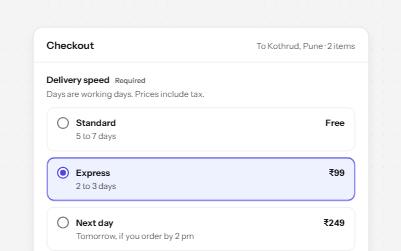
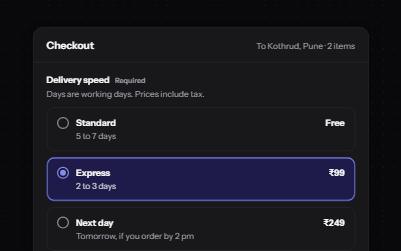
रेडियो ग्रुप
fieldset में नेटिव रेडियो बटन, नए रूप में और ऐसे बिंदु के साथ जिसका कंट्रास्ट बना रहता है, हर विकल्प के साथ विवरण और कीमत।
-
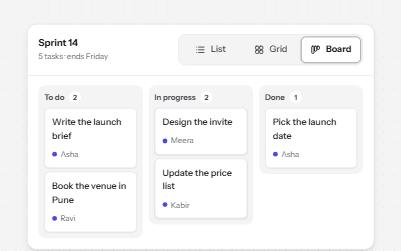
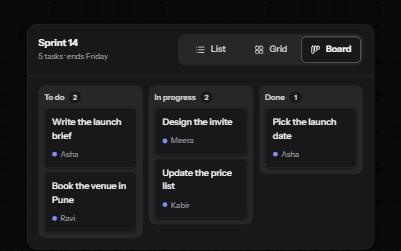
सेगमेंटेड कंट्रोल
कुछ व्यू में से एक चुनने के लिए जुड़े हुए हिस्सों की एक पंक्ति, जो fieldset के अंदर असली रेडियो बटन से बनी है।
-
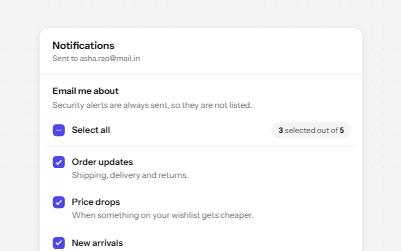
सभी चुनें वाला चेकबॉक्स समूह
जुड़े हुए चेकबॉक्स का fieldset, जिसमें मिश्रित स्थिति दिखाने वाला सभी चुनें बॉक्स और चुनी गई चीज़ों की लाइव गिनती है।
-
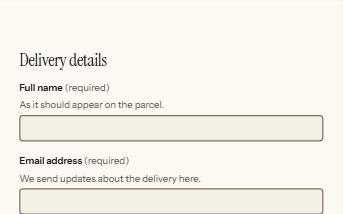
फ़ॉर्म त्रुटियाँ
एक त्रुटि सारांश जो फ़ोकस लेता है, हर फ़ील्ड से जुड़े संदेश, और फ़ॉर्म भेजने पर एक स्थिति संदेश।