सुलभता पैटर्न · फ़ॉर्म इनपुट
पासवर्ड फ़ील्ड
पासवर्ड दिखाएँ एक टॉगल बटन है: उसका नाम कभी नहीं बदलता, aria-pressed बताता है कि पासवर्ड दिख रहा है या नहीं, और क्लिक करने पर फ़ोकस फ़ील्ड में ही रहता है। शर्तें टाइप करते समय बदलती हैं पर चुप रहती हैं; वे तब बोली जाती हैं जब हर शर्त पूरी हो जाए, या जब फ़ॉर्म उनके बिना भेजा जाए।
- डब्ल्यूसीएजी मानदंड
- 7
- कीबोर्ड नियम
- 4
- जाँच का तरीक़ा
- axe, कीबोर्ड और इंस्पेक्टर
लाइव डेमो
आज़माएँ
इसे माउस, कीबोर्ड या स्क्रीन रीडर से इस्तेमाल करें। साथ का इंस्पेक्टर दिखाता है कि आपके इस्तेमाल के दौरान ब्राउज़र सहायक तकनीक को क्या बताता है: फ़ोकस, स्थिति में बदलाव और घोषणाएँ।
जावास्क्रिप्ट के बिना डेमो उतना ही काम करता है जितना उसका एचटीएमएल; इंस्पेक्टर के लिए जावास्क्रिप्ट चाहिए।
कीबोर्ड
जिन कुंजियों पर यह काम करता है
हर क्रिया पॉइंटर के बिना काम करती है।
| कुंजी | यह क्या करती है |
|---|---|
| Tab | पासवर्ड फ़ील्ड से उसके दिखाएँ बटन पर, फिर अगले फ़ील्ड पर जाता है। |
| EnterयाSpace | दिखाएँ पर, वह पासवर्ड दिखाता या छिपाता है; फ़ोकस बटन पर ही रहता है। |
| Enter | फ़ील्ड में, फ़ॉर्म भेजता है। कुछ गलत हो, तो फ़ोकस ठीक करने लायक पहले फ़ील्ड पर जाता है। |
| Caps Lock | पासवर्ड फ़ील्ड में टाइप करते समय, Caps Lock चालू हो तो उसके नीचे एक चेतावनी दिखती है। |
स्क्रीन रीडर
यह क्या घोषित करता है
मार्कअप की भूमिकाओं, नामों और स्थितियों से लिखा गया।
| कब | अपेक्षित घोषणा |
|---|---|
| फ़ोकस नए पासवर्ड पर पहुँचता है | नया पासवर्ड, पासवर्ड संपादन बॉक्स, ज़रूरी। आपके नए पासवर्ड में चाहिए: अभी नहीं: कम से कम 12 अक्षर। अभी नहीं: बड़े और छोटे अक्षर… |
| फ़ोकस उसके दिखाएँ बटन पर पहुँचता है | पासवर्ड दिखाएँ, टॉगल बटन, दबा हुआ नहीं |
| Space उसे दबाता है | दबा हुआ (फ़ील्ड अब पासवर्ड को टेक्स्ट के रूप में दिखाता है) |
| टाइप करने से आख़िरी शर्त पूरी होती है | आपका पासवर्ड हर शर्त पूरी करता है |
| टाइप करते समय Caps Lock चालू है | Caps Lock चालू है |
| कोई शर्त अधूरी रहते नए पासवर्ड में Enter दबाया जाता है | ऐसा पासवर्ड चुनें जो हर शर्त पूरी करे। अभी भी चाहिए: कम से कम एक अंक |
| पासवर्ड बदल दिया जाता है | पासवर्ड अपडेट हो गया |
ये अपेक्षित घोषणाएँ हैं, रिकॉर्डिंग नहीं। स्क्रीन रीडर और ब्राउज़र के हिसाब से शब्द और क्रम बदलते हैं।
कोड
कोड कॉपी करें
वही फ़ाइलें जिन पर यह डेमो चलता है। स्टाइल एक प्रीफ़िक्स के साथ परोसी जाती हैं जो इस साइट की अपनी स्टाइल को डेमो से दूर रखता है; आप जो कॉपी करते हैं वह मूल है।
<form class="ap-password-field" data-ap-password-field data-avoid="asha rao" novalidate aria-labelledby="pw-form-name">
  <div class="ap-password-field__top">
    <span class="ap-password-field__badge" aria-hidden="true"><svg viewBox="0 0 24 24" focusable="false"><circle cx="8" cy="15" r="4"/><path d="m11 12 8.5-8.5M16 7l2.5 2.5M14 9l2 2"/></svg></span>
    <div>
      <h3 class="ap-password-field__name" id="pw-form-name">Change password</h3>
      <p class="ap-password-field__sub">Signed in as [email protected]</p>
    </div>
  </div>

  <!-- Tells password managers which account the new password belongs to. -->
  <input type="email" name="username" autocomplete="username" value="[email protected]" hidden />

  <div class="ap-password-field__body">
    <div class="ap-field">
      <label class="ap-label" for="pw-current">Current password</label>
      <div class="ap-password-field__box">
        <input class="ap-input ap-password-field__input" id="pw-current" name="current" type="password" autocomplete="current-password" autocapitalize="off" spellcheck="false" required />
        <button type="button" class="ap-password-field__toggle" aria-label="Show password" aria-pressed="false" aria-controls="pw-current"><svg class="ap-password-field__eye" viewBox="0 0 24 24" aria-hidden="true" focusable="false"><path d="M2.5 12S6 5.5 12 5.5 21.5 12 21.5 12 18 18.5 12 18.5 2.5 12 2.5 12Z"/><circle cx="12" cy="12" r="3"/></svg><span>Show</span></button>
      </div>
      <p class="ap-password-field__caps" role="status"><svg class="ap-password-field__icon" viewBox="0 0 24 24" aria-hidden="true" focusable="false"><path d="M12 4 4.5 12H9v4h6v-4h4.5Z"/><path d="M9 20h6"/></svg><span data-ap-caps></span></p>
      <p class="ap-error ap-password-field__error" id="pw-current-error" hidden><svg class="ap-password-field__icon" viewBox="0 0 24 24" aria-hidden="true" focusable="false"><circle cx="12" cy="12" r="9"/><path d="M12 7.5v5"/><path d="M12 16.5h.01"/></svg><span class="ap-password-field__msg"></span></p>
    </div>

    <div class="ap-field">
      <label class="ap-label" for="pw-new">New password</label>
      <div class="ap-password-field__box">
        <input class="ap-input ap-password-field__input" id="pw-new" name="new" type="password" autocomplete="new-password" autocapitalize="off" spellcheck="false" required aria-describedby="pw-rules" />
        <button type="button" class="ap-password-field__toggle" aria-label="Show password" aria-pressed="false" aria-controls="pw-new"><svg class="ap-password-field__eye" viewBox="0 0 24 24" aria-hidden="true" focusable="false"><path d="M2.5 12S6 5.5 12 5.5 21.5 12 21.5 12 18 18.5 12 18.5 2.5 12 2.5 12Z"/><circle cx="12" cy="12" r="3"/></svg><span>Show</span></button>
      </div>
      <p class="ap-password-field__caps" role="status"><svg class="ap-password-field__icon" viewBox="0 0 24 24" aria-hidden="true" focusable="false"><path d="M12 4 4.5 12H9v4h6v-4h4.5Z"/><path d="M9 20h6"/></svg><span data-ap-caps></span></p>
      <p class="ap-error ap-password-field__error" id="pw-new-error" hidden><svg class="ap-password-field__icon" viewBox="0 0 24 24" aria-hidden="true" focusable="false"><circle cx="12" cy="12" r="9"/><path d="M12 7.5v5"/><path d="M12 16.5h.01"/></svg><span class="ap-password-field__msg"></span></p>
      <div class="ap-password-field__rules" id="pw-rules">
        <p class="ap-password-field__rules-name">Your new password needs</p>
        <ul class="ap-password-field__list">
          <li class="ap-password-field__rule" data-rule="length"><svg class="ap-password-field__mark" viewBox="0 0 24 24" aria-hidden="true" focusable="false"><circle class="ap-password-field__dot" cx="12" cy="12" r="8.5"/><path class="ap-password-field__tick" d="m8 12.5 2.8 2.8L16.5 9.5"/></svg><span class="ap-password-field__vh" data-ap-state>Not yet:</span> <span>At least 12 characters</span></li>
          <li class="ap-password-field__rule" data-rule="case"><svg class="ap-password-field__mark" viewBox="0 0 24 24" aria-hidden="true" focusable="false"><circle class="ap-password-field__dot" cx="12" cy="12" r="8.5"/><path class="ap-password-field__tick" d="m8 12.5 2.8 2.8L16.5 9.5"/></svg><span class="ap-password-field__vh" data-ap-state>Not yet:</span> <span>Upper and lowercase letters</span></li>
          <li class="ap-password-field__rule" data-rule="number"><svg class="ap-password-field__mark" viewBox="0 0 24 24" aria-hidden="true" focusable="false"><circle class="ap-password-field__dot" cx="12" cy="12" r="8.5"/><path class="ap-password-field__tick" d="m8 12.5 2.8 2.8L16.5 9.5"/></svg><span class="ap-password-field__vh" data-ap-state>Not yet:</span> <span>At least one number</span></li>
          <li class="ap-password-field__rule" data-rule="name"><svg class="ap-password-field__mark" viewBox="0 0 24 24" aria-hidden="true" focusable="false"><circle class="ap-password-field__dot" cx="12" cy="12" r="8.5"/><path class="ap-password-field__tick" d="m8 12.5 2.8 2.8L16.5 9.5"/></svg><span class="ap-password-field__vh" data-ap-state>Not yet:</span> <span>Not your name</span></li>
        </ul>
      </div>
    </div>
    <p class="ap-password-field__vh" aria-live="polite" data-ap-live></p>
  </div>

  <div class="ap-password-field__foot">
    <p class="ap-password-field__status" role="status"></p>
    <button type="submit" class="ap-btn ap-btn--primary">Update password</button>
  </div>
</form>
/* Shared primitives: buttons and form fields used across the patterns.
   Uses the --ap-* design tokens. */

.ap-btn {
  display: inline-flex;
  align-items: center;
  justify-content: center;
  gap: 8px;
  min-height: 40px;
  padding: 0 16px;
  border: 1px solid var(--ap-border-strong);
  border-radius: var(--ap-radius-sm);
  background: var(--ap-surface);
  color: var(--ap-text);
  font: inherit;
  font-weight: 600;
  line-height: 1.2;
  text-decoration: none;
  white-space: nowrap;
  cursor: pointer;
  transition: background-color var(--ap-duration) var(--ap-ease), border-color var(--ap-duration) var(--ap-ease), box-shadow var(--ap-duration) var(--ap-ease);
}
.ap-btn:hover {
  background: var(--ap-surface-2);
}
.ap-btn:focus-visible {
  outline: 2px solid var(--ap-focus);
  outline-offset: 2px;
}
.ap-btn:disabled,
.ap-btn[aria-disabled="true"] {
  opacity: .55;
  cursor: not-allowed;
}
.ap-btn--primary {
  border-color: var(--ap-accent);
  background: var(--ap-accent);
  color: var(--ap-on-accent);
  box-shadow: var(--ap-shadow-sm);
}
.ap-btn--primary:hover {
  border-color: var(--ap-accent-hover);
  background: var(--ap-accent-hover);
}
.ap-btn--danger {
  border-color: var(--ap-danger);
  background: var(--ap-danger);
  color: var(--ap-surface);
}
.ap-btn--danger:hover {
  filter: brightness(1.08);
}
.ap-btn--ghost {
  border-color: transparent;
  background: transparent;
}
.ap-btn--ghost:hover {
  background: var(--ap-surface-2);
}
.ap-btn__icon {
  width: 18px;
  height: 18px;
  flex-shrink: 0;
  fill: none;
  stroke: currentColor;
  stroke-width: 2;
  stroke-linecap: round;
  stroke-linejoin: round;
}

.ap-field {
  display: grid;
  gap: 6px;
}
.ap-label {
  color: var(--ap-text);
  font-weight: 600;
  font-size: .9375rem;
}
.ap-hint {
  margin: 0;
  color: var(--ap-text-3);
  font-size: .875rem;
  line-height: 1.45;
}
.ap-error {
  display: flex;
  align-items: flex-start;
  gap: 6px;
  margin: 0;
  color: var(--ap-danger);
  font-size: .875rem;
  font-weight: 600;
  line-height: 1.45;
}
.ap-input {
  width: 100%;
  min-height: 44px;
  padding: 10px 12px;
  border: 1px solid var(--ap-border-strong);
  border-radius: var(--ap-radius-sm);
  background: var(--ap-surface);
  color: var(--ap-text);
  font: inherit;
  line-height: 1.4;
  transition: border-color var(--ap-duration) var(--ap-ease), box-shadow var(--ap-duration) var(--ap-ease);
}
.ap-input::placeholder {
  color: var(--ap-text-3);
}
.ap-input:hover {
  border-color: var(--ap-text-2);
}
.ap-input:focus-visible {
  outline: 2px solid var(--ap-focus);
  outline-offset: 1px;
  border-color: var(--ap-focus);
}
.ap-input[aria-invalid="true"] {
  border-color: var(--ap-danger);
  box-shadow: inset 4px 0 0 var(--ap-danger);
}
textarea.ap-input {
  resize: vertical;
  min-height: 88px;
}

@media (prefers-reduced-motion: reduce) {
  .ap-btn,
  .ap-input { transition: none; }
}

/* Password field. Uses the --ap-* design tokens and the shared primitives. */
.ap-password-field {
  width: min(100%, 520px);
  margin-inline: auto;
  border: 1px solid var(--ap-border);
  border-radius: var(--ap-radius-lg);
  background: var(--ap-surface);
  color: var(--ap-text);
  box-shadow: var(--ap-shadow-md);
  container-type: inline-size;
}
.ap-password-field [hidden] {
  display: none;
}
.ap-password-field__vh {
  position: absolute;
  width: 1px;
  height: 1px;
  margin: -1px;
  padding: 0;
  overflow: hidden;
  clip-path: inset(50%);
  white-space: nowrap;
}

.ap-password-field__top {
  display: flex;
  align-items: center;
  gap: 12px;
  padding: 18px 22px;
  border-bottom: 1px solid var(--ap-border);
}
.ap-password-field__badge {
  display: grid;
  flex-shrink: 0;
  place-items: center;
  width: 40px;
  height: 40px;
  border-radius: var(--ap-radius);
  background: var(--ap-accent-soft);
  color: var(--ap-accent-soft-text);
}
.ap-password-field__badge svg {
  width: 20px;
  height: 20px;
  fill: none;
  stroke: currentColor;
  stroke-width: 2;
  stroke-linecap: round;
  stroke-linejoin: round;
}
.ap-password-field__name {
  margin: 0;
  font-size: 1.0625rem;
  font-weight: 650;
  line-height: 1.3;
}
.ap-password-field__sub {
  margin: 2px 0 0;
  color: var(--ap-text-3);
  font-size: .8125rem;
  overflow-wrap: anywhere;
}

.ap-password-field__body {
  display: grid;
  gap: 20px;
  padding: 20px 22px 22px;
}

/* The input with its Show button sitting inside its right edge */
.ap-password-field__box {
  position: relative;
}
.ap-password-field__input {
  padding-right: 96px;
  letter-spacing: .02em;
}
.ap-password-field__toggle {
  position: absolute;
  top: 50%;
  right: 5px;
  display: inline-flex;
  align-items: center;
  gap: 6px;
  min-width: 78px;
  height: 34px;
  padding: 0 10px;
  transform: translateY(-50%);
  border: 1px solid transparent;
  border-radius: 6px;
  background: transparent;
  color: var(--ap-text-2);
  font: inherit;
  font-size: .875rem;
  font-weight: 600;
  cursor: pointer;
  transition: background-color var(--ap-duration) var(--ap-ease), color var(--ap-duration) var(--ap-ease);
}
.ap-password-field__toggle:hover {
  background: var(--ap-surface-2);
  color: var(--ap-text);
}
.ap-password-field__toggle:focus-visible {
  outline: 2px solid var(--ap-focus);
  outline-offset: 1px;
}
.ap-password-field__toggle[aria-pressed="true"] {
  border-color: var(--ap-accent);
  background: var(--ap-accent-soft);
  color: var(--ap-accent-soft-text);
}
.ap-password-field__eye {
  width: 18px;
  height: 18px;
  flex-shrink: 0;
  fill: none;
  stroke: currentColor;
  stroke-width: 2;
  stroke-linecap: round;
  stroke-linejoin: round;
}
/* Pressed: the pupil fills, alongside the fill and edge of the button. */
.ap-password-field__toggle[aria-pressed="true"] .ap-password-field__eye circle {
  fill: currentColor;
}

.ap-password-field__icon {
  width: 16px;
  height: 16px;
  flex-shrink: 0;
  margin-top: 2px;
  fill: none;
  stroke: currentColor;
  stroke-width: 2;
  stroke-linecap: round;
  stroke-linejoin: round;
}

/* Caps Lock: a live region that stays in place; it only shows with words in it. */
.ap-password-field__caps {
  display: flex;
  align-items: center;
  gap: 6px;
  margin: 0;
  color: var(--ap-warning);
  font-size: .875rem;
  font-weight: 600;
}
.ap-password-field__caps:not([data-on]) {
  margin-top: -6px;
}
.ap-password-field__caps:not([data-on]) svg {
  display: none;
}
.ap-password-field__caps[data-on] {
  justify-self: start;
  padding: 4px 10px 4px 8px;
  border-radius: var(--ap-radius-full);
  background: var(--ap-warning-soft);
}
.ap-password-field__caps .ap-password-field__icon {
  margin-top: 0;
}

/* Requirements */
.ap-password-field__rules {
  margin-top: 4px;
  padding: 12px 14px 14px;
  border: 1px solid var(--ap-border);
  border-radius: var(--ap-radius);
  background: var(--ap-surface-2);
}
.ap-password-field__rules-name {
  margin: 0 0 8px;
  color: var(--ap-text-2);
  font-size: .8125rem;
  font-weight: 650;
}
.ap-password-field__list {
  display: grid;
  grid-template-columns: repeat(2, minmax(0, 1fr));
  gap: 8px 16px;
  margin: 0;
  padding: 0;
  list-style: none;
}
.ap-password-field__rule {
  display: flex;
  align-items: flex-start;
  gap: 8px;
  color: var(--ap-text-2);
  font-size: .875rem;
  line-height: 1.4;
}
.ap-password-field__mark {
  width: 18px;
  height: 18px;
  flex-shrink: 0;
  margin-top: 1px;
  overflow: visible;
}
.ap-password-field__dot {
  fill: none;
  stroke: var(--ap-border-strong);
  stroke-width: 1.75;
  transition: fill var(--ap-duration) var(--ap-ease), stroke var(--ap-duration) var(--ap-ease);
}
.ap-password-field__tick {
  fill: none;
  stroke: var(--ap-surface);
  stroke-width: 2.4;
  stroke-linecap: round;
  stroke-linejoin: round;
  opacity: 0;
}
.ap-password-field__rule[data-met] {
  color: var(--ap-text);
}
.ap-password-field__rule[data-met] .ap-password-field__dot {
  fill: var(--ap-success);
  stroke: var(--ap-success);
}
.ap-password-field__rule[data-met] .ap-password-field__tick {
  opacity: 1;
}

/* Footer */
.ap-password-field__foot {
  display: flex;
  flex-wrap: wrap;
  align-items: center;
  justify-content: space-between;
  gap: 0 16px;
  padding: 14px 22px;
  border-top: 1px solid var(--ap-border);
  border-radius: 0 0 var(--ap-radius-lg) var(--ap-radius-lg);
  background: var(--ap-surface-2);
}
.ap-password-field__status {
  flex: 1 1 160px;
  margin: 0;
  color: var(--ap-success);
  font-size: .9375rem;
  font-weight: 600;
}
.ap-password-field__foot .ap-btn {
  min-height: var(--ap-target);
  margin-left: auto;
}

@container (max-width: 420px) {
  .ap-password-field__top { padding: 16px 18px; }
  .ap-password-field__body { padding: 18px 18px 20px; }
  .ap-password-field__list { grid-template-columns: minmax(0, 1fr); }
  .ap-password-field__foot { padding: 14px 18px; }
  .ap-password-field__status:not(:empty) { flex-basis: 100%; margin-bottom: 10px; }
  .ap-password-field__foot .ap-btn { flex: 1 1 100%; }
}

@media (forced-colors: active) {
  .ap-password-field__toggle[aria-pressed="true"] { border-color: Highlight; }
  .ap-password-field__rule[data-met] .ap-password-field__dot { fill: CanvasText; stroke: CanvasText; }
  .ap-password-field__tick { stroke: Canvas; }
}

@media (prefers-reduced-motion: reduce) {
  .ap-password-field__toggle,
  .ap-password-field__dot { transition: none; }
}
/**
 * Password field: a Show toggle, a requirements checklist and a Caps Lock
 * warning.
 *
 * Markup: form[data-ap-password-field][data-avoid="words not allowed"] with
 * password inputs, each followed by a button[aria-pressed][aria-controls]
 * (the toggle), a p[role=status] with a [data-ap-caps] span, and a hidden
 * p#<input id>-error. The new password's aria-describedby points at the
 * checklist, whose li[data-rule] items the script ticks as you type. A
 * visually hidden [data-ap-live] speaks only when every rule is met or the
 * form is sent with problems; a role=status in the footer gives the result.
 */

const RULES = {
  length: (v) => [...v].length >= 12,
  case: (v) => /\p{Lu}/u.test(v) && /\p{Ll}/u.test(v),
  number: (v) => /\d/.test(v),
  name: (v, avoid) => v.length > 0 && !avoid.some((word) => v.toLowerCase().includes(word)),
};

function piece(text) {
  const span = document.createElement("span");
  span.textContent = text;
  return span;
}

export function init(root) {
  const current = root.querySelector("input[autocomplete=current-password]");
  const fresh = root.querySelector("input[autocomplete=new-password]");
  const toggles = [...root.querySelectorAll("button[aria-pressed][aria-controls]")];
  const inputOf = (button) => document.getElementById(button.getAttribute("aria-controls"));
  // Look these up each time: a translated page may rebuild text inside them.
  const rules = () => [...root.querySelectorAll("li[data-rule]")];
  const live = () => root.querySelector("[data-ap-live]");
  const status = () => root.querySelector(".ap-password-field__foot [role=status]");
  const avoid = () => (root.dataset.avoid || "").toLowerCase().split(/\s+/).filter(Boolean);
  let allMet = false;

  function say(parts) {
    const region = live();
    region.replaceChildren();
    requestAnimationFrame(() => region.replaceChildren(...parts));
  }

  /* Show / hide */
  function reveal(button, show) {
    const input = inputOf(button);
    const focused = document.activeElement === input;
    const { selectionStart, selectionEnd } = input;
    input.type = show ? "text" : "password";
    button.setAttribute("aria-pressed", String(show));
    // Changing type can reset the caret, at once or after the next frame in
    // some engines; put it back where it was both times.
    if (focused && selectionStart != null) {
      const restore = () => {
        if (document.activeElement === input) input.setSelectionRange(selectionStart, selectionEnd);
      };
      restore();
      requestAnimationFrame(restore);
    }
  }
  function onClick(event) {
    const button = event.target.closest("button[aria-pressed]");
    if (button && toggles.includes(button)) reveal(button, button.getAttribute("aria-pressed") !== "true");
  }
  // A pointer press on Show must not pull focus (and the caret) out of the field.
  function onMousedown(event) {
    const button = event.target.closest("button[aria-pressed]");
    if (button && toggles.includes(button) && document.activeElement === inputOf(button)) event.preventDefault();
  }

  /* Caps Lock */
  function capsBox(input) {
    return input.closest(".ap-field").querySelector("[data-ap-caps]");
  }
  function setCaps(input, on) {
    const text = capsBox(input);
    const box = text.parentElement;
    if (on === box.hasAttribute("data-on")) return;
    box.toggleAttribute("data-on", on);
    text.textContent = on ? "Caps Lock is on" : "";
  }
  function onKey(event) {
    const input = event.target;
    if (input !== current && input !== fresh) return;
    if (typeof event.getModifierState === "function") setCaps(input, event.getModifierState("CapsLock"));
  }
  function onFocusout(event) {
    if (event.target === current || event.target === fresh) setCaps(event.target, false);
  }

  /* Requirements */
  function checkRules() {
    const value = fresh.value;
    const unmet = [];
    for (const li of rules()) {
      const met = RULES[li.dataset.rule](value, avoid());
      if (met !== li.hasAttribute("data-met")) {
        li.toggleAttribute("data-met", met);
        li.querySelector("[data-ap-state]").textContent = met ? "Done:" : "Not yet:";
      }
      if (!met) unmet.push(li);
    }
    return unmet;
  }
  function unmetNames(unmet) {
    return unmet.map((li) => li.querySelector("[data-ap-state] ~ span").textContent.trim());
  }

  /* Errors */
  function setError(input, message) {
    const box = document.getElementById(`${input.id}-error`);
    if (message) {
      box.querySelector(".ap-password-field__msg").textContent = message;
      box.hidden = false;
      input.setAttribute("aria-invalid", "true");
    } else {
      box.hidden = true;
      input.removeAttribute("aria-invalid");
    }
    const ids = (input.getAttribute("aria-describedby") || "").split(/\s+/).filter((id) => id && id !== box.id);
    if (message) ids.unshift(box.id);
    if (ids.length) input.setAttribute("aria-describedby", ids.join(" "));
    else input.removeAttribute("aria-describedby");
  }

  function messageFor(input, unmet) {
    if (input === current) return current.value ? "" : "Enter your current password";
    if (!fresh.value) return "Enter a new password";
    if (unmet.length) return "Choose a password that meets every requirement";
    return fresh.value === current.value ? "Choose a password different from your current one" : "";
  }

  function onInput(event) {
    const input = event.target;
    if (input !== current && input !== fresh) return;
    if (status().textContent) status().textContent = "";
    const unmet = checkRules();
    if (input === fresh) {
      const now = unmet.length === 0;
      if (now && !allMet) say([piece("Your password meets every requirement")]);
      allMet = now;
    }
    // Errors appear on submit; once shown, each goes as soon as its field is right.
    for (const field of [current, fresh]) {
      if (field.getAttribute("aria-invalid") === "true" && !messageFor(field, unmet)) setError(field, "");
    }
  }

  function onSubmit(event) {
    event.preventDefault();
    const hadFocus = document.activeElement;
    const unmet = checkRules();
    const broken = [];
    for (const input of [current, fresh]) {
      const message = messageFor(input, unmet);
      setError(input, message);
      if (message) broken.push(input);
    }
    if (broken.length) {
      const first = broken[0];
      if (hadFocus === first) {
        // Focus is already there, so moving it would announce nothing.
        const parts = [piece(messageFor(first, unmet))];
        if (first === fresh && unmet.length) parts.push(" ", piece("Still needed:"), " ", piece(unmetNames(unmet).join(", ")));
        say(parts);
      } else first.focus();
      return;
    }
    // Hide both passwords again before anything is saved or left on screen.
    for (const button of toggles) reveal(button, false);
    current.value = "";
    fresh.value = "";
    checkRules();
    allMet = false;
    status().textContent = "Password updated";
  }

  checkRules();
  root.addEventListener("click", onClick);
  root.addEventListener("mousedown", onMousedown);
  root.addEventListener("keydown", onKey);
  root.addEventListener("keyup", onKey);
  root.addEventListener("focusout", onFocusout);
  root.addEventListener("input", onInput);
  root.addEventListener("submit", onSubmit);
  return () => {
    root.removeEventListener("click", onClick);
    root.removeEventListener("mousedown", onMousedown);
    root.removeEventListener("keydown", onKey);
    root.removeEventListener("keyup", onKey);
    root.removeEventListener("focusout", onFocusout);
    root.removeEventListener("input", onInput);
    root.removeEventListener("submit", onSubmit);
  };
}

for (const root of document.querySelectorAll("[data-ap-password-field]")) init(root);
/* Design tokens for the pattern components. Light by default, dark when the
   system asks for it; set data-theme="dark" on :root to force dark. */
:root {
    --ap-radius-sm: 8px;
    --ap-radius: 12px;
    --ap-radius-lg: 16px;
    --ap-radius-full: 999px;
    --ap-font: "Instrument Sans", ui-sans-serif, system-ui, -apple-system, "Segoe UI", Roboto, sans-serif;
    --ap-mono: "JetBrains Mono", ui-monospace, "Cascadia Mono", "SF Mono", Consolas, monospace;
    --ap-ease: cubic-bezier(.2, .8, .2, 1);
    --ap-duration: 180ms;
    --ap-target: 44px;
    --ap-bg: #F4F4F5;
    --ap-surface: #FFFFFF;
    --ap-surface-2: #F4F4F5;
    --ap-surface-3: #E4E4E7;
    --ap-border: #E4E4E7;
    --ap-border-strong: #76767F;
    --ap-text: #18181B;
    --ap-text-2: #3F3F46;
    --ap-text-3: #5E5E66;
    --ap-accent: #4F46E5;
    --ap-accent-hover: #4338CA;
    --ap-on-accent: #FFFFFF;
    --ap-accent-text: #4338CA;
    --ap-accent-soft: #EEF2FF;
    --ap-accent-soft-text: #3730A3;
    --ap-focus: #4F46E5;
    --ap-danger: #B91C1C;
    --ap-danger-soft: #FEF2F2;
    --ap-success: #15803D;
    --ap-success-soft: #F0FDF4;
    --ap-warning: #A15C07;
    --ap-warning-soft: #FEFCE8;
    --ap-info: #1D4ED8;
    --ap-info-soft: #EFF6FF;
    --ap-scrim: rgb(9 9 11 / .48);
    --ap-shadow-sm: 0 1px 2px rgb(9 9 11 / .06);
    --ap-shadow-md: 0 1px 2px rgb(9 9 11 / .05), 0 6px 16px -4px rgb(9 9 11 / .1);
    --ap-shadow-lg: 0 2px 6px rgb(9 9 11 / .06), 0 20px 40px -12px rgb(9 9 11 / .22);
    --ap-light-bg: #F4F4F5;
    --ap-light-surface: #FFFFFF;
    --ap-light-surface-2: #F4F4F5;
    --ap-light-surface-3: #E4E4E7;
    --ap-light-border: #E4E4E7;
    --ap-light-border-strong: #76767F;
    --ap-light-text: #18181B;
    --ap-light-text-2: #3F3F46;
    --ap-light-text-3: #5E5E66;
    --ap-light-accent: #4F46E5;
    --ap-light-accent-hover: #4338CA;
    --ap-light-on-accent: #FFFFFF;
    --ap-light-accent-text: #4338CA;
    --ap-light-accent-soft: #EEF2FF;
    --ap-light-accent-soft-text: #3730A3;
    --ap-light-focus: #4F46E5;
    --ap-light-danger: #B91C1C;
    --ap-light-danger-soft: #FEF2F2;
    --ap-light-success: #15803D;
    --ap-light-success-soft: #F0FDF4;
    --ap-light-warning: #A15C07;
    --ap-light-warning-soft: #FEFCE8;
    --ap-light-info: #1D4ED8;
    --ap-light-info-soft: #EFF6FF;
    --ap-light-scrim: rgb(9 9 11 / .48);
    --ap-light-shadow-sm: 0 1px 2px rgb(9 9 11 / .06);
    --ap-light-shadow-md: 0 1px 2px rgb(9 9 11 / .05), 0 6px 16px -4px rgb(9 9 11 / .1);
    --ap-light-shadow-lg: 0 2px 6px rgb(9 9 11 / .06), 0 20px 40px -12px rgb(9 9 11 / .22);
    --ap-dark-bg: #09090B;
    --ap-dark-surface: #18181B;
    --ap-dark-surface-2: #27272A;
    --ap-dark-surface-3: #3F3F46;
    --ap-dark-border: #2E2E33;
    --ap-dark-border-strong: #8E8E97;
    --ap-dark-text: #FAFAFA;
    --ap-dark-text-2: #D4D4D8;
    --ap-dark-text-3: #A1A1AA;
    --ap-dark-accent: #818CF8;
    --ap-dark-accent-hover: #A5B4FC;
    --ap-dark-on-accent: #0C0A1F;
    --ap-dark-accent-text: #A5B4FC;
    --ap-dark-accent-soft: #1E1B4B;
    --ap-dark-accent-soft-text: #C7D2FE;
    --ap-dark-focus: #A5B4FC;
    --ap-dark-danger: #F87171;
    --ap-dark-danger-soft: #2A1215;
    --ap-dark-success: #4ADE80;
    --ap-dark-success-soft: #0F2A1A;
    --ap-dark-warning: #FACC15;
    --ap-dark-warning-soft: #2A2410;
    --ap-dark-info: #60A5FA;
    --ap-dark-info-soft: #0F1D33;
    --ap-dark-scrim: rgb(0 0 0 / .62);
    --ap-dark-shadow-sm: 0 1px 2px rgb(0 0 0 / .4);
    --ap-dark-shadow-md: 0 1px 2px rgb(0 0 0 / .4), 0 8px 20px -6px rgb(0 0 0 / .5);
    --ap-dark-shadow-lg: 0 2px 8px rgb(0 0 0 / .45), 0 24px 48px -12px rgb(0 0 0 / .7);
}
@media (prefers-color-scheme: dark) {
  :root:not([data-theme="light"]) {
      --ap-bg: #09090B;
      --ap-surface: #18181B;
      --ap-surface-2: #27272A;
      --ap-surface-3: #3F3F46;
      --ap-border: #2E2E33;
      --ap-border-strong: #8E8E97;
      --ap-text: #FAFAFA;
      --ap-text-2: #D4D4D8;
      --ap-text-3: #A1A1AA;
      --ap-accent: #818CF8;
      --ap-accent-hover: #A5B4FC;
      --ap-on-accent: #0C0A1F;
      --ap-accent-text: #A5B4FC;
      --ap-accent-soft: #1E1B4B;
      --ap-accent-soft-text: #C7D2FE;
      --ap-focus: #A5B4FC;
      --ap-danger: #F87171;
      --ap-danger-soft: #2A1215;
      --ap-success: #4ADE80;
      --ap-success-soft: #0F2A1A;
      --ap-warning: #FACC15;
      --ap-warning-soft: #2A2410;
      --ap-info: #60A5FA;
      --ap-info-soft: #0F1D33;
      --ap-scrim: rgb(0 0 0 / .62);
      --ap-shadow-sm: 0 1px 2px rgb(0 0 0 / .4);
      --ap-shadow-md: 0 1px 2px rgb(0 0 0 / .4), 0 8px 20px -6px rgb(0 0 0 / .5);
      --ap-shadow-lg: 0 2px 8px rgb(0 0 0 / .45), 0 24px 48px -12px rgb(0 0 0 / .7);
  }
}
:root[data-theme="dark"] {
    --ap-bg: #09090B;
    --ap-surface: #18181B;
    --ap-surface-2: #27272A;
    --ap-surface-3: #3F3F46;
    --ap-border: #2E2E33;
    --ap-border-strong: #8E8E97;
    --ap-text: #FAFAFA;
    --ap-text-2: #D4D4D8;
    --ap-text-3: #A1A1AA;
    --ap-accent: #818CF8;
    --ap-accent-hover: #A5B4FC;
    --ap-on-accent: #0C0A1F;
    --ap-accent-text: #A5B4FC;
    --ap-accent-soft: #1E1B4B;
    --ap-accent-soft-text: #C7D2FE;
    --ap-focus: #A5B4FC;
    --ap-danger: #F87171;
    --ap-danger-soft: #2A1215;
    --ap-success: #4ADE80;
    --ap-success-soft: #0F2A1A;
    --ap-warning: #FACC15;
    --ap-warning-soft: #2A2410;
    --ap-info: #60A5FA;
    --ap-info-soft: #0F1D33;
    --ap-scrim: rgb(0 0 0 / .62);
    --ap-shadow-sm: 0 1px 2px rgb(0 0 0 / .4);
    --ap-shadow-md: 0 1px 2px rgb(0 0 0 / .4), 0 8px 20px -6px rgb(0 0 0 / .5);
    --ap-shadow-lg: 0 2px 8px rgb(0 0 0 / .45), 0 24px 48px -12px rgb(0 0 0 / .7);
}
डब्ल्यूसीएजी 2.2
यह किन मानदंडों को पूरा करता है
वे सफलता मानदंड जिनका यह पैटर्न ध्यान रखता है, और कैसे।
-
1.3.1 जानकारी और संबंध
स्तर A
हर लेबल अपने इनपुट से जुड़ा है, और चेकलिस्ट नए पासवर्ड के aria-describedby में जुड़ती है, इसलिए शर्तें फ़ील्ड के साथ पढ़ी जाती हैं।
-
1.3.5 इनपुट का उद्देश्य पहचानें
स्तर AA
current-password और new-password ब्राउज़र और पासवर्ड मैनेजर को बताते हैं कि कौन-सा मान भरना है और कौन-सा बनाकर सुझाना है।
-
1.4.1 रंग का उपयोग
स्तर A
पूरी हुई शर्त का आइकन ख़ाली गोले से सही के निशान में बदलता है, और उसका छिपा टेक्स्ट अभी नहीं से पूरा में; रंग इसमें सिर्फ़ जुड़ता है।
-
3.3.1 त्रुटि पहचान
स्तर A
छूटा हुआ या कमज़ोर पासवर्ड aria-invalid से चिह्नित होता है और फ़ील्ड के नीचे टेक्स्ट में समझाया जाता है।
-
3.3.8 सुलभ प्रमाणीकरण (न्यूनतम)
स्तर AA
पेस्ट करना और पासवर्ड मैनेजर दोनों काम करते हैं, और दिखाएँ से लोग दोबारा टाइप करने की जगह अपना लिखा जाँच सकते हैं।
-
4.1.2 नाम, भूमिका, मान
स्तर A
टॉगल aria-pressed और aria-controls वाला बटन है, इसलिए उसकी स्थिति और वह क्या बदलता है, दोनों बताए जाते हैं।
-
4.1.3 स्टेटस मैसेज
स्तर AA
Caps Lock की चेतावनी, सब शर्तें पूरी होने का संदेश और नतीजा विनम्र लाइव रीजन से स्क्रीन रीडर तक पहुँचते हैं, फ़ोकस हटाए बिना।
उपयोग
इसे कब इस्तेमाल करें
इसे अपनाएँ
- साइन इन करना, खाता बनाना, और पासवर्ड बदलना या रीसेट करना।
- कोई भी गुप्त चीज़ जो लोग टाइप करते हैं और जिसे जाँचना पड़ सकता है, जैसे साझा स्क्रीन पर पिन।
कुछ और इस्तेमाल करें
- एसएमएस या ईमेल से भेजे गए एक बार के कोड: एक बार के कोड वाला फ़ील्ड इस्तेमाल करें, जिसे खुलकर दिखाया जा सकता है।
- छोटी सूची से लंबी शर्तें: चेकलिस्ट की जगह नीति को आसान बनाएँ।
आम विफलताएँ
आमतौर पर यह कहाँ गलत होता है
ऐसा टॉगल जिसका लेबल दिखाएँ और छिपाएँ के बीच बदलता है
नाम बदलने और aria-pressed जोड़ने से "पासवर्ड छिपाएँ, दबा हुआ" बनता है, जो एक पहेली है। यहाँ नाम पासवर्ड दिखाएँ ही रहता है और स्थिति aria-pressed बताता है।
हर कुंजी पर बोलने वाली चेकलिस्ट
शर्तों के चारों ओर लाइव रीजन हर अक्षर टाइप होने पर पूरी सूची पढ़ता है। यहाँ वह तब तक चुप रहती है जब तक हर शर्त पूरी न हो, या फ़ॉर्म न भेजा जाए।
पेस्ट रोकना
पेस्ट रोकने से पासवर्ड मैनेजर टूट जाते हैं और लोग छोटे, याद रखने लायक पासवर्ड की ओर धकेले जाते हैं। यहाँ दोनों फ़ील्ड पेस्ट लेते हैं।
autocomplete टोकन का न होना
current-password और new-password के बिना, ब्राउज़र पुराना पासवर्ड नए फ़ील्ड में भर सकते हैं या कभी मज़बूत पासवर्ड नहीं सुझाते। यहाँ हर फ़ील्ड बताता है कि वह कौन-सा है।
शर्तें सिर्फ़ रंग बदलकर दिखाना
शर्त का हरा होना कई लोगों को नहीं दिखता। यहाँ हर शर्त अपना आइकन बदलती है और उसमें छिपा टेक्स्ट पूरा या अभी नहीं कहता है।
कर्सर छीन लेने वाला टॉगल
अगर दिखाएँ पर क्लिक करने से फ़ोकस बटन पर चला जाए, तो लोग शब्द के बीच अपनी जगह खो देते हैं। यहाँ क्लिक करने पर फ़ोकस और कर्सर फ़ील्ड में ही रहते हैं।
नोट्स
इसे बनाना
- दिखाएँ सिर्फ़ इनपुट का type, password और text के बीच बदलता है; मान और कर्सर की जगह बनी रहती है।
- फ़ॉर्म भेजने से पहले दोनों फ़ील्ड वापस type=password हो जाते हैं, ताकि ब्राउज़र पासवर्ड सहेजने का सुझाव दें और स्क्रीन पर कुछ न रह जाए।
- पासवर्ड फ़ील्ड में हर कुंजी दबाने पर getModifierState से Caps Lock पढ़ा जाता है; Caps Lock बंद होने या फ़ोकस हटने पर चेतावनी हट जाती है।
- autocomplete=username वाला छिपा ईमेल इनपुट पासवर्ड मैनेजर को बताता है कि नया पासवर्ड किस खाते का है।
- वही शर्तें सर्वर पर भी जाँचें; चेकलिस्ट लोगों की मदद के लिए है, सुरक्षा की सीमा नहीं।
स्रोत: WAI-एआरआईए ऑथरिंग प्रैक्टिसेज़: बटन · डब्ल्यूसीएजी 2.2 को समझना: सुलभ प्रमाणीकरण (न्यूनतम) · web.dev: साइन-इन फ़ॉर्म के अच्छे तरीके
लाइट और डार्क थीम में, डेस्कटॉप और फ़ोन की चौड़ाई पर axe से और कीबोर्ड से जाँचा गया। अभी हर स्क्रीन रीडर और ब्राउज़र जोड़ी के साथ नहीं परखा गया। सुधार बताएँ
संबंधित
इसके साथ जाने वाले पैटर्न
-
टेक्स्ट फ़ील्ड
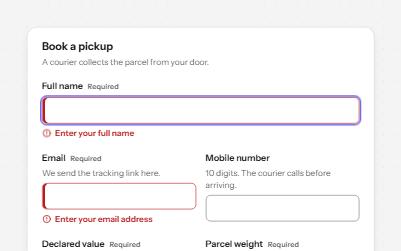
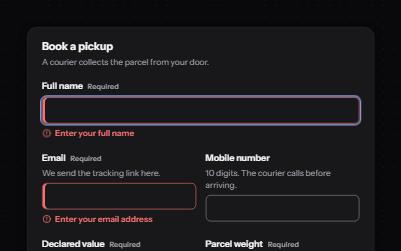
दिखने वाले लेबल, इनपुट से जुड़े संकेत और त्रुटियाँ, सही कीबोर्ड और ऑटोफ़िल, और सुनाई देने वाली इकाइयों वाले टेक्स्ट फ़ील्ड।
-
साइन इन करें
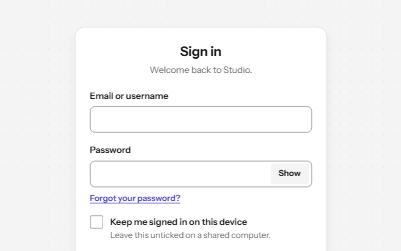
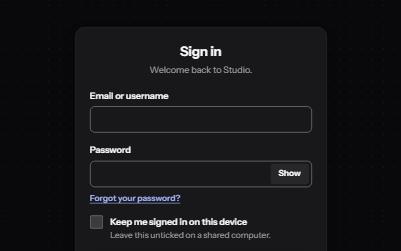
एक साइन-इन फ़ॉर्म जिसे पासवर्ड मैनेजर भर सकें, पासवर्ड दिखाने, पेस्ट करने की छूट, मददगार त्रुटि और बिना पासवर्ड वाले रास्तों के साथ।
-
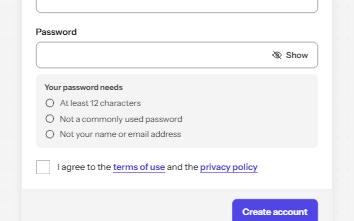
साइन अप
ऑटोफ़िल वाला खाता फ़ॉर्म, एक पासवर्ड चेकलिस्ट जो सिर्फ़ नियम बदलने पर बोलती है, पासवर्ड दिखाने का बटन और त्रुटियों का सारांश।
-
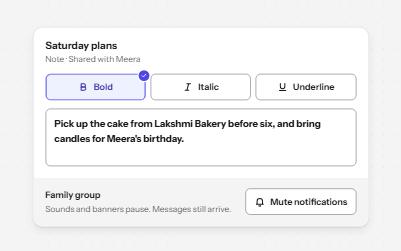
टॉगल बटन
बोल्ड या म्यूट जैसे बटन जो चालू या बंद रहते हैं, जिनकी स्थिति aria-pressed बताता है और लेबल वही रहता है।