सुलभता पैटर्न · फ़ॉर्म इनपुट
टैग वाला मल्टी-सेलेक्ट
फ़ील्ड एक कॉम्बोबॉक्स है: टाइप करने से लिस्ट बॉक्स छँटता है, ऐरो कुंजियाँ हाइलाइट चलाती हैं जबकि फ़ोकस फ़ील्ड में ही रहता है, और Enter हाइलाइट किया गया मान जोड़ता या हटाता है। हर चुनाव एक सूची में चिप बन जाता है, जिसके हटाएँ बटन का नाम उसी पर रखा जाता है, और एक polite स्टेटस बताता है कि क्या जुड़ा या हटा और कितने चुने गए हैं।
- डब्ल्यूसीएजी मानदंड
- 7
- कीबोर्ड नियम
- 7
- जाँच का तरीक़ा
- axe, कीबोर्ड और इंस्पेक्टर
लाइव डेमो
आज़माएँ
इसे माउस, कीबोर्ड या स्क्रीन रीडर से इस्तेमाल करें। साथ का इंस्पेक्टर दिखाता है कि आपके इस्तेमाल के दौरान ब्राउज़र सहायक तकनीक को क्या बताता है: फ़ोकस, स्थिति में बदलाव और घोषणाएँ।
3 चयनित
सूची छाँटने के लिए टाइप करें। ख़ाली फ़ील्ड में Backspace आख़िरी कौशल पर ले जाता है।
- Figma
- सुलभता
- टाइपोग्राफ़ी
- Figma
- सुलभता
- टाइपोग्राफ़ी
- यूज़र रिसर्च
- प्रोटोटाइपिंग
- डिज़ाइन सिस्टम
- इलस्ट्रेशन
- मोशन डिज़ाइन
- इन्फ़ॉर्मेशन आर्किटेक्चर
- कॉपीराइटिंग
- एचटीएमएल और सीएसएस
- जावास्क्रिप्ट
- React
कोई कौशल मेल नहीं खाता
जावास्क्रिप्ट के बिना डेमो उतना ही काम करता है जितना उसका एचटीएमएल; इंस्पेक्टर के लिए जावास्क्रिप्ट चाहिए।
कीबोर्ड
जिन कुंजियों पर यह काम करता है
हर क्रिया पॉइंटर के बिना काम करती है।
| कुंजी | यह क्या करती है |
|---|---|
| Arrow DownयाArrow Up | फ़ील्ड में, सूची खोलता है और हाइलाइट को अगले या पिछले कौशल पर ले जाता है, सिरों पर घूमकर वापस आते हुए। |
| Enter | हाइलाइट किए गए कौशल को चिप के रूप में जोड़ता है, या पहले से चुना हो तो हटा देता है। टेक्स्ट साफ़ हो जाता है और फ़ोकस फ़ील्ड में रहता है। |
| Escape | सूची बंद करता है; दोबारा दबाने पर टाइप किया हुआ साफ़ करता है। |
| Backspace | ख़ाली फ़ील्ड में, फ़ोकस को आख़िरी चिप के हटाएँ बटन पर ले जाता है। चिप पर, उसे हटा देता है। |
| Arrow LeftयाArrow Right | चिपों के बीच चलता है; फ़ील्ड की शुरुआत में बायाँ ऐरो आख़िरी चिप पर जाता है, और आख़िरी चिप के बाद दायाँ ऐरो वापस फ़ील्ड में लाता है। |
| EnterयाSpaceयाDelete | चिप पर, उसे हटा देता है। फ़ोकस उसकी जगह लेने वाली चिप पर, या फ़ील्ड पर जाता है। |
| Tab | बिना चुने सूची बंद करता है और आगे बढ़ जाता है। |
स्क्रीन रीडर
यह क्या घोषित करता है
मार्कअप की भूमिकाओं, नामों और स्थितियों से लिखा गया।
| कब | अपेक्षित घोषणा |
|---|---|
| फ़ोकस फ़ील्ड पर पहुँचता है | कौशल, कॉम्बो बॉक्स, संक्षिप्त। 3 चुने गए। सूची छाँटने के लिए टाइप करें। |
| नीचे का ऐरो किसी कौशल को हाइलाइट करता है | यूज़र रिसर्च, चयनित नहीं, 13 में से 4 |
| Enter उसे जोड़ता है | जोड़ा गया: यूज़र रिसर्च। 4 चुने गए |
| ख़ाली फ़ील्ड में Backspace | यूज़र रिसर्च हटाएँ, बटन |
| कोई चिप हटाई जाती है | हटाया गया: यूज़र रिसर्च। 3 चुने गए |
| टाइप किए गए से कुछ मेल नहीं खाता | कोई कौशल मेल नहीं खाता |
ये अपेक्षित घोषणाएँ हैं, रिकॉर्डिंग नहीं। स्क्रीन रीडर और ब्राउज़र के हिसाब से शब्द और क्रम बदलते हैं।
कोड
कोड कॉपी करें
वही फ़ाइलें जिन पर यह डेमो चलता है। स्टाइल एक प्रीफ़िक्स के साथ परोसी जाती हैं जो इस साइट की अपनी स्टाइल को डेमो से दूर रखता है; आप जो कॉपी करते हैं वह मूल है।
<div class="ap-multi-select" data-ap-multi-select>
  <div class="ap-multi-select__top">
    <label class="ap-multi-select__label" for="multi-select-input">Skills</label>
    <p class="ap-multi-select__count" id="multi-select-count"><span data-ap-n translate="no">3</span> <span>selected</span></p>
  </div>
  <p class="ap-multi-select__hint" id="multi-select-hint">Type to filter the list. In the empty field, Backspace moves to the last skill.</p>

  <div class="ap-multi-select__field">
    <div class="ap-multi-select__control" data-ap-control>
      <ul class="ap-multi-select__chips" aria-label="Selected skills" data-ap-chips>
      <li class="ap-multi-select__chip" data-value="Figma">
        <span class="ap-multi-select__chip-text">Figma</span>
        <button type="button" class="ap-multi-select__remove" aria-label="Remove Figma"><svg viewBox="0 0 24 24" aria-hidden="true" focusable="false"><path d="M7 7l10 10M17 7 7 17"/></svg></button>
      </li>
      <li class="ap-multi-select__chip" data-value="Accessibility">
        <span class="ap-multi-select__chip-text">Accessibility</span>
        <button type="button" class="ap-multi-select__remove" aria-label="Remove Accessibility"><svg viewBox="0 0 24 24" aria-hidden="true" focusable="false"><path d="M7 7l10 10M17 7 7 17"/></svg></button>
      </li>
      <li class="ap-multi-select__chip" data-value="Typography">
        <span class="ap-multi-select__chip-text">Typography</span>
        <button type="button" class="ap-multi-select__remove" aria-label="Remove Typography"><svg viewBox="0 0 24 24" aria-hidden="true" focusable="false"><path d="M7 7l10 10M17 7 7 17"/></svg></button>
      </li>
      </ul>
      <input class="ap-multi-select__input" id="multi-select-input" type="text" role="combobox" aria-expanded="false" aria-controls="multi-select-list" aria-autocomplete="list" aria-describedby="multi-select-count multi-select-hint" autocomplete="off" spellcheck="false" placeholder="Add a skill" />
      <svg class="ap-multi-select__chevron" viewBox="0 0 24 24" aria-hidden="true" focusable="false"><path d="m6 9 6 6 6-6"/></svg>
    </div>

    <div class="ap-multi-select__pop" data-ap-pop hidden>
      <ul class="ap-multi-select__list" id="multi-select-list" role="listbox" aria-label="Skills" aria-multiselectable="true">
      <li class="ap-multi-select__opt" role="option" id="multi-select-o-figma" aria-selected="true" data-value="Figma">
        <span class="ap-multi-select__box-mark" aria-hidden="true"><svg class="ap-multi-select__tick" viewBox="0 0 24 24" aria-hidden="true" focusable="false"><path d="m6 12.5 4 4 8-9"/></svg></span>
        <span class="ap-multi-select__opt-text">Figma</span>
      </li>
      <li class="ap-multi-select__opt" role="option" id="multi-select-o-accessibility" aria-selected="true" data-value="Accessibility">
        <span class="ap-multi-select__box-mark" aria-hidden="true"><svg class="ap-multi-select__tick" viewBox="0 0 24 24" aria-hidden="true" focusable="false"><path d="m6 12.5 4 4 8-9"/></svg></span>
        <span class="ap-multi-select__opt-text">Accessibility</span>
      </li>
      <li class="ap-multi-select__opt" role="option" id="multi-select-o-typography" aria-selected="true" data-value="Typography">
        <span class="ap-multi-select__box-mark" aria-hidden="true"><svg class="ap-multi-select__tick" viewBox="0 0 24 24" aria-hidden="true" focusable="false"><path d="m6 12.5 4 4 8-9"/></svg></span>
        <span class="ap-multi-select__opt-text">Typography</span>
      </li>
      <li class="ap-multi-select__opt" role="option" id="multi-select-o-research" aria-selected="false" data-value="User research">
        <span class="ap-multi-select__box-mark" aria-hidden="true"><svg class="ap-multi-select__tick" viewBox="0 0 24 24" aria-hidden="true" focusable="false"><path d="m6 12.5 4 4 8-9"/></svg></span>
        <span class="ap-multi-select__opt-text">User research</span>
      </li>
      <li class="ap-multi-select__opt" role="option" id="multi-select-o-prototyping" aria-selected="false" data-value="Prototyping">
        <span class="ap-multi-select__box-mark" aria-hidden="true"><svg class="ap-multi-select__tick" viewBox="0 0 24 24" aria-hidden="true" focusable="false"><path d="m6 12.5 4 4 8-9"/></svg></span>
        <span class="ap-multi-select__opt-text">Prototyping</span>
      </li>
      <li class="ap-multi-select__opt" role="option" id="multi-select-o-systems" aria-selected="false" data-value="Design systems">
        <span class="ap-multi-select__box-mark" aria-hidden="true"><svg class="ap-multi-select__tick" viewBox="0 0 24 24" aria-hidden="true" focusable="false"><path d="m6 12.5 4 4 8-9"/></svg></span>
        <span class="ap-multi-select__opt-text">Design systems</span>
      </li>
      <li class="ap-multi-select__opt" role="option" id="multi-select-o-illustration" aria-selected="false" data-value="Illustration">
        <span class="ap-multi-select__box-mark" aria-hidden="true"><svg class="ap-multi-select__tick" viewBox="0 0 24 24" aria-hidden="true" focusable="false"><path d="m6 12.5 4 4 8-9"/></svg></span>
        <span class="ap-multi-select__opt-text">Illustration</span>
      </li>
      <li class="ap-multi-select__opt" role="option" id="multi-select-o-motion" aria-selected="false" data-value="Motion design">
        <span class="ap-multi-select__box-mark" aria-hidden="true"><svg class="ap-multi-select__tick" viewBox="0 0 24 24" aria-hidden="true" focusable="false"><path d="m6 12.5 4 4 8-9"/></svg></span>
        <span class="ap-multi-select__opt-text">Motion design</span>
      </li>
      <li class="ap-multi-select__opt" role="option" id="multi-select-o-ia" aria-selected="false" data-value="Information architecture">
        <span class="ap-multi-select__box-mark" aria-hidden="true"><svg class="ap-multi-select__tick" viewBox="0 0 24 24" aria-hidden="true" focusable="false"><path d="m6 12.5 4 4 8-9"/></svg></span>
        <span class="ap-multi-select__opt-text">Information architecture</span>
      </li>
      <li class="ap-multi-select__opt" role="option" id="multi-select-o-copy" aria-selected="false" data-value="Copywriting">
        <span class="ap-multi-select__box-mark" aria-hidden="true"><svg class="ap-multi-select__tick" viewBox="0 0 24 24" aria-hidden="true" focusable="false"><path d="m6 12.5 4 4 8-9"/></svg></span>
        <span class="ap-multi-select__opt-text">Copywriting</span>
      </li>
      <li class="ap-multi-select__opt" role="option" id="multi-select-o-html" aria-selected="false" data-value="HTML and CSS">
        <span class="ap-multi-select__box-mark" aria-hidden="true"><svg class="ap-multi-select__tick" viewBox="0 0 24 24" aria-hidden="true" focusable="false"><path d="m6 12.5 4 4 8-9"/></svg></span>
        <span class="ap-multi-select__opt-text">HTML and CSS</span>
      </li>
      <li class="ap-multi-select__opt" role="option" id="multi-select-o-js" aria-selected="false" data-value="JavaScript">
        <span class="ap-multi-select__box-mark" aria-hidden="true"><svg class="ap-multi-select__tick" viewBox="0 0 24 24" aria-hidden="true" focusable="false"><path d="m6 12.5 4 4 8-9"/></svg></span>
        <span class="ap-multi-select__opt-text">JavaScript</span>
      </li>
      <li class="ap-multi-select__opt" role="option" id="multi-select-o-react" aria-selected="false" data-value="React">
        <span class="ap-multi-select__box-mark" aria-hidden="true"><svg class="ap-multi-select__tick" viewBox="0 0 24 24" aria-hidden="true" focusable="false"><path d="m6 12.5 4 4 8-9"/></svg></span>
        <span class="ap-multi-select__opt-text">React</span>
      </li>
      </ul>
      <p class="ap-multi-select__none" data-ap-none hidden>No skills match</p>
    </div>
  </div>

  <p class="ap-multi-select__say" role="status" data-ap-say></p>
</div>
/* Multi-select with tags. Uses the --ap-* design tokens. */
.ap-multi-select {
  position: relative;
  container-type: inline-size;
  display: grid;
  gap: 8px;
  width: min(100%, 520px);
  margin-inline: auto;
  padding: 22px 24px 24px;
  border: 1px solid var(--ap-border);
  border-radius: var(--ap-radius-lg);
  background: var(--ap-surface);
  color: var(--ap-text);
  box-shadow: var(--ap-shadow-md);
  font-family: var(--ap-font);
}

.ap-multi-select__top {
  display: flex;
  align-items: baseline;
  justify-content: space-between;
  gap: 12px;
}
.ap-multi-select__label {
  font-size: .9375rem;
  font-weight: 650;
}
.ap-multi-select__count {
  margin: 0;
  padding: 2px 10px;
  border-radius: var(--ap-radius-full);
  background: var(--ap-surface-2);
  color: var(--ap-text-2);
  font-size: .8125rem;
  font-weight: 600;
  font-variant-numeric: tabular-nums;
  white-space: nowrap;
}
.ap-multi-select__hint {
  margin: 0 0 4px;
  color: var(--ap-text-3);
  font-size: .875rem;
  line-height: 1.45;
}

/* The field box: chips and the text input share one bordered row. */
.ap-multi-select__field {
  position: relative;
}
.ap-multi-select__control {
  display: flex;
  flex-wrap: wrap;
  align-items: center;
  gap: 6px;
  min-height: 48px;
  padding: 7px 40px 7px 8px;
  border: 1px solid var(--ap-border-strong);
  border-radius: var(--ap-radius);
  background: var(--ap-surface);
  cursor: text;
  transition: border-color var(--ap-duration) var(--ap-ease);
}
.ap-multi-select__control:hover {
  border-color: var(--ap-text-2);
}
.ap-multi-select__control:has(.ap-multi-select__input:focus-visible) {
  border-color: var(--ap-focus);
  outline: 2px solid var(--ap-focus);
  outline-offset: 1px;
}

.ap-multi-select__chips {
  display: flex;
  flex-wrap: wrap;
  gap: 6px;
  max-width: 100%;
  margin: 0;
  padding: 0;
  list-style: none;
}
.ap-multi-select__chips[hidden],
.ap-multi-select__opt[hidden] {
  display: none;
}
.ap-multi-select__chip {
  display: inline-flex;
  align-items: center;
  gap: 2px;
  min-height: 32px;
  padding: 0 3px 0 12px;
  border: 1px solid transparent;
  border-radius: var(--ap-radius-full);
  background: var(--ap-accent-soft);
  color: var(--ap-accent-soft-text);
  font-size: .875rem;
  font-weight: 600;
  line-height: 1.2;
  animation: ap-multi-select-in 160ms var(--ap-ease);
}
.ap-multi-select__remove {
  display: grid;
  place-items: center;
  width: 26px;
  height: 26px;
  flex-shrink: 0;
  padding: 0;
  border: 0;
  border-radius: var(--ap-radius-full);
  background: transparent;
  color: inherit;
  cursor: pointer;
  transition: background-color var(--ap-duration) var(--ap-ease), color var(--ap-duration) var(--ap-ease);
}
.ap-multi-select__remove:hover {
  background: var(--ap-accent-soft-text);
  color: var(--ap-accent-soft);
}
.ap-multi-select__remove:focus-visible {
  outline: 2px solid var(--ap-focus);
  outline-offset: 1px;
  background: var(--ap-accent-soft-text);
  color: var(--ap-accent-soft);
}
.ap-multi-select__remove svg {
  width: 14px;
  height: 14px;
  fill: none;
  stroke: currentColor;
  stroke-width: 2.5;
  stroke-linecap: round;
}

.ap-multi-select__input {
  flex: 1 1 6rem;
  min-width: 6rem;
  min-height: 32px;
  padding: 0 4px;
  border: 0;
  background: transparent;
  color: var(--ap-text);
  font: inherit;
}
.ap-multi-select__input::placeholder {
  color: var(--ap-text-3);
}
.ap-multi-select__input:focus {
  outline: none;
}

.ap-multi-select__chevron {
  position: absolute;
  top: 14px;
  right: 12px;
  width: 20px;
  height: 20px;
  fill: none;
  stroke: var(--ap-text-3);
  stroke-width: 2;
  stroke-linecap: round;
  stroke-linejoin: round;
  pointer-events: none;
  transition: transform var(--ap-duration) var(--ap-ease);
}
.ap-multi-select__control:has([aria-expanded="true"]) .ap-multi-select__chevron {
  transform: rotate(180deg);
}

/* The popup list */
.ap-multi-select__pop {
  position: absolute;
  z-index: 5;
  top: calc(100% + 6px);
  right: 0;
  left: 0;
  padding: 6px;
  border: 1px solid var(--ap-border);
  border-radius: var(--ap-radius);
  background: var(--ap-surface);
  box-shadow: var(--ap-shadow-lg);
  animation: ap-multi-select-pop 140ms var(--ap-ease);
}
.ap-multi-select__list {
  max-height: 14.25rem;
  margin: 0;
  padding: 0;
  overflow-y: auto;
  overscroll-behavior: contain;
  list-style: none;
}
.ap-multi-select__opt {
  display: flex;
  align-items: center;
  gap: 12px;
  min-height: 40px;
  padding: 8px 10px;
  border-radius: var(--ap-radius-sm);
  color: var(--ap-text-2);
  cursor: pointer;
}
.ap-multi-select__opt:hover {
  background: var(--ap-surface-2);
}
.ap-multi-select__opt.is-active {
  background: var(--ap-surface-2);
  color: var(--ap-text);
  outline: 2px solid var(--ap-focus);
  outline-offset: -2px;
}
.ap-multi-select__opt[aria-selected="true"] {
  color: var(--ap-text);
  font-weight: 600;
}

/* A checkbox-like mark: empty square, or filled with a tick when chosen. */
.ap-multi-select__box-mark {
  display: grid;
  place-items: center;
  width: 18px;
  height: 18px;
  flex-shrink: 0;
  border: 1.5px solid var(--ap-border-strong);
  border-radius: 5px;
  background: var(--ap-surface);
}
.ap-multi-select__tick {
  width: 14px;
  height: 14px;
  fill: none;
  stroke: var(--ap-on-accent);
  stroke-width: 3;
  stroke-linecap: round;
  stroke-linejoin: round;
  visibility: hidden;
}
.ap-multi-select__opt[aria-selected="true"] .ap-multi-select__box-mark {
  border-color: var(--ap-accent);
  background: var(--ap-accent);
}
.ap-multi-select__opt[aria-selected="true"] .ap-multi-select__tick {
  visibility: visible;
}

.ap-multi-select__none {
  margin: 0;
  padding: 14px 10px;
  color: var(--ap-text-3);
  text-align: center;
}

/* Heard, not seen: the chips already show the change. */
.ap-multi-select__say {
  position: absolute;
  width: 1px;
  height: 1px;
  margin: -1px;
  padding: 0;
  overflow: hidden;
  clip-path: inset(50%);
  white-space: nowrap;
}

@container (max-width: 400px) {
  .ap-multi-select { padding: 18px 16px 20px; }
}

@keyframes ap-multi-select-in {
  from { opacity: 0; transform: scale(.92); }
}
@keyframes ap-multi-select-pop {
  from { opacity: 0; transform: translateY(-4px); }
}

@media (prefers-reduced-motion: reduce) {
  .ap-multi-select__chip,
  .ap-multi-select__pop { animation: none; }
  .ap-multi-select__control,
  .ap-multi-select__chevron,
  .ap-multi-select__remove { transition: none; }
}
/**
 * Multi-select with tags: a combobox that filters a multi-select listbox, and
 * a list of chips, one per chosen value, each with a named remove button.
 *
 * Markup: [data-ap-multi-select] holding a ul[data-ap-chips] of
 * li[data-value] > button (the remove button), an input[role=combobox], a
 * popup [data-ap-pop] with ul[role=listbox][aria-multiselectable] of
 * li[role=option][data-value] and a p[data-ap-none] for no matches, a count
 * [data-ap-n], and a p[role=status][data-ap-say] for announcements.
 * data-value holds the English value: chip names are built from it.
 */

export function init(root) {
  const input = root.querySelector("[role=combobox]");
  const control = root.querySelector("[data-ap-control]");
  const chips = root.querySelector("[data-ap-chips]");
  const pop = root.querySelector("[data-ap-pop]");
  const listbox = root.querySelector("[role=listbox]");
  const options = [...listbox.querySelectorAll("[role=option]")];
  const none = root.querySelector("[data-ap-none]");
  const count = root.querySelector("[data-ap-n]");
  const say = root.querySelector("[data-ap-say]");
  const removeIcon = chips.querySelector("svg")?.cloneNode(true);

  let shown = options;
  let active = null;
  let sayTimer = 0;

  const isOpen = () => !pop.hidden;
  const removeButtons = () => [...chips.querySelectorAll("button")];
  const optionFor = (value) => options.find((o) => o.dataset.value === value);
  const chipFor = (value) => [...chips.children].find((li) => li.dataset.value === value);

  function el(tag, text, cls) {
    const node = document.createElement(tag);
    if (cls) node.className = cls;
    if (text != null) node.textContent = text;
    return node;
  }

  /* ── The highlight (aria-activedescendant; focus stays in the field) ── */
  function setActive(option) {
    active = option;
    for (const o of options) o.classList.toggle("is-active", o === option);
    if (option) {
      input.setAttribute("aria-activedescendant", option.id);
      option.scrollIntoView({ block: "nearest" });
    } else {
      input.removeAttribute("aria-activedescendant");
    }
  }

  function filter() {
    const query = input.value.trim().toLocaleLowerCase();
    shown = options.filter((o) => {
      const hit = !query
        || o.textContent.toLocaleLowerCase().includes(query)
        || o.dataset.value.toLocaleLowerCase().includes(query);
      o.hidden = !hit;
      return hit;
    });
    listbox.hidden = shown.length === 0;
    none.hidden = shown.length > 0;
    input.setAttribute("aria-expanded", String(isOpen() && shown.length > 0));
    // Typing highlights the first match, so Enter takes it; browsing starts with none.
    if (query) setActive(shown[0] || null);
    else if (!shown.includes(active)) setActive(null);
  }

  function open() {
    if (isOpen()) return;
    pop.hidden = false;
    filter();
  }

  function close() {
    pop.hidden = true;
    input.setAttribute("aria-expanded", "false");
    setActive(null);
  }

  /* ── Announcements: fixed words, the value and the count in their own elements ── */
  function announce(word, value) {
    clearTimeout(sayTimer);
    const n = el("span", String(chips.children.length));
    n.setAttribute("translate", "no");
    say.replaceChildren(el("span", word), " ", el("strong", value), ". ", n, " ", el("span", "selected"));
  }

  function updateCount() {
    count.textContent = String(chips.children.length);
    chips.hidden = chips.children.length === 0;
  }

  /* ── Adding and removing ── */
  function add(value) {
    if (chipFor(value)) return;
    const li = el("li", null, "ap-multi-select__chip");
    li.dataset.value = value;
    const button = el("button", null, "ap-multi-select__remove");
    button.type = "button";
    button.setAttribute("aria-label", `Remove ${value}`);
    if (removeIcon) button.append(removeIcon.cloneNode(true));
    li.append(el("span", value, "ap-multi-select__chip-text"), button);
    chips.append(li);
    optionFor(value)?.setAttribute("aria-selected", "true");
    updateCount();
    announce("Added:", value);
  }

  /** Removes a chip. When it had focus, focus goes to the chip that takes its place, or the field. */
  function remove(value) {
    const li = chipFor(value);
    if (!li) return;
    const hadFocus = li.contains(document.activeElement);
    const next = li.nextElementSibling?.querySelector("button");
    li.remove();
    optionFor(value)?.setAttribute("aria-selected", "false");
    updateCount();
    announce("Removed:", value);
    if (hadFocus) (next || input).focus();
  }

  function toggle(option) {
    const value = option.dataset.value;
    if (option.getAttribute("aria-selected") === "true") remove(value);
    else add(value);
    input.value = "";
    filter();
    setActive(option);
  }

  function move(step) {
    if (!isOpen()) open();
    if (!shown.length) return;
    const at = shown.indexOf(active);
    let next;
    if (at === -1) next = step > 0 ? shown[0] : shown[shown.length - 1];
    else next = shown[(at + step + shown.length) % shown.length];
    setActive(next);
  }

  /* ── Keys in the field ── */
  function onInputKey(event) {
    const { key } = event;
    if (key === "ArrowDown" || key === "ArrowUp") {
      event.preventDefault();
      if (event.altKey) open();
      else move(key === "ArrowDown" ? 1 : -1);
    } else if (key === "Enter") {
      if (isOpen() && active) {
        event.preventDefault();
        toggle(active);
      }
    } else if (key === "Escape") {
      if (isOpen()) {
        event.preventDefault();
        close();
      } else if (input.value) {
        event.preventDefault();
        input.value = "";
      }
    } else if (key === "Tab") {
      close();
    } else if (key === "Backspace" || key === "ArrowLeft") {
      const atStart = input.selectionStart === 0 && input.selectionEnd === 0;
      const last = removeButtons().at(-1);
      if (key === "Backspace" ? input.value === "" : atStart) {
        if (!last) return;
        event.preventDefault();
        close();
        last.focus();
      }
    }
  }

  function onInput() {
    open();
    filter();
    // Say when nothing matches, once typing pauses.
    clearTimeout(sayTimer);
    if (!shown.length) sayTimer = setTimeout(() => { say.replaceChildren(el("span", "No skills match")); }, 400);
  }

  /* ── Keys on a chip's remove button ── */
  function onChipKey(event) {
    const button = event.target.closest(".ap-multi-select__remove");
    if (!button) return;
    const all = removeButtons();
    const at = all.indexOf(button);
    if (event.key === "ArrowLeft") {
      event.preventDefault();
      all[Math.max(0, at - 1)].focus();
    } else if (event.key === "ArrowRight") {
      event.preventDefault();
      (all[at + 1] || input).focus();
    } else if (event.key === "Backspace" || event.key === "Delete") {
      event.preventDefault();
      remove(button.parentElement.dataset.value);
    }
  }

  /* ── Pointer ── */
  function onClick(event) {
    const button = event.target.closest(".ap-multi-select__remove");
    if (button && chips.contains(button)) {
      remove(button.parentElement.dataset.value);
      return;
    }
    const option = event.target.closest("[role=option]");
    if (option && listbox.contains(option)) {
      toggle(option);
      input.focus();
      return;
    }
    // Anywhere else in the field box opens the list.
    if (control.contains(event.target)) {
      input.focus();
      open();
    }
  }

  // Keeps focus in the field while an option is clicked.
  const keepFocus = (event) => event.preventDefault();

  function onFocusOut(event) {
    if (!root.contains(event.relatedTarget)) close();
  }

  input.addEventListener("keydown", onInputKey);
  input.addEventListener("input", onInput);
  chips.addEventListener("keydown", onChipKey);
  pop.addEventListener("mousedown", keepFocus);
  root.addEventListener("click", onClick);
  root.addEventListener("focusout", onFocusOut);
  updateCount();

  return () => {
    clearTimeout(sayTimer);
    input.removeEventListener("keydown", onInputKey);
    input.removeEventListener("input", onInput);
    chips.removeEventListener("keydown", onChipKey);
    pop.removeEventListener("mousedown", keepFocus);
    root.removeEventListener("click", onClick);
    root.removeEventListener("focusout", onFocusOut);
  };
}

for (const root of document.querySelectorAll("[data-ap-multi-select]")) init(root);
/* Design tokens for the pattern components. Light by default, dark when the
   system asks for it; set data-theme="dark" on :root to force dark. */
:root {
    --ap-radius-sm: 8px;
    --ap-radius: 12px;
    --ap-radius-lg: 16px;
    --ap-radius-full: 999px;
    --ap-font: "Instrument Sans", ui-sans-serif, system-ui, -apple-system, "Segoe UI", Roboto, sans-serif;
    --ap-mono: "JetBrains Mono", ui-monospace, "Cascadia Mono", "SF Mono", Consolas, monospace;
    --ap-ease: cubic-bezier(.2, .8, .2, 1);
    --ap-duration: 180ms;
    --ap-target: 44px;
    --ap-bg: #F4F4F5;
    --ap-surface: #FFFFFF;
    --ap-surface-2: #F4F4F5;
    --ap-surface-3: #E4E4E7;
    --ap-border: #E4E4E7;
    --ap-border-strong: #76767F;
    --ap-text: #18181B;
    --ap-text-2: #3F3F46;
    --ap-text-3: #5E5E66;
    --ap-accent: #4F46E5;
    --ap-accent-hover: #4338CA;
    --ap-on-accent: #FFFFFF;
    --ap-accent-text: #4338CA;
    --ap-accent-soft: #EEF2FF;
    --ap-accent-soft-text: #3730A3;
    --ap-focus: #4F46E5;
    --ap-danger: #B91C1C;
    --ap-danger-soft: #FEF2F2;
    --ap-success: #15803D;
    --ap-success-soft: #F0FDF4;
    --ap-warning: #A15C07;
    --ap-warning-soft: #FEFCE8;
    --ap-info: #1D4ED8;
    --ap-info-soft: #EFF6FF;
    --ap-scrim: rgb(9 9 11 / .48);
    --ap-shadow-sm: 0 1px 2px rgb(9 9 11 / .06);
    --ap-shadow-md: 0 1px 2px rgb(9 9 11 / .05), 0 6px 16px -4px rgb(9 9 11 / .1);
    --ap-shadow-lg: 0 2px 6px rgb(9 9 11 / .06), 0 20px 40px -12px rgb(9 9 11 / .22);
    --ap-light-bg: #F4F4F5;
    --ap-light-surface: #FFFFFF;
    --ap-light-surface-2: #F4F4F5;
    --ap-light-surface-3: #E4E4E7;
    --ap-light-border: #E4E4E7;
    --ap-light-border-strong: #76767F;
    --ap-light-text: #18181B;
    --ap-light-text-2: #3F3F46;
    --ap-light-text-3: #5E5E66;
    --ap-light-accent: #4F46E5;
    --ap-light-accent-hover: #4338CA;
    --ap-light-on-accent: #FFFFFF;
    --ap-light-accent-text: #4338CA;
    --ap-light-accent-soft: #EEF2FF;
    --ap-light-accent-soft-text: #3730A3;
    --ap-light-focus: #4F46E5;
    --ap-light-danger: #B91C1C;
    --ap-light-danger-soft: #FEF2F2;
    --ap-light-success: #15803D;
    --ap-light-success-soft: #F0FDF4;
    --ap-light-warning: #A15C07;
    --ap-light-warning-soft: #FEFCE8;
    --ap-light-info: #1D4ED8;
    --ap-light-info-soft: #EFF6FF;
    --ap-light-scrim: rgb(9 9 11 / .48);
    --ap-light-shadow-sm: 0 1px 2px rgb(9 9 11 / .06);
    --ap-light-shadow-md: 0 1px 2px rgb(9 9 11 / .05), 0 6px 16px -4px rgb(9 9 11 / .1);
    --ap-light-shadow-lg: 0 2px 6px rgb(9 9 11 / .06), 0 20px 40px -12px rgb(9 9 11 / .22);
    --ap-dark-bg: #09090B;
    --ap-dark-surface: #18181B;
    --ap-dark-surface-2: #27272A;
    --ap-dark-surface-3: #3F3F46;
    --ap-dark-border: #2E2E33;
    --ap-dark-border-strong: #8E8E97;
    --ap-dark-text: #FAFAFA;
    --ap-dark-text-2: #D4D4D8;
    --ap-dark-text-3: #A1A1AA;
    --ap-dark-accent: #818CF8;
    --ap-dark-accent-hover: #A5B4FC;
    --ap-dark-on-accent: #0C0A1F;
    --ap-dark-accent-text: #A5B4FC;
    --ap-dark-accent-soft: #1E1B4B;
    --ap-dark-accent-soft-text: #C7D2FE;
    --ap-dark-focus: #A5B4FC;
    --ap-dark-danger: #F87171;
    --ap-dark-danger-soft: #2A1215;
    --ap-dark-success: #4ADE80;
    --ap-dark-success-soft: #0F2A1A;
    --ap-dark-warning: #FACC15;
    --ap-dark-warning-soft: #2A2410;
    --ap-dark-info: #60A5FA;
    --ap-dark-info-soft: #0F1D33;
    --ap-dark-scrim: rgb(0 0 0 / .62);
    --ap-dark-shadow-sm: 0 1px 2px rgb(0 0 0 / .4);
    --ap-dark-shadow-md: 0 1px 2px rgb(0 0 0 / .4), 0 8px 20px -6px rgb(0 0 0 / .5);
    --ap-dark-shadow-lg: 0 2px 8px rgb(0 0 0 / .45), 0 24px 48px -12px rgb(0 0 0 / .7);
}
@media (prefers-color-scheme: dark) {
  :root:not([data-theme="light"]) {
      --ap-bg: #09090B;
      --ap-surface: #18181B;
      --ap-surface-2: #27272A;
      --ap-surface-3: #3F3F46;
      --ap-border: #2E2E33;
      --ap-border-strong: #8E8E97;
      --ap-text: #FAFAFA;
      --ap-text-2: #D4D4D8;
      --ap-text-3: #A1A1AA;
      --ap-accent: #818CF8;
      --ap-accent-hover: #A5B4FC;
      --ap-on-accent: #0C0A1F;
      --ap-accent-text: #A5B4FC;
      --ap-accent-soft: #1E1B4B;
      --ap-accent-soft-text: #C7D2FE;
      --ap-focus: #A5B4FC;
      --ap-danger: #F87171;
      --ap-danger-soft: #2A1215;
      --ap-success: #4ADE80;
      --ap-success-soft: #0F2A1A;
      --ap-warning: #FACC15;
      --ap-warning-soft: #2A2410;
      --ap-info: #60A5FA;
      --ap-info-soft: #0F1D33;
      --ap-scrim: rgb(0 0 0 / .62);
      --ap-shadow-sm: 0 1px 2px rgb(0 0 0 / .4);
      --ap-shadow-md: 0 1px 2px rgb(0 0 0 / .4), 0 8px 20px -6px rgb(0 0 0 / .5);
      --ap-shadow-lg: 0 2px 8px rgb(0 0 0 / .45), 0 24px 48px -12px rgb(0 0 0 / .7);
  }
}
:root[data-theme="dark"] {
    --ap-bg: #09090B;
    --ap-surface: #18181B;
    --ap-surface-2: #27272A;
    --ap-surface-3: #3F3F46;
    --ap-border: #2E2E33;
    --ap-border-strong: #8E8E97;
    --ap-text: #FAFAFA;
    --ap-text-2: #D4D4D8;
    --ap-text-3: #A1A1AA;
    --ap-accent: #818CF8;
    --ap-accent-hover: #A5B4FC;
    --ap-on-accent: #0C0A1F;
    --ap-accent-text: #A5B4FC;
    --ap-accent-soft: #1E1B4B;
    --ap-accent-soft-text: #C7D2FE;
    --ap-focus: #A5B4FC;
    --ap-danger: #F87171;
    --ap-danger-soft: #2A1215;
    --ap-success: #4ADE80;
    --ap-success-soft: #0F2A1A;
    --ap-warning: #FACC15;
    --ap-warning-soft: #2A2410;
    --ap-info: #60A5FA;
    --ap-info-soft: #0F1D33;
    --ap-scrim: rgb(0 0 0 / .62);
    --ap-shadow-sm: 0 1px 2px rgb(0 0 0 / .4);
    --ap-shadow-md: 0 1px 2px rgb(0 0 0 / .4), 0 8px 20px -6px rgb(0 0 0 / .5);
    --ap-shadow-lg: 0 2px 8px rgb(0 0 0 / .45), 0 24px 48px -12px rgb(0 0 0 / .7);
}
डब्ल्यूसीएजी 2.2
यह किन मानदंडों को पूरा करता है
वे सफलता मानदंड जिनका यह पैटर्न ध्यान रखता है, और कैसे।
-
1.3.1 जानकारी और संबंध
स्तर A
चिप एक नाम वाली सूची हैं, इसलिए स्क्रीन रीडर बताता है कि वे कितनी हैं, और फ़ील्ड का लेबल और संकेत कोड में उससे जुड़े हैं।
-
2.1.1 कीबोर्ड
स्तर A
चुनना, हटाना और चिपों के बीच चलना, सब कीबोर्ड से होता है; पॉइंटर की कभी ज़रूरत नहीं पड़ती।
-
2.4.3 फ़ोकस क्रम
स्तर A
जब कोई चिप हटती है, फ़ोकस उसकी जगह लेने वाली चिप पर या वापस फ़ील्ड पर जाता है, कभी पेज के ऊपर नहीं।
-
2.4.7 फ़ोकस दिखाई देना
स्तर AA
फ़ोकस रहने पर फ़ील्ड एक रिंग दिखाता है, हर हटाएँ बटन की अपनी रिंग होती है, और हाइलाइट किए गए विकल्प के चारों ओर रेखा होती है।
-
2.5.8 टारगेट साइज़ (न्यूनतम)
स्तर AA
हर हटाएँ बटन कम से कम 24 गुणा 24 पिक्सेल का है और अपने पड़ोसियों से अलग रहता है।
-
4.1.2 नाम, भूमिका, मान
स्तर A
फ़ील्ड aria-expanded और aria-activedescendant वाला कॉम्बोबॉक्स है; विकल्पों पर aria-selected है, और हर हटाएँ बटन का नाम उसके कौशल पर है।
-
4.1.3 स्टेटस मैसेज
स्तर AA
जोड़ना, हटाना और ख़ाली खोज, ये सब फ़ोकस हिलाए बिना polite स्टेटस मैसेज में बताए जाते हैं।
उपयोग
इसे कब इस्तेमाल करें
इसे अपनाएँ
- किसी लंबी, जानी-पहचानी सूची से कई मान चुनना, जैसे कौशल, टैग, प्राप्तकर्ता या शहर।
- जब चुने गए मान दिखते रहने चाहिए और एक-एक करके आसानी से हटाए जा सकने चाहिए।
कुछ और इस्तेमाल करें
- लगभग आठ से कम विकल्प: चेकबॉक्स का समूह सब दिखा देता है और टाइप करने की ज़रूरत नहीं पड़ती।
- लोग जो मुक्त टेक्स्ट चलते-चलते बनाते हैं, जैसे कीवर्ड: सादा टेक्स्ट फ़ील्ड ज़्यादा आसान है।
- ठीक एक मान चुनना: कॉम्बोबॉक्स या सेलेक्ट इस्तेमाल करें।
आम विफलताएँ
आमतौर पर यह कहाँ गलत होता है
सिर्फ़ "×" नाम वाले हटाएँ बटन
स्क्रीन रीडर उपयोगकर्ता छह बार "times, बटन" सुनता है और नहीं जान पाता कि कौन सा बटन कौन सी चिप हटाता है। यहाँ हर बटन का नाम "हटाएँ" और उसका कौशल है।
चिप हटाने पर फ़ोकस खो जाना
फ़ोकस वाला बटन मिटाने से फ़ोकस पेज पर गिर जाता है, और कीबोर्ड उपयोगकर्ता फिर ऊपर से शुरू करते हैं। यहाँ फ़ोकस अगली चिप पर या वापस फ़ील्ड पर जाता है।
चुपचाप होने वाले बदलाव
चिप का आना या जाना कोई आवाज़ नहीं करता। एक polite स्टेटस बताता है कि क्या जुड़ा या हटा, और नई गिनती।
हाइलाइट फ़ोकस को फ़ील्ड से बाहर ले जाता है
असली फ़ोकस को सूची में ले जाने से लोग टाइप नहीं कर पाते। aria-activedescendant हाइलाइट किए गए विकल्प की ओर इशारा करता है जबकि कर्सर अपनी जगह रहता है।
चुने गए मान सिर्फ़ रंग से दिखाना
हल्के रंग वाली पंक्ति आसानी से छूट जाती है। चुने गए विकल्पों पर सही के निशान वाला बॉक्स और aria-selected भी है, और चिप उन्हें शब्दों में दोहराती हैं।
चिप जिन तक पहुँचा न जा सके
सजावट की तरह बनी चिप, जिनके हटाएँ आइकन सिर्फ़ क्लिक पर चलते हैं, कीबोर्ड से हटाई नहीं जा सकतीं। यहाँ हर एक असली बटन है।
नोट्स
इसे बनाना
- लिस्ट बॉक्स पर aria-multiselectable="true" है, और aria-selected हर चुने गए कौशल को चिह्नित करता है, इसलिए चुने हुए पर Enter उसे फिर हटा देता है।
- अंग्रेज़ी मान data-value में रखें और चिप के नाम उसी से बनाएँ: तब स्क्रिप्ट सिर्फ़ वे स्ट्रिंग लिखती है जिन्हें वह जानती है, और अनुवाद एक ही जगह होता है।
- टाइप करने पर पहला मेल हाइलाइट होता है ताकि Enter उसे तुरंत जोड़ दे; ख़ाली फ़ील्ड में, ऐरो कुंजियाँ इस्तेमाल होने तक कुछ हाइलाइट नहीं होता।
- लाइव गिनती फ़ील्ड के विवरण में भी है, इसलिए वह फ़ोकस आने पर सुनाई देती है, सिर्फ़ बदलने पर नहीं।
- फ़ील्ड बॉक्स में कहीं भी क्लिक, चिपों के बीच भी, फ़ोकस को टेक्स्ट इनपुट में रखता है और सूची खोलता है, इसलिए बॉक्स एक ही फ़ील्ड की तरह बर्ताव करता है।
स्रोत: WAI-एआरआईए ऑथरिंग प्रैक्टिसेज़: कॉम्बोबॉक्स · WAI-एआरआईए ऑथरिंग प्रैक्टिसेज़: लिस्टबॉक्स
लाइट और डार्क थीम में, डेस्कटॉप और फ़ोन की चौड़ाई पर axe से और कीबोर्ड से जाँचा गया। अभी हर स्क्रीन रीडर और ब्राउज़र जोड़ी के साथ नहीं परखा गया। सुधार बताएँ
संबंधित
इसके साथ जाने वाले पैटर्न
-
ऑटोकम्प्लीट वाला कॉम्बोबॉक्स
टाइप करते ही सुझावों की सूची छाँटने वाला टेक्स्ट फ़ील्ड, एक चुनने के लिए ऐरो कुंजियों और मेल खाने वालों की लाइव गिनती के साथ।
-
लिस्टबॉक्स
विकल्पों की एक सूची जिसमें से एक या कई चुने जा सकते हैं, ऐरो कुंजियों, टाइप करके पहुँचने और चुने गए की गिनती के साथ।
-
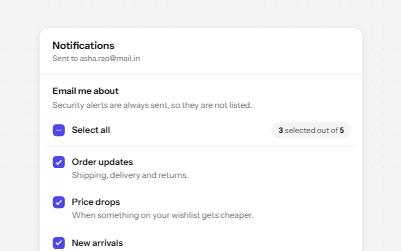
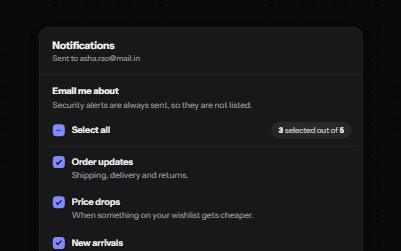
सभी चुनें वाला चेकबॉक्स समूह
जुड़े हुए चेकबॉक्स का fieldset, जिसमें मिश्रित स्थिति दिखाने वाला सभी चुनें बॉक्स और चुनी गई चीज़ों की लाइव गिनती है।
-
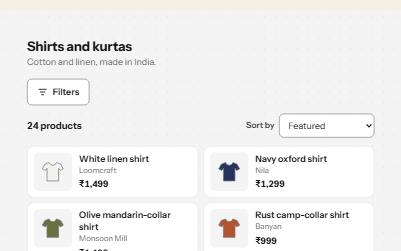
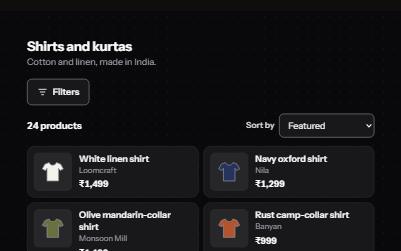
खोज फ़िल्टर
उत्पाद फ़िल्टर पैनल: गिनती वाले समूहबद्ध चेकबॉक्स, कीमत की सीमा, क्रम, हटाए जा सकने वाले चिप और घोषित होने वाली नतीजों की गिनती।