सुलभता पैटर्न · फ़ॉर्म इनपुट
स्लाइडर
नेटिव रेंज इनपुट में स्लाइडर रोल, ऐरो कुंजियाँ, Home और End पहले से हैं; उसे सजाने से यह सब बना रहता है, इसलिए काम सिर्फ़ रूप, शब्दों और कदमों का है। aria-valuetext अकेली संख्या की जगह "₹25,000 प्रति माह" कहता है, और बगल का नंबर फ़ील्ड किसी को भी खींचने की बजाय सटीक रक़म टाइप करने देता है।
- डब्ल्यूसीएजी मानदंड
- 7
- कीबोर्ड नियम
- 6
- जाँच का तरीक़ा
- axe, कीबोर्ड और इंस्पेक्टर
लाइव डेमो
आज़माएँ
इसे माउस, कीबोर्ड या स्क्रीन रीडर से इस्तेमाल करें। साथ का इंस्पेक्टर दिखाता है कि आपके इस्तेमाल के दौरान ब्राउज़र सहायक तकनीक को क्या बताता है: फ़ोकस, स्थिति में बदलाव और घोषणाएँ।
जावास्क्रिप्ट के बिना डेमो उतना ही काम करता है जितना उसका एचटीएमएल; इंस्पेक्टर के लिए जावास्क्रिप्ट चाहिए।
कीबोर्ड
जिन कुंजियों पर यह काम करता है
हर क्रिया पॉइंटर के बिना काम करती है।
| कुंजी | यह क्या करती है |
|---|---|
| Arrow RightयाArrow Up | किराया ₹500 बढ़ाता है। |
| Arrow LeftयाArrow Down | किराया ₹500 घटाता है। |
| Page UpयाPage Down | उसे ₹5,000 बढ़ाता या घटाता है, हर ब्राउज़र में एक जैसा। |
| HomeयाEnd | सबसे कम (₹10,000) या सबसे ज़्यादा (₹50,000) रक़म तय करता है। |
| Tab | स्लाइडर से रक़म वाले फ़ील्ड पर जाता है, जो हमेशा वही मान दिखाता है। |
| Enter | रक़म वाले फ़ील्ड में, संख्या जाँचता है और स्लाइडर को उस पर ले जाता है, या बताता है कि क्या बदलें। |
स्क्रीन रीडर
यह क्या घोषित करता है
मार्कअप की भूमिकाओं, नामों और स्थितियों से लिखा गया।
| कब | अपेक्षित घोषणा |
|---|---|
| Tab स्लाइडर तक पहुँचता है | अधिकतम किराया, स्लाइडर, ₹25,000 प्रति माह। पुणे में ज़्यादातर दो-बेडरूम फ़्लैट ₹18,000 से ₹30,000 के किराये पर मिलते हैं। |
| दायाँ ऐरो | ₹25,500 प्रति माह |
| End कुंजी | ₹50,000 प्रति माह |
| Tab से रक़म वाले फ़ील्ड पर | या रक़म टाइप करें (₹ प्रति माह), संपादन बॉक्स, 50,000 |
| टाइप किए गए 23,250 पर Enter | ₹500 के कदम इस्तेमाल करें, जैसे ₹23,500। |
ये अपेक्षित घोषणाएँ हैं, रिकॉर्डिंग नहीं। स्क्रीन रीडर और ब्राउज़र के हिसाब से शब्द और क्रम बदलते हैं।
कोड
कोड कॉपी करें
वही फ़ाइलें जिन पर यह डेमो चलता है। स्टाइल एक प्रीफ़िक्स के साथ परोसी जाती हैं जो इस साइट की अपनी स्टाइल को डेमो से दूर रखता है; आप जो कॉपी करते हैं वह मूल है।
<div class="ap-slider" data-ap-slider data-region="IN">
  <div class="ap-slider__top">
    <label class="ap-slider__label" for="slider-range">Maximum rent</label>
    <output class="ap-slider__out" for="slider-range" aria-live="off" data-ap-out><span class="ap-slider__amount" data-ap-amount translate="no">₹25,000</span> <span class="ap-slider__per">per month</span></output>
  </div>
  <p class="ap-hint" id="slider-hint">Most two-bedroom flats in Pune rent for ₹18,000 to ₹30,000.</p>

  <div class="ap-slider__track">
    <input class="ap-slider__range" id="slider-range" type="range" min="10000" max="50000" step="500" value="25000" aria-valuetext="₹25,000 per month" aria-describedby="slider-hint" />
    <div class="ap-slider__ticks" aria-hidden="true">
      <span class="ap-slider__tick">₹10k</span>
      <span class="ap-slider__tick">₹20k</span>
      <span class="ap-slider__tick">₹30k</span>
      <span class="ap-slider__tick">₹40k</span>
      <span class="ap-slider__tick">₹50k</span>
    </div>
  </div>

  <div class="ap-field ap-slider__exact">
    <label class="ap-label" for="slider-amount">Or type an amount (₹ per month)</label>
    <p class="ap-hint" id="slider-amount-hint">From ₹10,000 to ₹50,000, in steps of ₹500.</p>
    <div class="ap-slider__money">
      <span class="ap-slider__prefix" aria-hidden="true">₹</span>
      <input class="ap-input ap-slider__input" id="slider-amount" type="text" inputmode="numeric" autocomplete="off" value="25,000" aria-describedby="slider-amount-hint slider-amount-error" />
    </div>
    <p class="ap-error ap-slider__error" id="slider-amount-error" aria-live="polite"><svg viewBox="0 0 24 24" aria-hidden="true" focusable="false"><circle cx="12" cy="12" r="9"/><path d="M12 7.5v5.5M12 16.5h.01"/></svg><span data-ap-error></span></p>
  </div>
</div>
/* Shared primitives: buttons and form fields used across the patterns.
   Uses the --ap-* design tokens. */

.ap-btn {
  display: inline-flex;
  align-items: center;
  justify-content: center;
  gap: 8px;
  min-height: 40px;
  padding: 0 16px;
  border: 1px solid var(--ap-border-strong);
  border-radius: var(--ap-radius-sm);
  background: var(--ap-surface);
  color: var(--ap-text);
  font: inherit;
  font-weight: 600;
  line-height: 1.2;
  text-decoration: none;
  white-space: nowrap;
  cursor: pointer;
  transition: background-color var(--ap-duration) var(--ap-ease), border-color var(--ap-duration) var(--ap-ease), box-shadow var(--ap-duration) var(--ap-ease);
}
.ap-btn:hover {
  background: var(--ap-surface-2);
}
.ap-btn:focus-visible {
  outline: 2px solid var(--ap-focus);
  outline-offset: 2px;
}
.ap-btn:disabled,
.ap-btn[aria-disabled="true"] {
  opacity: .55;
  cursor: not-allowed;
}
.ap-btn--primary {
  border-color: var(--ap-accent);
  background: var(--ap-accent);
  color: var(--ap-on-accent);
  box-shadow: var(--ap-shadow-sm);
}
.ap-btn--primary:hover {
  border-color: var(--ap-accent-hover);
  background: var(--ap-accent-hover);
}
.ap-btn--danger {
  border-color: var(--ap-danger);
  background: var(--ap-danger);
  color: var(--ap-surface);
}
.ap-btn--danger:hover {
  filter: brightness(1.08);
}
.ap-btn--ghost {
  border-color: transparent;
  background: transparent;
}
.ap-btn--ghost:hover {
  background: var(--ap-surface-2);
}
.ap-btn__icon {
  width: 18px;
  height: 18px;
  flex-shrink: 0;
  fill: none;
  stroke: currentColor;
  stroke-width: 2;
  stroke-linecap: round;
  stroke-linejoin: round;
}

.ap-field {
  display: grid;
  gap: 6px;
}
.ap-label {
  color: var(--ap-text);
  font-weight: 600;
  font-size: .9375rem;
}
.ap-hint {
  margin: 0;
  color: var(--ap-text-3);
  font-size: .875rem;
  line-height: 1.45;
}
.ap-error {
  display: flex;
  align-items: flex-start;
  gap: 6px;
  margin: 0;
  color: var(--ap-danger);
  font-size: .875rem;
  font-weight: 600;
  line-height: 1.45;
}
.ap-input {
  width: 100%;
  min-height: 44px;
  padding: 10px 12px;
  border: 1px solid var(--ap-border-strong);
  border-radius: var(--ap-radius-sm);
  background: var(--ap-surface);
  color: var(--ap-text);
  font: inherit;
  line-height: 1.4;
  transition: border-color var(--ap-duration) var(--ap-ease), box-shadow var(--ap-duration) var(--ap-ease);
}
.ap-input::placeholder {
  color: var(--ap-text-3);
}
.ap-input:hover {
  border-color: var(--ap-text-2);
}
.ap-input:focus-visible {
  outline: 2px solid var(--ap-focus);
  outline-offset: 1px;
  border-color: var(--ap-focus);
}
.ap-input[aria-invalid="true"] {
  border-color: var(--ap-danger);
  box-shadow: inset 4px 0 0 var(--ap-danger);
}
textarea.ap-input {
  resize: vertical;
  min-height: 88px;
}

@media (prefers-reduced-motion: reduce) {
  .ap-btn,
  .ap-input { transition: none; }
}

/* Slider. Uses the --ap-* design tokens and the shared primitives. */
.ap-slider {
  --ap-slider-thumb: 28px;
  display: grid;
  gap: 6px;
  width: min(100%, 500px);
  margin-inline: auto;
  padding: 22px 24px 24px;
  border: 1px solid var(--ap-border);
  border-radius: var(--ap-radius-lg);
  background: var(--ap-surface);
  color: var(--ap-text);
  box-shadow: var(--ap-shadow-md);
  font-family: var(--ap-font);
}

.ap-slider__top {
  display: flex;
  flex-wrap: wrap;
  align-items: baseline;
  justify-content: space-between;
  gap: 4px 16px;
}
.ap-slider__label {
  font-size: .9375rem;
  font-weight: 650;
}
.ap-slider__out {
  display: inline-flex;
  align-items: baseline;
  gap: 6px;
  color: var(--ap-text-3);
  font-size: .875rem;
}
.ap-slider__amount {
  color: var(--ap-text);
  font-size: 1.5rem;
  font-weight: 750;
  font-variant-numeric: tabular-nums;
  letter-spacing: -.01em;
}

/* The track: a native range input, restyled */
.ap-slider__track {
  margin: 14px 0 22px;
}
.ap-slider__range {
  display: block;
  width: 100%;
  height: var(--ap-slider-thumb);
  margin: 0;
  background: transparent;
  cursor: pointer;
  -webkit-appearance: none;
  appearance: none;
}
.ap-slider__range:focus-visible {
  outline: none;
}

/* Chromium and Safari: the fill is a gradient stop at the thumb's centre. */
.ap-slider__range::-webkit-slider-runnable-track {
  height: 8px;
  border-radius: var(--ap-radius-full);
  background: linear-gradient(to right,
    var(--ap-accent) 0 calc(var(--ap-slider-thumb) / 2 + var(--ap-slider-fill, .5) * (100% - var(--ap-slider-thumb))),
    var(--ap-surface-3) 0);
  box-shadow: inset 0 0 0 1px var(--ap-border-strong);
}
.ap-slider__range::-webkit-slider-thumb {
  width: var(--ap-slider-thumb);
  height: var(--ap-slider-thumb);
  margin-top: calc((8px - var(--ap-slider-thumb)) / 2);
  border: 3px solid var(--ap-accent);
  border-radius: var(--ap-radius-full);
  background: var(--ap-surface);
  box-shadow: var(--ap-shadow-md);
  -webkit-appearance: none;
  appearance: none;
  transition: transform var(--ap-duration) var(--ap-ease);
}
.ap-slider__range:active::-webkit-slider-thumb {
  transform: scale(1.08);
}
.ap-slider__range:focus-visible::-webkit-slider-thumb {
  box-shadow: 0 0 0 3px var(--ap-surface), 0 0 0 5px var(--ap-focus), var(--ap-shadow-md);
}

/* Firefox draws the fill itself. */
.ap-slider__range::-moz-range-track {
  height: 8px;
  border-radius: var(--ap-radius-full);
  background: var(--ap-surface-3);
  box-shadow: inset 0 0 0 1px var(--ap-border-strong);
}
.ap-slider__range::-moz-range-progress {
  height: 8px;
  border-radius: var(--ap-radius-full);
  background: var(--ap-accent);
}
.ap-slider__range::-moz-range-thumb {
  box-sizing: border-box;
  width: var(--ap-slider-thumb);
  height: var(--ap-slider-thumb);
  border: 3px solid var(--ap-accent);
  border-radius: var(--ap-radius-full);
  background: var(--ap-surface);
  box-shadow: var(--ap-shadow-md);
}
.ap-slider__range:focus-visible::-moz-range-thumb {
  box-shadow: 0 0 0 3px var(--ap-surface), 0 0 0 5px var(--ap-focus), var(--ap-shadow-md);
}

/* Tick labels sit under the thumb's centre at each end and every quarter. */
.ap-slider__ticks {
  display: flex;
  justify-content: space-between;
  margin-top: 8px;
  padding-inline: calc(var(--ap-slider-thumb) / 2);
}
.ap-slider__tick {
  display: flex;
  flex-direction: column;
  align-items: center;
  width: 0;
  color: var(--ap-text-3);
  font-size: .75rem;
  font-variant-numeric: tabular-nums;
  white-space: nowrap;
}
.ap-slider__tick::before {
  content: "";
  width: 1px;
  height: 6px;
  margin-bottom: 4px;
  background: var(--ap-border-strong);
}

/* The exact amount */
.ap-slider__exact {
  padding-top: 18px;
  border-top: 1px solid var(--ap-border);
}
.ap-slider__money {
  position: relative;
  width: min(100%, 13rem);
}
.ap-slider__prefix {
  position: absolute;
  top: 50%;
  left: 12px;
  color: var(--ap-text-3);
  font-weight: 600;
  transform: translateY(-50%);
  pointer-events: none;
}
.ap-slider__input {
  padding-left: 30px;
  font-variant-numeric: tabular-nums;
}
.ap-slider__error svg {
  width: 18px;
  height: 18px;
  flex-shrink: 0;
  margin-top: 1px;
  fill: none;
  stroke: currentColor;
  stroke-width: 2;
  stroke-linecap: round;
}
/* A live region: it stays in the page, taking no room until it has words. */
.ap-slider__error:has(> span:empty) {
  margin-top: -6px;
}
.ap-slider__error:has(> span:empty) svg {
  display: none;
}

@media (prefers-reduced-motion: reduce) {
  .ap-slider__range::-webkit-slider-thumb { transition: none; }
  .ap-slider__range:active::-webkit-slider-thumb { transform: none; }
}
/**
 * Slider: a styled native input type=range with a visible output, an
 * aria-valuetext taken from that output, fixed Page Up and Page Down steps,
 * and a text field (inputmode=numeric) kept in sync as another way in.
 *
 * Markup: [data-ap-slider] holding an input[type=range] with min, max and
 * step, an output[aria-live=off][data-ap-out] with the amount in
 * [data-ap-amount], an input[inputmode=numeric] for typing, and an error
 * [data-ap-error] in a polite live region. data-region (for example "IN") is
 * added to a bare page language when amounts are formatted.
 */

const PAGE = 10; // steps moved by Page Up and Page Down

const TEXT = {
  nan: "Enter an amount in rupees, like 25,000.",
  range: "Enter an amount from ₹10,000 to ₹50,000.",
  step: "Use steps of ₹500, like ₹23,500.",
};

export function init(root) {
  const range = root.querySelector("input[type=range]");
  const out = root.querySelector("[data-ap-out]");
  const amount = out.querySelector("[data-ap-amount]");
  const field = root.querySelector("input[inputmode]");
  const error = root.querySelector("[data-ap-error]");
  const min = Number(range.min);
  const max = Number(range.max);
  const step = Number(range.step);
  const region = root.dataset.region;
  const lang = root.closest("[lang]")?.lang || navigator.language;
  const locale = region && !lang.includes("-") ? `${lang}-${region}` : lang;
  const money = new Intl.NumberFormat(locale, { style: "currency", currency: "INR", minimumFractionDigits: 0, maximumFractionDigits: 0 });
  const plain = new Intl.NumberFormat(locale, { maximumFractionDigits: 0 });

  function showError(message) {
    if (error.textContent !== message) error.textContent = message;
    if (message) field.setAttribute("aria-invalid", "true");
    else field.removeAttribute("aria-invalid");
  }

  /** Paints the value everywhere: the output, the fill, aria-valuetext and (optionally) the field. */
  function paint({ toField = true } = {}) {
    const value = Number(range.value);
    amount.textContent = money.format(value);
    range.style.setProperty("--ap-slider-fill", String((value - min) / (max - min)));
    // Read back from the output, so the words match what is on screen, in its language.
    range.setAttribute("aria-valuetext", out.textContent.replace(/\s+/g, " ").trim());
    if (toField) {
      field.value = plain.format(value);
      showError("");
    }
  }

  /** What is wrong with the typed amount, or "" with the number to use. */
  function readField() {
    const raw = field.value.replace(/[₹,\s]/g, "");
    if (!/^\d+$/.test(raw)) return { problem: TEXT.nan };
    const n = Number(raw);
    if (n < min || n > max) return { problem: TEXT.range };
    if ((n - min) % step !== 0) return { problem: TEXT.step };
    return { value: n, problem: "" };
  }

  function onRangeInput() {
    paint();
  }

  // Page Up and Page Down differ between browsers; make them the same everywhere.
  function onRangeKey(event) {
    if (event.key !== "PageUp" && event.key !== "PageDown") return;
    event.preventDefault();
    const dir = event.key === "PageUp" ? 1 : -1;
    const next = Math.min(max, Math.max(min, Number(range.value) + dir * PAGE * step));
    if (next === Number(range.value)) return;
    range.value = String(next);
    range.dispatchEvent(new Event("input", { bubbles: true }));
    range.dispatchEvent(new Event("change", { bubbles: true }));
  }

  // While typing, the slider follows any amount it can show; errors wait until Enter or leaving.
  function onFieldInput() {
    const { value, problem } = readField();
    if (!problem) {
      range.value = String(value);
      paint({ toField: false });
      showError("");
    } else if (error.textContent) {
      showError(problem);
    }
  }

  function commitField() {
    const { value, problem } = readField();
    if (problem) {
      showError(problem);
      return;
    }
    range.value = String(value);
    paint();
  }

  function onFieldKey(event) {
    if (event.key === "Enter") commitField();
  }

  range.addEventListener("input", onRangeInput);
  range.addEventListener("keydown", onRangeKey);
  field.addEventListener("input", onFieldInput);
  field.addEventListener("change", commitField);
  field.addEventListener("keydown", onFieldKey);
  paint();

  return () => {
    range.removeEventListener("input", onRangeInput);
    range.removeEventListener("keydown", onRangeKey);
    field.removeEventListener("input", onFieldInput);
    field.removeEventListener("change", commitField);
    field.removeEventListener("keydown", onFieldKey);
  };
}

for (const root of document.querySelectorAll("[data-ap-slider]")) init(root);
/* Design tokens for the pattern components. Light by default, dark when the
   system asks for it; set data-theme="dark" on :root to force dark. */
:root {
    --ap-radius-sm: 8px;
    --ap-radius: 12px;
    --ap-radius-lg: 16px;
    --ap-radius-full: 999px;
    --ap-font: "Instrument Sans", ui-sans-serif, system-ui, -apple-system, "Segoe UI", Roboto, sans-serif;
    --ap-mono: "JetBrains Mono", ui-monospace, "Cascadia Mono", "SF Mono", Consolas, monospace;
    --ap-ease: cubic-bezier(.2, .8, .2, 1);
    --ap-duration: 180ms;
    --ap-target: 44px;
    --ap-bg: #F4F4F5;
    --ap-surface: #FFFFFF;
    --ap-surface-2: #F4F4F5;
    --ap-surface-3: #E4E4E7;
    --ap-border: #E4E4E7;
    --ap-border-strong: #76767F;
    --ap-text: #18181B;
    --ap-text-2: #3F3F46;
    --ap-text-3: #5E5E66;
    --ap-accent: #4F46E5;
    --ap-accent-hover: #4338CA;
    --ap-on-accent: #FFFFFF;
    --ap-accent-text: #4338CA;
    --ap-accent-soft: #EEF2FF;
    --ap-accent-soft-text: #3730A3;
    --ap-focus: #4F46E5;
    --ap-danger: #B91C1C;
    --ap-danger-soft: #FEF2F2;
    --ap-success: #15803D;
    --ap-success-soft: #F0FDF4;
    --ap-warning: #A15C07;
    --ap-warning-soft: #FEFCE8;
    --ap-info: #1D4ED8;
    --ap-info-soft: #EFF6FF;
    --ap-scrim: rgb(9 9 11 / .48);
    --ap-shadow-sm: 0 1px 2px rgb(9 9 11 / .06);
    --ap-shadow-md: 0 1px 2px rgb(9 9 11 / .05), 0 6px 16px -4px rgb(9 9 11 / .1);
    --ap-shadow-lg: 0 2px 6px rgb(9 9 11 / .06), 0 20px 40px -12px rgb(9 9 11 / .22);
    --ap-light-bg: #F4F4F5;
    --ap-light-surface: #FFFFFF;
    --ap-light-surface-2: #F4F4F5;
    --ap-light-surface-3: #E4E4E7;
    --ap-light-border: #E4E4E7;
    --ap-light-border-strong: #76767F;
    --ap-light-text: #18181B;
    --ap-light-text-2: #3F3F46;
    --ap-light-text-3: #5E5E66;
    --ap-light-accent: #4F46E5;
    --ap-light-accent-hover: #4338CA;
    --ap-light-on-accent: #FFFFFF;
    --ap-light-accent-text: #4338CA;
    --ap-light-accent-soft: #EEF2FF;
    --ap-light-accent-soft-text: #3730A3;
    --ap-light-focus: #4F46E5;
    --ap-light-danger: #B91C1C;
    --ap-light-danger-soft: #FEF2F2;
    --ap-light-success: #15803D;
    --ap-light-success-soft: #F0FDF4;
    --ap-light-warning: #A15C07;
    --ap-light-warning-soft: #FEFCE8;
    --ap-light-info: #1D4ED8;
    --ap-light-info-soft: #EFF6FF;
    --ap-light-scrim: rgb(9 9 11 / .48);
    --ap-light-shadow-sm: 0 1px 2px rgb(9 9 11 / .06);
    --ap-light-shadow-md: 0 1px 2px rgb(9 9 11 / .05), 0 6px 16px -4px rgb(9 9 11 / .1);
    --ap-light-shadow-lg: 0 2px 6px rgb(9 9 11 / .06), 0 20px 40px -12px rgb(9 9 11 / .22);
    --ap-dark-bg: #09090B;
    --ap-dark-surface: #18181B;
    --ap-dark-surface-2: #27272A;
    --ap-dark-surface-3: #3F3F46;
    --ap-dark-border: #2E2E33;
    --ap-dark-border-strong: #8E8E97;
    --ap-dark-text: #FAFAFA;
    --ap-dark-text-2: #D4D4D8;
    --ap-dark-text-3: #A1A1AA;
    --ap-dark-accent: #818CF8;
    --ap-dark-accent-hover: #A5B4FC;
    --ap-dark-on-accent: #0C0A1F;
    --ap-dark-accent-text: #A5B4FC;
    --ap-dark-accent-soft: #1E1B4B;
    --ap-dark-accent-soft-text: #C7D2FE;
    --ap-dark-focus: #A5B4FC;
    --ap-dark-danger: #F87171;
    --ap-dark-danger-soft: #2A1215;
    --ap-dark-success: #4ADE80;
    --ap-dark-success-soft: #0F2A1A;
    --ap-dark-warning: #FACC15;
    --ap-dark-warning-soft: #2A2410;
    --ap-dark-info: #60A5FA;
    --ap-dark-info-soft: #0F1D33;
    --ap-dark-scrim: rgb(0 0 0 / .62);
    --ap-dark-shadow-sm: 0 1px 2px rgb(0 0 0 / .4);
    --ap-dark-shadow-md: 0 1px 2px rgb(0 0 0 / .4), 0 8px 20px -6px rgb(0 0 0 / .5);
    --ap-dark-shadow-lg: 0 2px 8px rgb(0 0 0 / .45), 0 24px 48px -12px rgb(0 0 0 / .7);
}
@media (prefers-color-scheme: dark) {
  :root:not([data-theme="light"]) {
      --ap-bg: #09090B;
      --ap-surface: #18181B;
      --ap-surface-2: #27272A;
      --ap-surface-3: #3F3F46;
      --ap-border: #2E2E33;
      --ap-border-strong: #8E8E97;
      --ap-text: #FAFAFA;
      --ap-text-2: #D4D4D8;
      --ap-text-3: #A1A1AA;
      --ap-accent: #818CF8;
      --ap-accent-hover: #A5B4FC;
      --ap-on-accent: #0C0A1F;
      --ap-accent-text: #A5B4FC;
      --ap-accent-soft: #1E1B4B;
      --ap-accent-soft-text: #C7D2FE;
      --ap-focus: #A5B4FC;
      --ap-danger: #F87171;
      --ap-danger-soft: #2A1215;
      --ap-success: #4ADE80;
      --ap-success-soft: #0F2A1A;
      --ap-warning: #FACC15;
      --ap-warning-soft: #2A2410;
      --ap-info: #60A5FA;
      --ap-info-soft: #0F1D33;
      --ap-scrim: rgb(0 0 0 / .62);
      --ap-shadow-sm: 0 1px 2px rgb(0 0 0 / .4);
      --ap-shadow-md: 0 1px 2px rgb(0 0 0 / .4), 0 8px 20px -6px rgb(0 0 0 / .5);
      --ap-shadow-lg: 0 2px 8px rgb(0 0 0 / .45), 0 24px 48px -12px rgb(0 0 0 / .7);
  }
}
:root[data-theme="dark"] {
    --ap-bg: #09090B;
    --ap-surface: #18181B;
    --ap-surface-2: #27272A;
    --ap-surface-3: #3F3F46;
    --ap-border: #2E2E33;
    --ap-border-strong: #8E8E97;
    --ap-text: #FAFAFA;
    --ap-text-2: #D4D4D8;
    --ap-text-3: #A1A1AA;
    --ap-accent: #818CF8;
    --ap-accent-hover: #A5B4FC;
    --ap-on-accent: #0C0A1F;
    --ap-accent-text: #A5B4FC;
    --ap-accent-soft: #1E1B4B;
    --ap-accent-soft-text: #C7D2FE;
    --ap-focus: #A5B4FC;
    --ap-danger: #F87171;
    --ap-danger-soft: #2A1215;
    --ap-success: #4ADE80;
    --ap-success-soft: #0F2A1A;
    --ap-warning: #FACC15;
    --ap-warning-soft: #2A2410;
    --ap-info: #60A5FA;
    --ap-info-soft: #0F1D33;
    --ap-scrim: rgb(0 0 0 / .62);
    --ap-shadow-sm: 0 1px 2px rgb(0 0 0 / .4);
    --ap-shadow-md: 0 1px 2px rgb(0 0 0 / .4), 0 8px 20px -6px rgb(0 0 0 / .5);
    --ap-shadow-lg: 0 2px 8px rgb(0 0 0 / .45), 0 24px 48px -12px rgb(0 0 0 / .7);
}
डब्ल्यूसीएजी 2.2
यह किन मानदंडों को पूरा करता है
वे सफलता मानदंड जिनका यह पैटर्न ध्यान रखता है, और कैसे।
-
1.3.1 जानकारी और संबंध
स्तर A
लेबल स्लाइडर को नाम देता है, output एलिमेंट उससे for एट्रिब्यूट के ज़रिए जुड़ा है, और संकेत उसका विवरण है।
-
1.4.11 गैर-टेक्स्ट कंट्रास्ट
स्तर AA
थंब की एक्सेंट रिंग और ट्रैक का भरा हिस्सा कार्ड के मुक़ाबले 3:1 पार करते हैं, और ट्रैक की किनारी भी 3:1 की है।
-
2.1.1 कीबोर्ड
स्तर A
ऐरो कुंजियाँ, Page Up, Page Down, Home और End सब स्लाइडर चलाती हैं, और रक़म टाइप भी की जा सकती है।
-
2.4.7 फ़ोकस दिखाई देना
स्तर AA
थंब को दोहरी रिंग मिलती है, पहले सतह का रंग फिर फ़ोकस का, ताकि वह भराव पर भी दिखे और उसके बाहर भी।
-
2.5.7 ड्रैगिंग मूवमेंट
स्तर AA
खींचने की कभी ज़रूरत नहीं: ट्रैक पर टैप करने से थंब वहीं पहुँच जाता है, और नंबर फ़ील्ड सटीक रक़म लेता है।
-
2.5.8 टारगेट साइज़ (न्यूनतम)
स्तर AA
थंब 28 पिक्सेल चौड़ा है, और पूरा 28 पिक्सेल ऊँचा ट्रैक टैप लेता है।
-
4.1.2 नाम, भूमिका, मान
स्तर A
नेटिव रेंज इनपुट रोल, न्यूनतम, अधिकतम और मान बताता है; aria-valuetext मुद्रा और अवधि जोड़ता है।
उपयोग
इसे कब इस्तेमाल करें
इसे अपनाएँ
- किसी सीमा में मान चुनना जहाँ लगभग सही चल जाए और स्थिति देखना मदद करे, जैसे बजट, आवाज़ या दायरा।
- फ़िल्टर जिन्हें लोग बदलते हैं और उनके नतीजे देखते हैं।
कुछ और इस्तेमाल करें
- सटीक मान जो लोग पहले से जानते हैं: नंबर फ़ील्ड तेज़ और ज़्यादा सटीक है।
- नाम वाले कुछ गिने-चुने कदम, जैसे छोटा, मध्यम और बड़ा: रेडियो बटन इस्तेमाल करें।
- दो सिरों वाली सीमाएँ, जैसे कीमत से और तक: दो थंब वाला रेंज स्लाइडर इस्तेमाल करें।
आम विफलताएँ
आमतौर पर यह कहाँ गलत होता है
बिना संख्या वाला स्लाइडर
थंब की स्थिति से लोग ₹24,500 और ₹25,000 में फ़र्क़ नहीं कर सकते। यहाँ मान लेबल के बगल में दिखता है और टाइप भी किया जा सकता है।
अकेली संख्याएँ पढ़कर सुनाना
"25000" कुछ भी हो सकता है। aria-valuetext "₹25,000 प्रति माह" पढ़ता है, जो उसी टेक्स्ट से लिया जाता है जो स्क्रीन पर दिखता है।
पकड़ने के लिए बहुत छोटा थंब
डिफ़ॉल्ट थंब लगभग 16 पिक्सेल का होता है। यह 28 का है, और ट्रैक अपनी पूरी ऊँचाई पर टैप लेता है।
स्लाइडर के रूप में दोबारा बनाया गया div
कस्टम स्लाइडर को रोल, मान और हर कुंजी दोबारा बनानी पड़ती है। नेटिव रेंज इनपुट में ये सब हैं; सीएसएस सिर्फ़ उसका रूप बदलता है।
नए रूप से छिपा फ़ोकस
appearance: none ब्राउज़र के रूप के साथ उसकी फ़ोकस रिंग भी हटा देता है। यहाँ थंब को अपनी दोहरी रिंग वाली फ़ोकस शैली मिलती है।
दो इनपुट जो असहमत हों
स्लाइडर के साथ न चलने वाला नंबर फ़ील्ड दो अलग जवाब दिखाता है। यहाँ हर एक बदलते ही दूसरे को अपडेट करता है।
नोट्स
इसे बनाना
- Page Up और Page Down अलग-अलग ब्राउज़रों में अलग-अलग मात्रा से चलते हैं (Chrome सीमा का दसवाँ हिस्सा लेता है)। स्क्रिप्ट उन्हें हर जगह ₹5,000 पर तय करती है और कीबोर्ड तालिका में यह बताती है।
- output एलिमेंट अपने आप में एक लाइव रीजन है; aria-live="off" उसे वह दोहराने से रोकता है जो स्लाइडर हर कदम पर पहले से घोषित करता है।
- भराव ट्रैक पर एक ग्रेडिएंट है, जिसकी जगह स्क्रिप्ट की तय की गई कस्टम प्रॉपर्टी से आती है; Firefox इसे ::-moz-range-progress से बनाता है।
- aria-valuetext, output एलिमेंट के टेक्स्ट से कॉपी होता है, इसलिए पेज का अनुवाद होने पर इकाइयाँ भी अनुवाद के साथ बदलती हैं।
- निशानों के लेबल न्यूनतम, अधिकतम और बीच के कदम दोहराते हैं, इसलिए उन्हें स्लाइडर से पहले पढ़वाने की बजाय स्क्रीन रीडर से छिपाया गया है।
स्रोत: WAI-एआरआईए ऑथरिंग प्रैक्टिसेज़: स्लाइडर · MDN: रेंज इनपुट (input type="range")
लाइट और डार्क थीम में, डेस्कटॉप और फ़ोन की चौड़ाई पर axe से और कीबोर्ड से जाँचा गया। अभी हर स्क्रीन रीडर और ब्राउज़र जोड़ी के साथ नहीं परखा गया। सुधार बताएँ
संबंधित
इसके साथ जाने वाले पैटर्न
-
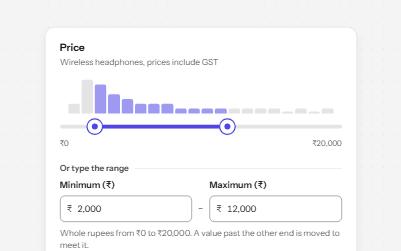
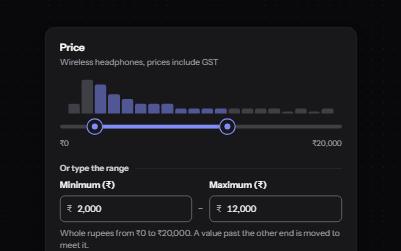
रेंज स्लाइडर
एक ही ट्रैक पर दो थंब जो न्यूनतम और अधिकतम तय करते हैं, विकल्प के तौर पर टाइप करने वाले फ़ील्ड और नतीजों की लाइव गिनती के साथ।
-
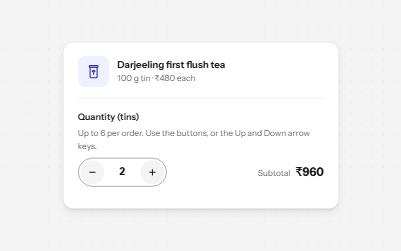
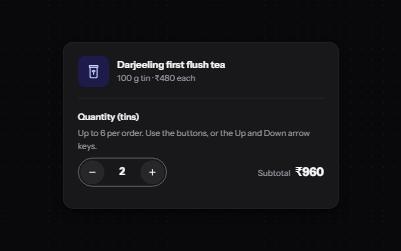
नंबर इनपुट
माइनस और प्लस बटन वाला मात्रा फ़ील्ड, ऐरो कुंजियों से कदम, अपनी सीमाएँ समझाता हुआ, और साथ-साथ बदलता कुल योग।
-
खोज फ़िल्टर
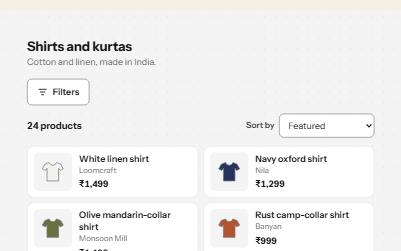
उत्पाद फ़िल्टर पैनल: गिनती वाले समूहबद्ध चेकबॉक्स, कीमत की सीमा, क्रम, हटाए जा सकने वाले चिप और घोषित होने वाली नतीजों की गिनती।