सुलभता पैटर्न · फ़ॉर्म इनपुट
नंबर इनपुट
फ़ील्ड inputmode="numeric" और role="spinbutton" वाला टेक्स्ट इनपुट है: फ़ोन नंबर पैड दिखाते हैं, स्क्रीन रीडर जान जाते हैं कि ऐरो कुंजियाँ उसे बढ़ाती-घटाती हैं, और पेज स्क्रॉल करने पर कुछ नहीं बदलता। न्यूनतम, अधिकतम और पूर्ण संख्या के नियम ऐसे संदेशों से लागू होते हैं जो नियम का नाम लेते हैं, और सीमा पर पहुँचना एक polite स्टेटस में बताया जाता है, किसी बटन के चुपचाप काम बंद करने से नहीं।
- डब्ल्यूसीएजी मानदंड
- 7
- कीबोर्ड नियम
- 5
- जाँच का तरीक़ा
- axe, कीबोर्ड और इंस्पेक्टर
लाइव डेमो
आज़माएँ
इसे माउस, कीबोर्ड या स्क्रीन रीडर से इस्तेमाल करें। साथ का इंस्पेक्टर दिखाता है कि आपके इस्तेमाल के दौरान ब्राउज़र सहायक तकनीक को क्या बताता है: फ़ोकस, स्थिति में बदलाव और घोषणाएँ।
दार्जिलिंग फ़र्स्ट फ़्लश चाय
एक ऑर्डर में 6 तक। बटन इस्तेमाल करें, या ऊपर और नीचे की ऐरो कुंजियाँ।
उप-योग ₹960
जावास्क्रिप्ट के बिना डेमो उतना ही काम करता है जितना उसका एचटीएमएल; इंस्पेक्टर के लिए जावास्क्रिप्ट चाहिए।
कीबोर्ड
जिन कुंजियों पर यह काम करता है
हर क्रिया पॉइंटर के बिना काम करती है।
| कुंजी | यह क्या करती है |
|---|---|
| Arrow UpयाArrow Down | एक डिब्बा जोड़ता या घटाता है। 1 या 6 पर मान वहीं रहता है, और एक स्टेटस मैसेज कारण बताता है। |
| HomeयाEnd | अनुमत सबसे छोटी या सबसे बड़ी मात्रा तय करता है। |
| Enter | टाइप की गई संख्या जाँचता है: उप-योग बदल जाता है, या एक संदेश बताता है कि क्या बदलें। |
| Tab | फ़ील्ड से आगे बढ़ता है। माइनस और प्लस बटन छूट जाते हैं, क्योंकि ऐरो कुंजियाँ उनका काम करती हैं, जब तक ऊपर का विकल्प उन्हें Tab क्रम में न डाले। |
| EnterयाSpace | माइनस या प्लस बटन पर, मात्रा को एक से बदलता है; नई मात्रा घोषित होती है। |
स्क्रीन रीडर
यह क्या घोषित करता है
मार्कअप की भूमिकाओं, नामों और स्थितियों से लिखा गया।
| कब | अपेक्षित घोषणा |
|---|---|
| Tab फ़ील्ड तक पहुँचता है | मात्रा (डिब्बे), स्पिन बटन, 2। एक ऑर्डर में 6 तक। बटन इस्तेमाल करें, या ऊपर और नीचे की ऐरो कुंजियाँ। |
| ऊपर का ऐरो | 3 |
| ऊपर का ऐरो 6 तक पहुँचता है | 6। अधिकतम सीमा पूरी: एक ऑर्डर में 6 डिब्बे। |
| मात्रा बढ़ाएँ पर टैप | मात्रा बढ़ाएँ, बटन। 4 डिब्बे |
| टाइप किए गए 2.5 पर Enter | डिब्बों की पूरी संख्या लिखें। |
ये अपेक्षित घोषणाएँ हैं, रिकॉर्डिंग नहीं। स्क्रीन रीडर और ब्राउज़र के हिसाब से शब्द और क्रम बदलते हैं।
कोड
कोड कॉपी करें
वही फ़ाइलें जिन पर यह डेमो चलता है। स्टाइल एक प्रीफ़िक्स के साथ परोसी जाती हैं जो इस साइट की अपनी स्टाइल को डेमो से दूर रखता है; आप जो कॉपी करते हैं वह मूल है।
<div class="ap-number-input" data-ap-number-input data-price="480" data-region="IN">
  <div class="ap-number-input__item">
    <span class="ap-number-input__thumb" aria-hidden="true"><svg viewBox="0 0 24 24" aria-hidden="true" focusable="false"><path d="M7 6h10v13.5a1.5 1.5 0 0 1-1.5 1.5h-7A1.5 1.5 0 0 1 7 19.5Z"/><path d="M6 3.5h12V6H6Z"/><path d="M10 11.5c1.2-1.6 2.8-1.6 4 0-1.2 1.6-2.8 1.6-4 0Z"/><path d="M12 13.5V16"/></svg></span>
    <div>
      <h3 class="ap-number-input__name">Darjeeling first flush tea</h3>
      <p class="ap-number-input__meta">100 g tin · ₹480 each</p>
    </div>
  </div>

  <div class="ap-field">
    <label class="ap-label" for="number-input-qty">Quantity (tins)</label>
    <p class="ap-hint" id="number-input-hint">Up to 6 per order. Use the buttons, or the Up and Down arrow keys.</p>
    <div class="ap-number-input__row">
      <div class="ap-number-input__stepper">
        <button type="button" class="ap-number-input__btn" data-ap-step="-1" aria-label="Decrease quantity" aria-controls="number-input-qty" aria-disabled="false" tabindex="-1"><svg viewBox="0 0 24 24" aria-hidden="true" focusable="false"><path d="M6 12h12"/></svg></button>
        <input class="ap-number-input__input" id="number-input-qty" type="text" inputmode="numeric" role="spinbutton" aria-valuemin="1" aria-valuemax="6" aria-valuenow="2" value="2" autocomplete="off" aria-describedby="number-input-hint number-input-error" />
        <button type="button" class="ap-number-input__btn" data-ap-step="1" aria-label="Increase quantity" aria-controls="number-input-qty" aria-disabled="false" tabindex="-1"><svg viewBox="0 0 24 24" aria-hidden="true" focusable="false"><path d="M12 6v12M6 12h12"/></svg></button>
      </div>
      <p class="ap-number-input__total"><span>Subtotal</span> <strong data-ap-total translate="no">₹960</strong></p>
    </div>
    <p class="ap-error ap-number-input__msg" id="number-input-error" aria-live="polite"><svg viewBox="0 0 24 24" aria-hidden="true" focusable="false"><circle cx="12" cy="12" r="9"/><path d="M12 7.5v5.5M12 16.5h.01"/></svg><span data-ap-error></span></p>
    <p class="ap-number-input__note ap-number-input__msg" role="status"><svg viewBox="0 0 24 24" aria-hidden="true" focusable="false"><circle cx="12" cy="12" r="9"/><path d="M12 11v5.5M12 7.5h.01"/></svg><span data-ap-note></span></p>
  </div>
  <p class="ap-number-input__sr" role="status" data-ap-say></p>
</div>
/* Shared primitives: buttons and form fields used across the patterns.
   Uses the --ap-* design tokens. */

.ap-btn {
  display: inline-flex;
  align-items: center;
  justify-content: center;
  gap: 8px;
  min-height: 40px;
  padding: 0 16px;
  border: 1px solid var(--ap-border-strong);
  border-radius: var(--ap-radius-sm);
  background: var(--ap-surface);
  color: var(--ap-text);
  font: inherit;
  font-weight: 600;
  line-height: 1.2;
  text-decoration: none;
  white-space: nowrap;
  cursor: pointer;
  transition: background-color var(--ap-duration) var(--ap-ease), border-color var(--ap-duration) var(--ap-ease), box-shadow var(--ap-duration) var(--ap-ease);
}
.ap-btn:hover {
  background: var(--ap-surface-2);
}
.ap-btn:focus-visible {
  outline: 2px solid var(--ap-focus);
  outline-offset: 2px;
}
.ap-btn:disabled,
.ap-btn[aria-disabled="true"] {
  opacity: .55;
  cursor: not-allowed;
}
.ap-btn--primary {
  border-color: var(--ap-accent);
  background: var(--ap-accent);
  color: var(--ap-on-accent);
  box-shadow: var(--ap-shadow-sm);
}
.ap-btn--primary:hover {
  border-color: var(--ap-accent-hover);
  background: var(--ap-accent-hover);
}
.ap-btn--danger {
  border-color: var(--ap-danger);
  background: var(--ap-danger);
  color: var(--ap-surface);
}
.ap-btn--danger:hover {
  filter: brightness(1.08);
}
.ap-btn--ghost {
  border-color: transparent;
  background: transparent;
}
.ap-btn--ghost:hover {
  background: var(--ap-surface-2);
}
.ap-btn__icon {
  width: 18px;
  height: 18px;
  flex-shrink: 0;
  fill: none;
  stroke: currentColor;
  stroke-width: 2;
  stroke-linecap: round;
  stroke-linejoin: round;
}

.ap-field {
  display: grid;
  gap: 6px;
}
.ap-label {
  color: var(--ap-text);
  font-weight: 600;
  font-size: .9375rem;
}
.ap-hint {
  margin: 0;
  color: var(--ap-text-3);
  font-size: .875rem;
  line-height: 1.45;
}
.ap-error {
  display: flex;
  align-items: flex-start;
  gap: 6px;
  margin: 0;
  color: var(--ap-danger);
  font-size: .875rem;
  font-weight: 600;
  line-height: 1.45;
}
.ap-input {
  width: 100%;
  min-height: 44px;
  padding: 10px 12px;
  border: 1px solid var(--ap-border-strong);
  border-radius: var(--ap-radius-sm);
  background: var(--ap-surface);
  color: var(--ap-text);
  font: inherit;
  line-height: 1.4;
  transition: border-color var(--ap-duration) var(--ap-ease), box-shadow var(--ap-duration) var(--ap-ease);
}
.ap-input::placeholder {
  color: var(--ap-text-3);
}
.ap-input:hover {
  border-color: var(--ap-text-2);
}
.ap-input:focus-visible {
  outline: 2px solid var(--ap-focus);
  outline-offset: 1px;
  border-color: var(--ap-focus);
}
.ap-input[aria-invalid="true"] {
  border-color: var(--ap-danger);
  box-shadow: inset 4px 0 0 var(--ap-danger);
}
textarea.ap-input {
  resize: vertical;
  min-height: 88px;
}

@media (prefers-reduced-motion: reduce) {
  .ap-btn,
  .ap-input { transition: none; }
}

/* Number input. Uses the --ap-* design tokens and the shared primitives. */
.ap-number-input {
  position: relative;
  container-type: inline-size;
  display: grid;
  gap: 20px;
  width: min(100%, 460px);
  margin-inline: auto;
  padding: 22px 24px 24px;
  border: 1px solid var(--ap-border);
  border-radius: var(--ap-radius-lg);
  background: var(--ap-surface);
  color: var(--ap-text);
  box-shadow: var(--ap-shadow-md);
  font-family: var(--ap-font);
}

/* The product */
.ap-number-input__item {
  display: flex;
  align-items: center;
  gap: 14px;
  padding-bottom: 18px;
  border-bottom: 1px solid var(--ap-border);
}
.ap-number-input__thumb {
  display: grid;
  place-items: center;
  width: 52px;
  height: 52px;
  flex-shrink: 0;
  border-radius: var(--ap-radius);
  background: var(--ap-accent-soft);
  color: var(--ap-accent-soft-text);
}
.ap-number-input__thumb svg {
  width: 28px;
  height: 28px;
  fill: none;
  stroke: currentColor;
  stroke-width: 1.6;
  stroke-linecap: round;
  stroke-linejoin: round;
}
.ap-number-input__name {
  margin: 0;
  font-family: var(--ap-font);
  font-size: 1rem;
  font-weight: 650;
  line-height: 1.35;
}
.ap-number-input__meta {
  margin: 2px 0 0;
  color: var(--ap-text-3);
  font-size: .875rem;
}

/* The stepper and the subtotal share a row */
.ap-number-input__row {
  display: flex;
  flex-wrap: wrap;
  align-items: center;
  justify-content: space-between;
  gap: 12px 16px;
  margin-top: 4px;
}
.ap-number-input__stepper {
  display: inline-flex;
  align-items: center;
  gap: 2px;
  padding: 3px;
  border: 1px solid var(--ap-border-strong);
  border-radius: var(--ap-radius-full);
  background: var(--ap-surface);
  transition: border-color var(--ap-duration) var(--ap-ease);
}
.ap-number-input__stepper:has(.ap-number-input__input:focus-visible) {
  border-color: var(--ap-focus);
  outline: 2px solid var(--ap-focus);
  outline-offset: 1px;
}
.ap-number-input__stepper:has([aria-invalid="true"]) {
  border-color: var(--ap-danger);
  box-shadow: inset 0 0 0 1px var(--ap-danger);
}

.ap-number-input__btn {
  display: grid;
  place-items: center;
  width: 40px;
  height: 40px;
  flex-shrink: 0;
  padding: 0;
  border: 0;
  border-radius: var(--ap-radius-full);
  background: var(--ap-surface-2);
  color: var(--ap-text);
  cursor: pointer;
  transition: background-color var(--ap-duration) var(--ap-ease), opacity var(--ap-duration) var(--ap-ease);
}
.ap-number-input__btn:hover {
  background: var(--ap-surface-3);
}
.ap-number-input__btn:focus-visible {
  outline: 2px solid var(--ap-focus);
  outline-offset: 2px;
}
.ap-number-input__btn:active {
  transform: scale(.94);
}
/* At a limit the button still answers (with a message), so it looks quieter rather than dead. */
.ap-number-input__btn[aria-disabled="true"] {
  background: transparent;
  color: var(--ap-text-3);
  cursor: not-allowed;
}
.ap-number-input__btn[aria-disabled="true"]:active {
  transform: none;
}
.ap-number-input__btn svg {
  width: 18px;
  height: 18px;
  fill: none;
  stroke: currentColor;
  stroke-width: 2.25;
  stroke-linecap: round;
}

.ap-number-input__input {
  width: 3.5rem;
  min-height: 40px;
  padding: 0;
  border: 0;
  background: transparent;
  color: var(--ap-text);
  font: inherit;
  font-size: 1.125rem;
  font-weight: 700;
  font-variant-numeric: tabular-nums;
  text-align: center;
}
.ap-number-input__input:focus {
  outline: none;
}

.ap-number-input__total {
  display: flex;
  align-items: baseline;
  gap: 8px;
  margin: 0;
  color: var(--ap-text-3);
  font-size: .875rem;
}
.ap-number-input__total strong {
  color: var(--ap-text);
  font-size: 1.25rem;
  font-weight: 700;
  font-variant-numeric: tabular-nums;
}

/* Messages are live regions: they stay in the page, taking no room until they have words. */
.ap-number-input__msg svg {
  width: 18px;
  height: 18px;
  flex-shrink: 0;
  margin-top: 1px;
  fill: none;
  stroke: currentColor;
  stroke-width: 2;
  stroke-linecap: round;
}
.ap-number-input__msg:has(> span:empty) {
  margin-top: -6px;
}
.ap-number-input__msg:has(> span:empty) svg {
  display: none;
}
.ap-number-input__note {
  display: flex;
  align-items: flex-start;
  gap: 6px;
  margin: 0;
  color: var(--ap-info);
  font-size: .875rem;
  font-weight: 600;
  line-height: 1.45;
}

.ap-number-input__sr {
  position: absolute;
  width: 1px;
  height: 1px;
  margin: -1px;
  padding: 0;
  overflow: hidden;
  clip-path: inset(50%);
  white-space: nowrap;
}

@media (prefers-reduced-motion: reduce) {
  .ap-number-input__stepper,
  .ap-number-input__btn { transition: none; }
  .ap-number-input__btn:active { transform: none; }
}
/**
 * Number input: a text field with role=spinbutton, inputmode=numeric and
 * minus and plus buttons. The arrow keys, Home and End step it; a typed value
 * is checked on Enter and when the field is left.
 *
 * Markup: [data-ap-number-input][data-price] holding an input[role=spinbutton]
 * with aria-valuemin, aria-valuemax and aria-valuenow, buttons [data-ap-step]
 * (-1 or 1), a subtotal [data-ap-total], an error [data-ap-error] in a polite
 * live region, a limit note [data-ap-note] in a role=status, and a hidden
 * p[role=status][data-ap-say] for changes made with the buttons.
 * Add data-tab-buttons to the root to put the buttons in the Tab order.
 */

const TEXT = {
  max: "Maximum reached: 6 tins per order.",
  min: "Minimum reached: 1 tin.",
  nan: "Enter a number of tins, like 2.",
  whole: "Enter a whole number of tins.",
  low: "Order at least 1 tin.",
  high: "You can order up to 6 tins.",
  one: "tin",
  many: "tins",
};

export function init(root) {
  const input = root.querySelector("[role=spinbutton]");
  const buttons = [...root.querySelectorAll("[data-ap-step]")];
  const total = root.querySelector("[data-ap-total]");
  const error = root.querySelector("[data-ap-error]");
  const note = root.querySelector("[data-ap-note]");
  const say = root.querySelector("[data-ap-say]");
  const min = Number(input.getAttribute("aria-valuemin"));
  const max = Number(input.getAttribute("aria-valuemax"));
  const price = Number(root.dataset.price);
  const region = root.dataset.region;
  const lang = root.closest("[lang]")?.lang || navigator.language;
  const money = new Intl.NumberFormat(region && !lang.includes("-") ? `${lang}-${region}` : lang, {
    style: "currency", currency: "INR", minimumFractionDigits: 0, maximumFractionDigits: 0,
  });
  let value = Number(input.getAttribute("aria-valuenow"));
  let noteTimer = 0;

  for (const b of buttons) {
    if (root.hasAttribute("data-tab-buttons")) b.removeAttribute("tabindex");
    else b.setAttribute("tabindex", "-1");
  }

  function showError(message) {
    if (error.textContent !== message) error.textContent = message;
    if (message) input.setAttribute("aria-invalid", "true");
    else input.removeAttribute("aria-invalid");
  }

  // Cleared first, so the same limit is announced again on every press.
  function showNote(message) {
    clearTimeout(noteTimer);
    note.textContent = "";
    if (message) noteTimer = setTimeout(() => { note.textContent = message; }, 60);
  }

  function announceValue() {
    const n = document.createElement("span");
    n.setAttribute("translate", "no");
    n.textContent = String(value);
    const unit = document.createElement("span");
    unit.textContent = value === 1 ? TEXT.one : TEXT.many;
    say.replaceChildren(n, " ", unit);
  }

  function set(n) {
    value = n;
    input.value = String(n);
    input.setAttribute("aria-valuenow", String(n));
    total.textContent = money.format(n * price);
    showError("");
    for (const b of buttons) {
      const dir = Number(b.dataset.apStep);
      b.setAttribute("aria-disabled", String(dir < 0 ? n <= min : n >= max));
    }
  }

  /** Moves to n, keeping inside the limits; says so when a limit is reached or pushed against. */
  function moveTo(n, { fromButton = false } = {}) {
    const next = Math.min(max, Math.max(min, n));
    const changed = next !== value || input.value.trim() !== String(value);
    set(next);
    const atLimit = next === max && n >= max ? TEXT.max : next === min && n <= min ? TEXT.min : "";
    showNote(atLimit);
    if (fromButton && changed && !atLimit) announceValue();
  }

  /** Checks a typed value. The text is left as typed when it breaks a rule. */
  function commit() {
    const raw = input.value.trim().replace(/[,\s]/g, "");
    let problem = "";
    if (!/^-?\d+(\.\d+)?$/.test(raw)) problem = TEXT.nan;
    else {
      const n = Number(raw);
      if (!Number.isInteger(n)) problem = TEXT.whole;
      else if (n < min) problem = TEXT.low;
      else if (n > max) problem = TEXT.high;
    }
    if (problem) {
      showError(problem);
      showNote("");
      return;
    }
    set(Number(raw));
    showNote("");
  }

  function onKey(event) {
    switch (event.key) {
      case "ArrowUp": moveTo(value + 1); break;
      case "ArrowDown": moveTo(value - 1); break;
      case "Home": moveTo(min); break;
      case "End": moveTo(max); break;
      case "Enter": commit(); break;
      default: return;
    }
    event.preventDefault();
  }

  function onInput() {
    // A limit note is about the old value; an error already showing is updated as the
    // number is fixed, but never added while typing.
    showNote("");
    if (error.textContent) commit();
  }

  function onClick(event) {
    const button = event.target.closest("[data-ap-step]");
    if (button) moveTo(value + Number(button.dataset.apStep), { fromButton: true });
  }

  input.addEventListener("keydown", onKey);
  input.addEventListener("input", onInput);
  input.addEventListener("change", commit);
  root.addEventListener("click", onClick);
  set(value);

  return () => {
    clearTimeout(noteTimer);
    input.removeEventListener("keydown", onKey);
    input.removeEventListener("input", onInput);
    input.removeEventListener("change", commit);
    root.removeEventListener("click", onClick);
  };
}

for (const root of document.querySelectorAll("[data-ap-number-input]")) init(root);
/* Design tokens for the pattern components. Light by default, dark when the
   system asks for it; set data-theme="dark" on :root to force dark. */
:root {
    --ap-radius-sm: 8px;
    --ap-radius: 12px;
    --ap-radius-lg: 16px;
    --ap-radius-full: 999px;
    --ap-font: "Instrument Sans", ui-sans-serif, system-ui, -apple-system, "Segoe UI", Roboto, sans-serif;
    --ap-mono: "JetBrains Mono", ui-monospace, "Cascadia Mono", "SF Mono", Consolas, monospace;
    --ap-ease: cubic-bezier(.2, .8, .2, 1);
    --ap-duration: 180ms;
    --ap-target: 44px;
    --ap-bg: #F4F4F5;
    --ap-surface: #FFFFFF;
    --ap-surface-2: #F4F4F5;
    --ap-surface-3: #E4E4E7;
    --ap-border: #E4E4E7;
    --ap-border-strong: #76767F;
    --ap-text: #18181B;
    --ap-text-2: #3F3F46;
    --ap-text-3: #5E5E66;
    --ap-accent: #4F46E5;
    --ap-accent-hover: #4338CA;
    --ap-on-accent: #FFFFFF;
    --ap-accent-text: #4338CA;
    --ap-accent-soft: #EEF2FF;
    --ap-accent-soft-text: #3730A3;
    --ap-focus: #4F46E5;
    --ap-danger: #B91C1C;
    --ap-danger-soft: #FEF2F2;
    --ap-success: #15803D;
    --ap-success-soft: #F0FDF4;
    --ap-warning: #A15C07;
    --ap-warning-soft: #FEFCE8;
    --ap-info: #1D4ED8;
    --ap-info-soft: #EFF6FF;
    --ap-scrim: rgb(9 9 11 / .48);
    --ap-shadow-sm: 0 1px 2px rgb(9 9 11 / .06);
    --ap-shadow-md: 0 1px 2px rgb(9 9 11 / .05), 0 6px 16px -4px rgb(9 9 11 / .1);
    --ap-shadow-lg: 0 2px 6px rgb(9 9 11 / .06), 0 20px 40px -12px rgb(9 9 11 / .22);
    --ap-light-bg: #F4F4F5;
    --ap-light-surface: #FFFFFF;
    --ap-light-surface-2: #F4F4F5;
    --ap-light-surface-3: #E4E4E7;
    --ap-light-border: #E4E4E7;
    --ap-light-border-strong: #76767F;
    --ap-light-text: #18181B;
    --ap-light-text-2: #3F3F46;
    --ap-light-text-3: #5E5E66;
    --ap-light-accent: #4F46E5;
    --ap-light-accent-hover: #4338CA;
    --ap-light-on-accent: #FFFFFF;
    --ap-light-accent-text: #4338CA;
    --ap-light-accent-soft: #EEF2FF;
    --ap-light-accent-soft-text: #3730A3;
    --ap-light-focus: #4F46E5;
    --ap-light-danger: #B91C1C;
    --ap-light-danger-soft: #FEF2F2;
    --ap-light-success: #15803D;
    --ap-light-success-soft: #F0FDF4;
    --ap-light-warning: #A15C07;
    --ap-light-warning-soft: #FEFCE8;
    --ap-light-info: #1D4ED8;
    --ap-light-info-soft: #EFF6FF;
    --ap-light-scrim: rgb(9 9 11 / .48);
    --ap-light-shadow-sm: 0 1px 2px rgb(9 9 11 / .06);
    --ap-light-shadow-md: 0 1px 2px rgb(9 9 11 / .05), 0 6px 16px -4px rgb(9 9 11 / .1);
    --ap-light-shadow-lg: 0 2px 6px rgb(9 9 11 / .06), 0 20px 40px -12px rgb(9 9 11 / .22);
    --ap-dark-bg: #09090B;
    --ap-dark-surface: #18181B;
    --ap-dark-surface-2: #27272A;
    --ap-dark-surface-3: #3F3F46;
    --ap-dark-border: #2E2E33;
    --ap-dark-border-strong: #8E8E97;
    --ap-dark-text: #FAFAFA;
    --ap-dark-text-2: #D4D4D8;
    --ap-dark-text-3: #A1A1AA;
    --ap-dark-accent: #818CF8;
    --ap-dark-accent-hover: #A5B4FC;
    --ap-dark-on-accent: #0C0A1F;
    --ap-dark-accent-text: #A5B4FC;
    --ap-dark-accent-soft: #1E1B4B;
    --ap-dark-accent-soft-text: #C7D2FE;
    --ap-dark-focus: #A5B4FC;
    --ap-dark-danger: #F87171;
    --ap-dark-danger-soft: #2A1215;
    --ap-dark-success: #4ADE80;
    --ap-dark-success-soft: #0F2A1A;
    --ap-dark-warning: #FACC15;
    --ap-dark-warning-soft: #2A2410;
    --ap-dark-info: #60A5FA;
    --ap-dark-info-soft: #0F1D33;
    --ap-dark-scrim: rgb(0 0 0 / .62);
    --ap-dark-shadow-sm: 0 1px 2px rgb(0 0 0 / .4);
    --ap-dark-shadow-md: 0 1px 2px rgb(0 0 0 / .4), 0 8px 20px -6px rgb(0 0 0 / .5);
    --ap-dark-shadow-lg: 0 2px 8px rgb(0 0 0 / .45), 0 24px 48px -12px rgb(0 0 0 / .7);
}
@media (prefers-color-scheme: dark) {
  :root:not([data-theme="light"]) {
      --ap-bg: #09090B;
      --ap-surface: #18181B;
      --ap-surface-2: #27272A;
      --ap-surface-3: #3F3F46;
      --ap-border: #2E2E33;
      --ap-border-strong: #8E8E97;
      --ap-text: #FAFAFA;
      --ap-text-2: #D4D4D8;
      --ap-text-3: #A1A1AA;
      --ap-accent: #818CF8;
      --ap-accent-hover: #A5B4FC;
      --ap-on-accent: #0C0A1F;
      --ap-accent-text: #A5B4FC;
      --ap-accent-soft: #1E1B4B;
      --ap-accent-soft-text: #C7D2FE;
      --ap-focus: #A5B4FC;
      --ap-danger: #F87171;
      --ap-danger-soft: #2A1215;
      --ap-success: #4ADE80;
      --ap-success-soft: #0F2A1A;
      --ap-warning: #FACC15;
      --ap-warning-soft: #2A2410;
      --ap-info: #60A5FA;
      --ap-info-soft: #0F1D33;
      --ap-scrim: rgb(0 0 0 / .62);
      --ap-shadow-sm: 0 1px 2px rgb(0 0 0 / .4);
      --ap-shadow-md: 0 1px 2px rgb(0 0 0 / .4), 0 8px 20px -6px rgb(0 0 0 / .5);
      --ap-shadow-lg: 0 2px 8px rgb(0 0 0 / .45), 0 24px 48px -12px rgb(0 0 0 / .7);
  }
}
:root[data-theme="dark"] {
    --ap-bg: #09090B;
    --ap-surface: #18181B;
    --ap-surface-2: #27272A;
    --ap-surface-3: #3F3F46;
    --ap-border: #2E2E33;
    --ap-border-strong: #8E8E97;
    --ap-text: #FAFAFA;
    --ap-text-2: #D4D4D8;
    --ap-text-3: #A1A1AA;
    --ap-accent: #818CF8;
    --ap-accent-hover: #A5B4FC;
    --ap-on-accent: #0C0A1F;
    --ap-accent-text: #A5B4FC;
    --ap-accent-soft: #1E1B4B;
    --ap-accent-soft-text: #C7D2FE;
    --ap-focus: #A5B4FC;
    --ap-danger: #F87171;
    --ap-danger-soft: #2A1215;
    --ap-success: #4ADE80;
    --ap-success-soft: #0F2A1A;
    --ap-warning: #FACC15;
    --ap-warning-soft: #2A2410;
    --ap-info: #60A5FA;
    --ap-info-soft: #0F1D33;
    --ap-scrim: rgb(0 0 0 / .62);
    --ap-shadow-sm: 0 1px 2px rgb(0 0 0 / .4);
    --ap-shadow-md: 0 1px 2px rgb(0 0 0 / .4), 0 8px 20px -6px rgb(0 0 0 / .5);
    --ap-shadow-lg: 0 2px 8px rgb(0 0 0 / .45), 0 24px 48px -12px rgb(0 0 0 / .7);
}
डब्ल्यूसीएजी 2.2
यह किन मानदंडों को पूरा करता है
वे सफलता मानदंड जिनका यह पैटर्न ध्यान रखता है, और कैसे।
-
1.3.1 जानकारी और संबंध
स्तर A
इकाई लेबल का हिस्सा है, और सीमाएँ फ़ील्ड के विवरण में हैं, इसलिए वे फ़ील्ड के साथ सुनाई देती हैं, सिर्फ़ उसके पास दिखती नहीं।
-
2.1.1 कीबोर्ड
स्तर A
ऐरो कुंजियाँ, Home और End मान बदलती हैं, और फ़ोकस होने पर बटन Enter और Space से चलते हैं।
-
2.5.8 टारगेट साइज़ (न्यूनतम)
स्तर AA
माइनस और प्लस बटन 40 पिक्सेल के वर्ग हैं, नंबर फ़ील्ड के 15 पिक्सेल वाले स्पिनरों से कहीं बड़े।
-
3.3.1 त्रुटि पहचान
स्तर A
नियम तोड़ने वाला टाइप किया गया मान फ़ील्ड के नीचे टेक्स्ट में बताया जाता है, और फ़ील्ड अमान्य चिह्नित होता है।
-
3.3.2 लेबल या निर्देश
स्तर A
कुछ टाइप होने से पहले ही लेबल इकाई और संकेत सीमा बता देता है।
-
4.1.2 नाम, भूमिका, मान
स्तर A
aria-valuenow, aria-valuemin और aria-valuemax के साथ role=spinbutton मान और उसकी सीमा बताता है; बटन बताते हैं कि वे क्या बदलते हैं।
-
4.1.3 स्टेटस मैसेज
स्तर AA
सीमा पर पहुँचना, और बटनों से किया गया बदलाव, फ़ोकस हिलाए बिना polite स्टेटस मैसेज में बताए जाते हैं।
उपयोग
इसे कब इस्तेमाल करें
इसे अपनाएँ
- छोटी पूर्ण संख्याएँ जिन्हें लोग आमतौर पर एक-दो से बदलते हैं, जैसे मात्रा, मेहमान या सीटें।
- जब सीमाएँ पता हों और बताने लायक हों, जैसे स्टॉक या प्रति ऑर्डर सीमा।
कुछ और इस्तेमाल करें
- ऐसी संख्याएँ जो असल में पहचान हैं, जैसे फ़ोन, कार्ड या PIN नंबर: सादा टेक्स्ट फ़ील्ड इस्तेमाल करें।
- बड़े मान जिन्हें लोग पूरा टाइप करते हैं, जैसे वेतन: इकाई वाला टेक्स्ट फ़ील्ड कदम-कदम बढ़ाने से तेज़ है।
- ऐसी सीमा जहाँ सटीक मान से ज़्यादा स्थिति मायने रखती है: स्लाइडर इस्तेमाल करें।
आम विफलताएँ
आमतौर पर यह कहाँ गलत होता है
हर चीज़ के लिए type="number"
पेज को उसके ऊपर स्क्रॉल करने पर उसका मान बदल जाता है, वह "e" स्वीकार करता है, जो पढ़ नहीं पाता उसे ख़ाली मान बना देता है, और उसके स्पिनर तीर बहुत छोटे हैं। inputmode="numeric" वाला टेक्स्ट फ़ील्ड चारों से बचाता है।
"+" और "−" नाम वाले बटन
स्क्रीन रीडर "plus" और "minus" पढ़ सकता है, या कुछ भी नहीं। यहाँ बटनों के नाम "मात्रा बढ़ाएँ" और "मात्रा घटाएँ" हैं।
चुप सीमाएँ
कुछ न करने वाला निष्क्रिय प्लस बटन लोगों से बार-बार दबवाता है। सीमा पर बटन दबाया जा सकता है, बताता है कि वह अनुपलब्ध है, और स्टेटस कारण समझाता है।
इकाई सिर्फ़ डिज़ाइन में
डिब्बे की तस्वीर के पास "2" स्क्रीन रीडर के लिए कुछ नहीं कहता। इकाई लेबल में है: मात्रा (डिब्बे)।
बिना बताए सीमा में दबा देना
टाइप किए गए 9 को चुपचाप 6 कर देना किसी का ऑर्डर बदल देता है। यहाँ मान वैसा ही रहता है जैसा टाइप हुआ, और संदेश सीमा बताता है।
नोट्स
इसे बनाना
- टेक्स्ट इनपुट पर role="spinbutton" की अनुमति है; यह स्क्रीन रीडर को बताता है कि ऊपर और नीचे की कुंजियाँ चलेंगी, और aria-valuenow वह संख्या रखता है जो वे घोषित करते हैं।
- बटनों पर tabindex="-1" है, जैसा WAI-एआरआईए उदाहरण में है, क्योंकि ऐरो कुंजियाँ पहले से उनका काम करती हैं। वे टच से और स्क्रीन रीडर के पढ़ने वाले कर्सर से पहुँच में रहते हैं; ऊपर का विकल्प दूसरा तरीका दिखाता है।
- बटनों से किए बदलाव घोषित होते हैं, क्योंकि फ़ोकस बटन पर है, बदले हुए मान पर नहीं। ऐरो कुंजियों से किए बदलाव नहीं: वहाँ स्पिन बटन ख़ुद सुनाई देता है।
- inputmode="numeric" नंबर पैड माँगता है पर टाइप होने वाली चीज़ पर रोक नहीं लगाता, इसलिए Enter पर और फ़ील्ड छोड़ने पर मान हमेशा जाँचा जाता है।
- उप-योग भारत के लिए Intl.NumberFormat से लिखा जाता है (₹1,920, और बड़ी रक़म के लिए ₹1,00,000); यह चुपचाप बदलता है, क्योंकि बदली तो मात्रा है।
स्रोत: WAI-एआरआईए ऑथरिंग प्रैक्टिसेज़: स्पिनबटन · GOV.UK डिज़ाइन सिस्टम: टेक्स्ट इनपुट (संख्याएँ पूछना)
लाइट और डार्क थीम में, डेस्कटॉप और फ़ोन की चौड़ाई पर axe से और कीबोर्ड से जाँचा गया। अभी हर स्क्रीन रीडर और ब्राउज़र जोड़ी के साथ नहीं परखा गया। सुधार बताएँ
संबंधित
इसके साथ जाने वाले पैटर्न
-
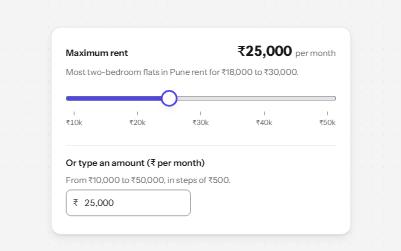
स्लाइडर
भरे हुए ट्रैक और बड़े थंब के साथ सजाया गया नेटिव रेंज इनपुट, जिसका मान इकाई के साथ बोला जाता है, और साथ-साथ चलता नंबर फ़ील्ड।
-
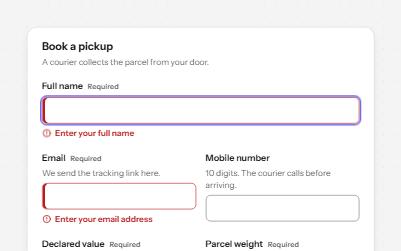
टेक्स्ट फ़ील्ड
दिखने वाले लेबल, इनपुट से जुड़े संकेत और त्रुटियाँ, सही कीबोर्ड और ऑटोफ़िल, और सुनाई देने वाली इकाइयों वाले टेक्स्ट फ़ील्ड।
-
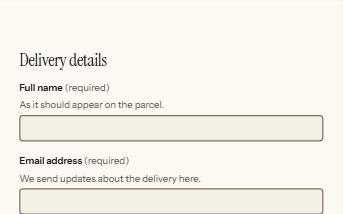
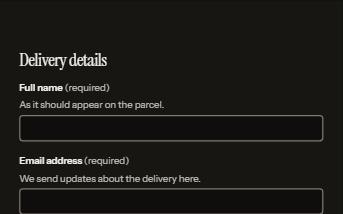
फ़ॉर्म त्रुटियाँ
एक त्रुटि सारांश जो फ़ोकस लेता है, हर फ़ील्ड से जुड़े संदेश, और फ़ॉर्म भेजने पर एक स्थिति संदेश।
-
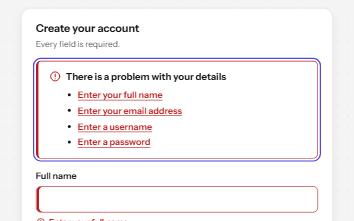
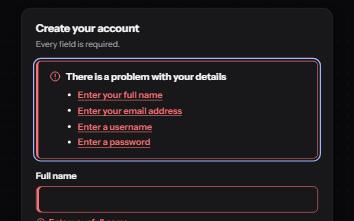
इनलाइन जाँच
एक साइन-अप फ़ॉर्म जो हर फ़ील्ड को उसमें टाइप करने के बाद छोड़ते ही जाँचता है, शब्दों में टिक और त्रुटियों के साथ, और भेजने पर एक सारांश।