सुलभता पैटर्न · फ़ॉर्म इनपुट
फ़ाइल अपलोड
ड्रॉप ज़ोन एक सजाए गए हिस्से पर फैला नेटिव फ़ाइल इनपुट है, इसलिए Tab, Enter, Space और सिस्टम का फ़ाइल पिकर, सब किसी भी स्क्रिप्ट के चलने से पहले काम करते हैं। हर चुनी गई फ़ाइल को एक पंक्ति मिलती है, जिसमें उसका नाम, आकार, एक प्रोग्रेस बार, शब्दों में कोई भी त्रुटि, और फ़ाइल का नाम बताने वाला हटाएँ बटन होता है।
- डब्ल्यूसीएजी मानदंड
- 7
- कीबोर्ड नियम
- 3
- जाँच का तरीक़ा
- axe, कीबोर्ड और इंस्पेक्टर
लाइव डेमो
आज़माएँ
इसे माउस, कीबोर्ड या स्क्रीन रीडर से इस्तेमाल करें। साथ का इंस्पेक्टर दिखाता है कि आपके इस्तेमाल के दौरान ब्राउज़र सहायक तकनीक को क्या बताता है: फ़ोकस, स्थिति में बदलाव और घोषणाएँ।
होम लोन के आवेदन के लिए आपकी ताज़ा सैलरी स्लिप और आपके PAN कार्ड की फ़ोटो।
या उन्हें यहाँ खींचकर लाएँ
पीडीएफ, जेपीजी या पीएनजी, हर एक 5 MB तक।
-
salary-slip-september.pdf 412 KB
अपलोड हो गई
जावास्क्रिप्ट के बिना डेमो उतना ही काम करता है जितना उसका एचटीएमएल; इंस्पेक्टर के लिए जावास्क्रिप्ट चाहिए।
कीबोर्ड
जिन कुंजियों पर यह काम करता है
हर क्रिया पॉइंटर के बिना काम करती है।
| कुंजी | यह क्या करती है |
|---|---|
| Tab | फ़ाइल इनपुट (जो ड्रॉप ज़ोन की तरह दिखता है) पर, फिर हर फ़ाइल के हटाएँ बटन पर ले जाता है। |
| EnterयाSpace | ड्रॉप ज़ोन पर, सिस्टम का फ़ाइल पिकर खोलता है; वहाँ चुनी गई फ़ाइलें सूची में जुड़ जाती हैं। |
| EnterयाSpace | हटाएँ बटन पर, उस फ़ाइल को हटाता है (या उसका अपलोड रोकता है) और फ़ोकस अगली फ़ाइल पर, या वापस इनपुट पर ले जाता है। |
स्क्रीन रीडर
यह क्या घोषित करता है
मार्कअप की भूमिकाओं, नामों और स्थितियों से लिखा गया।
| कब | अपेक्षित घोषणा |
|---|---|
| फ़ोकस ड्रॉप ज़ोन पर पहुँचता है | सहायक दस्तावेज़ फ़ाइलें चुनें, बटन। आपकी ताज़ा सैलरी स्लिप… पीडीएफ, जेपीजी या पीएनजी, हर एक 5 MB तक। |
| दो फ़ाइलें चुनी जाती हैं, एक बहुत बड़ी है | 1 फ़ाइल अपलोड हो रही है। 1 फ़ाइल जोड़ी नहीं जा सकती; सूची देखें। |
| एक अपलोड पूरा होता है | bank-statement.pdf अपलोड हो गई |
| फ़ोकस हटाएँ बटन पर पहुँचता है | bank-statement.pdf हटाएँ, बटन, अपलोड हो गई |
| एक फ़ाइल हटाई जाती है | bank-statement.pdf हटा दी गई |
ये अपेक्षित घोषणाएँ हैं, रिकॉर्डिंग नहीं। स्क्रीन रीडर और ब्राउज़र के हिसाब से शब्द और क्रम बदलते हैं।
कोड
कोड कॉपी करें
वही फ़ाइलें जिन पर यह डेमो चलता है। स्टाइल एक प्रीफ़िक्स के साथ परोसी जाती हैं जो इस साइट की अपनी स्टाइल को डेमो से दूर रखता है; आप जो कॉपी करते हैं वह मूल है।
<div class="ap-file-upload" data-ap-file-upload data-max-mb="5" data-types="pdf jpg jpeg png">
  <div class="ap-file-upload__head">
    <label class="ap-label ap-file-upload__label" for="file-upload-input">Supporting documents</label>
    <p class="ap-hint" id="file-upload-help">Your latest salary slip and a photo of your PAN card, for the home loan application.</p>
  </div>

  <div class="ap-file-upload__zone" data-ap-zone>
    <input class="ap-file-upload__input" id="file-upload-input" type="file" name="documents" multiple accept=".pdf,.jpg,.jpeg,.png,application/pdf,image/jpeg,image/png" aria-describedby="file-upload-help file-upload-rules" />
    <span class="ap-file-upload__art" aria-hidden="true">
      <svg viewBox="0 0 24 24" focusable="false"><path d="M12 16V4"/><path d="m7 9 5-5 5 5"/><path d="M4 16v2a2 2 0 0 0 2 2h12a2 2 0 0 0 2-2v-2"/></svg>
    </span>
    <p class="ap-file-upload__lead"><label class="ap-file-upload__choose" for="file-upload-input">Choose files</label> <span class="ap-file-upload__or">or drag them here</span></p>
    <p class="ap-file-upload__rules" id="file-upload-rules">PDF, JPG or PNG, up to 5 MB each.</p>
  </div>

  <ul class="ap-file-upload__list" aria-label="Chosen files" data-ap-list>
    <li class="ap-file-upload__item" data-state="done">
      <span class="ap-file-upload__icon" aria-hidden="true">
        <svg viewBox="0 0 24 24" focusable="false"><path d="M14 3H7a2 2 0 0 0-2 2v14a2 2 0 0 0 2 2h10a2 2 0 0 0 2-2V8Z"/><path d="M14 3v5h5"/></svg>
      </span>
      <div class="ap-file-upload__body">
        <p class="ap-file-upload__row"><span class="ap-file-upload__file" id="file-upload-name-1" translate="no">salary-slip-september.pdf</span> <span class="ap-file-upload__size" translate="no">412 KB</span></p>
        <p class="ap-file-upload__state" id="file-upload-state-1"><svg viewBox="0 0 24 24" aria-hidden="true" focusable="false"><path d="m5 12 5 5L20 7"/></svg><span>Uploaded</span></p>
      </div>
      <button type="button" class="ap-file-upload__remove" id="file-upload-rm-1" aria-labelledby="file-upload-rm-1 file-upload-name-1" aria-describedby="file-upload-state-1">
        <svg viewBox="0 0 24 24" aria-hidden="true" focusable="false"><path d="M6 6l12 12M18 6 6 18"/></svg>
        <span class="ap-file-upload__sr">Remove</span>
      </button>
    </li>
  </ul>
  <p class="ap-file-upload__sr" role="status" data-ap-say></p>
</div>
/* Shared primitives: buttons and form fields used across the patterns.
   Uses the --ap-* design tokens. */

.ap-btn {
  display: inline-flex;
  align-items: center;
  justify-content: center;
  gap: 8px;
  min-height: 40px;
  padding: 0 16px;
  border: 1px solid var(--ap-border-strong);
  border-radius: var(--ap-radius-sm);
  background: var(--ap-surface);
  color: var(--ap-text);
  font: inherit;
  font-weight: 600;
  line-height: 1.2;
  text-decoration: none;
  white-space: nowrap;
  cursor: pointer;
  transition: background-color var(--ap-duration) var(--ap-ease), border-color var(--ap-duration) var(--ap-ease), box-shadow var(--ap-duration) var(--ap-ease);
}
.ap-btn:hover {
  background: var(--ap-surface-2);
}
.ap-btn:focus-visible {
  outline: 2px solid var(--ap-focus);
  outline-offset: 2px;
}
.ap-btn:disabled,
.ap-btn[aria-disabled="true"] {
  opacity: .55;
  cursor: not-allowed;
}
.ap-btn--primary {
  border-color: var(--ap-accent);
  background: var(--ap-accent);
  color: var(--ap-on-accent);
  box-shadow: var(--ap-shadow-sm);
}
.ap-btn--primary:hover {
  border-color: var(--ap-accent-hover);
  background: var(--ap-accent-hover);
}
.ap-btn--danger {
  border-color: var(--ap-danger);
  background: var(--ap-danger);
  color: var(--ap-surface);
}
.ap-btn--danger:hover {
  filter: brightness(1.08);
}
.ap-btn--ghost {
  border-color: transparent;
  background: transparent;
}
.ap-btn--ghost:hover {
  background: var(--ap-surface-2);
}
.ap-btn__icon {
  width: 18px;
  height: 18px;
  flex-shrink: 0;
  fill: none;
  stroke: currentColor;
  stroke-width: 2;
  stroke-linecap: round;
  stroke-linejoin: round;
}

.ap-field {
  display: grid;
  gap: 6px;
}
.ap-label {
  color: var(--ap-text);
  font-weight: 600;
  font-size: .9375rem;
}
.ap-hint {
  margin: 0;
  color: var(--ap-text-3);
  font-size: .875rem;
  line-height: 1.45;
}
.ap-error {
  display: flex;
  align-items: flex-start;
  gap: 6px;
  margin: 0;
  color: var(--ap-danger);
  font-size: .875rem;
  font-weight: 600;
  line-height: 1.45;
}
.ap-input {
  width: 100%;
  min-height: 44px;
  padding: 10px 12px;
  border: 1px solid var(--ap-border-strong);
  border-radius: var(--ap-radius-sm);
  background: var(--ap-surface);
  color: var(--ap-text);
  font: inherit;
  line-height: 1.4;
  transition: border-color var(--ap-duration) var(--ap-ease), box-shadow var(--ap-duration) var(--ap-ease);
}
.ap-input::placeholder {
  color: var(--ap-text-3);
}
.ap-input:hover {
  border-color: var(--ap-text-2);
}
.ap-input:focus-visible {
  outline: 2px solid var(--ap-focus);
  outline-offset: 1px;
  border-color: var(--ap-focus);
}
.ap-input[aria-invalid="true"] {
  border-color: var(--ap-danger);
  box-shadow: inset 4px 0 0 var(--ap-danger);
}
textarea.ap-input {
  resize: vertical;
  min-height: 88px;
}

@media (prefers-reduced-motion: reduce) {
  .ap-btn,
  .ap-input { transition: none; }
}

/* File upload. Uses the --ap-* design tokens and the shared primitives. */
.ap-file-upload {
  container-type: inline-size;
  width: min(100%, 540px);
  margin-inline: auto;
  padding: 22px 24px 24px;
  border: 1px solid var(--ap-border);
  border-radius: var(--ap-radius-lg);
  background: var(--ap-surface);
  box-shadow: var(--ap-shadow-md);
  color: var(--ap-text);
  font-family: var(--ap-font);
}

.ap-file-upload__head {
  display: grid;
  gap: 4px;
}
.ap-file-upload__label {
  font-size: 1.0625rem;
}

/* The zone: a native file input, transparent, stretched over the drawing. */
.ap-file-upload__zone {
  position: relative;
  display: grid;
  justify-items: center;
  gap: 10px;
  margin-top: 16px;
  padding: 28px 20px 24px;
  border: 2px dashed var(--ap-border-strong);
  border-radius: var(--ap-radius-lg);
  background: var(--ap-surface-2);
  text-align: center;
  transition: border-color var(--ap-duration) var(--ap-ease), background-color var(--ap-duration) var(--ap-ease);
}
.ap-file-upload__input {
  position: absolute;
  inset: 0;
  z-index: 1;
  width: 100%;
  height: 100%;
  margin: 0;
  padding: 0;
  opacity: 0;
  cursor: pointer;
}
.ap-file-upload__zone:hover {
  border-color: var(--ap-accent);
}
.ap-file-upload__zone:has(.ap-file-upload__input:focus-visible) {
  border-color: var(--ap-accent);
  outline: 2px solid var(--ap-focus);
  outline-offset: 3px;
}
.ap-file-upload__zone.is-over {
  border-style: solid;
  border-color: var(--ap-accent);
  background: var(--ap-accent-soft);
}

.ap-file-upload__art {
  display: grid;
  place-items: center;
  width: 48px;
  height: 48px;
  border-radius: 50%;
  background: var(--ap-accent-soft);
  color: var(--ap-accent-soft-text);
  transition: transform var(--ap-duration) var(--ap-ease);
}
.ap-file-upload__zone.is-over .ap-file-upload__art {
  transform: translateY(-3px);
}
.ap-file-upload__art svg {
  width: 24px;
  height: 24px;
  fill: none;
  stroke: currentColor;
  stroke-width: 2;
  stroke-linecap: round;
  stroke-linejoin: round;
}

.ap-file-upload__lead {
  display: flex;
  flex-wrap: wrap;
  align-items: center;
  justify-content: center;
  gap: 8px 10px;
  margin: 0;
  color: var(--ap-text-2);
}
.ap-file-upload__choose {
  display: inline-flex;
  align-items: center;
  min-height: 40px;
  padding: 0 16px;
  border-radius: var(--ap-radius-sm);
  background: var(--ap-accent);
  color: var(--ap-on-accent);
  font-weight: 600;
  box-shadow: var(--ap-shadow-sm);
  transition: background-color var(--ap-duration) var(--ap-ease);
}
.ap-file-upload__zone:hover .ap-file-upload__choose {
  background: var(--ap-accent-hover);
}
.ap-file-upload__rules {
  margin: 0;
  color: var(--ap-text-3);
  font-size: .875rem;
}

/* The list of chosen files */
.ap-file-upload__list {
  display: grid;
  gap: 10px;
  margin: 16px 0 0;
  padding: 0;
  list-style: none;
}
.ap-file-upload__list[hidden] {
  display: none;
}
.ap-file-upload__item {
  display: grid;
  grid-template-columns: 40px minmax(0, 1fr) auto;
  align-items: center;
  gap: 12px;
  padding: 12px 10px 12px 12px;
  border: 1px solid var(--ap-border);
  border-radius: var(--ap-radius);
  background: var(--ap-surface);
  animation: ap-file-upload-in 200ms var(--ap-ease);
}
.ap-file-upload__item[data-state="error"] {
  border-color: var(--ap-danger);
  background: var(--ap-danger-soft);
}

.ap-file-upload__icon {
  display: grid;
  place-items: center;
  width: 40px;
  height: 40px;
  border-radius: var(--ap-radius-sm);
  background: var(--ap-surface-2);
  color: var(--ap-text-2);
}
.ap-file-upload__item[data-state="error"] .ap-file-upload__icon {
  background: var(--ap-surface);
  color: var(--ap-danger);
}
.ap-file-upload__icon svg {
  width: 20px;
  height: 20px;
  fill: none;
  stroke: currentColor;
  stroke-width: 1.8;
  stroke-linecap: round;
  stroke-linejoin: round;
}

.ap-file-upload__body {
  min-width: 0;
}
.ap-file-upload__row {
  display: flex;
  flex-wrap: wrap;
  align-items: baseline;
  gap: 2px 8px;
  margin: 0;
}
.ap-file-upload__file {
  min-width: 0;
  color: var(--ap-text);
  font-weight: 600;
  overflow-wrap: anywhere;
}
.ap-file-upload__size {
  color: var(--ap-text-3);
  font-size: .8125rem;
  font-variant-numeric: tabular-nums;
  white-space: nowrap;
}

.ap-file-upload__bar {
  display: block;
  width: 100%;
  height: 6px;
  margin: 8px 0 2px;
  border: 0;
  border-radius: var(--ap-radius-full);
  background: var(--ap-surface-3);
  overflow: hidden;
  appearance: none;
  -webkit-appearance: none;
}
.ap-file-upload__bar::-webkit-progress-bar {
  border-radius: var(--ap-radius-full);
  background: var(--ap-surface-3);
}
.ap-file-upload__bar::-webkit-progress-value {
  border-radius: var(--ap-radius-full);
  background: var(--ap-accent);
  transition: width 150ms linear;
}
.ap-file-upload__bar::-moz-progress-bar {
  border-radius: var(--ap-radius-full);
  background: var(--ap-accent);
}

.ap-file-upload__state {
  display: flex;
  align-items: flex-start;
  gap: 6px;
  margin: 4px 0 0;
  color: var(--ap-text-3);
  font-size: .875rem;
  line-height: 1.4;
}
.ap-file-upload__state svg {
  flex-shrink: 0;
  width: 16px;
  height: 16px;
  margin-top: 1px;
  fill: none;
  stroke: currentColor;
  stroke-width: 2.2;
  stroke-linecap: round;
  stroke-linejoin: round;
}
.ap-file-upload__item[data-state="done"] .ap-file-upload__state {
  color: var(--ap-success);
  font-weight: 600;
}
.ap-file-upload__item[data-state="error"] .ap-file-upload__state {
  color: var(--ap-danger);
  font-weight: 600;
}
.ap-file-upload__pct {
  font-variant-numeric: tabular-nums;
}

.ap-file-upload__remove {
  display: grid;
  place-items: center;
  width: 40px;
  height: 40px;
  padding: 0;
  border: 0;
  border-radius: var(--ap-radius-sm);
  background: transparent;
  color: var(--ap-text-2);
  cursor: pointer;
}
.ap-file-upload__remove:hover {
  background: var(--ap-surface-2);
  color: var(--ap-text);
}
.ap-file-upload__item[data-state="error"] .ap-file-upload__remove:hover {
  background: var(--ap-surface);
}
.ap-file-upload__remove:focus-visible {
  outline: 2px solid var(--ap-focus);
  outline-offset: 1px;
}
.ap-file-upload__remove svg {
  width: 18px;
  height: 18px;
  fill: none;
  stroke: currentColor;
  stroke-width: 2;
  stroke-linecap: round;
}

.ap-file-upload__sr {
  position: absolute;
  width: 1px;
  height: 1px;
  margin: -1px;
  padding: 0;
  overflow: hidden;
  clip-path: inset(50%);
  white-space: nowrap;
  border: 0;
}

@keyframes ap-file-upload-in {
  from { opacity: 0; transform: translateY(4px); }
}

@container (max-width: 360px) {
  .ap-file-upload__item { grid-template-columns: minmax(0, 1fr) auto; }
  .ap-file-upload__icon { display: none; }
}

@media (prefers-reduced-motion: reduce) {
  .ap-file-upload__zone,
  .ap-file-upload__art,
  .ap-file-upload__choose { transition: none; }
  .ap-file-upload__zone.is-over .ap-file-upload__art { transform: none; }
  .ap-file-upload__item { animation: none; }
  .ap-file-upload__bar::-webkit-progress-value { transition: none; }
}
/**
 * File upload: a native file input stretched over a drop zone, a list of
 * chosen files with progress, errors in words and a Remove button each, and
 * polite announcements queued so none cuts off another.
 *
 * Markup: [data-ap-file-upload] with data-max-mb and data-types (allowed
 * extensions), holding [data-ap-zone] > input[type=file], a ul[data-ap-list]
 * of .ap-file-upload__item rows, and a visually hidden [role=status]
 * [data-ap-say]. Add data-slow to the root to slow the simulated network.
 */

const MB = 1024 * 1024;
const SVG = "http://www.w3.org/2000/svg";
const ICONS = {
  file: ["M14 3H7a2 2 0 0 0-2 2v14a2 2 0 0 0 2 2h10a2 2 0 0 0 2-2V8Z", "M14 3v5h5"],
  alert: ["M12 3 2 20h20Z", "M12 10v4", "M12 17h.01"],
  check: ["m5 12 5 5L20 7"],
  clock: ["M12 7v5l3 2", "M21 12a9 9 0 1 1-18 0 9 9 0 0 1 18 0Z"],
  cross: ["M6 6l12 12M18 6 6 18"],
};

function icon(name) {
  const svg = document.createElementNS(SVG, "svg");
  svg.setAttribute("viewBox", "0 0 24 24");
  svg.setAttribute("aria-hidden", "true");
  svg.setAttribute("focusable", "false");
  for (const d of ICONS[name]) {
    const path = document.createElementNS(SVG, "path");
    path.setAttribute("d", d);
    svg.append(path);
  }
  return svg;
}

function el(tag, className, text) {
  const node = document.createElement(tag);
  if (className) node.className = className;
  if (text != null) node.textContent = text;
  return node;
}

/** Numbers and file names never go through translation. */
function raw(text, className = "") {
  const node = el("span", className, text);
  node.setAttribute("translate", "no");
  return node;
}

const sizeOf = (bytes) => (bytes < MB ? `${Math.max(1, Math.round(bytes / 1024))} KB` : `${(bytes / MB).toFixed(1)} MB`);

export function init(root) {
  const input = root.querySelector("input[type=file]");
  const zone = root.querySelector("[data-ap-zone]");
  const list = root.querySelector("[data-ap-list]");
  const say = root.querySelector("[data-ap-say]");
  const maxBytes = Number(root.dataset.maxMb) * MB;
  const types = root.dataset.types.split(/\s+/);
  const uploads = new Map();
  const queue = [];
  let speaking = 0;
  let serial = list.children.length;

  /* Announcements: one at a time, each given time to be heard. */
  function speak(parts) {
    queue.push(parts);
    if (!speaking) flush();
  }
  function flush() {
    const parts = queue.shift();
    if (!parts) {
      speaking = 0;
      return;
    }
    say.replaceChildren(...parts);
    speaking = setTimeout(flush, 1500);
  }

  function problem(file, key) {
    const ext = (file.name.includes(".") ? file.name.split(".").pop() : "").toLowerCase();
    if (!types.includes(ext)) return "This type of file can't be used. Choose a PDF, JPG or PNG.";
    if (file.size > maxBytes) return "This file is over 5 MB. Choose a smaller one.";
    if (list.querySelector(`[data-key="${CSS.escape(key)}"]:not([data-state="error"])`)) return "This file is already in the list.";
    return null;
  }

  function row(file, key, error) {
    serial += 1;
    const id = (part) => `file-upload-${part}-${serial}`;
    const li = el("li", "ap-file-upload__item");
    li.dataset.state = error ? "error" : "uploading";
    li.dataset.key = key;

    const badge = el("span", "ap-file-upload__icon");
    badge.setAttribute("aria-hidden", "true");
    badge.append(icon("file"));

    const body = el("div", "ap-file-upload__body");
    const top = el("p", "ap-file-upload__row");
    const name = raw(file.name, "ap-file-upload__file");
    name.id = id("name");
    top.append(name, " ", raw(sizeOf(file.size), "ap-file-upload__size"));
    body.append(top);

    const state = el("p", "ap-file-upload__state");
    state.id = id("state");
    if (error) {
      state.append(icon("alert"), el("span", "", error));
    } else {
      const bar = el("progress", "ap-file-upload__bar");
      bar.max = 100;
      bar.value = 0;
      bar.setAttribute("aria-labelledby", name.id);
      body.append(bar);
      state.append(icon("clock"), el("span", "", "Uploading"), " ", raw("0%", "ap-file-upload__pct"));
    }
    body.append(state);

    const remove = el("button", "ap-file-upload__remove");
    remove.type = "button";
    remove.id = id("rm");
    remove.setAttribute("aria-labelledby", `${remove.id} ${name.id}`);
    remove.setAttribute("aria-describedby", state.id);
    remove.append(icon("cross"), el("span", "ap-file-upload__sr", "Remove"));

    li.append(badge, body, remove);
    return li;
  }

  /* The network, simulated: progress in steps, slower with data-slow. */
  function upload(li, file) {
    const slow = root.hasAttribute("data-slow");
    const duration = (slow ? 7000 : 1400) + (file.size / MB) * (slow ? 2500 : 500);
    const started = performance.now();
    const bar = li.querySelector("progress");
    const pct = li.querySelector(".ap-file-upload__pct");
    const timer = setInterval(() => {
      const share = Math.min(1, (performance.now() - started) / duration);
      bar.value = Math.round(share * 100);
      pct.textContent = `${bar.value}%`;
      if (share < 1) return;
      clearInterval(timer);
      uploads.delete(li);
      finish(li);
    }, 150);
    uploads.set(li, timer);
  }

  function finish(li) {
    li.dataset.state = "done";
    li.querySelector("progress").remove();
    const state = li.querySelector(".ap-file-upload__state");
    state.replaceChildren(icon("check"), el("span", "", "Uploaded"));
    const name = li.querySelector(".ap-file-upload__file").textContent;
    speak([raw(name), " ", el("span", "", "uploaded")]);
  }

  function addFiles(files) {
    let ok = 0;
    let bad = 0;
    for (const file of files) {
      const key = `${file.name}|${file.size}`;
      const error = problem(file, key);
      const li = row(file, key, error);
      list.append(li);
      if (error) bad += 1;
      else {
        ok += 1;
        upload(li, file);
      }
    }
    list.hidden = list.children.length === 0;
    const parts = [];
    if (ok) parts.push(raw(String(ok)), " ", el("span", "", ok === 1 ? "file uploading." : "files uploading."));
    if (bad) {
      if (ok) parts.push(" ");
      parts.push(raw(String(bad)), " ", el("span", "", bad === 1 ? "file can't be added; see the list." : "files can't be added; see the list."));
    }
    if (parts.length) speak(parts);
  }

  function onChange() {
    if (!input.files || !input.files.length) return;
    addFiles(input.files);
    // The list is what gets uploaded; clearing lets the same file be chosen again.
    input.value = "";
  }

  function onClick(event) {
    const button = event.target.closest(".ap-file-upload__remove");
    if (!button || !list.contains(button)) return;
    const li = button.closest("li");
    clearInterval(uploads.get(li));
    uploads.delete(li);
    // Focus goes to the next file, else the previous one, else back to the input.
    const after = li.nextElementSibling || li.previousElementSibling;
    const name = li.querySelector(".ap-file-upload__file").textContent;
    li.remove();
    list.hidden = list.children.length === 0;
    (after ? after.querySelector(".ap-file-upload__remove") : input).focus();
    speak([raw(name), " ", el("span", "", "removed")]);
  }

  /* Dragging: a pointer extra on top of the input, which works on its own. */
  function onDragOver(event) {
    if (![...(event.dataTransfer?.types || [])].includes("Files")) return;
    event.preventDefault();
    event.dataTransfer.dropEffect = "copy";
    zone.classList.add("is-over");
  }
  function onDragLeave(event) {
    if (!zone.contains(event.relatedTarget)) zone.classList.remove("is-over");
  }
  function onDrop(event) {
    event.preventDefault();
    zone.classList.remove("is-over");
    if (event.dataTransfer?.files?.length) addFiles(event.dataTransfer.files);
  }

  input.addEventListener("change", onChange);
  list.addEventListener("click", onClick);
  zone.addEventListener("dragenter", onDragOver);
  zone.addEventListener("dragover", onDragOver);
  zone.addEventListener("dragleave", onDragLeave);
  zone.addEventListener("drop", onDrop);
  list.hidden = list.children.length === 0;

  return () => {
    for (const timer of uploads.values()) clearInterval(timer);
    clearTimeout(speaking);
    input.removeEventListener("change", onChange);
    list.removeEventListener("click", onClick);
    zone.removeEventListener("dragenter", onDragOver);
    zone.removeEventListener("dragover", onDragOver);
    zone.removeEventListener("dragleave", onDragLeave);
    zone.removeEventListener("drop", onDrop);
  };
}

for (const root of document.querySelectorAll("[data-ap-file-upload]")) init(root);
/* Design tokens for the pattern components. Light by default, dark when the
   system asks for it; set data-theme="dark" on :root to force dark. */
:root {
    --ap-radius-sm: 8px;
    --ap-radius: 12px;
    --ap-radius-lg: 16px;
    --ap-radius-full: 999px;
    --ap-font: "Instrument Sans", ui-sans-serif, system-ui, -apple-system, "Segoe UI", Roboto, sans-serif;
    --ap-mono: "JetBrains Mono", ui-monospace, "Cascadia Mono", "SF Mono", Consolas, monospace;
    --ap-ease: cubic-bezier(.2, .8, .2, 1);
    --ap-duration: 180ms;
    --ap-target: 44px;
    --ap-bg: #F4F4F5;
    --ap-surface: #FFFFFF;
    --ap-surface-2: #F4F4F5;
    --ap-surface-3: #E4E4E7;
    --ap-border: #E4E4E7;
    --ap-border-strong: #76767F;
    --ap-text: #18181B;
    --ap-text-2: #3F3F46;
    --ap-text-3: #5E5E66;
    --ap-accent: #4F46E5;
    --ap-accent-hover: #4338CA;
    --ap-on-accent: #FFFFFF;
    --ap-accent-text: #4338CA;
    --ap-accent-soft: #EEF2FF;
    --ap-accent-soft-text: #3730A3;
    --ap-focus: #4F46E5;
    --ap-danger: #B91C1C;
    --ap-danger-soft: #FEF2F2;
    --ap-success: #15803D;
    --ap-success-soft: #F0FDF4;
    --ap-warning: #A15C07;
    --ap-warning-soft: #FEFCE8;
    --ap-info: #1D4ED8;
    --ap-info-soft: #EFF6FF;
    --ap-scrim: rgb(9 9 11 / .48);
    --ap-shadow-sm: 0 1px 2px rgb(9 9 11 / .06);
    --ap-shadow-md: 0 1px 2px rgb(9 9 11 / .05), 0 6px 16px -4px rgb(9 9 11 / .1);
    --ap-shadow-lg: 0 2px 6px rgb(9 9 11 / .06), 0 20px 40px -12px rgb(9 9 11 / .22);
    --ap-light-bg: #F4F4F5;
    --ap-light-surface: #FFFFFF;
    --ap-light-surface-2: #F4F4F5;
    --ap-light-surface-3: #E4E4E7;
    --ap-light-border: #E4E4E7;
    --ap-light-border-strong: #76767F;
    --ap-light-text: #18181B;
    --ap-light-text-2: #3F3F46;
    --ap-light-text-3: #5E5E66;
    --ap-light-accent: #4F46E5;
    --ap-light-accent-hover: #4338CA;
    --ap-light-on-accent: #FFFFFF;
    --ap-light-accent-text: #4338CA;
    --ap-light-accent-soft: #EEF2FF;
    --ap-light-accent-soft-text: #3730A3;
    --ap-light-focus: #4F46E5;
    --ap-light-danger: #B91C1C;
    --ap-light-danger-soft: #FEF2F2;
    --ap-light-success: #15803D;
    --ap-light-success-soft: #F0FDF4;
    --ap-light-warning: #A15C07;
    --ap-light-warning-soft: #FEFCE8;
    --ap-light-info: #1D4ED8;
    --ap-light-info-soft: #EFF6FF;
    --ap-light-scrim: rgb(9 9 11 / .48);
    --ap-light-shadow-sm: 0 1px 2px rgb(9 9 11 / .06);
    --ap-light-shadow-md: 0 1px 2px rgb(9 9 11 / .05), 0 6px 16px -4px rgb(9 9 11 / .1);
    --ap-light-shadow-lg: 0 2px 6px rgb(9 9 11 / .06), 0 20px 40px -12px rgb(9 9 11 / .22);
    --ap-dark-bg: #09090B;
    --ap-dark-surface: #18181B;
    --ap-dark-surface-2: #27272A;
    --ap-dark-surface-3: #3F3F46;
    --ap-dark-border: #2E2E33;
    --ap-dark-border-strong: #8E8E97;
    --ap-dark-text: #FAFAFA;
    --ap-dark-text-2: #D4D4D8;
    --ap-dark-text-3: #A1A1AA;
    --ap-dark-accent: #818CF8;
    --ap-dark-accent-hover: #A5B4FC;
    --ap-dark-on-accent: #0C0A1F;
    --ap-dark-accent-text: #A5B4FC;
    --ap-dark-accent-soft: #1E1B4B;
    --ap-dark-accent-soft-text: #C7D2FE;
    --ap-dark-focus: #A5B4FC;
    --ap-dark-danger: #F87171;
    --ap-dark-danger-soft: #2A1215;
    --ap-dark-success: #4ADE80;
    --ap-dark-success-soft: #0F2A1A;
    --ap-dark-warning: #FACC15;
    --ap-dark-warning-soft: #2A2410;
    --ap-dark-info: #60A5FA;
    --ap-dark-info-soft: #0F1D33;
    --ap-dark-scrim: rgb(0 0 0 / .62);
    --ap-dark-shadow-sm: 0 1px 2px rgb(0 0 0 / .4);
    --ap-dark-shadow-md: 0 1px 2px rgb(0 0 0 / .4), 0 8px 20px -6px rgb(0 0 0 / .5);
    --ap-dark-shadow-lg: 0 2px 8px rgb(0 0 0 / .45), 0 24px 48px -12px rgb(0 0 0 / .7);
}
@media (prefers-color-scheme: dark) {
  :root:not([data-theme="light"]) {
      --ap-bg: #09090B;
      --ap-surface: #18181B;
      --ap-surface-2: #27272A;
      --ap-surface-3: #3F3F46;
      --ap-border: #2E2E33;
      --ap-border-strong: #8E8E97;
      --ap-text: #FAFAFA;
      --ap-text-2: #D4D4D8;
      --ap-text-3: #A1A1AA;
      --ap-accent: #818CF8;
      --ap-accent-hover: #A5B4FC;
      --ap-on-accent: #0C0A1F;
      --ap-accent-text: #A5B4FC;
      --ap-accent-soft: #1E1B4B;
      --ap-accent-soft-text: #C7D2FE;
      --ap-focus: #A5B4FC;
      --ap-danger: #F87171;
      --ap-danger-soft: #2A1215;
      --ap-success: #4ADE80;
      --ap-success-soft: #0F2A1A;
      --ap-warning: #FACC15;
      --ap-warning-soft: #2A2410;
      --ap-info: #60A5FA;
      --ap-info-soft: #0F1D33;
      --ap-scrim: rgb(0 0 0 / .62);
      --ap-shadow-sm: 0 1px 2px rgb(0 0 0 / .4);
      --ap-shadow-md: 0 1px 2px rgb(0 0 0 / .4), 0 8px 20px -6px rgb(0 0 0 / .5);
      --ap-shadow-lg: 0 2px 8px rgb(0 0 0 / .45), 0 24px 48px -12px rgb(0 0 0 / .7);
  }
}
:root[data-theme="dark"] {
    --ap-bg: #09090B;
    --ap-surface: #18181B;
    --ap-surface-2: #27272A;
    --ap-surface-3: #3F3F46;
    --ap-border: #2E2E33;
    --ap-border-strong: #8E8E97;
    --ap-text: #FAFAFA;
    --ap-text-2: #D4D4D8;
    --ap-text-3: #A1A1AA;
    --ap-accent: #818CF8;
    --ap-accent-hover: #A5B4FC;
    --ap-on-accent: #0C0A1F;
    --ap-accent-text: #A5B4FC;
    --ap-accent-soft: #1E1B4B;
    --ap-accent-soft-text: #C7D2FE;
    --ap-focus: #A5B4FC;
    --ap-danger: #F87171;
    --ap-danger-soft: #2A1215;
    --ap-success: #4ADE80;
    --ap-success-soft: #0F2A1A;
    --ap-warning: #FACC15;
    --ap-warning-soft: #2A2410;
    --ap-info: #60A5FA;
    --ap-info-soft: #0F1D33;
    --ap-scrim: rgb(0 0 0 / .62);
    --ap-shadow-sm: 0 1px 2px rgb(0 0 0 / .4);
    --ap-shadow-md: 0 1px 2px rgb(0 0 0 / .4), 0 8px 20px -6px rgb(0 0 0 / .5);
    --ap-shadow-lg: 0 2px 8px rgb(0 0 0 / .45), 0 24px 48px -12px rgb(0 0 0 / .7);
}
डब्ल्यूसीएजी 2.2
यह किन मानदंडों को पूरा करता है
वे सफलता मानदंड जिनका यह पैटर्न ध्यान रखता है, और कैसे।
-
1.3.1 जानकारी और संबंध
स्तर A
फ़ाइल इनपुट का असली लेबल है, और उसका संकेत और नियम aria-describedby से उससे जुड़े हैं, इसलिए फ़ोकस मिलने पर पढ़े जाते हैं।
-
2.1.1 कीबोर्ड
स्तर A
नेटिव इनपुट के ज़रिये सब कुछ कीबोर्ड से काम करता है; खींचना पॉइंटर उपयोगकर्ताओं के लिए एक अतिरिक्त सुविधा है, कभी इकलौता तरीका नहीं।
-
2.5.3 नाम में लेबल
स्तर A
इनपुट के नाम में उस पर दिखने वाले दोनों शब्द हैं, सहायक दस्तावेज़ और फ़ाइलें चुनें, इसलिए आवाज़ के आदेश वही पकड़ते हैं जो लोगों को दिखता है।
-
3.3.1 त्रुटि पहचान
स्तर A
जो फ़ाइल इस्तेमाल नहीं हो सकती, वह सूची में बनी रहती है, उसके नाम के पास शब्दों में कारण के साथ, सिर्फ़ लाल किनारे के साथ नहीं।
-
3.3.2 लेबल या निर्देश
स्तर A
मान्य प्रकार और आकार की सीमा किसी के फ़ाइल चुनने से पहले ही दिखाई जाती है, ज़ोन के अंदर भी और इनपुट के विवरण में भी।
-
4.1.2 नाम, भूमिका, मान
स्तर A
हर हटाएँ बटन के नाम में उसकी फ़ाइल का नाम है, और हर प्रोग्रेस बार का नाम उसकी फ़ाइल से आता है।
-
4.1.3 स्टेटस मैसेज
स्तर AA
जुड़ी फ़ाइलें, पूरे हुए अपलोड, त्रुटियाँ और हटाई गई फ़ाइलें, सब शांति से घोषित होते हैं, एक बार में एक संदेश, फ़ोकस हिलाए बिना।
उपयोग
इसे कब इस्तेमाल करें
इसे अपनाएँ
- ऐसे फ़ॉर्म जिन्हें दस्तावेज़ या तस्वीरें चाहिए, जैसे आवेदन, क्लेम, सपोर्ट टिकट या प्रोफ़ाइल फ़ोटो।
- ऐसे अपलोड जो फ़ाइलें चुनते ही शुरू हो जाते हैं, जहाँ लोगों को हर फ़ाइल की प्रगति और नतीजा देखना होता है।
कुछ और इस्तेमाल करें
- छोटे फ़ॉर्म में एक अकेली छोटी फ़ाइल: लेबल वाला एक सादा फ़ाइल इनपुट काफ़ी है।
- ऐसा टेक्स्ट जो टाइप किया जा सकता है: किसी से पहले फ़ाइल सहेजवाने से टेक्स्ट फ़ील्ड ज़्यादा तेज़ है।
आम विफलताएँ
आमतौर पर यह कहाँ गलत होता है
सिर्फ़ ड्रॉप स्वीकार करने वाला div
बिना फ़ाइल इनपुट वाले ड्रॉप टारगेट तक कीबोर्ड, स्विच या स्क्रीन रीडर उपयोगकर्ता बिल्कुल नहीं पहुँच सकते। यहाँ इनपुट ही ज़ोन है।
display: none से इनपुट छिपाना
इससे वह Tab क्रम और सहायक तकनीक, दोनों से हट जाता है। यहाँ इनपुट पारदर्शी है पर मौजूद है, फ़ोकस हो सकता है और उसका लेबल है।
नियम जो सिर्फ़ विफल होने के बाद पता चलें
लंबे अपलोड के बाद सीमा बताना लोगों का समय बर्बाद करता है। यहाँ प्रकार और आकार की सीमा स्क्रीन पर हैं और इनपुट के साथ पढ़ी जाती हैं।
लाल किनारे से दिखाई गई त्रुटियाँ
रंगीन किनारा यह कुछ नहीं बताता कि क्या गड़बड़ हुई। यहाँ हर अस्वीकार की गई फ़ाइल आइकन के साथ शब्दों में कारण बताती है, और घोषित भी होती है।
हटाएँ बटन जिन सब पर बस हटाएँ लिखा हो
पाँच फ़ाइलों की सूची में हटाएँ नाम वाले पाँच बटनों में फ़र्क करना नामुमकिन है। यहाँ हर बटन बताता है कि वह कौन-सी फ़ाइल हटाता है।
हटाने के बाद फ़ोकस खो जाना
जब फ़ोकस वाली पंक्ति ग़ायब होती है, तो फ़ोकस पेज के सबसे ऊपर गिर जाता है। यहाँ वह अगली फ़ाइल के बटन पर, या वापस इनपुट पर जाता है।
नोट्स
इसे बनाना
- इनपुट opacity: 0 के साथ पूरे ज़ोन पर फैला है, इसलिए कहीं भी क्लिक करने पर पिकर खुलता है, और ज़ोन :has(:focus-visible) से अपना फ़ोकस घेरा दिखाता है।
- accept एट्रिब्यूट सिर्फ़ पिकर को छानता है; ड्रॉप की गई या सभी फ़ाइलें विकल्प से चुनी गई फ़ाइलों की जाँच फिर भी ज़रूरी है, जो स्क्रिप्ट एक्सटेंशन और प्रकार से करती है।
- हर चुनाव के बाद इनपुट खाली कर दिया जाता है, ताकि हटाने के बाद वही फ़ाइल फिर से जोड़ी जा सके; अपलोड सूची होती है, इनपुट नहीं।
- घोषणाएँ एक ही polite स्टेटस रीजन से कतार में जाती हैं, इसलिए पूरा हुआ अपलोड कभी अपने से पहले वाले संदेश को नहीं काटता।
- डेमो नेटवर्क की नकल करता है। प्रोग्रेस बार देखने के लिए धीमा कनेक्शन चालू करें; असली फ़ॉर्म में प्रगति XMLHttpRequest के अपलोड इवेंट या स्ट्रीम किए गए fetch() से बताएँ।
स्रोत: एचटीएमएल: फ़ाइल इनपुट · GOV.UK डिज़ाइन सिस्टम: फ़ाइल अपलोड
लाइट और डार्क थीम में, डेस्कटॉप और फ़ोन की चौड़ाई पर axe से और कीबोर्ड से जाँचा गया। अभी हर स्क्रीन रीडर और ब्राउज़र जोड़ी के साथ नहीं परखा गया। सुधार बताएँ
संबंधित
इसके साथ जाने वाले पैटर्न
-
प्रोग्रेस बार
नेटिव progress एलिमेंट पर तय और अनिश्चित प्रगति, एक लेबल, दिखने वाली संख्याओं और पड़ावों की घोषणाओं के साथ।
-
फ़ॉर्म त्रुटियाँ
एक त्रुटि सारांश जो फ़ोकस लेता है, हर फ़ील्ड से जुड़े संदेश, और फ़ॉर्म भेजने पर एक स्थिति संदेश।
-
स्टेटस मैसेज
नतीजे, पुष्टियाँ और सेव role=status के ज़रिए स्क्रीन रीडर को बताए जाते हैं, फ़ोकस हिलाए बिना, हर बार एक ही बार।
-
बटन
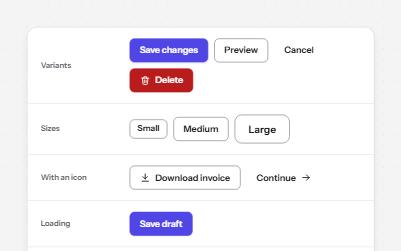
चार वैरिएंट और तीन आकारों में नेटिव बटन, ऐसी लोडिंग स्थिति के साथ जो फ़ोकस बनाए रखती है और ऐसी बंद स्थिति के साथ जो कारण बताती है।