सुलभता पैटर्न · फ़ॉर्म इनपुट
वन-टाइम कोड
छह अलग इनपुट पेस्ट, SMS ऑटोफ़िल और स्क्रीन रीडर की पढ़ाई तोड़ देते हैं। यह autocomplete="one-time-code" वाला एक ही इनपुट है, जिसके पीछे छह बॉक्स बने हैं। छहों अंक आने के बाद यह थोड़ा रुककर कोड जाँचता है, सबके लिए पुष्टि करें बटन रखता है, और हर सेकंड की घोषणा किए बिना दोबारा भेजने तक उलटी गिनती करता है।
- डब्ल्यूसीएजी मानदंड
- 7
- कीबोर्ड नियम
- 6
- जाँच का तरीक़ा
- axe, कीबोर्ड और इंस्पेक्टर
लाइव डेमो
आज़माएँ
इसे माउस, कीबोर्ड या स्क्रीन रीडर से इस्तेमाल करें। साथ का इंस्पेक्टर दिखाता है कि आपके इस्तेमाल के दौरान ब्राउज़र सहायक तकनीक को क्या बताता है: फ़ोकस, स्थिति में बदलाव और घोषणाएँ।
इस डेमो के लिए कोड है 246810
जावास्क्रिप्ट के बिना डेमो उतना ही काम करता है जितना उसका एचटीएमएल; इंस्पेक्टर के लिए जावास्क्रिप्ट चाहिए।
कीबोर्ड
जिन कुंजियों पर यह काम करता है
हर क्रिया पॉइंटर के बिना काम करती है।
| कुंजी | यह क्या करती है |
|---|---|
| Tab | कोड फ़ील्ड पर, फिर पुष्टि करें पर, फिर कोड दोबारा भेजें पर ले जाता है। |
| 0–9 | अगले बॉक्स में एक अंक टाइप करता है; अंक के अलावा कुछ भी अनदेखा कर दिया जाता है। |
| Backspace | कैरेट से पहले वाला अंक मिटाता है, जैसे किसी भी टेक्स्ट फ़ील्ड में। |
| Arrow LeftयाArrow Right | कैरेट को अंकों के बीच चलाता है; उभरा हुआ बॉक्स उसके साथ चलता है। |
| CtrlV | पूरा कोड पेस्ट करता है, उसमें स्पेस या डैश हों तब भी, और हर बॉक्स भर देता है। |
| Enter | फ़ील्ड से या पुष्टि करें बटन से, कोड को तुरंत जाँचता है। |
स्क्रीन रीडर
यह क्या घोषित करता है
मार्कअप की भूमिकाओं, नामों और स्थितियों से लिखा गया।
| कब | अपेक्षित घोषणा |
|---|---|
| फ़ोकस फ़ील्ड पर पहुँचता है | सत्यापन कोड, संपादन बॉक्स। 6 अंक। छहों अंक आते ही हम इसे जाँच लेते हैं। |
| गलत कोड जाँचा जाता है | यह कोड सही नहीं है। सबसे नया SMS देखें, या नया कोड माँगें। |
| सही कोड जाँचा जाता है | फ़ोन नंबर की पुष्टि हो गई |
| इंतज़ार के दौरान फ़ोकस कोड दोबारा भेजें पर पहुँचता है | कोड दोबारा भेजें, बटन, अनुपलब्ध। उपलब्ध होने में बाकी 0:24 |
| इंतज़ार ख़त्म होता है | अब आप नया कोड माँग सकते हैं |
| कोड दोबारा भेजें दबाया जाता है | नया कोड भेज दिया गया |
ये अपेक्षित घोषणाएँ हैं, रिकॉर्डिंग नहीं। स्क्रीन रीडर और ब्राउज़र के हिसाब से शब्द और क्रम बदलते हैं।
कोड
कोड कॉपी करें
वही फ़ाइलें जिन पर यह डेमो चलता है। स्टाइल एक प्रीफ़िक्स के साथ परोसी जाती हैं जो इस साइट की अपनी स्टाइल को डेमो से दूर रखता है; आप जो कॉपी करते हैं वह मूल है।
<div class="ap-otp-input" data-ap-otp-input data-code="246810" data-wait="30">
  <form class="ap-otp-input__form" novalidate>
    <span class="ap-otp-input__badge" aria-hidden="true">
      <svg viewBox="0 0 24 24" focusable="false"><rect x="6" y="2.5" width="12" height="19" rx="2.5"/><path d="M10.5 18.5h3"/><path d="m9.5 10 2 2 3.5-3.5"/></svg>
    </span>
    <h3 class="ap-otp-input__name">Check your phone</h3>
    <p class="ap-otp-input__lead">We sent a 6-digit code by SMS to the number ending in 4521.</p>

    <div class="ap-otp-input__field">
      <label class="ap-label" for="otp-input-code">Verification code</label>
      <p class="ap-hint" id="otp-input-hint" data-ap-hint>6 digits. We check it as soon as all 6 are in.</p>
      <div class="ap-otp-input__boxes">
        <input class="ap-otp-input__real" id="otp-input-code" name="code" type="text" inputmode="numeric" autocomplete="one-time-code" maxlength="6" pattern="[0-9]{6}" spellcheck="false" aria-describedby="otp-input-hint otp-input-error" />
        <span class="ap-otp-input__cells" aria-hidden="true">
        <span class="ap-otp-input__cell"></span>
        <span class="ap-otp-input__cell"></span>
        <span class="ap-otp-input__cell"></span>
        <span class="ap-otp-input__gap"></span>
        <span class="ap-otp-input__cell"></span>
        <span class="ap-otp-input__cell"></span>
        <span class="ap-otp-input__cell"></span>
        </span>
      </div>
      <p class="ap-error ap-otp-input__error" id="otp-input-error" role="alert"></p>
    </div>

    <button type="submit" class="ap-btn ap-btn--primary ap-otp-input__verify" data-ap-verify>Verify</button>
    <p class="ap-otp-input__done" role="status" data-ap-say></p>

    <p class="ap-otp-input__resend" data-ap-resend-row>
      <span>Didn't get it?</span>
      <button type="button" class="ap-otp-input__link" data-ap-resend aria-disabled="true" aria-describedby="otp-input-wait">Resend code</button>
      <span class="ap-otp-input__wait" id="otp-input-wait" data-ap-wait><svg viewBox="0 0 24 24" aria-hidden="true" focusable="false"><path d="M12 7v5l3 2"/><circle cx="12" cy="12" r="9"/></svg><span>Available in</span> <span class="ap-otp-input__clock" translate="no" data-ap-left>0:30</span></span>
    </p>
  </form>
  <p class="ap-otp-input__demo"><span>For this demo, the code is</span> <code translate="no">246810</code></p>
</div>
/* Shared primitives: buttons and form fields used across the patterns.
   Uses the --ap-* design tokens. */

.ap-btn {
  display: inline-flex;
  align-items: center;
  justify-content: center;
  gap: 8px;
  min-height: 40px;
  padding: 0 16px;
  border: 1px solid var(--ap-border-strong);
  border-radius: var(--ap-radius-sm);
  background: var(--ap-surface);
  color: var(--ap-text);
  font: inherit;
  font-weight: 600;
  line-height: 1.2;
  text-decoration: none;
  white-space: nowrap;
  cursor: pointer;
  transition: background-color var(--ap-duration) var(--ap-ease), border-color var(--ap-duration) var(--ap-ease), box-shadow var(--ap-duration) var(--ap-ease);
}
.ap-btn:hover {
  background: var(--ap-surface-2);
}
.ap-btn:focus-visible {
  outline: 2px solid var(--ap-focus);
  outline-offset: 2px;
}
.ap-btn:disabled,
.ap-btn[aria-disabled="true"] {
  opacity: .55;
  cursor: not-allowed;
}
.ap-btn--primary {
  border-color: var(--ap-accent);
  background: var(--ap-accent);
  color: var(--ap-on-accent);
  box-shadow: var(--ap-shadow-sm);
}
.ap-btn--primary:hover {
  border-color: var(--ap-accent-hover);
  background: var(--ap-accent-hover);
}
.ap-btn--danger {
  border-color: var(--ap-danger);
  background: var(--ap-danger);
  color: var(--ap-surface);
}
.ap-btn--danger:hover {
  filter: brightness(1.08);
}
.ap-btn--ghost {
  border-color: transparent;
  background: transparent;
}
.ap-btn--ghost:hover {
  background: var(--ap-surface-2);
}
.ap-btn__icon {
  width: 18px;
  height: 18px;
  flex-shrink: 0;
  fill: none;
  stroke: currentColor;
  stroke-width: 2;
  stroke-linecap: round;
  stroke-linejoin: round;
}

.ap-field {
  display: grid;
  gap: 6px;
}
.ap-label {
  color: var(--ap-text);
  font-weight: 600;
  font-size: .9375rem;
}
.ap-hint {
  margin: 0;
  color: var(--ap-text-3);
  font-size: .875rem;
  line-height: 1.45;
}
.ap-error {
  display: flex;
  align-items: flex-start;
  gap: 6px;
  margin: 0;
  color: var(--ap-danger);
  font-size: .875rem;
  font-weight: 600;
  line-height: 1.45;
}
.ap-input {
  width: 100%;
  min-height: 44px;
  padding: 10px 12px;
  border: 1px solid var(--ap-border-strong);
  border-radius: var(--ap-radius-sm);
  background: var(--ap-surface);
  color: var(--ap-text);
  font: inherit;
  line-height: 1.4;
  transition: border-color var(--ap-duration) var(--ap-ease), box-shadow var(--ap-duration) var(--ap-ease);
}
.ap-input::placeholder {
  color: var(--ap-text-3);
}
.ap-input:hover {
  border-color: var(--ap-text-2);
}
.ap-input:focus-visible {
  outline: 2px solid var(--ap-focus);
  outline-offset: 1px;
  border-color: var(--ap-focus);
}
.ap-input[aria-invalid="true"] {
  border-color: var(--ap-danger);
  box-shadow: inset 4px 0 0 var(--ap-danger);
}
textarea.ap-input {
  resize: vertical;
  min-height: 88px;
}

@media (prefers-reduced-motion: reduce) {
  .ap-btn,
  .ap-input { transition: none; }
}

/* One-time code. Uses the --ap-* design tokens and the shared primitives. */
.ap-otp-input {
  container-type: inline-size;
  display: grid;
  justify-items: center;
  gap: 14px;
  width: min(100%, 420px);
  margin-inline: auto;
  color: var(--ap-text);
  font-family: var(--ap-font);
}

.ap-otp-input__form {
  display: grid;
  justify-items: center;
  width: 100%;
  padding: 28px 24px 22px;
  border: 1px solid var(--ap-border);
  border-radius: var(--ap-radius-lg);
  background: var(--ap-surface);
  box-shadow: var(--ap-shadow-md);
  text-align: center;
}

.ap-otp-input__badge {
  display: grid;
  place-items: center;
  width: 48px;
  height: 48px;
  margin-bottom: 14px;
  border-radius: 50%;
  background: var(--ap-accent-soft);
  color: var(--ap-accent-soft-text);
}
.ap-otp-input__badge svg {
  width: 24px;
  height: 24px;
  fill: none;
  stroke: currentColor;
  stroke-width: 1.8;
  stroke-linecap: round;
  stroke-linejoin: round;
}
.ap-otp-input__name {
  margin: 0;
  font-size: 1.25rem;
  font-weight: 650;
  line-height: 1.3;
}
.ap-otp-input__lead {
  margin: 6px 0 0;
  color: var(--ap-text-2);
  line-height: 1.5;
}

.ap-otp-input__field {
  display: grid;
  justify-items: center;
  gap: 4px;
  width: 100%;
  margin-top: 22px;
}

/* One real field over six drawn boxes. */
.ap-otp-input__boxes {
  position: relative;
  width: min(100%, 336px);
  margin-top: 10px;
}
.ap-otp-input__real {
  position: absolute;
  inset: 0;
  z-index: 1;
  width: 100%;
  height: 100%;
  margin: 0;
  padding: 0;
  border: 0;
  background: transparent;
  color: transparent;
  caret-color: transparent;
  font: inherit;
  font-size: 16px;
  outline: none;
  cursor: text;
}
.ap-otp-input__real::selection {
  background: transparent;
  color: transparent;
}
.ap-otp-input__cells {
  display: grid;
  grid-template-columns: repeat(3, minmax(0, 1fr)) 14px repeat(3, minmax(0, 1fr));
  gap: 8px;
}
.ap-otp-input__cell {
  position: relative;
  display: grid;
  place-items: center;
  height: 56px;
  border: 1px solid var(--ap-border-strong);
  border-radius: var(--ap-radius-sm);
  background: var(--ap-surface);
  color: var(--ap-text);
  font-size: 1.5rem;
  font-weight: 600;
  font-variant-numeric: tabular-nums;
  transition: border-color var(--ap-duration) var(--ap-ease), box-shadow var(--ap-duration) var(--ap-ease);
}
.ap-otp-input__gap {
  align-self: center;
  justify-self: center;
  width: 10px;
  height: 2px;
  border-radius: var(--ap-radius-full);
  background: var(--ap-border-strong);
}
.ap-otp-input__boxes:hover .ap-otp-input__cell {
  border-color: var(--ap-text-2);
}
/* The box the caret is in: the field's focus indicator. */
.ap-otp-input__cell.is-active,
.ap-otp-input__boxes:hover .ap-otp-input__cell.is-active {
  border-color: var(--ap-focus);
  box-shadow: 0 0 0 1px var(--ap-focus), 0 0 0 5px var(--ap-accent-soft);
}
.ap-otp-input__cell.is-active:empty::after {
  content: "";
  width: 2px;
  height: 26px;
  border-radius: 1px;
  background: var(--ap-text);
  animation: ap-otp-input-blink 1s steps(1) infinite;
}

.ap-otp-input__real[aria-invalid="true"] + .ap-otp-input__cells .ap-otp-input__cell {
  background: var(--ap-danger-soft);
  color: var(--ap-danger);
}
.ap-otp-input__real[aria-invalid="true"] + .ap-otp-input__cells .ap-otp-input__cell:not(.is-active) {
  border-color: var(--ap-danger);
}
.ap-otp-input[data-state="verified"] .ap-otp-input__cell {
  border-color: var(--ap-success);
  background: var(--ap-success-soft);
  color: var(--ap-success);
}

.ap-otp-input__error {
  justify-content: center;
  margin-top: 6px;
  text-align: start;
}
.ap-otp-input__error:empty {
  margin: 0;
}
.ap-otp-input__error svg,
.ap-otp-input__done svg,
.ap-otp-input__verify svg,
.ap-otp-input__wait svg {
  flex-shrink: 0;
  width: 18px;
  height: 18px;
  fill: none;
  stroke: currentColor;
  stroke-width: 2;
  stroke-linecap: round;
  stroke-linejoin: round;
}
.ap-otp-input__error svg {
  margin-top: 1px;
}

.ap-otp-input__verify {
  width: min(100%, 336px);
  min-height: var(--ap-target);
  margin-top: 18px;
}
.ap-otp-input__verify.is-checking {
  cursor: progress;
}
.ap-otp-input__verify.is-checking::before {
  content: "";
  width: 16px;
  height: 16px;
  border: 2px solid currentColor;
  border-right-color: transparent;
  border-radius: 50%;
  animation: ap-otp-input-spin .7s linear infinite;
}
.ap-otp-input[data-state="verified"] .ap-otp-input__verify {
  border-color: var(--ap-success);
  background: var(--ap-success-soft);
  color: var(--ap-success);
  box-shadow: none;
  opacity: 1;
  cursor: default;
}

.ap-otp-input__done {
  display: flex;
  align-items: center;
  justify-content: center;
  gap: 6px;
  margin: 12px 0 0;
  color: var(--ap-success);
  font-weight: 600;
}
.ap-otp-input__done:empty {
  margin: 0;
}

.ap-otp-input__resend {
  display: flex;
  flex-wrap: wrap;
  align-items: center;
  justify-content: center;
  gap: 4px 8px;
  margin: 14px 0 0;
  color: var(--ap-text-3);
  font-size: .9375rem;
}
.ap-otp-input__resend[hidden] {
  display: none;
}
.ap-otp-input__link {
  min-height: 32px;
  padding: 0 4px;
  border: 0;
  border-radius: 6px;
  background: transparent;
  color: var(--ap-accent-text);
  font: inherit;
  font-weight: 600;
  text-decoration: underline;
  text-underline-offset: 3px;
  cursor: pointer;
}
.ap-otp-input__link:hover {
  text-decoration-thickness: 2px;
}
.ap-otp-input__link[aria-disabled="true"] {
  color: var(--ap-text-3);
  text-decoration: none;
  cursor: not-allowed;
}
.ap-otp-input__link:focus-visible {
  outline: 2px solid var(--ap-focus);
  outline-offset: 2px;
}
.ap-otp-input__wait {
  display: inline-flex;
  align-items: center;
  gap: 5px;
}
.ap-otp-input__wait[hidden] {
  display: none;
}
.ap-otp-input__wait svg {
  width: 16px;
  height: 16px;
}
.ap-otp-input__clock {
  color: var(--ap-text-2);
  font-weight: 600;
  font-variant-numeric: tabular-nums;
}

.ap-otp-input__demo {
  margin: 0;
  padding: 8px 14px;
  border: 1px dashed var(--ap-border-strong);
  border-radius: var(--ap-radius-full);
  color: var(--ap-text-2);
  font-size: .875rem;
}
.ap-otp-input__demo code {
  font-family: var(--ap-mono);
  font-weight: 600;
  letter-spacing: .08em;
  color: var(--ap-text);
}

@keyframes ap-otp-input-blink {
  50% { opacity: 0; }
}
@keyframes ap-otp-input-spin {
  to { transform: rotate(360deg); }
}

@container (max-width: 340px) {
  .ap-otp-input__form { padding: 24px 16px 20px; }
  .ap-otp-input__cells { gap: 6px; grid-template-columns: repeat(3, minmax(0, 1fr)) 8px repeat(3, minmax(0, 1fr)); }
  .ap-otp-input__cell { height: 50px; font-size: 1.3rem; }
}

/* With system colors forced, show the field's own text instead of the drawing. */
@media (forced-colors: active) {
  .ap-otp-input__cells { visibility: hidden; }
  .ap-otp-input__real {
    border: 1px solid CanvasText;
    color: CanvasText;
    caret-color: CanvasText;
    letter-spacing: .5em;
    text-align: center;
  }
  .ap-otp-input__real:focus-visible { outline: 2px solid Highlight; }
}

@media (prefers-reduced-motion: reduce) {
  .ap-otp-input__cell { transition: none; }
  .ap-otp-input__cell.is-active:empty::after { animation: none; }
  .ap-otp-input__verify.is-checking::before { animation-duration: 2s; }
}
/**
 * One-time code: one real text field (autocomplete=one-time-code) drawn as
 * six boxes, a pasted code cleaned of spaces and dashes, an automatic check
 * after a pause, a Verify button anyway, and a Resend button that counts down
 * without announcing every second.
 *
 * Markup: [data-ap-otp-input] with data-code (the right code, for the demo)
 * and data-wait (seconds before Resend), holding a form with the input, the
 * aria-hidden .ap-otp-input__cell boxes, an error p[role=alert], a
 * [data-ap-verify] submit button, a p[role=status][data-ap-say], and the
 * [data-ap-resend] button with its [data-ap-wait] countdown ([data-ap-left]).
 * Add data-manual to the root to check only when Verify is pressed.
 */

const SVG = "http://www.w3.org/2000/svg";

function icon(paths) {
  const svg = document.createElementNS(SVG, "svg");
  svg.setAttribute("viewBox", "0 0 24 24");
  svg.setAttribute("aria-hidden", "true");
  svg.setAttribute("focusable", "false");
  for (const d of paths) {
    const path = document.createElementNS(SVG, "path");
    path.setAttribute("d", d);
    svg.append(path);
  }
  return svg;
}
const ALERT = ["M12 8v5", "M12 16h.01", "M21 12a9 9 0 1 1-18 0 9 9 0 0 1 18 0Z"];
const CHECK = ["m5 12 5 5L20 7"];

function text(value) {
  const span = document.createElement("span");
  span.textContent = value;
  return span;
}

export function init(root) {
  const form = root.querySelector("form");
  const input = root.querySelector(".ap-otp-input__real");
  const cells = [...root.querySelectorAll(".ap-otp-input__cell")];
  const hint = root.querySelector("[data-ap-hint]");
  const error = root.querySelector(".ap-otp-input__error");
  const verify = root.querySelector("[data-ap-verify]");
  const say = root.querySelector("[data-ap-say]");
  const resend = root.querySelector("[data-ap-resend]");
  const resendRow = root.querySelector("[data-ap-resend-row]");
  const wait = root.querySelector("[data-ap-wait]");
  const left = root.querySelector("[data-ap-left]");
  const length = input.maxLength;
  const watch = new AbortController();
  let autoTimer = 0;
  let checkTimer = 0;
  let sayTimer = 0;
  let tick = 0;
  let remaining = 0;
  let checking = false;
  let verified = false;

  hint.textContent = root.hasAttribute("data-manual")
    ? "6 digits. Press Verify when you are done."
    : "6 digits. We check it as soon as all 6 are in.";

  /* The boxes are a drawing of the field: its value, and where the caret is. */
  function draw() {
    const value = input.value;
    const focused = document.activeElement === input && !verified;
    const start = input.selectionStart ?? value.length;
    const end = input.selectionEnd ?? value.length;
    cells.forEach((cell, i) => {
      cell.textContent = value[i] || "";
      // A selection lights every box it covers; a caret lights the box it sits in.
      const active = focused && (start !== end ? i >= start && i < end : i === Math.min(start, length - 1));
      cell.classList.toggle("is-active", active);
    });
  }

  function status(message) {
    clearTimeout(sayTimer);
    say.replaceChildren();
    // Cleared first, so the same message twice is still announced twice.
    sayTimer = setTimeout(() => {
      say.replaceChildren(...(message === "Phone number verified" ? [icon(CHECK), text(message)] : [text(message)]));
    }, 60);
  }

  function showError(message) {
    input.setAttribute("aria-invalid", "true");
    error.replaceChildren();
    requestAnimationFrame(() => error.replaceChildren(icon(ALERT), text(message)));
  }

  function clearError() {
    if (input.getAttribute("aria-invalid") !== "true") return;
    input.removeAttribute("aria-invalid");
    error.replaceChildren();
  }

  function check() {
    clearTimeout(autoTimer);
    if (verified || checking) return;
    const value = input.value;
    if (value.length < length) {
      showError("Enter all 6 digits of the code.");
      input.focus();
      return;
    }
    checking = true;
    verify.classList.add("is-checking");
    verify.setAttribute("aria-disabled", "true");
    checkTimer = setTimeout(() => {
      checking = false;
      verify.classList.remove("is-checking");
      if (value === root.dataset.code) {
        succeed();
        return;
      }
      verify.removeAttribute("aria-disabled");
      showError("That code isn't right. Check the latest SMS, or ask for a new code.");
      input.focus();
      input.select();
      draw();
    }, 600);
  }

  function succeed() {
    verified = true;
    clearInterval(tick);
    root.dataset.state = "verified";
    input.readOnly = true;
    verify.replaceChildren(icon(CHECK), text("Verified"));
    resendRow.hidden = true;
    status("Phone number verified");
    draw();
  }

  /* Resend: silent while counting down, announced once when it is ready. */
  function paintClock() {
    left.textContent = `${Math.floor(remaining / 60)}:${String(remaining % 60).padStart(2, "0")}`;
  }

  function startWait() {
    remaining = Number(root.dataset.wait);
    resend.setAttribute("aria-disabled", "true");
    resend.setAttribute("aria-describedby", wait.id);
    wait.hidden = false;
    paintClock();
    clearInterval(tick);
    tick = setInterval(() => {
      remaining -= 1;
      if (remaining > 0) {
        paintClock();
        return;
      }
      clearInterval(tick);
      wait.hidden = true;
      // A hidden element still describes whatever points at it, so let go of it.
      resend.removeAttribute("aria-describedby");
      resend.removeAttribute("aria-disabled");
      status("You can ask for a new code now");
    }, 1000);
  }

  function onResend() {
    if (verified || resend.getAttribute("aria-disabled") === "true") return;
    input.value = "";
    clearError();
    startWait();
    input.focus();
    draw();
    status("New code sent");
  }

  function onInput() {
    const clean = input.value.replace(/\D/g, "").slice(0, length);
    if (clean !== input.value) input.value = clean;
    clearError();
    draw();
    clearTimeout(autoTimer);
    // Wait for a pause, so a wrong last digit can still be fixed.
    if (!root.hasAttribute("data-manual") && clean.length === length) autoTimer = setTimeout(check, 900);
  }

  function onPaste(event) {
    if (verified) return;
    const digits = (event.clipboardData?.getData("text") || "").replace(/\D/g, "").slice(0, length);
    event.preventDefault();
    if (!digits) return;
    input.value = digits;
    input.setSelectionRange(digits.length, digits.length);
    onInput();
  }

  function onSubmit(event) {
    event.preventDefault();
    if (verify.getAttribute("aria-disabled") === "true") return;
    check();
  }

  function onSelection() {
    if (document.activeElement === input) draw();
  }

  input.addEventListener("input", onInput);
  input.addEventListener("paste", onPaste);
  for (const type of ["focus", "blur", "keyup", "click", "select"]) input.addEventListener(type, draw);
  document.addEventListener("selectionchange", onSelection, { signal: watch.signal });
  form.addEventListener("submit", onSubmit);
  resend.addEventListener("click", onResend);
  draw();
  startWait();

  return () => {
    clearTimeout(autoTimer);
    clearTimeout(checkTimer);
    clearTimeout(sayTimer);
    clearInterval(tick);
    watch.abort();
    input.removeEventListener("input", onInput);
    input.removeEventListener("paste", onPaste);
    for (const type of ["focus", "blur", "keyup", "click", "select"]) input.removeEventListener(type, draw);
    form.removeEventListener("submit", onSubmit);
    resend.removeEventListener("click", onResend);
  };
}

for (const root of document.querySelectorAll("[data-ap-otp-input]")) init(root);
/* Design tokens for the pattern components. Light by default, dark when the
   system asks for it; set data-theme="dark" on :root to force dark. */
:root {
    --ap-radius-sm: 8px;
    --ap-radius: 12px;
    --ap-radius-lg: 16px;
    --ap-radius-full: 999px;
    --ap-font: "Instrument Sans", ui-sans-serif, system-ui, -apple-system, "Segoe UI", Roboto, sans-serif;
    --ap-mono: "JetBrains Mono", ui-monospace, "Cascadia Mono", "SF Mono", Consolas, monospace;
    --ap-ease: cubic-bezier(.2, .8, .2, 1);
    --ap-duration: 180ms;
    --ap-target: 44px;
    --ap-bg: #F4F4F5;
    --ap-surface: #FFFFFF;
    --ap-surface-2: #F4F4F5;
    --ap-surface-3: #E4E4E7;
    --ap-border: #E4E4E7;
    --ap-border-strong: #76767F;
    --ap-text: #18181B;
    --ap-text-2: #3F3F46;
    --ap-text-3: #5E5E66;
    --ap-accent: #4F46E5;
    --ap-accent-hover: #4338CA;
    --ap-on-accent: #FFFFFF;
    --ap-accent-text: #4338CA;
    --ap-accent-soft: #EEF2FF;
    --ap-accent-soft-text: #3730A3;
    --ap-focus: #4F46E5;
    --ap-danger: #B91C1C;
    --ap-danger-soft: #FEF2F2;
    --ap-success: #15803D;
    --ap-success-soft: #F0FDF4;
    --ap-warning: #A15C07;
    --ap-warning-soft: #FEFCE8;
    --ap-info: #1D4ED8;
    --ap-info-soft: #EFF6FF;
    --ap-scrim: rgb(9 9 11 / .48);
    --ap-shadow-sm: 0 1px 2px rgb(9 9 11 / .06);
    --ap-shadow-md: 0 1px 2px rgb(9 9 11 / .05), 0 6px 16px -4px rgb(9 9 11 / .1);
    --ap-shadow-lg: 0 2px 6px rgb(9 9 11 / .06), 0 20px 40px -12px rgb(9 9 11 / .22);
    --ap-light-bg: #F4F4F5;
    --ap-light-surface: #FFFFFF;
    --ap-light-surface-2: #F4F4F5;
    --ap-light-surface-3: #E4E4E7;
    --ap-light-border: #E4E4E7;
    --ap-light-border-strong: #76767F;
    --ap-light-text: #18181B;
    --ap-light-text-2: #3F3F46;
    --ap-light-text-3: #5E5E66;
    --ap-light-accent: #4F46E5;
    --ap-light-accent-hover: #4338CA;
    --ap-light-on-accent: #FFFFFF;
    --ap-light-accent-text: #4338CA;
    --ap-light-accent-soft: #EEF2FF;
    --ap-light-accent-soft-text: #3730A3;
    --ap-light-focus: #4F46E5;
    --ap-light-danger: #B91C1C;
    --ap-light-danger-soft: #FEF2F2;
    --ap-light-success: #15803D;
    --ap-light-success-soft: #F0FDF4;
    --ap-light-warning: #A15C07;
    --ap-light-warning-soft: #FEFCE8;
    --ap-light-info: #1D4ED8;
    --ap-light-info-soft: #EFF6FF;
    --ap-light-scrim: rgb(9 9 11 / .48);
    --ap-light-shadow-sm: 0 1px 2px rgb(9 9 11 / .06);
    --ap-light-shadow-md: 0 1px 2px rgb(9 9 11 / .05), 0 6px 16px -4px rgb(9 9 11 / .1);
    --ap-light-shadow-lg: 0 2px 6px rgb(9 9 11 / .06), 0 20px 40px -12px rgb(9 9 11 / .22);
    --ap-dark-bg: #09090B;
    --ap-dark-surface: #18181B;
    --ap-dark-surface-2: #27272A;
    --ap-dark-surface-3: #3F3F46;
    --ap-dark-border: #2E2E33;
    --ap-dark-border-strong: #8E8E97;
    --ap-dark-text: #FAFAFA;
    --ap-dark-text-2: #D4D4D8;
    --ap-dark-text-3: #A1A1AA;
    --ap-dark-accent: #818CF8;
    --ap-dark-accent-hover: #A5B4FC;
    --ap-dark-on-accent: #0C0A1F;
    --ap-dark-accent-text: #A5B4FC;
    --ap-dark-accent-soft: #1E1B4B;
    --ap-dark-accent-soft-text: #C7D2FE;
    --ap-dark-focus: #A5B4FC;
    --ap-dark-danger: #F87171;
    --ap-dark-danger-soft: #2A1215;
    --ap-dark-success: #4ADE80;
    --ap-dark-success-soft: #0F2A1A;
    --ap-dark-warning: #FACC15;
    --ap-dark-warning-soft: #2A2410;
    --ap-dark-info: #60A5FA;
    --ap-dark-info-soft: #0F1D33;
    --ap-dark-scrim: rgb(0 0 0 / .62);
    --ap-dark-shadow-sm: 0 1px 2px rgb(0 0 0 / .4);
    --ap-dark-shadow-md: 0 1px 2px rgb(0 0 0 / .4), 0 8px 20px -6px rgb(0 0 0 / .5);
    --ap-dark-shadow-lg: 0 2px 8px rgb(0 0 0 / .45), 0 24px 48px -12px rgb(0 0 0 / .7);
}
@media (prefers-color-scheme: dark) {
  :root:not([data-theme="light"]) {
      --ap-bg: #09090B;
      --ap-surface: #18181B;
      --ap-surface-2: #27272A;
      --ap-surface-3: #3F3F46;
      --ap-border: #2E2E33;
      --ap-border-strong: #8E8E97;
      --ap-text: #FAFAFA;
      --ap-text-2: #D4D4D8;
      --ap-text-3: #A1A1AA;
      --ap-accent: #818CF8;
      --ap-accent-hover: #A5B4FC;
      --ap-on-accent: #0C0A1F;
      --ap-accent-text: #A5B4FC;
      --ap-accent-soft: #1E1B4B;
      --ap-accent-soft-text: #C7D2FE;
      --ap-focus: #A5B4FC;
      --ap-danger: #F87171;
      --ap-danger-soft: #2A1215;
      --ap-success: #4ADE80;
      --ap-success-soft: #0F2A1A;
      --ap-warning: #FACC15;
      --ap-warning-soft: #2A2410;
      --ap-info: #60A5FA;
      --ap-info-soft: #0F1D33;
      --ap-scrim: rgb(0 0 0 / .62);
      --ap-shadow-sm: 0 1px 2px rgb(0 0 0 / .4);
      --ap-shadow-md: 0 1px 2px rgb(0 0 0 / .4), 0 8px 20px -6px rgb(0 0 0 / .5);
      --ap-shadow-lg: 0 2px 8px rgb(0 0 0 / .45), 0 24px 48px -12px rgb(0 0 0 / .7);
  }
}
:root[data-theme="dark"] {
    --ap-bg: #09090B;
    --ap-surface: #18181B;
    --ap-surface-2: #27272A;
    --ap-surface-3: #3F3F46;
    --ap-border: #2E2E33;
    --ap-border-strong: #8E8E97;
    --ap-text: #FAFAFA;
    --ap-text-2: #D4D4D8;
    --ap-text-3: #A1A1AA;
    --ap-accent: #818CF8;
    --ap-accent-hover: #A5B4FC;
    --ap-on-accent: #0C0A1F;
    --ap-accent-text: #A5B4FC;
    --ap-accent-soft: #1E1B4B;
    --ap-accent-soft-text: #C7D2FE;
    --ap-focus: #A5B4FC;
    --ap-danger: #F87171;
    --ap-danger-soft: #2A1215;
    --ap-success: #4ADE80;
    --ap-success-soft: #0F2A1A;
    --ap-warning: #FACC15;
    --ap-warning-soft: #2A2410;
    --ap-info: #60A5FA;
    --ap-info-soft: #0F1D33;
    --ap-scrim: rgb(0 0 0 / .62);
    --ap-shadow-sm: 0 1px 2px rgb(0 0 0 / .4);
    --ap-shadow-md: 0 1px 2px rgb(0 0 0 / .4), 0 8px 20px -6px rgb(0 0 0 / .5);
    --ap-shadow-lg: 0 2px 8px rgb(0 0 0 / .45), 0 24px 48px -12px rgb(0 0 0 / .7);
}
डब्ल्यूसीएजी 2.2
यह किन मानदंडों को पूरा करता है
वे सफलता मानदंड जिनका यह पैटर्न ध्यान रखता है, और कैसे।
-
1.3.5 इनपुट का उद्देश्य पहचानें
स्तर AA
autocomplete="one-time-code" ब्राउज़र और फ़ोन को बताता है कि फ़ील्ड किसलिए है, ताकि वे SMS से कोड भरने की पेशकश कर सकें।
-
2.2.1 समय समायोज्य
स्तर A
उलटी गिनती सिर्फ़ यह तय करती है कि नया कोड कितनी जल्दी माँगा जा सकता है; टाइप करते समय फ़ील्ड ख़ुद कभी समय-सीमा पार नहीं करता।
-
3.2.2 इनपुट पर
स्तर A
अपने-आप होने वाली जाँच किसी के टाइप करने से पहले ही संकेत में बताई जाती है, एक ठहराव का इंतज़ार करती है, और बंद की जा सकती है; पुष्टि करें बटन हमेशा मौजूद रहता है।
-
3.3.1 त्रुटि पहचान
स्तर A
गलत या अधूरा कोड शब्दों में बताया जाता है, फ़ील्ड अमान्य चिह्नित होता है, और संदेश फ़ील्ड से जुड़ा रहता है।
-
3.3.2 लेबल या निर्देश
स्तर A
लेबल, अपेक्षित लंबाई और जाँच कैसे होती है, यह सब फ़ील्ड से पहले दिखाया जाता है और उसके साथ पढ़ा जाता है।
-
4.1.2 नाम, भूमिका, मान
स्तर A
लेबल वाला एक ही टेक्स्ट फ़ील्ड पूरा कोड रखता है, इसलिए उसका नाम, मान और अमान्य स्थिति एक ही कंट्रोल के रूप में सामने आते हैं।
-
4.1.3 स्टेटस मैसेज
स्तर AA
त्रुटियाँ अलर्ट की तरह घोषित होती हैं; सफलता, भेजा गया कोड और इंतज़ार का अंत polite स्टेटस मैसेज की तरह।
उपयोग
इसे कब इस्तेमाल करें
इसे अपनाएँ
- किसी फ़ोन नंबर या ईमेल पते की पुष्टि, उस पर भेजे गए छोटे कोड से।
- दो-चरणीय साइन-इन, जिसमें कोड SMS, ईमेल या ऑथेंटिकेटर ऐप से आता है।
कुछ और इस्तेमाल करें
- अक्षरों वाले लंबे कोड, जैसे रिकवरी कोड: एक सादा टेक्स्ट फ़ील्ड इस्तेमाल करें और उसके संकेत में फ़ॉर्मैट बताएँ।
- ऐसा कोई भी कोड जिसे लोगों को एक डिवाइस से दूसरे पर हाथ से उतारना पड़े, जबकि एक लिंक या पासकी से काम चल जाता।
आम विफलताएँ
आमतौर पर यह कहाँ गलत होता है
छह अलग इनपुट
छह फ़ील्ड पेस्ट और SMS ऑटोफ़िल तोड़ देते हैं, छह बिना नाम वाले फ़ील्ड की तरह पढ़े जाते हैं, और हर कुंजी पर फ़ोकस इधर-उधर करना पड़ता है। छह बॉक्स जैसा दिखने वाला एक फ़ील्ड यह सब नेटिव रखता है।
छठा अंक आते ही भेज देना
जो लोग आख़िरी अंक गलत टाइप करते हैं, उन्हें सुधारने से पहले ही त्रुटि मिल जाती है। यहाँ जाँच एक ठहराव का इंतज़ार करती है और बंद की जा सकती है।
भेजने के लिए कोई बटन नहीं
जब भेजने का इकलौता तरीका टाइप करना पूरा करना हो, तो कोई वही कोड दोबारा नहीं आज़मा सकता, न ही ऐसा पेस्ट किया कोड भेज सकता है जिससे जाँच शुरू नहीं हुई।
हर सेकंड बोलने वाली उलटी गिनती
लाइव टाइमर जो भी पढ़ा जा रहा हो, उसे मिनट में साठ बार टोकता है। यह वाला चुप रहता है; माँगने पर पढ़ा जाता है, और सिर्फ़ उसका अंत घोषित होता है।
निष्क्रिय लिंक की तरह दिखाया गया दोबारा भेजें
निष्क्रिय कंट्रोल Tab क्रम से बाहर हो जाता है, इसलिए किसी को पता नहीं चलता कि वह अनुपलब्ध क्यों है। यह बटन aria-disabled के साथ फ़ोकस हो सकता है और बताता है कि कितना समय बाकी है।
पेस्ट रोकना
कोड संदेशों और ऐप से कॉपी किए जाते हैं। यहाँ पेस्ट हैंडलर पेस्ट किए गए कोड को ठुकराने की बजाय उसमें से स्पेस और डैश हटा देता है।
नोट्स
इसे बनाना
- असली इनपुट पारदर्शी टेक्स्ट के साथ छह बॉक्स के ऊपर रहता है; बॉक्स उसके मान की aria-hidden तस्वीरें हैं, इसलिए सहायक तकनीक को एक साधारण फ़ील्ड मिलता है।
- inputmode="numeric" के साथ type="text" रखें: type="number" शुरुआती शून्य हटा देता है, स्पिनर जोड़ता है और e जैसे अक्षर भी मान लेता है।
- maxlength पेस्ट किए गए "246 810" को किसी स्क्रिप्ट के देखने से पहले ही "246 81" कर देता है, इसलिए पेस्ट हैंडलर क्लिपबोर्ड पढ़ता है और सिर्फ़ अंक रखता है।
- जब फ़ोर्स्ड कलर्स चालू हों, तो बॉक्स हट जाते हैं और फ़ील्ड अपना टेक्स्ट दिखाता है, जिसे सिस्टम के रंग पढ़ने लायक रखते हैं।
- SMS के अंत में वह ऑरिजिन से जुड़ी पंक्ति रखें जिसे WebOTP एपीआई पढ़ता है, तो Android पर Chrome एक टैप में कोड भरने की पेशकश कर सकता है।
स्रोत: एचटीएमएल: autocomplete का one-time-code मान · GOV.UK डिज़ाइन सिस्टम: फ़ोन नंबर की पुष्टि
लाइट और डार्क थीम में, डेस्कटॉप और फ़ोन की चौड़ाई पर axe से और कीबोर्ड से जाँचा गया। अभी हर स्क्रीन रीडर और ब्राउज़र जोड़ी के साथ नहीं परखा गया। सुधार बताएँ
संबंधित
इसके साथ जाने वाले पैटर्न
-
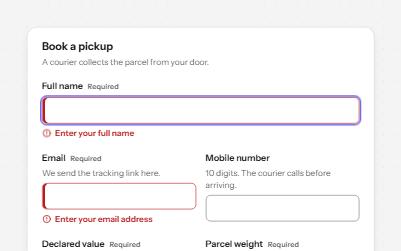
टेक्स्ट फ़ील्ड
दिखने वाले लेबल, इनपुट से जुड़े संकेत और त्रुटियाँ, सही कीबोर्ड और ऑटोफ़िल, और सुनाई देने वाली इकाइयों वाले टेक्स्ट फ़ील्ड।
-
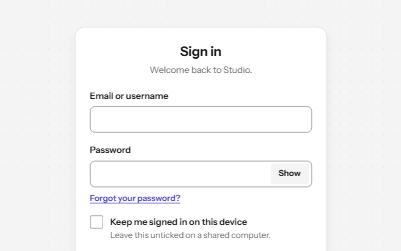
साइन इन करें
एक साइन-इन फ़ॉर्म जिसे पासवर्ड मैनेजर भर सकें, पासवर्ड दिखाने, पेस्ट करने की छूट, मददगार त्रुटि और बिना पासवर्ड वाले रास्तों के साथ।
-
फ़ॉर्म त्रुटियाँ
एक त्रुटि सारांश जो फ़ोकस लेता है, हर फ़ील्ड से जुड़े संदेश, और फ़ॉर्म भेजने पर एक स्थिति संदेश।
-
स्टेटस मैसेज
नतीजे, पुष्टियाँ और सेव role=status के ज़रिए स्क्रीन रीडर को बताए जाते हैं, फ़ोकस हिलाए बिना, हर बार एक ही बार।