सुलभता पैटर्न · फ़ॉर्म इनपुट
लिस्टबॉक्स
सूची Tab क्रम में एक ही पड़ाव है। फ़ोकस सूची पर रहता है और aria-activedescendant फ़ोकस वाले विकल्प की ओर इशारा करता है, इसलिए स्क्रीन रीडर ऐरो कुंजियों के साथ चलते हैं। कई चुनें चालू होने पर सूची बताती है कि उसमें कई विकल्प चुने जा सकते हैं, Space बिना हिले चुनता है, और एक विनम्र गिनती बताती है कि कितने चुने गए हैं।
- डब्ल्यूसीएजी मानदंड
- 6
- कीबोर्ड नियम
- 7
- जाँच का तरीक़ा
- axe, कीबोर्ड और इंस्पेक्टर
लाइव डेमो
आज़माएँ
इसे माउस, कीबोर्ड या स्क्रीन रीडर से इस्तेमाल करें। साथ का इंस्पेक्टर दिखाता है कि आपके इस्तेमाल के दौरान ब्राउज़र सहायक तकनीक को क्या बताता है: फ़ोकस, स्थिति में बदलाव और घोषणाएँ।
किसे सौंपें
किसी नाम पर पहुँचने के लिए उसे टाइप करें।
Space किसी व्यक्ति को चुनता है। ऐरो कुंजी के साथ Shift उसके आस-पास के लोगों को चुनता है।
1 चयनित
- अर्जुन मेहता इंजीनियरिंग
- आशा राव डिज़ाइन
- दिव्या मेनन फ़ाइनेंस
- फ़रहान अली सेल्स
- कबीर सिंह मार्केटिंग
- मीरा अय्यर प्रोडक्ट
- नेहा जोशी कानूनी
- प्रिया नायर सपोर्ट
- रवि कुमार इंजीनियरिंग
- विक्रम दास रिसर्च
जावास्क्रिप्ट के बिना डेमो उतना ही काम करता है जितना उसका एचटीएमएल; इंस्पेक्टर के लिए जावास्क्रिप्ट चाहिए।
कीबोर्ड
जिन कुंजियों पर यह काम करता है
हर क्रिया पॉइंटर के बिना काम करती है।
| कुंजी | यह क्या करती है |
|---|---|
| Tab | सूची में, चुने गए व्यक्ति पर जाता है; अगला Tab सूची से बाहर ले जाता है। |
| Arrow DownयाArrow Up | अगले या पिछले व्यक्ति पर जाता है। एक व्यक्ति चुनते समय, चुनाव भी साथ चलता है। |
| HomeयाEnd | पहले या आख़िरी व्यक्ति पर जाता है। |
| A–Z | किसी नाम के शुरुआती अक्षर टाइप करने से वह नाम आ जाता है; वही अक्षर दोबारा दबाने पर उस अक्षर से शुरू होने वाले अगले नाम पर पहुँचता है। |
| Space | कई चुनें चालू होने पर, फ़ोकस वाले व्यक्ति को जोड़ता या हटाता है। |
| ShiftArrow DownयाShiftArrow Up | कई चुनें चालू होने पर, आगे बढ़ता है और आख़िरी चुने गए व्यक्ति से फ़ोकस वाले व्यक्ति तक सबको चुनता है। |
| CtrlA | कई चुनें चालू होने पर, सबको चुनता है, या सब पहले से चुने हों तो चुनाव साफ़ करता है। |
स्क्रीन रीडर
यह क्या घोषित करता है
मार्कअप की भूमिकाओं, नामों और स्थितियों से लिखा गया।
| कब | अपेक्षित घोषणा |
|---|---|
| Tab सूची पर पहुँचता है | किसे सौंपें, लिस्ट बॉक्स। आशा राव डिज़ाइन, चयनित, 10 में से 2। किसी नाम पर पहुँचने के लिए उसे टाइप करें। |
| Arrow Down आगे बढ़ता है | दिव्या मेनन फ़ाइनेंस, चयनित, 10 में से 3 |
| R टाइप करना | रवि कुमार इंजीनियरिंग, चयनित, 10 में से 9 |
| कई चुनें चालू होने पर, Space दिव्या मेनन को चुनता है | चयनित। 2 चयनित |
| Ctrl+A सबको चुनता है | 10 चयनित |
ये अपेक्षित घोषणाएँ हैं, रिकॉर्डिंग नहीं। स्क्रीन रीडर और ब्राउज़र के हिसाब से शब्द और क्रम बदलते हैं।
कोड
कोड कॉपी करें
वही फ़ाइलें जिन पर यह डेमो चलता है। स्टाइल एक प्रीफ़िक्स के साथ परोसी जाती हैं जो इस साइट की अपनी स्टाइल को डेमो से दूर रखता है; आप जो कॉपी करते हैं वह मूल है।
<div class="ap-listbox" data-ap-listbox>
  <div class="ap-listbox__top">
    <div class="ap-listbox__intro">
      <p class="ap-listbox__label" id="listbox-label">Assign to</p>
      <p class="ap-listbox__hint" id="listbox-hint-one">Type a name to jump to it.</p>
      <p class="ap-listbox__hint" id="listbox-hint-many" hidden>Space picks a person. Shift with an arrow key picks the people next to them.</p>
    </div>
    <p class="ap-listbox__count" role="status"><span data-ap-n translate="no">1</span> <span>selected</span></p>
  </div>
  <ul class="ap-listbox__list" id="listbox-list" role="listbox" tabindex="0" aria-labelledby="listbox-label" aria-describedby="listbox-hint-one" aria-activedescendant="listbox-o-asha">
    <li class="ap-listbox__opt" role="option" id="listbox-o-arjun" aria-selected="false">
      <span class="ap-listbox__box" aria-hidden="true"><svg viewBox="0 0 24 24" focusable="false"><path d="m6 12.5 4 4 8-9"/></svg></span>
      <span class="ap-listbox__avatar" aria-hidden="true">AM</span>
      <span class="ap-listbox__who"><span class="ap-listbox__person">Arjun Mehta</span> <span class="ap-listbox__team">Engineering</span></span>
      <svg class="ap-listbox__tick" viewBox="0 0 24 24" aria-hidden="true" focusable="false"><path d="m5 12.5 4.5 4.5L19 7.5"/></svg>
    </li>
    <li class="ap-listbox__opt" role="option" id="listbox-o-asha" aria-selected="true">
      <span class="ap-listbox__box" aria-hidden="true"><svg viewBox="0 0 24 24" focusable="false"><path d="m6 12.5 4 4 8-9"/></svg></span>
      <span class="ap-listbox__avatar" aria-hidden="true">AR</span>
      <span class="ap-listbox__who"><span class="ap-listbox__person">Asha Rao</span> <span class="ap-listbox__team">Design</span></span>
      <svg class="ap-listbox__tick" viewBox="0 0 24 24" aria-hidden="true" focusable="false"><path d="m5 12.5 4.5 4.5L19 7.5"/></svg>
    </li>
    <li class="ap-listbox__opt" role="option" id="listbox-o-divya" aria-selected="false">
      <span class="ap-listbox__box" aria-hidden="true"><svg viewBox="0 0 24 24" focusable="false"><path d="m6 12.5 4 4 8-9"/></svg></span>
      <span class="ap-listbox__avatar" aria-hidden="true">DM</span>
      <span class="ap-listbox__who"><span class="ap-listbox__person">Divya Menon</span> <span class="ap-listbox__team">Finance</span></span>
      <svg class="ap-listbox__tick" viewBox="0 0 24 24" aria-hidden="true" focusable="false"><path d="m5 12.5 4.5 4.5L19 7.5"/></svg>
    </li>
    <li class="ap-listbox__opt" role="option" id="listbox-o-farhan" aria-selected="false">
      <span class="ap-listbox__box" aria-hidden="true"><svg viewBox="0 0 24 24" focusable="false"><path d="m6 12.5 4 4 8-9"/></svg></span>
      <span class="ap-listbox__avatar" aria-hidden="true">FA</span>
      <span class="ap-listbox__who"><span class="ap-listbox__person">Farhan Ali</span> <span class="ap-listbox__team">Sales</span></span>
      <svg class="ap-listbox__tick" viewBox="0 0 24 24" aria-hidden="true" focusable="false"><path d="m5 12.5 4.5 4.5L19 7.5"/></svg>
    </li>
    <li class="ap-listbox__opt" role="option" id="listbox-o-kabir" aria-selected="false">
      <span class="ap-listbox__box" aria-hidden="true"><svg viewBox="0 0 24 24" focusable="false"><path d="m6 12.5 4 4 8-9"/></svg></span>
      <span class="ap-listbox__avatar" aria-hidden="true">KS</span>
      <span class="ap-listbox__who"><span class="ap-listbox__person">Kabir Singh</span> <span class="ap-listbox__team">Marketing</span></span>
      <svg class="ap-listbox__tick" viewBox="0 0 24 24" aria-hidden="true" focusable="false"><path d="m5 12.5 4.5 4.5L19 7.5"/></svg>
    </li>
    <li class="ap-listbox__opt" role="option" id="listbox-o-meera" aria-selected="false">
      <span class="ap-listbox__box" aria-hidden="true"><svg viewBox="0 0 24 24" focusable="false"><path d="m6 12.5 4 4 8-9"/></svg></span>
      <span class="ap-listbox__avatar" aria-hidden="true">MI</span>
      <span class="ap-listbox__who"><span class="ap-listbox__person">Meera Iyer</span> <span class="ap-listbox__team">Product</span></span>
      <svg class="ap-listbox__tick" viewBox="0 0 24 24" aria-hidden="true" focusable="false"><path d="m5 12.5 4.5 4.5L19 7.5"/></svg>
    </li>
    <li class="ap-listbox__opt" role="option" id="listbox-o-neha" aria-selected="false">
      <span class="ap-listbox__box" aria-hidden="true"><svg viewBox="0 0 24 24" focusable="false"><path d="m6 12.5 4 4 8-9"/></svg></span>
      <span class="ap-listbox__avatar" aria-hidden="true">NJ</span>
      <span class="ap-listbox__who"><span class="ap-listbox__person">Neha Joshi</span> <span class="ap-listbox__team">Legal</span></span>
      <svg class="ap-listbox__tick" viewBox="0 0 24 24" aria-hidden="true" focusable="false"><path d="m5 12.5 4.5 4.5L19 7.5"/></svg>
    </li>
    <li class="ap-listbox__opt" role="option" id="listbox-o-priya" aria-selected="false">
      <span class="ap-listbox__box" aria-hidden="true"><svg viewBox="0 0 24 24" focusable="false"><path d="m6 12.5 4 4 8-9"/></svg></span>
      <span class="ap-listbox__avatar" aria-hidden="true">PN</span>
      <span class="ap-listbox__who"><span class="ap-listbox__person">Priya Nair</span> <span class="ap-listbox__team">Support</span></span>
      <svg class="ap-listbox__tick" viewBox="0 0 24 24" aria-hidden="true" focusable="false"><path d="m5 12.5 4.5 4.5L19 7.5"/></svg>
    </li>
    <li class="ap-listbox__opt" role="option" id="listbox-o-ravi" aria-selected="false">
      <span class="ap-listbox__box" aria-hidden="true"><svg viewBox="0 0 24 24" focusable="false"><path d="m6 12.5 4 4 8-9"/></svg></span>
      <span class="ap-listbox__avatar" aria-hidden="true">RK</span>
      <span class="ap-listbox__who"><span class="ap-listbox__person">Ravi Kumar</span> <span class="ap-listbox__team">Engineering</span></span>
      <svg class="ap-listbox__tick" viewBox="0 0 24 24" aria-hidden="true" focusable="false"><path d="m5 12.5 4.5 4.5L19 7.5"/></svg>
    </li>
    <li class="ap-listbox__opt" role="option" id="listbox-o-vikram" aria-selected="false">
      <span class="ap-listbox__box" aria-hidden="true"><svg viewBox="0 0 24 24" focusable="false"><path d="m6 12.5 4 4 8-9"/></svg></span>
      <span class="ap-listbox__avatar" aria-hidden="true">VD</span>
      <span class="ap-listbox__who"><span class="ap-listbox__person">Vikram Das</span> <span class="ap-listbox__team">Research</span></span>
      <svg class="ap-listbox__tick" viewBox="0 0 24 24" aria-hidden="true" focusable="false"><path d="m5 12.5 4.5 4.5L19 7.5"/></svg>
    </li>
  </ul>
</div>
/* Listbox. Uses the --ap-* design tokens. */
.ap-listbox {
  width: min(100%, 440px);
  margin-inline: auto;
  border: 1px solid var(--ap-border);
  border-radius: var(--ap-radius-lg);
  background: var(--ap-surface);
  color: var(--ap-text);
  box-shadow: var(--ap-shadow-md);
}
.ap-listbox [hidden] {
  display: none;
}

.ap-listbox__top {
  display: flex;
  align-items: flex-start;
  justify-content: space-between;
  gap: 12px;
  padding: 18px 20px 14px;
}
.ap-listbox__intro {
  min-width: 0;
}
.ap-listbox__label {
  margin: 0;
  font-size: 1rem;
  font-weight: 650;
  line-height: 1.35;
}
.ap-listbox__hint {
  margin: 2px 0 0;
  color: var(--ap-text-3);
  font-size: .875rem;
  line-height: 1.45;
}
.ap-listbox__count {
  flex-shrink: 0;
  margin: 0;
  padding: 3px 10px;
  border-radius: var(--ap-radius-full);
  background: var(--ap-accent-soft);
  color: var(--ap-accent-soft-text);
  font-size: .8125rem;
  font-weight: 650;
  white-space: nowrap;
  font-variant-numeric: tabular-nums;
}

/* The list: one tab stop that scrolls inside the card. */
.ap-listbox__list {
  max-height: 296px;
  margin: 0;
  padding: 6px;
  overflow-y: auto;
  border-top: 1px solid var(--ap-border);
  border-radius: 0 0 var(--ap-radius-lg) var(--ap-radius-lg);
  list-style: none;
  overscroll-behavior: contain;
  scrollbar-width: thin;
}
.ap-listbox__list:focus-visible {
  outline: 2px solid var(--ap-focus);
  outline-offset: 2px;
}

.ap-listbox__opt {
  display: flex;
  align-items: center;
  gap: 12px;
  min-height: var(--ap-target);
  padding: 6px 12px;
  border-radius: var(--ap-radius-sm);
  cursor: pointer;
  user-select: none;
}
.ap-listbox__opt + .ap-listbox__opt {
  margin-top: 2px;
}
.ap-listbox__opt:hover {
  background: var(--ap-surface-2);
}
/* The option in focus: the list has focus, the option has the ring. */
.ap-listbox__list:focus .ap-listbox__opt.is-active {
  box-shadow: inset 0 0 0 2px var(--ap-focus);
}
.ap-listbox__opt[aria-selected="true"] {
  background: var(--ap-accent-soft);
}

.ap-listbox__avatar {
  display: grid;
  flex-shrink: 0;
  place-items: center;
  width: 32px;
  height: 32px;
  border-radius: var(--ap-radius-full);
  background: var(--ap-surface-3);
  color: var(--ap-text);
  font-size: .6875rem;
  font-weight: 700;
  letter-spacing: .02em;
}
.ap-listbox__who {
  display: flex;
  flex: 1;
  flex-wrap: wrap;
  align-items: baseline;
  gap: 0 8px;
  min-width: 0;
}
.ap-listbox__person {
  font-weight: 550;
}
.ap-listbox__team {
  color: var(--ap-text-3);
  font-size: .8125rem;
}
.ap-listbox__opt[aria-selected="true"] .ap-listbox__person {
  color: var(--ap-accent-soft-text);
  font-weight: 700;
}
.ap-listbox__opt[aria-selected="true"] .ap-listbox__team {
  color: var(--ap-accent-soft-text);
}

/* Choosing one: a check at the end of the chosen row. */
.ap-listbox__tick {
  flex-shrink: 0;
  width: 20px;
  height: 20px;
  fill: none;
  stroke: var(--ap-accent-soft-text);
  stroke-width: 2.5;
  stroke-linecap: round;
  stroke-linejoin: round;
  visibility: hidden;
}
.ap-listbox__opt[aria-selected="true"] .ap-listbox__tick {
  visibility: visible;
}

/* Choosing several: a box at the start of every row, ticked when selected. */
.ap-listbox__box {
  display: none;
  flex-shrink: 0;
  place-items: center;
  width: 20px;
  height: 20px;
  border: 1.5px solid var(--ap-border-strong);
  border-radius: 5px;
  background: var(--ap-surface);
  color: var(--ap-on-accent);
}
.ap-listbox__box svg {
  width: 14px;
  height: 14px;
  fill: none;
  stroke: currentColor;
  stroke-width: 3;
  stroke-linecap: round;
  stroke-linejoin: round;
  visibility: hidden;
}
.ap-listbox[data-multiple] .ap-listbox__box {
  display: grid;
}
.ap-listbox[data-multiple] .ap-listbox__tick {
  display: none;
}
.ap-listbox__opt[aria-selected="true"] .ap-listbox__box {
  border-color: var(--ap-accent);
  background: var(--ap-accent);
}
.ap-listbox__opt[aria-selected="true"] .ap-listbox__box svg {
  visibility: visible;
}

@media (forced-colors: active) {
  .ap-listbox__list:focus .ap-listbox__opt.is-active { outline: 2px solid Highlight; outline-offset: -2px; }
  .ap-listbox__opt[aria-selected="true"] .ap-listbox__box { forced-color-adjust: none; border-color: Highlight; background: Highlight; color: HighlightText; }
}
/**
 * Listbox: a list with one tab stop. Focus stays on the list and
 * aria-activedescendant points at the option in focus; the script moves it
 * with the arrow keys, Home, End and typing, and keeps it scrolled into view.
 * Choosing one, the selection follows focus. With data-multiple on the root,
 * the list is multi-selectable: Space toggles, Shift with an arrow key
 * selects a range from the last option picked, and Ctrl+A selects all.
 *
 * Markup: [data-ap-listbox] holding ul[role=listbox][tabindex=0] of
 * li[role=option] (name in .ap-listbox__person), two hints
 * (#listbox-hint-one, #listbox-hint-many) and a p[role=status] with a
 * [data-ap-n] for the count.
 */

export function init(root) {
  const list = root.querySelector("[role=listbox]");
  const options = [...list.querySelectorAll("[role=option]")];
  const hintOne = root.querySelector("#listbox-hint-one");
  const hintMany = root.querySelector("#listbox-hint-many");
  const count = root.querySelector("[data-ap-n]");
  const multiple = () => root.hasAttribute("data-multiple");
  const nameOf = (option) => option.querySelector(".ap-listbox__person").textContent.trim().toLocaleLowerCase();
  const isSelected = (option) => option.getAttribute("aria-selected") === "true";

  let active = null;
  let anchor = null;          // the last option picked, where a Shift range starts
  let kept = new Set();       // what was selected before the current Shift range
  let typed = "";
  let typedAt = 0;

  // The mode decides the list's state and which hint describes it.
  const many = multiple();
  if (many) list.setAttribute("aria-multiselectable", "true");
  else list.removeAttribute("aria-multiselectable");
  hintOne.hidden = many;
  hintMany.hidden = !many;
  list.setAttribute("aria-describedby", many ? hintMany.id : hintOne.id);

  function paintCount() {
    const n = String(options.filter(isSelected).length);
    // Written only when it changes, so a live region does not repeat itself.
    if (count.textContent !== n) count.textContent = n;
  }

  function select(option, on) {
    option.setAttribute("aria-selected", String(on));
  }

  function setActive(option) {
    if (!option) return;
    active?.classList.remove("is-active");
    active = option;
    option.classList.add("is-active");
    if (list.getAttribute("aria-activedescendant") !== option.id) list.setAttribute("aria-activedescendant", option.id);
    // Scroll the list, not the page.
    const top = option.offsetTop - list.clientTop;
    const bottom = top + option.offsetHeight;
    if (top < list.scrollTop + 6) list.scrollTop = top - 6;
    else if (bottom > list.scrollTop + list.clientHeight - 6) list.scrollTop = bottom - list.clientHeight + 6;
  }

  // Choosing one: moving is choosing.
  function choose(option) {
    for (const o of options) select(o, o === option);
    setActive(option);
    anchor = option;
    paintCount();
  }

  function toggle(option) {
    select(option, !isSelected(option));
    setActive(option);
    anchor = option;
    kept = new Set(options.filter(isSelected));
    paintCount();
  }

  // Selects every option from the anchor to this one, keeping what was picked before.
  function extendTo(option) {
    if (!anchor) {
      anchor = active || option;
      kept = new Set(options.filter(isSelected));
    }
    const [a, b] = [options.indexOf(anchor), options.indexOf(option)].sort((x, y) => x - y);
    for (const [i, o] of options.entries()) select(o, kept.has(o) || (i >= a && i <= b));
    setActive(option);
    paintCount();
  }

  function moveTo(option, event) {
    if (!option) return;
    if (!multiple()) choose(option);
    else if (event?.shiftKey) extendTo(option);
    else setActive(option);
  }

  function typeahead(char) {
    const now = Date.now();
    typed = now - typedAt > 600 ? char : typed + char;
    typedAt = now;
    // The same letter again moves on to the next name that starts with it.
    const same = [...typed].every((c) => c === typed[0]);
    const query = same ? typed[0] : typed;
    const from = options.indexOf(active) + (same ? 1 : 0);
    const order = [...options.slice(from), ...options.slice(0, from)];
    return order.find((o) => nameOf(o).startsWith(query)) || null;
  }

  function onKeydown(event) {
    const at = options.indexOf(active);
    const ctrl = event.ctrlKey || event.metaKey;
    let next = null;
    if (event.key === "ArrowDown") next = options[Math.min(at + 1, options.length - 1)];
    else if (event.key === "ArrowUp") next = options[Math.max(at - 1, 0)];
    else if (event.key === "Home") next = options[0];
    else if (event.key === "End") next = options[options.length - 1];
    else if (event.key === " " && multiple() && active) {
      event.preventDefault();
      toggle(active);
      return;
    } else if (ctrl && event.key.toLowerCase() === "a" && multiple()) {
      event.preventDefault();
      const all = options.every(isSelected);
      for (const o of options) select(o, !all);
      kept = new Set(options.filter(isSelected));
      paintCount();
      return;
    } else if (event.key.length === 1 && !ctrl && !event.altKey && event.key !== " ") {
      next = typeahead(event.key.toLocaleLowerCase());
      if (next) {
        event.preventDefault();
        if (multiple()) setActive(next);
        else choose(next);
      }
      return;
    }
    if (!next) return;
    event.preventDefault();
    moveTo(next, event);
  }

  function onClick(event) {
    const option = event.target.closest("[role=option]");
    if (!option || !list.contains(option)) return;
    if (!multiple()) choose(option);
    else if (event.shiftKey) extendTo(option);
    else toggle(option);
  }

  // Coming back to the list lands on the selected option (or the first).
  function onFocus() {
    if (!active) setActive(options.find(isSelected) || options[0]);
  }

  setActive(document.getElementById(list.getAttribute("aria-activedescendant")) || options.find(isSelected) || options[0]);
  anchor = active;
  kept = new Set(options.filter(isSelected));
  paintCount();

  list.addEventListener("keydown", onKeydown);
  list.addEventListener("click", onClick);
  list.addEventListener("focus", onFocus);
  return () => {
    list.removeEventListener("keydown", onKeydown);
    list.removeEventListener("click", onClick);
    list.removeEventListener("focus", onFocus);
  };
}

for (const root of document.querySelectorAll("[data-ap-listbox]")) init(root);
/* Design tokens for the pattern components. Light by default, dark when the
   system asks for it; set data-theme="dark" on :root to force dark. */
:root {
    --ap-radius-sm: 8px;
    --ap-radius: 12px;
    --ap-radius-lg: 16px;
    --ap-radius-full: 999px;
    --ap-font: "Instrument Sans", ui-sans-serif, system-ui, -apple-system, "Segoe UI", Roboto, sans-serif;
    --ap-mono: "JetBrains Mono", ui-monospace, "Cascadia Mono", "SF Mono", Consolas, monospace;
    --ap-ease: cubic-bezier(.2, .8, .2, 1);
    --ap-duration: 180ms;
    --ap-target: 44px;
    --ap-bg: #F4F4F5;
    --ap-surface: #FFFFFF;
    --ap-surface-2: #F4F4F5;
    --ap-surface-3: #E4E4E7;
    --ap-border: #E4E4E7;
    --ap-border-strong: #76767F;
    --ap-text: #18181B;
    --ap-text-2: #3F3F46;
    --ap-text-3: #5E5E66;
    --ap-accent: #4F46E5;
    --ap-accent-hover: #4338CA;
    --ap-on-accent: #FFFFFF;
    --ap-accent-text: #4338CA;
    --ap-accent-soft: #EEF2FF;
    --ap-accent-soft-text: #3730A3;
    --ap-focus: #4F46E5;
    --ap-danger: #B91C1C;
    --ap-danger-soft: #FEF2F2;
    --ap-success: #15803D;
    --ap-success-soft: #F0FDF4;
    --ap-warning: #A15C07;
    --ap-warning-soft: #FEFCE8;
    --ap-info: #1D4ED8;
    --ap-info-soft: #EFF6FF;
    --ap-scrim: rgb(9 9 11 / .48);
    --ap-shadow-sm: 0 1px 2px rgb(9 9 11 / .06);
    --ap-shadow-md: 0 1px 2px rgb(9 9 11 / .05), 0 6px 16px -4px rgb(9 9 11 / .1);
    --ap-shadow-lg: 0 2px 6px rgb(9 9 11 / .06), 0 20px 40px -12px rgb(9 9 11 / .22);
    --ap-light-bg: #F4F4F5;
    --ap-light-surface: #FFFFFF;
    --ap-light-surface-2: #F4F4F5;
    --ap-light-surface-3: #E4E4E7;
    --ap-light-border: #E4E4E7;
    --ap-light-border-strong: #76767F;
    --ap-light-text: #18181B;
    --ap-light-text-2: #3F3F46;
    --ap-light-text-3: #5E5E66;
    --ap-light-accent: #4F46E5;
    --ap-light-accent-hover: #4338CA;
    --ap-light-on-accent: #FFFFFF;
    --ap-light-accent-text: #4338CA;
    --ap-light-accent-soft: #EEF2FF;
    --ap-light-accent-soft-text: #3730A3;
    --ap-light-focus: #4F46E5;
    --ap-light-danger: #B91C1C;
    --ap-light-danger-soft: #FEF2F2;
    --ap-light-success: #15803D;
    --ap-light-success-soft: #F0FDF4;
    --ap-light-warning: #A15C07;
    --ap-light-warning-soft: #FEFCE8;
    --ap-light-info: #1D4ED8;
    --ap-light-info-soft: #EFF6FF;
    --ap-light-scrim: rgb(9 9 11 / .48);
    --ap-light-shadow-sm: 0 1px 2px rgb(9 9 11 / .06);
    --ap-light-shadow-md: 0 1px 2px rgb(9 9 11 / .05), 0 6px 16px -4px rgb(9 9 11 / .1);
    --ap-light-shadow-lg: 0 2px 6px rgb(9 9 11 / .06), 0 20px 40px -12px rgb(9 9 11 / .22);
    --ap-dark-bg: #09090B;
    --ap-dark-surface: #18181B;
    --ap-dark-surface-2: #27272A;
    --ap-dark-surface-3: #3F3F46;
    --ap-dark-border: #2E2E33;
    --ap-dark-border-strong: #8E8E97;
    --ap-dark-text: #FAFAFA;
    --ap-dark-text-2: #D4D4D8;
    --ap-dark-text-3: #A1A1AA;
    --ap-dark-accent: #818CF8;
    --ap-dark-accent-hover: #A5B4FC;
    --ap-dark-on-accent: #0C0A1F;
    --ap-dark-accent-text: #A5B4FC;
    --ap-dark-accent-soft: #1E1B4B;
    --ap-dark-accent-soft-text: #C7D2FE;
    --ap-dark-focus: #A5B4FC;
    --ap-dark-danger: #F87171;
    --ap-dark-danger-soft: #2A1215;
    --ap-dark-success: #4ADE80;
    --ap-dark-success-soft: #0F2A1A;
    --ap-dark-warning: #FACC15;
    --ap-dark-warning-soft: #2A2410;
    --ap-dark-info: #60A5FA;
    --ap-dark-info-soft: #0F1D33;
    --ap-dark-scrim: rgb(0 0 0 / .62);
    --ap-dark-shadow-sm: 0 1px 2px rgb(0 0 0 / .4);
    --ap-dark-shadow-md: 0 1px 2px rgb(0 0 0 / .4), 0 8px 20px -6px rgb(0 0 0 / .5);
    --ap-dark-shadow-lg: 0 2px 8px rgb(0 0 0 / .45), 0 24px 48px -12px rgb(0 0 0 / .7);
}
@media (prefers-color-scheme: dark) {
  :root:not([data-theme="light"]) {
      --ap-bg: #09090B;
      --ap-surface: #18181B;
      --ap-surface-2: #27272A;
      --ap-surface-3: #3F3F46;
      --ap-border: #2E2E33;
      --ap-border-strong: #8E8E97;
      --ap-text: #FAFAFA;
      --ap-text-2: #D4D4D8;
      --ap-text-3: #A1A1AA;
      --ap-accent: #818CF8;
      --ap-accent-hover: #A5B4FC;
      --ap-on-accent: #0C0A1F;
      --ap-accent-text: #A5B4FC;
      --ap-accent-soft: #1E1B4B;
      --ap-accent-soft-text: #C7D2FE;
      --ap-focus: #A5B4FC;
      --ap-danger: #F87171;
      --ap-danger-soft: #2A1215;
      --ap-success: #4ADE80;
      --ap-success-soft: #0F2A1A;
      --ap-warning: #FACC15;
      --ap-warning-soft: #2A2410;
      --ap-info: #60A5FA;
      --ap-info-soft: #0F1D33;
      --ap-scrim: rgb(0 0 0 / .62);
      --ap-shadow-sm: 0 1px 2px rgb(0 0 0 / .4);
      --ap-shadow-md: 0 1px 2px rgb(0 0 0 / .4), 0 8px 20px -6px rgb(0 0 0 / .5);
      --ap-shadow-lg: 0 2px 8px rgb(0 0 0 / .45), 0 24px 48px -12px rgb(0 0 0 / .7);
  }
}
:root[data-theme="dark"] {
    --ap-bg: #09090B;
    --ap-surface: #18181B;
    --ap-surface-2: #27272A;
    --ap-surface-3: #3F3F46;
    --ap-border: #2E2E33;
    --ap-border-strong: #8E8E97;
    --ap-text: #FAFAFA;
    --ap-text-2: #D4D4D8;
    --ap-text-3: #A1A1AA;
    --ap-accent: #818CF8;
    --ap-accent-hover: #A5B4FC;
    --ap-on-accent: #0C0A1F;
    --ap-accent-text: #A5B4FC;
    --ap-accent-soft: #1E1B4B;
    --ap-accent-soft-text: #C7D2FE;
    --ap-focus: #A5B4FC;
    --ap-danger: #F87171;
    --ap-danger-soft: #2A1215;
    --ap-success: #4ADE80;
    --ap-success-soft: #0F2A1A;
    --ap-warning: #FACC15;
    --ap-warning-soft: #2A2410;
    --ap-info: #60A5FA;
    --ap-info-soft: #0F1D33;
    --ap-scrim: rgb(0 0 0 / .62);
    --ap-shadow-sm: 0 1px 2px rgb(0 0 0 / .4);
    --ap-shadow-md: 0 1px 2px rgb(0 0 0 / .4), 0 8px 20px -6px rgb(0 0 0 / .5);
    --ap-shadow-lg: 0 2px 8px rgb(0 0 0 / .45), 0 24px 48px -12px rgb(0 0 0 / .7);
}
डब्ल्यूसीएजी 2.2
यह किन मानदंडों को पूरा करता है
वे सफलता मानदंड जिनका यह पैटर्न ध्यान रखता है, और कैसे।
-
1.3.1 जानकारी और संबंध
स्तर A
सूची को उसके दिखने वाले नाम से लेबल किया गया है, और हर व्यक्ति एक विकल्प है, इसलिए ढाँचा और विकल्पों की गिनती सामने आती है।
-
1.4.1 रंग का उपयोग
स्तर A
चुने गए लोगों पर सही का निशान और गाढ़ा टेक्स्ट दिखता है; कई चुनें में हर एक का बॉक्स टिक होता है, इसलिए चुनाव कभी सिर्फ़ हल्के रंग पर निर्भर नहीं होता।
-
2.1.1 कीबोर्ड
स्तर A
चलना, चुनना, टाइप करके पहुँचना और एक दायरा चुनना, सब कीबोर्ड से होता है।
-
2.4.7 फ़ोकस दिखाई देना
स्तर AA
सूची फ़ोकस रिंग दिखाती है, और फ़ोकस वाले व्यक्ति की अपनी रिंग होती है, इसलिए साफ़ रहता है कि ऐरो कुंजियाँ कहाँ हैं।
-
4.1.2 नाम, भूमिका, मान
स्तर A
role=listbox, role=option और aria-selected हर विकल्प और उसकी स्थिति बताते हैं; aria-multiselectable बताता है कि कब कई चुने जा सकते हैं।
-
4.1.3 स्टेटस मैसेज
स्तर AA
चुने गए की संख्या एक विनम्र स्टेटस है, जो कई चुनें में सूची बदलने के बाद पढ़ी जाती है।
उपयोग
इसे कब इस्तेमाल करें
इसे अपनाएँ
- लोगों, फ़ाइलों या चीज़ों की ऐसी सूची से चुनना जिसे लोग टाइप करने की बजाय नज़र से देखते हैं, और जिसकी हर पंक्ति में सादे टेक्स्ट से ज़्यादा चाहिए।
- लगभग बीस तक की सूची में से कई चीज़ें चुनना।
कुछ और इस्तेमाल करें
- फ़ॉर्म के अंदर साधारण चुनाव: नेटिव select बिना स्क्रिप्ट के हर जगह काम करता है।
- इतनी लंबी सूची कि लोग टाइप करना पसंद करें: कॉम्बोबॉक्स इस्तेमाल करें।
- ऐसी पंक्तियाँ जिनके अंदर बटन या लिंक हों: लिस्टबॉक्स के विकल्प में कंट्रोल नहीं रह सकते; ग्रिड या बटनों की सूची इस्तेमाल करें।
आम विफलताएँ
आमतौर पर यह कहाँ गलत होता है
हर विकल्प Tab क्रम में
tabindex=0 वाले दस विकल्पों का मतलब है सूची पार करने के लिए दस बार Tab। सूची के लिए एक पड़ाव, और उसके अंदर ऐरो कुंजियाँ, यही अपेक्षित तरीका है।
बिना संकेत के हिला फ़ोकस
aria-activedescendant के साथ ब्राउज़र विकल्प पर रिंग नहीं बनाता, इसलिए पेज को बनानी पड़ती है। यहाँ फ़ोकस वाले विकल्प की अपनी रिंग है।
चुना हुआ और फ़ोकस वाला एक जैसे दिखाना
कई चुनें में फ़ोकस वाला विकल्प अक्सर चुना हुआ नहीं होता। फ़ोकस के लिए रिंग और चुनाव के लिए सही का निशान दोनों को अलग रखते हैं।
कीबोर्ड से कई चुनने का कोई तरीका नहीं
जो सूची सिर्फ़ Ctrl और क्लिक से चुनाव में जोड़ती है, वह कीबोर्ड इस्तेमाल करने वालों को एक ही चुनाव देती है। Space, ऐरो कुंजियों के साथ Shift और Ctrl+A यह कमी पूरी करते हैं।
विकल्पों के अंदर इंटरैक्टिव सामग्री
विकल्प सादे टेक्स्ट की तरह पढ़े जाते हैं, इसलिए उनके अंदर का बटन स्क्रीन रीडर इस्तेमाल करने वाले को न मिलता है, न दबता है। विकल्पों में सिर्फ़ टेक्स्ट और सजावट रखें।
नोट्स
इसे बनाना
- aria-activedescendant फ़ोकस को सूची पर रखता है और id से किसी विकल्प की ओर इशारा करता है, इसलिए विकल्पों के id अलग-अलग होने चाहिए और स्क्रिप्ट को सक्रिय विकल्प स्क्रॉल करके दिखाना पड़ता है।
- एक विकल्प वाली सूची में चुनाव फ़ोकस के पीछे चलता है। कई चुनें में ऐसा नहीं होता: ऐरो कुंजियाँ सिर्फ़ चलाती हैं, और चुनना Space या Shift करता है।
- गिनती सिर्फ़ बदलने पर लिखी जाती है, इसलिए एक विकल्प वाली सूची में चलते हुए "1 चयनित" बार-बार नहीं दोहराया जाता।
- टाइप करके पहुँचना दिखने वाले टेक्स्ट से तुलना करता है, इसलिए पेज का अनुवाद होने पर भी काम करता रहता है।
स्रोत: WAI-एआरआईए ऑथरिंग प्रैक्टिसेज़: लिस्टबॉक्स
लाइट और डार्क थीम में, डेस्कटॉप और फ़ोन की चौड़ाई पर axe से और कीबोर्ड से जाँचा गया। अभी हर स्क्रीन रीडर और ब्राउज़र जोड़ी के साथ नहीं परखा गया। सुधार बताएँ
संबंधित
इसके साथ जाने वाले पैटर्न
-
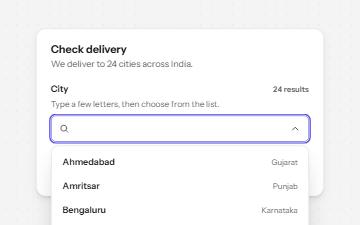
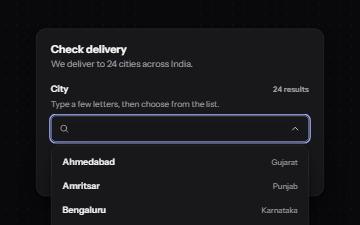
ऑटोकम्प्लीट वाला कॉम्बोबॉक्स
टाइप करते ही सुझावों की सूची छाँटने वाला टेक्स्ट फ़ील्ड, एक चुनने के लिए ऐरो कुंजियों और मेल खाने वालों की लाइव गिनती के साथ।
-
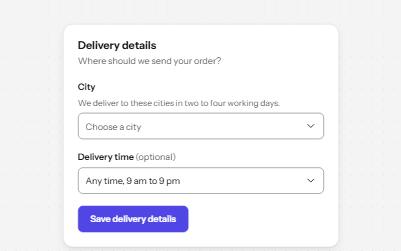
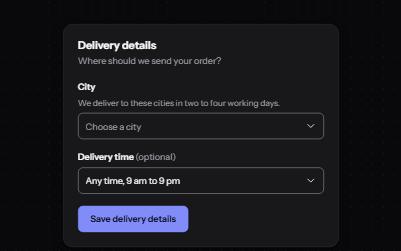
सिलेक्ट
लेबल, संकेत, क्षेत्र के समूह, प्लेसहोल्डर और ज़रूरी-फ़ील्ड त्रुटि वाला सजाया हुआ नेटिव select, जिसे ब्राउज़र बनाता है।
-
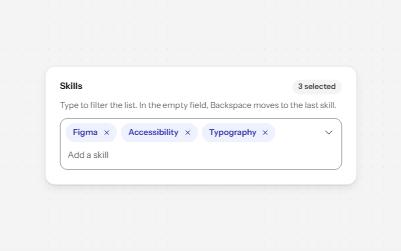
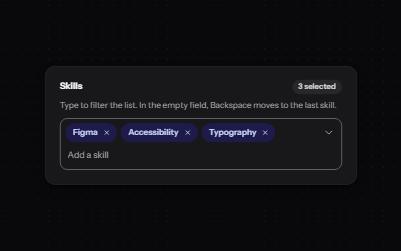
टैग वाला मल्टी-सेलेक्ट
एक फ़ील्ड जो टाइप करते ही सूची छाँटता है और हर चुनाव को हटाने योग्य चिप बना देता है, कई मान चुनने के लिए।
-
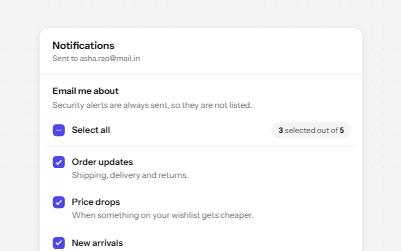
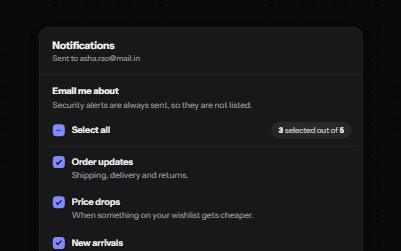
सभी चुनें वाला चेकबॉक्स समूह
जुड़े हुए चेकबॉक्स का fieldset, जिसमें मिश्रित स्थिति दिखाने वाला सभी चुनें बॉक्स और चुनी गई चीज़ों की लाइव गिनती है।