सुलभता पैटर्न · फ़ॉर्म इनपुट
टेक्स्ट फ़ील्ड
टेक्स्ट फ़ील्ड उतना ही स्पष्ट होता है जितना उसका लेबल: दिखता हुआ, इनपुट के ऊपर, और for व id एट्रिब्यूट से उससे जुड़ा हुआ। संकेत और त्रुटियाँ aria-describedby के ज़रिए फ़ील्ड के विवरण में जुड़ती हैं, इसलिए फ़ील्ड पर पहुँचते ही पढ़ी जाती हैं, और autocomplete व inputmode सही ऑटोफ़िल और कीबोर्ड लाते हैं।
- डब्ल्यूसीएजी मानदंड
- 7
- कीबोर्ड नियम
- 3
- जाँच का तरीक़ा
- axe, कीबोर्ड और इंस्पेक्टर
लाइव डेमो
आज़माएँ
इसे माउस, कीबोर्ड या स्क्रीन रीडर से इस्तेमाल करें। साथ का इंस्पेक्टर दिखाता है कि आपके इस्तेमाल के दौरान ब्राउज़र सहायक तकनीक को क्या बताता है: फ़ोकस, स्थिति में बदलाव और घोषणाएँ।
जावास्क्रिप्ट के बिना डेमो उतना ही काम करता है जितना उसका एचटीएमएल; इंस्पेक्टर के लिए जावास्क्रिप्ट चाहिए।
कीबोर्ड
जिन कुंजियों पर यह काम करता है
हर क्रिया पॉइंटर के बिना काम करती है।
| कुंजी | यह क्या करती है |
|---|---|
| Tab | अगले फ़ील्ड पर जाता है। सिर्फ़ पढ़ने योग्य बुकिंग नंबर पर फ़ोकस रुकता है; निष्क्रिय शहर छोड़ दिया जाता है। |
| ShiftTab | पिछले फ़ील्ड पर जाता है। |
| Enter | किसी भी फ़ील्ड से फ़ॉर्म भेजता है। कुछ गलत हो, तो फ़ोकस त्रुटि वाले पहले फ़ील्ड पर जाता है। |
स्क्रीन रीडर
यह क्या घोषित करता है
मार्कअप की भूमिकाओं, नामों और स्थितियों से लिखा गया।
| कब | अपेक्षित घोषणा |
|---|---|
| फ़ोकस पूरा नाम पर पहुँचता है | पूरा नाम, संपादन बॉक्स, ज़रूरी |
| फ़ोकस ईमेल पर पहुँचता है | ईमेल, संपादन बॉक्स, ज़रूरी। ट्रैकिंग लिंक हम यहीं भेजते हैं। |
| फ़ोकस घोषित मूल्य पर पहुँचता है | घोषित मूल्य रुपये में, संपादन बॉक्स, ज़रूरी। ढुलाई बीमा के लिए। |
| फ़ोकस पार्सल का वज़न पर पहुँचता है | पार्सल का वज़न, संपादन बॉक्स, ज़रूरी। किलोग्राम में, 30 तक। |
| पूरा नाम और पार्सल का वज़न खाली रहते पिकअप बुक करें दबाया जाता है | पूरा नाम, संपादन बॉक्स, ज़रूरी, अमान्य प्रविष्टि। अपना पूरा नाम डालें |
| बटन के पास का स्टेटस बदलता है | 2 फ़ील्ड पर ध्यान देना है। |
| फ़ोकस बुकिंग नंबर पर पहुँचता है | बुकिंग नंबर, संपादन बॉक्स, सिर्फ़ पढ़ने के लिए, PK-48213। सिर्फ़ पढ़ने योग्य। आप इस पर फ़ोकस कर सकते हैं और इसे कॉपी कर सकते हैं, और यह फ़ॉर्म के साथ भेजा जाता है। |
| हर फ़ील्ड सही है और फ़ॉर्म भेजा जाता है | पिकअप बुक हो गया। आपका ट्रैकिंग लिंक रास्ते में है। |
ये अपेक्षित घोषणाएँ हैं, रिकॉर्डिंग नहीं। स्क्रीन रीडर और ब्राउज़र के हिसाब से शब्द और क्रम बदलते हैं।
कोड
कोड कॉपी करें
वही फ़ाइलें जिन पर यह डेमो चलता है। स्टाइल एक प्रीफ़िक्स के साथ परोसी जाती हैं जो इस साइट की अपनी स्टाइल को डेमो से दूर रखता है; आप जो कॉपी करते हैं वह मूल है।
<form class="ap-text-field" data-ap-text-field novalidate aria-labelledby="tf-form-name">
  <div class="ap-text-field__top">
    <h3 class="ap-text-field__name" id="tf-form-name">Book a pickup</h3>
    <p class="ap-text-field__sub">A courier collects the parcel from your door.</p>
  </div>

  <div class="ap-text-field__grid">
    <div class="ap-field ap-text-field__item ap-text-field__item--wide">
      <label class="ap-label ap-text-field__label" for="tf-name">Full name <span class="ap-text-field__req" aria-hidden="true">Required</span></label>
      <input class="ap-input" id="tf-name" name="name" type="text" autocomplete="name" spellcheck="false" required />
      <p class="ap-error ap-text-field__error" id="tf-name-error" hidden><svg class="ap-text-field__icon" viewBox="0 0 24 24" aria-hidden="true" focusable="false"><circle cx="12" cy="12" r="9"/><path d="M12 7.5v5"/><path d="M12 16.5h.01"/></svg><span class="ap-text-field__msg"></span></p>
    </div>

    <div class="ap-field ap-text-field__item">
      <label class="ap-label ap-text-field__label" for="tf-email">Email <span class="ap-text-field__req" aria-hidden="true">Required</span></label>
      <p class="ap-hint" id="tf-email-hint">We send the tracking link here.</p>
      <input class="ap-input" id="tf-email" name="email" type="email" autocomplete="email" spellcheck="false" required aria-describedby="tf-email-hint" />
      <p class="ap-error ap-text-field__error" id="tf-email-error" hidden><svg class="ap-text-field__icon" viewBox="0 0 24 24" aria-hidden="true" focusable="false"><circle cx="12" cy="12" r="9"/><path d="M12 7.5v5"/><path d="M12 16.5h.01"/></svg><span class="ap-text-field__msg"></span></p>
    </div>

    <div class="ap-field ap-text-field__item">
      <label class="ap-label ap-text-field__label" for="tf-tel">Mobile number</label>
      <p class="ap-hint" id="tf-tel-hint">10 digits. The courier calls before arriving.</p>
      <input class="ap-input" id="tf-tel" name="tel" type="tel" autocomplete="tel" aria-describedby="tf-tel-hint" />
      <p class="ap-error ap-text-field__error" id="tf-tel-error" hidden><svg class="ap-text-field__icon" viewBox="0 0 24 24" aria-hidden="true" focusable="false"><circle cx="12" cy="12" r="9"/><path d="M12 7.5v5"/><path d="M12 16.5h.01"/></svg><span class="ap-text-field__msg"></span></p>
    </div>

    <div class="ap-field ap-text-field__item">
      <label class="ap-label ap-text-field__label" for="tf-value"><span>Declared value<span class="ap-text-field__vh"> in rupees</span></span> <span class="ap-text-field__req" aria-hidden="true">Required</span></label>
      <p class="ap-hint" id="tf-value-hint">For transit insurance.</p>
      <div class="ap-text-field__affixed ap-text-field__affixed--pre">
        <span class="ap-text-field__affix" aria-hidden="true">₹</span>
        <input class="ap-input" id="tf-value" name="value" type="text" inputmode="numeric" required aria-describedby="tf-value-hint" />
      </div>
      <p class="ap-error ap-text-field__error" id="tf-value-error" hidden><svg class="ap-text-field__icon" viewBox="0 0 24 24" aria-hidden="true" focusable="false"><circle cx="12" cy="12" r="9"/><path d="M12 7.5v5"/><path d="M12 16.5h.01"/></svg><span class="ap-text-field__msg"></span></p>
    </div>

    <div class="ap-field ap-text-field__item">
      <label class="ap-label ap-text-field__label" for="tf-weight">Parcel weight <span class="ap-text-field__req" aria-hidden="true">Required</span></label>
      <p class="ap-hint" id="tf-weight-hint">In kilograms, up to 30.</p>
      <div class="ap-text-field__affixed ap-text-field__affixed--post">
        <input class="ap-input" id="tf-weight" name="weight" type="text" inputmode="decimal" required aria-describedby="tf-weight-hint" />
        <span class="ap-text-field__affix" aria-hidden="true">kg</span>
      </div>
      <p class="ap-error ap-text-field__error" id="tf-weight-error" hidden><svg class="ap-text-field__icon" viewBox="0 0 24 24" aria-hidden="true" focusable="false"><circle cx="12" cy="12" r="9"/><path d="M12 7.5v5"/><path d="M12 16.5h.01"/></svg><span class="ap-text-field__msg"></span></p>
    </div>
  </div>

  <div class="ap-text-field__panel">
    <h4 class="ap-text-field__group">Booking details</h4>
    <div class="ap-text-field__pair">
      <div class="ap-field ap-text-field__item">
        <label class="ap-label ap-text-field__label" for="tf-booking">Booking number</label>
        <input class="ap-input ap-text-field__fixed" id="tf-booking" name="booking" type="text" value="PK-48213" readonly aria-describedby="tf-booking-note" />
        <p class="ap-text-field__note" id="tf-booking-note"><span class="ap-text-field__tag"><svg class="ap-text-field__icon" viewBox="0 0 24 24" aria-hidden="true" focusable="false"><rect x="5" y="11" width="14" height="9" rx="2"/><path d="M8 11V8a4 4 0 0 1 8 0v3"/></svg>Read-only</span> <span>You can focus and copy it, and it is sent with the form.</span></p>
      </div>
      <div class="ap-field ap-text-field__item">
        <label class="ap-label ap-text-field__label" for="tf-city">Pickup city</label>
        <input class="ap-input ap-text-field__fixed" id="tf-city" name="city" type="text" value="Pune" disabled aria-describedby="tf-city-note" />
        <p class="ap-text-field__note" id="tf-city-note"><span class="ap-text-field__tag"><svg class="ap-text-field__icon" viewBox="0 0 24 24" aria-hidden="true" focusable="false"><circle cx="12" cy="12" r="9"/><path d="m5.7 5.7 12.6 12.6"/></svg>Disabled</span> <span>Skipped by Tab and left out of the form.</span></p>
      </div>
    </div>
  </div>

  <div class="ap-text-field__foot">
    <p class="ap-text-field__status" role="status">
      <svg class="ap-text-field__icon ap-text-field__icon--ok" viewBox="0 0 24 24" aria-hidden="true" focusable="false"><circle cx="12" cy="12" r="9"/><path d="m8 12.5 2.5 2.5L16 9.5"/></svg>
      <svg class="ap-text-field__icon ap-text-field__icon--bad" viewBox="0 0 24 24" aria-hidden="true" focusable="false"><circle cx="12" cy="12" r="9"/><path d="M12 7.5v5"/><path d="M12 16.5h.01"/></svg>
      <span class="ap-text-field__say" data-ap-say></span>
    </p>
    <button type="submit" class="ap-btn ap-btn--primary">Book pickup</button>
  </div>
</form>
/* Shared primitives: buttons and form fields used across the patterns.
   Uses the --ap-* design tokens. */

.ap-btn {
  display: inline-flex;
  align-items: center;
  justify-content: center;
  gap: 8px;
  min-height: 40px;
  padding: 0 16px;
  border: 1px solid var(--ap-border-strong);
  border-radius: var(--ap-radius-sm);
  background: var(--ap-surface);
  color: var(--ap-text);
  font: inherit;
  font-weight: 600;
  line-height: 1.2;
  text-decoration: none;
  white-space: nowrap;
  cursor: pointer;
  transition: background-color var(--ap-duration) var(--ap-ease), border-color var(--ap-duration) var(--ap-ease), box-shadow var(--ap-duration) var(--ap-ease);
}
.ap-btn:hover {
  background: var(--ap-surface-2);
}
.ap-btn:focus-visible {
  outline: 2px solid var(--ap-focus);
  outline-offset: 2px;
}
.ap-btn:disabled,
.ap-btn[aria-disabled="true"] {
  opacity: .55;
  cursor: not-allowed;
}
.ap-btn--primary {
  border-color: var(--ap-accent);
  background: var(--ap-accent);
  color: var(--ap-on-accent);
  box-shadow: var(--ap-shadow-sm);
}
.ap-btn--primary:hover {
  border-color: var(--ap-accent-hover);
  background: var(--ap-accent-hover);
}
.ap-btn--danger {
  border-color: var(--ap-danger);
  background: var(--ap-danger);
  color: var(--ap-surface);
}
.ap-btn--danger:hover {
  filter: brightness(1.08);
}
.ap-btn--ghost {
  border-color: transparent;
  background: transparent;
}
.ap-btn--ghost:hover {
  background: var(--ap-surface-2);
}
.ap-btn__icon {
  width: 18px;
  height: 18px;
  flex-shrink: 0;
  fill: none;
  stroke: currentColor;
  stroke-width: 2;
  stroke-linecap: round;
  stroke-linejoin: round;
}

.ap-field {
  display: grid;
  gap: 6px;
}
.ap-label {
  color: var(--ap-text);
  font-weight: 600;
  font-size: .9375rem;
}
.ap-hint {
  margin: 0;
  color: var(--ap-text-3);
  font-size: .875rem;
  line-height: 1.45;
}
.ap-error {
  display: flex;
  align-items: flex-start;
  gap: 6px;
  margin: 0;
  color: var(--ap-danger);
  font-size: .875rem;
  font-weight: 600;
  line-height: 1.45;
}
.ap-input {
  width: 100%;
  min-height: 44px;
  padding: 10px 12px;
  border: 1px solid var(--ap-border-strong);
  border-radius: var(--ap-radius-sm);
  background: var(--ap-surface);
  color: var(--ap-text);
  font: inherit;
  line-height: 1.4;
  transition: border-color var(--ap-duration) var(--ap-ease), box-shadow var(--ap-duration) var(--ap-ease);
}
.ap-input::placeholder {
  color: var(--ap-text-3);
}
.ap-input:hover {
  border-color: var(--ap-text-2);
}
.ap-input:focus-visible {
  outline: 2px solid var(--ap-focus);
  outline-offset: 1px;
  border-color: var(--ap-focus);
}
.ap-input[aria-invalid="true"] {
  border-color: var(--ap-danger);
  box-shadow: inset 4px 0 0 var(--ap-danger);
}
textarea.ap-input {
  resize: vertical;
  min-height: 88px;
}

@media (prefers-reduced-motion: reduce) {
  .ap-btn,
  .ap-input { transition: none; }
}

/* Text field. Uses the --ap-* design tokens and the shared primitives. */
.ap-text-field {
  width: min(100%, 620px);
  margin-inline: auto;
  border: 1px solid var(--ap-border);
  border-radius: var(--ap-radius-lg);
  background: var(--ap-surface);
  color: var(--ap-text);
  box-shadow: var(--ap-shadow-md);
  container-type: inline-size;
}
.ap-text-field [hidden] {
  display: none;
}

.ap-text-field__top {
  padding: 20px 24px 0;
}
.ap-text-field__name {
  margin: 0;
  font-size: 1.125rem;
  font-weight: 650;
  line-height: 1.3;
}
.ap-text-field__sub {
  margin: 4px 0 0;
  color: var(--ap-text-3);
  font-size: .875rem;
  line-height: 1.45;
}

.ap-text-field__grid {
  display: grid;
  grid-template-columns: repeat(2, minmax(0, 1fr));
  align-items: start;
  gap: 20px 16px;
  padding: 20px 24px 24px;
}
.ap-text-field__item {
  min-width: 0;
}
.ap-text-field__item--wide {
  grid-column: 1 / -1;
}

/* Label row: the name, then "Required" in words */
.ap-text-field__label {
  display: flex;
  flex-wrap: wrap;
  align-items: baseline;
  gap: 4px 8px;
}
.ap-text-field__req {
  color: var(--ap-text-3);
  font-size: .75rem;
  font-weight: 600;
  letter-spacing: .01em;
}
.ap-text-field__vh {
  position: absolute;
  width: 1px;
  height: 1px;
  margin: -1px;
  padding: 0;
  overflow: hidden;
  clip-path: inset(50%);
  white-space: nowrap;
}
.ap-text-field .ap-hint {
  margin-top: -2px;
}

.ap-text-field__icon {
  width: 16px;
  height: 16px;
  flex-shrink: 0;
  fill: none;
  stroke: currentColor;
  stroke-width: 2;
  stroke-linecap: round;
  stroke-linejoin: round;
}
.ap-text-field__error .ap-text-field__icon {
  margin-top: 2px;
}

/* Units: drawn inside the input's edge; spoken by the label or the hint */
.ap-text-field__affixed {
  position: relative;
}
.ap-text-field__affix {
  position: absolute;
  top: 1px;
  bottom: 1px;
  display: grid;
  place-items: center;
  min-width: 42px;
  padding: 0 10px;
  background: var(--ap-surface-2);
  color: var(--ap-text-2);
  font-weight: 600;
  pointer-events: none;
}
.ap-text-field__affixed--pre .ap-text-field__affix {
  left: 1px;
  border-right: 1px solid var(--ap-border);
  border-radius: calc(var(--ap-radius-sm) - 1px) 0 0 calc(var(--ap-radius-sm) - 1px);
}
.ap-text-field__affixed--post .ap-text-field__affix {
  right: 1px;
  border-left: 1px solid var(--ap-border);
  border-radius: 0 calc(var(--ap-radius-sm) - 1px) calc(var(--ap-radius-sm) - 1px) 0;
}
.ap-text-field__affixed--pre .ap-input {
  padding-left: 54px;
}
.ap-text-field__affixed--post .ap-input {
  padding-right: 54px;
}
/* The error edge would sit under a leading unit, so the unit carries it. */
.ap-text-field__affixed--pre:has(.ap-input[aria-invalid="true"]) .ap-text-field__affix {
  box-shadow: inset 4px 0 0 var(--ap-danger);
}

/* Read-only and disabled, side by side */
.ap-text-field__panel {
  padding: 18px 24px 22px;
  border-top: 1px solid var(--ap-border);
}
.ap-text-field__group {
  margin: 0 0 14px;
  color: var(--ap-text-2);
  font-size: .8125rem;
  font-weight: 650;
  letter-spacing: .02em;
}
.ap-text-field__pair {
  display: grid;
  grid-template-columns: repeat(2, minmax(0, 1fr));
  gap: 16px;
}
.ap-text-field__fixed {
  background: var(--ap-surface-2);
}
.ap-text-field__fixed:read-only:not(:disabled):hover {
  border-color: var(--ap-border-strong);
}
.ap-text-field__fixed:disabled {
  border-style: dashed;
  color: var(--ap-text-3);
  cursor: not-allowed;
}
.ap-text-field__note {
  display: grid;
  justify-items: start;
  gap: 2px;
  margin: 0;
  color: var(--ap-text-3);
  font-size: .8125rem;
  line-height: 1.45;
}
.ap-text-field__tag {
  display: inline-flex;
  align-items: center;
  gap: 5px;
  color: var(--ap-text-2);
  font-weight: 650;
}
.ap-text-field__tag .ap-text-field__icon {
  width: 14px;
  height: 14px;
}

/* Footer: the outcome beside the button */
.ap-text-field__foot {
  display: flex;
  flex-wrap: wrap;
  align-items: center;
  justify-content: space-between;
  gap: 12px 16px;
  padding: 16px 24px;
  border-top: 1px solid var(--ap-border);
  border-radius: 0 0 var(--ap-radius-lg) var(--ap-radius-lg);
  background: var(--ap-surface-2);
}
.ap-text-field__status {
  display: flex;
  flex: 1 1 220px;
  align-items: flex-start;
  gap: 8px;
  min-height: 1.5em;
  margin: 0;
  font-size: .9375rem;
  font-weight: 600;
  line-height: 1.45;
}
.ap-text-field__status:not([data-tone]) {
  min-height: 0;
}
.ap-text-field__status .ap-text-field__icon {
  display: none;
  width: 18px;
  height: 18px;
  margin-top: 1px;
}
.ap-text-field__status[data-tone="ok"] {
  color: var(--ap-success);
}
.ap-text-field__status[data-tone="bad"] {
  color: var(--ap-danger);
}
.ap-text-field__status[data-tone="ok"] .ap-text-field__icon--ok,
.ap-text-field__status[data-tone="bad"] .ap-text-field__icon--bad {
  display: block;
}
.ap-text-field__foot .ap-btn {
  min-height: var(--ap-target);
  margin-left: auto;
}

@container (max-width: 480px) {
  .ap-text-field__top { padding: 18px 18px 0; }
  .ap-text-field__grid { grid-template-columns: minmax(0, 1fr); padding: 18px 18px 22px; }
  .ap-text-field__panel { padding: 16px 18px 20px; }
  .ap-text-field__pair { grid-template-columns: minmax(0, 1fr); }
  .ap-text-field__foot { row-gap: 0; padding: 14px 18px; }
  .ap-text-field__status[data-tone] { margin-bottom: 12px; }
  .ap-text-field__foot .ap-btn { flex: 1 1 100%; }
}

@media (forced-colors: active) {
  .ap-text-field__affix { border: 1px solid CanvasText; }
  .ap-text-field__fixed:disabled { color: GrayText; }
}
/**
 * Text fields: visible labels, hints and errors joined to their inputs.
 *
 * Markup: form[data-ap-text-field][novalidate] holding inputs, each with a
 * label, an optional hint in its aria-describedby, and a hidden
 * p#<input id>-error. On submit the script checks every field, marks the
 * broken ones aria-invalid, adds their error to aria-describedby, moves focus
 * to the first, and says how many need attention in the role=status beside
 * the button. Each error clears as soon as its field is fixed.
 */

// One check per field name; each returns "" or the message to show.
const CHECKS = {
  name: (v) => (v ? "" : "Enter your full name"),
  email: (v) => {
    if (!v) return "Enter your email address";
    return /^[^\s@]+@[^\s@]+\.[^\s@]+$/.test(v) ? "" : "Enter an email address like [email protected]";
  },
  tel: (v) => {
    if (!v) return "";
    const digits = v.replace(/[\s-]/g, "").replace(/^(\+91|0)/, "");
    return /^\d{10}$/.test(digits) ? "" : "Enter a 10-digit mobile number";
  },
  value: (v) => {
    if (!v) return "Enter the declared value";
    return /^\d[\d,]*$/.test(v) ? "" : "Enter the value in whole rupees, like 2500";
  },
  weight: (v) => {
    if (!v) return "Enter the parcel weight";
    if (!/^\d*\.?\d+$/.test(v) || Number(v) <= 0) return "Enter the weight as a number, like 2.5";
    return Number(v) > 30 ? "Enter a weight of 30 kg or less" : "";
  },
};

export function init(root) {
  const fields = [...root.querySelectorAll("input[name]")].filter((input) => CHECKS[input.name] && !input.disabled);
  const errorOf = (input) => document.getElementById(`${input.id}-error`);
  // Look the status parts up each time: a translated page may rebuild them.
  const status = () => root.querySelector("[role=status]");
  const say = () => root.querySelector("[data-ap-say]");

  function describedBy(input, errorId, on) {
    const ids = (input.getAttribute("aria-describedby") || "").split(/\s+/).filter((id) => id && id !== errorId);
    if (on) ids.push(errorId);
    if (ids.length) input.setAttribute("aria-describedby", ids.join(" "));
    else input.removeAttribute("aria-describedby");
  }

  function setError(input, message) {
    const box = errorOf(input);
    if (message) {
      box.querySelector(".ap-text-field__msg").textContent = message;
      box.hidden = false;
      input.setAttribute("aria-invalid", "true");
    } else {
      box.hidden = true;
      input.removeAttribute("aria-invalid");
    }
    describedBy(input, box.id, Boolean(message));
  }

  function report(tone, parts) {
    const region = status();
    if (tone) region.dataset.tone = tone;
    else delete region.dataset.tone;
    say().replaceChildren(...parts);
  }

  function piece(text, cls) {
    const span = document.createElement("span");
    span.textContent = text;
    if (cls) span.className = cls;
    return span;
  }

  function onSubmit(event) {
    event.preventDefault();
    const hadFocus = document.activeElement;
    const broken = [];
    for (const input of fields) {
      const message = CHECKS[input.name](input.value.trim());
      setError(input, message);
      if (message) broken.push(input);
    }
    if (!broken.length) {
      report("ok", [piece("Pickup booked. Your tracking link is on its way.")]);
      return;
    }
    const first = broken[0];
    const count = piece(String(broken.length));
    count.setAttribute("data-ap-count", "");
    const words = piece(broken.length === 1 ? "field needs attention." : "fields need attention.");
    const parts = [count, " ", words];
    // Enter pressed inside the first broken field: focus is already there, so
    // moving it announces nothing. The status carries that field's message.
    if (hadFocus === first) parts.push(" ", piece(CHECKS[first.name](first.value.trim()), "ap-text-field__vh"));
    report("bad", []);
    requestAnimationFrame(() => report("bad", parts));
    first.focus();
  }

  function onInput(event) {
    const input = event.target;
    if (!fields.includes(input) || input.getAttribute("aria-invalid") !== "true") return;
    // Errors appear on submit; once shown, they go as soon as the field is right.
    if (!CHECKS[input.name](input.value.trim())) {
      setError(input, "");
      if (!fields.some((f) => f.getAttribute("aria-invalid") === "true")) report(null, []);
    }
  }

  root.addEventListener("submit", onSubmit);
  root.addEventListener("input", onInput);
  return () => {
    root.removeEventListener("submit", onSubmit);
    root.removeEventListener("input", onInput);
  };
}

for (const root of document.querySelectorAll("[data-ap-text-field]")) init(root);
/* Design tokens for the pattern components. Light by default, dark when the
   system asks for it; set data-theme="dark" on :root to force dark. */
:root {
    --ap-radius-sm: 8px;
    --ap-radius: 12px;
    --ap-radius-lg: 16px;
    --ap-radius-full: 999px;
    --ap-font: "Instrument Sans", ui-sans-serif, system-ui, -apple-system, "Segoe UI", Roboto, sans-serif;
    --ap-mono: "JetBrains Mono", ui-monospace, "Cascadia Mono", "SF Mono", Consolas, monospace;
    --ap-ease: cubic-bezier(.2, .8, .2, 1);
    --ap-duration: 180ms;
    --ap-target: 44px;
    --ap-bg: #F4F4F5;
    --ap-surface: #FFFFFF;
    --ap-surface-2: #F4F4F5;
    --ap-surface-3: #E4E4E7;
    --ap-border: #E4E4E7;
    --ap-border-strong: #76767F;
    --ap-text: #18181B;
    --ap-text-2: #3F3F46;
    --ap-text-3: #5E5E66;
    --ap-accent: #4F46E5;
    --ap-accent-hover: #4338CA;
    --ap-on-accent: #FFFFFF;
    --ap-accent-text: #4338CA;
    --ap-accent-soft: #EEF2FF;
    --ap-accent-soft-text: #3730A3;
    --ap-focus: #4F46E5;
    --ap-danger: #B91C1C;
    --ap-danger-soft: #FEF2F2;
    --ap-success: #15803D;
    --ap-success-soft: #F0FDF4;
    --ap-warning: #A15C07;
    --ap-warning-soft: #FEFCE8;
    --ap-info: #1D4ED8;
    --ap-info-soft: #EFF6FF;
    --ap-scrim: rgb(9 9 11 / .48);
    --ap-shadow-sm: 0 1px 2px rgb(9 9 11 / .06);
    --ap-shadow-md: 0 1px 2px rgb(9 9 11 / .05), 0 6px 16px -4px rgb(9 9 11 / .1);
    --ap-shadow-lg: 0 2px 6px rgb(9 9 11 / .06), 0 20px 40px -12px rgb(9 9 11 / .22);
    --ap-light-bg: #F4F4F5;
    --ap-light-surface: #FFFFFF;
    --ap-light-surface-2: #F4F4F5;
    --ap-light-surface-3: #E4E4E7;
    --ap-light-border: #E4E4E7;
    --ap-light-border-strong: #76767F;
    --ap-light-text: #18181B;
    --ap-light-text-2: #3F3F46;
    --ap-light-text-3: #5E5E66;
    --ap-light-accent: #4F46E5;
    --ap-light-accent-hover: #4338CA;
    --ap-light-on-accent: #FFFFFF;
    --ap-light-accent-text: #4338CA;
    --ap-light-accent-soft: #EEF2FF;
    --ap-light-accent-soft-text: #3730A3;
    --ap-light-focus: #4F46E5;
    --ap-light-danger: #B91C1C;
    --ap-light-danger-soft: #FEF2F2;
    --ap-light-success: #15803D;
    --ap-light-success-soft: #F0FDF4;
    --ap-light-warning: #A15C07;
    --ap-light-warning-soft: #FEFCE8;
    --ap-light-info: #1D4ED8;
    --ap-light-info-soft: #EFF6FF;
    --ap-light-scrim: rgb(9 9 11 / .48);
    --ap-light-shadow-sm: 0 1px 2px rgb(9 9 11 / .06);
    --ap-light-shadow-md: 0 1px 2px rgb(9 9 11 / .05), 0 6px 16px -4px rgb(9 9 11 / .1);
    --ap-light-shadow-lg: 0 2px 6px rgb(9 9 11 / .06), 0 20px 40px -12px rgb(9 9 11 / .22);
    --ap-dark-bg: #09090B;
    --ap-dark-surface: #18181B;
    --ap-dark-surface-2: #27272A;
    --ap-dark-surface-3: #3F3F46;
    --ap-dark-border: #2E2E33;
    --ap-dark-border-strong: #8E8E97;
    --ap-dark-text: #FAFAFA;
    --ap-dark-text-2: #D4D4D8;
    --ap-dark-text-3: #A1A1AA;
    --ap-dark-accent: #818CF8;
    --ap-dark-accent-hover: #A5B4FC;
    --ap-dark-on-accent: #0C0A1F;
    --ap-dark-accent-text: #A5B4FC;
    --ap-dark-accent-soft: #1E1B4B;
    --ap-dark-accent-soft-text: #C7D2FE;
    --ap-dark-focus: #A5B4FC;
    --ap-dark-danger: #F87171;
    --ap-dark-danger-soft: #2A1215;
    --ap-dark-success: #4ADE80;
    --ap-dark-success-soft: #0F2A1A;
    --ap-dark-warning: #FACC15;
    --ap-dark-warning-soft: #2A2410;
    --ap-dark-info: #60A5FA;
    --ap-dark-info-soft: #0F1D33;
    --ap-dark-scrim: rgb(0 0 0 / .62);
    --ap-dark-shadow-sm: 0 1px 2px rgb(0 0 0 / .4);
    --ap-dark-shadow-md: 0 1px 2px rgb(0 0 0 / .4), 0 8px 20px -6px rgb(0 0 0 / .5);
    --ap-dark-shadow-lg: 0 2px 8px rgb(0 0 0 / .45), 0 24px 48px -12px rgb(0 0 0 / .7);
}
@media (prefers-color-scheme: dark) {
  :root:not([data-theme="light"]) {
      --ap-bg: #09090B;
      --ap-surface: #18181B;
      --ap-surface-2: #27272A;
      --ap-surface-3: #3F3F46;
      --ap-border: #2E2E33;
      --ap-border-strong: #8E8E97;
      --ap-text: #FAFAFA;
      --ap-text-2: #D4D4D8;
      --ap-text-3: #A1A1AA;
      --ap-accent: #818CF8;
      --ap-accent-hover: #A5B4FC;
      --ap-on-accent: #0C0A1F;
      --ap-accent-text: #A5B4FC;
      --ap-accent-soft: #1E1B4B;
      --ap-accent-soft-text: #C7D2FE;
      --ap-focus: #A5B4FC;
      --ap-danger: #F87171;
      --ap-danger-soft: #2A1215;
      --ap-success: #4ADE80;
      --ap-success-soft: #0F2A1A;
      --ap-warning: #FACC15;
      --ap-warning-soft: #2A2410;
      --ap-info: #60A5FA;
      --ap-info-soft: #0F1D33;
      --ap-scrim: rgb(0 0 0 / .62);
      --ap-shadow-sm: 0 1px 2px rgb(0 0 0 / .4);
      --ap-shadow-md: 0 1px 2px rgb(0 0 0 / .4), 0 8px 20px -6px rgb(0 0 0 / .5);
      --ap-shadow-lg: 0 2px 8px rgb(0 0 0 / .45), 0 24px 48px -12px rgb(0 0 0 / .7);
  }
}
:root[data-theme="dark"] {
    --ap-bg: #09090B;
    --ap-surface: #18181B;
    --ap-surface-2: #27272A;
    --ap-surface-3: #3F3F46;
    --ap-border: #2E2E33;
    --ap-border-strong: #8E8E97;
    --ap-text: #FAFAFA;
    --ap-text-2: #D4D4D8;
    --ap-text-3: #A1A1AA;
    --ap-accent: #818CF8;
    --ap-accent-hover: #A5B4FC;
    --ap-on-accent: #0C0A1F;
    --ap-accent-text: #A5B4FC;
    --ap-accent-soft: #1E1B4B;
    --ap-accent-soft-text: #C7D2FE;
    --ap-focus: #A5B4FC;
    --ap-danger: #F87171;
    --ap-danger-soft: #2A1215;
    --ap-success: #4ADE80;
    --ap-success-soft: #0F2A1A;
    --ap-warning: #FACC15;
    --ap-warning-soft: #2A2410;
    --ap-info: #60A5FA;
    --ap-info-soft: #0F1D33;
    --ap-scrim: rgb(0 0 0 / .62);
    --ap-shadow-sm: 0 1px 2px rgb(0 0 0 / .4);
    --ap-shadow-md: 0 1px 2px rgb(0 0 0 / .4), 0 8px 20px -6px rgb(0 0 0 / .5);
    --ap-shadow-lg: 0 2px 8px rgb(0 0 0 / .45), 0 24px 48px -12px rgb(0 0 0 / .7);
}
डब्ल्यूसीएजी 2.2
यह किन मानदंडों को पूरा करता है
वे सफलता मानदंड जिनका यह पैटर्न ध्यान रखता है, और कैसे।
-
1.3.1 जानकारी और संबंध
स्तर A
हर लेबल for और id एट्रिब्यूट से अपने इनपुट से जुड़ा है, और संकेत व त्रुटियाँ इनपुट के aria-describedby में जुड़ती हैं, इसलिए ये रिश्ते सिर्फ़ लेआउट में नहीं, कोड में भी हैं।
-
1.3.5 इनपुट का उद्देश्य पहचानें
स्तर AA
नाम, ईमेल और मोबाइल नंबर में autocomplete टोकन हैं, इसलिए ब्राउज़र और पासवर्ड मैनेजर इन्हें भर सकते हैं।
-
1.4.1 रंग का उपयोग
स्तर A
त्रुटि एक आइकन, एक संदेश और फ़ील्ड के मोटे किनारे से दिखाई जाती है, कभी सिर्फ़ लाल बॉर्डर से नहीं।
-
3.3.1 त्रुटि पहचान
स्तर A
समस्या वाला हर फ़ील्ड aria-invalid से चिह्नित होता है और ठीक उसके नीचे टेक्स्ट में उसका अपना संदेश आता है।
-
3.3.2 लेबल या निर्देश
स्तर A
हर फ़ील्ड के ऊपर दिखता हुआ लेबल है, ज़रूरी फ़ील्ड शब्दों में आवश्यक लिखते हैं, और इकाइयाँ व फ़ॉर्मैट टाइप करने से पहले बताए जाते हैं।
-
3.3.3 त्रुटि सुझाव
स्तर AA
संदेश बताते हैं कि समस्या कैसे ठीक करें, और जहाँ फ़ॉर्मैट मायने रखता है वहाँ उदाहरण देते हैं, जैसे वज़न के लिए 2.5।
-
4.1.2 नाम, भूमिका, मान
स्तर A
ज़रूरी, अमान्य और सिर्फ़ पढ़ने योग्य स्थितियाँ ख़ुद इनपुट से आती हैं, इसलिए स्क्रीन रीडर इन्हें फ़ील्ड के नाम के साथ बताता है।
उपयोग
इसे कब इस्तेमाल करें
इसे अपनाएँ
- छोटे खुले जवाब: नाम, ईमेल पते, फ़ोन नंबर, रकम और संदर्भ नंबर।
- इकाई या मुद्रा वाले मान, जहाँ बगल का चिह्न लोगों को टाइप किया हुआ जाँचने में मदद करता है।
कुछ और इस्तेमाल करें
- किसी छोटी, तय सूची में से चुनाव: रेडियो बटन या select इस्तेमाल करें।
- लंबे जवाब: टेक्स्ट एरिया इस्तेमाल करें, और सीमा हो तो काउंटर के साथ।
- ऐसी मात्राएँ जिन्हें लोग घटाते-बढ़ाते हैं: उनके लिए बटनों वाला नंबर इनपुट बेहतर है।
आम विफलताएँ
आमतौर पर यह कहाँ गलत होता है
लेबल की जगह प्लेसहोल्डर
प्लेसहोल्डर टेक्स्ट टाइप शुरू होते ही गायब हो जाता है, अक्सर पढ़ने के लिए बहुत हल्का होता है, और भरोसेमंद नाम नहीं है। यहाँ हर फ़ील्ड के ऊपर असली लेबल है।
त्रुटि का इकलौता संकेत लाल बॉर्डर
जो लोग लाल और धूसर में फ़र्क नहीं कर पाते, उन्हें कुछ गलत नहीं दिखता। यहाँ हर त्रुटि के साथ एक आइकन और एक संदेश है, और फ़ील्ड का किनारा भी मोटा हो जाता है।
अपने फ़ील्ड से न जुड़ी त्रुटि
जो संदेश इनपुट के पास तो है पर उसके aria-describedby में नहीं, वह Tab से फ़ॉर्म में चलने वाले को कभी सुनाई नहीं देता। त्रुटि दिखते ही स्क्रिप्ट उसकी id जोड़ देती है।
जो मात्राएँ नहीं हैं, उनके लिए type=number
फ़ोन नंबर, पिन और रकम घटाने-बढ़ाने वाले मान नहीं हैं: type=number आगे के शून्य हटा देता है, स्क्रॉल से बदल जाता है और कॉमा नहीं लेता। inputmode इन समस्याओं के बिना नंबर कीपैड ले आता है।
सिर्फ़ बॉक्स के बगल में बनी इकाई
इनपुट के बगल में बना ₹ या kg उसके नाम या विवरण का हिस्सा नहीं है। इकाई लेबल या संकेत में बताएँ, जैसा यहाँ के दो फ़ील्ड करते हैं।
जहाँ सिर्फ़ पढ़ने योग्य चाहिए था, वहाँ निष्क्रिय
निष्क्रिय फ़ील्ड पर फ़ोकस नहीं जा सकता, इसलिए कीबोर्ड और स्क्रीन रीडर उपयोगकर्ता उसका मान या उसकी व्याख्या कभी नहीं सुनते, और वह भेजे गए डेटा से छूट जाता है। जिन मानों को लोगों को पढ़ना है, उनके लिए readonly इस्तेमाल करें।
नोट्स
इसे बनाना
- फ़ॉर्म पर novalidate है, ताकि ब्राउज़र के बबल की जगह स्क्रिप्ट के संदेश दिखें; required एट्रिब्यूट बना रहता है, इसलिए स्थिति फिर भी बताई जाती है।
- त्रुटियाँ फ़ॉर्म भेजने पर दिखती हैं, टाइप करते समय नहीं। एक बार दिखने के बाद, हर त्रुटि अपना फ़ील्ड ठीक होते ही हट जाती है।
- संकेत को aria-describedby में रहने दें और सिर्फ़ त्रुटि की id जोड़ें या हटाएँ, ताकि त्रुटि हटने पर संकेत कभी न खोए।
- आवश्यक शब्द aria-hidden है, क्योंकि required एट्रिब्यूट इसे पहले ही बता देता है; इसे टेक्स्ट में दिखाना उन सबकी मदद करता है जो तारांकन चिह्न से चूक जाते।
- ₹ इकाई लेबल में छिपे टेक्स्ट से बोली जाती है, और kg संकेत से। जब त्रुटि वाले पहले फ़ील्ड में Enter दबाया जाता है, तो फ़ोकस पहले से वहीं होता है, इसलिए बटन के पास का स्टेटस उस फ़ील्ड का संदेश भी पढ़ता है।
स्रोत: WAI ट्यूटोरियल: कंट्रोल को लेबल देना · WAI ट्यूटोरियल: यूज़र सूचनाएँ · एचटीएमएल: ऑटोफ़िल फ़ील्ड के नाम
लाइट और डार्क थीम में, डेस्कटॉप और फ़ोन की चौड़ाई पर axe से और कीबोर्ड से जाँचा गया। अभी हर स्क्रीन रीडर और ब्राउज़र जोड़ी के साथ नहीं परखा गया। सुधार बताएँ
संबंधित
इसके साथ जाने वाले पैटर्न
-
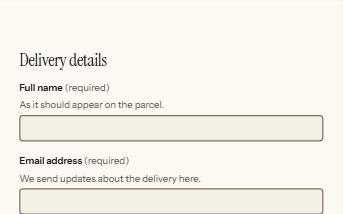
फ़ॉर्म त्रुटियाँ
एक त्रुटि सारांश जो फ़ोकस लेता है, हर फ़ील्ड से जुड़े संदेश, और फ़ॉर्म भेजने पर एक स्थिति संदेश।
-
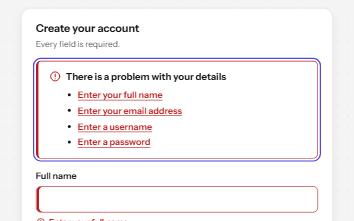
इनलाइन जाँच
एक साइन-अप फ़ॉर्म जो हर फ़ील्ड को उसमें टाइप करने के बाद छोड़ते ही जाँचता है, शब्दों में टिक और त्रुटियों के साथ, और भेजने पर एक सारांश।
-
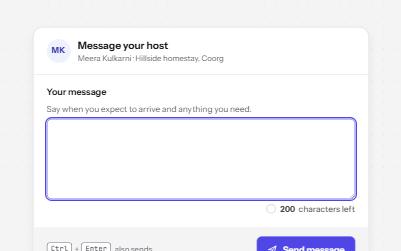
अक्षर गिनती वाला टेक्स्ट एरिया
दिखती अक्षर गिनती वाला टेक्स्ट एरिया, जो सिर्फ़ तय पड़ावों पर बोलता है, टेक्स्ट कभी नहीं काटता, और सीमा पार होने पर भेजना रोक देता है।
-
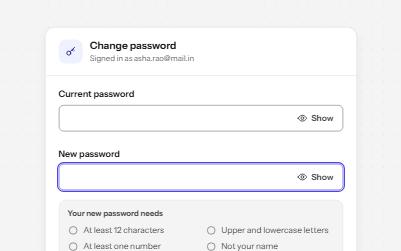
पासवर्ड फ़ील्ड
पासवर्ड इनपुट, जिसमें फ़ोकस को अपनी जगह रखने वाला दिखाएँ टॉगल, लाइव शर्तों की चेकलिस्ट और Caps Lock की चेतावनी है।