सुलभता पैटर्न · फ़ॉर्म और फ़्लो
साइन अप
नाम, ईमेल और नया पासवर्ड, हर एक ऐसे मार्कअप के साथ कि ब्राउज़र और पासवर्ड मैनेजर उन्हें भर सकें, और कोई भी फ़ील्ड एक ही चीज़ दो बार नहीं माँगता। पासवर्ड चेकलिस्ट टाइप करते समय बदलती है, पर बोलती सिर्फ़ तब है जब कोई ज़रूरत बदले और आप रुकें; और समस्याओं के साथ फ़ॉर्म भेजने पर फ़ोकस उनके सारांश पर चला जाता है।
- डब्ल्यूसीएजी मानदंड
- 7
- कीबोर्ड नियम
- 4
- जाँच का तरीक़ा
- axe, कीबोर्ड और इंस्पेक्टर
लाइव डेमो
आज़माएँ
इसे माउस, कीबोर्ड या स्क्रीन रीडर से इस्तेमाल करें। साथ का इंस्पेक्टर दिखाता है कि आपके इस्तेमाल के दौरान ब्राउज़र सहायक तकनीक को क्या बताता है: फ़ोकस, स्थिति में बदलाव और घोषणाएँ।
जावास्क्रिप्ट के बिना डेमो उतना ही काम करता है जितना उसका एचटीएमएल; इंस्पेक्टर के लिए जावास्क्रिप्ट चाहिए।
कीबोर्ड
जिन कुंजियों पर यह काम करता है
हर क्रिया पॉइंटर के बिना काम करती है।
| कुंजी | यह क्या करती है |
|---|---|
| Tab | फ़ील्ड के बीच चलता है, पासवर्ड से उसके दिखाएँ बटन पर, फिर चेकबॉक्स और खाता बनाएँ पर। |
| EnterयाSpace | दिखाएँ बटन पर, पासवर्ड को टेक्स्ट के रूप में दिखाता या छिपाता है; फ़ोकस बटन पर ही रहता है। |
| Space | चेकबॉक्स पर, उसे टिक करता या हटाता है। |
| Enter | किसी फ़ील्ड में, फ़ॉर्म भेजता है। समस्याएँ हों तो फ़ोकस सारांश पर जाता है; उसका कोई लिंक फ़ोकस को अपने फ़ील्ड पर ले जाता है। |
स्क्रीन रीडर
यह क्या घोषित करता है
मार्कअप की भूमिकाओं, नामों और स्थितियों से लिखा गया।
| कब | अपेक्षित घोषणा |
|---|---|
| फ़ोकस पासवर्ड पर पहुँचता है | पासवर्ड, पासवर्ड एडिट, ज़रूरी। आपके पासवर्ड में चाहिए: अभी नहीं: कम से कम 12 अक्षर। अभी नहीं: आम तौर पर इस्तेमाल होने वाला पासवर्ड न हो… |
| बारहवें अक्षर के बाद टाइपिंग रुकती है | पूरा: कम से कम 12 अक्षर |
| हर नियम पूरा होने के बाद टाइपिंग रुकती है | पूरा: आपका नाम या ईमेल पता न हो। आपका पासवर्ड हर ज़रूरत पूरी करता है। |
| फ़ोकस दिखाएँ बटन पर पहुँचता है | पासवर्ड दिखाएँ, टॉगल बटन, दबा हुआ नहीं |
| समस्याओं के रहते खाता बनाएँ दबाया जाता है | एक समस्या है, समूह। अपना पूरा नाम लिखें। उपयोग की शर्तों से सहमति के लिए बॉक्स पर टिक करें। |
| हर फ़ील्ड सही है और फ़ॉर्म भेजा जाता है | खाता बन गया। उसकी पुष्टि का लिंक अपने ईमेल में देखें। |
ये अपेक्षित घोषणाएँ हैं, रिकॉर्डिंग नहीं। स्क्रीन रीडर और ब्राउज़र के हिसाब से शब्द और क्रम बदलते हैं।
कोड
कोड कॉपी करें
वही फ़ाइलें जिन पर यह डेमो चलता है। स्टाइल एक प्रीफ़िक्स के साथ परोसी जाती हैं जो इस साइट की अपनी स्टाइल को डेमो से दूर रखता है; आप जो कॉपी करते हैं वह मूल है।
<form class="ap-sign-up" data-ap-sign-up novalidate aria-labelledby="su-form-name">
  <div class="ap-sign-up__top">
    <h3 class="ap-sign-up__name" id="su-form-name">Create an account</h3>
    <p class="ap-sign-up__sub">Every field is required. Already have an account? <a class="ap-sign-up__link" href="#su-sign-in">Sign in</a></p>
  </div>

  <div class="ap-sign-up__summary" id="su-summary" role="group" aria-labelledby="su-summary-name" aria-describedby="su-summary-list" tabindex="-1" hidden>
    <h4 class="ap-sign-up__summary-name" id="su-summary-name"><svg class="ap-sign-up__icon" viewBox="0 0 24 24" aria-hidden="true" focusable="false"><circle cx="12" cy="12" r="9"/><path d="M12 7.5v5"/><path d="M12 16.5h.01"/></svg>There is a problem</h4>
    <ul class="ap-sign-up__summary-list" id="su-summary-list"></ul>
  </div>

  <div class="ap-sign-up__body">
    <div class="ap-field ap-sign-up__field">
      <label class="ap-label" for="su-name">Full name</label>
      <p class="ap-error ap-sign-up__error" id="su-name-error" hidden><svg class="ap-sign-up__icon" viewBox="0 0 24 24" aria-hidden="true" focusable="false"><circle cx="12" cy="12" r="9"/><path d="M12 7.5v5"/><path d="M12 16.5h.01"/></svg><span class="ap-sign-up__vh">Error:</span> <span class="ap-sign-up__msg"></span></p>
      <input class="ap-input" id="su-name" name="name" type="text" autocomplete="name" spellcheck="false" required />
    </div>

    <div class="ap-field ap-sign-up__field">
      <label class="ap-label" for="su-email">Email address</label>
      <p class="ap-hint" id="su-email-hint">You sign in with this. We send a link to confirm it.</p>
      <p class="ap-error ap-sign-up__error" id="su-email-error" hidden><svg class="ap-sign-up__icon" viewBox="0 0 24 24" aria-hidden="true" focusable="false"><circle cx="12" cy="12" r="9"/><path d="M12 7.5v5"/><path d="M12 16.5h.01"/></svg><span class="ap-sign-up__vh">Error:</span> <span class="ap-sign-up__msg"></span></p>
      <input class="ap-input" id="su-email" name="email" type="email" autocomplete="email" autocapitalize="none" spellcheck="false" required aria-describedby="su-email-hint" />
    </div>

    <div class="ap-field ap-sign-up__field">
      <label class="ap-label" for="su-password">Password</label>
      <p class="ap-error ap-sign-up__error" id="su-password-error" hidden><svg class="ap-sign-up__icon" viewBox="0 0 24 24" aria-hidden="true" focusable="false"><circle cx="12" cy="12" r="9"/><path d="M12 7.5v5"/><path d="M12 16.5h.01"/></svg><span class="ap-sign-up__vh">Error:</span> <span class="ap-sign-up__msg"></span></p>
      <div class="ap-sign-up__box">
        <input class="ap-input ap-sign-up__secret" id="su-password" name="password" type="password" autocomplete="new-password" autocapitalize="none" spellcheck="false" required aria-describedby="su-rules" />
        <button type="button" class="ap-sign-up__show" aria-label="Show password" aria-pressed="false" aria-controls="su-password" data-ap-show>
          <svg class="ap-sign-up__eye" viewBox="0 0 24 24" aria-hidden="true" focusable="false"><path d="M2.5 12S6 5.5 12 5.5 21.5 12 21.5 12 18 18.5 12 18.5 2.5 12 2.5 12Z"/><circle cx="12" cy="12" r="3"/><path class="ap-sign-up__slash" d="m4 4 16 16"/></svg>
          <span>Show</span>
        </button>
      </div>
      <div class="ap-sign-up__rules" id="su-rules">
        <p class="ap-sign-up__rules-name">Your password needs</p>
        <ul class="ap-sign-up__list">
          <li class="ap-sign-up__rule" data-ap-rule="length"><svg class="ap-sign-up__mark" viewBox="0 0 24 24" aria-hidden="true" focusable="false"><circle class="ap-sign-up__ring" cx="12" cy="12" r="8.5"/><path class="ap-sign-up__tick" d="m8 12.5 2.8 2.8L16.5 9.5"/></svg><span class="ap-sign-up__vh" data-ap-state>Not yet:</span> <span>At least 12 characters</span></li>
          <li class="ap-sign-up__rule" data-ap-rule="common"><svg class="ap-sign-up__mark" viewBox="0 0 24 24" aria-hidden="true" focusable="false"><circle class="ap-sign-up__ring" cx="12" cy="12" r="8.5"/><path class="ap-sign-up__tick" d="m8 12.5 2.8 2.8L16.5 9.5"/></svg><span class="ap-sign-up__vh" data-ap-state>Not yet:</span> <span>Not a commonly used password</span></li>
          <li class="ap-sign-up__rule" data-ap-rule="personal"><svg class="ap-sign-up__mark" viewBox="0 0 24 24" aria-hidden="true" focusable="false"><circle class="ap-sign-up__ring" cx="12" cy="12" r="8.5"/><path class="ap-sign-up__tick" d="m8 12.5 2.8 2.8L16.5 9.5"/></svg><span class="ap-sign-up__vh" data-ap-state>Not yet:</span> <span>Not your name or email address</span></li>
        </ul>
      </div>
    </div>

    <div class="ap-field ap-sign-up__field">
      <p class="ap-error ap-sign-up__error" id="su-terms-error" hidden><svg class="ap-sign-up__icon" viewBox="0 0 24 24" aria-hidden="true" focusable="false"><circle cx="12" cy="12" r="9"/><path d="M12 7.5v5"/><path d="M12 16.5h.01"/></svg><span class="ap-sign-up__vh">Error:</span> <span class="ap-sign-up__msg"></span></p>
      <div class="ap-sign-up__check">
        <input id="su-terms" name="terms" type="checkbox" value="yes" required />
        <label for="su-terms">I agree to the <a class="ap-sign-up__link" href="#su-terms-of-use">terms of use</a> and the <a class="ap-sign-up__link" href="#su-privacy">privacy policy</a></label>
      </div>
    </div>
  </div>

  <p class="ap-sign-up__vh" role="status" data-ap-say></p>

  <div class="ap-sign-up__foot">
    <p class="ap-sign-up__status" role="status"><svg class="ap-sign-up__icon" viewBox="0 0 24 24" aria-hidden="true" focusable="false"><circle cx="12" cy="12" r="9"/><path d="m8 12.5 2.6 2.6L16 9.6"/></svg><span data-ap-done></span></p>
    <button type="submit" class="ap-btn ap-btn--primary">Create account</button>
  </div>
</form>
/* Shared primitives: buttons and form fields used across the patterns.
   Uses the --ap-* design tokens. */

.ap-btn {
  display: inline-flex;
  align-items: center;
  justify-content: center;
  gap: 8px;
  min-height: 40px;
  padding: 0 16px;
  border: 1px solid var(--ap-border-strong);
  border-radius: var(--ap-radius-sm);
  background: var(--ap-surface);
  color: var(--ap-text);
  font: inherit;
  font-weight: 600;
  line-height: 1.2;
  text-decoration: none;
  white-space: nowrap;
  cursor: pointer;
  transition: background-color var(--ap-duration) var(--ap-ease), border-color var(--ap-duration) var(--ap-ease), box-shadow var(--ap-duration) var(--ap-ease);
}
.ap-btn:hover {
  background: var(--ap-surface-2);
}
.ap-btn:focus-visible {
  outline: 2px solid var(--ap-focus);
  outline-offset: 2px;
}
.ap-btn:disabled,
.ap-btn[aria-disabled="true"] {
  opacity: .55;
  cursor: not-allowed;
}
.ap-btn--primary {
  border-color: var(--ap-accent);
  background: var(--ap-accent);
  color: var(--ap-on-accent);
  box-shadow: var(--ap-shadow-sm);
}
.ap-btn--primary:hover {
  border-color: var(--ap-accent-hover);
  background: var(--ap-accent-hover);
}
.ap-btn--danger {
  border-color: var(--ap-danger);
  background: var(--ap-danger);
  color: var(--ap-surface);
}
.ap-btn--danger:hover {
  filter: brightness(1.08);
}
.ap-btn--ghost {
  border-color: transparent;
  background: transparent;
}
.ap-btn--ghost:hover {
  background: var(--ap-surface-2);
}
.ap-btn__icon {
  width: 18px;
  height: 18px;
  flex-shrink: 0;
  fill: none;
  stroke: currentColor;
  stroke-width: 2;
  stroke-linecap: round;
  stroke-linejoin: round;
}

.ap-field {
  display: grid;
  gap: 6px;
}
.ap-label {
  color: var(--ap-text);
  font-weight: 600;
  font-size: .9375rem;
}
.ap-hint {
  margin: 0;
  color: var(--ap-text-3);
  font-size: .875rem;
  line-height: 1.45;
}
.ap-error {
  display: flex;
  align-items: flex-start;
  gap: 6px;
  margin: 0;
  color: var(--ap-danger);
  font-size: .875rem;
  font-weight: 600;
  line-height: 1.45;
}
.ap-input {
  width: 100%;
  min-height: 44px;
  padding: 10px 12px;
  border: 1px solid var(--ap-border-strong);
  border-radius: var(--ap-radius-sm);
  background: var(--ap-surface);
  color: var(--ap-text);
  font: inherit;
  line-height: 1.4;
  transition: border-color var(--ap-duration) var(--ap-ease), box-shadow var(--ap-duration) var(--ap-ease);
}
.ap-input::placeholder {
  color: var(--ap-text-3);
}
.ap-input:hover {
  border-color: var(--ap-text-2);
}
.ap-input:focus-visible {
  outline: 2px solid var(--ap-focus);
  outline-offset: 1px;
  border-color: var(--ap-focus);
}
.ap-input[aria-invalid="true"] {
  border-color: var(--ap-danger);
  box-shadow: inset 4px 0 0 var(--ap-danger);
}
textarea.ap-input {
  resize: vertical;
  min-height: 88px;
}

@media (prefers-reduced-motion: reduce) {
  .ap-btn,
  .ap-input { transition: none; }
}

/* Sign up. Uses the --ap-* design tokens and the shared primitives. */
.ap-sign-up {
  width: min(100%, 520px);
  margin-inline: auto;
  border: 1px solid var(--ap-border);
  border-radius: var(--ap-radius-lg);
  background: var(--ap-surface);
  color: var(--ap-text);
  box-shadow: var(--ap-shadow-md);
  container-type: inline-size;
}
.ap-sign-up [hidden] {
  display: none;
}

.ap-sign-up__top {
  padding: 22px 24px 0;
}
.ap-sign-up__name {
  margin: 0;
  font-size: 1.125rem;
  font-weight: 650;
  line-height: 1.3;
}
.ap-sign-up__sub {
  margin: 4px 0 0;
  color: var(--ap-text-3);
  font-size: .875rem;
  line-height: 1.45;
}
.ap-sign-up__link {
  color: var(--ap-accent-text);
  font-weight: 600;
  text-decoration: underline;
  text-underline-offset: .18em;
}
.ap-sign-up__link:hover {
  text-decoration-thickness: 2px;
}
.ap-sign-up__link:focus-visible {
  outline: 2px solid var(--ap-focus);
  outline-offset: 2px;
  border-radius: 2px;
}

/* The summary: every problem from the last attempt to send, as links. */
.ap-sign-up__summary {
  margin: 18px 24px 0;
  padding: 14px 16px 14px 18px;
  border: 1px solid var(--ap-danger);
  border-left-width: 4px;
  border-radius: var(--ap-radius-sm);
  background: var(--ap-surface);
  scroll-margin-top: 96px;
}
.ap-sign-up__summary:focus {
  outline: 2px solid var(--ap-focus);
  outline-offset: 3px;
}
.ap-sign-up__summary-name {
  display: flex;
  align-items: flex-start;
  gap: 8px;
  margin: 0;
  font-size: 1rem;
  font-weight: 650;
  line-height: 1.4;
}
.ap-sign-up__summary-name .ap-sign-up__icon {
  width: 20px;
  height: 20px;
  margin-top: 1px;
  color: var(--ap-danger);
}
.ap-sign-up__summary-list {
  display: grid;
  gap: 4px;
  margin: 8px 0 0;
  padding-left: 48px;
}
.ap-sign-up__summary-list a {
  color: var(--ap-danger);
  font-weight: 600;
  line-height: 1.45;
  text-decoration: underline;
  text-underline-offset: .18em;
}
.ap-sign-up__summary-list a:hover {
  text-decoration-thickness: 2px;
}
.ap-sign-up__summary-list a:focus-visible {
  outline: 2px solid var(--ap-focus);
  outline-offset: 2px;
  border-radius: 2px;
}

.ap-sign-up__body {
  display: grid;
  gap: 20px;
  padding: 20px 24px 24px;
}
.ap-sign-up__field {
  min-width: 0;
}
.ap-sign-up .ap-hint {
  margin-top: -2px;
}
/* A field with a problem: an edge beside label, message and input, as on the form errors page. */
.ap-sign-up__field.is-invalid {
  padding-left: 14px;
  border-left: 4px solid var(--ap-danger);
}
.ap-sign-up__field.is-invalid .ap-input {
  box-shadow: none;
}

.ap-sign-up__icon {
  width: 16px;
  height: 16px;
  flex-shrink: 0;
  margin-top: 2px;
  fill: none;
  stroke: currentColor;
  stroke-width: 2;
  stroke-linecap: round;
  stroke-linejoin: round;
}

/* The password and its Show button, inside the input's edge. */
.ap-sign-up__box {
  position: relative;
}
.ap-sign-up__secret {
  padding-right: 96px;
}
.ap-sign-up__show {
  position: absolute;
  top: 4px;
  right: 4px;
  bottom: 4px;
  display: inline-flex;
  align-items: center;
  gap: 6px;
  min-width: 80px;
  padding: 0 12px;
  border: 0;
  border-radius: calc(var(--ap-radius-sm) - 3px);
  background: transparent;
  color: var(--ap-text-2);
  font: inherit;
  font-size: .875rem;
  font-weight: 600;
  cursor: pointer;
  transition: background-color var(--ap-duration) var(--ap-ease), color var(--ap-duration) var(--ap-ease);
}
.ap-sign-up__show:hover {
  background: var(--ap-surface-2);
  color: var(--ap-text);
}
.ap-sign-up__show:focus-visible {
  outline: 2px solid var(--ap-focus);
  outline-offset: 0;
}
.ap-sign-up__show[aria-pressed="true"] {
  background: var(--ap-accent-soft);
  color: var(--ap-accent-soft-text);
}
.ap-sign-up__eye {
  width: 18px;
  height: 18px;
  flex-shrink: 0;
  fill: none;
  stroke: currentColor;
  stroke-width: 2;
  stroke-linecap: round;
  stroke-linejoin: round;
}
/* Hidden password: the eye is struck through. Showing: the eye is open. */
.ap-sign-up__show[aria-pressed="true"] .ap-sign-up__slash {
  display: none;
}

/* The checklist: a ring that becomes a tick, and Done or Not yet in words for screen readers. */
.ap-sign-up__rules {
  margin-top: 4px;
  padding: 12px 14px;
  border-radius: var(--ap-radius-sm);
  background: var(--ap-surface-2);
}
.ap-sign-up__rules-name {
  margin: 0 0 6px;
  color: var(--ap-text-2);
  font-size: .8125rem;
  font-weight: 650;
}
.ap-sign-up__list {
  display: grid;
  gap: 6px;
  margin: 0;
  padding: 0;
  list-style: none;
}
.ap-sign-up__rule {
  display: flex;
  align-items: flex-start;
  gap: 8px;
  color: var(--ap-text-2);
  font-size: .875rem;
  line-height: 1.45;
}
.ap-sign-up__mark {
  width: 18px;
  height: 18px;
  flex-shrink: 0;
  margin-top: 1px;
  fill: none;
  stroke-width: 2;
  stroke-linecap: round;
  stroke-linejoin: round;
}
.ap-sign-up__ring {
  stroke: var(--ap-text-3);
  transition: fill var(--ap-duration) var(--ap-ease), stroke var(--ap-duration) var(--ap-ease);
}
.ap-sign-up__tick {
  stroke: var(--ap-surface);
  opacity: 0;
  transition: opacity var(--ap-duration) var(--ap-ease);
}
.ap-sign-up__rule[data-met="true"] {
  color: var(--ap-text);
}
.ap-sign-up__rule[data-met="true"] .ap-sign-up__ring {
  fill: var(--ap-success);
  stroke: var(--ap-success);
}
.ap-sign-up__rule[data-met="true"] .ap-sign-up__tick {
  opacity: 1;
}

/* The checkbox: a 24px box beside its label, so both are easy to hit. */
.ap-sign-up__check {
  display: flex;
  align-items: flex-start;
  gap: 12px;
  color: var(--ap-text);
  line-height: 1.5;
}
.ap-sign-up__check input {
  flex: none;
  width: 24px;
  height: 24px;
  margin: 0;
  accent-color: var(--ap-accent);
  cursor: pointer;
}
.ap-sign-up__check input:focus-visible {
  outline: 2px solid var(--ap-focus);
  outline-offset: 2px;
}
.ap-sign-up__check label {
  padding-top: 1px;
  cursor: pointer;
}

.ap-sign-up__vh {
  position: absolute;
  width: 1px;
  height: 1px;
  margin: -1px;
  padding: 0;
  overflow: hidden;
  clip-path: inset(50%);
  white-space: nowrap;
}

/* Footer: the outcome beside the button. */
.ap-sign-up__foot {
  display: flex;
  flex-wrap: wrap;
  align-items: center;
  justify-content: flex-end;
  gap: 12px 16px;
  padding: 16px 24px;
  border-top: 1px solid var(--ap-border);
  border-radius: 0 0 var(--ap-radius-lg) var(--ap-radius-lg);
  background: var(--ap-surface-2);
}
.ap-sign-up__status {
  display: flex;
  flex: 1 1 200px;
  align-items: flex-start;
  gap: 8px;
  margin: 0;
  color: var(--ap-success);
  font-size: .9375rem;
  font-weight: 600;
  line-height: 1.45;
}
.ap-sign-up__status .ap-sign-up__icon {
  display: none;
  width: 18px;
  height: 18px;
  margin-top: 1px;
}
.ap-sign-up__status[data-tone="ok"] .ap-sign-up__icon {
  display: block;
}
.ap-sign-up__foot .ap-btn {
  min-height: var(--ap-target);
}

@container (max-width: 440px) {
  .ap-sign-up__top { padding: 18px 18px 0; }
  .ap-sign-up__summary { margin: 16px 18px 0; }
  .ap-sign-up__summary-list { padding-left: 32px; }
  .ap-sign-up__body { padding: 18px 18px 20px; }
  .ap-sign-up__foot { padding: 14px 18px; }
  .ap-sign-up__status:not([data-tone]) { flex-basis: 0; }
  .ap-sign-up__foot .ap-btn { flex: 1 1 100%; }
}

@media (forced-colors: active) {
  .ap-sign-up__rule[data-met="true"] .ap-sign-up__ring { fill: CanvasText; stroke: CanvasText; }
  .ap-sign-up__tick { stroke: Canvas; }
  .ap-sign-up__show[aria-pressed="true"] { border: 2px solid ButtonText; }
}

@media (prefers-reduced-motion: reduce) {
  .ap-sign-up__show,
  .ap-sign-up__ring,
  .ap-sign-up__tick { transition: none; }
}
/**
 * Sign up: an account form with autofill tokens, a live password checklist,
 * Show password instead of a confirm field, and an error summary.
 *
 * Markup: form[data-ap-sign-up][novalidate] with inputs named name, email,
 * password and terms. Each has a hidden p#<input id>-error above it. The
 * password has a Show button[data-ap-show][aria-pressed] and, in its
 * aria-describedby, a list of li[data-ap-rule] whose span[data-ap-state]
 * says Done: or Not yet:. A visually hidden role=status [data-ap-say] speaks
 * a requirement only when it changes, once typing pauses. On submit, every
 * field is checked; problems are listed in the summary, which takes focus,
 * and a sent form is confirmed in the role=status beside the button.
 */

// A few of the passwords people pick most often, 12 characters or longer.
const COMMON = new Set([
  "password1234", "password12345", "qwerty123456", "123456789012", "1234567890123",
  "qwertyuiop12", "iloveyou1234", "abcdefghijkl", "1q2w3e4r5t6y", "welcome12345",
  "letmein12345", "india1234567", "password@123", "admin1234567",
]);

// The parts of a name or email address a password should not contain.
function personalBits(form) {
  const name = form.elements.namedItem("name").value.toLowerCase();
  const email = form.elements.namedItem("email").value.toLowerCase().split("@")[0];
  return [...name.split(/\s+/), ...email.split(/[._+-]/), email].filter((bit) => bit.length >= 3);
}

const RULES = {
  length: (pw) => pw.length >= 12,
  common: (pw) => pw.length > 0 && !COMMON.has(pw.toLowerCase()) && !/^(.)\1+$/.test(pw),
  personal: (pw, form) => {
    const lower = pw.toLowerCase();
    return pw.length > 0 && !personalBits(form).some((bit) => lower.includes(bit));
  },
};

// One message per broken field, in the order they appear.
const CHECKS = {
  name: (field) => (field.value.trim() ? "" : "Enter your full name"),
  email: (field) => {
    const v = field.value.trim();
    if (!v) return "Enter your email address";
    return /^[^\s@]+@[^\s@]+\.[^\s@]+$/.test(v) ? "" : "Enter an email address like [email protected]";
  },
  password: (field, form) => {
    const pw = field.value;
    if (!pw) return "Enter a password";
    if (!RULES.length(pw)) return "Use at least 12 characters for your password";
    if (!RULES.common(pw)) return "Choose a password that is harder to guess";
    if (!RULES.personal(pw, form)) return "Choose a password without your name or email address";
    return "";
  },
  terms: (field) => (field.checked ? "" : "Tick the box to agree to the terms of use"),
};

export function init(root) {
  const form = root;
  const fields = Object.keys(CHECKS).map((name) => form.elements.namedItem(name));
  const password = form.elements.namedItem("password");
  const show = root.querySelector("[data-ap-show]");
  const rules = [...root.querySelectorAll("[data-ap-rule]")];
  const summary = root.querySelector(".ap-sign-up__summary");
  const list = summary.querySelector("ul");
  // Look the live parts up each time: a translated page may rebuild them.
  const say = () => root.querySelector("[data-ap-say]");
  const done = () => root.querySelector("[data-ap-done]");
  // What the live region last said about each rule; it speaks only differences.
  const heard = new Map(rules.map((li) => [li, false]));
  let pause = 0;

  function piece(text) {
    const span = document.createElement("span");
    span.textContent = text;
    return span;
  }

  function paintRules() {
    for (const li of rules) {
      const met = RULES[li.dataset.apRule](password.value, form);
      li.dataset.met = String(met);
      li.querySelector("[data-ap-state]").textContent = met ? "Done:" : "Not yet:";
    }
  }

  // Called once typing pauses: say what changed since last time, nothing else.
  function speakChanges() {
    const parts = [];
    for (const li of rules) {
      const met = li.dataset.met === "true";
      if (met === heard.get(li)) continue;
      heard.set(li, met);
      const words = li.querySelector("[data-ap-state]").nextElementSibling.textContent;
      parts.push(piece(met ? "Done:" : "Not yet:"), " ", piece(words), " ");
    }
    if (!parts.length) return;
    if (rules.every((li) => li.dataset.met === "true")) parts.push(piece("Your password meets every requirement."));
    say().replaceChildren(...parts);
  }

  function onInput(event) {
    if (!["name", "email", "password"].includes(event.target.name)) return;
    paintRules();
    clearTimeout(pause);
    pause = setTimeout(speakChanges, 1000);
  }

  function setShown(on) {
    password.type = on ? "text" : "password";
    show.setAttribute("aria-pressed", String(on));
  }

  function onShow() {
    setShown(password.type === "password");
  }

  function showError(field, message) {
    const box = document.getElementById(`${field.id}-error`);
    const own = (field.getAttribute("aria-describedby") || "").split(/\s+/).filter((id) => id && id !== box.id);
    field.closest(".ap-sign-up__field").classList.toggle("is-invalid", Boolean(message));
    box.querySelector(".ap-sign-up__msg").textContent = message;
    box.hidden = !message;
    if (message) {
      field.setAttribute("aria-invalid", "true");
      own.unshift(box.id);
    } else field.removeAttribute("aria-invalid");
    if (own.length) field.setAttribute("aria-describedby", own.join(" "));
    else field.removeAttribute("aria-describedby");
  }

  function summaryLink(field, message) {
    const item = document.createElement("li");
    const link = document.createElement("a");
    link.href = `#${field.id}`;
    link.textContent = message;
    item.append(link);
    return item;
  }

  // A summary link shows its field with the label above it, then moves focus there.
  function onSummaryClick(event) {
    const link = event.target.closest("a[href^='#']");
    const field = link && document.getElementById(link.getAttribute("href").slice(1));
    if (!field) return;
    event.preventDefault();
    field.closest(".ap-sign-up__field").scrollIntoView({ block: "center", behavior: matchMedia("(prefers-reduced-motion: reduce)").matches ? "auto" : "smooth" });
    field.focus({ preventScroll: true });
  }

  function onSubmit(event) {
    // This demo sends nothing. A real form sends the data here, and the
    // server checks it all again.
    event.preventDefault();
    // Hide the password again before it is sent: off the screen, and a
    // password field for the password manager to save.
    setShown(false);
    const errors = [];
    for (const field of fields) {
      const message = CHECKS[field.name](field, form);
      showError(field, message);
      if (message) errors.push(summaryLink(field, message));
    }
    const status = done().parentElement;
    delete status.dataset.tone;
    done().textContent = "";
    if (errors.length) {
      list.replaceChildren(...errors);
      summary.hidden = false;
      summary.focus();
      return;
    }
    list.replaceChildren();
    summary.hidden = true;
    // Written a moment after it was emptied, so a second success is read out too.
    setTimeout(() => {
      status.dataset.tone = "ok";
      done().textContent = "Account created. Check your email for a link to confirm it.";
    }, 100);
  }

  form.addEventListener("input", onInput);
  form.addEventListener("submit", onSubmit);
  show.addEventListener("click", onShow);
  summary.addEventListener("click", onSummaryClick);
  paintRules();

  return () => {
    clearTimeout(pause);
    form.removeEventListener("input", onInput);
    form.removeEventListener("submit", onSubmit);
    show.removeEventListener("click", onShow);
    summary.removeEventListener("click", onSummaryClick);
  };
}

for (const root of document.querySelectorAll("[data-ap-sign-up]")) init(root);
/* Design tokens for the pattern components. Light by default, dark when the
   system asks for it; set data-theme="dark" on :root to force dark. */
:root {
    --ap-radius-sm: 8px;
    --ap-radius: 12px;
    --ap-radius-lg: 16px;
    --ap-radius-full: 999px;
    --ap-font: "Instrument Sans", ui-sans-serif, system-ui, -apple-system, "Segoe UI", Roboto, sans-serif;
    --ap-mono: "JetBrains Mono", ui-monospace, "Cascadia Mono", "SF Mono", Consolas, monospace;
    --ap-ease: cubic-bezier(.2, .8, .2, 1);
    --ap-duration: 180ms;
    --ap-target: 44px;
    --ap-bg: #F4F4F5;
    --ap-surface: #FFFFFF;
    --ap-surface-2: #F4F4F5;
    --ap-surface-3: #E4E4E7;
    --ap-border: #E4E4E7;
    --ap-border-strong: #76767F;
    --ap-text: #18181B;
    --ap-text-2: #3F3F46;
    --ap-text-3: #5E5E66;
    --ap-accent: #4F46E5;
    --ap-accent-hover: #4338CA;
    --ap-on-accent: #FFFFFF;
    --ap-accent-text: #4338CA;
    --ap-accent-soft: #EEF2FF;
    --ap-accent-soft-text: #3730A3;
    --ap-focus: #4F46E5;
    --ap-danger: #B91C1C;
    --ap-danger-soft: #FEF2F2;
    --ap-success: #15803D;
    --ap-success-soft: #F0FDF4;
    --ap-warning: #A15C07;
    --ap-warning-soft: #FEFCE8;
    --ap-info: #1D4ED8;
    --ap-info-soft: #EFF6FF;
    --ap-scrim: rgb(9 9 11 / .48);
    --ap-shadow-sm: 0 1px 2px rgb(9 9 11 / .06);
    --ap-shadow-md: 0 1px 2px rgb(9 9 11 / .05), 0 6px 16px -4px rgb(9 9 11 / .1);
    --ap-shadow-lg: 0 2px 6px rgb(9 9 11 / .06), 0 20px 40px -12px rgb(9 9 11 / .22);
    --ap-light-bg: #F4F4F5;
    --ap-light-surface: #FFFFFF;
    --ap-light-surface-2: #F4F4F5;
    --ap-light-surface-3: #E4E4E7;
    --ap-light-border: #E4E4E7;
    --ap-light-border-strong: #76767F;
    --ap-light-text: #18181B;
    --ap-light-text-2: #3F3F46;
    --ap-light-text-3: #5E5E66;
    --ap-light-accent: #4F46E5;
    --ap-light-accent-hover: #4338CA;
    --ap-light-on-accent: #FFFFFF;
    --ap-light-accent-text: #4338CA;
    --ap-light-accent-soft: #EEF2FF;
    --ap-light-accent-soft-text: #3730A3;
    --ap-light-focus: #4F46E5;
    --ap-light-danger: #B91C1C;
    --ap-light-danger-soft: #FEF2F2;
    --ap-light-success: #15803D;
    --ap-light-success-soft: #F0FDF4;
    --ap-light-warning: #A15C07;
    --ap-light-warning-soft: #FEFCE8;
    --ap-light-info: #1D4ED8;
    --ap-light-info-soft: #EFF6FF;
    --ap-light-scrim: rgb(9 9 11 / .48);
    --ap-light-shadow-sm: 0 1px 2px rgb(9 9 11 / .06);
    --ap-light-shadow-md: 0 1px 2px rgb(9 9 11 / .05), 0 6px 16px -4px rgb(9 9 11 / .1);
    --ap-light-shadow-lg: 0 2px 6px rgb(9 9 11 / .06), 0 20px 40px -12px rgb(9 9 11 / .22);
    --ap-dark-bg: #09090B;
    --ap-dark-surface: #18181B;
    --ap-dark-surface-2: #27272A;
    --ap-dark-surface-3: #3F3F46;
    --ap-dark-border: #2E2E33;
    --ap-dark-border-strong: #8E8E97;
    --ap-dark-text: #FAFAFA;
    --ap-dark-text-2: #D4D4D8;
    --ap-dark-text-3: #A1A1AA;
    --ap-dark-accent: #818CF8;
    --ap-dark-accent-hover: #A5B4FC;
    --ap-dark-on-accent: #0C0A1F;
    --ap-dark-accent-text: #A5B4FC;
    --ap-dark-accent-soft: #1E1B4B;
    --ap-dark-accent-soft-text: #C7D2FE;
    --ap-dark-focus: #A5B4FC;
    --ap-dark-danger: #F87171;
    --ap-dark-danger-soft: #2A1215;
    --ap-dark-success: #4ADE80;
    --ap-dark-success-soft: #0F2A1A;
    --ap-dark-warning: #FACC15;
    --ap-dark-warning-soft: #2A2410;
    --ap-dark-info: #60A5FA;
    --ap-dark-info-soft: #0F1D33;
    --ap-dark-scrim: rgb(0 0 0 / .62);
    --ap-dark-shadow-sm: 0 1px 2px rgb(0 0 0 / .4);
    --ap-dark-shadow-md: 0 1px 2px rgb(0 0 0 / .4), 0 8px 20px -6px rgb(0 0 0 / .5);
    --ap-dark-shadow-lg: 0 2px 8px rgb(0 0 0 / .45), 0 24px 48px -12px rgb(0 0 0 / .7);
}
@media (prefers-color-scheme: dark) {
  :root:not([data-theme="light"]) {
      --ap-bg: #09090B;
      --ap-surface: #18181B;
      --ap-surface-2: #27272A;
      --ap-surface-3: #3F3F46;
      --ap-border: #2E2E33;
      --ap-border-strong: #8E8E97;
      --ap-text: #FAFAFA;
      --ap-text-2: #D4D4D8;
      --ap-text-3: #A1A1AA;
      --ap-accent: #818CF8;
      --ap-accent-hover: #A5B4FC;
      --ap-on-accent: #0C0A1F;
      --ap-accent-text: #A5B4FC;
      --ap-accent-soft: #1E1B4B;
      --ap-accent-soft-text: #C7D2FE;
      --ap-focus: #A5B4FC;
      --ap-danger: #F87171;
      --ap-danger-soft: #2A1215;
      --ap-success: #4ADE80;
      --ap-success-soft: #0F2A1A;
      --ap-warning: #FACC15;
      --ap-warning-soft: #2A2410;
      --ap-info: #60A5FA;
      --ap-info-soft: #0F1D33;
      --ap-scrim: rgb(0 0 0 / .62);
      --ap-shadow-sm: 0 1px 2px rgb(0 0 0 / .4);
      --ap-shadow-md: 0 1px 2px rgb(0 0 0 / .4), 0 8px 20px -6px rgb(0 0 0 / .5);
      --ap-shadow-lg: 0 2px 8px rgb(0 0 0 / .45), 0 24px 48px -12px rgb(0 0 0 / .7);
  }
}
:root[data-theme="dark"] {
    --ap-bg: #09090B;
    --ap-surface: #18181B;
    --ap-surface-2: #27272A;
    --ap-surface-3: #3F3F46;
    --ap-border: #2E2E33;
    --ap-border-strong: #8E8E97;
    --ap-text: #FAFAFA;
    --ap-text-2: #D4D4D8;
    --ap-text-3: #A1A1AA;
    --ap-accent: #818CF8;
    --ap-accent-hover: #A5B4FC;
    --ap-on-accent: #0C0A1F;
    --ap-accent-text: #A5B4FC;
    --ap-accent-soft: #1E1B4B;
    --ap-accent-soft-text: #C7D2FE;
    --ap-focus: #A5B4FC;
    --ap-danger: #F87171;
    --ap-danger-soft: #2A1215;
    --ap-success: #4ADE80;
    --ap-success-soft: #0F2A1A;
    --ap-warning: #FACC15;
    --ap-warning-soft: #2A2410;
    --ap-info: #60A5FA;
    --ap-info-soft: #0F1D33;
    --ap-scrim: rgb(0 0 0 / .62);
    --ap-shadow-sm: 0 1px 2px rgb(0 0 0 / .4);
    --ap-shadow-md: 0 1px 2px rgb(0 0 0 / .4), 0 8px 20px -6px rgb(0 0 0 / .5);
    --ap-shadow-lg: 0 2px 8px rgb(0 0 0 / .45), 0 24px 48px -12px rgb(0 0 0 / .7);
}
डब्ल्यूसीएजी 2.2
यह किन मानदंडों को पूरा करता है
वे सफलता मानदंड जिनका यह पैटर्न ध्यान रखता है, और कैसे।
-
1.3.5 इनपुट का उद्देश्य पहचानें
स्तर AA
नाम, ईमेल और नए पासवर्ड पर autocomplete टोकन name, email और new-password हैं, इसलिए ब्राउज़र उन्हें भर देते हैं और पासवर्ड मैनेजर एक मज़बूत पासवर्ड सुझाते हैं।
-
1.4.1 रंग का उपयोग
स्तर A
पूरी हुई ज़रूरत खाली घेरे की जगह टिक दिखाती है और टेक्स्ट में पूरा कहती है; कुछ भी सिर्फ़ हरे रंग पर निर्भर नहीं है।
-
3.3.1 त्रुटि पहचान
स्तर A
समस्या वाले हर फ़ील्ड पर aria-invalid लगता है, उसके ऊपर शब्दों में उसका संदेश आता है, और वह सारांश में दर्ज होता है।
-
3.3.3 त्रुटि सुझाव
स्तर AA
संदेश बताते हैं कि क्या करना है, जैसे कम से कम 12 अक्षर इस्तेमाल करें, न कि अमान्य पासवर्ड।
-
3.3.7 दोहराई गई एंट्री
स्तर A
कुछ भी दो बार नहीं माँगा जाता: पासवर्ड की पुष्टि वाला कोई फ़ील्ड नहीं है। पासवर्ड दिखाएँ से लोग दोबारा टाइप करने के बजाय देख लेते हैं कि उन्होंने क्या टाइप किया।
-
3.3.8 सुलभ प्रमाणीकरण (न्यूनतम)
स्तर AA
पासवर्ड फ़ील्ड पेस्ट स्वीकार करता है और उस पर new-password लिखा है, इसलिए पासवर्ड मैनेजर उसे बना और सहेज सकता है, और बाद में साइन इन के लिए याददाश्त की कोई परीक्षा नहीं देनी पड़ती।
-
4.1.3 स्टेटस मैसेज
स्तर AA
ज़रूरतों में बदलाव और आख़िरी नतीजा polite लाइव रीजन से घोषित होते हैं, फ़ील्ड से फ़ोकस हटाए बिना।
उपयोग
इसे कब इस्तेमाल करें
इसे अपनाएँ
- खाता बनाना, जहाँ नाम, ईमेल और पासवर्ड हर साइन इन पर फिर काम आएँगे।
- कोई भी फ़ॉर्म जो नया पासवर्ड तय करता है, जैसे रीसेट या निमंत्रण।
कुछ और इस्तेमाल करें
- लोग जिस काम के लिए आए हैं, उससे पहले ही खाता माँगना: उन्हें मेहमान के रूप में चेकआउट करने या ब्राउज़ करने दें।
- साइन अप के समय लंबी प्रोफ़ाइल; बाकी विवरण बाद में माँगें, जब उनकी ज़रूरत हो।
- साइन इन, जिसमें current-password चाहिए और चेकलिस्ट नहीं: साइन-इन पैटर्न इस्तेमाल करें।
आम विफलताएँ
आमतौर पर यह कहाँ गलत होता है
पासवर्ड की पुष्टि वाला फ़ील्ड
छिपा हुआ पासवर्ड दो बार टाइप करने से मेहनत और चूक की संभावना दोनों दोगुनी हो जाती हैं, और पासवर्ड मैनेजर इस्तेमाल करने वालों को इससे कोई मदद नहीं मिलती। पासवर्ड दिखाएँ से वे उसे एक बार में जाँच लेते हैं।
पासवर्ड फ़ील्ड में पेस्ट रोकना
पेस्ट रोकने से पासवर्ड मैनेजर टूट जाते हैं और लोगों को एक लंबी स्ट्रिंग हाथ से उतारनी पड़ती है। यहाँ पेस्ट और ऑटोफ़िल हमेशा काम करते हैं।
हर कुंजी दबाने पर बोलने वाली चेकलिस्ट
हर अक्षर के बाद हर नियम दोबारा पढ़ने वाला लाइव रीजन टाइपिंग को दबा देता है। यह वाला ठहराव का इंतज़ार करता है और सिर्फ़ वही कहता है जो बदला।
सिर्फ़ लाल और हरे रंग में दिखाए गए नियम
जो लोग दोनों रंगों में फ़र्क नहीं कर पाते, उन्हें एक ऐसी सूची दिखती है जो कभी नहीं बदलती। यहाँ हर नियम अपना घेरा टिक में भी बदलता है और टेक्स्ट में पूरा या अभी नहीं कहता है।
नाकाम कोशिश के बाद ही बताए गए नियम
सात अक्षर भेजने के बाद ही बताना कि पासवर्ड में 12 अक्षर चाहिए, एक कोशिश बर्बाद करता है। यहाँ नियम टाइपिंग शुरू होने से पहले ही दिखते हैं।
त्रुटियाँ जो सिर्फ़ ऊपर सूची में हों
सिर्फ़ सारांश होने पर लोग फ़ील्ड ढूँढते रह जाते हैं। यहाँ हर संदेश अपने फ़ील्ड के ऊपर भी है, और सारांश की हर पंक्ति उसका लिंक है।
नोट्स
इसे बनाना
- डब्ल्यूसीएजी 3.3.7 अपने सुरक्षा अपवाद के तहत नए पासवर्ड के लिए पुष्टि वाला फ़ील्ड रखने देता है, पर उसकी ज़रूरत नहीं है: पासवर्ड दिखाएँ, पेस्ट और पासवर्ड मैनेजर टाइपिंग की चूक दोबारा टाइप करने से बेहतर पकड़ते हैं।
- चेकलिस्ट पासवर्ड का विवरण (aria-describedby) है, इसलिए फ़ील्ड पर पहुँचते ही नियम पढ़े जाते हैं। एक अलग polite लाइव रीजन किसी ज़रूरत को सिर्फ़ उसके बदलने पर बोलता है, टाइपिंग रुकने के लगभग एक सेकंड बाद।
- लंबाई जटिलता से बेहतर है: नियम 12 अक्षर माँगते हैं और आम या निजी पासवर्ड ठुकराते हैं, बजाय ऐसा चिह्न माँगने के जिसे लोग किसी अनुमान लगाने लायक शब्द के आख़िर में जोड़ देते हैं।
- अगर फ़ॉर्म भेजते समय पासवर्ड दिख रहा हो, तो स्क्रिप्ट पहले उसे फिर से छिपा देती है, ताकि वह स्क्रीन पर न रहे और पासवर्ड मैनेजर को पासवर्ड फ़ील्ड ही दिखे।
- इस डेमो में साइन इन और नीति वाले लिंक #… एंकर पर जाते हैं; आपके फ़ॉर्म में वे उन पेजों के लिंक होंगे। सर्वर सब कुछ फिर से जाँचता है।
स्रोत: SC 3.3.7 को समझना: दोहराई गई प्रविष्टि · SC 3.3.8 को समझना: सुलभ प्रमाणीकरण (न्यूनतम) · एचटीएमएल: ऑटोफ़िल फ़ील्ड के नाम
लाइट और डार्क थीम में, डेस्कटॉप और फ़ोन की चौड़ाई पर axe से और कीबोर्ड से जाँचा गया। अभी हर स्क्रीन रीडर और ब्राउज़र जोड़ी के साथ नहीं परखा गया। सुधार बताएँ
संबंधित
इसके साथ जाने वाले पैटर्न
-
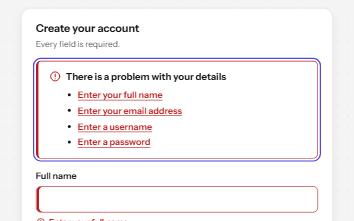
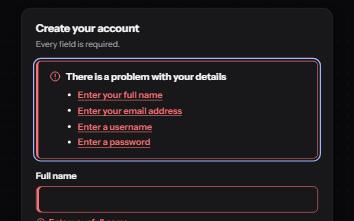
इनलाइन जाँच
एक साइन-अप फ़ॉर्म जो हर फ़ील्ड को उसमें टाइप करने के बाद छोड़ते ही जाँचता है, शब्दों में टिक और त्रुटियों के साथ, और भेजने पर एक सारांश।
-
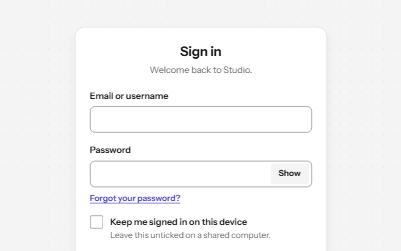
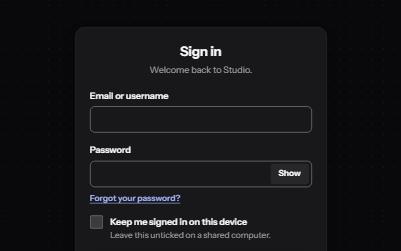
साइन इन करें
एक साइन-इन फ़ॉर्म जिसे पासवर्ड मैनेजर भर सकें, पासवर्ड दिखाने, पेस्ट करने की छूट, मददगार त्रुटि और बिना पासवर्ड वाले रास्तों के साथ।
-
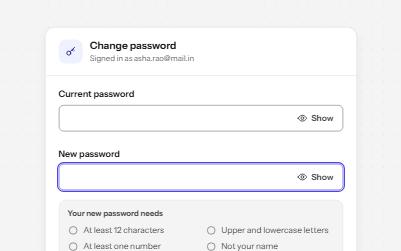
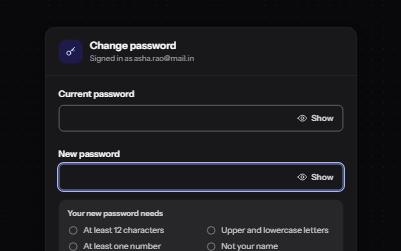
पासवर्ड फ़ील्ड
पासवर्ड इनपुट, जिसमें फ़ोकस को अपनी जगह रखने वाला दिखाएँ टॉगल, लाइव शर्तों की चेकलिस्ट और Caps Lock की चेतावनी है।
-
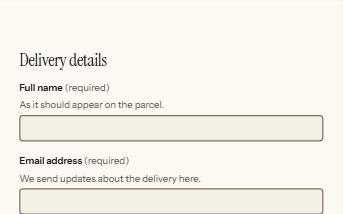
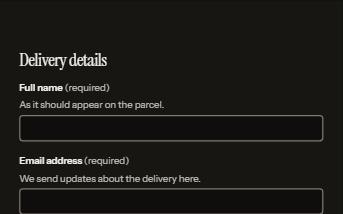
फ़ॉर्म त्रुटियाँ
एक त्रुटि सारांश जो फ़ोकस लेता है, हर फ़ील्ड से जुड़े संदेश, और फ़ॉर्म भेजने पर एक स्थिति संदेश।