सुलभता पैटर्न · फ़ॉर्म और फ़्लो
सेशन टाइमआउट चेतावनी
निष्क्रिय सेशन ख़त्म होने से पहले एक अलर्ट डायलॉग पूछता है कि क्या आप अभी भी हैं, फ़ोकस साइन इन रहें पर होता है और जवाब के लिए कम से कम 20 सेकंड मिलते हैं। बचा समय एक बार बोला जाता है, जब चेतावनी खुलती है, जबकि स्क्रीन पर उलटी गिनती चुपचाप चलती रहती है; अगर समय ख़त्म हो जाए, तो दोबारा साइन इन करने पर आपका टाइप किया सब कुछ वहीं मिलता है।
- डब्ल्यूसीएजी मानदंड
- 6
- कीबोर्ड नियम
- 5
- जाँच का तरीक़ा
- axe, कीबोर्ड और इंस्पेक्टर
लाइव डेमो
आज़माएँ
इसे माउस, कीबोर्ड या स्क्रीन रीडर से इस्तेमाल करें। साथ का इंस्पेक्टर दिखाता है कि आपके इस्तेमाल के दौरान ब्राउज़र सहायक तकनीक को क्या बताता है: फ़ोकस, स्थिति में बदलाव और घोषणाएँ।
डेमो घड़ी
- साइन आउट तक का समय
- बंद
- कितनी बार बढ़ाया
- 0
सहायता से संपर्क करें
Asha Rao के रूप में साइन इन
जावास्क्रिप्ट के बिना डेमो उतना ही काम करता है जितना उसका एचटीएमएल; इंस्पेक्टर के लिए जावास्क्रिप्ट चाहिए।
कीबोर्ड
जिन कुंजियों पर यह काम करता है
हर क्रिया पॉइंटर के बिना काम करती है।
| कुंजी | यह क्या करती है |
|---|---|
| EnterयाSpace | घड़ी शुरू करें पर, निष्क्रियता की घड़ी शुरू करता है; सीधे चेतावनी पर जाएँ पर, चेतावनी तुरंत खोलता है। |
| EnterयाSpace | चेतावनी में, साइन इन रहें (जिस पर खुलते ही फ़ोकस होता है) घड़ी फिर से शुरू करता है; साइन आउट सेशन ख़त्म करता है। |
| TabयाShiftTab | सिर्फ़ चेतावनी के दो बटनों के बीच चलता है; पीछे के पेज तक नहीं पहुँचा जा सकता। |
| Escape | चेतावनी बंद करता है और आपको साइन इन रखता है, साइन इन रहें की तरह। |
| EnterयाSpace | समय ख़त्म होने के बाद, दोबारा साइन इन करें (जिस पर फ़ोकस होता है) सेशन लौटाता है, फ़ॉर्म वैसा ही रहता है जैसा आपने छोड़ा था। |
स्क्रीन रीडर
यह क्या घोषित करता है
मार्कअप की भूमिकाओं, नामों और स्थितियों से लिखा गया।
| कब | अपेक्षित घोषणा |
|---|---|
| चेतावनी खुलती है | क्या आप अभी भी यहाँ हैं?, अलर्ट डायलॉग। कुछ समय से कोई गतिविधि नहीं हुई, इसलिए आपके खाते की सुरक्षा के लिए आपको साइन आउट कर दिया जाएगा। बचा समय: 20 सेकंड। साइन इन रहें, बटन |
| उलटी गिनती चलती रहती है | कुछ नहीं: संख्या स्क्रीन पर बदलती है, घोषित नहीं होती |
| साइन इन रहें दबाया जाता है | आप अभी भी साइन इन हैं। |
| समय ख़त्म हो जाता है | कुछ समय तक कोई गतिविधि न होने से आपको साइन आउट कर दिया गया। आपका अनुरोध सुरक्षित है: जारी रखने के लिए दोबारा साइन इन करें। दोबारा साइन इन करें, बटन |
| दोबारा साइन इन करें दबाया जाता है | दोबारा साइन इन हो गया। आपका अनुरोध वैसा ही है जैसा आपने छोड़ा था। |
ये अपेक्षित घोषणाएँ हैं, रिकॉर्डिंग नहीं। स्क्रीन रीडर और ब्राउज़र के हिसाब से शब्द और क्रम बदलते हैं।
कोड
कोड कॉपी करें
वही फ़ाइलें जिन पर यह डेमो चलता है। स्टाइल एक प्रीफ़िक्स के साथ परोसी जाती हैं जो इस साइट की अपनी स्टाइल को डेमो से दूर रखता है; आप जो कॉपी करते हैं वह मूल है।
<div class="ap-session-timeout" data-ap-session-timeout>
  <div class="ap-session-timeout__demo" role="group" aria-labelledby="st-demo-name">
    <p class="ap-session-timeout__kicker" id="st-demo-name">Demo clock</p>
    <div class="ap-session-timeout__controls">
      <div class="ap-field ap-session-timeout__length">
        <label class="ap-label" for="st-length">Session length</label>
        <select class="ap-input" id="st-length" data-ap-length>
          <option value="30" selected>30 seconds</option>
          <option value="60">1 minute</option>
          <option value="120">2 minutes</option>
        </select>
      </div>
      <button type="button" class="ap-btn" data-ap-start>
        <svg class="ap-btn__icon" viewBox="0 0 24 24" aria-hidden="true" focusable="false"><path d="M7 5.5v13l11-6.5Z"/></svg>
        Start the clock
      </button>
      <button type="button" class="ap-btn ap-btn--ghost" data-ap-skip>Skip to the warning</button>
    </div>
    <dl class="ap-session-timeout__readout">
      <div><dt>Time until sign-out</dt><dd data-ap-clock>Stopped</dd></div>
      <div><dt>Times extended</dt><dd data-ap-extended>0</dd></div>
    </dl>
  </div>

  <section class="ap-session-timeout__app" aria-labelledby="st-app-name">
    <div class="ap-session-timeout__head">
      <span class="ap-session-timeout__avatar" aria-hidden="true">AR</span>
      <div>
        <h3 class="ap-session-timeout__name" id="st-app-name">Contact support</h3>
        <p class="ap-session-timeout__sub">Signed in as Asha Rao</p>
      </div>
    </div>

    <div class="ap-session-timeout__news">
      <svg class="ap-session-timeout__lock" viewBox="0 0 24 24" aria-hidden="true" focusable="false"><rect x="5" y="10.5" width="14" height="10" rx="2"/><path d="M8.5 10.5V8a3.5 3.5 0 0 1 7 0v2.5"/></svg>
      <p class="ap-session-timeout__status" role="status"></p>
      <div class="ap-session-timeout__out" data-ap-out hidden>
        <button type="button" class="ap-btn ap-btn--primary" data-ap-sign-in>Sign in again</button>
      </div>
    </div>

    <form class="ap-session-timeout__form" data-ap-work>
      <p class="ap-session-timeout__note">For your security, you are signed out after a while with no activity. You are warned first, and what you type here is kept.</p>
      <div class="ap-session-timeout__pair">
        <div class="ap-field">
          <label class="ap-label" for="st-order">Order number</label>
          <input class="ap-input" id="st-order" name="order" type="text" inputmode="numeric" autocomplete="off" value="40917" />
        </div>
        <div class="ap-field">
          <label class="ap-label" for="st-topic">Topic</label>
          <select class="ap-input" id="st-topic" name="topic">
            <option>Delivery</option>
            <option selected>Damaged item</option>
            <option>Refund</option>
            <option>Something else</option>
          </select>
        </div>
      </div>
      <div class="ap-field">
        <label class="ap-label" for="st-message">What happened?</label>
        <p class="ap-hint" id="st-message-hint">A few lines are enough. We reply within one working day.</p>
        <textarea class="ap-input" id="st-message" name="message" rows="3" aria-describedby="st-message-hint"></textarea>
      </div>
      <div class="ap-session-timeout__foot">
        <button type="submit" class="ap-btn ap-btn--primary">Send request</button>
      </div>
    </form>
  </section>

  <dialog class="ap-session-timeout__dialog" role="alertdialog" aria-labelledby="st-warn-name" aria-describedby="st-warn-desc st-warn-time">
    <div class="ap-session-timeout__warn">
      <svg class="ap-session-timeout__ring" viewBox="0 0 48 48" aria-hidden="true" focusable="false">
        <circle class="ap-session-timeout__track" cx="24" cy="24" r="20"/>
        <circle class="ap-session-timeout__drain" cx="24" cy="24" r="20" pathLength="100" data-ap-ring/>
        <path class="ap-session-timeout__hands" d="M24 14v10l6 4"/>
      </svg>
      <h2 class="ap-session-timeout__ask" id="st-warn-name">Are you still there?</h2>
      <p class="ap-session-timeout__desc" id="st-warn-desc">Nothing has happened for a while, so you will be signed out to keep your account safe.</p>
      <p class="ap-session-timeout__time" id="st-warn-time"><span>Time left:</span> <span class="ap-session-timeout__count"><span data-ap-left>20</span> <span data-ap-unit>seconds</span></span></p>
      <div class="ap-session-timeout__actions">
        <button type="button" class="ap-btn" data-ap-sign-out>Sign out</button>
        <button type="button" class="ap-btn ap-btn--primary" data-ap-stay autofocus>Stay signed in</button>
      </div>
    </div>
  </dialog>
</div>
/* Shared primitives: buttons and form fields used across the patterns.
   Uses the --ap-* design tokens. */

.ap-btn {
  display: inline-flex;
  align-items: center;
  justify-content: center;
  gap: 8px;
  min-height: 40px;
  padding: 0 16px;
  border: 1px solid var(--ap-border-strong);
  border-radius: var(--ap-radius-sm);
  background: var(--ap-surface);
  color: var(--ap-text);
  font: inherit;
  font-weight: 600;
  line-height: 1.2;
  text-decoration: none;
  white-space: nowrap;
  cursor: pointer;
  transition: background-color var(--ap-duration) var(--ap-ease), border-color var(--ap-duration) var(--ap-ease), box-shadow var(--ap-duration) var(--ap-ease);
}
.ap-btn:hover {
  background: var(--ap-surface-2);
}
.ap-btn:focus-visible {
  outline: 2px solid var(--ap-focus);
  outline-offset: 2px;
}
.ap-btn:disabled,
.ap-btn[aria-disabled="true"] {
  opacity: .55;
  cursor: not-allowed;
}
.ap-btn--primary {
  border-color: var(--ap-accent);
  background: var(--ap-accent);
  color: var(--ap-on-accent);
  box-shadow: var(--ap-shadow-sm);
}
.ap-btn--primary:hover {
  border-color: var(--ap-accent-hover);
  background: var(--ap-accent-hover);
}
.ap-btn--danger {
  border-color: var(--ap-danger);
  background: var(--ap-danger);
  color: var(--ap-surface);
}
.ap-btn--danger:hover {
  filter: brightness(1.08);
}
.ap-btn--ghost {
  border-color: transparent;
  background: transparent;
}
.ap-btn--ghost:hover {
  background: var(--ap-surface-2);
}
.ap-btn__icon {
  width: 18px;
  height: 18px;
  flex-shrink: 0;
  fill: none;
  stroke: currentColor;
  stroke-width: 2;
  stroke-linecap: round;
  stroke-linejoin: round;
}

.ap-field {
  display: grid;
  gap: 6px;
}
.ap-label {
  color: var(--ap-text);
  font-weight: 600;
  font-size: .9375rem;
}
.ap-hint {
  margin: 0;
  color: var(--ap-text-3);
  font-size: .875rem;
  line-height: 1.45;
}
.ap-error {
  display: flex;
  align-items: flex-start;
  gap: 6px;
  margin: 0;
  color: var(--ap-danger);
  font-size: .875rem;
  font-weight: 600;
  line-height: 1.45;
}
.ap-input {
  width: 100%;
  min-height: 44px;
  padding: 10px 12px;
  border: 1px solid var(--ap-border-strong);
  border-radius: var(--ap-radius-sm);
  background: var(--ap-surface);
  color: var(--ap-text);
  font: inherit;
  line-height: 1.4;
  transition: border-color var(--ap-duration) var(--ap-ease), box-shadow var(--ap-duration) var(--ap-ease);
}
.ap-input::placeholder {
  color: var(--ap-text-3);
}
.ap-input:hover {
  border-color: var(--ap-text-2);
}
.ap-input:focus-visible {
  outline: 2px solid var(--ap-focus);
  outline-offset: 1px;
  border-color: var(--ap-focus);
}
.ap-input[aria-invalid="true"] {
  border-color: var(--ap-danger);
  box-shadow: inset 4px 0 0 var(--ap-danger);
}
textarea.ap-input {
  resize: vertical;
  min-height: 88px;
}

@media (prefers-reduced-motion: reduce) {
  .ap-btn,
  .ap-input { transition: none; }
}

/* Session timeout warning. Uses the --ap-* design tokens and the shared primitives. */
.ap-session-timeout {
  display: grid;
  gap: 16px;
  width: min(100%, 560px);
  margin-inline: auto;
  color: var(--ap-text);
  container-type: inline-size;
}
.ap-session-timeout [hidden] {
  display: none;
}

/* Demo clock: scaffolding for trying the pattern, drawn apart from it. */
.ap-session-timeout__demo {
  display: grid;
  gap: 12px;
  padding: 14px 16px 16px;
  border: 1px dashed var(--ap-border-strong);
  border-radius: var(--ap-radius);
  background: var(--ap-surface-2);
}
.ap-session-timeout__kicker {
  margin: 0;
  color: var(--ap-text-3);
  font-size: .75rem;
  font-weight: 650;
  letter-spacing: .06em;
  text-transform: uppercase;
}
.ap-session-timeout__controls {
  display: flex;
  flex-wrap: wrap;
  align-items: flex-end;
  gap: 10px;
}
.ap-session-timeout__length {
  flex: 1 1 150px;
}
.ap-session-timeout__controls .ap-btn {
  min-height: 44px;
}
.ap-session-timeout__readout {
  display: flex;
  flex-wrap: wrap;
  gap: 8px 24px;
  margin: 0;
  font-size: .875rem;
}
.ap-session-timeout__readout div {
  display: flex;
  align-items: baseline;
  gap: 8px;
}
.ap-session-timeout__readout dt {
  color: var(--ap-text-3);
}
.ap-session-timeout__readout dd {
  margin: 0;
  color: var(--ap-text);
  font-weight: 650;
  font-variant-numeric: tabular-nums;
}

/* The signed-in work. */
.ap-session-timeout__app {
  border: 1px solid var(--ap-border);
  border-radius: var(--ap-radius-lg);
  background: var(--ap-surface);
  box-shadow: var(--ap-shadow-md);
}
.ap-session-timeout__head {
  display: flex;
  align-items: center;
  gap: 12px;
  padding: 18px 24px;
  border-bottom: 1px solid var(--ap-border);
}
.ap-session-timeout__avatar {
  display: grid;
  flex-shrink: 0;
  place-items: center;
  width: 40px;
  height: 40px;
  border-radius: var(--ap-radius-full);
  background: var(--ap-accent-soft);
  color: var(--ap-accent-soft-text);
  font-size: .8125rem;
  font-weight: 700;
  letter-spacing: .02em;
}
.ap-session-timeout__name {
  margin: 0;
  font-size: 1.125rem;
  font-weight: 650;
  line-height: 1.3;
}
.ap-session-timeout__sub {
  margin: 2px 0 0;
  color: var(--ap-text-3);
  font-size: .875rem;
}

/* The outcome, and the way back in after expiry: one warning box while signed out. */
.ap-session-timeout__news {
  display: grid;
  grid-template-columns: minmax(0, 1fr);
  gap: 12px;
  margin: 0 24px;
}
.ap-session-timeout__news:has(.ap-session-timeout__status:not(:empty)) {
  margin-top: 16px;
}
.ap-session-timeout__status {
  margin: 0;
  color: var(--ap-text);
  font-weight: 600;
  line-height: 1.45;
}
.ap-session-timeout__lock {
  display: none;
  width: 22px;
  height: 22px;
  fill: none;
  stroke: var(--ap-warning);
  stroke-width: 2;
  stroke-linecap: round;
  stroke-linejoin: round;
}
.ap-session-timeout__news:has(.ap-session-timeout__out:not([hidden])) {
  grid-template-columns: auto minmax(0, 1fr);
  align-items: start;
  padding: 14px 16px;
  border: 1px solid var(--ap-border);
  border-left: 4px solid var(--ap-warning);
  border-radius: var(--ap-radius-sm);
  background: var(--ap-warning-soft);
}
.ap-session-timeout__news:has(.ap-session-timeout__out:not([hidden])) .ap-session-timeout__lock {
  display: block;
}
.ap-session-timeout__out {
  grid-column: 2;
}
.ap-session-timeout__out .ap-btn {
  min-height: var(--ap-target);
}

.ap-session-timeout__form {
  display: grid;
  gap: 18px;
  padding: 18px 24px 22px;
}
.ap-session-timeout__form[inert] .ap-input {
  border-style: dashed;
  background: var(--ap-surface-2);
}
.ap-session-timeout__note {
  margin: 0;
  padding: 10px 12px;
  border-radius: var(--ap-radius-sm);
  background: var(--ap-info-soft);
  color: var(--ap-info);
  font-size: .875rem;
  line-height: 1.45;
}
.ap-session-timeout__pair {
  display: grid;
  grid-template-columns: repeat(2, minmax(0, 1fr));
  gap: 16px;
}
.ap-session-timeout .ap-hint {
  margin-top: -2px;
}
.ap-session-timeout__foot {
  display: flex;
  justify-content: flex-end;
}
.ap-session-timeout__foot .ap-btn {
  min-height: var(--ap-target);
}

/* The warning. */
.ap-session-timeout__dialog {
  width: min(92vw, 420px);
  padding: 0;
  border: 1px solid var(--ap-border);
  border-radius: var(--ap-radius-lg);
  background: var(--ap-surface);
  color: var(--ap-text);
  box-shadow: var(--ap-shadow-lg);
  opacity: 1;
  transform: none;
  transition: opacity 200ms var(--ap-ease), transform 200ms var(--ap-ease), overlay 200ms allow-discrete, display 200ms allow-discrete;
}
.ap-session-timeout__dialog:not([open]) {
  opacity: 0;
  transform: translateY(8px) scale(.98);
}
@starting-style {
  .ap-session-timeout__dialog[open] {
    opacity: 0;
    transform: translateY(8px) scale(.98);
  }
}
.ap-session-timeout__dialog::backdrop {
  background: var(--ap-scrim);
  backdrop-filter: blur(2px);
}
.ap-session-timeout__warn {
  display: grid;
  justify-items: center;
  gap: 10px;
  padding: 28px 24px 24px;
  text-align: center;
}
.ap-session-timeout__ring {
  width: 64px;
  height: 64px;
  margin-bottom: 4px;
  fill: none;
  stroke-linecap: round;
  stroke-linejoin: round;
}
.ap-session-timeout__track {
  stroke: var(--ap-surface-3);
  stroke-width: 4;
}
/* Drains as time runs out: the script sets --ap-session-timeout-left from 1 to 0. */
.ap-session-timeout__drain {
  stroke: var(--ap-warning);
  stroke-width: 4;
  stroke-dasharray: 100;
  stroke-dashoffset: calc(100 - 100 * var(--ap-session-timeout-left, 1));
  transform: rotate(-90deg);
  transform-origin: center;
  transition: stroke-dashoffset 250ms linear;
}
.ap-session-timeout__hands {
  stroke: var(--ap-text-2);
  stroke-width: 2.5;
}
.ap-session-timeout__ask {
  margin: 0;
  font-size: 1.25rem;
  font-weight: 650;
  line-height: 1.3;
}
.ap-session-timeout__desc {
  margin: 0;
  color: var(--ap-text-2);
  line-height: 1.5;
}
.ap-session-timeout__time {
  display: flex;
  align-items: baseline;
  justify-content: center;
  gap: 8px;
  margin: 6px 0 4px;
  padding: 8px 16px;
  border-radius: var(--ap-radius-full);
  background: var(--ap-warning-soft);
  color: var(--ap-warning);
  font-weight: 600;
}
.ap-session-timeout__count {
  color: var(--ap-text);
  font-weight: 700;
}
.ap-session-timeout__count [data-ap-left] {
  font-size: 1.375rem;
  font-variant-numeric: tabular-nums;
}
.ap-session-timeout__actions {
  display: flex;
  flex-wrap: wrap;
  justify-content: center;
  gap: 10px;
  width: 100%;
  margin-top: 8px;
}
.ap-session-timeout__actions .ap-btn {
  flex: 1 1 140px;
  min-height: var(--ap-target);
}

@container (max-width: 440px) {
  .ap-session-timeout__head { padding: 16px 18px; }
  .ap-session-timeout__news { margin-inline: 18px; }
  .ap-session-timeout__form { padding: 16px 18px 20px; }
  .ap-session-timeout__pair { grid-template-columns: minmax(0, 1fr); }
  .ap-session-timeout__controls .ap-btn { flex: 1 1 auto; }
  .ap-session-timeout__foot .ap-btn { flex: 1 1 100%; }
}

@media (forced-colors: active) {
  .ap-session-timeout__drain { stroke: CanvasText; }
}

@media (prefers-reduced-motion: reduce) {
  .ap-session-timeout__dialog,
  .ap-session-timeout__drain { transition: none; }
}
/**
 * Session timeout warning: an alert dialog before an idle session ends, with
 * a countdown that is shown but announced only once, and work kept on expiry.
 *
 * Markup: [data-ap-session-timeout] holding
 *   - the work: form[data-ap-work], a role=status paragraph, and a hidden
 *     [data-ap-out] box with the Sign in again button[data-ap-sign-in];
 *   - dialog[role=alertdialog] described by the time left, with
 *     span[data-ap-left] and span[data-ap-unit] for the countdown, and
 *     buttons [data-ap-stay][autofocus] and [data-ap-sign-out];
 *   - demo controls: select[data-ap-length] (seconds), [data-ap-start],
 *     [data-ap-skip], and readouts [data-ap-clock] and [data-ap-extended].
 * The warning opens WARN_AT before the end. Activity in the form restarts
 * the clock while the warning is closed.
 */

const WARN_AT = 20000; // WCAG 2.2.1 asks for at least 20 seconds to respond.

export function init(root) {
  const length = root.querySelector("[data-ap-length]");
  const startButton = root.querySelector("[data-ap-start]");
  const skipButton = root.querySelector("[data-ap-skip]");
  const work = root.querySelector("[data-ap-work]");
  const out = root.querySelector("[data-ap-out]");
  const signIn = root.querySelector("[data-ap-sign-in]");
  const dialog = root.querySelector("dialog");
  const stay = dialog.querySelector("[data-ap-stay]");
  const signOut = dialog.querySelector("[data-ap-sign-out]");
  const ring = dialog.querySelector("[data-ap-ring]");
  // Look the text parts up each time: a translated page may rebuild them.
  const status = () => root.querySelector("[role=status]");
  const html = document.documentElement;

  let deadline = 0; // when the session ends; 0 while the clock is stopped
  let ticker = 0;
  let extended = 0;
  let shownLeft = -1;
  let before = null; // what had focus when the warning opened
  let kept = true;
  let scrollWas = "";

  const sessionMs = () => Number(length.value) * 1000;

  function say(text) {
    // Emptied first, so the same message twice is read twice.
    status().textContent = "";
    setTimeout(() => { status().textContent = text; }, 60);
  }

  function setText(selector, text) {
    const el = root.querySelector(selector);
    if (el.textContent !== text) el.textContent = text;
  }

  function paintClock(left) {
    if (!deadline) return;
    const s = Math.max(0, Math.ceil(left / 1000));
    setText("[data-ap-clock]", `${Math.floor(s / 60)}:${String(s % 60).padStart(2, "0")}`);
  }

  function paintCountdown(left) {
    const s = Math.max(0, Math.ceil(left / 1000));
    ring.style.setProperty("--ap-session-timeout-left", String(Math.max(0, Math.min(1, left / WARN_AT))));
    if (s === shownLeft) return;
    shownLeft = s;
    // The countdown is not a live region: it changes on screen only.
    setText("[data-ap-left]", String(s));
    setText("[data-ap-unit]", s === 1 ? "second" : "seconds");
  }

  function tick() {
    if (!deadline) return;
    const left = deadline - Date.now();
    paintClock(left);
    if (left <= 0) {
      expire();
      return;
    }
    if (left <= WARN_AT && !dialog.open) warn(left);
    if (dialog.open) paintCountdown(left);
  }

  function run(ms) {
    deadline = Date.now() + ms;
    clearInterval(ticker);
    ticker = setInterval(tick, 250);
    tick();
  }

  function warn(left) {
    shownLeft = -1;
    paintCountdown(left);
    before = document.activeElement;
    scrollWas = html.style.overflow;
    html.style.overflow = "hidden";
    dialog.returnValue = "";
    // autofocus puts focus on Stay signed in, the answer that loses nothing.
    dialog.showModal();
  }

  function onClose() {
    html.style.overflow = scrollWas;
    const why = dialog.returnValue;
    dialog.returnValue = "";
    if (why === "expired") return;
    if (why === "sign-out") {
      endSession(false);
      return;
    }
    // Stay signed in, or Escape: both count as activity.
    extended += 1;
    setText("[data-ap-extended]", String(extended));
    run(sessionMs());
    if (before && before.isConnected && before !== document.body) before.focus();
    say("You are still signed in.");
  }

  function endSession(keep) {
    clearInterval(ticker);
    deadline = 0;
    kept = keep;
    setText("[data-ap-clock]", "Signed out");
    if (!keep) work.reset();
    // Kept as it was, but out of reach until the person signs in again.
    work.inert = true;
    out.hidden = false;
    signIn.focus();
    say(keep
      ? "You were signed out because nothing happened for a while. Your request is kept: sign in again to carry on."
      : "You have signed out. Your request was cleared from this device.");
  }

  function expire() {
    if (dialog.open) dialog.close("expired");
    endSession(true);
  }

  function onSignIn() {
    work.inert = false;
    out.hidden = true;
    const field = before && work.contains(before) ? before : work.elements[0];
    field.focus();
    say(kept ? "Signed in again. Your request is as you left it." : "Signed in again.");
    run(sessionMs());
  }

  function onStart() {
    if (!out.hidden) onSignIn();
    run(sessionMs());
    say("Clock started.");
  }

  function onSkip() {
    if (!out.hidden) {
      work.inert = false;
      out.hidden = true;
    }
    run(WARN_AT);
  }

  // Activity restarts the clock, but only while it runs and no warning is up.
  function onActivity() {
    if (deadline && !dialog.open) deadline = Date.now() + sessionMs();
  }

  function onLength() {
    if (deadline) run(sessionMs());
  }

  function onSubmit(event) {
    // This demo sends nothing.
    event.preventDefault();
    say("Request sent. We reply within one working day.");
  }

  const onStay = () => dialog.close("stay");
  const onSignOut = () => dialog.close("sign-out");

  startButton.addEventListener("click", onStart);
  skipButton.addEventListener("click", onSkip);
  length.addEventListener("change", onLength);
  signIn.addEventListener("click", onSignIn);
  stay.addEventListener("click", onStay);
  signOut.addEventListener("click", onSignOut);
  dialog.addEventListener("close", onClose);
  work.addEventListener("submit", onSubmit);
  for (const type of ["keydown", "pointerdown", "input"]) work.addEventListener(type, onActivity);

  return () => {
    clearInterval(ticker);
    dialog.removeEventListener("close", onClose);
    if (dialog.open) dialog.close();
    html.style.overflow = scrollWas;
    startButton.removeEventListener("click", onStart);
    skipButton.removeEventListener("click", onSkip);
    length.removeEventListener("change", onLength);
    signIn.removeEventListener("click", onSignIn);
    stay.removeEventListener("click", onStay);
    signOut.removeEventListener("click", onSignOut);
    work.removeEventListener("submit", onSubmit);
    for (const type of ["keydown", "pointerdown", "input"]) work.removeEventListener(type, onActivity);
  };
}

for (const root of document.querySelectorAll("[data-ap-session-timeout]")) init(root);
/* Design tokens for the pattern components. Light by default, dark when the
   system asks for it; set data-theme="dark" on :root to force dark. */
:root {
    --ap-radius-sm: 8px;
    --ap-radius: 12px;
    --ap-radius-lg: 16px;
    --ap-radius-full: 999px;
    --ap-font: "Instrument Sans", ui-sans-serif, system-ui, -apple-system, "Segoe UI", Roboto, sans-serif;
    --ap-mono: "JetBrains Mono", ui-monospace, "Cascadia Mono", "SF Mono", Consolas, monospace;
    --ap-ease: cubic-bezier(.2, .8, .2, 1);
    --ap-duration: 180ms;
    --ap-target: 44px;
    --ap-bg: #F4F4F5;
    --ap-surface: #FFFFFF;
    --ap-surface-2: #F4F4F5;
    --ap-surface-3: #E4E4E7;
    --ap-border: #E4E4E7;
    --ap-border-strong: #76767F;
    --ap-text: #18181B;
    --ap-text-2: #3F3F46;
    --ap-text-3: #5E5E66;
    --ap-accent: #4F46E5;
    --ap-accent-hover: #4338CA;
    --ap-on-accent: #FFFFFF;
    --ap-accent-text: #4338CA;
    --ap-accent-soft: #EEF2FF;
    --ap-accent-soft-text: #3730A3;
    --ap-focus: #4F46E5;
    --ap-danger: #B91C1C;
    --ap-danger-soft: #FEF2F2;
    --ap-success: #15803D;
    --ap-success-soft: #F0FDF4;
    --ap-warning: #A15C07;
    --ap-warning-soft: #FEFCE8;
    --ap-info: #1D4ED8;
    --ap-info-soft: #EFF6FF;
    --ap-scrim: rgb(9 9 11 / .48);
    --ap-shadow-sm: 0 1px 2px rgb(9 9 11 / .06);
    --ap-shadow-md: 0 1px 2px rgb(9 9 11 / .05), 0 6px 16px -4px rgb(9 9 11 / .1);
    --ap-shadow-lg: 0 2px 6px rgb(9 9 11 / .06), 0 20px 40px -12px rgb(9 9 11 / .22);
    --ap-light-bg: #F4F4F5;
    --ap-light-surface: #FFFFFF;
    --ap-light-surface-2: #F4F4F5;
    --ap-light-surface-3: #E4E4E7;
    --ap-light-border: #E4E4E7;
    --ap-light-border-strong: #76767F;
    --ap-light-text: #18181B;
    --ap-light-text-2: #3F3F46;
    --ap-light-text-3: #5E5E66;
    --ap-light-accent: #4F46E5;
    --ap-light-accent-hover: #4338CA;
    --ap-light-on-accent: #FFFFFF;
    --ap-light-accent-text: #4338CA;
    --ap-light-accent-soft: #EEF2FF;
    --ap-light-accent-soft-text: #3730A3;
    --ap-light-focus: #4F46E5;
    --ap-light-danger: #B91C1C;
    --ap-light-danger-soft: #FEF2F2;
    --ap-light-success: #15803D;
    --ap-light-success-soft: #F0FDF4;
    --ap-light-warning: #A15C07;
    --ap-light-warning-soft: #FEFCE8;
    --ap-light-info: #1D4ED8;
    --ap-light-info-soft: #EFF6FF;
    --ap-light-scrim: rgb(9 9 11 / .48);
    --ap-light-shadow-sm: 0 1px 2px rgb(9 9 11 / .06);
    --ap-light-shadow-md: 0 1px 2px rgb(9 9 11 / .05), 0 6px 16px -4px rgb(9 9 11 / .1);
    --ap-light-shadow-lg: 0 2px 6px rgb(9 9 11 / .06), 0 20px 40px -12px rgb(9 9 11 / .22);
    --ap-dark-bg: #09090B;
    --ap-dark-surface: #18181B;
    --ap-dark-surface-2: #27272A;
    --ap-dark-surface-3: #3F3F46;
    --ap-dark-border: #2E2E33;
    --ap-dark-border-strong: #8E8E97;
    --ap-dark-text: #FAFAFA;
    --ap-dark-text-2: #D4D4D8;
    --ap-dark-text-3: #A1A1AA;
    --ap-dark-accent: #818CF8;
    --ap-dark-accent-hover: #A5B4FC;
    --ap-dark-on-accent: #0C0A1F;
    --ap-dark-accent-text: #A5B4FC;
    --ap-dark-accent-soft: #1E1B4B;
    --ap-dark-accent-soft-text: #C7D2FE;
    --ap-dark-focus: #A5B4FC;
    --ap-dark-danger: #F87171;
    --ap-dark-danger-soft: #2A1215;
    --ap-dark-success: #4ADE80;
    --ap-dark-success-soft: #0F2A1A;
    --ap-dark-warning: #FACC15;
    --ap-dark-warning-soft: #2A2410;
    --ap-dark-info: #60A5FA;
    --ap-dark-info-soft: #0F1D33;
    --ap-dark-scrim: rgb(0 0 0 / .62);
    --ap-dark-shadow-sm: 0 1px 2px rgb(0 0 0 / .4);
    --ap-dark-shadow-md: 0 1px 2px rgb(0 0 0 / .4), 0 8px 20px -6px rgb(0 0 0 / .5);
    --ap-dark-shadow-lg: 0 2px 8px rgb(0 0 0 / .45), 0 24px 48px -12px rgb(0 0 0 / .7);
}
@media (prefers-color-scheme: dark) {
  :root:not([data-theme="light"]) {
      --ap-bg: #09090B;
      --ap-surface: #18181B;
      --ap-surface-2: #27272A;
      --ap-surface-3: #3F3F46;
      --ap-border: #2E2E33;
      --ap-border-strong: #8E8E97;
      --ap-text: #FAFAFA;
      --ap-text-2: #D4D4D8;
      --ap-text-3: #A1A1AA;
      --ap-accent: #818CF8;
      --ap-accent-hover: #A5B4FC;
      --ap-on-accent: #0C0A1F;
      --ap-accent-text: #A5B4FC;
      --ap-accent-soft: #1E1B4B;
      --ap-accent-soft-text: #C7D2FE;
      --ap-focus: #A5B4FC;
      --ap-danger: #F87171;
      --ap-danger-soft: #2A1215;
      --ap-success: #4ADE80;
      --ap-success-soft: #0F2A1A;
      --ap-warning: #FACC15;
      --ap-warning-soft: #2A2410;
      --ap-info: #60A5FA;
      --ap-info-soft: #0F1D33;
      --ap-scrim: rgb(0 0 0 / .62);
      --ap-shadow-sm: 0 1px 2px rgb(0 0 0 / .4);
      --ap-shadow-md: 0 1px 2px rgb(0 0 0 / .4), 0 8px 20px -6px rgb(0 0 0 / .5);
      --ap-shadow-lg: 0 2px 8px rgb(0 0 0 / .45), 0 24px 48px -12px rgb(0 0 0 / .7);
  }
}
:root[data-theme="dark"] {
    --ap-bg: #09090B;
    --ap-surface: #18181B;
    --ap-surface-2: #27272A;
    --ap-surface-3: #3F3F46;
    --ap-border: #2E2E33;
    --ap-border-strong: #8E8E97;
    --ap-text: #FAFAFA;
    --ap-text-2: #D4D4D8;
    --ap-text-3: #A1A1AA;
    --ap-accent: #818CF8;
    --ap-accent-hover: #A5B4FC;
    --ap-on-accent: #0C0A1F;
    --ap-accent-text: #A5B4FC;
    --ap-accent-soft: #1E1B4B;
    --ap-accent-soft-text: #C7D2FE;
    --ap-focus: #A5B4FC;
    --ap-danger: #F87171;
    --ap-danger-soft: #2A1215;
    --ap-success: #4ADE80;
    --ap-success-soft: #0F2A1A;
    --ap-warning: #FACC15;
    --ap-warning-soft: #2A2410;
    --ap-info: #60A5FA;
    --ap-info-soft: #0F1D33;
    --ap-scrim: rgb(0 0 0 / .62);
    --ap-shadow-sm: 0 1px 2px rgb(0 0 0 / .4);
    --ap-shadow-md: 0 1px 2px rgb(0 0 0 / .4), 0 8px 20px -6px rgb(0 0 0 / .5);
    --ap-shadow-lg: 0 2px 8px rgb(0 0 0 / .45), 0 24px 48px -12px rgb(0 0 0 / .7);
}
डब्ल्यूसीएजी 2.2
यह किन मानदंडों को पूरा करता है
वे सफलता मानदंड जिनका यह पैटर्न ध्यान रखता है, और कैसे।
-
2.2.1 समय समायोज्य
स्तर A
चेतावनी सेशन ख़त्म होने से कम से कम 20 सेकंड पहले आती है, और एक कुंजी दबाने से समय बढ़ जाता है; इसे कितनी भी बार बढ़ाया जा सकता है, डब्ल्यूसीएजी की माँगी दस बार से ज़्यादा।
-
2.2.5 दोबारा प्रमाणीकरण
स्तर AAA
जब सेशन सचमुच ख़त्म होता है, फ़ॉर्म जैसा था वैसा ही रखा जाता है, इसलिए दोबारा साइन इन के बाद काम बिना कुछ खोए जारी रहता है।
-
2.2.6 टाइमआउट
स्तर AAA
फ़ॉर्म पहले ही बता देता है कि कुछ समय तक गतिविधि न होने पर आपको साइन आउट किया जाता है, और आपका टाइप किया सुरक्षित रहता है।
-
2.4.3 फ़ोकस क्रम
स्तर A
चेतावनी खुलने पर फ़ोकस साइन इन रहें पर जाता है, बंद होने पर वहीं लौटता है जहाँ था, और समय ख़त्म होने के बाद दोबारा साइन इन करें पर।
-
4.1.2 नाम, भूमिका, मान
स्तर A
चेतावनी role=alertdialog वाला नेटिव डायलॉग है, जिसका नाम उसका सवाल है और विवरण बचा समय।
-
4.1.3 स्टेटस मैसेज
स्तर AA
साइन इन रहना, समय ख़त्म होना और दोबारा साइन इन करना एक स्टेटस मैसेज में पुष्ट होते हैं, जो फ़ोकस हिलाए बिना घोषित होता है।
उपयोग
इसे कब इस्तेमाल करें
इसे अपनाएँ
- साइन इन वाले सेशन जो सुरक्षा के लिए कुछ समय की निष्क्रियता के बाद ख़त्म होते हैं, जैसे बैंकिंग, स्वास्थ्य या खाता सेटिंग।
- कोई भी समय सीमा जिसे आप हटा नहीं सकते, जहाँ पढ़ने, टाइप करने या रुकावटों से लोग धीमे पड़ सकते हैं।
कुछ और इस्तेमाल करें
- ऐसी समय सीमाएँ जिनकी आपको ज़रूरत नहीं: सबसे अच्छी चेतावनी कोई चेतावनी नहीं, या ऐसा सेशन जो कम से कम 20 घंटे चले।
- रियल-टाइम सीमाएँ, जैसे नीलामी का बंद होना, जहाँ समय बढ़ाने से गतिविधि ही बदल जाएगी।
- किसी ऐसे व्यक्ति को चेतावनी देना जो टाइप करने में लगा है: गतिविधि को बिना पूछे सेशन चालू रखना चाहिए।
आम विफलताएँ
आमतौर पर यह कहाँ गलत होता है
बिना चेतावनी के लोगों को साइन आउट करना
धीरे पढ़ने वाला, स्विच इस्तेमाल करने वाला या बीच में टोका गया व्यक्ति बिना कुछ कर पाए अपना काम खो देता है। कम से कम 20 सेकंड पहले चेतावनी दें और एक ही क्रिया से समय बढ़ने दें।
लाइव रीजन में उलटी गिनती
हर सेकंड समय घोषित करने से बाकी सब दब जाता है और बटन इस्तेमाल करना कठिन हो जाता है। यहाँ समय एक बार बोला जाता है, जब चेतावनी खुलती है।
समय ख़त्म होने पर काम फेंक देना
आधा भरा फ़ॉर्म मिटाना लोगों को धीमे होने की सज़ा देता है। उनका टाइप किया रखें और दोबारा साइन इन के बाद उन्हें वहीं लौटाएँ।
फ़ोकस वाला बटन साइन आउट हो
टाइप कर रहे किसी व्यक्ति का भूले से दबा Enter उसका सेशन ख़त्म कर देगा। फ़ोकस साइन इन रहें पर जाता है, वह क्रिया जिसमें कुछ नहीं खोता।
चेतावनी जो डायलॉग नहीं है
पेज के ऊपर दिखने वाला बैनर उस व्यक्ति से छूट जाता है जिसका स्क्रीन रीडर या मैग्निफ़ायर कहीं और है। अलर्ट डायलॉग फ़ोकस ले जाता है और घोषित होता है।
नोट्स
इसे बनाना
- डब्ल्यूसीएजी 2.2.1 इनमें से किसी एक से पूरा होता है: लोगों को सीमा बंद करने देना, उसे कम से कम दस गुना लंबा करने देना, या 20 सेकंड या ज़्यादा की चेतावनी के बाद कम से कम दस बार बढ़ाने देना। 20 घंटे या ज़्यादा की सीमाओं के लिए कुछ नहीं चाहिए।
- इस डेमो में फ़ॉर्म में कोई भी कुंजी, क्लिक या टाइपिंग गतिविधि मानी जाती है और घड़ी फिर से शुरू करती है, इसलिए चेतावनी तभी आती है जब आप उसे छोड़ दें। डेमो घड़ी और उसके कंट्रोल सिर्फ़ ढाँचा हैं, पैटर्न का हिस्सा नहीं।
- समय ख़त्म होने पर फ़ॉर्म निष्क्रिय (inert) कर दिया जाता है और जैसा था वैसा रखा जाता है। असली साइट साइन आउट से पहले ड्राफ़्ट सहेजती है (सर्वर पर या sessionStorage में), फिर साइन इन के बाद उसे लौटाती है।
- साइन आउट चुनना समय ख़त्म होने से अलग है: यह फ़ॉर्म मिटा देता है, क्योंकि साझा कंप्यूटर छोड़ने वाला व्यक्ति अपने शब्द पीछे नहीं छोड़ना चाहता।
- टिक गिनने के बजाय Date.now() से तय समय-सीमा इस्तेमाल करें: बैकग्राउंड टैब में टाइमर धीमे हो जाते हैं, और चेतावनी फिर भी समय पर आनी चाहिए।
स्रोत: SC 2.2.1 को समझना: समय समायोज्य · SC 2.2.5 को समझना: दोबारा प्रमाणीकरण · WAI-एआरआईए ऑथरिंग प्रैक्टिसेज़: अलर्ट और संदेश डायलॉग
लाइट और डार्क थीम में, डेस्कटॉप और फ़ोन की चौड़ाई पर axe से और कीबोर्ड से जाँचा गया। अभी हर स्क्रीन रीडर और ब्राउज़र जोड़ी के साथ नहीं परखा गया। सुधार बताएँ
संबंधित
इसके साथ जाने वाले पैटर्न
-
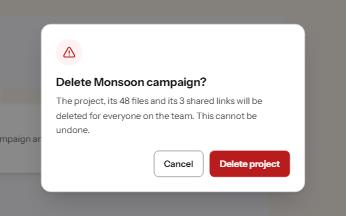
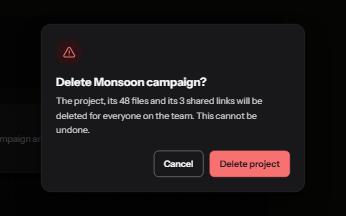
अलर्ट डायलॉग
एक मोडल जो किसी ऐसे काम की पुष्टि के लिए रुकता है जिसे पलटा नहीं जा सकता, फ़ोकस सुरक्षित जवाब पर और नुकसान सीधे शब्दों में।
-
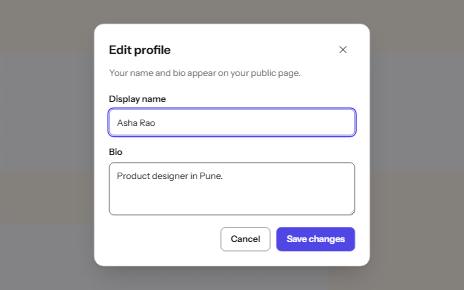
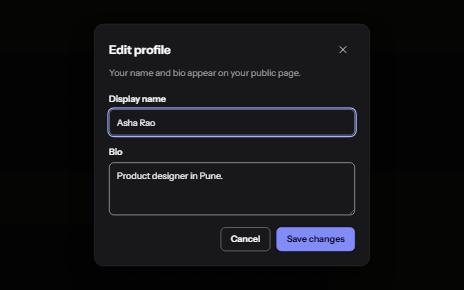
मोडल डायलॉग
पेज के ऊपर खुलने वाली एक विंडो, जो बंद होने तक फ़ोकस अपने पास रखती है, नेटिव dialog एलिमेंट पर बनी।
-
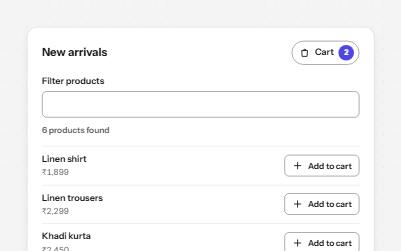
स्टेटस मैसेज
नतीजे, पुष्टियाँ और सेव role=status के ज़रिए स्क्रीन रीडर को बताए जाते हैं, फ़ोकस हिलाए बिना, हर बार एक ही बार।
-
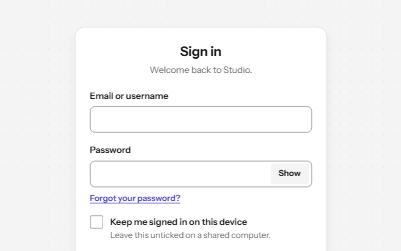
साइन इन करें
एक साइन-इन फ़ॉर्म जिसे पासवर्ड मैनेजर भर सकें, पासवर्ड दिखाने, पेस्ट करने की छूट, मददगार त्रुटि और बिना पासवर्ड वाले रास्तों के साथ।