सुलभता पैटर्न · फ़ॉर्म और फ़्लो
भुगतान फ़ॉर्म
कार्ड नंबर के लिए एक ही फ़ील्ड, जो टाइप करते समय कर्सर को उछाले बिना चार-चार अंकों में जगह छोड़ता है, और बगल में ब्रांड का नाम शब्दों में; समाप्ति तिथि और सुरक्षा कोड नंबर कीपैड खोलते हैं और ऑटोफ़िल लेते हैं। हर त्रुटि ठीक-ठीक बताती है कि क्या सुधारना है, और भुगतान बटन अपनी प्रगति शब्दों और स्टेटस मैसेज में दिखाता है, ताकि कोई उसे दो बार न दबाए।
- डब्ल्यूसीएजी मानदंड
- 7
- कीबोर्ड नियम
- 5
- जाँच का तरीक़ा
- axe, कीबोर्ड और इंस्पेक्टर
लाइव डेमो
आज़माएँ
इसे माउस, कीबोर्ड या स्क्रीन रीडर से इस्तेमाल करें। साथ का इंस्पेक्टर दिखाता है कि आपके इस्तेमाल के दौरान ब्राउज़र सहायक तकनीक को क्या बताता है: फ़ोकस, स्थिति में बदलाव और घोषणाएँ।
जावास्क्रिप्ट के बिना डेमो उतना ही काम करता है जितना उसका एचटीएमएल; इंस्पेक्टर के लिए जावास्क्रिप्ट चाहिए।
कीबोर्ड
जिन कुंजियों पर यह काम करता है
हर क्रिया पॉइंटर के बिना काम करती है।
| कुंजी | यह क्या करती है |
|---|---|
| TabयाShiftTab | कार्ड नंबर, समाप्ति तिथि, यह क्या है? बटन, सुरक्षा कोड, कार्ड पर नाम और भुगतान बटन से होकर ले जाता है। |
| Backspace | कार्ड नंबर या समाप्ति तिथि में, किसी स्पेस या स्लैश के ठीक बाद, विभाजक की बजाय उससे पहले का अंक मिटाता है। |
| EnterयाSpace | यह क्या है? पर, सुरक्षा कोड के बारे में नोट दिखाता है; दोबारा दबाने पर छिपा देता है। |
| Escape | नोट छिपाता है; फ़ोकस जहाँ है वहीं रहता है। |
| Enter | किसी फ़ील्ड में, भुगतान करता है: समस्याएँ फ़ोकस लेने वाले सारांश में आती हैं; वरना बटन अपनी प्रगति दिखाता है। |
स्क्रीन रीडर
यह क्या घोषित करता है
मार्कअप की भूमिकाओं, नामों और स्थितियों से लिखा गया।
| कब | अपेक्षित घोषणा |
|---|---|
| फ़ोकस कार्ड नंबर पर पहुँचता है | कार्ड नंबर, संपादन बॉक्स, ज़रूरी। सामने छपा लंबा नंबर। हम वीज़ा, मास्टरकार्ड, रुपे और अमेरिकन एक्सप्रेस लेते हैं। |
| वीज़ा कार्ड के पहले अंक टाइप होते हैं | वीज़ा |
| फ़ोकस सुरक्षा कोड के बगल वाले बटन पर पहुँचता है | यह क्या है, सुरक्षा कोड?, बटन, संक्षिप्त |
| Enter नोट दिखाता है | विस्तारित। सुरक्षा कोड आपके कार्ड के पीछे छपे आख़िरी 3 अंक हैं… |
| बीती हुई तिथि के साथ भुगतान दबाया जाता है | आपके कार्ड के विवरण में एक समस्या है, समूह। इस कार्ड की अवधि ख़त्म हो चुकी है। तिथि जाँचें या दूसरा कार्ड इस्तेमाल करें |
| हर फ़ील्ड सही होने पर भुगतान दबाया जाता है | आपका भुगतान प्रोसेस हो रहा है। कृपया रुकें। |
| भुगतान हो जाता है | भुगतान मिल गया। रसीद आपके ईमेल पर भेजी जा रही है। |
ये अपेक्षित घोषणाएँ हैं, रिकॉर्डिंग नहीं। स्क्रीन रीडर और ब्राउज़र के हिसाब से शब्द और क्रम बदलते हैं।
कोड
कोड कॉपी करें
वही फ़ाइलें जिन पर यह डेमो चलता है। स्टाइल एक प्रीफ़िक्स के साथ परोसी जाती हैं जो इस साइट की अपनी स्टाइल को डेमो से दूर रखता है; आप जो कॉपी करते हैं वह मूल है।
<form class="ap-payment-form" data-ap-payment-form novalidate aria-labelledby="pay-form-name">
  <div class="ap-payment-form__top">
    <div>
      <h3 class="ap-payment-form__name" id="pay-form-name">Pay by card</h3>
      <p class="ap-payment-form__sub">Studio plan, billed yearly</p>
    </div>
    <p class="ap-payment-form__amount"><span class="ap-payment-form__amount-k">Total</span> <strong translate="no">₹4,788</strong></p>
  </div>

  <div class="ap-payment-form__summary" id="pay-summary" role="group" aria-labelledby="pay-summary-name" aria-describedby="pay-summary-list" tabindex="-1" hidden>
    <h4 class="ap-payment-form__summary-name" id="pay-summary-name"><svg class="ap-payment-form__icon" viewBox="0 0 24 24" aria-hidden="true" focusable="false"><circle cx="12" cy="12" r="9"/><path d="M12 7.5v5"/><path d="M12 16.5h.01"/></svg>There is a problem with your card details</h4>
    <ul class="ap-payment-form__summary-list" id="pay-summary-list"></ul>
  </div>

  <div class="ap-payment-form__body">
    <div class="ap-field ap-payment-form__field ap-payment-form__field--wide">
      <div class="ap-payment-form__label-row">
        <label class="ap-label" for="pay-number">Card number</label>
        <span class="ap-payment-form__brand" id="pay-brand" role="status"><svg class="ap-payment-form__icon" viewBox="0 0 24 24" aria-hidden="true" focusable="false"><rect x="3" y="5.5" width="18" height="13" rx="2"/><path d="M3 10h18"/><path d="M7 15h3"/></svg><span data-ap-brand></span></span>
      </div>
      <p class="ap-hint" id="pay-number-hint">The long number on the front. We take Visa, Mastercard, RuPay and American Express.</p>
      <input class="ap-input ap-payment-form__mono" id="pay-number" name="cc-number" type="text" inputmode="numeric" autocomplete="cc-number" spellcheck="false" required aria-describedby="pay-number-hint pay-brand" />
      <p class="ap-error ap-payment-form__error" id="pay-number-error" hidden><svg class="ap-payment-form__icon" viewBox="0 0 24 24" aria-hidden="true" focusable="false"><circle cx="12" cy="12" r="9"/><path d="M12 7.5v5"/><path d="M12 16.5h.01"/></svg><span class="ap-payment-form__vh">Error:</span> <span data-ap-text></span></p>
    </div>

    <div class="ap-field ap-payment-form__field">
      <div class="ap-payment-form__label-row">
        <label class="ap-label" for="pay-exp">Expiry date</label>
      </div>
      <p class="ap-hint" id="pay-exp-hint">Month and year, like 08/28.</p>
      <input class="ap-input ap-payment-form__mono" id="pay-exp" name="cc-exp" type="text" inputmode="numeric" autocomplete="cc-exp" spellcheck="false" required aria-describedby="pay-exp-hint" />
      <p class="ap-error ap-payment-form__error" id="pay-exp-error" hidden><svg class="ap-payment-form__icon" viewBox="0 0 24 24" aria-hidden="true" focusable="false"><circle cx="12" cy="12" r="9"/><path d="M12 7.5v5"/><path d="M12 16.5h.01"/></svg><span class="ap-payment-form__vh">Error:</span> <span data-ap-text></span></p>
    </div>

    <div class="ap-field ap-payment-form__field">
      <div class="ap-payment-form__label-row">
        <label class="ap-label" for="pay-cvc">Security code</label>
        <button type="button" class="ap-payment-form__tip-btn" id="pay-tip-btn" aria-expanded="false">What is this<span class="ap-payment-form__vh"> security code</span>?</button>
      </div>
      <p class="ap-hint" id="pay-cvc-hint" data-ap-cvc-hint>3 digits on the back.</p>
      <span class="ap-payment-form__tip-live" role="status"><span class="ap-payment-form__tip" data-ap-tip hidden>The security code is the last 3 digits printed on the back of your card, beside the signature strip. On American Express cards it is the 4 digits printed on the front.</span></span>
      <input class="ap-input ap-payment-form__mono" id="pay-cvc" name="cc-csc" type="text" inputmode="numeric" autocomplete="cc-csc" maxlength="4" spellcheck="false" required aria-describedby="pay-cvc-hint" />
      <p class="ap-error ap-payment-form__error" id="pay-cvc-error" hidden><svg class="ap-payment-form__icon" viewBox="0 0 24 24" aria-hidden="true" focusable="false"><circle cx="12" cy="12" r="9"/><path d="M12 7.5v5"/><path d="M12 16.5h.01"/></svg><span class="ap-payment-form__vh">Error:</span> <span data-ap-text></span></p>
    </div>

    <div class="ap-field ap-payment-form__field ap-payment-form__field--wide">
      <label class="ap-label" for="pay-name">Name on card</label>
      <p class="ap-hint" id="pay-name-hint">As it is printed on the card.</p>
      <input class="ap-input" id="pay-name" name="cc-name" type="text" autocomplete="cc-name" spellcheck="false" required aria-describedby="pay-name-hint" />
      <p class="ap-error ap-payment-form__error" id="pay-name-error" hidden><svg class="ap-payment-form__icon" viewBox="0 0 24 24" aria-hidden="true" focusable="false"><circle cx="12" cy="12" r="9"/><path d="M12 7.5v5"/><path d="M12 16.5h.01"/></svg><span class="ap-payment-form__vh">Error:</span> <span data-ap-text></span></p>
    </div>
  </div>

  <div class="ap-payment-form__foot">
    <p class="ap-payment-form__status" role="status"><svg class="ap-payment-form__icon ap-payment-form__icon--ok" viewBox="0 0 24 24" aria-hidden="true" focusable="false"><path d="m5 12.5 4.5 4.5L19 7.5"/></svg><span data-ap-done></span></p>
    <button type="submit" class="ap-btn ap-btn--primary ap-payment-form__pay">
      <svg class="ap-payment-form__spin" viewBox="0 0 24 24" aria-hidden="true" focusable="false"><circle cx="12" cy="12" r="8.5"/><path d="M12 3.5a8.5 8.5 0 0 1 8.5 8.5"/></svg>
      <svg class="ap-payment-form__icon ap-payment-form__paid" viewBox="0 0 24 24" aria-hidden="true" focusable="false"><path d="m5 12.5 4.5 4.5L19 7.5"/></svg>
      <span data-ap-pay>Pay ₹4,788</span>
    </button>
    <p class="ap-payment-form__demo"><svg class="ap-payment-form__icon" viewBox="0 0 24 24" aria-hidden="true" focusable="false"><rect x="5" y="11" width="14" height="9" rx="2"/><path d="M8 11V8a4 4 0 0 1 8 0v3"/></svg><span>A demo: nothing is sent or charged. Try 4242 4242 4242 4242.</span></p>
  </div>
</form>
/* Shared primitives: buttons and form fields used across the patterns.
   Uses the --ap-* design tokens. */

.ap-btn {
  display: inline-flex;
  align-items: center;
  justify-content: center;
  gap: 8px;
  min-height: 40px;
  padding: 0 16px;
  border: 1px solid var(--ap-border-strong);
  border-radius: var(--ap-radius-sm);
  background: var(--ap-surface);
  color: var(--ap-text);
  font: inherit;
  font-weight: 600;
  line-height: 1.2;
  text-decoration: none;
  white-space: nowrap;
  cursor: pointer;
  transition: background-color var(--ap-duration) var(--ap-ease), border-color var(--ap-duration) var(--ap-ease), box-shadow var(--ap-duration) var(--ap-ease);
}
.ap-btn:hover {
  background: var(--ap-surface-2);
}
.ap-btn:focus-visible {
  outline: 2px solid var(--ap-focus);
  outline-offset: 2px;
}
.ap-btn:disabled,
.ap-btn[aria-disabled="true"] {
  opacity: .55;
  cursor: not-allowed;
}
.ap-btn--primary {
  border-color: var(--ap-accent);
  background: var(--ap-accent);
  color: var(--ap-on-accent);
  box-shadow: var(--ap-shadow-sm);
}
.ap-btn--primary:hover {
  border-color: var(--ap-accent-hover);
  background: var(--ap-accent-hover);
}
.ap-btn--danger {
  border-color: var(--ap-danger);
  background: var(--ap-danger);
  color: var(--ap-surface);
}
.ap-btn--danger:hover {
  filter: brightness(1.08);
}
.ap-btn--ghost {
  border-color: transparent;
  background: transparent;
}
.ap-btn--ghost:hover {
  background: var(--ap-surface-2);
}
.ap-btn__icon {
  width: 18px;
  height: 18px;
  flex-shrink: 0;
  fill: none;
  stroke: currentColor;
  stroke-width: 2;
  stroke-linecap: round;
  stroke-linejoin: round;
}

.ap-field {
  display: grid;
  gap: 6px;
}
.ap-label {
  color: var(--ap-text);
  font-weight: 600;
  font-size: .9375rem;
}
.ap-hint {
  margin: 0;
  color: var(--ap-text-3);
  font-size: .875rem;
  line-height: 1.45;
}
.ap-error {
  display: flex;
  align-items: flex-start;
  gap: 6px;
  margin: 0;
  color: var(--ap-danger);
  font-size: .875rem;
  font-weight: 600;
  line-height: 1.45;
}
.ap-input {
  width: 100%;
  min-height: 44px;
  padding: 10px 12px;
  border: 1px solid var(--ap-border-strong);
  border-radius: var(--ap-radius-sm);
  background: var(--ap-surface);
  color: var(--ap-text);
  font: inherit;
  line-height: 1.4;
  transition: border-color var(--ap-duration) var(--ap-ease), box-shadow var(--ap-duration) var(--ap-ease);
}
.ap-input::placeholder {
  color: var(--ap-text-3);
}
.ap-input:hover {
  border-color: var(--ap-text-2);
}
.ap-input:focus-visible {
  outline: 2px solid var(--ap-focus);
  outline-offset: 1px;
  border-color: var(--ap-focus);
}
.ap-input[aria-invalid="true"] {
  border-color: var(--ap-danger);
  box-shadow: inset 4px 0 0 var(--ap-danger);
}
textarea.ap-input {
  resize: vertical;
  min-height: 88px;
}

@media (prefers-reduced-motion: reduce) {
  .ap-btn,
  .ap-input { transition: none; }
}

/* Payment form. Uses the --ap-* design tokens and the shared primitives. */
.ap-payment-form {
  width: min(100%, 500px);
  margin-inline: auto;
  border: 1px solid var(--ap-border);
  border-radius: var(--ap-radius-lg);
  background: var(--ap-surface);
  color: var(--ap-text);
  box-shadow: var(--ap-shadow-md);
  container-type: inline-size;
}
.ap-payment-form [hidden] {
  display: none;
}

.ap-payment-form__top {
  display: flex;
  flex-wrap: wrap;
  align-items: flex-start;
  justify-content: space-between;
  gap: 8px 16px;
  padding: 22px 24px 18px;
  border-bottom: 1px solid var(--ap-border);
}
.ap-payment-form__name {
  margin: 0;
  font-size: 1.125rem;
  font-weight: 650;
  line-height: 1.3;
}
.ap-payment-form__sub {
  margin: 4px 0 0;
  color: var(--ap-text-3);
  font-size: .875rem;
  line-height: 1.45;
}
.ap-payment-form__amount {
  display: grid;
  justify-items: end;
  margin: 0;
  line-height: 1.2;
}
.ap-payment-form__amount-k {
  color: var(--ap-text-3);
  font-size: .8125rem;
  font-weight: 600;
}
.ap-payment-form__amount strong {
  font-size: 1.375rem;
  font-weight: 700;
  font-variant-numeric: tabular-nums;
  letter-spacing: -.01em;
}

/* The summary: every problem, as links to the fields. */
.ap-payment-form__summary {
  margin: 18px 24px 0;
  padding: 14px 16px 14px 18px;
  border: 1px solid var(--ap-danger);
  border-left-width: 4px;
  border-radius: var(--ap-radius-sm);
  background: var(--ap-surface);
  scroll-margin-top: 96px;
}
.ap-payment-form__summary:focus {
  outline: 2px solid var(--ap-focus);
  outline-offset: 3px;
}
.ap-payment-form__summary-name {
  display: flex;
  align-items: flex-start;
  gap: 8px;
  margin: 0;
  font-size: 1rem;
  font-weight: 650;
  line-height: 1.4;
}
.ap-payment-form__summary-name .ap-payment-form__icon {
  width: 20px;
  height: 20px;
  margin-top: 1px;
  color: var(--ap-danger);
}
.ap-payment-form__summary-list {
  display: grid;
  gap: 4px;
  margin: 8px 0 0;
  padding-left: 48px;
}
.ap-payment-form__summary-list a {
  color: var(--ap-danger);
  font-weight: 600;
  line-height: 1.45;
  text-decoration: underline;
  text-underline-offset: .18em;
}
.ap-payment-form__summary-list a:hover {
  text-decoration-thickness: 2px;
}
.ap-payment-form__summary-list a:focus-visible {
  outline: 2px solid var(--ap-focus);
  outline-offset: 2px;
  border-radius: 2px;
}

.ap-payment-form__body {
  display: grid;
  grid-template-columns: repeat(2, minmax(0, 1fr));
  align-items: start;
  gap: 20px 16px;
  padding: 20px 24px 24px;
}
/* A column: the empty live region under the security code's hint can then take back its gap. */
.ap-payment-form__field {
  display: flex;
  flex-direction: column;
  gap: 6px;
  min-width: 0;
}
.ap-payment-form__field--wide {
  grid-column: 1 / -1;
}
.ap-payment-form .ap-hint {
  margin-top: -2px;
}
.ap-payment-form__label-row {
  display: flex;
  flex-wrap: wrap;
  align-items: center;
  justify-content: space-between;
  gap: 4px 12px;
  min-height: 28px;
}
.ap-payment-form__mono {
  font-family: var(--ap-mono);
  font-variant-numeric: tabular-nums;
  letter-spacing: .02em;
}
.ap-payment-form__error .ap-payment-form__icon {
  margin-top: 2px;
}

/* The brand, in words, once the first digits tell it. */
.ap-payment-form__brand {
  display: inline-flex;
  align-items: center;
  gap: 6px;
  min-height: 26px;
  padding: 0 10px 0 8px;
  border-radius: var(--ap-radius-full);
  color: var(--ap-accent-soft-text);
  font-size: .8125rem;
  font-weight: 650;
}
.ap-payment-form__brand .ap-payment-form__icon {
  display: none;
}
.ap-payment-form__brand[data-brand] {
  background: var(--ap-accent-soft);
  box-shadow: inset 0 0 0 1px var(--ap-accent-text);
  animation: ap-payment-form-in var(--ap-duration) var(--ap-ease);
}
.ap-payment-form__brand[data-brand] .ap-payment-form__icon {
  display: block;
}

/* What is this? A text button, and its note in the page flow under the label. */
.ap-payment-form__tip-btn {
  min-height: 28px;
  margin-right: -6px;
  padding: 2px 6px;
  border: 0;
  border-radius: var(--ap-radius-sm);
  background: transparent;
  color: var(--ap-accent-text);
  font: inherit;
  font-size: .8125rem;
  font-weight: 650;
  text-decoration: underline;
  text-decoration-style: dotted;
  text-underline-offset: .2em;
  cursor: pointer;
}
.ap-payment-form__tip-btn:hover {
  background: var(--ap-surface-2);
}
.ap-payment-form__tip-btn:focus-visible {
  outline: 2px solid var(--ap-focus);
  outline-offset: 1px;
}
.ap-payment-form__tip-btn[aria-expanded="true"] {
  background: var(--ap-accent-soft);
  color: var(--ap-accent-soft-text);
  text-decoration-style: solid;
}
.ap-payment-form__tip-live {
  display: block;
  margin-top: -6px;
}
.ap-payment-form__tip {
  display: block;
  position: relative;
  margin: 12px 0 2px;
  padding: 10px 12px;
  border: 1px solid var(--ap-border);
  border-radius: var(--ap-radius-sm);
  background: var(--ap-surface-2);
  color: var(--ap-text-2);
  font-size: .875rem;
  line-height: 1.5;
  animation: ap-payment-form-in var(--ap-duration) var(--ap-ease);
}

/* Footer: the outcome, the pay button and the demo note. */
.ap-payment-form__foot {
  display: flex;
  flex-direction: column;
  gap: 12px;
  padding: 16px 24px 18px;
  border-top: 1px solid var(--ap-border);
  border-radius: 0 0 var(--ap-radius-lg) var(--ap-radius-lg);
  background: var(--ap-surface-2);
}
.ap-payment-form__status {
  display: flex;
  align-items: flex-start;
  gap: 8px;
  margin: 0;
  color: var(--ap-text-2);
  font-size: .9375rem;
  font-weight: 600;
  line-height: 1.45;
}
/* Empty, it takes no room: in a flex column the negative margin cancels its gap. */
.ap-payment-form__status:not([data-tone]) {
  margin-bottom: -12px;
}
.ap-payment-form__status[data-tone="ok"] {
  color: var(--ap-success);
}
.ap-payment-form__status .ap-payment-form__icon {
  display: none;
  width: 18px;
  height: 18px;
  margin-top: 1px;
}
.ap-payment-form__status[data-tone="ok"] .ap-payment-form__icon {
  display: block;
}
.ap-payment-form__pay {
  width: 100%;
  min-height: var(--ap-target);
  font-size: 1rem;
}
.ap-payment-form__pay[aria-disabled="true"] {
  opacity: 1;
  cursor: progress;
}
.ap-payment-form__pay[data-state="done"] {
  border-color: var(--ap-success);
  background: var(--ap-success);
  color: var(--ap-surface);
  cursor: default;
}
.ap-payment-form__spin,
.ap-payment-form__paid {
  display: none;
  width: 18px;
  height: 18px;
  flex-shrink: 0;
  fill: none;
  stroke: currentColor;
  stroke-width: 2.4;
  stroke-linecap: round;
}
.ap-payment-form__spin circle {
  opacity: .3;
}
.ap-payment-form__pay[data-state="busy"] .ap-payment-form__spin {
  display: block;
  animation: ap-payment-form-turn .8s linear infinite;
}
.ap-payment-form__pay[data-state="done"] .ap-payment-form__paid {
  display: block;
}
.ap-payment-form__demo {
  display: flex;
  align-items: flex-start;
  justify-content: center;
  gap: 6px;
  margin: 0;
  color: var(--ap-text-3);
  font-size: .8125rem;
  line-height: 1.45;
  text-align: center;
}
.ap-payment-form__demo .ap-payment-form__icon {
  width: 14px;
  height: 14px;
  margin-top: 2px;
}

.ap-payment-form__icon {
  width: 16px;
  height: 16px;
  flex-shrink: 0;
  fill: none;
  stroke: currentColor;
  stroke-width: 2;
  stroke-linecap: round;
  stroke-linejoin: round;
}

.ap-payment-form__vh {
  position: absolute;
  width: 1px;
  height: 1px;
  margin: -1px;
  padding: 0;
  overflow: hidden;
  clip-path: inset(50%);
  white-space: nowrap;
}

@keyframes ap-payment-form-in {
  from { opacity: 0; transform: translateY(-3px); }
}
@keyframes ap-payment-form-turn {
  to { transform: rotate(360deg); }
}

@container (max-width: 420px) {
  .ap-payment-form__top { padding: 18px 18px 16px; }
  .ap-payment-form__summary { margin: 16px 18px 0; }
  .ap-payment-form__summary-list { padding-left: 32px; }
  .ap-payment-form__body { grid-template-columns: minmax(0, 1fr); padding: 18px 18px 22px; }
  .ap-payment-form__foot { padding: 14px 18px 16px; }
}

@media (prefers-reduced-motion: reduce) {
  .ap-payment-form__brand[data-brand],
  .ap-payment-form__tip { animation: none; }
  .ap-payment-form__pay[data-state="busy"] .ap-payment-form__spin { animation: none; }
}

@media (forced-colors: active) {
  .ap-payment-form__brand[data-brand] { border: 1px solid CanvasText; }
}
/**
 * Payment form: one card number field spaced as it is typed, the brand in
 * words, an expiry date with its slash added, a security code toggletip,
 * and a pay button that shows its progress. Nothing is sent.
 *
 * Markup: form[data-ap-payment-form][novalidate] with inputs named
 * cc-number, cc-exp, cc-csc and cc-name, each followed by p#<id>-error; a
 * role=status brand (#pay-brand > [data-ap-brand]); the security code hint
 * ([data-ap-cvc-hint]); a toggletip (#pay-tip-btn[aria-expanded] and a
 * role=status holding [data-ap-tip]); an error summary (#pay-summary); the
 * submit button with [data-ap-pay]; and a role=status for the outcome.
 */

const BRANDS = {
  visa: { name: "Visa", length: 16, groups: [4, 4, 4, 4], cvc: 3 },
  mastercard: { name: "Mastercard", length: 16, groups: [4, 4, 4, 4], cvc: 3 },
  rupay: { name: "RuPay", length: 16, groups: [4, 4, 4, 4], cvc: 3 },
  amex: { name: "American Express", length: 15, groups: [4, 6, 5], cvc: 4 },
};
const ANY = { name: "", length: 16, groups: [4, 4, 4, 4], cvc: 3 };

/** The brand from the first digits, or "" while it cannot be told. */
function brandOf(d) {
  if (/^3[47]/.test(d)) return "amex";
  if (/^4/.test(d)) return "visa";
  if (/^(5[1-5]|222[1-9]|22[3-9]\d|2[3-6]\d\d|27[01]\d|2720)/.test(d)) return "mastercard";
  if (/^(60|65|81|82|508)/.test(d)) return "rupay";
  return "";
}

/** The Luhn checksum every card number carries. */
function luhn(d) {
  let sum = 0;
  for (let i = 0; i < d.length; i++) {
    let n = Number(d[d.length - 1 - i]);
    if (i % 2) { n *= 2; if (n > 9) n -= 9; }
    sum += n;
  }
  return sum % 10 === 0;
}

const CVC_HINT = { 3: "3 digits on the back.", 4: "4 digits on the front." };
const PROCESSING = "Processing your payment. Please wait.";
const PAID = "Payment received. A receipt is on its way to your email.";
const PAY_LABEL = { idle: "Pay ₹4,788", busy: "Processing", done: "Paid" };
const WORK_TIME = 1800; // the pretend payment provider's reply
const DELAY = 100;      // empty a live region first, then write: the change is what gets read

function checkNumber(digits) {
  if (!digits) return "Enter the card number";
  const brand = BRANDS[brandOf(digits)];
  if (!brand) return "Enter a Visa, Mastercard, RuPay or American Express card number";
  if (digits.length < brand.length) return brand.length === 15 ? "Enter all 15 digits of the card number" : "Enter all 16 digits of the card number";
  return luhn(digits) ? "" : "Check the card number: a digit may be wrong or swapped";
}

function checkExpiry(digits, now = new Date()) {
  if (!digits) return "Enter the expiry date, like 08/28";
  if (digits.length < 4) return "Enter the month and the year, like 08/28";
  const month = Number(digits.slice(0, 2));
  const year = 2000 + Number(digits.slice(2, 4));
  if (month < 1 || month > 12) return "Enter a month from 01 to 12";
  const thisYear = now.getFullYear();
  const thisMonth = now.getMonth() + 1;
  if (year < thisYear || (year === thisYear && month < thisMonth)) return "This card has expired. Check the date or use another card";
  if (year > thisYear + 20) return "Check the year: cards are not valid that far ahead";
  return "";
}

export function init(root) {
  const ac = new AbortController();
  const on = (target, type, fn) => target.addEventListener(type, fn, { signal: ac.signal });
  const number = root.querySelector("[name=cc-number]");
  const exp = root.querySelector("[name=cc-exp]");
  const cvc = root.querySelector("[name=cc-csc]");
  const name = root.querySelector("[name=cc-name]");
  const brandBox = root.querySelector("#pay-brand");
  const tipBtn = root.querySelector("#pay-tip-btn");
  const tipLive = tipBtn.closest(".ap-payment-form__field").querySelector("[role=status]");
  const tip = root.querySelector("[data-ap-tip]");
  const summary = root.querySelector("#pay-summary");
  const list = summary.querySelector("ul");
  const pay = root.querySelector("[type=submit]");
  const done = root.querySelector("[data-ap-done]");
  const timers = new Set();
  let brand = "";
  let state = "idle";

  const digitsOf = (input) => input.value.replace(/\D/g, "");
  const later = (fn, ms = DELAY) => {
    const t = setTimeout(() => { timers.delete(t); fn(); }, ms);
    timers.add(t);
  };

  /** Put the value back, formatted, with the caret after the same number of digits as before. */
  function setFormatted(input, formatted, digitsBefore) {
    const focused = document.activeElement === input;
    input.value = formatted;
    if (!focused) return;
    let caret = 0;
    for (let seen = 0; caret < formatted.length && seen < digitsBefore; caret++) {
      if (/\d/.test(formatted[caret])) seen++;
    }
    input.setSelectionRange(caret, caret);
  }

  function formatNumber(digits) {
    const { groups, length } = BRANDS[brandOf(digits)] || ANY;
    const out = [];
    let at = 0;
    for (const size of groups) {
      if (at >= Math.min(digits.length, length)) break;
      out.push(digits.slice(at, at + size));
      at += size;
    }
    return out.join(" ");
  }

  const formatExpiry = (digits) => (digits.length > 2 ? `${digits.slice(0, 2)}/${digits.slice(2, 4)}` : digits);

  function showBrand(next) {
    if (next === brand) return;
    brand = next;
    const b = BRANDS[brand];
    const words = brandBox.querySelector("[data-ap-brand]");
    words.textContent = "";
    if (b) brandBox.dataset.brand = brand;
    else delete brandBox.dataset.brand;
    if (b) later(() => { words.textContent = b.name; });
    const size = (b || ANY).cvc;
    root.querySelector("[data-ap-cvc-hint]").textContent = CVC_HINT[size];
    cvc.maxLength = size;
  }

  function reformat(input, digitsBefore) {
    if (input === number) {
      const all = digitsOf(number);
      const digits = all.slice(0, (BRANDS[brandOf(all)] || ANY).length);
      setFormatted(number, formatNumber(digits), Math.min(digitsBefore, digits.length));
      showBrand(brandOf(digits));
    } else if (input === exp) {
      const digits = digitsOf(exp).slice(0, 4);
      setFormatted(exp, formatExpiry(digits), Math.min(digitsBefore, digits.length));
    } else if (input === cvc) {
      const digits = digitsOf(cvc).slice(0, cvc.maxLength);
      setFormatted(cvc, digits, digitsBefore);
    }
  }

  on(root, "input", (event) => {
    const input = event.target;
    if (![number, exp, cvc].includes(input)) return;
    const before = input.value.slice(0, input.selectionStart ?? input.value.length).replace(/\D/g, "").length;
    reformat(input, before);
  });

  // Backspace just after a separator (or Delete just before one) removes the digit beyond it.
  on(root, "beforeinput", (event) => {
    const input = event.target;
    if (input !== number && input !== exp) return;
    const { selectionStart: s, selectionEnd: e, value } = input;
    if (s !== e) return;
    let cut = -1;
    if (event.inputType === "deleteContentBackward" && /[ /]/.test(value[s - 1] || "")) cut = s - 2;
    else if (event.inputType === "deleteContentForward" && /[ /]/.test(value[s] || "")) cut = s + 1;
    if (cut < 0 || cut >= value.length) return;
    event.preventDefault();
    const digitsBefore = value.slice(0, cut).replace(/\D/g, "").length;
    input.value = value.slice(0, cut) + value.slice(cut + 1);
    reformat(input, digitsBefore);
  });

  /* The security code toggletip. */
  const tipOpen = () => tipBtn.getAttribute("aria-expanded") === "true";
  function openTip() {
    tipBtn.setAttribute("aria-expanded", "true");
    tip.hidden = true;
    tipLive.replaceChildren();
    later(() => {
      tip.hidden = false;
      tipLive.append(tip);
    });
  }
  function closeTip() {
    if (!tipOpen()) return;
    tipBtn.setAttribute("aria-expanded", "false");
    tip.hidden = true;
    if (!tip.isConnected) tipLive.append(tip);
  }
  on(tipBtn, "click", () => (tipOpen() ? closeTip() : openTip()));
  // The note sits in the page flow, so it can stay open while the code is typed; Escape or the button hides it.
  on(root, "keydown", (event) => {
    if (event.key === "Escape" && tipOpen()) {
      closeTip();
      event.preventDefault();
    }
  });

  /* Errors and the summary. */
  function describedBy(input, id, show) {
    const ids = (input.getAttribute("aria-describedby") || "").split(/\s+/).filter((x) => x && x !== id);
    if (show) ids.push(id);
    input.setAttribute("aria-describedby", ids.join(" "));
  }
  function showError(input, message) {
    const box = root.querySelector(`#${input.id}-error`);
    box.querySelector("[data-ap-text]").textContent = message;
    box.hidden = !message;
    if (message) input.setAttribute("aria-invalid", "true");
    else input.removeAttribute("aria-invalid");
    describedBy(input, box.id, Boolean(message));
  }
  function summaryItem([input, text]) {
    const item = document.createElement("li");
    const link = document.createElement("a");
    link.href = `#${input.id}`;
    link.textContent = text;
    item.append(link);
    return item;
  }
  on(summary, "click", (event) => {
    const link = event.target.closest("a[href^='#']");
    const input = link && root.querySelector(link.getAttribute("href"));
    if (!input) return;
    event.preventDefault();
    input.closest(".ap-payment-form__field").scrollIntoView({ block: "center", behavior: "auto" });
    input.focus({ preventScroll: true });
  });

  function setStatus(text, tone) {
    done.textContent = "";
    delete done.parentElement.dataset.tone;
    if (!text) return;
    later(() => {
      if (tone) done.parentElement.dataset.tone = tone;
      done.textContent = text;
    });
  }

  function setPay(next) {
    state = next;
    pay.dataset.state = next;
    pay.querySelector("[data-ap-pay]").textContent = PAY_LABEL[next];
    // aria-disabled, not disabled: the button keeps focus and can still be found and read.
    if (next === "idle") pay.removeAttribute("aria-disabled");
    else pay.setAttribute("aria-disabled", "true");
    if (next === "busy") root.setAttribute("aria-busy", "true");
    else root.removeAttribute("aria-busy");
  }

  on(root, "submit", (event) => {
    // This demo sends nothing. A real form hands the card to the payment provider here.
    event.preventDefault();
    if (state !== "idle") return;
    const problems = [
      [number, checkNumber(digitsOf(number))],
      [exp, checkExpiry(digitsOf(exp))],
      [cvc, (() => {
        const want = (BRANDS[brand] || ANY).cvc;
        if (digitsOf(cvc).length === want) return "";
        return want === 4 ? "Enter the 4-digit security code from the front of your card" : "Enter the 3-digit security code from the back of your card";
      })()],
      [name, name.value.trim() ? "" : "Enter the name as it is printed on the card"],
    ];
    for (const [input, message] of problems) showError(input, message);
    const wrong = problems.filter(([, message]) => message);
    if (wrong.length) {
      list.replaceChildren(...wrong.map(summaryItem));
      summary.hidden = false;
      setStatus("");
      summary.focus();
      return;
    }
    list.replaceChildren();
    summary.hidden = true;
    closeTip();
    setPay("busy");
    setStatus(PROCESSING, "busy");
    later(() => {
      setPay("done");
      setStatus(PAID, "ok");
    }, WORK_TIME);
  });

  return () => {
    ac.abort();
    for (const t of timers) clearTimeout(t);
    root.removeAttribute("aria-busy");
  };
}

for (const root of document.querySelectorAll("[data-ap-payment-form]")) init(root);
/* Design tokens for the pattern components. Light by default, dark when the
   system asks for it; set data-theme="dark" on :root to force dark. */
:root {
    --ap-radius-sm: 8px;
    --ap-radius: 12px;
    --ap-radius-lg: 16px;
    --ap-radius-full: 999px;
    --ap-font: "Instrument Sans", ui-sans-serif, system-ui, -apple-system, "Segoe UI", Roboto, sans-serif;
    --ap-mono: "JetBrains Mono", ui-monospace, "Cascadia Mono", "SF Mono", Consolas, monospace;
    --ap-ease: cubic-bezier(.2, .8, .2, 1);
    --ap-duration: 180ms;
    --ap-target: 44px;
    --ap-bg: #F4F4F5;
    --ap-surface: #FFFFFF;
    --ap-surface-2: #F4F4F5;
    --ap-surface-3: #E4E4E7;
    --ap-border: #E4E4E7;
    --ap-border-strong: #76767F;
    --ap-text: #18181B;
    --ap-text-2: #3F3F46;
    --ap-text-3: #5E5E66;
    --ap-accent: #4F46E5;
    --ap-accent-hover: #4338CA;
    --ap-on-accent: #FFFFFF;
    --ap-accent-text: #4338CA;
    --ap-accent-soft: #EEF2FF;
    --ap-accent-soft-text: #3730A3;
    --ap-focus: #4F46E5;
    --ap-danger: #B91C1C;
    --ap-danger-soft: #FEF2F2;
    --ap-success: #15803D;
    --ap-success-soft: #F0FDF4;
    --ap-warning: #A15C07;
    --ap-warning-soft: #FEFCE8;
    --ap-info: #1D4ED8;
    --ap-info-soft: #EFF6FF;
    --ap-scrim: rgb(9 9 11 / .48);
    --ap-shadow-sm: 0 1px 2px rgb(9 9 11 / .06);
    --ap-shadow-md: 0 1px 2px rgb(9 9 11 / .05), 0 6px 16px -4px rgb(9 9 11 / .1);
    --ap-shadow-lg: 0 2px 6px rgb(9 9 11 / .06), 0 20px 40px -12px rgb(9 9 11 / .22);
    --ap-light-bg: #F4F4F5;
    --ap-light-surface: #FFFFFF;
    --ap-light-surface-2: #F4F4F5;
    --ap-light-surface-3: #E4E4E7;
    --ap-light-border: #E4E4E7;
    --ap-light-border-strong: #76767F;
    --ap-light-text: #18181B;
    --ap-light-text-2: #3F3F46;
    --ap-light-text-3: #5E5E66;
    --ap-light-accent: #4F46E5;
    --ap-light-accent-hover: #4338CA;
    --ap-light-on-accent: #FFFFFF;
    --ap-light-accent-text: #4338CA;
    --ap-light-accent-soft: #EEF2FF;
    --ap-light-accent-soft-text: #3730A3;
    --ap-light-focus: #4F46E5;
    --ap-light-danger: #B91C1C;
    --ap-light-danger-soft: #FEF2F2;
    --ap-light-success: #15803D;
    --ap-light-success-soft: #F0FDF4;
    --ap-light-warning: #A15C07;
    --ap-light-warning-soft: #FEFCE8;
    --ap-light-info: #1D4ED8;
    --ap-light-info-soft: #EFF6FF;
    --ap-light-scrim: rgb(9 9 11 / .48);
    --ap-light-shadow-sm: 0 1px 2px rgb(9 9 11 / .06);
    --ap-light-shadow-md: 0 1px 2px rgb(9 9 11 / .05), 0 6px 16px -4px rgb(9 9 11 / .1);
    --ap-light-shadow-lg: 0 2px 6px rgb(9 9 11 / .06), 0 20px 40px -12px rgb(9 9 11 / .22);
    --ap-dark-bg: #09090B;
    --ap-dark-surface: #18181B;
    --ap-dark-surface-2: #27272A;
    --ap-dark-surface-3: #3F3F46;
    --ap-dark-border: #2E2E33;
    --ap-dark-border-strong: #8E8E97;
    --ap-dark-text: #FAFAFA;
    --ap-dark-text-2: #D4D4D8;
    --ap-dark-text-3: #A1A1AA;
    --ap-dark-accent: #818CF8;
    --ap-dark-accent-hover: #A5B4FC;
    --ap-dark-on-accent: #0C0A1F;
    --ap-dark-accent-text: #A5B4FC;
    --ap-dark-accent-soft: #1E1B4B;
    --ap-dark-accent-soft-text: #C7D2FE;
    --ap-dark-focus: #A5B4FC;
    --ap-dark-danger: #F87171;
    --ap-dark-danger-soft: #2A1215;
    --ap-dark-success: #4ADE80;
    --ap-dark-success-soft: #0F2A1A;
    --ap-dark-warning: #FACC15;
    --ap-dark-warning-soft: #2A2410;
    --ap-dark-info: #60A5FA;
    --ap-dark-info-soft: #0F1D33;
    --ap-dark-scrim: rgb(0 0 0 / .62);
    --ap-dark-shadow-sm: 0 1px 2px rgb(0 0 0 / .4);
    --ap-dark-shadow-md: 0 1px 2px rgb(0 0 0 / .4), 0 8px 20px -6px rgb(0 0 0 / .5);
    --ap-dark-shadow-lg: 0 2px 8px rgb(0 0 0 / .45), 0 24px 48px -12px rgb(0 0 0 / .7);
}
@media (prefers-color-scheme: dark) {
  :root:not([data-theme="light"]) {
      --ap-bg: #09090B;
      --ap-surface: #18181B;
      --ap-surface-2: #27272A;
      --ap-surface-3: #3F3F46;
      --ap-border: #2E2E33;
      --ap-border-strong: #8E8E97;
      --ap-text: #FAFAFA;
      --ap-text-2: #D4D4D8;
      --ap-text-3: #A1A1AA;
      --ap-accent: #818CF8;
      --ap-accent-hover: #A5B4FC;
      --ap-on-accent: #0C0A1F;
      --ap-accent-text: #A5B4FC;
      --ap-accent-soft: #1E1B4B;
      --ap-accent-soft-text: #C7D2FE;
      --ap-focus: #A5B4FC;
      --ap-danger: #F87171;
      --ap-danger-soft: #2A1215;
      --ap-success: #4ADE80;
      --ap-success-soft: #0F2A1A;
      --ap-warning: #FACC15;
      --ap-warning-soft: #2A2410;
      --ap-info: #60A5FA;
      --ap-info-soft: #0F1D33;
      --ap-scrim: rgb(0 0 0 / .62);
      --ap-shadow-sm: 0 1px 2px rgb(0 0 0 / .4);
      --ap-shadow-md: 0 1px 2px rgb(0 0 0 / .4), 0 8px 20px -6px rgb(0 0 0 / .5);
      --ap-shadow-lg: 0 2px 8px rgb(0 0 0 / .45), 0 24px 48px -12px rgb(0 0 0 / .7);
  }
}
:root[data-theme="dark"] {
    --ap-bg: #09090B;
    --ap-surface: #18181B;
    --ap-surface-2: #27272A;
    --ap-surface-3: #3F3F46;
    --ap-border: #2E2E33;
    --ap-border-strong: #8E8E97;
    --ap-text: #FAFAFA;
    --ap-text-2: #D4D4D8;
    --ap-text-3: #A1A1AA;
    --ap-accent: #818CF8;
    --ap-accent-hover: #A5B4FC;
    --ap-on-accent: #0C0A1F;
    --ap-accent-text: #A5B4FC;
    --ap-accent-soft: #1E1B4B;
    --ap-accent-soft-text: #C7D2FE;
    --ap-focus: #A5B4FC;
    --ap-danger: #F87171;
    --ap-danger-soft: #2A1215;
    --ap-success: #4ADE80;
    --ap-success-soft: #0F2A1A;
    --ap-warning: #FACC15;
    --ap-warning-soft: #2A2410;
    --ap-info: #60A5FA;
    --ap-info-soft: #0F1D33;
    --ap-scrim: rgb(0 0 0 / .62);
    --ap-shadow-sm: 0 1px 2px rgb(0 0 0 / .4);
    --ap-shadow-md: 0 1px 2px rgb(0 0 0 / .4), 0 8px 20px -6px rgb(0 0 0 / .5);
    --ap-shadow-lg: 0 2px 8px rgb(0 0 0 / .45), 0 24px 48px -12px rgb(0 0 0 / .7);
}
डब्ल्यूसीएजी 2.2
यह किन मानदंडों को पूरा करता है
वे सफलता मानदंड जिनका यह पैटर्न ध्यान रखता है, और कैसे।
-
1.3.1 जानकारी और संबंध
स्तर A
हर फ़ील्ड के ऊपर उसका लेबल है, संकेत और त्रुटियाँ उसके aria-describedby में हैं, और कार्ड ब्रांड नंबर के विवरण का हिस्सा है।
-
1.3.5 इनपुट का उद्देश्य पहचानें
स्तर AA
cc-number, cc-exp, cc-csc और cc-name से ब्राउज़र या पासवर्ड मैनेजर सहेजा हुआ कार्ड भर सकता है।
-
2.5.3 नाम में लेबल
स्तर A
जानकारी बटन पर यह क्या है? लिखा है और उसका नाम यह क्या है, सुरक्षा कोड? है, इसलिए उसके दिखने वाले शब्दों से ही उसका नाम शुरू होता है।
-
3.3.1 त्रुटि पहचान
स्तर A
समस्या वाले फ़ील्ड पर aria-invalid लगता है, उसका संदेश उसके नीचे आता है, और सारांश हर एक को लिंक के रूप में दिखाता है।
-
3.3.3 त्रुटि सुझाव
स्तर AA
संदेश ठीक उसी समस्या के बारे में बताते हैं कि क्या करें: कितने अंक कम हैं, कौन-सा महीना मान्य है, या यह कि कार्ड की अवधि ख़त्म हो चुकी है।
-
3.3.4 त्रुटि निवारण (क़ानूनी, वित्तीय, डेटा)
स्तर AA
जब तक हर फ़ील्ड अपनी जाँच पास नहीं करता, कोई रकम नहीं कटती, रकम बटन पर लिखी है, और काम चलते समय बटन दो बार नहीं दबाया जा सकता।
-
4.1.3 स्टेटस मैसेज
स्तर AA
कार्ड ब्रांड, नोट, प्रगति और परिणाम फ़ोकस हिलाए बिना स्टेटस रीजन से घोषित होते हैं।
उपयोग
इसे कब इस्तेमाल करें
इसे अपनाएँ
- अपने ही पेज पर कार्ड से भुगतान लेना, जहाँ फ़ील्ड आपके नियंत्रण में हैं।
- बाद के लिए कार्ड सहेजना, इन्हीं फ़ील्ड के साथ और बिना रकम के।
कुछ और इस्तेमाल करें
- जब सुरक्षा अनुपालन के लिए भुगतान सेवा के अपने फ़ील्ड या पेज ज़रूरी हों, तब अपने कार्ड फ़ील्ड: उनके फ़ील्ड को स्टाइल करें और उन्हें इसी तरह जाँचें।
- कार्ड नंबर को चार ख़ानों में बाँटना: इससे ऑटोफ़िल और पेस्ट टूटते हैं, और ख़ानों के बीच आना-जाना सबको उलझाता है।
- कार्ड का प्रकार पूछना: वह पहले अंकों से ही पता चल जाता है।
आम विफलताएँ
आमतौर पर यह कहाँ गलत होता है
कार्ड नंबर के लिए चार ख़ाने
अलग-अलग ख़ाने पेस्ट और ऑटोफ़िल रोक देते हैं और अपने आप फ़ोकस हिलाते हैं। टाइप करते ही जगह छोड़ने वाला एक फ़ील्ड वैसा ही पढ़ने में आता है और हर टूल के साथ काम करता है।
आख़िर में उछल जाने वाला कर्सर
हर की पर पूरा मान फिर से फ़ॉर्मैट करने से कर्सर आख़िर में चला जाता है, और बीच का सुधार गलत जगह टाइप होता है। स्क्रिप्ट उसे उसी अंक के बाद वापस रखती है।
कार्ड नंबर के लिए type=number
नंबर इनपुट शुरुआती शून्य हटा देते हैं, ऐरो की से मान बदलते हैं और स्पेस नहीं लेते। inputmode=numeric के साथ type=text इन समस्याओं के बिना नंबर कीपैड खोलता है।
ब्रांड सिर्फ़ लोगो से दिखाना
बिना टेक्स्ट का छोटा लोगो स्क्रीन रीडर को कुछ नहीं बताता और देखने में भी मुश्किल है। यहाँ ब्रांड एक शब्द है, फ़ील्ड के विवरण का हिस्सा है और एक बार घोषित होता है।
"अमान्य कार्ड" और इससे ज़्यादा कुछ नहीं
जो लोगों को बताया ही नहीं गया, वह वे ठीक नहीं कर सकते। यहाँ हर संदेश समस्या का नाम लेता है: कम अंक, ऐसा महीना जो होता ही नहीं, अवधि ख़त्म हुआ कार्ड।
दो बार दबाया जा सकने वाला भुगतान बटन
कुछ होता न दिखे तो लोग फिर दबाते हैं और उनसे दो बार रकम कट सकती है। यह बटन बताता है कि भुगतान प्रोसेस हो रहा है और काम पूरा होने तक दबाने को अनदेखा करता है।
नोट्स
इसे बनाना
- हर इनपुट पर नंबर फ़ॉर्मैट होता है, फिर कर्सर उतने अंकों के बाद वापस रखा जाता है जितने उससे पहले थे। स्पेस के ठीक बाद Backspace उससे पहले का अंक मिटाता है, ताकि स्पेस अटकता न लगे।
- काम चलते समय बटन disabled नहीं, aria-disabled इस्तेमाल करता है, ताकि फ़ोकस उस पर बना रहे और स्क्रीन रीडर उसे ढूँढ सके और सुन सके कि वह क्या कहता है।
- सुरक्षा कोड का नोट टॉगलटिप पैटर्न पर चलता है: aria-expanded वाला बटन, और दबाने के एक पल बाद स्टेटस रीजन में लिखा जाने वाला नोट।
- ब्रांड सिर्फ़ पहले अंकों से पहचाना जाता है: 4 वीज़ा है, 51 से 55 और 2221 से 2720 मास्टरकार्ड, 34 और 37 अमेरिकन एक्सप्रेस, और 60, 65, 81, 82 और 508 रुपे।
- अगर आपकी भुगतान सेवा अपने फ़ील्ड ज़रूरी करती है, तो लेबल, संकेत और संदेश उनसे बाहर रखें, और जाँचें कि उनके अंदर ऑटोफ़िल और नंबर कीपैड अब भी काम करते हैं।
स्रोत: एचटीएमएल: ऑटोफ़िल फ़ील्ड के नाम · WAI ट्यूटोरियल: इनपुट की जाँच · SC 3.3.4 को समझना: त्रुटि की रोकथाम
लाइट और डार्क थीम में, डेस्कटॉप और फ़ोन की चौड़ाई पर axe से और कीबोर्ड से जाँचा गया। अभी हर स्क्रीन रीडर और ब्राउज़र जोड़ी के साथ नहीं परखा गया। सुधार बताएँ
संबंधित
इसके साथ जाने वाले पैटर्न
-
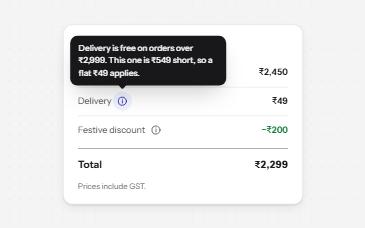
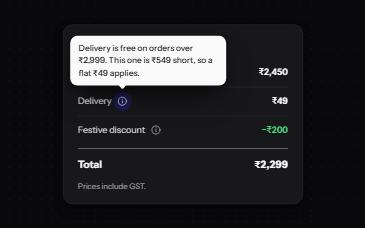
टॉगलटिप
एक जानकारी बटन जो दबाने पर एक छोटा नोट दिखाता है और उसे बुलवाता भी है, उस मदद के लिए जो लेबल में नहीं समाती।
-
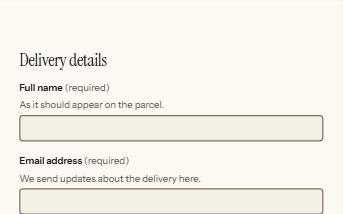
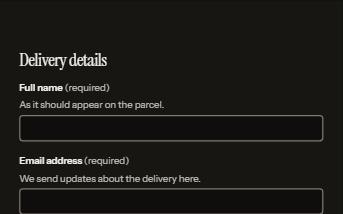
फ़ॉर्म त्रुटियाँ
एक त्रुटि सारांश जो फ़ोकस लेता है, हर फ़ील्ड से जुड़े संदेश, और फ़ॉर्म भेजने पर एक स्थिति संदेश।
-
पते का फ़ॉर्म
सही ऑटोफ़िल वाले बिलिंग और डिलीवरी पते, देश के हिसाब से बदलते फ़ॉर्मैट, पिन कोड से खोज और बिलिंग जैसा ही।
-
लोडिंग स्थिति
फ़ोकस न खोने वाला व्यस्त बटन, लोड होते समय व्यस्त चिह्नित क्षेत्र, शब्दों वाला स्पिनर, और देर होने पर एक सूचना।