सुलभता पैटर्न · फ़ीडबैक और स्थिति
लोडिंग स्थिति
जब कुछ लोड होता है, तो उसे शुरू करने वाला बटन फ़ोकस होने लायक़ पर अनुपलब्ध रहता है, भरा जा रहा क्षेत्र aria-busy से चिह्नित होता है, और स्पिनर के पास शब्द होते हैं। एक polite स्टेटस बताता है कि लोडिंग कब शुरू हुई, कब देर हो रही है और कितने नतीजे आए, ताकि स्क्रीन रीडर उपयोगकर्ता कभी ख़ामोशी में न छूटे।
- डब्ल्यूसीएजी मानदंड
- 5
- कीबोर्ड नियम
- 3
- जाँच का तरीक़ा
- axe, कीबोर्ड और इंस्पेक्टर
लाइव डेमो
आज़माएँ
इसे माउस, कीबोर्ड या स्क्रीन रीडर से इस्तेमाल करें। साथ का इंस्पेक्टर दिखाता है कि आपके इस्तेमाल के दौरान ब्राउज़र सहायक तकनीक को क्या बताता है: फ़ोकस, स्थिति में बदलाव और घोषणाएँ।
स्टोर का विवरण
हाल के ऑर्डर
इंडिगो लूम, आज
- मीरा अय्यर भेजा गया
- रोहन दास पैक हुआ
- फ़ातिमा शेख़ पहुँच गया
जावास्क्रिप्ट के बिना डेमो उतना ही काम करता है जितना उसका एचटीएमएल; इंस्पेक्टर के लिए जावास्क्रिप्ट चाहिए।
कीबोर्ड
जिन कुंजियों पर यह काम करता है
हर क्रिया पॉइंटर के बिना काम करती है।
| कुंजी | यह क्या करती है |
|---|---|
| EnterयाSpace | बदलाव सहेजें पर, सहेजना शुरू करता है। बटन सहेजा जा रहा है… कहता है और फ़ोकस में रहता है; सेव पूरा होने तक उसे फिर दबाने से कुछ नहीं होता। |
| EnterयाSpace | रिफ़्रेश करें पर, ऑर्डर फिर से लोड करता है। लोड होते समय रिफ़्रेश करें फ़ोकस में रहता है पर अनुपलब्ध रहता है। |
| Tab | हमेशा की तरह फ़ील्ड और बटनों के बीच जाता है; लोड होते समय कुछ भी टैब क्रम से बाहर नहीं किया जाता। |
स्क्रीन रीडर
यह क्या घोषित करता है
मार्कअप की भूमिकाओं, नामों और स्थितियों से लिखा गया।
| कब | अपेक्षित घोषणा |
|---|---|
| बदलाव सहेजें दबाया जाता है | बदलाव सहेजे गए, सेव पूरा होने पर (तब तक बटन सहेजा जा रहा है… पढ़ता है) |
| रिफ़्रेश करें दबाया जाता है | ऑर्डर लोड हो रहे हैं… |
| लोडिंग तीन सेकंड से ज़्यादा चलती है | अब भी लोड हो रहा है — इसमें सामान्य से ज़्यादा समय लग रहा है। |
| ऑर्डर आ जाते हैं | 6 ऑर्डर लोड हुए |
| लोड होते समय फ़ोकस रिफ़्रेश करें पर है | रिफ़्रेश करें, बटन, अनुपलब्ध |
ये अपेक्षित घोषणाएँ हैं, रिकॉर्डिंग नहीं। स्क्रीन रीडर और ब्राउज़र के हिसाब से शब्द और क्रम बदलते हैं।
कोड
कोड कॉपी करें
वही फ़ाइलें जिन पर यह डेमो चलता है। स्टाइल एक प्रीफ़िक्स के साथ परोसी जाती हैं जो इस साइट की अपनी स्टाइल को डेमो से दूर रखता है; आप जो कॉपी करते हैं वह मूल है।
<div class="ap-loading" data-ap-loading>
  <section class="ap-loading__card" aria-labelledby="loading-store-h">
    <h3 class="ap-loading__h" id="loading-store-h">Store details</h3>
    <div class="ap-field">
      <label class="ap-label" for="loading-store-name">Store name</label>
      <input class="ap-input" id="loading-store-name" name="store" autocomplete="organization" value="Indigo Loom" />
    </div>
    <div class="ap-loading__foot">
      <button type="button" class="ap-btn ap-btn--primary ap-loading__save" data-ap-save>
        <span class="ap-loading__face" data-ap-idle>Save changes</span>
        <span class="ap-loading__face" aria-hidden="true" data-ap-busy><span class="ap-loading__spin"></span>Saving…</span>
      </button>
      <p class="ap-loading__note" role="status" data-ap-save-say></p>
    </div>
  </section>

  <section class="ap-loading__card" aria-labelledby="loading-orders-h">
    <div class="ap-loading__top">
      <div>
        <h3 class="ap-loading__h" id="loading-orders-h">Recent orders</h3>
        <p class="ap-loading__sub">Indigo Loom, today</p>
      </div>
      <button type="button" class="ap-btn ap-loading__refresh" data-ap-refresh>
        <svg class="ap-btn__icon ap-loading__turn" viewBox="0 0 24 24" aria-hidden="true" focusable="false"><path d="M20 11a8 8 0 0 0-14.3-4.9L4 8"/><path d="M4 4v4h4"/><path d="M4 13a8 8 0 0 0 14.3 4.9L20 16"/><path d="M20 20v-4h-4"/></svg>
        Refresh
      </button>
    </div>
    <div class="ap-loading__area">
      <ul class="ap-loading__list" aria-labelledby="loading-orders-h" aria-busy="false" data-ap-list>
      <li class="ap-loading__row">
        <span class="ap-loading__who">
          <span class="ap-loading__name">Meera Iyer</span>
          <span class="ap-loading__meta">#4127 · ₹2,450</span>
        </span>
        <span class="ap-loading__state">Shipped</span>
      </li>
      <li class="ap-loading__row">
        <span class="ap-loading__who">
          <span class="ap-loading__name">Rohan Das</span>
          <span class="ap-loading__meta">#4126 · ₹899</span>
        </span>
        <span class="ap-loading__state">Packed</span>
      </li>
      <li class="ap-loading__row">
        <span class="ap-loading__who">
          <span class="ap-loading__name">Fatima Shaikh</span>
          <span class="ap-loading__meta">#4125 · ₹5,120</span>
        </span>
        <span class="ap-loading__state">Delivered</span>
      </li>
      </ul>
      <div class="ap-loading__cover" aria-hidden="true" hidden data-ap-cover>
        <span class="ap-loading__spinner"></span>
        <p class="ap-loading__what">Loading orders…</p>
        <p class="ap-loading__slow" hidden data-ap-slow>Still loading — this is taking longer than usual.</p>
      </div>
    </div>
    <p class="ap-loading__sr" role="status" data-ap-say></p>
  </section>

  <template data-ap-orders>
      <li class="ap-loading__row">
        <span class="ap-loading__who">
          <span class="ap-loading__name">Kavya Menon</span>
          <span class="ap-loading__meta">#4130 · ₹1,340</span>
        </span>
        <span class="ap-loading__state">New</span>
      </li>
      <li class="ap-loading__row">
        <span class="ap-loading__who">
          <span class="ap-loading__name">Arjun Singh</span>
          <span class="ap-loading__meta">#4129 · ₹3,075</span>
        </span>
        <span class="ap-loading__state">Confirmed</span>
      </li>
      <li class="ap-loading__row">
        <span class="ap-loading__who">
          <span class="ap-loading__name">Neha Kulkarni</span>
          <span class="ap-loading__meta">#4128 · ₹640</span>
        </span>
        <span class="ap-loading__state">New</span>
      </li>
      <li class="ap-loading__row">
        <span class="ap-loading__who">
          <span class="ap-loading__name">Meera Iyer</span>
          <span class="ap-loading__meta">#4127 · ₹2,450</span>
        </span>
        <span class="ap-loading__state">Delivered</span>
      </li>
      <li class="ap-loading__row">
        <span class="ap-loading__who">
          <span class="ap-loading__name">Rohan Das</span>
          <span class="ap-loading__meta">#4126 · ₹899</span>
        </span>
        <span class="ap-loading__state">Shipped</span>
      </li>
      <li class="ap-loading__row">
        <span class="ap-loading__who">
          <span class="ap-loading__name">Fatima Shaikh</span>
          <span class="ap-loading__meta">#4125 · ₹5,120</span>
        </span>
        <span class="ap-loading__state">Delivered</span>
      </li>
  </template>
</div>
/* Shared primitives: buttons and form fields used across the patterns.
   Uses the --ap-* design tokens. */

.ap-btn {
  display: inline-flex;
  align-items: center;
  justify-content: center;
  gap: 8px;
  min-height: 40px;
  padding: 0 16px;
  border: 1px solid var(--ap-border-strong);
  border-radius: var(--ap-radius-sm);
  background: var(--ap-surface);
  color: var(--ap-text);
  font: inherit;
  font-weight: 600;
  line-height: 1.2;
  text-decoration: none;
  white-space: nowrap;
  cursor: pointer;
  transition: background-color var(--ap-duration) var(--ap-ease), border-color var(--ap-duration) var(--ap-ease), box-shadow var(--ap-duration) var(--ap-ease);
}
.ap-btn:hover {
  background: var(--ap-surface-2);
}
.ap-btn:focus-visible {
  outline: 2px solid var(--ap-focus);
  outline-offset: 2px;
}
.ap-btn:disabled,
.ap-btn[aria-disabled="true"] {
  opacity: .55;
  cursor: not-allowed;
}
.ap-btn--primary {
  border-color: var(--ap-accent);
  background: var(--ap-accent);
  color: var(--ap-on-accent);
  box-shadow: var(--ap-shadow-sm);
}
.ap-btn--primary:hover {
  border-color: var(--ap-accent-hover);
  background: var(--ap-accent-hover);
}
.ap-btn--danger {
  border-color: var(--ap-danger);
  background: var(--ap-danger);
  color: var(--ap-surface);
}
.ap-btn--danger:hover {
  filter: brightness(1.08);
}
.ap-btn--ghost {
  border-color: transparent;
  background: transparent;
}
.ap-btn--ghost:hover {
  background: var(--ap-surface-2);
}
.ap-btn__icon {
  width: 18px;
  height: 18px;
  flex-shrink: 0;
  fill: none;
  stroke: currentColor;
  stroke-width: 2;
  stroke-linecap: round;
  stroke-linejoin: round;
}

.ap-field {
  display: grid;
  gap: 6px;
}
.ap-label {
  color: var(--ap-text);
  font-weight: 600;
  font-size: .9375rem;
}
.ap-hint {
  margin: 0;
  color: var(--ap-text-3);
  font-size: .875rem;
  line-height: 1.45;
}
.ap-error {
  display: flex;
  align-items: flex-start;
  gap: 6px;
  margin: 0;
  color: var(--ap-danger);
  font-size: .875rem;
  font-weight: 600;
  line-height: 1.45;
}
.ap-input {
  width: 100%;
  min-height: 44px;
  padding: 10px 12px;
  border: 1px solid var(--ap-border-strong);
  border-radius: var(--ap-radius-sm);
  background: var(--ap-surface);
  color: var(--ap-text);
  font: inherit;
  line-height: 1.4;
  transition: border-color var(--ap-duration) var(--ap-ease), box-shadow var(--ap-duration) var(--ap-ease);
}
.ap-input::placeholder {
  color: var(--ap-text-3);
}
.ap-input:hover {
  border-color: var(--ap-text-2);
}
.ap-input:focus-visible {
  outline: 2px solid var(--ap-focus);
  outline-offset: 1px;
  border-color: var(--ap-focus);
}
.ap-input[aria-invalid="true"] {
  border-color: var(--ap-danger);
  box-shadow: inset 4px 0 0 var(--ap-danger);
}
textarea.ap-input {
  resize: vertical;
  min-height: 88px;
}

@media (prefers-reduced-motion: reduce) {
  .ap-btn,
  .ap-input { transition: none; }
}

/* Loading state. Uses the --ap-* design tokens and the shared primitives. */
.ap-loading {
  display: grid;
  gap: 16px;
  width: min(100%, 560px);
  margin-inline: auto;
  container-type: inline-size;
}

.ap-loading__card {
  display: grid;
  gap: 16px;
  padding: 22px 24px 24px;
  border: 1px solid var(--ap-border);
  border-radius: var(--ap-radius-lg);
  background: var(--ap-surface);
  color: var(--ap-text);
  box-shadow: var(--ap-shadow-md);
}
.ap-loading__h {
  margin: 0;
  font-size: 1.125rem;
  font-weight: 650;
  line-height: 1.3;
}
.ap-loading__sub {
  margin: 2px 0 0;
  color: var(--ap-text-3);
  font-size: .875rem;
}
.ap-loading__top {
  display: flex;
  flex-wrap: wrap;
  align-items: center;
  justify-content: space-between;
  gap: 12px;
}

/* The busy button: both labels share one cell, so the width holds. */
.ap-loading__foot {
  display: flex;
  flex-wrap: wrap;
  align-items: center;
  gap: 10px 16px;
}
.ap-loading__save {
  display: inline-grid;
  min-height: var(--ap-target);
}
.ap-loading__face {
  display: inline-flex;
  grid-area: 1 / 1;
  align-items: center;
  justify-content: center;
  gap: 8px;
}
.ap-loading__face[aria-hidden="true"] {
  visibility: hidden;
}
.ap-loading__save[aria-disabled="true"] {
  opacity: 1;
  cursor: progress;
}
.ap-loading__spin {
  width: 16px;
  height: 16px;
  border: 2px solid color-mix(in srgb, currentColor 35%, transparent);
  border-top-color: currentColor;
  border-radius: var(--ap-radius-full);
  animation: ap-loading-spin 700ms linear infinite;
}
.ap-loading__note {
  display: inline-flex;
  align-items: center;
  gap: 6px;
  min-height: 1.5em;
  margin: 0;
  color: var(--ap-success);
  font-weight: 600;
}
.ap-loading__note svg {
  width: 18px;
  height: 18px;
  fill: none;
  stroke: currentColor;
  stroke-width: 2.2;
  stroke-linecap: round;
  stroke-linejoin: round;
}

/* The refresh icon turns while the list loads. */
.ap-loading__turn {
  transition: transform var(--ap-duration) var(--ap-ease);
}
.ap-loading.is-loading .ap-loading__turn {
  animation: ap-loading-spin 900ms linear infinite;
}
.ap-loading__refresh[aria-disabled="true"] {
  cursor: progress;
}

/* The list, and the cover that sits over it while it is busy. */
.ap-loading__area {
  position: relative;
  min-height: 150px;
}
.ap-loading__list {
  display: grid;
  margin: 0;
  padding: 0;
  list-style: none;
  border-top: 1px solid var(--ap-border);
}
.ap-loading__row {
  display: flex;
  align-items: center;
  justify-content: space-between;
  gap: 12px;
  padding: 10px 0;
  border-bottom: 1px solid var(--ap-border);
}
.ap-loading__who {
  display: grid;
  min-width: 0;
}
.ap-loading__name {
  font-weight: 600;
}
.ap-loading__meta {
  color: var(--ap-text-3);
  font-size: .875rem;
  font-variant-numeric: tabular-nums;
}
.ap-loading__state {
  flex-shrink: 0;
  padding: 3px 10px;
  border: 1px solid var(--ap-border);
  border-radius: var(--ap-radius-full);
  background: var(--ap-surface-2);
  color: var(--ap-text-2);
  font-size: .8125rem;
  font-weight: 600;
}
/* Stale rows are not shown while new ones load, so nobody acts on them. */
.ap-loading__list[aria-busy="true"] > li {
  visibility: hidden;
}

.ap-loading__cover {
  position: absolute;
  inset: 1px 0 0;
  display: grid;
  place-content: center;
  justify-items: center;
  gap: 10px;
  padding: 16px;
  background: var(--ap-surface);
  text-align: center;
  animation: ap-loading-in 200ms var(--ap-ease);
}
.ap-loading__cover[hidden] {
  display: none;
}
.ap-loading__spinner {
  width: 36px;
  height: 36px;
  border: 3px solid var(--ap-surface-3);
  border-top-color: var(--ap-accent);
  border-right-color: var(--ap-accent);
  border-radius: var(--ap-radius-full);
  animation: ap-loading-spin 800ms linear infinite;
}
.ap-loading__what {
  margin: 0;
  font-weight: 650;
}
.ap-loading__slow {
  max-width: 30ch;
  margin: 0;
  color: var(--ap-text-2);
  font-size: .875rem;
  line-height: 1.5;
}
.ap-loading__slow[hidden] {
  display: none;
}

/* Read by screen readers, not shown. */
.ap-loading__sr {
  position: absolute;
  width: 1px;
  height: 1px;
  margin: -1px;
  padding: 0;
  overflow: hidden;
  clip-path: inset(50%);
  white-space: nowrap;
  border: 0;
}

@keyframes ap-loading-spin {
  to { transform: rotate(360deg); }
}
@keyframes ap-loading-in {
  from { opacity: 0; }
}

@container (max-width: 440px) {
  .ap-loading__card {
    padding: 18px 16px 20px;
  }
}

/* Reduced motion: the spinners stand still, a quarter-ring that still reads
   as waiting, and the words beside them say what is happening. */
@media (prefers-reduced-motion: reduce) {
  .ap-loading__spin,
  .ap-loading__spinner,
  .ap-loading.is-loading .ap-loading__turn { animation: none; }
  .ap-loading__cover { animation: none; }
  .ap-loading__turn { transition: none; }
}
/**
 * Loading states: a busy button that keeps focus, and a list that is marked
 * aria-busy and covered by a spinner with words while it reloads, with a
 * polite status for the start, a slow-down note and the result.
 *
 * Markup: [data-ap-loading] holding
 *   button[data-ap-save] with two labels, [data-ap-idle] and an aria-hidden
 *   [data-ap-busy], and a p[role=status][data-ap-save-say];
 *   button[data-ap-refresh], ul[data-ap-list][aria-busy], an aria-hidden
 *   [data-ap-cover] holding a [data-ap-slow] note, an empty
 *   p[role=status][data-ap-say], and a template[data-ap-orders] with the
 *   rows a refresh brings back.
 * Add data-slow to the root for a slow network.
 */

const SAVE_MS = 1400;
const LOAD_MS = 1600;
const SLOW_FACTOR = 4.5; // the Slow network option stretches both waits
const LONG_AFTER = 3000; // when "still loading" is said
const SVG = "http://www.w3.org/2000/svg";

export function init(root) {
  const save = root.querySelector("[data-ap-save]");
  const idle = save.querySelector("[data-ap-idle]");
  const busy = save.querySelector("[data-ap-busy]");
  const saveSay = root.querySelector("[data-ap-save-say]");
  const refresh = root.querySelector("[data-ap-refresh]");
  const list = root.querySelector("[data-ap-list]");
  const cover = root.querySelector("[data-ap-cover]");
  const slowNote = root.querySelector("[data-ap-slow]");
  const say = root.querySelector("[data-ap-say]");
  const orders = root.querySelector("template[data-ap-orders]");
  const timers = new Set();

  const wait = (ms) => ms * (root.hasAttribute("data-slow") ? SLOW_FACTOR : 1);
  const isBusy = (button) => button.getAttribute("aria-disabled") === "true";

  function later(fn, ms) {
    const t = setTimeout(() => {
      timers.delete(t);
      fn();
    }, ms);
    timers.add(t);
    return t;
  }

  // Both status elements are in the page from the start, so a change to
  // their content is announced. Emptying first makes a repeat news again.
  function write(region, ...parts) {
    region.replaceChildren();
    later(() => region.replaceChildren(...parts), 80);
  }
  function el(tag, ...content) {
    const node = document.createElement(tag);
    node.append(...content);
    return node;
  }
  function tick() {
    const svg = document.createElementNS(SVG, "svg");
    svg.setAttribute("viewBox", "0 0 24 24");
    svg.setAttribute("aria-hidden", "true");
    svg.setAttribute("focusable", "false");
    const path = document.createElementNS(SVG, "path");
    path.setAttribute("d", "m5 12.5 4.5 4.5L19 7.5");
    svg.append(path);
    return svg;
  }

  /* ── The busy button ── */
  function startSave() {
    // aria-disabled, not disabled: focus stays on the button, and the press
    // is simply ignored while it is busy.
    if (isBusy(save)) return;
    save.setAttribute("aria-disabled", "true");
    idle.setAttribute("aria-hidden", "true");
    busy.removeAttribute("aria-hidden");
    saveSay.replaceChildren();
    later(() => {
      busy.setAttribute("aria-hidden", "true");
      idle.removeAttribute("aria-hidden");
      save.removeAttribute("aria-disabled");
      write(saveSay, tick(), el("span", "Changes saved"));
    }, wait(SAVE_MS));
  }

  /* ── The list that reloads ── */
  function startRefresh() {
    if (isBusy(refresh)) return;
    refresh.setAttribute("aria-disabled", "true");
    root.classList.add("is-loading");
    list.setAttribute("aria-busy", "true");
    cover.hidden = false;
    slowNote.hidden = true;
    write(say, el("span", "Loading orders…"));

    const long = later(() => {
      slowNote.hidden = false;
      write(say, el("span", "Still loading — this is taking longer than usual."));
    }, LONG_AFTER);

    later(() => {
      clearTimeout(long);
      timers.delete(long);
      // The rows are replaced while the list is busy, then it is released
      // and one message says what arrived.
      list.replaceChildren(orders.content.cloneNode(true));
      list.setAttribute("aria-busy", "false");
      cover.hidden = true;
      root.classList.remove("is-loading");
      refresh.removeAttribute("aria-disabled");
      const n = list.children.length;
      write(say, el("span", String(n)), " ", el("span", "orders loaded"));
    }, wait(LOAD_MS));
  }

  function onClick(event) {
    const button = event.target.closest("button");
    if (button === save) startSave();
    else if (button === refresh) startRefresh();
  }

  root.addEventListener("click", onClick);
  return () => {
    for (const t of timers) clearTimeout(t);
    timers.clear();
    root.removeEventListener("click", onClick);
  };
}

for (const root of document.querySelectorAll("[data-ap-loading]")) init(root);
/* Design tokens for the pattern components. Light by default, dark when the
   system asks for it; set data-theme="dark" on :root to force dark. */
:root {
    --ap-radius-sm: 8px;
    --ap-radius: 12px;
    --ap-radius-lg: 16px;
    --ap-radius-full: 999px;
    --ap-font: "Instrument Sans", ui-sans-serif, system-ui, -apple-system, "Segoe UI", Roboto, sans-serif;
    --ap-mono: "JetBrains Mono", ui-monospace, "Cascadia Mono", "SF Mono", Consolas, monospace;
    --ap-ease: cubic-bezier(.2, .8, .2, 1);
    --ap-duration: 180ms;
    --ap-target: 44px;
    --ap-bg: #F4F4F5;
    --ap-surface: #FFFFFF;
    --ap-surface-2: #F4F4F5;
    --ap-surface-3: #E4E4E7;
    --ap-border: #E4E4E7;
    --ap-border-strong: #76767F;
    --ap-text: #18181B;
    --ap-text-2: #3F3F46;
    --ap-text-3: #5E5E66;
    --ap-accent: #4F46E5;
    --ap-accent-hover: #4338CA;
    --ap-on-accent: #FFFFFF;
    --ap-accent-text: #4338CA;
    --ap-accent-soft: #EEF2FF;
    --ap-accent-soft-text: #3730A3;
    --ap-focus: #4F46E5;
    --ap-danger: #B91C1C;
    --ap-danger-soft: #FEF2F2;
    --ap-success: #15803D;
    --ap-success-soft: #F0FDF4;
    --ap-warning: #A15C07;
    --ap-warning-soft: #FEFCE8;
    --ap-info: #1D4ED8;
    --ap-info-soft: #EFF6FF;
    --ap-scrim: rgb(9 9 11 / .48);
    --ap-shadow-sm: 0 1px 2px rgb(9 9 11 / .06);
    --ap-shadow-md: 0 1px 2px rgb(9 9 11 / .05), 0 6px 16px -4px rgb(9 9 11 / .1);
    --ap-shadow-lg: 0 2px 6px rgb(9 9 11 / .06), 0 20px 40px -12px rgb(9 9 11 / .22);
    --ap-light-bg: #F4F4F5;
    --ap-light-surface: #FFFFFF;
    --ap-light-surface-2: #F4F4F5;
    --ap-light-surface-3: #E4E4E7;
    --ap-light-border: #E4E4E7;
    --ap-light-border-strong: #76767F;
    --ap-light-text: #18181B;
    --ap-light-text-2: #3F3F46;
    --ap-light-text-3: #5E5E66;
    --ap-light-accent: #4F46E5;
    --ap-light-accent-hover: #4338CA;
    --ap-light-on-accent: #FFFFFF;
    --ap-light-accent-text: #4338CA;
    --ap-light-accent-soft: #EEF2FF;
    --ap-light-accent-soft-text: #3730A3;
    --ap-light-focus: #4F46E5;
    --ap-light-danger: #B91C1C;
    --ap-light-danger-soft: #FEF2F2;
    --ap-light-success: #15803D;
    --ap-light-success-soft: #F0FDF4;
    --ap-light-warning: #A15C07;
    --ap-light-warning-soft: #FEFCE8;
    --ap-light-info: #1D4ED8;
    --ap-light-info-soft: #EFF6FF;
    --ap-light-scrim: rgb(9 9 11 / .48);
    --ap-light-shadow-sm: 0 1px 2px rgb(9 9 11 / .06);
    --ap-light-shadow-md: 0 1px 2px rgb(9 9 11 / .05), 0 6px 16px -4px rgb(9 9 11 / .1);
    --ap-light-shadow-lg: 0 2px 6px rgb(9 9 11 / .06), 0 20px 40px -12px rgb(9 9 11 / .22);
    --ap-dark-bg: #09090B;
    --ap-dark-surface: #18181B;
    --ap-dark-surface-2: #27272A;
    --ap-dark-surface-3: #3F3F46;
    --ap-dark-border: #2E2E33;
    --ap-dark-border-strong: #8E8E97;
    --ap-dark-text: #FAFAFA;
    --ap-dark-text-2: #D4D4D8;
    --ap-dark-text-3: #A1A1AA;
    --ap-dark-accent: #818CF8;
    --ap-dark-accent-hover: #A5B4FC;
    --ap-dark-on-accent: #0C0A1F;
    --ap-dark-accent-text: #A5B4FC;
    --ap-dark-accent-soft: #1E1B4B;
    --ap-dark-accent-soft-text: #C7D2FE;
    --ap-dark-focus: #A5B4FC;
    --ap-dark-danger: #F87171;
    --ap-dark-danger-soft: #2A1215;
    --ap-dark-success: #4ADE80;
    --ap-dark-success-soft: #0F2A1A;
    --ap-dark-warning: #FACC15;
    --ap-dark-warning-soft: #2A2410;
    --ap-dark-info: #60A5FA;
    --ap-dark-info-soft: #0F1D33;
    --ap-dark-scrim: rgb(0 0 0 / .62);
    --ap-dark-shadow-sm: 0 1px 2px rgb(0 0 0 / .4);
    --ap-dark-shadow-md: 0 1px 2px rgb(0 0 0 / .4), 0 8px 20px -6px rgb(0 0 0 / .5);
    --ap-dark-shadow-lg: 0 2px 8px rgb(0 0 0 / .45), 0 24px 48px -12px rgb(0 0 0 / .7);
}
@media (prefers-color-scheme: dark) {
  :root:not([data-theme="light"]) {
      --ap-bg: #09090B;
      --ap-surface: #18181B;
      --ap-surface-2: #27272A;
      --ap-surface-3: #3F3F46;
      --ap-border: #2E2E33;
      --ap-border-strong: #8E8E97;
      --ap-text: #FAFAFA;
      --ap-text-2: #D4D4D8;
      --ap-text-3: #A1A1AA;
      --ap-accent: #818CF8;
      --ap-accent-hover: #A5B4FC;
      --ap-on-accent: #0C0A1F;
      --ap-accent-text: #A5B4FC;
      --ap-accent-soft: #1E1B4B;
      --ap-accent-soft-text: #C7D2FE;
      --ap-focus: #A5B4FC;
      --ap-danger: #F87171;
      --ap-danger-soft: #2A1215;
      --ap-success: #4ADE80;
      --ap-success-soft: #0F2A1A;
      --ap-warning: #FACC15;
      --ap-warning-soft: #2A2410;
      --ap-info: #60A5FA;
      --ap-info-soft: #0F1D33;
      --ap-scrim: rgb(0 0 0 / .62);
      --ap-shadow-sm: 0 1px 2px rgb(0 0 0 / .4);
      --ap-shadow-md: 0 1px 2px rgb(0 0 0 / .4), 0 8px 20px -6px rgb(0 0 0 / .5);
      --ap-shadow-lg: 0 2px 8px rgb(0 0 0 / .45), 0 24px 48px -12px rgb(0 0 0 / .7);
  }
}
:root[data-theme="dark"] {
    --ap-bg: #09090B;
    --ap-surface: #18181B;
    --ap-surface-2: #27272A;
    --ap-surface-3: #3F3F46;
    --ap-border: #2E2E33;
    --ap-border-strong: #8E8E97;
    --ap-text: #FAFAFA;
    --ap-text-2: #D4D4D8;
    --ap-text-3: #A1A1AA;
    --ap-accent: #818CF8;
    --ap-accent-hover: #A5B4FC;
    --ap-on-accent: #0C0A1F;
    --ap-accent-text: #A5B4FC;
    --ap-accent-soft: #1E1B4B;
    --ap-accent-soft-text: #C7D2FE;
    --ap-focus: #A5B4FC;
    --ap-danger: #F87171;
    --ap-danger-soft: #2A1215;
    --ap-success: #4ADE80;
    --ap-success-soft: #0F2A1A;
    --ap-warning: #FACC15;
    --ap-warning-soft: #2A2410;
    --ap-info: #60A5FA;
    --ap-info-soft: #0F1D33;
    --ap-scrim: rgb(0 0 0 / .62);
    --ap-shadow-sm: 0 1px 2px rgb(0 0 0 / .4);
    --ap-shadow-md: 0 1px 2px rgb(0 0 0 / .4), 0 8px 20px -6px rgb(0 0 0 / .5);
    --ap-shadow-lg: 0 2px 8px rgb(0 0 0 / .45), 0 24px 48px -12px rgb(0 0 0 / .7);
}
डब्ल्यूसीएजी 2.2
यह किन मानदंडों को पूरा करता है
वे सफलता मानदंड जिनका यह पैटर्न ध्यान रखता है, और कैसे।
-
1.3.1 जानकारी और संबंध
स्तर A
ऑर्डर सूची का नाम उसकी हेडिंग से आता है और उसकी सामग्री बदलते समय वह aria-busy से चिह्नित रहती है, इसलिए लोडिंग की स्थिति मार्कअप में है, सिर्फ़ स्क्रीन पर नहीं।
-
2.3.3 इंटरैक्शन से एनिमेशन
स्तर AAA
जब सिस्टम कम गति माँगता है, तो स्पिनर और घूमता आइकन रुक जाते हैं; उनके पास के शब्द बताते रहते हैं कि क्या हो रहा है।
-
2.4.3 फ़ोकस क्रम
स्तर A
व्यस्त रहते हुए कोई भी बटन फ़ोकस नहीं खोता: aria-disabled उसे अपनी जगह रखता है, जबकि disabled एट्रिब्यूट फ़ोकस को फेंक देता।
-
4.1.2 नाम, भूमिका, मान
स्तर A
व्यस्त बटन का नाम सहेजा जा रहा है… हो जाता है और वह ख़ुद को अनुपलब्ध बताता है; उसके अंदर का स्पिनर असिस्टिव तकनीक से छिपा है।
-
4.1.3 स्टेटस मैसेज
स्तर AA
लोडिंग, देरी की सूचना और नतीजा एक polite स्टेटस से घोषित होते हैं, फ़ोकस हिले बिना।
उपयोग
इसे कब इस्तेमाल करें
इसे अपनाएँ
- कोई भी काम जिसमें ध्यान जाने लायक़ समय लगे, लगभग आधे सेकंड से ज़्यादा: सहेजना, रिफ़्रेश करना, खोजना, कोई पैनल लोड करना।
- अपनी जगह बदली जाने वाली सामग्री, जहाँ लोगों को पता होना चाहिए कि पुरानी सामग्री बदलने वाली है।
कुछ और इस्तेमाल करें
- कुछ सौ मिलीसेकंड से कम की लोडिंग: कुछ न दिखाएँ, या स्पिनर देर से दिखाएँ, ताकि वह झलक भर न दिखे।
- लंबे काम जिनका आकार पता हो: प्रोग्रेस बार लोगों को बताता है कि काम कितना आगे है।
- पहली बार लोड हो रहे पूरे पेज: स्केलेटन सामग्री आने तक लेआउट को स्थिर रखता है।
आम विफलताएँ
आमतौर पर यह कहाँ गलत होता है
सिर्फ़ एक स्पिनर, और कुछ नहीं
घूमता घेरा स्क्रीन रीडर को कुछ नहीं बताता और कई दूसरों को भी बहुत कम। यहाँ उसके पास शब्द हैं, और एक स्टेटस वही बात कहता है।
व्यस्त बटन पर disabled
disabled एट्रिब्यूट बटन को टैब क्रम से निकाल देता है और फ़ोकस पेज के ऊपर गिरा देता है। aria-disabled उसे फ़ोकस होने लायक़ रखता है; व्यस्त रहते हुए स्क्रिप्ट दबाने को अनदेखा करती है।
देर होने पर ख़ामोशी
बिना अंत वाला इंतज़ार टूटा हुआ लगता है। तीन सेकंड बाद एक सूचना बताती है कि अब भी लोड हो रहा है, स्क्रीन पर भी और स्क्रीन रीडर को भी।
आते ही हर पंक्ति की घोषणा
लाइव रीजन में आती सामग्री हर आइटम ज़ोर से पढ़ती है। यहाँ सूची लाइव नहीं है; एक संदेश बताता है कि कितने आए।
पुरानी सामग्री जो नई लगे
बिना किसी संकेत के पुरानी पंक्तियाँ स्क्रीन पर छोड़ने से लोग उन पर काम कर बैठते हैं। नई पंक्तियाँ आने तक सूची ढकी रहती है और व्यस्त चिह्नित रहती है।
कभी न रुकने वाला स्पिनर
लगातार घूमना वेस्टिबुलर विकार वाले लोगों को बीमार कर सकता है। कम गति की पसंद पर स्पिनर स्थिर रहता है और शब्द बने रहते हैं।
नोट्स
इसे बनाना
- aria-busy="true" असिस्टिव तकनीक को बताता है कि क्षेत्र अपडेट हो रहा है, और कुछ स्क्रीन रीडर उसके false होने तक उसे पढ़ना रोक देते हैं। समर्थन अलग-अलग है, इसलिए ख़बर स्टेटस मैसेज ले जाता है।
- स्टेटस एलिमेंट शुरू से एचटीएमएल में खाली मौजूद है। लाइव रीजन उसी सामग्री के बदलाव घोषित करते हैं जो पहले से सुलभता ट्री में है; अपने संदेश के साथ बना रीजन, या उसी पल दिखाया गया रीजन, अक्सर छूट जाता है।
- व्यस्त लेबल और सामान्य लेबल एक ही ग्रिड सेल में हैं, इसलिए बटन की चौड़ाई नहीं बदलती; जो इस्तेमाल में नहीं है वह aria-hidden और visibility: hidden से छिपा रहता है, इसलिए नाम हमेशा दिखने वाले शब्द ही होते हैं।
- सूची के ऊपर का ओवरले aria-hidden है: वह व्यस्त स्थिति की एक तस्वीर है, जिसे aria-busy और स्टेटस मैसेज पहले ही प्रकट करते हैं।
- धीमा नेटवर्क विकल्प दोनों इंतज़ार लंबे कर देता है, ताकि अब भी लोड हो रहा है वाली सूचना दिखे।
स्रोत: WAI-एआरआईए 1.2: aria-busy एट्रिब्यूट · SC 4.1.3 को समझना: स्टेटस मैसेज · SC 2.3.3 को समझना: इंटरैक्शन से एनिमेशन
लाइट और डार्क थीम में, डेस्कटॉप और फ़ोन की चौड़ाई पर axe से और कीबोर्ड से जाँचा गया। अभी हर स्क्रीन रीडर और ब्राउज़र जोड़ी के साथ नहीं परखा गया। सुधार बताएँ
संबंधित
इसके साथ जाने वाले पैटर्न
-
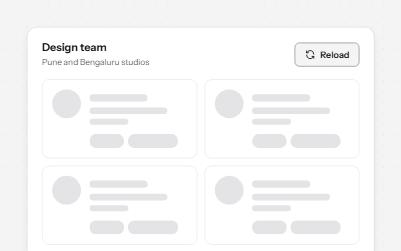
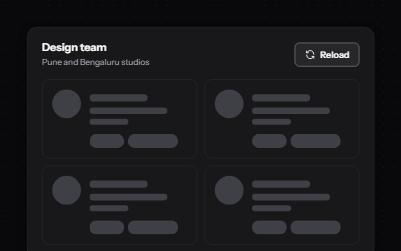
स्केलेटन लोडर
प्लेसहोल्डर आकार जो सामग्री लोड होने तक लेआउट थामे रखते हैं, स्क्रीन रीडर से छिपे हुए, और सामग्री आने पर एक संदेश के साथ।
-
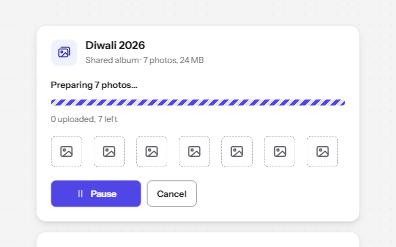
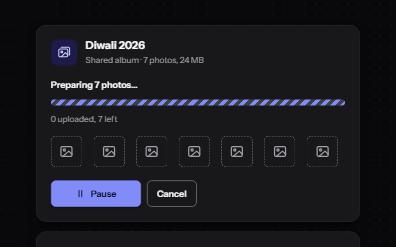
प्रोग्रेस बार
नेटिव progress एलिमेंट पर तय और अनिश्चित प्रगति, एक लेबल, दिखने वाली संख्याओं और पड़ावों की घोषणाओं के साथ।
-
बटन
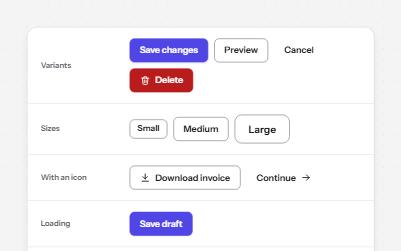
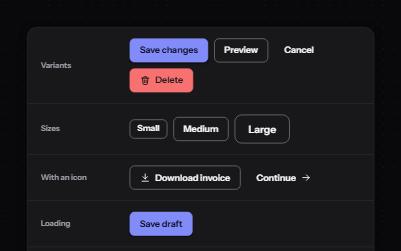
चार वैरिएंट और तीन आकारों में नेटिव बटन, ऐसी लोडिंग स्थिति के साथ जो फ़ोकस बनाए रखती है और ऐसी बंद स्थिति के साथ जो कारण बताती है।
-
स्टेटस मैसेज
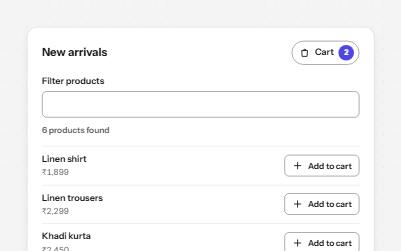
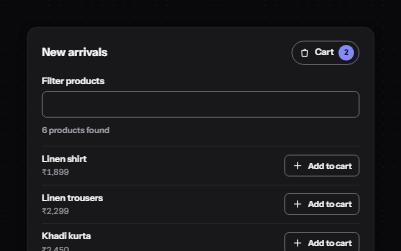
नतीजे, पुष्टियाँ और सेव role=status के ज़रिए स्क्रीन रीडर को बताए जाते हैं, फ़ोकस हिलाए बिना, हर बार एक ही बार।