सुलभता पैटर्न · फ़ीडबैक और स्थिति
टोस्ट सूचनाएँ
हर टोस्ट एक ही role=status एलिमेंट में लिखा जाता है जो शुरू से पेज में था, इसलिए उसकी घोषणा एक बार, विनम्रता से होती है, और फ़ोकस जहाँ था वहीं रहता है। समय वाले टोस्ट पॉइंटर रखने, फ़ोकस होने या बैकग्राउंड टैब में होने पर रुक जाते हैं, एक सेटिंग टाइमर बंद कर देती है, और ऐक्शन वाला टोस्ट तब तक रहता है जब तक उस पर कुछ न किया जाए।
- डब्ल्यूसीएजी मानदंड
- 7
- कीबोर्ड नियम
- 4
- जाँच का तरीक़ा
- axe, कीबोर्ड और इंस्पेक्टर
लाइव डेमो
आज़माएँ
इसे माउस, कीबोर्ड या स्क्रीन रीडर से इस्तेमाल करें। साथ का इंस्पेक्टर दिखाता है कि आपके इस्तेमाल के दौरान ब्राउज़र सहायक तकनीक को क्या बताता है: फ़ोकस, स्थिति में बदलाव और घोषणाएँ।
Q3 बिक्री रिपोर्ट
सूचना भेजें
सारांश
पिछली तिमाही के मुक़ाबले राजस्व 18% बढ़ा, सबसे आगे पुणे और जयपुर के ऑनलाइन ऑर्डर रहे। रिटर्न घटकर 3.2% रह गए।
अगली तिमाही में हम दो स्टोर खोलने और सारी डिलीवरी एक कूरियर पार्टनर को देने की योजना बना रहे हैं।
मुख्य बिंदु
- ऑनलाइन ऑर्डर 27% बढ़े
- औसत डिलीवरी समय घटकर 2.4 दिन
- दोबारा आने वाले ग्राहक 41%
Saved
Q3 sales report is up to date.
Upload complete
invoice-2041.pdf is in Documents.
Connection lost
Your edits stay on this device until you are back online.
Back online
Your edits are synced.
जावास्क्रिप्ट के बिना डेमो उतना ही काम करता है जितना उसका एचटीएमएल; इंस्पेक्टर के लिए जावास्क्रिप्ट चाहिए।
कीबोर्ड
जिन कुंजियों पर यह काम करता है
हर क्रिया पॉइंटर के बिना काम करती है।
| कुंजी | यह क्या करती है |
|---|---|
| EnterयाSpace | ड्राफ़्ट सहेजें, इनवॉइस अपलोड करें या ऑफ़लाइन हो जाएँ पर, एक सूचना दिखाता है। फ़ोकस उसी बटन पर रहता है जिसे आपने दबाया। |
| TabयाShiftTab | पेज के अपने कंट्रोल के बाद खुली सूचनाओं के पुनः प्रयास करें और खारिज करें बटनों तक पहुँचता है; कोई टोस्ट अपने-आप फ़ोकस नहीं लेता। |
| Escape | किसी सूचना में, उसे बंद करता है और फ़ोकस वहीं लौटाता है जहाँ आप स्टैक में आने से पहले थे। |
| EnterयाSpace | पुनः प्रयास करें पर, फिर से जुड़ता है: कनेक्शन टूट गया की जगह फिर से ऑनलाइन आता है, और फ़ोकस वहीं लौटता है जहाँ आप थे। |
स्क्रीन रीडर
यह क्या घोषित करता है
मार्कअप की भूमिकाओं, नामों और स्थितियों से लिखा गया।
| कब | अपेक्षित घोषणा |
|---|---|
| ड्राफ़्ट सहेजें दबाया जाता है | सहेजा गया। Q3 बिक्री रिपोर्ट अप-टू-डेट है। |
| ऑफ़लाइन हो जाएँ दबाया जाता है | कनेक्शन टूट गया। आपके बदलाव तब तक इसी डिवाइस पर रहेंगे जब तक आप फिर से ऑनलाइन न हों। |
| टैब स्टैक तक पहुँचता है | सूचनाएँ, क्षेत्र। पुनः प्रयास करें, बटन |
| पुनः प्रयास सफल होता है | फिर से ऑनलाइन। आपके बदलाव सिंक हो गए हैं। |
| कोई टोस्ट बंद होता है, अपने-आप या खारिज करने से | कुछ नहीं: बंद होना चुपचाप होता है |
ये अपेक्षित घोषणाएँ हैं, रिकॉर्डिंग नहीं। स्क्रीन रीडर और ब्राउज़र के हिसाब से शब्द और क्रम बदलते हैं।
कोड
कोड कॉपी करें
वही फ़ाइलें जिन पर यह डेमो चलता है। स्टाइल एक प्रीफ़िक्स के साथ परोसी जाती हैं जो इस साइट की अपनी स्टाइल को डेमो से दूर रखता है; आप जो कॉपी करते हैं वह मूल है।
<div class="ap-toast" data-ap-toast>
  <div class="ap-toast__app">
    <div class="ap-toast__top">
      <span class="ap-toast__doc" aria-hidden="true">
        <svg viewBox="0 0 24 24" focusable="false"><path d="M14 3H7a2 2 0 0 0-2 2v14a2 2 0 0 0 2 2h10a2 2 0 0 0 2-2V8Z"/><path d="M14 3v5h5"/><path d="M9 13h6M9 17h4"/></svg>
      </span>
      <div>
        <h3 class="ap-toast__file">Q3 sales report</h3>
        <p class="ap-toast__meta">Shared with Finance</p>
      </div>
    </div>

    <div class="ap-toast__try">
      <p class="ap-toast__k" id="toast-try">Send a notification</p>
      <div class="ap-toast__btns" role="group" aria-labelledby="toast-try">
        <button type="button" class="ap-btn" data-ap-make="saved">
          <svg class="ap-btn__icon" viewBox="0 0 24 24" aria-hidden="true" focusable="false"><path d="M5 4h11l3 3v13H5Z"/><path d="M8 4v5h7V4"/><path d="M8 20v-6h8v6"/></svg>
          Save draft
        </button>
        <button type="button" class="ap-btn" data-ap-make="upload">
          <svg class="ap-btn__icon" viewBox="0 0 24 24" aria-hidden="true" focusable="false"><path d="M12 16V4"/><path d="m7 9 5-5 5 5"/><path d="M4 16v2a2 2 0 0 0 2 2h12a2 2 0 0 0 2-2v-2"/></svg>
          Upload invoice
        </button>
        <button type="button" class="ap-btn" data-ap-make="offline">
          <svg class="ap-btn__icon" viewBox="0 0 24 24" aria-hidden="true" focusable="false"><path d="M2 8.8a15 15 0 0 1 4.2-2.6"/><path d="M10.7 5.1A15 15 0 0 1 22 8.8"/><path d="M5 12.5a10 10 0 0 1 3.4-2"/><path d="M16.2 10.8a10 10 0 0 1 2.8 1.7"/><path d="M8.5 16.4a5 5 0 0 1 7 0"/><path d="M12 20h.01"/><path d="m3 3 18 18"/></svg>
          Go offline
        </button>
      </div>
      <label class="ap-toast__pref">
        <input class="ap-toast__check" type="checkbox" data-ap-keep />
        <span>Don't auto-dismiss notifications</span>
      </label>
    </div>

    <section class="ap-toast__region" aria-label="Notifications">
      <ol class="ap-toast__list" data-ap-list></ol>
      <p class="ap-toast__sr" role="status" data-ap-say></p>
    </section>

    <div class="ap-toast__page">
      <h4 class="ap-toast__h">Summary</h4>
      <p>Revenue grew 18% on the last quarter, led by online orders from Pune and Jaipur. Returns fell to 3.2%.</p>
      <p>Next quarter we plan to open two stores and move all deliveries to one courier partner.</p>
      <h4 class="ap-toast__h">Highlights</h4>
      <ul class="ap-toast__points">
        <li>Online orders up 27%</li>
        <li>Average delivery time down to 2.4 days</li>
        <li>Repeat customers at 41%</li>
      </ul>
    </div>
  </div>


  <template data-ap-kind="saved">
    <li class="ap-toast__item ap-toast__item--success">
      <span class="ap-toast__mark" aria-hidden="true"><svg class="ap-toast__icon" viewBox="0 0 24 24" focusable="false"><circle cx="12" cy="12" r="9"/><path d="m8 12.5 2.7 2.7L16.2 9.6"/></svg></span>
      <div class="ap-toast__body">
        <p class="ap-toast__name">Saved</p>
        <p class="ap-toast__text">Q3 sales report is up to date.</p>
      </div>
      <button type="button" class="ap-toast__x" data-ap-close>
        <svg viewBox="0 0 24 24" aria-hidden="true" focusable="false"><path d="M6 6l12 12M18 6 6 18"/></svg>
        <span class="ap-toast__sr">Dismiss Saved</span>
      </button>
      <span class="ap-toast__timer" aria-hidden="true"></span>
    </li>
  </template>
  <template data-ap-kind="upload">
    <li class="ap-toast__item ap-toast__item--info">
      <span class="ap-toast__mark" aria-hidden="true"><svg class="ap-toast__icon" viewBox="0 0 24 24" focusable="false"><path d="M14 3H7a2 2 0 0 0-2 2v14a2 2 0 0 0 2 2h10a2 2 0 0 0 2-2V8Z"/><path d="M14 3v5h5"/><path d="m9 14 2 2 4-4"/></svg></span>
      <div class="ap-toast__body">
        <p class="ap-toast__name">Upload complete</p>
        <p class="ap-toast__text"><span translate="no">invoice-2041.pdf</span> is in Documents.</p>
      </div>
      <button type="button" class="ap-toast__x" data-ap-close>
        <svg viewBox="0 0 24 24" aria-hidden="true" focusable="false"><path d="M6 6l12 12M18 6 6 18"/></svg>
        <span class="ap-toast__sr">Dismiss Upload complete</span>
      </button>
      <span class="ap-toast__timer" aria-hidden="true"></span>
    </li>
  </template>
  <template data-ap-kind="offline">
    <li class="ap-toast__item ap-toast__item--error" data-ap-sticky>
      <span class="ap-toast__mark" aria-hidden="true"><svg class="ap-toast__icon" viewBox="0 0 24 24" focusable="false"><path d="M2 8.8a15 15 0 0 1 4.2-2.6"/><path d="M10.7 5.1A15 15 0 0 1 22 8.8"/><path d="M5 12.5a10 10 0 0 1 3.4-2"/><path d="M16.2 10.8a10 10 0 0 1 2.8 1.7"/><path d="M8.5 16.4a5 5 0 0 1 7 0"/><path d="M12 20h.01"/><path d="m3 3 18 18"/></svg></span>
      <div class="ap-toast__body">
        <p class="ap-toast__name">Connection lost</p>
        <p class="ap-toast__text">Your edits stay on this device until you are back online.</p>
        <div class="ap-toast__acts">
          <button type="button" class="ap-toast__act" data-ap-retry>Retry</button>
        </div>
      </div>
      <button type="button" class="ap-toast__x" data-ap-close>
        <svg viewBox="0 0 24 24" aria-hidden="true" focusable="false"><path d="M6 6l12 12M18 6 6 18"/></svg>
        <span class="ap-toast__sr">Dismiss Connection lost</span>
      </button>
    </li>
  </template>
  <template data-ap-kind="online">
    <li class="ap-toast__item ap-toast__item--success">
      <span class="ap-toast__mark" aria-hidden="true"><svg class="ap-toast__icon" viewBox="0 0 24 24" focusable="false"><path d="M2 8.8a15 15 0 0 1 20 0"/><path d="M5 12.5a10 10 0 0 1 14 0"/><path d="M8.5 16.4a5 5 0 0 1 7 0"/><path d="M12 20h.01"/></svg></span>
      <div class="ap-toast__body">
        <p class="ap-toast__name">Back online</p>
        <p class="ap-toast__text">Your edits are synced.</p>
      </div>
      <button type="button" class="ap-toast__x" data-ap-close>
        <svg viewBox="0 0 24 24" aria-hidden="true" focusable="false"><path d="M6 6l12 12M18 6 6 18"/></svg>
        <span class="ap-toast__sr">Dismiss Back online</span>
      </button>
      <span class="ap-toast__timer" aria-hidden="true"></span>
    </li>
  </template>
</div>
/* Shared primitives: buttons and form fields used across the patterns.
   Uses the --ap-* design tokens. */

.ap-btn {
  display: inline-flex;
  align-items: center;
  justify-content: center;
  gap: 8px;
  min-height: 40px;
  padding: 0 16px;
  border: 1px solid var(--ap-border-strong);
  border-radius: var(--ap-radius-sm);
  background: var(--ap-surface);
  color: var(--ap-text);
  font: inherit;
  font-weight: 600;
  line-height: 1.2;
  text-decoration: none;
  white-space: nowrap;
  cursor: pointer;
  transition: background-color var(--ap-duration) var(--ap-ease), border-color var(--ap-duration) var(--ap-ease), box-shadow var(--ap-duration) var(--ap-ease);
}
.ap-btn:hover {
  background: var(--ap-surface-2);
}
.ap-btn:focus-visible {
  outline: 2px solid var(--ap-focus);
  outline-offset: 2px;
}
.ap-btn:disabled,
.ap-btn[aria-disabled="true"] {
  opacity: .55;
  cursor: not-allowed;
}
.ap-btn--primary {
  border-color: var(--ap-accent);
  background: var(--ap-accent);
  color: var(--ap-on-accent);
  box-shadow: var(--ap-shadow-sm);
}
.ap-btn--primary:hover {
  border-color: var(--ap-accent-hover);
  background: var(--ap-accent-hover);
}
.ap-btn--danger {
  border-color: var(--ap-danger);
  background: var(--ap-danger);
  color: var(--ap-surface);
}
.ap-btn--danger:hover {
  filter: brightness(1.08);
}
.ap-btn--ghost {
  border-color: transparent;
  background: transparent;
}
.ap-btn--ghost:hover {
  background: var(--ap-surface-2);
}
.ap-btn__icon {
  width: 18px;
  height: 18px;
  flex-shrink: 0;
  fill: none;
  stroke: currentColor;
  stroke-width: 2;
  stroke-linecap: round;
  stroke-linejoin: round;
}

.ap-field {
  display: grid;
  gap: 6px;
}
.ap-label {
  color: var(--ap-text);
  font-weight: 600;
  font-size: .9375rem;
}
.ap-hint {
  margin: 0;
  color: var(--ap-text-3);
  font-size: .875rem;
  line-height: 1.45;
}
.ap-error {
  display: flex;
  align-items: flex-start;
  gap: 6px;
  margin: 0;
  color: var(--ap-danger);
  font-size: .875rem;
  font-weight: 600;
  line-height: 1.45;
}
.ap-input {
  width: 100%;
  min-height: 44px;
  padding: 10px 12px;
  border: 1px solid var(--ap-border-strong);
  border-radius: var(--ap-radius-sm);
  background: var(--ap-surface);
  color: var(--ap-text);
  font: inherit;
  line-height: 1.4;
  transition: border-color var(--ap-duration) var(--ap-ease), box-shadow var(--ap-duration) var(--ap-ease);
}
.ap-input::placeholder {
  color: var(--ap-text-3);
}
.ap-input:hover {
  border-color: var(--ap-text-2);
}
.ap-input:focus-visible {
  outline: 2px solid var(--ap-focus);
  outline-offset: 1px;
  border-color: var(--ap-focus);
}
.ap-input[aria-invalid="true"] {
  border-color: var(--ap-danger);
  box-shadow: inset 4px 0 0 var(--ap-danger);
}
textarea.ap-input {
  resize: vertical;
  min-height: 88px;
}

@media (prefers-reduced-motion: reduce) {
  .ap-btn,
  .ap-input { transition: none; }
}

/* Toast notifications. Uses the --ap-* design tokens and the shared primitives. */
.ap-toast {
  --ap-toast-life: 6000ms; /* keep in step with LIFE in the script */
  position: relative;
  width: min(100%, 680px);
  min-height: 580px;
  margin-inline: auto;
  border: 1px solid var(--ap-border);
  border-radius: var(--ap-radius-lg);
  background: var(--ap-surface);
  color: var(--ap-text);
  box-shadow: var(--ap-shadow-md);
  overflow: hidden;
  container-type: inline-size;
}

/* The page the notifications belong to */
.ap-toast__app {
  padding: 22px 24px 24px;
}
.ap-toast__try,
.ap-toast__page {
  margin-top: 20px;
}
.ap-toast__top {
  display: flex;
  align-items: center;
  gap: 12px;
  padding-bottom: 18px;
  border-bottom: 1px solid var(--ap-border);
}
.ap-toast__doc {
  display: grid;
  place-items: center;
  width: 40px;
  height: 40px;
  flex-shrink: 0;
  border-radius: var(--ap-radius-sm);
  background: var(--ap-accent-soft);
  color: var(--ap-accent-soft-text);
}
.ap-toast__doc svg {
  width: 22px;
  height: 22px;
  fill: none;
  stroke: currentColor;
  stroke-width: 1.8;
  stroke-linecap: round;
  stroke-linejoin: round;
}
.ap-toast__file {
  margin: 0;
  font-size: 1.0625rem;
  font-weight: 650;
  line-height: 1.3;
}
.ap-toast__meta {
  margin: 2px 0 0;
  color: var(--ap-text-3);
  font-size: .875rem;
}

.ap-toast__try {
  display: grid;
  gap: 10px;
}
.ap-toast__k {
  margin: 0;
  color: var(--ap-text-3);
  font-size: .8125rem;
  font-weight: 600;
  letter-spacing: .02em;
}
.ap-toast__btns {
  display: flex;
  flex-wrap: wrap;
  gap: 8px;
}
.ap-toast__pref {
  display: inline-flex;
  align-items: center;
  justify-self: start;
  gap: 10px;
  min-height: var(--ap-target);
  color: var(--ap-text-2);
  font-size: .9375rem;
  cursor: pointer;
}
.ap-toast__check {
  width: 18px;
  height: 18px;
  margin: 0;
  accent-color: var(--ap-accent);
  cursor: pointer;
}
.ap-toast__check:focus-visible {
  outline: 2px solid var(--ap-focus);
  outline-offset: 2px;
}

.ap-toast__page {
  max-width: 34em;
  color: var(--ap-text-2);
  line-height: 1.6;
}
.ap-toast__h {
  margin: 0 0 6px;
  color: var(--ap-text);
  font-size: .9375rem;
  font-weight: 650;
}
.ap-toast__page p {
  margin: 0 0 10px;
}
.ap-toast__page .ap-toast__h:not(:first-child) {
  margin-top: 18px;
}
.ap-toast__points {
  margin: 0;
  padding-left: 1.25em;
}
.ap-toast__points li {
  margin-bottom: 4px;
}

/* The stack: bottom corner of the page, newest at the bottom */
.ap-toast__region {
  position: absolute;
  right: 16px;
  bottom: 16px;
  z-index: 2;
  width: min(340px, calc(100% - 32px));
}
.ap-toast__list {
  display: grid;
  gap: 10px;
  margin: 0;
  padding: 0;
  list-style: none;
}

.ap-toast__item {
  --ap-toast-tone: var(--ap-success);
  position: relative;
  display: grid;
  grid-template-columns: auto minmax(0, 1fr) auto;
  align-items: start;
  column-gap: 12px;
  padding: 12px 8px 14px 14px;
  border: 1px solid var(--ap-surface-3);
  border-radius: var(--ap-radius);
  background: var(--ap-surface);
  box-shadow: var(--ap-shadow-lg);
  overflow: hidden;
  animation: ap-toast-in 220ms var(--ap-ease);
}
.ap-toast__item--info {
  --ap-toast-tone: var(--ap-info);
}
.ap-toast__item--error {
  --ap-toast-tone: var(--ap-danger);
}
.ap-toast__item.is-leaving {
  opacity: 0;
  transform: translateY(6px);
  transition: opacity 160ms var(--ap-ease), transform 160ms var(--ap-ease);
}

.ap-toast__mark {
  display: grid;
  place-items: center;
  width: 30px;
  height: 30px;
  border-radius: var(--ap-radius-full);
  background: color-mix(in srgb, var(--ap-toast-tone) 14%, transparent);
}
.ap-toast__icon {
  width: 17px;
  height: 17px;
  fill: none;
  stroke: var(--ap-toast-tone);
  stroke-width: 2;
  stroke-linecap: round;
  stroke-linejoin: round;
}

.ap-toast__body {
  display: grid;
  gap: 2px;
  min-width: 0;
  padding-top: 4px;
}
.ap-toast__name {
  margin: 0;
  font-size: .9375rem;
  font-weight: 650;
  line-height: 1.35;
}
.ap-toast__text {
  margin: 0;
  color: var(--ap-text-2);
  font-size: .875rem;
  line-height: 1.5;
  overflow-wrap: anywhere;
}
.ap-toast__acts {
  display: flex;
  gap: 8px;
  margin-top: 8px;
}
.ap-toast__act {
  min-height: 32px;
  padding: 0 14px;
  border: 1px solid var(--ap-border-strong);
  border-radius: var(--ap-radius-sm);
  background: var(--ap-surface);
  color: var(--ap-text);
  font: inherit;
  font-size: .875rem;
  font-weight: 650;
  cursor: pointer;
}
.ap-toast__act:hover {
  background: var(--ap-surface-2);
}
.ap-toast__act[aria-disabled="true"] {
  color: var(--ap-text-3);
  cursor: progress;
}
.ap-toast__act:focus-visible {
  outline: 2px solid var(--ap-focus);
  outline-offset: 2px;
}

.ap-toast__x {
  display: grid;
  place-items: center;
  width: 32px;
  height: 32px;
  padding: 0;
  border: 0;
  border-radius: var(--ap-radius-sm);
  background: transparent;
  color: var(--ap-text-2);
  cursor: pointer;
}
.ap-toast__x:hover {
  background: var(--ap-surface-2);
  color: var(--ap-text);
}
.ap-toast__x:focus-visible {
  outline: 2px solid var(--ap-focus);
  outline-offset: -2px;
}
.ap-toast__x svg {
  width: 17px;
  height: 17px;
  fill: none;
  stroke: currentColor;
  stroke-width: 2;
  stroke-linecap: round;
}

/* Time left. Decoration: hidden from assistive technology. */
.ap-toast__timer {
  position: absolute;
  inset: auto 0 0;
  height: 3px;
  background: var(--ap-toast-tone);
  transform-origin: left;
  animation: ap-toast-time var(--ap-toast-life) linear forwards;
}
.ap-toast__region[data-paused] .ap-toast__timer {
  animation-play-state: paused;
}
.ap-toast[data-keep] .ap-toast__timer {
  opacity: 0;
}

/* Read by screen readers, not shown. */
.ap-toast__sr {
  position: absolute;
  width: 1px;
  height: 1px;
  margin: -1px;
  padding: 0;
  overflow: hidden;
  clip-path: inset(50%);
  white-space: nowrap;
  border: 0;
}

@keyframes ap-toast-in {
  from { opacity: 0; transform: translateY(10px) scale(.98); }
}
@keyframes ap-toast-time {
  to { transform: scaleX(0); }
}

/* Narrow: the stack joins the flow under the controls, full width, so it
   is in view and can never sit over them. */
@container (max-width: 480px) {
  .ap-toast {
    min-height: 0;
  }
  .ap-toast__app {
    padding: 18px 16px 20px;
  }
  .ap-toast__region {
    position: static;
    width: auto;
  }
  .ap-toast__list:not(:empty) {
    margin-top: 16px;
  }
  .ap-toast__btns .ap-btn {
    flex: 1 1 auto;
  }
}

@media (prefers-reduced-motion: reduce) {
  .ap-toast__item { animation: none; }
  .ap-toast__item.is-leaving { transition: none; transform: none; }
  .ap-toast__timer { display: none; }
}
/**
 * Toast notifications: a stack in a corner, announced from one polite status
 * element, that never takes focus. Timed toasts pause on hover, on focus and
 * while the tab is in the background; a toast with an action stays until it
 * is handled.
 *
 * Markup: [data-ap-toast] holding buttons[data-ap-make="<kind>"], an
 * input[data-ap-keep] checkbox (don't auto-dismiss), and a
 * section[aria-label=Notifications] with an ol[data-ap-list] and an empty
 * p[role=status][data-ap-say]. Each kind is a template[data-ap-kind] holding
 * one li: .ap-toast__name, .ap-toast__text, a button[data-ap-close] and,
 * for toasts that wait to be handled, data-ap-sticky and a
 * button[data-ap-retry].
 */

const LIFE = 6000; // how long a timed toast stays, in ms
const MAX = 3; // toasts shown at once
const RETRY_MS = 1200; // the simulated reconnect
const CLEAR_MS = 7000; // when the status element is emptied again

export function init(root) {
  const region = root.querySelector(".ap-toast__region");
  const list = root.querySelector("[data-ap-list]");
  const say = root.querySelector("[data-ap-say]");
  const keep = root.querySelector("[data-ap-keep]");
  const events = new AbortController();
  const signal = events.signal;
  const timers = new Map(); // li -> { left, started, id }
  const holds = new Set(); // why timers are paused: hover, focus, away, keep
  const later = new Set();
  let sayTimer = 0;
  let clearTimer = 0;
  let queue = []; // messages waiting for the next write
  let returnTo = null; // where focus was before it moved into the stack

  const reduced = () => window.matchMedia("(prefers-reduced-motion: reduce)").matches;
  const shown = () => [...list.children].filter((li) => !li.classList.contains("is-leaving"));

  function wait(fn, ms) {
    const t = setTimeout(() => {
      later.delete(t);
      fn();
    }, ms);
    later.add(t);
  }

  /* ── Announcing ── */
  // The status element has been in the page all along, so a change to its
  // text is what screen readers announce. Emptying it first means the same
  // message twice is still a change; toasts that arrive together are written
  // in one go, so none is lost; and emptying it later means a stale copy does
  // not linger for someone reading the region.
  function announce(li) {
    const name = document.createElement("span");
    name.append(li.querySelector(".ap-toast__name").textContent.trim(), ".");
    const text = document.createElement("span");
    text.textContent = li.querySelector(".ap-toast__text").textContent.trim();
    queue.push(name, " ", text, " ");
    if (sayTimer) return;
    clearTimeout(clearTimer);
    say.replaceChildren();
    sayTimer = setTimeout(() => {
      sayTimer = 0;
      say.replaceChildren(...queue.slice(0, -1));
      queue = [];
      clearTimer = setTimeout(() => say.replaceChildren(), CLEAR_MS);
    }, 100);
  }

  /* ── Timers ── */
  function run(li) {
    const t = timers.get(li);
    if (!t || t.id || holds.size) return;
    t.started = performance.now();
    t.id = setTimeout(() => close(li), t.left);
  }
  function stop(li) {
    const t = timers.get(li);
    if (!t || !t.id) return;
    clearTimeout(t.id);
    t.id = 0;
    t.left = Math.max(0, t.left - (performance.now() - t.started));
  }
  function sync() {
    region.toggleAttribute("data-paused", holds.size > 0);
    for (const li of timers.keys()) {
      if (holds.size) stop(li);
      else run(li);
    }
  }
  function hold(reason) {
    holds.add(reason);
    sync();
  }
  function release(reason) {
    if (holds.delete(reason)) sync();
  }

  /* ── Showing and closing ── */
  function show(kind) {
    const template = root.querySelector(`template[data-ap-kind="${kind}"]`);
    const li = template.content.firstElementChild.cloneNode(true);
    li.dataset.kind = kind;
    // One of each kind: a repeat replaces its twin instead of stacking.
    const twin = shown().find((x) => x.dataset.kind === kind);
    if (twin) close(twin);
    list.append(li);
    // Over the limit, the oldest toast that is not waiting on an action makes way.
    while (shown().length > MAX) {
      close(shown().find((x) => !x.hasAttribute("data-ap-sticky")) || shown()[0]);
    }
    if (!li.hasAttribute("data-ap-sticky")) {
      timers.set(li, { left: LIFE, started: 0, id: 0 });
      run(li);
    }
    announce(li);
  }

  function close(li) {
    stop(li);
    timers.delete(li);
    const hadFocus = li.contains(document.activeElement);
    if (hadFocus) {
      // Back to where the person was, never to the top of the page.
      const back = returnTo && returnTo.isConnected ? returnTo : root.querySelector("[data-ap-make]");
      back.focus();
    }
    if (reduced()) {
      li.remove();
      return;
    }
    li.classList.add("is-leaving");
    li.inert = true;
    wait(() => li.remove(), 170);
  }

  function retry(li, button) {
    if (button.getAttribute("aria-disabled") === "true") return;
    button.setAttribute("aria-disabled", "true");
    button.textContent = "Retrying…";
    wait(() => {
      if (!li.isConnected) return;
      close(li);
      show("online");
    }, RETRY_MS);
  }

  /* ── Events ── */
  root.addEventListener("click", (event) => {
    const make = event.target.closest("[data-ap-make]");
    if (make) {
      show(make.dataset.apMake);
      return;
    }
    const li = event.target.closest(".ap-toast__item");
    if (!li || !list.contains(li)) return;
    if (event.target.closest("[data-ap-close]")) close(li);
    else {
      const again = event.target.closest("[data-ap-retry]");
      if (again) retry(li, again);
    }
  }, { signal });

  region.addEventListener("keydown", (event) => {
    const li = event.target.closest(".ap-toast__item");
    if (event.key === "Escape" && li) {
      event.preventDefault();
      close(li);
    }
  }, { signal });

  keep.addEventListener("change", () => {
    root.toggleAttribute("data-keep", keep.checked);
    if (keep.checked) hold("keep");
    else release("keep");
  }, { signal });

  root.addEventListener("focusin", (event) => {
    if (region.contains(event.target)) hold("focus");
    else returnTo = event.target;
  }, { signal });
  region.addEventListener("focusout", (event) => {
    if (!region.contains(event.relatedTarget)) release("focus");
  }, { signal });
  region.addEventListener("pointerenter", () => hold("hover"), { signal });
  region.addEventListener("pointerleave", () => release("hover"), { signal });
  document.addEventListener("visibilitychange", () => {
    if (document.hidden) hold("away");
    else release("away");
  }, { signal });

  return () => {
    events.abort();
    for (const t of timers.values()) clearTimeout(t.id);
    for (const t of later) clearTimeout(t);
    clearTimeout(sayTimer);
    clearTimeout(clearTimer);
  };
}

for (const root of document.querySelectorAll("[data-ap-toast]")) init(root);
/* Design tokens for the pattern components. Light by default, dark when the
   system asks for it; set data-theme="dark" on :root to force dark. */
:root {
    --ap-radius-sm: 8px;
    --ap-radius: 12px;
    --ap-radius-lg: 16px;
    --ap-radius-full: 999px;
    --ap-font: "Instrument Sans", ui-sans-serif, system-ui, -apple-system, "Segoe UI", Roboto, sans-serif;
    --ap-mono: "JetBrains Mono", ui-monospace, "Cascadia Mono", "SF Mono", Consolas, monospace;
    --ap-ease: cubic-bezier(.2, .8, .2, 1);
    --ap-duration: 180ms;
    --ap-target: 44px;
    --ap-bg: #F4F4F5;
    --ap-surface: #FFFFFF;
    --ap-surface-2: #F4F4F5;
    --ap-surface-3: #E4E4E7;
    --ap-border: #E4E4E7;
    --ap-border-strong: #76767F;
    --ap-text: #18181B;
    --ap-text-2: #3F3F46;
    --ap-text-3: #5E5E66;
    --ap-accent: #4F46E5;
    --ap-accent-hover: #4338CA;
    --ap-on-accent: #FFFFFF;
    --ap-accent-text: #4338CA;
    --ap-accent-soft: #EEF2FF;
    --ap-accent-soft-text: #3730A3;
    --ap-focus: #4F46E5;
    --ap-danger: #B91C1C;
    --ap-danger-soft: #FEF2F2;
    --ap-success: #15803D;
    --ap-success-soft: #F0FDF4;
    --ap-warning: #A15C07;
    --ap-warning-soft: #FEFCE8;
    --ap-info: #1D4ED8;
    --ap-info-soft: #EFF6FF;
    --ap-scrim: rgb(9 9 11 / .48);
    --ap-shadow-sm: 0 1px 2px rgb(9 9 11 / .06);
    --ap-shadow-md: 0 1px 2px rgb(9 9 11 / .05), 0 6px 16px -4px rgb(9 9 11 / .1);
    --ap-shadow-lg: 0 2px 6px rgb(9 9 11 / .06), 0 20px 40px -12px rgb(9 9 11 / .22);
    --ap-light-bg: #F4F4F5;
    --ap-light-surface: #FFFFFF;
    --ap-light-surface-2: #F4F4F5;
    --ap-light-surface-3: #E4E4E7;
    --ap-light-border: #E4E4E7;
    --ap-light-border-strong: #76767F;
    --ap-light-text: #18181B;
    --ap-light-text-2: #3F3F46;
    --ap-light-text-3: #5E5E66;
    --ap-light-accent: #4F46E5;
    --ap-light-accent-hover: #4338CA;
    --ap-light-on-accent: #FFFFFF;
    --ap-light-accent-text: #4338CA;
    --ap-light-accent-soft: #EEF2FF;
    --ap-light-accent-soft-text: #3730A3;
    --ap-light-focus: #4F46E5;
    --ap-light-danger: #B91C1C;
    --ap-light-danger-soft: #FEF2F2;
    --ap-light-success: #15803D;
    --ap-light-success-soft: #F0FDF4;
    --ap-light-warning: #A15C07;
    --ap-light-warning-soft: #FEFCE8;
    --ap-light-info: #1D4ED8;
    --ap-light-info-soft: #EFF6FF;
    --ap-light-scrim: rgb(9 9 11 / .48);
    --ap-light-shadow-sm: 0 1px 2px rgb(9 9 11 / .06);
    --ap-light-shadow-md: 0 1px 2px rgb(9 9 11 / .05), 0 6px 16px -4px rgb(9 9 11 / .1);
    --ap-light-shadow-lg: 0 2px 6px rgb(9 9 11 / .06), 0 20px 40px -12px rgb(9 9 11 / .22);
    --ap-dark-bg: #09090B;
    --ap-dark-surface: #18181B;
    --ap-dark-surface-2: #27272A;
    --ap-dark-surface-3: #3F3F46;
    --ap-dark-border: #2E2E33;
    --ap-dark-border-strong: #8E8E97;
    --ap-dark-text: #FAFAFA;
    --ap-dark-text-2: #D4D4D8;
    --ap-dark-text-3: #A1A1AA;
    --ap-dark-accent: #818CF8;
    --ap-dark-accent-hover: #A5B4FC;
    --ap-dark-on-accent: #0C0A1F;
    --ap-dark-accent-text: #A5B4FC;
    --ap-dark-accent-soft: #1E1B4B;
    --ap-dark-accent-soft-text: #C7D2FE;
    --ap-dark-focus: #A5B4FC;
    --ap-dark-danger: #F87171;
    --ap-dark-danger-soft: #2A1215;
    --ap-dark-success: #4ADE80;
    --ap-dark-success-soft: #0F2A1A;
    --ap-dark-warning: #FACC15;
    --ap-dark-warning-soft: #2A2410;
    --ap-dark-info: #60A5FA;
    --ap-dark-info-soft: #0F1D33;
    --ap-dark-scrim: rgb(0 0 0 / .62);
    --ap-dark-shadow-sm: 0 1px 2px rgb(0 0 0 / .4);
    --ap-dark-shadow-md: 0 1px 2px rgb(0 0 0 / .4), 0 8px 20px -6px rgb(0 0 0 / .5);
    --ap-dark-shadow-lg: 0 2px 8px rgb(0 0 0 / .45), 0 24px 48px -12px rgb(0 0 0 / .7);
}
@media (prefers-color-scheme: dark) {
  :root:not([data-theme="light"]) {
      --ap-bg: #09090B;
      --ap-surface: #18181B;
      --ap-surface-2: #27272A;
      --ap-surface-3: #3F3F46;
      --ap-border: #2E2E33;
      --ap-border-strong: #8E8E97;
      --ap-text: #FAFAFA;
      --ap-text-2: #D4D4D8;
      --ap-text-3: #A1A1AA;
      --ap-accent: #818CF8;
      --ap-accent-hover: #A5B4FC;
      --ap-on-accent: #0C0A1F;
      --ap-accent-text: #A5B4FC;
      --ap-accent-soft: #1E1B4B;
      --ap-accent-soft-text: #C7D2FE;
      --ap-focus: #A5B4FC;
      --ap-danger: #F87171;
      --ap-danger-soft: #2A1215;
      --ap-success: #4ADE80;
      --ap-success-soft: #0F2A1A;
      --ap-warning: #FACC15;
      --ap-warning-soft: #2A2410;
      --ap-info: #60A5FA;
      --ap-info-soft: #0F1D33;
      --ap-scrim: rgb(0 0 0 / .62);
      --ap-shadow-sm: 0 1px 2px rgb(0 0 0 / .4);
      --ap-shadow-md: 0 1px 2px rgb(0 0 0 / .4), 0 8px 20px -6px rgb(0 0 0 / .5);
      --ap-shadow-lg: 0 2px 8px rgb(0 0 0 / .45), 0 24px 48px -12px rgb(0 0 0 / .7);
  }
}
:root[data-theme="dark"] {
    --ap-bg: #09090B;
    --ap-surface: #18181B;
    --ap-surface-2: #27272A;
    --ap-surface-3: #3F3F46;
    --ap-border: #2E2E33;
    --ap-border-strong: #8E8E97;
    --ap-text: #FAFAFA;
    --ap-text-2: #D4D4D8;
    --ap-text-3: #A1A1AA;
    --ap-accent: #818CF8;
    --ap-accent-hover: #A5B4FC;
    --ap-on-accent: #0C0A1F;
    --ap-accent-text: #A5B4FC;
    --ap-accent-soft: #1E1B4B;
    --ap-accent-soft-text: #C7D2FE;
    --ap-focus: #A5B4FC;
    --ap-danger: #F87171;
    --ap-danger-soft: #2A1215;
    --ap-success: #4ADE80;
    --ap-success-soft: #0F2A1A;
    --ap-warning: #FACC15;
    --ap-warning-soft: #2A2410;
    --ap-info: #60A5FA;
    --ap-info-soft: #0F1D33;
    --ap-scrim: rgb(0 0 0 / .62);
    --ap-shadow-sm: 0 1px 2px rgb(0 0 0 / .4);
    --ap-shadow-md: 0 1px 2px rgb(0 0 0 / .4), 0 8px 20px -6px rgb(0 0 0 / .5);
    --ap-shadow-lg: 0 2px 8px rgb(0 0 0 / .45), 0 24px 48px -12px rgb(0 0 0 / .7);
}
डब्ल्यूसीएजी 2.2
यह किन मानदंडों को पूरा करता है
वे सफलता मानदंड जिनका यह पैटर्न ध्यान रखता है, और कैसे।
-
1.3.1 जानकारी और संबंध
स्तर A
टोस्ट सूचनाएँ नाम के क्षेत्र के अंदर एक सूची हैं, इसलिए स्क्रीन रीडर उपयोगकर्ता सीधे उन तक जा सकते हैं और सुन सकते हैं कि कितने हैं।
-
2.1.1 कीबोर्ड
स्तर A
पुनः प्रयास करें, खारिज करें और Escape सब कीबोर्ड से चलते हैं; टाइमर रोकने के लिए होवर पर कुछ निर्भर नहीं है।
-
2.2.1 समय समायोज्य
स्तर A
समय वाले टोस्ट होवर पर, फ़ोकस पर और बैकग्राउंड टैब में रुकते हैं, एक सेटिंग टाइमर बंद कर देती है, और ऐक्शन वाला टोस्ट कभी समय से नहीं हटता।
-
2.4.3 फ़ोकस क्रम
स्तर A
कोई टोस्ट फ़ोकस नहीं लेता। फ़ोकस वाला टोस्ट बंद होने पर फ़ोकस वहीं लौटता है जहाँ पहले था, कभी पेज के ऊपर नहीं।
-
2.4.11 फ़ोकस अवरुद्ध नहीं (न्यूनतम)
स्तर AA
स्टैक कंट्रोल के नीचे कोने में रहता है, इसलिए वह उस बटन या फ़ील्ड को नहीं ढकता जिस पर फ़ोकस है।
-
4.1.2 नाम, भूमिका, मान
स्तर A
हर खारिज बटन का नाम उसके टोस्ट के साथ है, जैसे कनेक्शन टूट गया खारिज करें, इसलिए उनकी कतार भी समझ में आती है।
-
4.1.3 स्टेटस मैसेज
स्तर AA
हर टोस्ट की घोषणा एक polite role=status एलिमेंट से होती है, फ़ोकस हिलाए बिना।
उपयोग
इसे कब इस्तेमाल करें
इसे अपनाएँ
- किसी ऐसी चीज़ की पुष्टि जो सफल रही और जिसका जवाब नहीं चाहिए: सहेजा गया, भेजा गया, कॉपी हुआ, अपलोड हुआ।
- बैकग्राउंड की घटनाएँ जिनके बारे में लोगों को रुके बिना पता होना चाहिए, जैसे टूटा कनेक्शन।
कुछ और इस्तेमाल करें
- काम रोकने वाली त्रुटियाँ: समस्या के पास अलर्ट बैनर या अलर्ट डायलॉग इस्तेमाल करें।
- कोई भी चीज़ जो लोगों को बाद में चाहिए: टोस्ट चला जाता है, इसलिए जानकारी पेज पर भी रखें।
- किसी एक फ़ील्ड के संदेश: उन्हें फ़ील्ड के पास दिखाएँ।
आम विफलताएँ
आमतौर पर यह कहाँ गलत होता है
फ़ोकस छीनने वाला टोस्ट
हर सूचना पर फ़ोकस ले जाना कीबोर्ड और स्क्रीन रीडर उपयोगकर्ताओं को उनके काम से दूर खींच लेता है। ये घोषित होते हैं; ज़रूरत हो तो टैब उन तक पहुँचता है।
समय से हट जाने वाला ऐक्शन
पाँच सेकंड बाद हट जाने वाला पुनः प्रयास बटन स्क्रीन रीडर उपयोगकर्ता के सुनने या कीबोर्ड उपयोगकर्ता के पहुँचने से पहले ही जा सकता है। ऐक्शन वाला टोस्ट तब तक रहता है जब तक उस पर कुछ न किया जाए।
ऐसा टाइमर जिसे कोई रोक न सके
अपने-आप हटना एक समय सीमा है। यहाँ वह होवर पर, फ़ोकस पर और बैकग्राउंड टैब में रुकता है, और एक सेटिंग उसे पूरी तरह बंद कर देती है।
टोस्ट के साथ बनाया गया लाइव रीजन
पहले से भरे संदेश के साथ जोड़ा गया नया role=status एलिमेंट अक्सर घोषित नहीं होता। यहाँ स्टेटस एलिमेंट शुरू से पेज में है, और सिर्फ़ उसका टेक्स्ट बदलता है।
पूरा स्टैक फिर से पढ़ा जाना
सूची ख़ुद लाइव हो तो कुछ स्क्रीन रीडर हर संदेश के साथ खारिज करें और पुनः प्रयास करें बटन भी पढ़ते हैं, या पुराने टोस्ट फिर से पढ़ते हैं। एक स्टेटस एलिमेंट हर संदेश एक बार कहता है।
ढेर लगते टोस्ट
अंतहीन स्टैक पेज को ढक देता है। ज़्यादा से ज़्यादा तीन दिखते हैं; सबसे पुराना समय वाला टोस्ट जगह खाली करता है, और दोहराया गया टोस्ट अपने जुड़वाँ की जगह ले लेता है।
नोट्स
इसे बनाना
- दिखने वाला स्टैक सूचनाएँ नाम के section में एक क्रमबद्ध सूची है, जो एक region लैंडमार्क है, इसलिए स्क्रीन रीडर उपयोगकर्ता लैंडमार्क नेविगेशन से पुनः प्रयास करें ढूँढ सकते हैं। शब्दों की घोषणा उसके अंदर के एक अलग role=status एलिमेंट से होती है।
- लाइव रीजन को उसकी सामग्री बदलने से पहले सुलभता ट्री में होना चाहिए: ब्राउज़र उन्हीं रीजन के बदलाव बताते हैं जिन्हें वे पहले से जानते हैं। अपने टेक्स्ट के साथ जोड़ा गया रीजन, या उसी पल display: none से दिखाया गया रीजन, अक्सर चुप रहता है, इसलिए स्टेटस एलिमेंट एचटीएमएल में खाली मौजूद है।
- हर संदेश स्टेटस एलिमेंट को खाली करने के बाद उसमें कॉपी होता है, इसलिए एक ही टोस्ट दो बार आए तो दो बार घोषित होता है, और सात सेकंड बाद उसे फिर खाली कर दिया जाता है ताकि रीजन पढ़ने वालों के लिए पुरानी कॉपी पड़ी न रहे।
- उलटी गिनती दोबारा शुरू होने की जगह रुकती है, और उसे दिखाने वाली पट्टी सजावट है: असिस्टिव तकनीक से छिपी हुई, और कम गति की पसंद पर अंदर सरकने वाले एनिमेशन के साथ बंद।
- स्टैक को उस जगह से दूर रखें जहाँ लोग काम करते हैं: फ़ोकस वाले फ़ील्ड या स्टिकी फ़ुटर के ऊपर टोस्ट उसे छिपा देता है, जो 2.4.11 में फ़ेल होता है।
स्रोत: SC 2.2.1 को समझना: समय समायोजन योग्य · SC 4.1.3 को समझना: स्टेटस मैसेज · WAI-एआरआईए 1.2: status रोल
आगे पढ़ें: सिमेंटिक रंग: यूआई में स्टेटस, स्टेट और फीडबैक
लाइट और डार्क थीम में, डेस्कटॉप और फ़ोन की चौड़ाई पर axe से और कीबोर्ड से जाँचा गया। अभी हर स्क्रीन रीडर और ब्राउज़र जोड़ी के साथ नहीं परखा गया। सुधार बताएँ
संबंधित
इसके साथ जाने वाले पैटर्न
-
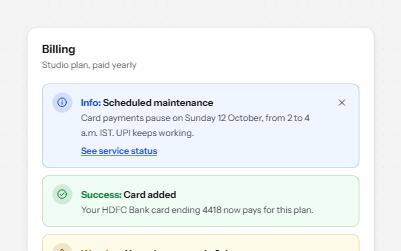
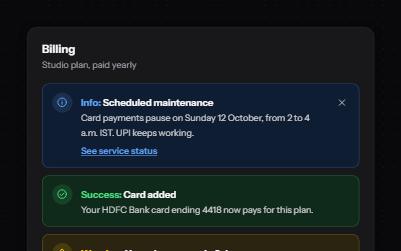
अलर्ट बैनर
चार टोन वाले संदेश, हर एक के साथ एक शब्द और एक आइकन, और role=alert सिर्फ़ उन त्रुटियों के लिए जो किसी के काम करते समय होती हैं।
-
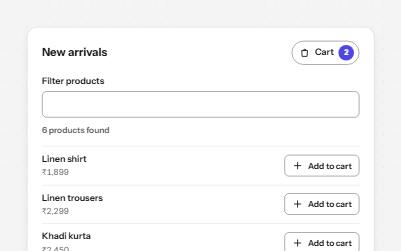
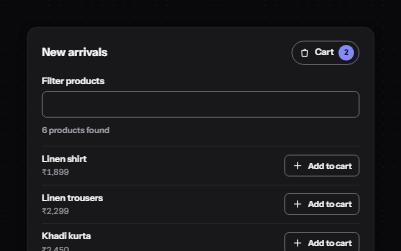
स्टेटस मैसेज
नतीजे, पुष्टियाँ और सेव role=status के ज़रिए स्क्रीन रीडर को बताए जाते हैं, फ़ोकस हिलाए बिना, हर बार एक ही बार।
-
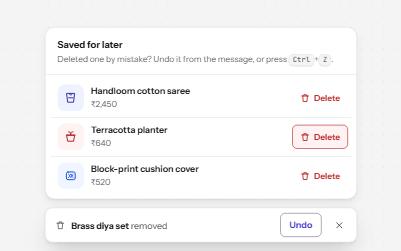
पहले जैसा करने के विकल्प के साथ डिलीट
पहले पक्का है? पूछने की जगह तुरंत डिलीट करें, और एक टोस्ट में पहले जैसा करें दें जो आपके इस्तेमाल करते समय रुका रहता है।
-
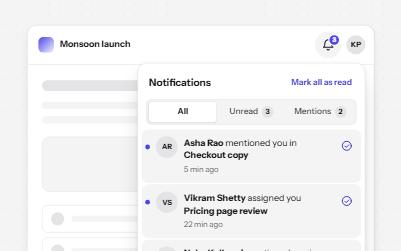
सूचना केंद्र
घंटी जो सूचनाओं का पैनल खोलती है, जिसमें पढ़ा और अपठित शब्दों में है, फ़िल्टर हैं, और नई सूचनाएँ एक बार घोषित होती हैं।