सुलभता पैटर्न · फ़ॉर्म और फ़्लो
कई चरणों वाला फ़ॉर्म
हर चरण एक fieldset है जिसकी हेडिंग चरण बदलने पर फ़ोकस ले लेती है, ताकि स्क्रीन रीडर बताए कि व्यक्ति कहाँ है, और प्रगति सूची मौजूदा चरण को aria-current="step" से और पूरे हो चुके चरणों को शब्दों में दिखाती है। आगे बढ़ने से पहले हर चरण जाँचा जाता है, पीछे जाने पर हर जवाब बना रहता है, और समीक्षा का चरण बदलें बटन से हर हिस्से पर वापस ले जाता है।
- डब्ल्यूसीएजी मानदंड
- 8
- कीबोर्ड नियम
- 5
- जाँच का तरीक़ा
- axe, कीबोर्ड और इंस्पेक्टर
लाइव डेमो
आज़माएँ
इसे माउस, कीबोर्ड या स्क्रीन रीडर से इस्तेमाल करें। साथ का इंस्पेक्टर दिखाता है कि आपके इस्तेमाल के दौरान ब्राउज़र सहायक तकनीक को क्या बताता है: फ़ोकस, स्थिति में बदलाव और घोषणाएँ।
जावास्क्रिप्ट के बिना डेमो उतना ही काम करता है जितना उसका एचटीएमएल; इंस्पेक्टर के लिए जावास्क्रिप्ट चाहिए।
कीबोर्ड
जिन कुंजियों पर यह काम करता है
हर क्रिया पॉइंटर के बिना काम करती है।
| कुंजी | यह क्या करती है |
|---|---|
| TabयाShiftTab | स्क्रीन पर दिख रहे चरण के फ़ील्ड से होकर, फिर पीछे और आगे बढ़ें पर ले जाता है। बाकी चरण छिपे हैं, इसलिए Tab उन तक कभी नहीं पहुँचता। |
| Enter | किसी फ़ील्ड में, वही करता है जो आगे बढ़ें करता है: इस चरण को जाँचता है, फिर आगे बढ़ता है या समस्याओं की सूची देता है। |
| EnterयाSpace | पीछे पर, हर जवाब को बनाए रखते हुए पिछला चरण दिखाता है, और फ़ोकस उसकी हेडिंग पर ले जाता है। |
| EnterयाSpace | समीक्षा में बदलें पर, वह चरण खोलता है; वहाँ आगे बढ़ना आपको वापस समीक्षा पर ले आता है। |
| Arrow DownयाArrow Up | विकल्पों के समूह में, अगला या पिछला विकल्प चुनता है। |
स्क्रीन रीडर
यह क्या घोषित करता है
मार्कअप की भूमिकाओं, नामों और स्थितियों से लिखा गया।
| कब | अपेक्षित घोषणा |
|---|---|
| आगे बढ़ें दूसरे चरण पर ले जाता है | चरण 2, कुल 4 डिलीवरी, हेडिंग स्तर 4 |
| चरणों की सूची पढ़ी जाती है | चेकआउट के चरण, सूची, 4 आइटम। विवरण, पूरा। डिलीवरी, मौजूदा चरण। भुगतान। समीक्षा। |
| मोबाइल नंबर के बिना आगे बढ़ें दबाया जाता है | आपके विवरण में एक समस्या है, समूह। अपना मोबाइल नंबर लिखें |
| पीछे दबाया जाता है | चरण 1, कुल 4 आपका विवरण, हेडिंग स्तर 4 |
| समीक्षा के डिलीवरी वाले हिस्से पर बदलें दबाया जाता है | चरण 2, कुल 4 डिलीवरी, हेडिंग स्तर 4 |
| ऑर्डर किया जाता है | ऑर्डर हो गया। यह डेमो कुछ नहीं भेजता। |
ये अपेक्षित घोषणाएँ हैं, रिकॉर्डिंग नहीं। स्क्रीन रीडर और ब्राउज़र के हिसाब से शब्द और क्रम बदलते हैं।
कोड
कोड कॉपी करें
वही फ़ाइलें जिन पर यह डेमो चलता है। स्टाइल एक प्रीफ़िक्स के साथ परोसी जाती हैं जो इस साइट की अपनी स्टाइल को डेमो से दूर रखता है; आप जो कॉपी करते हैं वह मूल है।
<form class="ap-wizard" data-ap-wizard novalidate aria-labelledby="wiz-form-name">
  <div class="ap-wizard__top">
    <h3 class="ap-wizard__name" id="wiz-form-name">Checkout</h3>
    <p class="ap-wizard__sub">Block-print cotton bedcover, double</p>
  </div>

  <ol class="ap-wizard__steps" aria-label="Checkout steps">
    <li class="ap-wizard__step" aria-current="step" data-ap-step="1">
      <span class="ap-wizard__dot" aria-hidden="true"><span class="ap-wizard__num">1</span><svg class="ap-wizard__icon" viewBox="0 0 24 24" aria-hidden="true" focusable="false"><path d="m5 12.5 4.5 4.5L19 7.5"/></svg></span>
      <span class="ap-wizard__step-name">Details</span>
      <span class="ap-wizard__state" hidden>Done</span>
    </li>
    <li class="ap-wizard__step" data-ap-step="2">
      <span class="ap-wizard__dot" aria-hidden="true"><span class="ap-wizard__num">2</span><svg class="ap-wizard__icon" viewBox="0 0 24 24" aria-hidden="true" focusable="false"><path d="m5 12.5 4.5 4.5L19 7.5"/></svg></span>
      <span class="ap-wizard__step-name">Delivery</span>
      <span class="ap-wizard__state" hidden>Done</span>
    </li>
    <li class="ap-wizard__step" data-ap-step="3">
      <span class="ap-wizard__dot" aria-hidden="true"><span class="ap-wizard__num">3</span><svg class="ap-wizard__icon" viewBox="0 0 24 24" aria-hidden="true" focusable="false"><path d="m5 12.5 4.5 4.5L19 7.5"/></svg></span>
      <span class="ap-wizard__step-name">Payment</span>
      <span class="ap-wizard__state" hidden>Done</span>
    </li>
    <li class="ap-wizard__step" data-ap-step="4">
      <span class="ap-wizard__dot" aria-hidden="true"><span class="ap-wizard__num">4</span><svg class="ap-wizard__icon" viewBox="0 0 24 24" aria-hidden="true" focusable="false"><path d="m5 12.5 4.5 4.5L19 7.5"/></svg></span>
      <span class="ap-wizard__step-name">Review</span>
      <span class="ap-wizard__state" hidden>Done</span>
    </li>
  </ol>

  <div class="ap-wizard__body">
    <div class="ap-wizard__summary" id="wiz-summary" role="group" aria-labelledby="wiz-summary-name" aria-describedby="wiz-summary-list" tabindex="-1" hidden>
      <h4 class="ap-wizard__summary-name" id="wiz-summary-name"><svg class="ap-wizard__icon" viewBox="0 0 24 24" aria-hidden="true" focusable="false"><circle cx="12" cy="12" r="9"/><path d="M12 7.5v5"/><path d="M12 16.5h.01"/></svg>There is a problem with your details</h4>
      <ul class="ap-wizard__summary-list" id="wiz-summary-list"></ul>
    </div>

    <fieldset class="ap-wizard__panel" data-ap-panel="1">
      <legend class="ap-wizard__legend"><h4 class="ap-wizard__h" id="wiz-h-1" tabindex="-1"><span class="ap-wizard__kicker">Step 1 of 4</span> Your details</h4></legend>
      <div class="ap-wizard__fields">
        <div class="ap-field ap-wizard__field ap-wizard__field--wide">
          <label class="ap-label" for="wiz-name">Full name</label>
          <input class="ap-input" id="wiz-name" name="name" type="text" autocomplete="name" spellcheck="false" required />
        <p class="ap-error ap-wizard__error" id="wiz-name-error" hidden><svg class="ap-wizard__icon" viewBox="0 0 24 24" aria-hidden="true" focusable="false"><circle cx="12" cy="12" r="9"/><path d="M12 7.5v5"/><path d="M12 16.5h.01"/></svg><span class="ap-wizard__vh">Error:</span> <span data-ap-text></span></p>
        </div>
        <div class="ap-field ap-wizard__field">
          <label class="ap-label" for="wiz-email">Email address</label>
          <p class="ap-hint" id="wiz-email-hint">For the receipt.</p>
          <input class="ap-input" id="wiz-email" name="email" type="email" autocomplete="email" spellcheck="false" required aria-describedby="wiz-email-hint" />
        <p class="ap-error ap-wizard__error" id="wiz-email-error" hidden><svg class="ap-wizard__icon" viewBox="0 0 24 24" aria-hidden="true" focusable="false"><circle cx="12" cy="12" r="9"/><path d="M12 7.5v5"/><path d="M12 16.5h.01"/></svg><span class="ap-wizard__vh">Error:</span> <span data-ap-text></span></p>
        </div>
        <div class="ap-field ap-wizard__field">
          <label class="ap-label" for="wiz-tel">Mobile number</label>
          <p class="ap-hint" id="wiz-tel-hint">10 digits, for delivery updates.</p>
          <input class="ap-input" id="wiz-tel" name="tel" type="tel" autocomplete="tel" required aria-describedby="wiz-tel-hint" />
        <p class="ap-error ap-wizard__error" id="wiz-tel-error" hidden><svg class="ap-wizard__icon" viewBox="0 0 24 24" aria-hidden="true" focusable="false"><circle cx="12" cy="12" r="9"/><path d="M12 7.5v5"/><path d="M12 16.5h.01"/></svg><span class="ap-wizard__vh">Error:</span> <span data-ap-text></span></p>
        </div>
      </div>
    </fieldset>

    <fieldset class="ap-wizard__panel" data-ap-panel="2" hidden>
      <legend class="ap-wizard__legend"><h4 class="ap-wizard__h" id="wiz-h-2" tabindex="-1"><span class="ap-wizard__kicker">Step 2 of 4</span> Delivery</h4></legend>
      <div class="ap-wizard__fields">
        <div class="ap-field ap-wizard__field ap-wizard__field--wide">
          <label class="ap-label" for="wiz-line1">Flat, house and street</label>
          <input class="ap-input" id="wiz-line1" name="line1" type="text" autocomplete="address-line1" required />
        <p class="ap-error ap-wizard__error" id="wiz-line1-error" hidden><svg class="ap-wizard__icon" viewBox="0 0 24 24" aria-hidden="true" focusable="false"><circle cx="12" cy="12" r="9"/><path d="M12 7.5v5"/><path d="M12 16.5h.01"/></svg><span class="ap-wizard__vh">Error:</span> <span data-ap-text></span></p>
        </div>
        <div class="ap-field ap-wizard__field">
          <label class="ap-label" for="wiz-city">Town or city</label>
          <input class="ap-input" id="wiz-city" name="city" type="text" autocomplete="address-level2" required />
        <p class="ap-error ap-wizard__error" id="wiz-city-error" hidden><svg class="ap-wizard__icon" viewBox="0 0 24 24" aria-hidden="true" focusable="false"><circle cx="12" cy="12" r="9"/><path d="M12 7.5v5"/><path d="M12 16.5h.01"/></svg><span class="ap-wizard__vh">Error:</span> <span data-ap-text></span></p>
        </div>
        <div class="ap-field ap-wizard__field">
          <label class="ap-label" for="wiz-pin">PIN code</label>
          <p class="ap-hint" id="wiz-pin-hint">6 digits.</p>
          <input class="ap-input ap-wizard__short" id="wiz-pin" name="pin" type="text" inputmode="numeric" autocomplete="postal-code" required aria-describedby="wiz-pin-hint" />
        <p class="ap-error ap-wizard__error" id="wiz-pin-error" hidden><svg class="ap-wizard__icon" viewBox="0 0 24 24" aria-hidden="true" focusable="false"><circle cx="12" cy="12" r="9"/><path d="M12 7.5v5"/><path d="M12 16.5h.01"/></svg><span class="ap-wizard__vh">Error:</span> <span data-ap-text></span></p>
        </div>
        <fieldset class="ap-wizard__choice ap-wizard__field--wide">
          <legend class="ap-label">Delivery speed</legend>
          <label class="ap-wizard__option" for="wiz-speed-standard">
            <input type="radio" id="wiz-speed-standard" name="speed" value="standard" checked />
            <span class="ap-wizard__option-text"><span class="ap-wizard__option-name">Standard, free</span> <span class="ap-wizard__option-note">3 to 5 working days</span></span>
          </label>
          <label class="ap-wizard__option" for="wiz-speed-express">
            <input type="radio" id="wiz-speed-express" name="speed" value="express" />
            <span class="ap-wizard__option-text"><span class="ap-wizard__option-name">Express, ₹149</span> <span class="ap-wizard__option-note">Next working day</span></span>
          </label>
        </fieldset>
      </div>
    </fieldset>

    <fieldset class="ap-wizard__panel" data-ap-panel="3" hidden>
      <legend class="ap-wizard__legend"><h4 class="ap-wizard__h" id="wiz-h-3" tabindex="-1"><span class="ap-wizard__kicker">Step 3 of 4</span> Payment</h4></legend>
      <fieldset class="ap-wizard__choice" id="wiz-pay" aria-describedby="wiz-pay-hint">
        <legend class="ap-label">How would you like to pay?</legend>
        <p class="ap-hint" id="wiz-pay-hint">You pay after checking your order.</p>
        <p class="ap-error ap-wizard__error" id="wiz-pay-error" hidden><svg class="ap-wizard__icon" viewBox="0 0 24 24" aria-hidden="true" focusable="false"><circle cx="12" cy="12" r="9"/><path d="M12 7.5v5"/><path d="M12 16.5h.01"/></svg><span class="ap-wizard__vh">Error:</span> <span data-ap-text></span></p>
          <label class="ap-wizard__option" for="wiz-pay-upi">
            <input type="radio" id="wiz-pay-upi" name="pay" value="upi" />
            <span class="ap-wizard__option-text"><span class="ap-wizard__option-name">UPI</span> <span class="ap-wizard__option-note">Any UPI app, on the next screen</span></span>
          </label>
          <label class="ap-wizard__option" for="wiz-pay-card">
            <input type="radio" id="wiz-pay-card" name="pay" value="card" />
            <span class="ap-wizard__option-text"><span class="ap-wizard__option-name">Card</span> <span class="ap-wizard__option-note">Debit or credit card</span></span>
          </label>
          <label class="ap-wizard__option" for="wiz-pay-cod">
            <input type="radio" id="wiz-pay-cod" name="pay" value="cod" />
            <span class="ap-wizard__option-text"><span class="ap-wizard__option-name">Cash on delivery</span> <span class="ap-wizard__option-note">₹40 handling fee</span></span>
          </label>
      </fieldset>
    </fieldset>

    <fieldset class="ap-wizard__panel" data-ap-panel="4" hidden>
      <legend class="ap-wizard__legend"><h4 class="ap-wizard__h" id="wiz-h-4" tabindex="-1"><span class="ap-wizard__kicker">Step 4 of 4</span> Check your order</h4></legend>
      <div class="ap-wizard__review">
        <div class="ap-wizard__group">
          <div class="ap-wizard__group-top"><h5 class="ap-wizard__group-name">Your details</h5><button type="button" class="ap-wizard__change" data-ap-goto="1">Change<span class="ap-wizard__vh"> your details</span></button></div>
          <dl class="ap-wizard__list">
          <div class="ap-wizard__row"><dt>Name</dt><dd data-ap-show="name"></dd></div>
          <div class="ap-wizard__row"><dt>Email</dt><dd data-ap-show="email"></dd></div>
          <div class="ap-wizard__row"><dt>Mobile</dt><dd data-ap-show="tel"></dd></div>
          </dl>
        </div>
        <div class="ap-wizard__group">
          <div class="ap-wizard__group-top"><h5 class="ap-wizard__group-name">Delivery</h5><button type="button" class="ap-wizard__change" data-ap-goto="2">Change<span class="ap-wizard__vh"> delivery</span></button></div>
          <dl class="ap-wizard__list">
          <div class="ap-wizard__row"><dt>Address</dt><dd data-ap-show="address"></dd></div>
          <div class="ap-wizard__row"><dt>Speed</dt><dd data-ap-show="speed"></dd></div>
          </dl>
        </div>
        <div class="ap-wizard__group">
          <div class="ap-wizard__group-top"><h5 class="ap-wizard__group-name">Payment</h5><button type="button" class="ap-wizard__change" data-ap-goto="3">Change<span class="ap-wizard__vh"> payment</span></button></div>
          <dl class="ap-wizard__list">
          <div class="ap-wizard__row"><dt>Method</dt><dd data-ap-show="pay"></dd></div>
          </dl>
        </div>
        <p class="ap-wizard__total"><span>Total to pay</span> <strong data-ap-total translate="no">₹3,450</strong></p>
      </div>
    </fieldset>
  </div>

  <div class="ap-wizard__foot">
    <p class="ap-wizard__status" role="status"><svg class="ap-wizard__icon" viewBox="0 0 24 24" aria-hidden="true" focusable="false"><path d="m5 12.5 4.5 4.5L19 7.5"/></svg><span data-ap-done></span></p>
    <button type="button" class="ap-btn" data-ap-back hidden>
      <svg class="ap-btn__icon" viewBox="0 0 24 24" aria-hidden="true" focusable="false"><path d="m15 6-6 6 6 6"/></svg>
      Back
    </button>
    <button type="submit" class="ap-btn ap-btn--primary" data-ap-next>Continue</button>
  </div>
</form>
/* Shared primitives: buttons and form fields used across the patterns.
   Uses the --ap-* design tokens. */

.ap-btn {
  display: inline-flex;
  align-items: center;
  justify-content: center;
  gap: 8px;
  min-height: 40px;
  padding: 0 16px;
  border: 1px solid var(--ap-border-strong);
  border-radius: var(--ap-radius-sm);
  background: var(--ap-surface);
  color: var(--ap-text);
  font: inherit;
  font-weight: 600;
  line-height: 1.2;
  text-decoration: none;
  white-space: nowrap;
  cursor: pointer;
  transition: background-color var(--ap-duration) var(--ap-ease), border-color var(--ap-duration) var(--ap-ease), box-shadow var(--ap-duration) var(--ap-ease);
}
.ap-btn:hover {
  background: var(--ap-surface-2);
}
.ap-btn:focus-visible {
  outline: 2px solid var(--ap-focus);
  outline-offset: 2px;
}
.ap-btn:disabled,
.ap-btn[aria-disabled="true"] {
  opacity: .55;
  cursor: not-allowed;
}
.ap-btn--primary {
  border-color: var(--ap-accent);
  background: var(--ap-accent);
  color: var(--ap-on-accent);
  box-shadow: var(--ap-shadow-sm);
}
.ap-btn--primary:hover {
  border-color: var(--ap-accent-hover);
  background: var(--ap-accent-hover);
}
.ap-btn--danger {
  border-color: var(--ap-danger);
  background: var(--ap-danger);
  color: var(--ap-surface);
}
.ap-btn--danger:hover {
  filter: brightness(1.08);
}
.ap-btn--ghost {
  border-color: transparent;
  background: transparent;
}
.ap-btn--ghost:hover {
  background: var(--ap-surface-2);
}
.ap-btn__icon {
  width: 18px;
  height: 18px;
  flex-shrink: 0;
  fill: none;
  stroke: currentColor;
  stroke-width: 2;
  stroke-linecap: round;
  stroke-linejoin: round;
}

.ap-field {
  display: grid;
  gap: 6px;
}
.ap-label {
  color: var(--ap-text);
  font-weight: 600;
  font-size: .9375rem;
}
.ap-hint {
  margin: 0;
  color: var(--ap-text-3);
  font-size: .875rem;
  line-height: 1.45;
}
.ap-error {
  display: flex;
  align-items: flex-start;
  gap: 6px;
  margin: 0;
  color: var(--ap-danger);
  font-size: .875rem;
  font-weight: 600;
  line-height: 1.45;
}
.ap-input {
  width: 100%;
  min-height: 44px;
  padding: 10px 12px;
  border: 1px solid var(--ap-border-strong);
  border-radius: var(--ap-radius-sm);
  background: var(--ap-surface);
  color: var(--ap-text);
  font: inherit;
  line-height: 1.4;
  transition: border-color var(--ap-duration) var(--ap-ease), box-shadow var(--ap-duration) var(--ap-ease);
}
.ap-input::placeholder {
  color: var(--ap-text-3);
}
.ap-input:hover {
  border-color: var(--ap-text-2);
}
.ap-input:focus-visible {
  outline: 2px solid var(--ap-focus);
  outline-offset: 1px;
  border-color: var(--ap-focus);
}
.ap-input[aria-invalid="true"] {
  border-color: var(--ap-danger);
  box-shadow: inset 4px 0 0 var(--ap-danger);
}
textarea.ap-input {
  resize: vertical;
  min-height: 88px;
}

@media (prefers-reduced-motion: reduce) {
  .ap-btn,
  .ap-input { transition: none; }
}

/* Multi-step form. Uses the --ap-* design tokens and the shared primitives. */
.ap-wizard {
  width: min(100%, 580px);
  margin-inline: auto;
  border: 1px solid var(--ap-border);
  border-radius: var(--ap-radius-lg);
  background: var(--ap-surface);
  color: var(--ap-text);
  box-shadow: var(--ap-shadow-md);
  container-type: inline-size;
}
.ap-wizard [hidden] {
  display: none;
}

.ap-wizard__top {
  display: flex;
  flex-wrap: wrap;
  align-items: baseline;
  justify-content: space-between;
  gap: 4px 16px;
  padding: 22px 24px 0;
}
.ap-wizard__name {
  margin: 0;
  font-size: 1.125rem;
  font-weight: 650;
  line-height: 1.3;
}
.ap-wizard__sub {
  margin: 0;
  color: var(--ap-text-3);
  font-size: .875rem;
  line-height: 1.45;
}

/* Progress: a row of steps joined by a line. The line is decoration. */
.ap-wizard__steps {
  display: grid;
  grid-template-columns: repeat(4, minmax(0, 1fr));
  margin: 18px 24px 0;
  padding: 16px 0 18px;
  border-bottom: 1px solid var(--ap-border);
  list-style: none;
}
.ap-wizard__step {
  position: relative;
  display: grid;
  justify-items: center;
  align-content: start;
  gap: 2px;
  min-width: 0;
  color: var(--ap-text-3);
  font-size: .8125rem;
  line-height: 1.35;
  text-align: center;
}
.ap-wizard__step + .ap-wizard__step::before {
  content: "";
  position: absolute;
  top: 14px;
  right: calc(50% + 20px);
  left: calc(-50% + 20px);
  height: 2px;
  border-radius: 2px;
  background: var(--ap-surface-3);
}
.ap-wizard__step[data-state="done"]::before,
.ap-wizard__step[data-state="current"]::before {
  background: var(--ap-accent);
}
.ap-wizard__dot {
  display: grid;
  place-items: center;
  width: 30px;
  height: 30px;
  margin-bottom: 4px;
  border: 1.5px solid var(--ap-border-strong);
  border-radius: var(--ap-radius-full);
  background: var(--ap-surface);
  color: var(--ap-text-2);
  font-weight: 650;
  font-variant-numeric: tabular-nums;
  transition: background-color var(--ap-duration) var(--ap-ease), border-color var(--ap-duration) var(--ap-ease), box-shadow var(--ap-duration) var(--ap-ease);
}
.ap-wizard__dot .ap-wizard__icon {
  display: none;
  width: 16px;
  height: 16px;
  stroke-width: 2.6;
}
.ap-wizard__step-name {
  max-width: 100%;
  overflow-wrap: anywhere;
}
.ap-wizard__state {
  color: var(--ap-success);
  font-size: .75rem;
  font-weight: 650;
}
/* Current: an accent ring, and the name in the text color and weight. */
.ap-wizard__step[aria-current="step"] {
  color: var(--ap-text);
  font-weight: 650;
}
.ap-wizard__step[aria-current="step"] .ap-wizard__dot {
  border-color: var(--ap-accent);
  background: var(--ap-accent-soft);
  color: var(--ap-accent-soft-text);
  box-shadow: 0 0 0 4px var(--ap-accent-soft);
}
/* Done: a filled circle with a tick, and the word Done under the name. */
.ap-wizard__step[data-state="done"] {
  color: var(--ap-text-2);
}
.ap-wizard__step[data-state="done"] .ap-wizard__dot {
  border-color: var(--ap-accent);
  background: var(--ap-accent);
  color: var(--ap-on-accent);
}
.ap-wizard__step[data-state="done"] .ap-wizard__num {
  display: none;
}
.ap-wizard__step[data-state="done"] .ap-wizard__dot .ap-wizard__icon {
  display: block;
}

.ap-wizard__body {
  display: grid;
  gap: 18px;
  padding: 20px 24px 24px;
}

/* The summary: every problem on this step, as links to the fields. */
.ap-wizard__summary {
  padding: 14px 16px 14px 18px;
  border: 1px solid var(--ap-danger);
  border-left-width: 4px;
  border-radius: var(--ap-radius-sm);
  background: var(--ap-surface);
  scroll-margin-top: 96px;
}
.ap-wizard__summary:focus {
  outline: 2px solid var(--ap-focus);
  outline-offset: 3px;
}
.ap-wizard__summary-name {
  display: flex;
  align-items: flex-start;
  gap: 8px;
  margin: 0;
  font-size: 1rem;
  font-weight: 650;
  line-height: 1.4;
}
.ap-wizard__summary-name .ap-wizard__icon {
  width: 20px;
  height: 20px;
  margin-top: 1px;
  color: var(--ap-danger);
}
.ap-wizard__summary-list {
  display: grid;
  gap: 4px;
  margin: 8px 0 0;
  padding-left: 48px;
}
.ap-wizard__summary-list a {
  color: var(--ap-danger);
  font-weight: 600;
  line-height: 1.45;
  text-decoration: underline;
  text-underline-offset: .18em;
}
.ap-wizard__summary-list a:hover {
  text-decoration-thickness: 2px;
}
.ap-wizard__summary-list a:focus-visible {
  outline: 2px solid var(--ap-focus);
  outline-offset: 2px;
  border-radius: 2px;
}

/* A step: a fieldset whose legend holds the heading. */
.ap-wizard__panel {
  min-width: 0;
  margin: 0;
  padding: 0;
  border: 0;
}
.ap-wizard__panel:not([hidden]) {
  animation: ap-wizard-in 220ms var(--ap-ease);
}
.ap-wizard__legend {
  float: left;
  width: 100%;
  margin: 0 0 16px;
  padding: 0;
}
.ap-wizard__legend + * {
  clear: both;
}
.ap-wizard__h {
  margin: 0;
  font-size: 1.125rem;
  font-weight: 650;
  line-height: 1.35;
  scroll-margin-top: 96px;
}
.ap-wizard__h:focus {
  outline: none;
}
.ap-wizard__h:focus-visible {
  outline: 2px solid var(--ap-focus);
  outline-offset: 4px;
  border-radius: 4px;
}
.ap-wizard__kicker {
  display: block;
  margin-bottom: 2px;
  color: var(--ap-accent-text);
  font-size: .8125rem;
  font-weight: 650;
  letter-spacing: .01em;
}

.ap-wizard__fields {
  display: grid;
  grid-template-columns: repeat(2, minmax(0, 1fr));
  align-items: start;
  gap: 18px 16px;
}
.ap-wizard__field {
  min-width: 0;
}
.ap-wizard__field--wide {
  grid-column: 1 / -1;
}
.ap-wizard .ap-hint {
  margin-top: -2px;
}
.ap-wizard__short {
  max-width: 12rem;
}
.ap-wizard__error .ap-wizard__icon {
  margin-top: 2px;
}

/* Choices: each option is a bordered row; the whole row is the label. */
.ap-wizard__choice {
  display: grid;
  gap: 8px;
  min-width: 0;
  margin: 0;
  padding: 0;
  border: 0;
}
.ap-wizard__choice > legend {
  float: left;
  width: 100%;
  margin-bottom: 8px;
  padding: 0;
}
.ap-wizard__choice > legend + * {
  clear: both;
}
.ap-wizard__choice .ap-hint {
  margin: -6px 0 2px;
}
.ap-wizard__option {
  display: flex;
  align-items: flex-start;
  gap: 12px;
  min-height: var(--ap-target);
  padding: 12px 14px;
  border: 1px solid var(--ap-border-strong);
  border-radius: var(--ap-radius-sm);
  background: var(--ap-surface);
  cursor: pointer;
  transition: border-color var(--ap-duration) var(--ap-ease), background-color var(--ap-duration) var(--ap-ease);
}
.ap-wizard__option:hover {
  background: var(--ap-surface-2);
}
.ap-wizard__option:has(input:checked) {
  border-color: var(--ap-accent);
  background: var(--ap-accent-soft);
  box-shadow: inset 0 0 0 1px var(--ap-accent);
}
.ap-wizard__option input {
  flex-shrink: 0;
  width: 20px;
  height: 20px;
  margin: 1px 0 0;
  border-radius: 50%;
  accent-color: var(--ap-accent);
  cursor: pointer;
}
.ap-wizard__option input:focus-visible {
  outline: 2px solid var(--ap-focus);
  outline-offset: 3px;
}
/* A choice still to be made: every option gets the error edge. */
.ap-wizard__option:has(input[aria-invalid="true"]) {
  border-color: var(--ap-danger);
  box-shadow: inset 4px 0 0 var(--ap-danger);
}
.ap-wizard__option-text {
  display: grid;
  gap: 1px;
  line-height: 1.4;
}
.ap-wizard__option-name {
  font-weight: 650;
}
.ap-wizard__option-note {
  color: var(--ap-text-3);
  font-size: .875rem;
}
.ap-wizard__option:has(input:checked) .ap-wizard__option-name,
.ap-wizard__option:has(input:checked) .ap-wizard__option-note {
  color: var(--ap-accent-soft-text);
}

/* Review: each part with its answers and a Change button. */
.ap-wizard__review {
  display: grid;
  gap: 12px;
}
.ap-wizard__group {
  padding: 12px 16px 14px;
  border: 1px solid var(--ap-border);
  border-radius: var(--ap-radius);
  background: var(--ap-surface-2);
}
.ap-wizard__group-top {
  display: flex;
  align-items: center;
  justify-content: space-between;
  gap: 12px;
}
.ap-wizard__group-name {
  margin: 0;
  font-size: .9375rem;
  font-weight: 650;
  line-height: 1.4;
}
.ap-wizard__change {
  min-width: 24px;
  min-height: 32px;
  margin-right: -8px;
  padding: 4px 8px;
  border: 0;
  border-radius: var(--ap-radius-sm);
  background: transparent;
  color: var(--ap-accent-text);
  font: inherit;
  font-size: .875rem;
  font-weight: 650;
  text-decoration: underline;
  text-underline-offset: .18em;
  cursor: pointer;
}
.ap-wizard__change:hover {
  background: var(--ap-surface-3);
}
.ap-wizard__change:focus-visible {
  outline: 2px solid var(--ap-focus);
  outline-offset: 1px;
}
.ap-wizard__list {
  display: grid;
  gap: 4px;
  margin: 6px 0 0;
}
.ap-wizard__row {
  display: grid;
  grid-template-columns: 6.5rem minmax(0, 1fr);
  gap: 12px;
  font-size: .9375rem;
  line-height: 1.45;
}
.ap-wizard__row dt {
  color: var(--ap-text-3);
}
.ap-wizard__row dd {
  margin: 0;
  overflow-wrap: anywhere;
}
.ap-wizard__total {
  display: flex;
  align-items: baseline;
  justify-content: space-between;
  gap: 12px;
  margin: 4px 0 0;
  padding: 0 4px;
  font-weight: 600;
}
.ap-wizard__total strong {
  font-size: 1.25rem;
  font-weight: 700;
  font-variant-numeric: tabular-nums;
}

.ap-wizard__icon {
  width: 16px;
  height: 16px;
  flex-shrink: 0;
  fill: none;
  stroke: currentColor;
  stroke-width: 2;
  stroke-linecap: round;
  stroke-linejoin: round;
}

.ap-wizard__vh {
  position: absolute;
  width: 1px;
  height: 1px;
  margin: -1px;
  padding: 0;
  overflow: hidden;
  clip-path: inset(50%);
  white-space: nowrap;
}

/* Footer: the outcome, then Back and Continue. */
.ap-wizard__foot {
  display: flex;
  flex-wrap: wrap;
  align-items: center;
  justify-content: flex-end;
  gap: 12px;
  padding: 16px 24px;
  border-top: 1px solid var(--ap-border);
  border-radius: 0 0 var(--ap-radius-lg) var(--ap-radius-lg);
  background: var(--ap-surface-2);
}
.ap-wizard__status {
  display: flex;
  flex: 1 1 180px;
  align-items: flex-start;
  gap: 8px;
  margin: 0 auto 0 0;
  color: var(--ap-success);
  font-size: .9375rem;
  font-weight: 600;
  line-height: 1.45;
}
.ap-wizard__status .ap-wizard__icon {
  display: none;
  width: 18px;
  height: 18px;
  margin-top: 1px;
}
.ap-wizard__status[data-tone="ok"] .ap-wizard__icon {
  display: block;
}
.ap-wizard__foot .ap-btn {
  min-height: var(--ap-target);
}

@keyframes ap-wizard-in {
  from { opacity: 0; transform: translateX(8px); }
}

@container (max-width: 460px) {
  .ap-wizard__top { padding: 18px 18px 0; }
  .ap-wizard__steps { margin: 14px 12px 0; }
  .ap-wizard__body { padding: 18px 18px 22px; }
  .ap-wizard__fields { grid-template-columns: minmax(0, 1fr); }
  .ap-wizard__row { grid-template-columns: minmax(0, 1fr); gap: 0; }
  .ap-wizard__row + .ap-wizard__row { margin-top: 4px; }
  .ap-wizard__summary-list { padding-left: 32px; }
  .ap-wizard__foot { row-gap: 0; padding: 14px 18px; }
  .ap-wizard__status { flex-basis: 100%; }
  .ap-wizard__status[data-tone] { margin-bottom: 12px; }
  .ap-wizard__foot .ap-btn { flex: 1 1 0; }
}

@media (prefers-reduced-motion: reduce) {
  .ap-wizard__dot { transition: none; }
  .ap-wizard__panel:not([hidden]) { animation: none; }
}

@media (forced-colors: active) {
  .ap-wizard__step[data-state="done"] .ap-wizard__dot { border-color: CanvasText; }
  .ap-wizard__step + .ap-wizard__step::before { background: CanvasText; }
}
/**
 * Multi-step form: one form, one fieldset per step, shown one at a time.
 *
 * Markup: form[data-ap-wizard][novalidate] holding an ol of steps
 * (li[data-ap-step] with a hidden "Done" word), an error summary
 * (#wiz-summary), fieldset[data-ap-panel="n"] for each step with an
 * h4[tabindex=-1] inside its legend, a review step whose dd[data-ap-show]
 * are filled from the answers, Change buttons (button[data-ap-goto="n"]),
 * a Back button ([data-ap-back]), the submit button ([data-ap-next]) and a
 * role=status for the outcome.
 *
 * Continue checks the step on screen. With problems, they are written under
 * each field and listed in the summary, which takes focus; without, the
 * next step is shown and its heading takes focus. Steps are only hidden,
 * never cleared, so going back keeps every answer.
 */

const RULES = {
  name: (v) => (v.trim() ? "" : "Enter your full name"),
  email: (v) => {
    const s = v.trim();
    if (!s) return "Enter your email address";
    return /^[^\s@]+@[^\s@]+\.[^\s@]{2,}$/.test(s) ? "" : "Enter an email address like [email protected]";
  },
  tel: (v) => {
    if (!v.trim()) return "Enter your mobile number";
    const digits = v.replace(/[\s()-]/g, "").replace(/^(\+91|0)/, "");
    return /^[6-9]\d{9}$/.test(digits) ? "" : "Enter a 10-digit mobile number, like 98450 12345";
  },
  line1: (v) => (v.trim() ? "" : "Enter the flat, house and street"),
  city: (v) => (v.trim() ? "" : "Enter the town or city"),
  pin: (v) => {
    const s = v.replace(/\s/g, "");
    if (!s) return "Enter the PIN code";
    return /^[1-9]\d{5}$/.test(s) ? "" : "Enter a 6-digit PIN code, like 560001";
  },
  pay: (v) => (v ? "" : "Select how you would like to pay"),
};

const STEPS = { 1: ["name", "email", "tel"], 2: ["line1", "city", "pin"], 3: ["pay"] };
const LAST = 4;
const PRICE = 3450;
const EXTRA = { express: 149, cod: 40 };

const NEXT = "Continue";
const RETURN = "Save and return to review";
const PLACE = "Place order";
const PLACED = "Order placed. This demo sends nothing.";

export function init(root) {
  const items = [...root.querySelectorAll("[data-ap-step]")];
  const panels = [...root.querySelectorAll("[data-ap-panel]")];
  const summary = root.querySelector("#wiz-summary");
  const list = summary.querySelector("ul");
  const back = root.querySelector("[data-ap-back]");
  const next = root.querySelector("[data-ap-next]");
  const done = root.querySelector("[data-ap-done]");
  const panelOf = (n) => panels.find((p) => p.dataset.apPanel === String(n));
  const field = (name) => root.elements.namedItem(name);
  const completed = new Set();
  let current = 1;
  let returning = false; // came here from the review with Change
  let timer = 0;

  // The control a summary link should land on: a text input, or a radio group's first option.
  function target(name) {
    const f = field(name);
    return f instanceof RadioNodeList ? f[0] : f;
  }

  function describedBy(el, id, on) {
    const ids = (el.getAttribute("aria-describedby") || "").split(/\s+/).filter((x) => x && x !== id);
    if (on) ids.push(id);
    if (ids.length) el.setAttribute("aria-describedby", ids.join(" "));
    else el.removeAttribute("aria-describedby");
  }

  function showError(name, message) {
    const box = root.querySelector(`#wiz-${name}-error`);
    const f = field(name);
    box.querySelector("[data-ap-text]").textContent = message;
    box.hidden = !message;
    // A radio group carries the message on its fieldset; each option says it is invalid.
    const holder = f instanceof RadioNodeList ? box.closest("fieldset") : f;
    describedBy(holder, box.id, Boolean(message));
    for (const el of f instanceof RadioNodeList ? [...f] : [f]) {
      if (message) el.setAttribute("aria-invalid", "true");
      else el.removeAttribute("aria-invalid");
    }
  }

  function setStatus(text) {
    clearTimeout(timer);
    done.textContent = "";
    delete done.parentElement.dataset.tone;
    if (!text) return;
    // Written a moment after it was emptied, so the change is read out.
    timer = setTimeout(() => {
      done.parentElement.dataset.tone = "ok";
      done.textContent = text;
    }, 100);
  }

  function optionName(name) {
    const checked = [...field(name)].find((r) => r.checked);
    return checked ? checked.closest("label").querySelector(".ap-wizard__option-name").textContent.trim() : "";
  }

  function fillReview() {
    const v = (name) => field(name).value.trim();
    const shown = {
      name: v("name"),
      email: v("email"),
      tel: v("tel"),
      address: [v("line1"), `${v("city")} ${v("pin")}`.trim()].filter(Boolean).join(", "),
      speed: optionName("speed"),
      pay: optionName("pay"),
    };
    for (const dd of root.querySelectorAll("[data-ap-show]")) dd.textContent = shown[dd.dataset.apShow] || "";
    const total = PRICE + (EXTRA[field("speed").value] || 0) + (EXTRA[field("pay").value] || 0);
    root.querySelector("[data-ap-total]").textContent = `₹${total.toLocaleString("en-IN")}`;
  }

  function go(n) {
    current = n;
    for (const p of panels) p.hidden = p !== panelOf(n);
    for (const li of items) {
      const step = Number(li.dataset.apStep);
      if (step === n) li.setAttribute("aria-current", "step");
      else li.removeAttribute("aria-current");
      const finished = completed.has(step) && step !== n;
      li.dataset.state = step === n ? "current" : finished ? "done" : "";
      li.querySelector(".ap-wizard__state").hidden = !finished;
    }
    summary.hidden = true;
    list.replaceChildren();
    back.hidden = n === 1;
    next.textContent = n === LAST ? PLACE : returning ? RETURN : NEXT;
    if (n === LAST) fillReview();
    setStatus("");
    // The new step's heading takes focus: it says where you are, and Tab goes on from there.
    panelOf(n).querySelector("h4[tabindex]").focus();
  }

  function summaryItem(name, text) {
    const item = document.createElement("li");
    const link = document.createElement("a");
    link.href = `#${target(name).id}`;
    link.textContent = text;
    item.append(link);
    return item;
  }

  function onSubmit(event) {
    // This demo sends nothing. A real checkout sends the order here, and the server checks it again.
    event.preventDefault();
    if (current === LAST) {
      completed.add(LAST);
      setStatus(PLACED);
      return;
    }
    const problems = [];
    for (const name of STEPS[current]) {
      const message = RULES[name](field(name).value);
      showError(name, message);
      if (message) problems.push([name, message]);
    }
    if (problems.length) {
      list.replaceChildren(...problems.map(([name, text]) => summaryItem(name, text)));
      summary.hidden = false;
      summary.focus();
      return;
    }
    completed.add(current);
    const to = returning ? LAST : current + 1;
    if (to === LAST) returning = false;
    go(to);
  }

  function onClick(event) {
    const goto = event.target.closest("[data-ap-goto]");
    if (goto) {
      returning = true;
      go(Number(goto.dataset.apGoto));
      return;
    }
    if (event.target.closest("[data-ap-back]")) {
      go(current - 1);
      return;
    }
    // A summary link shows its field with the label above it, then moves focus there.
    const link = event.target.closest("#wiz-summary a[href^='#']");
    const to = link && root.querySelector(link.getAttribute("href"));
    if (to) {
      event.preventDefault();
      (to.closest(".ap-wizard__field, .ap-wizard__choice") || to).scrollIntoView({ block: "center", behavior: "auto" });
      to.focus({ preventScroll: true });
    }
  }

  root.addEventListener("submit", onSubmit);
  root.addEventListener("click", onClick);
  return () => {
    clearTimeout(timer);
    root.removeEventListener("submit", onSubmit);
    root.removeEventListener("click", onClick);
  };
}

for (const root of document.querySelectorAll("[data-ap-wizard]")) init(root);
/* Design tokens for the pattern components. Light by default, dark when the
   system asks for it; set data-theme="dark" on :root to force dark. */
:root {
    --ap-radius-sm: 8px;
    --ap-radius: 12px;
    --ap-radius-lg: 16px;
    --ap-radius-full: 999px;
    --ap-font: "Instrument Sans", ui-sans-serif, system-ui, -apple-system, "Segoe UI", Roboto, sans-serif;
    --ap-mono: "JetBrains Mono", ui-monospace, "Cascadia Mono", "SF Mono", Consolas, monospace;
    --ap-ease: cubic-bezier(.2, .8, .2, 1);
    --ap-duration: 180ms;
    --ap-target: 44px;
    --ap-bg: #F4F4F5;
    --ap-surface: #FFFFFF;
    --ap-surface-2: #F4F4F5;
    --ap-surface-3: #E4E4E7;
    --ap-border: #E4E4E7;
    --ap-border-strong: #76767F;
    --ap-text: #18181B;
    --ap-text-2: #3F3F46;
    --ap-text-3: #5E5E66;
    --ap-accent: #4F46E5;
    --ap-accent-hover: #4338CA;
    --ap-on-accent: #FFFFFF;
    --ap-accent-text: #4338CA;
    --ap-accent-soft: #EEF2FF;
    --ap-accent-soft-text: #3730A3;
    --ap-focus: #4F46E5;
    --ap-danger: #B91C1C;
    --ap-danger-soft: #FEF2F2;
    --ap-success: #15803D;
    --ap-success-soft: #F0FDF4;
    --ap-warning: #A15C07;
    --ap-warning-soft: #FEFCE8;
    --ap-info: #1D4ED8;
    --ap-info-soft: #EFF6FF;
    --ap-scrim: rgb(9 9 11 / .48);
    --ap-shadow-sm: 0 1px 2px rgb(9 9 11 / .06);
    --ap-shadow-md: 0 1px 2px rgb(9 9 11 / .05), 0 6px 16px -4px rgb(9 9 11 / .1);
    --ap-shadow-lg: 0 2px 6px rgb(9 9 11 / .06), 0 20px 40px -12px rgb(9 9 11 / .22);
    --ap-light-bg: #F4F4F5;
    --ap-light-surface: #FFFFFF;
    --ap-light-surface-2: #F4F4F5;
    --ap-light-surface-3: #E4E4E7;
    --ap-light-border: #E4E4E7;
    --ap-light-border-strong: #76767F;
    --ap-light-text: #18181B;
    --ap-light-text-2: #3F3F46;
    --ap-light-text-3: #5E5E66;
    --ap-light-accent: #4F46E5;
    --ap-light-accent-hover: #4338CA;
    --ap-light-on-accent: #FFFFFF;
    --ap-light-accent-text: #4338CA;
    --ap-light-accent-soft: #EEF2FF;
    --ap-light-accent-soft-text: #3730A3;
    --ap-light-focus: #4F46E5;
    --ap-light-danger: #B91C1C;
    --ap-light-danger-soft: #FEF2F2;
    --ap-light-success: #15803D;
    --ap-light-success-soft: #F0FDF4;
    --ap-light-warning: #A15C07;
    --ap-light-warning-soft: #FEFCE8;
    --ap-light-info: #1D4ED8;
    --ap-light-info-soft: #EFF6FF;
    --ap-light-scrim: rgb(9 9 11 / .48);
    --ap-light-shadow-sm: 0 1px 2px rgb(9 9 11 / .06);
    --ap-light-shadow-md: 0 1px 2px rgb(9 9 11 / .05), 0 6px 16px -4px rgb(9 9 11 / .1);
    --ap-light-shadow-lg: 0 2px 6px rgb(9 9 11 / .06), 0 20px 40px -12px rgb(9 9 11 / .22);
    --ap-dark-bg: #09090B;
    --ap-dark-surface: #18181B;
    --ap-dark-surface-2: #27272A;
    --ap-dark-surface-3: #3F3F46;
    --ap-dark-border: #2E2E33;
    --ap-dark-border-strong: #8E8E97;
    --ap-dark-text: #FAFAFA;
    --ap-dark-text-2: #D4D4D8;
    --ap-dark-text-3: #A1A1AA;
    --ap-dark-accent: #818CF8;
    --ap-dark-accent-hover: #A5B4FC;
    --ap-dark-on-accent: #0C0A1F;
    --ap-dark-accent-text: #A5B4FC;
    --ap-dark-accent-soft: #1E1B4B;
    --ap-dark-accent-soft-text: #C7D2FE;
    --ap-dark-focus: #A5B4FC;
    --ap-dark-danger: #F87171;
    --ap-dark-danger-soft: #2A1215;
    --ap-dark-success: #4ADE80;
    --ap-dark-success-soft: #0F2A1A;
    --ap-dark-warning: #FACC15;
    --ap-dark-warning-soft: #2A2410;
    --ap-dark-info: #60A5FA;
    --ap-dark-info-soft: #0F1D33;
    --ap-dark-scrim: rgb(0 0 0 / .62);
    --ap-dark-shadow-sm: 0 1px 2px rgb(0 0 0 / .4);
    --ap-dark-shadow-md: 0 1px 2px rgb(0 0 0 / .4), 0 8px 20px -6px rgb(0 0 0 / .5);
    --ap-dark-shadow-lg: 0 2px 8px rgb(0 0 0 / .45), 0 24px 48px -12px rgb(0 0 0 / .7);
}
@media (prefers-color-scheme: dark) {
  :root:not([data-theme="light"]) {
      --ap-bg: #09090B;
      --ap-surface: #18181B;
      --ap-surface-2: #27272A;
      --ap-surface-3: #3F3F46;
      --ap-border: #2E2E33;
      --ap-border-strong: #8E8E97;
      --ap-text: #FAFAFA;
      --ap-text-2: #D4D4D8;
      --ap-text-3: #A1A1AA;
      --ap-accent: #818CF8;
      --ap-accent-hover: #A5B4FC;
      --ap-on-accent: #0C0A1F;
      --ap-accent-text: #A5B4FC;
      --ap-accent-soft: #1E1B4B;
      --ap-accent-soft-text: #C7D2FE;
      --ap-focus: #A5B4FC;
      --ap-danger: #F87171;
      --ap-danger-soft: #2A1215;
      --ap-success: #4ADE80;
      --ap-success-soft: #0F2A1A;
      --ap-warning: #FACC15;
      --ap-warning-soft: #2A2410;
      --ap-info: #60A5FA;
      --ap-info-soft: #0F1D33;
      --ap-scrim: rgb(0 0 0 / .62);
      --ap-shadow-sm: 0 1px 2px rgb(0 0 0 / .4);
      --ap-shadow-md: 0 1px 2px rgb(0 0 0 / .4), 0 8px 20px -6px rgb(0 0 0 / .5);
      --ap-shadow-lg: 0 2px 8px rgb(0 0 0 / .45), 0 24px 48px -12px rgb(0 0 0 / .7);
  }
}
:root[data-theme="dark"] {
    --ap-bg: #09090B;
    --ap-surface: #18181B;
    --ap-surface-2: #27272A;
    --ap-surface-3: #3F3F46;
    --ap-border: #2E2E33;
    --ap-border-strong: #8E8E97;
    --ap-text: #FAFAFA;
    --ap-text-2: #D4D4D8;
    --ap-text-3: #A1A1AA;
    --ap-accent: #818CF8;
    --ap-accent-hover: #A5B4FC;
    --ap-on-accent: #0C0A1F;
    --ap-accent-text: #A5B4FC;
    --ap-accent-soft: #1E1B4B;
    --ap-accent-soft-text: #C7D2FE;
    --ap-focus: #A5B4FC;
    --ap-danger: #F87171;
    --ap-danger-soft: #2A1215;
    --ap-success: #4ADE80;
    --ap-success-soft: #0F2A1A;
    --ap-warning: #FACC15;
    --ap-warning-soft: #2A2410;
    --ap-info: #60A5FA;
    --ap-info-soft: #0F1D33;
    --ap-scrim: rgb(0 0 0 / .62);
    --ap-shadow-sm: 0 1px 2px rgb(0 0 0 / .4);
    --ap-shadow-md: 0 1px 2px rgb(0 0 0 / .4), 0 8px 20px -6px rgb(0 0 0 / .5);
    --ap-shadow-lg: 0 2px 8px rgb(0 0 0 / .45), 0 24px 48px -12px rgb(0 0 0 / .7);
}
डब्ल्यूसीएजी 2.2
यह किन मानदंडों को पूरा करता है
वे सफलता मानदंड जिनका यह पैटर्न ध्यान रखता है, और कैसे।
-
1.3.1 जानकारी और संबंध
स्तर A
हर चरण एक fieldset है जिसका नाम उसकी हेडिंग से आता है, विकल्प अपने legend के साथ समूह में हैं, और प्रगति एक क्रमबद्ध सूची है जिसमें मौजूदा चरण चिह्नित है।
-
1.3.5 इनपुट का उद्देश्य पहचानें
स्तर AA
नाम, ईमेल, मोबाइल, पता, क़स्बा और पिन कोड पर autocomplete टोकन हैं, ताकि ब्राउज़र हर चरण भर सके।
-
2.4.3 फ़ोकस क्रम
स्तर A
चरण बदलने पर फ़ोकस नए चरण की हेडिंग पर जाता है, पेज के ऊपर या किसी ऐसे बटन पर नहीं जो शायद अब वहाँ न हो।
-
2.4.6 हेडिंग और लेबल
स्तर AA
हर चरण की हेडिंग शब्दों में बताती है कि आप कहाँ हैं, चरण 2, कुल 4, फिर यह कि चरण किसलिए है।
-
3.3.1 त्रुटि पहचान
स्तर A
समस्याएँ चरण छोड़ने से पहले पकड़ी जाती हैं, aria-invalid से चिह्नित होती हैं, हर फ़ील्ड के नीचे लिखी जाती हैं और फ़ोकस लेने वाले सारांश में सूचीबद्ध होती हैं।
-
3.3.4 त्रुटि निवारण (क़ानूनी, वित्तीय, डेटा)
स्तर AA
समीक्षा तक कुछ भी ऑर्डर नहीं होता: वहाँ हर जवाब बदलें बटन के साथ दिखता है, और ऑर्डर सिर्फ़ उसी चरण से होता है।
-
3.3.7 दोहराई गई एंट्री
स्तर A
पीछे जाने पर, या समीक्षा से कोई हिस्सा बदलने पर, पहले भरा सब कुछ बना रहता है; कुछ भी दोबारा टाइप नहीं करना पड़ता।
-
4.1.2 नाम, भूमिका, मान
स्तर A
मौजूदा चरण पर aria-current="step" है, और पूरे हुए चरण सिर्फ़ टिक से नहीं, शब्दों में पूरा कहते हैं।
उपयोग
इसे कब इस्तेमाल करें
इसे अपनाएँ
- ऐसे लंबे काम जो साफ़ हिस्सों में बँटते हैं, जैसे चेकआउट, आवेदन या खाता सेट करना।
- ऐसे सवाल जिनके जवाब तय करते हैं कि आगे क्या आएगा, इसलिए उन्हें एक-एक हिस्से में पूछने से हर स्क्रीन छोटी रहती है।
कुछ और इस्तेमाल करें
- एक स्क्रीन में समाने वाले छोटे फ़ॉर्म: उन्हें बाँटने से क्लिक बढ़ते हैं और अंत नज़र से छिप जाता है।
- ऐसे हिस्से जिन्हें ठीक जवाब देने के लिए साथ-साथ देखना ज़रूरी है: उन्हें एक ही पेज पर रखें।
- ऐसे चरण जो किसी भी क्रम में हो सकते हैं: उनकी जगह टैब या हेडिंग वाले सेक्शन इस्तेमाल करें।
आम विफलताएँ
आमतौर पर यह कहाँ गलत होता है
फ़ोकस आगे बढ़ें बटन पर ही छूट जाना
जब सामग्री बदलती है और फ़ोकस बटन पर ही रहता है, तो स्क्रीन रीडर यूज़र कुछ नहीं सुनता और कीबोर्ड यूज़र को नया चरण ढूँढना पड़ता है। यहाँ नए चरण की हेडिंग फ़ोकस लेती है।
प्रगति सिर्फ़ रंग से दिखाना
थोड़े अलग रंग का भरा गोला बहुत से लोगों को कुछ नहीं बताता। यहाँ पूरे हुए चरणों पर टिक और पूरा शब्द है, और मौजूदा चरण aria-current="step" से चिह्नित है।
पीछे जाने पर जवाब खो जाना
किसी के पीछे जाने पर चरण साफ़ कर देने से उसे सब दोबारा टाइप करना पड़ता है। यहाँ चरण सिर्फ़ छिपाए जाते हैं, इसलिए हर जवाब बना रहता है।
त्रुटियाँ सिर्फ़ आख़िर में पकड़ना
आख़िरी चरण पर सब कुछ जाँचने से लोगों को समस्या ढूँढने के लिए हर स्क्रीन से होकर वापस जाना पड़ता है। यहाँ आगे बढ़ने से पहले हर चरण जाँचा जाता है।
ऑर्डर से पहले जाँचने का कोई तरीका नहीं
भुगतान के चरण से सीधे ऑर्डर कर देने पर गलत पता पकड़ने का मौका नहीं मिलता। समीक्षा हर जवाब को बदलें बटन के साथ दिखाती है।
क्लिक होने वाले चरण संकेतक
प्रगति सूची के चरण अगर लिंक की तरह काम करें तो लोग बिना जाँचे चरण छोड़ सकते हैं और सूची को दो काम मिल जाते हैं। यहाँ वह सिर्फ़ प्रगति दिखाती है; आना-जाना पीछे, आगे बढ़ें और बदलें से होता है।
नोट्स
इसे बनाना
- हेडिंग legend के अंदर है, इसलिए वह fieldset को नाम देती है और स्क्रीन रीडर की हेडिंग सूची में भी दिखती है। उस पर tabindex="-1" है ताकि स्क्रिप्ट बिना नया Tab पड़ाव जोड़े उस पर फ़ोकस कर सके।
- आगे बढ़ें फ़ॉर्म का submit बटन है, इसलिए किसी भी फ़ील्ड में Enter आगे ले जाता है, और जाँच एक ही जगह चलती है। पीछे type="button" है, इसलिए वह कभी फ़ॉर्म नहीं भेजता।
- समीक्षा से बदलें के बाद आगे बढ़ें पर सहेजें और समीक्षा पर लौटें लिखा आता है और वह सीधे वापस ले जाता है, ताकि छोटे सुधार के लिए फिर हर चरण से न गुज़रना पड़े।
- जिस साइट पर हर चरण अलग पेज है, वहाँ भी यही हिस्से रखें: पेज शीर्षक और हेडिंग में चरण, पीछे का लिंक, और समीक्षा के बदलें लिंक।
- कुल रकम जवाबों से निकाली जाती है और अपने अलग एलिमेंट में संख्या के रूप में लिखी जाती है, ताकि आसपास के शब्द अपने आप अनुवाद हो सकें।
स्रोत: WAI ट्यूटोरियल: कई पेज वाले फ़ॉर्म · WAI ट्यूटोरियल: कंट्रोल को समूह में रखना · एचटीएमएल: legend एलिमेंट
लाइट और डार्क थीम में, डेस्कटॉप और फ़ोन की चौड़ाई पर axe से और कीबोर्ड से जाँचा गया। अभी हर स्क्रीन रीडर और ब्राउज़र जोड़ी के साथ नहीं परखा गया। सुधार बताएँ
संबंधित
इसके साथ जाने वाले पैटर्न
-
प्रगति के चरण
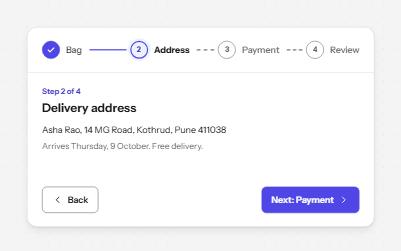
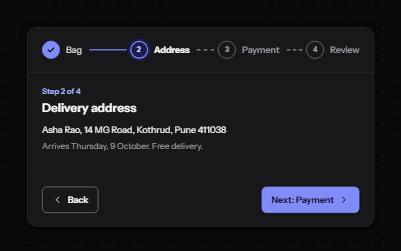
क्रमांकित चरणों की एक पंक्ति जो बताती है कि कौन-से पूरे हुए, कौन-सा वर्तमान है और कौन-से अभी बाक़ी हैं, आगे-पीछे जाने के लिए वापस और अगला के साथ।
-
फ़ॉर्म त्रुटियाँ
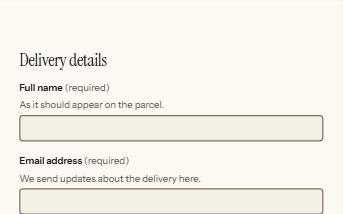
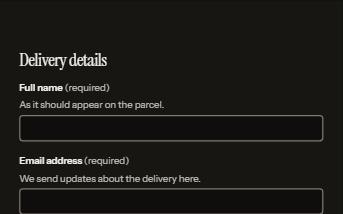
एक त्रुटि सारांश जो फ़ोकस लेता है, हर फ़ील्ड से जुड़े संदेश, और फ़ॉर्म भेजने पर एक स्थिति संदेश।
-
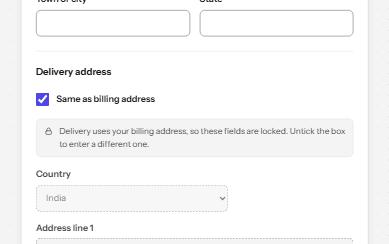
पते का फ़ॉर्म
सही ऑटोफ़िल वाले बिलिंग और डिलीवरी पते, देश के हिसाब से बदलते फ़ॉर्मैट, पिन कोड से खोज और बिलिंग जैसा ही।
-
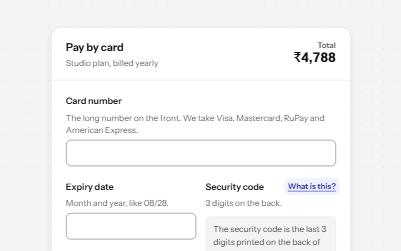
भुगतान फ़ॉर्म
एक कार्ड भुगतान फ़ॉर्म जो टाइप करते ही नंबर में जगह छोड़ता है, कार्ड ब्रांड का नाम शब्दों में बताता है, सुरक्षा कोड समझाता है और प्रगति दिखाता है।