सुलभता पैटर्न · बटन और क्रियाएँ
क्लिपबोर्ड पर कॉपी करें
हर बटन का एक ही नाम रहता है, जैसे एपीआई कुंजी कॉपी करें, जबकि उसका चेहरा दो सेकंड के लिए सही के निशान और कॉपी हो गया में बदल जाता है। एक शांत स्टेटस क्लिपबोर्ड पर कॉपी हो गया कहता है; अगर ब्राउज़र क्लिपबोर्ड रोक दे, तो टेक्स्ट चुन लिया जाता है और एक मैसेज बताता है कि उसे हाथ से कैसे कॉपी करें।
- डब्ल्यूसीएजी मानदंड
- 6
- कीबोर्ड नियम
- 3
- जाँच का तरीक़ा
- axe, कीबोर्ड और इंस्पेक्टर
लाइव डेमो
आज़माएँ
इसे माउस, कीबोर्ड या स्क्रीन रीडर से इस्तेमाल करें। साथ का इंस्पेक्टर दिखाता है कि आपके इस्तेमाल के दौरान ब्राउज़र सहायक तकनीक को क्या बताता है: फ़ोकस, स्थिति में बदलाव और घोषणाएँ।
जावास्क्रिप्ट के बिना डेमो उतना ही काम करता है जितना उसका एचटीएमएल; इंस्पेक्टर के लिए जावास्क्रिप्ट चाहिए।
कीबोर्ड
जिन कुंजियों पर यह काम करता है
हर क्रिया पॉइंटर के बिना काम करती है।
| कुंजी | यह क्या करती है |
|---|---|
| Tab | पढ़ने के क्रम में सिर्फ़ पढ़ने लायक फ़ील्ड और उनके कॉपी बटनों से गुज़रता है। |
| EnterयाSpace | कॉपी बटन पर, उसका टेक्स्ट कॉपी करता है; बटन दो सेकंड तक कॉपी हो गया दिखाता है और नतीजे की घोषणा होती है। |
| CtrlCया⌘C | हाथ से कॉपी करता है। कॉपी रुकने के बाद टेक्स्ट पहले से चुना होता है, इसलिए बस यही क़दम बचता है। |
स्क्रीन रीडर
यह क्या घोषित करता है
मार्कअप की भूमिकाओं, नामों और स्थितियों से लिखा गया।
| कब | अपेक्षित घोषणा |
|---|---|
| फ़ोकस एपीआई कुंजी के बटन पर पहुँचता है | एपीआई कुंजी कॉपी करें, बटन |
| कॉपी हो जाता है | क्लिपबोर्ड पर कॉपी हो गया |
| क्लिपबोर्ड रुका हुआ है | अपने आप कॉपी नहीं हो सका। टेक्स्ट चुना हुआ है: Ctrl+C दबाएँ, या Mac पर ⌘C। |
| फ़ोकस एपीआई कुंजी फ़ील्ड पर पहुँचता है | एपीआई कुंजी, टेक्स्ट एडिट करें, सिर्फ़ पढ़ने के लिए, ak_live_7Hq2Ns9Vx4Lm8Pz3Rt6Wb1Ky। इसे गुप्त रखें: इस कुंजी वाला कोई भी आपके खाते में रिपोर्ट भेज सकता है। |
ये अपेक्षित घोषणाएँ हैं, रिकॉर्डिंग नहीं। स्क्रीन रीडर और ब्राउज़र के हिसाब से शब्द और क्रम बदलते हैं।
कोड
कोड कॉपी करें
वही फ़ाइलें जिन पर यह डेमो चलता है। स्टाइल एक प्रीफ़िक्स के साथ परोसी जाती हैं जो इस साइट की अपनी स्टाइल को डेमो से दूर रखता है; आप जो कॉपी करते हैं वह मूल है।
<div class="ap-copy-button" data-ap-copy-button>
  <div class="ap-copy-button__top">
    <h3 class="ap-copy-button__label">Connect the checker</h3>
    <p class="ap-copy-button__lead">Install the package, then paste your key into its settings.</p>
  </div>

  <div class="ap-copy-button__item">
    <p class="ap-label">Install command</p>
    <div class="ap-copy-button__code">
      <pre class="ap-copy-button__pre"><code id="copy-button-cmd">npm install --save-dev axe-core</code></pre>
      <button type="button" class="ap-copy-button__btn" data-ap-source="copy-button-cmd" aria-label="Copy install command">
        <svg class="ap-copy-button__icon ap-copy-button__icon--copy" viewBox="0 0 24 24" aria-hidden="true" focusable="false"><rect x="9" y="9" width="11" height="11" rx="2"/><path d="M5 15V5a2 2 0 0 1 2-2h10"/></svg>
        <svg class="ap-copy-button__icon ap-copy-button__icon--done" viewBox="0 0 24 24" aria-hidden="true" focusable="false"><path d="m5 12.5 4.5 4.5L19 7.5"/></svg>
        <span class="ap-copy-button__word">Copy</span>
      </button>
    </div>
    <p class="ap-copy-button__fail" hidden>Couldn't copy automatically. The text is selected: press Ctrl+C, or ⌘C on a Mac.</p>
  </div>

  <div class="ap-copy-button__item">
    <label class="ap-label" for="copy-button-key">API key</label>
    <div class="ap-copy-button__group">
      <input class="ap-input ap-copy-button__value" id="copy-button-key" type="text" value="ak_live_7Hq2Ns9Vx4Lm8Pz3Rt6Wb1Ky" readonly aria-describedby="copy-button-key-hint" />
      <button type="button" class="ap-copy-button__btn" data-ap-source="copy-button-key" aria-label="Copy API key">
        <svg class="ap-copy-button__icon ap-copy-button__icon--copy" viewBox="0 0 24 24" aria-hidden="true" focusable="false"><rect x="9" y="9" width="11" height="11" rx="2"/><path d="M5 15V5a2 2 0 0 1 2-2h10"/></svg>
        <svg class="ap-copy-button__icon ap-copy-button__icon--done" viewBox="0 0 24 24" aria-hidden="true" focusable="false"><path d="m5 12.5 4.5 4.5L19 7.5"/></svg>
        <span class="ap-copy-button__word">Copy</span>
      </button>
    </div>
    <p class="ap-hint" id="copy-button-key-hint">Keep it secret: anyone with this key can send reports to your account.</p>
    <p class="ap-copy-button__fail" hidden>Couldn't copy automatically. The text is selected: press Ctrl+C, or ⌘C on a Mac.</p>
  </div>

  <div class="ap-copy-button__item">
    <label class="ap-label" for="copy-button-link">Share link</label>
    <div class="ap-copy-button__group">
      <input class="ap-input ap-copy-button__value" id="copy-button-link" type="text" value="https://auricartisan.com/r/q4-audit" readonly />
      <button type="button" class="ap-copy-button__btn" data-ap-source="copy-button-link" aria-label="Copy share link">
        <svg class="ap-copy-button__icon ap-copy-button__icon--copy" viewBox="0 0 24 24" aria-hidden="true" focusable="false"><rect x="9" y="9" width="11" height="11" rx="2"/><path d="M5 15V5a2 2 0 0 1 2-2h10"/></svg>
        <svg class="ap-copy-button__icon ap-copy-button__icon--done" viewBox="0 0 24 24" aria-hidden="true" focusable="false"><path d="m5 12.5 4.5 4.5L19 7.5"/></svg>
        <span class="ap-copy-button__word">Copy</span>
      </button>
    </div>
    <p class="ap-copy-button__fail" hidden>Couldn't copy automatically. The text is selected: press Ctrl+C, or ⌘C on a Mac.</p>
  </div>

  <p class="ap-copy-button__say" role="status"></p>
</div>
/* Shared primitives: buttons and form fields used across the patterns.
   Uses the --ap-* design tokens. */

.ap-btn {
  display: inline-flex;
  align-items: center;
  justify-content: center;
  gap: 8px;
  min-height: 40px;
  padding: 0 16px;
  border: 1px solid var(--ap-border-strong);
  border-radius: var(--ap-radius-sm);
  background: var(--ap-surface);
  color: var(--ap-text);
  font: inherit;
  font-weight: 600;
  line-height: 1.2;
  text-decoration: none;
  white-space: nowrap;
  cursor: pointer;
  transition: background-color var(--ap-duration) var(--ap-ease), border-color var(--ap-duration) var(--ap-ease), box-shadow var(--ap-duration) var(--ap-ease);
}
.ap-btn:hover {
  background: var(--ap-surface-2);
}
.ap-btn:focus-visible {
  outline: 2px solid var(--ap-focus);
  outline-offset: 2px;
}
.ap-btn:disabled,
.ap-btn[aria-disabled="true"] {
  opacity: .55;
  cursor: not-allowed;
}
.ap-btn--primary {
  border-color: var(--ap-accent);
  background: var(--ap-accent);
  color: var(--ap-on-accent);
  box-shadow: var(--ap-shadow-sm);
}
.ap-btn--primary:hover {
  border-color: var(--ap-accent-hover);
  background: var(--ap-accent-hover);
}
.ap-btn--danger {
  border-color: var(--ap-danger);
  background: var(--ap-danger);
  color: var(--ap-surface);
}
.ap-btn--danger:hover {
  filter: brightness(1.08);
}
.ap-btn--ghost {
  border-color: transparent;
  background: transparent;
}
.ap-btn--ghost:hover {
  background: var(--ap-surface-2);
}
.ap-btn__icon {
  width: 18px;
  height: 18px;
  flex-shrink: 0;
  fill: none;
  stroke: currentColor;
  stroke-width: 2;
  stroke-linecap: round;
  stroke-linejoin: round;
}

.ap-field {
  display: grid;
  gap: 6px;
}
.ap-label {
  color: var(--ap-text);
  font-weight: 600;
  font-size: .9375rem;
}
.ap-hint {
  margin: 0;
  color: var(--ap-text-3);
  font-size: .875rem;
  line-height: 1.45;
}
.ap-error {
  display: flex;
  align-items: flex-start;
  gap: 6px;
  margin: 0;
  color: var(--ap-danger);
  font-size: .875rem;
  font-weight: 600;
  line-height: 1.45;
}
.ap-input {
  width: 100%;
  min-height: 44px;
  padding: 10px 12px;
  border: 1px solid var(--ap-border-strong);
  border-radius: var(--ap-radius-sm);
  background: var(--ap-surface);
  color: var(--ap-text);
  font: inherit;
  line-height: 1.4;
  transition: border-color var(--ap-duration) var(--ap-ease), box-shadow var(--ap-duration) var(--ap-ease);
}
.ap-input::placeholder {
  color: var(--ap-text-3);
}
.ap-input:hover {
  border-color: var(--ap-text-2);
}
.ap-input:focus-visible {
  outline: 2px solid var(--ap-focus);
  outline-offset: 1px;
  border-color: var(--ap-focus);
}
.ap-input[aria-invalid="true"] {
  border-color: var(--ap-danger);
  box-shadow: inset 4px 0 0 var(--ap-danger);
}
textarea.ap-input {
  resize: vertical;
  min-height: 88px;
}

@media (prefers-reduced-motion: reduce) {
  .ap-btn,
  .ap-input { transition: none; }
}

/* Copy to clipboard. Uses the --ap-* design tokens and the shared primitives. */
.ap-copy-button {
  display: grid;
  gap: 18px;
  width: min(100%, 520px);
  margin-inline: auto;
  padding: 20px 22px 22px;
  border: 1px solid var(--ap-border);
  border-radius: var(--ap-radius-lg);
  background: var(--ap-surface);
  color: var(--ap-text);
  box-shadow: var(--ap-shadow-md);
  container-type: inline-size;
}
.ap-copy-button__label {
  margin: 0;
  font-size: 1rem;
  font-weight: 650;
  line-height: 1.35;
}
.ap-copy-button__lead {
  margin: 4px 0 0;
  color: var(--ap-text-3);
  font-size: .875rem;
  line-height: 1.5;
}
.ap-copy-button__item {
  display: grid;
  gap: 6px;
}
.ap-copy-button__item .ap-label {
  margin: 0;
}

/* The code snippet */
.ap-copy-button__code {
  display: flex;
  align-items: flex-start;
  gap: 8px;
  padding: 5px 5px 5px 14px;
  border: 1px solid var(--ap-border);
  border-radius: var(--ap-radius-sm);
  background: var(--ap-surface-2);
}
.ap-copy-button__pre {
  flex: 1;
  min-width: 0;
  margin: 0;
  padding: 8px 0;
  color: var(--ap-text);
  font-family: var(--ap-mono);
  font-size: .875rem;
  line-height: 1.5;
  white-space: pre-wrap;
  overflow-wrap: anywhere;
}
.ap-copy-button__pre code {
  font: inherit;
}

/* A read-only value with its button */
.ap-copy-button__group {
  display: flex;
  gap: 8px;
}
.ap-copy-button__value {
  flex: 1;
  min-width: 0;
  font-family: var(--ap-mono);
  font-size: .875rem;
}
.ap-copy-button__value[readonly] {
  background: var(--ap-surface-2);
}

/* The button */
.ap-copy-button__btn {
  display: inline-flex;
  flex-shrink: 0;
  align-items: center;
  justify-content: center;
  gap: 6px;
  min-width: 96px;
  min-height: 44px;
  padding: 0 12px;
  border: 1px solid var(--ap-border-strong);
  border-radius: var(--ap-radius-sm);
  background: var(--ap-surface);
  color: var(--ap-text);
  font: inherit;
  font-size: .875rem;
  font-weight: 600;
  white-space: nowrap;
  cursor: pointer;
  transition: background-color var(--ap-duration) var(--ap-ease), border-color var(--ap-duration) var(--ap-ease), color var(--ap-duration) var(--ap-ease);
}
.ap-copy-button__code .ap-copy-button__btn {
  min-height: 36px;
}
.ap-copy-button__btn:hover {
  background: var(--ap-surface-2);
}
.ap-copy-button__btn:focus-visible {
  outline: 2px solid var(--ap-focus);
  outline-offset: 2px;
}
.ap-copy-button__icon {
  flex-shrink: 0;
  width: 17px;
  height: 17px;
  fill: none;
  stroke: currentColor;
  stroke-width: 2;
  stroke-linecap: round;
  stroke-linejoin: round;
}
.ap-copy-button__icon--done {
  display: none;
  stroke-width: 2.5;
}
.ap-copy-button__btn[data-copied] {
  border-color: var(--ap-success);
  background: var(--ap-success-soft);
  color: var(--ap-success);
}
.ap-copy-button__btn[data-copied] .ap-copy-button__icon--copy {
  display: none;
}
.ap-copy-button__btn[data-copied] .ap-copy-button__icon--done {
  display: block;
  animation: ap-copy-button-pop 260ms var(--ap-ease);
}

/* Shown when the clipboard refuses */
.ap-copy-button__fail {
  margin: 2px 0 0;
  padding: 8px 12px;
  border-radius: var(--ap-radius-sm);
  background: var(--ap-warning-soft);
  box-shadow: inset 3px 0 0 var(--ap-warning);
  color: var(--ap-warning);
  font-size: .875rem;
  font-weight: 600;
  line-height: 1.45;
}

/* Read by screen readers, not shown */
.ap-copy-button__say {
  position: absolute;
  width: 1px;
  height: 1px;
  margin: -1px;
  padding: 0;
  overflow: hidden;
  clip-path: inset(50%);
  white-space: nowrap;
}

@container (max-width: 340px) {
  .ap-copy-button { padding: 16px; }
  .ap-copy-button__btn { min-width: 0; }
}

@keyframes ap-copy-button-pop {
  from { opacity: 0; transform: scale(.6); }
}

@media (prefers-reduced-motion: reduce) {
  .ap-copy-button__btn { transition: none; }
  .ap-copy-button__btn[data-copied] .ap-copy-button__icon--done { animation: none; }
}
/**
 * Copy to clipboard: a button that copies a value, shows a tick and Copied
 * for two seconds, and reports the result in a polite status. Its name (an
 * aria-label such as "Copy API key") never changes. If the clipboard refuses,
 * the value is selected and a message explains how to copy it by hand.
 *
 * Markup: [data-ap-copy-button] holding buttons with data-ap-source="<id>"
 * (an input's value or an element's text) and a .ap-copy-button__word span,
 * each followed in its item by a hidden p.ap-copy-button__fail, plus one
 * p[role=status]. Add data-blocked to the root to act as if the clipboard
 * were blocked.
 */

const COPIED_FOR = 2000;

export function init(root) {
  const say = root.querySelector("[role=status]");
  const timers = new Map();
  let sayTimer = 0;

  // Empty first, then fill: the same message twice is still announced twice.
  function announce(text) {
    clearTimeout(sayTimer);
    say.textContent = "";
    sayTimer = setTimeout(() => { say.textContent = text; }, 60);
  }

  function showCopied(button) {
    const word = button.querySelector(".ap-copy-button__word");
    button.setAttribute("data-copied", "");
    word.textContent = "Copied";
    clearTimeout(timers.get(button));
    timers.set(button, setTimeout(() => {
      button.removeAttribute("data-copied");
      word.textContent = "Copy";
    }, COPIED_FOR));
  }

  // Select the value, ready for Ctrl+C. A field's text can only be selected
  // while it has focus; other text is selected where it is.
  function selectByHand(source) {
    if (source instanceof HTMLInputElement) {
      source.focus();
      source.select();
      return;
    }
    const range = document.createRange();
    range.selectNodeContents(source);
    const selection = window.getSelection();
    selection.removeAllRanges();
    selection.addRange(range);
  }

  async function copy(button) {
    const source = document.getElementById(button.dataset.apSource);
    const fail = button.closest(".ap-copy-button__item").querySelector(".ap-copy-button__fail");
    const text = source instanceof HTMLInputElement ? source.value : source.textContent;
    let ok = false;
    if (!root.hasAttribute("data-blocked") && navigator.clipboard?.writeText) {
      try {
        await navigator.clipboard.writeText(text);
        ok = true;
      } catch {
        // Insecure page, a frame without permission, or the person said no.
      }
    }
    if (ok) {
      fail.hidden = true;
      showCopied(button);
      announce("Copied to clipboard");
    } else {
      fail.hidden = false;
      selectByHand(source);
      announce("Couldn't copy automatically. The text is selected: press Ctrl+C, or ⌘C on a Mac.");
    }
  }

  function onClick(event) {
    const button = event.target.closest("[data-ap-source]");
    if (button && root.contains(button)) copy(button);
  }

  root.addEventListener("click", onClick);
  return () => {
    root.removeEventListener("click", onClick);
    clearTimeout(sayTimer);
    for (const t of timers.values()) clearTimeout(t);
  };
}

for (const root of document.querySelectorAll("[data-ap-copy-button]")) init(root);
/* Design tokens for the pattern components. Light by default, dark when the
   system asks for it; set data-theme="dark" on :root to force dark. */
:root {
    --ap-radius-sm: 8px;
    --ap-radius: 12px;
    --ap-radius-lg: 16px;
    --ap-radius-full: 999px;
    --ap-font: "Instrument Sans", ui-sans-serif, system-ui, -apple-system, "Segoe UI", Roboto, sans-serif;
    --ap-mono: "JetBrains Mono", ui-monospace, "Cascadia Mono", "SF Mono", Consolas, monospace;
    --ap-ease: cubic-bezier(.2, .8, .2, 1);
    --ap-duration: 180ms;
    --ap-target: 44px;
    --ap-bg: #F4F4F5;
    --ap-surface: #FFFFFF;
    --ap-surface-2: #F4F4F5;
    --ap-surface-3: #E4E4E7;
    --ap-border: #E4E4E7;
    --ap-border-strong: #76767F;
    --ap-text: #18181B;
    --ap-text-2: #3F3F46;
    --ap-text-3: #5E5E66;
    --ap-accent: #4F46E5;
    --ap-accent-hover: #4338CA;
    --ap-on-accent: #FFFFFF;
    --ap-accent-text: #4338CA;
    --ap-accent-soft: #EEF2FF;
    --ap-accent-soft-text: #3730A3;
    --ap-focus: #4F46E5;
    --ap-danger: #B91C1C;
    --ap-danger-soft: #FEF2F2;
    --ap-success: #15803D;
    --ap-success-soft: #F0FDF4;
    --ap-warning: #A15C07;
    --ap-warning-soft: #FEFCE8;
    --ap-info: #1D4ED8;
    --ap-info-soft: #EFF6FF;
    --ap-scrim: rgb(9 9 11 / .48);
    --ap-shadow-sm: 0 1px 2px rgb(9 9 11 / .06);
    --ap-shadow-md: 0 1px 2px rgb(9 9 11 / .05), 0 6px 16px -4px rgb(9 9 11 / .1);
    --ap-shadow-lg: 0 2px 6px rgb(9 9 11 / .06), 0 20px 40px -12px rgb(9 9 11 / .22);
    --ap-light-bg: #F4F4F5;
    --ap-light-surface: #FFFFFF;
    --ap-light-surface-2: #F4F4F5;
    --ap-light-surface-3: #E4E4E7;
    --ap-light-border: #E4E4E7;
    --ap-light-border-strong: #76767F;
    --ap-light-text: #18181B;
    --ap-light-text-2: #3F3F46;
    --ap-light-text-3: #5E5E66;
    --ap-light-accent: #4F46E5;
    --ap-light-accent-hover: #4338CA;
    --ap-light-on-accent: #FFFFFF;
    --ap-light-accent-text: #4338CA;
    --ap-light-accent-soft: #EEF2FF;
    --ap-light-accent-soft-text: #3730A3;
    --ap-light-focus: #4F46E5;
    --ap-light-danger: #B91C1C;
    --ap-light-danger-soft: #FEF2F2;
    --ap-light-success: #15803D;
    --ap-light-success-soft: #F0FDF4;
    --ap-light-warning: #A15C07;
    --ap-light-warning-soft: #FEFCE8;
    --ap-light-info: #1D4ED8;
    --ap-light-info-soft: #EFF6FF;
    --ap-light-scrim: rgb(9 9 11 / .48);
    --ap-light-shadow-sm: 0 1px 2px rgb(9 9 11 / .06);
    --ap-light-shadow-md: 0 1px 2px rgb(9 9 11 / .05), 0 6px 16px -4px rgb(9 9 11 / .1);
    --ap-light-shadow-lg: 0 2px 6px rgb(9 9 11 / .06), 0 20px 40px -12px rgb(9 9 11 / .22);
    --ap-dark-bg: #09090B;
    --ap-dark-surface: #18181B;
    --ap-dark-surface-2: #27272A;
    --ap-dark-surface-3: #3F3F46;
    --ap-dark-border: #2E2E33;
    --ap-dark-border-strong: #8E8E97;
    --ap-dark-text: #FAFAFA;
    --ap-dark-text-2: #D4D4D8;
    --ap-dark-text-3: #A1A1AA;
    --ap-dark-accent: #818CF8;
    --ap-dark-accent-hover: #A5B4FC;
    --ap-dark-on-accent: #0C0A1F;
    --ap-dark-accent-text: #A5B4FC;
    --ap-dark-accent-soft: #1E1B4B;
    --ap-dark-accent-soft-text: #C7D2FE;
    --ap-dark-focus: #A5B4FC;
    --ap-dark-danger: #F87171;
    --ap-dark-danger-soft: #2A1215;
    --ap-dark-success: #4ADE80;
    --ap-dark-success-soft: #0F2A1A;
    --ap-dark-warning: #FACC15;
    --ap-dark-warning-soft: #2A2410;
    --ap-dark-info: #60A5FA;
    --ap-dark-info-soft: #0F1D33;
    --ap-dark-scrim: rgb(0 0 0 / .62);
    --ap-dark-shadow-sm: 0 1px 2px rgb(0 0 0 / .4);
    --ap-dark-shadow-md: 0 1px 2px rgb(0 0 0 / .4), 0 8px 20px -6px rgb(0 0 0 / .5);
    --ap-dark-shadow-lg: 0 2px 8px rgb(0 0 0 / .45), 0 24px 48px -12px rgb(0 0 0 / .7);
}
@media (prefers-color-scheme: dark) {
  :root:not([data-theme="light"]) {
      --ap-bg: #09090B;
      --ap-surface: #18181B;
      --ap-surface-2: #27272A;
      --ap-surface-3: #3F3F46;
      --ap-border: #2E2E33;
      --ap-border-strong: #8E8E97;
      --ap-text: #FAFAFA;
      --ap-text-2: #D4D4D8;
      --ap-text-3: #A1A1AA;
      --ap-accent: #818CF8;
      --ap-accent-hover: #A5B4FC;
      --ap-on-accent: #0C0A1F;
      --ap-accent-text: #A5B4FC;
      --ap-accent-soft: #1E1B4B;
      --ap-accent-soft-text: #C7D2FE;
      --ap-focus: #A5B4FC;
      --ap-danger: #F87171;
      --ap-danger-soft: #2A1215;
      --ap-success: #4ADE80;
      --ap-success-soft: #0F2A1A;
      --ap-warning: #FACC15;
      --ap-warning-soft: #2A2410;
      --ap-info: #60A5FA;
      --ap-info-soft: #0F1D33;
      --ap-scrim: rgb(0 0 0 / .62);
      --ap-shadow-sm: 0 1px 2px rgb(0 0 0 / .4);
      --ap-shadow-md: 0 1px 2px rgb(0 0 0 / .4), 0 8px 20px -6px rgb(0 0 0 / .5);
      --ap-shadow-lg: 0 2px 8px rgb(0 0 0 / .45), 0 24px 48px -12px rgb(0 0 0 / .7);
  }
}
:root[data-theme="dark"] {
    --ap-bg: #09090B;
    --ap-surface: #18181B;
    --ap-surface-2: #27272A;
    --ap-surface-3: #3F3F46;
    --ap-border: #2E2E33;
    --ap-border-strong: #8E8E97;
    --ap-text: #FAFAFA;
    --ap-text-2: #D4D4D8;
    --ap-text-3: #A1A1AA;
    --ap-accent: #818CF8;
    --ap-accent-hover: #A5B4FC;
    --ap-on-accent: #0C0A1F;
    --ap-accent-text: #A5B4FC;
    --ap-accent-soft: #1E1B4B;
    --ap-accent-soft-text: #C7D2FE;
    --ap-focus: #A5B4FC;
    --ap-danger: #F87171;
    --ap-danger-soft: #2A1215;
    --ap-success: #4ADE80;
    --ap-success-soft: #0F2A1A;
    --ap-warning: #FACC15;
    --ap-warning-soft: #2A2410;
    --ap-info: #60A5FA;
    --ap-info-soft: #0F1D33;
    --ap-scrim: rgb(0 0 0 / .62);
    --ap-shadow-sm: 0 1px 2px rgb(0 0 0 / .4);
    --ap-shadow-md: 0 1px 2px rgb(0 0 0 / .4), 0 8px 20px -6px rgb(0 0 0 / .5);
    --ap-shadow-lg: 0 2px 8px rgb(0 0 0 / .45), 0 24px 48px -12px rgb(0 0 0 / .7);
}
डब्ल्यूसीएजी 2.2
यह किन मानदंडों को पूरा करता है
वे सफलता मानदंड जिनका यह पैटर्न ध्यान रखता है, और कैसे।
-
1.3.1 जानकारी और संबंध
स्तर A
हर मान का अपना दिखने वाला लेबल है, और कुंजी की चेतावनी aria-describedby से उसके फ़ील्ड से जुड़ी है।
-
1.4.1 रंग का उपयोग
स्तर A
कॉपी की पुष्टि सही के निशान और कॉपी हो गया शब्द से होती है, सिर्फ़ बटन के हरे होने से नहीं।
-
2.1.1 कीबोर्ड
स्तर A
हर कॉपी कीबोर्ड से होती है, और सिर्फ़ पढ़ने लायक फ़ील्ड को हाथ से चुनकर कॉपी किया जा सकता है।
-
2.5.3 नाम में लेबल
स्तर A
हर बटन के नाम में उस पर लिखा शब्द, कॉपी करें, शामिल है, इसलिए वॉइस इस्तेमाल करने वाले एपीआई कुंजी कॉपी करें बोल सकते हैं।
-
4.1.2 नाम, भूमिका, मान
स्तर A
चेहरा बदलते समय भी नाम एपीआई कुंजी कॉपी करें ही रहता है, इसलिए बटन की घोषणा हमेशा उसी कंट्रोल के रूप में होती है।
-
4.1.3 स्टेटस मैसेज
स्तर AA
क्लिपबोर्ड पर कॉपी हो गया और विकल्प वाले निर्देश एक शांत स्टेटस से आते हैं, जिनकी घोषणा फ़ोकस हिलाए बिना होती है।
उपयोग
इसे कब इस्तेमाल करें
इसे अपनाएँ
- ऐसे शब्द जिन्हें लोग कहीं और पेस्ट करते हैं और आसानी से गलत टाइप कर देते हैं: कमांड, कुंजियाँ, टोकन, लिंक और कोड।
- लंबे या बेतरतीब मान जिन्हें टच स्क्रीन पर ठीक-ठीक चुनना मुश्किल है।
कुछ और इस्तेमाल करें
- छोटा टेक्स्ट जिसे चुनना उतना ही आसान है, जहाँ बटन सिर्फ़ भीड़ बढ़ाता है।
- बिना साफ़ अनुरोध के कॉपी करना: पेज लोड होने, फ़ोकस या होवर पर कभी क्लिपबोर्ड में न लिखें।
आम विफलताएँ
आमतौर पर यह कहाँ गलत होता है
चुपचाप सफलता
जो कॉपी स्क्रीन पर कुछ नहीं बदलती और कुछ नहीं कहती, वह सबको सोचता छोड़ देती है कि काम हुआ या नहीं। यहाँ बटन कॉपी हो गया दिखाता है और एक स्टेटस इसकी घोषणा करता है।
बटन का नाम बदलकर कॉपी हो गया करना
फ़ोकस वाले बटन का नाम बदलने की घोषणा भरोसे से नहीं होती, और वॉइस इस्तेमाल करने वाले वह नाम खो देते हैं जो वे बोलने वाले थे। नाम वही रहता है; स्टेटस बोलता है।
पेज भर के बटन, सबका नाम कॉपी करें
स्क्रीन रीडर की बटन सूची में कॉपी करें, कॉपी करें, कॉपी करें से कोई मदद नहीं मिलती। हर नाम बताता है कि वह क्या कॉपी करता है।
चुपचाप नाकाम होना
असुरक्षित पेजों पर, कुछ फ़्रेम में और अनुमति न मिलने पर क्लिपबोर्ड एपीआई मना कर देता है। यहाँ टेक्स्ट चुन लिया जाता है और एक मैसेज बताता है कि उसे कैसे कॉपी करें।
अकेला संकेत रंग
सिर्फ़ हरा रंग बहुत से लोगों से छूट जाता है। सही का निशान और कॉपी हो गया शब्द वही ख़बर देते हैं।
नोट्स
इसे बनाना
- navigator.clipboard.writeText() को सुरक्षित संदर्भ और उपयोगकर्ता की कोई क्रिया चाहिए; उसे सीधे क्लिक हैंडलर से चलाएँ।
- document.execCommand("copy") अब पुराना पड़ चुका है, इसलिए यहाँ इसका इस्तेमाल नहीं होता; टेक्स्ट चुनकर Ctrl+C दबाने को कहना हर जगह काम करता है।
- हर कॉपी पर स्टेटस ख़ाली करके फिर भरा जाता है, इसलिए एक ही चीज़ दो बार कॉपी करने पर घोषणा भी दो बार होती है।
- aria-label में दिखने वाला शब्द, कॉपी करें, शामिल है। जब चेहरे पर कॉपी हो गया लिखा हो, तब भी नाम नहीं बदलता, और यही मक़सद है: नतीजा स्टेटस बताता है।
- विकल्प देखने के लिए ऊपर क्लिपबोर्ड रोकें चालू करें: मैसेज मान के नीचे दिखता है और उसका टेक्स्ट चुन लिया जाता है। फ़ील्ड पर फ़ोकस भी आता है, क्योंकि फ़ील्ड का टेक्स्ट उस पर फ़ोकस होने पर ही चुना जा सकता है।
स्रोत: W3C: क्लिपबोर्ड एपीआई और इवेंट · डब्ल्यूसीएजी 2.2 को समझना: स्टेटस मैसेज
लाइट और डार्क थीम में, डेस्कटॉप और फ़ोन की चौड़ाई पर axe से और कीबोर्ड से जाँचा गया। अभी हर स्क्रीन रीडर और ब्राउज़र जोड़ी के साथ नहीं परखा गया। सुधार बताएँ
संबंधित
इसके साथ जाने वाले पैटर्न
-
बटन
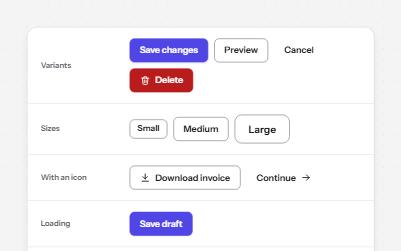
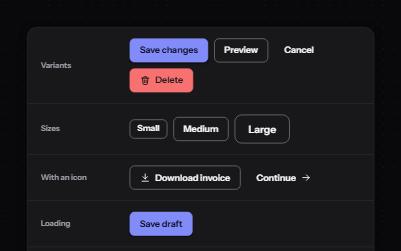
चार वैरिएंट और तीन आकारों में नेटिव बटन, ऐसी लोडिंग स्थिति के साथ जो फ़ोकस बनाए रखती है और ऐसी बंद स्थिति के साथ जो कारण बताती है।
-
टोस्ट सूचनाएँ
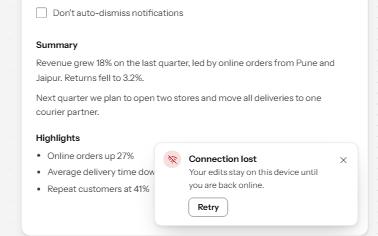
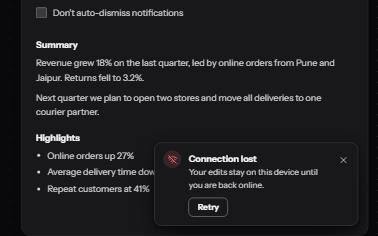
कोने में दिखने वाले छोटे संदेश, जिनकी घोषणा विनम्रता से होती है, जो कभी फ़ोकस नहीं लेते, और जब तक आप उन्हें पढ़ें या उन पर कुछ करें, रुके रहते हैं।
-
स्टेटस मैसेज
नतीजे, पुष्टियाँ और सेव role=status के ज़रिए स्क्रीन रीडर को बताए जाते हैं, फ़ोकस हिलाए बिना, हर बार एक ही बार।
-
कोड ब्लॉक
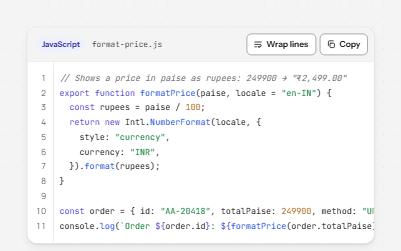
एक कोड नमूना, उसकी भाषा, कॉपी बटन, पंक्तियाँ लपेटने का स्विच और ऐसे पंक्ति क्रमांक जो न कभी पढ़े जाते हैं, न कॉपी होते हैं।