सुलभता पैटर्न · बटन और क्रियाएँ
कमांड पैलेट
पैलेट एक कॉम्बोबॉक्स के चारों ओर बना मोडल डायलॉग है: टाइप करने से समूहों वाला लिस्टबॉक्स छँटता है, और फ़ोकस फ़ील्ड में रहते हुए ऐरो कुंजियाँ हाइलाइट को आगे-पीछे करती हैं। aria-activedescendant स्क्रीन रीडर को बताता है कि कौन-सी कमांड हाइलाइट है, और टाइपिंग रुकते ही एक शांत स्टेटस बताता है कि कितनी कमांड मेल खाती हैं।
- डब्ल्यूसीएजी मानदंड
- 7
- कीबोर्ड नियम
- 7
- जाँच का तरीक़ा
- axe, कीबोर्ड और इंस्पेक्टर
लाइव डेमो
आज़माएँ
इसे माउस, कीबोर्ड या स्क्रीन रीडर से इस्तेमाल करें। साथ का इंस्पेक्टर दिखाता है कि आपके इस्तेमाल के दौरान ब्राउज़र सहायक तकनीक को क्या बताता है: फ़ोकस, स्थिति में बदलाव और घोषणाएँ।
फ़ोकस इस डेमो में कहीं भी हो, शॉर्टकट काम करता है: Ctrl+K, या Mac पर ⌘+K।
अभी कोई कमांड नहीं चलाई गई
जावास्क्रिप्ट के बिना डेमो उतना ही काम करता है जितना उसका एचटीएमएल; इंस्पेक्टर के लिए जावास्क्रिप्ट चाहिए।
कीबोर्ड
जिन कुंजियों पर यह काम करता है
हर क्रिया पॉइंटर के बिना काम करती है।
| कुंजी | यह क्या करती है |
|---|---|
| CtrlKया⌘K | फ़ोकस डेमो में कहीं भी हो, पैलेट खोलता है; पैलेट में दबाने पर खोज का टेक्स्ट चुनता है। |
| EnterयाSpace | कमांड खोजें पर, पैलेट खोलता है और फ़ोकस खोज फ़ील्ड में रखता है। |
| Arrow DownयाArrow Up | हाइलाइट को अगली या पिछली मेल खाती कमांड पर ले जाता है, सिरों पर घूमकर दूसरी ओर पहुँचता है और समूहों के नाम छोड़ देता है। |
| A–Z | टाइप करने से कमांड छँटती हैं; टाइपिंग रुकने पर मेल खाने वाली कमांड की संख्या घोषित होती है। |
| Ctrl,याCtrlShiftLयाCtrl/ | पैलेट बंद हो और फ़ोकस डेमो में हो, तो वह कमांड चलाता है जिसके संकेत में ये कुंजियाँ हैं (Mac पर Ctrl की जगह ⌘)। |
| Enter | हाइलाइट वाली कमांड चलाता है, पैलेट बंद करता है और फ़ोकस वहीं लौटाता है जहाँ वह पहले था। |
| Escape | कुछ चलाए बिना पैलेट बंद करता है और फ़ोकस लौटाता है। |
स्क्रीन रीडर
यह क्या घोषित करता है
मार्कअप की भूमिकाओं, नामों और स्थितियों से लिखा गया।
| कब | अपेक्षित घोषणा |
|---|---|
| फ़ोकस बटन पर पहुँचता है | कमांड खोजें, बटन, डायलॉग खोलता है, Control+K |
| पैलेट खुलता है | कमांड पैलेट, डायलॉग। कमांड खोजें, कॉम्बो बॉक्स, खुला। नया नोट, 9 में से 1 |
| Arrow Down हाइलाइट आगे ले जाता है | नोट डुप्लीकेट करें, 9 में से 2 |
| "cal" टाइप करने पर एक ही कमांड बचती है | 1 कमांड |
| कुछ भी मैच नहीं करता | कोई कमांड मेल नहीं खाती |
| Enter कैलेंडर चलाता है | कमांड खोजें, बटन। चलाया गया: कैलेंडर |
ये अपेक्षित घोषणाएँ हैं, रिकॉर्डिंग नहीं। स्क्रीन रीडर और ब्राउज़र के हिसाब से शब्द और क्रम बदलते हैं।
कोड
कोड कॉपी करें
वही फ़ाइलें जिन पर यह डेमो चलता है। स्टाइल एक प्रीफ़िक्स के साथ परोसी जाती हैं जो इस साइट की अपनी स्टाइल को डेमो से दूर रखता है; आप जो कॉपी करते हैं वह मूल है।
<div class="ap-command-palette" data-ap-command-palette>
  <div class="ap-command-palette__app">
    <div class="ap-command-palette__bar">
      <p class="ap-command-palette__brand">
        <svg viewBox="0 0 24 24" aria-hidden="true" focusable="false"><path d="M6 3h9l4 4v14H6Z"/><path d="M14 3v5h5"/><path d="M9 13h6M9 17h4"/></svg>
        <span>Notebook</span>
      </p>
      <button type="button" class="ap-command-palette__open" data-ap-open aria-haspopup="dialog" aria-keyshortcuts="Control+K Meta+K">
        <svg viewBox="0 0 24 24" aria-hidden="true" focusable="false"><circle cx="11" cy="11" r="7"/><path d="m20 20-3.5-3.5"/></svg>
        <span class="ap-command-palette__open-text">Search commands</span>
        <span class="ap-command-palette__keys" aria-hidden="true"><kbd>Ctrl</kbd><kbd>K</kbd></span>
      </button>
    </div>
    <div class="ap-command-palette__page">
      <label class="ap-command-palette__note-label" for="command-palette-note">Quick note</label>
      <textarea class="ap-command-palette__note" id="command-palette-note" rows="3" placeholder="Write something, then press Ctrl+K without leaving the field."></textarea>
      <p class="ap-command-palette__hint">The shortcut works while focus is anywhere in this demo: <span class="ap-command-palette__combo"><kbd>Ctrl</kbd>+<kbd>K</kbd></span>, or <span class="ap-command-palette__combo"><kbd>⌘</kbd>+<kbd>K</kbd></span> on a Mac.</p>
    </div>
    <p class="ap-command-palette__status" role="status">No command run yet</p>
  </div>

  <dialog class="ap-command-palette__dialog" aria-label="Command palette">
    <div class="ap-command-palette__search">
      <svg viewBox="0 0 24 24" aria-hidden="true" focusable="false"><circle cx="11" cy="11" r="7"/><path d="m20 20-3.5-3.5"/></svg>
      <input class="ap-command-palette__input" id="command-palette-input" type="text" role="combobox" aria-label="Search commands" aria-expanded="true" aria-controls="command-palette-list" aria-autocomplete="list" autocomplete="off" spellcheck="false" placeholder="Type a command or search" />
      <kbd class="ap-command-palette__esc" aria-hidden="true">Esc</kbd>
    </div>
    <div class="ap-command-palette__list" id="command-palette-list" role="listbox" aria-label="Commands">
      <div class="ap-command-palette__group" role="group" aria-labelledby="command-palette-g-notes">
        <div class="ap-command-palette__group-name" id="command-palette-g-notes" role="presentation">Notes</div>
        <div class="ap-command-palette__opt" role="option" id="command-palette-o-new" aria-selected="false" data-words="new note create add page">
          <svg class="ap-command-palette__ico" viewBox="0 0 24 24" aria-hidden="true" focusable="false"><path d="M12 5v14M5 12h14"/></svg>
          <span class="ap-command-palette__name">New note</span>
        </div>
        <div class="ap-command-palette__opt" role="option" id="command-palette-o-duplicate" aria-selected="false" data-words="duplicate note copy clone">
          <svg class="ap-command-palette__ico" viewBox="0 0 24 24" aria-hidden="true" focusable="false"><rect x="9" y="9" width="11" height="11" rx="2"/><path d="M5 15V5a2 2 0 0 1 2-2h10"/></svg>
          <span class="ap-command-palette__name">Duplicate note</span>
        </div>
        <div class="ap-command-palette__opt" role="option" id="command-palette-o-export" aria-selected="false" data-words="export as pdf download save print">
          <svg class="ap-command-palette__ico" viewBox="0 0 24 24" aria-hidden="true" focusable="false"><path d="M12 4v11"/><path d="m7 10 5 5 5-5"/><path d="M5 20h14"/></svg>
          <span class="ap-command-palette__name">Export as PDF</span>
        </div>
      </div>
      <div class="ap-command-palette__group" role="group" aria-labelledby="command-palette-g-go">
        <div class="ap-command-palette__group-name" id="command-palette-g-go" role="presentation">Go to</div>
        <div class="ap-command-palette__opt" role="option" id="command-palette-o-inbox" aria-selected="false" data-words="go to inbox messages mail">
          <svg class="ap-command-palette__ico" viewBox="0 0 24 24" aria-hidden="true" focusable="false"><path d="M3 13h5l1.5 3h5l1.5-3h5"/><path d="M5.5 5h13L21 13v6H3v-6Z"/></svg>
          <span class="ap-command-palette__name">Inbox</span>
        </div>
        <div class="ap-command-palette__opt" role="option" id="command-palette-o-calendar" aria-selected="false" data-words="go to calendar schedule events dates">
          <svg class="ap-command-palette__ico" viewBox="0 0 24 24" aria-hidden="true" focusable="false"><rect x="3.5" y="5" width="17" height="15" rx="2"/><path d="M3.5 10h17M8 3v4M16 3v4"/></svg>
          <span class="ap-command-palette__name">Calendar</span>
        </div>
        <div class="ap-command-palette__opt" role="option" id="command-palette-o-settings" aria-selected="false" aria-keyshortcuts="Control+, Meta+," data-words="go to settings preferences options account">
          <svg class="ap-command-palette__ico" viewBox="0 0 24 24" aria-hidden="true" focusable="false"><circle cx="12" cy="12" r="3"/><path d="M12 2.5v3M12 18.5v3M4.2 6.5l2.6 1.5M17.2 16l2.6 1.5M4.2 17.5 6.8 16M17.2 8l2.6-1.5"/></svg>
          <span class="ap-command-palette__name">Settings</span>
          <span class="ap-command-palette__keys" aria-hidden="true"><kbd>Ctrl</kbd><kbd>,</kbd></span>
        </div>
      </div>
      <div class="ap-command-palette__group" role="group" aria-labelledby="command-palette-g-view">
        <div class="ap-command-palette__group-name" id="command-palette-g-view" role="presentation">Display</div>
        <div class="ap-command-palette__opt" role="option" id="command-palette-o-theme" aria-selected="false" aria-keyshortcuts="Control+Shift+L Meta+Shift+L" data-words="switch theme dark light mode appearance">
          <svg class="ap-command-palette__ico" viewBox="0 0 24 24" aria-hidden="true" focusable="false"><path d="M20 14.5A8 8 0 1 1 9.5 4a6.5 6.5 0 0 0 10.5 10.5Z"/></svg>
          <span class="ap-command-palette__name">Switch theme</span>
          <span class="ap-command-palette__keys" aria-hidden="true"><kbd>Ctrl</kbd><kbd>Shift</kbd><kbd>L</kbd></span>
        </div>
        <div class="ap-command-palette__opt" role="option" id="command-palette-o-zoom" aria-selected="false" data-words="zoom in bigger larger text size">
          <svg class="ap-command-palette__ico" viewBox="0 0 24 24" aria-hidden="true" focusable="false"><circle cx="11" cy="11" r="7"/><path d="m20 20-3.5-3.5M11 8v6M8 11h6"/></svg>
          <span class="ap-command-palette__name">Zoom in</span>
        </div>
        <div class="ap-command-palette__opt" role="option" id="command-palette-o-keys" aria-selected="false" aria-keyshortcuts="Control+/ Meta+/" data-words="keyboard shortcuts keys hotkeys help">
          <svg class="ap-command-palette__ico" viewBox="0 0 24 24" aria-hidden="true" focusable="false"><rect x="2.5" y="6" width="19" height="12" rx="2"/><path d="M6 10h.01M9.5 10h.01M13 10h.01M16.5 10h.01M7 14h10"/></svg>
          <span class="ap-command-palette__name">Keyboard shortcuts</span>
          <span class="ap-command-palette__keys" aria-hidden="true"><kbd>Ctrl</kbd><kbd>/</kbd></span>
        </div>
      </div>
    </div>
    <div class="ap-command-palette__empty" data-ap-no-match hidden>
      <svg viewBox="0 0 24 24" aria-hidden="true" focusable="false"><circle cx="11" cy="11" r="7"/><path d="m20 20-3.5-3.5M8.5 8.5l5 5M13.5 8.5l-5 5"/></svg>
      <p class="ap-command-palette__empty-lead">No commands match</p>
      <p class="ap-command-palette__empty-hint">Try a shorter word, or another name for what you want to do.</p>
    </div>
    <div class="ap-command-palette__foot">
      <p class="ap-command-palette__count"><span data-ap-n translate="no">9</span> <span data-ap-unit>commands</span></p>
      <p class="ap-command-palette__how" aria-hidden="true"><kbd>↑</kbd><kbd>↓</kbd> <span>to move</span> <kbd>↵</kbd> <span>to run</span></p>
    </div>
    <p class="ap-command-palette__say" role="status" data-ap-say></p>
  </dialog>
</div>
/* Command palette. Uses the --ap-* design tokens. */
.ap-command-palette {
  width: min(100%, 560px);
  margin-inline: auto;
  container-type: inline-size;
}

/* A small app to run commands in */
.ap-command-palette__app {
  border: 1px solid var(--ap-border);
  border-radius: var(--ap-radius-lg);
  background: var(--ap-surface);
  color: var(--ap-text);
  box-shadow: var(--ap-shadow-md);
}
.ap-command-palette__bar {
  display: flex;
  align-items: center;
  justify-content: space-between;
  gap: 12px;
  padding: 12px 14px 12px 18px;
  border-bottom: 1px solid var(--ap-border);
}
.ap-command-palette__brand {
  display: flex;
  align-items: center;
  gap: 8px;
  margin: 0;
  font-weight: 650;
}
.ap-command-palette__brand svg,
.ap-command-palette__open svg,
.ap-command-palette__search svg,
.ap-command-palette__ico,
.ap-command-palette__empty svg {
  flex-shrink: 0;
  width: 18px;
  height: 18px;
  fill: none;
  stroke: currentColor;
  stroke-width: 2;
  stroke-linecap: round;
  stroke-linejoin: round;
}
.ap-command-palette__brand svg {
  color: var(--ap-accent-text);
}

.ap-command-palette__open {
  display: flex;
  flex: 0 1 260px;
  align-items: center;
  gap: 10px;
  min-width: 0;
  min-height: 40px;
  padding: 0 8px 0 12px;
  border: 1px solid var(--ap-border-strong);
  border-radius: var(--ap-radius-sm);
  background: var(--ap-surface-2);
  color: var(--ap-text-3);
  font: inherit;
  text-align: start;
  cursor: pointer;
  transition: background-color var(--ap-duration) var(--ap-ease), color var(--ap-duration) var(--ap-ease);
}
.ap-command-palette__open:hover {
  background: var(--ap-surface);
  color: var(--ap-text-2);
}
.ap-command-palette__open:focus-visible {
  outline: 2px solid var(--ap-focus);
  outline-offset: 2px;
}
.ap-command-palette__open-text {
  flex: 1;
  overflow: hidden;
  text-overflow: ellipsis;
  white-space: nowrap;
}

.ap-command-palette__keys {
  display: flex;
  flex-shrink: 0;
  gap: 4px;
}
.ap-command-palette kbd {
  display: inline-grid;
  place-items: center;
  min-width: 22px;
  height: 22px;
  padding: 0 5px;
  border: 1px solid var(--ap-border);
  border-bottom-width: 2px;
  border-radius: var(--ap-radius-sm);
  background: var(--ap-surface);
  color: var(--ap-text-2);
  font-family: var(--ap-mono);
  font-size: .6875rem;
  font-weight: 600;
  line-height: 1;
}

.ap-command-palette__page {
  display: grid;
  gap: 8px;
  padding: 16px 18px 6px;
}
.ap-command-palette__note-label {
  font-size: .9375rem;
  font-weight: 600;
}
.ap-command-palette__note {
  width: 100%;
  min-height: 84px;
  padding: 10px 12px;
  border: 1px solid var(--ap-border-strong);
  border-radius: var(--ap-radius-sm);
  background: var(--ap-surface);
  color: var(--ap-text);
  font: inherit;
  line-height: 1.5;
  resize: vertical;
}
.ap-command-palette__note::placeholder {
  color: var(--ap-text-3);
}
.ap-command-palette__note:focus-visible {
  outline: 2px solid var(--ap-focus);
  outline-offset: 1px;
  border-color: var(--ap-focus);
}
.ap-command-palette__hint {
  margin: 0;
  color: var(--ap-text-3);
  font-size: .875rem;
  line-height: 1.6;
}
.ap-command-palette__hint kbd {
  height: 20px;
  vertical-align: 1px;
}
.ap-command-palette__combo {
  white-space: nowrap;
}
.ap-command-palette__status {
  min-height: 44px;
  margin: 14px 0 0;
  padding: 12px 18px;
  border-top: 1px solid var(--ap-border);
  border-radius: 0 0 var(--ap-radius-lg) var(--ap-radius-lg);
  background: var(--ap-surface-2);
  color: var(--ap-text-3);
  font-size: .875rem;
}
.ap-command-palette__status strong {
  color: var(--ap-text);
  font-weight: 650;
}

/* The palette */
.ap-command-palette__dialog {
  width: min(92vw, 560px);
  max-height: min(78vh, 640px);
  margin: 12vh auto auto;
  padding: 0;
  overflow: hidden;
  border: 1px solid var(--ap-border);
  border-radius: var(--ap-radius-lg);
  background: var(--ap-surface);
  color: var(--ap-text);
  box-shadow: var(--ap-shadow-lg);
  font-family: var(--ap-font);
  font-size: .9375rem;
  container-type: inline-size;
  opacity: 1;
  transform: none;
  transition: opacity 160ms var(--ap-ease), transform 160ms var(--ap-ease), overlay 160ms allow-discrete, display 160ms allow-discrete;
}
.ap-command-palette__dialog[open] {
  display: flex;
  flex-direction: column;
}
.ap-command-palette__dialog:not([open]) {
  opacity: 0;
  transform: translateY(-6px) scale(.98);
}
@starting-style {
  .ap-command-palette__dialog[open] {
    opacity: 0;
    transform: translateY(-6px) scale(.98);
  }
}
.ap-command-palette__dialog::backdrop {
  background: var(--ap-scrim);
  backdrop-filter: blur(2px);
}

.ap-command-palette__search {
  display: flex;
  flex-shrink: 0;
  align-items: center;
  gap: 10px;
  padding: 0 14px 0 16px;
  border-bottom: 1px solid var(--ap-border);
  color: var(--ap-text-3);
}
.ap-command-palette__search:focus-within {
  box-shadow: inset 0 -2px 0 var(--ap-focus);
}
.ap-command-palette__input {
  flex: 1;
  min-width: 0;
  min-height: 56px;
  padding: 0;
  border: 0;
  background: transparent;
  color: var(--ap-text);
  font: inherit;
  font-size: 1.0625rem;
}
.ap-command-palette__input::placeholder {
  color: var(--ap-text-3);
}
.ap-command-palette__input:focus-visible {
  outline: none;
}

.ap-command-palette__list {
  flex: 1 1 auto;
  min-height: 0;
  padding: 6px;
  overflow-y: auto;
  overscroll-behavior: contain;
}
.ap-command-palette__group + .ap-command-palette__group {
  margin-top: 4px;
}
.ap-command-palette__group-name {
  padding: 10px 10px 6px;
  color: var(--ap-text-3);
  font-size: .75rem;
  font-weight: 650;
  letter-spacing: .05em;
  text-transform: uppercase;
}
.ap-command-palette__opt {
  position: relative;
  display: flex;
  align-items: center;
  gap: 12px;
  min-height: 44px;
  padding: 0 10px 0 14px;
  border-radius: var(--ap-radius-sm);
  color: var(--ap-text);
  cursor: pointer;
}
.ap-command-palette__opt[aria-selected="true"] {
  background: var(--ap-accent-soft);
  color: var(--ap-accent-soft-text);
}
.ap-command-palette__opt[aria-selected="true"]::before {
  content: "";
  position: absolute;
  top: 9px;
  bottom: 9px;
  left: 0;
  width: 3px;
  border-radius: var(--ap-radius-full);
  background: var(--ap-accent);
}
.ap-command-palette__ico {
  color: var(--ap-text-3);
}
.ap-command-palette__opt[aria-selected="true"] .ap-command-palette__ico {
  color: currentColor;
}
.ap-command-palette__name {
  flex: 1;
  min-width: 0;
  overflow: hidden;
  text-overflow: ellipsis;
  white-space: nowrap;
}

.ap-command-palette__empty {
  display: grid;
  justify-items: center;
  gap: 4px;
  padding: 36px 24px;
  text-align: center;
}
.ap-command-palette__empty svg {
  width: 32px;
  height: 32px;
  margin-bottom: 6px;
  color: var(--ap-text-3);
  stroke-width: 1.6;
}
.ap-command-palette__empty-lead {
  margin: 0;
  font-weight: 650;
}
.ap-command-palette__empty-hint {
  max-width: 34ch;
  margin: 0;
  color: var(--ap-text-3);
  font-size: .875rem;
  line-height: 1.5;
}

.ap-command-palette__foot {
  display: flex;
  flex-shrink: 0;
  align-items: center;
  justify-content: space-between;
  gap: 12px;
  padding: 10px 16px;
  border-top: 1px solid var(--ap-border);
  background: var(--ap-surface-2);
  color: var(--ap-text-3);
  font-size: .8125rem;
}
.ap-command-palette__foot p {
  display: flex;
  align-items: center;
  gap: 5px;
  margin: 0;
}
.ap-command-palette__how span {
  margin-right: 6px;
}

/* Read by screen readers, not shown */
.ap-command-palette__say {
  position: absolute;
  width: 1px;
  height: 1px;
  margin: -1px;
  padding: 0;
  overflow: hidden;
  clip-path: inset(50%);
  white-space: nowrap;
}

@container (max-width: 400px) {
  .ap-command-palette__bar { flex-wrap: wrap; }
  .ap-command-palette__open { flex: 1 1 100%; }
  .ap-command-palette__foot .ap-command-palette__how { display: none; }
  .ap-command-palette__opt .ap-command-palette__keys { display: none; }
}

@media (prefers-reduced-motion: reduce) {
  .ap-command-palette__dialog,
  .ap-command-palette__open { transition: none; }
}
/**
 * Command palette: a modal dialog around a combobox that filters a grouped
 * listbox of commands. Focus stays in the field; aria-activedescendant moves
 * the highlight. Ctrl+K or ⌘K opens it while focus is inside the root, and
 * an option with aria-keyshortcuts also runs from those keys there.
 *
 * Markup: [data-ap-command-palette] holding a button[data-ap-open], a
 * p[role=status] for the command that ran, and a dialog with an
 * input[role=combobox], a [role=listbox] of [role=group]s of [role=option]s
 * (label in .ap-command-palette__name, extra search words in data-words), an
 * empty state [data-ap-no-match], a count ([data-ap-n], [data-ap-unit]) and a
 * p[role=status][data-ap-say] for screen readers.
 */

export function init(root) {
  const opener = root.querySelector("[data-ap-open]");
  const dialog = root.querySelector("dialog");
  const input = dialog.querySelector("[role=combobox]");
  const listbox = dialog.querySelector("[role=listbox]");
  const groups = [...listbox.querySelectorAll("[role=group]")];
  const options = [...listbox.querySelectorAll("[role=option]")];
  const empty = dialog.querySelector("[data-ap-no-match]");
  const count = dialog.querySelector("[data-ap-n]");
  const unit = dialog.querySelector("[data-ap-unit]");
  const say = dialog.querySelector("[data-ap-say]");
  const status = root.querySelector("[role=status]:not([data-ap-say])");
  const html = document.documentElement;
  const nameOf = (option) => option.querySelector(".ap-command-palette__name").textContent.trim();
  const words = (option) => `${nameOf(option)} ${option.dataset.words || ""}`.toLocaleLowerCase();

  let shown = options;
  let active = null;
  let returnTo = null;
  let ran = null;
  let scrollWas = "";
  let sayTimer = 0;

  function setActive(option, scroll = true) {
    active = option;
    for (const o of options) o.setAttribute("aria-selected", String(o === option));
    if (option) {
      input.setAttribute("aria-activedescendant", option.id);
      if (scroll) option.scrollIntoView({ block: "nearest" });
    } else {
      input.removeAttribute("aria-activedescendant");
    }
  }

  function filter(announce) {
    const query = input.value.toLocaleLowerCase().split(/\s+/).filter(Boolean);
    shown = options.filter((o) => {
      const hit = query.every((q) => words(o).includes(q));
      o.hidden = !hit;
      return hit;
    });
    for (const g of groups) g.hidden = !g.querySelector("[role=option]:not([hidden])");
    const any = shown.length > 0;
    listbox.hidden = !any;
    empty.hidden = any;
    input.setAttribute("aria-expanded", String(any));
    setActive(shown[0] || null);
    count.textContent = String(shown.length);
    unit.textContent = shown.length === 1 ? "command" : "commands";

    // Say how many match once typing pauses, not on every key.
    clearTimeout(sayTimer);
    if (!announce) return;
    sayTimer = setTimeout(() => {
      if (!any) {
        say.textContent = "No commands match";
        return;
      }
      const n = document.createElement("span");
      n.setAttribute("translate", "no");
      n.textContent = String(shown.length);
      const u = document.createElement("span");
      u.textContent = unit.textContent;
      say.replaceChildren(n, " ", u);
    }, 500);
  }

  function open() {
    if (dialog.open) return;
    const at = document.activeElement;
    returnTo = at && at !== document.body && root.contains(at) ? at : opener;
    scrollWas = html.style.overflow;
    html.style.overflow = "hidden";
    input.value = "";
    say.textContent = "";
    filter(false);
    dialog.showModal();
    input.focus();
  }

  function run(option) {
    ran = nameOf(option);
    dialog.close();
  }

  function onClose() {
    html.style.overflow = scrollWas;
    clearTimeout(sayTimer);
    (returnTo && returnTo.isConnected ? returnTo : opener).focus();
    returnTo = null;
    // Reported after focus is back, so it is announced in the page, not the closed dialog.
    if (ran) report(ran);
    ran = null;
  }

  function report(name) {
    const said = document.createElement("span");
    said.textContent = "Ran:";
    const what = document.createElement("strong");
    what.textContent = name;
    status.replaceChildren(said, " ", what);
  }

  function onInputKey(event) {
    if (event.key === "ArrowDown" || event.key === "ArrowUp") {
      event.preventDefault();
      if (!shown.length) return;
      const at = shown.indexOf(active);
      const next = event.key === "ArrowDown"
        ? shown[(at + 1) % shown.length]
        : shown[at <= 0 ? shown.length - 1 : at - 1];
      setActive(next);
    } else if (event.key === "Enter") {
      event.preventDefault();
      if (active) run(active);
    }
  }

  // Does the key press match one of the combinations in aria-keyshortcuts?
  const CODES = { ",": "Comma", "/": "Slash" };
  function matches(event, shortcuts) {
    return shortcuts.split(/\s+/).some((combo) => {
      const parts = combo.split("+");
      const key = parts.pop();
      return parts.includes("Control") === event.ctrlKey && parts.includes("Meta") === event.metaKey
        && parts.includes("Shift") === event.shiftKey && parts.includes("Alt") === event.altKey
        && (event.key.toLowerCase() === key.toLowerCase() || event.code === (CODES[key] || `Key${key.toUpperCase()}`));
    });
  }

  // The shortcuts belong to the app, so they listen on the root, not the document.
  function onRootKey(event) {
    if (!dialog.open) {
      const option = options.find((o) => o.hasAttribute("aria-keyshortcuts") && matches(event, o.getAttribute("aria-keyshortcuts")));
      if (option) {
        event.preventDefault();
        event.stopPropagation();
        report(nameOf(option));
        return;
      }
    }
    const isK = event.key.toLowerCase() === "k" || event.code === "KeyK";
    if (!isK || !(event.ctrlKey || event.metaKey) || event.altKey || event.shiftKey) return;
    event.preventDefault();
    // Handled here: a page-wide Ctrl+K should not open as well.
    event.stopPropagation();
    if (dialog.open) {
      input.focus();
      input.select();
    } else {
      open();
    }
  }

  function onDialogClick(event) {
    const option = event.target.closest("[role=option]");
    if (option && listbox.contains(option)) run(option);
    // A click on the dialog element itself, not its content, is the backdrop.
    else if (event.target === dialog) dialog.close();
  }

  // The pointer moves the same highlight the arrow keys do, so there is only ever one.
  function onPointerMove(event) {
    const option = event.target.closest("[role=option]");
    if (option && option !== active) setActive(option, false);
  }

  const onInput = () => filter(true);

  opener.addEventListener("click", open);
  listbox.addEventListener("pointermove", onPointerMove);
  root.addEventListener("keydown", onRootKey);
  input.addEventListener("keydown", onInputKey);
  input.addEventListener("input", onInput);
  dialog.addEventListener("click", onDialogClick);
  dialog.addEventListener("close", onClose);

  return () => {
    clearTimeout(sayTimer);
    opener.removeEventListener("click", open);
    listbox.removeEventListener("pointermove", onPointerMove);
    root.removeEventListener("keydown", onRootKey);
    input.removeEventListener("keydown", onInputKey);
    input.removeEventListener("input", onInput);
    dialog.removeEventListener("click", onDialogClick);
    dialog.removeEventListener("close", onClose);
    if (dialog.open) dialog.close();
    html.style.overflow = scrollWas;
  };
}

for (const root of document.querySelectorAll("[data-ap-command-palette]")) init(root);
/* Design tokens for the pattern components. Light by default, dark when the
   system asks for it; set data-theme="dark" on :root to force dark. */
:root {
    --ap-radius-sm: 8px;
    --ap-radius: 12px;
    --ap-radius-lg: 16px;
    --ap-radius-full: 999px;
    --ap-font: "Instrument Sans", ui-sans-serif, system-ui, -apple-system, "Segoe UI", Roboto, sans-serif;
    --ap-mono: "JetBrains Mono", ui-monospace, "Cascadia Mono", "SF Mono", Consolas, monospace;
    --ap-ease: cubic-bezier(.2, .8, .2, 1);
    --ap-duration: 180ms;
    --ap-target: 44px;
    --ap-bg: #F4F4F5;
    --ap-surface: #FFFFFF;
    --ap-surface-2: #F4F4F5;
    --ap-surface-3: #E4E4E7;
    --ap-border: #E4E4E7;
    --ap-border-strong: #76767F;
    --ap-text: #18181B;
    --ap-text-2: #3F3F46;
    --ap-text-3: #5E5E66;
    --ap-accent: #4F46E5;
    --ap-accent-hover: #4338CA;
    --ap-on-accent: #FFFFFF;
    --ap-accent-text: #4338CA;
    --ap-accent-soft: #EEF2FF;
    --ap-accent-soft-text: #3730A3;
    --ap-focus: #4F46E5;
    --ap-danger: #B91C1C;
    --ap-danger-soft: #FEF2F2;
    --ap-success: #15803D;
    --ap-success-soft: #F0FDF4;
    --ap-warning: #A15C07;
    --ap-warning-soft: #FEFCE8;
    --ap-info: #1D4ED8;
    --ap-info-soft: #EFF6FF;
    --ap-scrim: rgb(9 9 11 / .48);
    --ap-shadow-sm: 0 1px 2px rgb(9 9 11 / .06);
    --ap-shadow-md: 0 1px 2px rgb(9 9 11 / .05), 0 6px 16px -4px rgb(9 9 11 / .1);
    --ap-shadow-lg: 0 2px 6px rgb(9 9 11 / .06), 0 20px 40px -12px rgb(9 9 11 / .22);
    --ap-light-bg: #F4F4F5;
    --ap-light-surface: #FFFFFF;
    --ap-light-surface-2: #F4F4F5;
    --ap-light-surface-3: #E4E4E7;
    --ap-light-border: #E4E4E7;
    --ap-light-border-strong: #76767F;
    --ap-light-text: #18181B;
    --ap-light-text-2: #3F3F46;
    --ap-light-text-3: #5E5E66;
    --ap-light-accent: #4F46E5;
    --ap-light-accent-hover: #4338CA;
    --ap-light-on-accent: #FFFFFF;
    --ap-light-accent-text: #4338CA;
    --ap-light-accent-soft: #EEF2FF;
    --ap-light-accent-soft-text: #3730A3;
    --ap-light-focus: #4F46E5;
    --ap-light-danger: #B91C1C;
    --ap-light-danger-soft: #FEF2F2;
    --ap-light-success: #15803D;
    --ap-light-success-soft: #F0FDF4;
    --ap-light-warning: #A15C07;
    --ap-light-warning-soft: #FEFCE8;
    --ap-light-info: #1D4ED8;
    --ap-light-info-soft: #EFF6FF;
    --ap-light-scrim: rgb(9 9 11 / .48);
    --ap-light-shadow-sm: 0 1px 2px rgb(9 9 11 / .06);
    --ap-light-shadow-md: 0 1px 2px rgb(9 9 11 / .05), 0 6px 16px -4px rgb(9 9 11 / .1);
    --ap-light-shadow-lg: 0 2px 6px rgb(9 9 11 / .06), 0 20px 40px -12px rgb(9 9 11 / .22);
    --ap-dark-bg: #09090B;
    --ap-dark-surface: #18181B;
    --ap-dark-surface-2: #27272A;
    --ap-dark-surface-3: #3F3F46;
    --ap-dark-border: #2E2E33;
    --ap-dark-border-strong: #8E8E97;
    --ap-dark-text: #FAFAFA;
    --ap-dark-text-2: #D4D4D8;
    --ap-dark-text-3: #A1A1AA;
    --ap-dark-accent: #818CF8;
    --ap-dark-accent-hover: #A5B4FC;
    --ap-dark-on-accent: #0C0A1F;
    --ap-dark-accent-text: #A5B4FC;
    --ap-dark-accent-soft: #1E1B4B;
    --ap-dark-accent-soft-text: #C7D2FE;
    --ap-dark-focus: #A5B4FC;
    --ap-dark-danger: #F87171;
    --ap-dark-danger-soft: #2A1215;
    --ap-dark-success: #4ADE80;
    --ap-dark-success-soft: #0F2A1A;
    --ap-dark-warning: #FACC15;
    --ap-dark-warning-soft: #2A2410;
    --ap-dark-info: #60A5FA;
    --ap-dark-info-soft: #0F1D33;
    --ap-dark-scrim: rgb(0 0 0 / .62);
    --ap-dark-shadow-sm: 0 1px 2px rgb(0 0 0 / .4);
    --ap-dark-shadow-md: 0 1px 2px rgb(0 0 0 / .4), 0 8px 20px -6px rgb(0 0 0 / .5);
    --ap-dark-shadow-lg: 0 2px 8px rgb(0 0 0 / .45), 0 24px 48px -12px rgb(0 0 0 / .7);
}
@media (prefers-color-scheme: dark) {
  :root:not([data-theme="light"]) {
      --ap-bg: #09090B;
      --ap-surface: #18181B;
      --ap-surface-2: #27272A;
      --ap-surface-3: #3F3F46;
      --ap-border: #2E2E33;
      --ap-border-strong: #8E8E97;
      --ap-text: #FAFAFA;
      --ap-text-2: #D4D4D8;
      --ap-text-3: #A1A1AA;
      --ap-accent: #818CF8;
      --ap-accent-hover: #A5B4FC;
      --ap-on-accent: #0C0A1F;
      --ap-accent-text: #A5B4FC;
      --ap-accent-soft: #1E1B4B;
      --ap-accent-soft-text: #C7D2FE;
      --ap-focus: #A5B4FC;
      --ap-danger: #F87171;
      --ap-danger-soft: #2A1215;
      --ap-success: #4ADE80;
      --ap-success-soft: #0F2A1A;
      --ap-warning: #FACC15;
      --ap-warning-soft: #2A2410;
      --ap-info: #60A5FA;
      --ap-info-soft: #0F1D33;
      --ap-scrim: rgb(0 0 0 / .62);
      --ap-shadow-sm: 0 1px 2px rgb(0 0 0 / .4);
      --ap-shadow-md: 0 1px 2px rgb(0 0 0 / .4), 0 8px 20px -6px rgb(0 0 0 / .5);
      --ap-shadow-lg: 0 2px 8px rgb(0 0 0 / .45), 0 24px 48px -12px rgb(0 0 0 / .7);
  }
}
:root[data-theme="dark"] {
    --ap-bg: #09090B;
    --ap-surface: #18181B;
    --ap-surface-2: #27272A;
    --ap-surface-3: #3F3F46;
    --ap-border: #2E2E33;
    --ap-border-strong: #8E8E97;
    --ap-text: #FAFAFA;
    --ap-text-2: #D4D4D8;
    --ap-text-3: #A1A1AA;
    --ap-accent: #818CF8;
    --ap-accent-hover: #A5B4FC;
    --ap-on-accent: #0C0A1F;
    --ap-accent-text: #A5B4FC;
    --ap-accent-soft: #1E1B4B;
    --ap-accent-soft-text: #C7D2FE;
    --ap-focus: #A5B4FC;
    --ap-danger: #F87171;
    --ap-danger-soft: #2A1215;
    --ap-success: #4ADE80;
    --ap-success-soft: #0F2A1A;
    --ap-warning: #FACC15;
    --ap-warning-soft: #2A2410;
    --ap-info: #60A5FA;
    --ap-info-soft: #0F1D33;
    --ap-scrim: rgb(0 0 0 / .62);
    --ap-shadow-sm: 0 1px 2px rgb(0 0 0 / .4);
    --ap-shadow-md: 0 1px 2px rgb(0 0 0 / .4), 0 8px 20px -6px rgb(0 0 0 / .5);
    --ap-shadow-lg: 0 2px 8px rgb(0 0 0 / .45), 0 24px 48px -12px rgb(0 0 0 / .7);
}
डब्ल्यूसीएजी 2.2
यह किन मानदंडों को पूरा करता है
वे सफलता मानदंड जिनका यह पैटर्न ध्यान रखता है, और कैसे।
-
1.3.1 जानकारी और संबंध
स्तर A
कमांड लिस्टबॉक्स के अंदर नाम वाले समूहों में हैं, इसलिए स्क्रीन रीडर यहाँ जाएँ वाली कमांड को डिस्प्ले वाली कमांड से अलग बता पाता है।
-
1.4.1 रंग का उपयोग
स्तर A
हाइलाइट वाली कमांड को भराव के साथ किनारे पर एक पट्टी भी मिलती है, इसलिए वह रंग पर निर्भर नहीं रहती।
-
2.1.1 कीबोर्ड
स्तर A
शॉर्टकट के साथ एक दिखने वाला बटन भी पैलेट खोलता है, और हर कमांड ऐरो कुंजियों और Enter से चलती है।
-
2.1.4 कैरेक्टर-की शॉर्टकट
स्तर A
शॉर्टकट के लिए Ctrl या ⌘ चाहिए, इसलिए वह किसी के टाइप या डिक्टेट करते समय नहीं चल सकता, और वह सिर्फ़ डेमो के अंदर सुनता है।
-
2.4.3 फ़ोकस क्रम
स्तर A
पैलेट खुलने पर फ़ोकस खोज फ़ील्ड में जाता है और बंद होने पर उस बटन या फ़ील्ड पर लौटता है जिसने उसे खोला था।
-
4.1.2 नाम, भूमिका, मान
स्तर A
फ़ील्ड aria-expanded और aria-controls वाला कॉम्बोबॉक्स है; aria-activedescendant हाइलाइट वाले विकल्प की ओर इशारा करता है, जिस पर aria-selected होता है।
-
4.1.3 स्टेटस मैसेज
स्तर AA
टाइपिंग रुकने पर मेल खाने वाली कमांड की संख्या एक शांत स्टेटस से घोषित होती है, फ़ोकस हिलाए बिना।
उपयोग
इसे कब इस्तेमाल करें
इसे अपनाएँ
- ऐसे ऐप जिनमें मेन्यू और टूलबार में समाने से ज़्यादा कमांड हैं, उन लोगों के लिए जो ढूँढने की बजाय टाइप करना पसंद करते हैं।
- उन एक्शन तक जल्दी पहुँचने का रास्ता जो इंटरफ़ेस में कहीं दिखते भी हैं।
कुछ और इस्तेमाल करें
- किसी कमांड के अकेले ठिकाने के रूप में: जो लोग कभी Ctrl+K नहीं दबाते, उन्हें वह इंटरफ़ेस में मिलनी चाहिए।
- साइट की सामग्री खोजना: नतीजों के पेज वाला खोज फ़ील्ड समझने और बुकमार्क करने में आसान है।
- गिने-चुने एक्शन: मेन्यू बटन या टूलबार उन्हें बिना टाइप किए दिखा देता है।
आम विफलताएँ
आमतौर पर यह कहाँ गलत होता है
हर जगह सुनने वाला शॉर्टकट
पूरे डॉक्यूमेंट पर Ctrl+K पेज के एडिटर और दूसरे विजेट से वह कुंजी छीन लेता है। यहाँ लिसनर डेमो पर है, इसलिए वह सिर्फ़ उसके अंदर जवाब देता है।
फ़ोकस को सूची में ले जाना
अगर ऐरो कुंजियाँ असली फ़ोकस को विकल्पों पर ले जाएँ, तो फ़ील्ड पर लौटने तक टाइपिंग रुक जाती है। aria-activedescendant सिर्फ़ हाइलाइट को हिलाता है।
नतीजे जो कोई सुनता नहीं
देख सकने वाले लोग सूची छोटी होते देखते हैं; गिनती घोषित न हो तो स्क्रीन रीडर इस्तेमाल करने वाले कुछ नहीं सुनते। टाइपिंग रुकने पर एक शांत स्टेटस यह बताता है।
हर कुंजी पर घोषणा
हर अक्षर पर लाइव रीजन बदलने से स्क्रीन रीडर टाइपिंग के ऊपर बोलता रहता है। गिनती थोड़े ठहराव का इंतज़ार करती है।
डायलॉग की जगह तैरता बॉक्स
पोज़िशन किया गया div पीछे के पेज को Tab और वर्चुअल कर्सर के लिए खुला छोड़ देता है। showModal() पैलेट खुला रहने तक बाकी पेज को निष्क्रिय कर देता है।
कुछ न करने वाले शॉर्टकट संकेत
किसी कमांड के पास दिखा संकेत यह वादा है कि कुंजियाँ काम करेंगी। यहाँ हर संकेत अपनी कमांड चलाता है, और aria-keyshortcuts वही कुंजियाँ सहायक तकनीक को बताता है।
नोट्स
इसे बनाना
- सिर्फ़ शॉर्टकट वाली कमांड संकेत दिखाती हैं, और हर संकेत सच में जुड़ा है: दिखने वाली कुंजियाँ aria-hidden हैं क्योंकि aria-keyshortcuts उन्हें पहले ही बताता है।
- मिलान लेबल और हर कमांड के कुछ छिपे कीवर्ड (data-words) से होता है, इसलिए "dark" टाइप करने पर थीम बदलें मिल जाता है।
- समूहों के नाम role=presentation वाले एलिमेंट हैं जिनकी ओर हर समूह का aria-labelledby इशारा करता है, जैसा WAI-एआरआईए ऑथरिंग प्रैक्टिसेज़ के समूहों वाले लिस्टबॉक्स उदाहरण में है।
- जब कुछ मेल नहीं खाता, लिस्टबॉक्स छिप जाता है, कॉम्बोबॉक्स aria-expanded=false बताता है, और एक ख़ाली स्थिति बताती है कि आगे क्या आज़माएँ।
- Ctrl+K संभाल लेने के बाद डेमो उसे पेज तक नहीं जाने देता, ताकि उन्हीं कुंजियों वाली साइट की खोज भी साथ में न खुले।
स्रोत: WAI-एआरआईए ऑथरिंग प्रैक्टिसेज़: कॉम्बोबॉक्स · WAI-एआरआईए ऑथरिंग प्रैक्टिसेज़: लिस्टबॉक्स · एचटीएमएल: dialog एलिमेंट
लाइट और डार्क थीम में, डेस्कटॉप और फ़ोन की चौड़ाई पर axe से और कीबोर्ड से जाँचा गया। अभी हर स्क्रीन रीडर और ब्राउज़र जोड़ी के साथ नहीं परखा गया। सुधार बताएँ
संबंधित
इसके साथ जाने वाले पैटर्न
-
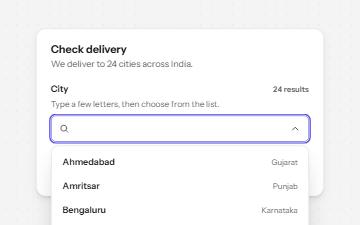
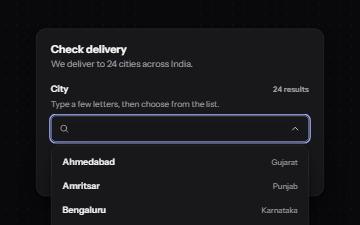
ऑटोकम्प्लीट वाला कॉम्बोबॉक्स
टाइप करते ही सुझावों की सूची छाँटने वाला टेक्स्ट फ़ील्ड, एक चुनने के लिए ऐरो कुंजियों और मेल खाने वालों की लाइव गिनती के साथ।
-
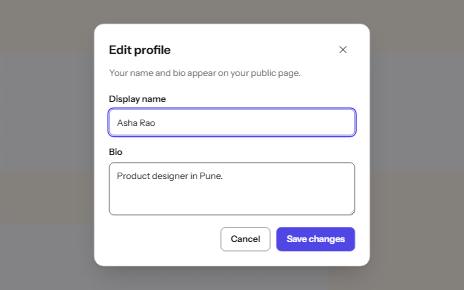
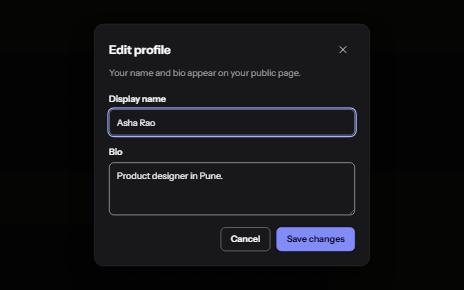
मोडल डायलॉग
पेज के ऊपर खुलने वाली एक विंडो, जो बंद होने तक फ़ोकस अपने पास रखती है, नेटिव dialog एलिमेंट पर बनी।
-
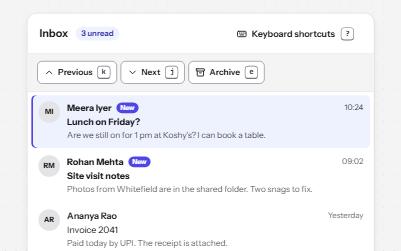
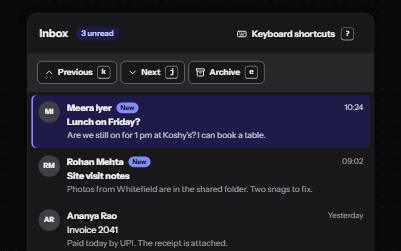
कीबोर्ड शॉर्टकट
एक-कुंजी वाले शॉर्टकट जो चालू किए जाने तक बंद रहते हैं, जिनकी कुंजियाँ बदली जा सकती हैं, जो सिर्फ़ अपनी सूची में काम करते हैं और किसी दिखने वाले बटन को दोहराते हैं।
-
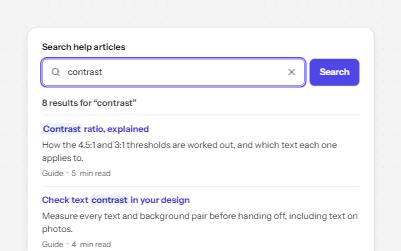
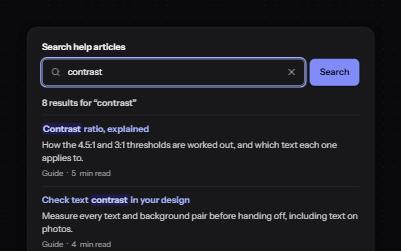
सर्च फ़ील्ड
नाम वाला एक सर्च लैंडमार्क, जिसमें साफ़ करने का बटन, हाल की खोजें, और नतीजों की गिनती है जो फ़ोकस हिलाए बिना घोषित होती है।