सुलभता पैटर्न · इंटरैक्शन और मोशन
कीबोर्ड शॉर्टकट
शॉर्टकट के तौर पर अकेला अक्षर कुछ लोगों के लिए तेज़ है और दूसरों के लिए जाल: बोलकर टाइप करना और ग़लती से दबी कुंजी उसे अनजाने में चला देते हैं। इसलिए यहाँ j, k और e शुरू में बंद रहते हैं, दूसरी कुंजियों में बदले जा सकते हैं, सिर्फ़ तब काम करते हैं जब मैसेज सूची पर फ़ोकस हो, और हर एक किसी दिखने वाले बटन को दोहराता है।
- डब्ल्यूसीएजी मानदंड
- 6
- कीबोर्ड नियम
- 7
- जाँच का तरीक़ा
- axe, कीबोर्ड और इंस्पेक्टर
लाइव डेमो
आज़माएँ
इसे माउस, कीबोर्ड या स्क्रीन रीडर से इस्तेमाल करें। साथ का इंस्पेक्टर दिखाता है कि आपके इस्तेमाल के दौरान ब्राउज़र सहायक तकनीक को क्या बताता है: फ़ोकस, स्थिति में बदलाव और घोषणाएँ।
इनबॉक्स
3 अपठित
- मीरा अय्यर नया शुक्रवार को लंच? क्या कोशीज़ में दोपहर 1 बजे का प्लान पक्का है? मैं टेबल बुक कर सकती हूँ। 10:24
- रोहन मेहता नया साइट विज़िट के नोट्स व्हाइटफ़ील्ड की फ़ोटो साझा फ़ोल्डर में हैं। दो कमियाँ ठीक करनी हैं। 09:02
- अनन्या राव इनवॉइस 2041 आज UPI से भुगतान हो गया। रसीद साथ में है। बीता हुआ कल
- कबीर शाह नया टाइल के नमूने टेराकोटा वाले सोमवार को आएँगे। बीता हुआ कल
- प्रिया नायर सप्ताहांत की योजना शनिवार को स्कंदगिरि का ट्रेक, दोपहर तक वापसी। सोम
सब हो गया। आपके इनबॉक्स में कुछ नहीं बचा।
शॉर्टकट सेटिंग्स
शुरू से बंद, ताकि टाइप करना और बोलकर इनपुट करना उन्हें कभी न चलाए। वे सिर्फ़ तब काम करते हैं जब मैसेज सूची पर फ़ोकस हो।
कुंजियाँ बदलें
जावास्क्रिप्ट के बिना डेमो उतना ही काम करता है जितना उसका एचटीएमएल; इंस्पेक्टर के लिए जावास्क्रिप्ट चाहिए।
कीबोर्ड
जिन कुंजियों पर यह काम करता है
हर क्रिया पॉइंटर के बिना काम करती है।
| कुंजी | यह क्या करती है |
|---|---|
| Arrow DownयाArrow Up | मैसेज सूची में, अगला या पिछला मैसेज चुनता है। हमेशा चालू: ऐरो कुंजियाँ अक्षर वाली कुंजियाँ नहीं हैं। |
| HomeयाEnd | मैसेज सूची में, पहला या आख़िरी मैसेज चुनता है। |
| JयाK | एक-कुंजी शॉर्टकट चालू हों और फ़ोकस मैसेज सूची में हो, तो अगला या पिछला मैसेज चुनता है। |
| E | एक-कुंजी शॉर्टकट चालू हों और फ़ोकस मैसेज सूची में हो, तो चुना हुआ मैसेज आर्काइव करता है। |
| ? | एक-कुंजी शॉर्टकट चालू हों और फ़ोकस मैसेज सूची में हो, तो शॉर्टकट की सूची खोलता है। |
| ControlEnter | झटपट जवाब में, उसे भेजता है। यह मॉडिफ़ायर वाला शॉर्टकट है, इसलिए हमेशा चालू रहता है और टेक्स्ट फ़ील्ड के अंदर भी काम करता है। |
| Escape | शॉर्टकट डायलॉग बंद करता है और फ़ोकस वहीं लौटाता है जहाँ वह था। |
स्क्रीन रीडर
यह क्या घोषित करता है
मार्कअप की भूमिकाओं, नामों और स्थितियों से लिखा गया।
| कब | अपेक्षित घोषणा |
|---|---|
| फ़ोकस मैसेज सूची पर पहुँचता है | मैसेज, लिस्ट बॉक्स। मीरा अय्यर नया शुक्रवार को लंच? क्या कोशीज़ में दोपहर 1 बजे का प्लान पक्का है? मैं टेबल बुक कर सकती हूँ। 10:24, चयनित, 5 में से 1 |
| एक-कुंजी शॉर्टकट चालू किए जाते हैं | एक-कुंजी शॉर्टकट, स्विच, चालू। एक-कुंजी शॉर्टकट चालू |
| शॉर्टकट चालू होने पर फ़ोकस अगला बटन पर पहुँचता है | अगला, बटन, शॉर्टकट j |
| E चुना हुआ मैसेज आर्काइव करता है | मैसेज आर्काइव हो गया |
| अगला मैसेज वाले कुंजी फ़ील्ड में e दबाया जाता है | यह कुंजी पहले से आर्काइव के लिए है। |
| नई कुंजियाँ सहेजी जाती हैं | शॉर्टकट कुंजियाँ सहेज ली गईं |
ये अपेक्षित घोषणाएँ हैं, रिकॉर्डिंग नहीं। स्क्रीन रीडर और ब्राउज़र के हिसाब से शब्द और क्रम बदलते हैं।
कोड
कोड कॉपी करें
वही फ़ाइलें जिन पर यह डेमो चलता है। स्टाइल एक प्रीफ़िक्स के साथ परोसी जाती हैं जो इस साइट की अपनी स्टाइल को डेमो से दूर रखता है; आप जो कॉपी करते हैं वह मूल है।
<div class="ap-kbs" data-ap-keyboard-shortcuts>
  <div class="ap-kbs__layout">
  <section class="ap-kbs__app" aria-labelledby="kbs-inbox-name">
    <div class="ap-kbs__top">
      <h3 class="ap-kbs__name" id="kbs-inbox-name" tabindex="-1">Inbox</h3>
      <p class="ap-kbs__count"><span data-ap-unread translate="no">3</span> <span>unread</span></p>
      <button type="button" class="ap-btn ap-btn--ghost ap-kbs__help-btn" aria-haspopup="dialog" data-ap-help>
        <svg class="ap-btn__icon" viewBox="0 0 24 24" aria-hidden="true" focusable="false"><rect x="2.5" y="6" width="19" height="12" rx="2"/><path d="M6.5 10h1m3 0h1m3 0h1m3 0h1M8 14h8"/></svg>
        Keyboard shortcuts
        <kbd class="ap-kbs__cap" aria-hidden="true" translate="no">?</kbd>
      </button>
    </div>

    <div class="ap-kbs__actions" role="group" aria-label="Message actions">
        <button type="button" class="ap-btn ap-kbs__act" data-ap-cmd="prev">
          <svg class="ap-btn__icon" viewBox="0 0 24 24" aria-hidden="true" focusable="false"><path d="m18 15-6-6-6 6"/></svg>
          Previous
          <kbd class="ap-kbs__cap" data-ap-keycap="prev" aria-hidden="true" translate="no">k</kbd>
        </button>
        <button type="button" class="ap-btn ap-kbs__act" data-ap-cmd="next">
          <svg class="ap-btn__icon" viewBox="0 0 24 24" aria-hidden="true" focusable="false"><path d="m6 9 6 6 6-6"/></svg>
          Next
          <kbd class="ap-kbs__cap" data-ap-keycap="next" aria-hidden="true" translate="no">j</kbd>
        </button>
        <button type="button" class="ap-btn ap-kbs__act" data-ap-cmd="archive">
          <svg class="ap-btn__icon" viewBox="0 0 24 24" aria-hidden="true" focusable="false"><rect x="3" y="4" width="18" height="5" rx="1"/><path d="M5 9v10a1 1 0 0 0 1 1h12a1 1 0 0 0 1-1V9M10 13h4"/></svg>
          Archive
          <kbd class="ap-kbs__cap" data-ap-keycap="archive" aria-hidden="true" translate="no">e</kbd>
        </button>
    </div>

    <ul class="ap-kbs__list" role="listbox" aria-label="Messages" tabindex="0" aria-activedescendant="kbs-msg-1" data-ap-list>
      <li class="ap-kbs__msg" role="option" id="kbs-msg-1" aria-selected="true" data-unread>
        <span class="ap-kbs__avatar" aria-hidden="true" translate="no">MI</span>
        <span class="ap-kbs__msg-main">
          <span class="ap-kbs__msg-top"><span class="ap-kbs__from">Meera Iyer</span> <span class="ap-kbs__new">New</span></span>
          <span class="ap-kbs__subject">Lunch on Friday?</span>
          <span class="ap-kbs__snippet">Are we still on for 1 pm at Koshy's? I can book a table.</span>
        </span>
        <span class="ap-kbs__time">10:24</span>
      </li>
      <li class="ap-kbs__msg" role="option" id="kbs-msg-2" aria-selected="false" data-unread>
        <span class="ap-kbs__avatar" aria-hidden="true" translate="no">RM</span>
        <span class="ap-kbs__msg-main">
          <span class="ap-kbs__msg-top"><span class="ap-kbs__from">Rohan Mehta</span> <span class="ap-kbs__new">New</span></span>
          <span class="ap-kbs__subject">Site visit notes</span>
          <span class="ap-kbs__snippet">Photos from Whitefield are in the shared folder. Two snags to fix.</span>
        </span>
        <span class="ap-kbs__time">09:02</span>
      </li>
      <li class="ap-kbs__msg" role="option" id="kbs-msg-3" aria-selected="false">
        <span class="ap-kbs__avatar" aria-hidden="true" translate="no">AR</span>
        <span class="ap-kbs__msg-main">
          <span class="ap-kbs__msg-top"><span class="ap-kbs__from">Ananya Rao</span></span>
          <span class="ap-kbs__subject">Invoice 2041</span>
          <span class="ap-kbs__snippet">Paid today by UPI. The receipt is attached.</span>
        </span>
        <span class="ap-kbs__time">Yesterday</span>
      </li>
      <li class="ap-kbs__msg" role="option" id="kbs-msg-4" aria-selected="false" data-unread>
        <span class="ap-kbs__avatar" aria-hidden="true" translate="no">KS</span>
        <span class="ap-kbs__msg-main">
          <span class="ap-kbs__msg-top"><span class="ap-kbs__from">Kabir Shah</span> <span class="ap-kbs__new">New</span></span>
          <span class="ap-kbs__subject">Tile samples</span>
          <span class="ap-kbs__snippet">The terracotta ones arrive on Monday.</span>
        </span>
        <span class="ap-kbs__time">Yesterday</span>
      </li>
      <li class="ap-kbs__msg" role="option" id="kbs-msg-5" aria-selected="false">
        <span class="ap-kbs__avatar" aria-hidden="true" translate="no">PN</span>
        <span class="ap-kbs__msg-main">
          <span class="ap-kbs__msg-top"><span class="ap-kbs__from">Priya Nair</span></span>
          <span class="ap-kbs__subject">Weekend plans</span>
          <span class="ap-kbs__snippet">Trek to Skandagiri on Saturday, back by noon.</span>
        </span>
        <span class="ap-kbs__time">Mon</span>
      </li>
    </ul>
    <p class="ap-kbs__empty" data-ap-empty-inbox hidden>All done. Nothing is left in your inbox.</p>

    <form class="ap-kbs__reply" data-ap-reply>
      <label class="ap-label" for="kbs-reply">Quick reply</label>
      <textarea class="ap-input" id="kbs-reply" rows="2" aria-describedby="kbs-reply-hint"></textarea>
      <div class="ap-kbs__reply-row">
        <p class="ap-hint" id="kbs-reply-hint">Letters typed here never set off a shortcut. Ctrl+Enter sends.</p>
        <button type="submit" class="ap-btn ap-btn--primary" aria-keyshortcuts="Control+Enter Meta+Enter">Send</button>
      </div>
    </form>
    <p class="ap-kbs__status" role="status"></p>
  </section>

  <section class="ap-kbs__settings" aria-labelledby="kbs-settings-name">
    <h3 class="ap-kbs__set-name" id="kbs-settings-name">Shortcut settings</h3>
    <div class="ap-kbs__switch-row">
      <label class="ap-kbs__switch-label" for="kbs-single">Single-key shortcuts</label>
      <span class="ap-kbs__switch">
        <input class="ap-kbs__switch-input" type="checkbox" role="switch" id="kbs-single" aria-describedby="kbs-single-desc" data-ap-single />
        <span class="ap-kbs__track" aria-hidden="true"><span class="ap-kbs__thumb"></span></span>
      </span>
    </div>
    <p class="ap-kbs__desc" id="kbs-single-desc">Off by default, so typing and speech input never set them off. They work only while the message list has focus.</p>

    <details class="ap-kbs__remap">
      <summary class="ap-kbs__summary">Change keys</summary>
      <form class="ap-kbs__form" data-ap-keys novalidate>
        <p class="ap-hint" id="kbs-key-hint">Press one letter or digit. ? stays for help.</p>
          <div class="ap-field ap-kbs__keyfield">
            <label class="ap-label" for="kbs-key-next">Next message</label>
            <input class="ap-input ap-kbs__keyinput" id="kbs-key-next" data-ap-key="next" value="j" maxlength="1" autocomplete="off" autocapitalize="off" spellcheck="false" aria-describedby="kbs-key-hint" />
            <p class="ap-error ap-kbs__err" id="kbs-key-next-error"></p>
          </div>
          <div class="ap-field ap-kbs__keyfield">
            <label class="ap-label" for="kbs-key-prev">Previous message</label>
            <input class="ap-input ap-kbs__keyinput" id="kbs-key-prev" data-ap-key="prev" value="k" maxlength="1" autocomplete="off" autocapitalize="off" spellcheck="false" aria-describedby="kbs-key-hint" />
            <p class="ap-error ap-kbs__err" id="kbs-key-prev-error"></p>
          </div>
          <div class="ap-field ap-kbs__keyfield">
            <label class="ap-label" for="kbs-key-archive">Archive</label>
            <input class="ap-input ap-kbs__keyinput" id="kbs-key-archive" data-ap-key="archive" value="e" maxlength="1" autocomplete="off" autocapitalize="off" spellcheck="false" aria-describedby="kbs-key-hint" />
            <p class="ap-error ap-kbs__err" id="kbs-key-archive-error"></p>
          </div>
        <button type="submit" class="ap-btn">Save keys</button>
        <p class="ap-kbs__form-status" role="status"></p>
      </form>
    </details>
  </section>
  </div>

  <dialog class="ap-kbs__dialog" aria-labelledby="kbs-help-name">
    <div class="ap-kbs__dialog-top">
      <h2 class="ap-kbs__dialog-name" id="kbs-help-name">Keyboard shortcuts</h2>
      <button type="button" class="ap-kbs__x" aria-label="Close" data-ap-close-help>
        <svg viewBox="0 0 24 24" aria-hidden="true" focusable="false"><path d="M6 6l12 12M18 6 6 18"/></svg>
      </button>
    </div>
    <p class="ap-kbs__state" data-ap-help-state>Single-key shortcuts are off. Turn them on in Shortcut settings.</p>
    <h3 class="ap-kbs__group">In the message list</h3>
    <dl class="ap-kbs__keys">
          <div class="ap-kbs__row"><dt><kbd data-ap-keycap="next" translate="no">j</kbd></dt><dd>Next message</dd></div>
          <div class="ap-kbs__row"><dt><kbd data-ap-keycap="prev" translate="no">k</kbd></dt><dd>Previous message</dd></div>
          <div class="ap-kbs__row"><dt><kbd data-ap-keycap="archive" translate="no">e</kbd></dt><dd>Archive</dd></div>
          <div class="ap-kbs__row"><dt><kbd translate="no">?</kbd></dt><dd>Show this list</dd></div>
    </dl>
    <h3 class="ap-kbs__group">Always on</h3>
    <dl class="ap-kbs__keys">
          <div class="ap-kbs__row"><dt><kbd translate="no">↓</kbd> <kbd translate="no">↑</kbd></dt><dd>Move through the messages</dd></div>
          <div class="ap-kbs__row"><dt><kbd translate="no">Home</kbd> <kbd translate="no">End</kbd></dt><dd>First or last message</dd></div>
          <div class="ap-kbs__row"><dt><kbd translate="no">Ctrl</kbd> <kbd translate="no">Enter</kbd></dt><dd>Send a quick reply</dd></div>
          <div class="ap-kbs__row"><dt><kbd translate="no">Esc</kbd></dt><dd>Close this list</dd></div>
    </dl>
  </dialog>
</div>
/* Shared primitives: buttons and form fields used across the patterns.
   Uses the --ap-* design tokens. */

.ap-btn {
  display: inline-flex;
  align-items: center;
  justify-content: center;
  gap: 8px;
  min-height: 40px;
  padding: 0 16px;
  border: 1px solid var(--ap-border-strong);
  border-radius: var(--ap-radius-sm);
  background: var(--ap-surface);
  color: var(--ap-text);
  font: inherit;
  font-weight: 600;
  line-height: 1.2;
  text-decoration: none;
  white-space: nowrap;
  cursor: pointer;
  transition: background-color var(--ap-duration) var(--ap-ease), border-color var(--ap-duration) var(--ap-ease), box-shadow var(--ap-duration) var(--ap-ease);
}
.ap-btn:hover {
  background: var(--ap-surface-2);
}
.ap-btn:focus-visible {
  outline: 2px solid var(--ap-focus);
  outline-offset: 2px;
}
.ap-btn:disabled,
.ap-btn[aria-disabled="true"] {
  opacity: .55;
  cursor: not-allowed;
}
.ap-btn--primary {
  border-color: var(--ap-accent);
  background: var(--ap-accent);
  color: var(--ap-on-accent);
  box-shadow: var(--ap-shadow-sm);
}
.ap-btn--primary:hover {
  border-color: var(--ap-accent-hover);
  background: var(--ap-accent-hover);
}
.ap-btn--danger {
  border-color: var(--ap-danger);
  background: var(--ap-danger);
  color: var(--ap-surface);
}
.ap-btn--danger:hover {
  filter: brightness(1.08);
}
.ap-btn--ghost {
  border-color: transparent;
  background: transparent;
}
.ap-btn--ghost:hover {
  background: var(--ap-surface-2);
}
.ap-btn__icon {
  width: 18px;
  height: 18px;
  flex-shrink: 0;
  fill: none;
  stroke: currentColor;
  stroke-width: 2;
  stroke-linecap: round;
  stroke-linejoin: round;
}

.ap-field {
  display: grid;
  gap: 6px;
}
.ap-label {
  color: var(--ap-text);
  font-weight: 600;
  font-size: .9375rem;
}
.ap-hint {
  margin: 0;
  color: var(--ap-text-3);
  font-size: .875rem;
  line-height: 1.45;
}
.ap-error {
  display: flex;
  align-items: flex-start;
  gap: 6px;
  margin: 0;
  color: var(--ap-danger);
  font-size: .875rem;
  font-weight: 600;
  line-height: 1.45;
}
.ap-input {
  width: 100%;
  min-height: 44px;
  padding: 10px 12px;
  border: 1px solid var(--ap-border-strong);
  border-radius: var(--ap-radius-sm);
  background: var(--ap-surface);
  color: var(--ap-text);
  font: inherit;
  line-height: 1.4;
  transition: border-color var(--ap-duration) var(--ap-ease), box-shadow var(--ap-duration) var(--ap-ease);
}
.ap-input::placeholder {
  color: var(--ap-text-3);
}
.ap-input:hover {
  border-color: var(--ap-text-2);
}
.ap-input:focus-visible {
  outline: 2px solid var(--ap-focus);
  outline-offset: 1px;
  border-color: var(--ap-focus);
}
.ap-input[aria-invalid="true"] {
  border-color: var(--ap-danger);
  box-shadow: inset 4px 0 0 var(--ap-danger);
}
textarea.ap-input {
  resize: vertical;
  min-height: 88px;
}

@media (prefers-reduced-motion: reduce) {
  .ap-btn,
  .ap-input { transition: none; }
}

/* Keyboard shortcuts. Uses the --ap-* design tokens and the shared primitives.
   data-keys-on on the root shows the keycaps while single-key shortcuts work. */
.ap-kbs {
  width: min(100%, 860px);
  margin-inline: auto;
  color: var(--ap-text);
  container-type: inline-size;
}
.ap-kbs [hidden] {
  display: none;
}
.ap-kbs__layout {
  display: grid;
  gap: 16px;
  align-items: start;
}

/* ── The mail app ── */
.ap-kbs__app {
  min-width: 0;
  border: 1px solid var(--ap-border);
  border-radius: var(--ap-radius-lg);
  background: var(--ap-surface);
  box-shadow: var(--ap-shadow-md);
}
.ap-kbs__top {
  display: flex;
  flex-wrap: wrap;
  align-items: center;
  gap: 8px 12px;
  padding: 14px 16px 12px 20px;
  border-bottom: 1px solid var(--ap-border);
}
.ap-kbs__name {
  margin: 0;
  font-size: 1.125rem;
  font-weight: 650;
  line-height: 1.3;
}
.ap-kbs__name:focus-visible {
  outline: 2px solid var(--ap-focus);
  outline-offset: 2px;
  border-radius: 4px;
}
.ap-kbs__count {
  margin: 0;
  padding: 2px 10px;
  border-radius: var(--ap-radius-full);
  background: var(--ap-accent-soft);
  color: var(--ap-accent-soft-text);
  font-size: .8125rem;
  font-weight: 650;
}
.ap-kbs__help-btn {
  margin-left: auto;
}

/* Keycaps: shown on the buttons only while single-key shortcuts are on. */
.ap-kbs kbd {
  display: inline-grid;
  place-items: center;
  min-width: 22px;
  height: 22px;
  padding: 0 6px;
  border: 1px solid var(--ap-border-strong);
  border-bottom-width: 2px;
  border-radius: 6px;
  background: var(--ap-surface);
  color: var(--ap-text);
  font-family: var(--ap-mono);
  font-size: .75rem;
  font-weight: 600;
  line-height: 1;
}
.ap-kbs .ap-kbs__cap {
  display: none;
  margin-left: 2px;
}
.ap-kbs[data-keys-on] .ap-kbs__cap {
  display: inline-grid;
}

.ap-kbs__actions {
  display: flex;
  flex-wrap: wrap;
  gap: 6px;
  padding: 12px 16px;
  border-bottom: 1px solid var(--ap-border);
  background: var(--ap-surface-2);
}
.ap-kbs__act {
  gap: 6px;
  min-height: 38px;
  padding: 0 10px;
  font-size: .875rem;
}

/* The message list: one tab stop; aria-activedescendant marks the message. */
.ap-kbs__list {
  margin: 0;
  padding: 6px;
  list-style: none;
  outline: none;
}
.ap-kbs__msg {
  display: grid;
  grid-template-columns: auto minmax(0, 1fr) auto;
  align-items: start;
  gap: 12px;
  padding: 10px 12px;
  border-radius: var(--ap-radius-sm);
  cursor: pointer;
  scroll-margin-block: 8px;
}
.ap-kbs__msg + .ap-kbs__msg {
  margin-top: 2px;
}
.ap-kbs__msg:hover {
  background: var(--ap-surface-2);
}
.ap-kbs__msg[aria-selected="true"] {
  background: var(--ap-accent-soft);
  box-shadow: inset 3px 0 0 var(--ap-accent);
}
.ap-kbs__list:focus-visible .ap-kbs__msg[aria-selected="true"] {
  outline: 2px solid var(--ap-focus);
  outline-offset: -2px;
}
.ap-kbs__avatar {
  display: grid;
  place-items: center;
  width: 36px;
  height: 36px;
  border-radius: var(--ap-radius-full);
  background: var(--ap-surface-3);
  color: var(--ap-text);
  font-size: .75rem;
  font-weight: 700;
}
.ap-kbs__msg-main {
  display: grid;
  gap: 1px;
  min-width: 0;
}
.ap-kbs__msg-top {
  display: flex;
  align-items: center;
  gap: 8px;
}
.ap-kbs__from {
  font-weight: 600;
}
.ap-kbs__msg[data-unread] .ap-kbs__from,
.ap-kbs__msg[data-unread] .ap-kbs__subject {
  font-weight: 700;
}
.ap-kbs__new {
  padding: 0 7px;
  border-radius: var(--ap-radius-full);
  background: var(--ap-accent);
  color: var(--ap-on-accent);
  font-size: .6875rem;
  font-weight: 700;
  line-height: 1.6;
}
.ap-kbs__subject {
  font-size: .9375rem;
}
.ap-kbs__snippet {
  overflow: hidden;
  color: var(--ap-text-3);
  font-size: .875rem;
  text-overflow: ellipsis;
  white-space: nowrap;
}
.ap-kbs__msg[aria-selected="true"] .ap-kbs__snippet {
  color: var(--ap-text-2);
}
.ap-kbs__time {
  color: var(--ap-text-3);
  font-size: .8125rem;
  white-space: nowrap;
}
.ap-kbs__msg[aria-selected="true"] .ap-kbs__time {
  color: var(--ap-text-2);
}
.ap-kbs__empty {
  margin: 0;
  padding: 28px 20px;
  color: var(--ap-text-2);
  text-align: center;
}

.ap-kbs__reply {
  display: grid;
  gap: 6px;
  padding: 14px 16px 16px;
  border-top: 1px solid var(--ap-border);
}
.ap-kbs__reply textarea.ap-input {
  min-height: 64px;
}
.ap-kbs__reply-row {
  display: flex;
  flex-wrap: wrap;
  align-items: center;
  justify-content: space-between;
  gap: 8px 12px;
}
.ap-kbs__status {
  margin: 0;
  padding: 0 16px 14px;
  color: var(--ap-text);
  font-weight: 600;
}
.ap-kbs__status:empty {
  padding: 0;
}

/* ── Settings ── */
.ap-kbs__settings {
  display: grid;
  gap: 10px;
  min-width: 0;
  padding: 18px 18px 16px;
  border: 1px solid var(--ap-border);
  border-radius: var(--ap-radius-lg);
  background: var(--ap-surface);
  box-shadow: var(--ap-shadow-md);
}
.ap-kbs__set-name {
  margin: 0;
  font-size: 1rem;
  font-weight: 650;
}
.ap-kbs__switch-row {
  display: flex;
  align-items: center;
  justify-content: space-between;
  gap: 12px;
}
.ap-kbs__switch-label {
  font-weight: 600;
  cursor: pointer;
}
.ap-kbs__desc {
  margin: -4px 0 0;
  color: var(--ap-text-3);
  font-size: .875rem;
  line-height: 1.45;
}
/* The switch: a real checkbox with role=switch, stretched over the track. */
.ap-kbs__switch {
  position: relative;
  display: flex;
  flex-shrink: 0;
  align-items: center;
  min-height: var(--ap-target);
}
.ap-kbs__switch-input {
  position: absolute;
  inset: 0;
  z-index: 1;
  width: 100%;
  height: 100%;
  margin: 0;
  opacity: 0;
  cursor: pointer;
}
.ap-kbs__track {
  position: relative;
  width: 48px;
  height: 28px;
  border: 1px solid var(--ap-border-strong);
  border-radius: var(--ap-radius-full);
  background: var(--ap-surface-3);
  transition: background-color var(--ap-duration) var(--ap-ease);
}
.ap-kbs__thumb {
  position: absolute;
  top: 3px;
  left: 3px;
  width: 20px;
  height: 20px;
  border-radius: var(--ap-radius-full);
  background: var(--ap-surface);
  box-shadow: var(--ap-shadow-sm), 0 0 0 1px var(--ap-border-strong);
  transition: transform var(--ap-duration) var(--ap-ease);
}
.ap-kbs__switch-input:checked + .ap-kbs__track {
  border-color: var(--ap-accent);
  background: var(--ap-accent);
}
.ap-kbs__switch-input:checked + .ap-kbs__track .ap-kbs__thumb {
  transform: translateX(20px);
  box-shadow: var(--ap-shadow-sm);
}
.ap-kbs__switch-input:focus-visible + .ap-kbs__track {
  outline: 2px solid var(--ap-focus);
  outline-offset: 2px;
}

.ap-kbs__remap {
  border-top: 1px solid var(--ap-border);
}
.ap-kbs__summary {
  display: flex;
  align-items: center;
  justify-content: space-between;
  min-height: var(--ap-target);
  padding: 0 4px;
  border-radius: var(--ap-radius-sm);
  font-weight: 600;
  list-style: none;
  cursor: pointer;
}
.ap-kbs__summary::-webkit-details-marker {
  display: none;
}
.ap-kbs__summary::after {
  content: "";
  width: 8px;
  height: 8px;
  margin-right: 6px;
  border-right: 2px solid var(--ap-text-2);
  border-bottom: 2px solid var(--ap-text-2);
  transform: rotate(45deg) translateY(-2px);
  transition: transform var(--ap-duration) var(--ap-ease);
}
.ap-kbs__remap[open] .ap-kbs__summary::after {
  transform: rotate(-135deg) translateY(-2px);
}
.ap-kbs__summary:hover {
  background: var(--ap-surface-2);
}
.ap-kbs__summary:focus-visible {
  outline: 2px solid var(--ap-focus);
  outline-offset: 2px;
}
.ap-kbs__form {
  display: grid;
  gap: 12px;
  padding: 4px 0 2px;
}
.ap-kbs__keyfield {
  grid-template-columns: minmax(0, 1fr) 64px;
  align-items: center;
  column-gap: 12px;
}
.ap-kbs__keyfield .ap-label {
  font-weight: 500;
}
.ap-kbs__keyinput {
  font-family: var(--ap-mono);
  font-weight: 650;
  text-align: center;
  caret-color: transparent;
}
.ap-kbs__err {
  grid-column: 1 / -1;
}
.ap-kbs__err:empty {
  display: none;
}
.ap-kbs__form .ap-btn {
  justify-self: start;
}
.ap-kbs__form-status {
  margin: 0;
  color: var(--ap-text);
  font-size: .875rem;
  font-weight: 600;
}
.ap-kbs__form-status:empty {
  display: none;
}

/* ── The help dialog ── */
.ap-kbs__dialog {
  width: min(92vw, 420px);
  max-height: min(86vh, 620px);
  padding: 20px 22px 22px;
  border: 1px solid var(--ap-border);
  border-radius: var(--ap-radius-lg);
  background: var(--ap-surface);
  color: var(--ap-text);
  box-shadow: var(--ap-shadow-lg);
  overflow: auto;
}
.ap-kbs__dialog[open] {
  animation: ap-kbs-in 200ms var(--ap-ease);
}
.ap-kbs__dialog::backdrop {
  background: var(--ap-scrim);
}
.ap-kbs__dialog-top {
  display: flex;
  align-items: center;
  justify-content: space-between;
  gap: 12px;
}
.ap-kbs__dialog-name {
  margin: 0;
  font-size: 1.1875rem;
  font-weight: 650;
}
.ap-kbs__x {
  display: grid;
  place-items: center;
  width: 40px;
  height: 40px;
  padding: 0;
  border: 0;
  border-radius: var(--ap-radius-sm);
  background: transparent;
  color: var(--ap-text-2);
  cursor: pointer;
}
.ap-kbs__x:hover {
  background: var(--ap-surface-2);
  color: var(--ap-text);
}
.ap-kbs__x:focus-visible {
  outline: 2px solid var(--ap-focus);
  outline-offset: 2px;
}
.ap-kbs__x svg {
  width: 20px;
  height: 20px;
  fill: none;
  stroke: currentColor;
  stroke-width: 2;
  stroke-linecap: round;
}
.ap-kbs__state {
  margin: 10px 0 4px;
  padding: 10px 12px;
  border-radius: var(--ap-radius-sm);
  background: var(--ap-surface-2);
  color: var(--ap-text-2);
  font-size: .875rem;
  line-height: 1.45;
}
.ap-kbs__group {
  margin: 16px 0 6px;
  color: var(--ap-text-3);
  font-size: .75rem;
  font-weight: 650;
  letter-spacing: .06em;
  text-transform: uppercase;
}
.ap-kbs__keys {
  display: grid;
  margin: 0;
}
.ap-kbs__row {
  display: flex;
  align-items: center;
  justify-content: space-between;
  gap: 12px;
  padding: 8px 0;
  border-top: 1px solid var(--ap-border);
}
.ap-kbs__row dt {
  display: flex;
  gap: 4px;
  order: 2;
}
.ap-kbs__row dd {
  margin: 0;
}

@keyframes ap-kbs-in {
  from { opacity: 0; transform: translateY(8px) scale(.98); }
}

@container (min-width: 700px) {
  .ap-kbs__layout { grid-template-columns: minmax(0, 1fr) 256px; }
}

@media (prefers-reduced-motion: reduce) {
  .ap-kbs__track,
  .ap-kbs__thumb,
  .ap-kbs__summary::after { transition: none; }
  .ap-kbs__dialog[open] { animation: none; }
}
/**
 * Keyboard shortcuts: single-key shortcuts done safely (WCAG 2.1.4). They
 * start off, can be remapped, fire only while the message list has focus,
 * and each repeats a visible button that carries aria-keyshortcuts.
 *
 * Markup: [data-ap-keyboard-shortcuts] holding buttons [data-ap-cmd], a
 * listbox [data-ap-list] of options, a reply form [data-ap-reply], a switch
 * [data-ap-single], a key form [data-ap-keys] with inputs [data-ap-key], and
 * a help dialog opened by [data-ap-help]. The root gets data-keys-on while
 * the single-key shortcuts work.
 */

const DEFAULT_KEYS = { next: "j", prev: "k", archive: "e" };
const HELP_KEY = "?";

export function init(root) {
  const ac = new AbortController();
  const on = (target, type, fn, options = {}) => target.addEventListener(type, fn, { ...options, signal: ac.signal });
  const list = root.querySelector("[data-ap-list]");
  const empty = root.querySelector("[data-ap-empty-inbox]");
  const unread = root.querySelector("[data-ap-unread]");
  const inbox = root.querySelector(".ap-kbs__name");
  const status = root.querySelector(".ap-kbs__status");
  const single = root.querySelector("[data-ap-single]");
  const keyForm = root.querySelector("[data-ap-keys]");
  const keyStatus = root.querySelector(".ap-kbs__form-status");
  const inputs = [...root.querySelectorAll("[data-ap-key]")];
  const reply = root.querySelector("[data-ap-reply]");
  const replyBox = reply.querySelector("textarea");
  const dialog = root.querySelector("dialog");
  const helpState = root.querySelector("[data-ap-help-state]");
  const buttons = Object.fromEntries([...root.querySelectorAll("[data-ap-cmd]")].map((b) => [b.dataset.apCmd, b]));
  const helpButton = root.querySelector("[data-ap-help]");
  const keys = { ...DEFAULT_KEYS };
  const timers = new Set();

  const options = () => [...list.querySelectorAll("[role=option]")];
  const active = () => document.getElementById(list.getAttribute("aria-activedescendant") || "") || null;
  const enabled = () => single.checked;

  function say(region, text) {
    region.textContent = "";
    const t = setTimeout(() => { region.textContent = text; timers.delete(t); }, 60);
    timers.add(t);
  }

  /* ── The list ── */
  function select(option) {
    for (const o of options()) o.setAttribute("aria-selected", String(o === option));
    if (option) {
      list.setAttribute("aria-activedescendant", option.id);
      option.scrollIntoView({ block: "nearest" });
    } else list.removeAttribute("aria-activedescendant");
  }

  function move(step) {
    const all = options();
    if (!all.length) return;
    const at = all.indexOf(active());
    select(all[Math.min(all.length - 1, Math.max(0, at + step))]);
  }

  function archive() {
    const current = active();
    if (!current) return;
    const all = options();
    const at = all.indexOf(current);
    const next = all[at + 1] || all[at - 1] || null;
    if (current.hasAttribute("data-unread")) unread.textContent = String(Math.max(0, Number(unread.textContent) - 1));
    const listHadFocus = document.activeElement === list;
    current.remove();
    select(next);
    if (!next) {
      // Nothing left to select: show the empty state and keep focus somewhere real.
      list.hidden = true;
      empty.hidden = false;
      if (listHadFocus) inbox.focus();
    }
    say(status, "Message archived");
  }

  function run(cmd) {
    if (cmd === "next") move(1);
    else if (cmd === "prev") move(-1);
    else if (cmd === "archive") archive();
  }

  function onListKey(event) {
    // Keys the list always answers to: not character keys, so 2.1.4 does not apply.
    if (event.key === "ArrowDown" || event.key === "ArrowUp") {
      event.preventDefault();
      move(event.key === "ArrowDown" ? 1 : -1);
      return;
    }
    if (event.key === "Home" || event.key === "End") {
      event.preventDefault();
      const all = options();
      select(event.key === "Home" ? all[0] : all[all.length - 1]);
      return;
    }
    // Single-key shortcuts: never with a modifier, so browser, system and
    // screen reader shortcuts pass through.
    if (event.ctrlKey || event.metaKey || event.altKey) return;
    if (event.key === HELP_KEY) {
      // The page around the app may use ? too; while the list has focus, the key is the list's.
      event.stopPropagation();
      if (!enabled()) return;
      event.preventDefault();
      openHelp();
      return;
    }
    if (!enabled()) return;
    if (event.shiftKey) return;
    const cmd = Object.keys(keys).find((k) => keys[k] === event.key.toLowerCase());
    if (!cmd) return;
    event.preventDefault();
    event.stopPropagation();
    run(cmd);
  }

  function onListClick(event) {
    const option = event.target.closest("[role=option]");
    if (!option) return;
    select(option);
    list.focus();
  }

  /* ── Shortcuts on or off, and their names ── */
  function paintKeys() {
    const live = enabled();
    root.toggleAttribute("data-keys-on", live);
    for (const [cmd, b] of Object.entries(buttons)) {
      if (live) b.setAttribute("aria-keyshortcuts", keys[cmd]);
      else b.removeAttribute("aria-keyshortcuts");
    }
    if (live) helpButton.setAttribute("aria-keyshortcuts", HELP_KEY);
    else helpButton.removeAttribute("aria-keyshortcuts");
    for (const cap of root.querySelectorAll("[data-ap-keycap]")) cap.textContent = keys[cap.dataset.apKeycap];
    helpState.textContent = live
      ? "Single-key shortcuts are on. They work while the message list has focus."
      : "Single-key shortcuts are off. Turn them on in Shortcut settings.";
  }

  function openHelp() {
    paintKeys();
    dialog.showModal();
  }

  /* ── Remapping ── */
  const TAKEN = {
    next: "Next message already uses this key.",
    prev: "Previous message already uses this key.",
    archive: "Archive already uses this key.",
  };

  /** What is wrong with a key field, if anything. In a clash, the command
      that had the key first keeps it; the field that took it is the error. */
  function problem(input) {
    const v = input.value;
    if (!v) return "Press a letter or a digit.";
    if (!/^[a-z0-9]$/.test(v)) return "Use a letter or a digit.";
    const rival = inputs.find((o) => o !== input && o.value === v);
    if (!rival) return "";
    const mine = keys[input.dataset.apKey] === v;
    const theirs = keys[rival.dataset.apKey] === v;
    if (mine && !theirs) return "";
    if (!mine && !theirs && inputs.indexOf(rival) > inputs.indexOf(input)) return "";
    return TAKEN[rival.dataset.apKey];
  }

  function mark(input, message) {
    const error = document.getElementById(`${input.id}-error`);
    const described = new Set((input.getAttribute("aria-describedby") || "").split(/\s+/).filter(Boolean));
    error.textContent = message;
    if (message) {
      input.setAttribute("aria-invalid", "true");
      described.add(error.id);
    } else {
      input.removeAttribute("aria-invalid");
      described.delete(error.id);
    }
    input.setAttribute("aria-describedby", [...described].join(" "));
  }

  function onKeyCapture(event) {
    const input = event.target.closest("[data-ap-key]");
    if (!input) return;
    if (["Tab", "Escape", "Enter"].includes(event.key) || event.ctrlKey || event.metaKey || event.altKey) return;
    event.preventDefault();
    event.stopPropagation();
    if (event.key === "Backspace" || event.key === "Delete") input.value = "";
    else if (event.key.length === 1) input.value = event.key.toLowerCase();
    else return;
    // A clash is reported at once, on the field being typed in.
    const rival = inputs.find((o) => o !== input && o.value && o.value === input.value);
    const message = rival ? TAKEN[rival.dataset.apKey] : problem(input);
    mark(input, message);
    for (const o of inputs) if (o !== input && o.hasAttribute("aria-invalid") && !problem(o)) mark(o, "");
    if (message) say(keyStatus, message);
    else keyStatus.textContent = "";
  }

  // Touch keyboards and IME may skip keydown: keep the last character typed.
  function onKeyInput(event) {
    const input = event.target.closest("[data-ap-key]");
    if (!input) return;
    input.value = input.value.slice(-1).toLowerCase();
    mark(input, problem(input));
  }

  function onKeySubmit(event) {
    event.preventDefault();
    let first = null;
    for (const input of inputs) {
      const message = problem(input);
      mark(input, message);
      if (message && !first) first = input;
    }
    if (first) {
      first.focus();
      return;
    }
    for (const input of inputs) keys[input.dataset.apKey] = input.value;
    paintKeys();
    say(keyStatus, "Shortcut keys saved");
  }

  /* ── The rest ── */
  function onClick(event) {
    const t = event.target;
    const cmdButton = t.closest("[data-ap-cmd]");
    if (cmdButton) return run(cmdButton.dataset.apCmd);
    if (t.closest("[data-ap-help]")) return openHelp();
    if (t.closest("[data-ap-close-help]")) return dialog.close();
  }

  function onReplyKey(event) {
    // A modified shortcut: it cannot fire by accident, so it stays on, even in the text field.
    if (event.key === "Enter" && (event.ctrlKey || event.metaKey)) {
      event.preventDefault();
      reply.requestSubmit();
    }
  }

  function onReplySubmit(event) {
    event.preventDefault();
    if (!replyBox.value.trim()) {
      say(status, "Write a reply first.");
      replyBox.focus();
      return;
    }
    replyBox.value = "";
    say(status, "Reply sent");
  }

  function onSwitch() {
    paintKeys();
    say(status, enabled() ? "Single-key shortcuts on" : "Single-key shortcuts off");
  }

  on(list, "keydown", onListKey);
  on(list, "click", onListClick);
  on(root, "click", onClick);
  on(single, "change", onSwitch);
  on(keyForm, "keydown", onKeyCapture);
  on(keyForm, "input", onKeyInput);
  on(keyForm, "submit", onKeySubmit);
  on(keyForm, "focusin", (event) => event.target.closest("[data-ap-key]")?.select());
  on(replyBox, "keydown", onReplyKey);
  on(reply, "submit", onReplySubmit);
  paintKeys();

  return () => {
    ac.abort();
    if (dialog.open) dialog.close();
    for (const t of timers) clearTimeout(t);
  };
}

for (const root of document.querySelectorAll("[data-ap-keyboard-shortcuts]")) init(root);
/* Design tokens for the pattern components. Light by default, dark when the
   system asks for it; set data-theme="dark" on :root to force dark. */
:root {
    --ap-radius-sm: 8px;
    --ap-radius: 12px;
    --ap-radius-lg: 16px;
    --ap-radius-full: 999px;
    --ap-font: "Instrument Sans", ui-sans-serif, system-ui, -apple-system, "Segoe UI", Roboto, sans-serif;
    --ap-mono: "JetBrains Mono", ui-monospace, "Cascadia Mono", "SF Mono", Consolas, monospace;
    --ap-ease: cubic-bezier(.2, .8, .2, 1);
    --ap-duration: 180ms;
    --ap-target: 44px;
    --ap-bg: #F4F4F5;
    --ap-surface: #FFFFFF;
    --ap-surface-2: #F4F4F5;
    --ap-surface-3: #E4E4E7;
    --ap-border: #E4E4E7;
    --ap-border-strong: #76767F;
    --ap-text: #18181B;
    --ap-text-2: #3F3F46;
    --ap-text-3: #5E5E66;
    --ap-accent: #4F46E5;
    --ap-accent-hover: #4338CA;
    --ap-on-accent: #FFFFFF;
    --ap-accent-text: #4338CA;
    --ap-accent-soft: #EEF2FF;
    --ap-accent-soft-text: #3730A3;
    --ap-focus: #4F46E5;
    --ap-danger: #B91C1C;
    --ap-danger-soft: #FEF2F2;
    --ap-success: #15803D;
    --ap-success-soft: #F0FDF4;
    --ap-warning: #A15C07;
    --ap-warning-soft: #FEFCE8;
    --ap-info: #1D4ED8;
    --ap-info-soft: #EFF6FF;
    --ap-scrim: rgb(9 9 11 / .48);
    --ap-shadow-sm: 0 1px 2px rgb(9 9 11 / .06);
    --ap-shadow-md: 0 1px 2px rgb(9 9 11 / .05), 0 6px 16px -4px rgb(9 9 11 / .1);
    --ap-shadow-lg: 0 2px 6px rgb(9 9 11 / .06), 0 20px 40px -12px rgb(9 9 11 / .22);
    --ap-light-bg: #F4F4F5;
    --ap-light-surface: #FFFFFF;
    --ap-light-surface-2: #F4F4F5;
    --ap-light-surface-3: #E4E4E7;
    --ap-light-border: #E4E4E7;
    --ap-light-border-strong: #76767F;
    --ap-light-text: #18181B;
    --ap-light-text-2: #3F3F46;
    --ap-light-text-3: #5E5E66;
    --ap-light-accent: #4F46E5;
    --ap-light-accent-hover: #4338CA;
    --ap-light-on-accent: #FFFFFF;
    --ap-light-accent-text: #4338CA;
    --ap-light-accent-soft: #EEF2FF;
    --ap-light-accent-soft-text: #3730A3;
    --ap-light-focus: #4F46E5;
    --ap-light-danger: #B91C1C;
    --ap-light-danger-soft: #FEF2F2;
    --ap-light-success: #15803D;
    --ap-light-success-soft: #F0FDF4;
    --ap-light-warning: #A15C07;
    --ap-light-warning-soft: #FEFCE8;
    --ap-light-info: #1D4ED8;
    --ap-light-info-soft: #EFF6FF;
    --ap-light-scrim: rgb(9 9 11 / .48);
    --ap-light-shadow-sm: 0 1px 2px rgb(9 9 11 / .06);
    --ap-light-shadow-md: 0 1px 2px rgb(9 9 11 / .05), 0 6px 16px -4px rgb(9 9 11 / .1);
    --ap-light-shadow-lg: 0 2px 6px rgb(9 9 11 / .06), 0 20px 40px -12px rgb(9 9 11 / .22);
    --ap-dark-bg: #09090B;
    --ap-dark-surface: #18181B;
    --ap-dark-surface-2: #27272A;
    --ap-dark-surface-3: #3F3F46;
    --ap-dark-border: #2E2E33;
    --ap-dark-border-strong: #8E8E97;
    --ap-dark-text: #FAFAFA;
    --ap-dark-text-2: #D4D4D8;
    --ap-dark-text-3: #A1A1AA;
    --ap-dark-accent: #818CF8;
    --ap-dark-accent-hover: #A5B4FC;
    --ap-dark-on-accent: #0C0A1F;
    --ap-dark-accent-text: #A5B4FC;
    --ap-dark-accent-soft: #1E1B4B;
    --ap-dark-accent-soft-text: #C7D2FE;
    --ap-dark-focus: #A5B4FC;
    --ap-dark-danger: #F87171;
    --ap-dark-danger-soft: #2A1215;
    --ap-dark-success: #4ADE80;
    --ap-dark-success-soft: #0F2A1A;
    --ap-dark-warning: #FACC15;
    --ap-dark-warning-soft: #2A2410;
    --ap-dark-info: #60A5FA;
    --ap-dark-info-soft: #0F1D33;
    --ap-dark-scrim: rgb(0 0 0 / .62);
    --ap-dark-shadow-sm: 0 1px 2px rgb(0 0 0 / .4);
    --ap-dark-shadow-md: 0 1px 2px rgb(0 0 0 / .4), 0 8px 20px -6px rgb(0 0 0 / .5);
    --ap-dark-shadow-lg: 0 2px 8px rgb(0 0 0 / .45), 0 24px 48px -12px rgb(0 0 0 / .7);
}
@media (prefers-color-scheme: dark) {
  :root:not([data-theme="light"]) {
      --ap-bg: #09090B;
      --ap-surface: #18181B;
      --ap-surface-2: #27272A;
      --ap-surface-3: #3F3F46;
      --ap-border: #2E2E33;
      --ap-border-strong: #8E8E97;
      --ap-text: #FAFAFA;
      --ap-text-2: #D4D4D8;
      --ap-text-3: #A1A1AA;
      --ap-accent: #818CF8;
      --ap-accent-hover: #A5B4FC;
      --ap-on-accent: #0C0A1F;
      --ap-accent-text: #A5B4FC;
      --ap-accent-soft: #1E1B4B;
      --ap-accent-soft-text: #C7D2FE;
      --ap-focus: #A5B4FC;
      --ap-danger: #F87171;
      --ap-danger-soft: #2A1215;
      --ap-success: #4ADE80;
      --ap-success-soft: #0F2A1A;
      --ap-warning: #FACC15;
      --ap-warning-soft: #2A2410;
      --ap-info: #60A5FA;
      --ap-info-soft: #0F1D33;
      --ap-scrim: rgb(0 0 0 / .62);
      --ap-shadow-sm: 0 1px 2px rgb(0 0 0 / .4);
      --ap-shadow-md: 0 1px 2px rgb(0 0 0 / .4), 0 8px 20px -6px rgb(0 0 0 / .5);
      --ap-shadow-lg: 0 2px 8px rgb(0 0 0 / .45), 0 24px 48px -12px rgb(0 0 0 / .7);
  }
}
:root[data-theme="dark"] {
    --ap-bg: #09090B;
    --ap-surface: #18181B;
    --ap-surface-2: #27272A;
    --ap-surface-3: #3F3F46;
    --ap-border: #2E2E33;
    --ap-border-strong: #8E8E97;
    --ap-text: #FAFAFA;
    --ap-text-2: #D4D4D8;
    --ap-text-3: #A1A1AA;
    --ap-accent: #818CF8;
    --ap-accent-hover: #A5B4FC;
    --ap-on-accent: #0C0A1F;
    --ap-accent-text: #A5B4FC;
    --ap-accent-soft: #1E1B4B;
    --ap-accent-soft-text: #C7D2FE;
    --ap-focus: #A5B4FC;
    --ap-danger: #F87171;
    --ap-danger-soft: #2A1215;
    --ap-success: #4ADE80;
    --ap-success-soft: #0F2A1A;
    --ap-warning: #FACC15;
    --ap-warning-soft: #2A2410;
    --ap-info: #60A5FA;
    --ap-info-soft: #0F1D33;
    --ap-scrim: rgb(0 0 0 / .62);
    --ap-shadow-sm: 0 1px 2px rgb(0 0 0 / .4);
    --ap-shadow-md: 0 1px 2px rgb(0 0 0 / .4), 0 8px 20px -6px rgb(0 0 0 / .5);
    --ap-shadow-lg: 0 2px 8px rgb(0 0 0 / .45), 0 24px 48px -12px rgb(0 0 0 / .7);
}
डब्ल्यूसीएजी 2.2
यह किन मानदंडों को पूरा करता है
वे सफलता मानदंड जिनका यह पैटर्न ध्यान रखता है, और कैसे।
-
2.1.4 कैरेक्टर-की शॉर्टकट
स्तर A
एक-कुंजी शॉर्टकट बंद किए जा सकते हैं (वे शुरू से बंद हैं), दूसरी कुंजियों पर बदले जा सकते हैं, और सिर्फ़ तब चलते हैं जब मैसेज सूची पर फ़ोकस हो, यानी मानदंड के तीनों विकल्प पूरे होते हैं।
-
2.1.1 कीबोर्ड
स्तर A
हर शॉर्टकट किसी दिखने वाले बटन को दोहराता है, और ऐरो कुंजियाँ सूची में घुमाती हैं, इसलिए कुछ भी शॉर्टकट जानने पर निर्भर नहीं है।
-
3.3.1 त्रुटि पहचान
स्तर A
जो कुंजी पहले से ली जा चुकी हो, या अक्षर या अंक न हो, उसे फ़ील्ड के पास त्रुटि के रूप में बताया जाता है और फ़ील्ड को अमान्य चिह्नित किया जाता है।
-
3.3.2 लेबल या निर्देश
स्तर A
हर कुंजी फ़ील्ड का एक लेबल है और एक संकेत जो बताता है कि वह क्या स्वीकार करता है, और स्विच चालू करने से पहले ही बताता है कि वह क्या करता है।
-
4.1.2 नाम, भूमिका, मान
स्तर A
बटनों पर aria-keyshortcuts हर शॉर्टकट का नाम तभी बताता है जब वह काम करता हो, और न करे तो हटा दिया जाता है; सूची एक लिस्टबॉक्स है जिसमें चुना हुआ मैसेज चिह्नित है।
-
4.1.3 स्टेटस मैसेज
स्तर AA
आर्काइव करना, भेजना, कुंजियाँ सहेजना और शॉर्टकट चालू या बंद करना, सबकी पुष्टि स्टेटस मैसेज में होती है, फ़ोकस हिलाए बिना।
उपयोग
इसे कब इस्तेमाल करें
इसे अपनाएँ
- ऐसे ऐप जिन पर लोग घंटों काम करते हैं, जैसे मेल, चैट, एडिटर और डैशबोर्ड, जहाँ नियमित उपयोगकर्ता रफ़्तार चाहते हैं।
- ऐसे कमांड जो दिखने वाले बटन के रूप में भी मौजूद हों, ताकि शॉर्टकट तेज़ रास्ता हो, इकलौता नहीं।
कुछ और इस्तेमाल करें
- पूरे पेज पर शुरू से चालू एक-कुंजी शॉर्टकट: बोलकर इनपुट करने वाले शब्द बोलते हैं, और हर अक्षर कुछ चला देता है।
- वे कुंजियाँ जिन्हें ब्राउज़र, ऑपरेटिंग सिस्टम या स्क्रीन रीडर पहले से इस्तेमाल करते हैं, जैसे Ctrl+F, Ctrl+K या Insert।
- किसी काम का इकलौता तरीका शॉर्टकट होना: उन्हें कोई खोज नहीं पाता, और कुछ लोग उन्हें दबा नहीं पाते।
आम विफलताएँ
आमतौर पर यह कहाँ गलत होता है
पेज पर कहीं भी चल जाने वाले अक्षर
j या e के लिए पूरे पेज का लिसनर टाइप करते समय भी चल जाता है, और हर बार जब बोलकर इनपुट उस अक्षर वाला शब्द सुनता है। उन्हें उसी कंपोनेंट तक सीमित रखें जिस पर फ़ोकस है।
बंद करने का कोई तरीका नहीं
अगर अनचाहे शॉर्टकट से बचने का इकलौता उपाय उस कुंजी से बचना हो, तो कुछ लोग पेज इस्तेमाल ही नहीं कर पाते। शुरू से बंद रखना, या एक स्विच, न्यूनतम ज़रूरत है।
टेक्स्ट फ़ील्ड में शॉर्टकट
जवाब में "e" टाइप करने पर "e" ही टाइप होना चाहिए। सिर्फ़ यह नहीं कि कौन-सी कुंजी दबी, यह भी जाँचें कि फ़ोकस कहाँ है, और संपादन योग्य जगहों को अनदेखा करें।
छिपे हुए शॉर्टकट
जो शॉर्टकट कहीं दर्ज न हो, वह सिर्फ़ उन्हीं के काम आता है जिन्होंने उसका अंदाज़ा लगा लिया। मदद डायलॉग, बटनों पर कुंजियों के निशान और aria-keyshortcuts उन्हें खोजने लायक बनाते हैं।
सहायक तकनीक से टकराव
स्क्रीन रीडर हेडिंग और लिंक पर जाने के लिए अकेले अक्षरों का इस्तेमाल करते हैं। फ़ोकस मोड वाली सूची में वे कुंजियाँ आगे जाने देते हैं; बाकी जगह आपका शॉर्टकट कभी पहुँचता ही नहीं।
नोट्स
इसे बनाना
- aria-keyshortcuts कुंजियों के नाम KeyboardEvent की key वैल्यू से लेता है ("j", "Control+Enter", "Meta+Enter"); यह सिर्फ़ शॉर्टकट की घोषणा करता है, उसे सँभालना स्क्रिप्ट का ही काम है।
- किसी कुंजी को एक-कुंजी शॉर्टकट मानने से पहले event.ctrlKey, metaKey और altKey जाँचें, ताकि ब्राउज़र और सिस्टम के शॉर्टकट बिना छेड़े आगे जाएँ।
- कई लेआउट पर Shift+/ से "?" आता है, पर सब पर नहीं। event.code नहीं, event.key से मिलान करने पर वही अक्षर माना जाता है जो व्यक्ति अपने कीबोर्ड पर देखता है।
- बदली हुई कुंजियाँ किसी टिकाऊ जगह रखें, जैसे localStorage या खाते की सेटिंग्स। डेमो उन्हें सिर्फ़ मेमोरी में रखता है, इसलिए रीसेट करने पर j, k और e लौट आते हैं।
- जिस शॉर्टकट को पेज के दो हिस्से चाहें, वह उसी को मिलता है जो पहले सुनता है। यह साइट ? पर अपनी गाइड और Ctrl+K पर खोज खोलती है, इसलिए फ़ोकस रहने तक सूची ? को पेज तक पहुँचने नहीं देती।
स्रोत: डब्ल्यूसीएजी 2.2 को समझना: अक्षर कुंजी शॉर्टकट · WAI-एआरआईए 1.2: aria-keyshortcuts एट्रिब्यूट · WAI-एआरआईए ऑथरिंग प्रैक्टिसेज़: कीबोर्ड इंटरफ़ेस
लाइट और डार्क थीम में, डेस्कटॉप और फ़ोन की चौड़ाई पर axe से और कीबोर्ड से जाँचा गया। अभी हर स्क्रीन रीडर और ब्राउज़र जोड़ी के साथ नहीं परखा गया। सुधार बताएँ
संबंधित
इसके साथ जाने वाले पैटर्न
-
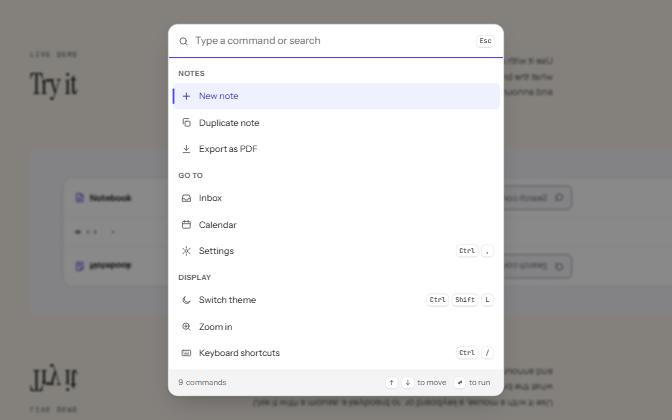
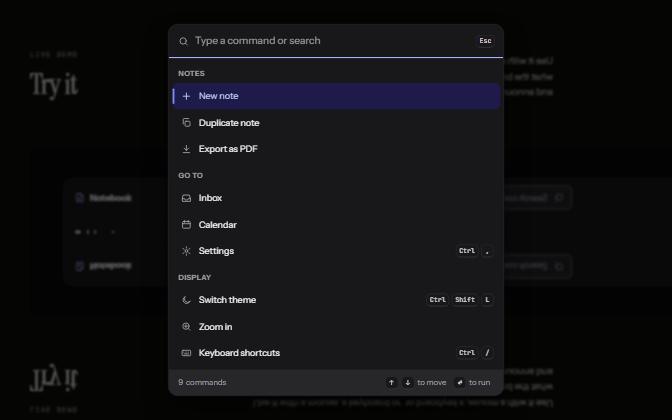
कमांड पैलेट
कमांड की खोजने लायक सूची, जो Ctrl+K या एक बटन से खुलती है, टाइप करते ही छँटती है और हाइलाइट वाली कमांड चलाती है।
-
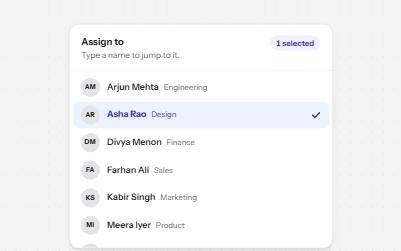
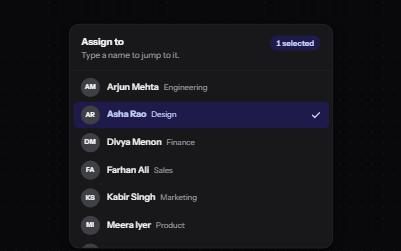
लिस्टबॉक्स
विकल्पों की एक सूची जिसमें से एक या कई चुने जा सकते हैं, ऐरो कुंजियों, टाइप करके पहुँचने और चुने गए की गिनती के साथ।
-
स्विच
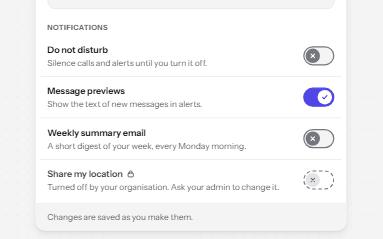
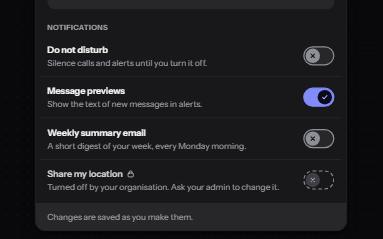
तुरंत असर करने वाली सेटिंग के लिए चालू और बंद करने का कंट्रोल, switch भूमिका वाले चेकबॉक्स पर बना।
-
मोडल डायलॉग
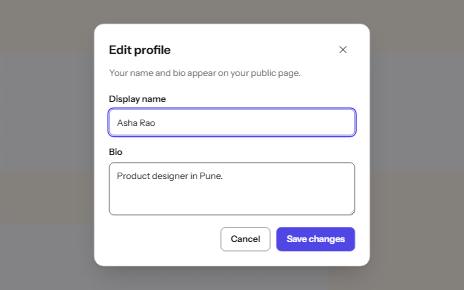
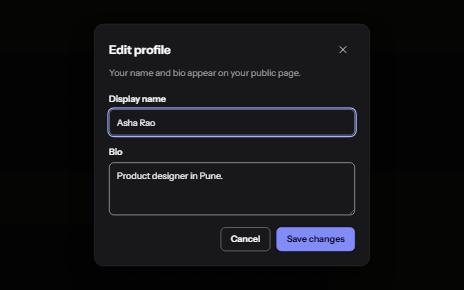
पेज के ऊपर खुलने वाली एक विंडो, जो बंद होने तक फ़ोकस अपने पास रखती है, नेटिव dialog एलिमेंट पर बनी।