सुलभता पैटर्न · इंटरैक्शन और मोशन
क्रम बदलने वाली सूची
खींचना क्रम बदलने का एक तरीका है, अकेला तरीका कभी नहीं: हर आइटम पर ऊपर और नीचे ले जाने के बटन भी हैं, जो एक क्लिक या टैप से काम करते हैं। हैंडल पर Space आइटम को उठाता है, ऐरो कुंजियाँ उसे खिसकाती हैं और Space उसे रख देता है, और हर कदम के बाद एक विनम्र लाइव रीजन बताता है कि वह कहाँ है।
- डब्ल्यूसीएजी मानदंड
- 7
- कीबोर्ड नियम
- 6
- जाँच का तरीक़ा
- axe, कीबोर्ड और इंस्पेक्टर
लाइव डेमो
आज़माएँ
इसे माउस, कीबोर्ड या स्क्रीन रीडर से इस्तेमाल करें। साथ का इंस्पेक्टर दिखाता है कि आपके इस्तेमाल के दौरान ब्राउज़र सहायक तकनीक को क्या बताता है: फ़ोकस, स्थिति में बदलाव और घोषणाएँ।
पढ़ने की सूची
6 किताबेंहैंडल खींचें या तीर वाले बटन इस्तेमाल करें। कीबोर्ड से, हैंडल पर Space किताब को उठाता है, ऐरो कुंजियाँ उसे खिसकाती हैं, Space उसे रख देता है और Escape उसे वापस लौटा देता है।
- 1 Wings of Fire A. P. J. Abdul Kalam
- 2 Atomic Habits James Clear
- 3 The God of Small Things Arundhati Roy
- 4 Sapiens Yuval Noah Harari
- 5 The White Tiger Aravind Adiga
- 6 Deep Work Cal Newport
जावास्क्रिप्ट के बिना डेमो उतना ही काम करता है जितना उसका एचटीएमएल; इंस्पेक्टर के लिए जावास्क्रिप्ट चाहिए।
कीबोर्ड
जिन कुंजियों पर यह काम करता है
हर क्रिया पॉइंटर के बिना काम करती है।
| कुंजी | यह क्या करती है |
|---|---|
| TabयाShiftTab | हर किताब के हैंडल और उसके ऊपर और नीचे ले जाने वाले बटनों के बीच चलता है। |
| SpaceयाEnter | हैंडल पर, किताब को उठाता है; दोबारा दबाने पर उसे वहीं रख देता है जहाँ वह अब है। |
| Arrow UpयाArrow Down | किताब उठी होने पर, उसे एक स्थान ऊपर या नीचे ले जाता है; फ़ोकस उसके हैंडल पर ही रहता है। |
| HomeयाEnd | किताब उठी होने पर, उसे सूची में सबसे ऊपर या सबसे नीचे ले जाता है। |
| Escape | किताब उठी होने पर, बदलाव रद्द करता है और उसे वहीं लौटा देता है जहाँ से उठाई गई थी। |
| EnterयाSpace | ऊपर ले जाएँ या नीचे ले जाएँ बटन पर, उस किताब को एक स्थान खिसकाता है; फ़ोकस बटन पर ही रहता है। |
स्क्रीन रीडर
यह क्या घोषित करता है
मार्कअप की भूमिकाओं, नामों और स्थितियों से लिखा गया।
| कब | अपेक्षित घोषणा |
|---|---|
| फ़ोकस किसी हैंडल पर पहुँचता है | क्रम बदलें Atomic Habits, बटन, फिर सूची के नाम के नीचे लिखे निर्देश |
| Space किताब को उठाता है | उठाया गया: Atomic Habits. स्थान 2 (6 में से)। |
| Arrow Down उसे खिसकाता है | स्थान 3 (6 में से) पर ले जाया गया। |
| पहले स्थान पर Arrow Up दबाया जाता है | सूची में सबसे ऊपर। |
| Space उसे रख देता है | रखा गया: Atomic Habits. स्थान 3 (6 में से)। |
| इसके बजाय Escape रद्द करता है | रद्द किया गया: Atomic Habits. स्थान 2 (6 में से)। |
| नीचे ले जाएँ बटन दबाया जाता है | स्थान 4 (6 में से) पर ले जाया गया। |
ये अपेक्षित घोषणाएँ हैं, रिकॉर्डिंग नहीं। स्क्रीन रीडर और ब्राउज़र के हिसाब से शब्द और क्रम बदलते हैं।
कोड
कोड कॉपी करें
वही फ़ाइलें जिन पर यह डेमो चलता है। स्टाइल एक प्रीफ़िक्स के साथ परोसी जाती हैं जो इस साइट की अपनी स्टाइल को डेमो से दूर रखता है; आप जो कॉपी करते हैं वह मूल है।
<div class="ap-sortable-list" data-ap-sortable-list>
  <div class="ap-sortable-list__top">
    <h3 class="ap-sortable-list__name" id="sortable-list-name">Reading list</h3>
    <span class="ap-sortable-list__count">6 books</span>
  </div>
  <p class="ap-sortable-list__help" id="sortable-list-help">Drag a handle or use the arrow buttons. With a keyboard, Space on a handle picks a book up, the arrow keys move it, Space drops it and Escape puts it back.</p>
  <ol class="ap-sortable-list__list" role="list" aria-labelledby="sortable-list-name" data-ap-list>
    <li class="ap-sortable-list__item" data-ap-item>
      <button type="button" class="ap-sortable-list__handle" data-ap-handle aria-labelledby="sl-grab-1 sl-book-1" aria-describedby="sortable-list-help">
        <svg class="ap-sortable-list__grip" viewBox="0 0 24 24" aria-hidden="true" focusable="false"><circle cx="9" cy="6" r="1.6"/><circle cx="15" cy="6" r="1.6"/><circle cx="9" cy="12" r="1.6"/><circle cx="15" cy="12" r="1.6"/><circle cx="9" cy="18" r="1.6"/><circle cx="15" cy="18" r="1.6"/></svg><svg class="ap-sortable-list__arrows" viewBox="0 0 24 24" aria-hidden="true" focusable="false"><path d="m8 8 4-4 4 4M8 16l4 4 4-4M12 4v16"/></svg>
        <span class="ap-sortable-list__sr" id="sl-grab-1">Reorder</span>
      </button>
      <span class="ap-sortable-list__pos" data-ap-pos>1</span>
      <span class="ap-sortable-list__cover ap-sortable-list__cover--accent" aria-hidden="true">W</span>
      <span class="ap-sortable-list__book">
        <span class="ap-sortable-list__book-name" id="sl-book-1" data-ap-book translate="no">Wings of Fire</span>
        <span class="ap-sortable-list__by" translate="no">A. P. J. Abdul Kalam</span>
      </span>
      <span class="ap-sortable-list__moving" aria-hidden="true">Picked up</span>
      <span class="ap-sortable-list__moves">
        <button type="button" class="ap-sortable-list__move" data-ap-move="up" aria-labelledby="sl-up-1 sl-book-1" aria-disabled="true"><svg viewBox="0 0 24 24" aria-hidden="true" focusable="false"><path d="m6 15 6-6 6 6"/></svg><span class="ap-sortable-list__sr" id="sl-up-1">Move up</span></button>
        <button type="button" class="ap-sortable-list__move" data-ap-move="down" aria-labelledby="sl-down-1 sl-book-1" aria-disabled="false"><svg viewBox="0 0 24 24" aria-hidden="true" focusable="false"><path d="m6 9 6 6 6-6"/></svg><span class="ap-sortable-list__sr" id="sl-down-1">Move down</span></button>
      </span>
    </li>
    <li class="ap-sortable-list__item" data-ap-item>
      <button type="button" class="ap-sortable-list__handle" data-ap-handle aria-labelledby="sl-grab-2 sl-book-2" aria-describedby="sortable-list-help">
        <svg class="ap-sortable-list__grip" viewBox="0 0 24 24" aria-hidden="true" focusable="false"><circle cx="9" cy="6" r="1.6"/><circle cx="15" cy="6" r="1.6"/><circle cx="9" cy="12" r="1.6"/><circle cx="15" cy="12" r="1.6"/><circle cx="9" cy="18" r="1.6"/><circle cx="15" cy="18" r="1.6"/></svg><svg class="ap-sortable-list__arrows" viewBox="0 0 24 24" aria-hidden="true" focusable="false"><path d="m8 8 4-4 4 4M8 16l4 4 4-4M12 4v16"/></svg>
        <span class="ap-sortable-list__sr" id="sl-grab-2">Reorder</span>
      </button>
      <span class="ap-sortable-list__pos" data-ap-pos>2</span>
      <span class="ap-sortable-list__cover ap-sortable-list__cover--success" aria-hidden="true">A</span>
      <span class="ap-sortable-list__book">
        <span class="ap-sortable-list__book-name" id="sl-book-2" data-ap-book translate="no">Atomic Habits</span>
        <span class="ap-sortable-list__by" translate="no">James Clear</span>
      </span>
      <span class="ap-sortable-list__moving" aria-hidden="true">Picked up</span>
      <span class="ap-sortable-list__moves">
        <button type="button" class="ap-sortable-list__move" data-ap-move="up" aria-labelledby="sl-up-2 sl-book-2" aria-disabled="false"><svg viewBox="0 0 24 24" aria-hidden="true" focusable="false"><path d="m6 15 6-6 6 6"/></svg><span class="ap-sortable-list__sr" id="sl-up-2">Move up</span></button>
        <button type="button" class="ap-sortable-list__move" data-ap-move="down" aria-labelledby="sl-down-2 sl-book-2" aria-disabled="false"><svg viewBox="0 0 24 24" aria-hidden="true" focusable="false"><path d="m6 9 6 6 6-6"/></svg><span class="ap-sortable-list__sr" id="sl-down-2">Move down</span></button>
      </span>
    </li>
    <li class="ap-sortable-list__item" data-ap-item>
      <button type="button" class="ap-sortable-list__handle" data-ap-handle aria-labelledby="sl-grab-3 sl-book-3" aria-describedby="sortable-list-help">
        <svg class="ap-sortable-list__grip" viewBox="0 0 24 24" aria-hidden="true" focusable="false"><circle cx="9" cy="6" r="1.6"/><circle cx="15" cy="6" r="1.6"/><circle cx="9" cy="12" r="1.6"/><circle cx="15" cy="12" r="1.6"/><circle cx="9" cy="18" r="1.6"/><circle cx="15" cy="18" r="1.6"/></svg><svg class="ap-sortable-list__arrows" viewBox="0 0 24 24" aria-hidden="true" focusable="false"><path d="m8 8 4-4 4 4M8 16l4 4 4-4M12 4v16"/></svg>
        <span class="ap-sortable-list__sr" id="sl-grab-3">Reorder</span>
      </button>
      <span class="ap-sortable-list__pos" data-ap-pos>3</span>
      <span class="ap-sortable-list__cover ap-sortable-list__cover--warning" aria-hidden="true">T</span>
      <span class="ap-sortable-list__book">
        <span class="ap-sortable-list__book-name" id="sl-book-3" data-ap-book translate="no">The God of Small Things</span>
        <span class="ap-sortable-list__by" translate="no">Arundhati Roy</span>
      </span>
      <span class="ap-sortable-list__moving" aria-hidden="true">Picked up</span>
      <span class="ap-sortable-list__moves">
        <button type="button" class="ap-sortable-list__move" data-ap-move="up" aria-labelledby="sl-up-3 sl-book-3" aria-disabled="false"><svg viewBox="0 0 24 24" aria-hidden="true" focusable="false"><path d="m6 15 6-6 6 6"/></svg><span class="ap-sortable-list__sr" id="sl-up-3">Move up</span></button>
        <button type="button" class="ap-sortable-list__move" data-ap-move="down" aria-labelledby="sl-down-3 sl-book-3" aria-disabled="false"><svg viewBox="0 0 24 24" aria-hidden="true" focusable="false"><path d="m6 9 6 6 6-6"/></svg><span class="ap-sortable-list__sr" id="sl-down-3">Move down</span></button>
      </span>
    </li>
    <li class="ap-sortable-list__item" data-ap-item>
      <button type="button" class="ap-sortable-list__handle" data-ap-handle aria-labelledby="sl-grab-4 sl-book-4" aria-describedby="sortable-list-help">
        <svg class="ap-sortable-list__grip" viewBox="0 0 24 24" aria-hidden="true" focusable="false"><circle cx="9" cy="6" r="1.6"/><circle cx="15" cy="6" r="1.6"/><circle cx="9" cy="12" r="1.6"/><circle cx="15" cy="12" r="1.6"/><circle cx="9" cy="18" r="1.6"/><circle cx="15" cy="18" r="1.6"/></svg><svg class="ap-sortable-list__arrows" viewBox="0 0 24 24" aria-hidden="true" focusable="false"><path d="m8 8 4-4 4 4M8 16l4 4 4-4M12 4v16"/></svg>
        <span class="ap-sortable-list__sr" id="sl-grab-4">Reorder</span>
      </button>
      <span class="ap-sortable-list__pos" data-ap-pos>4</span>
      <span class="ap-sortable-list__cover ap-sortable-list__cover--info" aria-hidden="true">S</span>
      <span class="ap-sortable-list__book">
        <span class="ap-sortable-list__book-name" id="sl-book-4" data-ap-book translate="no">Sapiens</span>
        <span class="ap-sortable-list__by" translate="no">Yuval Noah Harari</span>
      </span>
      <span class="ap-sortable-list__moving" aria-hidden="true">Picked up</span>
      <span class="ap-sortable-list__moves">
        <button type="button" class="ap-sortable-list__move" data-ap-move="up" aria-labelledby="sl-up-4 sl-book-4" aria-disabled="false"><svg viewBox="0 0 24 24" aria-hidden="true" focusable="false"><path d="m6 15 6-6 6 6"/></svg><span class="ap-sortable-list__sr" id="sl-up-4">Move up</span></button>
        <button type="button" class="ap-sortable-list__move" data-ap-move="down" aria-labelledby="sl-down-4 sl-book-4" aria-disabled="false"><svg viewBox="0 0 24 24" aria-hidden="true" focusable="false"><path d="m6 9 6 6 6-6"/></svg><span class="ap-sortable-list__sr" id="sl-down-4">Move down</span></button>
      </span>
    </li>
    <li class="ap-sortable-list__item" data-ap-item>
      <button type="button" class="ap-sortable-list__handle" data-ap-handle aria-labelledby="sl-grab-5 sl-book-5" aria-describedby="sortable-list-help">
        <svg class="ap-sortable-list__grip" viewBox="0 0 24 24" aria-hidden="true" focusable="false"><circle cx="9" cy="6" r="1.6"/><circle cx="15" cy="6" r="1.6"/><circle cx="9" cy="12" r="1.6"/><circle cx="15" cy="12" r="1.6"/><circle cx="9" cy="18" r="1.6"/><circle cx="15" cy="18" r="1.6"/></svg><svg class="ap-sortable-list__arrows" viewBox="0 0 24 24" aria-hidden="true" focusable="false"><path d="m8 8 4-4 4 4M8 16l4 4 4-4M12 4v16"/></svg>
        <span class="ap-sortable-list__sr" id="sl-grab-5">Reorder</span>
      </button>
      <span class="ap-sortable-list__pos" data-ap-pos>5</span>
      <span class="ap-sortable-list__cover ap-sortable-list__cover--danger" aria-hidden="true">T</span>
      <span class="ap-sortable-list__book">
        <span class="ap-sortable-list__book-name" id="sl-book-5" data-ap-book translate="no">The White Tiger</span>
        <span class="ap-sortable-list__by" translate="no">Aravind Adiga</span>
      </span>
      <span class="ap-sortable-list__moving" aria-hidden="true">Picked up</span>
      <span class="ap-sortable-list__moves">
        <button type="button" class="ap-sortable-list__move" data-ap-move="up" aria-labelledby="sl-up-5 sl-book-5" aria-disabled="false"><svg viewBox="0 0 24 24" aria-hidden="true" focusable="false"><path d="m6 15 6-6 6 6"/></svg><span class="ap-sortable-list__sr" id="sl-up-5">Move up</span></button>
        <button type="button" class="ap-sortable-list__move" data-ap-move="down" aria-labelledby="sl-down-5 sl-book-5" aria-disabled="false"><svg viewBox="0 0 24 24" aria-hidden="true" focusable="false"><path d="m6 9 6 6 6-6"/></svg><span class="ap-sortable-list__sr" id="sl-down-5">Move down</span></button>
      </span>
    </li>
    <li class="ap-sortable-list__item" data-ap-item>
      <button type="button" class="ap-sortable-list__handle" data-ap-handle aria-labelledby="sl-grab-6 sl-book-6" aria-describedby="sortable-list-help">
        <svg class="ap-sortable-list__grip" viewBox="0 0 24 24" aria-hidden="true" focusable="false"><circle cx="9" cy="6" r="1.6"/><circle cx="15" cy="6" r="1.6"/><circle cx="9" cy="12" r="1.6"/><circle cx="15" cy="12" r="1.6"/><circle cx="9" cy="18" r="1.6"/><circle cx="15" cy="18" r="1.6"/></svg><svg class="ap-sortable-list__arrows" viewBox="0 0 24 24" aria-hidden="true" focusable="false"><path d="m8 8 4-4 4 4M8 16l4 4 4-4M12 4v16"/></svg>
        <span class="ap-sortable-list__sr" id="sl-grab-6">Reorder</span>
      </button>
      <span class="ap-sortable-list__pos" data-ap-pos>6</span>
      <span class="ap-sortable-list__cover ap-sortable-list__cover--plain" aria-hidden="true">D</span>
      <span class="ap-sortable-list__book">
        <span class="ap-sortable-list__book-name" id="sl-book-6" data-ap-book translate="no">Deep Work</span>
        <span class="ap-sortable-list__by" translate="no">Cal Newport</span>
      </span>
      <span class="ap-sortable-list__moving" aria-hidden="true">Picked up</span>
      <span class="ap-sortable-list__moves">
        <button type="button" class="ap-sortable-list__move" data-ap-move="up" aria-labelledby="sl-up-6 sl-book-6" aria-disabled="false"><svg viewBox="0 0 24 24" aria-hidden="true" focusable="false"><path d="m6 15 6-6 6 6"/></svg><span class="ap-sortable-list__sr" id="sl-up-6">Move up</span></button>
        <button type="button" class="ap-sortable-list__move" data-ap-move="down" aria-labelledby="sl-down-6 sl-book-6" aria-disabled="true"><svg viewBox="0 0 24 24" aria-hidden="true" focusable="false"><path d="m6 9 6 6 6-6"/></svg><span class="ap-sortable-list__sr" id="sl-down-6">Move down</span></button>
      </span>
    </li>
  </ol>
  <p class="ap-sortable-list__sr" role="status" data-ap-live></p>
</div>
/* Sortable list. Uses the --ap-* design tokens. */
.ap-sortable-list {
  width: min(100%, 580px);
  margin-inline: auto;
  border: 1px solid var(--ap-border);
  border-radius: var(--ap-radius-lg);
  background: var(--ap-surface);
  color: var(--ap-text);
  box-shadow: var(--ap-shadow-md);
  container-type: inline-size;
}

.ap-sortable-list__top {
  display: flex;
  align-items: center;
  justify-content: space-between;
  gap: 12px;
  padding: 18px 20px 0;
}
.ap-sortable-list__name {
  margin: 0;
  font-size: 1.0625rem;
  font-weight: 650;
  line-height: 1.3;
}
.ap-sortable-list__count {
  flex-shrink: 0;
  padding: 3px 10px;
  border-radius: var(--ap-radius-full);
  background: var(--ap-surface-2);
  color: var(--ap-text-2);
  font-size: .8125rem;
  font-weight: 600;
}
.ap-sortable-list__help {
  margin: 6px 20px 0;
  color: var(--ap-text-3);
  font-size: .875rem;
  line-height: 1.5;
}

/* Positioned, so the items measure their offsets from the list. */
.ap-sortable-list__list {
  position: relative;
  display: grid;
  gap: 8px;
  margin: 0;
  padding: 16px 14px 14px;
  list-style: none;
}

.ap-sortable-list__item {
  position: relative;
  display: flex;
  align-items: center;
  gap: 10px;
  min-height: 64px;
  padding: 8px 8px 8px 4px;
  border: 1px solid var(--ap-border);
  border-radius: var(--ap-radius);
  background: var(--ap-surface);
  transition: box-shadow var(--ap-duration) var(--ap-ease), border-color var(--ap-duration) var(--ap-ease);
}
.ap-sortable-list__item:hover {
  border-color: var(--ap-border-strong);
}

/* Picked up from the keyboard, or held by the pointer: raised, outlined, labelled. */
.ap-sortable-list__item.is-lifted,
.ap-sortable-list__item.is-dragging {
  z-index: 2;
  border-color: var(--ap-accent);
  box-shadow: 0 0 0 1px var(--ap-accent), var(--ap-shadow-lg);
}
.ap-sortable-list__item.is-dragging {
  cursor: grabbing;
  scale: 1.015;
}

.ap-sortable-list__handle {
  display: grid;
  place-items: center;
  flex-shrink: 0;
  width: 32px;
  height: 44px;
  padding: 0;
  border: 0;
  border-radius: var(--ap-radius-sm);
  background: transparent;
  color: var(--ap-text-3);
  cursor: grab;
  touch-action: none;
}
.ap-sortable-list__handle:hover {
  background: var(--ap-surface-2);
  color: var(--ap-text);
}
.ap-sortable-list__handle:focus-visible {
  outline: 2px solid var(--ap-focus);
  outline-offset: 0;
}
.ap-sortable-list__handle svg {
  width: 20px;
  height: 20px;
}
.ap-sortable-list__grip {
  fill: currentColor;
}
.ap-sortable-list__arrows {
  display: none;
  fill: none;
  stroke: currentColor;
  stroke-width: 2;
  stroke-linecap: round;
  stroke-linejoin: round;
}
.is-lifted > .ap-sortable-list__handle,
.is-dragging > .ap-sortable-list__handle {
  background: var(--ap-accent-soft);
  color: var(--ap-accent-soft-text);
}
.is-lifted > .ap-sortable-list__handle .ap-sortable-list__grip,
.is-dragging > .ap-sortable-list__handle .ap-sortable-list__grip {
  display: none;
}
.is-lifted > .ap-sortable-list__handle .ap-sortable-list__arrows,
.is-dragging > .ap-sortable-list__handle .ap-sortable-list__arrows {
  display: block;
}

.ap-sortable-list__pos {
  flex-shrink: 0;
  min-width: 1.5em;
  color: var(--ap-text-2);
  font-size: .9375rem;
  font-weight: 700;
  font-variant-numeric: tabular-nums;
  text-align: center;
}

.ap-sortable-list__cover {
  display: grid;
  place-items: center;
  flex-shrink: 0;
  width: 34px;
  height: 46px;
  border-radius: 4px 6px 6px 4px;
  box-shadow: inset 3px 0 0 var(--ap-border);
  font-size: 1rem;
  font-weight: 700;
}
.ap-sortable-list__cover--accent { background: var(--ap-accent-soft); color: var(--ap-accent-soft-text); }
.ap-sortable-list__cover--success { background: var(--ap-success-soft); color: var(--ap-success); }
.ap-sortable-list__cover--warning { background: var(--ap-warning-soft); color: var(--ap-warning); }
.ap-sortable-list__cover--info { background: var(--ap-info-soft); color: var(--ap-info); }
.ap-sortable-list__cover--danger { background: var(--ap-danger-soft); color: var(--ap-danger); }
.ap-sortable-list__cover--plain { background: var(--ap-surface-3); color: var(--ap-text); }

.ap-sortable-list__book {
  display: grid;
  flex: 1;
  min-width: 0;
  gap: 2px;
}
.ap-sortable-list__book-name {
  font-weight: 600;
  line-height: 1.3;
}
.ap-sortable-list__by {
  color: var(--ap-text-3);
  font-size: .8125rem;
  line-height: 1.35;
}

/* "Picked up" on the item's top edge, so the state is not shown by color alone. */
.ap-sortable-list__moving {
  position: absolute;
  top: -10px;
  left: 44px;
  display: none;
  padding: 1px 8px;
  border-radius: var(--ap-radius-full);
  background: var(--ap-accent);
  color: var(--ap-on-accent);
  font-size: .6875rem;
  font-weight: 700;
  letter-spacing: .04em;
  line-height: 1.6;
  text-transform: uppercase;
}
.is-lifted > .ap-sortable-list__moving,
.is-dragging > .ap-sortable-list__moving {
  display: block;
}

.ap-sortable-list__moves {
  display: flex;
  flex-shrink: 0;
  gap: 2px;
}
.ap-sortable-list__move {
  display: grid;
  place-items: center;
  width: 32px;
  height: 32px;
  padding: 0;
  border: 0;
  border-radius: var(--ap-radius-sm);
  background: transparent;
  color: var(--ap-text-2);
  cursor: pointer;
}
.ap-sortable-list__move:hover {
  background: var(--ap-surface-2);
  color: var(--ap-text);
}
.ap-sortable-list__move:focus-visible {
  outline: 2px solid var(--ap-focus);
  outline-offset: 0;
}
.ap-sortable-list__move[aria-disabled="true"] {
  color: var(--ap-text-3);
  opacity: .45;
  cursor: not-allowed;
}
.ap-sortable-list__move[aria-disabled="true"]:hover {
  background: transparent;
}
.ap-sortable-list__move svg {
  width: 18px;
  height: 18px;
  fill: none;
  stroke: currentColor;
  stroke-width: 2.2;
  stroke-linecap: round;
  stroke-linejoin: round;
}

/* Read by screen readers, not shown. */
.ap-sortable-list__sr {
  position: absolute;
  width: 1px;
  height: 1px;
  margin: -1px;
  padding: 0;
  overflow: hidden;
  clip-path: inset(50%);
  white-space: nowrap;
  border: 0;
}

@container (max-width: 400px) {
  .ap-sortable-list__top { padding: 16px 16px 0; }
  .ap-sortable-list__help { margin-inline: 16px; }
  .ap-sortable-list__list { padding: 14px 10px 10px; }
  .ap-sortable-list__item { gap: 8px; }
  .ap-sortable-list__cover { display: none; }
  .ap-sortable-list__moving { left: 36px; }
}

@media (prefers-reduced-motion: reduce) {
  .ap-sortable-list__item { transition: none; }
  .ap-sortable-list__item.is-dragging { scale: none; }
}

@media (forced-colors: active) {
  .ap-sortable-list__item.is-lifted,
  .ap-sortable-list__item.is-dragging { outline: 3px solid Highlight; }
}
/**
 * Sortable list: reorder by dragging a handle, by Move up and Move down
 * buttons, or from the keyboard (Space on a handle picks the item up, the
 * arrow keys move it, Space drops it, Escape puts it back). Every step is
 * announced in a polite live region, and the visible numbers are rewritten.
 *
 * Markup: [data-ap-sortable-list] holding ol[data-ap-list] > li[data-ap-item],
 * each with button[data-ap-handle], span[data-ap-pos], the item's name in
 * [data-ap-book], and button[data-ap-move="up|down"]; plus a role=status
 * element [data-ap-live].
 *
 * Focus never leaves the item being moved: the script re-inserts the other
 * items around it instead of moving it, so the browser keeps focus in place.
 */

export function init(root) {
  const list = root.querySelector("[data-ap-list]");
  const live = root.querySelector("[data-ap-live]");
  const calm = window.matchMedia("(prefers-reduced-motion: reduce)");
  const items = () => [...list.querySelectorAll(":scope > [data-ap-item]")];
  const nameOf = (item) => item.querySelector("[data-ap-book]").textContent.trim();
  let lifted = null; // { item, handle, from } while picked up from the keyboard
  let drag = null; // { item, handle, id, startY, grab, from, moved } during a pointer drag
  let suppressClick = false;
  let timer = 0;

  /* ── Announcements: fixed phrases, the item's own name kept as it is ── */
  function part(text, raw = false) {
    const span = document.createElement("span");
    span.textContent = text;
    if (raw) span.translate = false;
    return span;
  }
  function say(...parts) {
    clearTimeout(timer);
    live.textContent = "";
    // A short gap, so the same words twice in a row are still read out.
    timer = setTimeout(() => {
      const nodes = [];
      parts.forEach((p, i) => {
        if (i) nodes.push(" ");
        nodes.push(typeof p === "string" ? part(p) : part(p.raw, true));
      });
      live.replaceChildren(...nodes);
    }, 60);
  }
  const position = (item) => `Position ${items().indexOf(item) + 1} of ${items().length}.`;
  const named = (item) => ({ raw: `${nameOf(item)}.` });

  /* ── Order: numbers and button states follow the DOM ── */
  function renumber() {
    const all = items();
    const set = (el, name, value) => { if (el.getAttribute(name) !== value) el.setAttribute(name, value); };
    all.forEach((item, i) => {
      const pos = item.querySelector("[data-ap-pos]");
      if (pos.textContent !== String(i + 1)) pos.textContent = String(i + 1);
      set(item.querySelector("[data-ap-move=up]"), "aria-disabled", String(i === 0));
      set(item.querySelector("[data-ap-move=down]"), "aria-disabled", String(i === all.length - 1));
    });
  }

  /** Put item at index by moving every other item around it, then slide them. */
  function place(item, index) {
    const all = items();
    const from = all.indexOf(item);
    index = Math.max(0, Math.min(all.length - 1, index));
    if (index === from) return false;
    const before = new Map(all.map((el) => [el, el.getBoundingClientRect().top]));
    const order = all.filter((el) => el !== item);
    order.splice(index, 0, item);
    for (const el of order.slice(0, index)) list.insertBefore(el, item);
    for (const el of order.slice(index + 1)) list.append(el);
    renumber();
    if (!calm.matches) {
      for (const el of order) {
        if (drag && el === drag.item) continue;
        const dy = before.get(el) - el.getBoundingClientRect().top;
        if (dy) el.animate([{ transform: `translateY(${dy}px)` }, { transform: "none" }], { duration: 200, easing: "cubic-bezier(.2, .8, .2, 1)" });
      }
    }
    return true;
  }

  /* ── Keyboard (and click) pick-up mode ── */
  function lift(item, handle) {
    lifted = { item, handle, from: items().indexOf(item) };
    item.classList.add("is-lifted");
    say("Picked up:", named(item), position(item));
  }
  function drop() {
    if (!lifted) return;
    const { item } = lifted;
    lifted = null;
    item.classList.remove("is-lifted");
    say("Dropped:", named(item), position(item));
  }
  function cancel() {
    if (!lifted) return;
    const { item, from } = lifted;
    lifted = null;
    place(item, from);
    item.classList.remove("is-lifted");
    say("Cancelled:", named(item), position(item));
  }
  function step(index) {
    const { item } = lifted;
    const last = items().length - 1;
    if (index < 0) say("Top of the list.");
    else if (index > last) say("End of the list.");
    else if (place(item, index)) say(`Moved to position ${index + 1} of ${last + 1}.`);
  }

  function onClick(event) {
    const handle = event.target.closest("[data-ap-handle]");
    if (handle && list.contains(handle)) {
      if (suppressClick) return;
      const item = handle.closest("[data-ap-item]");
      if (lifted && lifted.item === item) drop();
      else {
        if (lifted) drop();
        lift(item, handle);
      }
      return;
    }
    const move = event.target.closest("[data-ap-move]");
    if (!move || !list.contains(move) || move.getAttribute("aria-disabled") === "true") return;
    if (lifted) drop();
    const item = move.closest("[data-ap-item]");
    const at = items().indexOf(item);
    const to = move.dataset.apMove === "up" ? at - 1 : at + 1;
    if (place(item, to)) say(`Moved to position ${to + 1} of ${items().length}.`);
  }

  function onKeydown(event) {
    if (drag) {
      // Escape mid-drag puts the item back; the rest of the drag is ignored.
      if (event.key === "Escape" && drag.moved && !drag.done) {
        event.preventDefault();
        endDrag(false);
      }
      return;
    }
    if (!lifted || event.target !== lifted.handle) return;
    const at = items().indexOf(lifted.item);
    const keys = {
      ArrowUp: () => step(at - 1),
      ArrowDown: () => step(at + 1),
      Home: () => (at === 0 ? say("Top of the list.") : step(0)),
      End: () => (at === items().length - 1 ? say("End of the list.") : step(items().length - 1)),
      Escape: cancel,
    };
    const run = keys[event.key];
    if (!run) return;
    event.preventDefault();
    run();
  }

  // Tabbing or clicking away while an item is picked up drops it where it is.
  function onFocusout(event) {
    if (lifted && event.target === lifted.handle && !lifted.handle.contains(event.relatedTarget)) drop();
  }

  /* ── Pointer drag on the handle ── */
  function onPointerdown(event) {
    const handle = event.target.closest("[data-ap-handle]");
    if (!handle || !list.contains(handle) || event.button !== 0 || !event.isPrimary || drag) return;
    const item = handle.closest("[data-ap-item]");
    if (lifted && lifted.item !== item) drop();
    drag = { item, handle, id: event.pointerId, startY: event.clientY, grab: event.clientY - item.getBoundingClientRect().top, from: items().indexOf(item), moved: false };
    handle.setPointerCapture(event.pointerId);
    handle.focus({ preventScroll: true });
  }

  function onPointermove(event) {
    if (!drag || event.pointerId !== drag.id || drag.done) return;
    const { item } = drag;
    if (!drag.moved) {
      if (Math.abs(event.clientY - drag.startY) < 5) return;
      drag.moved = true;
      if (lifted) { lifted.item.classList.remove("is-lifted"); lifted = null; }
      item.classList.add("is-dragging");
    }
    event.preventDefault();
    const top = event.clientY - drag.grab - list.getBoundingClientRect().top;
    const centre = top + item.offsetHeight / 2;
    // Swap with a neighbour once the dragged item's middle passes the neighbour's.
    for (;;) {
      const prev = item.previousElementSibling;
      const next = item.nextElementSibling;
      const at = items().indexOf(item);
      if (prev && centre < prev.offsetTop + prev.offsetHeight / 2) place(item, at - 1);
      else if (next && centre > next.offsetTop + next.offsetHeight / 2) place(item, at + 1);
      else break;
    }
    item.style.transform = `translateY(${top - item.offsetTop}px)`;
  }

  /** Settle a drag: keep the new place, or put the item back where it started. */
  function endDrag(keep) {
    const { item, from } = drag;
    drag.done = true;
    if (!keep) place(item, from);
    const offset = item.style.transform;
    item.style.transform = "";
    item.classList.remove("is-dragging");
    if (!calm.matches && offset) {
      item.animate([{ transform: offset }, { transform: "none" }], { duration: 160, easing: "cubic-bezier(.2, .8, .2, 1)" });
    }
    say(keep ? "Dropped:" : "Cancelled:", named(item), position(item));
  }

  function release(event, keep) {
    if (!drag || event.pointerId !== drag.id) return;
    const { handle, id, moved, done } = drag;
    if (moved && !done) endDrag(keep);
    drag = null;
    if (handle.hasPointerCapture(id)) handle.releasePointerCapture(id);
    if (moved) {
      // The click that follows a drag is not a request to pick the item up.
      suppressClick = true;
      setTimeout(() => { suppressClick = false; }, 0);
    }
  }
  const onPointerup = (event) => release(event, true);
  const onPointercancel = (event) => release(event, false);

  list.addEventListener("click", onClick);
  list.addEventListener("keydown", onKeydown);
  list.addEventListener("focusout", onFocusout);
  list.addEventListener("pointerdown", onPointerdown);
  list.addEventListener("pointermove", onPointermove);
  list.addEventListener("pointerup", onPointerup);
  list.addEventListener("pointercancel", onPointercancel);
  renumber();

  return () => {
    clearTimeout(timer);
    list.removeEventListener("click", onClick);
    list.removeEventListener("keydown", onKeydown);
    list.removeEventListener("focusout", onFocusout);
    list.removeEventListener("pointerdown", onPointerdown);
    list.removeEventListener("pointermove", onPointermove);
    list.removeEventListener("pointerup", onPointerup);
    list.removeEventListener("pointercancel", onPointercancel);
  };
}

for (const root of document.querySelectorAll("[data-ap-sortable-list]")) init(root);
/* Design tokens for the pattern components. Light by default, dark when the
   system asks for it; set data-theme="dark" on :root to force dark. */
:root {
    --ap-radius-sm: 8px;
    --ap-radius: 12px;
    --ap-radius-lg: 16px;
    --ap-radius-full: 999px;
    --ap-font: "Instrument Sans", ui-sans-serif, system-ui, -apple-system, "Segoe UI", Roboto, sans-serif;
    --ap-mono: "JetBrains Mono", ui-monospace, "Cascadia Mono", "SF Mono", Consolas, monospace;
    --ap-ease: cubic-bezier(.2, .8, .2, 1);
    --ap-duration: 180ms;
    --ap-target: 44px;
    --ap-bg: #F4F4F5;
    --ap-surface: #FFFFFF;
    --ap-surface-2: #F4F4F5;
    --ap-surface-3: #E4E4E7;
    --ap-border: #E4E4E7;
    --ap-border-strong: #76767F;
    --ap-text: #18181B;
    --ap-text-2: #3F3F46;
    --ap-text-3: #5E5E66;
    --ap-accent: #4F46E5;
    --ap-accent-hover: #4338CA;
    --ap-on-accent: #FFFFFF;
    --ap-accent-text: #4338CA;
    --ap-accent-soft: #EEF2FF;
    --ap-accent-soft-text: #3730A3;
    --ap-focus: #4F46E5;
    --ap-danger: #B91C1C;
    --ap-danger-soft: #FEF2F2;
    --ap-success: #15803D;
    --ap-success-soft: #F0FDF4;
    --ap-warning: #A15C07;
    --ap-warning-soft: #FEFCE8;
    --ap-info: #1D4ED8;
    --ap-info-soft: #EFF6FF;
    --ap-scrim: rgb(9 9 11 / .48);
    --ap-shadow-sm: 0 1px 2px rgb(9 9 11 / .06);
    --ap-shadow-md: 0 1px 2px rgb(9 9 11 / .05), 0 6px 16px -4px rgb(9 9 11 / .1);
    --ap-shadow-lg: 0 2px 6px rgb(9 9 11 / .06), 0 20px 40px -12px rgb(9 9 11 / .22);
    --ap-light-bg: #F4F4F5;
    --ap-light-surface: #FFFFFF;
    --ap-light-surface-2: #F4F4F5;
    --ap-light-surface-3: #E4E4E7;
    --ap-light-border: #E4E4E7;
    --ap-light-border-strong: #76767F;
    --ap-light-text: #18181B;
    --ap-light-text-2: #3F3F46;
    --ap-light-text-3: #5E5E66;
    --ap-light-accent: #4F46E5;
    --ap-light-accent-hover: #4338CA;
    --ap-light-on-accent: #FFFFFF;
    --ap-light-accent-text: #4338CA;
    --ap-light-accent-soft: #EEF2FF;
    --ap-light-accent-soft-text: #3730A3;
    --ap-light-focus: #4F46E5;
    --ap-light-danger: #B91C1C;
    --ap-light-danger-soft: #FEF2F2;
    --ap-light-success: #15803D;
    --ap-light-success-soft: #F0FDF4;
    --ap-light-warning: #A15C07;
    --ap-light-warning-soft: #FEFCE8;
    --ap-light-info: #1D4ED8;
    --ap-light-info-soft: #EFF6FF;
    --ap-light-scrim: rgb(9 9 11 / .48);
    --ap-light-shadow-sm: 0 1px 2px rgb(9 9 11 / .06);
    --ap-light-shadow-md: 0 1px 2px rgb(9 9 11 / .05), 0 6px 16px -4px rgb(9 9 11 / .1);
    --ap-light-shadow-lg: 0 2px 6px rgb(9 9 11 / .06), 0 20px 40px -12px rgb(9 9 11 / .22);
    --ap-dark-bg: #09090B;
    --ap-dark-surface: #18181B;
    --ap-dark-surface-2: #27272A;
    --ap-dark-surface-3: #3F3F46;
    --ap-dark-border: #2E2E33;
    --ap-dark-border-strong: #8E8E97;
    --ap-dark-text: #FAFAFA;
    --ap-dark-text-2: #D4D4D8;
    --ap-dark-text-3: #A1A1AA;
    --ap-dark-accent: #818CF8;
    --ap-dark-accent-hover: #A5B4FC;
    --ap-dark-on-accent: #0C0A1F;
    --ap-dark-accent-text: #A5B4FC;
    --ap-dark-accent-soft: #1E1B4B;
    --ap-dark-accent-soft-text: #C7D2FE;
    --ap-dark-focus: #A5B4FC;
    --ap-dark-danger: #F87171;
    --ap-dark-danger-soft: #2A1215;
    --ap-dark-success: #4ADE80;
    --ap-dark-success-soft: #0F2A1A;
    --ap-dark-warning: #FACC15;
    --ap-dark-warning-soft: #2A2410;
    --ap-dark-info: #60A5FA;
    --ap-dark-info-soft: #0F1D33;
    --ap-dark-scrim: rgb(0 0 0 / .62);
    --ap-dark-shadow-sm: 0 1px 2px rgb(0 0 0 / .4);
    --ap-dark-shadow-md: 0 1px 2px rgb(0 0 0 / .4), 0 8px 20px -6px rgb(0 0 0 / .5);
    --ap-dark-shadow-lg: 0 2px 8px rgb(0 0 0 / .45), 0 24px 48px -12px rgb(0 0 0 / .7);
}
@media (prefers-color-scheme: dark) {
  :root:not([data-theme="light"]) {
      --ap-bg: #09090B;
      --ap-surface: #18181B;
      --ap-surface-2: #27272A;
      --ap-surface-3: #3F3F46;
      --ap-border: #2E2E33;
      --ap-border-strong: #8E8E97;
      --ap-text: #FAFAFA;
      --ap-text-2: #D4D4D8;
      --ap-text-3: #A1A1AA;
      --ap-accent: #818CF8;
      --ap-accent-hover: #A5B4FC;
      --ap-on-accent: #0C0A1F;
      --ap-accent-text: #A5B4FC;
      --ap-accent-soft: #1E1B4B;
      --ap-accent-soft-text: #C7D2FE;
      --ap-focus: #A5B4FC;
      --ap-danger: #F87171;
      --ap-danger-soft: #2A1215;
      --ap-success: #4ADE80;
      --ap-success-soft: #0F2A1A;
      --ap-warning: #FACC15;
      --ap-warning-soft: #2A2410;
      --ap-info: #60A5FA;
      --ap-info-soft: #0F1D33;
      --ap-scrim: rgb(0 0 0 / .62);
      --ap-shadow-sm: 0 1px 2px rgb(0 0 0 / .4);
      --ap-shadow-md: 0 1px 2px rgb(0 0 0 / .4), 0 8px 20px -6px rgb(0 0 0 / .5);
      --ap-shadow-lg: 0 2px 8px rgb(0 0 0 / .45), 0 24px 48px -12px rgb(0 0 0 / .7);
  }
}
:root[data-theme="dark"] {
    --ap-bg: #09090B;
    --ap-surface: #18181B;
    --ap-surface-2: #27272A;
    --ap-surface-3: #3F3F46;
    --ap-border: #2E2E33;
    --ap-border-strong: #8E8E97;
    --ap-text: #FAFAFA;
    --ap-text-2: #D4D4D8;
    --ap-text-3: #A1A1AA;
    --ap-accent: #818CF8;
    --ap-accent-hover: #A5B4FC;
    --ap-on-accent: #0C0A1F;
    --ap-accent-text: #A5B4FC;
    --ap-accent-soft: #1E1B4B;
    --ap-accent-soft-text: #C7D2FE;
    --ap-focus: #A5B4FC;
    --ap-danger: #F87171;
    --ap-danger-soft: #2A1215;
    --ap-success: #4ADE80;
    --ap-success-soft: #0F2A1A;
    --ap-warning: #FACC15;
    --ap-warning-soft: #2A2410;
    --ap-info: #60A5FA;
    --ap-info-soft: #0F1D33;
    --ap-scrim: rgb(0 0 0 / .62);
    --ap-shadow-sm: 0 1px 2px rgb(0 0 0 / .4);
    --ap-shadow-md: 0 1px 2px rgb(0 0 0 / .4), 0 8px 20px -6px rgb(0 0 0 / .5);
    --ap-shadow-lg: 0 2px 8px rgb(0 0 0 / .45), 0 24px 48px -12px rgb(0 0 0 / .7);
}
डब्ल्यूसीएजी 2.2
यह किन मानदंडों को पूरा करता है
वे सफलता मानदंड जिनका यह पैटर्न ध्यान रखता है, और कैसे।
-
1.3.1 जानकारी और संबंध
स्तर A
किताबें एक क्रमबद्ध सूची हैं, और हर किताब अपना स्थान टेक्स्ट में एक संख्या के रूप में दिखाती है, जिसे स्क्रिप्ट हर बदलाव के बाद फिर से लिखती है।
-
2.1.1 कीबोर्ड
स्तर A
कीबोर्ड से उठाने का मोड और खिसकाने वाले बटन वह सब करते हैं जो खींचना करता है, इसलिए किसी भी बदलाव के लिए पॉइंटर ज़रूरी नहीं।
-
2.4.3 फ़ोकस क्रम
स्तर A
स्क्रिप्ट खिसकाई जा रही किताब के आसपास की बाकी किताबों को हिलाती है, इसलिए फ़ोकस कभी उसके हैंडल या बटन से नहीं हटता और Tab वहीं से आगे बढ़ता है।
-
2.5.7 ड्रैगिंग मूवमेंट
स्तर AA
हर खींचने का एक सिंगल-पॉइंटर विकल्प है: ऊपर और नीचे ले जाने के बटन, जो हर क्लिक या टैप पर किताब को एक स्थान खिसकाते हैं।
-
2.5.8 टारगेट साइज़ (न्यूनतम)
स्तर AA
हैंडल 32 गुणा 44 पिक्सेल के हैं और खिसकाने वाले बटन 32 गुणा 32 के, दोनों 24 पिक्सेल की न्यूनतम सीमा से बड़े।
-
4.1.2 नाम, भूमिका, मान
स्तर A
हर हैंडल और बटन के नाम में उसकी किताब शामिल है, जैसे क्रम बदलें Atomic Habits, और पहली किताब का ऊपर ले जाएँ बटन अनुपलब्ध चिह्नित है।
-
4.1.3 स्टेटस मैसेज
स्तर AA
उठाना, हर बार खिसकाना, रखना और रद्द करना, सब फ़ोकस हिलाए बिना एक विनम्र लाइव रीजन में घोषित होते हैं।
उपयोग
इसे कब इस्तेमाल करें
इसे अपनाएँ
- ऐसी सूचियाँ जिन्हें लोग हाथ से सजाते हैं: पढ़ने की सूची, प्लेलिस्ट, प्राथमिकताएँ, फ़ॉर्म बिल्डर के फ़ील्ड।
- छोटी सूचियाँ जहाँ पूरा क्रम एक साथ देखना मायने रखता है।
कुछ और इस्तेमाल करें
- लंबी सूचियाँ: दर्जनों एक-एक कदम के बजाय स्थान वाला फ़ील्ड या सबसे ऊपर ले जाने की क्रिया दें।
- किसी नियम से चलने वाला क्रम, जैसे सबसे नया पहले: लोगों को सॉर्ट कंट्रोल से नियम चुनने दें।
- आइटम को एक समूह से दूसरे में ले जाना: हर कार्ड पर कहीं ले जाने के मेनू वाला बोर्ड यह बेहतर कहता है।
आम विफलताएँ
आमतौर पर यह कहाँ गलत होता है
खींचना ही अकेला तरीका
आइटम खिसकाने का कोई और तरीका न हो तो कीबोर्ड, स्विच एक्सेस या काँपते हाथ से काम करने वाले लोग क्रम बिल्कुल नहीं बदल सकते, और पेज 2.5.7 में विफल होता है।
फ़ोकस वाले एलिमेंट को ही हिलाना
फ़ोकस वाले आइटम को सूची से निकालकर वापस रखने पर कुछ ब्राउज़रों में फ़ोकस पेज पर गिर जाता है। इसके बजाय उसके पड़ोसियों को हिलाने से फ़ोकस अपनी जगह रहता है।
चुपचाप क्रम बदलना
अगर आइटम खिसके और कुछ न कहा जाए, तो स्क्रीन रीडर उपयोगकर्ता नहीं जान पाते कि कुंजी ने कुछ किया या नहीं। यहाँ हर कदम नया स्थान घोषित करता है।
क्रम सिर्फ़ स्क्रीन पर जगह से दिखाना
जो सूची सिर्फ़ लेआउट पर निर्भर हो, वह अपना क्रम छिपा लेती है। यहाँ संख्याएँ एक क्रमबद्ध सूची में टेक्स्ट हैं, जो हर बदलाव के बाद फिर से लिखी जाती हैं।
पीछे हटने का कोई रास्ता नहीं
Escape के बिना, गलती से दबी एक ऐरो कुंजी स्थायी बदलाव बन जाती है। Escape किताब को वहीं लौटा देता है जहाँ से उसे उठाया गया था।
फ़ोकस गिरा देने वाले निष्क्रिय बटन
किताब के सबसे ऊपर पहुँचने पर अगर ऊपर ले जाएँ बटन को disabled एट्रिब्यूट दिया जाए, तो काम के बीच फ़ोकस खो जाता है। aria-disabled उसे फ़ोकस योग्य रखता है और बताता है कि वह अनुपलब्ध है।
नोट्स
इसे बनाना
- ब्राउज़ मोड में स्क्रीन रीडर कुंजियों के बजाय क्लिक भेजते हैं, इसलिए ऐरो कुंजियाँ शायद हैंडल तक कभी न पहुँचें; खिसकाने वाले बटन हर मोड में काम करते हैं, इसीलिए वे पैटर्न का हिस्सा हैं, कोई अतिरिक्त चीज़ नहीं।
- स्क्रिप्ट फ़ोकस वाले एलिमेंट को कभी नहीं हिलाती: वह उसके आसपास के बाकी आइटम दोबारा जोड़ती है। जहाँ समर्थित हो, Element.moveBefore() खिसकाते समय फ़ोकस बनाए रखने का एक और तरीका है।
- खिसकाने पर एक छोटी स्लाइड एनिमेशन चलती है, जो सिस्टम के कम मोशन माँगने पर रुक जाती है; खींचा जा रहा आइटम हर हाल में पॉइंटर के साथ चलता है, क्योंकि उसे व्यक्ति ख़ुद हिला रहा है।
- बिना खींचे हैंडल पर क्लिक करने से भी किताब उठ जाती है, इसलिए पॉइंटर उपयोगकर्ता ऐरो कुंजियों से बदलाव पूरा कर सकते हैं या रखने के लिए दोबारा क्लिक कर सकते हैं।
- क्रम को बदलते ही सहेजें, या एक सहेजें बटन से, और बताएँ कि कौन-सा तरीका है; यह डेमो उसे सिर्फ़ पेज में रखता है।
स्रोत: डब्ल्यूसीएजी 2.2 अंडरस्टैंडिंग: खींचने की गतिविधियाँ · WAI-एआरआईए ऑथरिंग प्रैक्टिसेज़: कीबोर्ड इंटरफ़ेस बनाना
लाइट और डार्क थीम में, डेस्कटॉप और फ़ोन की चौड़ाई पर axe से और कीबोर्ड से जाँचा गया। अभी हर स्क्रीन रीडर और ब्राउज़र जोड़ी के साथ नहीं परखा गया। सुधार बताएँ
संबंधित
इसके साथ जाने वाले पैटर्न
-
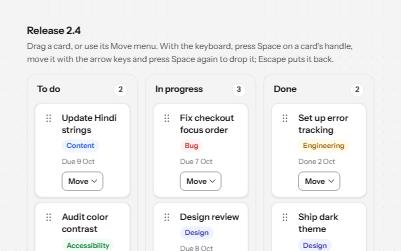
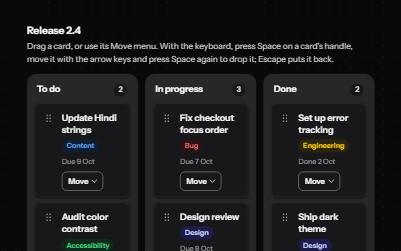
कानबान बोर्ड
कॉलम में कार्डों का बोर्ड, जिन्हें माउस से खींचा जा सकता है, मेन्यू से ले जाया जा सकता है, या कीबोर्ड से उठाकर ले जाया जा सकता है।
-
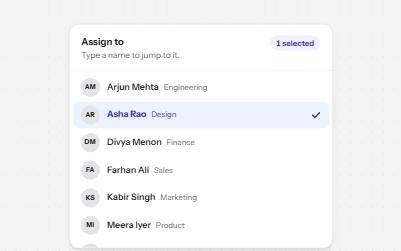
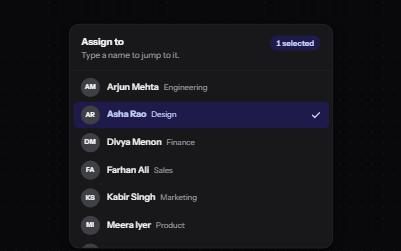
लिस्टबॉक्स
विकल्पों की एक सूची जिसमें से एक या कई चुने जा सकते हैं, ऐरो कुंजियों, टाइप करके पहुँचने और चुने गए की गिनती के साथ।
-
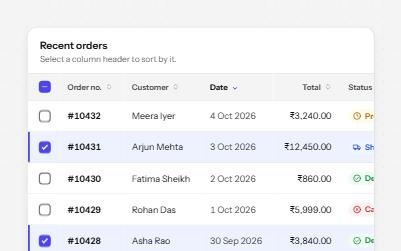
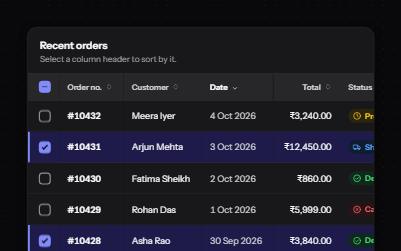
क्रमबद्ध होने वाली तालिका
कैप्शन, पंक्ति हेडर, क्रम बताने वाले सॉर्ट बटन, और मिश्रित स्थिति वाले सभी चुनें के साथ पंक्तियाँ चुनने वाली डेटा तालिका।
-
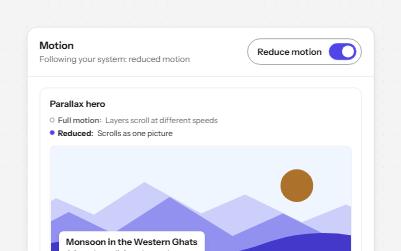
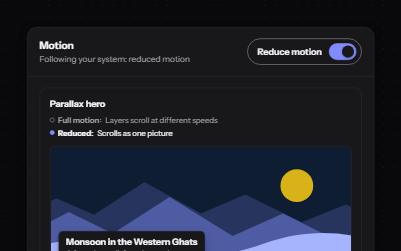
कम मोशन
एनिमेटेड हिस्से जो सिस्टम की कम मोशन सेटिंग मानते हैं, उसे बदलने के लिए एक स्विच के साथ, और हलचल की जगह फ़ेड दिखाते हैं।