सुलभता पैटर्न · डेटा प्रदर्शन
कानबान बोर्ड
खींचना कार्ड ले जाने का एक तरीका है, अकेला तरीका कभी नहीं: हर कार्ड पर एक ले जाएँ मेन्यू है जो एक क्लिक या टैप से चलता है, और एक हैंडल है जिसे कीबोर्ड से उठाकर, ऐरो कुंजियों से ले जाकर, रखा जा सकता है। हर बदलाव कार्ड, उसके कॉलम और उसमें उसकी जगह के साथ बताया जाता है, कार्ड जहाँ भी जाए फ़ोकस उसी पर रहता है, और कॉलम की गिनती साथ-साथ बदलती है।
- डब्ल्यूसीएजी मानदंड
- 7
- कीबोर्ड नियम
- 7
- जाँच का तरीक़ा
- axe, कीबोर्ड और इंस्पेक्टर
लाइव डेमो
आज़माएँ
इसे माउस, कीबोर्ड या स्क्रीन रीडर से इस्तेमाल करें। साथ का इंस्पेक्टर दिखाता है कि आपके इस्तेमाल के दौरान ब्राउज़र सहायक तकनीक को क्या बताता है: फ़ोकस, स्थिति में बदलाव और घोषणाएँ।
रिलीज़ 2.4
कार्ड खींचें, या उसका ले जाएँ मेन्यू इस्तेमाल करें। कीबोर्ड से, कार्ड के हैंडल पर Space दबाएँ, ऐरो कुंजियों से उसे ले जाएँ और रखने के लिए फिर से Space दबाएँ; Escape उसे वापस रख देता है।
करना है
-
हिंदी स्ट्रिंग अपडेट करें
सामग्री 9 अक्टू॰ तक -
रंग कंट्रास्ट की जाँच
सुलभता 12 अक्टू॰ तक
यहाँ अभी कोई कार्ड नहीं है।
जारी है
-
चेकआउट का फ़ोकस क्रम ठीक करें
बग 7 अक्टू॰ तक -
डिज़ाइन समीक्षा
डिज़ाइन 8 अक्टू॰ तक -
रिलीज़ नोट्स लिखें
लेखन 10 अक्टू॰ तक
यहाँ अभी कोई कार्ड नहीं है।
हो गया
-
एरर ट्रैकिंग सेट करें
इंजीनियरिंग 2 अक्टू॰ को पूरा -
डार्क थीम जारी करें
डिज़ाइन 5 अक्टू॰ को पूरा
यहाँ अभी कोई कार्ड नहीं है।
जावास्क्रिप्ट के बिना डेमो उतना ही काम करता है जितना उसका एचटीएमएल; इंस्पेक्टर के लिए जावास्क्रिप्ट चाहिए।
कीबोर्ड
जिन कुंजियों पर यह काम करता है
हर क्रिया पॉइंटर के बिना काम करती है।
| कुंजी | यह क्या करती है |
|---|---|
| Tab | कॉलम-दर-कॉलम, हर कार्ड के हैंडल और ले जाएँ बटन से होकर गुज़रता है। |
| SpaceयाEnter | हैंडल पर, कार्ड उठाता है; फिर से दबाने पर, उसे वहीं रख देता है जहाँ वह है। |
| Arrow UpयाArrow Down | कार्ड उठा हुआ हो तो उसे अपने कॉलम में ऊपर या नीचे ले जाता है। |
| Arrow LeftयाArrow Right | कार्ड उठा हुआ हो तो उसे पिछले या अगले कॉलम में ले जाता है, और जहाँ हो सके उसकी जगह बनाए रखता है। |
| Escape | कार्ड उठा हुआ या खींचा जा रहा हो तो उसे वहीं वापस रख देता है जहाँ से शुरू हुआ था। ले जाएँ मेन्यू में, मेन्यू बंद करता है। |
| EnterयाSpaceयाArrow Down | ले जाएँ पर, मेन्यू खोलता है; Arrow Up और Arrow Down उसमें चलते हैं, Home और End उसके सिरों पर पहुँचाते हैं। |
| EnterयाSpace | मेन्यू में, कार्ड को उस कॉलम में, या ऊपर या नीचे ले जाता है, और फ़ोकस कार्ड के ले जाएँ बटन पर लौटाता है। |
स्क्रीन रीडर
यह क्या घोषित करता है
मार्कअप की भूमिकाओं, नामों और स्थितियों से लिखा गया।
| कब | अपेक्षित घोषणा |
|---|---|
| फ़ोकस किसी हैंडल पर पहुँचता है | उठाएँ: डिज़ाइन समीक्षा, टॉगल बटन, दबा हुआ नहीं। कार्ड खींचें, या उसका ले जाएँ मेन्यू इस्तेमाल करें… |
| Space उसे उठाता है | दबा हुआ। डिज़ाइन समीक्षा उठाया गया। जारी है, 3 में से स्थान 2। |
| Arrow Right उसे ले जाता है | डिज़ाइन समीक्षा। हो गया, 3 में से स्थान 2। |
| Space उसे रख देता है | दबा हुआ नहीं। डिज़ाइन समीक्षा रखा गया। हो गया, 3 में से स्थान 2। |
| इसकी जगह Escape | रद्द किया गया। डिज़ाइन समीक्षा वापस जारी है में है, 3 में से स्थान 2। |
| ले जाएँ मेन्यू में हो गया चुना जाता है | डिज़ाइन समीक्षा को हो गया में ले जाया गया, 3 में से स्थान 3। ले जाएँ: डिज़ाइन समीक्षा, मेन्यू बटन |
ये अपेक्षित घोषणाएँ हैं, रिकॉर्डिंग नहीं। स्क्रीन रीडर और ब्राउज़र के हिसाब से शब्द और क्रम बदलते हैं।
कोड
कोड कॉपी करें
वही फ़ाइलें जिन पर यह डेमो चलता है। स्टाइल एक प्रीफ़िक्स के साथ परोसी जाती हैं जो इस साइट की अपनी स्टाइल को डेमो से दूर रखता है; आप जो कॉपी करते हैं वह मूल है।
<div class="ap-kanban" data-ap-kanban>
  <div class="ap-kanban__top">
    <h3 class="ap-kanban__board-name">Release 2.4</h3>
    <p class="ap-kanban__keys" id="kanban-keys">Drag a card, or use its Move menu. With the keyboard, press Space on a card's handle, move it with the arrow keys and press Space again to drop it; Escape puts it back.</p>
  </div>

  <div class="ap-kanban__board">
    <div class="ap-kanban__col" data-ap-col="todo">
      <div class="ap-kanban__head">
        <h4 class="ap-kanban__name" id="kanban-todo">To do</h4>
        <span class="ap-kanban__tally" aria-hidden="true" data-ap-tally>2</span>
      </div>
      <ul class="ap-kanban__cards" aria-labelledby="kanban-todo" data-ap-cards>
        <li class="ap-kanban__card" data-ap-task="hindi">
          <button type="button" class="ap-kanban__grip" aria-label="Pick up Update Hindi strings" aria-pressed="false" aria-describedby="kanban-keys">
            <svg viewBox="0 0 24 24" aria-hidden="true" focusable="false"><path d="M9 6h.01M15 6h.01M9 12h.01M15 12h.01M9 18h.01M15 18h.01"/></svg>
          </button>
          <p class="ap-kanban__what">Update Hindi strings</p>
          <span class="ap-kanban__tag" data-tone="info">Content</span>
          <span class="ap-kanban__due">Due 9 Oct</span>
          <button type="button" class="ap-kanban__move" id="kanban-move-hindi" aria-label="Move Update Hindi strings" aria-haspopup="menu" aria-expanded="false" aria-controls="kanban-menu">
            Move
            <svg viewBox="0 0 24 24" aria-hidden="true" focusable="false"><path d="m6 9 6 6 6-6"/></svg>
          </button>
        </li>
        <li class="ap-kanban__card" data-ap-task="contrast">
          <button type="button" class="ap-kanban__grip" aria-label="Pick up Audit color contrast" aria-pressed="false" aria-describedby="kanban-keys">
            <svg viewBox="0 0 24 24" aria-hidden="true" focusable="false"><path d="M9 6h.01M15 6h.01M9 12h.01M15 12h.01M9 18h.01M15 18h.01"/></svg>
          </button>
          <p class="ap-kanban__what">Audit color contrast</p>
          <span class="ap-kanban__tag" data-tone="success">Accessibility</span>
          <span class="ap-kanban__due">Due 12 Oct</span>
          <button type="button" class="ap-kanban__move" id="kanban-move-contrast" aria-label="Move Audit color contrast" aria-haspopup="menu" aria-expanded="false" aria-controls="kanban-menu">
            Move
            <svg viewBox="0 0 24 24" aria-hidden="true" focusable="false"><path d="m6 9 6 6 6-6"/></svg>
          </button>
        </li>
      </ul>
      <p class="ap-kanban__blank" data-ap-blank hidden>No cards here yet.</p>
    </div>
    <div class="ap-kanban__col" data-ap-col="doing">
      <div class="ap-kanban__head">
        <h4 class="ap-kanban__name" id="kanban-doing">In progress</h4>
        <span class="ap-kanban__tally" aria-hidden="true" data-ap-tally>3</span>
      </div>
      <ul class="ap-kanban__cards" aria-labelledby="kanban-doing" data-ap-cards>
        <li class="ap-kanban__card" data-ap-task="focus">
          <button type="button" class="ap-kanban__grip" aria-label="Pick up Fix checkout focus order" aria-pressed="false" aria-describedby="kanban-keys">
            <svg viewBox="0 0 24 24" aria-hidden="true" focusable="false"><path d="M9 6h.01M15 6h.01M9 12h.01M15 12h.01M9 18h.01M15 18h.01"/></svg>
          </button>
          <p class="ap-kanban__what">Fix checkout focus order</p>
          <span class="ap-kanban__tag" data-tone="danger">Bug</span>
          <span class="ap-kanban__due">Due 7 Oct</span>
          <button type="button" class="ap-kanban__move" id="kanban-move-focus" aria-label="Move Fix checkout focus order" aria-haspopup="menu" aria-expanded="false" aria-controls="kanban-menu">
            Move
            <svg viewBox="0 0 24 24" aria-hidden="true" focusable="false"><path d="m6 9 6 6 6-6"/></svg>
          </button>
        </li>
        <li class="ap-kanban__card" data-ap-task="review">
          <button type="button" class="ap-kanban__grip" aria-label="Pick up Design review" aria-pressed="false" aria-describedby="kanban-keys">
            <svg viewBox="0 0 24 24" aria-hidden="true" focusable="false"><path d="M9 6h.01M15 6h.01M9 12h.01M15 12h.01M9 18h.01M15 18h.01"/></svg>
          </button>
          <p class="ap-kanban__what">Design review</p>
          <span class="ap-kanban__tag" data-tone="accent">Design</span>
          <span class="ap-kanban__due">Due 8 Oct</span>
          <button type="button" class="ap-kanban__move" id="kanban-move-review" aria-label="Move Design review" aria-haspopup="menu" aria-expanded="false" aria-controls="kanban-menu">
            Move
            <svg viewBox="0 0 24 24" aria-hidden="true" focusable="false"><path d="m6 9 6 6 6-6"/></svg>
          </button>
        </li>
        <li class="ap-kanban__card" data-ap-task="notes">
          <button type="button" class="ap-kanban__grip" aria-label="Pick up Write release notes" aria-pressed="false" aria-describedby="kanban-keys">
            <svg viewBox="0 0 24 24" aria-hidden="true" focusable="false"><path d="M9 6h.01M15 6h.01M9 12h.01M15 12h.01M9 18h.01M15 18h.01"/></svg>
          </button>
          <p class="ap-kanban__what">Write release notes</p>
          <span class="ap-kanban__tag" data-tone="info">Writing</span>
          <span class="ap-kanban__due">Due 10 Oct</span>
          <button type="button" class="ap-kanban__move" id="kanban-move-notes" aria-label="Move Write release notes" aria-haspopup="menu" aria-expanded="false" aria-controls="kanban-menu">
            Move
            <svg viewBox="0 0 24 24" aria-hidden="true" focusable="false"><path d="m6 9 6 6 6-6"/></svg>
          </button>
        </li>
      </ul>
      <p class="ap-kanban__blank" data-ap-blank hidden>No cards here yet.</p>
    </div>
    <div class="ap-kanban__col" data-ap-col="done">
      <div class="ap-kanban__head">
        <h4 class="ap-kanban__name" id="kanban-done">Done</h4>
        <span class="ap-kanban__tally" aria-hidden="true" data-ap-tally>2</span>
      </div>
      <ul class="ap-kanban__cards" aria-labelledby="kanban-done" data-ap-cards>
        <li class="ap-kanban__card" data-ap-task="errors">
          <button type="button" class="ap-kanban__grip" aria-label="Pick up Set up error tracking" aria-pressed="false" aria-describedby="kanban-keys">
            <svg viewBox="0 0 24 24" aria-hidden="true" focusable="false"><path d="M9 6h.01M15 6h.01M9 12h.01M15 12h.01M9 18h.01M15 18h.01"/></svg>
          </button>
          <p class="ap-kanban__what">Set up error tracking</p>
          <span class="ap-kanban__tag" data-tone="warning">Engineering</span>
          <span class="ap-kanban__due">Done 2 Oct</span>
          <button type="button" class="ap-kanban__move" id="kanban-move-errors" aria-label="Move Set up error tracking" aria-haspopup="menu" aria-expanded="false" aria-controls="kanban-menu">
            Move
            <svg viewBox="0 0 24 24" aria-hidden="true" focusable="false"><path d="m6 9 6 6 6-6"/></svg>
          </button>
        </li>
        <li class="ap-kanban__card" data-ap-task="dark">
          <button type="button" class="ap-kanban__grip" aria-label="Pick up Ship dark theme" aria-pressed="false" aria-describedby="kanban-keys">
            <svg viewBox="0 0 24 24" aria-hidden="true" focusable="false"><path d="M9 6h.01M15 6h.01M9 12h.01M15 12h.01M9 18h.01M15 18h.01"/></svg>
          </button>
          <p class="ap-kanban__what">Ship dark theme</p>
          <span class="ap-kanban__tag" data-tone="accent">Design</span>
          <span class="ap-kanban__due">Done 5 Oct</span>
          <button type="button" class="ap-kanban__move" id="kanban-move-dark" aria-label="Move Ship dark theme" aria-haspopup="menu" aria-expanded="false" aria-controls="kanban-menu">
            Move
            <svg viewBox="0 0 24 24" aria-hidden="true" focusable="false"><path d="m6 9 6 6 6-6"/></svg>
          </button>
        </li>
      </ul>
      <p class="ap-kanban__blank" data-ap-blank hidden>No cards here yet.</p>
    </div>
  </div>

  <div class="ap-kanban__menu" role="menu" id="kanban-menu" aria-labelledby="kanban-move-hindi" hidden>
    <div role="group" aria-labelledby="kanban-menu-cap">
      <span class="ap-kanban__menu-cap" id="kanban-menu-cap" aria-hidden="true">Move to column</span>
      <button type="button" class="ap-kanban__item" role="menuitemradio" aria-checked="false" tabindex="-1" data-ap-to="todo"><svg class="ap-kanban__check" viewBox="0 0 24 24" aria-hidden="true" focusable="false"><path d="m5 12 5 5L20 7"/></svg>To do</button>
      <button type="button" class="ap-kanban__item" role="menuitemradio" aria-checked="false" tabindex="-1" data-ap-to="doing"><svg class="ap-kanban__check" viewBox="0 0 24 24" aria-hidden="true" focusable="false"><path d="m5 12 5 5L20 7"/></svg>In progress</button>
      <button type="button" class="ap-kanban__item" role="menuitemradio" aria-checked="false" tabindex="-1" data-ap-to="done"><svg class="ap-kanban__check" viewBox="0 0 24 24" aria-hidden="true" focusable="false"><path d="m5 12 5 5L20 7"/></svg>Done</button>
    </div>
    <div class="ap-kanban__sep" role="separator"></div>
    <button type="button" class="ap-kanban__item" role="menuitem" tabindex="-1" data-ap-shift="-1"><svg class="ap-kanban__arrow" viewBox="0 0 24 24" aria-hidden="true" focusable="false"><path d="M12 19V5M6 11l6-6 6 6"/></svg>Move up</button>
    <button type="button" class="ap-kanban__item" role="menuitem" tabindex="-1" data-ap-shift="1"><svg class="ap-kanban__arrow" viewBox="0 0 24 24" aria-hidden="true" focusable="false"><path d="M12 5v14M6 13l6 6 6-6"/></svg>Move down</button>
  </div>

  <p class="ap-kanban__sr" aria-live="polite" data-ap-live></p>
  <span class="ap-kanban__sr" data-ap-msg="lift" hidden>Picked up {card}. {column}, position {pos} of {total}.</span>
  <span class="ap-kanban__sr" data-ap-msg="move" hidden>{card}. {column}, position {pos} of {total}.</span>
  <span class="ap-kanban__sr" data-ap-msg="drop" hidden>Dropped {card}. {column}, position {pos} of {total}.</span>
  <span class="ap-kanban__sr" data-ap-msg="cancel" hidden>Cancelled. {card} is back in {column}, position {pos} of {total}.</span>
  <span class="ap-kanban__sr" data-ap-msg="moved" hidden>Moved {card} to {column}, position {pos} of {total}.</span>
</div>
/* Shared primitives: buttons and form fields used across the patterns.
   Uses the --ap-* design tokens. */

.ap-btn {
  display: inline-flex;
  align-items: center;
  justify-content: center;
  gap: 8px;
  min-height: 40px;
  padding: 0 16px;
  border: 1px solid var(--ap-border-strong);
  border-radius: var(--ap-radius-sm);
  background: var(--ap-surface);
  color: var(--ap-text);
  font: inherit;
  font-weight: 600;
  line-height: 1.2;
  text-decoration: none;
  white-space: nowrap;
  cursor: pointer;
  transition: background-color var(--ap-duration) var(--ap-ease), border-color var(--ap-duration) var(--ap-ease), box-shadow var(--ap-duration) var(--ap-ease);
}
.ap-btn:hover {
  background: var(--ap-surface-2);
}
.ap-btn:focus-visible {
  outline: 2px solid var(--ap-focus);
  outline-offset: 2px;
}
.ap-btn:disabled,
.ap-btn[aria-disabled="true"] {
  opacity: .55;
  cursor: not-allowed;
}
.ap-btn--primary {
  border-color: var(--ap-accent);
  background: var(--ap-accent);
  color: var(--ap-on-accent);
  box-shadow: var(--ap-shadow-sm);
}
.ap-btn--primary:hover {
  border-color: var(--ap-accent-hover);
  background: var(--ap-accent-hover);
}
.ap-btn--danger {
  border-color: var(--ap-danger);
  background: var(--ap-danger);
  color: var(--ap-surface);
}
.ap-btn--danger:hover {
  filter: brightness(1.08);
}
.ap-btn--ghost {
  border-color: transparent;
  background: transparent;
}
.ap-btn--ghost:hover {
  background: var(--ap-surface-2);
}
.ap-btn__icon {
  width: 18px;
  height: 18px;
  flex-shrink: 0;
  fill: none;
  stroke: currentColor;
  stroke-width: 2;
  stroke-linecap: round;
  stroke-linejoin: round;
}

.ap-field {
  display: grid;
  gap: 6px;
}
.ap-label {
  color: var(--ap-text);
  font-weight: 600;
  font-size: .9375rem;
}
.ap-hint {
  margin: 0;
  color: var(--ap-text-3);
  font-size: .875rem;
  line-height: 1.45;
}
.ap-error {
  display: flex;
  align-items: flex-start;
  gap: 6px;
  margin: 0;
  color: var(--ap-danger);
  font-size: .875rem;
  font-weight: 600;
  line-height: 1.45;
}
.ap-input {
  width: 100%;
  min-height: 44px;
  padding: 10px 12px;
  border: 1px solid var(--ap-border-strong);
  border-radius: var(--ap-radius-sm);
  background: var(--ap-surface);
  color: var(--ap-text);
  font: inherit;
  line-height: 1.4;
  transition: border-color var(--ap-duration) var(--ap-ease), box-shadow var(--ap-duration) var(--ap-ease);
}
.ap-input::placeholder {
  color: var(--ap-text-3);
}
.ap-input:hover {
  border-color: var(--ap-text-2);
}
.ap-input:focus-visible {
  outline: 2px solid var(--ap-focus);
  outline-offset: 1px;
  border-color: var(--ap-focus);
}
.ap-input[aria-invalid="true"] {
  border-color: var(--ap-danger);
  box-shadow: inset 4px 0 0 var(--ap-danger);
}
textarea.ap-input {
  resize: vertical;
  min-height: 88px;
}

@media (prefers-reduced-motion: reduce) {
  .ap-btn,
  .ap-input { transition: none; }
}

/* Kanban board. Uses the --ap-* design tokens and the shared primitives. */
.ap-kanban {
  container-type: inline-size;
  position: relative;
  width: min(100%, 860px);
  margin: 0 auto;
  color: var(--ap-text);
}

.ap-kanban__top {
  margin-bottom: 14px;
}
.ap-kanban__board-name {
  margin: 0;
  color: var(--ap-text);
  font-size: 1.0625rem;
  font-weight: 650;
  line-height: 1.35;
}
.ap-kanban__keys {
  max-width: 70ch;
  margin: 4px 0 0;
  color: var(--ap-text-2);
  font-size: .875rem;
  line-height: 1.5;
}

.ap-kanban__board {
  display: grid;
  grid-template-columns: repeat(3, minmax(0, 1fr));
  gap: 12px;
  align-items: start;
}

.ap-kanban__col {
  container-type: inline-size;
  display: grid;
  grid-template-areas: "head" "cards";
  gap: 10px;
  padding: 12px;
  border: 1px solid var(--ap-border);
  border-radius: var(--ap-radius-lg);
  background: var(--ap-surface-2);
  transition: background-color var(--ap-duration) var(--ap-ease), border-color var(--ap-duration) var(--ap-ease);
}
/* Where a dragged or carried card will land. */
.ap-kanban__col.is-over {
  border-color: var(--ap-accent);
  border-style: dashed;
  background: var(--ap-accent-soft);
}
.ap-kanban__head {
  grid-area: head;
  display: flex;
  align-items: center;
  justify-content: space-between;
  gap: 8px;
  padding: 2px 4px 0;
}
.ap-kanban__name {
  margin: 0;
  color: var(--ap-text);
  font-size: .9375rem;
  font-weight: 650;
}
.ap-kanban__tally {
  display: grid;
  place-items: center;
  min-width: 24px;
  height: 24px;
  padding: 0 7px;
  border-radius: var(--ap-radius-full);
  background: var(--ap-surface);
  color: var(--ap-text-2);
  font-size: .8125rem;
  font-weight: 650;
  font-variant-numeric: tabular-nums;
  box-shadow: inset 0 0 0 1px var(--ap-border);
}

.ap-kanban__cards {
  grid-area: cards;
  display: grid;
  gap: 8px;
  min-height: 64px;
  margin: 0;
  padding: 0;
  list-style: none;
}
/* Shown over an empty list, where a card can still be dropped. */
.ap-kanban__blank {
  grid-area: cards;
  align-self: start;
  margin: 0;
  padding: 21px 8px;
  border: 2px dashed var(--ap-border);
  border-radius: var(--ap-radius);
  color: var(--ap-text-3);
  font-size: .8125rem;
  text-align: center;
  pointer-events: none;
}
.ap-kanban__blank[hidden] {
  display: none;
}

.ap-kanban__card {
  position: relative;
  display: grid;
  grid-template-columns: 32px minmax(0, 1fr) auto;
  grid-template-areas: "grip what what" "grip tag tag" "grip due move";
  align-items: center;
  gap: 6px;
  padding: 8px 10px 10px 6px;
  border: 1px solid var(--ap-border);
  border-radius: var(--ap-radius);
  background: var(--ap-surface);
  box-shadow: var(--ap-shadow-sm);
  cursor: grab;
  user-select: none;
  -webkit-user-select: none;
}
.ap-kanban__card:hover {
  border-color: var(--ap-border-strong);
}
/* Picked up with the keyboard, or held by the pointer. */
.ap-kanban__card.is-lifted,
.ap-kanban__card.is-dragging {
  border-color: var(--ap-accent);
  box-shadow: 0 0 0 1px var(--ap-accent), var(--ap-shadow-lg);
}
.ap-kanban__card.is-dragging {
  z-index: 10;
  cursor: grabbing;
  pointer-events: none;
  transform: rotate(-1.5deg);
}
.ap-kanban__slot {
  min-height: 64px;
  border: 2px dashed var(--ap-accent);
  border-radius: var(--ap-radius);
  background: var(--ap-surface);
  list-style: none;
}

.ap-kanban__grip {
  grid-area: grip;
  align-self: start;
  display: grid;
  place-items: center;
  width: 32px;
  height: 32px;
  padding: 0;
  border: 0;
  border-radius: var(--ap-radius-sm);
  background: transparent;
  color: var(--ap-text-3);
  cursor: grab;
  touch-action: none;
}
.ap-kanban__grip:hover {
  background: var(--ap-surface-2);
  color: var(--ap-text);
}
.ap-kanban__grip:focus-visible {
  outline: 2px solid var(--ap-focus);
  outline-offset: 1px;
}
.ap-kanban__grip[aria-pressed="true"] {
  background: var(--ap-accent);
  color: var(--ap-on-accent);
}
.ap-kanban__grip svg {
  width: 20px;
  height: 20px;
  fill: none;
  stroke: currentColor;
  stroke-width: 3;
  stroke-linecap: round;
}

.ap-kanban__what {
  grid-area: what;
  margin: 0;
  padding-top: 5px;
  color: var(--ap-text);
  font-size: .9375rem;
  font-weight: 600;
  line-height: 1.35;
  overflow-wrap: anywhere;
}
.ap-kanban__due {
  grid-area: due;
  color: var(--ap-text-3);
  font-size: .75rem;
}
.ap-kanban__tag {
  grid-area: tag;
  justify-self: start;
  max-width: 100%;
  overflow-wrap: anywhere;
  padding: 2px 8px;
  border-radius: var(--ap-radius-full);
  background: var(--ap-surface-2);
  color: var(--ap-text-2);
  font-size: .75rem;
  font-weight: 600;
}
.ap-kanban__tag[data-tone="accent"] { background: var(--ap-accent-soft); color: var(--ap-accent-soft-text); }
.ap-kanban__tag[data-tone="info"] { background: var(--ap-info-soft); color: var(--ap-info); }
.ap-kanban__tag[data-tone="success"] { background: var(--ap-success-soft); color: var(--ap-success); }
.ap-kanban__tag[data-tone="danger"] { background: var(--ap-danger-soft); color: var(--ap-danger); }
.ap-kanban__tag[data-tone="warning"] { background: var(--ap-warning-soft); color: var(--ap-warning); }

.ap-kanban__move {
  grid-area: move;
  display: inline-flex;
  align-items: center;
  gap: 2px;
  min-height: 32px;
  padding: 0 6px 0 10px;
  border: 1px solid var(--ap-border-strong);
  border-radius: var(--ap-radius-sm);
  background: var(--ap-surface);
  color: var(--ap-text);
  font: inherit;
  font-size: .8125rem;
  font-weight: 600;
  cursor: pointer;
}
.ap-kanban__move:hover,
.ap-kanban__move[aria-expanded="true"] {
  background: var(--ap-surface-2);
}
.ap-kanban__move:focus-visible {
  outline: 2px solid var(--ap-focus);
  outline-offset: 2px;
}
.ap-kanban__move svg {
  width: 16px;
  height: 16px;
  fill: none;
  stroke: currentColor;
  stroke-width: 2;
  stroke-linecap: round;
  stroke-linejoin: round;
}

/* The Move menu, shared by every card and placed in the one that opens it. */
.ap-kanban__menu {
  position: absolute;
  top: calc(100% + 4px);
  right: 4px;
  z-index: 20;
  display: grid;
  width: 210px;
  padding: 6px;
  border: 1px solid var(--ap-border);
  border-radius: var(--ap-radius);
  background: var(--ap-surface);
  box-shadow: var(--ap-shadow-lg);
  cursor: default;
  animation: ap-kanban-in 140ms var(--ap-ease);
}
.ap-kanban__menu.is-up {
  top: auto;
  bottom: calc(100% + 4px);
}
.ap-kanban__menu[hidden] {
  display: none;
}
.ap-kanban__menu [role="group"] {
  display: grid;
}
.ap-kanban__menu-cap {
  padding: 6px 10px 4px;
  color: var(--ap-text-3);
  font-size: .75rem;
  font-weight: 600;
}
.ap-kanban__item {
  display: flex;
  align-items: center;
  gap: 10px;
  min-height: 36px;
  padding: 0 10px;
  border: 0;
  border-radius: var(--ap-radius-sm);
  background: transparent;
  color: var(--ap-text);
  font: inherit;
  font-size: .875rem;
  text-align: start;
  cursor: pointer;
}
.ap-kanban__item:focus {
  outline: none;
  background: var(--ap-surface-2);
}
.ap-kanban__item:focus-visible {
  outline: 2px solid var(--ap-focus);
  outline-offset: -2px;
}
.ap-kanban__item[aria-disabled="true"] {
  color: var(--ap-text-3);
  cursor: not-allowed;
}
.ap-kanban__item[aria-checked="true"] {
  font-weight: 650;
}
.ap-kanban__check,
.ap-kanban__arrow {
  width: 16px;
  height: 16px;
  flex-shrink: 0;
  fill: none;
  stroke: currentColor;
  stroke-width: 2.25;
  stroke-linecap: round;
  stroke-linejoin: round;
}
.ap-kanban__check {
  visibility: hidden;
  color: var(--ap-accent-text);
}
.ap-kanban__item[aria-checked="true"] .ap-kanban__check {
  visibility: visible;
}
.ap-kanban__sep {
  height: 1px;
  margin: 6px 4px;
  background: var(--ap-border);
}

.ap-kanban__sr {
  position: absolute;
  width: 1px;
  height: 1px;
  margin: -1px;
  padding: 0;
  overflow: hidden;
  clip-path: inset(50%);
  white-space: nowrap;
}

/* Narrow: the columns stack; Arrow Left and Right still move between them. */
@container (max-width: 560px) {
  .ap-kanban__board {
    grid-template-columns: minmax(0, 1fr);
  }
}

/* A slim column: the Move button takes its own line under the date. */
@container (max-width: 190px) {
  .ap-kanban__card {
    grid-template-columns: 32px minmax(0, 1fr);
    grid-template-areas: "grip what" "grip tag" "grip due" "grip move";
  }
  .ap-kanban__move {
    justify-self: start;
    margin-top: 2px;
  }
}

@keyframes ap-kanban-in {
  from { opacity: 0; transform: translateY(-4px) scale(.98); }
}

@media (prefers-reduced-motion: reduce) {
  .ap-kanban__col { transition: none; }
  .ap-kanban__menu { animation: none; }
  .ap-kanban__card.is-dragging { transform: none; }
}

@media (forced-colors: active) {
  .ap-kanban__card.is-lifted,
  .ap-kanban__card.is-dragging { outline: 3px solid Highlight; }
  .ap-kanban__col.is-over { outline: 2px dashed Highlight; }
  .ap-kanban__slot { border-color: Highlight; }
}
/**
 * Kanban board: cards in columns that move three ways. A mouse drags them
 * (touch and pen drag from the handle); every card's Move menu moves it with
 * single clicks; and its handle, a toggle button, picks it up from the
 * keyboard so the arrow keys can carry it and Space can drop it.
 *
 * Markup: [data-ap-kanban] holding columns [data-ap-col] (each with a
 * heading .ap-kanban__name, a count [data-ap-tally], a list [data-ap-cards]
 * and an empty note [data-ap-blank]); cards .ap-kanban__card with a
 * button.ap-kanban__grip[aria-pressed], the card's name .ap-kanban__what and
 * a button.ap-kanban__move[aria-haspopup=menu]; one shared div[role=menu] whose
 * items carry data-ap-to (a column) or data-ap-shift (-1 or 1); a polite live
 * region [data-ap-live]; and hidden message templates [data-ap-msg].
 */

const DRAG_START = 5; // px of movement before a press becomes a drag
const reduce = () => matchMedia("(prefers-reduced-motion: reduce)").matches;

export function init(root) {
  const menu = root.querySelector("[role=menu]");
  const items = [...menu.querySelectorAll("[role^=menuitem]")];
  const live = root.querySelector("[data-ap-live]");
  const cols = [...root.querySelectorAll("[data-ap-col]")];
  const events = new AbortController();
  const on = (target, type, fn) => target.addEventListener(type, fn, { signal: events.signal });

  const listOf = (col) => col.querySelector("[data-ap-cards]");
  const cardsIn = (col) => [...listOf(col).children].filter((el) => el.matches(".ap-kanban__card:not(.is-dragging)"));
  const colOf = (card) => card.closest("[data-ap-col]");
  const gripOf = (card) => card.querySelector(".ap-kanban__grip");
  const moveOf = (card) => card.querySelector(".ap-kanban__move");
  const nameOf = (card) => card.querySelector(".ap-kanban__what").textContent.trim();
  const colName = (col) => col.querySelector(".ap-kanban__name").textContent.trim();

  /* ── Counts and announcements ── */
  function tally() {
    for (const col of cols) {
      const n = cardsIn(col).length;
      col.querySelector("[data-ap-tally]").textContent = String(n);
      col.querySelector("[data-ap-blank]").hidden = n > 0 || !!listOf(col).querySelector(".ap-kanban__slot");
    }
  }

  // The words come from templates in the markup, so a translation can reorder them.
  function say(kind, card) {
    const col = colOf(card);
    const cards = cardsIn(col);
    const text = (root.querySelector(`[data-ap-msg="${kind}"]`)?.textContent || "")
      .replace("{card}", nameOf(card))
      .replace("{column}", colName(col))
      .replace("{pos}", String(cards.indexOf(card) + 1))
      .replace("{total}", String(cards.length));
    live.textContent = "";
    requestAnimationFrame(() => { live.textContent = text; });
  }

  /* ── Moving a card: it glides to its new place, and focus goes with it ── */
  let moving = false;
  function put(card, col, index, focus) {
    const all = [...root.querySelectorAll(".ap-kanban__card")];
    const before = new Map(all.map((c) => [c, c.getBoundingClientRect()]));
    moving = true;
    const others = cardsIn(col).filter((c) => c !== card);
    listOf(col).insertBefore(card, others[index] || null);
    focus?.focus();
    moving = false;
    tally();
    if (reduce()) return;
    for (const c of all) {
      const a = before.get(c);
      const b = c.getBoundingClientRect();
      const dx = a.left - b.left;
      const dy = a.top - b.top;
      if (Math.abs(dx) + Math.abs(dy) > 1) {
        c.animate([{ transform: `translate(${dx}px, ${dy}px)` }, { transform: "none" }], { duration: 180, easing: "cubic-bezier(.2, .8, .2, 1)" });
      }
    }
  }

  /* ── Keyboard: the handle picks the card up, the arrows carry it ── */
  let held = null; // the card, and where it started

  function lift(card) {
    held = { card, col: colOf(card), index: cardsIn(colOf(card)).indexOf(card) };
    gripOf(card).setAttribute("aria-pressed", "true");
    card.classList.add("is-lifted");
    colOf(card).classList.add("is-over");
    say("lift", card);
  }
  function settle() {
    const { card } = held;
    held = null;
    gripOf(card).setAttribute("aria-pressed", "false");
    card.classList.remove("is-lifted");
    for (const col of cols) col.classList.remove("is-over");
    return card;
  }
  function drop() {
    say("drop", settle());
  }
  function putBack({ focus = true } = {}) {
    const { card, col, index } = held;
    put(card, col, index, focus ? gripOf(card) : null);
    say("cancel", settle());
  }
  function carry(event) {
    const { card } = held;
    const col = colOf(card);
    const at = cols.indexOf(col);
    const index = cardsIn(col).indexOf(card);
    let to = col;
    let place = index;
    switch (event.key) {
      case "ArrowUp": place = Math.max(index - 1, 0); break;
      case "ArrowDown": place = Math.min(index + 1, cardsIn(col).length - 1); break;
      case "ArrowLeft": to = cols[Math.max(at - 1, 0)]; break;
      case "ArrowRight": to = cols[Math.min(at + 1, cols.length - 1)]; break;
      case "Escape":
        event.preventDefault();
        event.stopPropagation();
        putBack();
        return;
      default: return;
    }
    event.preventDefault();
    if (to !== col) place = Math.min(index, cardsIn(to).length);
    put(card, to, place, gripOf(card));
    for (const c of cols) c.classList.toggle("is-over", c === to);
    say("move", card);
  }

  // Enter, Space and screen reader activation all arrive as a click with detail 0;
  // a mouse click (detail 1 or more) is left to dragging.
  on(root, "click", (event) => {
    const grip = event.target.closest(".ap-kanban__grip");
    if (!grip || event.detail !== 0) return;
    const card = grip.closest(".ap-kanban__card");
    if (held && held.card === card) drop();
    else if (!held) lift(card);
  });
  on(root, "keydown", (event) => {
    if (held && event.target === gripOf(held.card)) carry(event);
  });
  // Tabbing away with a card in hand puts it back.
  on(root, "focusout", (event) => {
    if (held && !moving && event.target === gripOf(held.card) && event.relatedTarget !== event.target) putBack({ focus: false });
  });

  /* ── The Move menu: one, shared, opened inside the card that asks ── */
  let opener = null;
  let outside = null;

  function openMenu(button, at = 0) {
    const card = button.closest(".ap-kanban__card");
    const col = colOf(card);
    const cards = cardsIn(col);
    const index = cards.indexOf(card);
    card.append(menu);
    menu.setAttribute("aria-labelledby", button.id);
    for (const item of items) {
      if (item.dataset.apTo) {
        item.setAttribute("aria-checked", String(item.dataset.apTo === col.dataset.apCol));
      } else {
        const blocked = Number(item.dataset.apShift) < 0 ? index === 0 : index === cards.length - 1;
        if (blocked) item.setAttribute("aria-disabled", "true");
        else item.removeAttribute("aria-disabled");
      }
    }
    menu.hidden = false;
    // Below the card, or above it when the board has no room underneath.
    menu.classList.remove("is-up");
    const board = root.getBoundingClientRect();
    const box = card.getBoundingClientRect();
    if (box.bottom + menu.offsetHeight + 8 > board.bottom && box.top - board.top > board.bottom - box.bottom) menu.classList.add("is-up");
    button.setAttribute("aria-expanded", "true");
    opener = button;
    outside = new AbortController();
    document.addEventListener("pointerdown", (event) => {
      if (!menu.contains(event.target) && !button.contains(event.target)) closeMenu(false);
    }, { signal: outside.signal });
    items[at < 0 ? items.length - 1 : at].focus();
  }

  function closeMenu(returnFocus = true) {
    if (!opener) return;
    const button = opener;
    opener = null;
    menu.hidden = true;
    button.setAttribute("aria-expanded", "false");
    outside?.abort();
    if (returnFocus) button.focus();
  }

  function choose(item) {
    if (item.getAttribute("aria-disabled") === "true") return;
    const button = opener;
    const card = button.closest(".ap-kanban__card");
    const col = colOf(card);
    closeMenu(false);
    if (item.dataset.apTo) {
      const to = cols.find((c) => c.dataset.apCol === item.dataset.apTo);
      if (to === col) {
        button.focus();
        return;
      }
      put(card, to, cardsIn(to).length, button);
    } else {
      put(card, col, cardsIn(col).indexOf(card) + Number(item.dataset.apShift), button);
    }
    say("moved", card);
  }

  on(root, "click", (event) => {
    const button = event.target.closest(".ap-kanban__move");
    if (button) {
      if (opener === button) closeMenu();
      else {
        closeMenu(false);
        openMenu(button);
      }
      return;
    }
    const item = event.target.closest("[role^=menuitem]");
    if (item && opener) choose(item);
  });

  on(root, "keydown", (event) => {
    const button = event.target.closest?.(".ap-kanban__move");
    if (button && !opener && (event.key === "ArrowDown" || event.key === "ArrowUp")) {
      event.preventDefault();
      openMenu(button, event.key === "ArrowUp" ? -1 : 0);
      return;
    }
    const at = items.indexOf(event.target);
    if (at === -1 || !opener) return;
    let next = null;
    switch (event.key) {
      case "ArrowDown": next = items[(at + 1) % items.length]; break;
      case "ArrowUp": next = items[(at - 1 + items.length) % items.length]; break;
      case "Home": next = items[0]; break;
      case "End": next = items[items.length - 1]; break;
      case "Escape":
        event.preventDefault();
        event.stopPropagation();
        closeMenu();
        return;
      case "Tab":
        closeMenu(false);
        return;
      default: return;
    }
    event.preventDefault();
    next.focus();
  });

  // Focus moving out of an open menu (a click elsewhere, say) closes it.
  on(menu, "focusout", (event) => {
    if (opener && event.relatedTarget && !menu.contains(event.relatedTarget) && event.relatedTarget !== opener) closeMenu(false);
  });

  /* ── Pointer dragging ── */
  let press = null;
  let slot = null;

  function startDrag() {
    const { card } = press;
    const r = card.getBoundingClientRect();
    press.from = { col: colOf(card), index: cardsIn(colOf(card)).indexOf(card) };
    press.started = true;
    slot = document.createElement("li");
    slot.className = "ap-kanban__slot";
    slot.setAttribute("aria-hidden", "true");
    slot.style.height = `${r.height}px`;
    card.before(slot);
    card.style.width = `${r.width}px`;
    card.style.position = "absolute";
    card.classList.add("is-dragging");
  }

  function follow(event) {
    const { card } = press;
    const box = root.getBoundingClientRect();
    card.style.left = `${event.clientX - box.left - press.dx}px`;
    card.style.top = `${event.clientY - box.top - press.dy}px`;
    const under = document.elementFromPoint(event.clientX, event.clientY)?.closest("[data-ap-col]");
    const col = under && root.contains(under) ? under : null;
    for (const c of cols) c.classList.toggle("is-over", c === col);
    if (!col) return;
    const list = listOf(col);
    const next = cardsIn(col).find((c) => {
      const b = c.getBoundingClientRect();
      return event.clientY < b.top + b.height / 2;
    });
    if (next) {
      if (slot.nextElementSibling !== next) list.insertBefore(slot, next);
    } else if (slot.parentElement !== list || slot.nextElementSibling) {
      list.append(slot);
    }
    tally();
  }

  function endDrag(keep) {
    const { card, from } = press;
    press = null;
    card.classList.remove("is-dragging");
    for (const prop of ["width", "position", "left", "top"]) card.style.removeProperty(prop);
    for (const c of cols) c.classList.remove("is-over");
    if (keep) {
      slot.replaceWith(card);
      slot = null;
      tally();
      say("drop", card);
    } else {
      slot.remove();
      slot = null;
      put(card, from.col, from.index, null);
      say("cancel", card);
    }
  }

  on(root, "pointerdown", (event) => {
    if (event.button !== 0 || held || opener) return;
    const card = event.target.closest(".ap-kanban__card");
    if (!card || event.target.closest(".ap-kanban__move, [role=menu]")) return;
    // A mouse drags from anywhere on the card; a finger or pen from the handle, so swipes still scroll.
    if (event.pointerType !== "mouse" && !event.target.closest(".ap-kanban__grip")) return;
    const r = card.getBoundingClientRect();
    press = { card, id: event.pointerId, x: event.clientX, y: event.clientY, dx: event.clientX - r.left, dy: event.clientY - r.top, started: false };
  });
  on(document, "pointermove", (event) => {
    if (!press || event.pointerId !== press.id) return;
    if (!press.started) {
      if (Math.hypot(event.clientX - press.x, event.clientY - press.y) < DRAG_START) return;
      startDrag();
    }
    event.preventDefault();
    follow(event);
  });
  on(document, "pointerup", (event) => {
    if (!press || event.pointerId !== press.id) return;
    if (press.started) endDrag(true);
    else press = null;
  });
  on(document, "pointercancel", (event) => {
    if (press?.started && event.pointerId === press.id) endDrag(false);
    else press = null;
  });
  on(document, "keydown", (event) => {
    if (event.key === "Escape" && press?.started) {
      event.preventDefault();
      endDrag(false);
    }
  });

  tally();

  return () => {
    events.abort();
    outside?.abort();
  };
}

for (const root of document.querySelectorAll("[data-ap-kanban]")) init(root);
/* Design tokens for the pattern components. Light by default, dark when the
   system asks for it; set data-theme="dark" on :root to force dark. */
:root {
    --ap-radius-sm: 8px;
    --ap-radius: 12px;
    --ap-radius-lg: 16px;
    --ap-radius-full: 999px;
    --ap-font: "Instrument Sans", ui-sans-serif, system-ui, -apple-system, "Segoe UI", Roboto, sans-serif;
    --ap-mono: "JetBrains Mono", ui-monospace, "Cascadia Mono", "SF Mono", Consolas, monospace;
    --ap-ease: cubic-bezier(.2, .8, .2, 1);
    --ap-duration: 180ms;
    --ap-target: 44px;
    --ap-bg: #F4F4F5;
    --ap-surface: #FFFFFF;
    --ap-surface-2: #F4F4F5;
    --ap-surface-3: #E4E4E7;
    --ap-border: #E4E4E7;
    --ap-border-strong: #76767F;
    --ap-text: #18181B;
    --ap-text-2: #3F3F46;
    --ap-text-3: #5E5E66;
    --ap-accent: #4F46E5;
    --ap-accent-hover: #4338CA;
    --ap-on-accent: #FFFFFF;
    --ap-accent-text: #4338CA;
    --ap-accent-soft: #EEF2FF;
    --ap-accent-soft-text: #3730A3;
    --ap-focus: #4F46E5;
    --ap-danger: #B91C1C;
    --ap-danger-soft: #FEF2F2;
    --ap-success: #15803D;
    --ap-success-soft: #F0FDF4;
    --ap-warning: #A15C07;
    --ap-warning-soft: #FEFCE8;
    --ap-info: #1D4ED8;
    --ap-info-soft: #EFF6FF;
    --ap-scrim: rgb(9 9 11 / .48);
    --ap-shadow-sm: 0 1px 2px rgb(9 9 11 / .06);
    --ap-shadow-md: 0 1px 2px rgb(9 9 11 / .05), 0 6px 16px -4px rgb(9 9 11 / .1);
    --ap-shadow-lg: 0 2px 6px rgb(9 9 11 / .06), 0 20px 40px -12px rgb(9 9 11 / .22);
    --ap-light-bg: #F4F4F5;
    --ap-light-surface: #FFFFFF;
    --ap-light-surface-2: #F4F4F5;
    --ap-light-surface-3: #E4E4E7;
    --ap-light-border: #E4E4E7;
    --ap-light-border-strong: #76767F;
    --ap-light-text: #18181B;
    --ap-light-text-2: #3F3F46;
    --ap-light-text-3: #5E5E66;
    --ap-light-accent: #4F46E5;
    --ap-light-accent-hover: #4338CA;
    --ap-light-on-accent: #FFFFFF;
    --ap-light-accent-text: #4338CA;
    --ap-light-accent-soft: #EEF2FF;
    --ap-light-accent-soft-text: #3730A3;
    --ap-light-focus: #4F46E5;
    --ap-light-danger: #B91C1C;
    --ap-light-danger-soft: #FEF2F2;
    --ap-light-success: #15803D;
    --ap-light-success-soft: #F0FDF4;
    --ap-light-warning: #A15C07;
    --ap-light-warning-soft: #FEFCE8;
    --ap-light-info: #1D4ED8;
    --ap-light-info-soft: #EFF6FF;
    --ap-light-scrim: rgb(9 9 11 / .48);
    --ap-light-shadow-sm: 0 1px 2px rgb(9 9 11 / .06);
    --ap-light-shadow-md: 0 1px 2px rgb(9 9 11 / .05), 0 6px 16px -4px rgb(9 9 11 / .1);
    --ap-light-shadow-lg: 0 2px 6px rgb(9 9 11 / .06), 0 20px 40px -12px rgb(9 9 11 / .22);
    --ap-dark-bg: #09090B;
    --ap-dark-surface: #18181B;
    --ap-dark-surface-2: #27272A;
    --ap-dark-surface-3: #3F3F46;
    --ap-dark-border: #2E2E33;
    --ap-dark-border-strong: #8E8E97;
    --ap-dark-text: #FAFAFA;
    --ap-dark-text-2: #D4D4D8;
    --ap-dark-text-3: #A1A1AA;
    --ap-dark-accent: #818CF8;
    --ap-dark-accent-hover: #A5B4FC;
    --ap-dark-on-accent: #0C0A1F;
    --ap-dark-accent-text: #A5B4FC;
    --ap-dark-accent-soft: #1E1B4B;
    --ap-dark-accent-soft-text: #C7D2FE;
    --ap-dark-focus: #A5B4FC;
    --ap-dark-danger: #F87171;
    --ap-dark-danger-soft: #2A1215;
    --ap-dark-success: #4ADE80;
    --ap-dark-success-soft: #0F2A1A;
    --ap-dark-warning: #FACC15;
    --ap-dark-warning-soft: #2A2410;
    --ap-dark-info: #60A5FA;
    --ap-dark-info-soft: #0F1D33;
    --ap-dark-scrim: rgb(0 0 0 / .62);
    --ap-dark-shadow-sm: 0 1px 2px rgb(0 0 0 / .4);
    --ap-dark-shadow-md: 0 1px 2px rgb(0 0 0 / .4), 0 8px 20px -6px rgb(0 0 0 / .5);
    --ap-dark-shadow-lg: 0 2px 8px rgb(0 0 0 / .45), 0 24px 48px -12px rgb(0 0 0 / .7);
}
@media (prefers-color-scheme: dark) {
  :root:not([data-theme="light"]) {
      --ap-bg: #09090B;
      --ap-surface: #18181B;
      --ap-surface-2: #27272A;
      --ap-surface-3: #3F3F46;
      --ap-border: #2E2E33;
      --ap-border-strong: #8E8E97;
      --ap-text: #FAFAFA;
      --ap-text-2: #D4D4D8;
      --ap-text-3: #A1A1AA;
      --ap-accent: #818CF8;
      --ap-accent-hover: #A5B4FC;
      --ap-on-accent: #0C0A1F;
      --ap-accent-text: #A5B4FC;
      --ap-accent-soft: #1E1B4B;
      --ap-accent-soft-text: #C7D2FE;
      --ap-focus: #A5B4FC;
      --ap-danger: #F87171;
      --ap-danger-soft: #2A1215;
      --ap-success: #4ADE80;
      --ap-success-soft: #0F2A1A;
      --ap-warning: #FACC15;
      --ap-warning-soft: #2A2410;
      --ap-info: #60A5FA;
      --ap-info-soft: #0F1D33;
      --ap-scrim: rgb(0 0 0 / .62);
      --ap-shadow-sm: 0 1px 2px rgb(0 0 0 / .4);
      --ap-shadow-md: 0 1px 2px rgb(0 0 0 / .4), 0 8px 20px -6px rgb(0 0 0 / .5);
      --ap-shadow-lg: 0 2px 8px rgb(0 0 0 / .45), 0 24px 48px -12px rgb(0 0 0 / .7);
  }
}
:root[data-theme="dark"] {
    --ap-bg: #09090B;
    --ap-surface: #18181B;
    --ap-surface-2: #27272A;
    --ap-surface-3: #3F3F46;
    --ap-border: #2E2E33;
    --ap-border-strong: #8E8E97;
    --ap-text: #FAFAFA;
    --ap-text-2: #D4D4D8;
    --ap-text-3: #A1A1AA;
    --ap-accent: #818CF8;
    --ap-accent-hover: #A5B4FC;
    --ap-on-accent: #0C0A1F;
    --ap-accent-text: #A5B4FC;
    --ap-accent-soft: #1E1B4B;
    --ap-accent-soft-text: #C7D2FE;
    --ap-focus: #A5B4FC;
    --ap-danger: #F87171;
    --ap-danger-soft: #2A1215;
    --ap-success: #4ADE80;
    --ap-success-soft: #0F2A1A;
    --ap-warning: #FACC15;
    --ap-warning-soft: #2A2410;
    --ap-info: #60A5FA;
    --ap-info-soft: #0F1D33;
    --ap-scrim: rgb(0 0 0 / .62);
    --ap-shadow-sm: 0 1px 2px rgb(0 0 0 / .4);
    --ap-shadow-md: 0 1px 2px rgb(0 0 0 / .4), 0 8px 20px -6px rgb(0 0 0 / .5);
    --ap-shadow-lg: 0 2px 8px rgb(0 0 0 / .45), 0 24px 48px -12px rgb(0 0 0 / .7);
}
डब्ल्यूसीएजी 2.2
यह किन मानदंडों को पूरा करता है
वे सफलता मानदंड जिनका यह पैटर्न ध्यान रखता है, और कैसे।
-
1.3.1 जानकारी और संबंध
स्तर A
हर कॉलम अपने हेडिंग से नामित एक सूची है, इसलिए स्क्रीन रीडर बताते हैं कि उसमें कितने कार्ड हैं, और कार्ड हिलने पर गिनती बदल जाती है।
-
2.1.1 कीबोर्ड
स्तर A
माउस से खींचकर जो कुछ होता है, वह सब कीबोर्ड से, हैंडल या ले जाएँ मेन्यू से किया जा सकता है।
-
2.4.3 फ़ोकस क्रम
स्तर A
फ़ोकस कार्ड के साथ उसके हैंडल या ले जाएँ बटन पर जाता है, इसलिए वह पुराने कॉलम में कभी पीछे नहीं छूटता।
-
2.4.7 फ़ोकस दिखाई देना
स्तर AA
हैंडल, ले जाएँ बटन और मेन्यू आइटम दो पिक्सेल की रिंग दिखाते हैं, और उठाए गए कार्ड को एक किनारा और उठी हुई छाया भी मिलती है।
-
2.5.7 ड्रैगिंग मूवमेंट
स्तर AA
ले जाएँ मेन्यू किसी भी कार्ड को किसी भी कॉलम में, या ऊपर-नीचे, एक-एक क्लिक या टैप से ले जाता है, इसलिए खींचना कभी ज़रूरी नहीं।
-
4.1.2 नाम, भूमिका, मान
स्तर A
हैंडल एक टॉगल बटन है जो कार्ड पकड़े रहने तक दबा रहता है, और मेन्यू के कॉलम रेडियो आइटम हैं जिनमें मौजूदा कॉलम चुना हुआ है।
-
4.1.3 स्टेटस मैसेज
स्तर AA
उठाना, ले जाना, रखना और रद्द करना एक विनम्र लाइव रीजन में कार्ड, कॉलम और स्थान के साथ बताया जाता है।
उपयोग
इसे कब इस्तेमाल करें
इसे अपनाएँ
- ऐसा काम जो चरणों से गुज़रता है, जैसे काम, भर्ती के चरण या सपोर्ट टिकट।
- किसी छोटी टीम का साझा दृश्य जहाँ पूरा प्रवाह एक नज़र में देखना मायने रखता है।
कुछ और इस्तेमाल करें
- एक ही सूची का क्रम बदलना: ऊपर और नीचे वाले एक्शन वाली सॉर्ट होने योग्य सूची ज़्यादा सरल है।
- सैकड़ों आइटम: लोगों को स्टेटस कॉलम और फ़िल्टर वाली तालिका दें।
- एक ही कदम में बदलने वाला स्टेटस: हर आइटम पर एक सेलेक्ट बोर्ड से तेज़ है।
आम विफलताएँ
आमतौर पर यह कहाँ गलत होता है
सिर्फ़ खींचना और छोड़ना
कीबोर्ड, स्विच, वॉइस कंट्रोल या कंपकंपी वाली एक उँगली इस्तेमाल करने वाले लोग खींच नहीं सकते। हर कार्ड पर एक ले जाएँ मेन्यू है जो एक-एक क्लिक से चलता है, और एक हैंडल जो कीबोर्ड से चलता है।
चुपचाप बदलाव
बिना कुछ कहे कॉलम बदलने वाला कार्ड स्क्रीन रीडर उपयोगकर्ताओं को अंदाज़ा लगाने पर छोड़ देता है कि वह कहाँ गया। हर कदम कार्ड, कॉलम और स्थान बताता है।
पीछे छूटा फ़ोकस
फ़ोकस वाले एलिमेंट का डीओएम नोड हिलाने से फ़ोकस पेज के ऊपर गिर सकता है। हर बदलाव के बाद फ़ोकस कार्ड के हैंडल या ले जाएँ बटन पर वापस रखा जाता है।
चल रहे खिंचाव को पलटने का कोई तरीका नहीं
उठाए जाने के बाद कार्ड का वापस जा पाना ज़रूरी है। Escape उसे वहीं लौटा देता है जहाँ से वह शुरू हुआ था, कीबोर्ड के लिए भी और माउस से खींचने के लिए भी।
अपनी गिनती छिपाने वाले कॉलम
बैज में बनी संख्या सहायक तकनीक के लिए अदृश्य होती है। हर कॉलम एक सूची है, इसलिए उसका आकार बताया जाता है, और बैज साथ-साथ बदलता रहता है।
बहुत छोटे खींचने वाले हैंडल
कुछ पिक्सेल चौड़े हैंडल पर निशाना लगाना मुश्किल है। यहाँ हैंडल 32 पिक्सेल का वर्ग है, माउस पूरा कार्ड पकड़ सकता है, और ले जाएँ बटन पूरे आकार का लक्ष्य है।
नोट्स
इसे बनाना
- हैंडल उठाने और रखने के लिए ऐसे click इवेंट इस्तेमाल करता है जिनमें event.detail 0 होता है, जो Enter, Space और स्क्रीन रीडर से सक्रिय करने पर बनते हैं; माउस इसकी जगह खींचना इस्तेमाल करता है।
- माउस कार्ड पर कहीं से भी खींच सकता है; टच और पेन सिर्फ़ हैंडल से खींचते हैं, इसलिए बोर्ड पर स्वाइप करने से पेज अब भी स्क्रॉल होता है।
- घोषणाएँ मार्कअप में टेम्पलेट हैं, जिनमें कार्ड, कॉलम और स्थान भरे जाते हैं, ताकि अनुवाद शब्दों को अपने क्रम में रख सके।
- एक ही ले जाएँ मेन्यू सभी कार्ड साझा करते हैं और वह उसी कार्ड में ले जाया जाता है जो उसे खोलता है, ताकि वह अपनी जगह पढ़ा जाए और मार्कअप छोटा रहे।
- कार्ड 180 मिलीसेकंड में अपनी नई जगह पर सरकते हैं, और जब सिस्टम कम गति माँगे तो सीधे वहाँ पहुँच जाते हैं।
स्रोत: डब्ल्यूसीएजी 2.2: खींचने वाली गतिविधियों को समझना · WAI-एआरआईए ऑथरिंग प्रैक्टिसेज़: मेन्यू बटन
लाइट और डार्क थीम में, डेस्कटॉप और फ़ोन की चौड़ाई पर axe से और कीबोर्ड से जाँचा गया। अभी हर स्क्रीन रीडर और ब्राउज़र जोड़ी के साथ नहीं परखा गया। सुधार बताएँ
संबंधित
इसके साथ जाने वाले पैटर्न
-
क्रम बदलने वाली सूची
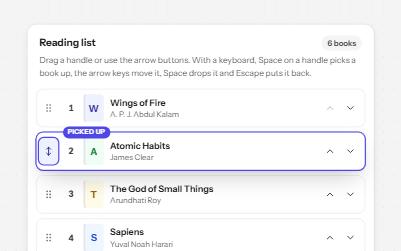
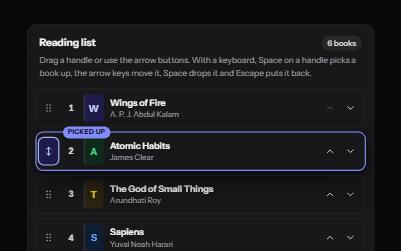
एक सूची जिसका क्रम लोग हैंडल खींचकर बदलते हैं, साथ में ऊपर और नीचे ले जाने के बटन और एक कीबोर्ड मोड, जो हर बदलाव घोषित करता है।
-
मेन्यू बटन
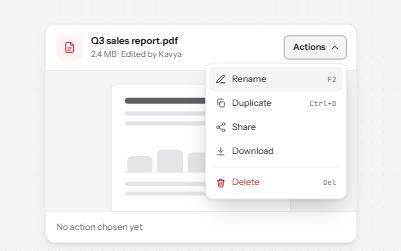
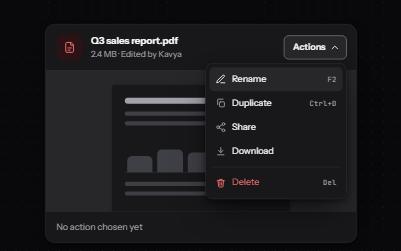
एक्शन की सूची खोलने वाला बटन, जिसमें ऐरो कुंजियों से चला जाता है और Escape से बंद किया जाता है, और फ़ोकस बटन पर लौट आता है।
-
स्टेटस मैसेज
नतीजे, पुष्टियाँ और सेव role=status के ज़रिए स्क्रीन रीडर को बताए जाते हैं, फ़ोकस हिलाए बिना, हर बार एक ही बार।
-
डेटा ग्रिड
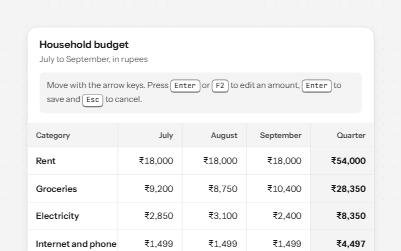
स्प्रेडशीट जैसा ग्रिड, एक टैब स्टॉप के साथ: ऐरो कुंजियाँ सेल के बीच ले जाती हैं, Enter कोई राशि बदलता है, और कुल की घोषणा होती है।