सुलभता पैटर्न · डेटा प्रदर्शन
रिस्पॉन्सिव तालिका
चौड़ी तालिका किसी लेबल वाले, फ़ोकस लेने वाले रीजन के अंदर स्क्रॉल हो सकती है, हर पंक्ति को एक कार्ड में समेट सकती है, या अपने सबसे कम ज़रूरी कॉलम एक टॉगल के पीछे छिपा सकती है। आप जो भी चुनें, सहायक तकनीक के लिए वह तालिका ही रहती है: जब सीएसएस पंक्तियों को कार्ड बना देता है, तब स्पष्ट रोल पंक्तियों, सेल और हेडर को बनाए रखते हैं।
- डब्ल्यूसीएजी मानदंड
- 6
- कीबोर्ड नियम
- 3
- जाँच का तरीक़ा
- axe, कीबोर्ड और इंस्पेक्टर
लाइव डेमो
आज़माएँ
इसे माउस, कीबोर्ड या स्क्रीन रीडर से इस्तेमाल करें। साथ का इंस्पेक्टर दिखाता है कि आपके इस्तेमाल के दौरान ब्राउज़र सहायक तकनीक को क्या बताता है: फ़ोकस, स्थिति में बदलाव और घोषणाएँ।
तालिका अपना आकार बनाए रखती है और लेबल वाले एक रीजन के अंदर बगल में स्क्रॉल होती है, जिस पर आप फ़ोकस कर सकते हैं।
हर पंक्ति एक कार्ड बन जाती है। तालिका के स्पष्ट रोल स्क्रीन रीडर के लिए उसकी पंक्तियाँ, सेल और हेडर बनाए रखते हैं।
जगह कम पड़ते ही कम प्राथमिकता वाले कॉलम हट जाते हैं, और और कॉलम दिखाएँ उन्हें वापस लाता है।
| शिपमेंट | मंज़िल | सेवा | वज़न | रवाना | डिलीवरी तक | लागत | स्थिति |
|---|---|---|---|---|---|---|---|
| SH-2041 | कोच्चि | एक्सप्रेस | 2.4 किग्रा | 29 सितंबर | 1 अक्टूबर | ₹480 | पहुँचा दिया गया |
| SH-2042 | जयपुर | मानक | 0.8 किग्रा | 30 सितंबर | 3 अक्टूबर | ₹260 | पहुँचा दिया गया |
| SH-2043 | गुवाहाटी | इकॉनमी | 5.1 किग्रा | 1 अक्टूबर | 8 अक्टूबर | ₹615 | देरी से |
| SH-2044 | इंदौर | मानक | 1.2 किग्रा | 2 अक्टूबर | 6 अक्टूबर | ₹310 | रास्ते में |
| SH-2045 | मैसूरु | एक्सप्रेस | 3.0 किग्रा | 3 अक्टूबर | 5 अक्टूबर | ₹395 | डिलीवरी के लिए निकला |
| SH-2046 | सूरत | मानक | 0.5 किग्रा | 4 अक्टूबर | 7 अक्टूबर | ₹240 | पैक हो गया |
और देखने के लिए स्क्रॉल करें
जावास्क्रिप्ट के बिना डेमो उतना ही काम करता है जितना उसका एचटीएमएल; इंस्पेक्टर के लिए जावास्क्रिप्ट चाहिए।
कीबोर्ड
जिन कुंजियों पर यह काम करता है
हर क्रिया पॉइंटर के बिना काम करती है।
| कुंजी | यह क्या करती है |
|---|---|
| Arrow LeftयाArrow Right | लेआउट स्विच में, पिछला या अगला लेआउट चुनता है। फ़ोकस वाले स्क्रॉल रीजन में, तालिका को बगल में स्क्रॉल करता है। |
| Tab | जब तक तालिका जगह से बाहर फैली हो, स्क्रॉल रीजन पर ले जाता है, फिर प्राथमिकता वाले लेआउट में और कॉलम दिखाएँ पर। |
| EnterयाSpace | और कॉलम दिखाएँ पर, हर कॉलम दिखाता है या वापस प्राथमिकता वाले कॉलम पर लौटता है। |
स्क्रीन रीडर
यह क्या घोषित करता है
मार्कअप की भूमिकाओं, नामों और स्थितियों से लिखा गया।
| कब | अपेक्षित घोषणा |
|---|---|
| Tab स्क्रॉल रीजन पर पहुँचता है | इस हफ़्ते के शिपमेंट, रीजन, और देखने के लिए स्क्रॉल करें |
| स्क्रीन रीडर के तालिका वाले कमांड किसी कार्ड के अंदर ले जाते हैं | मंज़िल, कॉलम 2, कोच्चि |
| प्राथमिकता वाले लेआउट में फ़ोकस टॉगल पर पहुँचता है | और कॉलम दिखाएँ, टॉगल बटन, दबा नहीं |
| Enter हर कॉलम दिखाता है | और कॉलम दिखाएँ, टॉगल बटन, दबा हुआ |
ये अपेक्षित घोषणाएँ हैं, रिकॉर्डिंग नहीं। स्क्रीन रीडर और ब्राउज़र के हिसाब से शब्द और क्रम बदलते हैं।
कोड
कोड कॉपी करें
वही फ़ाइलें जिन पर यह डेमो चलता है। स्टाइल एक प्रीफ़िक्स के साथ परोसी जाती हैं जो इस साइट की अपनी स्टाइल को डेमो से दूर रखता है; आप जो कॉपी करते हैं वह मूल है।
<div class="ap-rtable" data-ap-rtable data-layout="scroll">
  <fieldset class="ap-rtable__modes">
    <legend class="ap-rtable__legend">Layout on narrow screens</legend>
    <div class="ap-rtable__seg">
      <label class="ap-rtable__mode"><input type="radio" name="rtable-layout" value="scroll" checked /><span>Scroll</span></label>
      <label class="ap-rtable__mode"><input type="radio" name="rtable-layout" value="stack" /><span>Stack</span></label>
      <label class="ap-rtable__mode"><input type="radio" name="rtable-layout" value="priority" /><span>Priority columns</span></label>
    </div>
  </fieldset>
  <p class="ap-rtable__about" data-ap-about="scroll">The table keeps its shape and scrolls sideways inside a labelled region you can focus.</p>
  <p class="ap-rtable__about" data-ap-about="stack" hidden>Each row becomes a card. Explicit table roles keep its rows, cells and headers for screen readers.</p>
  <p class="ap-rtable__about" data-ap-about="priority" hidden>Lower-priority columns give way as space runs out, and Show more columns brings them back.</p>

  <div class="ap-rtable__card">
    <div class="ap-rtable__frame" data-ap-frame>
      <div class="ap-rtable__scroll" role="region" aria-labelledby="rtable-name" tabindex="0" data-ap-scroll>
        <!-- Explicit roles: the stacked layout changes how table parts display, and some browsers drop table semantics when that happens. -->
        <table class="ap-rtable__table" id="rtable-table" role="table">
          <caption class="ap-rtable__cap"><span class="ap-rtable__name" id="rtable-name">Shipments this week</span></caption>
          <thead role="rowgroup">
            <tr role="row">
              <th role="columnheader" scope="col">Shipment</th>
              <th role="columnheader" scope="col" data-priority="2">Destination</th>
              <th role="columnheader" scope="col" data-priority="3">Service</th>
              <th role="columnheader" scope="col" class="ap-rtable__num" data-priority="3">Weight</th>
              <th role="columnheader" scope="col" data-priority="3">Dispatched</th>
              <th role="columnheader" scope="col">Delivery by</th>
              <th role="columnheader" scope="col" class="ap-rtable__num" data-priority="2">Cost</th>
              <th role="columnheader" scope="col">Status</th>
            </tr>
          </thead>
          <tbody role="rowgroup">
            <tr role="row">
              <th role="rowheader" scope="row">SH-2041</th>
              <td role="cell" data-priority="2"><span class="ap-rtable__label" aria-hidden="true">Destination</span><span class="ap-rtable__value">Kochi</span></td>
              <td role="cell" data-priority="3"><span class="ap-rtable__label" aria-hidden="true">Service</span><span class="ap-rtable__value">Express</span></td>
              <td role="cell" class="ap-rtable__num" data-priority="3"><span class="ap-rtable__label" aria-hidden="true">Weight</span><span class="ap-rtable__value">2.4 kg</span></td>
              <td role="cell" data-priority="3"><span class="ap-rtable__label" aria-hidden="true">Dispatched</span><span class="ap-rtable__value">29 Sep</span></td>
              <td role="cell"><span class="ap-rtable__label" aria-hidden="true">Delivery by</span><span class="ap-rtable__value">1 Oct</span></td>
              <td role="cell" class="ap-rtable__num" data-priority="2"><span class="ap-rtable__label" aria-hidden="true">Cost</span><span class="ap-rtable__value">₹480</span></td>
              <td role="cell"><span class="ap-rtable__label" aria-hidden="true">Status</span><span class="ap-rtable__status ap-rtable__status--done"><svg class="ap-rtable__icon" viewBox="0 0 24 24" aria-hidden="true" focusable="false"><circle cx="12" cy="12" r="9"/><path d="m8.2 12.4 2.6 2.6 5-5.2"/></svg>Delivered</span></td>
            </tr>
            <tr role="row">
              <th role="rowheader" scope="row">SH-2042</th>
              <td role="cell" data-priority="2"><span class="ap-rtable__label" aria-hidden="true">Destination</span><span class="ap-rtable__value">Jaipur</span></td>
              <td role="cell" data-priority="3"><span class="ap-rtable__label" aria-hidden="true">Service</span><span class="ap-rtable__value">Standard</span></td>
              <td role="cell" class="ap-rtable__num" data-priority="3"><span class="ap-rtable__label" aria-hidden="true">Weight</span><span class="ap-rtable__value">0.8 kg</span></td>
              <td role="cell" data-priority="3"><span class="ap-rtable__label" aria-hidden="true">Dispatched</span><span class="ap-rtable__value">30 Sep</span></td>
              <td role="cell"><span class="ap-rtable__label" aria-hidden="true">Delivery by</span><span class="ap-rtable__value">3 Oct</span></td>
              <td role="cell" class="ap-rtable__num" data-priority="2"><span class="ap-rtable__label" aria-hidden="true">Cost</span><span class="ap-rtable__value">₹260</span></td>
              <td role="cell"><span class="ap-rtable__label" aria-hidden="true">Status</span><span class="ap-rtable__status ap-rtable__status--done"><svg class="ap-rtable__icon" viewBox="0 0 24 24" aria-hidden="true" focusable="false"><circle cx="12" cy="12" r="9"/><path d="m8.2 12.4 2.6 2.6 5-5.2"/></svg>Delivered</span></td>
            </tr>
            <tr role="row">
              <th role="rowheader" scope="row">SH-2043</th>
              <td role="cell" data-priority="2"><span class="ap-rtable__label" aria-hidden="true">Destination</span><span class="ap-rtable__value">Guwahati</span></td>
              <td role="cell" data-priority="3"><span class="ap-rtable__label" aria-hidden="true">Service</span><span class="ap-rtable__value">Economy</span></td>
              <td role="cell" class="ap-rtable__num" data-priority="3"><span class="ap-rtable__label" aria-hidden="true">Weight</span><span class="ap-rtable__value">5.1 kg</span></td>
              <td role="cell" data-priority="3"><span class="ap-rtable__label" aria-hidden="true">Dispatched</span><span class="ap-rtable__value">1 Oct</span></td>
              <td role="cell"><span class="ap-rtable__label" aria-hidden="true">Delivery by</span><span class="ap-rtable__value">8 Oct</span></td>
              <td role="cell" class="ap-rtable__num" data-priority="2"><span class="ap-rtable__label" aria-hidden="true">Cost</span><span class="ap-rtable__value">₹615</span></td>
              <td role="cell"><span class="ap-rtable__label" aria-hidden="true">Status</span><span class="ap-rtable__status ap-rtable__status--late"><svg class="ap-rtable__icon" viewBox="0 0 24 24" aria-hidden="true" focusable="false"><circle cx="12" cy="12" r="9"/><path d="M12 7v5.5"/><path d="M12 16.2v.1"/></svg>Delayed</span></td>
            </tr>
            <tr role="row">
              <th role="rowheader" scope="row">SH-2044</th>
              <td role="cell" data-priority="2"><span class="ap-rtable__label" aria-hidden="true">Destination</span><span class="ap-rtable__value">Indore</span></td>
              <td role="cell" data-priority="3"><span class="ap-rtable__label" aria-hidden="true">Service</span><span class="ap-rtable__value">Standard</span></td>
              <td role="cell" class="ap-rtable__num" data-priority="3"><span class="ap-rtable__label" aria-hidden="true">Weight</span><span class="ap-rtable__value">1.2 kg</span></td>
              <td role="cell" data-priority="3"><span class="ap-rtable__label" aria-hidden="true">Dispatched</span><span class="ap-rtable__value">2 Oct</span></td>
              <td role="cell"><span class="ap-rtable__label" aria-hidden="true">Delivery by</span><span class="ap-rtable__value">6 Oct</span></td>
              <td role="cell" class="ap-rtable__num" data-priority="2"><span class="ap-rtable__label" aria-hidden="true">Cost</span><span class="ap-rtable__value">₹310</span></td>
              <td role="cell"><span class="ap-rtable__label" aria-hidden="true">Status</span><span class="ap-rtable__status ap-rtable__status--move"><svg class="ap-rtable__icon" viewBox="0 0 24 24" aria-hidden="true" focusable="false"><path d="M2.5 6.5h11v9h-11z"/><path d="M13.5 9.5h4l3 3.2v2.8h-7"/><circle cx="6.5" cy="17.5" r="1.8"/><circle cx="16.5" cy="17.5" r="1.8"/></svg>In transit</span></td>
            </tr>
            <tr role="row">
              <th role="rowheader" scope="row">SH-2045</th>
              <td role="cell" data-priority="2"><span class="ap-rtable__label" aria-hidden="true">Destination</span><span class="ap-rtable__value">Mysuru</span></td>
              <td role="cell" data-priority="3"><span class="ap-rtable__label" aria-hidden="true">Service</span><span class="ap-rtable__value">Express</span></td>
              <td role="cell" class="ap-rtable__num" data-priority="3"><span class="ap-rtable__label" aria-hidden="true">Weight</span><span class="ap-rtable__value">3.0 kg</span></td>
              <td role="cell" data-priority="3"><span class="ap-rtable__label" aria-hidden="true">Dispatched</span><span class="ap-rtable__value">3 Oct</span></td>
              <td role="cell"><span class="ap-rtable__label" aria-hidden="true">Delivery by</span><span class="ap-rtable__value">5 Oct</span></td>
              <td role="cell" class="ap-rtable__num" data-priority="2"><span class="ap-rtable__label" aria-hidden="true">Cost</span><span class="ap-rtable__value">₹395</span></td>
              <td role="cell"><span class="ap-rtable__label" aria-hidden="true">Status</span><span class="ap-rtable__status ap-rtable__status--near"><svg class="ap-rtable__icon" viewBox="0 0 24 24" aria-hidden="true" focusable="false"><path d="M12 21s-6.5-5.6-6.5-11a6.5 6.5 0 0 1 13 0c0 5.4-6.5 11-6.5 11Z"/><circle cx="12" cy="10" r="2.3"/></svg>Out for delivery</span></td>
            </tr>
            <tr role="row">
              <th role="rowheader" scope="row">SH-2046</th>
              <td role="cell" data-priority="2"><span class="ap-rtable__label" aria-hidden="true">Destination</span><span class="ap-rtable__value">Surat</span></td>
              <td role="cell" data-priority="3"><span class="ap-rtable__label" aria-hidden="true">Service</span><span class="ap-rtable__value">Standard</span></td>
              <td role="cell" class="ap-rtable__num" data-priority="3"><span class="ap-rtable__label" aria-hidden="true">Weight</span><span class="ap-rtable__value">0.5 kg</span></td>
              <td role="cell" data-priority="3"><span class="ap-rtable__label" aria-hidden="true">Dispatched</span><span class="ap-rtable__value">4 Oct</span></td>
              <td role="cell"><span class="ap-rtable__label" aria-hidden="true">Delivery by</span><span class="ap-rtable__value">7 Oct</span></td>
              <td role="cell" class="ap-rtable__num" data-priority="2"><span class="ap-rtable__label" aria-hidden="true">Cost</span><span class="ap-rtable__value">₹240</span></td>
              <td role="cell"><span class="ap-rtable__label" aria-hidden="true">Status</span><span class="ap-rtable__status ap-rtable__status--box"><svg class="ap-rtable__icon" viewBox="0 0 24 24" aria-hidden="true" focusable="false"><path d="m3.5 7.5 8.5-4 8.5 4v9l-8.5 4-8.5-4Z"/><path d="m3.5 7.5 8.5 4 8.5-4M12 11.5v9"/></svg>Packed</span></td>
            </tr>
          </tbody>
        </table>
      </div>
    </div>
    <div class="ap-rtable__foot">
      <p class="ap-rtable__hint" id="rtable-hint">
        <svg class="ap-rtable__icon" viewBox="0 0 24 24" aria-hidden="true" focusable="false"><path d="M5 12h14"/><path d="m13 6 6 6-6 6"/></svg>
        <span>Scroll for more</span>
      </p>
      <button type="button" class="ap-btn ap-rtable__more" aria-pressed="false" aria-controls="rtable-table" data-ap-more hidden>
        <svg class="ap-btn__icon" viewBox="0 0 24 24" aria-hidden="true" focusable="false"><rect x="3.5" y="4.5" width="17" height="15" rx="2"/><path d="M9.5 4.5v15M15 4.5v15"/></svg>
        Show more columns
      </button>
    </div>
  </div>
</div>
/* Shared primitives: buttons and form fields used across the patterns.
   Uses the --ap-* design tokens. */

.ap-btn {
  display: inline-flex;
  align-items: center;
  justify-content: center;
  gap: 8px;
  min-height: 40px;
  padding: 0 16px;
  border: 1px solid var(--ap-border-strong);
  border-radius: var(--ap-radius-sm);
  background: var(--ap-surface);
  color: var(--ap-text);
  font: inherit;
  font-weight: 600;
  line-height: 1.2;
  text-decoration: none;
  white-space: nowrap;
  cursor: pointer;
  transition: background-color var(--ap-duration) var(--ap-ease), border-color var(--ap-duration) var(--ap-ease), box-shadow var(--ap-duration) var(--ap-ease);
}
.ap-btn:hover {
  background: var(--ap-surface-2);
}
.ap-btn:focus-visible {
  outline: 2px solid var(--ap-focus);
  outline-offset: 2px;
}
.ap-btn:disabled,
.ap-btn[aria-disabled="true"] {
  opacity: .55;
  cursor: not-allowed;
}
.ap-btn--primary {
  border-color: var(--ap-accent);
  background: var(--ap-accent);
  color: var(--ap-on-accent);
  box-shadow: var(--ap-shadow-sm);
}
.ap-btn--primary:hover {
  border-color: var(--ap-accent-hover);
  background: var(--ap-accent-hover);
}
.ap-btn--danger {
  border-color: var(--ap-danger);
  background: var(--ap-danger);
  color: var(--ap-surface);
}
.ap-btn--danger:hover {
  filter: brightness(1.08);
}
.ap-btn--ghost {
  border-color: transparent;
  background: transparent;
}
.ap-btn--ghost:hover {
  background: var(--ap-surface-2);
}
.ap-btn__icon {
  width: 18px;
  height: 18px;
  flex-shrink: 0;
  fill: none;
  stroke: currentColor;
  stroke-width: 2;
  stroke-linecap: round;
  stroke-linejoin: round;
}

.ap-field {
  display: grid;
  gap: 6px;
}
.ap-label {
  color: var(--ap-text);
  font-weight: 600;
  font-size: .9375rem;
}
.ap-hint {
  margin: 0;
  color: var(--ap-text-3);
  font-size: .875rem;
  line-height: 1.45;
}
.ap-error {
  display: flex;
  align-items: flex-start;
  gap: 6px;
  margin: 0;
  color: var(--ap-danger);
  font-size: .875rem;
  font-weight: 600;
  line-height: 1.45;
}
.ap-input {
  width: 100%;
  min-height: 44px;
  padding: 10px 12px;
  border: 1px solid var(--ap-border-strong);
  border-radius: var(--ap-radius-sm);
  background: var(--ap-surface);
  color: var(--ap-text);
  font: inherit;
  line-height: 1.4;
  transition: border-color var(--ap-duration) var(--ap-ease), box-shadow var(--ap-duration) var(--ap-ease);
}
.ap-input::placeholder {
  color: var(--ap-text-3);
}
.ap-input:hover {
  border-color: var(--ap-text-2);
}
.ap-input:focus-visible {
  outline: 2px solid var(--ap-focus);
  outline-offset: 1px;
  border-color: var(--ap-focus);
}
.ap-input[aria-invalid="true"] {
  border-color: var(--ap-danger);
  box-shadow: inset 4px 0 0 var(--ap-danger);
}
textarea.ap-input {
  resize: vertical;
  min-height: 88px;
}

@media (prefers-reduced-motion: reduce) {
  .ap-btn,
  .ap-input { transition: none; }
}

/* Responsive table: scroll, stack or priority columns. Uses the --ap-* design tokens and the shared primitives. */
.ap-rtable {
  display: grid;
  gap: 12px;
  width: min(100%, 900px);
  margin-inline: auto;
  color: var(--ap-text);
  container-type: inline-size;
}

/* The layout switch: native radios, drawn as a segmented control. */
.ap-rtable__modes {
  min-width: 0;
  margin: 0;
  padding: 0;
  border: 0;
}
.ap-rtable__legend {
  margin-bottom: 8px;
  padding: 0;
  color: var(--ap-text-2);
  font-size: .875rem;
  font-weight: 600;
}
.ap-rtable__seg {
  display: inline-flex;
  flex-wrap: wrap;
  gap: 2px;
  max-width: 100%;
  padding: 4px;
  border: 1px solid var(--ap-border);
  border-radius: var(--ap-radius);
  background: var(--ap-surface-2);
}
.ap-rtable__mode {
  position: relative;
  display: inline-flex;
}
.ap-rtable__mode input {
  appearance: none;
  position: absolute;
  inset: 0;
  z-index: 1;
  width: 100%;
  height: 100%;
  margin: 0;
  border-radius: var(--ap-radius-sm);
  cursor: pointer;
}
.ap-rtable__mode span {
  display: inline-flex;
  align-items: center;
  min-height: 36px;
  padding: 0 14px;
  border-radius: var(--ap-radius-sm);
  color: var(--ap-text-2);
  font-size: .9375rem;
  font-weight: 500;
  white-space: nowrap;
  transition: background-color var(--ap-duration) var(--ap-ease), color var(--ap-duration) var(--ap-ease);
}
.ap-rtable__mode:hover span {
  color: var(--ap-text);
}
/* Chosen: a raised chip and a heavier label, not color alone. */
.ap-rtable__mode input:checked + span {
  background: var(--ap-surface);
  color: var(--ap-text);
  font-weight: 650;
  box-shadow: var(--ap-shadow-sm), 0 0 0 1px var(--ap-border);
}
.ap-rtable__mode input:focus-visible {
  outline: 2px solid var(--ap-focus);
  outline-offset: 1px;
}
.ap-rtable__about {
  max-width: 62ch;
  margin: 0;
  color: var(--ap-text-3);
  font-size: .875rem;
  line-height: 1.5;
}

/* The card around the table */
.ap-rtable__card {
  margin-top: 4px;
  border: 1px solid var(--ap-border);
  border-radius: var(--ap-radius-lg);
  background: var(--ap-surface);
  box-shadow: var(--ap-shadow-md);
  overflow: hidden;
}

/* Edge shadows on the clipped side, painted from the scroll position. */
.ap-rtable__frame {
  position: relative;
}
.ap-rtable__frame::before,
.ap-rtable__frame::after {
  content: "";
  position: absolute;
  top: 0;
  bottom: 0;
  z-index: 2;
  width: 18px;
  pointer-events: none;
  opacity: 0;
  transition: opacity var(--ap-duration) var(--ap-ease);
}
.ap-rtable__frame::before {
  left: 0;
  background: linear-gradient(to right, color-mix(in srgb, var(--ap-scrim) 45%, transparent), transparent);
}
.ap-rtable__frame::after {
  right: 0;
  background: linear-gradient(to left, color-mix(in srgb, var(--ap-scrim) 45%, transparent), transparent);
}
.ap-rtable__frame.has-start::before,
.ap-rtable__frame.has-end::after {
  opacity: 1;
}

.ap-rtable__scroll {
  overflow-x: auto;
  overscroll-behavior-x: contain;
}
.ap-rtable__scroll:focus-visible {
  outline: 2px solid var(--ap-focus);
  outline-offset: -2px;
  border-radius: var(--ap-radius-lg) var(--ap-radius-lg) 0 0;
}

.ap-rtable__table {
  width: 100%;
  border-collapse: separate;
  border-spacing: 0;
  font-size: .9375rem;
  line-height: 1.4;
}
.ap-rtable__cap {
  padding: 16px 20px 12px;
  text-align: start;
}
.ap-rtable__name {
  position: sticky;
  left: 20px;
  display: block;
  width: fit-content;
  font-size: 1.0625rem;
  font-weight: 650;
  line-height: 1.3;
}
.ap-rtable__table th,
.ap-rtable__table td {
  padding: 13px 16px;
  border-bottom: 1px solid var(--ap-border);
  text-align: start;
  vertical-align: middle;
  white-space: nowrap;
}
.ap-rtable__table thead th {
  padding-block: 11px;
  border-top: 1px solid var(--ap-border);
  background: var(--ap-surface-2);
  color: var(--ap-text-2);
  font-size: .8125rem;
  font-weight: 600;
}
.ap-rtable__table tbody th {
  font-weight: 650;
  font-variant-numeric: tabular-nums;
}
.ap-rtable__table tbody tr:last-child > * {
  border-bottom: 0;
}
.ap-rtable__table .ap-rtable__num {
  text-align: end;
  font-variant-numeric: tabular-nums;
}
/* Card labels: shown only in the stacked layout, and hidden from screen
   readers there too, because the column headers already name each cell. */
.ap-rtable__label {
  display: none;
}

/* Status: an icon and a word. */
.ap-rtable__status {
  display: inline-flex;
  align-items: center;
  gap: 6px;
  padding: 3px 10px 3px 7px;
  border-radius: var(--ap-radius-full);
  background: var(--ap-surface-2);
  color: var(--ap-text-2);
  font-size: .8125rem;
  font-weight: 600;
  line-height: 1.35;
  white-space: nowrap;
}
.ap-rtable__status--done { background: var(--ap-success-soft); color: var(--ap-success); }
.ap-rtable__status--move { background: var(--ap-info-soft); color: var(--ap-info); }
.ap-rtable__status--late { background: var(--ap-warning-soft); color: var(--ap-warning); }
.ap-rtable__status--near { background: var(--ap-accent-soft); color: var(--ap-accent-soft-text); }
.ap-rtable__icon {
  flex-shrink: 0;
  width: 15px;
  height: 15px;
  fill: none;
  stroke: currentColor;
  stroke-width: 2;
  stroke-linecap: round;
  stroke-linejoin: round;
}

/* Footer: the scroll hint and the column toggle. */
.ap-rtable__foot {
  display: flex;
  flex-wrap: wrap;
  align-items: center;
  justify-content: space-between;
  gap: 8px 16px;
  min-height: 56px;
  padding: 8px 10px 8px 20px;
  border-top: 1px solid var(--ap-border);
  background: var(--ap-surface-2);
}
.ap-rtable__hint {
  display: inline-flex;
  align-items: center;
  gap: 8px;
  margin: 0;
  color: var(--ap-text-2);
  font-size: .875rem;
  font-weight: 600;
}
.ap-rtable__hint .ap-rtable__icon {
  width: 18px;
  height: 18px;
  color: var(--ap-accent-text);
  animation: ap-rtable-nudge 1.6s var(--ap-ease) 3;
}
.ap-rtable:not(.is-overflowing) .ap-rtable__hint {
  display: none;
}
.ap-rtable:not(.is-overflowing):not([data-layout="priority"]) .ap-rtable__foot {
  display: none;
}
.ap-rtable__more {
  margin-left: auto;
}
.ap-rtable__more[hidden] {
  display: none;
}
.ap-rtable__more[aria-pressed="true"] {
  border-color: var(--ap-accent);
  background: var(--ap-accent-soft);
  color: var(--ap-accent-soft-text);
  box-shadow: inset 0 0 0 1px var(--ap-accent);
}

@keyframes ap-rtable-nudge {
  0%, 60%, 100% { transform: none; }
  30% { transform: translateX(4px); }
}

/* Wide enough for every column: nothing to switch, so no toggle. */
@container (min-width: 761px) {
  .ap-rtable__more { display: none; }
  .ap-rtable:not(.is-overflowing) .ap-rtable__foot { display: none; }
}

/* Priority columns: 3 give way first, then 2. */
@container (max-width: 760px) {
  .ap-rtable[data-layout="priority"]:not(.is-all) [data-priority="3"] { display: none; }
}
@container (max-width: 540px) {
  .ap-rtable[data-layout="priority"]:not(.is-all) [data-priority="2"] { display: none; }
  .ap-rtable[data-layout="priority"]:not(.is-all) .ap-rtable__table :is(th, td) { padding-inline: 10px; }
  .ap-rtable[data-layout="priority"]:not(.is-all) .ap-rtable__table thead th { white-space: normal; }
  .ap-rtable__foot { padding-left: 16px; }
}

/* Stacked cards. The roles in the markup keep this a table to assistive
   technology even though no part of it displays as one any more. */
@container (max-width: 760px) {
  .ap-rtable[data-layout="stack"] .ap-rtable__table,
  .ap-rtable[data-layout="stack"] .ap-rtable__table :is(caption, thead, tbody, tr, th, td) {
    display: block;
  }
  .ap-rtable[data-layout="stack"] .ap-rtable__table thead {
    position: absolute;
    width: 1px;
    height: 1px;
    overflow: hidden;
    clip-path: inset(50%);
    white-space: nowrap;
  }
  .ap-rtable[data-layout="stack"] .ap-rtable__table tbody {
    display: grid;
    grid-template-columns: repeat(auto-fill, minmax(min(100%, 260px), 1fr));
    gap: 12px;
    padding: 4px 16px 16px;
  }
  .ap-rtable[data-layout="stack"] .ap-rtable__table tbody tr {
    display: grid;
    grid-template-columns: repeat(2, minmax(0, 1fr));
    gap: 12px 16px;
    padding: 14px 16px 16px;
    border: 1px solid var(--ap-border);
    border-radius: var(--ap-radius);
    background: var(--ap-surface);
    box-shadow: var(--ap-shadow-sm);
  }
  .ap-rtable[data-layout="stack"] .ap-rtable__table tbody :is(th, td) {
    padding: 0;
    border: 0;
    text-align: start;
    white-space: normal;
  }
  .ap-rtable[data-layout="stack"] .ap-rtable__table tbody th {
    grid-column: 1 / -1;
    padding-bottom: 10px;
    border-bottom: 1px solid var(--ap-border);
    font-size: 1rem;
  }
  .ap-rtable[data-layout="stack"] .ap-rtable__table td:last-child {
    grid-column: 1 / -1;
  }
  .ap-rtable[data-layout="stack"] .ap-rtable__label {
    display: block;
    margin-bottom: 2px;
    color: var(--ap-text-3);
    font-size: .75rem;
    font-weight: 600;
    letter-spacing: .01em;
  }
  .ap-rtable[data-layout="stack"] .ap-rtable__value {
    font-weight: 500;
  }
}

@media (prefers-reduced-motion: reduce) {
  .ap-rtable__mode span,
  .ap-rtable__frame::before,
  .ap-rtable__frame::after { transition: none; }
  .ap-rtable__hint .ap-rtable__icon { animation: none; }
}
/**
 * Responsive table: one table, three ways to fit a narrow container.
 *
 *   scroll    the table keeps its shape and scrolls inside a labelled region
 *   stack     each row becomes a card (CSS), with explicit table roles
 *   priority  columns marked data-priority="2" or "3" give way first, and a
 *             toggle button brings them all back
 *
 * Markup: [data-ap-rtable][data-layout] holding radio inputs named for the
 * layout, a p[data-ap-about] per layout, div[data-ap-frame] around
 * div[data-ap-scroll][role=region][tabindex=0] around the table, the hint
 * #rtable-hint and button[data-ap-more][aria-pressed]. The script keeps the
 * region a tab stop (and points it at the hint) only while it overflows, and
 * paints the edge shadows from the scroll position.
 */

export function init(root) {
  const frame = root.querySelector("[data-ap-frame]");
  const scroller = root.querySelector("[data-ap-scroll]");
  const table = scroller.querySelector("table");
  const hint = root.querySelector("#rtable-hint");
  const more = root.querySelector("[data-ap-more]");
  const radios = [...root.querySelectorAll("input[type=radio]")];

  function edges() {
    const max = scroller.scrollWidth - scroller.clientWidth;
    // In a right-to-left page scrollLeft runs negative; compare magnitudes.
    const at = Math.abs(scroller.scrollLeft);
    frame.classList.toggle("has-start", max > 1 && at > 1);
    frame.classList.toggle("has-end", max > 1 && at < max - 1);
  }

  function fit() {
    const overflows = scroller.scrollWidth > scroller.clientWidth + 1;
    root.classList.toggle("is-overflowing", overflows);
    if (overflows) {
      scroller.tabIndex = 0;
      scroller.setAttribute("aria-describedby", hint.id);
    } else {
      scroller.removeAttribute("tabindex");
      scroller.removeAttribute("aria-describedby");
    }
    edges();
  }

  function setLayout(value) {
    root.dataset.layout = value;
    for (const p of root.querySelectorAll("[data-ap-about]")) p.hidden = p.dataset.apAbout !== value;
    more.hidden = value !== "priority";
    if (value !== "priority") {
      more.setAttribute("aria-pressed", "false");
      root.classList.remove("is-all");
    }
    scroller.scrollLeft = 0;
    fit();
  }

  function onChange(event) {
    if (radios.includes(event.target)) setLayout(event.target.value);
  }

  function onClick(event) {
    if (!event.target.closest("[data-ap-more]")) return;
    const all = more.getAttribute("aria-pressed") !== "true";
    more.setAttribute("aria-pressed", String(all));
    root.classList.toggle("is-all", all);
    fit();
  }

  const resize = new ResizeObserver(fit);
  resize.observe(scroller);
  resize.observe(table);

  root.addEventListener("change", onChange);
  root.addEventListener("click", onClick);
  scroller.addEventListener("scroll", edges, { passive: true });
  setLayout((radios.find((r) => r.checked) || radios[0]).value);

  return () => {
    resize.disconnect();
    root.removeEventListener("change", onChange);
    root.removeEventListener("click", onClick);
    scroller.removeEventListener("scroll", edges);
  };
}

for (const root of document.querySelectorAll("[data-ap-rtable]")) init(root);
/* Design tokens for the pattern components. Light by default, dark when the
   system asks for it; set data-theme="dark" on :root to force dark. */
:root {
    --ap-radius-sm: 8px;
    --ap-radius: 12px;
    --ap-radius-lg: 16px;
    --ap-radius-full: 999px;
    --ap-font: "Instrument Sans", ui-sans-serif, system-ui, -apple-system, "Segoe UI", Roboto, sans-serif;
    --ap-mono: "JetBrains Mono", ui-monospace, "Cascadia Mono", "SF Mono", Consolas, monospace;
    --ap-ease: cubic-bezier(.2, .8, .2, 1);
    --ap-duration: 180ms;
    --ap-target: 44px;
    --ap-bg: #F4F4F5;
    --ap-surface: #FFFFFF;
    --ap-surface-2: #F4F4F5;
    --ap-surface-3: #E4E4E7;
    --ap-border: #E4E4E7;
    --ap-border-strong: #76767F;
    --ap-text: #18181B;
    --ap-text-2: #3F3F46;
    --ap-text-3: #5E5E66;
    --ap-accent: #4F46E5;
    --ap-accent-hover: #4338CA;
    --ap-on-accent: #FFFFFF;
    --ap-accent-text: #4338CA;
    --ap-accent-soft: #EEF2FF;
    --ap-accent-soft-text: #3730A3;
    --ap-focus: #4F46E5;
    --ap-danger: #B91C1C;
    --ap-danger-soft: #FEF2F2;
    --ap-success: #15803D;
    --ap-success-soft: #F0FDF4;
    --ap-warning: #A15C07;
    --ap-warning-soft: #FEFCE8;
    --ap-info: #1D4ED8;
    --ap-info-soft: #EFF6FF;
    --ap-scrim: rgb(9 9 11 / .48);
    --ap-shadow-sm: 0 1px 2px rgb(9 9 11 / .06);
    --ap-shadow-md: 0 1px 2px rgb(9 9 11 / .05), 0 6px 16px -4px rgb(9 9 11 / .1);
    --ap-shadow-lg: 0 2px 6px rgb(9 9 11 / .06), 0 20px 40px -12px rgb(9 9 11 / .22);
    --ap-light-bg: #F4F4F5;
    --ap-light-surface: #FFFFFF;
    --ap-light-surface-2: #F4F4F5;
    --ap-light-surface-3: #E4E4E7;
    --ap-light-border: #E4E4E7;
    --ap-light-border-strong: #76767F;
    --ap-light-text: #18181B;
    --ap-light-text-2: #3F3F46;
    --ap-light-text-3: #5E5E66;
    --ap-light-accent: #4F46E5;
    --ap-light-accent-hover: #4338CA;
    --ap-light-on-accent: #FFFFFF;
    --ap-light-accent-text: #4338CA;
    --ap-light-accent-soft: #EEF2FF;
    --ap-light-accent-soft-text: #3730A3;
    --ap-light-focus: #4F46E5;
    --ap-light-danger: #B91C1C;
    --ap-light-danger-soft: #FEF2F2;
    --ap-light-success: #15803D;
    --ap-light-success-soft: #F0FDF4;
    --ap-light-warning: #A15C07;
    --ap-light-warning-soft: #FEFCE8;
    --ap-light-info: #1D4ED8;
    --ap-light-info-soft: #EFF6FF;
    --ap-light-scrim: rgb(9 9 11 / .48);
    --ap-light-shadow-sm: 0 1px 2px rgb(9 9 11 / .06);
    --ap-light-shadow-md: 0 1px 2px rgb(9 9 11 / .05), 0 6px 16px -4px rgb(9 9 11 / .1);
    --ap-light-shadow-lg: 0 2px 6px rgb(9 9 11 / .06), 0 20px 40px -12px rgb(9 9 11 / .22);
    --ap-dark-bg: #09090B;
    --ap-dark-surface: #18181B;
    --ap-dark-surface-2: #27272A;
    --ap-dark-surface-3: #3F3F46;
    --ap-dark-border: #2E2E33;
    --ap-dark-border-strong: #8E8E97;
    --ap-dark-text: #FAFAFA;
    --ap-dark-text-2: #D4D4D8;
    --ap-dark-text-3: #A1A1AA;
    --ap-dark-accent: #818CF8;
    --ap-dark-accent-hover: #A5B4FC;
    --ap-dark-on-accent: #0C0A1F;
    --ap-dark-accent-text: #A5B4FC;
    --ap-dark-accent-soft: #1E1B4B;
    --ap-dark-accent-soft-text: #C7D2FE;
    --ap-dark-focus: #A5B4FC;
    --ap-dark-danger: #F87171;
    --ap-dark-danger-soft: #2A1215;
    --ap-dark-success: #4ADE80;
    --ap-dark-success-soft: #0F2A1A;
    --ap-dark-warning: #FACC15;
    --ap-dark-warning-soft: #2A2410;
    --ap-dark-info: #60A5FA;
    --ap-dark-info-soft: #0F1D33;
    --ap-dark-scrim: rgb(0 0 0 / .62);
    --ap-dark-shadow-sm: 0 1px 2px rgb(0 0 0 / .4);
    --ap-dark-shadow-md: 0 1px 2px rgb(0 0 0 / .4), 0 8px 20px -6px rgb(0 0 0 / .5);
    --ap-dark-shadow-lg: 0 2px 8px rgb(0 0 0 / .45), 0 24px 48px -12px rgb(0 0 0 / .7);
}
@media (prefers-color-scheme: dark) {
  :root:not([data-theme="light"]) {
      --ap-bg: #09090B;
      --ap-surface: #18181B;
      --ap-surface-2: #27272A;
      --ap-surface-3: #3F3F46;
      --ap-border: #2E2E33;
      --ap-border-strong: #8E8E97;
      --ap-text: #FAFAFA;
      --ap-text-2: #D4D4D8;
      --ap-text-3: #A1A1AA;
      --ap-accent: #818CF8;
      --ap-accent-hover: #A5B4FC;
      --ap-on-accent: #0C0A1F;
      --ap-accent-text: #A5B4FC;
      --ap-accent-soft: #1E1B4B;
      --ap-accent-soft-text: #C7D2FE;
      --ap-focus: #A5B4FC;
      --ap-danger: #F87171;
      --ap-danger-soft: #2A1215;
      --ap-success: #4ADE80;
      --ap-success-soft: #0F2A1A;
      --ap-warning: #FACC15;
      --ap-warning-soft: #2A2410;
      --ap-info: #60A5FA;
      --ap-info-soft: #0F1D33;
      --ap-scrim: rgb(0 0 0 / .62);
      --ap-shadow-sm: 0 1px 2px rgb(0 0 0 / .4);
      --ap-shadow-md: 0 1px 2px rgb(0 0 0 / .4), 0 8px 20px -6px rgb(0 0 0 / .5);
      --ap-shadow-lg: 0 2px 8px rgb(0 0 0 / .45), 0 24px 48px -12px rgb(0 0 0 / .7);
  }
}
:root[data-theme="dark"] {
    --ap-bg: #09090B;
    --ap-surface: #18181B;
    --ap-surface-2: #27272A;
    --ap-surface-3: #3F3F46;
    --ap-border: #2E2E33;
    --ap-border-strong: #8E8E97;
    --ap-text: #FAFAFA;
    --ap-text-2: #D4D4D8;
    --ap-text-3: #A1A1AA;
    --ap-accent: #818CF8;
    --ap-accent-hover: #A5B4FC;
    --ap-on-accent: #0C0A1F;
    --ap-accent-text: #A5B4FC;
    --ap-accent-soft: #1E1B4B;
    --ap-accent-soft-text: #C7D2FE;
    --ap-focus: #A5B4FC;
    --ap-danger: #F87171;
    --ap-danger-soft: #2A1215;
    --ap-success: #4ADE80;
    --ap-success-soft: #0F2A1A;
    --ap-warning: #FACC15;
    --ap-warning-soft: #2A2410;
    --ap-info: #60A5FA;
    --ap-info-soft: #0F1D33;
    --ap-scrim: rgb(0 0 0 / .62);
    --ap-shadow-sm: 0 1px 2px rgb(0 0 0 / .4);
    --ap-shadow-md: 0 1px 2px rgb(0 0 0 / .4), 0 8px 20px -6px rgb(0 0 0 / .5);
    --ap-shadow-lg: 0 2px 8px rgb(0 0 0 / .45), 0 24px 48px -12px rgb(0 0 0 / .7);
}
डब्ल्यूसीएजी 2.2
यह किन मानदंडों को पूरा करता है
वे सफलता मानदंड जिनका यह पैटर्न ध्यान रखता है, और कैसे।
-
1.3.1 जानकारी और संबंध
स्तर A
हर लेआउट में पंक्तियाँ, सेल और हेडर सहायक तकनीक तक पहुँचते रहते हैं: कार्ड वाले लेआउट में role=table, role=row, role=columnheader, role=rowheader और role=cell बने रहते हैं।
-
1.3.2 सार्थक क्रम
स्तर A
हर कार्ड उसी क्रम में पढ़ा जाता है जिसमें उसकी तालिका वाली पंक्ति, शिपमेंट नंबर से लेकर उसकी स्थिति तक।
-
1.4.10 रीफ़्लो
स्तर AA
320 पिक्सेल पर भी पेज बगल में स्क्रॉल नहीं होता: तालिका अपने रीजन में स्क्रॉल होती है, कार्ड बन जाती है, या कॉलम छोड़ देती है।
-
2.1.1 कीबोर्ड
स्तर A
स्क्रॉल रीजन फ़ोकस लेता है ताकि ऐरो कुंजियाँ उसे स्क्रॉल कर सकें, और लेआउट स्विच और कॉलम टॉगल नेटिव कंट्रोल हैं।
-
2.4.7 फ़ोकस दिखाई देना
स्तर AA
स्क्रॉल रीजन, लेआउट स्विच और टॉगल, सब पर दो पिक्सेल की फ़ोकस रिंग दिखती है।
-
4.1.2 नाम, भूमिका, मान
स्तर A
कॉलम टॉगल बताता है कि वह दबा है या नहीं, और उस तालिका का नाम लेता है जिसे वह नियंत्रित करता है।
उपयोग
इसे कब इस्तेमाल करें
इसे अपनाएँ
- फ़ोन जितने दिखा सकता है उससे ज़्यादा कॉलम वाली तालिकाएँ, जैसे ऑर्डर, शिपमेंट या समय-सारणी।
- जब लोग पंक्तियों में तुलना करें तो स्क्रॉल करें; जब हर पंक्ति अलग से पढ़ी जाए तो कार्ड बनाएँ; जब कुछ ही फ़ील्ड सबसे ज़रूरी हों तो कॉलम छोड़ें।
कुछ और इस्तेमाल करें
- ऐसी तालिकाएँ जिनकी फ़ोन पर कॉलम-दर-कॉलम तुलना ज़रूरी हो: कार्ड बनाने से आमने-सामने की तुलना टूट जाती है, इसलिए उसे स्क्रॉल होने दें।
- बिना वापसी के रास्ते के कॉलम छिपाना: छोटी स्क्रीन के लिए हटाई गई हर चीज़ को फिर से दिखाने वाला कंट्रोल चाहिए।
- किसी एक रिकॉर्ड के फ़ील्ड: एक पंक्ति वाली तालिका से विवरण सूची सरल है।
आम विफलताएँ
आमतौर पर यह कहाँ गलत होता है
बिना रोल के तालिका के हिस्सों पर display: block
पुराने ब्राउज़र, जिनमें वर्शन 17 से पहले का Safari भी है, इन हिस्सों को ब्लॉक या ग्रिड आइटम की तरह स्टाइल करते ही पंक्तियों, सेल और हेडर की घोषणा बंद कर देते थे। स्पष्ट रोल, सीएसएस चाहे जो हो, तालिका बनाए रखते हैं।
सीएसएस content से बनाए गए कॉलम के नाम
::before और attr() से बने लेबल असली हेडर के साथ पढ़े जाते हैं और अनुवाद टूल उन्हें छोड़ देते हैं। यहाँ लेबल असली टेक्स्ट हैं, जो स्क्रीन रीडर से छिपे हैं क्योंकि हेडर पहले ही हर सेल का नाम बताते हैं।
बिना टैब स्टॉप वाला स्क्रॉल क्षेत्र
अगर रीजन फ़ोकस नहीं ले सकता, तो कीबोर्ड इस्तेमाल करने वाले उसे स्क्रॉल नहीं कर पाते और दाईं ओर के कॉलम कभी नहीं देखते।
और भी होने का कोई संकेत नहीं
किनारे पर कटी तालिका पूरी लग सकती है। कटी हुई ओर की छाया और और देखने के लिए स्क्रॉल करें वाला संकेत बताते हैं कि अभी और देखना बाक़ी है।
तालिका पर display: contents
स्पेसिफ़िकेशन में इसकी परिभाषा की वजह से यह कुछ ब्राउज़र में अब भी तालिका का अर्थ मिटा देता है। रोल इस्तेमाल करें, या तालिका के अपने display मान रहने दें।
हमेशा के लिए गायब छिपे कॉलम
display: none से कॉलम हटाने पर वे सबके लिए हट जाते हैं, स्क्रीन रीडर इस्तेमाल करने वालों के लिए भी। टॉगल उन्हें हर ज़रूरतमंद के लिए वापस ले आता है।
नोट्स
इसे बनाना
- स्क्रॉल लेआउट के लिए रैपर पर नाम वाला role=region और tabindex=0 चाहिए; जब तक तालिका जगह में समाती है, स्क्रिप्ट टैब स्टॉप और संकेत हटा देती है।
- कार्ड वाला लेआउट thead को पेज में रखता है पर आँखों से छिपाकर, ताकि स्क्रीन रीडर के पास कॉलम हेडर बने रहें; हर कार्ड के लेबल aria-hidden हैं।
- स्पष्ट रोल सिर्फ़ वहीं चाहिए जहाँ तालिका के हिस्सों का display बदलता है। अपने display मान बनाए रखने वाली तालिका को, जैसे स्क्रॉल और प्राथमिकता वाले लेआउट में, इनकी ज़रूरत नहीं।
- कॉलम की प्राथमिकता th और उसके सेल, दोनों पर data-priority से बताएँ, और व्यूपोर्ट नहीं, कंटेनर की चौड़ाई से छिपाएँ, ताकि तालिका जहाँ भी रखी जाए, ढल जाए।
- किनारे की छायाएँ सिर्फ़ सजावट हैं, ख़ाली स्यूडो-एलिमेंट जो स्क्रॉल की स्थिति के हिसाब से दिखते हैं; दिखने वाला संकेत यही बात शब्दों में कहता है।
स्रोत: एड्रियन रोज़ेली: तालिकाएँ, सीएसएस display प्रॉपर्टी और एआरआईए · एड्रियन रोज़ेली: सादगी से बनी रिस्पॉन्सिव तालिकाएँ · डब्ल्यूसीएजी 2.2 को समझना: रीफ़्लो
लाइट और डार्क थीम में, डेस्कटॉप और फ़ोन की चौड़ाई पर axe से और कीबोर्ड से जाँचा गया। अभी हर स्क्रीन रीडर और ब्राउज़र जोड़ी के साथ नहीं परखा गया। सुधार बताएँ
संबंधित
इसके साथ जाने वाले पैटर्न
-
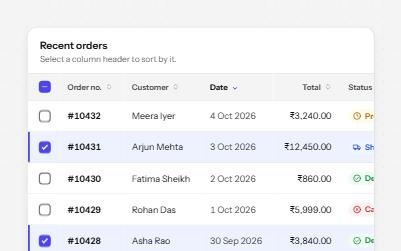
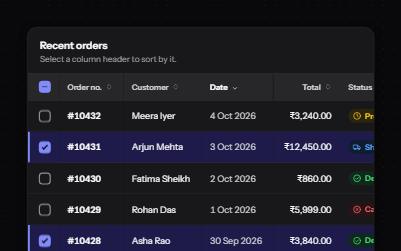
क्रमबद्ध होने वाली तालिका
कैप्शन, पंक्ति हेडर, क्रम बताने वाले सॉर्ट बटन, और मिश्रित स्थिति वाले सभी चुनें के साथ पंक्तियाँ चुनने वाली डेटा तालिका।
-
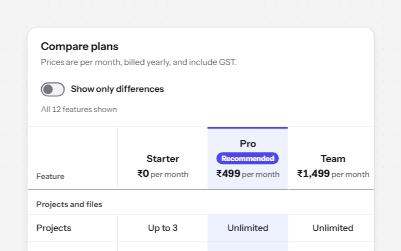
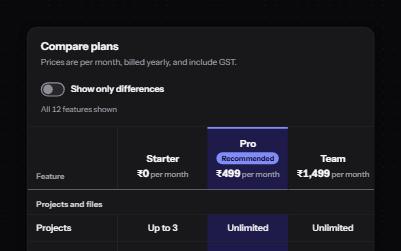
तुलना टेबल
एक असली टेबल में आमने-सामने प्लान: प्लान और फ़ीचर के हेडर, शब्दों वाले टिक, और एक फ़िल्टर जो बताता है कि उसने क्या छिपाया।
-
रीफ़्लो
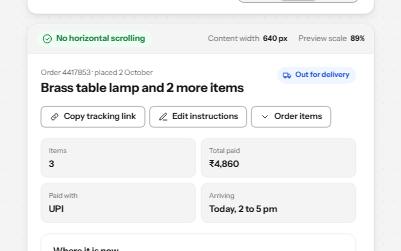
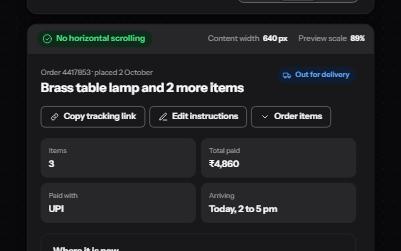
ऐसा पेज जो 320 सीएसएस पिक्सेल में समा जाए, यानी 400% ज़ूम पर 1280 पिक्सेल की विंडो में, बिना बगल में स्क्रॉल किए और बिना कुछ कटे।
-
विवरण सूची
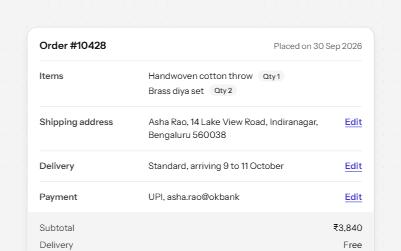
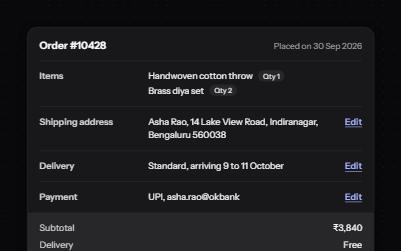
dl, dt और dd में नाम और मान के जोड़े: एक ऑर्डर सारांश और एक प्रोफ़ाइल कार्ड, ऐसे बदलें लिंक के साथ जो बताते हैं कि वे क्या बदलते हैं।