सुलभता पैटर्न · डेटा प्रदर्शन
डेटा ग्रिड
ग्रिड Tab क्रम में एक ही पड़ाव है; उसके अंदर ऐरो कुंजियाँ एक सेल से दूसरे सेल पर ले जाती हैं, जैसे स्प्रेडशीट में। Enter या F2 किसी सेल को एक फ़ील्ड बना देता है जिसका नाम उसकी पंक्ति और कॉलम से आता है, Escape पुराना मान वापस रखता है, और जो कुल बदलते हैं उनकी घोषणा होती है।
- डब्ल्यूसीएजी मानदंड
- 7
- कीबोर्ड नियम
- 8
- जाँच का तरीक़ा
- axe, कीबोर्ड और इंस्पेक्टर
लाइव डेमो
आज़माएँ
इसे माउस, कीबोर्ड या स्क्रीन रीडर से इस्तेमाल करें। साथ का इंस्पेक्टर दिखाता है कि आपके इस्तेमाल के दौरान ब्राउज़र सहायक तकनीक को क्या बताता है: फ़ोकस, स्थिति में बदलाव और घोषणाएँ।
घर का बजट
जुलाई से सितंबर, रुपये में
ऐरो कुंजियों से आगे-पीछे जाएँ। कोई राशि बदलने के लिए Enter या F2 दबाएँ, सहेजने के लिए Enter और रद्द करने के लिए Esc।
| श्रेणी | जुलाई | अगस्त | सितंबर | तिमाही |
|---|---|---|---|---|
| किराया | ₹18,000 | ₹18,000 | ₹18,000 | ₹54,000 |
| राशन | ₹9,200 | ₹8,750 | ₹10,400 | ₹28,350 |
| बिजली | ₹2,850 | ₹3,100 | ₹2,400 | ₹8,350 |
| इंटरनेट और फ़ोन | ₹1,499 | ₹1,499 | ₹1,499 | ₹4,497 |
| आना-जाना | ₹3,600 | ₹4,150 | ₹3,900 | ₹11,650 |
| बाहर खाना | ₹4,500 | ₹3,200 | ₹6,800 | ₹14,500 |
| कुल | ₹39,649 | ₹38,699 | ₹42,999 | ₹1,21,347 |
जावास्क्रिप्ट के बिना डेमो उतना ही काम करता है जितना उसका एचटीएमएल; इंस्पेक्टर के लिए जावास्क्रिप्ट चाहिए।
कीबोर्ड
जिन कुंजियों पर यह काम करता है
हर क्रिया पॉइंटर के बिना काम करती है।
| कुंजी | यह क्या करती है |
|---|---|
| Tab | ग्रिड में, आख़िरी इस्तेमाल किए गए सेल पर ले जाता है; अगला Tab ग्रिड से बाहर ले जाता है। |
| Arrow RightयाArrow LeftयाArrow DownयाArrow Up | उस दिशा में एक सेल आगे ले जाता है, किनारों पर रुक जाता है। |
| HomeयाEnd | पंक्ति के पहले या आख़िरी सेल पर ले जाता है। |
| CtrlHomeयाCtrlEnd | ग्रिड के पहले सेल पर ले जाता है, या आख़िरी पर। |
| EnterयाF2 | किसी राशि पर, उसे बदलने के लिए खोलता है, मान चुना हुआ रहता है। |
| 0–9 | किसी राशि पर, पुराने मान की जगह वही अंक रखकर बदलना शुरू करता है। |
| Enter | बदलते समय, राशि सहेजता है, कुल अपडेट करता है और फ़ोकस वापस सेल पर रखता है। |
| Escape | बदलते समय, रद्द करता है और पुरानी राशि वापस रखता है। |
स्क्रीन रीडर
यह क्या घोषित करता है
मार्कअप की भूमिकाओं, नामों और स्थितियों से लिखा गया।
| कब | अपेक्षित घोषणा |
|---|---|
| Tab ग्रिड पर पहुँचता है | घर का बजट, ग्रिड। किराया, जुलाई, ₹18,000 |
| Arrow Down अगली पंक्ति पर ले जाता है | राशन, ₹9,200 |
| Enter सेल को बदलने के लिए खोलता है | राशन जुलाई, एडिट टेक्स्ट, चुना हुआ 9200 |
| Enter 9500 सहेजता है | सहेजा गया। जुलाई का कुल: ₹39,949। कुल योग: ₹1,21,647। |
| कोई अक्षर टाइप करके Enter दबाया जाता है | रुपये में राशि लिखें, सिर्फ़ अंकों में। |
| फ़ोकस किसी कुल पर पहुँचता है | कुल, तिमाही, ₹1,21,347, सिर्फ़ पढ़ने के लिए |
ये अपेक्षित घोषणाएँ हैं, रिकॉर्डिंग नहीं। स्क्रीन रीडर और ब्राउज़र के हिसाब से शब्द और क्रम बदलते हैं।
कोड
कोड कॉपी करें
वही फ़ाइलें जिन पर यह डेमो चलता है। स्टाइल एक प्रीफ़िक्स के साथ परोसी जाती हैं जो इस साइट की अपनी स्टाइल को डेमो से दूर रखता है; आप जो कॉपी करते हैं वह मूल है।
<div class="ap-dgrid" data-ap-dgrid>
  <div class="ap-dgrid__top">
    <h3 class="ap-dgrid__name" id="dgrid-name">Household budget</h3>
    <p class="ap-dgrid__sub">July to September, in rupees</p>
    <p class="ap-dgrid__hint" id="dgrid-hint">Move with the arrow keys. Press <kbd>Enter</kbd> or <kbd>F2</kbd> to edit an amount, <kbd>Enter</kbd> to save and <kbd>Esc</kbd> to cancel.</p>
  </div>
  <div class="ap-dgrid__scroll">
    <table class="ap-dgrid__grid" role="grid" aria-labelledby="dgrid-name" aria-describedby="dgrid-hint">
      <thead>
        <tr aria-rowindex="1">
          <th scope="col" aria-colindex="1" tabindex="-1">Category</th>
          <th scope="col" aria-colindex="2" id="dgrid-c2" tabindex="-1">July</th>
          <th scope="col" aria-colindex="3" id="dgrid-c3" tabindex="-1">August</th>
          <th scope="col" aria-colindex="4" id="dgrid-c4" tabindex="-1">September</th>
          <th scope="col" aria-colindex="5" tabindex="-1">Quarter</th>
        </tr>
      </thead>
      <tbody>
        <tr aria-rowindex="2">
          <th scope="row" aria-colindex="1" id="dgrid-r2" tabindex="-1">Rent</th>
          <td aria-colindex="2" tabindex="0">₹18,000</td>
          <td aria-colindex="3" tabindex="-1">₹18,000</td>
          <td aria-colindex="4" tabindex="-1">₹18,000</td>
          <td aria-colindex="5" aria-readonly="true" tabindex="-1">₹54,000</td>
        </tr>
        <tr aria-rowindex="3">
          <th scope="row" aria-colindex="1" id="dgrid-r3" tabindex="-1">Groceries</th>
          <td aria-colindex="2" tabindex="-1">₹9,200</td>
          <td aria-colindex="3" tabindex="-1">₹8,750</td>
          <td aria-colindex="4" tabindex="-1">₹10,400</td>
          <td aria-colindex="5" aria-readonly="true" tabindex="-1">₹28,350</td>
        </tr>
        <tr aria-rowindex="4">
          <th scope="row" aria-colindex="1" id="dgrid-r4" tabindex="-1">Electricity</th>
          <td aria-colindex="2" tabindex="-1">₹2,850</td>
          <td aria-colindex="3" tabindex="-1">₹3,100</td>
          <td aria-colindex="4" tabindex="-1">₹2,400</td>
          <td aria-colindex="5" aria-readonly="true" tabindex="-1">₹8,350</td>
        </tr>
        <tr aria-rowindex="5">
          <th scope="row" aria-colindex="1" id="dgrid-r5" tabindex="-1">Internet and phone</th>
          <td aria-colindex="2" tabindex="-1">₹1,499</td>
          <td aria-colindex="3" tabindex="-1">₹1,499</td>
          <td aria-colindex="4" tabindex="-1">₹1,499</td>
          <td aria-colindex="5" aria-readonly="true" tabindex="-1">₹4,497</td>
        </tr>
        <tr aria-rowindex="6">
          <th scope="row" aria-colindex="1" id="dgrid-r6" tabindex="-1">Transport</th>
          <td aria-colindex="2" tabindex="-1">₹3,600</td>
          <td aria-colindex="3" tabindex="-1">₹4,150</td>
          <td aria-colindex="4" tabindex="-1">₹3,900</td>
          <td aria-colindex="5" aria-readonly="true" tabindex="-1">₹11,650</td>
        </tr>
        <tr aria-rowindex="7">
          <th scope="row" aria-colindex="1" id="dgrid-r7" tabindex="-1">Eating out</th>
          <td aria-colindex="2" tabindex="-1">₹4,500</td>
          <td aria-colindex="3" tabindex="-1">₹3,200</td>
          <td aria-colindex="4" tabindex="-1">₹6,800</td>
          <td aria-colindex="5" aria-readonly="true" tabindex="-1">₹14,500</td>
        </tr>
      </tbody>
      <tfoot>
        <tr aria-rowindex="8">
          <th scope="row" aria-colindex="1" tabindex="-1">Total</th>
          <td aria-colindex="2" aria-readonly="true" tabindex="-1">₹39,649</td>
          <td aria-colindex="3" aria-readonly="true" tabindex="-1">₹38,699</td>
          <td aria-colindex="4" aria-readonly="true" tabindex="-1">₹42,999</td>
          <td aria-colindex="5" aria-readonly="true" tabindex="-1">₹1,21,347</td>
        </tr>
      </tfoot>
    </table>
  </div>
  <p class="ap-dgrid__error" id="dgrid-error" role="alert"></p>
  <p class="ap-dgrid__status" role="status"></p>
</div>
/* Data grid: an editable budget. Uses the --ap-* design tokens. */
.ap-dgrid {
  width: min(100%, 680px);
  margin-inline: auto;
  border: 1px solid var(--ap-border);
  border-radius: var(--ap-radius-lg);
  background: var(--ap-surface);
  color: var(--ap-text);
  box-shadow: var(--ap-shadow-md);
  container-type: inline-size;
  overflow: hidden;
}

.ap-dgrid__top {
  padding: 18px 20px 16px;
}
.ap-dgrid__name {
  margin: 0;
  font-size: 1.0625rem;
  font-weight: 650;
  line-height: 1.3;
}
.ap-dgrid__sub {
  margin: 2px 0 0;
  color: var(--ap-text-3);
  font-size: .875rem;
}
.ap-dgrid__hint {
  margin: 12px 0 0;
  padding: 10px 12px;
  border-radius: var(--ap-radius-sm);
  background: var(--ap-surface-2);
  color: var(--ap-text-2);
  font-size: .875rem;
  line-height: 1.7;
}
.ap-dgrid__hint kbd {
  display: inline-block;
  min-width: 1.8em;
  padding: 0 6px;
  border: 1px solid var(--ap-border-strong);
  border-bottom-width: 2px;
  border-radius: 6px;
  background: var(--ap-surface);
  color: var(--ap-text);
  font-family: var(--ap-mono);
  font-size: .75rem;
  line-height: 1.6;
  text-align: center;
}

/* The scroll area holds the grid's one tab stop, so keyboards reach it. */
.ap-dgrid__scroll {
  overflow-x: auto;
  border-top: 1px solid var(--ap-border);
  scroll-padding-left: 150px;
}

.ap-dgrid__grid {
  width: 100%;
  min-width: 520px;
  border-collapse: separate;
  border-spacing: 0;
  table-layout: fixed;
  font-size: .9375rem;
  line-height: 1.4;
}
.ap-dgrid__grid th,
.ap-dgrid__grid td {
  height: 46px;
  padding: 0 14px;
  border-bottom: 1px solid var(--ap-border);
  border-left: 1px solid var(--ap-border);
  background: var(--ap-surface);
  text-align: end;
  vertical-align: middle;
  white-space: nowrap;
  font-variant-numeric: tabular-nums;
  cursor: cell;
  transition: background-color var(--ap-duration) var(--ap-ease);
}
.ap-dgrid__grid :is(th, td):first-child {
  width: 150px;
  border-left: 0;
  text-align: start;
}

/* Headers */
.ap-dgrid__grid thead th {
  height: 40px;
  background: var(--ap-surface-2);
  color: var(--ap-text-2);
  font-size: .8125rem;
  font-weight: 600;
}
.ap-dgrid__grid tbody th {
  color: var(--ap-text);
  font-weight: 600;
}
/* The focused cell's headers light up, so its row and column are easy to find. */
.ap-dgrid__grid thead th.is-col,
.ap-dgrid__grid tr:has(:focus) > th:first-child {
  background: var(--ap-accent-soft);
  color: var(--ap-accent-soft-text);
  box-shadow: inset 0 -2px 0 var(--ap-accent);
}
.ap-dgrid__grid tr:has(:focus) > th:first-child {
  box-shadow: inset -2px 0 0 var(--ap-accent);
}

/* Worked-out cells: a quieter fill and heavier figures. */
.ap-dgrid__grid td[aria-readonly="true"] {
  background: var(--ap-surface-2);
  font-weight: 650;
  cursor: default;
}
.ap-dgrid__grid tfoot :is(th, td) {
  border-top: 2px solid var(--ap-border-strong);
  border-bottom: 0;
  background: var(--ap-surface-2);
  font-weight: 700;
}

.ap-dgrid__grid tbody td:not([aria-readonly]):hover {
  background: var(--ap-surface-2);
}

/* The focused cell: a ring and a tint, shown for mouse users too, as in a spreadsheet. */
.ap-dgrid__grid :is(th, td):focus {
  outline: 2px solid var(--ap-focus);
  outline-offset: -2px;
  background: var(--ap-accent-soft);
  color: var(--ap-accent-soft-text);
}

/* Editing: the cell holds a field that fills it. */
.ap-dgrid__grid td.is-editing {
  padding: 4px;
  background: var(--ap-surface);
}
.ap-dgrid__input {
  width: 100%;
  height: 36px;
  padding: 0 9px;
  border: 2px solid var(--ap-accent);
  border-radius: 6px;
  background: var(--ap-surface);
  color: var(--ap-text);
  font: inherit;
  font-variant-numeric: tabular-nums;
  text-align: end;
  box-shadow: var(--ap-shadow-md);
}
.ap-dgrid__input:focus-visible {
  outline: 2px solid var(--ap-focus);
  outline-offset: 2px;
}
.ap-dgrid__input[aria-invalid="true"] {
  border-color: var(--ap-danger);
  outline-color: var(--ap-danger);
  box-shadow: inset 4px 0 0 var(--ap-danger);
}

/* Messages: always in the page, so screen readers hear them change. */
.ap-dgrid__error,
.ap-dgrid__status {
  margin: 0;
  font-size: .875rem;
  font-weight: 600;
  line-height: 1.5;
}
.ap-dgrid__error:not(:empty),
.ap-dgrid__status:not(:empty) {
  padding: 12px 20px;
  border-top: 1px solid var(--ap-border);
}
.ap-dgrid__error {
  background: var(--ap-danger-soft);
  color: var(--ap-danger);
}
/* The "!" is decoration: the empty alternative keeps it out of the alert's text. */
.ap-dgrid__error:not(:empty)::before {
  content: "";
  content: "!" / "";
  display: inline-grid;
  place-items: center;
  width: 18px;
  height: 18px;
  margin-right: 8px;
  border-radius: var(--ap-radius-full);
  background: var(--ap-danger);
  color: var(--ap-danger-soft);
  font-size: .75rem;
  font-weight: 800;
  vertical-align: 1px;
}
.ap-dgrid__status {
  background: var(--ap-success-soft);
  color: var(--ap-success);
}
.ap-dgrid__status:not(:empty)::before {
  content: "";
  display: inline-block;
  width: 9px;
  height: 5px;
  margin: 0 10px 3px 2px;
  border: solid currentColor;
  border-width: 0 0 2.5px 2.5px;
  transform: rotate(-45deg);
}

/* Narrow: the category column stays put while the months scroll. */
@container (max-width: 560px) {
  .ap-dgrid__top { padding: 16px 16px 14px; }
  .ap-dgrid__grid :is(th, td):first-child {
    position: sticky;
    left: 0;
    z-index: 1;
    box-shadow: 1px 0 0 var(--ap-border);
  }
  .ap-dgrid__grid :is(th, td) { padding: 0 10px; }
  .ap-dgrid__error:not(:empty),
  .ap-dgrid__status:not(:empty) { padding: 12px 16px; }
}

@media (prefers-reduced-motion: reduce) {
  .ap-dgrid__grid th,
  .ap-dgrid__grid td { transition: none; }
}
/**
 * Data grid: an editable table with one tab stop, after the WAI-ARIA grid
 * pattern. The arrow keys, Home, End, Ctrl+Home and Ctrl+End move focus
 * from cell to cell (roving tabindex). Enter, F2 or a digit opens an
 * editable cell as a text field named by its row and column headers; Enter
 * saves, Escape restores. Saving recalculates the row, column and grand
 * totals and announces the ones that changed.
 *
 * Markup: [data-ap-dgrid] holding table[role=grid] with thead, tbody and a
 * tfoot totals row. Cells are th or td with tabindex="-1" (one has "0");
 * cells that are worked out carry aria-readonly="true". Row headers in the
 * body and month headers carry ids. p#dgrid-error[role=alert] and
 * p[role=status] hold the messages.
 */

export function init(root) {
  const grid = root.querySelector("[role=grid]");
  const rows = [...grid.rows];
  const matrix = rows.map((row) => [...row.cells]);
  const error = root.querySelector("#dgrid-error");
  const status = root.querySelector(".ap-dgrid__status");
  const money = new Intl.NumberFormat("en-IN", { style: "currency", currency: "INR", minimumFractionDigits: 0, maximumFractionDigits: 0 });

  let active = grid.querySelector('[tabindex="0"]') || matrix[1][1];
  let editing = null; // { cell, input, before }

  const place = (cell) => [rows.indexOf(cell.parentElement), cell.cellIndex];
  const editable = (cell) => cell.tagName === "TD" && cell.getAttribute("aria-readonly") !== "true";
  const amount = (cell) => Number(cell.textContent.replace(/[^\d.]/g, "")) || 0;

  const word = (text, raw = false) => {
    const span = document.createElement("span");
    span.textContent = text;
    if (raw) span.translate = false;
    return span;
  };

  /* ── Moving ── */
  function focusCell(cell) {
    if (!cell) return;
    if (active !== cell) {
      active.tabIndex = -1;
      active = cell;
    }
    cell.tabIndex = 0;
    cell.focus();
  }

  function go(r, c) {
    const row = matrix[Math.max(0, Math.min(matrix.length - 1, r))];
    focusCell(row[Math.max(0, Math.min(row.length - 1, c))]);
  }

  // The focused cell's column header lights up; its row header is styled with :has().
  function onFocusin(event) {
    const cell = event.target.closest("th, td");
    if (!cell || !grid.contains(cell)) return;
    if (cell !== active && !editing) {
      active.tabIndex = -1;
      active = cell;
      cell.tabIndex = 0;
    }
    for (const head of matrix[0]) head.classList.toggle("is-col", head.cellIndex === cell.cellIndex);
  }

  function onFocusout(event) {
    if (!grid.contains(event.relatedTarget)) for (const head of matrix[0]) head.classList.remove("is-col");
  }

  /* ── Editing ── */
  function startEdit(cell, typed) {
    const [r] = place(cell);
    const input = document.createElement("input");
    input.type = "text";
    input.inputMode = "numeric";
    input.autocomplete = "off";
    input.className = "ap-dgrid__input";
    input.setAttribute("aria-labelledby", `${matrix[r][0].id} ${matrix[0][cell.cellIndex].id}`);
    input.value = typed ?? String(amount(cell));
    editing = { cell, input, before: cell.textContent };
    cell.textContent = "";
    cell.classList.add("is-editing");
    cell.append(input);
    input.focus();
    if (typed == null) input.select();
    else input.setSelectionRange(input.value.length, input.value.length);
    input.addEventListener("blur", onBlur);
  }

  // A rupee sign, commas and spaces are fine; anything else is not an amount.
  function parse(value) {
    const clean = value.replace(/[₹,\s]/g, "");
    return /^\d{1,7}(\.\d+)?$/.test(clean) ? Math.round(Number(clean)) : null;
  }

  // Ends the edit: the cell shows `text` again, focus returns to it if asked,
  // and the totals are worked out when the amount changed.
  function finish(text, refocus) {
    const { cell, input, before } = editing;
    editing = null;
    input.removeEventListener("blur", onBlur);
    cell.classList.remove("is-editing");
    cell.textContent = text;
    error.textContent = "";
    if (refocus) focusCell(cell);
    if (text !== before) recalculate(cell);
  }

  function commit() {
    const value = parse(editing.input.value);
    if (value === null) {
      const { input } = editing;
      input.setAttribute("aria-invalid", "true");
      input.setAttribute("aria-describedby", error.id);
      error.textContent = "";
      requestAnimationFrame(() => { error.textContent = "Enter an amount in rupees, using digits only."; });
      return;
    }
    finish(money.format(value), true);
  }

  function cancel() {
    finish(editing.before, true);
  }

  // Focus left the field another way (a click elsewhere, Tab): keep a valid
  // amount, otherwise put the old one back.
  function onBlur() {
    if (!editing) return;
    const value = parse(editing.input.value);
    finish(value === null ? editing.before : money.format(value), false);
  }

  /* ── Totals ── */
  function recalculate(changed) {
    const body = [...grid.tBodies[0].rows];
    const foot = grid.tFoot.rows[0];
    const last = foot.cells.length - 1;
    for (const row of body) {
      let total = 0;
      for (let c = 1; c < last; c++) total += amount(row.cells[c]);
      row.cells[last].textContent = money.format(total);
    }
    for (let c = 1; c <= last; c++) {
      foot.cells[c].textContent = money.format(body.reduce((n, row) => n + amount(row.cells[c]), 0));
    }
    // "Saved. July total: ₹39,949. Grand total: ₹1,21,647." The month comes
    // from the column header, so a translated page reads it translated.
    const month = matrix[0][changed.cellIndex].textContent.trim();
    status.replaceChildren(
      word("Saved."), " ",
      word(month), " ", word("total:"), " ", word(`${foot.cells[changed.cellIndex].textContent}.`, true), " ",
      word("Grand total:"), " ", word(`${foot.cells[last].textContent}.`, true),
    );
  }

  /* ── Keys ── */
  function onKeydown(event) {
    if (editing) {
      if (event.key === "Enter") {
        event.preventDefault();
        commit();
      } else if (event.key === "Escape") {
        event.preventDefault();
        event.stopPropagation();
        cancel();
      }
      return;
    }
    const cell = event.target.closest("th, td");
    if (!cell || !grid.contains(cell)) return;
    const [r, c] = place(cell);
    const ctrl = event.ctrlKey || event.metaKey;
    const end = matrix[r].length - 1;
    let handled = true;
    if (event.key === "ArrowRight") go(r, c + 1);
    else if (event.key === "ArrowLeft") go(r, c - 1);
    else if (event.key === "ArrowDown") go(r + 1, c);
    else if (event.key === "ArrowUp") go(r - 1, c);
    else if (event.key === "Home") ctrl ? go(0, 0) : go(r, 0);
    else if (event.key === "End") ctrl ? go(matrix.length - 1, matrix[matrix.length - 1].length - 1) : go(r, end);
    else if ((event.key === "Enter" || event.key === "F2") && editable(cell)) startEdit(cell, null);
    else if (/^[0-9]$/.test(event.key) && !ctrl && !event.altKey && editable(cell)) startEdit(cell, event.key);
    else handled = false;
    if (handled) event.preventDefault();
  }

  function onDblclick(event) {
    const cell = event.target.closest("td");
    if (cell && grid.contains(cell) && editable(cell) && !editing) startEdit(cell, null);
  }

  grid.addEventListener("keydown", onKeydown);
  grid.addEventListener("focusin", onFocusin);
  grid.addEventListener("focusout", onFocusout);
  grid.addEventListener("dblclick", onDblclick);

  return () => {
    grid.removeEventListener("keydown", onKeydown);
    grid.removeEventListener("focusin", onFocusin);
    grid.removeEventListener("focusout", onFocusout);
    grid.removeEventListener("dblclick", onDblclick);
    if (editing) editing.input.removeEventListener("blur", onBlur);
  };
}

for (const root of document.querySelectorAll("[data-ap-dgrid]")) init(root);
/* Design tokens for the pattern components. Light by default, dark when the
   system asks for it; set data-theme="dark" on :root to force dark. */
:root {
    --ap-radius-sm: 8px;
    --ap-radius: 12px;
    --ap-radius-lg: 16px;
    --ap-radius-full: 999px;
    --ap-font: "Instrument Sans", ui-sans-serif, system-ui, -apple-system, "Segoe UI", Roboto, sans-serif;
    --ap-mono: "JetBrains Mono", ui-monospace, "Cascadia Mono", "SF Mono", Consolas, monospace;
    --ap-ease: cubic-bezier(.2, .8, .2, 1);
    --ap-duration: 180ms;
    --ap-target: 44px;
    --ap-bg: #F4F4F5;
    --ap-surface: #FFFFFF;
    --ap-surface-2: #F4F4F5;
    --ap-surface-3: #E4E4E7;
    --ap-border: #E4E4E7;
    --ap-border-strong: #76767F;
    --ap-text: #18181B;
    --ap-text-2: #3F3F46;
    --ap-text-3: #5E5E66;
    --ap-accent: #4F46E5;
    --ap-accent-hover: #4338CA;
    --ap-on-accent: #FFFFFF;
    --ap-accent-text: #4338CA;
    --ap-accent-soft: #EEF2FF;
    --ap-accent-soft-text: #3730A3;
    --ap-focus: #4F46E5;
    --ap-danger: #B91C1C;
    --ap-danger-soft: #FEF2F2;
    --ap-success: #15803D;
    --ap-success-soft: #F0FDF4;
    --ap-warning: #A15C07;
    --ap-warning-soft: #FEFCE8;
    --ap-info: #1D4ED8;
    --ap-info-soft: #EFF6FF;
    --ap-scrim: rgb(9 9 11 / .48);
    --ap-shadow-sm: 0 1px 2px rgb(9 9 11 / .06);
    --ap-shadow-md: 0 1px 2px rgb(9 9 11 / .05), 0 6px 16px -4px rgb(9 9 11 / .1);
    --ap-shadow-lg: 0 2px 6px rgb(9 9 11 / .06), 0 20px 40px -12px rgb(9 9 11 / .22);
    --ap-light-bg: #F4F4F5;
    --ap-light-surface: #FFFFFF;
    --ap-light-surface-2: #F4F4F5;
    --ap-light-surface-3: #E4E4E7;
    --ap-light-border: #E4E4E7;
    --ap-light-border-strong: #76767F;
    --ap-light-text: #18181B;
    --ap-light-text-2: #3F3F46;
    --ap-light-text-3: #5E5E66;
    --ap-light-accent: #4F46E5;
    --ap-light-accent-hover: #4338CA;
    --ap-light-on-accent: #FFFFFF;
    --ap-light-accent-text: #4338CA;
    --ap-light-accent-soft: #EEF2FF;
    --ap-light-accent-soft-text: #3730A3;
    --ap-light-focus: #4F46E5;
    --ap-light-danger: #B91C1C;
    --ap-light-danger-soft: #FEF2F2;
    --ap-light-success: #15803D;
    --ap-light-success-soft: #F0FDF4;
    --ap-light-warning: #A15C07;
    --ap-light-warning-soft: #FEFCE8;
    --ap-light-info: #1D4ED8;
    --ap-light-info-soft: #EFF6FF;
    --ap-light-scrim: rgb(9 9 11 / .48);
    --ap-light-shadow-sm: 0 1px 2px rgb(9 9 11 / .06);
    --ap-light-shadow-md: 0 1px 2px rgb(9 9 11 / .05), 0 6px 16px -4px rgb(9 9 11 / .1);
    --ap-light-shadow-lg: 0 2px 6px rgb(9 9 11 / .06), 0 20px 40px -12px rgb(9 9 11 / .22);
    --ap-dark-bg: #09090B;
    --ap-dark-surface: #18181B;
    --ap-dark-surface-2: #27272A;
    --ap-dark-surface-3: #3F3F46;
    --ap-dark-border: #2E2E33;
    --ap-dark-border-strong: #8E8E97;
    --ap-dark-text: #FAFAFA;
    --ap-dark-text-2: #D4D4D8;
    --ap-dark-text-3: #A1A1AA;
    --ap-dark-accent: #818CF8;
    --ap-dark-accent-hover: #A5B4FC;
    --ap-dark-on-accent: #0C0A1F;
    --ap-dark-accent-text: #A5B4FC;
    --ap-dark-accent-soft: #1E1B4B;
    --ap-dark-accent-soft-text: #C7D2FE;
    --ap-dark-focus: #A5B4FC;
    --ap-dark-danger: #F87171;
    --ap-dark-danger-soft: #2A1215;
    --ap-dark-success: #4ADE80;
    --ap-dark-success-soft: #0F2A1A;
    --ap-dark-warning: #FACC15;
    --ap-dark-warning-soft: #2A2410;
    --ap-dark-info: #60A5FA;
    --ap-dark-info-soft: #0F1D33;
    --ap-dark-scrim: rgb(0 0 0 / .62);
    --ap-dark-shadow-sm: 0 1px 2px rgb(0 0 0 / .4);
    --ap-dark-shadow-md: 0 1px 2px rgb(0 0 0 / .4), 0 8px 20px -6px rgb(0 0 0 / .5);
    --ap-dark-shadow-lg: 0 2px 8px rgb(0 0 0 / .45), 0 24px 48px -12px rgb(0 0 0 / .7);
}
@media (prefers-color-scheme: dark) {
  :root:not([data-theme="light"]) {
      --ap-bg: #09090B;
      --ap-surface: #18181B;
      --ap-surface-2: #27272A;
      --ap-surface-3: #3F3F46;
      --ap-border: #2E2E33;
      --ap-border-strong: #8E8E97;
      --ap-text: #FAFAFA;
      --ap-text-2: #D4D4D8;
      --ap-text-3: #A1A1AA;
      --ap-accent: #818CF8;
      --ap-accent-hover: #A5B4FC;
      --ap-on-accent: #0C0A1F;
      --ap-accent-text: #A5B4FC;
      --ap-accent-soft: #1E1B4B;
      --ap-accent-soft-text: #C7D2FE;
      --ap-focus: #A5B4FC;
      --ap-danger: #F87171;
      --ap-danger-soft: #2A1215;
      --ap-success: #4ADE80;
      --ap-success-soft: #0F2A1A;
      --ap-warning: #FACC15;
      --ap-warning-soft: #2A2410;
      --ap-info: #60A5FA;
      --ap-info-soft: #0F1D33;
      --ap-scrim: rgb(0 0 0 / .62);
      --ap-shadow-sm: 0 1px 2px rgb(0 0 0 / .4);
      --ap-shadow-md: 0 1px 2px rgb(0 0 0 / .4), 0 8px 20px -6px rgb(0 0 0 / .5);
      --ap-shadow-lg: 0 2px 8px rgb(0 0 0 / .45), 0 24px 48px -12px rgb(0 0 0 / .7);
  }
}
:root[data-theme="dark"] {
    --ap-bg: #09090B;
    --ap-surface: #18181B;
    --ap-surface-2: #27272A;
    --ap-surface-3: #3F3F46;
    --ap-border: #2E2E33;
    --ap-border-strong: #8E8E97;
    --ap-text: #FAFAFA;
    --ap-text-2: #D4D4D8;
    --ap-text-3: #A1A1AA;
    --ap-accent: #818CF8;
    --ap-accent-hover: #A5B4FC;
    --ap-on-accent: #0C0A1F;
    --ap-accent-text: #A5B4FC;
    --ap-accent-soft: #1E1B4B;
    --ap-accent-soft-text: #C7D2FE;
    --ap-focus: #A5B4FC;
    --ap-danger: #F87171;
    --ap-danger-soft: #2A1215;
    --ap-success: #4ADE80;
    --ap-success-soft: #0F2A1A;
    --ap-warning: #FACC15;
    --ap-warning-soft: #2A2410;
    --ap-info: #60A5FA;
    --ap-info-soft: #0F1D33;
    --ap-scrim: rgb(0 0 0 / .62);
    --ap-shadow-sm: 0 1px 2px rgb(0 0 0 / .4);
    --ap-shadow-md: 0 1px 2px rgb(0 0 0 / .4), 0 8px 20px -6px rgb(0 0 0 / .5);
    --ap-shadow-lg: 0 2px 8px rgb(0 0 0 / .45), 0 24px 48px -12px rgb(0 0 0 / .7);
}
डब्ल्यूसीएजी 2.2
यह किन मानदंडों को पूरा करता है
वे सफलता मानदंड जिनका यह पैटर्न ध्यान रखता है, और कैसे।
-
1.3.1 जानकारी और संबंध
स्तर A
ग्रिड एक असली तालिका है: कॉलम और पंक्ति हेडर हर सेल को नाम देते हैं, और aria-rowindex और aria-colindex हर सेल की जगह बताते हैं।
-
2.1.1 कीबोर्ड
स्तर A
हर सेल ऐरो कुंजियों से पहुँचता है, और बदलना, सहेजना और रद्द करना, सब कीबोर्ड से होता है।
-
2.4.3 फ़ोकस क्रम
स्तर A
ग्रिड एक टैब स्टॉप है, और सहेजने या रद्द करने के बाद फ़ोकस बदले गए सेल पर लौटता है।
-
2.4.7 फ़ोकस दिखाई देना
स्तर AA
फ़ोकस वाले सेल पर दो पिक्सेल की रिंग और हल्का रंग होता है, और उसकी पंक्ति और कॉलम के हेडर उभर आते हैं।
-
3.3.1 त्रुटि पहचान
स्तर A
जो राशि संख्या नहीं है, उस पर फ़ील्ड खुला रहता है, अमान्य चिह्नित होता है, और एक अलर्ट बताता है कि क्या लिखना है।
-
4.1.2 नाम, भूमिका, मान
स्तर A
रोल तालिका पर role=grid से आते हैं, कुल पर aria-readonly है, और बदलने वाले फ़ील्ड का नाम उसकी पंक्ति और कॉलम के हेडर से आता है।
-
4.1.3 स्टेटस मैसेज
स्तर AA
हर बार सहेजने के बाद कॉलम का नया कुल और कुल योग, फ़ोकस हिलाए बिना, विनम्रता से घोषित होते हैं।
उपयोग
इसे कब इस्तेमाल करें
इसे अपनाएँ
- ऐसे मान जिन्हें लोग सेल-दर-सेल बदलते हैं, जैसे बजट, टाइमशीट या स्टॉक की गिनती।
- घना डेटा जिसमें लोग कीबोर्ड से घूमते हैं, जैसे स्प्रेडशीट में।
कुछ और इस्तेमाल करें
- ऐसा डेटा जिसे लोग सिर्फ़ पढ़ते, क्रमबद्ध करते या चुनते हैं: तालिका पढ़ने के वे कमांड बनाए रखती है जिन पर स्क्रीन रीडर इस्तेमाल करने वाले निर्भर हैं।
- कुछ ही फ़ील्ड वाले फ़ॉर्म: लेबल वाले सादे इनपुट सबके लिए सरल हैं।
- लेआउट: कार्ड या बटन को पंक्तियों में जमाने के लिए कभी role=grid इस्तेमाल न करें।
आम विफलताएँ
आमतौर पर यह कहाँ गलत होता है
Tab क्रम में हर सेल
चालीस सेल का मतलब है ग्रिड पार करने के लिए चालीस बार Tab। एक टैब स्टॉप, और अंदर ऐरो कुंजियाँ, यही लोग ग्रिड से उम्मीद करते हैं।
सिर्फ़ पढ़ी जाने वाली तालिका पर role=grid
ग्रिड स्क्रीन रीडर को फ़ोकस मोड में डाल देता है, जिससे तालिका पढ़ने के कमांड बंद हो जाते हैं। जब तक सेल इंटरैक्टिव न हों, सादी तालिका इस्तेमाल करें।
बिना नाम का एडिट फ़ील्ड
सेल में आने वाले इनपुट की घोषणा सिर्फ़ "एडिट टेक्स्ट" के रूप में होती है। इस इनपुट का लेबल उसकी पंक्ति और कॉलम के हेडर हैं: राशन जुलाई।
मान फेंक देने वाला Escape
अगर Escape सेल ख़ाली कर दे, तो ग़लती से दबी एक कुंजी डेटा मिटा देती है। यहाँ पुरानी राशि सँभालकर वापस रखी जाती है।
चुपचाप बदलते कुल
दोबारा गिने गए कुल स्क्रीन से बाहर या फ़ोकस से दूर हो सकते हैं। हर बार सहेजने के बाद एक polite स्टेटस मैसेज नए कुल बताता है।
सहेजने के बाद छूटा फ़ोकस
एडिट फ़ील्ड हटाने पर फ़ोकस पेज के सबसे ऊपर चला जाता है, जब तक उसे ले न जाया जाए। यहाँ वह बदले गए सेल पर लौटता है।
नोट्स
इसे बनाना
- फ़ोकस ख़ुद सेल पर रहता है, रोविंग tabindex के साथ; अगर किसी सेल में बटन या लिंक होता, तो फ़ोकस उस पर जाता।
- aria-rowindex और aria-colindex तब ज़रूरी हैं जब किसी बड़े ग्रिड का सिर्फ़ एक हिस्सा पेज में हो; हर पंक्ति मौजूद हो तो वे हर सेल की जगह की पुष्टि करते हैं।
- अंक टाइप करने से राशि बदल जाती है, जैसे स्प्रेडशीट में; Enter या F2 उसे रखता है और चुन लेता है, इसलिए दोनों में से कोई भी आदत काम करती है।
- एडिट फ़ील्ड type=text है, inputmode=numeric के साथ: फ़ोन पर नंबर पैड दिखता है, और टाइप किया गया रुपये का चिह्न या कॉमा बस अनदेखा हो जाता है।
- ज़्यादातर ब्राउज़र में Ctrl+Home और Ctrl+End पेज स्क्रॉल करते हैं, इसलिए ग्रिड इन कुंजियों को सिर्फ़ तभी रोकता है जब किसी सेल पर फ़ोकस हो।
स्रोत: WAI-एआरआईए ऑथरिंग प्रैक्टिसेज़: ग्रिड · WAI-एआरआईए ऑथरिंग प्रैक्टिसेज़: डेटा ग्रिड के उदाहरण
लाइट और डार्क थीम में, डेस्कटॉप और फ़ोन की चौड़ाई पर axe से और कीबोर्ड से जाँचा गया। अभी हर स्क्रीन रीडर और ब्राउज़र जोड़ी के साथ नहीं परखा गया। सुधार बताएँ
संबंधित
इसके साथ जाने वाले पैटर्न
-
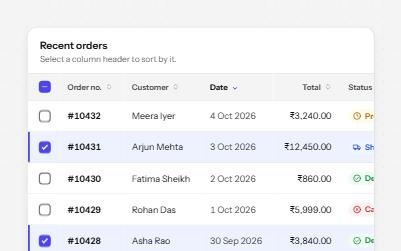
क्रमबद्ध होने वाली तालिका
कैप्शन, पंक्ति हेडर, क्रम बताने वाले सॉर्ट बटन, और मिश्रित स्थिति वाले सभी चुनें के साथ पंक्तियाँ चुनने वाली डेटा तालिका।
-
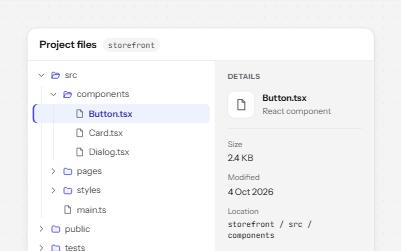
ट्री व्यू
फ़ाइल एक्सप्लोरर जैसा ट्री: एक टैब स्टॉप, खोलने, बंद करने और चलने के लिए ऐरो कुंजियाँ, टाइप करके पहुँचना, और चुनी गई फ़ाइल का विवरण पैनल।
-
इनलाइन एडिट
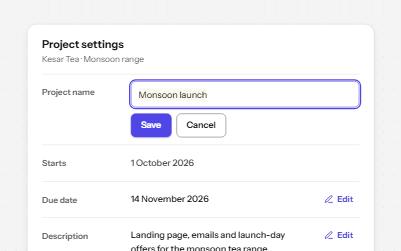
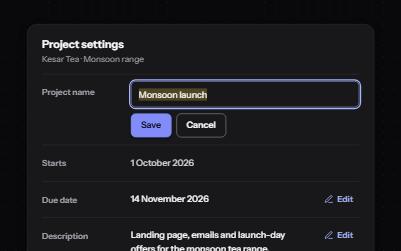
टेक्स्ट के रूप में दिखने वाली वैल्यू, हर एक के बगल में एडिट बटन, जो सहेजें और रद्द वाले फ़ील्ड में बदलती हैं और बाद में फ़ोकस लौटाती हैं।
-
कीबोर्ड शॉर्टकट
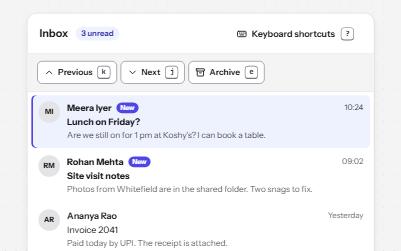
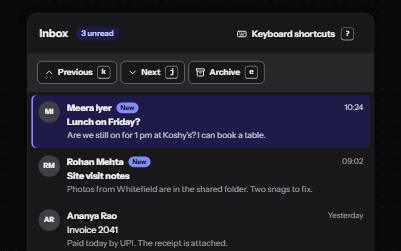
एक-कुंजी वाले शॉर्टकट जो चालू किए जाने तक बंद रहते हैं, जिनकी कुंजियाँ बदली जा सकती हैं, जो सिर्फ़ अपनी सूची में काम करते हैं और किसी दिखने वाले बटन को दोहराते हैं।