सुलभता पैटर्न · डेटा प्रदर्शन
आँकड़ों वाले कार्ड
हर कार्ड अपना आँकड़ा और अपना बदलाव शब्दों में बताता है, पिछले 7 दिनों के मुक़ाबले 12% बढ़ा, और बगल में एक तीर; रंग सिर्फ़ यह जोड़ता है कि वह बदलाव अच्छा है या नहीं। अवधि स्विच एक रेडियो समूह है जो चारों कार्ड एक साथ अपडेट करता है और चार नहीं, एक ही शांत संदेश भेजता है।
- डब्ल्यूसीएजी मानदंड
- 7
- कीबोर्ड नियम
- 3
- जाँच का तरीक़ा
- axe, कीबोर्ड और इंस्पेक्टर
लाइव डेमो
आज़माएँ
इसे माउस, कीबोर्ड या स्क्रीन रीडर से इस्तेमाल करें। साथ का इंस्पेक्टर दिखाता है कि आपके इस्तेमाल के दौरान ब्राउज़र सहायक तकनीक को क्या बताता है: फ़ोकस, स्थिति में बदलाव और घोषणाएँ।
स्टोर का सार
पिछले 7 दिन, उससे पहले के 7 दिनों के मुक़ाबले
राजस्व
₹4,82,300
12% बढ़ा पिछले 7 दिनों के मुक़ाबले
ऑर्डर
1,284
6% बढ़ा पिछले 7 दिनों के मुक़ाबले
कन्वर्ज़न दर
3.4%
0.3 अंक घटा पिछले 7 दिनों के मुक़ाबले
रिफ़ंड
कम होना बेहतर है
₹18,450
8% घटा पिछले 7 दिनों के मुक़ाबले
जावास्क्रिप्ट के बिना डेमो उतना ही काम करता है जितना उसका एचटीएमएल; इंस्पेक्टर के लिए जावास्क्रिप्ट चाहिए।
कीबोर्ड
जिन कुंजियों पर यह काम करता है
हर क्रिया पॉइंटर के बिना काम करती है।
| कुंजी | यह क्या करती है |
|---|---|
| Tab | चुनी हुई अवधि पर ले जाता है; अगला Tab स्विच से बाहर ले जाता है। कार्ड Tab पड़ाव नहीं हैं, क्योंकि उनमें कुछ भी क्लिक करने लायक नहीं है। |
| Arrow RightयाArrow Down | अगली अवधि चुनता है; चारों कार्ड एक साथ अपडेट होते हैं, और आख़िरी अवधि के बाद फिर पहली पर लौटता है। |
| Arrow LeftयाArrow Up | पिछली अवधि चुनता है। |
स्क्रीन रीडर
यह क्या घोषित करता है
मार्कअप की भूमिकाओं, नामों और स्थितियों से लिखा गया।
| कब | अपेक्षित घोषणा |
|---|---|
| Tab स्विच पर पहुँचता है | अवधि, समूह। 7 दिन, रेडियो बटन, चुना हुआ, 3 में से 1 |
| Arrow Right 30 दिन चुनता है | 30 दिन, रेडियो बटन, चुना हुआ, 3 में से 2। फिर, एक बार: पिछले 30 दिन, उससे पहले के 30 दिनों के मुक़ाबले |
| तीर वाली कीज़ जल्दी-जल्दी 7 से 90 दिन तक जाती हैं | सिर्फ़ आख़िरी अवधि बोली जाती है: पिछले 90 दिन, उससे पहले के 90 दिनों के मुक़ाबले |
| रिफ़ंड वाला कार्ड पढ़ते हुए | रिफ़ंड, समूह। रिफ़ंड, हेडिंग स्तर 4। कम होना बेहतर है। ₹18,450। पिछले 7 दिनों के मुक़ाबले 8% घटा |
| स्पार्कलाइन पर पहुँचते हुए | कुछ नहीं: वह छिपी है, और शब्दों में लिखा बदलाव वही बात कहता है |
ये अपेक्षित घोषणाएँ हैं, रिकॉर्डिंग नहीं। स्क्रीन रीडर और ब्राउज़र के हिसाब से शब्द और क्रम बदलते हैं।
कोड
कोड कॉपी करें
वही फ़ाइलें जिन पर यह डेमो चलता है। स्टाइल एक प्रीफ़िक्स के साथ परोसी जाती हैं जो इस साइट की अपनी स्टाइल को डेमो से दूर रखता है; आप जो कॉपी करते हैं वह मूल है।
<div class="ap-stat-cards" data-ap-stat-cards>
  <div class="ap-stat-cards__top">
    <div>
      <h3 class="ap-stat-cards__name">Store overview</h3>
      <p class="ap-stat-cards__period" role="status" data-ap-caption>Last 7 days, compared with the 7 days before</p>
    </div>
    <fieldset class="ap-stat-cards__set">
      <legend class="ap-stat-cards__vh">Period</legend>
      <div class="ap-stat-cards__track">
        <label class="ap-stat-cards__seg">
          <input class="ap-stat-cards__radio" type="radio" name="stat-cards-period" value="7" checked />
          <span>7 days</span>
        </label>
        <label class="ap-stat-cards__seg">
          <input class="ap-stat-cards__radio" type="radio" name="stat-cards-period" value="30" />
          <span>30 days</span>
        </label>
        <label class="ap-stat-cards__seg">
          <input class="ap-stat-cards__radio" type="radio" name="stat-cards-period" value="90" />
          <span>90 days</span>
        </label>
        <span class="ap-stat-cards__thumb" aria-hidden="true"></span>
      </div>
    </fieldset>
  </div>

  <div class="ap-stat-cards__grid">
    <div class="ap-stat-cards__card" role="group" aria-labelledby="stat-cards-revenue" data-ap-metric="revenue">
      <div class="ap-stat-cards__head">
        <h4 class="ap-stat-cards__label" id="stat-cards-revenue">Revenue</h4>
        <svg class="ap-stat-cards__icon" viewBox="0 0 24 24" aria-hidden="true" focusable="false"><path d="M6 3h12M6 8h12M6 13l8.5 8M6 13h3c6.7 0 6.7-10 0-10"/></svg>
      </div>
      <p class="ap-stat-cards__value" data-ap-value>₹4,82,300</p>
      <p class="ap-stat-cards__change">
        <span class="ap-stat-cards__delta" data-dir="up" data-tone="good" data-ap-delta>
          <svg class="ap-stat-cards__arrow" viewBox="0 0 16 16" aria-hidden="true" focusable="false"><path class="ap-stat-cards__up" d="M8 13V3M4 7l4-4 4 4"/><path class="ap-stat-cards__down" d="M8 3v10M4 9l4 4 4-4"/><path class="ap-stat-cards__flat" d="M3 8h10"/></svg>
          <span data-ap-change>Up 12%</span>
        </span>
        <span class="ap-stat-cards__since" data-ap-since>from the previous 7 days</span>
      </p>
      <svg class="ap-stat-cards__spark" viewBox="0 0 120 40" preserveAspectRatio="none" aria-hidden="true" focusable="false"><path class="ap-stat-cards__area" d="M0.0 36.0L20.0 32.4L40.0 27.6L60.0 25.7L80.0 17.3L100.0 6.0L120.0 11.6L120 40L0 40Z"/><path class="ap-stat-cards__line" d="M0.0 36.0L20.0 32.4L40.0 27.6L60.0 25.7L80.0 17.3L100.0 6.0L120.0 11.6"/><path class="ap-stat-cards__dot" d="M120.0 11.6h0"/></svg>
    </div>
    <div class="ap-stat-cards__card" role="group" aria-labelledby="stat-cards-orders" data-ap-metric="orders">
      <div class="ap-stat-cards__head">
        <h4 class="ap-stat-cards__label" id="stat-cards-orders">Orders</h4>
        <svg class="ap-stat-cards__icon" viewBox="0 0 24 24" aria-hidden="true" focusable="false"><path d="M6 2 3 6v14a2 2 0 0 0 2 2h14a2 2 0 0 0 2-2V6l-3-4Z"/><path d="M3 6h18M16 10a4 4 0 0 1-8 0"/></svg>
      </div>
      <p class="ap-stat-cards__value" data-ap-value>1,284</p>
      <p class="ap-stat-cards__change">
        <span class="ap-stat-cards__delta" data-dir="up" data-tone="good" data-ap-delta>
          <svg class="ap-stat-cards__arrow" viewBox="0 0 16 16" aria-hidden="true" focusable="false"><path class="ap-stat-cards__up" d="M8 13V3M4 7l4-4 4 4"/><path class="ap-stat-cards__down" d="M8 3v10M4 9l4 4 4-4"/><path class="ap-stat-cards__flat" d="M3 8h10"/></svg>
          <span data-ap-change>Up 6%</span>
        </span>
        <span class="ap-stat-cards__since" data-ap-since>from the previous 7 days</span>
      </p>
      <svg class="ap-stat-cards__spark" viewBox="0 0 120 40" preserveAspectRatio="none" aria-hidden="true" focusable="false"><path class="ap-stat-cards__area" d="M0.0 36.0L20.0 32.2L40.0 29.3L60.0 27.9L80.0 21.7L100.0 6.0L120.0 14.1L120 40L0 40Z"/><path class="ap-stat-cards__line" d="M0.0 36.0L20.0 32.2L40.0 29.3L60.0 27.9L80.0 21.7L100.0 6.0L120.0 14.1"/><path class="ap-stat-cards__dot" d="M120.0 14.1h0"/></svg>
    </div>
    <div class="ap-stat-cards__card" role="group" aria-labelledby="stat-cards-conversion" data-ap-metric="conversion">
      <div class="ap-stat-cards__head">
        <h4 class="ap-stat-cards__label" id="stat-cards-conversion">Conversion rate</h4>
        <svg class="ap-stat-cards__icon" viewBox="0 0 24 24" aria-hidden="true" focusable="false"><path d="M18 6 6 18"/><circle cx="7.5" cy="7.5" r="2.5"/><circle cx="16.5" cy="16.5" r="2.5"/></svg>
      </div>
      <p class="ap-stat-cards__value" data-ap-value>3.4%</p>
      <p class="ap-stat-cards__change">
        <span class="ap-stat-cards__delta" data-dir="down" data-tone="bad" data-ap-delta>
          <svg class="ap-stat-cards__arrow" viewBox="0 0 16 16" aria-hidden="true" focusable="false"><path class="ap-stat-cards__up" d="M8 13V3M4 7l4-4 4 4"/><path class="ap-stat-cards__down" d="M8 3v10M4 9l4 4 4-4"/><path class="ap-stat-cards__flat" d="M3 8h10"/></svg>
          <span data-ap-change>Down 0.3 points</span>
        </span>
        <span class="ap-stat-cards__since" data-ap-since>from the previous 7 days</span>
      </p>
      <svg class="ap-stat-cards__spark" viewBox="0 0 120 40" preserveAspectRatio="none" aria-hidden="true" focusable="false"><path class="ap-stat-cards__area" d="M0.0 6.0L20.0 13.5L40.0 13.5L60.0 21.0L80.0 28.5L100.0 36.0L120.0 28.5L120 40L0 40Z"/><path class="ap-stat-cards__line" d="M0.0 6.0L20.0 13.5L40.0 13.5L60.0 21.0L80.0 28.5L100.0 36.0L120.0 28.5"/><path class="ap-stat-cards__dot" d="M120.0 28.5h0"/></svg>
    </div>
    <div class="ap-stat-cards__card" role="group" aria-labelledby="stat-cards-refunds" data-ap-metric="refunds" data-lower-is-better>
      <div class="ap-stat-cards__head">
        <h4 class="ap-stat-cards__label" id="stat-cards-refunds">Refunds</h4>
        <svg class="ap-stat-cards__icon" viewBox="0 0 24 24" aria-hidden="true" focusable="false"><path d="M9 14 4 9l5-5"/><path d="M4 9h10.5a5.5 5.5 0 0 1 0 11H11"/></svg>
      </div>
      <p class="ap-stat-cards__hint">Lower is better</p>
      <p class="ap-stat-cards__value" data-ap-value>₹18,450</p>
      <p class="ap-stat-cards__change">
        <span class="ap-stat-cards__delta" data-dir="down" data-tone="good" data-ap-delta>
          <svg class="ap-stat-cards__arrow" viewBox="0 0 16 16" aria-hidden="true" focusable="false"><path class="ap-stat-cards__up" d="M8 13V3M4 7l4-4 4 4"/><path class="ap-stat-cards__down" d="M8 3v10M4 9l4 4 4-4"/><path class="ap-stat-cards__flat" d="M3 8h10"/></svg>
          <span data-ap-change>Down 8%</span>
        </span>
        <span class="ap-stat-cards__since" data-ap-since>from the previous 7 days</span>
      </p>
      <svg class="ap-stat-cards__spark" viewBox="0 0 120 40" preserveAspectRatio="none" aria-hidden="true" focusable="false"><path class="ap-stat-cards__area" d="M0.0 6.0L20.0 15.0L40.0 19.5L60.0 24.0L80.0 27.0L100.0 33.0L120.0 36.0L120 40L0 40Z"/><path class="ap-stat-cards__line" d="M0.0 6.0L20.0 15.0L40.0 19.5L60.0 24.0L80.0 27.0L100.0 33.0L120.0 36.0"/><path class="ap-stat-cards__dot" d="M120.0 36.0h0"/></svg>
    </div>
  </div>
</div>
/* Stat cards. Uses the --ap-* design tokens. */
.ap-stat-cards {
  width: min(100%, 880px);
  margin-inline: auto;
  color: var(--ap-text);
  container-type: inline-size;
}

.ap-stat-cards__vh {
  position: absolute;
  width: 1px;
  height: 1px;
  margin: -1px;
  padding: 0;
  overflow: hidden;
  clip-path: inset(50%);
  white-space: nowrap;
}

/* Heading, period caption (the status message) and the period switch */
.ap-stat-cards__top {
  display: flex;
  flex-wrap: wrap;
  align-items: center;
  justify-content: space-between;
  gap: 12px 20px;
  margin-bottom: 16px;
}
.ap-stat-cards__name {
  margin: 0;
  font-size: 1.125rem;
  font-weight: 650;
  line-height: 1.3;
}
.ap-stat-cards__period {
  margin: 2px 0 0;
  color: var(--ap-text-3);
  font-size: .875rem;
}

.ap-stat-cards__set {
  min-width: 0;
  margin: 0;
  padding: 0;
  border: 0;
}
.ap-stat-cards__track {
  position: relative;
  display: grid;
  grid-auto-columns: 1fr;
  grid-auto-flow: column;
  padding: 3px;
  border: 1px solid var(--ap-border);
  border-radius: var(--ap-radius);
  background: var(--ap-surface-2);
}
.ap-stat-cards__seg {
  position: relative;
  z-index: 1;
  display: grid;
  place-items: center;
  min-height: 40px;
  padding: 0 14px;
  border-radius: var(--ap-radius-sm);
  color: var(--ap-text-2);
  font-size: .875rem;
  font-weight: 500;
  white-space: nowrap;
  cursor: pointer;
  transition: color var(--ap-duration) var(--ap-ease);
}
.ap-stat-cards__seg:hover {
  color: var(--ap-text);
}
.ap-stat-cards__seg:has(.ap-stat-cards__radio:checked) {
  color: var(--ap-text);
  font-weight: 650;
}
.ap-stat-cards__seg:has(.ap-stat-cards__radio:focus-visible) {
  outline: 2px solid var(--ap-focus);
  outline-offset: 2px;
}
/* The real radio covers its segment, so it takes the click and the focus. */
.ap-stat-cards__radio {
  position: absolute;
  inset: 0;
  width: 100%;
  height: 100%;
  margin: 0;
  opacity: 0;
  cursor: pointer;
  appearance: none;
}
/* The raised thumb behind the chosen period: CSS only, from the checked radio. */
.ap-stat-cards__thumb {
  position: absolute;
  top: 3px;
  bottom: 3px;
  left: 3px;
  width: calc((100% - 6px) / 3);
  border: 1px solid var(--ap-border-strong);
  border-radius: var(--ap-radius-sm);
  background: var(--ap-surface);
  box-shadow: var(--ap-shadow-sm);
  transition: transform 220ms var(--ap-ease);
}
.ap-stat-cards__track:has(.ap-stat-cards__seg:nth-child(2) .ap-stat-cards__radio:checked) .ap-stat-cards__thumb {
  transform: translateX(100%);
}
.ap-stat-cards__track:has(.ap-stat-cards__seg:nth-child(3) .ap-stat-cards__radio:checked) .ap-stat-cards__thumb {
  transform: translateX(200%);
}

/* The cards: four columns, then two, then one. */
.ap-stat-cards__grid {
  display: grid;
  grid-template-columns: repeat(4, minmax(0, 1fr));
  gap: 12px;
}
/* Each card spans five rows of the grid and shares them (subgrid), so labels,
   values and changes line up across a row of cards even when one has a hint. */
.ap-stat-cards__card {
  display: grid;
  grid-row: span 5;
  grid-template-rows: subgrid;
  row-gap: 0;
  align-content: start;
  min-width: 0;
  padding: 16px 16px 14px;
  border: 1px solid var(--ap-border);
  border-radius: var(--ap-radius-lg);
  background: var(--ap-surface);
  box-shadow: var(--ap-shadow-md);
}
.ap-stat-cards__head {
  display: flex;
  align-items: center;
  justify-content: space-between;
  gap: 8px;
}
.ap-stat-cards__label {
  margin: 0;
  color: var(--ap-text-2);
  font-size: .875rem;
  font-weight: 600;
  line-height: 1.35;
}
.ap-stat-cards__icon {
  flex-shrink: 0;
  width: 30px;
  height: 30px;
  padding: 6px;
  border-radius: var(--ap-radius-sm);
  background: var(--ap-surface-2);
  fill: none;
  stroke: var(--ap-text-3);
  stroke-width: 2;
  stroke-linecap: round;
  stroke-linejoin: round;
}
.ap-stat-cards__hint {
  grid-row: 2;
  margin: 0;
  color: var(--ap-text-3);
  font-size: .75rem;
  font-weight: 500;
}
.ap-stat-cards__value {
  grid-row: 3;
  align-self: end;
  margin: 8px 0 8px;
  font-size: 1.375rem;
  font-weight: 650;
  font-variant-numeric: tabular-nums;
  letter-spacing: -.01em;
  line-height: 1.15;
  white-space: nowrap;
}
.ap-stat-cards__value.is-fresh {
  animation: ap-stat-cards-fresh 260ms var(--ap-ease);
}

/* The change: a word and an arrow; the tone is a fill behind them. */
.ap-stat-cards__change {
  grid-row: 4;
  align-self: start;
  display: flex;
  flex-wrap: wrap;
  align-items: center;
  gap: 4px 6px;
  margin: 0;
  font-size: .8125rem;
  line-height: 1.35;
}
.ap-stat-cards__delta {
  display: inline-flex;
  align-items: center;
  gap: 3px;
  padding: 2px 8px 2px 6px;
  border-radius: var(--ap-radius-full);
  font-weight: 650;
  font-variant-numeric: tabular-nums;
  white-space: nowrap;
}
.ap-stat-cards__delta[data-tone="good"] {
  background: var(--ap-success-soft);
  color: var(--ap-success);
}
.ap-stat-cards__delta[data-tone="bad"] {
  background: var(--ap-danger-soft);
  color: var(--ap-danger);
}
.ap-stat-cards__delta[data-tone="neutral"] {
  background: var(--ap-surface-2);
  color: var(--ap-text-2);
}
.ap-stat-cards__arrow {
  width: 14px;
  height: 14px;
  fill: none;
  stroke: currentColor;
  stroke-width: 2;
  stroke-linecap: round;
  stroke-linejoin: round;
}
.ap-stat-cards__arrow path {
  display: none;
}
.ap-stat-cards__delta[data-dir="up"] .ap-stat-cards__up,
.ap-stat-cards__delta[data-dir="down"] .ap-stat-cards__down,
.ap-stat-cards__delta[data-dir="flat"] .ap-stat-cards__flat {
  display: inline;
}
.ap-stat-cards__since {
  color: var(--ap-text-3);
  text-wrap: balance;
}

/* The sparkline: decoration in a quiet ink, the latest point in the accent. */
.ap-stat-cards__spark {
  grid-row: 5;
  align-self: end;
  display: block;
  width: 100%;
  height: 40px;
  padding-top: 14px;
  box-sizing: content-box;
  overflow: visible;
}
.ap-stat-cards__area {
  fill: var(--ap-surface-2);
  stroke: none;
}
.ap-stat-cards__line {
  fill: none;
  stroke: var(--ap-text-3);
  stroke-width: 1.75;
  stroke-linecap: round;
  stroke-linejoin: round;
  vector-effect: non-scaling-stroke;
}
.ap-stat-cards__dot {
  fill: none;
  stroke: var(--ap-accent);
  stroke-width: 7;
  stroke-linecap: round;
  vector-effect: non-scaling-stroke;
}

/* Four narrow cards give their labels the room the icons took. */
@container (min-width: 680px) and (max-width: 799px) {
  .ap-stat-cards__icon {
    display: none;
  }
}

@keyframes ap-stat-cards-fresh {
  from { opacity: .35; }
}

@container (max-width: 679px) {
  .ap-stat-cards__grid {
    grid-template-columns: repeat(2, minmax(0, 1fr));
  }
  .ap-stat-cards__value {
    font-size: 1.75rem;
  }
}
@container (max-width: 399px) {
  .ap-stat-cards__grid {
    grid-template-columns: minmax(0, 1fr);
  }
  .ap-stat-cards__set,
  .ap-stat-cards__track {
    width: 100%;
  }
}

@media (prefers-reduced-motion: reduce) {
  .ap-stat-cards__seg,
  .ap-stat-cards__thumb { transition: none; }
  .ap-stat-cards__value.is-fresh { animation: none; }
}

@media (forced-colors: active) {
  .ap-stat-cards__thumb { border-color: Highlight; }
  .ap-stat-cards__delta { border: 1px solid CanvasText; }
}
/**
 * Stat cards: headline numbers with their change in words and an arrow,
 * tone worked out from what a rise means for each measure, decorative
 * sparklines, and a period switch that updates every card and speaks once.
 *
 * Markup: [data-ap-stat-cards] holding radio inputs (value = days), a
 * role=status [data-ap-caption], and [data-ap-metric] cards (role=group), each with
 * [data-ap-value], [data-ap-delta] > [data-ap-change], [data-ap-since] and an
 * aria-hidden svg sparkline. data-lower-is-better on a card flips its tone.
 */

// What the server would send: value, change in words, direction, trend points.
const DATA = {
  7: {
    caption: "Last 7 days, compared with the 7 days before",
    since: "from the previous 7 days",
    revenue: ["₹4,82,300", "Up 12%", "up", [58.4, 61.2, 64.9, 66.3, 72.8, 81.5, 77.2]],
    orders: ["1,284", "Up 6%", "up", [158, 166, 172, 175, 188, 221, 204]],
    conversion: ["3.4%", "Down 0.3 points", "down", [3.6, 3.5, 3.5, 3.4, 3.3, 3.2, 3.3]],
    refunds: ["₹18,450", "Down 8%", "down", [3.2, 2.9, 2.75, 2.6, 2.5, 2.3, 2.2]],
  },
  30: {
    caption: "Last 30 days, compared with the 30 days before",
    since: "from the previous 30 days",
    revenue: ["₹19,64,800", "Up 4%", "up", [6.1, 6.3, 6.2, 6.5, 6.4, 6.6, 6.5, 6.8, 6.7, 6.9]],
    orders: ["5,212", "Down 2%", "down", [530, 528, 522, 525, 516, 520, 512, 515, 508, 510]],
    conversion: ["3.6%", "Up 0.2 points", "up", [3.4, 3.5, 3.5, 3.6, 3.5, 3.7, 3.6, 3.7, 3.8, 3.7]],
    refunds: ["₹86,900", "Up 15%", "up", [7.2, 7.6, 8.1, 7.9, 8.5, 8.9, 9.2, 9, 9.6, 10.9]],
  },
  90: {
    caption: "Last 90 days, compared with the 90 days before",
    since: "from the previous 90 days",
    revenue: ["₹57,31,500", "Up 21%", "up", [3.9, 4, 4.1, 4.2, 4.3, 4.2, 4.4, 4.5, 4.6, 4.5, 4.7, 4.8, 4.9]],
    orders: ["15,940", "Up 18%", "up", [1100, 1130, 1150, 1170, 1190, 1210, 1230, 1220, 1260, 1280, 1300, 1310, 1330]],
    conversion: ["3.5%", "No change", "flat", [3.5, 3.6, 3.4, 3.5, 3.6, 3.5, 3.4, 3.5, 3.6, 3.5, 3.4, 3.5, 3.5]],
    refunds: ["₹2,41,700", "Down 3%", "down", [19.2, 18.9, 19.4, 18.8, 18.6, 18.9, 18.4, 18.7, 18.2, 18.5, 18.1, 18.3, 17.9]],
  },
};
const SETTLE = 350; // ms of quiet on the switch before the one announcement

// Good or bad is direction × whether a rise is good for this measure.
function toneOf(card, dir) {
  if (dir === "flat") return "neutral";
  const riseIsGood = !card.hasAttribute("data-lower-is-better");
  return (dir === "up") === riseIsGood ? "good" : "bad";
}

// Line, area and latest point for a 120 × 40 box.
function draw(svg, values) {
  const min = Math.min(...values);
  const span = Math.max(...values) - min || 1;
  const pts = values.map((v, i) => [(i / (values.length - 1)) * 120, 36 - ((v - min) / span) * 30]);
  const line = pts.map(([x, y], i) => `${i ? "L" : "M"}${x.toFixed(1)} ${y.toFixed(1)}`).join("");
  const [lx, ly] = pts[pts.length - 1];
  svg.querySelector(".ap-stat-cards__area").setAttribute("d", `${line}L120 40L0 40Z`);
  svg.querySelector(".ap-stat-cards__line").setAttribute("d", line);
  svg.querySelector(".ap-stat-cards__dot").setAttribute("d", `M${lx.toFixed(1)} ${ly.toFixed(1)}h0`);
}

export function init(root) {
  const caption = root.querySelector("[data-ap-caption]");
  const cards = [...root.querySelectorAll("[data-ap-metric]")];
  const reduce = matchMedia("(prefers-reduced-motion: reduce)");
  let settle = 0;

  function show(days) {
    const data = DATA[days];
    for (const card of cards) {
      const [value, change, dir, trend] = data[card.dataset.apMetric];
      const valueEl = card.querySelector("[data-ap-value]");
      const delta = card.querySelector("[data-ap-delta]");
      valueEl.textContent = value;
      card.querySelector("[data-ap-change]").textContent = change;
      card.querySelector("[data-ap-since]").textContent = data.since;
      delta.dataset.dir = dir;
      delta.dataset.tone = toneOf(card, dir);
      draw(card.querySelector("svg.ap-stat-cards__spark"), trend);
      if (!reduce.matches) {
        valueEl.classList.remove("is-fresh");
        void valueEl.offsetWidth;
        valueEl.classList.add("is-fresh");
      }
    }
    // The cards change at once; the caption, a status message, waits until
    // the arrows rest, so it is announced once and only for the last period.
    clearTimeout(settle);
    settle = setTimeout(() => { caption.textContent = data.caption; }, SETTLE);
  }

  function onChange(event) {
    if (event.target.matches("input[type=radio]")) show(event.target.value);
  }

  // Draw from the data, so the first view matches every later one.
  const checked = root.querySelector("input[type=radio]:checked");
  for (const card of cards) {
    const [, , dir, trend] = DATA[checked.value][card.dataset.apMetric];
    card.querySelector("[data-ap-delta]").dataset.tone = toneOf(card, dir);
    draw(card.querySelector("svg.ap-stat-cards__spark"), trend);
  }

  root.addEventListener("change", onChange);
  return () => {
    clearTimeout(settle);
    root.removeEventListener("change", onChange);
  };
}

for (const root of document.querySelectorAll("[data-ap-stat-cards]")) init(root);
/* Design tokens for the pattern components. Light by default, dark when the
   system asks for it; set data-theme="dark" on :root to force dark. */
:root {
    --ap-radius-sm: 8px;
    --ap-radius: 12px;
    --ap-radius-lg: 16px;
    --ap-radius-full: 999px;
    --ap-font: "Instrument Sans", ui-sans-serif, system-ui, -apple-system, "Segoe UI", Roboto, sans-serif;
    --ap-mono: "JetBrains Mono", ui-monospace, "Cascadia Mono", "SF Mono", Consolas, monospace;
    --ap-ease: cubic-bezier(.2, .8, .2, 1);
    --ap-duration: 180ms;
    --ap-target: 44px;
    --ap-bg: #F4F4F5;
    --ap-surface: #FFFFFF;
    --ap-surface-2: #F4F4F5;
    --ap-surface-3: #E4E4E7;
    --ap-border: #E4E4E7;
    --ap-border-strong: #76767F;
    --ap-text: #18181B;
    --ap-text-2: #3F3F46;
    --ap-text-3: #5E5E66;
    --ap-accent: #4F46E5;
    --ap-accent-hover: #4338CA;
    --ap-on-accent: #FFFFFF;
    --ap-accent-text: #4338CA;
    --ap-accent-soft: #EEF2FF;
    --ap-accent-soft-text: #3730A3;
    --ap-focus: #4F46E5;
    --ap-danger: #B91C1C;
    --ap-danger-soft: #FEF2F2;
    --ap-success: #15803D;
    --ap-success-soft: #F0FDF4;
    --ap-warning: #A15C07;
    --ap-warning-soft: #FEFCE8;
    --ap-info: #1D4ED8;
    --ap-info-soft: #EFF6FF;
    --ap-scrim: rgb(9 9 11 / .48);
    --ap-shadow-sm: 0 1px 2px rgb(9 9 11 / .06);
    --ap-shadow-md: 0 1px 2px rgb(9 9 11 / .05), 0 6px 16px -4px rgb(9 9 11 / .1);
    --ap-shadow-lg: 0 2px 6px rgb(9 9 11 / .06), 0 20px 40px -12px rgb(9 9 11 / .22);
    --ap-light-bg: #F4F4F5;
    --ap-light-surface: #FFFFFF;
    --ap-light-surface-2: #F4F4F5;
    --ap-light-surface-3: #E4E4E7;
    --ap-light-border: #E4E4E7;
    --ap-light-border-strong: #76767F;
    --ap-light-text: #18181B;
    --ap-light-text-2: #3F3F46;
    --ap-light-text-3: #5E5E66;
    --ap-light-accent: #4F46E5;
    --ap-light-accent-hover: #4338CA;
    --ap-light-on-accent: #FFFFFF;
    --ap-light-accent-text: #4338CA;
    --ap-light-accent-soft: #EEF2FF;
    --ap-light-accent-soft-text: #3730A3;
    --ap-light-focus: #4F46E5;
    --ap-light-danger: #B91C1C;
    --ap-light-danger-soft: #FEF2F2;
    --ap-light-success: #15803D;
    --ap-light-success-soft: #F0FDF4;
    --ap-light-warning: #A15C07;
    --ap-light-warning-soft: #FEFCE8;
    --ap-light-info: #1D4ED8;
    --ap-light-info-soft: #EFF6FF;
    --ap-light-scrim: rgb(9 9 11 / .48);
    --ap-light-shadow-sm: 0 1px 2px rgb(9 9 11 / .06);
    --ap-light-shadow-md: 0 1px 2px rgb(9 9 11 / .05), 0 6px 16px -4px rgb(9 9 11 / .1);
    --ap-light-shadow-lg: 0 2px 6px rgb(9 9 11 / .06), 0 20px 40px -12px rgb(9 9 11 / .22);
    --ap-dark-bg: #09090B;
    --ap-dark-surface: #18181B;
    --ap-dark-surface-2: #27272A;
    --ap-dark-surface-3: #3F3F46;
    --ap-dark-border: #2E2E33;
    --ap-dark-border-strong: #8E8E97;
    --ap-dark-text: #FAFAFA;
    --ap-dark-text-2: #D4D4D8;
    --ap-dark-text-3: #A1A1AA;
    --ap-dark-accent: #818CF8;
    --ap-dark-accent-hover: #A5B4FC;
    --ap-dark-on-accent: #0C0A1F;
    --ap-dark-accent-text: #A5B4FC;
    --ap-dark-accent-soft: #1E1B4B;
    --ap-dark-accent-soft-text: #C7D2FE;
    --ap-dark-focus: #A5B4FC;
    --ap-dark-danger: #F87171;
    --ap-dark-danger-soft: #2A1215;
    --ap-dark-success: #4ADE80;
    --ap-dark-success-soft: #0F2A1A;
    --ap-dark-warning: #FACC15;
    --ap-dark-warning-soft: #2A2410;
    --ap-dark-info: #60A5FA;
    --ap-dark-info-soft: #0F1D33;
    --ap-dark-scrim: rgb(0 0 0 / .62);
    --ap-dark-shadow-sm: 0 1px 2px rgb(0 0 0 / .4);
    --ap-dark-shadow-md: 0 1px 2px rgb(0 0 0 / .4), 0 8px 20px -6px rgb(0 0 0 / .5);
    --ap-dark-shadow-lg: 0 2px 8px rgb(0 0 0 / .45), 0 24px 48px -12px rgb(0 0 0 / .7);
}
@media (prefers-color-scheme: dark) {
  :root:not([data-theme="light"]) {
      --ap-bg: #09090B;
      --ap-surface: #18181B;
      --ap-surface-2: #27272A;
      --ap-surface-3: #3F3F46;
      --ap-border: #2E2E33;
      --ap-border-strong: #8E8E97;
      --ap-text: #FAFAFA;
      --ap-text-2: #D4D4D8;
      --ap-text-3: #A1A1AA;
      --ap-accent: #818CF8;
      --ap-accent-hover: #A5B4FC;
      --ap-on-accent: #0C0A1F;
      --ap-accent-text: #A5B4FC;
      --ap-accent-soft: #1E1B4B;
      --ap-accent-soft-text: #C7D2FE;
      --ap-focus: #A5B4FC;
      --ap-danger: #F87171;
      --ap-danger-soft: #2A1215;
      --ap-success: #4ADE80;
      --ap-success-soft: #0F2A1A;
      --ap-warning: #FACC15;
      --ap-warning-soft: #2A2410;
      --ap-info: #60A5FA;
      --ap-info-soft: #0F1D33;
      --ap-scrim: rgb(0 0 0 / .62);
      --ap-shadow-sm: 0 1px 2px rgb(0 0 0 / .4);
      --ap-shadow-md: 0 1px 2px rgb(0 0 0 / .4), 0 8px 20px -6px rgb(0 0 0 / .5);
      --ap-shadow-lg: 0 2px 8px rgb(0 0 0 / .45), 0 24px 48px -12px rgb(0 0 0 / .7);
  }
}
:root[data-theme="dark"] {
    --ap-bg: #09090B;
    --ap-surface: #18181B;
    --ap-surface-2: #27272A;
    --ap-surface-3: #3F3F46;
    --ap-border: #2E2E33;
    --ap-border-strong: #8E8E97;
    --ap-text: #FAFAFA;
    --ap-text-2: #D4D4D8;
    --ap-text-3: #A1A1AA;
    --ap-accent: #818CF8;
    --ap-accent-hover: #A5B4FC;
    --ap-on-accent: #0C0A1F;
    --ap-accent-text: #A5B4FC;
    --ap-accent-soft: #1E1B4B;
    --ap-accent-soft-text: #C7D2FE;
    --ap-focus: #A5B4FC;
    --ap-danger: #F87171;
    --ap-danger-soft: #2A1215;
    --ap-success: #4ADE80;
    --ap-success-soft: #0F2A1A;
    --ap-warning: #FACC15;
    --ap-warning-soft: #2A2410;
    --ap-info: #60A5FA;
    --ap-info-soft: #0F1D33;
    --ap-scrim: rgb(0 0 0 / .62);
    --ap-shadow-sm: 0 1px 2px rgb(0 0 0 / .4);
    --ap-shadow-md: 0 1px 2px rgb(0 0 0 / .4), 0 8px 20px -6px rgb(0 0 0 / .5);
    --ap-shadow-lg: 0 2px 8px rgb(0 0 0 / .45), 0 24px 48px -12px rgb(0 0 0 / .7);
}
डब्ल्यूसीएजी 2.2
यह किन मानदंडों को पूरा करता है
वे सफलता मानदंड जिनका यह पैटर्न ध्यान रखता है, और कैसे।
-
1.1.1 गैर-टेक्स्ट सामग्री
स्तर A
स्पार्कलाइन aria-hidden सजावट हैं; रुझान शब्दों में लिखा बदलाव बताता है, इसलिए कुछ नहीं छूटता।
-
1.3.1 जानकारी और संबंध
स्तर A
हर कार्ड अपनी हेडिंग से नाम पाया एक समूह है, और अवधियाँ legend वाले fieldset में रेडियो बटन हैं।
-
1.4.1 रंग का उपयोग
स्तर A
दिशा एक शब्द और एक तीर है; रिफ़ंड पर लिखा कम होना बेहतर है बताता है कि उसकी गिरावट अच्छी क्यों दिखाई गई है, इसलिए हरा और लाल सिर्फ़ एक इशारा हैं।
-
1.4.10 रीफ़्लो
स्तर AA
जगह घटने पर कार्ड चार कॉलम से दो और फिर एक में रीफ़्लो होते हैं, बगल की ओर स्क्रॉल किए बिना।
-
1.4.11 गैर-टेक्स्ट कंट्रास्ट
स्तर AA
चुनी हुई अवधि 3:1 किनारे वाले उभरे थंब पर बैठती है, और तीर अपने भराव पर 3:1 पार करते हैं।
-
2.4.6 हेडिंग और लेबल
स्तर AA
अवधियाँ 7d नहीं, 7 दिन, 30 दिन और 90 दिन कहती हैं, और हर कार्ड की हेडिंग उसके माप का नाम बताती है।
-
4.1.3 स्टेटस मैसेज
स्तर AA
अवधि बदलने पर, तीर वाली कीज़ रुकने के बाद एक शांत स्टेटस मैसेज जाता है, चार लाइव कार्ड एक साथ बोलने के बजाय।
उपयोग
इसे कब इस्तेमाल करें
इसे अपनाएँ
- कुछ मुख्य आँकड़े जिन्हें लोग एक नज़र में देखते हैं, और यह कि चुनी हुई अवधि में हर एक कैसे बदला।
- डैशबोर्ड जहाँ आँकड़ा उसके आकार से ज़्यादा मायने रखता है; हर कार्ड के पीछे एक पूरा चार्ट रखा जा सकता है।
कुछ और इस्तेमाल करें
- ऐसे आँकड़े जिनकी लोगों को कई अवधियों में बारीकी से तुलना करनी है: टेबल या लाइन चार्ट इस्तेमाल करें।
- एक पंक्ति में पाँच-छह से ज़्यादा कार्ड: जो माप मायने रखते हैं उन्हें चुनें, या उनके समूह बनाएँ।
- हर सेकंड बदलते आँकड़े: लगातार अपडेट होता आँकड़ा पढ़ना मुश्किल है और सुनने में शोर है।
आम विफलताएँ
आमतौर पर यह कहाँ गलत होता है
अकेला संकेत लाल और हरा
रंग-अंधता वाले बहुत से लोगों को हरा 12% और लाल 12% एक जैसे दिखते हैं। यहाँ बढ़ा और घटा शब्द हैं, अलग दिशा वाले तीर के साथ।
घटना हमेशा लाल रंग में
कम रिफ़ंड अच्छी ख़बर है। रंग-भाव माप के अर्थ से आता है (कम होना बेहतर है), तीर की दिशा से नहीं।
हर कार्ड एक लाइव रीजन
चार लाइव रीजन में एक साथ अपडेट होते चार कार्ड एक-दूसरे के ऊपर बोलते हैं, या छूट जाते हैं। यहाँ एक स्टेटस मैसेज बताता है कि अवधि बदल गई।
स्पार्कलाइन जिसे कोई पढ़ नहीं सकता
बिना लेबल वाला एसवीजी इमेज के रूप में बोला जाता है, या उसके बिंदु संख्याओं की सूची के रूप में। छिपाकर, और रुझान शब्दों में देकर, कुछ नहीं खोता।
गिनती करते हुए बढ़ते आँकड़े
शून्य से टिक-टिक करके बढ़ते आँकड़े स्क्रीन रीडर से अधूरे मान पढ़वाते हैं और गति से परेशान होने वाले लोगों के लिए हिलते रहते हैं। यहाँ नया आँकड़ा बस दिख जाता है।
7d, 30d, MoM जैसे छोटे रूप
छोटे रूप कुछ पिक्सेल बचाते हैं पर समझ छीनते हैं, और स्पीच रिकग्निशन उपयोगकर्ताओं को अंदाज़ा लगाना पड़ता है कि क्या बोलें। यहाँ अवधियाँ पूरी लिखी हैं।
नोट्स
इसे बनाना
- रंग-भाव गणना से निकलता है, सहेजा नहीं जाता: दिशा × क्या इस माप के लिए बढ़ना अच्छा है। कार्ड पर data-lower-is-better उसे उलट देता है, और कोई बदलाव नहीं तटस्थ रहता है।
- दरें प्रतिशत में नहीं, प्रतिशत अंकों में बदलती हैं: कन्वर्ज़न का 3.7% से 3.4% होना 0.3 अंक की गिरावट है। 8% घटा कहना सच भी होगा और भ्रामक भी।
- स्टेटस मैसेज तब तक रुकता है जब तक तीर वाली कीज़ एक पल थम न जाएँ, इसलिए 7 दिन से 90 दिन तक तीर चलाने पर सिर्फ़ वही बोला जाता है जहाँ आप रुके।
- टेबुलर अंक हर अंक की चौड़ाई बराबर रखते हैं, इसलिए अवधि बदलने पर मान बगल की ओर नहीं थरथराते।
- ग्रिड एक कंटेनर क्वेरी इस्तेमाल करता है, इसलिए कार्ड उन्हें मिली जगह के हिसाब से रीफ़्लो होते हैं, चाहे वह फ़ोन हो या कोई संकरी साइडबार।
स्रोत: डब्ल्यूसीएजी 2.2 समझ: रंग का उपयोग · डब्ल्यूसीएजी 2.2 समझ: स्टेटस मैसेज
आगे पढ़ें: डेटा विज़ुअलाइज़ेशन में रंग
लाइट और डार्क थीम में, डेस्कटॉप और फ़ोन की चौड़ाई पर axe से और कीबोर्ड से जाँचा गया। अभी हर स्क्रीन रीडर और ब्राउज़र जोड़ी के साथ नहीं परखा गया। सुधार बताएँ
संबंधित
इसके साथ जाने वाले पैटर्न
-
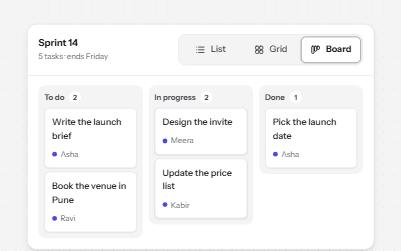
सेगमेंटेड कंट्रोल
कुछ व्यू में से एक चुनने के लिए जुड़े हुए हिस्सों की एक पंक्ति, जो fieldset के अंदर असली रेडियो बटन से बनी है।
-
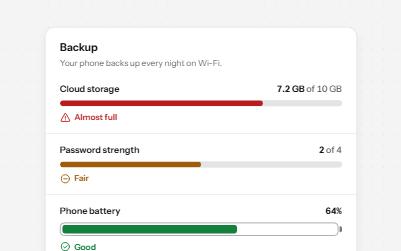
मीटर
किसी तय दायरे के भीतर किसी मान का गेज, जैसे इस्तेमाल हुआ स्टोरेज या बची हुई बैटरी, जिसकी स्थिति रंग के साथ-साथ शब्दों में भी लिखी होती है।
-
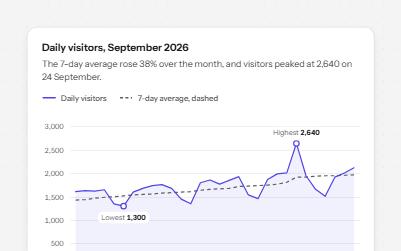
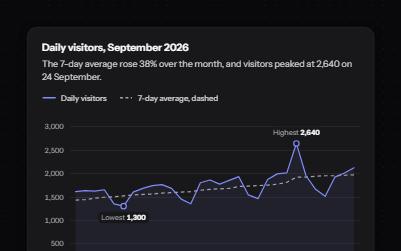
सुलभ लाइन चार्ट
एक लाइन चार्ट जिसका क्रॉसहेयर कीबोर्ड से चलाया जा सकता है, हर दिन पढ़कर सुनाया जाता है, शिखर चिह्नित है और पीछे एक तालिका है।
-
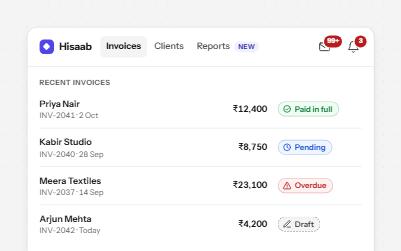
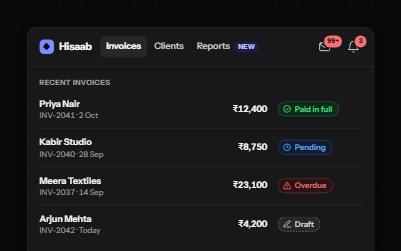
बैज और गिनती
ऐसी गिनतियाँ और स्थिति-लेबल जो अपना अर्थ शब्दों में रखते हैं: बटन के नाम के भीतर गिनती, और आइकन व टेक्स्ट वाली पिल।