सुलभता पैटर्न · डेटा प्रदर्शन
कैलेंडर
महीना एक टैब स्टॉप वाला ग्रिड है: ऐरो कुंजियाँ दिन और हफ़्ते के हिसाब से चलती हैं, हर दिन अपनी तारीख़ और अपने इवेंट बताता है, और Enter उस दिन की सूची नीचे खोल देता है। महीना बदलना विनम्रता से बताया जाता है, और सूची दृश्य उन्हीं इवेंट को एजेंडा के रूप में रखता है, जो भरे हुए ग्रिड से बेहतर पढ़ा जाता है।
- डब्ल्यूसीएजी मानदंड
- 7
- कीबोर्ड नियम
- 7
- जाँच का तरीक़ा
- axe, कीबोर्ड और इंस्पेक्टर
लाइव डेमो
आज़माएँ
इसे माउस, कीबोर्ड या स्क्रीन रीडर से इस्तेमाल करें। साथ का इंस्पेक्टर दिखाता है कि आपके इस्तेमाल के दौरान ब्राउज़र सहायक तकनीक को क्या बताता है: फ़ोकस, स्थिति में बदलाव और घोषणाएँ।
| सोमसोमवार | मंगलमंगलवार | बुधबुधवार | गुरुगुरुवार | शुक्रशुक्रवार | शनिशनिवार | सूर्यरविवार |
|---|
ऐरो कुंजियाँ दिन और हफ़्ते के हिसाब से चलती हैं, Page Up और Page Down महीने के हिसाब से। Enter उस दिन के इवेंट दिखाता है।
सोमवार, 5 अक्टूबर
इस दिन के लिए कुछ तय नहीं है।
-
गुरुवार, 24 सितंबर
- 11:00 तिमाही योजना
-
मंगलवार, 29 सितंबर
- 15:00 डिज़ाइन समीक्षा
-
शुक्रवार, 2 अक्टूबर
- पूरा दिन गांधी जयंती, दफ़्तर बंद
-
सोमवार, 5 अक्टूबर
- 10:00 स्प्रिंट योजना
- 16:00 डिज़ाइन समीक्षा
-
गुरुवार, 8 अक्टूबर
- 11:30 क्लाइंट कॉल: राव एंड संस
-
सोमवार, 12 अक्टूबर
- 13:00 टीम लंच
-
बुधवार, 14 अक्टूबर
- 10:00 सुलभता ऑडिट
- 14:00 भर्ती पैनल
- 16:30 डिज़ाइन पर चर्चा
-
शुक्रवार, 16 अक्टूबर
- 17:00 रिलीज़ 2.4
-
सोमवार, 19 अक्टूबर
- 10:00 स्प्रिंट योजना
-
बुधवार, 21 अक्टूबर
- 11:00 वर्कशॉप: ऑल्ट टेक्स्ट लिखना
-
शुक्रवार, 23 अक्टूबर
- 15:00 तिमाही समीक्षा
-
मंगलवार, 27 अक्टूबर
- 15:00 डिज़ाइन समीक्षा
-
शुक्रवार, 30 अक्टूबर
- 12:00 हिंदी सामग्री की समीक्षा
- 16:00 रेट्रोस्पेक्टिव
-
सोमवार, 2 नवंबर
- 10:00 स्प्रिंट योजना
-
शुक्रवार, 6 नवंबर
- 17:00 रिलीज़ 2.5
इस महीने कुछ तय नहीं है।
जावास्क्रिप्ट के बिना डेमो उतना ही काम करता है जितना उसका एचटीएमएल; इंस्पेक्टर के लिए जावास्क्रिप्ट चाहिए।
कीबोर्ड
जिन कुंजियों पर यह काम करता है
हर क्रिया पॉइंटर के बिना काम करती है।
| कुंजी | यह क्या करती है |
|---|---|
| Tab | ग्रिड में फ़ोकस वाले दिन पर ले जाता है, शुरुआत में आज पर; अगला Tab उस दिन के इवेंट पर ले जाता है। |
| Arrow LeftयाArrow Right | पिछले या अगले दिन पर ले जाता है, और किनारे पर पहुँचने पर महीना बदल देता है। |
| Arrow UpयाArrow Down | पिछले या अगले हफ़्ते के उसी दिन पर ले जाता है। |
| HomeयाEnd | उसी हफ़्ते के सोमवार या रविवार पर ले जाता है। |
| Page UpयाPage Down | पिछले या अगले महीने की उसी तारीख़ पर ले जाता है। |
| EnterयाSpace | फ़ोकस वाले दिन के इवेंट ग्रिड के नीचे दिखाता है और फ़ोकस उनके हेडिंग पर ले जाता है; Shift+Tab वापस उसी दिन पर ले जाता है। |
| EnterयाSpace | पिछला महीना, अगला महीना, आज या सूची दृश्य पर, वही करता है जो बटन कहता है; फ़ोकस बटन पर ही रहता है। |
स्क्रीन रीडर
यह क्या घोषित करता है
मार्कअप की भूमिकाओं, नामों और स्थितियों से लिखा गया।
| कब | अपेक्षित घोषणा |
|---|---|
| Tab ग्रिड पर पहुँचता है | अक्टूबर 2026, ग्रिड। सोमवार, 5 अक्टूबर, 2 इवेंट: स्प्रिंट योजना, डिज़ाइन समीक्षा, आज की तारीख़, चुना हुआ |
| Arrow Right आगे ले जाता है | मंगलवार, 6 अक्टूबर |
| 14 अक्टूबर पर Enter | बुधवार, 14 अक्टूबर, हेडिंग स्तर 4 |
| अगला महीना दबाया जाता है | नवंबर 2026 |
| सूची दृश्य दबाया जाता है | सूची दृश्य, टॉगल बटन, दबा हुआ |
ये अपेक्षित घोषणाएँ हैं, रिकॉर्डिंग नहीं। स्क्रीन रीडर और ब्राउज़र के हिसाब से शब्द और क्रम बदलते हैं।
कोड
कोड कॉपी करें
वही फ़ाइलें जिन पर यह डेमो चलता है। स्टाइल एक प्रीफ़िक्स के साथ परोसी जाती हैं जो इस साइट की अपनी स्टाइल को डेमो से दूर रखता है; आप जो कॉपी करते हैं वह मूल है।
<div class="ap-calendar" data-ap-calendar data-today="2026-10-05" data-region="IN">
<div class="ap-calendar__bar">
<div class="ap-calendar__nav">
<button type="button" class="ap-calendar__step" data-ap-step="-1" aria-label="Previous month">
<svg viewBox="0 0 24 24" aria-hidden="true" focusable="false"><path d="m15 18-6-6 6-6"/></svg>
</button>
<h3 class="ap-calendar__month" id="calendar-month" aria-live="polite" data-ap-month>October 2026</h3>
<button type="button" class="ap-calendar__step" data-ap-step="1" aria-label="Next month">
<svg viewBox="0 0 24 24" aria-hidden="true" focusable="false"><path d="m9 18 6-6-6-6"/></svg>
</button>
</div>
<div class="ap-calendar__tools">
<button type="button" class="ap-btn" data-ap-today>Today</button>
<button type="button" class="ap-btn ap-calendar__view" aria-pressed="false" data-ap-list-view>
<svg class="ap-btn__icon" viewBox="0 0 24 24" aria-hidden="true" focusable="false"><path d="M9 6h11M9 12h11M9 18h11"/><path d="M4.5 6h.01M4.5 12h.01M4.5 18h.01"/></svg>
List view
</button>
</div>
</div>
<div class="ap-calendar__month-view" data-ap-month-view>
<table class="ap-calendar__grid" role="grid" aria-labelledby="calendar-month" aria-describedby="calendar-keys">
<thead>
<tr data-ap-weekdays>
<th scope="col"><abbr title="Monday" aria-hidden="true">Mon</abbr><span class="ap-calendar__sr">Monday</span></th>
<th scope="col"><abbr title="Tuesday" aria-hidden="true">Tue</abbr><span class="ap-calendar__sr">Tuesday</span></th>
<th scope="col"><abbr title="Wednesday" aria-hidden="true">Wed</abbr><span class="ap-calendar__sr">Wednesday</span></th>
<th scope="col"><abbr title="Thursday" aria-hidden="true">Thu</abbr><span class="ap-calendar__sr">Thursday</span></th>
<th scope="col"><abbr title="Friday" aria-hidden="true">Fri</abbr><span class="ap-calendar__sr">Friday</span></th>
<th scope="col"><abbr title="Saturday" aria-hidden="true">Sat</abbr><span class="ap-calendar__sr">Saturday</span></th>
<th scope="col"><abbr title="Sunday" aria-hidden="true">Sun</abbr><span class="ap-calendar__sr">Sunday</span></th>
</tr>
</thead>
<tbody data-ap-days></tbody>
</table>
<p class="ap-calendar__keys" id="calendar-keys">Arrow keys move by day and week, Page Up and Page Down by month. Enter shows the day's events.</p>
<section class="ap-calendar__day" aria-labelledby="calendar-day-name">
<h4 class="ap-calendar__day-name" id="calendar-day-name" tabindex="-1" data-ap-day-name>Monday, 5 October</h4>
<ul class="ap-calendar__events" data-ap-day-events></ul>
<p class="ap-calendar__none" data-ap-day-none hidden>Nothing planned for this day.</p>
</section>
</div>
<div class="ap-calendar__agenda" data-ap-agenda hidden>
<ol class="ap-calendar__list" aria-labelledby="calendar-month">
<li class="ap-calendar__group" data-date="2026-09-24">
<h4 class="ap-calendar__date">Thursday, 24 September</h4>
<ul class="ap-calendar__events">
<li class="ap-calendar__event"><span class="ap-calendar__time">11:00</span> <span class="ap-calendar__what">Quarterly planning</span></li>
</ul>
</li>
<li class="ap-calendar__group" data-date="2026-09-29">
<h4 class="ap-calendar__date">Tuesday, 29 September</h4>
<ul class="ap-calendar__events">
<li class="ap-calendar__event"><span class="ap-calendar__time">15:00</span> <span class="ap-calendar__what">Design review</span></li>
</ul>
</li>
<li class="ap-calendar__group" data-date="2026-10-02">
<h4 class="ap-calendar__date">Friday, 2 October</h4>
<ul class="ap-calendar__events">
<li class="ap-calendar__event" data-kind="holiday"><span class="ap-calendar__time">All day</span> <span class="ap-calendar__what">Gandhi Jayanti, office closed</span></li>
</ul>
</li>
<li class="ap-calendar__group" data-date="2026-10-05">
<h4 class="ap-calendar__date">Monday, 5 October</h4>
<ul class="ap-calendar__events">
<li class="ap-calendar__event"><span class="ap-calendar__time">10:00</span> <span class="ap-calendar__what">Sprint planning</span></li>
<li class="ap-calendar__event"><span class="ap-calendar__time">16:00</span> <span class="ap-calendar__what">Design review</span></li>
</ul>
</li>
<li class="ap-calendar__group" data-date="2026-10-08">
<h4 class="ap-calendar__date">Thursday, 8 October</h4>
<ul class="ap-calendar__events">
<li class="ap-calendar__event"><span class="ap-calendar__time">11:30</span> <span class="ap-calendar__what">Client call: Rao & Sons</span></li>
</ul>
</li>
<li class="ap-calendar__group" data-date="2026-10-12">
<h4 class="ap-calendar__date">Monday, 12 October</h4>
<ul class="ap-calendar__events">
<li class="ap-calendar__event"><span class="ap-calendar__time">13:00</span> <span class="ap-calendar__what">Team lunch</span></li>
</ul>
</li>
<li class="ap-calendar__group" data-date="2026-10-14">
<h4 class="ap-calendar__date">Wednesday, 14 October</h4>
<ul class="ap-calendar__events">
<li class="ap-calendar__event"><span class="ap-calendar__time">10:00</span> <span class="ap-calendar__what">Accessibility audit</span></li>
<li class="ap-calendar__event"><span class="ap-calendar__time">14:00</span> <span class="ap-calendar__what">Hiring panel</span></li>
<li class="ap-calendar__event"><span class="ap-calendar__time">16:30</span> <span class="ap-calendar__what">Design critique</span></li>
</ul>
</li>
<li class="ap-calendar__group" data-date="2026-10-16">
<h4 class="ap-calendar__date">Friday, 16 October</h4>
<ul class="ap-calendar__events">
<li class="ap-calendar__event" data-kind="release"><span class="ap-calendar__time">17:00</span> <span class="ap-calendar__what">Release 2.4</span></li>
</ul>
</li>
<li class="ap-calendar__group" data-date="2026-10-19">
<h4 class="ap-calendar__date">Monday, 19 October</h4>
<ul class="ap-calendar__events">
<li class="ap-calendar__event"><span class="ap-calendar__time">10:00</span> <span class="ap-calendar__what">Sprint planning</span></li>
</ul>
</li>
<li class="ap-calendar__group" data-date="2026-10-21">
<h4 class="ap-calendar__date">Wednesday, 21 October</h4>
<ul class="ap-calendar__events">
<li class="ap-calendar__event"><span class="ap-calendar__time">11:00</span> <span class="ap-calendar__what">Workshop: writing alt text</span></li>
</ul>
</li>
<li class="ap-calendar__group" data-date="2026-10-23">
<h4 class="ap-calendar__date">Friday, 23 October</h4>
<ul class="ap-calendar__events">
<li class="ap-calendar__event"><span class="ap-calendar__time">15:00</span> <span class="ap-calendar__what">Quarterly review</span></li>
</ul>
</li>
<li class="ap-calendar__group" data-date="2026-10-27">
<h4 class="ap-calendar__date">Tuesday, 27 October</h4>
<ul class="ap-calendar__events">
<li class="ap-calendar__event"><span class="ap-calendar__time">15:00</span> <span class="ap-calendar__what">Design review</span></li>
</ul>
</li>
<li class="ap-calendar__group" data-date="2026-10-30">
<h4 class="ap-calendar__date">Friday, 30 October</h4>
<ul class="ap-calendar__events">
<li class="ap-calendar__event"><span class="ap-calendar__time">12:00</span> <span class="ap-calendar__what">Hindi content review</span></li>
<li class="ap-calendar__event"><span class="ap-calendar__time">16:00</span> <span class="ap-calendar__what">Retrospective</span></li>
</ul>
</li>
<li class="ap-calendar__group" data-date="2026-11-02">
<h4 class="ap-calendar__date">Monday, 2 November</h4>
<ul class="ap-calendar__events">
<li class="ap-calendar__event"><span class="ap-calendar__time">10:00</span> <span class="ap-calendar__what">Sprint planning</span></li>
</ul>
</li>
<li class="ap-calendar__group" data-date="2026-11-06">
<h4 class="ap-calendar__date">Friday, 6 November</h4>
<ul class="ap-calendar__events">
<li class="ap-calendar__event" data-kind="release"><span class="ap-calendar__time">17:00</span> <span class="ap-calendar__what">Release 2.5</span></li>
</ul>
</li>
</ol>
<p class="ap-calendar__none" data-ap-agenda-none hidden>Nothing planned this month.</p>
</div>
<span class="ap-calendar__sr" data-ap-say="one" hidden>1 event</span>
<span class="ap-calendar__sr" data-ap-say="many" hidden>{n} events</span>
<span class="ap-calendar__sr" data-ap-say="more" hidden>+{n} more</span>
</div>
/* Shared primitives: buttons and form fields used across the patterns.
   Uses the --ap-* design tokens. */

.ap-btn {
  display: inline-flex;
  align-items: center;
  justify-content: center;
  gap: 8px;
  min-height: 40px;
  padding: 0 16px;
  border: 1px solid var(--ap-border-strong);
  border-radius: var(--ap-radius-sm);
  background: var(--ap-surface);
  color: var(--ap-text);
  font: inherit;
  font-weight: 600;
  line-height: 1.2;
  text-decoration: none;
  white-space: nowrap;
  cursor: pointer;
  transition: background-color var(--ap-duration) var(--ap-ease), border-color var(--ap-duration) var(--ap-ease), box-shadow var(--ap-duration) var(--ap-ease);
}
.ap-btn:hover {
  background: var(--ap-surface-2);
}
.ap-btn:focus-visible {
  outline: 2px solid var(--ap-focus);
  outline-offset: 2px;
}
.ap-btn:disabled,
.ap-btn[aria-disabled="true"] {
  opacity: .55;
  cursor: not-allowed;
}
.ap-btn--primary {
  border-color: var(--ap-accent);
  background: var(--ap-accent);
  color: var(--ap-on-accent);
  box-shadow: var(--ap-shadow-sm);
}
.ap-btn--primary:hover {
  border-color: var(--ap-accent-hover);
  background: var(--ap-accent-hover);
}
.ap-btn--danger {
  border-color: var(--ap-danger);
  background: var(--ap-danger);
  color: var(--ap-surface);
}
.ap-btn--danger:hover {
  filter: brightness(1.08);
}
.ap-btn--ghost {
  border-color: transparent;
  background: transparent;
}
.ap-btn--ghost:hover {
  background: var(--ap-surface-2);
}
.ap-btn__icon {
  width: 18px;
  height: 18px;
  flex-shrink: 0;
  fill: none;
  stroke: currentColor;
  stroke-width: 2;
  stroke-linecap: round;
  stroke-linejoin: round;
}

.ap-field {
  display: grid;
  gap: 6px;
}
.ap-label {
  color: var(--ap-text);
  font-weight: 600;
  font-size: .9375rem;
}
.ap-hint {
  margin: 0;
  color: var(--ap-text-3);
  font-size: .875rem;
  line-height: 1.45;
}
.ap-error {
  display: flex;
  align-items: flex-start;
  gap: 6px;
  margin: 0;
  color: var(--ap-danger);
  font-size: .875rem;
  font-weight: 600;
  line-height: 1.45;
}
.ap-input {
  width: 100%;
  min-height: 44px;
  padding: 10px 12px;
  border: 1px solid var(--ap-border-strong);
  border-radius: var(--ap-radius-sm);
  background: var(--ap-surface);
  color: var(--ap-text);
  font: inherit;
  line-height: 1.4;
  transition: border-color var(--ap-duration) var(--ap-ease), box-shadow var(--ap-duration) var(--ap-ease);
}
.ap-input::placeholder {
  color: var(--ap-text-3);
}
.ap-input:hover {
  border-color: var(--ap-text-2);
}
.ap-input:focus-visible {
  outline: 2px solid var(--ap-focus);
  outline-offset: 1px;
  border-color: var(--ap-focus);
}
.ap-input[aria-invalid="true"] {
  border-color: var(--ap-danger);
  box-shadow: inset 4px 0 0 var(--ap-danger);
}
textarea.ap-input {
  resize: vertical;
  min-height: 88px;
}

@media (prefers-reduced-motion: reduce) {
  .ap-btn,
  .ap-input { transition: none; }
}

/* Event calendar. Uses the --ap-* design tokens and the shared primitives. */
.ap-calendar {
  container-type: inline-size;
  width: min(100%, 760px);
  margin: 0 auto;
  padding: 18px 20px 20px;
  border: 1px solid var(--ap-border);
  border-radius: var(--ap-radius-lg);
  background: var(--ap-surface);
  box-shadow: var(--ap-shadow-md);
  color: var(--ap-text);
}

.ap-calendar__bar {
  display: flex;
  flex-wrap: wrap;
  align-items: center;
  justify-content: space-between;
  gap: 12px;
  margin-bottom: 16px;
}
.ap-calendar__nav {
  display: flex;
  align-items: center;
  gap: 4px;
}
.ap-calendar__month {
  min-width: 9em;
  margin: 0 4px;
  color: var(--ap-text);
  font-size: 1.1875rem;
  font-weight: 650;
  line-height: 1.3;
  text-align: center;
}
.ap-calendar__step {
  display: grid;
  place-items: center;
  width: 40px;
  height: 40px;
  padding: 0;
  border: 1px solid var(--ap-border-strong);
  border-radius: var(--ap-radius-full);
  background: var(--ap-surface);
  color: var(--ap-text);
  cursor: pointer;
  transition: background-color var(--ap-duration) var(--ap-ease);
}
.ap-calendar__step:hover {
  background: var(--ap-surface-2);
}
.ap-calendar__step:focus-visible {
  outline: 2px solid var(--ap-focus);
  outline-offset: 2px;
}
.ap-calendar__step svg {
  width: 18px;
  height: 18px;
  fill: none;
  stroke: currentColor;
  stroke-width: 2;
  stroke-linecap: round;
  stroke-linejoin: round;
}
.ap-calendar__tools {
  display: flex;
  flex-wrap: wrap;
  gap: 8px;
}
.ap-calendar__view[aria-pressed="true"] {
  border-color: var(--ap-accent);
  background: var(--ap-accent-soft);
  color: var(--ap-accent-soft-text);
}

/* The month grid. */
.ap-calendar__grid {
  width: 100%;
  border-collapse: separate;
  border-spacing: 0;
  table-layout: fixed;
}
.ap-calendar__grid th {
  padding: 0 8px 8px;
  color: var(--ap-text-3);
  font-size: .75rem;
  font-weight: 600;
  letter-spacing: .02em;
  text-align: start;
}
.ap-calendar__grid abbr {
  text-decoration: none;
  cursor: help;
}
.ap-calendar__grid td {
  position: relative;
  height: 96px;
  padding: 6px;
  border-top: 1px solid var(--ap-border);
  border-left: 1px solid var(--ap-border);
  vertical-align: top;
  cursor: pointer;
  transition: background-color var(--ap-duration) var(--ap-ease);
}
.ap-calendar__grid td:first-child {
  border-left: 0;
}
.ap-calendar__grid tr:last-child td {
  border-bottom: 1px solid var(--ap-border);
}
.ap-calendar__grid td:hover {
  background: var(--ap-surface-2);
}
.ap-calendar__grid td:focus {
  outline: none;
}
.ap-calendar__grid td:focus-visible {
  outline: 2px solid var(--ap-focus);
  outline-offset: -2px;
  border-radius: var(--ap-radius-sm);
}
.ap-calendar__grid .ap-calendar__out {
  background: var(--ap-surface-2);
  cursor: default;
}
.ap-calendar__grid td[aria-selected="true"] {
  background: var(--ap-accent-soft);
}

.ap-calendar__top {
  display: flex;
  align-items: center;
  justify-content: space-between;
  gap: 4px;
}
.ap-calendar__num {
  display: grid;
  place-items: center;
  width: 28px;
  height: 28px;
  border-radius: var(--ap-radius-full);
  color: var(--ap-text-2);
  font-size: .8125rem;
  font-weight: 600;
  font-variant-numeric: tabular-nums;
}
.ap-calendar__grid td[aria-selected="true"] .ap-calendar__num {
  color: var(--ap-accent-soft-text);
  font-weight: 750;
}
/* Today: a ring and the word, not a tint. */
.ap-calendar__grid td[aria-current="date"] .ap-calendar__num {
  box-shadow: 0 0 0 2px var(--ap-accent);
  color: var(--ap-accent-text);
  font-weight: 750;
}
.ap-calendar__now {
  color: var(--ap-accent-text);
  font-size: .6875rem;
  font-weight: 700;
  letter-spacing: .02em;
  text-transform: uppercase;
}

.ap-calendar__date .ap-calendar__now,
.ap-calendar__day-name .ap-calendar__now {
  margin-left: 4px;
  vertical-align: 1px;
}

.ap-calendar__chips {
  display: grid;
  gap: 3px;
  margin: 6px 0 0;
  padding: 0;
  list-style: none;
}
.ap-calendar__chip {
  overflow: hidden;
  padding: 2px 6px;
  border-left: 3px solid var(--ap-accent);
  border-radius: 5px;
  background: var(--ap-surface-2);
  color: var(--ap-text);
  font-size: .75rem;
  line-height: 1.35;
  white-space: nowrap;
  text-overflow: ellipsis;
}
@container (min-width: 501px) {
  .ap-calendar__grid td[aria-selected="true"] .ap-calendar__chip {
    background: var(--ap-surface);
  }
}
.ap-calendar__chip[data-kind="holiday"] {
  border-left-color: var(--ap-warning);
  background: var(--ap-warning-soft);
  color: var(--ap-warning);
}
.ap-calendar__chip[data-kind="release"] {
  border-left-color: var(--ap-success);
  background: var(--ap-success-soft);
  color: var(--ap-success);
}
/* Two chips show; the rest are still read out, and "+1 more" says so. */
.ap-calendar__chip:nth-child(n+3),
.ap-calendar__sr {
  position: absolute;
  width: 1px;
  height: 1px;
  margin: -1px;
  padding: 0;
  overflow: hidden;
  clip-path: inset(50%);
  white-space: nowrap;
  border: 0;
}
.ap-calendar__more {
  display: block;
  margin-top: 3px;
  padding-left: 6px;
  color: var(--ap-text-3);
  font-size: .6875rem;
  font-weight: 600;
}

.ap-calendar__keys {
  margin: 10px 0 0;
  color: var(--ap-text-3);
  font-size: .8125rem;
  line-height: 1.45;
}

/* The chosen day, and the agenda: the same event rows. */
.ap-calendar__day {
  margin-top: 16px;
  padding: 16px;
  border-radius: var(--ap-radius);
  background: var(--ap-surface-2);
}
.ap-calendar__day-name {
  margin: 0 0 12px;
  color: var(--ap-text);
  font-size: 1rem;
  font-weight: 650;
  line-height: 1.35;
}
.ap-calendar__day-name:focus {
  outline: none;
}
.ap-calendar__day-name:focus-visible {
  outline: 2px solid var(--ap-focus);
  outline-offset: 4px;
  border-radius: 4px;
}
.ap-calendar__events {
  display: grid;
  gap: 8px;
  margin: 0;
  padding: 0;
  list-style: none;
}
.ap-calendar__event {
  display: grid;
  grid-template-columns: 4.75rem 1fr;
  align-items: baseline;
  gap: 12px;
  padding: 10px 12px;
  border: 1px solid var(--ap-border);
  border-left: 3px solid var(--ap-accent);
  border-radius: var(--ap-radius-sm);
  background: var(--ap-surface);
}
.ap-calendar__event[data-kind="holiday"] {
  border-left-color: var(--ap-warning);
}
.ap-calendar__event[data-kind="release"] {
  border-left-color: var(--ap-success);
}
.ap-calendar__time {
  color: var(--ap-text-3);
  font-size: .8125rem;
  font-variant-numeric: tabular-nums;
}
.ap-calendar__what {
  color: var(--ap-text);
  font-weight: 500;
}
.ap-calendar__chip .ap-calendar__what {
  color: inherit;
  font-weight: 500;
}
.ap-calendar__none {
  margin: 0;
  color: var(--ap-text-3);
}

.ap-calendar__list {
  display: grid;
  gap: 18px;
  margin: 0;
  padding: 0;
  list-style: none;
}
.ap-calendar__date {
  margin: 0 0 8px;
  color: var(--ap-text-2);
  font-size: .875rem;
  font-weight: 650;
}

@container (max-width: 500px) {
  .ap-calendar {
    padding: 16px 12px;
  }
  .ap-calendar__nav {
    flex: 1 1 100%;
    justify-content: space-between;
  }
  .ap-calendar__tools {
    flex: 1 1 100%;
  }
  .ap-calendar__tools .ap-btn {
    flex: 1;
  }
  .ap-calendar__grid th {
    padding: 0 0 6px;
    text-align: center;
  }
  .ap-calendar__grid td {
    height: 60px;
    padding: 3px;
    text-align: center;
  }
  .ap-calendar__top {
    flex-direction: column;
    gap: 1px;
  }
  .ap-calendar__num {
    width: 26px;
    height: 26px;
  }
  .ap-calendar__now {
    font-size: .5625rem;
  }
  /* Chips become dots; their words are still the cell's name. */
  .ap-calendar__chips {
    display: flex;
    justify-content: center;
    gap: 3px;
    margin-top: 3px;
  }
  .ap-calendar__chip,
  .ap-calendar__chip:nth-child(n+3) {
    position: static;
    width: 6px;
    height: 6px;
    margin: 0;
    padding: 0;
    border: 0;
    border-radius: var(--ap-radius-full);
    background: var(--ap-accent);
    clip-path: none;
    font-size: 0;
  }
  .ap-calendar__chip[data-kind="holiday"] {
    background: var(--ap-warning);
  }
  .ap-calendar__chip[data-kind="release"] {
    background: var(--ap-success);
  }
  .ap-calendar__more {
    display: none;
  }
  .ap-calendar__event {
    grid-template-columns: 1fr;
    gap: 2px;
  }
}

@media (prefers-reduced-motion: reduce) {
  .ap-calendar__step,
  .ap-calendar__grid td { transition: none; }
}

@media (forced-colors: active) {
  .ap-calendar__grid td[aria-current="date"] .ap-calendar__num { outline: 2px solid CanvasText; }
  .ap-calendar__grid td[aria-selected="true"] { outline: 2px solid Highlight; outline-offset: -4px; }
  .ap-calendar__chip { border: 1px solid CanvasText; }
}
/**
 * Calendar: a month of events as a keyboard grid (one tab stop, arrow keys,
 * Page Up and Page Down), a panel with the chosen day's events, month
 * buttons announced politely, and a list view of the same events.
 *
 * Markup: [data-ap-calendar] (data-today="YYYY-MM-DD" pins today; data-region
 * adds a region to a bare page language) holding buttons [data-ap-step]
 * (months to move), [data-ap-today] and [data-ap-list-view][aria-pressed],
 * a live month heading [data-ap-month], a month view [data-ap-month-view]
 * with a table[role=grid] (header row [data-ap-weekdays], body
 * [data-ap-days]) and a day panel ([data-ap-day-name], [data-ap-day-events],
 * [data-ap-day-none]), and the agenda [data-ap-agenda]: li[data-date] groups
 * of li.ap-calendar__event, which is the data. Hidden templates
 * [data-ap-say=one|many|more] hold the counted phrases.
 */

const pad = (n) => String(n).padStart(2, "0");
const iso = (d) => `${d.getFullYear()}-${pad(d.getMonth() + 1)}-${pad(d.getDate())}`;
const parse = (s) => {
  const [y, m, d] = s.split("-").map(Number);
  return new Date(y, m - 1, d);
};
const addDays = (d, n) => new Date(d.getFullYear(), d.getMonth(), d.getDate() + n);
const daysIn = (y, m) => new Date(y, m + 1, 0).getDate();
const weekday = (d) => (d.getDay() + 6) % 7; // Monday first
function addMonths(d, n) {
  const y = d.getFullYear();
  const m = d.getMonth() + n;
  return new Date(y, m, Math.min(d.getDate(), daysIn(y, m)));
}

function make(tag, className, parent, text) {
  const el = document.createElement(tag);
  if (className) el.className = className;
  if (text != null) el.textContent = text;
  parent?.append(el);
  return el;
}

export function init(root) {
  const monthName = root.querySelector("[data-ap-month]");
  const monthView = root.querySelector("[data-ap-month-view]");
  const weekdays = root.querySelector("[data-ap-weekdays]");
  const days = root.querySelector("[data-ap-days]");
  const dayName = root.querySelector("[data-ap-day-name]");
  const dayEvents = root.querySelector("[data-ap-day-events]");
  const dayNone = root.querySelector("[data-ap-day-none]");
  const agenda = root.querySelector("[data-ap-agenda]");
  const agendaNone = root.querySelector("[data-ap-agenda-none]");
  const listView = root.querySelector("[data-ap-list-view]");
  const groups = [...agenda.querySelectorAll("[data-date]")];
  const events = new AbortController();
  const on = (target, type, fn) => target.addEventListener(type, fn, { signal: events.signal });

  // Templates in the markup, so a translation can word them its own way.
  const say = (kind, n) => (root.querySelector(`[data-ap-say=${kind}]`)?.textContent || "").replace("{n}", String(n));
  const eventsOn = (d) => {
    const group = groups.find((g) => g.dataset.date === iso(d));
    return group ? [...group.querySelectorAll(".ap-calendar__event")] : [];
  };

  function locale() {
    const lang = root.closest("[lang]")?.lang || navigator.language;
    const region = root.dataset.region;
    return region && !lang.includes("-") ? `${lang}-${region}` : lang;
  }
  function format(options, date) {
    try {
      return new Intl.DateTimeFormat(locale(), options).format(date);
    } catch {
      return new Intl.DateTimeFormat(undefined, options).format(date);
    }
  }
  const longDate = (d) => format({ weekday: "long", day: "numeric", month: "long" }, d);

  // A heading's date, kept from the translation layer, and the word Today on today.
  function dateHeading(h, d) {
    const date = make("span", "", null, longDate(d));
    date.setAttribute("translate", "no");
    if (iso(d) === iso(today)) h.replaceChildren(date, " ", make("span", "ap-calendar__now", null, "Today"));
    else h.replaceChildren(date);
  }

  const today = root.dataset.today ? parse(root.dataset.today) : new Date(new Date().setHours(0, 0, 0, 0));
  let focusDate = today;
  let selected = today;
  let shownMonth = "";

  // Weekday names from the page's language: short to see, long for screen readers.
  function renderWeekdays() {
    const monday = new Date(2024, 0, 1);
    [...weekdays.cells].forEach((th, i) => {
      const d = addDays(monday, i);
      const abbr = make("abbr", "", null, format({ weekday: "short" }, d));
      abbr.title = format({ weekday: "long" }, d);
      abbr.setAttribute("aria-hidden", "true");
      const full = make("span", "ap-calendar__sr", null, abbr.title);
      th.setAttribute("translate", "no");
      th.replaceChildren(abbr, full);
    });
  }

  function dayCell(d) {
    const td = make("td");
    const list = eventsOn(d);
    td.dataset.date = iso(d);
    td.tabIndex = iso(d) === iso(focusDate) ? 0 : -1;
    if (iso(d) === iso(today)) td.setAttribute("aria-current", "date");
    if (iso(d) === iso(selected)) td.setAttribute("aria-selected", "true");

    const top = make("span", "ap-calendar__top", td);
    make("span", "ap-calendar__num", top, String(d.getDate())).setAttribute("aria-hidden", "true");
    if (iso(d) === iso(today)) make("span", "ap-calendar__now", top, "Today").setAttribute("aria-hidden", "true");
    // What the cell is called: the date, the number of events, then the events.
    const name = make("span", "ap-calendar__sr", td, `${longDate(d)}${list.length ? "," : ""}`);
    name.setAttribute("translate", "no");
    if (list.length) {
      make("span", "ap-calendar__sr", td, `${say(list.length === 1 ? "one" : "many", list.length)}:`);
      const chips = make("ul", "ap-calendar__chips", td);
      for (const item of list) {
        const chip = make("li", "ap-calendar__chip", chips);
        if (item.dataset.kind) chip.dataset.kind = item.dataset.kind;
        chip.append(item.querySelector(".ap-calendar__what").cloneNode(true));
      }
      if (list.length > 2) make("span", "ap-calendar__more", td, say("more", list.length - 2)).setAttribute("aria-hidden", "true");
    }
    return td;
  }

  function render() {
    const y = focusDate.getFullYear();
    const m = focusDate.getMonth();
    // The heading is a polite live region: write it only when the month changes.
    const key = `${y}-${m}`;
    if (key !== shownMonth) {
      const text = format({ month: "long", year: "numeric" }, focusDate);
      if (monthName.textContent !== text) monthName.textContent = text;
      shownMonth = key;
    }
    const lead = weekday(new Date(y, m, 1));
    const total = daysIn(y, m);
    const rows = [];
    for (let r = 0; r * 7 < lead + total; r++) {
      const tr = make("tr");
      for (let c = 0; c < 7; c++) {
        const n = r * 7 + c - lead + 1;
        if (n >= 1 && n <= total) tr.append(dayCell(new Date(y, m, n)));
        else make("td", "ap-calendar__out", tr);
      }
      rows.push(tr);
    }
    days.replaceChildren(...rows);

    // The agenda shows the same month.
    let any = false;
    for (const g of groups) {
      const d = parse(g.dataset.date);
      const inMonth = d.getFullYear() === y && d.getMonth() === m;
      g.hidden = !inMonth;
      any ||= inMonth;
      dateHeading(g.querySelector(".ap-calendar__date"), d);
    }
    agendaNone.hidden = any;
  }

  function showDay() {
    dateHeading(dayName, selected);
    const list = eventsOn(selected);
    dayEvents.replaceChildren(...list.map((item) => item.cloneNode(true)));
    dayEvents.hidden = !list.length;
    dayNone.hidden = !!list.length;
  }

  const cellFor = (d) => days.querySelector(`[data-date="${iso(d)}"]`);

  function moveTo(d, { focus = true } = {}) {
    focusDate = d;
    render();
    if (focus) cellFor(focusDate)?.focus();
  }

  function choose(d) {
    selected = d;
    focusDate = d;
    render();
    showDay();
    // Focus goes to the day's events; Shift+Tab comes back to the day.
    dayName.focus();
  }

  on(days, "keydown", (event) => {
    if (!event.target.closest("td[data-date]")) return;
    const d = focusDate;
    let next = null;
    switch (event.key) {
      case "ArrowRight": next = addDays(d, 1); break;
      case "ArrowLeft": next = addDays(d, -1); break;
      case "ArrowDown": next = addDays(d, 7); break;
      case "ArrowUp": next = addDays(d, -7); break;
      case "Home": next = addDays(d, -weekday(d)); break;
      case "End": next = addDays(d, 6 - weekday(d)); break;
      case "PageUp": next = addMonths(d, -1); break;
      case "PageDown": next = addMonths(d, 1); break;
      case "Enter":
      case " ":
        event.preventDefault();
        choose(d);
        return;
      default: return;
    }
    event.preventDefault();
    moveTo(next);
  });

  on(days, "click", (event) => {
    const td = event.target.closest("td[data-date]");
    if (td) choose(parse(td.dataset.date));
  });

  // Keep the roving tab stop on whichever day has focus.
  on(days, "focusin", (event) => {
    const td = event.target.closest("td[data-date]");
    if (!td) return;
    for (const cell of days.querySelectorAll("td[tabindex='0']")) if (cell !== td) cell.tabIndex = -1;
    td.tabIndex = 0;
    focusDate = parse(td.dataset.date);
  });

  on(root, "click", (event) => {
    const step = event.target.closest("[data-ap-step]");
    if (step) {
      // Focus stays on the button; the month heading announces where we are.
      moveTo(addMonths(focusDate, Number(step.dataset.apStep)), { focus: false });
      return;
    }
    if (event.target.closest("[data-ap-today]")) {
      selected = today;
      moveTo(today, { focus: false });
      showDay();
      return;
    }
    if (event.target.closest("[data-ap-list-view]")) {
      const list = listView.getAttribute("aria-pressed") !== "true";
      listView.setAttribute("aria-pressed", String(list));
      monthView.hidden = list;
      agenda.hidden = !list;
    }
  });

  // A page that switches language mid-visit, or a translation layer rewriting the
  // templates, gets its dates and counted phrases redone.
  const redo = () => {
    const hadFocus = days.contains(document.activeElement);
    shownMonth = "";
    renderWeekdays();
    render();
    showDay();
    if (hadFocus) cellFor(focusDate)?.focus();
  };
  const language = new MutationObserver(redo);
  language.observe(document.documentElement, { attributes: true, attributeFilter: ["lang"] });
  const wording = new MutationObserver(redo);
  for (const t of root.querySelectorAll("[data-ap-say]")) wording.observe(t, { childList: true, characterData: true, subtree: true });

  monthName.setAttribute("translate", "no");
  renderWeekdays();
  render();
  showDay();

  return () => {
    events.abort();
    language.disconnect();
    wording.disconnect();
  };
}

for (const root of document.querySelectorAll("[data-ap-calendar]")) init(root);
/* Design tokens for the pattern components. Light by default, dark when the
   system asks for it; set data-theme="dark" on :root to force dark. */
:root {
    --ap-radius-sm: 8px;
    --ap-radius: 12px;
    --ap-radius-lg: 16px;
    --ap-radius-full: 999px;
    --ap-font: "Instrument Sans", ui-sans-serif, system-ui, -apple-system, "Segoe UI", Roboto, sans-serif;
    --ap-mono: "JetBrains Mono", ui-monospace, "Cascadia Mono", "SF Mono", Consolas, monospace;
    --ap-ease: cubic-bezier(.2, .8, .2, 1);
    --ap-duration: 180ms;
    --ap-target: 44px;
    --ap-bg: #F4F4F5;
    --ap-surface: #FFFFFF;
    --ap-surface-2: #F4F4F5;
    --ap-surface-3: #E4E4E7;
    --ap-border: #E4E4E7;
    --ap-border-strong: #76767F;
    --ap-text: #18181B;
    --ap-text-2: #3F3F46;
    --ap-text-3: #5E5E66;
    --ap-accent: #4F46E5;
    --ap-accent-hover: #4338CA;
    --ap-on-accent: #FFFFFF;
    --ap-accent-text: #4338CA;
    --ap-accent-soft: #EEF2FF;
    --ap-accent-soft-text: #3730A3;
    --ap-focus: #4F46E5;
    --ap-danger: #B91C1C;
    --ap-danger-soft: #FEF2F2;
    --ap-success: #15803D;
    --ap-success-soft: #F0FDF4;
    --ap-warning: #A15C07;
    --ap-warning-soft: #FEFCE8;
    --ap-info: #1D4ED8;
    --ap-info-soft: #EFF6FF;
    --ap-scrim: rgb(9 9 11 / .48);
    --ap-shadow-sm: 0 1px 2px rgb(9 9 11 / .06);
    --ap-shadow-md: 0 1px 2px rgb(9 9 11 / .05), 0 6px 16px -4px rgb(9 9 11 / .1);
    --ap-shadow-lg: 0 2px 6px rgb(9 9 11 / .06), 0 20px 40px -12px rgb(9 9 11 / .22);
    --ap-light-bg: #F4F4F5;
    --ap-light-surface: #FFFFFF;
    --ap-light-surface-2: #F4F4F5;
    --ap-light-surface-3: #E4E4E7;
    --ap-light-border: #E4E4E7;
    --ap-light-border-strong: #76767F;
    --ap-light-text: #18181B;
    --ap-light-text-2: #3F3F46;
    --ap-light-text-3: #5E5E66;
    --ap-light-accent: #4F46E5;
    --ap-light-accent-hover: #4338CA;
    --ap-light-on-accent: #FFFFFF;
    --ap-light-accent-text: #4338CA;
    --ap-light-accent-soft: #EEF2FF;
    --ap-light-accent-soft-text: #3730A3;
    --ap-light-focus: #4F46E5;
    --ap-light-danger: #B91C1C;
    --ap-light-danger-soft: #FEF2F2;
    --ap-light-success: #15803D;
    --ap-light-success-soft: #F0FDF4;
    --ap-light-warning: #A15C07;
    --ap-light-warning-soft: #FEFCE8;
    --ap-light-info: #1D4ED8;
    --ap-light-info-soft: #EFF6FF;
    --ap-light-scrim: rgb(9 9 11 / .48);
    --ap-light-shadow-sm: 0 1px 2px rgb(9 9 11 / .06);
    --ap-light-shadow-md: 0 1px 2px rgb(9 9 11 / .05), 0 6px 16px -4px rgb(9 9 11 / .1);
    --ap-light-shadow-lg: 0 2px 6px rgb(9 9 11 / .06), 0 20px 40px -12px rgb(9 9 11 / .22);
    --ap-dark-bg: #09090B;
    --ap-dark-surface: #18181B;
    --ap-dark-surface-2: #27272A;
    --ap-dark-surface-3: #3F3F46;
    --ap-dark-border: #2E2E33;
    --ap-dark-border-strong: #8E8E97;
    --ap-dark-text: #FAFAFA;
    --ap-dark-text-2: #D4D4D8;
    --ap-dark-text-3: #A1A1AA;
    --ap-dark-accent: #818CF8;
    --ap-dark-accent-hover: #A5B4FC;
    --ap-dark-on-accent: #0C0A1F;
    --ap-dark-accent-text: #A5B4FC;
    --ap-dark-accent-soft: #1E1B4B;
    --ap-dark-accent-soft-text: #C7D2FE;
    --ap-dark-focus: #A5B4FC;
    --ap-dark-danger: #F87171;
    --ap-dark-danger-soft: #2A1215;
    --ap-dark-success: #4ADE80;
    --ap-dark-success-soft: #0F2A1A;
    --ap-dark-warning: #FACC15;
    --ap-dark-warning-soft: #2A2410;
    --ap-dark-info: #60A5FA;
    --ap-dark-info-soft: #0F1D33;
    --ap-dark-scrim: rgb(0 0 0 / .62);
    --ap-dark-shadow-sm: 0 1px 2px rgb(0 0 0 / .4);
    --ap-dark-shadow-md: 0 1px 2px rgb(0 0 0 / .4), 0 8px 20px -6px rgb(0 0 0 / .5);
    --ap-dark-shadow-lg: 0 2px 8px rgb(0 0 0 / .45), 0 24px 48px -12px rgb(0 0 0 / .7);
}
@media (prefers-color-scheme: dark) {
  :root:not([data-theme="light"]) {
      --ap-bg: #09090B;
      --ap-surface: #18181B;
      --ap-surface-2: #27272A;
      --ap-surface-3: #3F3F46;
      --ap-border: #2E2E33;
      --ap-border-strong: #8E8E97;
      --ap-text: #FAFAFA;
      --ap-text-2: #D4D4D8;
      --ap-text-3: #A1A1AA;
      --ap-accent: #818CF8;
      --ap-accent-hover: #A5B4FC;
      --ap-on-accent: #0C0A1F;
      --ap-accent-text: #A5B4FC;
      --ap-accent-soft: #1E1B4B;
      --ap-accent-soft-text: #C7D2FE;
      --ap-focus: #A5B4FC;
      --ap-danger: #F87171;
      --ap-danger-soft: #2A1215;
      --ap-success: #4ADE80;
      --ap-success-soft: #0F2A1A;
      --ap-warning: #FACC15;
      --ap-warning-soft: #2A2410;
      --ap-info: #60A5FA;
      --ap-info-soft: #0F1D33;
      --ap-scrim: rgb(0 0 0 / .62);
      --ap-shadow-sm: 0 1px 2px rgb(0 0 0 / .4);
      --ap-shadow-md: 0 1px 2px rgb(0 0 0 / .4), 0 8px 20px -6px rgb(0 0 0 / .5);
      --ap-shadow-lg: 0 2px 8px rgb(0 0 0 / .45), 0 24px 48px -12px rgb(0 0 0 / .7);
  }
}
:root[data-theme="dark"] {
    --ap-bg: #09090B;
    --ap-surface: #18181B;
    --ap-surface-2: #27272A;
    --ap-surface-3: #3F3F46;
    --ap-border: #2E2E33;
    --ap-border-strong: #8E8E97;
    --ap-text: #FAFAFA;
    --ap-text-2: #D4D4D8;
    --ap-text-3: #A1A1AA;
    --ap-accent: #818CF8;
    --ap-accent-hover: #A5B4FC;
    --ap-on-accent: #0C0A1F;
    --ap-accent-text: #A5B4FC;
    --ap-accent-soft: #1E1B4B;
    --ap-accent-soft-text: #C7D2FE;
    --ap-focus: #A5B4FC;
    --ap-danger: #F87171;
    --ap-danger-soft: #2A1215;
    --ap-success: #4ADE80;
    --ap-success-soft: #0F2A1A;
    --ap-warning: #FACC15;
    --ap-warning-soft: #2A2410;
    --ap-info: #60A5FA;
    --ap-info-soft: #0F1D33;
    --ap-scrim: rgb(0 0 0 / .62);
    --ap-shadow-sm: 0 1px 2px rgb(0 0 0 / .4);
    --ap-shadow-md: 0 1px 2px rgb(0 0 0 / .4), 0 8px 20px -6px rgb(0 0 0 / .5);
    --ap-shadow-lg: 0 2px 8px rgb(0 0 0 / .45), 0 24px 48px -12px rgb(0 0 0 / .7);
}
डब्ल्यूसीएजी 2.2
यह किन मानदंडों को पूरा करता है
वे सफलता मानदंड जिनका यह पैटर्न ध्यान रखता है, और कैसे।
-
1.3.1 जानकारी और संबंध
स्तर A
दिन हफ़्ते के दिनों वाले कॉलम हेडर की तालिका में हैं, और हर दिन के इवेंट ग्रिड और एजेंडा दोनों में असली सूची हैं।
-
1.4.1 रंग का उपयोग
स्तर A
आज के दिन पर घेरा और शब्द आज है, और चुना हुआ दिन भरा हुआ और बोल्ड है, इसलिए दोनों में से कोई भी रंग पर निर्भर नहीं।
-
2.1.1 कीबोर्ड
स्तर A
हर दिन, महीने और इवेंट तक कीबोर्ड से, ग्रिड पैटर्न में तय कुंजियों से पहुँचा जा सकता है।
-
2.4.3 फ़ोकस क्रम
स्तर A
Enter फ़ोकस को दिन के इवेंट पर ले जाता है, और Shift+Tab ग्रिड में उसी दिन पर लौटाता है।
-
2.4.7 फ़ोकस दिखाई देना
स्तर AA
फ़ोकस वाले दिन के सेल के भीतर दो पिक्सेल की रिंग है, जो आज के घेरे और चुने हुए दिन की भराई से अलग है।
-
4.1.2 नाम, भूमिका, मान
स्तर A
आज के दिन पर aria-current=date है, चुने हुए दिन पर aria-selected, और सूची दृश्य पर aria-pressed।
-
4.1.3 स्टेटस मैसेज
स्तर AA
महीने का नाम एक विनम्र लाइव रीजन है, इसलिए महीना बदलना फ़ोकस हिलाए बिना बताया जाता है।
उपयोग
इसे कब इस्तेमाल करें
इसे अपनाएँ
- ऐसे इवेंट जिन्हें लोग समय में रखते और हफ़्ते के हिसाब से देखते हैं, जैसे टीम कैलेंडर, कक्षा की समय-सारणी या बुकिंग।
- जब महीने का ढाँचा मायने रखता हो: व्यस्त हफ़्ते, ख़ाली दिन और समय-सीमाएँ एक नज़र में।
कुछ और इस्तेमाल करें
- फ़ॉर्म फ़ील्ड के लिए एक तारीख़ चुनना: डेट पिकर इस्तेमाल करें, जो एक अलग पैटर्न है।
- क्रम से पढ़ी जाने वाली इवेंट की लंबी सूचियाँ: सिर्फ़ एजेंडा सूची ज़्यादा सरल है।
- समय के साथ एक दिन का कार्यक्रम: दिन का दृश्य या समयों की सूची इस्तेमाल करें।
आम विफलताएँ
आमतौर पर यह कहाँ गलत होता है
div का ग्रिड
बक्सों के फ़्लेक्स के रूप में बने दिनों में पंक्ति, कॉलम या हेडर नहीं होते, इसलिए स्क्रीन रीडर नहीं बता पाता कि कोई तारीख़ हफ़्ते के किस दिन पड़ती है। कॉलम हेडर वाली तालिका ढाँचा बनाए रखती है।
हर दिन एक टैब स्टॉप
अगले नियंत्रण से पहले इकतीस स्टॉप थका देते हैं। एक दिन फ़ोकस लेता है और ऐरो कुंजियाँ दिनों के बीच ले जाती हैं।
आज का दिन सिर्फ़ रंगीन गोला
रंगा हुआ अंक स्क्रीन रीडर के लिए या उस रंग को न देख पाने वाले के लिए कुछ नहीं कहता। आज के दिन पर aria-current, एक घेरा और ख़ुद शब्द है।
+2 और के पीछे छिपे इवेंट
आँखों के लिए कटे हुए चिप ठीक हैं, पर हर इवेंट तक पहुँचना फिर भी ज़रूरी है। दिन के नाम में उसके सभी इवेंट हैं, और Enter उन्हें पूरा दिखाता है।
चुपचाप बदलता महीना
अगला महीना दबाकर कुछ न सुनने पर लोगों को पता नहीं चलता कि वह काम किया या नहीं। महीने का नाम एक विनम्र लाइव रीजन है।
अंदर आने का कोई और रास्ता नहीं
भरे हुए महीने के ग्रिड को सेल-दर-सेल पढ़ना धीमा है। सूची दृश्य वही इवेंट दिन के हिसाब से बँटे एजेंडा के रूप में देता है।
नोट्स
इसे बनाना
- यह इवेंट का ग्रिड है, डेट पिकर नहीं; यह किसी डायलॉग में नहीं है और दिन चुनने से कोई फ़ील्ड नहीं भरता, पर कुंजियाँ उसी ग्रिड पैटर्न को मानती हैं।
- data-today आज की तारीख़ को 5 अक्टूबर 2026 पर टिका देता है ताकि डेमो न बदले; इसे हटा दें तो कैलेंडर असली तारीख़ इस्तेमाल करता है।
- एजेंडा सूची ही डेटा है: स्क्रिप्ट ग्रिड और दिन वाला पैनल भरने के लिए उसके data-date समूह पढ़ती है, और सूची दृश्य बस उसे दिखाता है।
- तारीख़ें और दिनों के नाम पेज की भाषा में Intl.DateTimeFormat से आते हैं, और भाषा बदलने पर फिर से बनते हैं।
- सँकरी स्क्रीन पर इवेंट चिप बिंदु बन जाते हैं; दिन के नाम में फिर भी हर इवेंट होता है, और वहाँ सूची दृश्य बेहतर विकल्प है।
स्रोत: WAI-एआरआईए ऑथरिंग प्रैक्टिसेज़: ग्रिड · WAI-एआरआईए ऑथरिंग प्रैक्टिसेज़: डेट पिकर डायलॉग का उदाहरण
लाइट और डार्क थीम में, डेस्कटॉप और फ़ोन की चौड़ाई पर axe से और कीबोर्ड से जाँचा गया। अभी हर स्क्रीन रीडर और ब्राउज़र जोड़ी के साथ नहीं परखा गया। सुधार बताएँ
संबंधित
इसके साथ जाने वाले पैटर्न
-
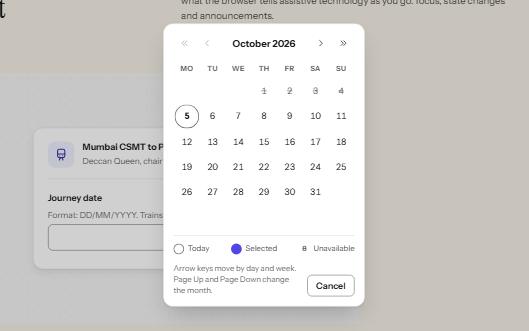
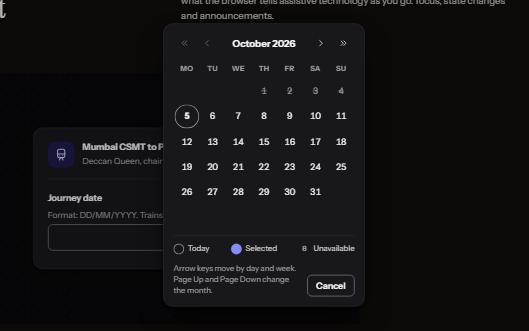
डेट पिकर
एक तारीख़ फ़ील्ड जो टाइप की गई तारीख़ लेता है या कैलेंडर डायलॉग खोलता है, जिसमें महीने का ग्रिड ऐरो कुंजियों से चलता है।
-
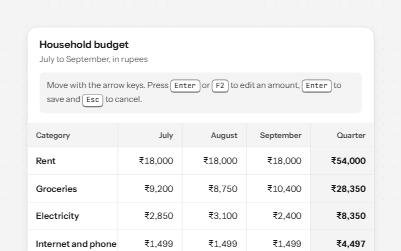
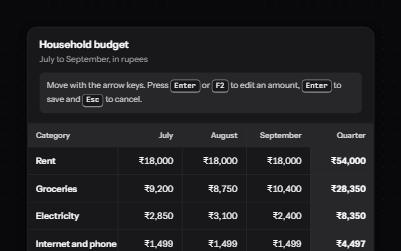
डेटा ग्रिड
स्प्रेडशीट जैसा ग्रिड, एक टैब स्टॉप के साथ: ऐरो कुंजियाँ सेल के बीच ले जाती हैं, Enter कोई राशि बदलता है, और कुल की घोषणा होती है।
-
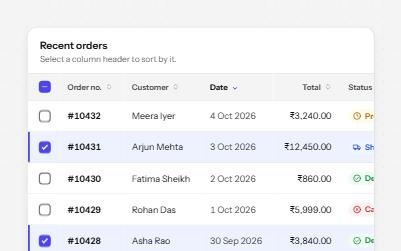
क्रमबद्ध होने वाली तालिका
कैप्शन, पंक्ति हेडर, क्रम बताने वाले सॉर्ट बटन, और मिश्रित स्थिति वाले सभी चुनें के साथ पंक्तियाँ चुनने वाली डेटा तालिका।
-
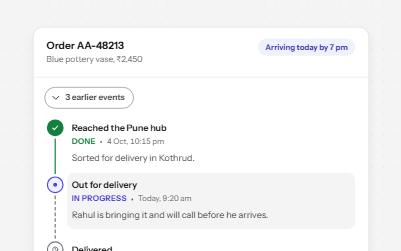
टाइमलाइन
क्रमबद्ध सूची के रूप में ऑर्डर ट्रैकिंग: हर चरण अपने समय के साथ, स्थिति शब्दों और आइकन में, और पुरानी घटनाएँ एक बटन के पीछे।