सुलभता पैटर्न · डेटा प्रदर्शन
तुलना टेबल
तुलना एक डेटा टेबल है: प्लान कॉलम हेडर हैं, फ़ीचर पंक्ति हेडर हैं, इसलिए हर टिक उसी प्लान और फ़ीचर के साथ बोला जाता है जिसका वह है। टिक और क्रॉस में छिपे शब्द हैं, सीमाएँ दिखने वाले टेक्स्ट के रूप में रहती हैं, और एक जैसी पंक्तियाँ छिपाने पर बताया जाता है कि कितनी बचीं।
- डब्ल्यूसीएजी मानदंड
- 7
- कीबोर्ड नियम
- 4
- जाँच का तरीक़ा
- axe, कीबोर्ड और इंस्पेक्टर
लाइव डेमो
आज़माएँ
इसे माउस, कीबोर्ड या स्क्रीन रीडर से इस्तेमाल करें। साथ का इंस्पेक्टर दिखाता है कि आपके इस्तेमाल के दौरान ब्राउज़र सहायक तकनीक को क्या बताता है: फ़ोकस, स्थिति में बदलाव और घोषणाएँ।
प्लान की तुलना करें
कीमतें प्रति माह हैं, बिल सालाना बनता है, और इनमें GST शामिल है।
सभी 12 फ़ीचर दिख रहे हैं
| फ़ीचर | स्टार्टर ₹0 प्रति माह | प्रो अनुशंसित ₹499 प्रति माह | टीम ₹1,499 प्रति माह |
|---|---|---|---|
| प्रोजेक्ट और फ़ाइलें | |||
| प्रोजेक्ट | 3 तक | असीमित | असीमित |
| स्टोरेज | 2 GB | 100 GB | 1 TB |
| वर्ज़न इतिहास | 7 दिन | 1 वर्ष | हमेशा |
| पीडीएफ में एक्सपोर्ट | शामिल | शामिल | शामिल |
| मिलकर काम | |||
| सदस्य | सिर्फ़ आप | 5 तक | असीमित |
| टिप्पणियाँ और मेंशन | शामिल | शामिल | शामिल |
| मेहमान पहुँच | शामिल नहीं | शामिल | शामिल |
| साझा टेम्पलेट | शामिल नहीं | शामिल नहीं | शामिल |
| सुरक्षा और सहायता | |||
| दो-चरण साइन-इन | शामिल | शामिल | शामिल |
| सिंगल साइन-ऑन | शामिल नहीं | शामिल नहीं | शामिल |
| ऑडिट लॉग | शामिल नहीं | 30 दिन | 1 वर्ष |
| सहायता | सहायता केंद्र | ईमेल | प्राथमिकता, 4 घंटे में जवाब |
| कभी भी रद्द करें। | |||
जावास्क्रिप्ट के बिना डेमो उतना ही काम करता है जितना उसका एचटीएमएल; इंस्पेक्टर के लिए जावास्क्रिप्ट चाहिए।
कीबोर्ड
जिन कुंजियों पर यह काम करता है
हर क्रिया पॉइंटर के बिना काम करती है।
| कुंजी | यह क्या करती है |
|---|---|
| Tab | स्विच पर ले जाता है, फिर टेबल के स्क्रॉल हिस्से पर, फिर हर चुनें बटन पर। |
| Space | स्विच पर, वे फ़ीचर छिपाता है जो हर प्लान में एक जैसे हैं, या सबको फिर से दिखाता है। |
| Arrow DownयाArrow UpयाArrow RightयाArrow Left | स्क्रॉल हिस्से में, टेबल को स्क्रॉल करता है; प्लान के नाम ऊपर और फ़ीचर के नाम बाईं ओर टिके रहते हैं। |
| EnterयाSpace | किसी चुनें बटन पर, वह प्लान चुनता है और टेबल के नीचे उसकी पुष्टि करता है। |
स्क्रीन रीडर
यह क्या घोषित करता है
मार्कअप की भूमिकाओं, नामों और स्थितियों से लिखा गया।
| कब | अपेक्षित घोषणा |
|---|---|
| फ़ोकस स्विच पर पहुँचता है | सिर्फ़ अंतर दिखाएँ, स्विच, बंद |
| Space उसे चालू करता है | 12 में से 9 फ़ीचर दिख रहे हैं: सिर्फ़ अंतर |
| टेबल नेविगेशन सदस्य वाली पंक्ति में दाईं ओर बढ़ता है | प्रो, अनुशंसित, ₹499 प्रति माह, 5 तक |
| वह मेहमान पहुँच वाली पंक्ति के एक क्रॉस पर पहुँचता है | स्टार्टर, ₹0 प्रति माह, शामिल नहीं |
| फ़ोकस बीच वाले बटन पर पहुँचता है | प्रो चुनें, बटन, ₹499 प्रति माह |
| बटन दबाया जाता है | आपने प्रो चुना। आगे: भुगतान का विवरण। |
ये अपेक्षित घोषणाएँ हैं, रिकॉर्डिंग नहीं। स्क्रीन रीडर और ब्राउज़र के हिसाब से शब्द और क्रम बदलते हैं।
कोड
कोड कॉपी करें
वही फ़ाइलें जिन पर यह डेमो चलता है। स्टाइल एक प्रीफ़िक्स के साथ परोसी जाती हैं जो इस साइट की अपनी स्टाइल को डेमो से दूर रखता है; आप जो कॉपी करते हैं वह मूल है।
<div class="ap-comparison-table" data-ap-comparison-table>
  <div class="ap-comparison-table__top">
    <div class="ap-comparison-table__intro">
      <h3 class="ap-comparison-table__name" id="comparison-table-name">Compare plans</h3>
      <p class="ap-comparison-table__sub">Prices are per month, billed yearly, and include GST.</p>
    </div>
    <div class="ap-comparison-table__filter">
      <label class="ap-comparison-table__switch">
        <input class="ap-comparison-table__input" type="checkbox" role="switch" data-ap-differences />
        <span class="ap-comparison-table__track" aria-hidden="true"><span class="ap-comparison-table__thumb"></span></span>
        <span class="ap-comparison-table__switch-text">Show only differences</span>
      </label>
      <p class="ap-comparison-table__count" role="status" data-ap-features-shown>All 12 features shown</p>
    </div>
  </div>

  <div class="ap-comparison-table__scroll" role="region" aria-labelledby="comparison-table-name" tabindex="0">
    <table class="ap-comparison-table__table">
      <caption class="ap-comparison-table__vh">Starter, Pro and Team plans, feature by feature</caption>
      <thead>
        <tr>
          <th scope="col" class="ap-comparison-table__corner">Feature</th>
          <th scope="col" class="ap-comparison-table__plan">
            <span class="ap-comparison-table__plan-name">Starter</span>
            <span class="ap-comparison-table__price" id="comparison-table-starter-price"><strong>₹0</strong> per month</span>
          </th>
          <th scope="col" class="ap-comparison-table__plan ap-comparison-table__plan--pick">
            <span class="ap-comparison-table__plan-name">Pro</span>
            <span class="ap-comparison-table__tag">Recommended</span>
            <span class="ap-comparison-table__price" id="comparison-table-pro-price"><strong>₹499</strong> per month</span>
          </th>
          <th scope="col" class="ap-comparison-table__plan">
            <span class="ap-comparison-table__plan-name">Team</span>
            <span class="ap-comparison-table__price" id="comparison-table-team-price"><strong>₹1,499</strong> per month</span>
          </th>
        </tr>
      </thead>
      <tbody>
        <tr class="ap-comparison-table__group">
          <th scope="rowgroup" colspan="4"><span>Projects and files</span></th>
        </tr>
        <tr>
          <th scope="row">Projects</th>
          <td><span class="ap-comparison-table__value">Up to 3</span></td>
          <td><span class="ap-comparison-table__value">Unlimited</span></td>
          <td><span class="ap-comparison-table__value">Unlimited</span></td>
        </tr>
        <tr>
          <th scope="row">Storage</th>
          <td><span class="ap-comparison-table__value">2 GB</span></td>
          <td><span class="ap-comparison-table__value">100 GB</span></td>
          <td><span class="ap-comparison-table__value">1 TB</span></td>
        </tr>
        <tr>
          <th scope="row">Version history</th>
          <td><span class="ap-comparison-table__value">7 days</span></td>
          <td><span class="ap-comparison-table__value">1 year</span></td>
          <td><span class="ap-comparison-table__value">Forever</span></td>
        </tr>
        <tr>
          <th scope="row">Export to PDF</th>
          <td><svg class="ap-comparison-table__mark ap-comparison-table__mark--yes" viewBox="0 0 24 24" aria-hidden="true" focusable="false"><circle cx="12" cy="12" r="9"/><path d="m8 12.4 2.7 2.7L16.2 9.6"/></svg><span class="ap-comparison-table__vh">Included</span></td>
          <td><svg class="ap-comparison-table__mark ap-comparison-table__mark--yes" viewBox="0 0 24 24" aria-hidden="true" focusable="false"><circle cx="12" cy="12" r="9"/><path d="m8 12.4 2.7 2.7L16.2 9.6"/></svg><span class="ap-comparison-table__vh">Included</span></td>
          <td><svg class="ap-comparison-table__mark ap-comparison-table__mark--yes" viewBox="0 0 24 24" aria-hidden="true" focusable="false"><circle cx="12" cy="12" r="9"/><path d="m8 12.4 2.7 2.7L16.2 9.6"/></svg><span class="ap-comparison-table__vh">Included</span></td>
        </tr>
      </tbody>
      <tbody>
        <tr class="ap-comparison-table__group">
          <th scope="rowgroup" colspan="4"><span>Collaboration</span></th>
        </tr>
        <tr>
          <th scope="row">Members</th>
          <td><span class="ap-comparison-table__value">Just you</span></td>
          <td><span class="ap-comparison-table__value">Up to 5</span></td>
          <td><span class="ap-comparison-table__value">Unlimited</span></td>
        </tr>
        <tr>
          <th scope="row">Comments and mentions</th>
          <td><svg class="ap-comparison-table__mark ap-comparison-table__mark--yes" viewBox="0 0 24 24" aria-hidden="true" focusable="false"><circle cx="12" cy="12" r="9"/><path d="m8 12.4 2.7 2.7L16.2 9.6"/></svg><span class="ap-comparison-table__vh">Included</span></td>
          <td><svg class="ap-comparison-table__mark ap-comparison-table__mark--yes" viewBox="0 0 24 24" aria-hidden="true" focusable="false"><circle cx="12" cy="12" r="9"/><path d="m8 12.4 2.7 2.7L16.2 9.6"/></svg><span class="ap-comparison-table__vh">Included</span></td>
          <td><svg class="ap-comparison-table__mark ap-comparison-table__mark--yes" viewBox="0 0 24 24" aria-hidden="true" focusable="false"><circle cx="12" cy="12" r="9"/><path d="m8 12.4 2.7 2.7L16.2 9.6"/></svg><span class="ap-comparison-table__vh">Included</span></td>
        </tr>
        <tr>
          <th scope="row">Guest access</th>
          <td><svg class="ap-comparison-table__mark ap-comparison-table__mark--no" viewBox="0 0 24 24" aria-hidden="true" focusable="false"><path d="m7.5 7.5 9 9M16.5 7.5l-9 9"/></svg><span class="ap-comparison-table__vh">Not included</span></td>
          <td><svg class="ap-comparison-table__mark ap-comparison-table__mark--yes" viewBox="0 0 24 24" aria-hidden="true" focusable="false"><circle cx="12" cy="12" r="9"/><path d="m8 12.4 2.7 2.7L16.2 9.6"/></svg><span class="ap-comparison-table__vh">Included</span></td>
          <td><svg class="ap-comparison-table__mark ap-comparison-table__mark--yes" viewBox="0 0 24 24" aria-hidden="true" focusable="false"><circle cx="12" cy="12" r="9"/><path d="m8 12.4 2.7 2.7L16.2 9.6"/></svg><span class="ap-comparison-table__vh">Included</span></td>
        </tr>
        <tr>
          <th scope="row">Shared templates</th>
          <td><svg class="ap-comparison-table__mark ap-comparison-table__mark--no" viewBox="0 0 24 24" aria-hidden="true" focusable="false"><path d="m7.5 7.5 9 9M16.5 7.5l-9 9"/></svg><span class="ap-comparison-table__vh">Not included</span></td>
          <td><svg class="ap-comparison-table__mark ap-comparison-table__mark--no" viewBox="0 0 24 24" aria-hidden="true" focusable="false"><path d="m7.5 7.5 9 9M16.5 7.5l-9 9"/></svg><span class="ap-comparison-table__vh">Not included</span></td>
          <td><svg class="ap-comparison-table__mark ap-comparison-table__mark--yes" viewBox="0 0 24 24" aria-hidden="true" focusable="false"><circle cx="12" cy="12" r="9"/><path d="m8 12.4 2.7 2.7L16.2 9.6"/></svg><span class="ap-comparison-table__vh">Included</span></td>
        </tr>
      </tbody>
      <tbody>
        <tr class="ap-comparison-table__group">
          <th scope="rowgroup" colspan="4"><span>Security and support</span></th>
        </tr>
        <tr>
          <th scope="row">Two-step sign-in</th>
          <td><svg class="ap-comparison-table__mark ap-comparison-table__mark--yes" viewBox="0 0 24 24" aria-hidden="true" focusable="false"><circle cx="12" cy="12" r="9"/><path d="m8 12.4 2.7 2.7L16.2 9.6"/></svg><span class="ap-comparison-table__vh">Included</span></td>
          <td><svg class="ap-comparison-table__mark ap-comparison-table__mark--yes" viewBox="0 0 24 24" aria-hidden="true" focusable="false"><circle cx="12" cy="12" r="9"/><path d="m8 12.4 2.7 2.7L16.2 9.6"/></svg><span class="ap-comparison-table__vh">Included</span></td>
          <td><svg class="ap-comparison-table__mark ap-comparison-table__mark--yes" viewBox="0 0 24 24" aria-hidden="true" focusable="false"><circle cx="12" cy="12" r="9"/><path d="m8 12.4 2.7 2.7L16.2 9.6"/></svg><span class="ap-comparison-table__vh">Included</span></td>
        </tr>
        <tr>
          <th scope="row">Single sign-on</th>
          <td><svg class="ap-comparison-table__mark ap-comparison-table__mark--no" viewBox="0 0 24 24" aria-hidden="true" focusable="false"><path d="m7.5 7.5 9 9M16.5 7.5l-9 9"/></svg><span class="ap-comparison-table__vh">Not included</span></td>
          <td><svg class="ap-comparison-table__mark ap-comparison-table__mark--no" viewBox="0 0 24 24" aria-hidden="true" focusable="false"><path d="m7.5 7.5 9 9M16.5 7.5l-9 9"/></svg><span class="ap-comparison-table__vh">Not included</span></td>
          <td><svg class="ap-comparison-table__mark ap-comparison-table__mark--yes" viewBox="0 0 24 24" aria-hidden="true" focusable="false"><circle cx="12" cy="12" r="9"/><path d="m8 12.4 2.7 2.7L16.2 9.6"/></svg><span class="ap-comparison-table__vh">Included</span></td>
        </tr>
        <tr>
          <th scope="row">Audit log</th>
          <td><svg class="ap-comparison-table__mark ap-comparison-table__mark--no" viewBox="0 0 24 24" aria-hidden="true" focusable="false"><path d="m7.5 7.5 9 9M16.5 7.5l-9 9"/></svg><span class="ap-comparison-table__vh">Not included</span></td>
          <td><span class="ap-comparison-table__value">30 days</span></td>
          <td><span class="ap-comparison-table__value">1 year</span></td>
        </tr>
        <tr>
          <th scope="row">Support</th>
          <td><span class="ap-comparison-table__value">Help center</span></td>
          <td><span class="ap-comparison-table__value">Email</span></td>
          <td><span class="ap-comparison-table__value">Priority, 4-hour reply</span></td>
        </tr>
      </tbody>
      <tfoot>
        <tr>
          <td class="ap-comparison-table__note">Cancel any time.</td>
          <td><button type="button" class="ap-btn ap-comparison-table__choose" aria-describedby="comparison-table-starter-price" data-ap-plan="Starter">Choose Starter</button></td>
          <td><button type="button" class="ap-btn ap-btn--primary ap-comparison-table__choose" aria-describedby="comparison-table-pro-price" data-ap-plan="Pro">Choose Pro</button></td>
          <td><button type="button" class="ap-btn ap-comparison-table__choose" aria-describedby="comparison-table-team-price" data-ap-plan="Team">Choose Team</button></td>
        </tr>
      </tfoot>
    </table>
  </div>

  <p class="ap-comparison-table__chosen" role="status" data-ap-chosen></p>
</div>
/* Shared primitives: buttons and form fields used across the patterns.
   Uses the --ap-* design tokens. */

.ap-btn {
  display: inline-flex;
  align-items: center;
  justify-content: center;
  gap: 8px;
  min-height: 40px;
  padding: 0 16px;
  border: 1px solid var(--ap-border-strong);
  border-radius: var(--ap-radius-sm);
  background: var(--ap-surface);
  color: var(--ap-text);
  font: inherit;
  font-weight: 600;
  line-height: 1.2;
  text-decoration: none;
  white-space: nowrap;
  cursor: pointer;
  transition: background-color var(--ap-duration) var(--ap-ease), border-color var(--ap-duration) var(--ap-ease), box-shadow var(--ap-duration) var(--ap-ease);
}
.ap-btn:hover {
  background: var(--ap-surface-2);
}
.ap-btn:focus-visible {
  outline: 2px solid var(--ap-focus);
  outline-offset: 2px;
}
.ap-btn:disabled,
.ap-btn[aria-disabled="true"] {
  opacity: .55;
  cursor: not-allowed;
}
.ap-btn--primary {
  border-color: var(--ap-accent);
  background: var(--ap-accent);
  color: var(--ap-on-accent);
  box-shadow: var(--ap-shadow-sm);
}
.ap-btn--primary:hover {
  border-color: var(--ap-accent-hover);
  background: var(--ap-accent-hover);
}
.ap-btn--danger {
  border-color: var(--ap-danger);
  background: var(--ap-danger);
  color: var(--ap-surface);
}
.ap-btn--danger:hover {
  filter: brightness(1.08);
}
.ap-btn--ghost {
  border-color: transparent;
  background: transparent;
}
.ap-btn--ghost:hover {
  background: var(--ap-surface-2);
}
.ap-btn__icon {
  width: 18px;
  height: 18px;
  flex-shrink: 0;
  fill: none;
  stroke: currentColor;
  stroke-width: 2;
  stroke-linecap: round;
  stroke-linejoin: round;
}

.ap-field {
  display: grid;
  gap: 6px;
}
.ap-label {
  color: var(--ap-text);
  font-weight: 600;
  font-size: .9375rem;
}
.ap-hint {
  margin: 0;
  color: var(--ap-text-3);
  font-size: .875rem;
  line-height: 1.45;
}
.ap-error {
  display: flex;
  align-items: flex-start;
  gap: 6px;
  margin: 0;
  color: var(--ap-danger);
  font-size: .875rem;
  font-weight: 600;
  line-height: 1.45;
}
.ap-input {
  width: 100%;
  min-height: 44px;
  padding: 10px 12px;
  border: 1px solid var(--ap-border-strong);
  border-radius: var(--ap-radius-sm);
  background: var(--ap-surface);
  color: var(--ap-text);
  font: inherit;
  line-height: 1.4;
  transition: border-color var(--ap-duration) var(--ap-ease), box-shadow var(--ap-duration) var(--ap-ease);
}
.ap-input::placeholder {
  color: var(--ap-text-3);
}
.ap-input:hover {
  border-color: var(--ap-text-2);
}
.ap-input:focus-visible {
  outline: 2px solid var(--ap-focus);
  outline-offset: 1px;
  border-color: var(--ap-focus);
}
.ap-input[aria-invalid="true"] {
  border-color: var(--ap-danger);
  box-shadow: inset 4px 0 0 var(--ap-danger);
}
textarea.ap-input {
  resize: vertical;
  min-height: 88px;
}

@media (prefers-reduced-motion: reduce) {
  .ap-btn,
  .ap-input { transition: none; }
}

/* Comparison table. Uses the --ap-* design tokens and the shared primitives. */
.ap-comparison-table {
  width: min(100%, 720px);
  margin-inline: auto;
  border: 1px solid var(--ap-border);
  border-radius: var(--ap-radius-lg);
  background: var(--ap-surface);
  color: var(--ap-text);
  box-shadow: var(--ap-shadow-md);
  container-type: inline-size;
  overflow: hidden;
}

.ap-comparison-table__vh {
  position: absolute;
  width: 1px;
  height: 1px;
  margin: -1px;
  padding: 0;
  overflow: hidden;
  clip-path: inset(50%);
  white-space: nowrap;
}

/* Heading, filter and its count */
.ap-comparison-table__top {
  display: flex;
  flex-wrap: wrap;
  align-items: flex-start;
  justify-content: space-between;
  gap: 14px 24px;
  padding: 20px 22px 18px;
  border-bottom: 1px solid var(--ap-border);
}
.ap-comparison-table__name {
  margin: 0;
  font-size: 1.125rem;
  font-weight: 650;
  line-height: 1.3;
}
.ap-comparison-table__sub {
  margin: 4px 0 0;
  color: var(--ap-text-3);
  font-size: .875rem;
  line-height: 1.45;
}
.ap-comparison-table__filter {
  display: grid;
  justify-items: end;
  gap: 2px;
}
.ap-comparison-table__count {
  margin: 0;
  color: var(--ap-text-3);
  font-size: .8125rem;
  font-variant-numeric: tabular-nums;
}

/* The switch: a checkbox with role=switch, stretched over the whole label. */
.ap-comparison-table__switch {
  position: relative;
  display: inline-flex;
  align-items: center;
  gap: 10px;
  min-height: var(--ap-target);
  font-size: .9375rem;
  font-weight: 600;
  cursor: pointer;
}
.ap-comparison-table__input {
  position: absolute;
  inset: 0;
  z-index: 1;
  width: 100%;
  height: 100%;
  margin: 0;
  opacity: 0;
  cursor: pointer;
  appearance: none;
}
.ap-comparison-table__track {
  position: relative;
  flex-shrink: 0;
  width: 40px;
  height: 24px;
  border: 2px solid var(--ap-border-strong);
  border-radius: var(--ap-radius-full);
  background: var(--ap-surface-2);
  transition: background-color var(--ap-duration) var(--ap-ease), border-color var(--ap-duration) var(--ap-ease);
}
.ap-comparison-table__thumb {
  position: absolute;
  top: 2px;
  left: 2px;
  width: 16px;
  height: 16px;
  border-radius: var(--ap-radius-full);
  background: var(--ap-border-strong);
  transition: transform var(--ap-duration) var(--ap-ease), background-color var(--ap-duration) var(--ap-ease);
}
.ap-comparison-table__input:checked + .ap-comparison-table__track {
  border-color: var(--ap-accent);
  background: var(--ap-accent);
}
.ap-comparison-table__input:checked + .ap-comparison-table__track .ap-comparison-table__thumb {
  transform: translateX(16px);
  background: var(--ap-on-accent);
}
.ap-comparison-table__input:hover + .ap-comparison-table__track {
  border-color: var(--ap-text-2);
}
.ap-comparison-table__input:checked:hover + .ap-comparison-table__track {
  border-color: var(--ap-accent-hover);
  background: var(--ap-accent-hover);
}
.ap-comparison-table__input:focus-visible + .ap-comparison-table__track {
  outline: 2px solid var(--ap-focus);
  outline-offset: 2px;
}

/* The scroll area: plan names stick to its top, feature names to its left. */
.ap-comparison-table__scroll {
  max-height: 460px;
  overflow: auto;
  overscroll-behavior: contain;
  scroll-padding-top: 96px;
}
.ap-comparison-table__scroll:focus-visible {
  outline: 2px solid var(--ap-focus);
  outline-offset: -3px;
}

.ap-comparison-table__table {
  width: 100%;
  min-width: 520px;
  border-collapse: separate;
  border-spacing: 0;
  font-size: .9375rem;
  line-height: 1.4;
}
.ap-comparison-table__table th,
.ap-comparison-table__table td {
  padding: 12px 14px;
  border-bottom: 1px solid var(--ap-border);
  background: var(--ap-surface);
  vertical-align: middle;
}
.ap-comparison-table__table td {
  text-align: center;
}

/* Plan headers */
.ap-comparison-table__table thead th {
  position: sticky;
  top: 0;
  z-index: 2;
  padding: 16px 14px 14px;
  border-bottom-color: var(--ap-border-strong);
  vertical-align: bottom;
}
.ap-comparison-table__table thead .ap-comparison-table__corner {
  left: 0;
  width: 31%;
  z-index: 3;
  box-shadow: inset -1px 0 0 var(--ap-border);
  color: var(--ap-text-3);
  font-size: .8125rem;
  font-weight: 600;
  text-align: start;
}
.ap-comparison-table__plan {
  width: 23%;
  text-align: center;
}
.ap-comparison-table__plan > span {
  display: block;
}
.ap-comparison-table__plan-name {
  font-size: 1rem;
  font-weight: 650;
}
.ap-comparison-table__price {
  margin-top: 2px;
  color: var(--ap-text-3);
  font-size: .8125rem;
  font-weight: 500;
  font-variant-numeric: tabular-nums;
  white-space: nowrap;
}
.ap-comparison-table__price strong {
  color: var(--ap-text);
  font-size: 1.0625rem;
  font-weight: 700;
}
.ap-comparison-table__plan--pick .ap-comparison-table__tag {
  display: inline-block;
  margin: 4px 0 2px;
  padding: 1px 8px;
  border-radius: var(--ap-radius-full);
  background: var(--ap-accent);
  color: var(--ap-on-accent);
  font-size: .75rem;
  font-weight: 650;
  line-height: 1.5;
}

/* The recommended column: a tint, and a bar above its header. The word in
   the header carries the meaning; the tint only echoes it. */
.ap-comparison-table__table .ap-comparison-table__plan--pick,
.ap-comparison-table__table tbody td:nth-child(3),
.ap-comparison-table__table tfoot td:nth-child(3) {
  background: var(--ap-accent-soft);
}
.ap-comparison-table__plan--pick {
  box-shadow: inset 0 3px 0 var(--ap-accent);
}

/* Feature names */
.ap-comparison-table__table tbody th[scope="row"] {
  position: sticky;
  left: 0;
  z-index: 1;
  box-shadow: inset -1px 0 0 var(--ap-border);
  min-width: 150px;
  color: var(--ap-text);
  font-weight: 500;
  text-align: start;
}

/* Group rows: a header for the rows below it, across all four columns. */
.ap-comparison-table__group th {
  padding: 18px 14px 8px;
  color: var(--ap-text-2);
  font-size: .8125rem;
  font-weight: 650;
  letter-spacing: .02em;
  text-align: start;
}
.ap-comparison-table__group th > span {
  display: inline-block;
  position: sticky;
  left: 14px;
}
.ap-comparison-table__table tbody:first-of-type .ap-comparison-table__group th {
  padding-top: 14px;
}

/* Cell contents */
.ap-comparison-table__mark {
  display: inline-block;
  width: 22px;
  height: 22px;
  vertical-align: middle;
  fill: none;
  stroke-linecap: round;
  stroke-linejoin: round;
}
.ap-comparison-table__mark--yes {
  stroke: var(--ap-success);
  stroke-width: 2;
}
.ap-comparison-table__mark--no {
  stroke: var(--ap-text-3);
  stroke-width: 2;
}
.ap-comparison-table__value {
  color: var(--ap-text);
  font-weight: 500;
  font-variant-numeric: tabular-nums;
}

.ap-comparison-table__table tbody tr:not(.ap-comparison-table__group):hover > * {
  background: var(--ap-surface-2);
}

/* Choose buttons */
.ap-comparison-table__table tfoot td {
  padding: 14px 10px 16px;
  border-bottom: 0;
}
.ap-comparison-table__table tfoot .ap-comparison-table__note {
  position: sticky;
  left: 0;
  z-index: 1;
  box-shadow: inset -1px 0 0 var(--ap-border);
  color: var(--ap-text-3);
  font-size: .8125rem;
  text-align: start;
}
.ap-comparison-table__choose {
  width: 100%;
  min-height: var(--ap-target);
  padding: 0 10px;
}

.ap-comparison-table__chosen {
  margin: 0;
  padding: 0 22px;
  color: var(--ap-success);
  font-weight: 600;
}
.ap-comparison-table__chosen:not(:empty) {
  padding-block: 14px;
  border-top: 1px solid var(--ap-border);
}

/* When the filter wraps under the heading, it lines up with it. */
@container (max-width: 640px) {
  .ap-comparison-table__filter {
    justify-items: start;
  }
}

@container (max-width: 520px) {
  .ap-comparison-table__top {
    padding: 18px 16px 14px;
  }
  .ap-comparison-table__table {
    min-width: 470px;
    font-size: .875rem;
  }
  .ap-comparison-table__table tbody th[scope="row"] {
    min-width: 0;
    width: 112px;
  }
  .ap-comparison-table__table thead .ap-comparison-table__corner {
    width: 112px;
  }
  .ap-comparison-table__price strong {
    display: block;
  }
  .ap-comparison-table__choose {
    padding: 0 8px;
    font-size: .875rem;
  }
  .ap-comparison-table__table th,
  .ap-comparison-table__table td {
    padding-inline: 10px;
  }
  .ap-comparison-table__chosen {
    padding-inline: 16px;
  }
}

@media (prefers-reduced-motion: reduce) {
  .ap-comparison-table__track,
  .ap-comparison-table__thumb { transition: none; }
}

@media (forced-colors: active) {
  .ap-comparison-table__input:checked + .ap-comparison-table__track { forced-color-adjust: none; border-color: Highlight; background: Highlight; }
  .ap-comparison-table__input:checked + .ap-comparison-table__track .ap-comparison-table__thumb { background: HighlightText; }
  .ap-comparison-table__thumb { forced-color-adjust: none; background: CanvasText; }
}
/**
 * Comparison table: plans as column headers, features as row headers,
 * grouped rows, and a switch that hides the features every plan shares.
 *
 * Markup: [data-ap-comparison-table] holding a checkbox[role=switch]
 * [data-ap-differences], a role=status [data-ap-features-shown], a table whose
 * tbody elements each start with a group row (th scope=rowgroup), Choose
 * buttons with data-ap-plan, and a role=status [data-ap-chosen].
 */

export function init(root) {
  const toggle = root.querySelector("[data-ap-differences]");
  const count = root.querySelector("[data-ap-features-shown]");
  const chosen = root.querySelector("[data-ap-chosen]");
  const groups = [...root.querySelectorAll("tbody")];
  const isGroupRow = (row) => row.cells.length === 1 && row.cells[0].getAttribute("scope") === "rowgroup";
  const features = groups.flatMap((g) => [...g.rows].filter((r) => !isGroupRow(r)));

  // A feature differs when its plan cells do not all say the same thing. The
  // hidden words count, so a tick (Included) and a cross (Not included) differ.
  const valueOf = (cell) => cell.textContent.replace(/\s+/g, " ").trim();
  const differs = (row) => new Set([...row.cells].slice(1).map(valueOf)).size > 1;

  // Clear, then write on the next frame, so the same words are announced again.
  const say = (region, text) => {
    region.textContent = "";
    requestAnimationFrame(() => { region.textContent = text; });
  };

  function filter() {
    const only = toggle.checked;
    let shown = 0;
    for (const row of features) {
      row.hidden = only && !differs(row);
      if (!row.hidden) shown++;
    }
    // A group with nothing left in it goes too, header and all.
    for (const g of groups) g.hidden = [...g.rows].every((r) => isGroupRow(r) || r.hidden);
    say(count, only
      ? `${shown} of ${features.length} features shown: only the differences`
      : `All ${features.length} features shown`);
  }

  function onClick(event) {
    const button = event.target.closest("[data-ap-plan]");
    if (!button || !root.contains(button)) return;
    // A real product goes on to checkout here.
    say(chosen, `You chose ${button.dataset.apPlan}. Next: payment details.`);
  }

  toggle.addEventListener("change", filter);
  root.addEventListener("click", onClick);
  return () => {
    toggle.removeEventListener("change", filter);
    root.removeEventListener("click", onClick);
  };
}

for (const root of document.querySelectorAll("[data-ap-comparison-table]")) init(root);
/* Design tokens for the pattern components. Light by default, dark when the
   system asks for it; set data-theme="dark" on :root to force dark. */
:root {
    --ap-radius-sm: 8px;
    --ap-radius: 12px;
    --ap-radius-lg: 16px;
    --ap-radius-full: 999px;
    --ap-font: "Instrument Sans", ui-sans-serif, system-ui, -apple-system, "Segoe UI", Roboto, sans-serif;
    --ap-mono: "JetBrains Mono", ui-monospace, "Cascadia Mono", "SF Mono", Consolas, monospace;
    --ap-ease: cubic-bezier(.2, .8, .2, 1);
    --ap-duration: 180ms;
    --ap-target: 44px;
    --ap-bg: #F4F4F5;
    --ap-surface: #FFFFFF;
    --ap-surface-2: #F4F4F5;
    --ap-surface-3: #E4E4E7;
    --ap-border: #E4E4E7;
    --ap-border-strong: #76767F;
    --ap-text: #18181B;
    --ap-text-2: #3F3F46;
    --ap-text-3: #5E5E66;
    --ap-accent: #4F46E5;
    --ap-accent-hover: #4338CA;
    --ap-on-accent: #FFFFFF;
    --ap-accent-text: #4338CA;
    --ap-accent-soft: #EEF2FF;
    --ap-accent-soft-text: #3730A3;
    --ap-focus: #4F46E5;
    --ap-danger: #B91C1C;
    --ap-danger-soft: #FEF2F2;
    --ap-success: #15803D;
    --ap-success-soft: #F0FDF4;
    --ap-warning: #A15C07;
    --ap-warning-soft: #FEFCE8;
    --ap-info: #1D4ED8;
    --ap-info-soft: #EFF6FF;
    --ap-scrim: rgb(9 9 11 / .48);
    --ap-shadow-sm: 0 1px 2px rgb(9 9 11 / .06);
    --ap-shadow-md: 0 1px 2px rgb(9 9 11 / .05), 0 6px 16px -4px rgb(9 9 11 / .1);
    --ap-shadow-lg: 0 2px 6px rgb(9 9 11 / .06), 0 20px 40px -12px rgb(9 9 11 / .22);
    --ap-light-bg: #F4F4F5;
    --ap-light-surface: #FFFFFF;
    --ap-light-surface-2: #F4F4F5;
    --ap-light-surface-3: #E4E4E7;
    --ap-light-border: #E4E4E7;
    --ap-light-border-strong: #76767F;
    --ap-light-text: #18181B;
    --ap-light-text-2: #3F3F46;
    --ap-light-text-3: #5E5E66;
    --ap-light-accent: #4F46E5;
    --ap-light-accent-hover: #4338CA;
    --ap-light-on-accent: #FFFFFF;
    --ap-light-accent-text: #4338CA;
    --ap-light-accent-soft: #EEF2FF;
    --ap-light-accent-soft-text: #3730A3;
    --ap-light-focus: #4F46E5;
    --ap-light-danger: #B91C1C;
    --ap-light-danger-soft: #FEF2F2;
    --ap-light-success: #15803D;
    --ap-light-success-soft: #F0FDF4;
    --ap-light-warning: #A15C07;
    --ap-light-warning-soft: #FEFCE8;
    --ap-light-info: #1D4ED8;
    --ap-light-info-soft: #EFF6FF;
    --ap-light-scrim: rgb(9 9 11 / .48);
    --ap-light-shadow-sm: 0 1px 2px rgb(9 9 11 / .06);
    --ap-light-shadow-md: 0 1px 2px rgb(9 9 11 / .05), 0 6px 16px -4px rgb(9 9 11 / .1);
    --ap-light-shadow-lg: 0 2px 6px rgb(9 9 11 / .06), 0 20px 40px -12px rgb(9 9 11 / .22);
    --ap-dark-bg: #09090B;
    --ap-dark-surface: #18181B;
    --ap-dark-surface-2: #27272A;
    --ap-dark-surface-3: #3F3F46;
    --ap-dark-border: #2E2E33;
    --ap-dark-border-strong: #8E8E97;
    --ap-dark-text: #FAFAFA;
    --ap-dark-text-2: #D4D4D8;
    --ap-dark-text-3: #A1A1AA;
    --ap-dark-accent: #818CF8;
    --ap-dark-accent-hover: #A5B4FC;
    --ap-dark-on-accent: #0C0A1F;
    --ap-dark-accent-text: #A5B4FC;
    --ap-dark-accent-soft: #1E1B4B;
    --ap-dark-accent-soft-text: #C7D2FE;
    --ap-dark-focus: #A5B4FC;
    --ap-dark-danger: #F87171;
    --ap-dark-danger-soft: #2A1215;
    --ap-dark-success: #4ADE80;
    --ap-dark-success-soft: #0F2A1A;
    --ap-dark-warning: #FACC15;
    --ap-dark-warning-soft: #2A2410;
    --ap-dark-info: #60A5FA;
    --ap-dark-info-soft: #0F1D33;
    --ap-dark-scrim: rgb(0 0 0 / .62);
    --ap-dark-shadow-sm: 0 1px 2px rgb(0 0 0 / .4);
    --ap-dark-shadow-md: 0 1px 2px rgb(0 0 0 / .4), 0 8px 20px -6px rgb(0 0 0 / .5);
    --ap-dark-shadow-lg: 0 2px 8px rgb(0 0 0 / .45), 0 24px 48px -12px rgb(0 0 0 / .7);
}
@media (prefers-color-scheme: dark) {
  :root:not([data-theme="light"]) {
      --ap-bg: #09090B;
      --ap-surface: #18181B;
      --ap-surface-2: #27272A;
      --ap-surface-3: #3F3F46;
      --ap-border: #2E2E33;
      --ap-border-strong: #8E8E97;
      --ap-text: #FAFAFA;
      --ap-text-2: #D4D4D8;
      --ap-text-3: #A1A1AA;
      --ap-accent: #818CF8;
      --ap-accent-hover: #A5B4FC;
      --ap-on-accent: #0C0A1F;
      --ap-accent-text: #A5B4FC;
      --ap-accent-soft: #1E1B4B;
      --ap-accent-soft-text: #C7D2FE;
      --ap-focus: #A5B4FC;
      --ap-danger: #F87171;
      --ap-danger-soft: #2A1215;
      --ap-success: #4ADE80;
      --ap-success-soft: #0F2A1A;
      --ap-warning: #FACC15;
      --ap-warning-soft: #2A2410;
      --ap-info: #60A5FA;
      --ap-info-soft: #0F1D33;
      --ap-scrim: rgb(0 0 0 / .62);
      --ap-shadow-sm: 0 1px 2px rgb(0 0 0 / .4);
      --ap-shadow-md: 0 1px 2px rgb(0 0 0 / .4), 0 8px 20px -6px rgb(0 0 0 / .5);
      --ap-shadow-lg: 0 2px 8px rgb(0 0 0 / .45), 0 24px 48px -12px rgb(0 0 0 / .7);
  }
}
:root[data-theme="dark"] {
    --ap-bg: #09090B;
    --ap-surface: #18181B;
    --ap-surface-2: #27272A;
    --ap-surface-3: #3F3F46;
    --ap-border: #2E2E33;
    --ap-border-strong: #8E8E97;
    --ap-text: #FAFAFA;
    --ap-text-2: #D4D4D8;
    --ap-text-3: #A1A1AA;
    --ap-accent: #818CF8;
    --ap-accent-hover: #A5B4FC;
    --ap-on-accent: #0C0A1F;
    --ap-accent-text: #A5B4FC;
    --ap-accent-soft: #1E1B4B;
    --ap-accent-soft-text: #C7D2FE;
    --ap-focus: #A5B4FC;
    --ap-danger: #F87171;
    --ap-danger-soft: #2A1215;
    --ap-success: #4ADE80;
    --ap-success-soft: #0F2A1A;
    --ap-warning: #FACC15;
    --ap-warning-soft: #2A2410;
    --ap-info: #60A5FA;
    --ap-info-soft: #0F1D33;
    --ap-scrim: rgb(0 0 0 / .62);
    --ap-shadow-sm: 0 1px 2px rgb(0 0 0 / .4);
    --ap-shadow-md: 0 1px 2px rgb(0 0 0 / .4), 0 8px 20px -6px rgb(0 0 0 / .5);
    --ap-shadow-lg: 0 2px 8px rgb(0 0 0 / .45), 0 24px 48px -12px rgb(0 0 0 / .7);
}
डब्ल्यूसीएजी 2.2
यह किन मानदंडों को पूरा करता है
वे सफलता मानदंड जिनका यह पैटर्न ध्यान रखता है, और कैसे।
-
1.3.1 जानकारी और संबंध
स्तर A
प्लान th scope=col हैं, फ़ीचर th scope=row, और हर समूह का लेबल चारों कॉलम में फैला th scope=rowgroup है, इसलिए हर सेल के साथ एक प्लान और एक फ़ीचर जुड़ा रहता है।
-
1.4.1 रंग का उपयोग
स्तर A
शामिल और शामिल नहीं, एक टिक और एक क्रॉस हैं, दो अलग आकार, और हर एक के साथ एक शब्द; अनुशंसित एक शब्द है, सिर्फ़ रंगा हुआ कॉलम नहीं।
-
1.4.10 रीफ़्लो
स्तर AA
कम चौड़ाई पर टेबल अपने ही रीजन के अंदर स्क्रॉल होती है, जिसकी रीफ़्लो डेटा टेबल के लिए छूट देता है, जबकि उसके आसपास की हेडिंग, स्विच और बटन रीफ़्लो होते हैं।
-
2.1.1 कीबोर्ड
स्तर A
स्क्रॉल हिस्से पर फ़ोकस आ सकता है, इसलिए ऐरो की माउस या ट्रैकपैड के बिना टेबल को स्क्रॉल करती हैं।
-
2.4.6 हेडिंग और लेबल
स्तर AA
हर बटन अपने प्लान का नाम लेता है, तीसरा चुनें नहीं बल्कि प्रो चुनें, और कीमत उसके विवरण के रूप में साथ रहती है।
-
4.1.2 नाम, भूमिका, मान
स्तर A
फ़िल्टर role=switch वाला एक चेकबॉक्स है, इसलिए वह चालू या बंद स्विच के रूप में बोला जाता है।
-
4.1.3 स्टेटस मैसेज
स्तर AA
फ़िल्टर करने के बाद बचे फ़ीचर की संख्या एक स्टेटस मैसेज है, जो फ़ोकस हिलाए बिना बोला जाता है।
उपयोग
इसे कब इस्तेमाल करें
इसे अपनाएँ
- लोगों को कुछ प्लान या प्रोडक्ट में से एक चुनने में मदद करना, उन्हीं फ़ीचर के आधार पर, आमने-सामने।
- स्पेसिफ़िकेशन शीट, जहाँ हर कॉलम एक विकल्प है और हर पंक्ति एक गुण।
कुछ और इस्तेमाल करें
- चार या पाँच से ज़्यादा विकल्प: लोगों को पहले वे चुनने दें जिनकी तुलना करनी है।
- एक ही प्रोडक्ट का विवरण: एक कॉलम वाली टेबल से विवरण सूची बेहतर पढ़ी जाती है।
- ऐसी कीमतें जिनमें समझाने लायक एक ही प्लान हो: सादी सूचियों वाले कार्ड पढ़ने में आसान हैं।
आम विफलताएँ
आमतौर पर यह कहाँ गलत होता है
टिक जो कुछ नहीं कहते
सिर्फ़ आइकन वाला टिक या तो बिल्कुल नहीं पढ़ा जाता, या "इमेज" पढ़ा जाता है। यहाँ हर टिक और क्रॉस में छिपा हुआ शामिल या शामिल नहीं है।
div की पंक्ति में प्लान के नाम
th scope=col के बिना सेल का कोई हेडर नहीं होता, इसलिए स्क्रीन रीडर बिना किसी प्लान के "शामिल" कहता है। असली हेडर हर सेल के लिए प्लान का नाम बताते हैं।
समूह के लेबल साधारण सेल के रूप में
td में रखा सेक्शन का नाम फ़ीचर कॉलम के डेटा की तरह पढ़ा जाता है। पंक्ति में फैला th scope=rowgroup उसे अपने नीचे की पंक्तियों का हेडर बना देता है।
प्लान चुनें नाम के तीन बटन
बटनों की सूची में खींचे जाने पर तीन एक जैसे नामों में फ़र्क़ नहीं किया जा सकता। स्टार्टर चुनें, प्रो चुनें और टीम चुनें में किया जा सकता है।
अनुशंसित सिर्फ़ रंगत से दिखाया गया
रंगा हुआ कॉलम उन लोगों को कुछ नहीं बताता जो वह रंगत नहीं देख पाते, न ही स्क्रीन रीडर को। अनुशंसित शब्द प्लान के हेडर में है।
चुपचाप फ़िल्टर करना
बिना किसी संदेश के ग़ायब होती पंक्तियाँ स्क्रीन रीडर उपयोगकर्ताओं को इस उलझन में छोड़ देती हैं कि कुछ हुआ भी या नहीं। यहाँ बचे फ़ीचर की गिनती बोली जाती है।
नोट्स
इसे बनाना
- फ़िल्टर हुई पंक्तियों को hidden एट्रिब्यूट से छिपाएँ, ताकि स्क्रीन रीडर जो पंक्ति-गिनती बताए वह सही हो। opacity से अदृश्य की गई पंक्ति फिर भी पढ़ी जाती है।
- टेबल तय ऊँचाई वाले रीजन के अंदर स्क्रॉल होती है ताकि प्लान के नाम टिके रह सकें। अगर आपकी टेबल कभी बगल की ओर स्क्रॉल नहीं होती, तो रीजन हटा दें और हेडर को पेज पर ही, अपनी साइट के हेडर के नीचे, टिकने दें।
- चिपके रहने वाले सेल को अपारदर्शी बैकग्राउंड और border-collapse: separate चाहिए; collapsed बॉर्डर के साथ कुछ ब्राउज़र बॉर्डर को चिपके सेल से अलग होकर स्क्रॉल हो जाने देते हैं।
- सीमाओं को दिखने वाले टेक्स्ट के रूप में रखें (5 तक, 100 GB): टिक ठीक वही हिस्सा छिपा देगा जिसकी लोग तुलना कर रहे हैं।
- हर बटन पर aria-describedby उसके नाम के बाद कीमत जोड़ता है, इसलिए वह बटन के टेक्स्ट में दोहराए बिना सुनाई देती है।
स्रोत: W3C WAI टेबल ट्यूटोरियल: अनियमित हेडर वाली टेबल · एचटीएमएल: th एलिमेंट और उसका scope एट्रिब्यूट
लाइट और डार्क थीम में, डेस्कटॉप और फ़ोन की चौड़ाई पर axe से और कीबोर्ड से जाँचा गया। अभी हर स्क्रीन रीडर और ब्राउज़र जोड़ी के साथ नहीं परखा गया। सुधार बताएँ
संबंधित
इसके साथ जाने वाले पैटर्न
-
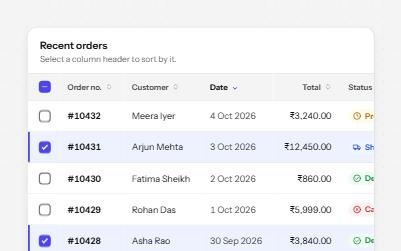
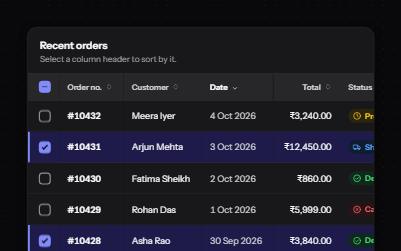
क्रमबद्ध होने वाली तालिका
कैप्शन, पंक्ति हेडर, क्रम बताने वाले सॉर्ट बटन, और मिश्रित स्थिति वाले सभी चुनें के साथ पंक्तियाँ चुनने वाली डेटा तालिका।
-
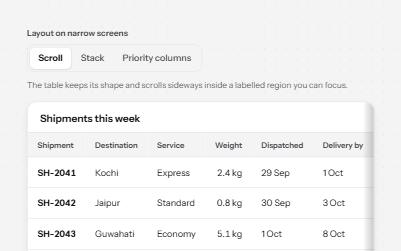
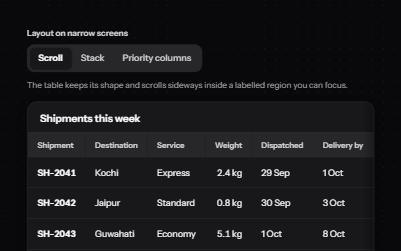
रिस्पॉन्सिव तालिका
एक तालिका, संकरी स्क्रीन में समाने के तीन तरीके: लेबल वाले रीजन में स्क्रॉल करें, पंक्तियों को कार्ड बनाएँ, या कम ज़रूरी कॉलम छिपाएँ।
-
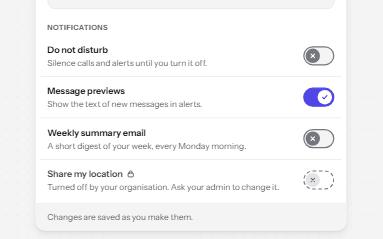
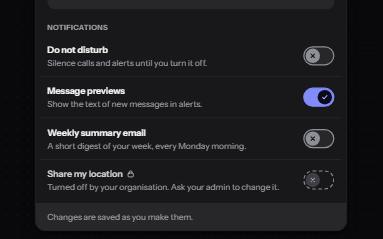
स्विच
तुरंत असर करने वाली सेटिंग के लिए चालू और बंद करने का कंट्रोल, switch भूमिका वाले चेकबॉक्स पर बना।
-
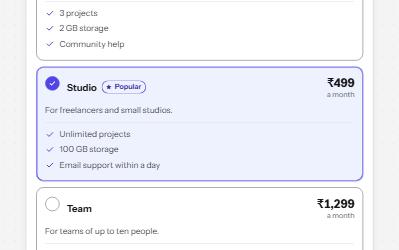
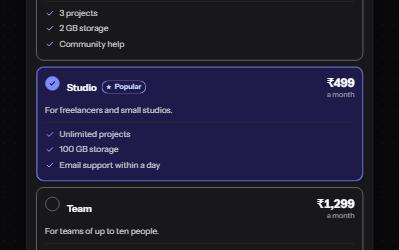
रेडियो कार्ड
प्लान चुनने का ऐसा तरीका जिसमें हर विकल्प एक बड़ा कार्ड है, नेटिव रेडियो बटन से बना, ताकि ऐरो कुंजियाँ, फ़ोकस और स्थिति अपने आप मिलें।