सुलभता पैटर्न · डेटा प्रदर्शन
क्रमबद्ध होने वाली तालिका
तालिका असली तालिका ही रहती है: कैप्शन उसे नाम देता है, th सेल हर कॉलम और पंक्ति के हेडर हैं, और हर कॉलम हेडर में एक बटन उस कॉलम के अनुसार क्रम बदलता है। aria-sort उसी एक हेडर पर जाता है जो क्रम तय करता है, और एक स्टेटस मैसेज नया क्रम शब्दों में बताता है।
- डब्ल्यूसीएजी मानदंड
- 7
- कीबोर्ड नियम
- 4
- जाँच का तरीक़ा
- axe, कीबोर्ड और इंस्पेक्टर
लाइव डेमो
आज़माएँ
इसे माउस, कीबोर्ड या स्क्रीन रीडर से इस्तेमाल करें। साथ का इंस्पेक्टर दिखाता है कि आपके इस्तेमाल के दौरान ब्राउज़र सहायक तकनीक को क्या बताता है: फ़ोकस, स्थिति में बदलाव और घोषणाएँ।
| #10432 | मीरा अय्यर | 4 अक्टूबर 2026 | ₹3,240.00 | प्रोसेस हो रहा है | |
|---|---|---|---|---|---|
| #10431 | अर्जुन मेहता | 3 अक्टूबर 2026 | ₹12,450.00 | भेजा गया | |
| #10430 | फ़ातिमा शेख़ | 2 अक्टूबर 2026 | ₹860.00 | पहुँचा दिया गया | |
| #10429 | रोहन दास | 1 अक्टूबर 2026 | ₹5,999.00 | रद्द | |
| #10428 | आशा राव | 30 सितंबर 2026 | ₹3,840.00 | पहुँचा दिया गया | |
| #10427 | कबीर सिंह | 28 सितंबर 2026 | ₹1,275.50 | पैसे लौटाए गए | |
| #10426 | लक्ष्मी नायर | 27 सितंबर 2026 | ₹24,800.00 | पहुँचा दिया गया | |
| #10425 | विक्रम जोशी | 25 सितंबर 2026 | ₹2,150.00 | भेजा गया | |
| #10424 | प्रिया कपूर | 24 सितंबर 2026 | ₹7,320.00 | पहुँचा दिया गया | |
| #10423 | निखिल वर्मा | 22 सितंबर 2026 | ₹640.00 | पहुँचा दिया गया |
2 चयनित
क्रम का आधार: तारीख़, अवरोही
जावास्क्रिप्ट के बिना डेमो उतना ही काम करता है जितना उसका एचटीएमएल; इंस्पेक्टर के लिए जावास्क्रिप्ट चाहिए।
कीबोर्ड
जिन कुंजियों पर यह काम करता है
हर क्रिया पॉइंटर के बिना काम करती है।
| कुंजी | यह क्या करती है |
|---|---|
| TabयाShiftTab | सभी चुनें, सॉर्ट बटन और फिर हर पंक्ति के चेकबॉक्स से होकर ले जाता है; स्क्रॉल क्षेत्र भी एक पड़ाव है, जब तक वह स्क्रॉल होता है। |
| EnterयाSpace | सॉर्ट बटन पर, उस कॉलम के अनुसार क्रम लगाता है, पहले आरोही; दोबारा दबाने पर क्रम उलट जाता है। |
| Space | किसी पंक्ति के चेकबॉक्स पर, वह पंक्ति चुनता या हटाता है। सभी चुनें पर, हर पंक्ति चुनता है, या सब चुनी हों तो सबको हटा देता है। |
| Arrow LeftयाArrow RightयाArrow UpयाArrow Down | कम चौड़ाई पर स्क्रॉल क्षेत्र पर फ़ोकस हो तो तालिका को बगल में या ऊपर-नीचे स्क्रॉल करता है। |
स्क्रीन रीडर
यह क्या घोषित करता है
मार्कअप की भूमिकाओं, नामों और स्थितियों से लिखा गया।
| कब | अपेक्षित घोषणा |
|---|---|
| फ़ोकस तारीख़ वाले सॉर्ट बटन पर पहुँचता है | तारीख़, कॉलम हेडर, अवरोही क्रम में, बटन |
| Enter कुल के अनुसार क्रम लगाता है | क्रम का आधार: कुल, आरोही |
| Tab किसी पंक्ति के चेकबॉक्स पर पहुँचता है | #10431, ऑर्डर #10431 चुनें, चेकबॉक्स, चिह्नित |
| कुछ पंक्तियाँ चुनी होने पर सभी चुनें पर Space | सभी ऑर्डर चुनें, चेकबॉक्स, चिह्नित। 10 चयनित |
| कम चौड़ाई पर Tab स्क्रॉल क्षेत्र पर पहुँचता है | हाल के ऑर्डर, रीजन |
ये अपेक्षित घोषणाएँ हैं, रिकॉर्डिंग नहीं। स्क्रीन रीडर और ब्राउज़र के हिसाब से शब्द और क्रम बदलते हैं।
कोड
कोड कॉपी करें
वही फ़ाइलें जिन पर यह डेमो चलता है। स्टाइल एक प्रीफ़िक्स के साथ परोसी जाती हैं जो इस साइट की अपनी स्टाइल को डेमो से दूर रखता है; आप जो कॉपी करते हैं वह मूल है।
<div class="ap-dtable" data-ap-dtable>
  <div class="ap-dtable__scroll" role="region" aria-labelledby="dtable-name" tabindex="0" data-ap-scroll>
    <table class="ap-dtable__table">
      <caption class="ap-dtable__cap">
        <span class="ap-dtable__name" id="dtable-name">Recent orders</span>
        <span class="ap-dtable__hint">Select a column header to sort by it.</span>
      </caption>
      <thead>
        <tr>
          <td class="ap-dtable__pick"><input class="ap-dtable__box" type="checkbox" aria-label="Select all orders" data-ap-all /></td>
          <th scope="col" data-type="text">
            <button type="button" class="ap-dtable__sort" data-ap-sort>Order no.<svg class="ap-dtable__arrows" viewBox="0 0 24 24" aria-hidden="true" focusable="false"><path class="ap-dtable__up" d="m8 10 4-4 4 4"/><path class="ap-dtable__down" d="m8 14 4 4 4-4"/></svg></button>
          </th>
          <th scope="col" data-type="text">
            <button type="button" class="ap-dtable__sort" data-ap-sort>Customer<svg class="ap-dtable__arrows" viewBox="0 0 24 24" aria-hidden="true" focusable="false"><path class="ap-dtable__up" d="m8 10 4-4 4 4"/><path class="ap-dtable__down" d="m8 14 4 4 4-4"/></svg></button>
          </th>
          <th scope="col" data-type="text" aria-sort="descending">
            <button type="button" class="ap-dtable__sort" data-ap-sort>Date<svg class="ap-dtable__arrows" viewBox="0 0 24 24" aria-hidden="true" focusable="false"><path class="ap-dtable__up" d="m8 10 4-4 4 4"/><path class="ap-dtable__down" d="m8 14 4 4 4-4"/></svg></button>
          </th>
          <th scope="col" class="ap-dtable__num" data-type="number">
            <button type="button" class="ap-dtable__sort" data-ap-sort>Total<svg class="ap-dtable__arrows" viewBox="0 0 24 24" aria-hidden="true" focusable="false"><path class="ap-dtable__up" d="m8 10 4-4 4 4"/><path class="ap-dtable__down" d="m8 14 4 4 4-4"/></svg></button>
          </th>
          <th scope="col" data-type="text">
            <button type="button" class="ap-dtable__sort" data-ap-sort>Status<svg class="ap-dtable__arrows" viewBox="0 0 24 24" aria-hidden="true" focusable="false"><path class="ap-dtable__up" d="m8 10 4-4 4 4"/><path class="ap-dtable__down" d="m8 14 4 4 4-4"/></svg></button>
          </th>
        </tr>
      </thead>
      <tbody>
        <tr>
          <td class="ap-dtable__pick"><input class="ap-dtable__box" type="checkbox" aria-label="Select order #10432" /></td>
          <th class="ap-dtable__id" scope="row">#10432</th>
          <td>Meera Iyer</td>
          <td class="ap-dtable__date"><time datetime="2026-10-04">4 Oct 2026</time></td>
          <td class="ap-dtable__num" data-value="3240">₹3,240.00</td>
          <td><span class="ap-dtable__status ap-dtable__status--wait"><svg class="ap-dtable__icon" viewBox="0 0 24 24" aria-hidden="true" focusable="false"><circle cx="12" cy="12" r="9"/><path d="M12 7v5l3 2"/></svg>Processing</span></td>
        </tr>
        <tr class="is-selected">
          <td class="ap-dtable__pick"><input class="ap-dtable__box" type="checkbox" aria-label="Select order #10431" checked /></td>
          <th class="ap-dtable__id" scope="row">#10431</th>
          <td>Arjun Mehta</td>
          <td class="ap-dtable__date"><time datetime="2026-10-03">3 Oct 2026</time></td>
          <td class="ap-dtable__num" data-value="12450">₹12,450.00</td>
          <td><span class="ap-dtable__status ap-dtable__status--ship"><svg class="ap-dtable__icon" viewBox="0 0 24 24" aria-hidden="true" focusable="false"><path d="M2.5 6.5h11v9h-11z"/><path d="M13.5 9.5h4l3 3.2v2.8h-7"/><circle cx="6.5" cy="17.5" r="1.8"/><circle cx="16.5" cy="17.5" r="1.8"/></svg>Shipped</span></td>
        </tr>
        <tr>
          <td class="ap-dtable__pick"><input class="ap-dtable__box" type="checkbox" aria-label="Select order #10430" /></td>
          <th class="ap-dtable__id" scope="row">#10430</th>
          <td>Fatima Sheikh</td>
          <td class="ap-dtable__date"><time datetime="2026-10-02">2 Oct 2026</time></td>
          <td class="ap-dtable__num" data-value="860">₹860.00</td>
          <td><span class="ap-dtable__status ap-dtable__status--done"><svg class="ap-dtable__icon" viewBox="0 0 24 24" aria-hidden="true" focusable="false"><circle cx="12" cy="12" r="9"/><path d="m8.2 12.4 2.6 2.6 5-5.2"/></svg>Delivered</span></td>
        </tr>
        <tr>
          <td class="ap-dtable__pick"><input class="ap-dtable__box" type="checkbox" aria-label="Select order #10429" /></td>
          <th class="ap-dtable__id" scope="row">#10429</th>
          <td>Rohan Das</td>
          <td class="ap-dtable__date"><time datetime="2026-10-01">1 Oct 2026</time></td>
          <td class="ap-dtable__num" data-value="5999">₹5,999.00</td>
          <td><span class="ap-dtable__status ap-dtable__status--stop"><svg class="ap-dtable__icon" viewBox="0 0 24 24" aria-hidden="true" focusable="false"><circle cx="12" cy="12" r="9"/><path d="m9.2 9.2 5.6 5.6m0-5.6-5.6 5.6"/></svg>Cancelled</span></td>
        </tr>
        <tr class="is-selected">
          <td class="ap-dtable__pick"><input class="ap-dtable__box" type="checkbox" aria-label="Select order #10428" checked /></td>
          <th class="ap-dtable__id" scope="row">#10428</th>
          <td>Asha Rao</td>
          <td class="ap-dtable__date"><time datetime="2026-09-30">30 Sep 2026</time></td>
          <td class="ap-dtable__num" data-value="3840">₹3,840.00</td>
          <td><span class="ap-dtable__status ap-dtable__status--done"><svg class="ap-dtable__icon" viewBox="0 0 24 24" aria-hidden="true" focusable="false"><circle cx="12" cy="12" r="9"/><path d="m8.2 12.4 2.6 2.6 5-5.2"/></svg>Delivered</span></td>
        </tr>
        <tr>
          <td class="ap-dtable__pick"><input class="ap-dtable__box" type="checkbox" aria-label="Select order #10427" /></td>
          <th class="ap-dtable__id" scope="row">#10427</th>
          <td>Kabir Singh</td>
          <td class="ap-dtable__date"><time datetime="2026-09-28">28 Sep 2026</time></td>
          <td class="ap-dtable__num" data-value="1275.5">₹1,275.50</td>
          <td><span class="ap-dtable__status ap-dtable__status--back"><svg class="ap-dtable__icon" viewBox="0 0 24 24" aria-hidden="true" focusable="false"><path d="M9 13.5 4.5 9 9 4.5"/><path d="M4.5 9h10a5.5 5.5 0 0 1 0 11H11"/></svg>Refunded</span></td>
        </tr>
        <tr>
          <td class="ap-dtable__pick"><input class="ap-dtable__box" type="checkbox" aria-label="Select order #10426" /></td>
          <th class="ap-dtable__id" scope="row">#10426</th>
          <td>Lakshmi Nair</td>
          <td class="ap-dtable__date"><time datetime="2026-09-27">27 Sep 2026</time></td>
          <td class="ap-dtable__num" data-value="24800">₹24,800.00</td>
          <td><span class="ap-dtable__status ap-dtable__status--done"><svg class="ap-dtable__icon" viewBox="0 0 24 24" aria-hidden="true" focusable="false"><circle cx="12" cy="12" r="9"/><path d="m8.2 12.4 2.6 2.6 5-5.2"/></svg>Delivered</span></td>
        </tr>
        <tr>
          <td class="ap-dtable__pick"><input class="ap-dtable__box" type="checkbox" aria-label="Select order #10425" /></td>
          <th class="ap-dtable__id" scope="row">#10425</th>
          <td>Vikram Joshi</td>
          <td class="ap-dtable__date"><time datetime="2026-09-25">25 Sep 2026</time></td>
          <td class="ap-dtable__num" data-value="2150">₹2,150.00</td>
          <td><span class="ap-dtable__status ap-dtable__status--ship"><svg class="ap-dtable__icon" viewBox="0 0 24 24" aria-hidden="true" focusable="false"><path d="M2.5 6.5h11v9h-11z"/><path d="M13.5 9.5h4l3 3.2v2.8h-7"/><circle cx="6.5" cy="17.5" r="1.8"/><circle cx="16.5" cy="17.5" r="1.8"/></svg>Shipped</span></td>
        </tr>
        <tr>
          <td class="ap-dtable__pick"><input class="ap-dtable__box" type="checkbox" aria-label="Select order #10424" /></td>
          <th class="ap-dtable__id" scope="row">#10424</th>
          <td>Priya Kapoor</td>
          <td class="ap-dtable__date"><time datetime="2026-09-24">24 Sep 2026</time></td>
          <td class="ap-dtable__num" data-value="7320">₹7,320.00</td>
          <td><span class="ap-dtable__status ap-dtable__status--done"><svg class="ap-dtable__icon" viewBox="0 0 24 24" aria-hidden="true" focusable="false"><circle cx="12" cy="12" r="9"/><path d="m8.2 12.4 2.6 2.6 5-5.2"/></svg>Delivered</span></td>
        </tr>
        <tr>
          <td class="ap-dtable__pick"><input class="ap-dtable__box" type="checkbox" aria-label="Select order #10423" /></td>
          <th class="ap-dtable__id" scope="row">#10423</th>
          <td>Nikhil Verma</td>
          <td class="ap-dtable__date"><time datetime="2026-09-22">22 Sep 2026</time></td>
          <td class="ap-dtable__num" data-value="640">₹640.00</td>
          <td><span class="ap-dtable__status ap-dtable__status--done"><svg class="ap-dtable__icon" viewBox="0 0 24 24" aria-hidden="true" focusable="false"><circle cx="12" cy="12" r="9"/><path d="m8.2 12.4 2.6 2.6 5-5.2"/></svg>Delivered</span></td>
        </tr>
      </tbody>
    </table>
  </div>
  <div class="ap-dtable__foot">
    <div class="ap-dtable__picked">
      <p class="ap-dtable__count" role="status" data-ap-picked><span class="ap-dtable__n" translate="no">2</span> <span>selected</span></p>
      <button type="button" class="ap-btn ap-btn--ghost ap-dtable__clear" aria-disabled="false" data-ap-deselect>Clear selection</button>
    </div>
    <p class="ap-dtable__sorted" role="status" data-ap-sorted><span>Sorted by</span> <span>Date,</span> <span>descending</span></p>
  </div>
</div>
/* Shared primitives: buttons and form fields used across the patterns.
   Uses the --ap-* design tokens. */

.ap-btn {
  display: inline-flex;
  align-items: center;
  justify-content: center;
  gap: 8px;
  min-height: 40px;
  padding: 0 16px;
  border: 1px solid var(--ap-border-strong);
  border-radius: var(--ap-radius-sm);
  background: var(--ap-surface);
  color: var(--ap-text);
  font: inherit;
  font-weight: 600;
  line-height: 1.2;
  text-decoration: none;
  white-space: nowrap;
  cursor: pointer;
  transition: background-color var(--ap-duration) var(--ap-ease), border-color var(--ap-duration) var(--ap-ease), box-shadow var(--ap-duration) var(--ap-ease);
}
.ap-btn:hover {
  background: var(--ap-surface-2);
}
.ap-btn:focus-visible {
  outline: 2px solid var(--ap-focus);
  outline-offset: 2px;
}
.ap-btn:disabled,
.ap-btn[aria-disabled="true"] {
  opacity: .55;
  cursor: not-allowed;
}
.ap-btn--primary {
  border-color: var(--ap-accent);
  background: var(--ap-accent);
  color: var(--ap-on-accent);
  box-shadow: var(--ap-shadow-sm);
}
.ap-btn--primary:hover {
  border-color: var(--ap-accent-hover);
  background: var(--ap-accent-hover);
}
.ap-btn--danger {
  border-color: var(--ap-danger);
  background: var(--ap-danger);
  color: var(--ap-surface);
}
.ap-btn--danger:hover {
  filter: brightness(1.08);
}
.ap-btn--ghost {
  border-color: transparent;
  background: transparent;
}
.ap-btn--ghost:hover {
  background: var(--ap-surface-2);
}
.ap-btn__icon {
  width: 18px;
  height: 18px;
  flex-shrink: 0;
  fill: none;
  stroke: currentColor;
  stroke-width: 2;
  stroke-linecap: round;
  stroke-linejoin: round;
}

.ap-field {
  display: grid;
  gap: 6px;
}
.ap-label {
  color: var(--ap-text);
  font-weight: 600;
  font-size: .9375rem;
}
.ap-hint {
  margin: 0;
  color: var(--ap-text-3);
  font-size: .875rem;
  line-height: 1.45;
}
.ap-error {
  display: flex;
  align-items: flex-start;
  gap: 6px;
  margin: 0;
  color: var(--ap-danger);
  font-size: .875rem;
  font-weight: 600;
  line-height: 1.45;
}
.ap-input {
  width: 100%;
  min-height: 44px;
  padding: 10px 12px;
  border: 1px solid var(--ap-border-strong);
  border-radius: var(--ap-radius-sm);
  background: var(--ap-surface);
  color: var(--ap-text);
  font: inherit;
  line-height: 1.4;
  transition: border-color var(--ap-duration) var(--ap-ease), box-shadow var(--ap-duration) var(--ap-ease);
}
.ap-input::placeholder {
  color: var(--ap-text-3);
}
.ap-input:hover {
  border-color: var(--ap-text-2);
}
.ap-input:focus-visible {
  outline: 2px solid var(--ap-focus);
  outline-offset: 1px;
  border-color: var(--ap-focus);
}
.ap-input[aria-invalid="true"] {
  border-color: var(--ap-danger);
  box-shadow: inset 4px 0 0 var(--ap-danger);
}
textarea.ap-input {
  resize: vertical;
  min-height: 88px;
}

@media (prefers-reduced-motion: reduce) {
  .ap-btn,
  .ap-input { transition: none; }
}

/* Sortable table with row selection. Uses the --ap-* design tokens and the shared primitives. */
.ap-dtable {
  width: min(100%, 780px);
  margin-inline: auto;
  border: 1px solid var(--ap-border);
  border-radius: var(--ap-radius-lg);
  background: var(--ap-surface);
  color: var(--ap-text);
  box-shadow: var(--ap-shadow-md);
  container-type: inline-size;
  overflow: hidden;
}

/* The scroll area: a labelled region. Sticky parts must not cover focus. */
.ap-dtable__scroll {
  overflow: auto;
  overscroll-behavior-x: contain;
  scroll-padding-top: 48px;
}
.ap-dtable__scroll:focus-visible {
  outline: 2px solid var(--ap-focus);
  outline-offset: -2px;
  border-radius: var(--ap-radius-lg) var(--ap-radius-lg) 0 0;
}

.ap-dtable__table {
  width: 100%;
  border-collapse: separate;
  border-spacing: 0;
  font-size: .9375rem;
  line-height: 1.4;
}

.ap-dtable__cap {
  padding: 18px 20px 14px;
  text-align: start;
}
/* Kept in view when the table scrolls sideways. */
.ap-dtable__name,
.ap-dtable__hint {
  position: sticky;
  left: 20px;
  display: block;
  width: fit-content;
}
.ap-dtable__name {
  font-size: 1.0625rem;
  font-weight: 650;
  line-height: 1.3;
}
.ap-dtable__hint {
  margin-top: 2px;
  color: var(--ap-text-3);
  font-size: .875rem;
}

/* Cells. Every cell paints its own background so sticky ones stay opaque. */
.ap-dtable__table th,
.ap-dtable__table td {
  height: 52px;
  padding: 0 14px;
  border-bottom: 1px solid var(--ap-border);
  background: var(--ap-surface);
  text-align: start;
  vertical-align: middle;
  white-space: nowrap;
  transition: background-color var(--ap-duration) var(--ap-ease);
}
.ap-dtable__table tbody tr:last-child > * {
  border-bottom: 0;
}
.ap-dtable__table tbody tr:hover > * {
  background: var(--ap-surface-2);
}
.ap-dtable__table tbody tr.is-selected > * {
  background: var(--ap-accent-soft);
}
/* Selection is not color alone: the checkbox, and a bar at the row's start. */
.ap-dtable__table tbody tr.is-selected > :first-child {
  box-shadow: inset 3px 0 0 var(--ap-accent);
}

/* The header row sticks to the top of the scroll area. */
.ap-dtable__table thead th,
.ap-dtable__table thead td {
  position: sticky;
  top: 0;
  z-index: 2;
  height: 46px;
  padding: 0 6px;
  border-top: 1px solid var(--ap-border);
  background: var(--ap-surface-2);
  color: var(--ap-text-2);
  font-size: .8125rem;
  font-weight: 600;
}
.ap-dtable__table thead .ap-dtable__pick {
  padding-inline: 18px 0;
}

.ap-dtable__id {
  font-weight: 600;
  font-variant-numeric: tabular-nums;
}
.ap-dtable__date {
  color: var(--ap-text-2);
  font-variant-numeric: tabular-nums;
}
.ap-dtable__num {
  text-align: end;
  font-variant-numeric: tabular-nums;
}
.ap-dtable__table td.ap-dtable__num,
.ap-dtable__table th.ap-dtable__num {
  text-align: end;
}

/* Sort buttons: the whole header is the target. */
.ap-dtable__sort {
  display: inline-flex;
  align-items: center;
  gap: 4px;
  width: 100%;
  min-height: 36px;
  padding: 0 6px 0 8px;
  border: 0;
  border-radius: var(--ap-radius-sm);
  background: transparent;
  color: inherit;
  font: inherit;
  font-weight: 600;
  text-align: start;
  white-space: nowrap;
  cursor: pointer;
  transition: background-color var(--ap-duration) var(--ap-ease), color var(--ap-duration) var(--ap-ease);
}
.ap-dtable__num .ap-dtable__sort {
  justify-content: flex-end;
}
.ap-dtable__sort:hover {
  background: var(--ap-surface-3);
  color: var(--ap-text);
}
.ap-dtable__sort:focus-visible {
  outline: 2px solid var(--ap-focus);
  outline-offset: -2px;
}
.ap-dtable__arrows {
  flex-shrink: 0;
  width: 16px;
  height: 16px;
  fill: none;
  stroke: currentColor;
  stroke-width: 2;
  stroke-linecap: round;
  stroke-linejoin: round;
}
.ap-dtable__arrows path {
  opacity: .45;
  transition: opacity var(--ap-duration) var(--ap-ease);
}
/* The sorted column: darker label, heavier weight, one arrow pointing the way. */
.ap-dtable__table th[aria-sort] .ap-dtable__sort {
  color: var(--ap-text);
  font-weight: 700;
}
.ap-dtable__table th[aria-sort] .ap-dtable__arrows {
  stroke: var(--ap-accent-text);
  stroke-width: 2.4;
}
.ap-dtable__table th[aria-sort="ascending"] .ap-dtable__up,
.ap-dtable__table th[aria-sort="descending"] .ap-dtable__down {
  opacity: 1;
}
.ap-dtable__table th[aria-sort="ascending"] .ap-dtable__down,
.ap-dtable__table th[aria-sort="descending"] .ap-dtable__up {
  opacity: 0;
}

/* The checkbox column */
.ap-dtable__table .ap-dtable__pick {
  width: 52px;
  padding: 0 0 0 18px;
}
.ap-dtable__box {
  appearance: none;
  display: grid;
  place-content: center;
  width: 20px;
  height: 20px;
  margin: 0;
  border: 2px solid var(--ap-border-strong);
  border-radius: 6px;
  background: var(--ap-surface);
  vertical-align: middle;
  cursor: pointer;
  transition: background-color var(--ap-duration) var(--ap-ease), border-color var(--ap-duration) var(--ap-ease);
}
.ap-dtable__box::before {
  content: "";
  width: 10px;
  height: 5px;
  margin-top: -2px;
  border: solid var(--ap-on-accent);
  border-width: 0 0 2.5px 2.5px;
  transform: rotate(-45deg) scale(0);
  transition: transform var(--ap-duration) var(--ap-ease);
}
.ap-dtable__box:checked,
.ap-dtable__box:indeterminate {
  border-color: var(--ap-accent);
  background: var(--ap-accent);
}
.ap-dtable__box:checked::before {
  transform: rotate(-45deg) scale(1);
}
.ap-dtable__box:indeterminate::before {
  width: 10px;
  height: 0;
  margin-top: 0;
  border-width: 0 0 2.5px;
  border-radius: 2px;
  transform: none;
}
.ap-dtable__box:focus-visible {
  outline: 2px solid var(--ap-focus);
  outline-offset: 2px;
}

/* Status: an icon and a word, never color alone. */
.ap-dtable__status {
  display: inline-flex;
  align-items: center;
  gap: 6px;
  padding: 3px 10px 3px 7px;
  border-radius: var(--ap-radius-full);
  background: var(--ap-surface-2);
  color: var(--ap-text-2);
  font-size: .8125rem;
  font-weight: 600;
  line-height: 1.35;
}
.ap-dtable__icon {
  flex-shrink: 0;
  width: 15px;
  height: 15px;
  fill: none;
  stroke: currentColor;
  stroke-width: 2;
  stroke-linecap: round;
  stroke-linejoin: round;
}
.ap-dtable__status--done { background: var(--ap-success-soft); color: var(--ap-success); }
.ap-dtable__status--ship { background: var(--ap-info-soft); color: var(--ap-info); }
.ap-dtable__status--wait { background: var(--ap-warning-soft); color: var(--ap-warning); }
.ap-dtable__status--stop { background: var(--ap-danger-soft); color: var(--ap-danger); }

/* Footer: the selection count and the sort order, both status messages. */
.ap-dtable__foot {
  display: flex;
  flex-wrap: wrap;
  align-items: center;
  justify-content: space-between;
  gap: 6px 16px;
  padding: 8px 20px 8px 10px;
  border-top: 1px solid var(--ap-border);
  background: var(--ap-surface-2);
  font-size: .875rem;
}
.ap-dtable__picked {
  display: flex;
  align-items: center;
  gap: 4px;
}
.ap-dtable__count {
  margin: 0;
  padding-left: 10px;
  color: var(--ap-text);
  font-weight: 600;
}
.ap-dtable__n {
  font-variant-numeric: tabular-nums;
}
.ap-dtable__clear {
  min-height: 36px;
  padding: 0 12px;
  color: var(--ap-accent-text);
  font-size: .875rem;
}
.ap-dtable__clear:hover {
  background: var(--ap-surface-3);
}
.ap-dtable__clear[aria-disabled="true"] {
  color: var(--ap-text-3);
  opacity: 1;
}
.ap-dtable__clear[aria-disabled="true"]:hover {
  background: transparent;
}
.ap-dtable__sorted {
  margin: 0;
  color: var(--ap-text-3);
}

/* Narrow: the area scrolls both ways, the header row sticks to its top and
   the checkbox and order columns stick to its left. */
@container (max-width: 660px) {
  .ap-dtable__scroll {
    max-height: 432px;
    scroll-padding-left: 140px;
  }
  .ap-dtable__table {
    min-width: 660px;
  }
  .ap-dtable__table .ap-dtable__pick {
    position: sticky;
    left: 0;
    z-index: 1;
  }
  .ap-dtable__table .ap-dtable__id,
  .ap-dtable__table thead th:nth-child(2) {
    position: sticky;
    left: 52px;
    z-index: 1;
  }
  .ap-dtable__table thead .ap-dtable__pick,
  .ap-dtable__table thead th:nth-child(2) {
    z-index: 3;
  }
  .ap-dtable.is-scrolled .ap-dtable__id,
  .ap-dtable.is-scrolled thead th:nth-child(2) {
    box-shadow: 8px 0 12px -10px var(--ap-text-3);
  }
  .ap-dtable__foot {
    padding-right: 14px;
  }
  .ap-dtable__sorted {
    padding-left: 10px;
  }
}

@media (prefers-reduced-motion: reduce) {
  .ap-dtable__table th,
  .ap-dtable__table td,
  .ap-dtable__sort,
  .ap-dtable__arrows path,
  .ap-dtable__box,
  .ap-dtable__box::before { transition: none; }
}
/**
 * Sortable table with row selection.
 *
 * Sort buttons sit inside the column headers; the header that sets the order
 * carries aria-sort (and no other header does), and a status message says
 * the new order. Each body row has a checkbox; Select all is checked, clear
 * or mixed to match them, and a second status message counts the selection.
 *
 * Markup: [data-ap-dtable] holding div[data-ap-scroll][role=region] around a
 * table with a caption. Sortable headers are th[data-type="text|number"]
 * containing button[data-ap-sort]; a cell sorts by its data-value, else its
 * time element's datetime, else its text. Select all is input[data-ap-all];
 * p[data-ap-picked] and p[data-ap-sorted] are role=status; the Clear selection
 * button is [data-ap-deselect].
 */

export function init(root) {
  const scroller = root.querySelector("[data-ap-scroll]");
  const table = scroller.querySelector("table");
  const body = table.tBodies[0];
  const all = root.querySelector("[data-ap-all]");
  const clear = root.querySelector("[data-ap-deselect]");
  const headers = [...table.tHead.querySelectorAll("th[data-type]")];
  const boxes = () => [...body.querySelectorAll("input[type=checkbox]")];

  const word = (text, raw = false) => {
    const span = document.createElement("span");
    span.textContent = text;
    if (raw) span.translate = false;
    return span;
  };

  /* ── Sorting ── */
  function keyOf(cell, type) {
    const raw = cell.dataset.value ?? cell.querySelector("time")?.getAttribute("datetime") ?? cell.textContent.trim();
    return type === "number" ? Number(raw) : raw;
  }

  function sortBy(th, direction) {
    const column = th.cellIndex;
    const type = th.dataset.type;
    const sign = direction === "ascending" ? 1 : -1;
    const rows = [...body.rows];
    rows.sort((a, b) => {
      const x = keyOf(a.cells[column], type);
      const y = keyOf(b.cells[column], type);
      const diff = type === "number" ? x - y : String(x).localeCompare(String(y), undefined, { numeric: true, sensitivity: "base" });
      return diff * sign;
    });
    body.append(...rows);
    // One sorted column at a time: the others lose the attribute entirely.
    for (const h of headers) if (h !== th) h.removeAttribute("aria-sort");
    th.setAttribute("aria-sort", direction);

    // The column's name is read from its button, so a translated page
    // announces the translated name; the fixed words around it translate too.
    const name = th.querySelector("[data-ap-sort]").textContent.trim();
    root.querySelector("[data-ap-sorted]").replaceChildren(word("Sorted by"), " ", word(`${name},`), " ", word(direction));
  }

  function onClick(event) {
    const button = event.target.closest("[data-ap-sort]");
    if (button && root.contains(button)) {
      const th = button.closest("th");
      sortBy(th, th.getAttribute("aria-sort") === "ascending" ? "descending" : "ascending");
      return;
    }
    if (event.target.closest("[data-ap-deselect]") && clear.getAttribute("aria-disabled") !== "true") {
      for (const box of boxes()) box.checked = false;
      sync();
    }
  }

  /* ── Selection ── */
  let shown = null; // the count the status message says now

  function sync() {
    const list = boxes();
    const on = list.filter((b) => b.checked).length;
    all.checked = on === list.length;
    all.indeterminate = on > 0 && on < list.length;
    for (const box of list) box.closest("tr").classList.toggle("is-selected", box.checked);
    clear.setAttribute("aria-disabled", String(on === 0));
    // Written only when the number changes, so the live region speaks once.
    if (shown !== null && shown !== on) {
      const count = root.querySelector("[data-ap-picked]");
      if (on === 0) count.replaceChildren(word("No orders selected"));
      else {
        const n = word(String(on), true);
        n.className = "ap-dtable__n";
        count.replaceChildren(n, " ", word("selected"));
      }
    }
    shown = on;
  }

  function onChange(event) {
    const box = event.target;
    if (box.type !== "checkbox") return;
    if (box === all) {
      // A click on a mixed or clear box selects every row; on a full one, clears them.
      for (const b of boxes()) b.checked = all.checked;
    }
    sync();
  }

  /* ── The scroll area is a tab stop only while there is something to scroll ── */
  function fit() {
    const scrolls = scroller.scrollWidth > scroller.clientWidth + 1 || scroller.scrollHeight > scroller.clientHeight + 1;
    if (scrolls) scroller.tabIndex = 0;
    else scroller.removeAttribute("tabindex");
    onScroll();
  }
  function onScroll() {
    root.classList.toggle("is-scrolled", scroller.scrollLeft > 0);
  }
  const resize = new ResizeObserver(fit);
  resize.observe(scroller);
  resize.observe(table);

  sync();
  root.addEventListener("click", onClick);
  root.addEventListener("change", onChange);
  scroller.addEventListener("scroll", onScroll, { passive: true });

  return () => {
    resize.disconnect();
    root.removeEventListener("click", onClick);
    root.removeEventListener("change", onChange);
    scroller.removeEventListener("scroll", onScroll);
  };
}

for (const root of document.querySelectorAll("[data-ap-dtable]")) init(root);
/* Design tokens for the pattern components. Light by default, dark when the
   system asks for it; set data-theme="dark" on :root to force dark. */
:root {
    --ap-radius-sm: 8px;
    --ap-radius: 12px;
    --ap-radius-lg: 16px;
    --ap-radius-full: 999px;
    --ap-font: "Instrument Sans", ui-sans-serif, system-ui, -apple-system, "Segoe UI", Roboto, sans-serif;
    --ap-mono: "JetBrains Mono", ui-monospace, "Cascadia Mono", "SF Mono", Consolas, monospace;
    --ap-ease: cubic-bezier(.2, .8, .2, 1);
    --ap-duration: 180ms;
    --ap-target: 44px;
    --ap-bg: #F4F4F5;
    --ap-surface: #FFFFFF;
    --ap-surface-2: #F4F4F5;
    --ap-surface-3: #E4E4E7;
    --ap-border: #E4E4E7;
    --ap-border-strong: #76767F;
    --ap-text: #18181B;
    --ap-text-2: #3F3F46;
    --ap-text-3: #5E5E66;
    --ap-accent: #4F46E5;
    --ap-accent-hover: #4338CA;
    --ap-on-accent: #FFFFFF;
    --ap-accent-text: #4338CA;
    --ap-accent-soft: #EEF2FF;
    --ap-accent-soft-text: #3730A3;
    --ap-focus: #4F46E5;
    --ap-danger: #B91C1C;
    --ap-danger-soft: #FEF2F2;
    --ap-success: #15803D;
    --ap-success-soft: #F0FDF4;
    --ap-warning: #A15C07;
    --ap-warning-soft: #FEFCE8;
    --ap-info: #1D4ED8;
    --ap-info-soft: #EFF6FF;
    --ap-scrim: rgb(9 9 11 / .48);
    --ap-shadow-sm: 0 1px 2px rgb(9 9 11 / .06);
    --ap-shadow-md: 0 1px 2px rgb(9 9 11 / .05), 0 6px 16px -4px rgb(9 9 11 / .1);
    --ap-shadow-lg: 0 2px 6px rgb(9 9 11 / .06), 0 20px 40px -12px rgb(9 9 11 / .22);
    --ap-light-bg: #F4F4F5;
    --ap-light-surface: #FFFFFF;
    --ap-light-surface-2: #F4F4F5;
    --ap-light-surface-3: #E4E4E7;
    --ap-light-border: #E4E4E7;
    --ap-light-border-strong: #76767F;
    --ap-light-text: #18181B;
    --ap-light-text-2: #3F3F46;
    --ap-light-text-3: #5E5E66;
    --ap-light-accent: #4F46E5;
    --ap-light-accent-hover: #4338CA;
    --ap-light-on-accent: #FFFFFF;
    --ap-light-accent-text: #4338CA;
    --ap-light-accent-soft: #EEF2FF;
    --ap-light-accent-soft-text: #3730A3;
    --ap-light-focus: #4F46E5;
    --ap-light-danger: #B91C1C;
    --ap-light-danger-soft: #FEF2F2;
    --ap-light-success: #15803D;
    --ap-light-success-soft: #F0FDF4;
    --ap-light-warning: #A15C07;
    --ap-light-warning-soft: #FEFCE8;
    --ap-light-info: #1D4ED8;
    --ap-light-info-soft: #EFF6FF;
    --ap-light-scrim: rgb(9 9 11 / .48);
    --ap-light-shadow-sm: 0 1px 2px rgb(9 9 11 / .06);
    --ap-light-shadow-md: 0 1px 2px rgb(9 9 11 / .05), 0 6px 16px -4px rgb(9 9 11 / .1);
    --ap-light-shadow-lg: 0 2px 6px rgb(9 9 11 / .06), 0 20px 40px -12px rgb(9 9 11 / .22);
    --ap-dark-bg: #09090B;
    --ap-dark-surface: #18181B;
    --ap-dark-surface-2: #27272A;
    --ap-dark-surface-3: #3F3F46;
    --ap-dark-border: #2E2E33;
    --ap-dark-border-strong: #8E8E97;
    --ap-dark-text: #FAFAFA;
    --ap-dark-text-2: #D4D4D8;
    --ap-dark-text-3: #A1A1AA;
    --ap-dark-accent: #818CF8;
    --ap-dark-accent-hover: #A5B4FC;
    --ap-dark-on-accent: #0C0A1F;
    --ap-dark-accent-text: #A5B4FC;
    --ap-dark-accent-soft: #1E1B4B;
    --ap-dark-accent-soft-text: #C7D2FE;
    --ap-dark-focus: #A5B4FC;
    --ap-dark-danger: #F87171;
    --ap-dark-danger-soft: #2A1215;
    --ap-dark-success: #4ADE80;
    --ap-dark-success-soft: #0F2A1A;
    --ap-dark-warning: #FACC15;
    --ap-dark-warning-soft: #2A2410;
    --ap-dark-info: #60A5FA;
    --ap-dark-info-soft: #0F1D33;
    --ap-dark-scrim: rgb(0 0 0 / .62);
    --ap-dark-shadow-sm: 0 1px 2px rgb(0 0 0 / .4);
    --ap-dark-shadow-md: 0 1px 2px rgb(0 0 0 / .4), 0 8px 20px -6px rgb(0 0 0 / .5);
    --ap-dark-shadow-lg: 0 2px 8px rgb(0 0 0 / .45), 0 24px 48px -12px rgb(0 0 0 / .7);
}
@media (prefers-color-scheme: dark) {
  :root:not([data-theme="light"]) {
      --ap-bg: #09090B;
      --ap-surface: #18181B;
      --ap-surface-2: #27272A;
      --ap-surface-3: #3F3F46;
      --ap-border: #2E2E33;
      --ap-border-strong: #8E8E97;
      --ap-text: #FAFAFA;
      --ap-text-2: #D4D4D8;
      --ap-text-3: #A1A1AA;
      --ap-accent: #818CF8;
      --ap-accent-hover: #A5B4FC;
      --ap-on-accent: #0C0A1F;
      --ap-accent-text: #A5B4FC;
      --ap-accent-soft: #1E1B4B;
      --ap-accent-soft-text: #C7D2FE;
      --ap-focus: #A5B4FC;
      --ap-danger: #F87171;
      --ap-danger-soft: #2A1215;
      --ap-success: #4ADE80;
      --ap-success-soft: #0F2A1A;
      --ap-warning: #FACC15;
      --ap-warning-soft: #2A2410;
      --ap-info: #60A5FA;
      --ap-info-soft: #0F1D33;
      --ap-scrim: rgb(0 0 0 / .62);
      --ap-shadow-sm: 0 1px 2px rgb(0 0 0 / .4);
      --ap-shadow-md: 0 1px 2px rgb(0 0 0 / .4), 0 8px 20px -6px rgb(0 0 0 / .5);
      --ap-shadow-lg: 0 2px 8px rgb(0 0 0 / .45), 0 24px 48px -12px rgb(0 0 0 / .7);
  }
}
:root[data-theme="dark"] {
    --ap-bg: #09090B;
    --ap-surface: #18181B;
    --ap-surface-2: #27272A;
    --ap-surface-3: #3F3F46;
    --ap-border: #2E2E33;
    --ap-border-strong: #8E8E97;
    --ap-text: #FAFAFA;
    --ap-text-2: #D4D4D8;
    --ap-text-3: #A1A1AA;
    --ap-accent: #818CF8;
    --ap-accent-hover: #A5B4FC;
    --ap-on-accent: #0C0A1F;
    --ap-accent-text: #A5B4FC;
    --ap-accent-soft: #1E1B4B;
    --ap-accent-soft-text: #C7D2FE;
    --ap-focus: #A5B4FC;
    --ap-danger: #F87171;
    --ap-danger-soft: #2A1215;
    --ap-success: #4ADE80;
    --ap-success-soft: #0F2A1A;
    --ap-warning: #FACC15;
    --ap-warning-soft: #2A2410;
    --ap-info: #60A5FA;
    --ap-info-soft: #0F1D33;
    --ap-scrim: rgb(0 0 0 / .62);
    --ap-shadow-sm: 0 1px 2px rgb(0 0 0 / .4);
    --ap-shadow-md: 0 1px 2px rgb(0 0 0 / .4), 0 8px 20px -6px rgb(0 0 0 / .5);
    --ap-shadow-lg: 0 2px 8px rgb(0 0 0 / .45), 0 24px 48px -12px rgb(0 0 0 / .7);
}
डब्ल्यूसीएजी 2.2
यह किन मानदंडों को पूरा करता है
वे सफलता मानदंड जिनका यह पैटर्न ध्यान रखता है, और कैसे।
-
1.3.1 जानकारी और संबंध
स्तर A
कैप्शन तालिका को नाम देता है, th scope=col और scope=row हर मान को उसके कॉलम और ऑर्डर नंबर से जोड़ते हैं, और aria-sort उस कॉलम को चिह्नित करता है जो क्रम तय करता है।
-
1.4.10 रीफ़्लो
स्तर AA
कम चौड़ाई पर तालिका अपने ही रीजन के अंदर स्क्रॉल होती है, इसलिए पेज कभी बगल में स्क्रॉल नहीं होता; डेटा तालिकाएँ दोनों दिशाओं में स्क्रॉल के लिए मान्य अपवाद हैं।
-
2.1.1 कीबोर्ड
स्तर A
क्रम लगाने के लिए बटन और चुनने के लिए नेटिव चेकबॉक्स हैं, और स्क्रॉल क्षेत्र फ़ोकस लेता है ताकि ऐरो कुंजियाँ उसे स्क्रॉल कर सकें।
-
2.4.7 फ़ोकस दिखाई देना
स्तर AA
सॉर्ट बटन, चेकबॉक्स और स्क्रॉल क्षेत्र, सब पर दो पिक्सेल की फ़ोकस रिंग दिखती है।
-
2.4.11 फ़ोकस अवरुद्ध नहीं (न्यूनतम)
स्तर AA
स्क्रॉल क्षेत्र पर scroll-padding फ़ोकस वाले चेकबॉक्स को स्टिकी हेडर पंक्ति और स्टिकी पहले कॉलमों से दूर रखता है।
-
4.1.2 नाम, भूमिका, मान
स्तर A
हर पंक्ति के चेकबॉक्स का नाम उसके ऑर्डर पर है, सभी चुनें आंशिक रूप से चिह्नित बताता है, और क्रमबद्ध हेडर पर aria-sort है।
-
4.1.3 स्टेटस मैसेज
स्तर AA
नया क्रम और चुनी हुई पंक्तियों की संख्या स्टेटस मैसेज हैं, जिनकी घोषणा फ़ोकस हिलाए बिना होती है।
उपयोग
इसे कब इस्तेमाल करें
इसे अपनाएँ
- ऐसे रिकॉर्ड जिनकी लोग एक जैसे फ़ील्ड पर तुलना करते हैं, जैसे ऑर्डर, इनवॉइस या सदस्य।
- इतनी लंबी सूचियाँ कि क्रम बदलने से लोगों को कोई पंक्ति ढूँढने में मदद मिले।
- ऐसी पंक्तियाँ जिन पर लोग एक साथ काम करते हैं, जैसे कई को एक बार में डाउनलोड या आर्काइव करना।
कुछ और इस्तेमाल करें
- पेज लेआउट: चीज़ें जमाने के लिए इस्तेमाल हुई तालिका स्क्रीन रीडर को डेटा जैसी पढ़ाई देती है। सीएसएस ग्रिड इस्तेमाल करें।
- ऐरो कुंजियों से सेल-दर-सेल मान बदलना: डेटा ग्रिड इस्तेमाल करें।
- किसी एक रिकॉर्ड का ब्योरा: विवरण सूची इस्तेमाल करें।
आम विफलताएँ
आमतौर पर यह कहाँ गलत होता है
ऐसे सॉर्ट कंट्रोल जो बटन नहीं हैं
क्लिक होने वाला th या अकेला तीर आइकन Tab से नहीं पहुँचता और इस्तेमाल पर कुछ नहीं बताता। हेडर के अंदर का बटन पहुँचता है, और हेडर हेडर ही रहता है।
कई हेडर पर छूटा aria-sort
पिछले कॉलम को चिह्नित छोड़ देना, या हर कॉलम पर none लगाना, स्क्रीन रीडर से एक से ज़्यादा क्रम बुलवाता है। यहाँ सिर्फ़ वही कॉलम aria-sort रखता है जो क्रम तय करता है।
क्रम सिर्फ़ एक तीर से दिखाया गया
तीर की घोषणा नहीं होती और वह आसानी से छूट जाता है। हेडर पर aria-sort और एक स्टेटस मैसेज क्रम शब्दों में बताते हैं।
सभी चेकबॉक्स का नाम पंक्ति चुनें
फ़ॉर्म कंट्रोल की सूची में दस एक जैसे नामों में फ़र्क़ करना नामुमकिन है। यहाँ हर चेकबॉक्स अपने ऑर्डर का नाम लेता है।
फ़ोकस वाली पंक्ति के ऊपर स्टिकी हेडर
Tab किसी पंक्ति के चेकबॉक्स को ऊपरी किनारे तक, ठीक स्टिकी हेडर के नीचे, स्क्रॉल कर सकता है। scroll-padding जिस पर भी फ़ोकस हो उसे नज़र में रखता है।
ऐसा स्क्रॉल क्षेत्र जिसे कीबोर्ड स्क्रॉल नहीं कर सकता
बिना टैब स्टॉप वाला बाहर तक फैला बॉक्स कीबोर्ड इस्तेमाल करने वालों को उसके बाएँ किनारे पर अटका देता है। यह क्षेत्र, जब तक स्क्रॉल होता है, फ़ोकस ले सकता है और उसका लेबल है।
नोट्स
इसे बनाना
- क्रमबद्ध होने वाले हर th के अंदर एक बटन रखें, और aria-sort उस हेडर पर ले जाएँ जिसका इस्तेमाल हुआ; बाक़ियों पर none लगाने के बजाय उसे हटा दें।
- जब लोगों को दिखने वाला टेक्स्ट क्रम की कुंजी न हो, जैसे राशि और तारीख़ में, तो सेल data-value या time एलिमेंट के datetime से क्रमबद्ध होते हैं।
- सभी चुनें की मिश्रित स्थिति indeterminate प्रॉपर्टी है, जिसे सिर्फ़ स्क्रिप्ट सेट कर सकती है; जावास्क्रिप्ट के बिना वह ख़ाली से शुरू होता है।
- पंक्तियों पर aria-selected न लगाएँ: वह ग्रिड के लिए है। तालिका में चुने होने की स्थिति चेकबॉक्स रखता है, और पंक्ति का रंग और पट्टी सिर्फ़ उसे दोहराते हैं।
- स्क्रिप्ट स्क्रॉल क्षेत्र को टैब स्टॉप सिर्फ़ तब बनाती है जब सामग्री बाहर तक फैली हो, ताकि जगह में समा जाने वाली तालिका एक ख़ाली पड़ाव न जोड़े।
स्रोत: WAI-एआरआईए ऑथरिंग प्रैक्टिसेज़: क्रमबद्ध तालिका का उदाहरण · WAI ट्यूटोरियल: तालिकाएँ · एड्रियन रोज़ेली: सादगी से बनी रिस्पॉन्सिव तालिकाएँ
लाइट और डार्क थीम में, डेस्कटॉप और फ़ोन की चौड़ाई पर axe से और कीबोर्ड से जाँचा गया। अभी हर स्क्रीन रीडर और ब्राउज़र जोड़ी के साथ नहीं परखा गया। सुधार बताएँ
संबंधित
इसके साथ जाने वाले पैटर्न
-
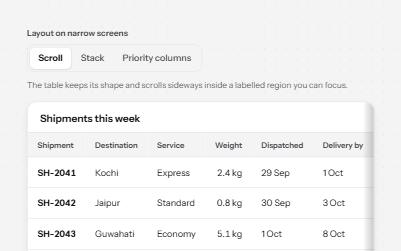
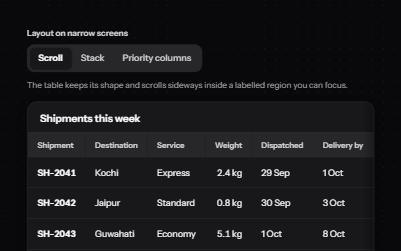
रिस्पॉन्सिव तालिका
एक तालिका, संकरी स्क्रीन में समाने के तीन तरीके: लेबल वाले रीजन में स्क्रॉल करें, पंक्तियों को कार्ड बनाएँ, या कम ज़रूरी कॉलम छिपाएँ।
-
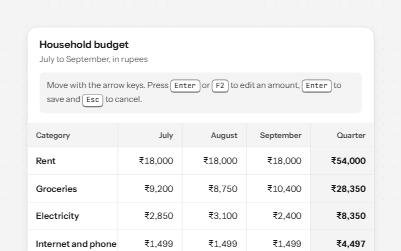
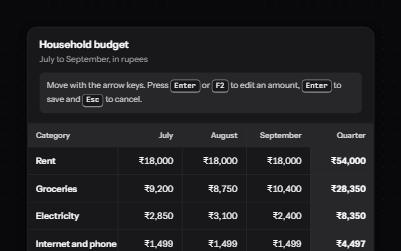
डेटा ग्रिड
स्प्रेडशीट जैसा ग्रिड, एक टैब स्टॉप के साथ: ऐरो कुंजियाँ सेल के बीच ले जाती हैं, Enter कोई राशि बदलता है, और कुल की घोषणा होती है।
-
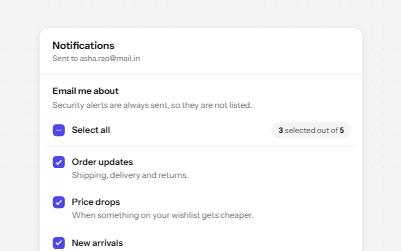
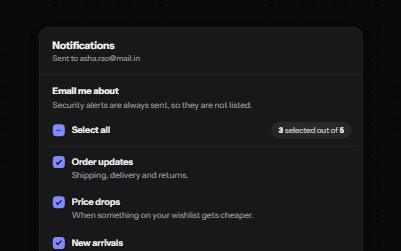
सभी चुनें वाला चेकबॉक्स समूह
जुड़े हुए चेकबॉक्स का fieldset, जिसमें मिश्रित स्थिति दिखाने वाला सभी चुनें बॉक्स और चुनी गई चीज़ों की लाइव गिनती है।
-
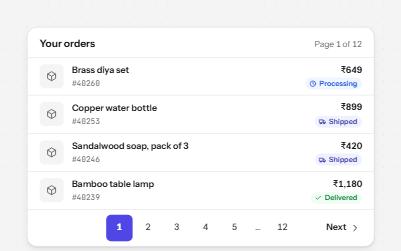
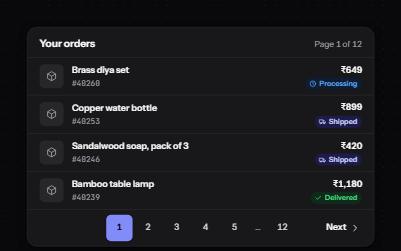
पेजिनेशन
नाम वाले नेविगेशन में पेज लिंक, जो हर पेज का नाम बताते हैं, मौजूदा पेज को चिह्नित करते हैं और सूची बदलने पर बताते हैं।