सुलभता पैटर्न · डेटा प्रदर्शन
ट्री व्यू
ट्री Tab क्रम में एक ही पड़ाव है। ऊपर और नीचे दिखने वाले आइटम पर चलते हैं, दायाँ किसी फ़ोल्डर को खोलता है या उसके अंदर ले जाता है, और बायाँ उसे बंद करता है या उसके पैरेंट पर ले जाता है। नेस्टेड समूह हर आइटम को उसका स्तर और उसके सेट में उसकी जगह देते हैं, इसलिए स्क्रीन रीडर बिना अतिरिक्त एट्रिब्यूट के "स्तर 3, 3 में से 1" कह सकता है।
- डब्ल्यूसीएजी मानदंड
- 6
- कीबोर्ड नियम
- 7
- जाँच का तरीक़ा
- axe, कीबोर्ड और इंस्पेक्टर
लाइव डेमो
आज़माएँ
इसे माउस, कीबोर्ड या स्क्रीन रीडर से इस्तेमाल करें। साथ का इंस्पेक्टर दिखाता है कि आपके इस्तेमाल के दौरान ब्राउज़र सहायक तकनीक को क्या बताता है: फ़ोकस, स्थिति में बदलाव और घोषणाएँ।
प्रोजेक्ट की फ़ाइलें
storefront
-
src
-
components
- Button.tsx
- Card.tsx
- Dialog.tsx
-
pages
- Checkout.tsx
- Home.tsx
- Orders.tsx
-
styles
- global.css
- tokens.css
- main.ts
-
components
-
public
- favicon.svg
- robots.txt
-
tests
- button.test.ts
- checkout.test.ts
- package.json
- README.md
- vite.config.ts
विवरण
Button.tsx
React कंपोनेंट
- आकार
- 2.4 KB
- बदला गया
- 4 अक्टूबर 2026
- स्थान
- storefront / src / components
जावास्क्रिप्ट के बिना डेमो उतना ही काम करता है जितना उसका एचटीएमएल; इंस्पेक्टर के लिए जावास्क्रिप्ट चाहिए।
कीबोर्ड
जिन कुंजियों पर यह काम करता है
हर क्रिया पॉइंटर के बिना काम करती है।
| कुंजी | यह क्या करती है |
|---|---|
| Arrow DownयाArrow Up | अगले या पिछले दिखने वाले आइटम पर ले जाता है, कुछ खोले या बंद किए बिना। |
| Arrow Right | बंद फ़ोल्डर को खोलता है; खुले फ़ोल्डर पर, उसके पहले आइटम पर ले जाता है। |
| Arrow Left | खुले फ़ोल्डर को बंद करता है; किसी और चीज़ पर, उसे रखने वाले फ़ोल्डर पर ले जाता है। |
| HomeयाEnd | पहले या आख़िरी दिखने वाले आइटम पर ले जाता है। |
| EnterयाSpace | फ़ोकस वाला आइटम चुनता है और उसे विवरण पैनल में दिखाता है। |
| * | फ़ोकस वाले आइटम के स्तर के सभी फ़ोल्डर खोलता है। |
| A–Z | अगले उस आइटम पर ले जाता है जिसका नाम टाइप किए गए अक्षरों से शुरू होता है। |
स्क्रीन रीडर
यह क्या घोषित करता है
मार्कअप की भूमिकाओं, नामों और स्थितियों से लिखा गया।
| कब | अपेक्षित घोषणा |
|---|---|
| Tab ट्री पर पहुँचता है | प्रोजेक्ट की फ़ाइलें, ट्री। Button.tsx, चयनित, स्तर 3, 3 में से 1 |
| Arrow Down अगली फ़ाइल पर ले जाता है | Card.tsx, चयनित नहीं, स्तर 3, 3 में से 2 |
| फ़ोकस किसी बंद फ़ोल्डर पर पहुँचता है | “pages”, बंद, स्तर 2, 4 में से 2 |
| Arrow Right उसे खोलता है | खुला |
| Enter फ़ोकस वाली फ़ाइल चुनता है | Card.tsx, चयनित |
ये अपेक्षित घोषणाएँ हैं, रिकॉर्डिंग नहीं। स्क्रीन रीडर और ब्राउज़र के हिसाब से शब्द और क्रम बदलते हैं।
कोड
कोड कॉपी करें
वही फ़ाइलें जिन पर यह डेमो चलता है। स्टाइल एक प्रीफ़िक्स के साथ परोसी जाती हैं जो इस साइट की अपनी स्टाइल को डेमो से दूर रखता है; आप जो कॉपी करते हैं वह मूल है।
<div class="ap-tree" data-ap-tree>
  <div class="ap-tree__top">
    <h3 class="ap-tree__name" id="tree-name">Project files</h3>
    <p class="ap-tree__sub" translate="no">storefront</p>
  </div>
  <div class="ap-tree__body">
    <ul class="ap-tree__list" role="tree" aria-labelledby="tree-name" data-root="storefront">
      <li class="ap-tree__item" role="treeitem" aria-expanded="true" aria-labelledby="tree-src" tabindex="-1" data-kind="Folder" data-size="4 items" data-modified="4 Oct 2026">
        <span class="ap-tree__row"><svg class="ap-tree__chev" viewBox="0 0 24 24" aria-hidden="true" focusable="false"><path d="m9.5 6.5 5.5 5.5-5.5 5.5"/></svg><svg class="ap-tree__icon ap-tree__icon--shut" viewBox="0 0 24 24" aria-hidden="true" focusable="false"><path d="M3.5 7.5a2 2 0 0 1 2-2h3.6l2 2.2h7.4a2 2 0 0 1 2 2v7.8a2 2 0 0 1-2 2h-13a2 2 0 0 1-2-2Z"/></svg><svg class="ap-tree__icon ap-tree__icon--open" viewBox="0 0 24 24" aria-hidden="true" focusable="false"><path d="M3.5 17V7.5a2 2 0 0 1 2-2h3.6l2 2.2h6.4a2 2 0 0 1 2 2v1"/><path d="M3.6 18.2 6.2 11.6a1.6 1.6 0 0 1 1.5-1h12.8l-2.7 7.3a1.6 1.6 0 0 1-1.5 1H5a1.4 1.4 0 0 1-1.4-.7Z"/></svg><span class="ap-tree__label" id="tree-src" translate="no">src</span></span>
        <ul class="ap-tree__group" role="group">
          <li class="ap-tree__item" role="treeitem" aria-expanded="true" aria-labelledby="tree-src-components" tabindex="-1" data-kind="Folder" data-size="3 items" data-modified="4 Oct 2026">
            <span class="ap-tree__row"><svg class="ap-tree__chev" viewBox="0 0 24 24" aria-hidden="true" focusable="false"><path d="m9.5 6.5 5.5 5.5-5.5 5.5"/></svg><svg class="ap-tree__icon ap-tree__icon--shut" viewBox="0 0 24 24" aria-hidden="true" focusable="false"><path d="M3.5 7.5a2 2 0 0 1 2-2h3.6l2 2.2h7.4a2 2 0 0 1 2 2v7.8a2 2 0 0 1-2 2h-13a2 2 0 0 1-2-2Z"/></svg><svg class="ap-tree__icon ap-tree__icon--open" viewBox="0 0 24 24" aria-hidden="true" focusable="false"><path d="M3.5 17V7.5a2 2 0 0 1 2-2h3.6l2 2.2h6.4a2 2 0 0 1 2 2v1"/><path d="M3.6 18.2 6.2 11.6a1.6 1.6 0 0 1 1.5-1h12.8l-2.7 7.3a1.6 1.6 0 0 1-1.5 1H5a1.4 1.4 0 0 1-1.4-.7Z"/></svg><span class="ap-tree__label" id="tree-src-components" translate="no">components</span></span>
            <ul class="ap-tree__group" role="group">
              <li class="ap-tree__item" role="treeitem" tabindex="0" aria-selected="true" data-kind="React component" data-size="2.4 KB" data-modified="4 Oct 2026">
                <span class="ap-tree__row"><span class="ap-tree__spacer"></span><svg class="ap-tree__icon ap-tree__icon--file" viewBox="0 0 24 24" aria-hidden="true" focusable="false"><path d="M6.5 3.5h7l4.5 4.5v12.5h-11.5Z"/><path d="M13.5 3.5V8H18"/></svg><span class="ap-tree__label" translate="no">Button.tsx</span></span>
              </li>
              <li class="ap-tree__item" role="treeitem" tabindex="-1" data-kind="React component" data-size="1.8 KB" data-modified="28 Sep 2026">
                <span class="ap-tree__row"><span class="ap-tree__spacer"></span><svg class="ap-tree__icon ap-tree__icon--file" viewBox="0 0 24 24" aria-hidden="true" focusable="false"><path d="M6.5 3.5h7l4.5 4.5v12.5h-11.5Z"/><path d="M13.5 3.5V8H18"/></svg><span class="ap-tree__label" translate="no">Card.tsx</span></span>
              </li>
              <li class="ap-tree__item" role="treeitem" tabindex="-1" data-kind="React component" data-size="3.9 KB" data-modified="1 Oct 2026">
                <span class="ap-tree__row"><span class="ap-tree__spacer"></span><svg class="ap-tree__icon ap-tree__icon--file" viewBox="0 0 24 24" aria-hidden="true" focusable="false"><path d="M6.5 3.5h7l4.5 4.5v12.5h-11.5Z"/><path d="M13.5 3.5V8H18"/></svg><span class="ap-tree__label" translate="no">Dialog.tsx</span></span>
              </li>
            </ul>
          </li>
          <li class="ap-tree__item" role="treeitem" aria-expanded="false" aria-labelledby="tree-src-pages" tabindex="-1" data-kind="Folder" data-size="3 items" data-modified="2 Oct 2026">
            <span class="ap-tree__row"><svg class="ap-tree__chev" viewBox="0 0 24 24" aria-hidden="true" focusable="false"><path d="m9.5 6.5 5.5 5.5-5.5 5.5"/></svg><svg class="ap-tree__icon ap-tree__icon--shut" viewBox="0 0 24 24" aria-hidden="true" focusable="false"><path d="M3.5 7.5a2 2 0 0 1 2-2h3.6l2 2.2h7.4a2 2 0 0 1 2 2v7.8a2 2 0 0 1-2 2h-13a2 2 0 0 1-2-2Z"/></svg><svg class="ap-tree__icon ap-tree__icon--open" viewBox="0 0 24 24" aria-hidden="true" focusable="false"><path d="M3.5 17V7.5a2 2 0 0 1 2-2h3.6l2 2.2h6.4a2 2 0 0 1 2 2v1"/><path d="M3.6 18.2 6.2 11.6a1.6 1.6 0 0 1 1.5-1h12.8l-2.7 7.3a1.6 1.6 0 0 1-1.5 1H5a1.4 1.4 0 0 1-1.4-.7Z"/></svg><span class="ap-tree__label" id="tree-src-pages" translate="no">pages</span></span>
            <ul class="ap-tree__group" role="group" hidden>
              <li class="ap-tree__item" role="treeitem" tabindex="-1" data-kind="React component" data-size="5.2 KB" data-modified="2 Oct 2026">
                <span class="ap-tree__row"><span class="ap-tree__spacer"></span><svg class="ap-tree__icon ap-tree__icon--file" viewBox="0 0 24 24" aria-hidden="true" focusable="false"><path d="M6.5 3.5h7l4.5 4.5v12.5h-11.5Z"/><path d="M13.5 3.5V8H18"/></svg><span class="ap-tree__label" translate="no">Checkout.tsx</span></span>
              </li>
              <li class="ap-tree__item" role="treeitem" tabindex="-1" data-kind="React component" data-size="3.1 KB" data-modified="19 Sep 2026">
                <span class="ap-tree__row"><span class="ap-tree__spacer"></span><svg class="ap-tree__icon ap-tree__icon--file" viewBox="0 0 24 24" aria-hidden="true" focusable="false"><path d="M6.5 3.5h7l4.5 4.5v12.5h-11.5Z"/><path d="M13.5 3.5V8H18"/></svg><span class="ap-tree__label" translate="no">Home.tsx</span></span>
              </li>
              <li class="ap-tree__item" role="treeitem" tabindex="-1" data-kind="React component" data-size="4.6 KB" data-modified="30 Sep 2026">
                <span class="ap-tree__row"><span class="ap-tree__spacer"></span><svg class="ap-tree__icon ap-tree__icon--file" viewBox="0 0 24 24" aria-hidden="true" focusable="false"><path d="M6.5 3.5h7l4.5 4.5v12.5h-11.5Z"/><path d="M13.5 3.5V8H18"/></svg><span class="ap-tree__label" translate="no">Orders.tsx</span></span>
              </li>
            </ul>
          </li>
          <li class="ap-tree__item" role="treeitem" aria-expanded="false" aria-labelledby="tree-src-styles" tabindex="-1" data-kind="Folder" data-size="2 items" data-modified="27 Sep 2026">
            <span class="ap-tree__row"><svg class="ap-tree__chev" viewBox="0 0 24 24" aria-hidden="true" focusable="false"><path d="m9.5 6.5 5.5 5.5-5.5 5.5"/></svg><svg class="ap-tree__icon ap-tree__icon--shut" viewBox="0 0 24 24" aria-hidden="true" focusable="false"><path d="M3.5 7.5a2 2 0 0 1 2-2h3.6l2 2.2h7.4a2 2 0 0 1 2 2v7.8a2 2 0 0 1-2 2h-13a2 2 0 0 1-2-2Z"/></svg><svg class="ap-tree__icon ap-tree__icon--open" viewBox="0 0 24 24" aria-hidden="true" focusable="false"><path d="M3.5 17V7.5a2 2 0 0 1 2-2h3.6l2 2.2h6.4a2 2 0 0 1 2 2v1"/><path d="M3.6 18.2 6.2 11.6a1.6 1.6 0 0 1 1.5-1h12.8l-2.7 7.3a1.6 1.6 0 0 1-1.5 1H5a1.4 1.4 0 0 1-1.4-.7Z"/></svg><span class="ap-tree__label" id="tree-src-styles" translate="no">styles</span></span>
            <ul class="ap-tree__group" role="group" hidden>
              <li class="ap-tree__item" role="treeitem" tabindex="-1" data-kind="Stylesheet" data-size="1.2 KB" data-modified="27 Sep 2026">
                <span class="ap-tree__row"><span class="ap-tree__spacer"></span><svg class="ap-tree__icon ap-tree__icon--file" viewBox="0 0 24 24" aria-hidden="true" focusable="false"><path d="M6.5 3.5h7l4.5 4.5v12.5h-11.5Z"/><path d="M13.5 3.5V8H18"/></svg><span class="ap-tree__label" translate="no">global.css</span></span>
              </li>
              <li class="ap-tree__item" role="treeitem" tabindex="-1" data-kind="Stylesheet" data-size="2.7 KB" data-modified="25 Sep 2026">
                <span class="ap-tree__row"><span class="ap-tree__spacer"></span><svg class="ap-tree__icon ap-tree__icon--file" viewBox="0 0 24 24" aria-hidden="true" focusable="false"><path d="M6.5 3.5h7l4.5 4.5v12.5h-11.5Z"/><path d="M13.5 3.5V8H18"/></svg><span class="ap-tree__label" translate="no">tokens.css</span></span>
              </li>
            </ul>
          </li>
          <li class="ap-tree__item" role="treeitem" tabindex="-1" data-kind="TypeScript file" data-size="0.6 KB" data-modified="12 Sep 2026">
            <span class="ap-tree__row"><span class="ap-tree__spacer"></span><svg class="ap-tree__icon ap-tree__icon--file" viewBox="0 0 24 24" aria-hidden="true" focusable="false"><path d="M6.5 3.5h7l4.5 4.5v12.5h-11.5Z"/><path d="M13.5 3.5V8H18"/></svg><span class="ap-tree__label" translate="no">main.ts</span></span>
          </li>
        </ul>
      </li>
      <li class="ap-tree__item" role="treeitem" aria-expanded="false" aria-labelledby="tree-public" tabindex="-1" data-kind="Folder" data-size="2 items" data-modified="8 Sep 2026">
        <span class="ap-tree__row"><svg class="ap-tree__chev" viewBox="0 0 24 24" aria-hidden="true" focusable="false"><path d="m9.5 6.5 5.5 5.5-5.5 5.5"/></svg><svg class="ap-tree__icon ap-tree__icon--shut" viewBox="0 0 24 24" aria-hidden="true" focusable="false"><path d="M3.5 7.5a2 2 0 0 1 2-2h3.6l2 2.2h7.4a2 2 0 0 1 2 2v7.8a2 2 0 0 1-2 2h-13a2 2 0 0 1-2-2Z"/></svg><svg class="ap-tree__icon ap-tree__icon--open" viewBox="0 0 24 24" aria-hidden="true" focusable="false"><path d="M3.5 17V7.5a2 2 0 0 1 2-2h3.6l2 2.2h6.4a2 2 0 0 1 2 2v1"/><path d="M3.6 18.2 6.2 11.6a1.6 1.6 0 0 1 1.5-1h12.8l-2.7 7.3a1.6 1.6 0 0 1-1.5 1H5a1.4 1.4 0 0 1-1.4-.7Z"/></svg><span class="ap-tree__label" id="tree-public" translate="no">public</span></span>
        <ul class="ap-tree__group" role="group" hidden>
          <li class="ap-tree__item" role="treeitem" tabindex="-1" data-kind="SVG image" data-size="1.1 KB" data-modified="8 Sep 2026">
            <span class="ap-tree__row"><span class="ap-tree__spacer"></span><svg class="ap-tree__icon ap-tree__icon--file" viewBox="0 0 24 24" aria-hidden="true" focusable="false"><path d="M6.5 3.5h7l4.5 4.5v12.5h-11.5Z"/><path d="M13.5 3.5V8H18"/></svg><span class="ap-tree__label" translate="no">favicon.svg</span></span>
          </li>
          <li class="ap-tree__item" role="treeitem" tabindex="-1" data-kind="Text file" data-size="68 bytes" data-modified="8 Sep 2026">
            <span class="ap-tree__row"><span class="ap-tree__spacer"></span><svg class="ap-tree__icon ap-tree__icon--file" viewBox="0 0 24 24" aria-hidden="true" focusable="false"><path d="M6.5 3.5h7l4.5 4.5v12.5h-11.5Z"/><path d="M13.5 3.5V8H18"/></svg><span class="ap-tree__label" translate="no">robots.txt</span></span>
          </li>
        </ul>
      </li>
      <li class="ap-tree__item" role="treeitem" aria-expanded="false" aria-labelledby="tree-tests" tabindex="-1" data-kind="Folder" data-size="2 items" data-modified="3 Oct 2026">
        <span class="ap-tree__row"><svg class="ap-tree__chev" viewBox="0 0 24 24" aria-hidden="true" focusable="false"><path d="m9.5 6.5 5.5 5.5-5.5 5.5"/></svg><svg class="ap-tree__icon ap-tree__icon--shut" viewBox="0 0 24 24" aria-hidden="true" focusable="false"><path d="M3.5 7.5a2 2 0 0 1 2-2h3.6l2 2.2h7.4a2 2 0 0 1 2 2v7.8a2 2 0 0 1-2 2h-13a2 2 0 0 1-2-2Z"/></svg><svg class="ap-tree__icon ap-tree__icon--open" viewBox="0 0 24 24" aria-hidden="true" focusable="false"><path d="M3.5 17V7.5a2 2 0 0 1 2-2h3.6l2 2.2h6.4a2 2 0 0 1 2 2v1"/><path d="M3.6 18.2 6.2 11.6a1.6 1.6 0 0 1 1.5-1h12.8l-2.7 7.3a1.6 1.6 0 0 1-1.5 1H5a1.4 1.4 0 0 1-1.4-.7Z"/></svg><span class="ap-tree__label" id="tree-tests" translate="no">tests</span></span>
        <ul class="ap-tree__group" role="group" hidden>
          <li class="ap-tree__item" role="treeitem" tabindex="-1" data-kind="TypeScript file" data-size="1.9 KB" data-modified="3 Oct 2026">
            <span class="ap-tree__row"><span class="ap-tree__spacer"></span><svg class="ap-tree__icon ap-tree__icon--file" viewBox="0 0 24 24" aria-hidden="true" focusable="false"><path d="M6.5 3.5h7l4.5 4.5v12.5h-11.5Z"/><path d="M13.5 3.5V8H18"/></svg><span class="ap-tree__label" translate="no">button.test.ts</span></span>
          </li>
          <li class="ap-tree__item" role="treeitem" tabindex="-1" data-kind="TypeScript file" data-size="3.4 KB" data-modified="2 Oct 2026">
            <span class="ap-tree__row"><span class="ap-tree__spacer"></span><svg class="ap-tree__icon ap-tree__icon--file" viewBox="0 0 24 24" aria-hidden="true" focusable="false"><path d="M6.5 3.5h7l4.5 4.5v12.5h-11.5Z"/><path d="M13.5 3.5V8H18"/></svg><span class="ap-tree__label" translate="no">checkout.test.ts</span></span>
          </li>
        </ul>
      </li>
      <li class="ap-tree__item" role="treeitem" tabindex="-1" data-kind="JSON file" data-size="1.3 KB" data-modified="29 Sep 2026">
        <span class="ap-tree__row"><span class="ap-tree__spacer"></span><svg class="ap-tree__icon ap-tree__icon--file" viewBox="0 0 24 24" aria-hidden="true" focusable="false"><path d="M6.5 3.5h7l4.5 4.5v12.5h-11.5Z"/><path d="M13.5 3.5V8H18"/></svg><span class="ap-tree__label" translate="no">package.json</span></span>
      </li>
      <li class="ap-tree__item" role="treeitem" tabindex="-1" data-kind="Markdown file" data-size="2.2 KB" data-modified="15 Sep 2026">
        <span class="ap-tree__row"><span class="ap-tree__spacer"></span><svg class="ap-tree__icon ap-tree__icon--file" viewBox="0 0 24 24" aria-hidden="true" focusable="false"><path d="M6.5 3.5h7l4.5 4.5v12.5h-11.5Z"/><path d="M13.5 3.5V8H18"/></svg><span class="ap-tree__label" translate="no">README.md</span></span>
      </li>
      <li class="ap-tree__item" role="treeitem" tabindex="-1" data-kind="TypeScript file" data-size="0.4 KB" data-modified="10 Sep 2026">
        <span class="ap-tree__row"><span class="ap-tree__spacer"></span><svg class="ap-tree__icon ap-tree__icon--file" viewBox="0 0 24 24" aria-hidden="true" focusable="false"><path d="M6.5 3.5h7l4.5 4.5v12.5h-11.5Z"/><path d="M13.5 3.5V8H18"/></svg><span class="ap-tree__label" translate="no">vite.config.ts</span></span>
      </li>
    </ul>

    <section class="ap-tree__details" aria-labelledby="tree-details-name" data-ap-details>
      <h3 class="ap-tree__pane-name" id="tree-details-name">Details</h3>
      <div class="ap-tree__preview">
        <span class="ap-tree__tile" aria-hidden="true"><svg class="ap-tree__icon ap-tree__icon--file" viewBox="0 0 24 24" aria-hidden="true" focusable="false"><path d="M6.5 3.5h7l4.5 4.5v12.5h-11.5Z"/><path d="M13.5 3.5V8H18"/></svg><svg class="ap-tree__icon ap-tree__icon--shut" viewBox="0 0 24 24" aria-hidden="true" focusable="false"><path d="M3.5 7.5a2 2 0 0 1 2-2h3.6l2 2.2h7.4a2 2 0 0 1 2 2v7.8a2 2 0 0 1-2 2h-13a2 2 0 0 1-2-2Z"/></svg></span>
        <div>
          <p class="ap-tree__file" translate="no" data-ap-file>Button.tsx</p>
          <p class="ap-tree__kind" data-ap-kind>React component</p>
        </div>
      </div>
      <dl class="ap-tree__facts">
        <div><dt>Size</dt><dd data-ap-size>2.4 KB</dd></div>
        <div><dt>Modified</dt><dd data-ap-modified>4 Oct 2026</dd></div>
        <div><dt>Location</dt><dd translate="no" data-ap-where>storefront / src / components</dd></div>
      </dl>
    </section>
  </div>
</div>
/* Tree view: a file explorer with a details pane. Uses the --ap-* design tokens. */
.ap-tree {
  width: min(100%, 720px);
  margin-inline: auto;
  border: 1px solid var(--ap-border);
  border-radius: var(--ap-radius-lg);
  background: var(--ap-surface);
  color: var(--ap-text);
  box-shadow: var(--ap-shadow-md);
  container-type: inline-size;
  overflow: hidden;
}

.ap-tree__top {
  display: flex;
  flex-wrap: wrap;
  align-items: center;
  gap: 6px 10px;
  padding: 16px 20px 14px;
  border-bottom: 1px solid var(--ap-border);
}
.ap-tree__name {
  margin: 0;
  font-size: 1.0625rem;
  font-weight: 650;
  line-height: 1.3;
}
.ap-tree__sub {
  margin: 0;
  padding: 2px 9px;
  border-radius: var(--ap-radius-full);
  background: var(--ap-surface-2);
  color: var(--ap-text-2);
  font-family: var(--ap-mono);
  font-size: .8125rem;
}

.ap-tree__body {
  display: grid;
  grid-template-columns: minmax(0, 1fr) minmax(0, 16.5rem);
}

/* The tree */
.ap-tree__list,
.ap-tree__group {
  margin: 0;
  padding: 0;
  list-style: none;
}
.ap-tree__list {
  padding: 8px;
  border-right: 1px solid var(--ap-border);
}
.ap-tree__group {
  position: relative;
}
/* Guide lines under each open folder, lined up with its chevron. */
.ap-tree__group::before {
  content: "";
  position: absolute;
  top: 2px;
  bottom: 2px;
  left: 15px;
  width: 1px;
  background: var(--ap-border);
}
.ap-tree__group .ap-tree__group::before {
  left: 35px;
}

/* The ring goes on the row, not round the whole item and everything inside it. */
.ap-tree__item:focus {
  outline: none;
}
.ap-tree__item:focus-visible > .ap-tree__row {
  outline: 2px solid var(--ap-focus);
  outline-offset: -2px;
}

.ap-tree__row {
  display: flex;
  align-items: center;
  gap: 6px;
  min-height: 32px;
  padding: 0 10px 0 6px;
  border-radius: var(--ap-radius-sm);
  color: var(--ap-text-2);
  font-size: .9375rem;
  white-space: nowrap;
  cursor: pointer;
  user-select: none;
  transition: background-color var(--ap-duration) var(--ap-ease);
}
.ap-tree__row:hover {
  background: var(--ap-surface-2);
  color: var(--ap-text);
}
.ap-tree__group .ap-tree__row { padding-left: 26px; }
.ap-tree__group .ap-tree__group .ap-tree__row { padding-left: 46px; }
.ap-tree__group .ap-tree__group .ap-tree__group .ap-tree__row { padding-left: 66px; }

.ap-tree__chev,
.ap-tree__spacer {
  flex-shrink: 0;
  width: 18px;
  height: 18px;
}
.ap-tree__chev {
  fill: none;
  stroke: var(--ap-text-3);
  stroke-width: 2;
  stroke-linecap: round;
  stroke-linejoin: round;
  transition: transform var(--ap-duration) var(--ap-ease);
}
.ap-tree__item[aria-expanded="true"] > .ap-tree__row .ap-tree__chev {
  transform: rotate(90deg);
}
.ap-tree__icon {
  flex-shrink: 0;
  width: 18px;
  height: 18px;
  fill: none;
  stroke: var(--ap-text-3);
  stroke-width: 1.7;
  stroke-linejoin: round;
  stroke-linecap: round;
}
.ap-tree__icon--shut,
.ap-tree__icon--open {
  fill: var(--ap-accent-soft);
  stroke: var(--ap-accent-text);
}
.ap-tree__item[aria-expanded="true"] > .ap-tree__row .ap-tree__icon--shut,
.ap-tree__item:not([aria-expanded="true"]) > .ap-tree__row .ap-tree__icon--open {
  display: none;
}
.ap-tree__label {
  overflow: hidden;
  text-overflow: ellipsis;
}

/* Selected: tint, weight and a bar at the start, apart from the focus ring. */
.ap-tree__item[aria-selected="true"] > .ap-tree__row {
  background: var(--ap-accent-soft);
  color: var(--ap-accent-soft-text);
  font-weight: 600;
  box-shadow: inset 3px 0 0 var(--ap-accent);
}

/* The details pane */
.ap-tree__details {
  min-width: 0;
  padding: 18px 20px 20px;
  background: var(--ap-surface-2);
}
.ap-tree__pane-name {
  margin: 0 0 14px;
  color: var(--ap-text-3);
  font-size: .75rem;
  font-weight: 650;
  letter-spacing: .06em;
  text-transform: uppercase;
}
.ap-tree__preview {
  display: flex;
  align-items: center;
  gap: 12px;
  padding-bottom: 16px;
  border-bottom: 1px solid var(--ap-border);
}
.ap-tree__tile {
  display: grid;
  flex-shrink: 0;
  place-items: center;
  width: 46px;
  height: 46px;
  border: 1px solid var(--ap-border);
  border-radius: var(--ap-radius);
  background: var(--ap-surface);
}
.ap-tree__tile .ap-tree__icon {
  width: 24px;
  height: 24px;
}
.ap-tree__tile .ap-tree__icon--shut,
.ap-tree__details.is-folder .ap-tree__tile .ap-tree__icon--file {
  display: none;
}
.ap-tree__details.is-folder .ap-tree__tile .ap-tree__icon--shut {
  display: block;
}
.ap-tree__file {
  margin: 0;
  font-weight: 650;
  line-height: 1.35;
  overflow-wrap: anywhere;
}
.ap-tree__kind {
  margin: 2px 0 0;
  color: var(--ap-text-3);
  font-size: .875rem;
}
.ap-tree__facts {
  display: grid;
  gap: 12px;
  margin: 16px 0 0;
}
.ap-tree__facts dt {
  color: var(--ap-text-3);
  font-size: .8125rem;
}
.ap-tree__facts dd {
  margin: 2px 0 0;
  color: var(--ap-text);
  font-size: .9375rem;
  overflow-wrap: anywhere;
}
.ap-tree__facts dd[translate="no"] {
  font-family: var(--ap-mono);
  font-size: .8125rem;
}

/* Narrow: the pane moves under the tree. */
@container (max-width: 560px) {
  .ap-tree__body { grid-template-columns: minmax(0, 1fr); }
  .ap-tree__list { border-right: 0; }
  .ap-tree__details { border-top: 1px solid var(--ap-border); }
  .ap-tree__facts { grid-template-columns: repeat(2, minmax(0, 1fr)); }
  .ap-tree__facts div:last-child { grid-column: 1 / -1; }
}

@media (prefers-reduced-motion: reduce) {
  .ap-tree__row,
  .ap-tree__chev { transition: none; }
}
/**
 * Tree view: a file explorer after the WAI-ARIA tree pattern.
 *
 * One tab stop (roving tabindex on the items). Up and Down move through the
 * visible items; Right opens a folder or moves into it; Left closes it or
 * moves to the parent; Home and End go to the ends; * opens every folder at
 * the focused item's level; typing jumps to a matching name. Enter, Space or
 * a click selects one item (aria-selected on that item only) and fills the
 * details pane. Add data-follow to the root to make selection follow focus.
 *
 * Markup: [data-ap-tree] holding ul[role=tree][data-root] of li[role=treeitem]
 * with data-kind, data-size and data-modified; folders carry aria-expanded,
 * aria-labelledby (their own .ap-tree__label) and a ul[role=group]. The pane
 * is [data-ap-details] with [data-ap-file], [data-ap-kind], [data-ap-size],
 * [data-ap-modified] and [data-ap-where].
 */

export function init(root) {
  const tree = root.querySelector("[role=tree]");
  const pane = root.querySelector("[data-ap-details]");
  const items = () => [...tree.querySelectorAll("[role=treeitem]")];
  // Visible: no closed folder above it.
  const visible = () => items().filter((item) => !item.parentElement.closest("[role=group][hidden]"));
  const isFolder = (item) => item.hasAttribute("aria-expanded");
  const isOpen = (item) => item.getAttribute("aria-expanded") === "true";
  const groupOf = (item) => item.querySelector(":scope > [role=group]");
  const parentOf = (item) => item.parentElement.closest("[role=treeitem]");
  const labelOf = (item) => item.querySelector(":scope > .ap-tree__row .ap-tree__label").textContent.trim();

  let current = tree.querySelector('[role=treeitem][tabindex="0"]') || items()[0];
  let typed = "";
  let typedAt = 0;

  function focusItem(item) {
    if (!item) return;
    if (item !== current) {
      current.tabIndex = -1;
      current = item;
    }
    item.tabIndex = 0;
    item.focus();
    if (root.hasAttribute("data-follow")) select(item);
  }

  function setOpen(item, open) {
    if (!isFolder(item) || isOpen(item) === open) return;
    item.setAttribute("aria-expanded", String(open));
    groupOf(item).hidden = !open;
  }

  function select(item) {
    if (item.getAttribute("aria-selected") === "true") return;
    // Single selection: only the chosen item carries aria-selected.
    for (const other of tree.querySelectorAll("[aria-selected]")) other.removeAttribute("aria-selected");
    item.setAttribute("aria-selected", "true");
    show(item);
  }

  function show(item) {
    const path = [tree.dataset.root];
    for (let p = parentOf(item); p; p = parentOf(p)) path.splice(1, 0, labelOf(p));
    pane.querySelector("[data-ap-file]").textContent = labelOf(item);
    pane.querySelector("[data-ap-kind]").textContent = item.dataset.kind;
    pane.querySelector("[data-ap-size]").textContent = item.dataset.size;
    pane.querySelector("[data-ap-modified]").textContent = item.dataset.modified;
    pane.querySelector("[data-ap-where]").textContent = path.join(" / ");
    pane.classList.toggle("is-folder", isFolder(item));
  }

  function typeahead(char) {
    const now = Date.now();
    typed = now - typedAt > 500 ? char : typed + char;
    typedAt = now;
    const list = visible();
    // The same letter again moves on to the next match; a longer prefix refines.
    const same = [...typed].every((c) => c === typed[0]);
    const query = same ? typed[0] : typed;
    const from = list.indexOf(current) + (same ? 1 : 0);
    const order = [...list.slice(from), ...list.slice(0, from)];
    return order.find((item) => labelOf(item).toLocaleLowerCase().startsWith(query)) || null;
  }

  function onKeydown(event) {
    const item = event.target.closest("[role=treeitem]");
    if (!item || item !== current) return;
    if (event.ctrlKey || event.metaKey || event.altKey) return;
    const list = visible();
    const at = list.indexOf(item);
    let handled = true;
    switch (event.key) {
      case "ArrowDown": focusItem(list[at + 1]); break;
      case "ArrowUp": focusItem(list[at - 1]); break;
      case "Home": focusItem(list[0]); break;
      case "End": focusItem(list[list.length - 1]); break;
      case "ArrowRight":
        if (isFolder(item)) {
          if (!isOpen(item)) setOpen(item, true);
          else focusItem(groupOf(item).querySelector("[role=treeitem]"));
        }
        break;
      case "ArrowLeft":
        if (isFolder(item) && isOpen(item)) setOpen(item, false);
        else focusItem(parentOf(item));
        break;
      case "Enter":
      case " ":
        select(item);
        break;
      case "*":
        for (const sibling of item.parentElement.children) setOpen(sibling, true);
        break;
      default:
        if (event.key.length === 1 && event.key.trim()) focusItem(typeahead(event.key.toLocaleLowerCase()));
        else handled = false;
    }
    if (handled) event.preventDefault();
  }

  function onClick(event) {
    const item = event.target.closest("[role=treeitem]");
    if (!item || !tree.contains(item)) return;
    // A click on a folder opens or closes it, as in most code editors.
    if (isFolder(item)) setOpen(item, !isOpen(item));
    focusItem(item);
    select(item);
  }

  // Focus that arrives another way (a click lands on the item) moves the tab stop too.
  function onFocusin(event) {
    const item = event.target.closest("[role=treeitem]");
    if (item && item !== current) {
      current.tabIndex = -1;
      current = item;
      item.tabIndex = 0;
    }
  }

  tree.addEventListener("keydown", onKeydown);
  tree.addEventListener("click", onClick);
  tree.addEventListener("focusin", onFocusin);

  return () => {
    tree.removeEventListener("keydown", onKeydown);
    tree.removeEventListener("click", onClick);
    tree.removeEventListener("focusin", onFocusin);
  };
}

for (const root of document.querySelectorAll("[data-ap-tree]")) init(root);
/* Design tokens for the pattern components. Light by default, dark when the
   system asks for it; set data-theme="dark" on :root to force dark. */
:root {
    --ap-radius-sm: 8px;
    --ap-radius: 12px;
    --ap-radius-lg: 16px;
    --ap-radius-full: 999px;
    --ap-font: "Instrument Sans", ui-sans-serif, system-ui, -apple-system, "Segoe UI", Roboto, sans-serif;
    --ap-mono: "JetBrains Mono", ui-monospace, "Cascadia Mono", "SF Mono", Consolas, monospace;
    --ap-ease: cubic-bezier(.2, .8, .2, 1);
    --ap-duration: 180ms;
    --ap-target: 44px;
    --ap-bg: #F4F4F5;
    --ap-surface: #FFFFFF;
    --ap-surface-2: #F4F4F5;
    --ap-surface-3: #E4E4E7;
    --ap-border: #E4E4E7;
    --ap-border-strong: #76767F;
    --ap-text: #18181B;
    --ap-text-2: #3F3F46;
    --ap-text-3: #5E5E66;
    --ap-accent: #4F46E5;
    --ap-accent-hover: #4338CA;
    --ap-on-accent: #FFFFFF;
    --ap-accent-text: #4338CA;
    --ap-accent-soft: #EEF2FF;
    --ap-accent-soft-text: #3730A3;
    --ap-focus: #4F46E5;
    --ap-danger: #B91C1C;
    --ap-danger-soft: #FEF2F2;
    --ap-success: #15803D;
    --ap-success-soft: #F0FDF4;
    --ap-warning: #A15C07;
    --ap-warning-soft: #FEFCE8;
    --ap-info: #1D4ED8;
    --ap-info-soft: #EFF6FF;
    --ap-scrim: rgb(9 9 11 / .48);
    --ap-shadow-sm: 0 1px 2px rgb(9 9 11 / .06);
    --ap-shadow-md: 0 1px 2px rgb(9 9 11 / .05), 0 6px 16px -4px rgb(9 9 11 / .1);
    --ap-shadow-lg: 0 2px 6px rgb(9 9 11 / .06), 0 20px 40px -12px rgb(9 9 11 / .22);
    --ap-light-bg: #F4F4F5;
    --ap-light-surface: #FFFFFF;
    --ap-light-surface-2: #F4F4F5;
    --ap-light-surface-3: #E4E4E7;
    --ap-light-border: #E4E4E7;
    --ap-light-border-strong: #76767F;
    --ap-light-text: #18181B;
    --ap-light-text-2: #3F3F46;
    --ap-light-text-3: #5E5E66;
    --ap-light-accent: #4F46E5;
    --ap-light-accent-hover: #4338CA;
    --ap-light-on-accent: #FFFFFF;
    --ap-light-accent-text: #4338CA;
    --ap-light-accent-soft: #EEF2FF;
    --ap-light-accent-soft-text: #3730A3;
    --ap-light-focus: #4F46E5;
    --ap-light-danger: #B91C1C;
    --ap-light-danger-soft: #FEF2F2;
    --ap-light-success: #15803D;
    --ap-light-success-soft: #F0FDF4;
    --ap-light-warning: #A15C07;
    --ap-light-warning-soft: #FEFCE8;
    --ap-light-info: #1D4ED8;
    --ap-light-info-soft: #EFF6FF;
    --ap-light-scrim: rgb(9 9 11 / .48);
    --ap-light-shadow-sm: 0 1px 2px rgb(9 9 11 / .06);
    --ap-light-shadow-md: 0 1px 2px rgb(9 9 11 / .05), 0 6px 16px -4px rgb(9 9 11 / .1);
    --ap-light-shadow-lg: 0 2px 6px rgb(9 9 11 / .06), 0 20px 40px -12px rgb(9 9 11 / .22);
    --ap-dark-bg: #09090B;
    --ap-dark-surface: #18181B;
    --ap-dark-surface-2: #27272A;
    --ap-dark-surface-3: #3F3F46;
    --ap-dark-border: #2E2E33;
    --ap-dark-border-strong: #8E8E97;
    --ap-dark-text: #FAFAFA;
    --ap-dark-text-2: #D4D4D8;
    --ap-dark-text-3: #A1A1AA;
    --ap-dark-accent: #818CF8;
    --ap-dark-accent-hover: #A5B4FC;
    --ap-dark-on-accent: #0C0A1F;
    --ap-dark-accent-text: #A5B4FC;
    --ap-dark-accent-soft: #1E1B4B;
    --ap-dark-accent-soft-text: #C7D2FE;
    --ap-dark-focus: #A5B4FC;
    --ap-dark-danger: #F87171;
    --ap-dark-danger-soft: #2A1215;
    --ap-dark-success: #4ADE80;
    --ap-dark-success-soft: #0F2A1A;
    --ap-dark-warning: #FACC15;
    --ap-dark-warning-soft: #2A2410;
    --ap-dark-info: #60A5FA;
    --ap-dark-info-soft: #0F1D33;
    --ap-dark-scrim: rgb(0 0 0 / .62);
    --ap-dark-shadow-sm: 0 1px 2px rgb(0 0 0 / .4);
    --ap-dark-shadow-md: 0 1px 2px rgb(0 0 0 / .4), 0 8px 20px -6px rgb(0 0 0 / .5);
    --ap-dark-shadow-lg: 0 2px 8px rgb(0 0 0 / .45), 0 24px 48px -12px rgb(0 0 0 / .7);
}
@media (prefers-color-scheme: dark) {
  :root:not([data-theme="light"]) {
      --ap-bg: #09090B;
      --ap-surface: #18181B;
      --ap-surface-2: #27272A;
      --ap-surface-3: #3F3F46;
      --ap-border: #2E2E33;
      --ap-border-strong: #8E8E97;
      --ap-text: #FAFAFA;
      --ap-text-2: #D4D4D8;
      --ap-text-3: #A1A1AA;
      --ap-accent: #818CF8;
      --ap-accent-hover: #A5B4FC;
      --ap-on-accent: #0C0A1F;
      --ap-accent-text: #A5B4FC;
      --ap-accent-soft: #1E1B4B;
      --ap-accent-soft-text: #C7D2FE;
      --ap-focus: #A5B4FC;
      --ap-danger: #F87171;
      --ap-danger-soft: #2A1215;
      --ap-success: #4ADE80;
      --ap-success-soft: #0F2A1A;
      --ap-warning: #FACC15;
      --ap-warning-soft: #2A2410;
      --ap-info: #60A5FA;
      --ap-info-soft: #0F1D33;
      --ap-scrim: rgb(0 0 0 / .62);
      --ap-shadow-sm: 0 1px 2px rgb(0 0 0 / .4);
      --ap-shadow-md: 0 1px 2px rgb(0 0 0 / .4), 0 8px 20px -6px rgb(0 0 0 / .5);
      --ap-shadow-lg: 0 2px 8px rgb(0 0 0 / .45), 0 24px 48px -12px rgb(0 0 0 / .7);
  }
}
:root[data-theme="dark"] {
    --ap-bg: #09090B;
    --ap-surface: #18181B;
    --ap-surface-2: #27272A;
    --ap-surface-3: #3F3F46;
    --ap-border: #2E2E33;
    --ap-border-strong: #8E8E97;
    --ap-text: #FAFAFA;
    --ap-text-2: #D4D4D8;
    --ap-text-3: #A1A1AA;
    --ap-accent: #818CF8;
    --ap-accent-hover: #A5B4FC;
    --ap-on-accent: #0C0A1F;
    --ap-accent-text: #A5B4FC;
    --ap-accent-soft: #1E1B4B;
    --ap-accent-soft-text: #C7D2FE;
    --ap-focus: #A5B4FC;
    --ap-danger: #F87171;
    --ap-danger-soft: #2A1215;
    --ap-success: #4ADE80;
    --ap-success-soft: #0F2A1A;
    --ap-warning: #FACC15;
    --ap-warning-soft: #2A2410;
    --ap-info: #60A5FA;
    --ap-info-soft: #0F1D33;
    --ap-scrim: rgb(0 0 0 / .62);
    --ap-shadow-sm: 0 1px 2px rgb(0 0 0 / .4);
    --ap-shadow-md: 0 1px 2px rgb(0 0 0 / .4), 0 8px 20px -6px rgb(0 0 0 / .5);
    --ap-shadow-lg: 0 2px 8px rgb(0 0 0 / .45), 0 24px 48px -12px rgb(0 0 0 / .7);
}
डब्ल्यूसीएजी 2.2
यह किन मानदंडों को पूरा करता है
वे सफलता मानदंड जिनका यह पैटर्न ध्यान रखता है, और कैसे।
-
1.3.1 जानकारी और संबंध
स्तर A
नेस्टेड role=group सूचियाँ हर आइटम को उसका स्तर, उसकी जगह और उसके सेट का आकार देती हैं; फ़ोल्डर aria-expanded बताते हैं।
-
1.4.1 रंग का उपयोग
स्तर A
चयन सिर्फ़ हल्के रंग से नहीं, बल्कि मोटे अक्षरों, पंक्ति की शुरुआत में एक पट्टी और विवरण पैनल से दिखाया जाता है।
-
2.1.1 कीबोर्ड
स्तर A
हर काम के लिए एक कुंजी है: चलने, खोलने और बंद करने के लिए ऐरो, चुनने के लिए Enter या Space, एक स्तर खोलने के लिए *, और सीधे पहुँचने के लिए अक्षर।
-
2.4.3 फ़ोकस क्रम
स्तर A
ट्री एक टैब स्टॉप है जो आख़िरी इस्तेमाल किए गए आइटम पर लौटता है; पढ़ने के क्रम में विवरण पैनल उसके बाद आता है।
-
2.4.7 फ़ोकस दिखाई देना
स्तर AA
फ़ोकस वाली पंक्ति पर दो पिक्सेल की रिंग दिखती है, जो चुनी गई पंक्ति के रंग से अलग है, ताकि दोनों एक साथ दिख सकें।
-
4.1.2 नाम, भूमिका, मान
स्तर A
आइटम पर role=treeitem है और नाम उनके लेबल से आता है, फ़ोल्डर पर aria-expanded है, और चुने गए आइटम पर aria-selected है।
उपयोग
इसे कब इस्तेमाल करें
इसे अपनाएँ
- ऐसे पदानुक्रम जिन्हें लोग चलते-चलते खोलते और बंद करते हैं, जैसे फ़ोल्डर, साइट मैप या नेस्टेड श्रेणियाँ।
- गहरे ढाँचे से कोई एक आइटम चुनना, यह देखते हुए कि वह कहाँ है।
कुछ और इस्तेमाल करें
- साइट नेविगेशन: लिंक की नेस्टेड सूचियों वाला nav लैंडमार्क सरल है और बाक़ी वेब की तरह काम करता है।
- दो या उससे कम स्तर: अकॉर्डियन या समूहों वाली सूची कम सीखने में वही बात कह देती है।
- पदानुक्रम में तालिका जैसा डेटा, हर पंक्ति में कॉलम के साथ: वह treegrid है।
आम विफलताएँ
आमतौर पर यह कहाँ गलत होता है
Tab क्रम में हर आइटम
चालीस दिखने वाले आइटम वाले ट्री से निकलने में चालीस बार Tab नहीं लगना चाहिए। एक टैब स्टॉप, अंदर ऐरो कुंजियाँ, यही तरीका स्क्रीन रीडर इस्तेमाल करने वाले जानते हैं।
हर आइटम पर aria-selected="false"
एक ही चयन वाले ट्री में, बाक़ी सबको चयनित नहीं चिह्नित करने से स्क्रीन रीडर हर पंक्ति पर यही दोहराते हैं। सिर्फ़ चुने गए आइटम पर aria-selected होता है।
अपने अंदर की हर चीज़ से नाम पाने वाले फ़ोल्डर
पैरेंट आइटम के टेक्स्ट में उसके चाइल्ड भी आते हैं, इसलिए सामग्री से बना उसका नाम दर्जनों फ़ाइलों तक लंबा हो सकता है। aria-labelledby हर फ़ोल्डर को उसके अपने लेबल से जोड़ता है।
पहुँच में छूटे बंद आइटम
सिर्फ़ आँखों से छिपे चाइल्ड आइटम फिर भी पढ़े जाते हैं और ऐरो कुंजियों से मिल जाते हैं। समूह पर hidden एट्रिब्यूट उन्हें सबके लिए हटा देता है।
एक जैसे दिखने वाले फ़ोकस और चयन
अगर फ़ोकस रिंग और चुनी गई पंक्ति का स्टाइल एक हो, तो लोग समझ नहीं पाते कि वे कहाँ हैं और उन्होंने क्या चुना। यहाँ रिंग और रंगीन पट्टी अलग हैं।
इमेज की तरह घोषित होते आइकन
फ़ोल्डर और फ़ाइल के आइकन आइटम का प्रकार दोहराते हैं। वे aria-hidden हैं, और नाम बताता है कि आइटम क्या है।
नोट्स
इसे बनाना
- नेस्टेड ul role=group के साथ ब्राउज़र aria-level, aria-setsize और aria-posinset ख़ुद निकाल लेते हैं; इन्हें ख़ुद तभी लगाएँ जब ट्री एक सपाट सूची हो या आइटम धीरे-धीरे लोड करता हो।
- ऊपर वाला विकल्प चयन को फ़ोकस के साथ चलाता है, जैसा कई फ़ाइल मैनेजर में होता है; जब चुनने से कोई धीमा काम होता हो, जैसे प्रीव्यू लोड होना, तो इसे बंद रखें।
- टाइप करके पहुँचना फ़ोकस वाले आइटम के अगले आइटम से मिलान शुरू करता है और घूमकर शुरू में लौटता है; आधे सेकंड के अंदर टाइप किए अक्षर एक लंबा उपसर्ग बनाते हैं।
- विवरण पैनल लाइव रीजन नहीं है: ट्री आइटम पहले ही बता देता है कि वह चुना गया है, और पैनल ट्री के बाद पढ़ने के लिए है।
- किसी फ़ोल्डर पर क्लिक करने से वह खुलता या बंद होता है और चुना भी जाता है, जैसा ज़्यादातर कोड एडिटर में होता है; ऐरो कुंजियाँ खोलने और चलने को अलग रखती हैं।
स्रोत: WAI-एआरआईए ऑथरिंग प्रैक्टिसेज़: ट्री व्यू · WAI-एआरआईए ऑथरिंग प्रैक्टिसेज़: फ़ाइल डायरेक्टरी ट्री व्यू का उदाहरण
लाइट और डार्क थीम में, डेस्कटॉप और फ़ोन की चौड़ाई पर axe से और कीबोर्ड से जाँचा गया। अभी हर स्क्रीन रीडर और ब्राउज़र जोड़ी के साथ नहीं परखा गया। सुधार बताएँ
संबंधित
इसके साथ जाने वाले पैटर्न
-
साइडबार नेविगेशन
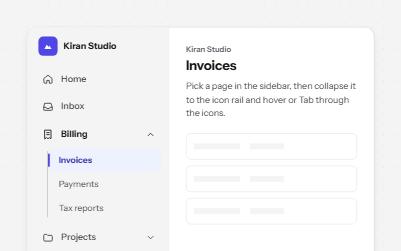
ऐप का साइडबार, जिसमें खुलने-बंद होने वाले लिंक समूह हैं, और एक सिमटी हुई आइकन पट्टी जिसमें हर लिंक का नाम बना रहता है।
-
अकॉर्डियन
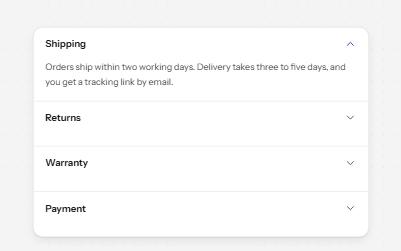
एक के नीचे एक हेडिंग, जिनमें से हर एक अपना पैनल दिखाती या छिपाती है, ताकि लंबा पेज एक छोटी सूची जैसा पढ़ा जाए।
-
लिस्टबॉक्स
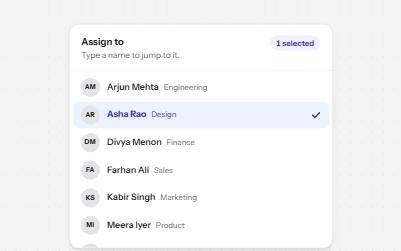
विकल्पों की एक सूची जिसमें से एक या कई चुने जा सकते हैं, ऐरो कुंजियों, टाइप करके पहुँचने और चुने गए की गिनती के साथ।
-
डेटा ग्रिड
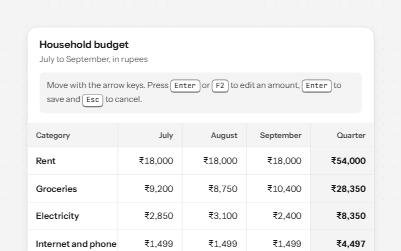
स्प्रेडशीट जैसा ग्रिड, एक टैब स्टॉप के साथ: ऐरो कुंजियाँ सेल के बीच ले जाती हैं, Enter कोई राशि बदलता है, और कुल की घोषणा होती है।