सुलभता पैटर्न · डिस्क्लोज़र और सामग्री
टाइमलाइन
टाइमलाइन एक क्रमबद्ध सूची है: स्क्रीन रीडर बताते हैं कि कितने चरण हैं, और हर चरण का समय एक time एलिमेंट है जिसका datetime मशीन पढ़ सकती है। हर स्थिति एक शब्द है और अपने अलग आकार का आइकन, कभी सिर्फ़ रंग नहीं, और जारी चरण पर aria-current="step" लगा है।
- डब्ल्यूसीएजी मानदंड
- 5
- कीबोर्ड नियम
- 2
- जाँच का तरीक़ा
- axe, कीबोर्ड और इंस्पेक्टर
लाइव डेमो
आज़माएँ
इसे माउस, कीबोर्ड या स्क्रीन रीडर से इस्तेमाल करें। साथ का इंस्पेक्टर दिखाता है कि आपके इस्तेमाल के दौरान ब्राउज़र सहायक तकनीक को क्या बताता है: फ़ोकस, स्थिति में बदलाव और घोषणाएँ।
ऑर्डर AA-48213
ब्लू पॉटरी फूलदान, ₹2,450
आज शाम 7 बजे तक पहुँचेगा
-
ऑर्डर दिया गया
UPI से भुगतान हुआ। रसीद आपके ईमेल में है।
-
जयपुर में पैक हुआ
रीसाइकल किए काग़ज़ की गद्दी में लपेटा गया।
-
भेजा गया
कूरियर को सौंपा गया। ट्रैकिंग नंबर 7741 2290 553।
-
पुणे हब पहुँचा
कोथरूड में डिलीवरी के लिए छाँटा गया।
-
डिलीवरी के लिए निकला
राहुल इसे ला रहे हैं और पहुँचने से पहले फ़ोन करेंगे।
-
पहुँचा दिया गया
पते पर मौजूद कोई भी इसके लिए हस्ताक्षर कर सकता है।
जावास्क्रिप्ट के बिना डेमो उतना ही काम करता है जितना उसका एचटीएमएल; इंस्पेक्टर के लिए जावास्क्रिप्ट चाहिए।
कीबोर्ड
जिन कुंजियों पर यह काम करता है
हर क्रिया पॉइंटर के बिना काम करती है।
| कुंजी | यह क्या करती है |
|---|---|
| Tab | पिछली घटनाओं वाले बटन पर पहुँचता है; सूची में अपना कोई नियंत्रण नहीं है, इसलिए अगला Tab टाइमलाइन से बाहर चला जाता है। |
| EnterयाSpace | सूची के ऊपर की तीन पिछली घटनाएँ दिखाता या छिपाता है; फ़ोकस बटन पर ही रहता है। |
स्क्रीन रीडर
यह क्या घोषित करता है
मार्कअप की भूमिकाओं, नामों और स्थितियों से लिखा गया।
| कब | अपेक्षित घोषणा |
|---|---|
| फ़ोकस बटन पर पहुँचता है | 3 पिछली घटनाएँ, बटन, संकुचित |
| Enter उन्हें दिखाता है | विस्तारित |
| सूची में पढ़ते हुए | डिलीवरी का इतिहास, सूची, 6 चीज़ें |
| जारी चरण पढ़ते हुए | मौजूदा चरण। डिलीवरी के लिए निकला। जारी, आज, सुबह 9:20। राहुल इसे ला रहे हैं… |
| पूरा हुआ चरण पढ़ते हुए | पुणे हब पहुँचा। पूरा, 4 अक्टूबर, रात 10:15। कोथरूड में डिलीवरी के लिए छाँटा गया। |
ये अपेक्षित घोषणाएँ हैं, रिकॉर्डिंग नहीं। स्क्रीन रीडर और ब्राउज़र के हिसाब से शब्द और क्रम बदलते हैं।
कोड
कोड कॉपी करें
वही फ़ाइलें जिन पर यह डेमो चलता है। स्टाइल एक प्रीफ़िक्स के साथ परोसी जाती हैं जो इस साइट की अपनी स्टाइल को डेमो से दूर रखता है; आप जो कॉपी करते हैं वह मूल है।
<div class="ap-timeline" data-ap-timeline>
  <div class="ap-timeline__top">
    <div>
      <h3 class="ap-timeline__order">Order AA-48213</h3>
      <p class="ap-timeline__item">Blue pottery vase, ₹2,450</p>
    </div>
    <p class="ap-timeline__eta">Arriving today by 7 pm</p>
  </div>

  <button type="button" class="ap-timeline__earlier" aria-expanded="false" aria-controls="tl-placed tl-packed tl-shipped">
    <svg class="ap-timeline__chev" viewBox="0 0 24 24" aria-hidden="true" focusable="false"><path d="m6 9 6 6 6-6"/></svg>
    <span>3 earlier events</span>
  </button>

  <ol class="ap-timeline__list" role="list" aria-label="Delivery history">
    <li class="ap-timeline__step ap-timeline__step--done ap-timeline__step--earlier" id="tl-placed" hidden="until-found">
      <div class="ap-timeline__row">
        <span class="ap-timeline__mark"><svg viewBox="0 0 24 24" aria-hidden="true" focusable="false"><path d="m6.5 12.5 3.5 3.5 7.5-8"/></svg></span>
        <div class="ap-timeline__body">
          <p class="ap-timeline__what">Order placed</p>
          <p class="ap-timeline__meta"><span class="ap-timeline__state">Done</span> <time datetime="2026-10-01T11:02+05:30">1 Oct, 11:02 am</time></p>
          <p class="ap-timeline__note">Paid by UPI. A receipt is in your email.</p>
        </div>
      </div>
    </li>
    <li class="ap-timeline__step ap-timeline__step--done ap-timeline__step--earlier" id="tl-packed" hidden="until-found">
      <div class="ap-timeline__row">
        <span class="ap-timeline__mark"><svg viewBox="0 0 24 24" aria-hidden="true" focusable="false"><path d="m6.5 12.5 3.5 3.5 7.5-8"/></svg></span>
        <div class="ap-timeline__body">
          <p class="ap-timeline__what">Packed in Jaipur</p>
          <p class="ap-timeline__meta"><span class="ap-timeline__state">Done</span> <time datetime="2026-10-02T16:30+05:30">2 Oct, 4:30 pm</time></p>
          <p class="ap-timeline__note">Wrapped in recycled paper padding.</p>
        </div>
      </div>
    </li>
    <li class="ap-timeline__step ap-timeline__step--done ap-timeline__step--earlier" id="tl-shipped" hidden="until-found">
      <div class="ap-timeline__row">
        <span class="ap-timeline__mark"><svg viewBox="0 0 24 24" aria-hidden="true" focusable="false"><path d="m6.5 12.5 3.5 3.5 7.5-8"/></svg></span>
        <div class="ap-timeline__body">
          <p class="ap-timeline__what">Shipped</p>
          <p class="ap-timeline__meta"><span class="ap-timeline__state">Done</span> <time datetime="2026-10-03T18:40+05:30">3 Oct, 6:40 pm</time></p>
          <p class="ap-timeline__note">Handed to the courier. Tracking number 7741 2290 553.</p>
        </div>
      </div>
    </li>
    <li class="ap-timeline__step ap-timeline__step--done">
      <div class="ap-timeline__row">
        <span class="ap-timeline__mark"><svg viewBox="0 0 24 24" aria-hidden="true" focusable="false"><path d="m6.5 12.5 3.5 3.5 7.5-8"/></svg></span>
        <div class="ap-timeline__body">
          <p class="ap-timeline__what">Reached the Pune hub</p>
          <p class="ap-timeline__meta"><span class="ap-timeline__state">Done</span> <time datetime="2026-10-04T22:15+05:30">4 Oct, 10:15 pm</time></p>
          <p class="ap-timeline__note">Sorted for delivery in Kothrud.</p>
        </div>
      </div>
    </li>
    <li class="ap-timeline__step ap-timeline__step--now" aria-current="step">
      <div class="ap-timeline__row">
        <span class="ap-timeline__mark"><svg viewBox="0 0 24 24" aria-hidden="true" focusable="false"><circle cx="12" cy="12" r="4.5"/></svg></span>
        <div class="ap-timeline__body">
          <p class="ap-timeline__what">Out for delivery</p>
          <p class="ap-timeline__meta"><span class="ap-timeline__state">In progress</span> <time datetime="2026-10-05T09:20+05:30">Today, 9:20 am</time></p>
          <p class="ap-timeline__note">Rahul is bringing it and will call before he arrives.</p>
        </div>
      </div>
    </li>
    <li class="ap-timeline__step ap-timeline__step--next">
      <div class="ap-timeline__row">
        <span class="ap-timeline__mark"><svg viewBox="0 0 24 24" aria-hidden="true" focusable="false"><circle cx="12" cy="12" r="6.5"/><path d="M12 8.5V12l2.5 1.5"/></svg></span>
        <div class="ap-timeline__body">
          <p class="ap-timeline__what">Delivered</p>
          <p class="ap-timeline__meta"><span class="ap-timeline__state">Expected</span> <time datetime="2026-10-05T19:00+05:30">Today, by 7 pm</time></p>
          <p class="ap-timeline__note">Someone at the address can sign for it.</p>
        </div>
      </div>
    </li>
  </ol>
</div>
/* Timeline. Uses the --ap-* design tokens. */
.ap-timeline {
  container-type: inline-size;
  width: min(100%, 560px);
  margin-inline: auto;
  border: 1px solid var(--ap-border);
  border-radius: var(--ap-radius-lg);
  background: var(--ap-surface);
  color: var(--ap-text);
  box-shadow: var(--ap-shadow-md);
}

.ap-timeline__top {
  display: flex;
  flex-wrap: wrap;
  align-items: flex-start;
  justify-content: space-between;
  gap: 10px 16px;
  padding: 18px 22px;
  border-bottom: 1px solid var(--ap-border);
}
.ap-timeline__order {
  margin: 0;
  font-size: 1.0625rem;
  font-weight: 650;
  line-height: 1.35;
}
.ap-timeline__item {
  margin: 2px 0 0;
  color: var(--ap-text-3);
  font-size: .875rem;
}
.ap-timeline__eta {
  margin: 0;
  padding: 5px 12px;
  border-radius: var(--ap-radius-full);
  background: var(--ap-accent-soft);
  color: var(--ap-accent-soft-text);
  font-size: .8125rem;
  font-weight: 650;
  white-space: nowrap;
}

/* The disclosure for older events, lined up with the step markers. */
.ap-timeline__earlier {
  display: inline-flex;
  align-items: center;
  gap: 6px;
  min-height: 36px;
  margin: 16px 22px 4px 18px;
  padding: 0 14px 0 8px;
  border: 1px solid var(--ap-border-strong);
  border-radius: var(--ap-radius-full);
  background: var(--ap-surface);
  color: var(--ap-text-2);
  font: inherit;
  font-size: .875rem;
  font-weight: 600;
  cursor: pointer;
  transition: background-color var(--ap-duration) var(--ap-ease);
}
.ap-timeline__earlier:hover {
  background: var(--ap-surface-2);
  color: var(--ap-text);
}
.ap-timeline__earlier:focus-visible {
  outline: 2px solid var(--ap-focus);
  outline-offset: 2px;
}
.ap-timeline__chev {
  width: 20px;
  height: 20px;
  fill: none;
  stroke: currentColor;
  stroke-width: 2;
  stroke-linecap: round;
  stroke-linejoin: round;
  transition: transform var(--ap-duration) var(--ap-ease);
}
.ap-timeline__earlier[aria-expanded="true"] .ap-timeline__chev {
  transform: rotate(180deg);
}

.ap-timeline__list {
  margin: 0;
  padding: 14px 22px 22px;
  list-style: none;
}
/* Collapsed earlier steps stay findable: many resets set
   [hidden] { display: none !important }, which would undo until-found.
   The step has no box of its own, so it takes no space while hidden. */
.ap-timeline__step[hidden="until-found"] {
  display: block !important;
  content-visibility: hidden !important;
}
.ap-timeline__step--earlier:not([hidden]) .ap-timeline__row {
  animation: ap-timeline-in 200ms var(--ap-ease);
}

.ap-timeline__row {
  position: relative;
  display: grid;
  grid-template-columns: 28px minmax(0, 1fr);
  column-gap: 14px;
  padding-bottom: 20px;
}
.ap-timeline__step:last-child .ap-timeline__row {
  padding-bottom: 0;
}
/* The line to the next step: solid once a step is done, dashed after. */
.ap-timeline__row::before {
  content: "";
  position: absolute;
  top: 32px;
  bottom: 4px;
  left: 13px;
  border-left: 2px solid var(--ap-success);
}
.ap-timeline__step--now .ap-timeline__row::before,
.ap-timeline__step--next .ap-timeline__row::before {
  border-left: 2px dashed var(--ap-border-strong);
}
.ap-timeline__step:last-child .ap-timeline__row::before {
  display: none;
}

.ap-timeline__mark {
  display: grid;
  place-items: center;
  width: 28px;
  height: 28px;
  border-radius: var(--ap-radius-full);
}
.ap-timeline__mark svg {
  width: 18px;
  height: 18px;
  fill: none;
  stroke: currentColor;
  stroke-width: 2.4;
  stroke-linecap: round;
  stroke-linejoin: round;
}
.ap-timeline__step--done .ap-timeline__mark {
  background: var(--ap-success);
  color: var(--ap-surface);
}
.ap-timeline__step--now .ap-timeline__mark {
  border: 2px solid var(--ap-accent);
  background: var(--ap-accent-soft);
  color: var(--ap-accent);
}
.ap-timeline__step--now .ap-timeline__mark svg {
  fill: currentColor;
  stroke: none;
}
.ap-timeline__step--next .ap-timeline__mark {
  border: 2px solid var(--ap-border-strong);
  background: var(--ap-surface);
  color: var(--ap-text-3);
}
.ap-timeline__step--next .ap-timeline__mark svg {
  width: 16px;
  height: 16px;
  stroke-width: 2;
}

.ap-timeline__body {
  min-width: 0;
  padding-top: 3px;
}
.ap-timeline__step--now .ap-timeline__body {
  margin: -6px 0 0 -8px;
  padding: 9px 12px 12px 8px;
  border-radius: var(--ap-radius);
  background: var(--ap-surface-2);
}
.ap-timeline__what {
  margin: 0;
  color: var(--ap-text);
  font-weight: 600;
  line-height: 1.4;
}
.ap-timeline__meta {
  display: flex;
  flex-wrap: wrap;
  align-items: center;
  margin: 3px 0 0;
  color: var(--ap-text-3);
  font-size: .8125rem;
  font-variant-numeric: tabular-nums;
}
.ap-timeline__state {
  font-weight: 650;
  letter-spacing: .04em;
  text-transform: uppercase;
}
.ap-timeline__step--done .ap-timeline__state { color: var(--ap-success); }
.ap-timeline__step--now .ap-timeline__state { color: var(--ap-accent-text); }
.ap-timeline__meta time::before {
  content: "";
  display: inline-block;
  width: 3px;
  height: 3px;
  margin: 0 8px;
  border-radius: var(--ap-radius-full);
  background: currentColor;
  vertical-align: middle;
}
.ap-timeline__note {
  margin: 6px 0 0;
  color: var(--ap-text-2);
  font-size: .9375rem;
  line-height: 1.55;
}

@keyframes ap-timeline-in {
  from { opacity: 0; transform: translateY(-4px); }
}

@media (prefers-reduced-motion: reduce) {
  .ap-timeline__earlier,
  .ap-timeline__chev { transition: none; }
  .ap-timeline__step--earlier:not([hidden]) .ap-timeline__row { animation: none; }
}
/**
 * Timeline: an ordered list of steps, with a disclosure button that shows
 * or hides the earlier ones.
 *
 * Markup: [data-ap-timeline] holding button[aria-expanded][aria-controls]
 * (the ids of the earlier list items, space-separated) and an ol whose
 * earlier items carry hidden="until-found". The step in progress has
 * aria-current="step"; that and everything else is plain HTML.
 */

export function init(root) {
  const button = root.querySelector("button[aria-expanded][aria-controls]");
  if (!button) return () => {};
  const items = button.getAttribute("aria-controls").split(/\s+/).map((id) => document.getElementById(id)).filter(Boolean);

  function setOpen(open) {
    button.setAttribute("aria-expanded", String(open));
    for (const item of items) {
      if (open) item.removeAttribute("hidden");
      else item.setAttribute("hidden", "until-found");
    }
  }

  function onClick() {
    setOpen(button.getAttribute("aria-expanded") !== "true");
  }

  // Find-in-page matched text in one earlier step: show all of them, so the
  // list never has a gap, and let the button say so.
  function onBeforeMatch(event) {
    if (items.includes(event.target)) setOpen(true);
  }

  button.addEventListener("click", onClick);
  root.addEventListener("beforematch", onBeforeMatch);
  return () => {
    button.removeEventListener("click", onClick);
    root.removeEventListener("beforematch", onBeforeMatch);
  };
}

for (const root of document.querySelectorAll("[data-ap-timeline]")) init(root);
/* Design tokens for the pattern components. Light by default, dark when the
   system asks for it; set data-theme="dark" on :root to force dark. */
:root {
    --ap-radius-sm: 8px;
    --ap-radius: 12px;
    --ap-radius-lg: 16px;
    --ap-radius-full: 999px;
    --ap-font: "Instrument Sans", ui-sans-serif, system-ui, -apple-system, "Segoe UI", Roboto, sans-serif;
    --ap-mono: "JetBrains Mono", ui-monospace, "Cascadia Mono", "SF Mono", Consolas, monospace;
    --ap-ease: cubic-bezier(.2, .8, .2, 1);
    --ap-duration: 180ms;
    --ap-target: 44px;
    --ap-bg: #F4F4F5;
    --ap-surface: #FFFFFF;
    --ap-surface-2: #F4F4F5;
    --ap-surface-3: #E4E4E7;
    --ap-border: #E4E4E7;
    --ap-border-strong: #76767F;
    --ap-text: #18181B;
    --ap-text-2: #3F3F46;
    --ap-text-3: #5E5E66;
    --ap-accent: #4F46E5;
    --ap-accent-hover: #4338CA;
    --ap-on-accent: #FFFFFF;
    --ap-accent-text: #4338CA;
    --ap-accent-soft: #EEF2FF;
    --ap-accent-soft-text: #3730A3;
    --ap-focus: #4F46E5;
    --ap-danger: #B91C1C;
    --ap-danger-soft: #FEF2F2;
    --ap-success: #15803D;
    --ap-success-soft: #F0FDF4;
    --ap-warning: #A15C07;
    --ap-warning-soft: #FEFCE8;
    --ap-info: #1D4ED8;
    --ap-info-soft: #EFF6FF;
    --ap-scrim: rgb(9 9 11 / .48);
    --ap-shadow-sm: 0 1px 2px rgb(9 9 11 / .06);
    --ap-shadow-md: 0 1px 2px rgb(9 9 11 / .05), 0 6px 16px -4px rgb(9 9 11 / .1);
    --ap-shadow-lg: 0 2px 6px rgb(9 9 11 / .06), 0 20px 40px -12px rgb(9 9 11 / .22);
    --ap-light-bg: #F4F4F5;
    --ap-light-surface: #FFFFFF;
    --ap-light-surface-2: #F4F4F5;
    --ap-light-surface-3: #E4E4E7;
    --ap-light-border: #E4E4E7;
    --ap-light-border-strong: #76767F;
    --ap-light-text: #18181B;
    --ap-light-text-2: #3F3F46;
    --ap-light-text-3: #5E5E66;
    --ap-light-accent: #4F46E5;
    --ap-light-accent-hover: #4338CA;
    --ap-light-on-accent: #FFFFFF;
    --ap-light-accent-text: #4338CA;
    --ap-light-accent-soft: #EEF2FF;
    --ap-light-accent-soft-text: #3730A3;
    --ap-light-focus: #4F46E5;
    --ap-light-danger: #B91C1C;
    --ap-light-danger-soft: #FEF2F2;
    --ap-light-success: #15803D;
    --ap-light-success-soft: #F0FDF4;
    --ap-light-warning: #A15C07;
    --ap-light-warning-soft: #FEFCE8;
    --ap-light-info: #1D4ED8;
    --ap-light-info-soft: #EFF6FF;
    --ap-light-scrim: rgb(9 9 11 / .48);
    --ap-light-shadow-sm: 0 1px 2px rgb(9 9 11 / .06);
    --ap-light-shadow-md: 0 1px 2px rgb(9 9 11 / .05), 0 6px 16px -4px rgb(9 9 11 / .1);
    --ap-light-shadow-lg: 0 2px 6px rgb(9 9 11 / .06), 0 20px 40px -12px rgb(9 9 11 / .22);
    --ap-dark-bg: #09090B;
    --ap-dark-surface: #18181B;
    --ap-dark-surface-2: #27272A;
    --ap-dark-surface-3: #3F3F46;
    --ap-dark-border: #2E2E33;
    --ap-dark-border-strong: #8E8E97;
    --ap-dark-text: #FAFAFA;
    --ap-dark-text-2: #D4D4D8;
    --ap-dark-text-3: #A1A1AA;
    --ap-dark-accent: #818CF8;
    --ap-dark-accent-hover: #A5B4FC;
    --ap-dark-on-accent: #0C0A1F;
    --ap-dark-accent-text: #A5B4FC;
    --ap-dark-accent-soft: #1E1B4B;
    --ap-dark-accent-soft-text: #C7D2FE;
    --ap-dark-focus: #A5B4FC;
    --ap-dark-danger: #F87171;
    --ap-dark-danger-soft: #2A1215;
    --ap-dark-success: #4ADE80;
    --ap-dark-success-soft: #0F2A1A;
    --ap-dark-warning: #FACC15;
    --ap-dark-warning-soft: #2A2410;
    --ap-dark-info: #60A5FA;
    --ap-dark-info-soft: #0F1D33;
    --ap-dark-scrim: rgb(0 0 0 / .62);
    --ap-dark-shadow-sm: 0 1px 2px rgb(0 0 0 / .4);
    --ap-dark-shadow-md: 0 1px 2px rgb(0 0 0 / .4), 0 8px 20px -6px rgb(0 0 0 / .5);
    --ap-dark-shadow-lg: 0 2px 8px rgb(0 0 0 / .45), 0 24px 48px -12px rgb(0 0 0 / .7);
}
@media (prefers-color-scheme: dark) {
  :root:not([data-theme="light"]) {
      --ap-bg: #09090B;
      --ap-surface: #18181B;
      --ap-surface-2: #27272A;
      --ap-surface-3: #3F3F46;
      --ap-border: #2E2E33;
      --ap-border-strong: #8E8E97;
      --ap-text: #FAFAFA;
      --ap-text-2: #D4D4D8;
      --ap-text-3: #A1A1AA;
      --ap-accent: #818CF8;
      --ap-accent-hover: #A5B4FC;
      --ap-on-accent: #0C0A1F;
      --ap-accent-text: #A5B4FC;
      --ap-accent-soft: #1E1B4B;
      --ap-accent-soft-text: #C7D2FE;
      --ap-focus: #A5B4FC;
      --ap-danger: #F87171;
      --ap-danger-soft: #2A1215;
      --ap-success: #4ADE80;
      --ap-success-soft: #0F2A1A;
      --ap-warning: #FACC15;
      --ap-warning-soft: #2A2410;
      --ap-info: #60A5FA;
      --ap-info-soft: #0F1D33;
      --ap-scrim: rgb(0 0 0 / .62);
      --ap-shadow-sm: 0 1px 2px rgb(0 0 0 / .4);
      --ap-shadow-md: 0 1px 2px rgb(0 0 0 / .4), 0 8px 20px -6px rgb(0 0 0 / .5);
      --ap-shadow-lg: 0 2px 8px rgb(0 0 0 / .45), 0 24px 48px -12px rgb(0 0 0 / .7);
  }
}
:root[data-theme="dark"] {
    --ap-bg: #09090B;
    --ap-surface: #18181B;
    --ap-surface-2: #27272A;
    --ap-surface-3: #3F3F46;
    --ap-border: #2E2E33;
    --ap-border-strong: #8E8E97;
    --ap-text: #FAFAFA;
    --ap-text-2: #D4D4D8;
    --ap-text-3: #A1A1AA;
    --ap-accent: #818CF8;
    --ap-accent-hover: #A5B4FC;
    --ap-on-accent: #0C0A1F;
    --ap-accent-text: #A5B4FC;
    --ap-accent-soft: #1E1B4B;
    --ap-accent-soft-text: #C7D2FE;
    --ap-focus: #A5B4FC;
    --ap-danger: #F87171;
    --ap-danger-soft: #2A1215;
    --ap-success: #4ADE80;
    --ap-success-soft: #0F2A1A;
    --ap-warning: #FACC15;
    --ap-warning-soft: #2A2410;
    --ap-info: #60A5FA;
    --ap-info-soft: #0F1D33;
    --ap-scrim: rgb(0 0 0 / .62);
    --ap-shadow-sm: 0 1px 2px rgb(0 0 0 / .4);
    --ap-shadow-md: 0 1px 2px rgb(0 0 0 / .4), 0 8px 20px -6px rgb(0 0 0 / .5);
    --ap-shadow-lg: 0 2px 8px rgb(0 0 0 / .45), 0 24px 48px -12px rgb(0 0 0 / .7);
}
डब्ल्यूसीएजी 2.2
यह किन मानदंडों को पूरा करता है
वे सफलता मानदंड जिनका यह पैटर्न ध्यान रखता है, और कैसे।
-
1.3.1 जानकारी और संबंध
स्तर A
चरण एक क्रमबद्ध सूची की चीज़ें हैं, समय datetime वाले time एलिमेंट हैं, और मौजूदा चरण मार्कअप में चिह्नित है, सिर्फ़ बना हुआ नहीं।
-
1.3.2 सार्थक क्रम
स्तर A
सूची स्क्रीन पर और सोर्स में सबसे पुराने से सबसे नए की ओर चलती है, और पिछली घटनाएँ उन्हें दिखाने वाले बटन के ठीक बाद आती हैं।
-
1.4.1 रंग का उपयोग
स्तर A
हर स्थिति एक शब्द है (पूरा, जारी, अपेक्षित) और अपने अलग आकार का आइकन; रंग उसे सिर्फ़ दोहराता है।
-
1.4.11 गैर-टेक्स्ट कंट्रास्ट
स्तर AA
चरणों के निशान और उनके बीच की रेखा दोनों थीम में सतह के मुक़ाबले 3:1 से ऊपर हैं।
-
4.1.2 नाम, भूमिका, मान
स्तर A
बटन aria-expanded सामने रखता है, और aria-current="step" जारी चरण को चिह्नित करता है।
उपयोग
इसे कब इस्तेमाल करें
इसे अपनाएँ
- कोई चीज़ जो समय के साथ जाने-पहचाने चरणों से गुज़रती है: एक ऑर्डर, एक आवेदन, एक सपोर्ट टिकट।
- ऐसा इतिहास जिसमें लोग पहले ताज़ा घटना देखते हैं, और पुरानी घटनाएँ पास ही रखी रहती हैं।
कुछ और इस्तेमाल करें
- ऐसे चरण जो व्यक्ति ख़ुद किसी फ़ॉर्म में पूरे करता है: प्रगति के चरण इस्तेमाल करें।
- अपडेट की कभी न ख़त्म होने वाली धारा: फ़ीड इस्तेमाल करें।
- दो-तीन घटनाएँ: एक वाक्य ("3 अक्टूबर को भेजा गया") यह ज़्यादा जल्दी कह देता है।
आम विफलताएँ
आमतौर पर यह कहाँ गलत होता है
div से बनी टाइमलाइन
सूची के बिना स्क्रीन रीडर नहीं बता सकता कि कितने चरण हैं या कोई चरण कहाँ ख़त्म होता है। क्रमबद्ध सूची दोनों बताती है।
स्थिति सिर्फ़ रंग से
हरा बिंदु और स्लेटी बिंदु बहुत से लोगों को एक जैसे दिखते हैं। यहाँ हर चरण अलग आकार के आइकन के साथ पूरा, जारी या अपेक्षित कहता है।
मौजूदा चरण चिह्नित नहीं
हाइलाइट किया गया बॉक्स स्क्रीन रीडर के लिए कुछ नहीं कहता। aria-current="step" से चरण ख़ुद को मौजूदा के रूप में घोषित करता है।
तारीख़ें जो सिर्फ़ लोग पढ़ सकते हैं
"आज" और "4 अक्टूबर" को सॉफ़्टवेयर नहीं समझ सकता। time एलिमेंट का datetime सटीक पल और समय क्षेत्र साथ रखता है।
इतिहास बंद करने की जगह हटा दिया गया
पुरानी घटनाओं को दूसरे पेज पर भेजने से संदर्भ खो जाता है। डिस्क्लोज़र उन्हें एक की दबाने की दूरी पर रखता है, और पेज में खोज तब भी उन तक पहुँचती है।
बोलने वाले आइकन
बिना लेबल का एसवीजी कभी "चित्र" पढ़ा जा सकता है, कभी बिल्कुल नहीं, इसका कोई भरोसा नहीं। यहाँ आइकन छिपे हैं; स्थिति शब्द बताते हैं।
नोट्स
इसे बनाना
- aria-current="step" जारी चरण की सूची-चीज़ पर लगाएँ और ऑर्डर आगे बढ़ने के साथ उसे खिसकाएँ; मौजूदा चरण सिर्फ़ एक होता है।
- aria-controls तीनों पिछली चीज़ों की सूची देता है, क्योंकि वे एक पैनल में नहीं, उसी सूची में रहती हैं।
- पिछली चीज़ें hidden="until-found" इस्तेमाल करती हैं: उनमें से किसी एक में पेज में खोज का मिलान तीनों को खोल देता है और बटन को अपडेट करता है।
- Safari में list-style: none सूची का अर्थ हटा देता है; ol पर role="list" उसे वापस ले आता है।
- लोगों के लिए सापेक्ष शब्द (आज) लिखें और सटीक पल, उसके ऑफ़सेट (+05:30) के साथ, datetime में रखें।
स्रोत: एचटीएमएल: time एलिमेंट · WAI-एआरआईए 1.2: aria-current स्टेट
लाइट और डार्क थीम में, डेस्कटॉप और फ़ोन की चौड़ाई पर axe से और कीबोर्ड से जाँचा गया। अभी हर स्क्रीन रीडर और ब्राउज़र जोड़ी के साथ नहीं परखा गया। सुधार बताएँ
संबंधित
इसके साथ जाने वाले पैटर्न
-
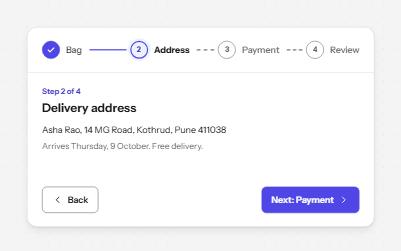
प्रगति के चरण
क्रमांकित चरणों की एक पंक्ति जो बताती है कि कौन-से पूरे हुए, कौन-सा वर्तमान है और कौन-से अभी बाक़ी हैं, आगे-पीछे जाने के लिए वापस और अगला के साथ।
-
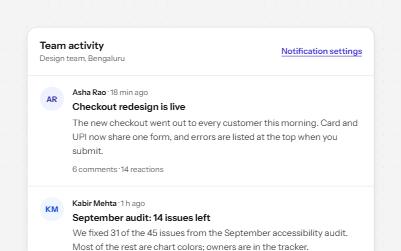
और लोड करने वाली फ़ीड
पोस्ट की एक धारा जिसे लोग क्रम से पढ़ते हैं, पोस्ट-दर-पोस्ट चलने की कीज़, और लोड करें बटन, और इंतज़ार करती नई पोस्ट के साथ।
-
और दिखाएँ
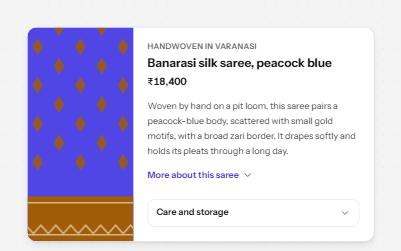
एक बटन जो लंबे टेक्स्ट का बाक़ी हिस्सा उसी जगह खोल देता है, और छिपा हिस्सा पेज में खोज की पहुँच में बना रहता है।
-
सूचियाँ और समूह
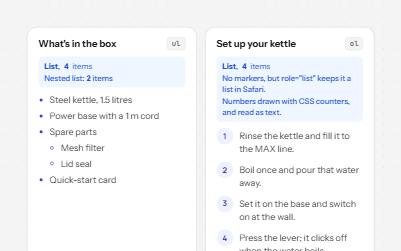
बुलेट वाली, क्रमांक वाली और विवरण सूचियाँ जो अपना आकार बताती हैं, तब भी जब वे कार्ड, टैग या क्रमांक वाले चरणों की तरह सजी हों।