सुलभता पैटर्न · डिस्क्लोज़र और सामग्री
कार्ड
हेडिंग का लिंक कार्ड का अकेला लिंक है; एक स्यूडो-एलिमेंट उसे पूरे कार्ड पर फैला देता है, इसलिए सब कुछ एक एंकर में लपेटे बिना पूरा कार्ड क्लिक होता है। सहेजें और शेयर करें उस परत के ऊपर अपने नाम, फ़ोकस रिंग और Tab पड़ाव के साथ रहते हैं, और सोर्स में हेडिंग सबसे पहले आती है, भले ही चित्र उसके ऊपर बना हो।
- डब्ल्यूसीएजी मानदंड
- 7
- कीबोर्ड नियम
- 3
- जाँच का तरीक़ा
- axe, कीबोर्ड और इंस्पेक्टर
लाइव डेमो
आज़माएँ
इसे माउस, कीबोर्ड या स्क्रीन रीडर से इस्तेमाल करें। साथ का इंस्पेक्टर दिखाता है कि आपके इस्तेमाल के दौरान ब्राउज़र सहायक तकनीक को क्या बताता है: फ़ोकस, स्थिति में बदलाव और घोषणाएँ।
इस महीने हाथ से बने
-
ब्लू पॉटरी फूलदान
क्वार्ट्ज़ मिट्टी, कोबाल्ट और फ़िरोज़ी रंगों में हाथ से रंगी। 22 सेमी ऊँचा।
₹2,450
-
ढोकरा पीतल का हाथी
लुप्त-मोम विधि से ढला, इसलिए कोई भी दो बिल्कुल एक जैसे नहीं। 12 सेमी लंबा।
₹3,200
-
कांथा कुशन कवर
पुरानी सूती साड़ियों की परतें, कच्चे टाँके से सिली हुई। 40 × 40 सेमी।
₹1,150
जावास्क्रिप्ट के बिना डेमो उतना ही काम करता है जितना उसका एचटीएमएल; इंस्पेक्टर के लिए जावास्क्रिप्ट चाहिए।
कीबोर्ड
जिन कुंजियों पर यह काम करता है
हर क्रिया पॉइंटर के बिना काम करती है।
| कुंजी | यह क्या करती है |
|---|---|
| Tab | हर कार्ड के लिंक पर, फिर उसके सहेजें और शेयर करें बटन पर, एक-एक कार्ड करके ले जाता है। |
| Enter | कार्ड के लिंक पर, उसे खोलता है, ठीक वैसे ही जैसे कार्ड पर कहीं और क्लिक करना। |
| EnterयाSpace | सहेजें पर, चीज़ को सहेजता या हटाता है; शेयर करें पर, लिंक शेयर करता है या कॉपी करके बताता है। |
स्क्रीन रीडर
यह क्या घोषित करता है
मार्कअप की भूमिकाओं, नामों और स्थितियों से लिखा गया।
| कब | अपेक्षित घोषणा |
|---|---|
| Tab किसी कार्ड पर पहुँचता है | ब्लू पॉटरी फूलदान, लिंक, हेडिंग स्तर 4 |
| Tab सहेजें पर पहुँचता है | सहेजें ब्लू पॉटरी फूलदान, टॉगल बटन, दबा नहीं |
| सहेजें दबाया जाता है | दबा हुआ |
| शेयर करें लिंक कॉपी करता है | लिंक कॉपी हो गया |
| स्क्रीन रीडर लिंक की सूची दिखाता है | ब्लू पॉटरी फूलदान, ढोकरा पीतल का हाथी, कांथा कुशन कवर |
ये अपेक्षित घोषणाएँ हैं, रिकॉर्डिंग नहीं। स्क्रीन रीडर और ब्राउज़र के हिसाब से शब्द और क्रम बदलते हैं।
कोड
कोड कॉपी करें
वही फ़ाइलें जिन पर यह डेमो चलता है। स्टाइल एक प्रीफ़िक्स के साथ परोसी जाती हैं जो इस साइट की अपनी स्टाइल को डेमो से दूर रखता है; आप जो कॉपी करते हैं वह मूल है।
<div class="ap-card-grid" data-ap-card-grid>
  <h3 class="ap-card-grid__group">Made by hand this month</h3>
  <ul class="ap-card-grid__grid" role="list">
    <li class="ap-card-grid__item" id="card-vase">
      <h4 class="ap-card-grid__name"><a class="ap-card-grid__link" id="card-name-1" href="#card-vase">Blue pottery vase</a></h4>
      <p class="ap-card-grid__meta">Jaipur · Ceramics</p>
      <p class="ap-card-grid__desc">Quartz clay, painted by hand in cobalt and turquoise. 22 cm tall.</p>
      <div class="ap-card-grid__foot">
        <p class="ap-card-grid__price">₹2,450</p>
        <div class="ap-card-grid__actions">
          <button type="button" class="ap-card-grid__act" data-card-save aria-pressed="false" aria-labelledby="card-save-1 card-name-1">
            <svg class="ap-card-grid__icon" viewBox="0 0 24 24" aria-hidden="true" focusable="false"><path d="M12 20s-7-4.4-7-10a4 4 0 0 1 7-2.6A4 4 0 0 1 19 10c0 5.6-7 10-7 10Z"/></svg>
            <span id="card-save-1">Save</span>
          </button>
          <button type="button" class="ap-card-grid__act" data-card-share aria-labelledby="card-share-1 card-name-1">
            <svg class="ap-card-grid__icon" viewBox="0 0 24 24" aria-hidden="true" focusable="false"><path d="M12 4v11M7.5 8.5 12 4l4.5 4.5M5 13v5a2 2 0 0 0 2 2h10a2 2 0 0 0 2-2v-5"/></svg>
            <span id="card-share-1">Share</span>
          </button>
        </div>
      </div>
      <p class="ap-card-grid__note" role="status"></p>
      <div class="ap-card-grid__media ap-card-grid__media--vase" aria-hidden="true">
        <svg viewBox="0 0 320 200" preserveAspectRatio="xMidYMid meet" focusable="false">
          <ellipse class="ap-card-grid__ink ap-card-grid__ink--soft" cx="160" cy="176" rx="64" ry="8"/>
          <path class="ap-card-grid__ink" d="M140 44h40v14c0 10 30 22 30 64 0 30-20 54-50 54s-50-24-50-54c0-42 30-54 30-64Z"/>
          <path class="ap-card-grid__line" d="M118 112c14 10 28 10 42 0s28-10 42 0M114 132c15 10 31 10 46 0s31-10 46 0"/>
          <path class="ap-card-grid__line ap-card-grid__line--thin" d="M136 44h48"/>
        </svg>
      </div>
    </li>
    <li class="ap-card-grid__item" id="card-elephant">
      <h4 class="ap-card-grid__name"><a class="ap-card-grid__link" id="card-name-2" href="#card-elephant">Dhokra brass elephant</a></h4>
      <p class="ap-card-grid__meta">Bastar · Metalwork</p>
      <p class="ap-card-grid__desc">Cast by the lost-wax method, so no two are quite alike. 12 cm long.</p>
      <div class="ap-card-grid__foot">
        <p class="ap-card-grid__price">₹3,200</p>
        <div class="ap-card-grid__actions">
          <button type="button" class="ap-card-grid__act" data-card-save aria-pressed="false" aria-labelledby="card-save-2 card-name-2">
            <svg class="ap-card-grid__icon" viewBox="0 0 24 24" aria-hidden="true" focusable="false"><path d="M12 20s-7-4.4-7-10a4 4 0 0 1 7-2.6A4 4 0 0 1 19 10c0 5.6-7 10-7 10Z"/></svg>
            <span id="card-save-2">Save</span>
          </button>
          <button type="button" class="ap-card-grid__act" data-card-share aria-labelledby="card-share-2 card-name-2">
            <svg class="ap-card-grid__icon" viewBox="0 0 24 24" aria-hidden="true" focusable="false"><path d="M12 4v11M7.5 8.5 12 4l4.5 4.5M5 13v5a2 2 0 0 0 2 2h10a2 2 0 0 0 2-2v-5"/></svg>
            <span id="card-share-2">Share</span>
          </button>
        </div>
      </div>
      <p class="ap-card-grid__note" role="status"></p>
      <div class="ap-card-grid__media ap-card-grid__media--elephant" aria-hidden="true">
        <svg viewBox="0 0 320 200" preserveAspectRatio="xMidYMid meet" focusable="false">
          <ellipse class="ap-card-grid__ink ap-card-grid__ink--soft" cx="160" cy="176" rx="80" ry="7"/>
          <path class="ap-card-grid__trunk ap-card-grid__trunk--tail" d="M94 104c-10 6-12 16-8 26"/>
          <path class="ap-card-grid__ink" d="M100 128h20v44h-20ZM126 134h18v38h-18ZM164 134h18v38h-18ZM188 128h20v44h-20Z"/>
          <ellipse class="ap-card-grid__ink" cx="150" cy="112" rx="60" ry="40"/>
          <circle class="ap-card-grid__ink" cx="214" cy="98" r="30"/>
          <path class="ap-card-grid__trunk" d="M236 110c10 14 12 32 4 46-3 6-9 8-14 4"/>
          <path class="ap-card-grid__line ap-card-grid__line--thin" d="M204 78c-14 6-16 28-2 38M114 100c16-8 46-8 66 0M110 120c20-8 54-8 76 0"/>
          <path class="ap-card-grid__line ap-card-grid__line--thin" d="M228 122c4 6 10 8 16 5"/>
          <circle class="ap-card-grid__dot" cx="224" cy="92" r="3.5"/>
        </svg>
      </div>
    </li>
    <li class="ap-card-grid__item" id="card-cushion">
      <h4 class="ap-card-grid__name"><a class="ap-card-grid__link" id="card-name-3" href="#card-cushion">Kantha cushion cover</a></h4>
      <p class="ap-card-grid__meta">Bolpur · Textiles</p>
      <p class="ap-card-grid__desc">Layers of old cotton saris, quilted with running stitch. 40 × 40 cm.</p>
      <div class="ap-card-grid__foot">
        <p class="ap-card-grid__price">₹1,150</p>
        <div class="ap-card-grid__actions">
          <button type="button" class="ap-card-grid__act" data-card-save aria-pressed="false" aria-labelledby="card-save-3 card-name-3">
            <svg class="ap-card-grid__icon" viewBox="0 0 24 24" aria-hidden="true" focusable="false"><path d="M12 20s-7-4.4-7-10a4 4 0 0 1 7-2.6A4 4 0 0 1 19 10c0 5.6-7 10-7 10Z"/></svg>
            <span id="card-save-3">Save</span>
          </button>
          <button type="button" class="ap-card-grid__act" data-card-share aria-labelledby="card-share-3 card-name-3">
            <svg class="ap-card-grid__icon" viewBox="0 0 24 24" aria-hidden="true" focusable="false"><path d="M12 4v11M7.5 8.5 12 4l4.5 4.5M5 13v5a2 2 0 0 0 2 2h10a2 2 0 0 0 2-2v-5"/></svg>
            <span id="card-share-3">Share</span>
          </button>
        </div>
      </div>
      <p class="ap-card-grid__note" role="status"></p>
      <div class="ap-card-grid__media ap-card-grid__media--cushion" aria-hidden="true">
        <svg viewBox="0 0 320 200" preserveAspectRatio="xMidYMid meet" focusable="false">
          <ellipse class="ap-card-grid__ink ap-card-grid__ink--soft" cx="160" cy="178" rx="70" ry="7"/>
          <path class="ap-card-grid__ink" d="M96 52c22 6 106 6 128 0 8 30 8 90 0 120-22-6-106-6-128 0-8-30-8-90 0-120Z"/>
          <path class="ap-card-grid__line ap-card-grid__line--dash" d="M110 74c20 4 80 4 100 0M110 96c20 4 80 4 100 0M110 118c20 4 80 4 100 0M110 140c20 4 80 4 100 0"/>
        </svg>
      </div>
    </li>
  </ul>
</div>
/* Cards. Uses the --ap-* design tokens. */
.ap-card-grid {
  container-type: inline-size;
  width: min(100%, 760px);
  margin-inline: auto;
  color: var(--ap-text);
}
.ap-card-grid__group {
  margin: 0 0 14px;
  font-size: 1.125rem;
  font-weight: 650;
  line-height: 1.3;
}
.ap-card-grid__grid {
  display: grid;
  grid-template-columns: repeat(auto-fill, minmax(180px, 1fr));
  gap: 16px;
  margin: 0;
  padding: 0;
  list-style: none;
}

/* The card is the positioning box for the stretched link. The source order
   is heading, place, description, price, actions, picture; the picture and
   the place are drawn first with order. */
.ap-card-grid__item {
  position: relative;
  display: flex;
  flex-direction: column;
  border: 1px solid var(--ap-border);
  border-radius: var(--ap-radius-lg);
  background: var(--ap-surface);
  box-shadow: var(--ap-shadow-sm);
  transition: box-shadow var(--ap-duration) var(--ap-ease), transform var(--ap-duration) var(--ap-ease), border-color var(--ap-duration) var(--ap-ease);
}
.ap-card-grid__item:hover {
  box-shadow: var(--ap-shadow-lg);
  transform: translateY(-2px);
}
.ap-card-grid__item:focus-within {
  border-color: var(--ap-border-strong);
}

.ap-card-grid__media {
  order: -2;
  aspect-ratio: 16 / 10;
  border-radius: calc(var(--ap-radius-lg) - 1px) calc(var(--ap-radius-lg) - 1px) 0 0;
}
.ap-card-grid__media svg {
  display: block;
  width: 100%;
  height: 100%;
}
.ap-card-grid__media--vase { background: var(--ap-info-soft); color: var(--ap-info); }
.ap-card-grid__media--elephant { background: var(--ap-warning-soft); color: var(--ap-warning); }
.ap-card-grid__media--cushion { background: var(--ap-danger-soft); color: var(--ap-danger); }
.ap-card-grid__ink { fill: currentColor; }
.ap-card-grid__ink--soft { opacity: .22; }
.ap-card-grid__dot { fill: var(--ap-surface); }
.ap-card-grid__line {
  fill: none;
  stroke: var(--ap-surface);
  stroke-width: 4;
  stroke-linecap: round;
}
.ap-card-grid__line--thin { stroke-width: 2.5; opacity: .75; }
.ap-card-grid__trunk {
  fill: none;
  stroke: currentColor;
  stroke-width: 14;
  stroke-linecap: round;
}
.ap-card-grid__trunk--tail { stroke-width: 4; }
.ap-card-grid__line--dash { stroke-width: 2.5; stroke-dasharray: 6 5; }

.ap-card-grid__meta {
  order: -1;
  margin: 16px 18px 0;
  color: var(--ap-text-3);
  font-size: .8125rem;
  font-weight: 600;
}
.ap-card-grid__name {
  margin: 4px 18px 0;
  font-size: 1.0625rem;
  font-weight: 650;
  line-height: 1.35;
}
.ap-card-grid__link {
  color: var(--ap-text);
  text-decoration: underline;
  text-decoration-color: transparent;
  text-decoration-thickness: 2px;
  text-underline-offset: 4px;
  transition: text-decoration-color var(--ap-duration) var(--ap-ease);
}
/* The stretched link: the whole card is its click target. */
.ap-card-grid__link::after {
  content: "";
  position: absolute;
  inset: 0;
  z-index: 1;
  border-radius: var(--ap-radius-lg);
}
.ap-card-grid__item:hover .ap-card-grid__link {
  text-decoration-color: currentColor;
}
.ap-card-grid__link:focus-visible {
  outline: none;
  text-decoration-color: currentColor;
}
.ap-card-grid__link:focus-visible::after {
  outline: 2px solid var(--ap-focus);
  outline-offset: 3px;
}

.ap-card-grid__desc {
  margin: 8px 18px 0;
  color: var(--ap-text-2);
  font-size: .9375rem;
  line-height: 1.55;
}

.ap-card-grid__foot {
  display: grid;
  gap: 12px;
  margin-top: auto;
  padding: 16px 16px 16px 18px;
}
.ap-card-grid__price {
  margin: 0;
  color: var(--ap-text);
  font-size: 1.0625rem;
  font-weight: 650;
  font-variant-numeric: tabular-nums;
}

/* Above the stretched link, so they get their own clicks. */
.ap-card-grid__actions {
  position: relative;
  z-index: 2;
  display: flex;
  flex-wrap: wrap;
  gap: 8px;
}
.ap-card-grid__act {
  flex: 1 1 0;
  display: inline-flex;
  align-items: center;
  justify-content: center;
  gap: 6px;
  min-height: 38px;
  padding: 0 10px;
  border: 1px solid var(--ap-border-strong);
  border-radius: var(--ap-radius-sm);
  background: var(--ap-surface);
  color: var(--ap-text);
  font: inherit;
  font-size: .875rem;
  font-weight: 600;
  white-space: nowrap;
  cursor: pointer;
  transition: background-color var(--ap-duration) var(--ap-ease), border-color var(--ap-duration) var(--ap-ease);
}
.ap-card-grid__act:hover {
  background: var(--ap-surface-2);
}
.ap-card-grid__act:focus-visible {
  outline: 2px solid var(--ap-focus);
  outline-offset: 2px;
}
.ap-card-grid__icon {
  width: 17px;
  height: 17px;
  flex-shrink: 0;
  fill: none;
  stroke: currentColor;
  stroke-width: 2;
  stroke-linecap: round;
  stroke-linejoin: round;
}
/* Saved: the heart fills in, so the state is a shape as well as a color. */
.ap-card-grid__act[aria-pressed="true"] {
  border-color: var(--ap-accent);
  background: var(--ap-accent-soft);
  color: var(--ap-accent-soft-text);
}
.ap-card-grid__act[aria-pressed="true"] .ap-card-grid__icon {
  fill: currentColor;
}

.ap-card-grid__note {
  position: relative;
  z-index: 2;
  margin: -6px 18px 14px;
  color: var(--ap-success);
  font-size: .875rem;
  font-weight: 600;
}
.ap-card-grid__note:empty {
  margin: 0;
}

@media (prefers-reduced-motion: reduce) {
  .ap-card-grid__item,
  .ap-card-grid__link,
  .ap-card-grid__act { transition: none; }
  .ap-card-grid__item:hover { transform: none; }
}
/**
 * Cards: one stretched link per card, with Save (a toggle button) and Share
 * buttons that sit above it.
 *
 * Markup: [data-ap-card-grid] holding .ap-card-grid__item cards, each with an
 * a.ap-card-grid__link in its heading, button[data-card-save][aria-pressed],
 * button[data-card-share] and a role=status .ap-card-grid__note. The stretched
 * link itself is CSS only; the script handles the two buttons.
 */

export function init(root) {
  const off = new AbortController();
  const timers = new Set();

  // Clear first, then write, so the same message twice is announced twice.
  function say(note, text) {
    note.textContent = "";
    const show = setTimeout(() => {
      note.textContent = text;
      const hide = setTimeout(() => { note.textContent = ""; timers.delete(hide); }, 4000);
      timers.add(hide);
      timers.delete(show);
    }, 50);
    timers.add(show);
  }

  async function share(button) {
    const item = button.closest(".ap-card-grid__item");
    const link = item.querySelector(".ap-card-grid__link");
    const note = item.querySelector(".ap-card-grid__note");
    const url = new URL(link.getAttribute("href"), location.href).href;
    // Phones and tablets have a share sheet; elsewhere, copying is what people expect.
    if (navigator.share && window.matchMedia("(pointer: coarse)").matches) {
      try {
        await navigator.share({ title: link.textContent.trim(), url });
      } catch { /* the sheet was closed */ }
      return;
    }
    try {
      await navigator.clipboard.writeText(url);
      say(note, "Link copied");
    } catch {
      say(note, "Could not copy the link");
    }
  }

  root.addEventListener("click", (event) => {
    const button = event.target.closest("button");
    if (!button || !root.contains(button)) return;
    if (button.hasAttribute("data-card-save")) {
      button.setAttribute("aria-pressed", String(button.getAttribute("aria-pressed") !== "true"));
    } else if (button.hasAttribute("data-card-share")) {
      share(button);
    }
  }, { signal: off.signal });

  return () => {
    off.abort();
    for (const t of timers) clearTimeout(t);
    timers.clear();
  };
}

for (const root of document.querySelectorAll("[data-ap-card-grid]")) init(root);
/* Design tokens for the pattern components. Light by default, dark when the
   system asks for it; set data-theme="dark" on :root to force dark. */
:root {
    --ap-radius-sm: 8px;
    --ap-radius: 12px;
    --ap-radius-lg: 16px;
    --ap-radius-full: 999px;
    --ap-font: "Instrument Sans", ui-sans-serif, system-ui, -apple-system, "Segoe UI", Roboto, sans-serif;
    --ap-mono: "JetBrains Mono", ui-monospace, "Cascadia Mono", "SF Mono", Consolas, monospace;
    --ap-ease: cubic-bezier(.2, .8, .2, 1);
    --ap-duration: 180ms;
    --ap-target: 44px;
    --ap-bg: #F4F4F5;
    --ap-surface: #FFFFFF;
    --ap-surface-2: #F4F4F5;
    --ap-surface-3: #E4E4E7;
    --ap-border: #E4E4E7;
    --ap-border-strong: #76767F;
    --ap-text: #18181B;
    --ap-text-2: #3F3F46;
    --ap-text-3: #5E5E66;
    --ap-accent: #4F46E5;
    --ap-accent-hover: #4338CA;
    --ap-on-accent: #FFFFFF;
    --ap-accent-text: #4338CA;
    --ap-accent-soft: #EEF2FF;
    --ap-accent-soft-text: #3730A3;
    --ap-focus: #4F46E5;
    --ap-danger: #B91C1C;
    --ap-danger-soft: #FEF2F2;
    --ap-success: #15803D;
    --ap-success-soft: #F0FDF4;
    --ap-warning: #A15C07;
    --ap-warning-soft: #FEFCE8;
    --ap-info: #1D4ED8;
    --ap-info-soft: #EFF6FF;
    --ap-scrim: rgb(9 9 11 / .48);
    --ap-shadow-sm: 0 1px 2px rgb(9 9 11 / .06);
    --ap-shadow-md: 0 1px 2px rgb(9 9 11 / .05), 0 6px 16px -4px rgb(9 9 11 / .1);
    --ap-shadow-lg: 0 2px 6px rgb(9 9 11 / .06), 0 20px 40px -12px rgb(9 9 11 / .22);
    --ap-light-bg: #F4F4F5;
    --ap-light-surface: #FFFFFF;
    --ap-light-surface-2: #F4F4F5;
    --ap-light-surface-3: #E4E4E7;
    --ap-light-border: #E4E4E7;
    --ap-light-border-strong: #76767F;
    --ap-light-text: #18181B;
    --ap-light-text-2: #3F3F46;
    --ap-light-text-3: #5E5E66;
    --ap-light-accent: #4F46E5;
    --ap-light-accent-hover: #4338CA;
    --ap-light-on-accent: #FFFFFF;
    --ap-light-accent-text: #4338CA;
    --ap-light-accent-soft: #EEF2FF;
    --ap-light-accent-soft-text: #3730A3;
    --ap-light-focus: #4F46E5;
    --ap-light-danger: #B91C1C;
    --ap-light-danger-soft: #FEF2F2;
    --ap-light-success: #15803D;
    --ap-light-success-soft: #F0FDF4;
    --ap-light-warning: #A15C07;
    --ap-light-warning-soft: #FEFCE8;
    --ap-light-info: #1D4ED8;
    --ap-light-info-soft: #EFF6FF;
    --ap-light-scrim: rgb(9 9 11 / .48);
    --ap-light-shadow-sm: 0 1px 2px rgb(9 9 11 / .06);
    --ap-light-shadow-md: 0 1px 2px rgb(9 9 11 / .05), 0 6px 16px -4px rgb(9 9 11 / .1);
    --ap-light-shadow-lg: 0 2px 6px rgb(9 9 11 / .06), 0 20px 40px -12px rgb(9 9 11 / .22);
    --ap-dark-bg: #09090B;
    --ap-dark-surface: #18181B;
    --ap-dark-surface-2: #27272A;
    --ap-dark-surface-3: #3F3F46;
    --ap-dark-border: #2E2E33;
    --ap-dark-border-strong: #8E8E97;
    --ap-dark-text: #FAFAFA;
    --ap-dark-text-2: #D4D4D8;
    --ap-dark-text-3: #A1A1AA;
    --ap-dark-accent: #818CF8;
    --ap-dark-accent-hover: #A5B4FC;
    --ap-dark-on-accent: #0C0A1F;
    --ap-dark-accent-text: #A5B4FC;
    --ap-dark-accent-soft: #1E1B4B;
    --ap-dark-accent-soft-text: #C7D2FE;
    --ap-dark-focus: #A5B4FC;
    --ap-dark-danger: #F87171;
    --ap-dark-danger-soft: #2A1215;
    --ap-dark-success: #4ADE80;
    --ap-dark-success-soft: #0F2A1A;
    --ap-dark-warning: #FACC15;
    --ap-dark-warning-soft: #2A2410;
    --ap-dark-info: #60A5FA;
    --ap-dark-info-soft: #0F1D33;
    --ap-dark-scrim: rgb(0 0 0 / .62);
    --ap-dark-shadow-sm: 0 1px 2px rgb(0 0 0 / .4);
    --ap-dark-shadow-md: 0 1px 2px rgb(0 0 0 / .4), 0 8px 20px -6px rgb(0 0 0 / .5);
    --ap-dark-shadow-lg: 0 2px 8px rgb(0 0 0 / .45), 0 24px 48px -12px rgb(0 0 0 / .7);
}
@media (prefers-color-scheme: dark) {
  :root:not([data-theme="light"]) {
      --ap-bg: #09090B;
      --ap-surface: #18181B;
      --ap-surface-2: #27272A;
      --ap-surface-3: #3F3F46;
      --ap-border: #2E2E33;
      --ap-border-strong: #8E8E97;
      --ap-text: #FAFAFA;
      --ap-text-2: #D4D4D8;
      --ap-text-3: #A1A1AA;
      --ap-accent: #818CF8;
      --ap-accent-hover: #A5B4FC;
      --ap-on-accent: #0C0A1F;
      --ap-accent-text: #A5B4FC;
      --ap-accent-soft: #1E1B4B;
      --ap-accent-soft-text: #C7D2FE;
      --ap-focus: #A5B4FC;
      --ap-danger: #F87171;
      --ap-danger-soft: #2A1215;
      --ap-success: #4ADE80;
      --ap-success-soft: #0F2A1A;
      --ap-warning: #FACC15;
      --ap-warning-soft: #2A2410;
      --ap-info: #60A5FA;
      --ap-info-soft: #0F1D33;
      --ap-scrim: rgb(0 0 0 / .62);
      --ap-shadow-sm: 0 1px 2px rgb(0 0 0 / .4);
      --ap-shadow-md: 0 1px 2px rgb(0 0 0 / .4), 0 8px 20px -6px rgb(0 0 0 / .5);
      --ap-shadow-lg: 0 2px 8px rgb(0 0 0 / .45), 0 24px 48px -12px rgb(0 0 0 / .7);
  }
}
:root[data-theme="dark"] {
    --ap-bg: #09090B;
    --ap-surface: #18181B;
    --ap-surface-2: #27272A;
    --ap-surface-3: #3F3F46;
    --ap-border: #2E2E33;
    --ap-border-strong: #8E8E97;
    --ap-text: #FAFAFA;
    --ap-text-2: #D4D4D8;
    --ap-text-3: #A1A1AA;
    --ap-accent: #818CF8;
    --ap-accent-hover: #A5B4FC;
    --ap-on-accent: #0C0A1F;
    --ap-accent-text: #A5B4FC;
    --ap-accent-soft: #1E1B4B;
    --ap-accent-soft-text: #C7D2FE;
    --ap-focus: #A5B4FC;
    --ap-danger: #F87171;
    --ap-danger-soft: #2A1215;
    --ap-success: #4ADE80;
    --ap-success-soft: #0F2A1A;
    --ap-warning: #FACC15;
    --ap-warning-soft: #2A2410;
    --ap-info: #60A5FA;
    --ap-info-soft: #0F1D33;
    --ap-scrim: rgb(0 0 0 / .62);
    --ap-shadow-sm: 0 1px 2px rgb(0 0 0 / .4);
    --ap-shadow-md: 0 1px 2px rgb(0 0 0 / .4), 0 8px 20px -6px rgb(0 0 0 / .5);
    --ap-shadow-lg: 0 2px 8px rgb(0 0 0 / .45), 0 24px 48px -12px rgb(0 0 0 / .7);
}
डब्ल्यूसीएजी 2.2
यह किन मानदंडों को पूरा करता है
वे सफलता मानदंड जिनका यह पैटर्न ध्यान रखता है, और कैसे।
-
1.3.1 जानकारी और संबंध
स्तर A
कार्ड एक सूची की चीज़ें हैं, हर एक की अपनी हेडिंग के साथ, इसलिए स्क्रीन रीडर बताता है कि कितने हैं और एक नाम से दूसरे नाम पर कूद सकता है।
-
1.3.2 सार्थक क्रम
स्तर A
सोर्स में हेडिंग सबसे पहले और चित्र सबसे आख़िर में है, इसलिए कार्ड नाम, जगह, विवरण, क़ीमत के क्रम में पढ़ा जाता है, भले ही चित्र सबसे ऊपर बना हो।
-
2.4.4 लिंक का उद्देश्य (संदर्भ में)
स्तर A
लिंक का टेक्स्ट प्रोडक्ट का नाम है, इसलिए लिंक की सूची प्रोडक्ट की सूची जैसी पढ़ी जाती है, तीन 'और पढ़ें' लिंक जैसी नहीं।
-
2.4.7 फ़ोकस दिखाई देना
स्तर AA
लिंक की फ़ोकस रिंग पूरे कार्ड के चारों ओर बनती है, और सहेजें व शेयर करें की अपनी रिंग हैं।
-
2.5.3 नाम में लेबल
स्तर A
सहेजें और शेयर करें का नाम उनके दिखने वाले शब्द और उसके बाद प्रोडक्ट के नाम से बनता है, इसलिए नाम उसी से शुरू होता है जो स्क्रीन पर है।
-
4.1.2 नाम, भूमिका, मान
स्तर A
सहेजें aria-pressed वाला एक टॉगल बटन है, इसलिए चीज़ सहेजी गई है या नहीं, इसकी घोषणा होती है।
-
4.1.3 स्टेटस मैसेज
स्तर AA
लिंक कॉपी होने की पुष्टि कार्ड के अंदर एक स्टेटस मैसेज में होती है, फ़ोकस हटाए बिना।
उपयोग
इसे कब इस्तेमाल करें
इसे अपनाएँ
- एक ही तरह की चीज़ों का ग्रिड, जिनमें से हर एक अपने पेज पर ले जाती है: प्रोडक्ट, लेख, जगहें।
- ऐसी चीज़ें जिनकी एक मुख्य मंज़िल और एक-दो झटपट काम हों।
कुछ और इस्तेमाल करें
- एक कार्ड में बराबर महत्व के कई लिंक: उन्हें फैली परत के बिना अलग-अलग लिंक के रूप में दें।
- लंबा टेक्स्ट जिसे लोग चुनकर कॉपी करना चाहें: फैला हुआ लिंक उस पर हर क्लिक पकड़ लेता है।
- ऐसा डेटा जिसकी लोग चीज़ों के बीच तुलना करते हैं: टेबल मानों को एक सीध में रखती है।
आम विफलताएँ
आमतौर पर यह कहाँ गलत होता है
पूरा कार्ड एक लिंक में लिपटा
हर चीज़ के चारों ओर लिपटा लिंक क़ीमत, विवरण और बटन को एक लंबे लिंक नाम की तरह पढ़ता है, और बटन को लिंक के अंदर डाल देता है। एक फैला हुआ लिंक नाम को छोटा रखता है।
'और पढ़ें', तीन बार
जो लिंक सब 'और पढ़ें' कहते हैं, वे लिंक की सूची में बेकार हैं। यहाँ प्रोडक्ट का नाम ही लिंक है।
फैली परत के नीचे दबे बटन
अगर लिंक का pseudo-element सहेजें को ढक ले, तो सहेजें पर क्लिक करने से उसकी जगह कार्ड खुल जाता है। यहाँ बटन ऊँचे z-index के साथ उसके ऊपर हैं।
सोर्स में चित्र सबसे पहले
चित्र पहले हो तो स्क्रीन रीडर को यह जानने से पहले चित्र मिलता है कि कार्ड किस बारे में है। यहाँ हेडिंग पहले आती है; सीएसएस चित्र को ऊपर बनाती है।
सिर्फ़ होवर पर दिखने वाले बटन
होवर पर दिखने वाले सहेजें और शेयर करें टच से नहीं मिलते, और कीबोर्ड उपयोगकर्ताओं के लिए कहीं से भी अचानक आ जाते हैं। यहाँ वे हमेशा दिखते हैं।
एक जैसे बटन नाम
'सहेजें' नाम के तीन बटन बटनों की सूची को बेकार कर देते हैं। यहाँ हर नाम में वह प्रोडक्ट जुड़ा है जिसका वह बटन है।
नोट्स
इसे बनाना
- फैला हुआ लिंक, लिंक पर लगा एक ::after है जो कार्ड के हिसाब से रखा जाता है; कार्ड पर position: relative चाहिए, और बीच का कोई भी एलिमेंट अपनी position प्रॉपर्टी न लगाए।
- Safari में list-style: none सूची का अर्थ हटा देता है; ul पर role="list" उसे वापस ले आता है।
- चित्र सजावटी हैं क्योंकि हेडिंग पहले ही प्रोडक्ट का नाम बता देती है। अगर कोई चित्र जानकारी जोड़ता है, तो उसे alt टेक्स्ट दें और सोर्स में हेडिंग के बाद रखें।
- शेयर करें उन टच डिवाइस पर सिस्टम की शेयर शीट इस्तेमाल करता है जिनमें वह है, और बाक़ी जगह लिंक कॉपी करता है, नतीजा कार्ड की स्टेटस पंक्ति में बताते हुए।
स्रोत: इनक्लूसिव कंपोनेंट्स: कार्ड · WAI-एआरआईए ऑथरिंग प्रैक्टिसेज़: बटन (टॉगल)
लाइट और डार्क थीम में, डेस्कटॉप और फ़ोन की चौड़ाई पर axe से और कीबोर्ड से जाँचा गया। अभी हर स्क्रीन रीडर और ब्राउज़र जोड़ी के साथ नहीं परखा गया। सुधार बताएँ
संबंधित
इसके साथ जाने वाले पैटर्न
-
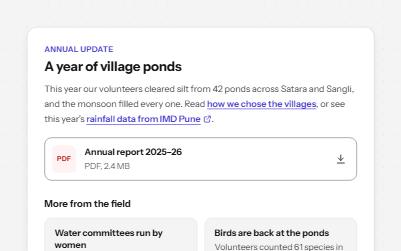
ऐसे लिंक जो बताएँ कि वे कहाँ ले जाते हैं
ऐसे लिंक जिनके शब्द बताते हैं कि वे कहाँ ले जाते हैं: टेक्स्ट में, दूसरी साइट पर, किसी डाउनलोड पर, और साफ़-साफ़ बताने वाला "और पढ़ें"।
-
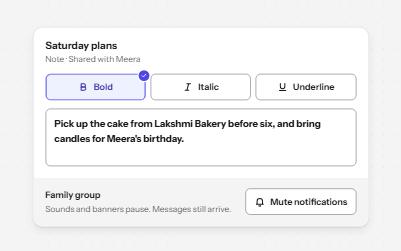
टॉगल बटन
बोल्ड या म्यूट जैसे बटन जो चालू या बंद रहते हैं, जिनकी स्थिति aria-pressed बताता है और लेबल वही रहता है।
-
क्लिपबोर्ड पर कॉपी करें
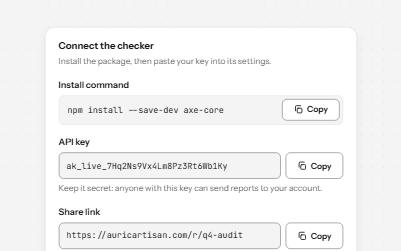
एक बटन जो कमांड, कुंजी या लिंक कॉपी करता है, बटन पर और स्टेटस मैसेज में इसकी पुष्टि करता है, और नाकाम होने पर बताता है कि क्या करें।
-
इमेज के विकल्प
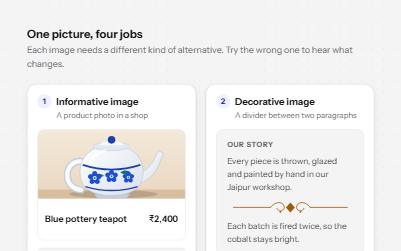
चार तरह की इमेज और हर एक के लिए ज़रूरी alt टेक्स्ट, ग़लत होने पर स्क्रीन रीडर क्या कहता है, और एक निर्णय वृक्ष।