सुलभता पैटर्न · डिस्क्लोज़र और सामग्री
सामान्य प्रश्न
हर सवाल एक हेडिंग है जिसके अंदर एक बटन है, इसलिए सामान्य प्रश्न हेडिंग सूची में दिखते हैं और हर जवाब कीबोर्ड से खुलता है। खोज टाइप करते-करते छाँटती है, जो मिला उसे हाइलाइट करती है, और एक स्टेटस मैसेज फ़ोकस हटाए बिना बताता है कि कितने सवाल मिले।
- डब्ल्यूसीएजी मानदंड
- 6
- कीबोर्ड नियम
- 4
- जाँच का तरीक़ा
- axe, कीबोर्ड और इंस्पेक्टर
लाइव डेमो
आज़माएँ
इसे माउस, कीबोर्ड या स्क्रीन रीडर से इस्तेमाल करें। साथ का इंस्पेक्टर दिखाता है कि आपके इस्तेमाल के दौरान ब्राउज़र सहायक तकनीक को क्या बताता है: फ़ोकस, स्थिति में बदलाव और घोषणाएँ।
ऑर्डर और डिलीवरी
भारत के भीतर ऑर्डर तीन से पाँच कामकाजी दिनों में पहुँचते हैं, और दूर-दराज़ के पिन कोड पर आठ दिन तक लग सकते हैं। पार्सल निकलते ही आपको SMS और ईमेल से ट्रैकिंग लिंक मिलता है।
हाँ, ऑर्डर पैक होने तक। अपने खाते में ऑर्डर खोलें और 'पता बदलें' चुनें। ऑर्डर भेजे जाने के बाद हमें लिखें, हम कूरियर से कहेंगे।
हाँ, ज़्यादातर पिन कोड पर ₹10,000 तक के ऑर्डर पर। ₹40 का हैंडलिंग शुल्क लगता है, और आप कूरियर को नक़द या UPI से भुगतान कर सकते हैं।
वापसी और रिफ़ंड
कोई भी बिना इस्तेमाल की चीज़ 30 दिनों के भीतर लौटाएँ। ऑर्डर पेज पर 'चीज़ लौटाएँ' चुनें, पिकअप का समय चुनें, और चीज़ को उसकी मूल पैकिंग में रखें।
रिफ़ंड उसी दिन शुरू होता है जिस दिन लौटाई गई चीज़ हमारे गोदाम पहुँचती है। UPI और कार्ड के रिफ़ंड दिखने में तीन से सात कामकाजी दिन लगते हैं; कैश ऑन डिलीवरी वाले ऑर्डर का रिफ़ंड आपके बैंक खाते में जाता है।
हाँ। 'लौटाएँ' की जगह 'बदलें' चुनें और नया साइज़ चुनें। पिकअप होते ही हम उसे भेज देते हैं, बिना किसी अतिरिक्त ख़र्च के।
भुगतान और खाता
UPI, डेबिट और क्रेडिट कार्ड, नेट बैंकिंग और कैश ऑन डिलीवरी। ₹3,000 से ऊपर के ऑर्डर पर कार्ड EMI उपलब्ध है।
आपका कार्ड हमारा भुगतान पार्टनर एक टोकन के रूप में रखता है जो सिर्फ़ इसी दुकान पर काम करता है, कार्ड नंबर के रूप में कभी नहीं। आप इसे कभी भी 'खाता, भुगतान' में जाकर हटा सकते हैं।
साइन-इन पेज पर 'पासवर्ड भूल गए' चुनें और अपना ईमेल पता डालें। रीसेट लिंक 30 मिनट तक काम करता है।
इन शब्दों से कोई सवाल नहीं मिलता। कम या छोटे शब्द आज़माएँ।
जावास्क्रिप्ट के बिना डेमो उतना ही काम करता है जितना उसका एचटीएमएल; इंस्पेक्टर के लिए जावास्क्रिप्ट चाहिए।
कीबोर्ड
जिन कुंजियों पर यह काम करता है
हर क्रिया पॉइंटर के बिना काम करती है।
| कुंजी | यह क्या करती है |
|---|---|
| Tab | खोज फ़ील्ड से 'सभी खोलें', 'सभी बंद करें' और लोकप्रिय लिंक पर, फिर एक-एक सवाल पर ले जाता है। |
| Escape | खोज फ़ील्ड में, खोज साफ़ करता है और सारे सवाल फिर से दिखाता है। |
| EnterयाSpace | किसी सवाल पर, उसका जवाब खोलता या बंद करता है; फ़ोकस सवाल पर ही रहता है। |
| Enter | किसी लोकप्रिय लिंक पर, वह सवाल खोलता है और फ़ोकस उस पर ले जाता है। |
स्क्रीन रीडर
यह क्या घोषित करता है
मार्कअप की भूमिकाओं, नामों और स्थितियों से लिखा गया।
| कब | अपेक्षित घोषणा |
|---|---|
| खोज फ़ील्ड में “return” टाइप करके रुकने पर | 3 सवाल मिलते हैं |
| फ़ोकस किसी सवाल पर पहुँचता है | मुझे रिफ़ंड कब मिलेगा?, बटन, संकुचित, हेडिंग स्तर 4 |
| Enter उसे खोलता है | विस्तारित |
| कोई लोकप्रिय लिंक खोला जाता है | मैं कोई चीज़ कैसे लौटाऊँ?, बटन, विस्तारित, हेडिंग स्तर 4 |
| खोज से कुछ नहीं मिलता | 0 सवाल मिलते हैं |
ये अपेक्षित घोषणाएँ हैं, रिकॉर्डिंग नहीं। स्क्रीन रीडर और ब्राउज़र के हिसाब से शब्द और क्रम बदलते हैं।
कोड
कोड कॉपी करें
वही फ़ाइलें जिन पर यह डेमो चलता है। स्टाइल एक प्रीफ़िक्स के साथ परोसी जाती हैं जो इस साइट की अपनी स्टाइल को डेमो से दूर रखता है; आप जो कॉपी करते हैं वह मूल है।
<div class="ap-faq" data-ap-faq>
  <div class="ap-faq__tools">
    <label class="ap-faq__label" for="faq-search">Search the questions</label>
    <div class="ap-faq__field">
      <svg class="ap-faq__glass" viewBox="0 0 24 24" aria-hidden="true" focusable="false"><circle cx="11" cy="11" r="6.5"/><path d="m20 20-4.2-4.2"/></svg>
      <input class="ap-faq__input" id="faq-search" type="search" autocomplete="off" spellcheck="false" />
    </div>
    <div class="ap-faq__bar">
      <p class="ap-faq__count" role="status"><span class="ap-faq__num" translate="no">9</span> <span data-faq-words>questions</span></p>
      <div class="ap-faq__all">
        <button type="button" class="ap-faq__btn" data-faq-expand>Expand all</button>
        <button type="button" class="ap-faq__btn" data-faq-collapse>Collapse all</button>
      </div>
    </div>
    <div class="ap-faq__popular">
      <p class="ap-faq__pop-k" id="faq-pop">Popular</p>
      <ul class="ap-faq__pop" aria-labelledby="faq-pop">
        <li><a href="#faq-return">Return an item</a></li>
        <li><a href="#faq-cod">Cash on delivery</a></li>
        <li><a href="#faq-password">Reset your password</a></li>
      </ul>
    </div>
  </div>

  <div class="ap-faq__group" data-faq-group>
    <h3 class="ap-faq__topic">Orders and delivery</h3>
    <div class="ap-faq__list">
      <div class="ap-faq__item" data-faq-item>
        <h4 class="ap-faq__q" id="faq-arrive">
          <button type="button" class="ap-faq__trigger" aria-expanded="false" aria-controls="faq-a-arrive">
            <span class="ap-faq__text">When will my order arrive?</span>
            <svg class="ap-faq__icon" viewBox="0 0 24 24" aria-hidden="true" focusable="false"><path class="ap-faq__icon-v" d="M12 6v12"/><path d="M6 12h12"/></svg>
          </button>
        </h4>
        <div class="ap-faq__a" id="faq-a-arrive" hidden="until-found">
          <p>Orders inside India arrive in three to five working days, and remote pin codes can take up to eight. You get a tracking link by SMS and email when the parcel leaves.</p>
        </div>
      </div>
      <div class="ap-faq__item" data-faq-item>
        <h4 class="ap-faq__q" id="faq-address">
          <button type="button" class="ap-faq__trigger" aria-expanded="false" aria-controls="faq-a-address">
            <span class="ap-faq__text">Can I change my delivery address?</span>
            <svg class="ap-faq__icon" viewBox="0 0 24 24" aria-hidden="true" focusable="false"><path class="ap-faq__icon-v" d="M12 6v12"/><path d="M6 12h12"/></svg>
          </button>
        </h4>
        <div class="ap-faq__a" id="faq-a-address" hidden="until-found">
          <p>Yes, until the order is packed. Open the order in your account and choose Change address. Once it has shipped, write to us and we will ask the courier.</p>
        </div>
      </div>
      <div class="ap-faq__item" data-faq-item>
        <h4 class="ap-faq__q" id="faq-cod">
          <button type="button" class="ap-faq__trigger" aria-expanded="false" aria-controls="faq-a-cod">
            <span class="ap-faq__text">Do you offer cash on delivery?</span>
            <svg class="ap-faq__icon" viewBox="0 0 24 24" aria-hidden="true" focusable="false"><path class="ap-faq__icon-v" d="M12 6v12"/><path d="M6 12h12"/></svg>
          </button>
        </h4>
        <div class="ap-faq__a" id="faq-a-cod" hidden="until-found">
          <p>Yes, on orders up to ₹10,000 to most pin codes. A ₹40 handling fee applies, and you can pay the courier in cash or by UPI.</p>
        </div>
      </div>
    </div>
  </div>

  <div class="ap-faq__group" data-faq-group>
    <h3 class="ap-faq__topic">Returns and refunds</h3>
    <div class="ap-faq__list">
      <div class="ap-faq__item" data-faq-item>
        <h4 class="ap-faq__q" id="faq-return">
          <button type="button" class="ap-faq__trigger" aria-expanded="false" aria-controls="faq-a-return">
            <span class="ap-faq__text">How do I return an item?</span>
            <svg class="ap-faq__icon" viewBox="0 0 24 24" aria-hidden="true" focusable="false"><path class="ap-faq__icon-v" d="M12 6v12"/><path d="M6 12h12"/></svg>
          </button>
        </h4>
        <div class="ap-faq__a" id="faq-a-return" hidden="until-found">
          <p>Return anything unused within 30 days. Choose Return item on the order page, pick a pickup slot, and keep the item in its original packaging.</p>
        </div>
      </div>
      <div class="ap-faq__item" data-faq-item>
        <h4 class="ap-faq__q" id="faq-refund">
          <button type="button" class="ap-faq__trigger" aria-expanded="false" aria-controls="faq-a-refund">
            <span class="ap-faq__text">When will I get my refund?</span>
            <svg class="ap-faq__icon" viewBox="0 0 24 24" aria-hidden="true" focusable="false"><path class="ap-faq__icon-v" d="M12 6v12"/><path d="M6 12h12"/></svg>
          </button>
        </h4>
        <div class="ap-faq__a" id="faq-a-refund" hidden="until-found">
          <p>Refunds start the day the return reaches our warehouse. UPI and card refunds take three to seven working days to show; cash on delivery orders are refunded to your bank account.</p>
        </div>
      </div>
      <div class="ap-faq__item" data-faq-item>
        <h4 class="ap-faq__q" id="faq-exchange">
          <button type="button" class="ap-faq__trigger" aria-expanded="false" aria-controls="faq-a-exchange">
            <span class="ap-faq__text">Can I exchange an item for another size?</span>
            <svg class="ap-faq__icon" viewBox="0 0 24 24" aria-hidden="true" focusable="false"><path class="ap-faq__icon-v" d="M12 6v12"/><path d="M6 12h12"/></svg>
          </button>
        </h4>
        <div class="ap-faq__a" id="faq-a-exchange" hidden="until-found">
          <p>Yes. Choose Exchange instead of Return and pick the new size. We send it as soon as the pickup is done, at no extra cost.</p>
        </div>
      </div>
    </div>
  </div>

  <div class="ap-faq__group" data-faq-group>
    <h3 class="ap-faq__topic">Payments and account</h3>
    <div class="ap-faq__list">
      <div class="ap-faq__item" data-faq-item>
        <h4 class="ap-faq__q" id="faq-pay">
          <button type="button" class="ap-faq__trigger" aria-expanded="false" aria-controls="faq-a-pay">
            <span class="ap-faq__text">Which payment methods do you accept?</span>
            <svg class="ap-faq__icon" viewBox="0 0 24 24" aria-hidden="true" focusable="false"><path class="ap-faq__icon-v" d="M12 6v12"/><path d="M6 12h12"/></svg>
          </button>
        </h4>
        <div class="ap-faq__a" id="faq-a-pay" hidden="until-found">
          <p>UPI, debit and credit cards, net banking and cash on delivery. Card EMI is available on orders above ₹3,000.</p>
        </div>
      </div>
      <div class="ap-faq__item" data-faq-item>
        <h4 class="ap-faq__q" id="faq-card">
          <button type="button" class="ap-faq__trigger" aria-expanded="false" aria-controls="faq-a-card">
            <span class="ap-faq__text">Is it safe to save my card?</span>
            <svg class="ap-faq__icon" viewBox="0 0 24 24" aria-hidden="true" focusable="false"><path class="ap-faq__icon-v" d="M12 6v12"/><path d="M6 12h12"/></svg>
          </button>
        </h4>
        <div class="ap-faq__a" id="faq-a-card" hidden="until-found">
          <p>Your card is stored by our payment partner as a token that only works on this shop, never as the card number. You can delete it at any time under Account, Payments.</p>
        </div>
      </div>
      <div class="ap-faq__item" data-faq-item>
        <h4 class="ap-faq__q" id="faq-password">
          <button type="button" class="ap-faq__trigger" aria-expanded="false" aria-controls="faq-a-password">
            <span class="ap-faq__text">How do I reset my password?</span>
            <svg class="ap-faq__icon" viewBox="0 0 24 24" aria-hidden="true" focusable="false"><path class="ap-faq__icon-v" d="M12 6v12"/><path d="M6 12h12"/></svg>
          </button>
        </h4>
        <div class="ap-faq__a" id="faq-a-password" hidden="until-found">
          <p>Choose Forgot password on the sign-in page and enter your email address. The reset link works for 30 minutes.</p>
        </div>
      </div>
    </div>
  </div>

  <div class="ap-faq__empty" data-faq-empty hidden>
    <p>No questions match those words. Try fewer or shorter words.</p>
    <button type="button" class="ap-faq__btn" data-faq-clear>Clear the search</button>
  </div>
</div>
/* FAQ with search. Uses the --ap-* design tokens. */
.ap-faq {
  container-type: inline-size;
  display: grid;
  gap: 22px;
  width: min(100%, 640px);
  margin-inline: auto;
  color: var(--ap-text);
}

/* ── Search, count, expand and collapse, popular links ── */
.ap-faq__tools {
  display: grid;
  gap: 10px;
}
.ap-faq__label {
  color: var(--ap-text);
  font-size: .9375rem;
  font-weight: 600;
}
.ap-faq__field {
  position: relative;
}
.ap-faq__glass {
  position: absolute;
  top: 50%;
  left: 14px;
  width: 20px;
  height: 20px;
  transform: translateY(-50%);
  fill: none;
  stroke: var(--ap-text-3);
  stroke-width: 2;
  stroke-linecap: round;
  pointer-events: none;
}
.ap-faq__input {
  width: 100%;
  min-height: 48px;
  padding: 10px 14px 10px 44px;
  border: 1px solid var(--ap-border-strong);
  border-radius: var(--ap-radius);
  background: var(--ap-surface);
  color: var(--ap-text);
  font: inherit;
  box-shadow: var(--ap-shadow-sm);
  transition: border-color var(--ap-duration) var(--ap-ease);
}
.ap-faq__input:hover {
  border-color: var(--ap-text-2);
}
.ap-faq__input:focus-visible {
  outline: 2px solid var(--ap-focus);
  outline-offset: 1px;
  border-color: var(--ap-focus);
}

.ap-faq__bar {
  display: flex;
  flex-wrap: wrap;
  align-items: center;
  justify-content: space-between;
  gap: 8px 16px;
}
.ap-faq__count {
  margin: 0;
  color: var(--ap-text-3);
  font-size: .9375rem;
}
.ap-faq__num {
  color: var(--ap-text);
  font-weight: 650;
  font-variant-numeric: tabular-nums;
}
.ap-faq__all {
  display: flex;
  gap: 6px;
}
.ap-faq__btn {
  min-height: 36px;
  padding: 0 12px;
  border: 1px solid var(--ap-border-strong);
  border-radius: var(--ap-radius-sm);
  background: var(--ap-surface);
  color: var(--ap-text);
  font: inherit;
  font-size: .875rem;
  font-weight: 600;
  white-space: nowrap;
  cursor: pointer;
  transition: background-color var(--ap-duration) var(--ap-ease);
}
.ap-faq__btn:hover {
  background: var(--ap-surface-2);
}
.ap-faq__btn:focus-visible {
  outline: 2px solid var(--ap-focus);
  outline-offset: 2px;
}

.ap-faq__popular {
  display: flex;
  flex-wrap: wrap;
  align-items: center;
  gap: 8px 10px;
  padding-top: 4px;
}
.ap-faq__pop-k {
  margin: 0;
  color: var(--ap-text-3);
  font-size: .875rem;
  font-weight: 600;
}
.ap-faq__pop {
  display: flex;
  flex-wrap: wrap;
  gap: 8px;
  margin: 0;
  padding: 0;
  list-style: none;
}
.ap-faq__pop a {
  display: inline-flex;
  align-items: center;
  min-height: 32px;
  padding: 0 12px;
  border: 1px solid var(--ap-border);
  border-radius: var(--ap-radius-full);
  background: var(--ap-surface);
  color: var(--ap-accent-text);
  font-size: .875rem;
  font-weight: 600;
  text-decoration: underline;
  text-decoration-color: transparent;
  text-underline-offset: 3px;
  transition: background-color var(--ap-duration) var(--ap-ease), text-decoration-color var(--ap-duration) var(--ap-ease);
}
.ap-faq__pop a:hover {
  background: var(--ap-accent-soft);
  color: var(--ap-accent-soft-text);
  text-decoration-color: currentColor;
}
.ap-faq__pop a:focus-visible {
  outline: 2px solid var(--ap-focus);
  outline-offset: 2px;
}

/* ── Topics and questions ── */
.ap-faq__group {
  display: grid;
  gap: 10px;
}
.ap-faq__group[hidden],
.ap-faq__item[hidden],
.ap-faq__empty[hidden] {
  display: none;
}
.ap-faq__topic {
  margin: 0;
  color: var(--ap-text-2);
  font-size: .8125rem;
  font-weight: 650;
  letter-spacing: .06em;
  text-transform: uppercase;
}
.ap-faq__list {
  border: 1px solid var(--ap-border);
  border-radius: var(--ap-radius-lg);
  background: var(--ap-surface);
  box-shadow: var(--ap-shadow-sm);
  overflow: hidden;
}
/* A rule between visible questions only, whatever the search has hidden. */
.ap-faq__item:not([hidden]) ~ .ap-faq__item:not([hidden]) {
  border-top: 1px solid var(--ap-border);
}

.ap-faq__q {
  margin: 0;
  font-size: 1rem;
  font-weight: 600;
  line-height: 1.4;
}
.ap-faq__trigger {
  display: flex;
  align-items: center;
  justify-content: space-between;
  gap: 14px;
  width: 100%;
  min-height: 52px;
  padding: 12px 16px 12px 18px;
  border: 0;
  background: transparent;
  color: var(--ap-text);
  font: inherit;
  text-align: start;
  cursor: pointer;
  transition: background-color var(--ap-duration) var(--ap-ease);
}
.ap-faq__trigger:hover {
  background: var(--ap-surface-2);
}
.ap-faq__trigger:focus-visible {
  outline: 2px solid var(--ap-focus);
  outline-offset: -4px;
  border-radius: calc(var(--ap-radius) - 2px);
}
.ap-faq__icon {
  flex-shrink: 0;
  width: 28px;
  height: 28px;
  padding: 5px;
  border-radius: var(--ap-radius-full);
  background: var(--ap-surface-2);
  fill: none;
  stroke: var(--ap-text-2);
  stroke-width: 2;
  stroke-linecap: round;
  transition: background-color var(--ap-duration) var(--ap-ease);
}
.ap-faq__icon-v {
  transform-origin: 12px 12px;
  transition: transform var(--ap-duration) var(--ap-ease);
}
/* Open: the plus turns into a minus, so the state is a shape, not a color. */
.ap-faq__trigger[aria-expanded="true"] .ap-faq__icon {
  background: var(--ap-accent-soft);
  stroke: var(--ap-accent-soft-text);
}
.ap-faq__trigger[aria-expanded="true"] .ap-faq__icon-v {
  transform: rotate(90deg) scaleY(0);
}

/* Until-found keeps collapsed answers searchable. Many resets set
   [hidden] { display: none !important }, which would undo that. */
.ap-faq__a[hidden="until-found"] {
  display: block !important;
  content-visibility: hidden !important;
}
.ap-faq__a p {
  margin: 0;
  padding: 0 60px 18px 18px;
  color: var(--ap-text-2);
  line-height: 1.6;
}
.ap-faq__a:not([hidden]) {
  animation: ap-faq-in 200ms var(--ap-ease);
}

.ap-faq__hit {
  margin: -6px 18px 12px;
  color: var(--ap-text-3);
  font-size: .8125rem;
  font-style: italic;
}

.ap-faq__mark {
  padding: 0 1px;
  border-radius: 3px;
  background: var(--ap-accent-soft);
  color: var(--ap-accent-soft-text);
  box-shadow: inset 0 -2px 0 var(--ap-accent);
}

.ap-faq__empty {
  display: grid;
  justify-items: center;
  gap: 12px;
  padding: 28px 20px;
  border: 1px dashed var(--ap-border-strong);
  border-radius: var(--ap-radius-lg);
  background: var(--ap-surface);
  text-align: center;
}
.ap-faq__empty p {
  margin: 0;
  color: var(--ap-text-2);
}

@container (max-width: 420px) {
  .ap-faq__a p { padding-right: 18px; }
  .ap-faq__trigger { padding-left: 16px; }
}

@keyframes ap-faq-in {
  from { opacity: 0; transform: translateY(-4px); }
}

@media (prefers-reduced-motion: reduce) {
  .ap-faq__input,
  .ap-faq__btn,
  .ap-faq__pop a,
  .ap-faq__trigger,
  .ap-faq__icon,
  .ap-faq__icon-v { transition: none; }
  .ap-faq__a:not([hidden]) { animation: none; }
}
/**
 * FAQ: questions as headings with disclosure buttons, a live search, expand
 * and collapse all, and deep links that open the question they name.
 *
 * Markup: [data-ap-faq] holding input[type=search]; a role=status count
 * (.ap-faq__num and [data-faq-words]); [data-faq-expand] and
 * [data-faq-collapse]; [data-faq-group] > [data-faq-item], each an
 * h4[id] > button[aria-expanded][aria-controls] followed by its answer,
 * div[hidden="until-found"]; and [data-faq-empty] with [data-faq-clear].
 */

const PAUSE = 400; // ms of quiet typing before the count is announced

export function init(root) {
  const input = root.querySelector("input[type=search]");
  const num = root.querySelector(".ap-faq__num");
  const words = root.querySelector("[data-faq-words]");
  const empty = root.querySelector("[data-faq-empty]");
  const groups = [...root.querySelectorAll("[data-faq-group]")];
  const items = [...root.querySelectorAll("[data-faq-item]")];
  const buttonOf = (item) => item.querySelector("button[aria-controls]");
  const answerOf = (item) => document.getElementById(buttonOf(item).getAttribute("aria-controls"));
  const questionOf = (item) => item.querySelector(".ap-faq__text");
  const off = new AbortController();
  const on = { signal: off.signal };
  let countTimer = 0;
  let linkTimer = 0;

  function setOpen(item, open) {
    buttonOf(item).setAttribute("aria-expanded", String(open));
    const answer = answerOf(item);
    if (open) answer.removeAttribute("hidden");
    else answer.setAttribute("hidden", "until-found");
  }

  /* Highlighting: wrap each match in <mark>, working on the text as it is
     shown, so it works in whatever language the page is in. */
  function unmark(el) {
    for (const m of el.querySelectorAll("mark.ap-faq__mark")) m.replaceWith(m.textContent);
    el.normalize();
  }
  function mark(el, terms) {
    const walker = document.createTreeWalker(el, NodeFilter.SHOW_TEXT);
    const nodes = [];
    while (walker.nextNode()) nodes.push(walker.currentNode);
    for (const node of nodes) {
      const text = node.data;
      const lower = text.toLocaleLowerCase();
      const spans = [];
      for (const term of terms) {
        for (let at = lower.indexOf(term); at !== -1; at = lower.indexOf(term, at + term.length)) spans.push([at, at + term.length]);
      }
      if (!spans.length) continue;
      spans.sort((a, b) => a[0] - b[0]);
      const frag = document.createDocumentFragment();
      let done = 0;
      for (const [start, end] of spans) {
        if (end <= done) continue;
        const from = Math.max(start, done);
        if (from > done) frag.append(text.slice(done, from));
        const m = document.createElement("mark");
        m.className = "ap-faq__mark";
        m.textContent = text.slice(from, end);
        frag.append(m);
        done = end;
      }
      if (done < text.length) frag.append(text.slice(done));
      node.replaceWith(frag);
    }
  }

  function setCount(shown, searching) {
    num.textContent = String(shown);
    words.textContent = !searching ? "questions" : shown === 1 ? "question matches" : "questions match";
  }

  function filter() {
    const terms = input.value.toLocaleLowerCase().split(/\s+/).filter(Boolean);
    let shown = 0;
    for (const item of items) {
      const question = questionOf(item);
      const answer = answerOf(item);
      unmark(question);
      unmark(answer);
      item.querySelector(".ap-faq__hit")?.remove();
      const q = question.textContent.toLocaleLowerCase();
      const a = answer.textContent.toLocaleLowerCase();
      const match = terms.every((t) => q.includes(t) || a.includes(t));
      item.hidden = !match;
      if (!match) continue;
      shown++;
      if (!terms.length) continue;
      mark(question, terms);
      mark(answer, terms);
      // Some of the words are only in the answer: say so, or the match looks wrong.
      if (!terms.every((t) => q.includes(t))) {
        const hit = document.createElement("p");
        hit.className = "ap-faq__hit";
        hit.textContent = "Found in the answer";
        item.querySelector(".ap-faq__q").after(hit);
      }
    }
    for (const group of groups) group.hidden = !group.querySelector("[data-faq-item]:not([hidden])");
    empty.hidden = shown > 0;
    // Announce the count once typing pauses, not on every key.
    clearTimeout(countTimer);
    countTimer = setTimeout(() => setCount(shown, terms.length > 0), PAUSE);
  }

  function clearSearch() {
    input.value = "";
    filter();
  }

  /* Deep links: #faq-return opens that question and puts focus on it. */
  function openTarget(id, focus) {
    const target = id && document.getElementById(id);
    const item = target && root.contains(target) ? target.closest("[data-faq-item]") : null;
    if (!item) return false;
    if (item.hidden) clearSearch(); // the search was hiding the question the link names
    setOpen(item, true);
    if (focus) buttonOf(item).focus();
    return true;
  }
  const idOf = (hash) => {
    try { return decodeURIComponent(hash.slice(1)); } catch { return ""; }
  };

  root.addEventListener("click", (event) => {
    const button = event.target.closest("button");
    if (button && root.contains(button)) {
      if (button.hasAttribute("data-faq-expand")) {
        for (const item of items) if (!item.hidden) setOpen(item, true);
      } else if (button.hasAttribute("data-faq-collapse")) {
        for (const item of items) setOpen(item, false);
      } else if (button.hasAttribute("data-faq-clear")) {
        clearSearch();
        input.focus();
      } else if (button.hasAttribute("aria-controls")) {
        const item = button.closest("[data-faq-item]");
        if (item) setOpen(item, button.getAttribute("aria-expanded") !== "true");
      }
      return;
    }
    // A link to a question: the browser updates the address and scrolls;
    // then the script opens the answer and moves focus to the question.
    // (hashchange does the same; this covers a link to the current hash.)
    const link = event.target.closest("a[href^='#']");
    if (link && root.contains(link)) {
      const id = idOf(link.hash);
      linkTimer = setTimeout(() => openTarget(id, true));
    }
  }, on);

  input.addEventListener("input", filter, on);
  input.addEventListener("keydown", (event) => {
    if (event.key === "Escape" && input.value) {
      event.preventDefault();
      clearSearch();
    }
  }, on);

  // Find-in-page matched a collapsed answer: the browser reveals it, and
  // the question's button has to say so too.
  root.addEventListener("beforematch", (event) => {
    const item = event.target.closest("[data-faq-item]");
    if (item) buttonOf(item).setAttribute("aria-expanded", "true");
  }, on);

  window.addEventListener("hashchange", () => openTarget(idOf(location.hash), true), on);
  openTarget(idOf(location.hash), false);

  return () => {
    off.abort();
    clearTimeout(countTimer);
    clearTimeout(linkTimer);
  };
}

for (const root of document.querySelectorAll("[data-ap-faq]")) init(root);
/* Design tokens for the pattern components. Light by default, dark when the
   system asks for it; set data-theme="dark" on :root to force dark. */
:root {
    --ap-radius-sm: 8px;
    --ap-radius: 12px;
    --ap-radius-lg: 16px;
    --ap-radius-full: 999px;
    --ap-font: "Instrument Sans", ui-sans-serif, system-ui, -apple-system, "Segoe UI", Roboto, sans-serif;
    --ap-mono: "JetBrains Mono", ui-monospace, "Cascadia Mono", "SF Mono", Consolas, monospace;
    --ap-ease: cubic-bezier(.2, .8, .2, 1);
    --ap-duration: 180ms;
    --ap-target: 44px;
    --ap-bg: #F4F4F5;
    --ap-surface: #FFFFFF;
    --ap-surface-2: #F4F4F5;
    --ap-surface-3: #E4E4E7;
    --ap-border: #E4E4E7;
    --ap-border-strong: #76767F;
    --ap-text: #18181B;
    --ap-text-2: #3F3F46;
    --ap-text-3: #5E5E66;
    --ap-accent: #4F46E5;
    --ap-accent-hover: #4338CA;
    --ap-on-accent: #FFFFFF;
    --ap-accent-text: #4338CA;
    --ap-accent-soft: #EEF2FF;
    --ap-accent-soft-text: #3730A3;
    --ap-focus: #4F46E5;
    --ap-danger: #B91C1C;
    --ap-danger-soft: #FEF2F2;
    --ap-success: #15803D;
    --ap-success-soft: #F0FDF4;
    --ap-warning: #A15C07;
    --ap-warning-soft: #FEFCE8;
    --ap-info: #1D4ED8;
    --ap-info-soft: #EFF6FF;
    --ap-scrim: rgb(9 9 11 / .48);
    --ap-shadow-sm: 0 1px 2px rgb(9 9 11 / .06);
    --ap-shadow-md: 0 1px 2px rgb(9 9 11 / .05), 0 6px 16px -4px rgb(9 9 11 / .1);
    --ap-shadow-lg: 0 2px 6px rgb(9 9 11 / .06), 0 20px 40px -12px rgb(9 9 11 / .22);
    --ap-light-bg: #F4F4F5;
    --ap-light-surface: #FFFFFF;
    --ap-light-surface-2: #F4F4F5;
    --ap-light-surface-3: #E4E4E7;
    --ap-light-border: #E4E4E7;
    --ap-light-border-strong: #76767F;
    --ap-light-text: #18181B;
    --ap-light-text-2: #3F3F46;
    --ap-light-text-3: #5E5E66;
    --ap-light-accent: #4F46E5;
    --ap-light-accent-hover: #4338CA;
    --ap-light-on-accent: #FFFFFF;
    --ap-light-accent-text: #4338CA;
    --ap-light-accent-soft: #EEF2FF;
    --ap-light-accent-soft-text: #3730A3;
    --ap-light-focus: #4F46E5;
    --ap-light-danger: #B91C1C;
    --ap-light-danger-soft: #FEF2F2;
    --ap-light-success: #15803D;
    --ap-light-success-soft: #F0FDF4;
    --ap-light-warning: #A15C07;
    --ap-light-warning-soft: #FEFCE8;
    --ap-light-info: #1D4ED8;
    --ap-light-info-soft: #EFF6FF;
    --ap-light-scrim: rgb(9 9 11 / .48);
    --ap-light-shadow-sm: 0 1px 2px rgb(9 9 11 / .06);
    --ap-light-shadow-md: 0 1px 2px rgb(9 9 11 / .05), 0 6px 16px -4px rgb(9 9 11 / .1);
    --ap-light-shadow-lg: 0 2px 6px rgb(9 9 11 / .06), 0 20px 40px -12px rgb(9 9 11 / .22);
    --ap-dark-bg: #09090B;
    --ap-dark-surface: #18181B;
    --ap-dark-surface-2: #27272A;
    --ap-dark-surface-3: #3F3F46;
    --ap-dark-border: #2E2E33;
    --ap-dark-border-strong: #8E8E97;
    --ap-dark-text: #FAFAFA;
    --ap-dark-text-2: #D4D4D8;
    --ap-dark-text-3: #A1A1AA;
    --ap-dark-accent: #818CF8;
    --ap-dark-accent-hover: #A5B4FC;
    --ap-dark-on-accent: #0C0A1F;
    --ap-dark-accent-text: #A5B4FC;
    --ap-dark-accent-soft: #1E1B4B;
    --ap-dark-accent-soft-text: #C7D2FE;
    --ap-dark-focus: #A5B4FC;
    --ap-dark-danger: #F87171;
    --ap-dark-danger-soft: #2A1215;
    --ap-dark-success: #4ADE80;
    --ap-dark-success-soft: #0F2A1A;
    --ap-dark-warning: #FACC15;
    --ap-dark-warning-soft: #2A2410;
    --ap-dark-info: #60A5FA;
    --ap-dark-info-soft: #0F1D33;
    --ap-dark-scrim: rgb(0 0 0 / .62);
    --ap-dark-shadow-sm: 0 1px 2px rgb(0 0 0 / .4);
    --ap-dark-shadow-md: 0 1px 2px rgb(0 0 0 / .4), 0 8px 20px -6px rgb(0 0 0 / .5);
    --ap-dark-shadow-lg: 0 2px 8px rgb(0 0 0 / .45), 0 24px 48px -12px rgb(0 0 0 / .7);
}
@media (prefers-color-scheme: dark) {
  :root:not([data-theme="light"]) {
      --ap-bg: #09090B;
      --ap-surface: #18181B;
      --ap-surface-2: #27272A;
      --ap-surface-3: #3F3F46;
      --ap-border: #2E2E33;
      --ap-border-strong: #8E8E97;
      --ap-text: #FAFAFA;
      --ap-text-2: #D4D4D8;
      --ap-text-3: #A1A1AA;
      --ap-accent: #818CF8;
      --ap-accent-hover: #A5B4FC;
      --ap-on-accent: #0C0A1F;
      --ap-accent-text: #A5B4FC;
      --ap-accent-soft: #1E1B4B;
      --ap-accent-soft-text: #C7D2FE;
      --ap-focus: #A5B4FC;
      --ap-danger: #F87171;
      --ap-danger-soft: #2A1215;
      --ap-success: #4ADE80;
      --ap-success-soft: #0F2A1A;
      --ap-warning: #FACC15;
      --ap-warning-soft: #2A2410;
      --ap-info: #60A5FA;
      --ap-info-soft: #0F1D33;
      --ap-scrim: rgb(0 0 0 / .62);
      --ap-shadow-sm: 0 1px 2px rgb(0 0 0 / .4);
      --ap-shadow-md: 0 1px 2px rgb(0 0 0 / .4), 0 8px 20px -6px rgb(0 0 0 / .5);
      --ap-shadow-lg: 0 2px 8px rgb(0 0 0 / .45), 0 24px 48px -12px rgb(0 0 0 / .7);
  }
}
:root[data-theme="dark"] {
    --ap-bg: #09090B;
    --ap-surface: #18181B;
    --ap-surface-2: #27272A;
    --ap-surface-3: #3F3F46;
    --ap-border: #2E2E33;
    --ap-border-strong: #8E8E97;
    --ap-text: #FAFAFA;
    --ap-text-2: #D4D4D8;
    --ap-text-3: #A1A1AA;
    --ap-accent: #818CF8;
    --ap-accent-hover: #A5B4FC;
    --ap-on-accent: #0C0A1F;
    --ap-accent-text: #A5B4FC;
    --ap-accent-soft: #1E1B4B;
    --ap-accent-soft-text: #C7D2FE;
    --ap-focus: #A5B4FC;
    --ap-danger: #F87171;
    --ap-danger-soft: #2A1215;
    --ap-success: #4ADE80;
    --ap-success-soft: #0F2A1A;
    --ap-warning: #FACC15;
    --ap-warning-soft: #2A2410;
    --ap-info: #60A5FA;
    --ap-info-soft: #0F1D33;
    --ap-scrim: rgb(0 0 0 / .62);
    --ap-shadow-sm: 0 1px 2px rgb(0 0 0 / .4);
    --ap-shadow-md: 0 1px 2px rgb(0 0 0 / .4), 0 8px 20px -6px rgb(0 0 0 / .5);
    --ap-shadow-lg: 0 2px 8px rgb(0 0 0 / .45), 0 24px 48px -12px rgb(0 0 0 / .7);
}
डब्ल्यूसीएजी 2.2
यह किन मानदंडों को पूरा करता है
वे सफलता मानदंड जिनका यह पैटर्न ध्यान रखता है, और कैसे।
-
1.3.1 जानकारी और संबंध
स्तर A
विषय h3 हैं और सवाल h4, इसलिए सामान्य प्रश्नों की रूपरेखा हेडिंग सूची में है; खोज फ़ील्ड का लेबल दिखता है।
-
2.1.1 कीबोर्ड
स्तर A
खोजना, जवाब खोलना, 'सभी खोलें' और लोकप्रिय लिंक, सब कीबोर्ड से काम करते हैं।
-
2.4.3 फ़ोकस क्रम
स्तर A
लोकप्रिय लिंक खोलने पर फ़ोकस उसी सवाल पर चला जाता है जिसका वह नाम लेता है, इसलिए अगला Tab वहीं से आगे बढ़ता है।
-
3.2.2 इनपुट पर
स्तर A
टाइप करने से सूची छँटती है, पर फ़ोकस कभी नहीं हिलता और कुछ नहीं खुलता; टाइप करते समय संदर्भ नहीं बदलता।
-
4.1.2 नाम, भूमिका, मान
स्तर A
हर सवाल के बटन पर aria-expanded और aria-controls हैं, इसलिए उसकी खुली स्थिति सामने आती है और उसकी घोषणा होती है।
-
4.1.3 स्टेटस मैसेज
स्तर AA
मिलानों की गिनती एक स्टेटस मैसेज है, जिसकी घोषणा टाइपिंग रुकते ही विनम्रता से होती है, फ़ोकस लिए बिना।
उपयोग
इसे कब इस्तेमाल करें
इसे अपनाएँ
- छोटे जवाबों वाला सहायता पेज, जिसमें लोग किसी एक सवाल को खोजते या सरसरी नज़र से ढूँढते हैं।
- विषय के हिसाब से समूहों में जवाब, जहाँ किसी एक सवाल का लिंक साझा करने लायक हो।
कुछ और इस्तेमाल करें
- ऐसी जानकारी जो सबको चाहिए: उसे पेज या प्रक्रिया में रखें, किसी सवाल के पीछे नहीं।
- चरणों और स्क्रीनशॉट वाले लंबे जवाब: हर एक को उसका अपना सहायता पेज दें।
- मुट्ठी भर सवाल: हेडिंग और पैराग्राफ़ की सीधी सूची को खोज की ज़रूरत नहीं।
आम विफलताएँ
आमतौर पर यह कहाँ गलत होता है
सवाल जो हेडिंग नहीं हैं
बोल्ड पैराग्राफ़ हेडिंग जैसे दिखते हैं, पर उन पर कूदा नहीं जा सकता। असली हेडिंग से लोग हेडिंग के सहारे सामान्य प्रश्नों पर नज़र दौड़ा सकते हैं, जैसा कई स्क्रीन रीडर उपयोगकर्ता करते हैं।
ऐसी गिनती जो कोई नहीं सुनता
स्क्रीन पर बदलती संख्या स्क्रीन रीडर उपयोगकर्ता को कुछ नहीं बताती। यहाँ गिनती एक स्टेटस मैसेज है, इसलिए नतीजे की घोषणा होती है।
हर कीस्ट्रोक पर घोषणा
हर की पर अपडेट होने वाला लाइव रीजन ख़ुद को ही बीच में काटता है। यहाँ गिनती बदलने से पहले टाइपिंग में एक छोटे विराम का इंतज़ार करती है।
डीप लिंक जो बंद जवाब पर उतरते हैं
किसी सवाल का ऐसा लिंक जो बस वहाँ तक स्क्रॉल करे, सवाल दिखाता है, जवाब नहीं। स्क्रिप्ट उसे खोलती है और फ़ोकस उस पर ले जाती है।
छँटे हुए सवाल अब भी पेज में
opacity से धुंधले किए गए सवाल फिर भी पढ़े जाते हैं और Tab से उन तक पहुँचा जाता है। यहाँ छँटे हुए सवाल hidden एट्रिब्यूट इस्तेमाल करते हैं।
मिलान जो दिखते नहीं
जो खोज किसी बंद जवाब के अंदर मिलान करे और फिर बिना किसी निशान के सवाल दिखाए, वह टूटी हुई लगती है। यहाँ हर सवाल बताता है कि मिलान उसके जवाब में है।
नोट्स
इसे बनाना
- खोज आपका टाइप किया हर शब्द सवाल या जवाब में ढूँढती है, बड़े-छोटे अक्षरों को अनदेखा करते हुए, और हर मिलान को mark एलिमेंट में लपेटती है।
- बंद जवाब hidden="until-found" इस्तेमाल करते हैं, इसलिए पेज में खोज तब भी काम करती है; छँटे हुए सवाल साधारण hidden इस्तेमाल करते हैं, क्योंकि पढ़ने वाले ने उन्हें हटाने को कहा है।
- 'सभी खोलें' सिर्फ़ वही सवाल खोलता है जो मौजूदा खोज दिखा रही है।
- डीप लिंक पेज लोड होने पर और hashchange पर काम करते हैं। id स्थिर रखें: लोग इन्हें बुकमार्क करते हैं और चैट में चिपकाते हैं।
- जवाबों पर role=region न लगाएँ: नौ जवाबों के साथ पेज ऐसे लैंडमार्क से भर जाता है जिनकी किसी को ज़रूरत नहीं।
स्रोत: WAI-एआरआईए ऑथरिंग प्रैक्टिसेज़: डिस्क्लोज़र (सामान्य प्रश्न का उदाहरण) · डब्ल्यूसीएजी 2.2 को समझना, 4.1.3: स्टेटस मैसेज
लाइट और डार्क थीम में, डेस्कटॉप और फ़ोन की चौड़ाई पर axe से और कीबोर्ड से जाँचा गया। अभी हर स्क्रीन रीडर और ब्राउज़र जोड़ी के साथ नहीं परखा गया। सुधार बताएँ
संबंधित
इसके साथ जाने वाले पैटर्न
-
अकॉर्डियन
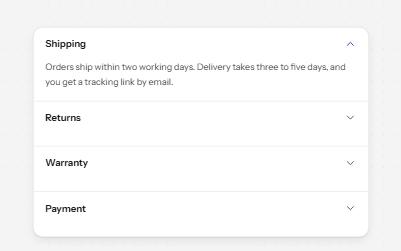
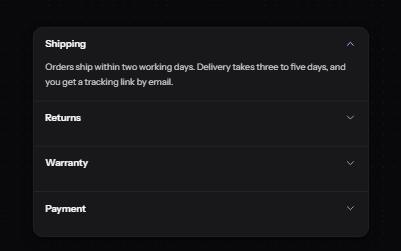
एक के नीचे एक हेडिंग, जिनमें से हर एक अपना पैनल दिखाती या छिपाती है, ताकि लंबा पेज एक छोटी सूची जैसा पढ़ा जाए।
-
और दिखाएँ
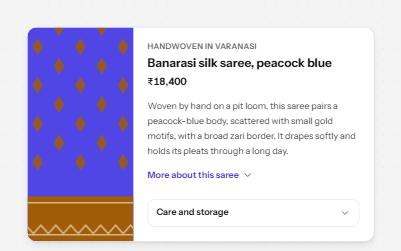
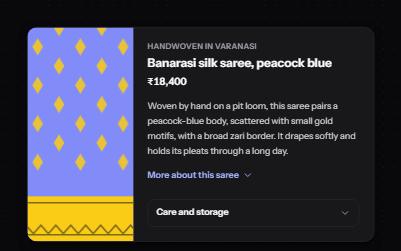
एक बटन जो लंबे टेक्स्ट का बाक़ी हिस्सा उसी जगह खोल देता है, और छिपा हिस्सा पेज में खोज की पहुँच में बना रहता है।
-
सर्च फ़ील्ड
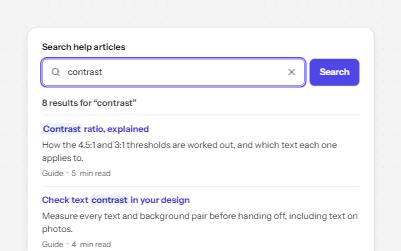
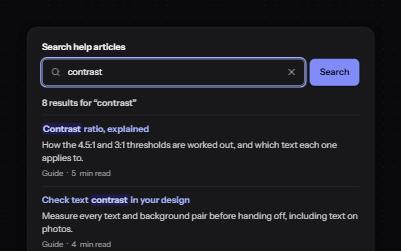
नाम वाला एक सर्च लैंडमार्क, जिसमें साफ़ करने का बटन, हाल की खोजें, और नतीजों की गिनती है जो फ़ोकस हिलाए बिना घोषित होती है।
-
विषय-सूची
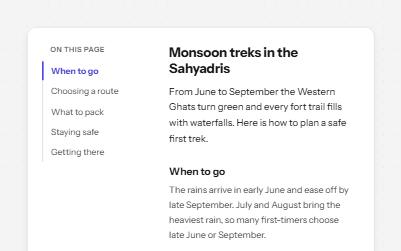
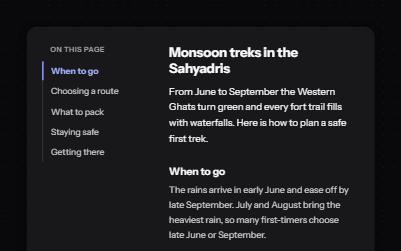
"इस पेज पर" सूची जो हर हिस्से पर ले जाती है, फ़ोकस वहाँ पहुँचाती है, और उस हिस्से को चिह्नित करती है जिसे आप पढ़ रहे हैं।