सुलभता पैटर्न · डिस्क्लोज़र और सामग्री
कैरोसेल
रोकने का बटन सबसे पहले आता है, फ़ोकस या पॉइंटर अंदर रहने तक घूमना रुका रहता है, और सिस्टम के कम मोशन माँगने पर यह कभी अपने-आप शुरू नहीं होता। स्लाइडें नाम वाले समूह हैं, और कैरोसेल के अपने-आप घूमते समय लाइव रीजन बंद रहता है, इसलिए सिर्फ़ उन्हीं बदलावों की घोषणा होती है जो कोई माँगता है।
- डब्ल्यूसीएजी मानदंड
- 7
- कीबोर्ड नियम
- 4
- जाँच का तरीक़ा
- axe, कीबोर्ड और इंस्पेक्टर
लाइव डेमो
आज़माएँ
इसे माउस, कीबोर्ड या स्क्रीन रीडर से इस्तेमाल करें। साथ का इंस्पेक्टर दिखाता है कि आपके इस्तेमाल के दौरान ब्राउज़र सहायक तकनीक को क्या बताता है: फ़ोकस, स्थिति में बदलाव और घोषणाएँ।
इस हफ़्ते के संग्रह
जावास्क्रिप्ट के बिना डेमो उतना ही काम करता है जितना उसका एचटीएमएल; इंस्पेक्टर के लिए जावास्क्रिप्ट चाहिए।
कीबोर्ड
जिन कुंजियों पर यह काम करता है
हर क्रिया पॉइंटर के बिना काम करती है।
| कुंजी | यह क्या करती है |
|---|---|
| Tab | पहले रोकने के बटन पर, फिर स्लाइड के लिंक, पिछली, स्लाइड चुनने के बटन और अगली पर पहुँचता है। रोकने के बटन को छोड़ कहीं भी फ़ोकस हो तो घूमना थमा रहता है। |
| EnterयाSpace | रोकने के बटन पर, घूमना बंद करता है; बटन 'चलाएँ' बन जाता है, जो इसे फिर शुरू करता है। फ़ोकस बटन पर ही रहता है। |
| EnterयाSpace | पिछली या अगली पर, पहले या बाद की स्लाइड दिखाता है, आख़िर में पहुँचकर फिर शुरू से; फ़ोकस बटन पर ही रहता है। |
| EnterयाSpace | स्लाइड चुनने के किसी बटन पर, वह स्लाइड दिखाता है। |
स्क्रीन रीडर
यह क्या घोषित करता है
मार्कअप की भूमिकाओं, नामों और स्थितियों से लिखा गया।
| कब | अपेक्षित घोषणा |
|---|---|
| Tab कैरोसेल तक पहुँचता है | इस हफ़्ते के संग्रह, कैरोसेल। स्लाइड शो रोकें, बटन |
| रोकने का बटन दबाया जाता है | स्लाइड शो चलाएँ, बटन (नया नाम; कुछ स्क्रीन रीडर इसे तभी कहते हैं जब फ़ोकस लौटकर आता है) |
| अगली दबाई जाती है | 5 में से 2: त्योहारी रेशम |
| फ़ोकस स्लाइड चुनने के किसी बटन पर पहुँचता है | त्योहारी रेशम, बटन, मौजूदा |
| किसी स्लाइड में पढ़ते हुए | 5 में से 2, स्लाइड |
| कैरोसेल अपने-आप आगे बढ़ता है | कुछ नहीं: घूमते समय लाइव रीजन बंद रहता है |
ये अपेक्षित घोषणाएँ हैं, रिकॉर्डिंग नहीं। स्क्रीन रीडर और ब्राउज़र के हिसाब से शब्द और क्रम बदलते हैं।
कोड
कोड कॉपी करें
वही फ़ाइलें जिन पर यह डेमो चलता है। स्टाइल एक प्रीफ़िक्स के साथ परोसी जाती हैं जो इस साइट की अपनी स्टाइल को डेमो से दूर रखता है; आप जो कॉपी करते हैं वह मूल है।
<section class="ap-carousel" data-ap-carousel aria-roledescription="carousel" aria-labelledby="car-label">
  <div class="ap-carousel__top">
    <h3 class="ap-carousel__label" id="car-label">This week's collections</h3>
    <button type="button" class="ap-carousel__rotate" data-car-rotate aria-label="Pause slide show">
      <svg class="ap-carousel__icon ap-carousel__icon--pause" viewBox="0 0 24 24" aria-hidden="true" focusable="false"><path d="M9 6v12M15 6v12"/></svg>
      <svg class="ap-carousel__icon ap-carousel__icon--play" viewBox="0 0 24 24" aria-hidden="true" focusable="false"><path d="M8 5.5v13l11-6.5Z"/></svg>
      <span class="ap-carousel__rotate-text">Pause</span>
    </button>
  </div>

  <div class="ap-carousel__slides" id="car-slides">
      <div class="ap-carousel__slide ap-carousel__slide--rain is-current" role="group" aria-roledescription="slide" aria-label="1 of 5" id="car-slide-1">
        <div class="ap-carousel__art" aria-hidden="true">
          <svg viewBox="0 0 320 200" preserveAspectRatio="xMidYMid slice" focusable="false">
            <path class="ap-carousel__ink ap-carousel__ink--soft" d="M196 60a26 26 0 0 1 50-6 20 20 0 1 1 6 39h-58a17 17 0 1 1 2-33Z"/>
            <path class="ap-carousel__line" d="M206 112l-8 18M226 112l-8 18M246 112l-8 18M216 140l-8 18M236 140l-8 18"/>
            <rect class="ap-carousel__ink" x="40" y="118" width="120" height="22" rx="4"/>
            <rect class="ap-carousel__ink ap-carousel__ink--soft" x="48" y="96" width="104" height="22" rx="4"/>
            <rect class="ap-carousel__ink" x="56" y="74" width="88" height="22" rx="4"/>
            <path class="ap-carousel__line ap-carousel__line--thin" d="M40 129h120M48 107h104M56 85h88"/>
          </svg>
        </div>
        <div class="ap-carousel__copy">
          <p class="ap-carousel__kicker">New this week</p>
          <h4 class="ap-carousel__name" id="car-name-1">Monsoon cottons</h4>
          <p class="ap-carousel__text">Light handloom cottons from Bengal and Andhra Pradesh that dry fast, from ₹1,450.</p>
          <a class="ap-carousel__link" href="#car-name-1">Shop monsoon cottons<svg viewBox="0 0 24 24" aria-hidden="true" focusable="false"><path d="M5 12h14M13 6l6 6-6 6"/></svg></a>
        </div>
      </div>
      <div class="ap-carousel__slide ap-carousel__slide--silk" role="group" aria-roledescription="slide" aria-label="2 of 5" id="car-slide-2">
        <div class="ap-carousel__art" aria-hidden="true">
          <svg viewBox="0 0 320 200" preserveAspectRatio="xMidYMid slice" focusable="false">
            <path class="ap-carousel__ink ap-carousel__ink--soft" d="M30 170a130 130 0 0 1 260 0Z"/>
            <path class="ap-carousel__ink" d="M70 170a90 90 0 0 1 180 0Z"/>
            <path class="ap-carousel__ink ap-carousel__ink--soft" d="M110 170a50 50 0 0 1 100 0Z"/>
            <path class="ap-carousel__ink" d="M160 26l9 14-9 14-9-14ZM60 60l7 11-7 11-7-11ZM260 60l7 11-7 11-7-11Z"/>
          </svg>
        </div>
        <div class="ap-carousel__copy">
          <p class="ap-carousel__kicker">Wedding season</p>
          <h4 class="ap-carousel__name" id="car-name-2">Festive silks</h4>
          <p class="ap-carousel__text">Kanjeevaram and Banarasi silks with real zari borders, from ₹8,900.</p>
          <a class="ap-carousel__link" href="#car-name-2">Shop festive silks<svg viewBox="0 0 24 24" aria-hidden="true" focusable="false"><path d="M5 12h14M13 6l6 6-6 6"/></svg></a>
        </div>
      </div>
      <div class="ap-carousel__slide ap-carousel__slide--block" role="group" aria-roledescription="slide" aria-label="3 of 5" id="car-slide-3">
        <div class="ap-carousel__art" aria-hidden="true">
          <svg viewBox="0 0 320 200" preserveAspectRatio="xMidYMid slice" focusable="false">
            <defs>
              <pattern id="car-block" width="80" height="80" y="20" patternUnits="userSpaceOnUse">
                <path class="ap-carousel__ink" d="M32.5 28a7.5 7.5 0 1 0 15 0a7.5 7.5 0 1 0 -15 0ZM44.5 40a7.5 7.5 0 1 0 15 0a7.5 7.5 0 1 0 -15 0ZM32.5 52a7.5 7.5 0 1 0 15 0a7.5 7.5 0 1 0 -15 0ZM20.5 40a7.5 7.5 0 1 0 15 0a7.5 7.5 0 1 0 -15 0Z"/>
                <path class="ap-carousel__hole" d="M34.5 40a5.5 5.5 0 1 0 11 0a5.5 5.5 0 1 0 -11 0Z"/>
                <path class="ap-carousel__ink ap-carousel__ink--soft" d="M-3 0a3 3 0 1 0 6 0a3 3 0 1 0 -6 0ZM77 0a3 3 0 1 0 6 0a3 3 0 1 0 -6 0ZM-3 80a3 3 0 1 0 6 0a3 3 0 1 0 -6 0ZM77 80a3 3 0 1 0 6 0a3 3 0 1 0 -6 0Z"/>
              </pattern>
            </defs>
            <rect width="320" height="200" fill="url(#car-block)"/>
          </svg>
        </div>
        <div class="ap-carousel__copy">
          <p class="ap-carousel__kicker">Made in Jaipur</p>
          <h4 class="ap-carousel__name" id="car-name-3">Hand block prints</h4>
          <p class="ap-carousel__text">Kurtas and dupattas stamped by hand in natural dyes, from ₹1,200.</p>
          <a class="ap-carousel__link" href="#car-name-3">Shop block prints<svg viewBox="0 0 24 24" aria-hidden="true" focusable="false"><path d="M5 12h14M13 6l6 6-6 6"/></svg></a>
        </div>
      </div>
      <div class="ap-carousel__slide ap-carousel__slide--hills" role="group" aria-roledescription="slide" aria-label="4 of 5" id="car-slide-4">
        <div class="ap-carousel__art" aria-hidden="true">
          <svg viewBox="0 0 320 200" preserveAspectRatio="xMidYMid slice" focusable="false">
            <circle class="ap-carousel__ink ap-carousel__ink--soft" cx="236" cy="58" r="22"/>
            <path class="ap-carousel__ink ap-carousel__ink--soft" d="M0 150l60-62 46 40 58-70 74 92 82-56v106H0Z"/>
            <path class="ap-carousel__ink" d="M0 170c40-18 80-18 120 0s80 18 120 0 60-18 80-10v40H0Z"/>
          </svg>
        </div>
        <div class="ap-carousel__copy">
          <p class="ap-carousel__kicker">From Kashmir</p>
          <h4 class="ap-carousel__name" id="car-name-4">Pashmina shawls</h4>
          <p class="ap-carousel__text">Hand-spun and hand-woven, each with a certificate of origin, from ₹6,500.</p>
          <a class="ap-carousel__link" href="#car-name-4">Shop pashmina shawls<svg viewBox="0 0 24 24" aria-hidden="true" focusable="false"><path d="M5 12h14M13 6l6 6-6 6"/></svg></a>
        </div>
      </div>
      <div class="ap-carousel__slide ap-carousel__slide--gift" role="group" aria-roledescription="slide" aria-label="5 of 5" id="car-slide-5">
        <div class="ap-carousel__art" aria-hidden="true">
          <svg viewBox="0 0 320 200" preserveAspectRatio="xMidYMid slice" focusable="false">
            <rect class="ap-carousel__ink ap-carousel__ink--soft" x="58" y="92" width="96" height="78" rx="6"/>
            <rect class="ap-carousel__ink" x="52" y="78" width="108" height="22" rx="5"/>
            <path class="ap-carousel__line" d="M106 78v92M106 78c-10-22-34-22-30-6 2 6 18 6 30 6Zm0 0c10-22 34-22 30-6-2 6-18 6-30 6Z"/>
            <rect class="ap-carousel__ink" x="182" y="112" width="78" height="58" rx="6"/>
            <path class="ap-carousel__line ap-carousel__line--light" d="M221 112v58M182 138h78"/>
          </svg>
        </div>
        <div class="ap-carousel__copy">
          <p class="ap-carousel__kicker">Ready to give</p>
          <h4 class="ap-carousel__name" id="car-name-5">Gifts under ₹2,000</h4>
          <p class="ap-carousel__text">Stoles, pouches and table linen, wrapped for free with a handwritten note.</p>
          <a class="ap-carousel__link" href="#car-name-5">Shop gifts<svg viewBox="0 0 24 24" aria-hidden="true" focusable="false"><path d="M5 12h14M13 6l6 6-6 6"/></svg></a>
        </div>
      </div>
  </div>

  <div class="ap-carousel__nav">
    <button type="button" class="ap-carousel__step" data-car-prev aria-controls="car-slides" aria-label="Previous slide">
      <svg viewBox="0 0 24 24" aria-hidden="true" focusable="false"><path d="m15 6-6 6 6 6"/></svg>
    </button>
    <div class="ap-carousel__dots" role="group" aria-label="Choose a slide">
      <button type="button" class="ap-carousel__dot" aria-labelledby="car-name-1" aria-controls="car-slide-1" aria-current="true"><span class="ap-carousel__pip" aria-hidden="true"></span></button>
      <button type="button" class="ap-carousel__dot" aria-labelledby="car-name-2" aria-controls="car-slide-2"><span class="ap-carousel__pip" aria-hidden="true"></span></button>
      <button type="button" class="ap-carousel__dot" aria-labelledby="car-name-3" aria-controls="car-slide-3"><span class="ap-carousel__pip" aria-hidden="true"></span></button>
      <button type="button" class="ap-carousel__dot" aria-labelledby="car-name-4" aria-controls="car-slide-4"><span class="ap-carousel__pip" aria-hidden="true"></span></button>
      <button type="button" class="ap-carousel__dot" aria-labelledby="car-name-5" aria-controls="car-slide-5"><span class="ap-carousel__pip" aria-hidden="true"></span></button>
    </div>
    <button type="button" class="ap-carousel__step" data-car-next aria-controls="car-slides" aria-label="Next slide">
      <svg viewBox="0 0 24 24" aria-hidden="true" focusable="false"><path d="m9 6 6 6-6 6"/></svg>
    </button>
  </div>
  <p class="ap-carousel__live" aria-live="off" aria-atomic="true"></p>
</section>
/* Carousel. Uses the --ap-* design tokens. */
.ap-carousel {
  container-type: inline-size;
  position: relative;
  width: min(100%, 680px);
  margin-inline: auto;
  border: 1px solid var(--ap-border);
  border-radius: var(--ap-radius-lg);
  background: var(--ap-surface);
  color: var(--ap-text);
  box-shadow: var(--ap-shadow-md);
  overflow: hidden;
}

/* ── The name and the rotation control, first in the tab order ── */
.ap-carousel__top {
  display: flex;
  align-items: center;
  justify-content: space-between;
  gap: 12px;
  padding: 12px 14px 12px 20px;
  border-bottom: 1px solid var(--ap-border);
}
.ap-carousel__label {
  margin: 0;
  font-size: 1rem;
  font-weight: 650;
  line-height: 1.35;
}
.ap-carousel__rotate {
  display: inline-flex;
  flex-shrink: 0;
  align-items: center;
  gap: 6px;
  min-height: 36px;
  padding: 0 14px 0 11px;
  border: 1px solid var(--ap-border-strong);
  border-radius: var(--ap-radius-full);
  background: var(--ap-surface);
  color: var(--ap-text);
  font: inherit;
  font-size: .875rem;
  font-weight: 600;
  cursor: pointer;
  transition: background-color var(--ap-duration) var(--ap-ease);
}
.ap-carousel__rotate:hover {
  background: var(--ap-surface-2);
}
.ap-carousel__icon {
  width: 16px;
  height: 16px;
  fill: none;
  stroke: currentColor;
  stroke-width: 2.4;
  stroke-linecap: round;
  stroke-linejoin: round;
}
.ap-carousel__icon--play {
  display: none;
  fill: currentColor;
  stroke-width: 1.5;
}
.ap-carousel.is-stopped .ap-carousel__icon--pause { display: none; }
.ap-carousel.is-stopped .ap-carousel__icon--play { display: block; }

/* ── Slides: stacked in one cell once the script runs; without it they
   simply follow one another. ── */
.ap-carousel__slides {
  display: grid;
}
.ap-carousel.is-ready .ap-carousel__slide {
  grid-area: 1 / 1;
  transition: opacity 360ms var(--ap-ease), visibility 360ms;
}
.ap-carousel.is-ready .ap-carousel__slide:not(.is-current) {
  visibility: hidden;
  opacity: 0;
}
.ap-carousel:not(.is-ready) .ap-carousel__nav,
.ap-carousel:not(.is-ready) .ap-carousel__rotate {
  display: none;
}

.ap-carousel__slide {
  display: grid;
  grid-template-columns: minmax(0, 1fr);
  align-content: start;
}
@container (min-width: 560px) {
  .ap-carousel__slide {
    grid-template-columns: minmax(0, 1.05fr) minmax(0, 1fr);
    align-content: stretch;
  }
}

/* Artwork: decoration, drawn with SVG in the slide's own tint. */
.ap-carousel__art {
  aspect-ratio: 16 / 8;
}
@container (min-width: 560px) {
  .ap-carousel__art {
    aspect-ratio: auto;
    min-height: 256px;
  }
}
.ap-carousel__art svg {
  display: block;
  width: 100%;
  height: 100%;
}
.ap-carousel__slide--rain .ap-carousel__art { background: var(--ap-info-soft); color: var(--ap-info); }
.ap-carousel__slide--silk .ap-carousel__art { background: var(--ap-warning-soft); color: var(--ap-warning); }
.ap-carousel__slide--block .ap-carousel__art { background: var(--ap-danger-soft); color: var(--ap-danger); }
.ap-carousel__slide--hills .ap-carousel__art { background: var(--ap-success-soft); color: var(--ap-success); }
.ap-carousel__slide--gift .ap-carousel__art { background: var(--ap-accent-soft); color: var(--ap-accent); }
.ap-carousel__ink { fill: currentColor; }
.ap-carousel__ink--soft { opacity: .42; }
.ap-carousel__hole { fill: var(--ap-danger-soft); }
.ap-carousel__line {
  fill: none;
  stroke: currentColor;
  stroke-width: 4;
  stroke-linecap: round;
  stroke-linejoin: round;
}
.ap-carousel__line--thin {
  stroke: var(--ap-surface);
  stroke-width: 1.5;
  opacity: .7;
}
.ap-carousel__line--light {
  stroke: var(--ap-surface);
  stroke-width: 3;
}

.ap-carousel__copy {
  display: grid;
  align-content: center;
  justify-items: start;
  gap: 8px;
  padding: 20px 24px 24px;
}
.ap-carousel__kicker {
  margin: 0;
  color: var(--ap-text-3);
  font-size: .8125rem;
  font-weight: 600;
  letter-spacing: .05em;
  text-transform: uppercase;
}
.ap-carousel__name {
  margin: 0;
  font-size: 1.375rem;
  font-weight: 650;
  line-height: 1.25;
}
.ap-carousel__text {
  margin: 0;
  color: var(--ap-text-2);
  line-height: 1.55;
}
.ap-carousel__link {
  display: inline-flex;
  align-items: center;
  gap: 6px;
  min-height: 40px;
  margin-top: 8px;
  padding: 0 14px 0 16px;
  border-radius: var(--ap-radius-sm);
  background: var(--ap-accent);
  color: var(--ap-on-accent);
  font-weight: 600;
  text-decoration: none;
  box-shadow: var(--ap-shadow-sm);
  transition: background-color var(--ap-duration) var(--ap-ease);
}
.ap-carousel__link:hover {
  background: var(--ap-accent-hover);
  text-decoration: underline;
  text-underline-offset: 3px;
}
.ap-carousel__link svg {
  width: 16px;
  height: 16px;
  fill: none;
  stroke: currentColor;
  stroke-width: 2.2;
  stroke-linecap: round;
  stroke-linejoin: round;
}

/* ── Previous, picker, next ── */
.ap-carousel__nav {
  display: flex;
  align-items: center;
  justify-content: space-between;
  gap: 8px;
  padding: 10px 14px;
  border-top: 1px solid var(--ap-border);
  background: var(--ap-surface);
}
.ap-carousel__step {
  display: grid;
  flex-shrink: 0;
  place-items: center;
  width: 40px;
  height: 40px;
  padding: 0;
  border: 1px solid var(--ap-border-strong);
  border-radius: var(--ap-radius-full);
  background: var(--ap-surface);
  color: var(--ap-text);
  cursor: pointer;
  transition: background-color var(--ap-duration) var(--ap-ease);
}
.ap-carousel__step:hover {
  background: var(--ap-surface-2);
}
.ap-carousel__step svg {
  width: 20px;
  height: 20px;
  fill: none;
  stroke: currentColor;
  stroke-width: 2.2;
  stroke-linecap: round;
  stroke-linejoin: round;
}

.ap-carousel__dots {
  display: flex;
  flex-wrap: wrap;
  justify-content: center;
  align-items: center;
  gap: 2px;
}
.ap-carousel__dot {
  display: grid;
  place-items: center;
  min-width: 28px;
  height: 32px;
  padding: 0 4px;
  border: 0;
  border-radius: var(--ap-radius-full);
  background: transparent;
  cursor: pointer;
}
.ap-carousel__pip {
  position: relative;
  display: block;
  width: 9px;
  height: 9px;
  border-radius: var(--ap-radius-full);
  background: var(--ap-border-strong);
  overflow: hidden;
  transition: width var(--ap-duration) var(--ap-ease), background-color var(--ap-duration) var(--ap-ease);
}
.ap-carousel__dot:hover .ap-carousel__pip {
  background: var(--ap-text-2);
}
/* The shown slide's dot is a longer pill (shape, not only color); its fill
   shows how long until the next slide, and stops when the rotation does. */
.ap-carousel__dot[aria-current="true"] .ap-carousel__pip {
  width: 34px;
  background: var(--ap-border-strong);
}
.ap-carousel__dot[aria-current="true"] .ap-carousel__pip::after {
  content: "";
  position: absolute;
  inset: 0;
  border-radius: inherit;
  background: var(--ap-accent);
  transform-origin: left center;
  animation: ap-carousel-fill var(--car-interval, 6s) linear both;
}
.ap-carousel.is-held .ap-carousel__dot[aria-current="true"] .ap-carousel__pip::after {
  animation-play-state: paused;
}
.ap-carousel.is-stopped .ap-carousel__dot[aria-current="true"] .ap-carousel__pip::after {
  animation: none;
}

.ap-carousel__rotate:focus-visible,
.ap-carousel__step:focus-visible,
.ap-carousel__link:focus-visible {
  outline: 2px solid var(--ap-focus);
  outline-offset: 2px;
}
.ap-carousel__dot:focus-visible {
  outline: 2px solid var(--ap-focus);
  outline-offset: 0;
}

/* The announcement for slide changes someone asks for: read, not shown. */
.ap-carousel__live {
  position: absolute;
  width: 1px;
  height: 1px;
  margin: -1px;
  padding: 0;
  overflow: hidden;
  clip-path: inset(50%);
  white-space: nowrap;
  border: 0;
}

@keyframes ap-carousel-fill {
  from { transform: scaleX(0); }
}

@media (prefers-reduced-motion: reduce) {
  .ap-carousel.is-ready .ap-carousel__slide,
  .ap-carousel__rotate,
  .ap-carousel__step,
  .ap-carousel__link,
  .ap-carousel__pip { transition: none; }
  .ap-carousel__dot[aria-current="true"] .ap-carousel__pip::after { animation: none; }
}
/**
 * Carousel: auto-rotating slides with a rotation control, previous and next
 * buttons and a slide picker, following the WAI-ARIA carousel pattern.
 *
 * Markup: section[data-ap-carousel][aria-roledescription=carousel] holding
 * button[data-car-rotate] (first), .ap-carousel__slide groups
 * (aria-roledescription=slide, one with .is-current), button[data-car-prev],
 * button[data-car-next], picker buttons .ap-carousel__dot, and a visually
 * hidden .ap-carousel__live region.
 *
 * Rotation runs unless the reader stopped it, the pointer is over the
 * carousel, or focus is inside it (other than on the rotation button). It
 * never starts by itself when the system asks for reduced motion.
 */

const INTERVAL = 6000; // ms per slide

export function init(root) {
  const slides = [...root.querySelectorAll(".ap-carousel__slide")];
  const dots = [...root.querySelectorAll(".ap-carousel__dot")];
  const rotate = root.querySelector("[data-car-rotate]");
  const rotateText = rotate.querySelector(".ap-carousel__rotate-text");
  const live = root.querySelector(".ap-carousel__live");
  const reduce = window.matchMedia("(prefers-reduced-motion: reduce)");
  const off = new AbortController();
  const on = { signal: off.signal };

  let current = Math.max(0, slides.findIndex((s) => s.classList.contains("is-current")));
  let stopped = reduce.matches;
  let hover = false;
  let focusInside = false;
  let timer = 0;
  let startedAt = 0;
  let remaining = INTERVAL;
  let labelledStopped = false; // the markup starts as Pause

  const running = () => !stopped && !hover && !focusInside;

  function show(index, asked) {
    current = (index + slides.length) % slides.length;
    slides.forEach((slide, i) => slide.classList.toggle("is-current", i === current));
    dots.forEach((dot, i) => {
      if (i === current) dot.setAttribute("aria-current", "true");
      else dot.removeAttribute("aria-current");
    });
    remaining = INTERVAL;
    if (timer) schedule();
    // Only a change someone asked for is announced; the region is off while
    // the carousel moves on its own.
    if (asked) {
      const slide = slides[current];
      const name = slide.querySelector(".ap-carousel__name");
      live.textContent = `${slide.getAttribute("aria-label")}: ${name ? name.textContent.trim() : ""}`;
    }
  }

  function tick() {
    timer = 0;
    show(current + 1, false);
    sync();
  }

  function schedule() {
    clearTimeout(timer);
    startedAt = performance.now();
    timer = setTimeout(tick, remaining);
  }

  // Start, hold or stop the timer to match the state, and say so in the markup.
  function sync() {
    if (running() && !timer) schedule();
    else if (!running() && timer) {
      clearTimeout(timer);
      timer = 0;
      remaining = Math.max(0, remaining - (performance.now() - startedAt));
    }
    root.classList.toggle("is-stopped", stopped);
    root.classList.toggle("is-held", !stopped && !running());
    const politeness = running() ? "off" : "polite";
    if (live.getAttribute("aria-live") !== politeness) live.setAttribute("aria-live", politeness);
    // Compare with what was last written, not with the attribute: a translated
    // page has its own words there.
    if (labelledStopped !== stopped) {
      labelledStopped = stopped;
      rotate.setAttribute("aria-label", stopped ? "Play slide show" : "Pause slide show");
      rotateText.textContent = stopped ? "Play" : "Pause";
    }
  }

  root.addEventListener("click", (event) => {
    const button = event.target.closest("button");
    if (!button || !root.contains(button)) return;
    if (button === rotate) {
      stopped = !stopped;
      if (!stopped) remaining = INTERVAL;
    } else if (button.hasAttribute("data-car-prev")) show(current - 1, true);
    else if (button.hasAttribute("data-car-next")) show(current + 1, true);
    else if (dots.includes(button)) show(dots.indexOf(button), true);
    sync();
  }, on);

  // Hover holds the rotation for a mouse or pen; touch has no hover.
  root.addEventListener("pointerenter", (event) => {
    if (event.pointerType === "touch") return;
    hover = true;
    sync();
  }, on);
  root.addEventListener("pointerleave", () => {
    hover = false;
    sync();
  }, on);

  // Focus inside holds it too, except on the rotation button, so that
  // pressing Play starts the slides straight away.
  root.addEventListener("focusin", (event) => {
    focusInside = event.target !== rotate;
    sync();
  }, on);
  root.addEventListener("focusout", (event) => {
    const to = event.relatedTarget;
    focusInside = !!to && root.contains(to) && to !== rotate;
    sync();
  }, on);

  reduce.addEventListener("change", () => {
    if (reduce.matches) stopped = true;
    sync();
  }, on);

  root.style.setProperty("--car-interval", `${INTERVAL}ms`);
  root.classList.add("is-ready");
  show(current, false);
  sync();

  return () => {
    off.abort();
    clearTimeout(timer);
    timer = 0;
  };
}

for (const root of document.querySelectorAll("[data-ap-carousel]")) init(root);
/* Design tokens for the pattern components. Light by default, dark when the
   system asks for it; set data-theme="dark" on :root to force dark. */
:root {
    --ap-radius-sm: 8px;
    --ap-radius: 12px;
    --ap-radius-lg: 16px;
    --ap-radius-full: 999px;
    --ap-font: "Instrument Sans", ui-sans-serif, system-ui, -apple-system, "Segoe UI", Roboto, sans-serif;
    --ap-mono: "JetBrains Mono", ui-monospace, "Cascadia Mono", "SF Mono", Consolas, monospace;
    --ap-ease: cubic-bezier(.2, .8, .2, 1);
    --ap-duration: 180ms;
    --ap-target: 44px;
    --ap-bg: #F4F4F5;
    --ap-surface: #FFFFFF;
    --ap-surface-2: #F4F4F5;
    --ap-surface-3: #E4E4E7;
    --ap-border: #E4E4E7;
    --ap-border-strong: #76767F;
    --ap-text: #18181B;
    --ap-text-2: #3F3F46;
    --ap-text-3: #5E5E66;
    --ap-accent: #4F46E5;
    --ap-accent-hover: #4338CA;
    --ap-on-accent: #FFFFFF;
    --ap-accent-text: #4338CA;
    --ap-accent-soft: #EEF2FF;
    --ap-accent-soft-text: #3730A3;
    --ap-focus: #4F46E5;
    --ap-danger: #B91C1C;
    --ap-danger-soft: #FEF2F2;
    --ap-success: #15803D;
    --ap-success-soft: #F0FDF4;
    --ap-warning: #A15C07;
    --ap-warning-soft: #FEFCE8;
    --ap-info: #1D4ED8;
    --ap-info-soft: #EFF6FF;
    --ap-scrim: rgb(9 9 11 / .48);
    --ap-shadow-sm: 0 1px 2px rgb(9 9 11 / .06);
    --ap-shadow-md: 0 1px 2px rgb(9 9 11 / .05), 0 6px 16px -4px rgb(9 9 11 / .1);
    --ap-shadow-lg: 0 2px 6px rgb(9 9 11 / .06), 0 20px 40px -12px rgb(9 9 11 / .22);
    --ap-light-bg: #F4F4F5;
    --ap-light-surface: #FFFFFF;
    --ap-light-surface-2: #F4F4F5;
    --ap-light-surface-3: #E4E4E7;
    --ap-light-border: #E4E4E7;
    --ap-light-border-strong: #76767F;
    --ap-light-text: #18181B;
    --ap-light-text-2: #3F3F46;
    --ap-light-text-3: #5E5E66;
    --ap-light-accent: #4F46E5;
    --ap-light-accent-hover: #4338CA;
    --ap-light-on-accent: #FFFFFF;
    --ap-light-accent-text: #4338CA;
    --ap-light-accent-soft: #EEF2FF;
    --ap-light-accent-soft-text: #3730A3;
    --ap-light-focus: #4F46E5;
    --ap-light-danger: #B91C1C;
    --ap-light-danger-soft: #FEF2F2;
    --ap-light-success: #15803D;
    --ap-light-success-soft: #F0FDF4;
    --ap-light-warning: #A15C07;
    --ap-light-warning-soft: #FEFCE8;
    --ap-light-info: #1D4ED8;
    --ap-light-info-soft: #EFF6FF;
    --ap-light-scrim: rgb(9 9 11 / .48);
    --ap-light-shadow-sm: 0 1px 2px rgb(9 9 11 / .06);
    --ap-light-shadow-md: 0 1px 2px rgb(9 9 11 / .05), 0 6px 16px -4px rgb(9 9 11 / .1);
    --ap-light-shadow-lg: 0 2px 6px rgb(9 9 11 / .06), 0 20px 40px -12px rgb(9 9 11 / .22);
    --ap-dark-bg: #09090B;
    --ap-dark-surface: #18181B;
    --ap-dark-surface-2: #27272A;
    --ap-dark-surface-3: #3F3F46;
    --ap-dark-border: #2E2E33;
    --ap-dark-border-strong: #8E8E97;
    --ap-dark-text: #FAFAFA;
    --ap-dark-text-2: #D4D4D8;
    --ap-dark-text-3: #A1A1AA;
    --ap-dark-accent: #818CF8;
    --ap-dark-accent-hover: #A5B4FC;
    --ap-dark-on-accent: #0C0A1F;
    --ap-dark-accent-text: #A5B4FC;
    --ap-dark-accent-soft: #1E1B4B;
    --ap-dark-accent-soft-text: #C7D2FE;
    --ap-dark-focus: #A5B4FC;
    --ap-dark-danger: #F87171;
    --ap-dark-danger-soft: #2A1215;
    --ap-dark-success: #4ADE80;
    --ap-dark-success-soft: #0F2A1A;
    --ap-dark-warning: #FACC15;
    --ap-dark-warning-soft: #2A2410;
    --ap-dark-info: #60A5FA;
    --ap-dark-info-soft: #0F1D33;
    --ap-dark-scrim: rgb(0 0 0 / .62);
    --ap-dark-shadow-sm: 0 1px 2px rgb(0 0 0 / .4);
    --ap-dark-shadow-md: 0 1px 2px rgb(0 0 0 / .4), 0 8px 20px -6px rgb(0 0 0 / .5);
    --ap-dark-shadow-lg: 0 2px 8px rgb(0 0 0 / .45), 0 24px 48px -12px rgb(0 0 0 / .7);
}
@media (prefers-color-scheme: dark) {
  :root:not([data-theme="light"]) {
      --ap-bg: #09090B;
      --ap-surface: #18181B;
      --ap-surface-2: #27272A;
      --ap-surface-3: #3F3F46;
      --ap-border: #2E2E33;
      --ap-border-strong: #8E8E97;
      --ap-text: #FAFAFA;
      --ap-text-2: #D4D4D8;
      --ap-text-3: #A1A1AA;
      --ap-accent: #818CF8;
      --ap-accent-hover: #A5B4FC;
      --ap-on-accent: #0C0A1F;
      --ap-accent-text: #A5B4FC;
      --ap-accent-soft: #1E1B4B;
      --ap-accent-soft-text: #C7D2FE;
      --ap-focus: #A5B4FC;
      --ap-danger: #F87171;
      --ap-danger-soft: #2A1215;
      --ap-success: #4ADE80;
      --ap-success-soft: #0F2A1A;
      --ap-warning: #FACC15;
      --ap-warning-soft: #2A2410;
      --ap-info: #60A5FA;
      --ap-info-soft: #0F1D33;
      --ap-scrim: rgb(0 0 0 / .62);
      --ap-shadow-sm: 0 1px 2px rgb(0 0 0 / .4);
      --ap-shadow-md: 0 1px 2px rgb(0 0 0 / .4), 0 8px 20px -6px rgb(0 0 0 / .5);
      --ap-shadow-lg: 0 2px 8px rgb(0 0 0 / .45), 0 24px 48px -12px rgb(0 0 0 / .7);
  }
}
:root[data-theme="dark"] {
    --ap-bg: #09090B;
    --ap-surface: #18181B;
    --ap-surface-2: #27272A;
    --ap-surface-3: #3F3F46;
    --ap-border: #2E2E33;
    --ap-border-strong: #8E8E97;
    --ap-text: #FAFAFA;
    --ap-text-2: #D4D4D8;
    --ap-text-3: #A1A1AA;
    --ap-accent: #818CF8;
    --ap-accent-hover: #A5B4FC;
    --ap-on-accent: #0C0A1F;
    --ap-accent-text: #A5B4FC;
    --ap-accent-soft: #1E1B4B;
    --ap-accent-soft-text: #C7D2FE;
    --ap-focus: #A5B4FC;
    --ap-danger: #F87171;
    --ap-danger-soft: #2A1215;
    --ap-success: #4ADE80;
    --ap-success-soft: #0F2A1A;
    --ap-warning: #FACC15;
    --ap-warning-soft: #2A2410;
    --ap-info: #60A5FA;
    --ap-info-soft: #0F1D33;
    --ap-scrim: rgb(0 0 0 / .62);
    --ap-shadow-sm: 0 1px 2px rgb(0 0 0 / .4);
    --ap-shadow-md: 0 1px 2px rgb(0 0 0 / .4), 0 8px 20px -6px rgb(0 0 0 / .5);
    --ap-shadow-lg: 0 2px 8px rgb(0 0 0 / .45), 0 24px 48px -12px rgb(0 0 0 / .7);
}
डब्ल्यूसीएजी 2.2
यह किन मानदंडों को पूरा करता है
वे सफलता मानदंड जिनका यह पैटर्न ध्यान रखता है, और कैसे।
-
2.2.2 रोकें, बंद करें, छिपाएं
स्तर A
स्लाइडें पाँच सेकंड से ज़्यादा चलती हैं, इसलिए रोकने का बटन पहला नियंत्रण है, और पॉइंटर या फ़ोकस अंदर रहने तक घूमना भी थमा रहता है।
-
2.1.1 कीबोर्ड
स्तर A
रोकें, पिछली, अगली और स्लाइड चुनने का हर बटन Enter या Space से काम करता है।
-
2.4.3 फ़ोकस क्रम
स्तर A
कैरोसेल के टैब क्रम में रोकने का बटन सबसे पहले है, और कोई भी नियंत्रण इस्तेमाल होने पर फ़ोकस नहीं हिलाता।
-
2.3.3 इंटरैक्शन से एनिमेशन
स्तर AAA
जब सिस्टम कम मोशन माँगता है, कैरोसेल रुका हुआ शुरू होता है और स्लाइडें बिना फ़ेड के बदलती हैं।
-
4.1.2 नाम, भूमिका, मान
स्तर A
रीजन और स्लाइडों पर रोल और roledescription हैं, स्लाइड चुनने के बटन दिख रही स्लाइड को aria-current से चिह्नित करते हैं, और घुमाने वाले बटन का नाम बताता है कि वह क्या करेगा।
-
4.1.3 स्टेटस मैसेज
स्तर AA
जो स्लाइड बदलाव कोई माँगता है, उनकी घोषणा एक polite लाइव रीजन से होती है; टाइमर के किए बदलावों की नहीं।
-
2.5.8 टारगेट साइज़ (न्यूनतम)
स्तर AA
स्लाइड चुनने के बिंदु छोटे हैं, पर उनके चारों ओर का हर बटन कम से कम 24 गुणा 24 पिक्सेल का लक्ष्य है।
उपयोग
इसे कब इस्तेमाल करें
इसे अपनाएँ
- सीमित जगह में बराबर महत्व के कुछ प्रचार, जहाँ लोग सिर्फ़ पहला देखकर भी ख़ुश हैं।
- छोटे, दृश्य संग्रह को देखना, जैसे कलेक्शन या चुनी हुई कहानियाँ, जहाँ नियंत्रण पढ़ने वाले के हाथ में हो।
कुछ और इस्तेमाल करें
- कोई भी चीज़ जो लोगों को ज़रूर देखनी है: ज़्यादातर लोग पहली स्लाइड से आगे कभी नहीं जाते।
- ऐसी सामग्री जिसे पढ़ने में समय लगता है; गति पढ़ने से होड़ करती है, इसलिए उसे ग्रिड या सूची में दिखाएँ।
- पाँच-छह से ज़्यादा स्लाइडें: कार्ड का ग्रिड इस्तेमाल करें।
आम विफलताएँ
आमतौर पर यह कहाँ गलत होता है
रोकने का कोई तरीका नहीं
पाँच सेकंड से ज़्यादा अपने-आप चलने वाली स्लाइडों को रोकने का नियंत्रण चाहिए। सिर्फ़ होवर पर रुकना कीबोर्ड और टच उपयोगकर्ताओं के लिए नाकाम है।
रोकने का बटन आख़िर में
अगर रोकने का नियंत्रण स्लाइडों के बाद आए, तो कीबोर्ड उपयोगकर्ता उस तक पहुँचने के लिए चलती सामग्री से होकर गुज़रते हैं। यहाँ वह पहला पड़ाव है।
हर अपने-आप हुए बदलाव की घोषणा
हमेशा polite रहने वाला लाइव रीजन हर कुछ सेकंड में नई स्लाइड पढ़ता है, व्यक्ति जो भी पढ़ रहा हो उसके ऊपर। यहाँ घूमते समय वह बंद रहता है।
छिपी स्लाइडें अब भी टैब क्रम में
स्क्रीन से बाहर खिसकाई गई स्लाइडों के लिंक पहुँच में रहते हैं, इसलिए फ़ोकस ऐसी सामग्री में ग़ायब हो जाता है जिसे कोई नहीं देख सकता। यहाँ न दिखने वाली स्लाइडें visibility: hidden हैं।
बिना नाम के बिंदु
सिर्फ़ "बटन" के रूप में घोषित होने वाले चुनने के बटन किसी को नहीं बताते कि वे कौन-सी स्लाइड दिखाते हैं। यहाँ हर एक का नाम उसकी स्लाइड की हेडिंग से आता है।
कम मोशन को अनदेखा करने वाला ऑटोप्ले
चलती सामग्री से जी मिचला सकता है और ध्यान भटक सकता है। जब सिस्टम कम मोशन माँगता है, कैरोसेल रुका हुआ शुरू होता है।
नोट्स
इसे बनाना
- होवर या फ़ोकस पर टाइमर फिर से शुरू नहीं होता, बल्कि थमता है, और मौजूदा बिंदु की पट्टी भी उसके साथ थमती है, ताकि पॉइंटर हटते ही स्लाइड अचानक न बदले।
- ख़ुद रोकने के बटन पर फ़ोकस से घूमना नहीं थमता, इसलिए 'चलाएँ' दबाते ही यह शुरू हो जाता है; अंदर कहीं और फ़ोकस हो तो थमता है।
- हर स्लाइड के लिए छह सेकंड न्यूनतम है, लक्ष्य नहीं। ज़्यादा शब्दों वाली स्लाइडों को ज़्यादा समय चाहिए, या बिल्कुल ऑटोप्ले नहीं।
- कैरोसेल को "कैरोसेल" शब्द के बिना नाम दें: aria-roledescription यह पहले ही कह देता है।
- APG का समूह वाला उदाहरण दिख रही स्लाइड के बटन को aria-disabled से चिह्नित करता है; यहाँ aria-current इस्तेमाल हुआ है, इसलिए उसकी घोषणा अनुपलब्ध के बजाय मौजूदा के रूप में होती है।
स्रोत: WAI-एआरआईए ऑथरिंग प्रैक्टिसेज़: कैरोसेल · डब्ल्यूसीएजी 2.2 को समझना, 2.2.2: रोकें, बंद करें, छिपाएँ
लाइट और डार्क थीम में, डेस्कटॉप और फ़ोन की चौड़ाई पर axe से और कीबोर्ड से जाँचा गया। अभी हर स्क्रीन रीडर और ब्राउज़र जोड़ी के साथ नहीं परखा गया। सुधार बताएँ
संबंधित
इसके साथ जाने वाले पैटर्न
-
रोकने के बटन वाली चलती सामग्री
एक बैकग्राउंड लूप, एक न्यूज़ टिकर, एक एनिमेशन और एक आवाज़, हर एक का अपना रोकें या चलाएँ बटन, और कम मोशन में सब स्थिर।
-
कम मोशन
एनिमेटेड हिस्से जो सिस्टम की कम मोशन सेटिंग मानते हैं, उसे बदलने के लिए एक स्विच के साथ, और हलचल की जगह फ़ेड दिखाते हैं।
-
कार्ड
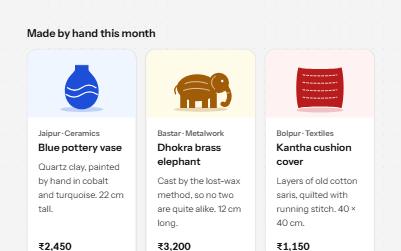
ऐसे कार्ड जिनके शीर्षक का लिंक पूरे कार्ड को ढकता है, और सहेजें व शेयर करें बटन उसके ऊपर पहुँच में बने रहते हैं।
-
टैब
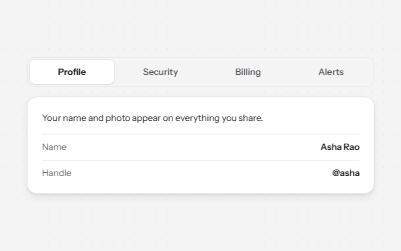
एक ही जगह कई पैनल, एक बार में एक दिखता है, जिसे टैब की एक पंक्ति से चुना जाता है।