सुलभता पैटर्न · मीडिया
रोकने के बटन वाली चलती सामग्री
जो कुछ भी पाँच सेकंड से ज़्यादा अपने-आप चलता है, उसके पहले एक रोकने का बटन होना चाहिए, और आवाज़ कभी अपने-आप शुरू नहीं होनी चाहिए। यहाँ बैकग्राउंड वैसे भी पाँच सेकंड बाद रुक जाता है, टिकर पर पॉइंटर रखने या Tab से अंदर आने पर वह थम जाता है, और सिस्टम के कम मोशन माँगने पर कुछ भी शुरू नहीं होता।
- डब्ल्यूसीएजी मानदंड
- 7
- कीबोर्ड नियम
- 5
- जाँच का तरीक़ा
- axe, कीबोर्ड और इंस्पेक्टर
लाइव डेमो
आज़माएँ
इसे माउस, कीबोर्ड या स्क्रीन रीडर से इस्तेमाल करें। साथ का इंस्पेक्टर दिखाता है कि आपके इस्तेमाल के दौरान ब्राउज़र सहायक तकनीक को क्या बताता है: फ़ोकस, स्थिति में बदलाव और घोषणाएँ।
कम मोशन चालू है: जब तक आप 'चलाएँ' नहीं दबाते, कुछ नहीं चलता।
दार्जिलिंग · पहली तुड़ाई
इस हफ़्ते पहाड़ों में तोड़ी गई
तीन बाग़ानों की वसंत की चाय, हाथ से रोल की गई और तोड़ने के एक हफ़्ते के भीतर पैक की गई।
पहली तुड़ाई की चाय ख़रीदेंताज़ा ख़बरें
एक कप कैसे बनाएँ
- पानी उबालें
- एक चम्मच पत्ती डालें
- तीन मिनट भिगोएँ
- डालें और परोसें
दुकान का माहौल
चाय चखने के कमरे के लिए तानपुरे का सुर। यह तभी बजता है जब आप 'चलाएँ' दबाते हैं।
- ऐसा नहीं: पेज के साथ शुरू होने वाली आवाज़ स्क्रीन रीडर के ऊपर बोलती है। 3 सेकंड के बाद उसे रोकने का बटन या अपना आवाज़ नियंत्रण चाहिए।
- ऐसा: यह बटन दबाए जाने का इंतज़ार करती है, और रोकने का बटन और आवाज़ का स्तर ठीक उसके पास हैं।
जावास्क्रिप्ट के बिना डेमो उतना ही काम करता है जितना उसका एचटीएमएल; इंस्पेक्टर के लिए जावास्क्रिप्ट चाहिए।
कीबोर्ड
जिन कुंजियों पर यह काम करता है
हर क्रिया पॉइंटर के बिना काम करती है।
| कुंजी | यह क्या करती है |
|---|---|
| Tab | हर हिस्से के रोकें या चलाएँ बटन पर उस सामग्री से पहले पहुँचता है जिसे वह नियंत्रित करता है: बैकग्राउंड, टिकर और उसकी सुर्ख़ियाँ, एनिमेशन, फिर आवाज़। |
| EnterयाSpace | रोकने के बटन पर, उस गति को वहीं रोक देता है; बटन 'चलाएँ' बन जाता है, जो उसे फिर शुरू करता है। फ़ोकस बटन पर ही रहता है। |
| TabयाShiftTab | टिकर के अंदर, उसे थामे रखता है और फ़ोकस वाली सुर्ख़ी को पूरा दिखाता है; फ़ोकस हटने पर टिकर आगे चल पड़ता है। |
| EnterयाSpace | एनिमेशन के 'चलाएँ' पर, चारों चरण दो बार चलाकर आख़िरी चरण पर रुकता है; आवाज़ के 'चलाएँ' पर, ड्रोन शुरू करता है, और 'रोकें' उसे बंद करता है। |
| Arrow LeftयाArrow Right | माहौल की आवाज़ के स्तर पर, आवाज़ 5 के कदमों में घटाता या बढ़ाता है; Home और End उसे 0 या 100 पर कर देते हैं। |
स्क्रीन रीडर
यह क्या घोषित करता है
मार्कअप की भूमिकाओं, नामों और स्थितियों से लिखा गया।
| कब | अपेक्षित घोषणा |
|---|---|
| Tab बैकग्राउंड के बटन तक पहुँचता है | इस हफ़्ते पहाड़ों में तोड़ी गई, रीजन। बैकग्राउंड एनिमेशन रोकें, बटन |
| पाँच सेकंड बाद बैकग्राउंड अपने-आप रुक जाता है | कुछ नहीं कहा जाता; बटन का नाम 'बैकग्राउंड एनिमेशन चलाएँ' हो जाता है, जो अगली बार फ़ोकस पहुँचने पर पढ़ा जाता है |
| टिकर पर रोकें दबाया जाता है | न्यूज़ टिकर चलाएँ, बटन |
| फ़ोकस किसी सुर्ख़ी पर पहुँचता है | 09:40 मानसून ब्लेंड फिर से स्टॉक में, लिंक |
| एनिमेशन पर चलाएँ दबाया जाता है | एनिमेशन रोकें, बटन |
| आवाज़ पर चलाएँ दबाया जाता है | माहौल की आवाज़ बंद करें, बटन (और ड्रोन शुरू हो जाता है) |
| आवाज़ का स्तर बदलता है | माहौल की आवाज़ का स्तर, स्लाइडर, 60 |
ये अपेक्षित घोषणाएँ हैं, रिकॉर्डिंग नहीं। स्क्रीन रीडर और ब्राउज़र के हिसाब से शब्द और क्रम बदलते हैं।
कोड
कोड कॉपी करें
वही फ़ाइलें जिन पर यह डेमो चलता है। स्टाइल एक प्रीफ़िक्स के साथ परोसी जाती हैं जो इस साइट की अपनी स्टाइल को डेमो से दूर रखता है; आप जो कॉपी करते हैं वह मूल है।
<div class="ap-autoplay-media" data-ap-autoplay-media>
  <p class="ap-autoplay-media__calm" data-apm-reduced hidden>
    <svg viewBox="0 0 24 24" aria-hidden="true" focusable="false"><circle cx="12" cy="12" r="9"/><path d="M12 11v5M12 8h.01"/></svg>
    Reduced motion is on: nothing moves until you press Play.
  </p>

  <section class="ap-autoplay-media__hero" aria-labelledby="apm-hero-name">
    <button type="button" class="ap-autoplay-media__toggle is-playing" data-apm-hero aria-label="Pause background animation">
      <span class="ap-autoplay-media__glyph">
        <svg class="ap-autoplay-media__icon ap-autoplay-media__icon--pause" viewBox="0 0 24 24" aria-hidden="true" focusable="false"><path d="M7 5h3.5v14H7zM13.5 5H17v14h-3.5z"/></svg>
        <svg class="ap-autoplay-media__icon ap-autoplay-media__icon--play" viewBox="0 0 24 24" aria-hidden="true" focusable="false"><path d="M8 5.2v13.6L19 12Z"/></svg>
        <svg class="ap-autoplay-media__ring" viewBox="0 0 32 32" aria-hidden="true" focusable="false"><circle cx="16" cy="16" r="14.5" pathLength="100"/></svg>
      </span>
      <span class="ap-autoplay-media__word">Pause</span>
    </button>
    <canvas class="ap-autoplay-media__canvas" data-apm-canvas aria-hidden="true"></canvas>
    <div class="ap-autoplay-media__copy">
      <p class="ap-autoplay-media__kicker">Darjeeling · First flush</p>
      <h3 class="ap-autoplay-media__name" id="apm-hero-name">Picked this week in the hills</h3>
      <p class="ap-autoplay-media__text">Spring tea from three estates, rolled by hand and packed within a week of picking.</p>
      <a class="ap-btn ap-btn--primary" href="#apm-hero-name">Shop the first flush</a>
    </div>
  </section>

  <section class="ap-autoplay-media__ticker" aria-labelledby="apm-ticker-name">
    <h3 class="ap-autoplay-media__tag" id="apm-ticker-name">Latest news</h3>
    <button type="button" class="ap-autoplay-media__toggle is-playing" data-apm-ticker aria-label="Pause news ticker">
      <span class="ap-autoplay-media__glyph">
        <svg class="ap-autoplay-media__icon ap-autoplay-media__icon--pause" viewBox="0 0 24 24" aria-hidden="true" focusable="false"><path d="M7 5h3.5v14H7zM13.5 5H17v14h-3.5z"/></svg>
        <svg class="ap-autoplay-media__icon ap-autoplay-media__icon--play" viewBox="0 0 24 24" aria-hidden="true" focusable="false"><path d="M8 5.2v13.6L19 12Z"/></svg>
      </span>
      <span class="ap-autoplay-media__word">Pause</span>
    </button>
    <div class="ap-autoplay-media__strip" data-apm-strip>
      <div class="ap-autoplay-media__rail">
        <ul class="ap-autoplay-media__news">
          <li><a href="#apm-ticker-name"><time datetime="09:40">09:40</time> <span>Monsoon blend is back in stock</span></a></li>
          <li><a href="#apm-ticker-name"><time datetime="10:15">10:15</time> <span>Free delivery in Pune and Mumbai this week</span></a></li>
          <li><a href="#apm-ticker-name"><time datetime="11:30">11:30</time> <span>Tasting in Indiranagar on Saturday at 5 pm</span></a></li>
          <li><a href="#apm-ticker-name"><time datetime="12:05">12:05</time> <span>New: cardamom and saffron chai</span></a></li>
          <li><a href="#apm-ticker-name"><time datetime="13:20">13:20</time> <span>Gift boxes now ship in two days</span></a></li>
        </ul>
      </div>
    </div>
  </section>

  <div class="ap-autoplay-media__pair">
    <section class="ap-autoplay-media__card" aria-labelledby="apm-gif-name">
      <h3 class="ap-autoplay-media__label" id="apm-gif-name">How to brew a cup</h3>
      <figure class="ap-autoplay-media__figure">
        <div class="ap-autoplay-media__screen">
          <svg class="ap-autoplay-media__art" viewBox="0 0 240 150" role="img" aria-label="Animation of the four steps below" focusable="false">
            <path class="ap-autoplay-media__table" d="M16 128h208"/>
            <g class="ap-autoplay-media__cel is-shown" data-apm-cel>
              <rect class="ap-autoplay-media__plate" x="70" y="114" width="100" height="10" rx="3"/>
              <path class="ap-autoplay-media__warm" d="M96 114c2-7 5-8 6-14 2 6 5 7 6 14Zm16 0c2-7 5-8 6-14 2 6 5 7 6 14Zm16 0c2-7 5-8 6-14 2 6 5 7 6 14Z"/>
              <path class="ap-autoplay-media__ink" d="M86 104c-4-24 8-40 34-40s38 16 34 40Z"/>
              <path class="ap-autoplay-media__ink" d="M150 86l22-16 5 6-21 18Z"/>
              <path class="ap-autoplay-media__line" d="M98 66c0-22 44-22 44 0"/>
              <path class="ap-autoplay-media__ink ap-autoplay-media__ink--deep" d="M108 64c0-5 5-8 12-8s12 3 12 8Z"/>
              <path class="ap-autoplay-media__steam" d="M180 62c-6-6 4-10-2-16M192 66c-6-6 4-10-2-16"/>
            </g>
            <g class="ap-autoplay-media__cel" data-apm-cel>
              <path class="ap-autoplay-media__ink" d="M78 124c-10-34 10-56 42-56s52 22 42 56Z"/>
              <path class="ap-autoplay-media__ink" d="M158 100c14-2 20-12 26-24l6 4c-6 16-14 26-30 30Z"/>
              <path class="ap-autoplay-media__line" d="M80 84c-18 0-20 28 0 30"/>
              <ellipse class="ap-autoplay-media__hole" cx="120" cy="70" rx="22" ry="5"/>
              <path class="ap-autoplay-media__line" d="M178 22 142 44"/>
              <ellipse class="ap-autoplay-media__ink ap-autoplay-media__ink--deep" cx="136" cy="48" rx="10" ry="5" transform="rotate(-31 136 48)"/>
              <path class="ap-autoplay-media__leaf" d="M116 50c4-5 11-5 13 0-4 5-11 5-13 0ZM104 60c4-5 11-5 13 0-4 5-11 5-13 0ZM122 62c4-5 11-5 13 0-4 5-11 5-13 0Z"/>
            </g>
            <g class="ap-autoplay-media__cel" data-apm-cel>
              <path class="ap-autoplay-media__ink" d="M78 124c-10-34 10-56 42-56s52 22 42 56Z"/>
            <path class="ap-autoplay-media__ink" d="M158 100c14-2 20-12 26-24l6 4c-6 16-14 26-30 30Z"/>
            <path class="ap-autoplay-media__line" d="M80 84c-18 0-20 28 0 30"/>
            <path class="ap-autoplay-media__ink ap-autoplay-media__ink--deep" d="M100 70c0-8 9-12 20-12s20 4 20 12Z"/>
            <circle class="ap-autoplay-media__ink ap-autoplay-media__ink--deep" cx="120" cy="54" r="4"/>
            <path class="ap-autoplay-media__band" d="M84 98h72"/>
              <path class="ap-autoplay-media__steam" d="M112 44c-6-6 4-10-2-16M128 44c-6-6 4-10-2-16"/>
              <circle class="ap-autoplay-media__face" cx="210" cy="64" r="15"/>
              <path class="ap-autoplay-media__warm" d="M210 64V49a15 15 0 1 1-8.82 27.14Z"/>
              <circle class="ap-autoplay-media__line" cx="210" cy="64" r="15"/>
              <path class="ap-autoplay-media__line" d="M206 44h8"/>
            </g>
            <g class="ap-autoplay-media__cel" data-apm-cel>
              <g transform="translate(-36 -8) rotate(24 164 124)">
                <path class="ap-autoplay-media__ink" d="M78 124c-10-34 10-56 42-56s52 22 42 56Z"/>
            <path class="ap-autoplay-media__ink" d="M158 100c14-2 20-12 26-24l6 4c-6 16-14 26-30 30Z"/>
            <path class="ap-autoplay-media__line" d="M80 84c-18 0-20 28 0 30"/>
            <path class="ap-autoplay-media__ink ap-autoplay-media__ink--deep" d="M100 70c0-8 9-12 20-12s20 4 20 12Z"/>
            <circle class="ap-autoplay-media__ink ap-autoplay-media__ink--deep" cx="120" cy="54" r="4"/>
            <path class="ap-autoplay-media__band" d="M84 98h72"/>
              </g>
              <path class="ap-autoplay-media__pour" d="M171 82c9 4 16 10 21 24"/>
              <path class="ap-autoplay-media__ink" d="M176 104h40v6c0 12-8 18-20 18s-20-6-20-18Z"/>
              <path class="ap-autoplay-media__line" d="M216 108c9 0 9 12 0 12"/>
              <path class="ap-autoplay-media__warm" d="M180 106h32v3c0 3-2 4-4 4h-24c-2 0-4-1-4-4Z"/>
              <path class="ap-autoplay-media__steam" d="M192 96c-6-6 4-10-2-16M204 96c-6-6 4-10-2-16"/>
            </g>
          </svg>
          <span class="ap-autoplay-media__badge" aria-hidden="true" translate="no">GIF</span>
          <button type="button" class="ap-autoplay-media__toggle" data-apm-gif aria-label="Play animation">
            <span class="ap-autoplay-media__glyph">
              <svg class="ap-autoplay-media__icon ap-autoplay-media__icon--pause" viewBox="0 0 24 24" aria-hidden="true" focusable="false"><path d="M7 5h3.5v14H7zM13.5 5H17v14h-3.5z"/></svg>
        <svg class="ap-autoplay-media__icon ap-autoplay-media__icon--play" viewBox="0 0 24 24" aria-hidden="true" focusable="false"><path d="M8 5.2v13.6L19 12Z"/></svg>
            </span>
            <span class="ap-autoplay-media__word">Play</span>
          </button>
        </div>
        <figcaption>
          <ol class="ap-autoplay-media__steps">
            <li class="is-now" data-apm-step>Boil the water</li>
            <li data-apm-step>Add a spoon of leaves</li>
            <li data-apm-step>Steep for three minutes</li>
            <li data-apm-step>Pour and serve</li>
          </ol>
        </figcaption>
      </figure>
    </section>

    <section class="ap-autoplay-media__card" aria-labelledby="apm-sound-name">
      <h3 class="ap-autoplay-media__label" id="apm-sound-name">Shop ambience</h3>
      <p class="ap-autoplay-media__note">A tanpura drone for the tasting room. It plays only when you press Play.</p>
      <div class="ap-autoplay-media__player">
        <button type="button" class="ap-autoplay-media__toggle" data-apm-sound aria-label="Play the ambience">
          <span class="ap-autoplay-media__glyph">
            <svg class="ap-autoplay-media__icon ap-autoplay-media__icon--pause" viewBox="0 0 24 24" aria-hidden="true" focusable="false"><rect x="6.5" y="6.5" width="11" height="11" rx="2"/></svg>
            <svg class="ap-autoplay-media__icon ap-autoplay-media__icon--play" viewBox="0 0 24 24" aria-hidden="true" focusable="false"><path d="M8 5.2v13.6L19 12Z"/></svg>
          </span>
          <span class="ap-autoplay-media__word">Play</span>
        </button>
        <span class="ap-autoplay-media__bars" aria-hidden="true"><span></span><span></span><span></span><span></span><span></span></span>
      </div>
      <div class="ap-autoplay-media__volume">
        <label class="ap-label" for="apm-volume">Ambience volume</label>
        <div class="ap-autoplay-media__range">
          <input type="range" id="apm-volume" min="0" max="100" step="5" value="40" data-apm-volume />
          <span class="ap-autoplay-media__level" data-apm-level aria-hidden="true">40%</span>
        </div>
      </div>
      <ul class="ap-autoplay-media__rules">
        <li class="ap-autoplay-media__rule ap-autoplay-media__rule--no">
          <svg viewBox="0 0 24 24" aria-hidden="true" focusable="false"><path d="M6 6l12 12M18 6 6 18"/></svg>
          <span><strong>Not this:</strong> sound that starts with the page talks over screen readers. Past 3 seconds it needs Stop or its own volume.</span>
        </li>
        <li class="ap-autoplay-media__rule ap-autoplay-media__rule--yes">
          <svg viewBox="0 0 24 24" aria-hidden="true" focusable="false"><path d="m5 12 5 5L20 7"/></svg>
          <span><strong>This:</strong> it waits for a press, and Stop and volume sit right beside it.</span>
        </li>
      </ul>
    </section>
  </div>
</div>
/* Shared primitives: buttons and form fields used across the patterns.
   Uses the --ap-* design tokens. */

.ap-btn {
  display: inline-flex;
  align-items: center;
  justify-content: center;
  gap: 8px;
  min-height: 40px;
  padding: 0 16px;
  border: 1px solid var(--ap-border-strong);
  border-radius: var(--ap-radius-sm);
  background: var(--ap-surface);
  color: var(--ap-text);
  font: inherit;
  font-weight: 600;
  line-height: 1.2;
  text-decoration: none;
  white-space: nowrap;
  cursor: pointer;
  transition: background-color var(--ap-duration) var(--ap-ease), border-color var(--ap-duration) var(--ap-ease), box-shadow var(--ap-duration) var(--ap-ease);
}
.ap-btn:hover {
  background: var(--ap-surface-2);
}
.ap-btn:focus-visible {
  outline: 2px solid var(--ap-focus);
  outline-offset: 2px;
}
.ap-btn:disabled,
.ap-btn[aria-disabled="true"] {
  opacity: .55;
  cursor: not-allowed;
}
.ap-btn--primary {
  border-color: var(--ap-accent);
  background: var(--ap-accent);
  color: var(--ap-on-accent);
  box-shadow: var(--ap-shadow-sm);
}
.ap-btn--primary:hover {
  border-color: var(--ap-accent-hover);
  background: var(--ap-accent-hover);
}
.ap-btn--danger {
  border-color: var(--ap-danger);
  background: var(--ap-danger);
  color: var(--ap-surface);
}
.ap-btn--danger:hover {
  filter: brightness(1.08);
}
.ap-btn--ghost {
  border-color: transparent;
  background: transparent;
}
.ap-btn--ghost:hover {
  background: var(--ap-surface-2);
}
.ap-btn__icon {
  width: 18px;
  height: 18px;
  flex-shrink: 0;
  fill: none;
  stroke: currentColor;
  stroke-width: 2;
  stroke-linecap: round;
  stroke-linejoin: round;
}

.ap-field {
  display: grid;
  gap: 6px;
}
.ap-label {
  color: var(--ap-text);
  font-weight: 600;
  font-size: .9375rem;
}
.ap-hint {
  margin: 0;
  color: var(--ap-text-3);
  font-size: .875rem;
  line-height: 1.45;
}
.ap-error {
  display: flex;
  align-items: flex-start;
  gap: 6px;
  margin: 0;
  color: var(--ap-danger);
  font-size: .875rem;
  font-weight: 600;
  line-height: 1.45;
}
.ap-input {
  width: 100%;
  min-height: 44px;
  padding: 10px 12px;
  border: 1px solid var(--ap-border-strong);
  border-radius: var(--ap-radius-sm);
  background: var(--ap-surface);
  color: var(--ap-text);
  font: inherit;
  line-height: 1.4;
  transition: border-color var(--ap-duration) var(--ap-ease), box-shadow var(--ap-duration) var(--ap-ease);
}
.ap-input::placeholder {
  color: var(--ap-text-3);
}
.ap-input:hover {
  border-color: var(--ap-text-2);
}
.ap-input:focus-visible {
  outline: 2px solid var(--ap-focus);
  outline-offset: 1px;
  border-color: var(--ap-focus);
}
.ap-input[aria-invalid="true"] {
  border-color: var(--ap-danger);
  box-shadow: inset 4px 0 0 var(--ap-danger);
}
textarea.ap-input {
  resize: vertical;
  min-height: 88px;
}

@media (prefers-reduced-motion: reduce) {
  .ap-btn,
  .ap-input { transition: none; }
}

/* Moving content with pause. Uses the --ap-* design tokens and the shared primitives. */
.ap-autoplay-media {
  container-type: inline-size;
  display: grid;
  gap: 16px;
  width: min(100%, 720px);
  margin-inline: auto;
}

/* Shown when reduced motion is on, by the system or the demo's option. */
.ap-autoplay-media__calm {
  display: flex;
  align-items: center;
  gap: 10px;
  margin: 0;
  padding: 10px 14px;
  border: 1px solid var(--ap-border);
  border-radius: var(--ap-radius);
  background: var(--ap-info-soft);
  color: var(--ap-info);
  font-size: .875rem;
  font-weight: 600;
  line-height: 1.45;
}
.ap-autoplay-media__calm[hidden] {
  display: none;
}
.ap-autoplay-media__calm svg {
  width: 18px;
  height: 18px;
  flex-shrink: 0;
  fill: none;
  stroke: currentColor;
  stroke-width: 2;
  stroke-linecap: round;
}

/* ── Play / Pause toggles ── */
.ap-autoplay-media__toggle {
  display: inline-flex;
  align-items: center;
  gap: 8px;
  min-height: 40px;
  padding: 0 14px 0 5px;
  border: 1px solid var(--ap-border-strong);
  border-radius: var(--ap-radius-full);
  background: var(--ap-surface);
  color: var(--ap-text);
  font: inherit;
  font-size: .875rem;
  font-weight: 650;
  line-height: 1;
  white-space: nowrap;
  cursor: pointer;
  box-shadow: var(--ap-shadow-sm);
  transition: background-color var(--ap-duration) var(--ap-ease);
}
.ap-autoplay-media__toggle:hover {
  background: var(--ap-surface-2);
}
.ap-autoplay-media__toggle:focus-visible {
  outline: 2px solid var(--ap-focus);
  outline-offset: 2px;
}
.ap-autoplay-media__glyph {
  position: relative;
  display: grid;
  place-items: center;
  width: 30px;
  height: 30px;
  border-radius: 50%;
  background: var(--ap-accent-soft);
  color: var(--ap-accent-text);
}
.ap-autoplay-media__icon {
  grid-area: 1 / 1;
  width: 14px;
  height: 14px;
  fill: currentColor;
}
.ap-autoplay-media__toggle:not(.is-playing) .ap-autoplay-media__icon--pause,
.ap-autoplay-media__toggle.is-playing .ap-autoplay-media__icon--play {
  display: none;
}

/* The ring drains over the five seconds before the background stops itself. */
.ap-autoplay-media__ring {
  position: absolute;
  inset: -1px;
  width: 32px;
  height: 32px;
  fill: none;
  stroke: var(--ap-accent);
  stroke-width: 2.5;
  stroke-dasharray: 100;
  stroke-dashoffset: 100;
  transform: rotate(-90deg);
}
.ap-autoplay-media__hero.is-counting .ap-autoplay-media__ring {
  animation: ap-autoplay-media-countdown var(--apm-countdown, 5s) linear forwards;
}

/* ── The hero with its background loop ── */
.ap-autoplay-media__hero {
  position: relative;
  isolation: isolate;
  display: grid;
  align-items: end;
  min-height: 320px;
  border: 1px solid var(--ap-border);
  border-radius: var(--ap-radius-lg);
  background: var(--ap-accent-soft);
  box-shadow: var(--ap-shadow-md);
  overflow: hidden;
}
.ap-autoplay-media__hero > .ap-autoplay-media__toggle {
  position: absolute;
  top: 14px;
  left: 14px;
  z-index: 1;
}
.ap-autoplay-media__canvas {
  position: absolute;
  inset: 0;
  z-index: -1;
  display: block;
  width: 100%;
  height: 100%;
}
.ap-autoplay-media__copy {
  max-width: 350px;
  margin: 76px 16px 16px;
  padding: 18px 20px 20px;
  border: 1px solid var(--ap-border);
  border-radius: var(--ap-radius);
  background: var(--ap-surface);
  box-shadow: var(--ap-shadow-lg);
}
.ap-autoplay-media__kicker {
  margin: 0 0 6px;
  color: var(--ap-accent-text);
  font-size: .75rem;
  font-weight: 700;
  letter-spacing: .06em;
  text-transform: uppercase;
}
.ap-autoplay-media__name {
  margin: 0 0 8px;
  font-size: 1.375rem;
  font-weight: 700;
  line-height: 1.25;
  letter-spacing: -.01em;
}
.ap-autoplay-media__text {
  margin: 0 0 16px;
  color: var(--ap-text-2);
  line-height: 1.55;
}

/* ── The news ticker ── */
.ap-autoplay-media__ticker {
  display: flex;
  align-items: center;
  gap: 12px;
  min-width: 0;
  padding: 7px 7px 7px 18px;
  border: 1px solid var(--ap-border);
  border-radius: var(--ap-radius-full);
  background: var(--ap-surface);
  box-shadow: var(--ap-shadow-sm);
}
.ap-autoplay-media__tag {
  display: inline-flex;
  align-items: center;
  gap: 8px;
  flex-shrink: 0;
  margin: 0;
  color: var(--ap-accent-text);
  font-size: .75rem;
  font-weight: 700;
  letter-spacing: .06em;
  text-transform: uppercase;
  white-space: nowrap;
}
.ap-autoplay-media__tag::before {
  content: "";
  width: 8px;
  height: 8px;
  border-radius: 50%;
  background: var(--ap-accent);
}
.ap-autoplay-media__ticker > .ap-autoplay-media__toggle {
  flex-shrink: 0;
}
.ap-autoplay-media__strip {
  flex: 1;
  min-width: 0;
  overflow-x: hidden;
  scrollbar-width: none;
  -webkit-mask-image: linear-gradient(90deg, transparent, var(--ap-text) 28px, var(--ap-text) calc(100% - 28px), transparent);
  mask-image: linear-gradient(90deg, transparent, var(--ap-text) 28px, var(--ap-text) calc(100% - 28px), transparent);
}
.ap-autoplay-media__strip::-webkit-scrollbar {
  display: none;
}
/* Stopped, the strip scrolls by hand; with focus inside, nothing is faded. */
.ap-autoplay-media__ticker.is-stopped .ap-autoplay-media__strip {
  overflow-x: auto;
}
.ap-autoplay-media__strip:focus-within {
  -webkit-mask-image: none;
  mask-image: none;
}
.ap-autoplay-media__rail {
  display: flex;
  gap: 36px;
  width: max-content;
  padding-inline: 4px;
}
.ap-autoplay-media__news {
  display: flex;
  gap: 36px;
  margin: 0;
  padding: 0;
  list-style: none;
}
.ap-autoplay-media__news[hidden] {
  display: none;
}
.ap-autoplay-media__news li {
  position: relative;
  white-space: nowrap;
}
.ap-autoplay-media__news li + li::before {
  content: "";
  position: absolute;
  top: 50%;
  left: -20px;
  width: 4px;
  height: 4px;
  border-radius: 50%;
  background: var(--ap-border-strong);
}
.ap-autoplay-media__news a {
  display: inline-flex;
  align-items: center;
  gap: 8px;
  min-height: 34px;
  padding: 0 6px;
  border-radius: var(--ap-radius-sm);
  color: var(--ap-text);
  font-weight: 500;
  text-decoration: none;
}
.ap-autoplay-media__news a:hover {
  text-decoration: underline;
  text-underline-offset: 3px;
}
.ap-autoplay-media__news a:focus-visible {
  outline: 2px solid var(--ap-focus);
  outline-offset: -2px;
}
.ap-autoplay-media__news time {
  color: var(--ap-text-3);
  font-size: .8125rem;
  font-variant-numeric: tabular-nums;
}

/* ── The animation and the sound ── */
.ap-autoplay-media__pair {
  display: grid;
  grid-template-columns: 1fr 1fr;
  gap: 16px;
}
.ap-autoplay-media__card {
  display: grid;
  align-content: start;
  gap: 14px;
  min-width: 0;
  padding: 18px;
  border: 1px solid var(--ap-border);
  border-radius: var(--ap-radius-lg);
  background: var(--ap-surface);
  box-shadow: var(--ap-shadow-md);
}
.ap-autoplay-media__label {
  margin: 0;
  font-size: 1rem;
  font-weight: 650;
  line-height: 1.35;
}
.ap-autoplay-media__note {
  margin: -6px 0 0;
  color: var(--ap-text-3);
  font-size: .875rem;
  line-height: 1.5;
}

.ap-autoplay-media__figure {
  display: grid;
  gap: 12px;
  margin: 0;
}
.ap-autoplay-media__screen {
  position: relative;
  border: 1px solid var(--ap-border);
  border-radius: var(--ap-radius);
  background: var(--ap-accent-soft);
  overflow: hidden;
}
.ap-autoplay-media__art {
  display: block;
  width: 100%;
  height: auto;
  aspect-ratio: 8 / 5;
}
.ap-autoplay-media__screen > .ap-autoplay-media__toggle {
  position: absolute;
  top: 10px;
  left: 10px;
}
.ap-autoplay-media__badge {
  position: absolute;
  top: 10px;
  right: 10px;
  padding: 2px 7px;
  border: 1px solid var(--ap-border-strong);
  border-radius: var(--ap-radius-sm);
  background: var(--ap-surface);
  color: var(--ap-text-2);
  font-family: var(--ap-mono);
  font-size: .6875rem;
  font-weight: 700;
  letter-spacing: .06em;
}

/* Drawing: one frame (cel) shows at a time. */
.ap-autoplay-media__cel {
  display: none;
}
.ap-autoplay-media__cel.is-shown {
  display: inline;
}
.ap-autoplay-media__table {
  fill: none;
  stroke: var(--ap-border-strong);
  stroke-width: 2;
  stroke-linecap: round;
}
.ap-autoplay-media__ink {
  fill: var(--ap-accent);
}
.ap-autoplay-media__ink--deep {
  fill: var(--ap-accent-hover);
}
.ap-autoplay-media__band {
  fill: none;
  stroke: var(--ap-accent-soft);
  stroke-width: 3;
  stroke-linecap: round;
  opacity: .7;
}
.ap-autoplay-media__line {
  fill: none;
  stroke: var(--ap-text-2);
  stroke-width: 4;
  stroke-linecap: round;
}
.ap-autoplay-media__plate {
  fill: var(--ap-text-3);
}
.ap-autoplay-media__warm {
  fill: var(--ap-warning);
}
.ap-autoplay-media__steam {
  fill: none;
  stroke: var(--ap-text-3);
  stroke-width: 2.5;
  stroke-linecap: round;
}
.ap-autoplay-media__hole {
  fill: var(--ap-accent-soft);
}
.ap-autoplay-media__leaf {
  fill: var(--ap-success);
}
.ap-autoplay-media__face {
  fill: var(--ap-surface);
}
.ap-autoplay-media__pour {
  fill: none;
  stroke: var(--ap-warning);
  stroke-width: 3.5;
  stroke-linecap: round;
}

.ap-autoplay-media__steps {
  display: grid;
  grid-template-columns: 1fr 1fr;
  gap: 6px 14px;
  margin: 0;
  padding: 0;
  list-style: none;
  counter-reset: apm-step;
}
.ap-autoplay-media__steps li {
  display: flex;
  align-items: baseline;
  gap: 8px;
  color: var(--ap-text-3);
  font-size: .875rem;
  line-height: 1.4;
  counter-increment: apm-step;
}
.ap-autoplay-media__steps li::before {
  content: counter(apm-step);
  display: inline-grid;
  place-items: center;
  flex-shrink: 0;
  width: 20px;
  height: 20px;
  border: 1px solid var(--ap-border-strong);
  border-radius: 50%;
  font-size: .75rem;
  font-weight: 700;
  font-variant-numeric: tabular-nums;
}
/* The step on screen: bolder, darker and a filled number, not color alone. */
.ap-autoplay-media__steps li.is-now {
  color: var(--ap-text);
  font-weight: 650;
}
.ap-autoplay-media__steps li.is-now::before {
  border-color: var(--ap-accent);
  background: var(--ap-accent);
  color: var(--ap-on-accent);
}

.ap-autoplay-media__player {
  display: flex;
  align-items: center;
  gap: 14px;
}
.ap-autoplay-media__bars {
  display: flex;
  align-items: flex-end;
  gap: 3px;
  height: 22px;
}
.ap-autoplay-media__bars span {
  width: 4px;
  height: 8px;
  border-radius: 2px;
  background: var(--ap-border-strong);
  transform-origin: bottom;
}
.ap-autoplay-media__bars span:nth-child(2) { height: 14px; }
.ap-autoplay-media__bars span:nth-child(3) { height: 10px; }
.ap-autoplay-media__bars span:nth-child(4) { height: 17px; }
.ap-autoplay-media__bars span:nth-child(5) { height: 6px; }
.ap-autoplay-media__card.is-sounding .ap-autoplay-media__bars span {
  height: 22px;
  background: var(--ap-accent);
  animation: ap-autoplay-media-bars 1.5s var(--ap-ease) infinite alternate;
}
.ap-autoplay-media__card.is-sounding .ap-autoplay-media__bars span:nth-child(2) { animation-delay: -.4s; }
.ap-autoplay-media__card.is-sounding .ap-autoplay-media__bars span:nth-child(3) { animation-delay: -.9s; }
.ap-autoplay-media__card.is-sounding .ap-autoplay-media__bars span:nth-child(4) { animation-delay: -.2s; }
.ap-autoplay-media__card.is-sounding .ap-autoplay-media__bars span:nth-child(5) { animation-delay: -1.2s; }

.ap-autoplay-media__volume {
  display: grid;
  gap: 6px;
}
.ap-autoplay-media__range {
  display: flex;
  align-items: center;
  gap: 12px;
}
.ap-autoplay-media__range input {
  flex: 1;
  min-width: 0;
  min-height: 24px;
  margin: 0;
  accent-color: var(--ap-accent);
  cursor: pointer;
}
.ap-autoplay-media__range input:focus-visible {
  outline: 2px solid var(--ap-focus);
  outline-offset: 2px;
}
.ap-autoplay-media__level {
  min-width: 4ch;
  color: var(--ap-text-2);
  font-size: .875rem;
  font-weight: 600;
  font-variant-numeric: tabular-nums;
  text-align: end;
}

.ap-autoplay-media__rules {
  display: grid;
  gap: 8px;
  margin: 0;
  padding: 0;
  list-style: none;
}
.ap-autoplay-media__rule {
  display: flex;
  align-items: flex-start;
  gap: 10px;
  padding: 10px 12px;
  border-radius: var(--ap-radius-sm);
  font-size: .8125rem;
  line-height: 1.5;
}
.ap-autoplay-media__rule svg {
  width: 16px;
  height: 16px;
  flex-shrink: 0;
  margin-top: 2px;
  fill: none;
  stroke: currentColor;
  stroke-width: 2.5;
  stroke-linecap: round;
  stroke-linejoin: round;
}
.ap-autoplay-media__rule--no {
  background: var(--ap-danger-soft);
  color: var(--ap-danger);
}
.ap-autoplay-media__rule--yes {
  background: var(--ap-success-soft);
  color: var(--ap-success);
}

@keyframes ap-autoplay-media-countdown {
  from { stroke-dashoffset: 0; }
  to { stroke-dashoffset: 100; }
}
@keyframes ap-autoplay-media-bars {
  0% { transform: scaleY(.3); }
  50% { transform: scaleY(1); }
  100% { transform: scaleY(.55); }
}

@container (max-width: 600px) {
  .ap-autoplay-media__pair { grid-template-columns: 1fr; }
}
@container (max-width: 520px) {
  .ap-autoplay-media__ticker {
    flex-wrap: wrap;
    gap: 8px 12px;
    padding: 10px 10px 8px 16px;
    border-radius: var(--ap-radius-lg);
  }
  .ap-autoplay-media__ticker > .ap-autoplay-media__toggle { margin-left: auto; }
  .ap-autoplay-media__strip { flex-basis: 100%; }
  /* Narrow: the loop becomes a band above the words instead of behind them. */
  .ap-autoplay-media__hero { min-height: 0; }
  .ap-autoplay-media__canvas {
    position: relative;
    height: 180px;
  }
  .ap-autoplay-media__copy {
    max-width: none;
    margin: 0;
    border: 0;
    border-top: 1px solid var(--ap-border);
    border-radius: 0;
    box-shadow: none;
  }
}

/* Reduced motion, from the system or the demo's option: still decoration. */
@media (prefers-reduced-motion: reduce) {
  .ap-autoplay-media__toggle { transition: none; }
  .ap-autoplay-media__hero.is-counting .ap-autoplay-media__ring,
  .ap-autoplay-media__card.is-sounding .ap-autoplay-media__bars span { animation: none; }
}
.ap-autoplay-media[data-reduce-motion] .ap-autoplay-media__toggle { transition: none; }
.ap-autoplay-media[data-reduce-motion] .ap-autoplay-media__card.is-sounding .ap-autoplay-media__bars span { animation: none; }
/**
 * Moving content with pause: a background loop that stops by itself after
 * five seconds, a news ticker that holds on hover and focus, an animation
 * that plays only when asked, and a sound that starts only on a press.
 *
 * Markup: [data-ap-autoplay-media] holding
 *   a hero: button[data-apm-hero] first, then canvas[data-apm-canvas];
 *   a ticker: button[data-apm-ticker], then [data-apm-strip] > .ap-autoplay-media__rail > ul;
 *   a figure: svg frames g[data-apm-cel], button[data-apm-gif], li[data-apm-step];
 *   a sound panel: button[data-apm-sound], input[data-apm-volume].
 * Every toggle names what it will do next (aria-label) and shows a short word.
 * Add data-reduce-motion to the root to behave as if the system asked for
 * reduced motion: nothing starts by itself, Play still plays.
 */

const AUTO_STOP = 5000;   // ms: the background stops by itself, inside the 2.2.2 limit
const TICKER_SPEED = 34;  // px per second
const FRAME_TIME = 1200;  // ms per animation frame
const LOOPS = 2;          // the animation plays through twice, then rests

export function init(root) {
  const off = new AbortController();
  const on = { signal: off.signal };
  const media = window.matchMedia("(prefers-reduced-motion: reduce)");
  const reduced = () => media.matches || root.hasAttribute("data-reduce-motion");
  const notice = root.querySelector("[data-apm-reduced]");
  let done = false;

  // Loops, timers and observers check this: if the markup was removed
  // without cleanup being called, everything stops by itself.
  function gone() {
    if (root.isConnected) return false;
    cleanup();
    return true;
  }

  /** One toggle: its name says what pressing it will do. */
  function setToggle(button, playing, names) {
    button.classList.toggle("is-playing", playing);
    button.setAttribute("aria-label", playing ? names.stop : names.play);
    button.querySelector(".ap-autoplay-media__word").textContent = playing ? names.stopWord : "Play";
  }

  /* ── The background loop, drawn on a canvas ── */
  const hero = (() => {
    const section = root.querySelector(".ap-autoplay-media__hero");
    const button = root.querySelector("[data-apm-hero]");
    const canvas = root.querySelector("[data-apm-canvas]");
    const ctx = canvas.getContext("2d");
    const names = { play: "Play background animation", stop: "Pause background animation", stopWord: "Pause" };
    let running = false;
    let frame = 0;
    let stopTimer = 0;
    let t = 0;          // seconds of animation shown so far
    let last = 0;
    let w = 0;
    let h = 0;
    let colors = readColors();

    function readColors() {
      const s = getComputedStyle(canvas);
      const v = (name) => s.getPropertyValue(name).trim();
      return { sky: v("--ap-accent-soft"), ground: v("--ap-surface"), hill: v("--ap-accent"), sun: v("--ap-warning"), text: v("--ap-text") };
    }

    // Token colors are hex; canvas needs the alpha written into the color.
    function alpha(color, a) {
      const m = /^#([0-9a-f]{6})$/i.exec(color);
      if (!m) return color;
      const n = parseInt(m[1], 16);
      return `rgba(${n >> 16}, ${(n >> 8) & 255}, ${n & 255}, ${a})`;
    }

    // Light text means a dark theme: the sun is yellow there, a pale disk in light.
    function isDark() {
      const m = /^#([0-9a-f]{6})$/i.exec(colors.text);
      if (!m) return false;
      const n = parseInt(m[1], 16);
      return ((n >> 16) * 299 + ((n >> 8) & 255) * 587 + (n & 255) * 114) / 1000 > 128;
    }

    function ridge(base, amp, waves, speed, phase) {
      ctx.beginPath();
      ctx.moveTo(0, h);
      for (let x = 0; x <= w + 8; x += 8) {
        const u = (x + t * speed) / Math.max(w, 1);
        const y = h * base + Math.sin(u * Math.PI * 2 * waves + phase) * amp * h + Math.sin(u * Math.PI * 2 * waves * 2.3 + phase * 2) * amp * h * 0.35;
        ctx.lineTo(x, y);
      }
      ctx.lineTo(w, h);
      ctx.closePath();
    }

    function draw() {
      if (!w || !h) return;
      const c = colors;
      const sky = ctx.createLinearGradient(0, 0, 0, h);
      sky.addColorStop(0, c.sky);
      sky.addColorStop(1, c.ground);
      ctx.fillStyle = sky;
      ctx.fillRect(0, 0, w, h);

      // The sun and its glow.
      const r = Math.min(w, h) * 0.085;
      const sx = w * 0.8;
      const sy = h * 0.24;
      const dark = isDark();
      const halo = dark ? c.sun : c.hill;
      const glow = ctx.createRadialGradient(sx, sy, r * 0.6, sx, sy, r * 3.2);
      glow.addColorStop(0, alpha(halo, dark ? 0.26 : 0.16));
      glow.addColorStop(1, alpha(halo, 0));
      ctx.fillStyle = glow;
      ctx.fillRect(0, 0, w, h);
      ctx.fillStyle = dark ? alpha(c.sun, 0.75) : c.ground;
      ctx.beginPath();
      ctx.arc(sx, sy, r, 0, Math.PI * 2);
      ctx.fill();

      // Clouds drift slowly to the left and wrap around.
      ctx.fillStyle = alpha(c.hill, 0.14);
      for (const [x0, y0, s, v] of [[0.15, 0.2, 1, 9], [0.55, 0.12, 0.7, 6], [0.9, 0.3, 0.85, 7.5]]) {
        const span = w + 160;
        const x = ((x0 * span - t * v) % span + span) % span - 80;
        const y = h * y0;
        ctx.beginPath();
        ctx.ellipse(x, y, 46 * s, 12 * s, 0, 0, Math.PI * 2);
        ctx.ellipse(x - 18 * s, y - 8 * s, 22 * s, 13 * s, 0, 0, Math.PI * 2);
        ctx.ellipse(x + 14 * s, y - 10 * s, 18 * s, 12 * s, 0, 0, Math.PI * 2);
        ctx.fill();
      }

      // Three ranges of hills, nearer ones moving faster.
      const ranges = [[0.5, 0.06, 1.2, 5, 0.3, 0.2], [0.63, 0.07, 1.8, 11, 1.7, 0.36], [0.77, 0.05, 2.6, 20, 3.1, 0.6]];
      for (const [base, amp, waves, speed, phase, a] of ranges) {
        ridge(base, amp, waves, speed, phase);
        ctx.fillStyle = alpha(c.hill, a);
        ctx.fill();
      }

      // Rows of tea bushes on the nearest hill.
      ctx.strokeStyle = alpha(c.ground, 0.22);
      ctx.lineWidth = 2;
      for (let i = 1; i <= 4; i++) {
        ctx.save();
        ctx.translate(0, i * h * 0.045);
        ridge(0.77, 0.05, 2.6, 20, 3.1);
        ctx.restore();
        ctx.stroke();
      }

      // A band of mist drifting across the middle range.
      const my = h * (0.6 + Math.sin(t * 0.4) * 0.02);
      const mist = ctx.createLinearGradient(0, my - h * 0.08, 0, my + h * 0.08);
      mist.addColorStop(0, alpha(c.ground, 0));
      mist.addColorStop(0.5, alpha(c.ground, 0.38));
      mist.addColorStop(1, alpha(c.ground, 0));
      ctx.fillStyle = mist;
      ctx.fillRect(0, my - h * 0.08, w, h * 0.16);
    }

    function loop(now) {
      if (gone()) return;
      t += Math.min(64, now - last) / 1000;
      last = now;
      draw();
      frame = requestAnimationFrame(loop);
    }

    function play(byItself) {
      if (running) return;
      running = true;
      last = performance.now();
      frame = requestAnimationFrame(loop);
      setToggle(button, true, names);
      // Started by the page, it stops within five seconds; started by a
      // person, it runs until they pause it.
      section.classList.toggle("is-counting", byItself);
      if (byItself) stopTimer = setTimeout(pause, AUTO_STOP);
    }

    function pause() {
      running = false;
      cancelAnimationFrame(frame);
      clearTimeout(stopTimer);
      section.classList.remove("is-counting");
      setToggle(button, false, names);
    }

    button.addEventListener("click", () => (running ? pause() : play(false)), on);

    // Size the canvas to its box, sharp on high-density screens.
    const resize = new ResizeObserver(() => {
      if (gone()) return;
      const dpr = Math.min(window.devicePixelRatio || 1, 2);
      w = canvas.clientWidth;
      h = canvas.clientHeight;
      canvas.width = Math.round(w * dpr);
      canvas.height = Math.round(h * dpr);
      ctx.setTransform(dpr, 0, 0, dpr, 0, 0);
      draw();
    });
    resize.observe(canvas);

    // The tokens change with the theme; a still frame has to be redrawn.
    function recolor() {
      if (gone()) return;
      const next = readColors();
      if (JSON.stringify(next) === JSON.stringify(colors)) return;
      colors = next;
      if (!running) draw();
    }
    const themes = new MutationObserver(recolor);
    for (let n = root.parentElement; n; n = n.parentElement) themes.observe(n, { attributes: true });
    window.matchMedia("(prefers-color-scheme: dark)").addEventListener("change", recolor, on);

    section.style.setProperty("--apm-countdown", `${AUTO_STOP}ms`);
    if (reduced()) pause();
    else play(true);

    return {
      pause,
      stop() {
        pause();
        resize.disconnect();
        themes.disconnect();
      },
    };
  })();

  /* ── The news ticker ── */
  const ticker = (() => {
    const section = root.querySelector(".ap-autoplay-media__ticker");
    const button = root.querySelector("[data-apm-ticker]");
    const strip = root.querySelector("[data-apm-strip]");
    const list = strip.querySelector("ul");
    const names = { play: "Play news ticker", stop: "Pause news ticker", stopWord: "Pause" };

    // A copy of the list follows the original so the loop has no gap. It is
    // hidden from assistive technology and out of the Tab order; a pointer
    // can still use its links.
    const copy = list.cloneNode(true);
    copy.setAttribute("aria-hidden", "true");
    copy.classList.add("is-copy");
    for (const a of copy.querySelectorAll("a")) a.tabIndex = -1;
    list.after(copy);

    let stopped = false;
    let hover = false;
    let focus = false;
    let pos = 0;
    let last = 0;
    let frame = 0;

    const moving = () => !stopped && !hover && !focus;

    function loop(now) {
      if (gone()) return;
      const span = copy.offsetLeft - list.offsetLeft;
      pos += (TICKER_SPEED * Math.min(64, now - last)) / 1000;
      last = now;
      if (span > 0 && pos >= span) pos -= span;
      strip.scrollLeft = pos;
      frame = requestAnimationFrame(loop);
    }

    function sync() {
      if (moving() && !frame) {
        pos = strip.scrollLeft;
        last = performance.now();
        frame = requestAnimationFrame(loop);
      } else if (!moving() && frame) {
        cancelAnimationFrame(frame);
        frame = 0;
      }
      // Stopped, it is a plain list that scrolls by hand; the copy goes.
      section.classList.toggle("is-stopped", stopped);
      copy.hidden = stopped;
    }

    function setStopped(value) {
      stopped = value;
      setToggle(button, !stopped, names);
      sync();
    }

    button.addEventListener("click", () => setStopped(!stopped), on);
    strip.addEventListener("pointerenter", () => { hover = true; sync(); }, on);
    strip.addEventListener("pointerleave", () => { hover = false; sync(); }, on);
    // Focus on a headline holds the ticker and brings the whole headline into
    // view (browsers leave a half-visible element where it is).
    function reveal(link) {
      const box = strip.getBoundingClientRect();
      const r = link.getBoundingClientRect();
      if (r.left < box.left + 8) strip.scrollLeft -= box.left + 8 - r.left;
      else if (r.right > box.right - 8) strip.scrollLeft += r.right - box.right + 8;
    }
    strip.addEventListener("focusin", (event) => {
      focus = true;
      sync();
      reveal(event.target);
    }, on);
    strip.addEventListener("focusout", (event) => {
      if (!strip.contains(event.relatedTarget)) { focus = false; sync(); }
    }, on);

    setStopped(reduced());

    return {
      pause: () => setStopped(true),
      stop() {
        cancelAnimationFrame(frame);
        frame = 0;
        copy.remove();
      },
    };
  })();

  /* ── The animation: a still until someone presses Play ── */
  const animation = (() => {
    const button = root.querySelector("[data-apm-gif]");
    const cels = [...root.querySelectorAll("[data-apm-cel]")];
    const steps = [...root.querySelectorAll("[data-apm-step]")];
    const names = { play: "Play animation", stop: "Pause animation", stopWord: "Pause" };
    let at = Math.max(0, cels.findIndex((c) => c.classList.contains("is-shown")));
    let ends = 0;
    let timer = 0;

    function show(i) {
      at = i;
      cels.forEach((c, k) => c.classList.toggle("is-shown", k === i));
      steps.forEach((s, k) => s.classList.toggle("is-now", k === i));
    }

    function tick() {
      if (gone()) return;
      show((at + 1) % cels.length);
      if (at === cels.length - 1 && ++ends >= LOOPS) pause();
    }

    function play() {
      if (at === cels.length - 1) show(0); // a finished run starts again
      ends = 0;
      timer = setInterval(tick, FRAME_TIME);
      setToggle(button, true, names);
    }

    function pause() {
      clearInterval(timer);
      timer = 0;
      setToggle(button, false, names);
    }

    button.addEventListener("click", () => (timer ? pause() : play()), on);
    show(at);
    return { pause, stop: pause };
  })();

  /* ── The sound: Web Audio, created on the first press ── */
  const sound = (() => {
    const button = root.querySelector("[data-apm-sound]");
    const volume = root.querySelector("[data-apm-volume]");
    const level = root.querySelector("[data-apm-level]");
    const card = button.closest(".ap-autoplay-media__card");
    const names = { play: "Play the ambience", stop: "Stop the ambience", stopWord: "Stop" };
    // A tanpura cycle on C sharp: Pa, upper Sa, upper Sa, Sa.
    const NOTES = [207.65, 277.18, 277.18, 138.59];
    const GAP = 0.75; // seconds between plucks
    let audio = null;
    let master = null;
    let timer = 0;
    let next = 0;
    let step = 0;

    const gainFor = () => (volume.valueAsNumber / 100) ** 2 * 0.5;

    function pluck(freq, at) {
      const filter = audio.createBiquadFilter();
      filter.type = "lowpass";
      filter.Q.value = 1.5;
      filter.frequency.setValueAtTime(2400, at);
      filter.frequency.exponentialRampToValueAtTime(600, at + 2.6);
      const env = audio.createGain();
      env.gain.setValueAtTime(0.0001, at);
      env.gain.exponentialRampToValueAtTime(0.22, at + 0.02);
      env.gain.exponentialRampToValueAtTime(0.0001, at + 3.2);
      for (const detune of [-5, 4]) {
        const osc = audio.createOscillator();
        osc.type = "sawtooth";
        osc.frequency.value = freq;
        osc.detune.value = detune;
        osc.connect(filter);
        osc.start(at);
        osc.stop(at + 3.3);
      }
      filter.connect(env);
      env.connect(master);
    }

    function schedule() {
      if (gone()) return;
      while (next < audio.currentTime + 0.4) {
        pluck(NOTES[step % NOTES.length], next);
        next += GAP;
        step++;
      }
    }

    function start() {
      // Browsers only allow sound after a press, so the context is made here.
      audio ??= new AudioContext();
      audio.resume();
      master = audio.createGain();
      master.gain.value = gainFor();
      master.connect(audio.destination);
      next = audio.currentTime + 0.05;
      step = 0;
      schedule();
      timer = setInterval(schedule, 120);
      card.classList.add("is-sounding");
      setToggle(button, true, names);
    }

    function stop() {
      clearInterval(timer);
      timer = 0;
      if (master) {
        const m = master;
        m.gain.setTargetAtTime(0, audio.currentTime, 0.04);
        setTimeout(() => m.disconnect(), 400);
        master = null;
      }
      card.classList.remove("is-sounding");
      setToggle(button, false, names);
    }

    function onVolume() {
      level.textContent = `${volume.value}%`;
      if (master) master.gain.setTargetAtTime(gainFor(), audio.currentTime, 0.03);
    }

    button.addEventListener("click", () => (timer ? stop() : start()), on);
    volume.addEventListener("input", onVolume, on);
    onVolume();

    return {
      stop() {
        stop();
        audio?.close();
        audio = null;
      },
    };
  })();

  // If the system starts asking for reduced motion while things move, stop them.
  function onMotionPreference() {
    if (gone()) return;
    notice.hidden = !reduced();
    if (reduced()) {
      hero.pause();
      ticker.pause();
      animation.pause();
    }
  }
  media.addEventListener("change", onMotionPreference, on);
  notice.hidden = !reduced();

  function cleanup() {
    if (done) return;
    done = true;
    off.abort();
    hero.stop();
    ticker.stop();
    animation.stop();
    sound.stop();
  }
  return cleanup;
}

for (const root of document.querySelectorAll("[data-ap-autoplay-media]")) init(root);
/* Design tokens for the pattern components. Light by default, dark when the
   system asks for it; set data-theme="dark" on :root to force dark. */
:root {
    --ap-radius-sm: 8px;
    --ap-radius: 12px;
    --ap-radius-lg: 16px;
    --ap-radius-full: 999px;
    --ap-font: "Instrument Sans", ui-sans-serif, system-ui, -apple-system, "Segoe UI", Roboto, sans-serif;
    --ap-mono: "JetBrains Mono", ui-monospace, "Cascadia Mono", "SF Mono", Consolas, monospace;
    --ap-ease: cubic-bezier(.2, .8, .2, 1);
    --ap-duration: 180ms;
    --ap-target: 44px;
    --ap-bg: #F4F4F5;
    --ap-surface: #FFFFFF;
    --ap-surface-2: #F4F4F5;
    --ap-surface-3: #E4E4E7;
    --ap-border: #E4E4E7;
    --ap-border-strong: #76767F;
    --ap-text: #18181B;
    --ap-text-2: #3F3F46;
    --ap-text-3: #5E5E66;
    --ap-accent: #4F46E5;
    --ap-accent-hover: #4338CA;
    --ap-on-accent: #FFFFFF;
    --ap-accent-text: #4338CA;
    --ap-accent-soft: #EEF2FF;
    --ap-accent-soft-text: #3730A3;
    --ap-focus: #4F46E5;
    --ap-danger: #B91C1C;
    --ap-danger-soft: #FEF2F2;
    --ap-success: #15803D;
    --ap-success-soft: #F0FDF4;
    --ap-warning: #A15C07;
    --ap-warning-soft: #FEFCE8;
    --ap-info: #1D4ED8;
    --ap-info-soft: #EFF6FF;
    --ap-scrim: rgb(9 9 11 / .48);
    --ap-shadow-sm: 0 1px 2px rgb(9 9 11 / .06);
    --ap-shadow-md: 0 1px 2px rgb(9 9 11 / .05), 0 6px 16px -4px rgb(9 9 11 / .1);
    --ap-shadow-lg: 0 2px 6px rgb(9 9 11 / .06), 0 20px 40px -12px rgb(9 9 11 / .22);
    --ap-light-bg: #F4F4F5;
    --ap-light-surface: #FFFFFF;
    --ap-light-surface-2: #F4F4F5;
    --ap-light-surface-3: #E4E4E7;
    --ap-light-border: #E4E4E7;
    --ap-light-border-strong: #76767F;
    --ap-light-text: #18181B;
    --ap-light-text-2: #3F3F46;
    --ap-light-text-3: #5E5E66;
    --ap-light-accent: #4F46E5;
    --ap-light-accent-hover: #4338CA;
    --ap-light-on-accent: #FFFFFF;
    --ap-light-accent-text: #4338CA;
    --ap-light-accent-soft: #EEF2FF;
    --ap-light-accent-soft-text: #3730A3;
    --ap-light-focus: #4F46E5;
    --ap-light-danger: #B91C1C;
    --ap-light-danger-soft: #FEF2F2;
    --ap-light-success: #15803D;
    --ap-light-success-soft: #F0FDF4;
    --ap-light-warning: #A15C07;
    --ap-light-warning-soft: #FEFCE8;
    --ap-light-info: #1D4ED8;
    --ap-light-info-soft: #EFF6FF;
    --ap-light-scrim: rgb(9 9 11 / .48);
    --ap-light-shadow-sm: 0 1px 2px rgb(9 9 11 / .06);
    --ap-light-shadow-md: 0 1px 2px rgb(9 9 11 / .05), 0 6px 16px -4px rgb(9 9 11 / .1);
    --ap-light-shadow-lg: 0 2px 6px rgb(9 9 11 / .06), 0 20px 40px -12px rgb(9 9 11 / .22);
    --ap-dark-bg: #09090B;
    --ap-dark-surface: #18181B;
    --ap-dark-surface-2: #27272A;
    --ap-dark-surface-3: #3F3F46;
    --ap-dark-border: #2E2E33;
    --ap-dark-border-strong: #8E8E97;
    --ap-dark-text: #FAFAFA;
    --ap-dark-text-2: #D4D4D8;
    --ap-dark-text-3: #A1A1AA;
    --ap-dark-accent: #818CF8;
    --ap-dark-accent-hover: #A5B4FC;
    --ap-dark-on-accent: #0C0A1F;
    --ap-dark-accent-text: #A5B4FC;
    --ap-dark-accent-soft: #1E1B4B;
    --ap-dark-accent-soft-text: #C7D2FE;
    --ap-dark-focus: #A5B4FC;
    --ap-dark-danger: #F87171;
    --ap-dark-danger-soft: #2A1215;
    --ap-dark-success: #4ADE80;
    --ap-dark-success-soft: #0F2A1A;
    --ap-dark-warning: #FACC15;
    --ap-dark-warning-soft: #2A2410;
    --ap-dark-info: #60A5FA;
    --ap-dark-info-soft: #0F1D33;
    --ap-dark-scrim: rgb(0 0 0 / .62);
    --ap-dark-shadow-sm: 0 1px 2px rgb(0 0 0 / .4);
    --ap-dark-shadow-md: 0 1px 2px rgb(0 0 0 / .4), 0 8px 20px -6px rgb(0 0 0 / .5);
    --ap-dark-shadow-lg: 0 2px 8px rgb(0 0 0 / .45), 0 24px 48px -12px rgb(0 0 0 / .7);
}
@media (prefers-color-scheme: dark) {
  :root:not([data-theme="light"]) {
      --ap-bg: #09090B;
      --ap-surface: #18181B;
      --ap-surface-2: #27272A;
      --ap-surface-3: #3F3F46;
      --ap-border: #2E2E33;
      --ap-border-strong: #8E8E97;
      --ap-text: #FAFAFA;
      --ap-text-2: #D4D4D8;
      --ap-text-3: #A1A1AA;
      --ap-accent: #818CF8;
      --ap-accent-hover: #A5B4FC;
      --ap-on-accent: #0C0A1F;
      --ap-accent-text: #A5B4FC;
      --ap-accent-soft: #1E1B4B;
      --ap-accent-soft-text: #C7D2FE;
      --ap-focus: #A5B4FC;
      --ap-danger: #F87171;
      --ap-danger-soft: #2A1215;
      --ap-success: #4ADE80;
      --ap-success-soft: #0F2A1A;
      --ap-warning: #FACC15;
      --ap-warning-soft: #2A2410;
      --ap-info: #60A5FA;
      --ap-info-soft: #0F1D33;
      --ap-scrim: rgb(0 0 0 / .62);
      --ap-shadow-sm: 0 1px 2px rgb(0 0 0 / .4);
      --ap-shadow-md: 0 1px 2px rgb(0 0 0 / .4), 0 8px 20px -6px rgb(0 0 0 / .5);
      --ap-shadow-lg: 0 2px 8px rgb(0 0 0 / .45), 0 24px 48px -12px rgb(0 0 0 / .7);
  }
}
:root[data-theme="dark"] {
    --ap-bg: #09090B;
    --ap-surface: #18181B;
    --ap-surface-2: #27272A;
    --ap-surface-3: #3F3F46;
    --ap-border: #2E2E33;
    --ap-border-strong: #8E8E97;
    --ap-text: #FAFAFA;
    --ap-text-2: #D4D4D8;
    --ap-text-3: #A1A1AA;
    --ap-accent: #818CF8;
    --ap-accent-hover: #A5B4FC;
    --ap-on-accent: #0C0A1F;
    --ap-accent-text: #A5B4FC;
    --ap-accent-soft: #1E1B4B;
    --ap-accent-soft-text: #C7D2FE;
    --ap-focus: #A5B4FC;
    --ap-danger: #F87171;
    --ap-danger-soft: #2A1215;
    --ap-success: #4ADE80;
    --ap-success-soft: #0F2A1A;
    --ap-warning: #FACC15;
    --ap-warning-soft: #2A2410;
    --ap-info: #60A5FA;
    --ap-info-soft: #0F1D33;
    --ap-scrim: rgb(0 0 0 / .62);
    --ap-shadow-sm: 0 1px 2px rgb(0 0 0 / .4);
    --ap-shadow-md: 0 1px 2px rgb(0 0 0 / .4), 0 8px 20px -6px rgb(0 0 0 / .5);
    --ap-shadow-lg: 0 2px 8px rgb(0 0 0 / .45), 0 24px 48px -12px rgb(0 0 0 / .7);
}
डब्ल्यूसीएजी 2.2
यह किन मानदंडों को पूरा करता है
वे सफलता मानदंड जिनका यह पैटर्न ध्यान रखता है, और कैसे।
-
2.2.2 रोकें, बंद करें, छिपाएं
स्तर A
बैकग्राउंड पाँच सेकंड के भीतर अपने-आप रुक जाता है और फिर भी उसमें रोकने का बटन है; टिकर में रोकने का बटन है और वह होवर और फ़ोकस पर थमता है; एनिमेशन सिर्फ़ कहने पर चलता है।
-
1.4.2 ऑडियो नियंत्रण
स्तर A
पेज खुलने पर कुछ नहीं बजता। ड्रोन बटन दबाने पर शुरू होता है, वही बटन उसे रोकता है, और उसका अपना आवाज़ नियंत्रण सिस्टम की आवाज़ से अलग काम करता है।
-
1.1.1 गैर-टेक्स्ट सामग्री
स्तर A
बैकग्राउंड का कैनवस सजावट मानकर छिपा है; एनिमेशन का नाम है, और वह जो चरण दिखाता है वे उसके नीचे लिखे हैं।
-
2.3.3 इंटरैक्शन से एनिमेशन
स्तर AAA
कम मोशन में, असली हो या अनुकरण, कुछ भी अपने-आप नहीं चलता, और उलटी गिनती का घेरा और आवाज़ की पट्टियाँ स्थिर रहती हैं।
-
2.1.1 कीबोर्ड
स्तर A
हर रोकें, चलाएँ और बंद करें एक बटन है, आवाज़ का स्तर एक नेटिव स्लाइडर है, और टिकर के अंदर फ़ोकस उसे थामे रखता है।
-
2.4.3 फ़ोकस क्रम
स्तर A
हर रोकने का नियंत्रण उस चलती सामग्री से पहले आता है जिसे वह नियंत्रित करता है, इसलिए उसे रोकने के लिए किसी को चलती चीज़ों से होकर Tab नहीं करना पड़ता।
-
4.1.2 नाम, भूमिका, मान
स्तर A
हर बटन का नाम बताता है कि वह आगे क्या करेगा और दबाने पर बदल जाता है, इसलिए उसकी स्थिति कभी सिर्फ़ आइकन से नहीं दिखाई जाती।
उपयोग
इसे कब इस्तेमाल करें
इसे अपनाएँ
- कुछ जोड़ने वाली सजावटी गति, जैसे हीरो लूप, टिकर या एनिमेटेड चित्र, बशर्ते उसे रोका जा सके।
- ऐसी आवाज़ जिसे लोग ख़ुद सुनना चुनें: कोई झलक, माहौल की आवाज़, किसी शब्द का उच्चारण।
कुछ और इस्तेमाल करें
- चलता हुआ टेक्स्ट जिसे लोगों को समय रहते पढ़ना हो: उसे सूची में दिखाएँ, या लोगों को एक-एक कदम आगे बढ़ने दें।
- पेज खुलते ही बजने वाली आवाज़, कितनी भी छोटी हो: लोगों को ख़ुद 'चलाएँ' दबाने दें।
- किसी प्रोडक्ट के हर पेज पर गति: एक बार अच्छी लगती है, हर बार भारी पड़ती है।
आम विफलताएँ
आमतौर पर यह कहाँ गलत होता है
सिर्फ़ होवर पर रुकना
कीबोर्ड और टच उपयोगकर्ता होवर नहीं कर सकते। यहाँ होवर और फ़ोकस टिकर को थामते हैं, पर भरोसा हर कोई रोकने के बटन पर ही कर सकता है।
रोकने का नियंत्रण आख़िर में
अगर रोकने का बटन चलती सामग्री के बाद आए, तो कीबोर्ड उपयोगकर्ता उस तक पहुँचने के लिए चलती चीज़ों से होकर गुज़रते हैं। यहाँ हर एक अपने हिस्से का पहला नियंत्रण है।
अपने-आप शुरू होने वाली आवाज़
अपने-आप बजती आवाज़ स्क्रीन रीडर के ऊपर बोलती है, जो उन्हीं स्पीकरों से बोलता है। 3 सेकंड से ज़्यादा चले और रोकने या अपनी आवाज़ का नियंत्रण न हो, तो यह 1.4.2 में विफल है।
बिना नियंत्रण वाला एनिमेटेड जीआईएफ
ब्राउज़र किसी जीआईएफ को रोक नहीं सकते। 'चलाएँ' बटन के साथ एक स्थिर चित्र दिखाएँ, और ऐसा एसवीजी, कैनवस या वीडियो इस्तेमाल करें जिसे स्क्रिप्ट रोक सके।
लाइव रीजन में टिकर
सरकती हर सुर्ख़ी की घोषणा, कोई जो भी पढ़ रहा हो, उसमें ख़लल डालती है। यहाँ टिकर लिंक की एक सादी सूची है।
कम मोशन को अनदेखा करना
बड़े चलते बैकग्राउंड से जी मिचला सकता है और चक्कर आ सकते हैं। जब सिस्टम कम मोशन माँगता है, यहाँ कुछ भी अपने-आप शुरू नहीं होता।
नोट्स
इसे बनाना
- हर तरह की गति अपने तरीके से रुकती है: कैनवस लूप के लिए cancelAnimationFrame, सीएसएस के लिए कोई क्लास या animation-play-state, वीडियो के लिए pause()। स्थिति एक ही जगह रखें ताकि बटन और अपने-आप रुकना आपस में मेल खाएँ।
- कम मोशन यह बदलता है कि क्या अपने-आप शुरू होता है, यह नहीं कि लोग क्या माँगते हैं: सब कुछ स्थिर शुरू होता है, और 'चलाएँ' फिर भी चलाता है।
- टिकर अपनी सूची की एक कॉपी दिखाकर लूप बनाता है। कॉपी aria-hidden है और उसके लिंक Tab क्रम से बाहर हैं, इसलिए हर सुर्ख़ी एक ही बार पढ़ी और पहुँची जाती है।
- ब्राउज़र आवाज़ सिर्फ़ किसी दबाव के बाद चलने देते हैं, इसलिए AudioContext क्लिक हैंडलर में बनाया जाता है, और मास्टर गेन पेज की अपनी आवाज़ का स्तर सँभालता है।
- ऊपर का विकल्प रूट पर data-reduce-motion लगाता है, जिसे स्क्रिप्ट और स्टाइलशीट बिल्कुल prefers-reduced-motion: reduce की तरह मानते हैं।
स्रोत: डब्ल्यूसीएजी 2.2 को समझना: रोकें, बंद करें, छिपाएँ · डब्ल्यूसीएजी 2.2 को समझना: ऑडियो नियंत्रण · एमडीएन: prefers-reduced-motion
लाइट और डार्क थीम में, डेस्कटॉप और फ़ोन की चौड़ाई पर axe से और कीबोर्ड से जाँचा गया। अभी हर स्क्रीन रीडर और ब्राउज़र जोड़ी के साथ नहीं परखा गया। सुधार बताएँ
संबंधित
इसके साथ जाने वाले पैटर्न
-
कैरोसेल
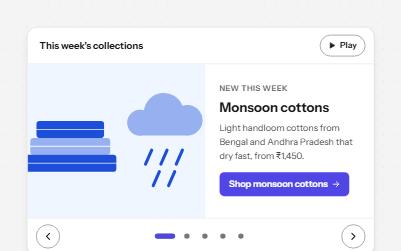
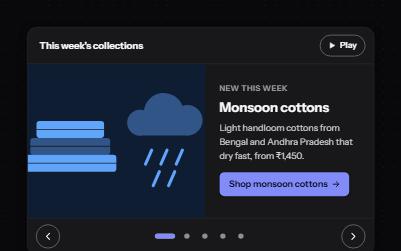
घूमती स्लाइडें, रोकने, पिछली, अगली और स्लाइड चुनने के बटन के साथ, जो किसी के पढ़ते या इस्तेमाल करते समय रुकी रहती हैं।
-
कम मोशन
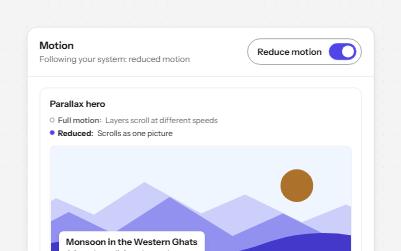
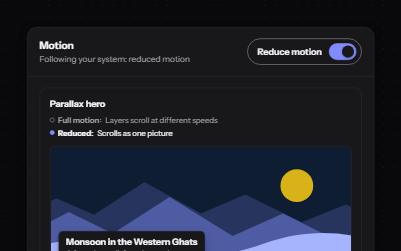
एनिमेटेड हिस्से जो सिस्टम की कम मोशन सेटिंग मानते हैं, उसे बदलने के लिए एक स्विच के साथ, और हलचल की जगह फ़ेड दिखाते हैं।
-
वीडियो प्लेयर
कस्टम वीडियो कंट्रोल जो सब कीबोर्ड से चलते हैं, कैप्शन, ट्रांसक्रिप्ट, गति और फ़ुल स्क्रीन के साथ, और बिना ऑटोप्ले।
-
ऑडियो प्लेयर
लेबल वाले कंट्रोल, सही जगह ले जाने वाले अध्याय, साथ चलने वाले ट्रांसक्रिप्ट वाला पॉडकास्ट प्लेयर, जो लोड होने पर कुछ नहीं चलाता।