सुलभता पैटर्न · मीडिया
ऑडियो प्लेयर
असली बटन, एक select और एक स्लाइडर हर कंट्रोल को कीबोर्ड से पहुँच योग्य और स्क्रीन रीडर के लिए नाम वाला बनाते हैं, और जब तक कोई "चलाएँ" न दबाए, कोई आवाज़ शुरू नहीं होती। अध्याय अपनी शुरुआत पर ले जाते हैं और चल रहे अध्याय को aria-current से चिह्नित करते हैं; ट्रांसक्रिप्ट बोली जा रही पंक्ति को उभारता है, उसे ऑडियो के ऊपर घोषित किए बिना।
- डब्ल्यूसीएजी मानदंड
- 6
- कीबोर्ड नियम
- 6
- जाँच का तरीक़ा
- axe, कीबोर्ड और इंस्पेक्टर
लाइव डेमो
आज़माएँ
इसे माउस, कीबोर्ड या स्क्रीन रीडर से इस्तेमाल करें। साथ का इंस्पेक्टर दिखाता है कि आपके इस्तेमाल के दौरान ब्राउज़र सहायक तकनीक को क्या बताता है: फ़ोकस, स्थिति में बदलाव और घोषणाएँ।
राग घड़ी · एपिसोड 14
घड़ी के चारों ओर चार राग
मीरा अय्यर के साथ · 2 मिनट 20 सेकंड
चलाएँ दबाने पर संगीत आपके ब्राउज़र में बनता है; मीरा के शब्द ट्रांसक्रिप्ट में हैं।
अध्याय
ट्रांसक्रिप्ट
- 0:00 [संगीत: सा और प पर मिलाया गया तानपुरे का स्वर]
- 0:05 मीरा: राग घड़ी में आपका स्वागत है। मैं मीरा अय्यर हूँ।
- 0:10 मीरा: हिंदुस्तानी संगीत में कई राग दिन के किसी समय से जुड़े होते हैं। आज हम चार छोटे वाक्यांशों में घड़ी का पूरा चक्कर लगाएँगे।
- 0:20 [संगीत: भैरव, एक धीमा, नीचा वाक्यांश]
- 0:28 मीरा: भैरव भोर में गाया जाता है। इसके कोमल रे और कोमल ध इसे गंभीर, प्रार्थना जैसी ध्वनि देते हैं।
- 0:40 [वाक्यांश ऊपर के सा तक चढ़ता है, फिर लौट आता है]
- 0:50 [संगीत: भीमपलासी, एक उजला, झूमता वाक्यांश]
- 0:58 मीरा: भीमपलासी गर्म दोपहर का राग है। यह कोमल ग और कोमल नि पर टिकता है।
- 1:08 [धुन म पर ठहरती है, फिर सा पर लौट आती है]
- 1:20 [संगीत: यमन, एक खुला, चढ़ता वाक्यांश]
- 1:28 मीरा: यमन रात की शुरुआत करता है। इसका तीव्र म इसे उजला और खोजता हुआ सा बनाता है।
- 1:40 [लंबे स्वर ऊपर के रे तक चढ़ते हैं और सा पर ठहरते हैं]
- 1:50 [संगीत: मालकौंस, एक गहरा, पाँच स्वरों वाला वाक्यांश]
- 1:58 मीरा: मालकौंस आधी रात का राग है। इसमें सिर्फ़ पाँच स्वर हैं और रे और प छोड़ दिए जाते हैं।
- 2:08 मीरा: यह रही घड़ी। अगले हफ़्ते: मानसून के राग।
- 2:14 [तानपुरा धीरे-धीरे थम जाता है]
जावास्क्रिप्ट के बिना डेमो उतना ही काम करता है जितना उसका एचटीएमएल; इंस्पेक्टर के लिए जावास्क्रिप्ट चाहिए।
कीबोर्ड
जिन कुंजियों पर यह काम करता है
हर क्रिया पॉइंटर के बिना काम करती है।
| कुंजी | यह क्या करती है |
|---|---|
| EnterयाSpace | चलाएँ पर, चलाता या रोकता है; "15 सेकंड पीछे" या "15 सेकंड आगे" पर, छलाँग लगाता है; किसी अध्याय पर, उसकी शुरुआत पर ले जाता है। |
| Arrow RightयाArrow Left | सीक स्लाइडर पर, 5 सेकंड आगे या पीछे। आवाज़ के स्लाइडर पर, तेज़ या धीमी। |
| Page UpयाPage Down | सीक स्लाइडर पर, 15 सेकंड आगे या पीछे। |
| HomeयाEnd | सीक स्लाइडर पर, एपिसोड की शुरुआत या अंत। |
| Space | सीक स्लाइडर पर, चलाता या रोकता है, और बताता है कि क्या हुआ। |
| Arrow DownयाArrow Up | गति वाले select पर, धीमी या तेज़ गति चुनता है। |
स्क्रीन रीडर
यह क्या घोषित करता है
मार्कअप की भूमिकाओं, नामों और स्थितियों से लिखा गया।
| कब | अपेक्षित घोषणा |
|---|---|
| Tab प्लेयर में पहुँचता है | घड़ी के चारों ओर चार राग, समूह। सीक, स्लाइडर, 2 मिनट 20 सेकंड में से 0 सेकंड |
| फ़ोकस चलाएँ पर पहुँचता है | चलाएँ, बटन |
| सीक स्लाइडर पर Page Up | 15 सेकंड |
| सीक स्लाइडर पर Space | चल रहा है |
| फ़ोकस अभी चल रहे अध्याय पर पहुँचता है | 0:20 भैरव, भोर में, बटन, मौजूदा |
| ट्रांसक्रिप्ट अगली पंक्ति पर जाता है | कुछ नहीं: उभार सिर्फ़ दिखने के लिए है |
| एपिसोड ख़त्म होता है | एपिसोड पूरा हुआ |
ये अपेक्षित घोषणाएँ हैं, रिकॉर्डिंग नहीं। स्क्रीन रीडर और ब्राउज़र के हिसाब से शब्द और क्रम बदलते हैं।
कोड
कोड कॉपी करें
वही फ़ाइलें जिन पर यह डेमो चलता है। स्टाइल एक प्रीफ़िक्स के साथ परोसी जाती हैं जो इस साइट की अपनी स्टाइल को डेमो से दूर रखता है; आप जो कॉपी करते हैं वह मूल है।
<div class="ap-audio" data-ap-audio-player>
  <div class="ap-audio__player" role="group" aria-labelledby="aud-name" data-aud-player>
    <div class="ap-audio__top">
      <svg class="ap-audio__cover" viewBox="0 0 96 96" aria-hidden="true" focusable="false">
        <rect width="96" height="96" rx="14" fill="#1E1B4B"/>
        <path d="M48 18a30 30 0 0 1 30 30H48z" fill="#F59E0B"/>
        <path d="M78 48a30 30 0 0 1-30 30V48z" fill="#FDE68A"/>
        <path d="M48 78a30 30 0 0 1-30-30h30z" fill="#F472B6"/>
        <path d="M18 48a30 30 0 0 1 30-30v30z" fill="#6366F1"/>
        <circle cx="48" cy="48" r="17" fill="#1E1B4B"/>
        <path d="M48 48V36M48 48l8 5" stroke="#FFFFFF" stroke-width="3" stroke-linecap="round"/>
        <circle cx="48" cy="48" r="2.6" fill="#FFFFFF"/>
      </svg>
      <div class="ap-audio__id">
        <p class="ap-audio__show">The Raag Clock · Episode 14</p>
        <h3 class="ap-audio__name" id="aud-name">Four raags round the clock</h3>
        <p class="ap-audio__by">With Meera Iyer · 2 minutes 20 seconds</p>
      </div>
    </div>

    <div class="ap-audio__seekrow">
      <span class="ap-audio__time" aria-hidden="true" translate="no" data-aud-now>0:00</span>
      <div class="ap-audio__seek" role="slider" tabindex="0" aria-label="Seek" aria-valuemin="0" aria-valuemax="140" aria-valuenow="0" aria-valuetext="0 seconds of 2 minutes 20 seconds" data-aud-seek>
        <span class="ap-audio__rail"><span class="ap-audio__fill"></span></span>
        <span class="ap-audio__marks" aria-hidden="true" data-aud-marks></span>
        <span class="ap-audio__knob"></span>
      </div>
      <span class="ap-audio__time" aria-hidden="true" translate="no">2:20</span>
    </div>

    <div class="ap-audio__controls">
      <div class="ap-audio__rate">
        <label class="ap-audio__rate-label" for="aud-rate">Speed</label>
        <select class="ap-audio__select" id="aud-rate" data-aud-rate>
          <option value="0.75">0.75×</option>
          <option value="1" selected>1×</option>
          <option value="1.25">1.25×</option>
          <option value="1.5">1.5×</option>
          <option value="2">2×</option>
        </select>
      </div>
      <div class="ap-audio__transport">
        <button type="button" class="ap-audio__btn ap-audio__btn--skip" aria-label="Back 15 seconds" data-aud-skip="-15"><svg viewBox="0 0 24 24" aria-hidden="true" focusable="false"><path d="M4.5 12a7.5 7.5 0 1 0 2.2-5.3M4.5 4v4.5H9"/><text x="12" y="15.4" text-anchor="middle">15</text></svg></button>
        <button type="button" class="ap-audio__btn ap-audio__btn--play" aria-label="Play" data-aud-play>
          <svg class="ap-audio__i-play" viewBox="0 0 24 24" aria-hidden="true" focusable="false"><path d="M8 5.5v13l11-6.5z"/></svg>
          <svg class="ap-audio__i-pause" viewBox="0 0 24 24" aria-hidden="true" focusable="false"><path d="M7.5 5h3.2v14H7.5zM13.3 5h3.2v14h-3.2z"/></svg>
        </button>
        <button type="button" class="ap-audio__btn ap-audio__btn--skip" aria-label="Forward 15 seconds" data-aud-skip="15"><svg viewBox="0 0 24 24" aria-hidden="true" focusable="false"><path d="M19.5 12a7.5 7.5 0 1 1-2.2-5.3M19.5 4v4.5H15"/><text x="12" y="15.4" text-anchor="middle">15</text></svg></button>
      </div>
      <div class="ap-audio__sound">
        <button type="button" class="ap-audio__btn ap-audio__btn--mute" aria-pressed="false" aria-label="Mute" data-aud-mute>
          <svg viewBox="0 0 24 24" aria-hidden="true" focusable="false"><path d="M11 5 6.5 9H3v6h3.5L11 19z"/><path class="ap-audio__waves" d="M15.5 8.5a5 5 0 0 1 0 7M18.5 5.5a9 9 0 0 1 0 13"/><path class="ap-audio__cross" d="m16 9.5 5 5m0-5-5 5"/></svg>
        </button>
        <input class="ap-audio__volume" type="range" min="0" max="100" step="5" value="80" aria-label="Volume level" aria-valuetext="80%" data-aud-volume />
      </div>
    </div>
    <p class="ap-audio__note">The music is made in your browser when you press Play; Meera's words are in the transcript.</p>
  </div>

  <div class="ap-audio__more">
    <div class="ap-audio__panel">
      <h4 class="ap-audio__h" id="aud-chapters">Chapters</h4>
      <ol class="ap-audio__chapters" aria-labelledby="aud-chapters">
          <li><button type="button" class="ap-audio__chapter" data-aud-chapter data-at="0" aria-current="true"><span class="ap-audio__ct" translate="no">0:00</span><span class="ap-audio__cn">Tuning up</span><svg class="ap-audio__eq" viewBox="0 0 16 16" aria-hidden="true" focusable="false"><path d="M3 13V7M8 13V3M13 13V9"/></svg></button></li>
          <li><button type="button" class="ap-audio__chapter" data-aud-chapter data-at="20"><span class="ap-audio__ct" translate="no">0:20</span><span class="ap-audio__cn">Bhairav, at dawn</span><svg class="ap-audio__eq" viewBox="0 0 16 16" aria-hidden="true" focusable="false"><path d="M3 13V7M8 13V3M13 13V9"/></svg></button></li>
          <li><button type="button" class="ap-audio__chapter" data-aud-chapter data-at="50"><span class="ap-audio__ct" translate="no">0:50</span><span class="ap-audio__cn">Bhimpalasi, in the afternoon</span><svg class="ap-audio__eq" viewBox="0 0 16 16" aria-hidden="true" focusable="false"><path d="M3 13V7M8 13V3M13 13V9"/></svg></button></li>
          <li><button type="button" class="ap-audio__chapter" data-aud-chapter data-at="80"><span class="ap-audio__ct" translate="no">1:20</span><span class="ap-audio__cn">Yaman, at dusk</span><svg class="ap-audio__eq" viewBox="0 0 16 16" aria-hidden="true" focusable="false"><path d="M3 13V7M8 13V3M13 13V9"/></svg></button></li>
          <li><button type="button" class="ap-audio__chapter" data-aud-chapter data-at="110"><span class="ap-audio__ct" translate="no">1:50</span><span class="ap-audio__cn">Malkauns, at midnight</span><svg class="ap-audio__eq" viewBox="0 0 16 16" aria-hidden="true" focusable="false"><path d="M3 13V7M8 13V3M13 13V9"/></svg></button></li>
      </ol>
    </div>
    <div class="ap-audio__panel">
      <h4 class="ap-audio__h" id="aud-transcript">Transcript</h4>
      <div class="ap-audio__script" role="region" aria-labelledby="aud-transcript" tabindex="0" data-aud-transcript>
        <ol class="ap-audio__lines">
            <li data-start="0" data-end="5"><span class="ap-audio__lt" translate="no">0:00</span> <span class="ap-audio__line">[Music: a tanpura drone, tuned to Sa and Pa]</span></li>
            <li data-start="5" data-end="10"><span class="ap-audio__lt" translate="no">0:05</span> <span class="ap-audio__line"><b>Meera:</b> Welcome to The Raag Clock. I'm Meera Iyer.</span></li>
            <li data-start="10" data-end="20"><span class="ap-audio__lt" translate="no">0:10</span> <span class="ap-audio__line"><b>Meera:</b> In Hindustani music, many raags belong to a time of day. Today we go round the clock in four short phrases.</span></li>
            <li data-start="20" data-end="28"><span class="ap-audio__lt" translate="no">0:20</span> <span class="ap-audio__line">[Music: Bhairav, a slow, low phrase]</span></li>
            <li data-start="28" data-end="40"><span class="ap-audio__lt" translate="no">0:28</span> <span class="ap-audio__line"><b>Meera:</b> Bhairav is sung at dawn. Its flattened second and sixth notes give it a grave, prayerful sound.</span></li>
            <li data-start="40" data-end="50"><span class="ap-audio__lt" translate="no">0:40</span> <span class="ap-audio__line">[The phrase climbs to the upper Sa, then settles back]</span></li>
            <li data-start="50" data-end="58"><span class="ap-audio__lt" translate="no">0:50</span> <span class="ap-audio__line">[Music: Bhimpalasi, a brighter, swaying phrase]</span></li>
            <li data-start="58" data-end="68"><span class="ap-audio__lt" translate="no">0:58</span> <span class="ap-audio__line"><b>Meera:</b> Bhimpalasi is for the hot afternoon. It leans on the flattened third and seventh.</span></li>
            <li data-start="68" data-end="80"><span class="ap-audio__lt" translate="no">1:08</span> <span class="ap-audio__line">[The melody lingers on Ma, then falls home to Sa]</span></li>
            <li data-start="80" data-end="88"><span class="ap-audio__lt" translate="no">1:20</span> <span class="ap-audio__line">[Music: Yaman, an open, rising phrase]</span></li>
            <li data-start="88" data-end="100"><span class="ap-audio__lt" translate="no">1:28</span> <span class="ap-audio__line"><b>Meera:</b> Yaman opens the night. Its sharp fourth, tivra Ma, makes it sound bright and searching.</span></li>
            <li data-start="100" data-end="110"><span class="ap-audio__lt" translate="no">1:40</span> <span class="ap-audio__line">[Long notes climb to the upper Re and rest on Sa]</span></li>
            <li data-start="110" data-end="118"><span class="ap-audio__lt" translate="no">1:50</span> <span class="ap-audio__line">[Music: Malkauns, a deep, five-note phrase]</span></li>
            <li data-start="118" data-end="128"><span class="ap-audio__lt" translate="no">1:58</span> <span class="ap-audio__line"><b>Meera:</b> Malkauns belongs to midnight. It uses only five notes and leaves out Re and Pa.</span></li>
            <li data-start="128" data-end="134"><span class="ap-audio__lt" translate="no">2:08</span> <span class="ap-audio__line"><b>Meera:</b> That's the clock. Next week: the monsoon raags.</span></li>
            <li data-start="134" data-end="140"><span class="ap-audio__lt" translate="no">2:14</span> <span class="ap-audio__line">[The tanpura fades out]</span></li>
        </ol>
      </div>
    </div>
  </div>

  <p class="ap-audio__vh" role="status" data-aud-status></p>
</div>
/* Shared primitives: buttons and form fields used across the patterns.
   Uses the --ap-* design tokens. */

.ap-btn {
  display: inline-flex;
  align-items: center;
  justify-content: center;
  gap: 8px;
  min-height: 40px;
  padding: 0 16px;
  border: 1px solid var(--ap-border-strong);
  border-radius: var(--ap-radius-sm);
  background: var(--ap-surface);
  color: var(--ap-text);
  font: inherit;
  font-weight: 600;
  line-height: 1.2;
  text-decoration: none;
  white-space: nowrap;
  cursor: pointer;
  transition: background-color var(--ap-duration) var(--ap-ease), border-color var(--ap-duration) var(--ap-ease), box-shadow var(--ap-duration) var(--ap-ease);
}
.ap-btn:hover {
  background: var(--ap-surface-2);
}
.ap-btn:focus-visible {
  outline: 2px solid var(--ap-focus);
  outline-offset: 2px;
}
.ap-btn:disabled,
.ap-btn[aria-disabled="true"] {
  opacity: .55;
  cursor: not-allowed;
}
.ap-btn--primary {
  border-color: var(--ap-accent);
  background: var(--ap-accent);
  color: var(--ap-on-accent);
  box-shadow: var(--ap-shadow-sm);
}
.ap-btn--primary:hover {
  border-color: var(--ap-accent-hover);
  background: var(--ap-accent-hover);
}
.ap-btn--danger {
  border-color: var(--ap-danger);
  background: var(--ap-danger);
  color: var(--ap-surface);
}
.ap-btn--danger:hover {
  filter: brightness(1.08);
}
.ap-btn--ghost {
  border-color: transparent;
  background: transparent;
}
.ap-btn--ghost:hover {
  background: var(--ap-surface-2);
}
.ap-btn__icon {
  width: 18px;
  height: 18px;
  flex-shrink: 0;
  fill: none;
  stroke: currentColor;
  stroke-width: 2;
  stroke-linecap: round;
  stroke-linejoin: round;
}

.ap-field {
  display: grid;
  gap: 6px;
}
.ap-label {
  color: var(--ap-text);
  font-weight: 600;
  font-size: .9375rem;
}
.ap-hint {
  margin: 0;
  color: var(--ap-text-3);
  font-size: .875rem;
  line-height: 1.45;
}
.ap-error {
  display: flex;
  align-items: flex-start;
  gap: 6px;
  margin: 0;
  color: var(--ap-danger);
  font-size: .875rem;
  font-weight: 600;
  line-height: 1.45;
}
.ap-input {
  width: 100%;
  min-height: 44px;
  padding: 10px 12px;
  border: 1px solid var(--ap-border-strong);
  border-radius: var(--ap-radius-sm);
  background: var(--ap-surface);
  color: var(--ap-text);
  font: inherit;
  line-height: 1.4;
  transition: border-color var(--ap-duration) var(--ap-ease), box-shadow var(--ap-duration) var(--ap-ease);
}
.ap-input::placeholder {
  color: var(--ap-text-3);
}
.ap-input:hover {
  border-color: var(--ap-text-2);
}
.ap-input:focus-visible {
  outline: 2px solid var(--ap-focus);
  outline-offset: 1px;
  border-color: var(--ap-focus);
}
.ap-input[aria-invalid="true"] {
  border-color: var(--ap-danger);
  box-shadow: inset 4px 0 0 var(--ap-danger);
}
textarea.ap-input {
  resize: vertical;
  min-height: 88px;
}

@media (prefers-reduced-motion: reduce) {
  .ap-btn,
  .ap-input { transition: none; }
}

/* Audio player. Uses the --ap-* design tokens and the shared primitives. */
.ap-audio {
  container-type: inline-size;
  position: relative;
  display: grid;
  gap: 16px;
  width: min(100%, 720px);
  margin-inline: auto;
  color: var(--ap-text);
  font-family: var(--ap-font);
}

/* ── The player card ── */
.ap-audio__player {
  display: grid;
  gap: 16px;
  padding: 20px 22px 16px;
  border: 1px solid var(--ap-border);
  border-radius: var(--ap-radius-lg);
  background: var(--ap-surface);
  box-shadow: var(--ap-shadow-md);
}
.ap-audio__top {
  display: flex;
  align-items: center;
  gap: 16px;
}
.ap-audio__cover {
  flex-shrink: 0;
  width: 84px;
  height: 84px;
  border-radius: var(--ap-radius);
  box-shadow: var(--ap-shadow-sm);
}
.ap-audio__id {
  display: grid;
  gap: 2px;
  min-width: 0;
}
.ap-audio__id p {
  margin: 0;
}
.ap-audio__show {
  color: var(--ap-accent-text);
  font-size: .8125rem;
  font-weight: 700;
  letter-spacing: .02em;
}
.ap-audio__name {
  margin: 0;
  font-size: 1.25rem;
  font-weight: 650;
  line-height: 1.3;
}
.ap-audio__by {
  color: var(--ap-text-3);
  font-size: .875rem;
}

/* Seek */
.ap-audio__seekrow {
  display: flex;
  align-items: center;
  gap: 12px;
}
.ap-audio__time {
  min-width: 2.6em;
  color: var(--ap-text-2);
  font-size: .8125rem;
  font-variant-numeric: tabular-nums;
}
.ap-audio__time:last-child {
  text-align: end;
}
.ap-audio__seek {
  position: relative;
  flex: 1;
  height: 28px;
  border-radius: 6px;
  cursor: pointer;
  touch-action: none;
}
.ap-audio__seek:focus-visible {
  outline: 2px solid var(--ap-focus);
  outline-offset: 2px;
}
.ap-audio__rail {
  position: absolute;
  top: 50%;
  right: 0;
  left: 0;
  height: 6px;
  margin-top: -3px;
  border-radius: var(--ap-radius-full);
  background: var(--ap-surface-3);
  box-shadow: inset 0 0 0 1px var(--ap-border-strong);
  overflow: hidden;
}
.ap-audio__fill {
  display: block;
  width: calc(var(--aud-progress, 0) * 100%);
  height: 100%;
  background: var(--ap-accent);
}
.ap-audio__marks span {
  position: absolute;
  top: 50%;
  left: calc(var(--at) * 100%);
  width: 2px;
  height: 12px;
  margin: -6px 0 0 -1px;
  border-radius: 1px;
  background: var(--ap-text-3);
}
.ap-audio__knob {
  position: absolute;
  top: 50%;
  left: calc(var(--aud-progress, 0) * 100%);
  width: 16px;
  height: 16px;
  margin: -8px 0 0 -8px;
  border: 3px solid var(--ap-accent);
  border-radius: var(--ap-radius-full);
  background: var(--ap-surface);
  box-shadow: var(--ap-shadow-sm);
  transition: transform var(--ap-duration) var(--ap-ease);
}
.ap-audio__seek:hover .ap-audio__knob,
.ap-audio__seek:focus-visible .ap-audio__knob {
  transform: scale(1.2);
}

/* Controls: speed, the transport in the middle, sound */
.ap-audio__controls {
  display: grid;
  grid-template-columns: 1fr auto 1fr;
  align-items: center;
  gap: 12px;
}
.ap-audio__rate {
  display: flex;
  align-items: center;
  gap: 8px;
}
.ap-audio__rate-label {
  color: var(--ap-text-2);
  font-size: .875rem;
  font-weight: 600;
}
.ap-audio__select {
  min-height: 36px;
  padding: 0 28px 0 10px;
  border: 1px solid var(--ap-border-strong);
  border-radius: var(--ap-radius-sm);
  /* A chevron drawn with two gradients, then the fill color. */
  background:
    linear-gradient(45deg, transparent 50%, var(--ap-text-2) 50%) no-repeat right 15px center / 5px 5px,
    linear-gradient(-45deg, transparent 50%, var(--ap-text-2) 50%) no-repeat right 10px center / 5px 5px,
    var(--ap-surface);
  color: var(--ap-text);
  font: inherit;
  font-weight: 600;
  font-variant-numeric: tabular-nums;
  appearance: none;
  cursor: pointer;
}
.ap-audio__select:hover {
  border-color: var(--ap-text-2);
}
.ap-audio__select:focus-visible {
  outline: 2px solid var(--ap-focus);
  outline-offset: 2px;
}
.ap-audio__transport {
  display: flex;
  align-items: center;
  gap: 10px;
}
.ap-audio__sound {
  display: flex;
  align-items: center;
  justify-content: flex-end;
  gap: 2px;
}

.ap-audio__btn {
  display: inline-grid;
  place-items: center;
  width: 44px;
  height: 44px;
  padding: 0;
  border: 0;
  border-radius: var(--ap-radius-full);
  background: transparent;
  color: var(--ap-text);
  font: inherit;
  cursor: pointer;
  transition: background-color var(--ap-duration) var(--ap-ease);
}
.ap-audio__btn:hover {
  background: var(--ap-surface-2);
}
.ap-audio__btn:focus-visible {
  outline: 2px solid var(--ap-focus);
  outline-offset: 2px;
}
.ap-audio__btn svg {
  grid-area: 1 / 1;
  width: 26px;
  height: 26px;
  fill: none;
  stroke: currentColor;
  stroke-width: 1.9;
  stroke-linecap: round;
  stroke-linejoin: round;
}
.ap-audio__btn--skip text {
  fill: currentColor;
  stroke: none;
  font-family: var(--ap-font);
  font-size: 8.5px;
  font-weight: 700;
}
.ap-audio__btn--play {
  width: 56px;
  height: 56px;
  background: var(--ap-accent);
  color: var(--ap-on-accent);
  box-shadow: var(--ap-shadow-md);
}
.ap-audio__btn--play:hover {
  background: var(--ap-accent-hover);
}
.ap-audio__btn--play svg {
  fill: currentColor;
  stroke: none;
}
.ap-audio__i-play { margin-left: 3px; }
.ap-audio__i-pause,
.ap-audio.is-playing .ap-audio__i-play { visibility: hidden; }
.ap-audio.is-playing .ap-audio__i-pause { visibility: visible; }

.ap-audio__btn--mute {
  width: 40px;
  height: 40px;
  border-radius: var(--ap-radius-sm);
}
.ap-audio__btn--mute svg {
  width: 22px;
  height: 22px;
  stroke-width: 2;
}
.ap-audio__cross { display: none; }
.ap-audio__btn--mute[aria-pressed="true"] { color: var(--ap-danger); }
.ap-audio__btn--mute[aria-pressed="true"] .ap-audio__waves { display: none; }
.ap-audio__btn--mute[aria-pressed="true"] .ap-audio__cross { display: inline; }

.ap-audio__volume {
  width: 84px;
  height: 28px;
  margin: 0 0 0 2px;
  background: transparent;
  cursor: pointer;
  -webkit-appearance: none;
  appearance: none;
}
.ap-audio__volume:focus-visible {
  outline: 2px solid var(--ap-focus);
  outline-offset: 2px;
  border-radius: 4px;
}
.ap-audio__volume::-webkit-slider-runnable-track {
  height: 6px;
  border-radius: var(--ap-radius-full);
  background: linear-gradient(to right, var(--ap-text-2) 0 calc(var(--aud-level, .8) * 100%), var(--ap-surface-3) 0);
  box-shadow: inset 0 0 0 1px var(--ap-border-strong);
}
.ap-audio__volume::-webkit-slider-thumb {
  width: 16px;
  height: 16px;
  margin-top: -5px;
  border: 3px solid var(--ap-text-2);
  border-radius: var(--ap-radius-full);
  background: var(--ap-surface);
  -webkit-appearance: none;
  appearance: none;
}
.ap-audio__volume::-moz-range-track {
  height: 6px;
  border-radius: var(--ap-radius-full);
  background: var(--ap-surface-3);
  box-shadow: inset 0 0 0 1px var(--ap-border-strong);
}
.ap-audio__volume::-moz-range-progress {
  height: 6px;
  border-radius: var(--ap-radius-full);
  background: var(--ap-text-2);
}
.ap-audio__volume::-moz-range-thumb {
  box-sizing: border-box;
  width: 16px;
  height: 16px;
  border: 3px solid var(--ap-text-2);
  border-radius: var(--ap-radius-full);
  background: var(--ap-surface);
}

.ap-audio__note {
  margin: 0;
  padding-top: 12px;
  border-top: 1px solid var(--ap-border);
  color: var(--ap-text-3);
  font-size: .8125rem;
  line-height: 1.5;
}

/* ── Chapters and transcript ── */
.ap-audio__more {
  display: grid;
  grid-template-columns: minmax(0, 1fr);
  gap: 16px;
}
@container (min-width: 600px) {
  .ap-audio__more { grid-template-columns: minmax(0, .9fr) minmax(0, 1.25fr); }
}
.ap-audio__panel {
  display: grid;
  align-content: start;
  gap: 10px;
  min-width: 0;
  padding: 16px;
  border: 1px solid var(--ap-border);
  border-radius: var(--ap-radius-lg);
  background: var(--ap-surface);
}
.ap-audio__h {
  margin: 0;
  color: var(--ap-text-3);
  font-size: .75rem;
  font-weight: 700;
  letter-spacing: .08em;
  text-transform: uppercase;
}

.ap-audio__chapters {
  display: grid;
  gap: 2px;
  margin: 0;
  padding: 0;
  list-style: none;
}
.ap-audio__chapter {
  display: grid;
  grid-template-columns: 2.6rem minmax(0, 1fr) 16px;
  align-items: center;
  gap: 8px;
  width: 100%;
  min-height: 44px;
  padding: 6px 10px;
  border: 0;
  border-radius: var(--ap-radius-sm);
  background: transparent;
  color: var(--ap-text);
  font: inherit;
  text-align: start;
  cursor: pointer;
}
.ap-audio__chapter:hover {
  background: var(--ap-surface-2);
}
.ap-audio__chapter:focus-visible {
  outline: 2px solid var(--ap-focus);
  outline-offset: -2px;
}
.ap-audio__ct {
  color: var(--ap-text-3);
  font-size: .875rem;
  font-variant-numeric: tabular-nums;
}
.ap-audio__cn {
  line-height: 1.35;
}
.ap-audio__eq {
  width: 16px;
  height: 16px;
  fill: none;
  stroke: currentColor;
  stroke-width: 2.4;
  stroke-linecap: round;
  visibility: hidden;
}
.ap-audio__chapter[aria-current="true"] {
  background: var(--ap-accent-soft);
  color: var(--ap-accent-soft-text);
  font-weight: 650;
}
.ap-audio__chapter[aria-current="true"] .ap-audio__ct {
  color: var(--ap-accent-soft-text);
}
.ap-audio__chapter[aria-current="true"] .ap-audio__eq {
  visibility: visible;
}

.ap-audio__script {
  max-height: 272px;
  margin: -4px;
  padding: 4px;
  overflow-y: auto;
  border-radius: var(--ap-radius-sm);
  overscroll-behavior: contain;
}
.ap-audio__script:focus-visible {
  outline: 2px solid var(--ap-focus);
  outline-offset: 0;
}
.ap-audio__lines {
  position: relative;
  display: grid;
  gap: 2px;
  margin: 0;
  padding: 0;
  list-style: none;
}
.ap-audio__lines li {
  display: grid;
  grid-template-columns: 2.6rem minmax(0, 1fr);
  gap: 8px;
  padding: 6px 10px;
  border-left: 3px solid transparent;
  border-radius: 0 var(--ap-radius-sm) var(--ap-radius-sm) 0;
  color: var(--ap-text-2);
  line-height: 1.5;
  transition: background-color var(--ap-duration) var(--ap-ease);
}
.ap-audio__lt {
  color: var(--ap-text-3);
  font-size: .8125rem;
  font-variant-numeric: tabular-nums;
  line-height: 1.85;
}
.ap-audio__line b {
  color: var(--ap-text);
  font-weight: 650;
}
.ap-audio__lines li.is-now {
  border-left-color: var(--ap-accent);
  background: var(--ap-accent-soft);
  color: var(--ap-text);
}
.ap-audio__lines li.is-now .ap-audio__lt {
  color: var(--ap-accent-soft-text);
  font-weight: 700;
}

.ap-audio__vh {
  position: absolute;
  width: 1px;
  height: 1px;
  margin: -1px;
  padding: 0;
  overflow: hidden;
  clip-path: inset(50%);
  white-space: nowrap;
}

/* A narrow card: the transport gets its own row */
@container (max-width: 480px) {
  .ap-audio__player { padding: 16px 14px 14px; }
  .ap-audio__cover { width: 64px; height: 64px; }
  .ap-audio__name { font-size: 1.125rem; }
  .ap-audio__controls {
    grid-template-columns: 1fr auto;
    grid-template-areas: "transport transport" "rate sound";
    row-gap: 10px;
  }
  .ap-audio__transport { grid-area: transport; justify-content: center; }
  .ap-audio__rate { grid-area: rate; }
  .ap-audio__sound { grid-area: sound; }
}

@media (prefers-reduced-motion: reduce) {
  .ap-audio__knob,
  .ap-audio__btn,
  .ap-audio__lines li { transition: none; }
}
/**
 * Audio player: a podcast player with labelled controls, chapters that seek,
 * and a transcript that follows along without announcing itself. Nothing
 * plays until someone presses Play.
 *
 * Markup: [data-ap-audio-player] holding the player group [data-aud-player]
 * with a seek slider [data-aud-seek] (role=slider), buttons for play
 * [data-aud-play], back and forward [data-aud-skip="-15"|"15"] and mute
 * [data-aud-mute], a speed select [data-aud-rate] and a volume range
 * [data-aud-volume]; chapter buttons [data-aud-chapter][data-at]; the
 * transcript region [data-aud-transcript] whose li[data-start][data-end] are
 * its lines; and a role=status [data-aud-status].
 *
 * The player only talks to `media` through the properties and events of an
 * HTMLMediaElement. This demo has no audio file, so Episode (at the end)
 * plays one made with the Web Audio API; with a real file, use
 * `const media = root.querySelector("audio")` and delete Episode.
 */

const STEP = 5;
const PAGE = 15;

const clock = (s) => `${Math.floor(s / 60)}:${String(Math.floor(s % 60)).padStart(2, "0")}`;
function spoken(s) {
  const m = Math.floor(s / 60);
  const sec = Math.floor(s % 60);
  const parts = [];
  if (m) parts.push(`${m} ${m === 1 ? "minute" : "minutes"}`);
  if (sec || !m) parts.push(`${sec} ${sec === 1 ? "second" : "seconds"}`);
  return parts.join(" ");
}

export function init(root) {
  const ac = new AbortController();
  const on = (target, type, fn, opts = {}) => target.addEventListener(type, fn, { ...opts, signal: ac.signal });
  const $ = (sel) => root.querySelector(sel);

  const seek = $("[data-aud-seek]");
  const nowText = $("[data-aud-now]");
  const playBtn = $("[data-aud-play]");
  const muteBtn = $("[data-aud-mute]");
  const volume = $("[data-aud-volume]");
  const rate = $("[data-aud-rate]");
  const status = $("[data-aud-status]");
  const scroller = $("[data-aud-transcript]");
  const chapters = [...root.querySelectorAll("[data-aud-chapter]")].map((button) => ({ button, at: Number(button.dataset.at) }));
  const lines = [...scroller.querySelectorAll("li[data-start]")].map((li) => ({ li, start: Number(li.dataset.start), end: Number(li.dataset.end) }));

  const media = new Episode();

  // Chapter marks on the seek bar, from the chapter list.
  const marks = $("[data-aud-marks]");
  marks.replaceChildren(...chapters.slice(1).map((c) => {
    const mark = document.createElement("span");
    mark.style.setProperty("--at", String(c.at / media.duration));
    return mark;
  }));

  function say(text) {
    status.textContent = "";
    requestAnimationFrame(() => { status.textContent = text; });
  }

  /* ── Following along: chapter and transcript line ── */
  let chapterNow = null;
  let lineNow = null;
  let readingUntil = 0; // the reader scrolled the transcript; leave it alone for a while
  const reading = () => scroller.matches(":hover, :focus-within") || performance.now() < readingUntil;

  function follow(t) {
    const chapter = chapters.findLast((c) => t >= c.at) || chapters[0];
    if (chapter !== chapterNow) {
      chapterNow?.button.removeAttribute("aria-current");
      chapter.button.setAttribute("aria-current", "true");
      chapterNow = chapter;
    }
    // The current line is shown, not announced: reading each one out would
    // talk over the episode.
    const line = lines.find((l) => t >= l.start && t < l.end) || null;
    if (line !== lineNow) {
      lineNow?.li.classList.remove("is-now");
      line?.li.classList.add("is-now");
      lineNow = line;
      if (line && !reading()) {
        const top = line.li.offsetTop - scroller.clientHeight / 3;
        const still = matchMedia("(prefers-reduced-motion: reduce)").matches;
        scroller.scrollTo({ top: Math.max(0, top), behavior: still ? "auto" : "smooth" });
      }
    }
  }
  for (const type of ["wheel", "touchmove", "keydown"]) {
    on(scroller, type, () => { readingUntil = performance.now() + 4000; }, { passive: true });
  }

  /* ── Time ── */
  function paintTime() {
    const t = media.currentTime;
    seek.style.setProperty("--aud-progress", String(t / media.duration));
    nowText.textContent = clock(t);
    follow(t);
  }
  // As in the video player: the slider's value is set on focus, on seeking
  // and when playback stops, so a focused slider does not read the clock aloud.
  function tellSeek(withTotal) {
    const t = Math.floor(media.currentTime);
    seek.setAttribute("aria-valuenow", String(t));
    seek.setAttribute("aria-valuetext", withTotal ? `${spoken(t)} of ${spoken(media.duration)}` : spoken(t));
  }
  function seekTo(t) {
    media.currentTime = Math.max(0, Math.min(media.duration, t));
    tellSeek(document.activeElement !== seek);
  }

  /* ── Media events → controls ── */
  function onPlayState() {
    const playing = !media.paused;
    root.classList.toggle("is-playing", playing);
    playBtn.setAttribute("aria-label", playing ? "Pause" : "Play");
    tellSeek(document.activeElement !== seek);
  }
  function onVolume() {
    muteBtn.setAttribute("aria-pressed", String(media.muted));
    volume.value = String(Math.round(media.volume * 100));
    volume.setAttribute("aria-valuetext", `${volume.value}%`);
    volume.style.setProperty("--aud-level", String(media.muted ? 0 : media.volume));
  }
  on(media, "play", onPlayState);
  on(media, "pause", onPlayState);
  on(media, "timeupdate", paintTime);
  on(media, "seeked", paintTime);
  on(media, "volumechange", onVolume);
  on(media, "ended", () => say("Episode finished"));

  /* ── Controls ── */
  const togglePlay = () => (media.paused ? media.play() : media.pause());
  on(playBtn, "click", togglePlay);
  for (const button of root.querySelectorAll("[data-aud-skip]")) {
    on(button, "click", () => seekTo(media.currentTime + Number(button.dataset.audSkip)));
  }
  on(rate, "change", () => { media.playbackRate = Number(rate.value); });
  on(muteBtn, "click", () => { media.muted = !media.muted; });
  on(volume, "input", () => {
    media.volume = Number(volume.value) / 100;
    if (media.muted && media.volume > 0) media.muted = false;
  });
  for (const chapter of chapters) on(chapter.button, "click", () => seekTo(chapter.at));

  /* ── The seek slider ── */
  on(seek, "keydown", (event) => {
    const t = media.currentTime;
    const keys = {
      ArrowRight: t + STEP, ArrowUp: t + STEP, ArrowLeft: t - STEP, ArrowDown: t - STEP,
      PageUp: t + PAGE, PageDown: t - PAGE, Home: 0, End: media.duration,
    };
    if (event.key in keys) {
      event.preventDefault();
      media.currentTime = Math.max(0, Math.min(media.duration, keys[event.key]));
      tellSeek(false);
    } else if (event.key === " ") {
      // Space has no job on a slider; here it plays or pauses, and says so.
      event.preventDefault();
      togglePlay();
      say(media.paused ? "Paused" : "Playing");
    }
  });
  on(seek, "focus", () => tellSeek(true));
  on(seek, "blur", () => tellSeek(true));

  let dragging = false;
  const timeAt = (event) => {
    const box = seek.getBoundingClientRect();
    return Math.max(0, Math.min(media.duration, ((event.clientX - box.left) / box.width) * media.duration));
  };
  on(seek, "pointerdown", (event) => {
    if (event.button !== 0) return;
    dragging = true;
    seek.setPointerCapture(event.pointerId);
    media.currentTime = timeAt(event);
  });
  on(seek, "pointermove", (event) => { if (dragging) media.currentTime = timeAt(event); });
  on(seek, "pointerup", () => {
    if (!dragging) return;
    dragging = false;
    tellSeek(false);
  });

  onPlayState();
  onVolume();
  paintTime();

  return () => {
    ac.abort();
    media.destroy();
  };
}

/* ════════════════════════════════════════════════════════════════════════
   The demo episode. Stands in for an audio file: it has the properties and
   events of a media element and plays music made with the Web Audio API.
   Its AudioContext is created on the first play(), which only a click or
   key press calls, so no sound can start by itself.
   ════════════════════════════════════════════════════════════════════════ */

class Episode extends EventTarget {
  duration = 140;
  #synth = new Synth();
  #time = 0;
  #paused = true;
  #rate = 1;
  #volume = 0.8;
  #muted = false;
  #from = 0;
  #fromAt = 0;
  #raf = 0;

  #emit(type) { this.dispatchEvent(new Event(type)); }

  get currentTime() {
    if (this.#paused) return this.#time;
    return Math.min(this.duration, this.#from + ((performance.now() - this.#fromAt) / 1000) * this.#rate);
  }
  set currentTime(value) {
    const t = Math.max(0, Math.min(this.duration, Number(value) || 0));
    this.#time = this.#from = t;
    this.#fromAt = performance.now();
    if (!this.#paused) this.#synth.restart(() => this.currentTime, this.#rate);
    this.#emit("seeked");
    this.#emit("timeupdate");
  }
  get paused() { return this.#paused; }
  get ended() { return this.#paused && this.#time >= this.duration; }

  play() {
    if (!this.#paused) return Promise.resolve();
    if (this.#time >= this.duration) this.#time = 0;
    this.#paused = false;
    this.#from = this.#time;
    this.#fromAt = performance.now();
    this.#synth.start(this.#time, this.#rate, this.#level());
    this.#raf = requestAnimationFrame(this.#tick);
    this.#emit("play");
    return Promise.resolve();
  }
  pause() {
    if (this.#paused) return;
    this.#time = this.currentTime;
    this.#paused = true;
    cancelAnimationFrame(this.#raf);
    this.#synth.stop();
    this.#emit("pause");
  }
  #tick = () => {
    const t = this.currentTime;
    this.#emit("timeupdate");
    if (t >= this.duration) {
      this.#time = this.duration;
      this.#paused = true;
      this.#synth.stop();
      this.#emit("pause");
      this.#emit("ended");
      return;
    }
    this.#raf = requestAnimationFrame(this.#tick);
  };

  get playbackRate() { return this.#rate; }
  set playbackRate(value) {
    const t = this.currentTime;
    this.#rate = Number(value) || 1;
    this.#from = t;
    this.#fromAt = performance.now();
    if (!this.#paused) this.#synth.restart(() => this.currentTime, this.#rate);
    this.#emit("ratechange");
  }
  #level() { return this.#muted ? 0 : this.#volume * this.#volume; }
  get volume() { return this.#volume; }
  set volume(value) {
    this.#volume = Math.max(0, Math.min(1, Number(value)));
    this.#synth.gain(this.#level());
    this.#emit("volumechange");
  }
  get muted() { return this.#muted; }
  set muted(value) {
    this.#muted = Boolean(value);
    this.#synth.gain(this.#level());
    this.#emit("volumechange");
  }

  destroy() {
    cancelAnimationFrame(this.#raf);
    this.#paused = true;
    this.#synth.close();
  }
}

/* ── The music: a tanpura drone and one phrase in each of four raags ── */

const SA = 138.59; // C# below middle C, a common tuning for a male voice
const SWARA = { S: 0, r: 1, R: 2, g: 3, G: 4, m: 5, M: 6, P: 7, d: 8, D: 9, n: 10, N: 11 };
const BEAT = 0.72;

// "S:2" is Sa for two beats; a dot before the note lowers it an octave, a quote after raises it.
function phrase(text, start) {
  const notes = [];
  let t = start;
  let prev = null;
  for (const token of text.split(/\s+/)) {
    const [name, beats] = token.split(":");
    const swara = name.replace(/[.']/g, "");
    const octave = (name.startsWith(".") ? -1 : 0) + (name.endsWith("'") ? 1 : 0);
    const f = SA * 2 * 2 ** ((SWARA[swara] + octave * 12) / 12);
    const dur = Number(beats) * BEAT;
    notes.push({ t, kind: "note", f, from: prev ?? f, dur, level: 0.15 });
    prev = f;
    t += dur;
  }
  return notes;
}

const SCORE = (() => {
  const notes = [];
  const cycle = [-5, 0, 0, -12]; // Pa, Sa, Sa, low Sa
  for (let i = 0, t = 0.2; t < 136; i++, t += 0.8) {
    const fade = t > 130 ? Math.max(0, (138 - t) / 8) : 1;
    notes.push({ t, kind: "pluck", f: SA * 2 ** (cycle[i % 4] / 12), dur: 3, level: 0.09 * fade });
  }
  notes.push(...phrase("S:2 r:1 G:1 m:2 P:1 d:2 P:1 m:1 G:1 r:2 S:3", 21));
  notes.push(...phrase("G:1 m:1 d:2 N:1 S':3 N:1 d:2 P:1 m:1 G:1 m:1 r:2 S:4", 21 + 18 * BEAT));
  notes.push(...phrase(".n:1 S:1 g:2 m:2 P:1 m:1 g:1 R:1 S:2", 51));
  notes.push(...phrase("m:1 P:1 n:2 S':2 n:1 D:1 P:2 m:1 P:1 g:2 m:1 g:1 R:1 S:3", 51 + 13 * BEAT));
  notes.push(...phrase(".N:1 R:1 G:2 M:1 D:1 N:2 S':3 N:1 D:1 P:1 M:1 G:2 R:1 S:3", 81));
  notes.push(...phrase(".N:1 R:1 G:1 M:1 P:2 D:1 N:1 R':2 S':4", 81 + 22 * BEAT));
  notes.push(...phrase("S:1 .n:1 .d:2 .n:1 S:2 g:1 m:2 g:1 m:1 d:2 n:1 S':3", 111));
  notes.push(...phrase("n:1 d:1 m:2 g:1 m:1 g:1 S:3", 111 + 19 * BEAT));
  return notes.sort((a, b) => a.t - b.t);
})();

class Synth {
  #ctx = null;
  #master = null;
  #level = 0.64;
  #run = null; // { bus, ctx0, media0, rate, next, timer }
  #retry = 0;

  start(t, rate, level) {
    if (!this.#ctx) {
      const AudioCtx = window.AudioContext || window.webkitAudioContext;
      if (!AudioCtx) return;
      this.#ctx = new AudioCtx();
      this.#master = this.#ctx.createGain();
      this.#master.connect(this.#ctx.destination);
    }
    this.#ctx.resume?.();
    this.gain(level);
    this.#open(t, rate);
  }
  stop() {
    clearTimeout(this.#retry);
    this.#shut();
  }
  restart(now, rate) {
    if (!this.#ctx) return;
    this.#shut();
    clearTimeout(this.#retry);
    this.#retry = setTimeout(() => this.#open(now(), rate), 120);
  }
  gain(level) {
    this.#level = level;
    if (this.#master) this.#master.gain.setTargetAtTime(level, this.#ctx.currentTime, 0.02);
  }
  close() {
    this.stop();
    this.#ctx?.close?.();
    this.#ctx = null;
  }

  #open(t, rate) {
    const ctx = this.#ctx;
    this.#shut();
    const bus = ctx.createGain();
    bus.gain.value = 0;
    bus.gain.setTargetAtTime(1, ctx.currentTime, 0.04);
    bus.connect(this.#master);
    const run = { bus, ctx0: ctx.currentTime + 0.05, media0: t, rate, next: SCORE.findIndex((n) => n.t >= t), timer: 0 };
    if (run.next === -1) run.next = SCORE.length;
    this.#run = run;
    run.timer = setInterval(() => this.#schedule(), 50);
    this.#schedule();
  }
  #schedule() {
    const ctx = this.#ctx;
    const run = this.#run;
    if (!run) return;
    const horizon = run.media0 + (Math.max(0, ctx.currentTime - run.ctx0) + 0.3) * run.rate;
    while (run.next < SCORE.length && SCORE[run.next].t < horizon) {
      const n = SCORE[run.next++];
      voice(ctx, run.bus, Math.max(ctx.currentTime, run.ctx0 + (n.t - run.media0) / run.rate), n, run.rate);
    }
  }
  #shut() {
    const run = this.#run;
    if (!run) return;
    this.#run = null;
    clearInterval(run.timer);
    const at = this.#ctx.currentTime;
    run.bus.gain.cancelScheduledValues(at);
    run.bus.gain.setTargetAtTime(0, at, 0.02);
    setTimeout(() => run.bus.disconnect(), 400);
  }
}

function voice(ctx, bus, when, n, rate) {
  const dur = n.dur / rate;
  const out = ctx.createGain();
  out.connect(bus);
  const env = out.gain;
  env.setValueAtTime(0, when);
  if (n.kind === "pluck") {
    // Tanpura: two slightly detuned saws through a closing filter.
    const tone = ctx.createBiquadFilter();
    tone.type = "lowpass";
    tone.frequency.setValueAtTime(2400, when);
    tone.frequency.exponentialRampToValueAtTime(500, when + 1.6);
    tone.connect(out);
    for (const detune of [-4, 4]) {
      const osc = ctx.createOscillator();
      osc.type = "sawtooth";
      osc.frequency.value = n.f;
      osc.detune.value = detune;
      osc.connect(tone);
      osc.start(when);
      osc.stop(when + 3.1);
    }
    env.linearRampToValueAtTime(n.level, when + 0.012);
    env.exponentialRampToValueAtTime(0.0004, when + 3);
  } else {
    // Melody: a soft, flute-like tone that glides into each note and
    // gathers a little vibrato as it is held.
    const tone = ctx.createBiquadFilter();
    tone.type = "lowpass";
    tone.frequency.value = 2200;
    tone.connect(out);
    const vibrato = ctx.createOscillator();
    vibrato.frequency.value = 5.2;
    const depth = ctx.createGain();
    depth.gain.setValueAtTime(0, when);
    depth.gain.linearRampToValueAtTime(9, when + Math.min(0.5, dur));
    vibrato.connect(depth);
    for (const [type, mix] of [["sine", 0.7], ["triangle", 0.3]]) {
      const osc = ctx.createOscillator();
      osc.type = type;
      osc.frequency.setValueAtTime(n.from, when);
      osc.frequency.exponentialRampToValueAtTime(n.f, when + Math.min(0.08, dur / 3));
      depth.connect(osc.detune);
      const g = ctx.createGain();
      g.gain.value = mix;
      osc.connect(g).connect(tone);
      osc.start(when);
      osc.stop(when + dur + 0.15);
    }
    vibrato.start(when);
    vibrato.stop(when + dur + 0.15);
    env.linearRampToValueAtTime(n.level, when + 0.06);
    env.setValueAtTime(n.level, when + Math.max(0.06, dur - 0.08));
    env.linearRampToValueAtTime(0, when + dur + 0.12);
  }
}

// Last, so the classes above exist before the first player starts.
for (const root of document.querySelectorAll("[data-ap-audio-player]")) init(root);
/* Design tokens for the pattern components. Light by default, dark when the
   system asks for it; set data-theme="dark" on :root to force dark. */
:root {
    --ap-radius-sm: 8px;
    --ap-radius: 12px;
    --ap-radius-lg: 16px;
    --ap-radius-full: 999px;
    --ap-font: "Instrument Sans", ui-sans-serif, system-ui, -apple-system, "Segoe UI", Roboto, sans-serif;
    --ap-mono: "JetBrains Mono", ui-monospace, "Cascadia Mono", "SF Mono", Consolas, monospace;
    --ap-ease: cubic-bezier(.2, .8, .2, 1);
    --ap-duration: 180ms;
    --ap-target: 44px;
    --ap-bg: #F4F4F5;
    --ap-surface: #FFFFFF;
    --ap-surface-2: #F4F4F5;
    --ap-surface-3: #E4E4E7;
    --ap-border: #E4E4E7;
    --ap-border-strong: #76767F;
    --ap-text: #18181B;
    --ap-text-2: #3F3F46;
    --ap-text-3: #5E5E66;
    --ap-accent: #4F46E5;
    --ap-accent-hover: #4338CA;
    --ap-on-accent: #FFFFFF;
    --ap-accent-text: #4338CA;
    --ap-accent-soft: #EEF2FF;
    --ap-accent-soft-text: #3730A3;
    --ap-focus: #4F46E5;
    --ap-danger: #B91C1C;
    --ap-danger-soft: #FEF2F2;
    --ap-success: #15803D;
    --ap-success-soft: #F0FDF4;
    --ap-warning: #A15C07;
    --ap-warning-soft: #FEFCE8;
    --ap-info: #1D4ED8;
    --ap-info-soft: #EFF6FF;
    --ap-scrim: rgb(9 9 11 / .48);
    --ap-shadow-sm: 0 1px 2px rgb(9 9 11 / .06);
    --ap-shadow-md: 0 1px 2px rgb(9 9 11 / .05), 0 6px 16px -4px rgb(9 9 11 / .1);
    --ap-shadow-lg: 0 2px 6px rgb(9 9 11 / .06), 0 20px 40px -12px rgb(9 9 11 / .22);
    --ap-light-bg: #F4F4F5;
    --ap-light-surface: #FFFFFF;
    --ap-light-surface-2: #F4F4F5;
    --ap-light-surface-3: #E4E4E7;
    --ap-light-border: #E4E4E7;
    --ap-light-border-strong: #76767F;
    --ap-light-text: #18181B;
    --ap-light-text-2: #3F3F46;
    --ap-light-text-3: #5E5E66;
    --ap-light-accent: #4F46E5;
    --ap-light-accent-hover: #4338CA;
    --ap-light-on-accent: #FFFFFF;
    --ap-light-accent-text: #4338CA;
    --ap-light-accent-soft: #EEF2FF;
    --ap-light-accent-soft-text: #3730A3;
    --ap-light-focus: #4F46E5;
    --ap-light-danger: #B91C1C;
    --ap-light-danger-soft: #FEF2F2;
    --ap-light-success: #15803D;
    --ap-light-success-soft: #F0FDF4;
    --ap-light-warning: #A15C07;
    --ap-light-warning-soft: #FEFCE8;
    --ap-light-info: #1D4ED8;
    --ap-light-info-soft: #EFF6FF;
    --ap-light-scrim: rgb(9 9 11 / .48);
    --ap-light-shadow-sm: 0 1px 2px rgb(9 9 11 / .06);
    --ap-light-shadow-md: 0 1px 2px rgb(9 9 11 / .05), 0 6px 16px -4px rgb(9 9 11 / .1);
    --ap-light-shadow-lg: 0 2px 6px rgb(9 9 11 / .06), 0 20px 40px -12px rgb(9 9 11 / .22);
    --ap-dark-bg: #09090B;
    --ap-dark-surface: #18181B;
    --ap-dark-surface-2: #27272A;
    --ap-dark-surface-3: #3F3F46;
    --ap-dark-border: #2E2E33;
    --ap-dark-border-strong: #8E8E97;
    --ap-dark-text: #FAFAFA;
    --ap-dark-text-2: #D4D4D8;
    --ap-dark-text-3: #A1A1AA;
    --ap-dark-accent: #818CF8;
    --ap-dark-accent-hover: #A5B4FC;
    --ap-dark-on-accent: #0C0A1F;
    --ap-dark-accent-text: #A5B4FC;
    --ap-dark-accent-soft: #1E1B4B;
    --ap-dark-accent-soft-text: #C7D2FE;
    --ap-dark-focus: #A5B4FC;
    --ap-dark-danger: #F87171;
    --ap-dark-danger-soft: #2A1215;
    --ap-dark-success: #4ADE80;
    --ap-dark-success-soft: #0F2A1A;
    --ap-dark-warning: #FACC15;
    --ap-dark-warning-soft: #2A2410;
    --ap-dark-info: #60A5FA;
    --ap-dark-info-soft: #0F1D33;
    --ap-dark-scrim: rgb(0 0 0 / .62);
    --ap-dark-shadow-sm: 0 1px 2px rgb(0 0 0 / .4);
    --ap-dark-shadow-md: 0 1px 2px rgb(0 0 0 / .4), 0 8px 20px -6px rgb(0 0 0 / .5);
    --ap-dark-shadow-lg: 0 2px 8px rgb(0 0 0 / .45), 0 24px 48px -12px rgb(0 0 0 / .7);
}
@media (prefers-color-scheme: dark) {
  :root:not([data-theme="light"]) {
      --ap-bg: #09090B;
      --ap-surface: #18181B;
      --ap-surface-2: #27272A;
      --ap-surface-3: #3F3F46;
      --ap-border: #2E2E33;
      --ap-border-strong: #8E8E97;
      --ap-text: #FAFAFA;
      --ap-text-2: #D4D4D8;
      --ap-text-3: #A1A1AA;
      --ap-accent: #818CF8;
      --ap-accent-hover: #A5B4FC;
      --ap-on-accent: #0C0A1F;
      --ap-accent-text: #A5B4FC;
      --ap-accent-soft: #1E1B4B;
      --ap-accent-soft-text: #C7D2FE;
      --ap-focus: #A5B4FC;
      --ap-danger: #F87171;
      --ap-danger-soft: #2A1215;
      --ap-success: #4ADE80;
      --ap-success-soft: #0F2A1A;
      --ap-warning: #FACC15;
      --ap-warning-soft: #2A2410;
      --ap-info: #60A5FA;
      --ap-info-soft: #0F1D33;
      --ap-scrim: rgb(0 0 0 / .62);
      --ap-shadow-sm: 0 1px 2px rgb(0 0 0 / .4);
      --ap-shadow-md: 0 1px 2px rgb(0 0 0 / .4), 0 8px 20px -6px rgb(0 0 0 / .5);
      --ap-shadow-lg: 0 2px 8px rgb(0 0 0 / .45), 0 24px 48px -12px rgb(0 0 0 / .7);
  }
}
:root[data-theme="dark"] {
    --ap-bg: #09090B;
    --ap-surface: #18181B;
    --ap-surface-2: #27272A;
    --ap-surface-3: #3F3F46;
    --ap-border: #2E2E33;
    --ap-border-strong: #8E8E97;
    --ap-text: #FAFAFA;
    --ap-text-2: #D4D4D8;
    --ap-text-3: #A1A1AA;
    --ap-accent: #818CF8;
    --ap-accent-hover: #A5B4FC;
    --ap-on-accent: #0C0A1F;
    --ap-accent-text: #A5B4FC;
    --ap-accent-soft: #1E1B4B;
    --ap-accent-soft-text: #C7D2FE;
    --ap-focus: #A5B4FC;
    --ap-danger: #F87171;
    --ap-danger-soft: #2A1215;
    --ap-success: #4ADE80;
    --ap-success-soft: #0F2A1A;
    --ap-warning: #FACC15;
    --ap-warning-soft: #2A2410;
    --ap-info: #60A5FA;
    --ap-info-soft: #0F1D33;
    --ap-scrim: rgb(0 0 0 / .62);
    --ap-shadow-sm: 0 1px 2px rgb(0 0 0 / .4);
    --ap-shadow-md: 0 1px 2px rgb(0 0 0 / .4), 0 8px 20px -6px rgb(0 0 0 / .5);
    --ap-shadow-lg: 0 2px 8px rgb(0 0 0 / .45), 0 24px 48px -12px rgb(0 0 0 / .7);
}
डब्ल्यूसीएजी 2.2
यह किन मानदंडों को पूरा करता है
वे सफलता मानदंड जिनका यह पैटर्न ध्यान रखता है, और कैसे।
-
1.2.1 केवल-ऑडियो और केवल-वीडियो (पहले से रिकॉर्ड किया गया)
स्तर A
जो लोग एपिसोड सुन नहीं सकते, उनके लिए पूरा ट्रांसक्रिप्ट शब्द देता है और संगीत का वर्णन करता है।
-
1.4.2 ऑडियो नियंत्रण
स्तर A
लोड होने पर कुछ नहीं चलता: AudioContext चलाएँ के पहली बार दबाने पर बनता है, और म्यूट और आवाज़ हमेशा उसके पास रहते हैं।
-
2.1.1 कीबोर्ड
स्तर A
हर कंट्रोल बटन, select या स्लाइडर है, और सीक स्लाइडर ऐरो कुंजियों, Page Up, Page Down, Home और End को जवाब देता है।
-
2.2.2 रोकें, बंद करें, छिपाएं
स्तर A
ट्रांसक्रिप्ट सिर्फ़ एपिसोड चलते समय आगे बढ़ता है, जिसे रोकें बंद कर देता है, और कभी नहीं जब पॉइंटर, फ़ोकस या स्क्रॉल उसके अंदर हो।
-
4.1.2 नाम, भूमिका, मान
स्तर A
चलाएँ का नाम बदलकर रोकें हो जाता है, म्यूट में aria-pressed है, चल रहे अध्याय में aria-current है, और सीक स्लाइडर का मान शब्दों में है।
-
4.1.3 स्टेटस मैसेज
स्तर AA
स्लाइडर से चलाना और रोकना, और एपिसोड का अंत, फ़ोकस हिलाए बिना एक स्टेटस मैसेज में घोषित होते हैं।
उपयोग
इसे कब इस्तेमाल करें
इसे अपनाएँ
- पॉडकास्ट, इंटरव्यू, रिकॉर्ड किए व्याख्यान और पाठ, ख़ासकर लंबे, जिन्हें अध्याय चाहिए।
- बोलचाल वाला ऑडियो: ट्रांसक्रिप्ट वह विकल्प है जिस पर सुन न सकने वाले लोग निर्भर हैं।
कुछ और इस्तेमाल करें
- छोटा साउंड इफ़ेक्ट या नमूना: controls वाला नेटिव audio एलिमेंट काफ़ी है।
- पृष्ठभूमि संगीत: उसे न जोड़ें, या दिखते रोकें बटन के साथ म्यूट से शुरू करें, जैसा चलती सामग्री वाले पैटर्न में है।
- वीडियो: वीडियो प्लेयर पैटर्न इस्तेमाल करें, जो कैप्शन जोड़ता है।
आम विफलताएँ
आमतौर पर यह कहाँ गलत होता है
लोड होते ही शुरू होने वाला ऑडियो
अपने आप चलने वाली आवाज़ स्क्रीन रीडर को दबा देती है। 1.4.2 के तहत तीन सेकंड से लंबी किसी भी चीज़ को रोकने या आवाज़ का कंट्रोल चाहिए, और कहे जाने तक चुप रहना इससे भी बेहतर है।
हर पंक्ति घोषित करने वाला ट्रांसक्रिप्ट
ट्रांसक्रिप्ट पर लाइव रीजन हर पंक्ति को ख़ुद ऑडियो के ऊपर पढ़कर सुनाता है। मौजूदा पंक्ति को दिखाकर उभारें और रीजन को शांत रहने दें।
पाठक से उलझने वाला ट्रांसक्रिप्ट
जब कोई ऊपर पढ़ रहा हो, तब अपने आप स्क्रॉल होना उसके नीचे से पेज खींच लेता है। यह तब रुकता है जब पॉइंटर, फ़ोकस या स्क्रॉल उसके अंदर हो।
ऐसे अध्याय जो कंट्रोल नहीं हैं
सादे टेक्स्ट में लिखे समय सक्रिय नहीं किए जा सकते। यहाँ हर अध्याय सही जगह ले जाने वाला बटन है, और चल रहे अध्याय पर aria-current है।
आइकन के भरोसे नाम वाले छलाँग बटन
"15" या एक मुड़ा तीर कुछ नहीं बताता। "15 सेकंड पीछे" और "15 सेकंड आगे" बताते हैं।
नोट्स
इसे बनाना
- प्लेयर सिर्फ़ मीडिया एलिमेंट का इंटरफ़ेस इस्तेमाल करता है: currentTime, play(), pause(), volume, muted, playbackRate और उनके इवेंट। असली फ़ाइल के साथ उसे audio एलिमेंट की ओर इंगित करें; Episode यहाँ सिर्फ़ उसकी जगह खड़ा है।
- AudioContext उसी क्लिक या कुंजी हैंडलर के अंदर बनाएँ जो प्लेबैक शुरू करता है। ब्राउज़र वैसे भी यूज़र की किसी क्रिया के बिना उसे शुरू नहीं करते, और इससे 1.4.2 का पालन पक्का रहता है।
- aria-current चल रहे अध्याय को हर उस व्यक्ति के लिए चिह्नित करता है जो उस तक पहुँचे, लेकिन किसी दूसरे एलिमेंट पर aria-current का बदलना घोषित नहीं होता, जो ऑडियो चलते समय सही है।
- ट्रांसक्रिप्ट रीजन में tabindex="0" है ताकि कीबोर्ड यूज़र उसे स्क्रॉल कर सकें, और उसका नाम उसकी हेडिंग से आता है।
- गति एक नेटिव select है: ऐरो कुंजियाँ, टाइप करके खोजना और स्क्रीन रीडर सपोर्ट उसमें मुफ़्त मिलते हैं।
स्रोत: WAI-एआरआईए ऑथरिंग प्रैक्टिसेज़: मीडिया सीक स्लाइडर · W3C WAI: ट्रांसक्रिप्ट · MDN: Web Audio एपीआई के अच्छे तरीक़े
लाइट और डार्क थीम में, डेस्कटॉप और फ़ोन की चौड़ाई पर axe से और कीबोर्ड से जाँचा गया। अभी हर स्क्रीन रीडर और ब्राउज़र जोड़ी के साथ नहीं परखा गया। सुधार बताएँ
संबंधित
इसके साथ जाने वाले पैटर्न
-
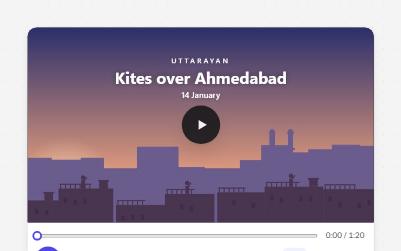
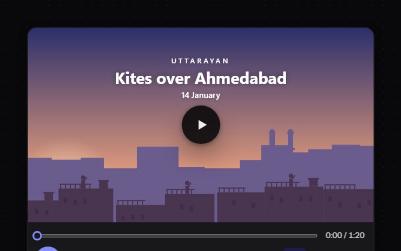
वीडियो प्लेयर
कस्टम वीडियो कंट्रोल जो सब कीबोर्ड से चलते हैं, कैप्शन, ट्रांसक्रिप्ट, गति और फ़ुल स्क्रीन के साथ, और बिना ऑटोप्ले।
-
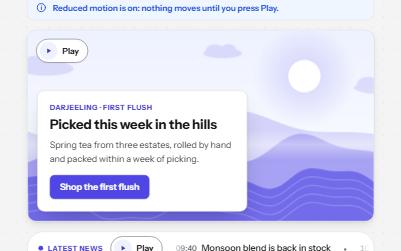
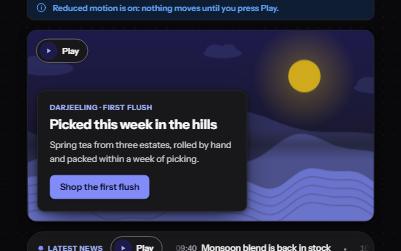
रोकने के बटन वाली चलती सामग्री
एक बैकग्राउंड लूप, एक न्यूज़ टिकर, एक एनिमेशन और एक आवाज़, हर एक का अपना रोकें या चलाएँ बटन, और कम मोशन में सब स्थिर।
-
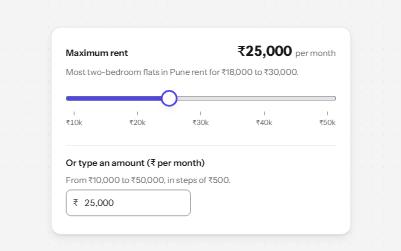
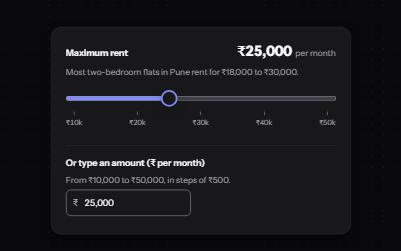
स्लाइडर
भरे हुए ट्रैक और बड़े थंब के साथ सजाया गया नेटिव रेंज इनपुट, जिसका मान इकाई के साथ बोला जाता है, और साथ-साथ चलता नंबर फ़ील्ड।
-
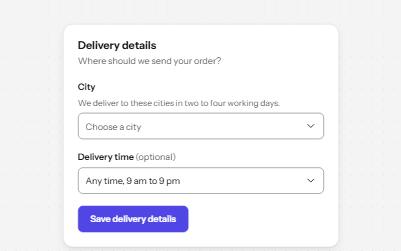
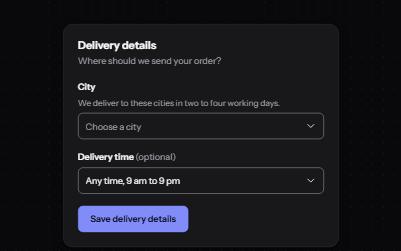
सिलेक्ट
लेबल, संकेत, क्षेत्र के समूह, प्लेसहोल्डर और ज़रूरी-फ़ील्ड त्रुटि वाला सजाया हुआ नेटिव select, जिसे ब्राउज़र बनाता है।