सुलभता पैटर्न · मीडिया
इमेज के विकल्प
alt टेक्स्ट उन लोगों के लिए तस्वीर की जगह लेता है जो उसे देख नहीं सकते, इसलिए यह तस्वीर के काम पर निर्भर है: उसका वर्णन करें, उसे छोड़ दें, उसकी मंज़िल का नाम दें या उसके शब्द दोहराएँ। यहाँ तस्वीरें इनलाइन एसवीजी हैं, इसलिए aria-label के साथ role="img" alt का काम करता है, और aria-hidden सजावट को चिह्नित करता है।
- डब्ल्यूसीएजी मानदंड
- 6
- कीबोर्ड नियम
- 4
- जाँच का तरीक़ा
- axe, कीबोर्ड और इंस्पेक्टर
लाइव डेमो
आज़माएँ
इसे माउस, कीबोर्ड या स्क्रीन रीडर से इस्तेमाल करें। साथ का इंस्पेक्टर दिखाता है कि आपके इस्तेमाल के दौरान ब्राउज़र सहायक तकनीक को क्या बताता है: फ़ोकस, स्थिति में बदलाव और घोषणाएँ।
एक तस्वीर, चार काम
हर इमेज को अलग तरह का विकल्प चाहिए। ग़लत वाला आज़माकर सुनें कि क्या बदलता है।
-
जानकारी देने वाली इमेज
दुकान में उत्पाद की फ़ोटो
ब्लू पॉटरी केतली
₹2,400
alt="White teapot hand-painted with cobalt-blue flowers"<img src="teapot-final-v2.jpg">स्क्रीन रीडर कहता है
कोबाल्ट-नीले फूलों से हाथ से रंगी सफ़ेद केतली, इमेज
teapot-final-v2.jpg, इमेज
सही। वह बताता है जो ख़रीदार को देखना है; नाम नीचे के टेक्स्ट में पहले से है।
ग़लत। alt बिल्कुल न होने पर कई स्क्रीन रीडर फ़ाइल का नाम पढ़कर सुनाते हैं।
-
सजावटी इमेज
दो अनुच्छेदों के बीच डिवाइडर
हमारी कहानी
हर पीस हमारी जयपुर कार्यशाला में हाथ से चाक पर गढ़ा, ग्लेज़ किया और रंगा जाता है।
हर खेप दो बार पकाई जाती है, ताकि कोबाल्ट चमकीला बना रहे।
alt=""alt="Image of a decorative divider"स्क्रीन रीडर कहता है
कुछ नहीं: डिवाइडर छोड़ दिया जाता है।
सजावटी डिवाइडर की इमेज, इमेज
सही। सिर्फ़ सजावट। एसवीजी पर aria-hidden, या img पर alt="", इसे रास्ते से हटाए रखता है।
ग़लत। अब सजावट कहानी को बीच में रोकती है, और "इमेज" दो बार कहा जाता है।
-
काम करने वाली इमेज
होम पेज से जुड़ा लोगो
alt="Neel Pottery home"alt=""स्क्रीन रीडर कहता है
नील पॉटरी का होम पेज, लिंक
लिंक
सही। लिंक वाली इमेज का नाम इस पर रखा जाता है कि वह कहाँ ले जाती है, न कि वह कैसी दिखती है।
ग़लत। लिंक का कोई नाम नहीं है, इसलिए लोग सिर्फ़ "लिंक" सुनते हैं, या उसकी जगह वेब पता।
-
टेक्स्ट वाली इमेज
सेल का बैनर
alt="Diwali sale: 30% off all lamps, until 2 November"alt="Sale banner"स्क्रीन रीडर कहता है
दिवाली सेल: सभी दीयों पर 30% छूट, 2 नवंबर तक, इमेज
सेल बैनर, इमेज
सही। तस्वीर के शब्द दोहराता है, क्योंकि वही उसका मक़सद हैं।
ग़लत। ऑफ़र और आख़िरी तारीख़, जिनके लिए बैनर है, खो जाते हैं।
मेरी इमेज को कौन-सा alt चाहिए?
ज़्यादा से ज़्यादा चार प्रश्नों के जवाब दें; सलाह उनके नीचे दिखेगी।
सलाह
इसे इसके काम से नाम दें
बताएँ कि लिंक कहाँ ले जाता है या बटन क्या करता है, यह नहीं कि तस्वीर कैसी दिखती है, जैसे ऊपर का लोगो जो होम पेज से जुड़ा है।
alt="Neel Pottery home"
सलाह
शब्दों को alt में रखें
इमेज का टेक्स्ट दोहराएँ, जैसे सेल बैनर का ऑफ़र और तारीख़। इससे भी बेहतर, इसे सीएसएस से सजा असली टेक्स्ट बनाएँ, ताकि उसका आकार बदला और अनुवाद किया जा सके।
alt="Diwali sale: 30% off all lamps, until 2 November"
सलाह
alt ख़ाली छोड़ें
शब्द पेज पर पहले से हैं, इसलिए उन्हें दो बार पढ़ने से कुछ नहीं जुड़ता। ख़ाली alt स्क्रीन रीडर से इमेज छोड़ने को कहता है।
alt=""
सलाह
alt ख़ाली छोड़ें
इमेज सजावट है, जैसे ऊपर का डिवाइडर। img पर alt="", या इनलाइन एसवीजी पर aria-hidden="true", इसे रास्ते से हटाए रखता है।
alt=""
सलाह
जो मायने रखता है, उसे एक वाक्य में बताएँ
बताएँ कि इमेज में यहाँ के लिए ज़रूरी क्या दिखता है, जैसे आप फ़ोन पर बताते। "इसकी इमेज" छोड़ दें: स्क्रीन रीडर पहले से बताते हैं कि यह इमेज है।
alt="White teapot hand-painted with cobalt-blue flowers"
सलाह
छोटा alt, फिर लंबा विवरण
alt में चार्ट और उसकी मुख्य बात बताएँ, फिर बगल में टेक्स्ट या तालिका के रूप में ब्योरा दें, जैसा जटिल इमेज पैटर्न करता है।
alt="Bar chart: most of Mumbai's rain falls from June to September"
जावास्क्रिप्ट के बिना डेमो उतना ही काम करता है जितना उसका एचटीएमएल; इंस्पेक्टर के लिए जावास्क्रिप्ट चाहिए।
कीबोर्ड
जिन कुंजियों पर यह काम करता है
हर क्रिया पॉइंटर के बिना काम करती है।
| कुंजी | यह क्या करती है |
|---|---|
| Tab | लोगो लिंक, हर "ग़लत alt आज़माएँ" बटन, और फिर निर्णय वृक्ष के प्रश्नों पर ले जाता है। |
| EnterयाSpace | "ग़लत alt आज़माएँ" पर, उस तस्वीर का alt ग़लत वाले से बदलता है और वापस लाता है, और दिखाता है कि स्क्रीन रीडर क्या कहता है। |
| Arrow DownयाArrow Up | किसी प्रश्न में हाँ या नहीं चुनता है; अगला प्रश्न या सलाह उसके नीचे दिखती है। |
| EnterयाSpace | "फिर से शुरू करें" पर, हर जवाब मिटाता है और फ़ोकस पहले प्रश्न पर लौटाता है। |
स्क्रीन रीडर
यह क्या घोषित करता है
मार्कअप की भूमिकाओं, नामों और स्थितियों से लिखा गया।
| कब | अपेक्षित घोषणा |
|---|---|
| पढ़ते हुए उत्पाद की फ़ोटो तक पहुँचना | कोबाल्ट-नीले फूलों से हाथ से रंगी सफ़ेद केतली, इमेज |
| पढ़ते हुए डिवाइडर तक पहुँचना | कुछ नहीं: इसे छोड़ दिया जाता है |
| फ़ोकस लोगो लिंक पर पहुँचता है | नील पॉटरी का होम पेज, लिंक |
| उत्पाद की फ़ोटो पर "ग़लत alt आज़माएँ" | ग़लत alt आज़माएँ, टॉगल बटन, दबा हुआ। स्क्रीन रीडर कहता है: teapot-final-v2.jpg, इमेज। ग़लत। alt बिल्कुल न होने पर कई स्क्रीन रीडर फ़ाइल का नाम पढ़कर सुनाते हैं। |
| ग़लत alt के साथ फ़ोकस लोगो लिंक पर पहुँचता है | लिंक |
| आख़िरी जवाब सलाह देता है | सलाह: जो मायने रखता है, उसे एक वाक्य में बताएँ। बताएँ कि इमेज में यहाँ के लिए ज़रूरी क्या दिखता है… |
ये अपेक्षित घोषणाएँ हैं, रिकॉर्डिंग नहीं। स्क्रीन रीडर और ब्राउज़र के हिसाब से शब्द और क्रम बदलते हैं।
कोड
कोड कॉपी करें
वही फ़ाइलें जिन पर यह डेमो चलता है। स्टाइल एक प्रीफ़िक्स के साथ परोसी जाती हैं जो इस साइट की अपनी स्टाइल को डेमो से दूर रखता है; आप जो कॉपी करते हैं वह मूल है।
<div class="ap-alt" data-ap-image-alt>
<div class="ap-alt__intro">
<h3 class="ap-alt__name">One picture, four jobs</h3>
<p class="ap-alt__lead">Each image needs a different kind of alternative. Try the wrong one to hear what changes.</p>
</div>
<ul class="ap-alt__cases">
<li class="ap-alt__case" data-alt-case>
<div class="ap-alt__case-top">
<h4 class="ap-alt__kind"><span class="ap-alt__num" aria-hidden="true">1</span>Informative image</h4>
<p class="ap-alt__ctx">A product photo in a shop</p>
</div>
<div class="ap-alt__scene">
<div class="ap-alt__product">
<svg class="ap-alt__pic" viewBox="0 0 320 190" preserveAspectRatio="xMidYMid slice" role="img" aria-label="White teapot hand-painted with cobalt-blue flowers" data-alt-img data-wrong-label="teapot-final-v2.jpg">
<defs>
<linearGradient id="ialt-wall" x1="0" y1="0" x2="0" y2="1"><stop offset="0" stop-color="#F5EBDD"/><stop offset="1" stop-color="#E8D4BD"/></linearGradient>
<linearGradient id="ialt-glaze" x1="0" y1="0" x2="1" y2="1"><stop offset="0" stop-color="#FFFFFF"/><stop offset="1" stop-color="#D8E1EC"/></linearGradient>
<g id="ialt-flower"><g fill="#1D4ED8"><ellipse cy="-6" rx="4.6" ry="6"/><ellipse cy="-6" rx="4.6" ry="6" transform="rotate(72)"/><ellipse cy="-6" rx="4.6" ry="6" transform="rotate(144)"/><ellipse cy="-6" rx="4.6" ry="6" transform="rotate(216)"/><ellipse cy="-6" rx="4.6" ry="6" transform="rotate(288)"/></g><circle r="3.4" fill="#F8FAFC"/><circle r="1.8" fill="#0E7490"/></g>
</defs>
<rect width="320" height="190" fill="url(#ialt-wall)"/>
<rect y="150" width="320" height="40" fill="#D6BE9F"/>
<ellipse cx="164" cy="160" rx="96" ry="9" fill="#4A3426" opacity=".2"/>
<g transform="translate(160 106) scale(1.18) translate(-160 -106)">
<path d="M106 92c-32-6-40 48-2 52" fill="none" stroke="#C3CEDB" stroke-width="13" stroke-linecap="round"/>
<path d="M106 92c-32-6-40 48-2 52" fill="none" stroke="#F8FAFC" stroke-width="8" stroke-linecap="round"/>
<path d="M206 114c18-2 30-18 40-42l9 4c-8 30-22 50-44 56z" fill="url(#ialt-glaze)" stroke="#C3CEDB" stroke-width="1.5"/>
<path d="M128 152h66l-7 8h-52z" fill="#C3CEDB"/>
<path d="M102 112c0-34 26-50 58-50s58 16 58 50c0 26-18 42-58 42s-58-16-58-42z" fill="url(#ialt-glaze)" stroke="#C3CEDB" stroke-width="1.5"/>
<path d="M107 98c34 11 72 11 106 0" fill="none" stroke="#1E40AF" stroke-width="3"/>
<path d="M112 138c30 9 66 9 96 0" fill="none" stroke="#1E40AF" stroke-width="2.5"/>
<path d="M146 118c-8-6-16-4-20 2 8 2 14 2 20-2zM176 112c8-6 16-4 20 2-8 2-14 2-20-2z" fill="#0F766E"/>
<use href="#ialt-flower" transform="translate(160 119)"/>
<use href="#ialt-flower" transform="translate(129 122) scale(1.05)"/>
<use href="#ialt-flower" transform="translate(191 121) scale(.9)"/>
<ellipse cx="160" cy="64" rx="34" ry="8" fill="#E2E8F0" stroke="#C3CEDB"/>
<path d="M137 62c5-11 41-11 46 0" fill="#F8FAFC"/>
<circle cx="160" cy="52" r="7" fill="#1E40AF"/>
<path d="M120 96c5-14 16-21 28-24" fill="none" stroke="#FFFFFF" stroke-width="5" stroke-linecap="round" opacity=".85"/>
</g>
</svg>
<div class="ap-alt__prodline">
<p class="ap-alt__prodname">Blue pottery teapot</p>
<p class="ap-alt__price">₹2,400</p>
</div>
</div>
</div>
<p class="ap-alt__code"><code data-alt-right>alt="White teapot hand-painted with cobalt-blue flowers"</code><code data-alt-wrong hidden><img src="teapot-final-v2.jpg"></code></p>
<div class="ap-alt__hear">
<p class="ap-alt__say-k"><svg class="ap-alt__say-icon" viewBox="0 0 24 24" aria-hidden="true" focusable="false"><path d="M11 5 6 9H3v6h3l5 4V5Z"/><path d="M15.5 8.5a5 5 0 0 1 0 7M18.5 5.5a9 9 0 0 1 0 13"/></svg><span>Screen reader says</span></p>
<p class="ap-alt__speech" data-alt-right>White teapot hand-painted with cobalt-blue flowers, image</p>
<p class="ap-alt__speech" data-alt-wrong hidden>teapot-final-v2.jpg, image</p>
<p class="ap-alt__why ap-alt__why--right" data-alt-right><svg class="ap-alt__mark" viewBox="0 0 24 24" aria-hidden="true" focusable="false"><path d="m5 12 5 5L20 7"/></svg><span><strong>Right.</strong> Says what a shopper needs to see; the name is already in the text below.</span></p>
<p class="ap-alt__why ap-alt__why--wrong" data-alt-wrong hidden><svg class="ap-alt__mark" viewBox="0 0 24 24" aria-hidden="true" focusable="false"><path d="M6 6l12 12M18 6 6 18"/></svg><span><strong>Wrong.</strong> With no alt at all, many screen readers read out the file name.</span></p>
</div>
<button type="button" class="ap-btn ap-alt__try" aria-pressed="false" data-alt-try>
<svg class="ap-btn__icon" viewBox="0 0 24 24" aria-hidden="true" focusable="false"><path d="M4 12a8 8 0 0 1 14-5.3L20 9"/><path d="M20 4v5h-5"/><path d="M20 12a8 8 0 0 1-14 5.3L4 15"/><path d="M4 20v-5h5"/></svg>
Try the wrong alt
</button>
</li>
<li class="ap-alt__case" data-alt-case>
<div class="ap-alt__case-top">
<h4 class="ap-alt__kind"><span class="ap-alt__num" aria-hidden="true">2</span>Decorative image</h4>
<p class="ap-alt__ctx">A divider between two paragraphs</p>
</div>
<div class="ap-alt__scene">
<div class="ap-alt__article">
<p class="ap-alt__kicker">Our story</p>
<p>Every piece is thrown, glazed and painted by hand in our Jaipur workshop.</p>
<svg class="ap-alt__flourish" viewBox="0 0 240 28" aria-hidden="true" focusable="false" data-alt-img data-wrong-label="Image of a decorative divider">
<path d="M6 14h74M160 14h74"/>
<path d="M80 14c10-13 26-13 28 0-2 9-13 9-15 2M160 14c-10-13-26-13-28 0 2 9 13 9 15 2"/>
<path class="ap-alt__flourish-fill" d="m120 4 9 10-9 10-9-10z"/>
<circle class="ap-alt__flourish-fill" cx="100" cy="23" r="1.8"/>
<circle class="ap-alt__flourish-fill" cx="140" cy="23" r="1.8"/>
</svg>
<p>Each batch is fired twice, so the cobalt stays bright.</p>
</div>
</div>
<p class="ap-alt__code"><code data-alt-right>alt=""</code><code data-alt-wrong hidden>alt="Image of a decorative divider"</code></p>
<div class="ap-alt__hear">
<p class="ap-alt__say-k"><svg class="ap-alt__say-icon" viewBox="0 0 24 24" aria-hidden="true" focusable="false"><path d="M11 5 6 9H3v6h3l5 4V5Z"/><path d="M15.5 8.5a5 5 0 0 1 0 7M18.5 5.5a9 9 0 0 1 0 13"/></svg><span>Screen reader says</span></p>
<p class="ap-alt__speech" data-alt-right>Nothing: the divider is skipped.</p>
<p class="ap-alt__speech" data-alt-wrong hidden>Image of a decorative divider, image</p>
<p class="ap-alt__why ap-alt__why--right" data-alt-right><svg class="ap-alt__mark" viewBox="0 0 24 24" aria-hidden="true" focusable="false"><path d="m5 12 5 5L20 7"/></svg><span><strong>Right.</strong> Pure decoration. aria-hidden on an SVG, or alt="" on an img, keeps it out of the way.</span></p>
<p class="ap-alt__why ap-alt__why--wrong" data-alt-wrong hidden><svg class="ap-alt__mark" viewBox="0 0 24 24" aria-hidden="true" focusable="false"><path d="M6 6l12 12M18 6 6 18"/></svg><span><strong>Wrong.</strong> Decoration now interrupts the story, and "image" is said twice.</span></p>
</div>
<button type="button" class="ap-btn ap-alt__try" aria-pressed="false" data-alt-try>
<svg class="ap-btn__icon" viewBox="0 0 24 24" aria-hidden="true" focusable="false"><path d="M4 12a8 8 0 0 1 14-5.3L20 9"/><path d="M20 4v5h-5"/><path d="M20 12a8 8 0 0 1-14 5.3L4 15"/><path d="M4 20v-5h5"/></svg>
Try the wrong alt
</button>
</li>
<li class="ap-alt__case" data-alt-case>
<div class="ap-alt__case-top">
<h4 class="ap-alt__kind"><span class="ap-alt__num" aria-hidden="true">3</span>Functional image</h4>
<p class="ap-alt__ctx">A logo that links to the home page</p>
</div>
<div class="ap-alt__scene">
<div class="ap-alt__site">
<div class="ap-alt__chrome" aria-hidden="true"><span></span><span></span><span></span></div>
<div class="ap-alt__header">
<a class="ap-alt__logo" href="#ialt-home">
<svg class="ap-alt__logo-art" viewBox="0 0 172 36" role="img" aria-label="Neel Pottery home" data-alt-img data-wrong-label="">
<path class="ap-alt__logo-pot" d="M6 13h24l-2.6 13.4A7 7 0 0 1 20.5 32h-5a7 7 0 0 1-6.9-5.6Z"/>
<path class="ap-alt__logo-rim" d="M4 9.5h28v4H4z"/>
<path class="ap-alt__logo-leaf" d="M18 4c4 0 6 2 6 5.5-4 0-6-2-6-5.5Z"/>
<text class="ap-alt__logo-word" x="42" y="24.5">Neel Pottery</text>
</svg>
</a>
<p class="ap-alt__deal">Free delivery over ₹999</p>
</div>
<div class="ap-alt__skel" aria-hidden="true"><span></span><span></span><span></span></div>
</div>
</div>
<p class="ap-alt__code"><code data-alt-right>alt="Neel Pottery home"</code><code data-alt-wrong hidden>alt=""</code></p>
<div class="ap-alt__hear">
<p class="ap-alt__say-k"><svg class="ap-alt__say-icon" viewBox="0 0 24 24" aria-hidden="true" focusable="false"><path d="M11 5 6 9H3v6h3l5 4V5Z"/><path d="M15.5 8.5a5 5 0 0 1 0 7M18.5 5.5a9 9 0 0 1 0 13"/></svg><span>Screen reader says</span></p>
<p class="ap-alt__speech" data-alt-right>Neel Pottery home, link</p>
<p class="ap-alt__speech" data-alt-wrong hidden>Link</p>
<p class="ap-alt__why ap-alt__why--right" data-alt-right><svg class="ap-alt__mark" viewBox="0 0 24 24" aria-hidden="true" focusable="false"><path d="m5 12 5 5L20 7"/></svg><span><strong>Right.</strong> A linked image is named for where it goes, not for how it looks.</span></p>
<p class="ap-alt__why ap-alt__why--wrong" data-alt-wrong hidden><svg class="ap-alt__mark" viewBox="0 0 24 24" aria-hidden="true" focusable="false"><path d="M6 6l12 12M18 6 6 18"/></svg><span><strong>Wrong.</strong> The link has no name, so people hear only "link", or the web address instead.</span></p>
</div>
<button type="button" class="ap-btn ap-alt__try" aria-pressed="false" data-alt-try>
<svg class="ap-btn__icon" viewBox="0 0 24 24" aria-hidden="true" focusable="false"><path d="M4 12a8 8 0 0 1 14-5.3L20 9"/><path d="M20 4v5h-5"/><path d="M20 12a8 8 0 0 1-14 5.3L4 15"/><path d="M4 20v-5h5"/></svg>
Try the wrong alt
</button>
</li>
<li class="ap-alt__case" data-alt-case>
<div class="ap-alt__case-top">
<h4 class="ap-alt__kind"><span class="ap-alt__num" aria-hidden="true">4</span>Image of text</h4>
<p class="ap-alt__ctx">A sale banner</p>
</div>
<div class="ap-alt__scene">
<div class="ap-alt__banner">
<svg class="ap-alt__pic" viewBox="0 0 320 190" role="img" aria-label="Diwali sale: 30% off all lamps, until 2 November" data-alt-img data-wrong-label="Sale banner">
<defs>
<linearGradient id="ialt-night" x1="0" y1="0" x2="1" y2="1"><stop offset="0" stop-color="#2E2A78"/><stop offset="1" stop-color="#6D28D9"/></linearGradient>
<radialGradient id="ialt-glow"><stop offset="0" stop-color="#FDE68A" stop-opacity=".85"/><stop offset="1" stop-color="#FDE68A" stop-opacity="0"/></radialGradient>
</defs>
<rect width="320" height="190" fill="url(#ialt-night)"/>
<g fill="#E0E7FF" opacity=".7"><circle cx="196" cy="26" r="1.6"/><circle cx="292" cy="40" r="1.2"/><circle cx="226" cy="58" r="1"/><circle cx="300" cy="150" r="1.4"/><circle cx="182" cy="164" r="1"/></g>
<circle cx="254" cy="104" r="62" fill="url(#ialt-glow)"/>
<path d="M219 126c4 24 66 24 70 0z" fill="#C2410C"/>
<ellipse cx="254" cy="126" rx="35" ry="6.5" fill="#EA580C"/>
<g fill="#FDBA74"><circle cx="238" cy="138" r="2"/><circle cx="254" cy="141" r="2"/><circle cx="270" cy="138" r="2"/></g>
<path d="M254 80c11 15 13 28 0 41-13-13-11-26 0-41z" fill="#FBBF24"/>
<path d="M254 97c5 8 6 15 0 21-6-6-5-13 0-21z" fill="#FEF3C7"/>
<g class="ap-alt__banner-type">
<text x="24" y="50" font-size="13" font-weight="700" letter-spacing="3" fill="#FDE68A">DIWALI SALE</text>
<text x="21" y="102" font-size="48" font-weight="800" fill="#FFFFFF">30% off</text>
<text x="24" y="130" font-size="18" font-weight="600" fill="#E0E7FF">all lamps</text>
<text x="24" y="162" font-size="12.5" fill="#C7D2FE">Until 2 November</text>
</g>
</svg>
</div>
</div>
<p class="ap-alt__code"><code data-alt-right>alt="Diwali sale: 30% off all lamps, until 2 November"</code><code data-alt-wrong hidden>alt="Sale banner"</code></p>
<div class="ap-alt__hear">
<p class="ap-alt__say-k"><svg class="ap-alt__say-icon" viewBox="0 0 24 24" aria-hidden="true" focusable="false"><path d="M11 5 6 9H3v6h3l5 4V5Z"/><path d="M15.5 8.5a5 5 0 0 1 0 7M18.5 5.5a9 9 0 0 1 0 13"/></svg><span>Screen reader says</span></p>
<p class="ap-alt__speech" data-alt-right>Diwali sale: 30% off all lamps, until 2 November, image</p>
<p class="ap-alt__speech" data-alt-wrong hidden>Sale banner, image</p>
<p class="ap-alt__why ap-alt__why--right" data-alt-right><svg class="ap-alt__mark" viewBox="0 0 24 24" aria-hidden="true" focusable="false"><path d="m5 12 5 5L20 7"/></svg><span><strong>Right.</strong> Repeats the words in the picture, because they are the point of it.</span></p>
<p class="ap-alt__why ap-alt__why--wrong" data-alt-wrong hidden><svg class="ap-alt__mark" viewBox="0 0 24 24" aria-hidden="true" focusable="false"><path d="M6 6l12 12M18 6 6 18"/></svg><span><strong>Wrong.</strong> The offer and the closing date, the reasons the banner is there, are lost.</span></p>
</div>
<button type="button" class="ap-btn ap-alt__try" aria-pressed="false" data-alt-try>
<svg class="ap-btn__icon" viewBox="0 0 24 24" aria-hidden="true" focusable="false"><path d="M4 12a8 8 0 0 1 14-5.3L20 9"/><path d="M20 4v5h-5"/><path d="M20 12a8 8 0 0 1-14 5.3L4 15"/><path d="M4 20v-5h5"/></svg>
Try the wrong alt
</button>
</li>
</ul>
<section class="ap-alt__tree" aria-labelledby="ialt-tree-name" data-alt-tree>
<div class="ap-alt__tree-top">
<svg class="ap-alt__tree-icon" viewBox="0 0 24 24" aria-hidden="true" focusable="false"><circle cx="6" cy="5" r="2.5"/><circle cx="6" cy="19" r="2.5"/><circle cx="18" cy="12" r="2.5"/><path d="M6 7.5v9M8.3 6.2C13 7 15.5 8.5 16 10M8.3 17.8c4.7-.8 7.2-2.3 7.7-3.8"/></svg>
<div>
<h3 class="ap-alt__name" id="ialt-tree-name">Which alt does my image need?</h3>
<p class="ap-alt__lead">Answer up to four questions; the advice appears below them.</p>
</div>
</div>
<ol class="ap-alt__qs">
<li class="ap-alt__q" data-q="link">
<fieldset class="ap-alt__set">
<legend class="ap-alt__legend">Is the image the only thing inside a link or a button?</legend>
<div class="ap-alt__yn">
<label class="ap-alt__opt"><input type="radio" name="ialt-q-link" value="yes" /><span>Yes</span></label>
<label class="ap-alt__opt"><input type="radio" name="ialt-q-link" value="no" /><span>No</span></label>
</div>
</fieldset>
</li>
<li class="ap-alt__q" data-q="text" hidden>
<fieldset class="ap-alt__set">
<legend class="ap-alt__legend">Does the image show words that people need to read?</legend>
<div class="ap-alt__yn">
<label class="ap-alt__opt"><input type="radio" name="ialt-q-text" value="yes" /><span>Yes</span></label>
<label class="ap-alt__opt"><input type="radio" name="ialt-q-text" value="no" /><span>No</span></label>
</div>
</fieldset>
</li>
<li class="ap-alt__q" data-q="near" hidden>
<fieldset class="ap-alt__set">
<legend class="ap-alt__legend">Are the same words already on the page as real text?</legend>
<div class="ap-alt__yn">
<label class="ap-alt__opt"><input type="radio" name="ialt-q-near" value="yes" /><span>Yes</span></label>
<label class="ap-alt__opt"><input type="radio" name="ialt-q-near" value="no" /><span>No</span></label>
</div>
</fieldset>
</li>
<li class="ap-alt__q" data-q="meaning" hidden>
<fieldset class="ap-alt__set">
<legend class="ap-alt__legend">Does the image tell people something the text around it does not?</legend>
<div class="ap-alt__yn">
<label class="ap-alt__opt"><input type="radio" name="ialt-q-meaning" value="yes" /><span>Yes</span></label>
<label class="ap-alt__opt"><input type="radio" name="ialt-q-meaning" value="no" /><span>No</span></label>
</div>
</fieldset>
</li>
<li class="ap-alt__q" data-q="complex" hidden>
<fieldset class="ap-alt__set">
<legend class="ap-alt__legend">Is it a chart, diagram or map that needs more than a sentence?</legend>
<div class="ap-alt__yn">
<label class="ap-alt__opt"><input type="radio" name="ialt-q-complex" value="yes" /><span>Yes</span></label>
<label class="ap-alt__opt"><input type="radio" name="ialt-q-complex" value="no" /><span>No</span></label>
</div>
</fieldset>
</li>
</ol>
<div class="ap-alt__verdict">
<div class="ap-alt__answer" data-verdict="function" hidden>
<p class="ap-alt__answer-k">Advice</p>
<h4 class="ap-alt__answer-name">Name it for what it does</h4>
<p class="ap-alt__answer-text">Describe where the link goes or what the button does, not how the picture looks, like the logo above that links home.</p>
<p class="ap-alt__answer-code"><code>alt="Neel Pottery home"</code></p>
</div>
<div class="ap-alt__answer" data-verdict="words" hidden>
<p class="ap-alt__answer-k">Advice</p>
<h4 class="ap-alt__answer-name">Put the words in the alt</h4>
<p class="ap-alt__answer-text">Repeat the text in the image, like the sale banner's offer and date. Better still, make it real text styled with CSS, so it can be resized and translated.</p>
<p class="ap-alt__answer-code"><code>alt="Diwali sale: 30% off all lamps, until 2 November"</code></p>
</div>
<div class="ap-alt__answer" data-verdict="redundant" hidden>
<p class="ap-alt__answer-k">Advice</p>
<h4 class="ap-alt__answer-name">Leave the alt empty</h4>
<p class="ap-alt__answer-text">The words are already on the page, so reading them twice adds nothing. An empty alt tells screen readers to skip the image.</p>
<p class="ap-alt__answer-code"><code>alt=""</code></p>
</div>
<div class="ap-alt__answer" data-verdict="decorative" hidden>
<p class="ap-alt__answer-k">Advice</p>
<h4 class="ap-alt__answer-name">Leave the alt empty</h4>
<p class="ap-alt__answer-text">The image is decoration, like the divider above. alt="" on an img, or aria-hidden="true" on an inline SVG, keeps it out of the way.</p>
<p class="ap-alt__answer-code"><code>alt=""</code></p>
</div>
<div class="ap-alt__answer" data-verdict="describe" hidden>
<p class="ap-alt__answer-k">Advice</p>
<h4 class="ap-alt__answer-name">Describe what matters, in a sentence</h4>
<p class="ap-alt__answer-text">Say what the image shows that matters here, the way you would on the phone. Leave out "image of": screen readers already say it is an image.</p>
<p class="ap-alt__answer-code"><code>alt="White teapot hand-painted with cobalt-blue flowers"</code></p>
</div>
<div class="ap-alt__answer" data-verdict="complex" hidden>
<p class="ap-alt__answer-k">Advice</p>
<h4 class="ap-alt__answer-name">A short alt, then a long description</h4>
<p class="ap-alt__answer-text">Name the chart and its main point in the alt, then give the detail as text or a table beside it, as the Complex image pattern does.</p>
<p class="ap-alt__answer-code"><code>alt="Bar chart: most of Mumbai's rain falls from June to September"</code></p>
</div>
</div>
<button type="button" class="ap-btn ap-btn--ghost ap-alt__restart" data-alt-restart hidden>
<svg class="ap-btn__icon" viewBox="0 0 24 24" aria-hidden="true" focusable="false"><path d="M4 12a8 8 0 1 0 2.4-5.7"/><path d="M4 4v4.5h4.5"/></svg>
Start again
</button>
</section>
<p class="ap-alt__sr" role="status" data-alt-status></p>
</div>
/* Shared primitives: buttons and form fields used across the patterns.
   Uses the --ap-* design tokens. */

.ap-btn {
  display: inline-flex;
  align-items: center;
  justify-content: center;
  gap: 8px;
  min-height: 40px;
  padding: 0 16px;
  border: 1px solid var(--ap-border-strong);
  border-radius: var(--ap-radius-sm);
  background: var(--ap-surface);
  color: var(--ap-text);
  font: inherit;
  font-weight: 600;
  line-height: 1.2;
  text-decoration: none;
  white-space: nowrap;
  cursor: pointer;
  transition: background-color var(--ap-duration) var(--ap-ease), border-color var(--ap-duration) var(--ap-ease), box-shadow var(--ap-duration) var(--ap-ease);
}
.ap-btn:hover {
  background: var(--ap-surface-2);
}
.ap-btn:focus-visible {
  outline: 2px solid var(--ap-focus);
  outline-offset: 2px;
}
.ap-btn:disabled,
.ap-btn[aria-disabled="true"] {
  opacity: .55;
  cursor: not-allowed;
}
.ap-btn--primary {
  border-color: var(--ap-accent);
  background: var(--ap-accent);
  color: var(--ap-on-accent);
  box-shadow: var(--ap-shadow-sm);
}
.ap-btn--primary:hover {
  border-color: var(--ap-accent-hover);
  background: var(--ap-accent-hover);
}
.ap-btn--danger {
  border-color: var(--ap-danger);
  background: var(--ap-danger);
  color: var(--ap-surface);
}
.ap-btn--danger:hover {
  filter: brightness(1.08);
}
.ap-btn--ghost {
  border-color: transparent;
  background: transparent;
}
.ap-btn--ghost:hover {
  background: var(--ap-surface-2);
}
.ap-btn__icon {
  width: 18px;
  height: 18px;
  flex-shrink: 0;
  fill: none;
  stroke: currentColor;
  stroke-width: 2;
  stroke-linecap: round;
  stroke-linejoin: round;
}

.ap-field {
  display: grid;
  gap: 6px;
}
.ap-label {
  color: var(--ap-text);
  font-weight: 600;
  font-size: .9375rem;
}
.ap-hint {
  margin: 0;
  color: var(--ap-text-3);
  font-size: .875rem;
  line-height: 1.45;
}
.ap-error {
  display: flex;
  align-items: flex-start;
  gap: 6px;
  margin: 0;
  color: var(--ap-danger);
  font-size: .875rem;
  font-weight: 600;
  line-height: 1.45;
}
.ap-input {
  width: 100%;
  min-height: 44px;
  padding: 10px 12px;
  border: 1px solid var(--ap-border-strong);
  border-radius: var(--ap-radius-sm);
  background: var(--ap-surface);
  color: var(--ap-text);
  font: inherit;
  line-height: 1.4;
  transition: border-color var(--ap-duration) var(--ap-ease), box-shadow var(--ap-duration) var(--ap-ease);
}
.ap-input::placeholder {
  color: var(--ap-text-3);
}
.ap-input:hover {
  border-color: var(--ap-text-2);
}
.ap-input:focus-visible {
  outline: 2px solid var(--ap-focus);
  outline-offset: 1px;
  border-color: var(--ap-focus);
}
.ap-input[aria-invalid="true"] {
  border-color: var(--ap-danger);
  box-shadow: inset 4px 0 0 var(--ap-danger);
}
textarea.ap-input {
  resize: vertical;
  min-height: 88px;
}

@media (prefers-reduced-motion: reduce) {
  .ap-btn,
  .ap-input { transition: none; }
}

/* Image alternatives. Uses the --ap-* design tokens and the shared primitives. */
.ap-alt {
  position: relative;
  container-type: inline-size;
  display: grid;
  gap: 22px;
  width: min(100%, 760px);
  margin-inline: auto;
  color: var(--ap-text);
  font-family: var(--ap-font);
}

.ap-alt__intro {
  display: grid;
  gap: 4px;
}
.ap-alt__name {
  margin: 0;
  font-size: 1.1875rem;
  font-weight: 650;
  line-height: 1.3;
}
.ap-alt__lead {
  margin: 0;
  color: var(--ap-text-3);
  font-size: .9375rem;
  line-height: 1.5;
}

/* ── The four examples ── */
.ap-alt__cases {
  display: grid;
  grid-template-columns: minmax(0, 1fr);
  gap: 16px;
  margin: 0;
  padding: 0;
  list-style: none;
}
@container (min-width: 540px) {
  .ap-alt__cases { grid-template-columns: repeat(2, minmax(0, 1fr)); }
}

.ap-alt__case {
  display: grid;
  grid-template-rows: auto auto auto 1fr auto;
  gap: 12px;
  padding: 16px;
  border: 1px solid var(--ap-border);
  border-radius: var(--ap-radius-lg);
  background: var(--ap-surface);
  box-shadow: var(--ap-shadow-md);
  transition: border-color var(--ap-duration) var(--ap-ease);
}
.ap-alt__case.is-wrong {
  border-color: var(--ap-danger);
}

.ap-alt__case-top {
  display: grid;
  gap: 2px;
}
.ap-alt__kind {
  display: inline-flex;
  align-items: center;
  gap: 8px;
  margin: 0;
  font-size: 1rem;
  font-weight: 650;
  line-height: 1.3;
}
.ap-alt__num {
  display: inline-grid;
  place-items: center;
  width: 24px;
  height: 24px;
  border-radius: var(--ap-radius-full);
  background: var(--ap-accent-soft);
  color: var(--ap-accent-soft-text);
  font-size: .8125rem;
  font-weight: 700;
}
.ap-alt__ctx {
  margin: 0 0 0 32px;
  color: var(--ap-text-3);
  font-size: .8125rem;
}

/* The pictures in their settings */
.ap-alt__scene {
  display: grid;
  min-height: 186px;
  border-radius: var(--ap-radius);
  overflow: hidden;
}
.ap-alt__pic {
  display: block;
  width: 100%;
  height: auto;
}
.ap-alt__pic text {
  font-family: var(--ap-font);
}

.ap-alt__product {
  display: grid;
  border: 1px solid var(--ap-border);
  border-radius: var(--ap-radius);
  background: var(--ap-surface);
  overflow: hidden;
}
.ap-alt__product .ap-alt__pic {
  aspect-ratio: 320 / 150;
  object-fit: cover;
}
.ap-alt__prodline {
  display: flex;
  align-items: baseline;
  justify-content: space-between;
  gap: 12px;
  padding: 10px 12px;
}
.ap-alt__prodname,
.ap-alt__price {
  margin: 0;
  font-size: .9375rem;
  font-weight: 600;
}
.ap-alt__price {
  font-variant-numeric: tabular-nums;
}

.ap-alt__article {
  display: grid;
  align-content: center;
  gap: 8px;
  padding: 16px 18px;
  border: 1px solid var(--ap-border);
  border-radius: var(--ap-radius);
  background: var(--ap-surface-2);
}
.ap-alt__article p {
  margin: 0;
  color: var(--ap-text-2);
  font-size: .875rem;
  line-height: 1.55;
}
.ap-alt__article .ap-alt__kicker {
  color: var(--ap-text-3);
  font-size: .75rem;
  font-weight: 700;
  letter-spacing: .08em;
  text-transform: uppercase;
}
.ap-alt__flourish {
  display: block;
  width: min(100%, 200px);
  height: auto;
  margin: 2px auto;
  color: var(--ap-warning);
  fill: none;
  stroke: currentColor;
  stroke-width: 1.6;
  stroke-linecap: round;
}
.ap-alt__flourish .ap-alt__flourish-fill {
  fill: currentColor;
  stroke: none;
}

.ap-alt__site {
  display: grid;
  align-content: start;
  border: 1px solid var(--ap-border);
  border-radius: var(--ap-radius);
  background: var(--ap-surface-2);
  overflow: hidden;
}
.ap-alt__chrome {
  display: flex;
  gap: 6px;
  padding: 9px 12px;
  border-bottom: 1px solid var(--ap-border);
  background: var(--ap-surface-3);
}
.ap-alt__chrome span {
  width: 9px;
  height: 9px;
  border-radius: var(--ap-radius-full);
  background: var(--ap-surface);
}
.ap-alt__header {
  display: flex;
  flex-wrap: wrap;
  align-items: center;
  justify-content: space-between;
  gap: 8px 12px;
  padding: 12px 14px;
  border-bottom: 1px solid var(--ap-border);
  background: var(--ap-surface);
}
.ap-alt__logo {
  display: inline-flex;
  align-items: center;
  min-height: var(--ap-target);
  padding: 4px 6px;
  margin: -4px -6px;
  border-radius: var(--ap-radius-sm);
  color: var(--ap-text);
}
.ap-alt__logo:hover {
  background: var(--ap-surface-2);
}
.ap-alt__logo:focus-visible {
  outline: 2px solid var(--ap-focus);
  outline-offset: 2px;
}
.ap-alt__logo-art {
  display: block;
  width: 150px;
  height: auto;
}
.ap-alt__logo-pot { fill: var(--ap-accent); }
.ap-alt__logo-rim { fill: var(--ap-accent-hover); }
.ap-alt__logo-leaf { fill: var(--ap-success); }
.ap-alt__logo-word {
  fill: currentColor;
  font-family: var(--ap-font);
  font-size: 17px;
  font-weight: 700;
  letter-spacing: -.01em;
}
.ap-alt__deal {
  margin: 0;
  color: var(--ap-text-3);
  font-size: .8125rem;
}
.ap-alt__skel {
  display: grid;
  gap: 8px;
  padding: 14px;
}
.ap-alt__skel span {
  height: 9px;
  border-radius: var(--ap-radius-full);
  background: var(--ap-surface-3);
}
.ap-alt__skel span:nth-child(1) { width: 70%; height: 13px; }
.ap-alt__skel span:nth-child(3) { width: 55%; }

.ap-alt__banner {
  display: grid;
  border-radius: var(--ap-radius);
  overflow: hidden;
}
.ap-alt__banner .ap-alt__pic {
  height: 100%;
  min-height: 186px;
}

/* The alt, as code */
.ap-alt__code {
  margin: 0;
  padding: 8px 10px;
  border: 1px solid var(--ap-border);
  border-radius: var(--ap-radius-sm);
  background: var(--ap-surface-2);
  color: var(--ap-text-2);
  font-size: .8125rem;
  line-height: 1.45;
  overflow-wrap: anywhere;
}
.ap-alt__code code {
  font-family: var(--ap-mono);
}
.ap-alt__case.is-wrong .ap-alt__code {
  border-color: var(--ap-danger);
  background: var(--ap-danger-soft);
  color: var(--ap-danger);
}

/* What a screen reader says */
.ap-alt__hear {
  display: grid;
  align-content: start;
  gap: 6px;
}
.ap-alt__hear p {
  margin: 0;
}
.ap-alt__say-k {
  display: flex;
  align-items: center;
  gap: 6px;
  color: var(--ap-text-3);
  font-size: .75rem;
  font-weight: 700;
  letter-spacing: .06em;
  text-transform: uppercase;
}
.ap-alt__say-icon {
  width: 16px;
  height: 16px;
  fill: none;
  stroke: currentColor;
  stroke-width: 2;
  stroke-linecap: round;
  stroke-linejoin: round;
}
.ap-alt__speech {
  color: var(--ap-text);
  font-size: 1rem;
  font-weight: 600;
  line-height: 1.4;
}
.ap-alt__speech::before { content: "\201C"; }
.ap-alt__speech::after { content: "\201D"; }
.ap-alt__why {
  display: flex;
  align-items: flex-start;
  gap: 8px;
  color: var(--ap-text-2);
  font-size: .875rem;
  line-height: 1.5;
}
.ap-alt__mark {
  flex-shrink: 0;
  width: 18px;
  height: 18px;
  margin-top: 1px;
  padding: 2px;
  border-radius: var(--ap-radius-full);
  fill: none;
  stroke: currentColor;
  stroke-width: 3;
  stroke-linecap: round;
  stroke-linejoin: round;
}
.ap-alt__why--right .ap-alt__mark {
  background: var(--ap-success-soft);
  color: var(--ap-success);
}
.ap-alt__why--wrong .ap-alt__mark {
  background: var(--ap-danger-soft);
  color: var(--ap-danger);
}
.ap-alt__why--right strong { color: var(--ap-success); }
.ap-alt__why--wrong strong { color: var(--ap-danger); }

.ap-alt__try {
  justify-self: start;
}
.ap-alt__try[aria-pressed="true"] {
  border-color: var(--ap-danger);
  background: var(--ap-danger-soft);
  color: var(--ap-danger);
}
.ap-alt__try[aria-pressed="true"] .ap-btn__icon {
  transform: rotate(180deg);
}
.ap-alt__try .ap-btn__icon {
  transition: transform var(--ap-duration) var(--ap-ease);
}

/* ── The decision tree ── */
.ap-alt__tree {
  display: grid;
  gap: 16px;
  padding: 20px;
  border: 1px solid var(--ap-border);
  border-radius: var(--ap-radius-lg);
  background: var(--ap-surface);
  box-shadow: var(--ap-shadow-md);
}
.ap-alt__tree-top {
  display: flex;
  align-items: flex-start;
  gap: 12px;
}
.ap-alt__tree-icon {
  flex-shrink: 0;
  width: 40px;
  height: 40px;
  padding: 8px;
  border-radius: var(--ap-radius);
  background: var(--ap-accent-soft);
  color: var(--ap-accent-soft-text);
  fill: none;
  stroke: currentColor;
  stroke-width: 2;
  stroke-linecap: round;
}

.ap-alt__qs {
  display: grid;
  gap: 10px;
  margin: 0;
  padding: 0;
  list-style: none;
  counter-reset: ap-alt-q;
}
.ap-alt__q {
  counter-increment: ap-alt-q;
}
.ap-alt__q:not([hidden]) {
  animation: ap-alt-in var(--ap-duration) var(--ap-ease);
}
.ap-alt__set {
  display: flex;
  flex-wrap: wrap;
  align-items: center;
  justify-content: space-between;
  gap: 10px 16px;
  min-width: 0;
  margin: 0;
  padding: 12px 14px 12px 12px;
  border: 1px solid var(--ap-border);
  border-radius: var(--ap-radius);
  background: var(--ap-surface-2);
}
.ap-alt__legend {
  float: left;
  display: flex;
  align-items: flex-start;
  gap: 10px;
  flex: 1 1 260px;
  padding: 0;
  font-size: .9375rem;
  font-weight: 600;
  line-height: 1.45;
}
.ap-alt__legend::before {
  content: counter(ap-alt-q);
  display: inline-grid;
  flex-shrink: 0;
  place-items: center;
  width: 24px;
  height: 24px;
  border-radius: var(--ap-radius-full);
  background: var(--ap-surface);
  box-shadow: inset 0 0 0 1px var(--ap-border-strong);
  color: var(--ap-text-2);
  font-size: .8125rem;
  font-weight: 700;
}
.ap-alt__yn {
  display: flex;
  gap: 8px;
}
.ap-alt__opt {
  display: inline-flex;
  align-items: center;
  gap: 8px;
  min-height: 40px;
  padding: 0 14px 0 10px;
  border: 1px solid var(--ap-border-strong);
  border-radius: var(--ap-radius-full);
  background: var(--ap-surface);
  font-weight: 600;
  cursor: pointer;
  transition: background-color var(--ap-duration) var(--ap-ease), border-color var(--ap-duration) var(--ap-ease);
}
.ap-alt__opt:hover {
  background: var(--ap-surface-3);
}
.ap-alt__opt input {
  display: grid;
  place-items: center;
  width: 18px;
  height: 18px;
  margin: 0;
  border: 2px solid var(--ap-border-strong);
  border-radius: var(--ap-radius-full);
  background: var(--ap-surface);
  appearance: none;
  cursor: pointer;
}
.ap-alt__opt input::after {
  content: "";
  width: 8px;
  height: 8px;
  border-radius: var(--ap-radius-full);
  background: var(--ap-on-accent);
  transform: scale(0);
  transition: transform var(--ap-duration) var(--ap-ease);
}
.ap-alt__opt input:checked {
  border-color: var(--ap-accent);
  background: var(--ap-accent);
}
.ap-alt__opt input:checked::after {
  transform: scale(1);
}
.ap-alt__opt:has(input:checked) {
  border-color: var(--ap-accent);
  background: var(--ap-accent-soft);
  color: var(--ap-accent-soft-text);
}
.ap-alt__opt input:focus-visible {
  outline: none;
}
.ap-alt__opt:has(input:focus-visible) {
  outline: 2px solid var(--ap-focus);
  outline-offset: 2px;
}

.ap-alt__verdict:empty,
.ap-alt__verdict:not(:has(> :not([hidden]))) {
  display: none;
}
.ap-alt__answer {
  display: grid;
  gap: 6px;
  padding: 16px 18px;
  border: 1px solid var(--ap-accent);
  border-left-width: 4px;
  border-radius: var(--ap-radius);
  background: var(--ap-accent-soft);
  color: var(--ap-accent-soft-text);
}
.ap-alt__answer:not([hidden]) {
  animation: ap-alt-in var(--ap-duration) var(--ap-ease);
}
.ap-alt__answer p {
  margin: 0;
}
.ap-alt__answer-k {
  font-size: .75rem;
  font-weight: 700;
  letter-spacing: .08em;
  text-transform: uppercase;
}
.ap-alt__answer-name {
  margin: 0;
  color: var(--ap-text);
  font-size: 1.0625rem;
  font-weight: 650;
  line-height: 1.35;
}
.ap-alt__answer-text {
  color: var(--ap-text-2);
  line-height: 1.55;
}
.ap-alt__answer-code {
  justify-self: start;
  padding: 6px 10px;
  border-radius: var(--ap-radius-sm);
  background: var(--ap-surface);
  color: var(--ap-text);
  font-size: .8125rem;
  overflow-wrap: anywhere;
}
.ap-alt__answer-code code {
  font-family: var(--ap-mono);
}
.ap-alt__restart {
  justify-self: start;
}

/* Read out, not shown: it repeats what the cards already show. */
.ap-alt__sr {
  position: absolute;
  width: 1px;
  height: 1px;
  margin: -1px;
  padding: 0;
  overflow: hidden;
  clip-path: inset(50%);
  white-space: nowrap;
}

@keyframes ap-alt-in {
  from { opacity: 0; transform: translateY(-4px); }
}

@media (prefers-reduced-motion: reduce) {
  .ap-alt__case,
  .ap-alt__opt,
  .ap-alt__opt input::after,
  .ap-alt__try .ap-btn__icon { transition: none; }
  .ap-alt__q:not([hidden]),
  .ap-alt__answer:not([hidden]) { animation: none; }
}
/**
 * Image alternatives: four pictures with the alternative each one needs, a
 * toggle per picture that swaps in the wrong alternative, and an alt
 * decision tree.
 *
 * Markup: [data-ap-image-alt] holding
 *   [data-alt-case] cards, each with a picture [data-alt-img] (role="img" and
 *   aria-label, or aria-hidden for decoration) whose wrong label is in
 *   data-wrong-label (empty for an empty alt), paired [data-alt-right] /
 *   [data-alt-wrong] texts, and a button[aria-pressed][data-alt-try];
 *   a [data-alt-tree] with one fieldset of Yes/No radios per question
 *   (li[data-q], radios named ialt-q-<question>), advice blocks
 *   [data-verdict] and button[data-alt-restart];
 *   and a role=status paragraph [data-alt-status] that reads out each change.
 */

/* Where each answer leads: another question, or advice ("=name"). */
const FLOW = {
  link: { yes: "=function", no: "text" },
  text: { yes: "near", no: "meaning" },
  near: { yes: "=redundant", no: "=words" },
  meaning: { yes: "complex", no: "=decorative" },
  complex: { yes: "=complex", no: "=describe" },
};

const text = (el) => (el ? el.textContent.replace(/\s+/g, " ").trim() : "");

export function init(root) {
  const status = root.querySelector("[data-alt-status]");
  const cleanups = [];

  // The status message is built from text already on the page, so it reads
  // in whatever language the page is in.
  function say(message) {
    status.textContent = message;
  }

  /* ── The examples: swap the right alternative for the wrong one ── */
  for (const card of root.querySelectorAll("[data-alt-case]")) {
    const button = card.querySelector("[data-alt-try]");
    const img = card.querySelector("[data-alt-img]");
    // What the picture says when it is right, to put back afterwards.
    const right = {
      role: img.getAttribute("role"),
      label: img.getAttribute("aria-label"),
      hidden: img.getAttribute("aria-hidden"),
    };
    // An empty alt makes a picture presentational; for an SVG that is aria-hidden.
    const wrongLabel = img.dataset.wrongLabel;
    const wrong = wrongLabel
      ? { role: "img", label: wrongLabel, hidden: null }
      : { role: null, label: null, hidden: "true" };

    const set = (name, value) => (value == null ? img.removeAttribute(name) : img.setAttribute(name, value));

    function toggle() {
      const isWrong = button.getAttribute("aria-pressed") !== "true";
      const state = isWrong ? wrong : right;
      set("role", state.role);
      set("aria-hidden", state.hidden);
      set("aria-label", state.label);
      card.classList.toggle("is-wrong", isWrong);
      for (const el of card.querySelectorAll("[data-alt-right]")) el.hidden = isWrong;
      for (const el of card.querySelectorAll("[data-alt-wrong]")) el.hidden = !isWrong;
      button.setAttribute("aria-pressed", String(isWrong));

      const shown = (sel) => [...card.querySelectorAll(sel)].find((el) => !el.hidden);
      const speech = text(shown(".ap-alt__speech")).replace(/[.।]$/, "");
      say(`${text(card.querySelector(".ap-alt__say-k"))}: ${speech}. ${text(shown(".ap-alt__why"))}`);
    }

    button.addEventListener("click", toggle);
    cleanups.push(() => button.removeEventListener("click", toggle));
  }

  /* ── The decision tree ── */
  const tree = root.querySelector("[data-alt-tree]");
  const steps = [...tree.querySelectorAll("[data-q]")];
  const verdicts = [...tree.querySelectorAll("[data-verdict]")];
  const restart = tree.querySelector("[data-alt-restart]");
  const answerTo = (q) => tree.querySelector(`input[name="ialt-q-${q}"]:checked`)?.value;
  let lastVerdict = null;

  // Follow the answers from the first question; show the questions on that
  // path, clear the ones off it, and show the advice it ends in.
  function render() {
    const onPath = new Set();
    let verdict = null;
    let q = steps[0].dataset.q;
    while (q) {
      onPath.add(q);
      const answer = answerTo(q);
      if (!answer) break;
      const next = FLOW[q][answer];
      if (next.startsWith("=")) {
        verdict = next.slice(1);
        break;
      }
      q = next;
    }
    for (const step of steps) {
      const shown = onPath.has(step.dataset.q);
      step.hidden = !shown;
      if (!shown) for (const radio of step.querySelectorAll("input")) radio.checked = false;
    }
    let block = null;
    for (const b of verdicts) {
      b.hidden = b.dataset.verdict !== verdict;
      if (!b.hidden) block = b;
    }
    restart.hidden = !tree.querySelector("input:checked");

    // Read the advice out once, when it appears or changes.
    if (verdict !== lastVerdict) {
      lastVerdict = verdict;
      if (block) {
        const [kicker, name, body] = [...block.children].map(text);
        say(`${kicker}: ${name}. ${body}`);
      } else say("");
    }
  }

  function onRestart() {
    for (const radio of tree.querySelectorAll("input:checked")) radio.checked = false;
    render();
    steps[0].querySelector("input").focus();
  }

  tree.addEventListener("change", render);
  restart.addEventListener("click", onRestart);
  render();

  return () => {
    for (const undo of cleanups) undo();
    tree.removeEventListener("change", render);
    restart.removeEventListener("click", onRestart);
  };
}

for (const root of document.querySelectorAll("[data-ap-image-alt]")) init(root);
/* Design tokens for the pattern components. Light by default, dark when the
   system asks for it; set data-theme="dark" on :root to force dark. */
:root {
    --ap-radius-sm: 8px;
    --ap-radius: 12px;
    --ap-radius-lg: 16px;
    --ap-radius-full: 999px;
    --ap-font: "Instrument Sans", ui-sans-serif, system-ui, -apple-system, "Segoe UI", Roboto, sans-serif;
    --ap-mono: "JetBrains Mono", ui-monospace, "Cascadia Mono", "SF Mono", Consolas, monospace;
    --ap-ease: cubic-bezier(.2, .8, .2, 1);
    --ap-duration: 180ms;
    --ap-target: 44px;
    --ap-bg: #F4F4F5;
    --ap-surface: #FFFFFF;
    --ap-surface-2: #F4F4F5;
    --ap-surface-3: #E4E4E7;
    --ap-border: #E4E4E7;
    --ap-border-strong: #76767F;
    --ap-text: #18181B;
    --ap-text-2: #3F3F46;
    --ap-text-3: #5E5E66;
    --ap-accent: #4F46E5;
    --ap-accent-hover: #4338CA;
    --ap-on-accent: #FFFFFF;
    --ap-accent-text: #4338CA;
    --ap-accent-soft: #EEF2FF;
    --ap-accent-soft-text: #3730A3;
    --ap-focus: #4F46E5;
    --ap-danger: #B91C1C;
    --ap-danger-soft: #FEF2F2;
    --ap-success: #15803D;
    --ap-success-soft: #F0FDF4;
    --ap-warning: #A15C07;
    --ap-warning-soft: #FEFCE8;
    --ap-info: #1D4ED8;
    --ap-info-soft: #EFF6FF;
    --ap-scrim: rgb(9 9 11 / .48);
    --ap-shadow-sm: 0 1px 2px rgb(9 9 11 / .06);
    --ap-shadow-md: 0 1px 2px rgb(9 9 11 / .05), 0 6px 16px -4px rgb(9 9 11 / .1);
    --ap-shadow-lg: 0 2px 6px rgb(9 9 11 / .06), 0 20px 40px -12px rgb(9 9 11 / .22);
    --ap-light-bg: #F4F4F5;
    --ap-light-surface: #FFFFFF;
    --ap-light-surface-2: #F4F4F5;
    --ap-light-surface-3: #E4E4E7;
    --ap-light-border: #E4E4E7;
    --ap-light-border-strong: #76767F;
    --ap-light-text: #18181B;
    --ap-light-text-2: #3F3F46;
    --ap-light-text-3: #5E5E66;
    --ap-light-accent: #4F46E5;
    --ap-light-accent-hover: #4338CA;
    --ap-light-on-accent: #FFFFFF;
    --ap-light-accent-text: #4338CA;
    --ap-light-accent-soft: #EEF2FF;
    --ap-light-accent-soft-text: #3730A3;
    --ap-light-focus: #4F46E5;
    --ap-light-danger: #B91C1C;
    --ap-light-danger-soft: #FEF2F2;
    --ap-light-success: #15803D;
    --ap-light-success-soft: #F0FDF4;
    --ap-light-warning: #A15C07;
    --ap-light-warning-soft: #FEFCE8;
    --ap-light-info: #1D4ED8;
    --ap-light-info-soft: #EFF6FF;
    --ap-light-scrim: rgb(9 9 11 / .48);
    --ap-light-shadow-sm: 0 1px 2px rgb(9 9 11 / .06);
    --ap-light-shadow-md: 0 1px 2px rgb(9 9 11 / .05), 0 6px 16px -4px rgb(9 9 11 / .1);
    --ap-light-shadow-lg: 0 2px 6px rgb(9 9 11 / .06), 0 20px 40px -12px rgb(9 9 11 / .22);
    --ap-dark-bg: #09090B;
    --ap-dark-surface: #18181B;
    --ap-dark-surface-2: #27272A;
    --ap-dark-surface-3: #3F3F46;
    --ap-dark-border: #2E2E33;
    --ap-dark-border-strong: #8E8E97;
    --ap-dark-text: #FAFAFA;
    --ap-dark-text-2: #D4D4D8;
    --ap-dark-text-3: #A1A1AA;
    --ap-dark-accent: #818CF8;
    --ap-dark-accent-hover: #A5B4FC;
    --ap-dark-on-accent: #0C0A1F;
    --ap-dark-accent-text: #A5B4FC;
    --ap-dark-accent-soft: #1E1B4B;
    --ap-dark-accent-soft-text: #C7D2FE;
    --ap-dark-focus: #A5B4FC;
    --ap-dark-danger: #F87171;
    --ap-dark-danger-soft: #2A1215;
    --ap-dark-success: #4ADE80;
    --ap-dark-success-soft: #0F2A1A;
    --ap-dark-warning: #FACC15;
    --ap-dark-warning-soft: #2A2410;
    --ap-dark-info: #60A5FA;
    --ap-dark-info-soft: #0F1D33;
    --ap-dark-scrim: rgb(0 0 0 / .62);
    --ap-dark-shadow-sm: 0 1px 2px rgb(0 0 0 / .4);
    --ap-dark-shadow-md: 0 1px 2px rgb(0 0 0 / .4), 0 8px 20px -6px rgb(0 0 0 / .5);
    --ap-dark-shadow-lg: 0 2px 8px rgb(0 0 0 / .45), 0 24px 48px -12px rgb(0 0 0 / .7);
}
@media (prefers-color-scheme: dark) {
  :root:not([data-theme="light"]) {
      --ap-bg: #09090B;
      --ap-surface: #18181B;
      --ap-surface-2: #27272A;
      --ap-surface-3: #3F3F46;
      --ap-border: #2E2E33;
      --ap-border-strong: #8E8E97;
      --ap-text: #FAFAFA;
      --ap-text-2: #D4D4D8;
      --ap-text-3: #A1A1AA;
      --ap-accent: #818CF8;
      --ap-accent-hover: #A5B4FC;
      --ap-on-accent: #0C0A1F;
      --ap-accent-text: #A5B4FC;
      --ap-accent-soft: #1E1B4B;
      --ap-accent-soft-text: #C7D2FE;
      --ap-focus: #A5B4FC;
      --ap-danger: #F87171;
      --ap-danger-soft: #2A1215;
      --ap-success: #4ADE80;
      --ap-success-soft: #0F2A1A;
      --ap-warning: #FACC15;
      --ap-warning-soft: #2A2410;
      --ap-info: #60A5FA;
      --ap-info-soft: #0F1D33;
      --ap-scrim: rgb(0 0 0 / .62);
      --ap-shadow-sm: 0 1px 2px rgb(0 0 0 / .4);
      --ap-shadow-md: 0 1px 2px rgb(0 0 0 / .4), 0 8px 20px -6px rgb(0 0 0 / .5);
      --ap-shadow-lg: 0 2px 8px rgb(0 0 0 / .45), 0 24px 48px -12px rgb(0 0 0 / .7);
  }
}
:root[data-theme="dark"] {
    --ap-bg: #09090B;
    --ap-surface: #18181B;
    --ap-surface-2: #27272A;
    --ap-surface-3: #3F3F46;
    --ap-border: #2E2E33;
    --ap-border-strong: #8E8E97;
    --ap-text: #FAFAFA;
    --ap-text-2: #D4D4D8;
    --ap-text-3: #A1A1AA;
    --ap-accent: #818CF8;
    --ap-accent-hover: #A5B4FC;
    --ap-on-accent: #0C0A1F;
    --ap-accent-text: #A5B4FC;
    --ap-accent-soft: #1E1B4B;
    --ap-accent-soft-text: #C7D2FE;
    --ap-focus: #A5B4FC;
    --ap-danger: #F87171;
    --ap-danger-soft: #2A1215;
    --ap-success: #4ADE80;
    --ap-success-soft: #0F2A1A;
    --ap-warning: #FACC15;
    --ap-warning-soft: #2A2410;
    --ap-info: #60A5FA;
    --ap-info-soft: #0F1D33;
    --ap-scrim: rgb(0 0 0 / .62);
    --ap-shadow-sm: 0 1px 2px rgb(0 0 0 / .4);
    --ap-shadow-md: 0 1px 2px rgb(0 0 0 / .4), 0 8px 20px -6px rgb(0 0 0 / .5);
    --ap-shadow-lg: 0 2px 8px rgb(0 0 0 / .45), 0 24px 48px -12px rgb(0 0 0 / .7);
}
डब्ल्यूसीएजी 2.2
यह किन मानदंडों को पूरा करता है
वे सफलता मानदंड जिनका यह पैटर्न ध्यान रखता है, और कैसे।
-
1.1.1 गैर-टेक्स्ट सामग्री
स्तर A
हर तस्वीर को उसके काम के मुताबिक़ विकल्प मिलता है: वर्णन, मंज़िल, उसके अपने शब्द, या सजावट के लिए कुछ नहीं।
-
1.3.1 जानकारी और संबंध
स्तर A
निर्णय वृक्ष का हर प्रश्न एक fieldset है, जिसका legend उसके हाँ और नहीं रेडियो बटन को नाम देता है।
-
1.4.5 टेक्स्ट की इमेज
स्तर AA
सेल बैनर दिखाता है कि टेक्स्ट वाली इमेज आख़िरी उपाय क्यों हैं, और उसका alt उसमें दिखने वाला हर शब्द रखता है।
-
2.4.4 लिंक का उद्देश्य (संदर्भ में)
स्तर A
लोगो लिंक को उसका alt, "नील पॉटरी का होम पेज", नाम देता है, इसलिए संदर्भ के बिना भी उसका मक़सद साफ़ है।
-
4.1.2 नाम, भूमिका, मान
स्तर A
"ग़लत alt आज़माएँ" aria-pressed वाला टॉगल बटन है, इसलिए उसकी स्थिति सिर्फ़ दिखाई नहीं जाती, बोली भी जाती है।
-
4.1.3 स्टेटस मैसेज
स्तर AA
स्क्रीन रीडर क्या कहेगा, और वृक्ष के अंत की सलाह, फ़ोकस हिलाए बिना एक विनम्र स्टेटस मैसेज में घोषित होते हैं।
उपयोग
इसे कब इस्तेमाल करें
इसे अपनाएँ
- हर img एलिमेंट, और हर इनलाइन एसवीजी या canvas जो किसी तस्वीर की जगह है।
- लिंक और बटन के अंदर की तस्वीरें, जहाँ alt ही कंट्रोल का नाम होता है।
- किसी संपादकीय या प्रोडक्ट टीम के लिए दिशानिर्देश लिखना जो हर दिन इमेज जोड़ती है।
कुछ और इस्तेमाल करें
- चार्ट, नक्शे और आरेख: छोटा alt काफ़ी नहीं है, इसलिए जटिल इमेज पैटर्न की तरह लंबा विवरण जोड़ें।
- दिखते लेबल के बगल के आइकन: आइकन छिपाएँ और लेबल को कंट्रोल का नाम देने दें।
- जो टेक्स्ट असली टेक्स्ट के रूप में रखा जा सकता है: उसे तस्वीर में बनाने की जगह सीएसएस से सजाएँ।
आम विफलताएँ
आमतौर पर यह कहाँ गलत होता है
alt एट्रिब्यूट बिल्कुल नहीं
तब कई स्क्रीन रीडर फ़ाइल का नाम पढ़ते हैं, जैसे "teapot-final-v2.jpg", जो किसी को कुछ नहीं बताता। हर img को alt चाहिए, भले ही वह ख़ाली हो।
"इसकी इमेज" या "इसकी तस्वीर"
स्क्रीन रीडर पहले से "इमेज" कहते हैं, इसलिए ये शब्द दो बार सुनाई देते हैं। सीधे उससे शुरू करें जो तस्वीर दिखाती है।
सजावट का वर्णन करना
वर्णन किया गया बेल-बूटा या स्टॉक फ़ोटो बेवजह सामग्री को बाधित करता है। सजावट को alt="" या aria-hidden मिलता है।
लिंक वाली इमेज पर ख़ाली alt
जब लिंक में सिर्फ़ तस्वीर हो, तो ख़ाली alt लिंक को बिना नाम के छोड़ देता है। बताएँ कि वह कहाँ ले जाता है।
ऐसा alt जो तस्वीर का टेक्स्ट छोड़ देता है
"सेल बैनर" छूट और तारीख़ दोनों छोड़ देता है। अगर शब्द मायने रखते हैं, तो उनकी जगह alt में है।
alt और कैप्शन में एक ही टेक्स्ट
दिखते कैप्शन को हूबहू दोहराने से लोग उसे दो बार सुनते हैं। alt में वह जोड़ें जो कैप्शन नहीं कहता।
नोट्स
इसे बनाना
- तस्वीर की जगह लेने वाले इनलाइन एसवीजी के लिए, svg एलिमेंट पर role="img" और aria-label लगाएँ; role="img" के बच्चे छिपे रहते हैं, इसलिए उसका अपना टेक्स्ट और आकृतियाँ नहीं पढ़ी जातीं।
- सजावटी एसवीजी के लिए aria-hidden="true" इस्तेमाल करें; सजावटी img के लिए alt=""। दोनों तस्वीर को दिखने से छिपाए बिना सुलभता ट्री से बाहर कर देते हैं।
- alt संदर्भ पर निर्भर है: केतली की फ़ोटो डिज़ाइन का वर्णन करती है क्योंकि उत्पाद का नाम पहले से उसके बगल में है। चाय के बारे में किसी पेज पर उसी फ़ोटो को अलग शब्द चाहिए हो सकते हैं।
- इसे छोटा रखें, आम तौर पर एक वाक्य। अगर किसी तस्वीर को पूरा अनुच्छेद चाहिए, तो वह जटिल इमेज है: उसे छोटा alt और बगल में लंबा विवरण दें।
- डेमो के "ग़लत alt आज़माएँ" बटन असली मार्कअप बदलते हैं, इसलिए इंस्पेक्टर और आपका स्क्रीन रीडर दोनों ग़लत संस्करण से मिलते हैं।
स्रोत: W3C WAI: alt निर्णय वृक्ष · W3C WAI: इमेज ट्यूटोरियल · एचटीएमएल: इमेज के विकल्प के रूप में टेक्स्ट देने की ज़रूरतें
लाइट और डार्क थीम में, डेस्कटॉप और फ़ोन की चौड़ाई पर axe से और कीबोर्ड से जाँचा गया। अभी हर स्क्रीन रीडर और ब्राउज़र जोड़ी के साथ नहीं परखा गया। सुधार बताएँ
संबंधित
इसके साथ जाने वाले पैटर्न
-
जटिल इमेज
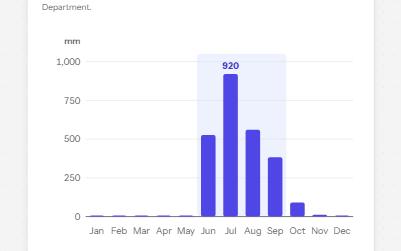
एक चार्ट, जिसका छोटा alt उसकी मुख्य बात बताता है, एक डिस्क्लोज़र में लंबा विवरण है, और बगल की तालिका में उसका डेटा।
-
आइकन
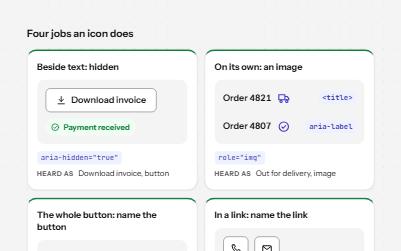
सजावट वाले आइकन, अर्थ रखने वाले आइकन और ख़ुद पूरा नियंत्रण बनने वाले आइकन, हर एक सही तरीके से उजागर।
-
आइकन बटन
सिर्फ़ आइकन दिखाने वाले बटन, aria-label से नामित, 44 पिक्सेल के चौकोर, होवर और फ़ोकस पर नाम दोहराने वाले टूलटिप के साथ।
-
इमेज लाइटबॉक्स
थंबनेल की एक ग्रिड जो हर तस्वीर को एक मोडल व्यूअर में बड़ा खोलती है, उसके कैप्शन, alt टेक्स्ट और आगे बढ़ने के लिए ऐरो कुंजियों के साथ।