सुलभता पैटर्न · ओवरले
इमेज लाइटबॉक्स
हर थंबनेल एक बटन है जिसका नाम उसकी तस्वीर के alt टेक्स्ट से आता है, और वह एक मोडल डायलॉग खोलता है जिसमें तस्वीर बड़ी दिखती है, साथ में उसका कैप्शन और सेट में उसकी जगह। पिछली, अगली और ऐरो कुंजियाँ सेट में आगे-पीछे ले जाती हैं, एक विनम्र लाइव रीजन बताता है कि कौन-सी तस्वीर दिख रही है, और Escape फ़ोकस को थंबनेल पर लौटा देता है।
- डब्ल्यूसीएजी मानदंड
- 7
- कीबोर्ड नियम
- 5
- जाँच का तरीक़ा
- axe, कीबोर्ड और इंस्पेक्टर
लाइव डेमो
आज़माएँ
इसे माउस, कीबोर्ड या स्क्रीन रीडर से इस्तेमाल करें। साथ का इंस्पेक्टर दिखाता है कि आपके इस्तेमाल के दौरान ब्राउज़र सहायक तकनीक को क्या बताता है: फ़ोकस, स्थिति में बदलाव और घोषणाएँ।
छह तस्वीरों में केरल
किसी तस्वीर को उसके कैप्शन के साथ बड़ा देखने के लिए उसे चुनें।
- मुन्नार के ऊपर चाय बागानभोर में कोलुक्कुमलाई। ऊपर का आख़िरी हिस्सा जीप वाला कच्चा रास्ता है, इसलिए सवारी एक शाम पहले बुक कर लें।
- बैकवॉटर में हाउसबोटअलप्पुझा के पास, सूर्यास्त से एक घंटा पहले, जब पानी थम जाता है।
- फ़ोर्ट कोच्चि के मछली जालये जाल हाथ से उठाए और गिराए जाते हैं, और पत्थर प्रतिभार का काम करते हैं।
- वर्कला की चट्टानेंदेर सुबह नॉर्थ क्लिफ़, उसके किनारे वाले रास्ते से।
- बारिश में धान के खेतजुलाई में कुट्टनाड। यहाँ की ज़्यादातर खेती की ज़मीन समुद्र तल से नीचे है।
- कोवलम का लाइटहाउससूर्यास्त के ठीक बाद लाइटहाउस बीच से, जब लैंप जलता है।
जावास्क्रिप्ट के बिना डेमो उतना ही काम करता है जितना उसका एचटीएमएल; इंस्पेक्टर के लिए जावास्क्रिप्ट चाहिए।
कीबोर्ड
जिन कुंजियों पर यह काम करता है
हर क्रिया पॉइंटर के बिना काम करती है।
| कुंजी | यह क्या करती है |
|---|---|
| EnterयाSpace | थंबनेल पर, व्यूअर को उसी तस्वीर पर खोलता है, और फ़ोकस अगली पर रहता है। |
| Arrow RightयाArrow Left | व्यूअर में अगली या पिछली तस्वीर दिखाता है, और आख़िर में पहुँचकर शुरू से घूम जाता है। |
| HomeयाEnd | व्यूअर में पहली या आख़िरी तस्वीर दिखाता है। |
| TabयाShiftTab | सिर्फ़ व्यूअर के बटनों में घूमता है; व्यूअर खुला रहने तक पीछे का पेज निष्क्रिय रहता है। |
| Escape | व्यूअर बंद करता है और फ़ोकस उसी थंबनेल पर लौटाता है जिसने उसे खोला था। |
स्क्रीन रीडर
यह क्या घोषित करता है
मार्कअप की भूमिकाओं, नामों और स्थितियों से लिखा गया।
| कब | अपेक्षित घोषणा |
|---|---|
| फ़ोकस तीसरे थंबनेल पर पहुँचता है | समुद्र पर नारंगी सूर्यास्त के सामने मछली पकड़ने के एक बड़े, लीवर से उठने वाले जाल की आकृति, बटन, डायलॉग खोलता है |
| व्यूअर खुलता है | फ़ोर्ट कोच्चि के मछली जाल, डायलॉग, तस्वीर 3 / 6। अगली, बटन |
| अगली या Arrow Right अगली तस्वीर दिखाता है | वर्कला की चट्टानें, तस्वीर 4 / 6 |
| Escape व्यूअर बंद करता है | समुद्र पर नारंगी सूर्यास्त के सामने मछली पकड़ने के एक बड़े, लीवर से उठने वाले जाल की आकृति, बटन (फ़ोकस वापस थंबनेल पर है) |
ये अपेक्षित घोषणाएँ हैं, रिकॉर्डिंग नहीं। स्क्रीन रीडर और ब्राउज़र के हिसाब से शब्द और क्रम बदलते हैं।
कोड
कोड कॉपी करें
वही फ़ाइलें जिन पर यह डेमो चलता है। स्टाइल एक प्रीफ़िक्स के साथ परोसी जाती हैं जो इस साइट की अपनी स्टाइल को डेमो से दूर रखता है; आप जो कॉपी करते हैं वह मूल है।
<div class="ap-lightbox" data-ap-lightbox>
  <div class="ap-lightbox__top">
    <h3 class="ap-lightbox__album">Kerala in six pictures</h3>
    <p class="ap-lightbox__hint">Choose a picture to see it larger, with its caption.</p>
  </div>

  <!-- Gradients the pictures share; drawn once, used by the thumbnails and the viewer. -->
  <svg class="ap-lightbox__defs" aria-hidden="true" focusable="false" width="0" height="0">
    <defs>
      <linearGradient id="lightbox-sky1" x1="0" y1="0" x2="0" y2="1"><stop offset="0" stop-color="#BDE2F0"/><stop offset="1" stop-color="#FBEBCB"/></linearGradient>
      <linearGradient id="lightbox-mist" x1="0" y1="0" x2="0" y2="1"><stop offset="0" stop-color="#FFFFFF" stop-opacity="0"/><stop offset=".5" stop-color="#FFFFFF" stop-opacity=".6"/><stop offset="1" stop-color="#FFFFFF" stop-opacity="0"/></linearGradient>
      <linearGradient id="lightbox-sky2" x1="0" y1="0" x2="0" y2="1"><stop offset="0" stop-color="#EF9068"/><stop offset=".6" stop-color="#F7C68A"/><stop offset="1" stop-color="#FCE3B0"/></linearGradient>
      <linearGradient id="lightbox-water2" x1="0" y1="0" x2="0" y2="1"><stop offset="0" stop-color="#4F8F8C"/><stop offset="1" stop-color="#1D4D52"/></linearGradient>
      <linearGradient id="lightbox-sky3" x1="0" y1="0" x2="0" y2="1"><stop offset="0" stop-color="#3A2462"/><stop offset=".5" stop-color="#B9496E"/><stop offset=".8" stop-color="#F08A5D"/><stop offset="1" stop-color="#FFCB80"/></linearGradient>
      <linearGradient id="lightbox-sea3" x1="0" y1="0" x2="0" y2="1"><stop offset="0" stop-color="#5B2E5F"/><stop offset="1" stop-color="#20132F"/></linearGradient>
      <linearGradient id="lightbox-sky4" x1="0" y1="0" x2="0" y2="1"><stop offset="0" stop-color="#6CC0E8"/><stop offset="1" stop-color="#DDF3FB"/></linearGradient>
      <linearGradient id="lightbox-sea4" x1="0" y1="0" x2="0" y2="1"><stop offset="0" stop-color="#2AA2C8"/><stop offset="1" stop-color="#0F6E95"/></linearGradient>
      <linearGradient id="lightbox-sky5" x1="0" y1="0" x2="0" y2="1"><stop offset="0" stop-color="#7B90A3"/><stop offset="1" stop-color="#C6D3DC"/></linearGradient>
      <pattern id="lightbox-rain" width="16" height="16" patternUnits="userSpaceOnUse"><path d="M12 0 8 9M4 8 1 15" stroke="#FFFFFF" stroke-width="1" stroke-linecap="round" opacity=".5"/></pattern>
      <linearGradient id="lightbox-sky6" x1="0" y1="0" x2="0" y2="1"><stop offset="0" stop-color="#141C46"/><stop offset=".45" stop-color="#44357A"/><stop offset=".8" stop-color="#C66F7E"/><stop offset="1" stop-color="#F2A982"/></linearGradient>
      <linearGradient id="lightbox-sea6" x1="0" y1="0" x2="0" y2="1"><stop offset="0" stop-color="#2B3567"/><stop offset="1" stop-color="#141A3D"/></linearGradient>
      <linearGradient id="lightbox-beam" x1="1" y1="0" x2="0" y2="0"><stop offset="0" stop-color="#FFE9A8" stop-opacity=".55"/><stop offset="1" stop-color="#FFE9A8" stop-opacity="0"/></linearGradient>
    </defs>
  </svg>

  <ul class="ap-lightbox__grid">
    <li class="ap-lightbox__item">
      <button type="button" class="ap-lightbox__thumb" aria-haspopup="dialog">
        <svg class="ap-lightbox__art" viewBox="0 0 320 200" role="img" aria-label="Rows of tea bushes curving over green hills, with morning mist in the valley and a pale sun"><rect width="320" height="200" fill="url(#lightbox-sky1)"/><circle cx="238" cy="58" r="20" fill="#FFF7E2"/><path d="M0 108C40 88 72 92 106 100s66-22 110-18 66 22 104 10v108H0Z" fill="#A8CDB2"/><rect y="94" width="320" height="44" fill="url(#lightbox-mist)"/><path d="M0 134c50-20 96-18 140-8s100-16 180-8v82H0Z" fill="#6FA97C"/><path d="M0 142c50-20 96-18 140-8s100-16 180-8M0 150c50-20 96-18 140-8s100-16 180-8" fill="none" stroke="#5B9568" stroke-width="2"/><path d="M118 126v-10M182 120v-12" stroke="#3B6B48" stroke-width="2"/><circle cx="118" cy="111" r="7" fill="#3E7550"/><circle cx="182" cy="104" r="8" fill="#3E7550"/><path d="M0 160c70-20 150-14 210-4s90-8 110-12v56H0Z" fill="#3F8050"/><path d="M-4 172c74-20 154-14 214-4s90-8 114-12M-4 184c74-20 154-14 214-4s90-8 114-12M-4 196c74-20 154-14 214-4s90-8 114-12" fill="none" stroke="#2C6A3D" stroke-width="3" stroke-linecap="round"/></svg>
      </button>
      <span class="ap-lightbox__data" hidden><span data-ap-name>Tea gardens above Munnar</span><span data-ap-caption>Kolukkumalai at dawn. The last stretch up is a jeep track, so book a ride the evening before.</span></span>
    </li>
    <li class="ap-lightbox__item">
      <button type="button" class="ap-lightbox__thumb" aria-haspopup="dialog">
        <svg class="ap-lightbox__art" viewBox="0 0 320 200" role="img" aria-label="A thatched houseboat on calm water at sunset, with coconut palms along the far bank"><rect width="320" height="200" fill="url(#lightbox-sky2)"/><circle cx="92" cy="90" r="18" fill="#FFF2CC"/><rect y="106" width="320" height="94" fill="url(#lightbox-water2)"/><path d="M0 100h320v8H0z" fill="#2E4A36"/><g fill="none" stroke="#24392B" stroke-width="2.5" stroke-linecap="round"><path d="M30 102q-4-20 4-38M34 64q-12-2-22 6M34 64q-8-9-20-8M34 64q9-9 21-5M34 64q12 1 18 10M34 64q1-9-3-15"/><path d="M150 102q3-18-3-34M147 68q-12-2-22 6M147 68q-8-9-20-8M147 68q9-9 21-5M147 68q12 1 18 10"/><path d="M262 102q-3-16 5-30M267 72q-12-2-21 6M267 72q-8-9-19-7M267 72q9-9 20-4M267 72q11 1 17 10"/><path d="M304 102q-2-12 3-22M307 80q-9-1-16 5M307 80q7-7 15-3M307 80q8 1 12 7"/></g><path d="M78 118h28M84 126h16M88 134h8" stroke="#FFE4A8" stroke-width="2" stroke-linecap="round" opacity=".7"/><ellipse cx="231" cy="170" rx="66" ry="6" fill="#143A3E" opacity=".6"/><path d="M166 150q10 14 34 14h60q24 0 36-16z" fill="#4A2E1B"/><path d="M180 150v-12q0-16 24-18h52q24 2 24 18v12z" fill="#C98B4B"/><path d="M196 122v28M212 120v30M228 120v30M244 120v30M260 121v29" stroke="#A86E35" stroke-width="1.5"/><rect x="184" y="139" width="92" height="7" rx="2" fill="#3A2414"/><path d="M190 142.5h8M206 142.5h8M222 142.5h8M238 142.5h8M254 142.5h8" stroke="#F6CC7A" stroke-width="3"/></svg>
      </button>
      <span class="ap-lightbox__data" hidden><span data-ap-name>Houseboat on the backwaters</span><span data-ap-caption>Near Alappuzha, an hour before sunset, when the water goes still.</span></span>
    </li>
    <li class="ap-lightbox__item">
      <button type="button" class="ap-lightbox__thumb" aria-haspopup="dialog">
        <svg class="ap-lightbox__art" viewBox="0 0 320 200" role="img" aria-label="The silhouette of a large cantilevered fishing net against an orange sunset over the sea"><rect width="320" height="200" fill="url(#lightbox-sky3)"/><circle cx="214" cy="134" r="28" fill="#FFE1A0"/><rect y="134" width="320" height="66" fill="url(#lightbox-sea3)"/><path d="M190 144h48M198 152h32M206 160h16" stroke="#FFC98A" stroke-width="2" stroke-linecap="round" opacity=".7"/><path d="M126 106 158 54 192 104q-34 24-66 2z" fill="#1B1029" opacity=".3"/><g fill="none" stroke="#1B1029" stroke-linecap="round"><path d="M70 154 158 54" stroke-width="3.5"/><path d="M70 154 36 112" stroke-width="3"/><path d="M158 54 126 106M158 54 192 104" stroke-width="1.5"/><path d="M126 106q32 22 66-2" stroke-width="2"/><path d="M136 111 158 54M147 115 158 54M168 115 158 54M180 111 158 54" stroke-width=".8"/><path d="M36 112v18M44 122v14M100 120 70 154" stroke-width="1.2"/></g><circle cx="36" cy="133" r="4" fill="#1B1029"/><circle cx="44" cy="139" r="3.5" fill="#1B1029"/><path d="M44 154h60v5H44z" fill="#1B1029"/><path d="M52 159v24M96 159v24" stroke="#1B1029" stroke-width="3"/><g fill="none" stroke="#2A1838" stroke-linecap="round"><path d="M268 150 300 96" stroke-width="2.5"/><path d="M300 96 286 122M300 96 314 120" stroke-width="1"/><path d="M286 122q14 9 28-2" stroke-width="1.2"/></g><path d="M110 40q4-4 8 0 4-4 8 0M136 30q3-3 6 0 3-3 6 0" fill="none" stroke="#1B1029" stroke-width="1.5" stroke-linecap="round"/></svg>
      </button>
      <span class="ap-lightbox__data" hidden><span data-ap-name>Fishing nets at Fort Kochi</span><span data-ap-caption>The nets are raised and lowered by hand, with stones for counterweights.</span></span>
    </li>
    <li class="ap-lightbox__item">
      <button type="button" class="ap-lightbox__thumb" aria-haspopup="dialog">
        <svg class="ap-lightbox__art" viewBox="0 0 320 200" role="img" aria-label="Red laterite cliffs topped with palms, above a sandy beach and a blue sea"><rect width="320" height="200" fill="url(#lightbox-sky4)"/><rect y="96" width="320" height="104" fill="url(#lightbox-sea4)"/><path d="M220 110h20M262 120h14M196 126h10" stroke="#E6F7FD" stroke-width="1.5" stroke-linecap="round" opacity=".8"/><path d="M150 200q22-34 64-38t106 6v32z" fill="#F2D4A2"/><path d="M166 176q30-12 70-10t84 8" fill="none" stroke="#FFFFFF" stroke-width="2.5" stroke-linecap="round" opacity=".85"/><path d="M0 74h118q14 2 18 14l12 58q6 26-8 54H0z" fill="#B5542F"/><path d="M118 74q14 2 18 14l12 58q6 26-8 54h-24q14-30 6-58z" fill="#8E3B22" opacity=".5"/><path d="M0 104h128M0 126h134M0 150h140M0 174h142" stroke="#8F3C22" stroke-width="2" opacity=".55"/><path d="M0 70h116q14 0 20 12l-2 2q-6-8-18-8H0z" fill="#5C9A4E"/><g fill="none" stroke="#2F5B34" stroke-width="2.5" stroke-linecap="round"><path d="M28 72q-3-18 4-32M32 40q-12-2-20 6M32 40q-8-9-19-7M32 40q9-9 20-4M32 40q11 1 17 10"/><path d="M70 72q3-16-3-28M67 44q-11-2-19 5M67 44q-7-8-17-6M67 44q8-8 18-4M67 44q10 1 15 9"/><path d="M104 72q-2-12 3-22M107 50q-9-1-15 5M107 50q7-7 15-3M107 50q8 1 12 7"/></g></svg>
      </button>
      <span class="ap-lightbox__data" hidden><span data-ap-name>Cliffs at Varkala</span><span data-ap-caption>North Cliff in the late morning, from the path along its edge.</span></span>
    </li>
    <li class="ap-lightbox__item">
      <button type="button" class="ap-lightbox__thumb" aria-haspopup="dialog">
        <svg class="ap-lightbox__art" viewBox="0 0 320 200" role="img" aria-label="Bands of green paddy fields under a grey monsoon sky, with rain falling and a canal running through them"><rect width="320" height="200" fill="url(#lightbox-sky5)"/><ellipse cx="80" cy="40" rx="90" ry="26" fill="#6E8396" opacity=".55"/><ellipse cx="240" cy="30" rx="110" ry="28" fill="#62788C" opacity=".5"/><path d="M0 98q20-8 40-2t40-4 40 3 40-5 40 4 40-3 40 4 40-2v16H0z" fill="#3E5B45"/><path d="M0 108h320v20H0z" fill="#93C063"/><path d="M0 128h320v26H0z" fill="#72A94C"/><path d="M0 154h320v24H0z" fill="#A3CE70"/><path d="M0 178h320v22H0z" fill="#5F9B45"/><path d="M0 128h320M0 154h320M0 178h320" stroke="#C8E3A0" stroke-width="1.5" opacity=".7"/><path d="M150 108h10l-58 92H70z" fill="#A9C9D6"/><path d="M106 160q10 4 22 0l-3 4h-16z" fill="#2E3A33"/><rect width="320" height="200" fill="url(#lightbox-rain)"/></svg>
      </button>
      <span class="ap-lightbox__data" hidden><span data-ap-name>Paddy fields in the rain</span><span data-ap-caption>Kuttanad in July. Much of this farmland lies below sea level.</span></span>
    </li>
    <li class="ap-lightbox__item">
      <button type="button" class="ap-lightbox__thumb" aria-haspopup="dialog">
        <svg class="ap-lightbox__art" viewBox="0 0 320 200" role="img" aria-label="A red and white striped lighthouse on dark rocks at dusk, its lamp lit and the first stars out"><rect width="320" height="200" fill="url(#lightbox-sky6)"/><g fill="#FFFFFF"><circle cx="40" cy="24" r="1"/><circle cx="92" cy="14" r="1.2"/><circle cx="150" cy="30" r=".9"/><circle cx="196" cy="12" r="1.1"/><circle cx="276" cy="26" r="1"/><circle cx="300" cy="10" r=".8"/><circle cx="20" cy="56" r=".8"/></g><path d="M230 59 20 26v64z" fill="url(#lightbox-beam)"/><rect y="142" width="320" height="58" fill="url(#lightbox-sea6)"/><path d="M40 156h40M60 166h24M206 160h50" stroke="#F3A981" stroke-width="1.5" stroke-linecap="round" opacity=".5"/><path d="M140 200l18-44q14-20 40-22l38-6q30 2 50 18l34 10v44z" fill="#211A36"/><path d="M221 134l3-68h12l3 68z" fill="#F4EFE6"/><path d="M223.4 82h13.2l.5 12h-14.2zM222.3 106h15.4l.5 12h-16.4z" fill="#C2412D"/><path d="M219 64h22v3h-22z" fill="#2A2340"/><rect x="224" y="54" width="12" height="10" fill="#FFE08A"/><path d="M222 54l8-8 8 8z" fill="#2A2340"/><path d="M206 134h14v-8h-14zM240 134h12v-6h-12z" fill="#2A2340"/></svg>
      </button>
      <span class="ap-lightbox__data" hidden><span data-ap-name>Lighthouse at Kovalam</span><span data-ap-caption>From Lighthouse Beach just after sunset, when the lamp comes on.</span></span>
    </li>
  </ul>

  <dialog class="ap-lightbox__viewer" aria-labelledby="lightbox-name" aria-describedby="lightbox-count">
    <div class="ap-lightbox__sheet">
      <div class="ap-lightbox__bar">
        <div class="ap-lightbox__id" aria-live="off" aria-atomic="true" data-ap-live>
          <h2 class="ap-lightbox__name" id="lightbox-name" data-ap-name-out>Tea gardens above Munnar</h2>
          <p class="ap-lightbox__count" id="lightbox-count"><span>Image</span> <span data-ap-n translate="no">1</span> <span>of</span> <span data-ap-total translate="no">6</span></p>
        </div>
        <button type="button" class="ap-lightbox__close" data-ap-close aria-label="Close">
          <svg viewBox="0 0 24 24" aria-hidden="true" focusable="false"><path d="M6 6l12 12M18 6 6 18"/></svg>
        </button>
      </div>
      <div class="ap-lightbox__frame" data-ap-frame></div>
      <p class="ap-lightbox__caption" data-ap-caption-out>Kolukkumalai at dawn. The last stretch up is a jeep track, so book a ride the evening before.</p>
      <p class="ap-lightbox__alt" aria-hidden="true"><span class="ap-lightbox__alt-k">Alt text</span> <span data-ap-alt-out></span></p>
      <div class="ap-lightbox__nav">
        <button type="button" class="ap-btn" data-ap-prev>
          <svg class="ap-btn__icon" viewBox="0 0 24 24" aria-hidden="true" focusable="false"><path d="m15 18-6-6 6-6"/></svg>
          Previous
        </button>
        <span class="ap-lightbox__dots" aria-hidden="true" data-ap-dots></span>
        <button type="button" class="ap-btn" data-ap-next autofocus>
          Next
          <svg class="ap-btn__icon" viewBox="0 0 24 24" aria-hidden="true" focusable="false"><path d="m9 18 6-6-6-6"/></svg>
        </button>
      </div>
    </div>
  </dialog>
</div>
/* Shared primitives: buttons and form fields used across the patterns.
   Uses the --ap-* design tokens. */

.ap-btn {
  display: inline-flex;
  align-items: center;
  justify-content: center;
  gap: 8px;
  min-height: 40px;
  padding: 0 16px;
  border: 1px solid var(--ap-border-strong);
  border-radius: var(--ap-radius-sm);
  background: var(--ap-surface);
  color: var(--ap-text);
  font: inherit;
  font-weight: 600;
  line-height: 1.2;
  text-decoration: none;
  white-space: nowrap;
  cursor: pointer;
  transition: background-color var(--ap-duration) var(--ap-ease), border-color var(--ap-duration) var(--ap-ease), box-shadow var(--ap-duration) var(--ap-ease);
}
.ap-btn:hover {
  background: var(--ap-surface-2);
}
.ap-btn:focus-visible {
  outline: 2px solid var(--ap-focus);
  outline-offset: 2px;
}
.ap-btn:disabled,
.ap-btn[aria-disabled="true"] {
  opacity: .55;
  cursor: not-allowed;
}
.ap-btn--primary {
  border-color: var(--ap-accent);
  background: var(--ap-accent);
  color: var(--ap-on-accent);
  box-shadow: var(--ap-shadow-sm);
}
.ap-btn--primary:hover {
  border-color: var(--ap-accent-hover);
  background: var(--ap-accent-hover);
}
.ap-btn--danger {
  border-color: var(--ap-danger);
  background: var(--ap-danger);
  color: var(--ap-surface);
}
.ap-btn--danger:hover {
  filter: brightness(1.08);
}
.ap-btn--ghost {
  border-color: transparent;
  background: transparent;
}
.ap-btn--ghost:hover {
  background: var(--ap-surface-2);
}
.ap-btn__icon {
  width: 18px;
  height: 18px;
  flex-shrink: 0;
  fill: none;
  stroke: currentColor;
  stroke-width: 2;
  stroke-linecap: round;
  stroke-linejoin: round;
}

.ap-field {
  display: grid;
  gap: 6px;
}
.ap-label {
  color: var(--ap-text);
  font-weight: 600;
  font-size: .9375rem;
}
.ap-hint {
  margin: 0;
  color: var(--ap-text-3);
  font-size: .875rem;
  line-height: 1.45;
}
.ap-error {
  display: flex;
  align-items: flex-start;
  gap: 6px;
  margin: 0;
  color: var(--ap-danger);
  font-size: .875rem;
  font-weight: 600;
  line-height: 1.45;
}
.ap-input {
  width: 100%;
  min-height: 44px;
  padding: 10px 12px;
  border: 1px solid var(--ap-border-strong);
  border-radius: var(--ap-radius-sm);
  background: var(--ap-surface);
  color: var(--ap-text);
  font: inherit;
  line-height: 1.4;
  transition: border-color var(--ap-duration) var(--ap-ease), box-shadow var(--ap-duration) var(--ap-ease);
}
.ap-input::placeholder {
  color: var(--ap-text-3);
}
.ap-input:hover {
  border-color: var(--ap-text-2);
}
.ap-input:focus-visible {
  outline: 2px solid var(--ap-focus);
  outline-offset: 1px;
  border-color: var(--ap-focus);
}
.ap-input[aria-invalid="true"] {
  border-color: var(--ap-danger);
  box-shadow: inset 4px 0 0 var(--ap-danger);
}
textarea.ap-input {
  resize: vertical;
  min-height: 88px;
}

@media (prefers-reduced-motion: reduce) {
  .ap-btn,
  .ap-input { transition: none; }
}

/* Image lightbox. Uses the --ap-* design tokens and the shared primitives. */
.ap-lightbox {
  width: min(100%, 620px);
  margin-inline: auto;
  container-type: inline-size;
}
.ap-lightbox__top {
  margin-bottom: 14px;
}
.ap-lightbox__album {
  margin: 0;
  font-size: 1.125rem;
  font-weight: 650;
  line-height: 1.3;
}
.ap-lightbox__hint {
  margin: 4px 0 0;
  color: var(--ap-text-3);
  font-size: .875rem;
}
.ap-lightbox__defs {
  position: absolute;
  width: 0;
  height: 0;
  overflow: hidden;
}

/* Thumbnails */
.ap-lightbox__grid {
  display: grid;
  grid-template-columns: repeat(3, minmax(0, 1fr));
  gap: 10px;
  margin: 0;
  padding: 0;
  list-style: none;
}
.ap-lightbox__thumb {
  position: relative;
  display: block;
  width: 100%;
  aspect-ratio: 16 / 10;
  padding: 0;
  border: 0;
  border-radius: var(--ap-radius);
  background: var(--ap-surface-2);
  box-shadow: var(--ap-shadow-sm);
  overflow: hidden;
  cursor: zoom-in;
}
.ap-lightbox__thumb svg {
  display: block;
  width: 100%;
  height: 100%;
  transition: transform 320ms var(--ap-ease);
}
.ap-lightbox__thumb:hover svg {
  transform: scale(1.05);
}
.ap-lightbox__thumb:focus-visible {
  outline: 2px solid var(--ap-focus);
  outline-offset: 2px;
}
/* A plus in a circle, drawn with gradients: "opens larger". */
.ap-lightbox__thumb::after {
  content: "";
  position: absolute;
  right: 8px;
  bottom: 8px;
  width: 28px;
  height: 28px;
  border-radius: var(--ap-radius-full);
  background:
    linear-gradient(var(--ap-text), var(--ap-text)) center / 12px 2px no-repeat,
    linear-gradient(var(--ap-text), var(--ap-text)) center / 2px 12px no-repeat,
    var(--ap-surface);
  box-shadow: var(--ap-shadow-md);
  opacity: 0;
  transform: scale(.8);
  transition: opacity var(--ap-duration) var(--ap-ease), transform var(--ap-duration) var(--ap-ease);
}
.ap-lightbox__thumb:is(:hover, :focus-visible)::after {
  opacity: 1;
  transform: none;
}

/* The viewer: a modal dialog in the top layer. It is its own container,
   because the gallery's width says nothing about the viewer's. */
.ap-lightbox__viewer {
  width: min(94vw, 800px);
  max-width: none;
  max-height: 94vh;
  padding: 0;
  border: 1px solid var(--ap-border);
  border-radius: var(--ap-radius-lg);
  background: var(--ap-surface);
  color: var(--ap-text);
  box-shadow: var(--ap-shadow-lg);
  overflow: auto;
  container-type: inline-size;
}
.ap-lightbox__viewer[open] {
  animation: ap-lightbox-in 220ms var(--ap-ease);
}
.ap-lightbox__viewer::backdrop {
  background: var(--ap-scrim);
  backdrop-filter: blur(3px);
}
.ap-lightbox__sheet {
  display: grid;
  gap: 14px;
  padding: 16px 18px 18px;
}
.ap-lightbox__bar {
  display: flex;
  align-items: flex-start;
  justify-content: space-between;
  gap: 12px;
}
.ap-lightbox__name {
  margin: 0;
  font-size: 1.125rem;
  font-weight: 650;
  line-height: 1.3;
}
.ap-lightbox__count {
  margin: 2px 0 0;
  color: var(--ap-text-3);
  font-size: .875rem;
  font-variant-numeric: tabular-nums;
}
.ap-lightbox__close {
  display: grid;
  place-items: center;
  width: 40px;
  height: 40px;
  flex-shrink: 0;
  margin: -4px -6px 0 0;
  padding: 0;
  border: 0;
  border-radius: var(--ap-radius-sm);
  background: transparent;
  color: var(--ap-text-2);
  cursor: pointer;
}
.ap-lightbox__close:hover {
  background: var(--ap-surface-2);
  color: var(--ap-text);
}
.ap-lightbox__close:focus-visible {
  outline: 2px solid var(--ap-focus);
  outline-offset: 2px;
}
.ap-lightbox__close svg {
  width: 20px;
  height: 20px;
  fill: none;
  stroke: currentColor;
  stroke-width: 2;
  stroke-linecap: round;
}

.ap-lightbox__frame {
  aspect-ratio: 16 / 10;
  max-height: 58vh;
  border-radius: var(--ap-radius);
  background: var(--ap-surface-2);
  overflow: hidden;
  touch-action: pan-y;
  user-select: none;
}
.ap-lightbox__frame svg {
  display: block;
  width: 100%;
  height: 100%;
}
.ap-lightbox__frame[data-dir="next"] svg {
  animation: ap-lightbox-next 260ms var(--ap-ease);
}
.ap-lightbox__frame[data-dir="prev"] svg {
  animation: ap-lightbox-prev 260ms var(--ap-ease);
}

.ap-lightbox__caption {
  margin: 0;
  color: var(--ap-text-2);
  line-height: 1.55;
}
.ap-lightbox__alt {
  display: flex;
  align-items: baseline;
  gap: 8px;
  margin: -4px 0 0;
  color: var(--ap-text-3);
  font-size: .875rem;
  line-height: 1.5;
}
.ap-lightbox__alt-k {
  flex-shrink: 0;
  padding: 0 6px;
  border: 1px solid var(--ap-border-strong);
  border-radius: calc(var(--ap-radius-sm) - 3px);
  color: var(--ap-text-2);
  font-size: .6875rem;
  font-weight: 700;
  letter-spacing: .04em;
  text-transform: uppercase;
}

.ap-lightbox__nav {
  display: flex;
  align-items: center;
  justify-content: space-between;
  gap: 12px;
  padding-top: 14px;
  border-top: 1px solid var(--ap-border);
}
.ap-lightbox__dots {
  display: flex;
  align-items: center;
  gap: 6px;
}
.ap-lightbox__dots span {
  width: 6px;
  height: 6px;
  border-radius: var(--ap-radius-full);
  background: var(--ap-border-strong);
  transition: width var(--ap-duration) var(--ap-ease), background-color var(--ap-duration) var(--ap-ease);
}
.ap-lightbox__dots span.is-on {
  width: 18px;
  background: var(--ap-accent);
}

@container (max-width: 420px) {
  .ap-lightbox__grid { grid-template-columns: repeat(2, minmax(0, 1fr)); }
  .ap-lightbox__sheet { gap: 12px; padding: 14px 14px 16px; }
  .ap-lightbox__nav .ap-btn { padding: 0 12px; }
  .ap-lightbox__dots { gap: 4px; }
}

@keyframes ap-lightbox-in {
  from { opacity: 0; transform: translateY(8px) scale(.98); }
}
@keyframes ap-lightbox-next {
  from { opacity: 0; transform: translateX(24px); }
}
@keyframes ap-lightbox-prev {
  from { opacity: 0; transform: translateX(-24px); }
}

@media (prefers-reduced-motion: reduce) {
  .ap-lightbox__thumb svg,
  .ap-lightbox__thumb::after,
  .ap-lightbox__dots span { transition: none; }
  .ap-lightbox__thumb:hover svg { transform: none; }
  .ap-lightbox__viewer[open],
  .ap-lightbox__frame[data-dir] svg { animation: none; }
}
/**
 * Image lightbox: thumbnail buttons that open a modal viewer with the
 * picture large, its caption, its alt text and its place in the set.
 *
 * Markup: [data-ap-lightbox] holding .ap-lightbox__item list items, each a
 * button.ap-lightbox__thumb around an svg[role=img][aria-label] (or an img
 * with alt) plus hidden [data-ap-name] and [data-ap-caption] text; and a
 * dialog with [data-ap-live] (title and count, aria-live="off" until the
 * viewer is open), [data-ap-frame],
 * [data-ap-caption-out], [data-ap-alt-out], [data-ap-dots], and buttons
 * [data-ap-prev], [data-ap-next] and [data-ap-close].
 */

const SWIPE = 40; // pixels of sideways travel that count as a swipe

export function init(root) {
  const dialog = root.querySelector("dialog");
  const $ = (sel) => dialog.querySelector(sel);
  const live = $("[data-ap-live]");
  const frame = $("[data-ap-frame]");
  const nameOut = $("[data-ap-name-out]");
  const captionOut = $("[data-ap-caption-out]");
  const altOut = $("[data-ap-alt-out]");
  const n = $("[data-ap-n]");
  const total = $("[data-ap-total]");
  const dots = $("[data-ap-dots]");
  const html = document.documentElement;
  const items = [...root.querySelectorAll(".ap-lightbox__item")].map((li) => ({
    thumb: li.querySelector(".ap-lightbox__thumb"),
    art: li.querySelector(".ap-lightbox__thumb > :is(svg, img)"),
    name: li.querySelector("[data-ap-name]"),
    caption: li.querySelector("[data-ap-caption]"),
  }));
  let index = 0;
  let opener = null;
  let scrollWas = "";
  let liveTimer = 0;
  let swipe = null;

  dots.replaceChildren(...items.map(() => document.createElement("span")));
  // Only if the markup's count is wrong: any write to the live region is a change.
  if (total.textContent !== String(items.length)) total.textContent = String(items.length);

  function show(i, dir = 0) {
    index = (i + items.length) % items.length;
    const item = items[index];
    const art = item.art.cloneNode(true);
    if (dir) frame.dataset.dir = dir > 0 ? "next" : "prev";
    else delete frame.dataset.dir;
    frame.replaceChildren(art);
    nameOut.textContent = item.name.textContent;
    captionOut.textContent = item.caption.textContent;
    altOut.textContent = item.art.getAttribute("aria-label") || item.art.getAttribute("alt") || "";
    n.textContent = String(index + 1);
    [...dots.children].forEach((dot, d) => dot.classList.toggle("is-on", d === index));
  }

  function open(i, from) {
    opener = from;
    // Quiet while closed and while opening: the dialog's own name and
    // description say which picture it is. From then on, each change of
    // picture is announced.
    clearTimeout(liveTimer);
    live.setAttribute("aria-live", "off");
    show(i);
    scrollWas = html.style.overflow;
    html.style.overflow = "hidden";
    dialog.showModal();
    liveTimer = setTimeout(() => live.setAttribute("aria-live", "polite"), 300);
  }

  function onClose() {
    clearTimeout(liveTimer);
    live.setAttribute("aria-live", "off");
    html.style.overflow = scrollWas;
    // Back to the thumbnail that opened the viewer, wherever the reader went.
    opener?.focus();
  }

  function onGalleryClick(event) {
    const thumb = event.target.closest(".ap-lightbox__thumb");
    const at = items.findIndex((item) => item.thumb === thumb);
    if (at !== -1) open(at, thumb);
  }

  function onDialogClick(event) {
    if (event.target.closest("[data-ap-prev]")) show(index - 1, -1);
    else if (event.target.closest("[data-ap-next]")) show(index + 1, 1);
    else if (event.target.closest("[data-ap-close]")) dialog.close();
    // A click on the dialog element itself, outside the sheet, is the backdrop.
    else if (event.target === dialog) dialog.close();
  }

  function onKeydown(event) {
    if (event.altKey || event.ctrlKey || event.metaKey) return;
    let to = null;
    if (event.key === "ArrowRight") to = [index + 1, 1];
    else if (event.key === "ArrowLeft") to = [index - 1, -1];
    else if (event.key === "Home") to = [0, -1];
    else if (event.key === "End") to = [items.length - 1, 1];
    if (!to) return;
    event.preventDefault();
    show(...to);
  }

  function onPointerDown(event) {
    swipe = { x: event.clientX, y: event.clientY };
  }
  function onPointerUp(event) {
    if (!swipe) return;
    const dx = event.clientX - swipe.x;
    const dy = event.clientY - swipe.y;
    swipe = null;
    if (Math.abs(dx) > SWIPE && Math.abs(dx) > Math.abs(dy)) show(index + (dx < 0 ? 1 : -1), dx < 0 ? 1 : -1);
  }
  function onPointerCancel() {
    swipe = null;
  }

  root.addEventListener("click", onGalleryClick);
  dialog.addEventListener("click", onDialogClick);
  dialog.addEventListener("keydown", onKeydown);
  dialog.addEventListener("close", onClose);
  frame.addEventListener("pointerdown", onPointerDown);
  frame.addEventListener("pointerup", onPointerUp);
  frame.addEventListener("pointercancel", onPointerCancel);

  return () => {
    clearTimeout(liveTimer);
    dialog.removeEventListener("close", onClose);
    if (dialog.open) {
      dialog.close();
      html.style.overflow = scrollWas;
    }
    root.removeEventListener("click", onGalleryClick);
    dialog.removeEventListener("click", onDialogClick);
    dialog.removeEventListener("keydown", onKeydown);
    frame.removeEventListener("pointerdown", onPointerDown);
    frame.removeEventListener("pointerup", onPointerUp);
    frame.removeEventListener("pointercancel", onPointerCancel);
  };
}

for (const root of document.querySelectorAll("[data-ap-lightbox]")) init(root);
/* Design tokens for the pattern components. Light by default, dark when the
   system asks for it; set data-theme="dark" on :root to force dark. */
:root {
    --ap-radius-sm: 8px;
    --ap-radius: 12px;
    --ap-radius-lg: 16px;
    --ap-radius-full: 999px;
    --ap-font: "Instrument Sans", ui-sans-serif, system-ui, -apple-system, "Segoe UI", Roboto, sans-serif;
    --ap-mono: "JetBrains Mono", ui-monospace, "Cascadia Mono", "SF Mono", Consolas, monospace;
    --ap-ease: cubic-bezier(.2, .8, .2, 1);
    --ap-duration: 180ms;
    --ap-target: 44px;
    --ap-bg: #F4F4F5;
    --ap-surface: #FFFFFF;
    --ap-surface-2: #F4F4F5;
    --ap-surface-3: #E4E4E7;
    --ap-border: #E4E4E7;
    --ap-border-strong: #76767F;
    --ap-text: #18181B;
    --ap-text-2: #3F3F46;
    --ap-text-3: #5E5E66;
    --ap-accent: #4F46E5;
    --ap-accent-hover: #4338CA;
    --ap-on-accent: #FFFFFF;
    --ap-accent-text: #4338CA;
    --ap-accent-soft: #EEF2FF;
    --ap-accent-soft-text: #3730A3;
    --ap-focus: #4F46E5;
    --ap-danger: #B91C1C;
    --ap-danger-soft: #FEF2F2;
    --ap-success: #15803D;
    --ap-success-soft: #F0FDF4;
    --ap-warning: #A15C07;
    --ap-warning-soft: #FEFCE8;
    --ap-info: #1D4ED8;
    --ap-info-soft: #EFF6FF;
    --ap-scrim: rgb(9 9 11 / .48);
    --ap-shadow-sm: 0 1px 2px rgb(9 9 11 / .06);
    --ap-shadow-md: 0 1px 2px rgb(9 9 11 / .05), 0 6px 16px -4px rgb(9 9 11 / .1);
    --ap-shadow-lg: 0 2px 6px rgb(9 9 11 / .06), 0 20px 40px -12px rgb(9 9 11 / .22);
    --ap-light-bg: #F4F4F5;
    --ap-light-surface: #FFFFFF;
    --ap-light-surface-2: #F4F4F5;
    --ap-light-surface-3: #E4E4E7;
    --ap-light-border: #E4E4E7;
    --ap-light-border-strong: #76767F;
    --ap-light-text: #18181B;
    --ap-light-text-2: #3F3F46;
    --ap-light-text-3: #5E5E66;
    --ap-light-accent: #4F46E5;
    --ap-light-accent-hover: #4338CA;
    --ap-light-on-accent: #FFFFFF;
    --ap-light-accent-text: #4338CA;
    --ap-light-accent-soft: #EEF2FF;
    --ap-light-accent-soft-text: #3730A3;
    --ap-light-focus: #4F46E5;
    --ap-light-danger: #B91C1C;
    --ap-light-danger-soft: #FEF2F2;
    --ap-light-success: #15803D;
    --ap-light-success-soft: #F0FDF4;
    --ap-light-warning: #A15C07;
    --ap-light-warning-soft: #FEFCE8;
    --ap-light-info: #1D4ED8;
    --ap-light-info-soft: #EFF6FF;
    --ap-light-scrim: rgb(9 9 11 / .48);
    --ap-light-shadow-sm: 0 1px 2px rgb(9 9 11 / .06);
    --ap-light-shadow-md: 0 1px 2px rgb(9 9 11 / .05), 0 6px 16px -4px rgb(9 9 11 / .1);
    --ap-light-shadow-lg: 0 2px 6px rgb(9 9 11 / .06), 0 20px 40px -12px rgb(9 9 11 / .22);
    --ap-dark-bg: #09090B;
    --ap-dark-surface: #18181B;
    --ap-dark-surface-2: #27272A;
    --ap-dark-surface-3: #3F3F46;
    --ap-dark-border: #2E2E33;
    --ap-dark-border-strong: #8E8E97;
    --ap-dark-text: #FAFAFA;
    --ap-dark-text-2: #D4D4D8;
    --ap-dark-text-3: #A1A1AA;
    --ap-dark-accent: #818CF8;
    --ap-dark-accent-hover: #A5B4FC;
    --ap-dark-on-accent: #0C0A1F;
    --ap-dark-accent-text: #A5B4FC;
    --ap-dark-accent-soft: #1E1B4B;
    --ap-dark-accent-soft-text: #C7D2FE;
    --ap-dark-focus: #A5B4FC;
    --ap-dark-danger: #F87171;
    --ap-dark-danger-soft: #2A1215;
    --ap-dark-success: #4ADE80;
    --ap-dark-success-soft: #0F2A1A;
    --ap-dark-warning: #FACC15;
    --ap-dark-warning-soft: #2A2410;
    --ap-dark-info: #60A5FA;
    --ap-dark-info-soft: #0F1D33;
    --ap-dark-scrim: rgb(0 0 0 / .62);
    --ap-dark-shadow-sm: 0 1px 2px rgb(0 0 0 / .4);
    --ap-dark-shadow-md: 0 1px 2px rgb(0 0 0 / .4), 0 8px 20px -6px rgb(0 0 0 / .5);
    --ap-dark-shadow-lg: 0 2px 8px rgb(0 0 0 / .45), 0 24px 48px -12px rgb(0 0 0 / .7);
}
@media (prefers-color-scheme: dark) {
  :root:not([data-theme="light"]) {
      --ap-bg: #09090B;
      --ap-surface: #18181B;
      --ap-surface-2: #27272A;
      --ap-surface-3: #3F3F46;
      --ap-border: #2E2E33;
      --ap-border-strong: #8E8E97;
      --ap-text: #FAFAFA;
      --ap-text-2: #D4D4D8;
      --ap-text-3: #A1A1AA;
      --ap-accent: #818CF8;
      --ap-accent-hover: #A5B4FC;
      --ap-on-accent: #0C0A1F;
      --ap-accent-text: #A5B4FC;
      --ap-accent-soft: #1E1B4B;
      --ap-accent-soft-text: #C7D2FE;
      --ap-focus: #A5B4FC;
      --ap-danger: #F87171;
      --ap-danger-soft: #2A1215;
      --ap-success: #4ADE80;
      --ap-success-soft: #0F2A1A;
      --ap-warning: #FACC15;
      --ap-warning-soft: #2A2410;
      --ap-info: #60A5FA;
      --ap-info-soft: #0F1D33;
      --ap-scrim: rgb(0 0 0 / .62);
      --ap-shadow-sm: 0 1px 2px rgb(0 0 0 / .4);
      --ap-shadow-md: 0 1px 2px rgb(0 0 0 / .4), 0 8px 20px -6px rgb(0 0 0 / .5);
      --ap-shadow-lg: 0 2px 8px rgb(0 0 0 / .45), 0 24px 48px -12px rgb(0 0 0 / .7);
  }
}
:root[data-theme="dark"] {
    --ap-bg: #09090B;
    --ap-surface: #18181B;
    --ap-surface-2: #27272A;
    --ap-surface-3: #3F3F46;
    --ap-border: #2E2E33;
    --ap-border-strong: #8E8E97;
    --ap-text: #FAFAFA;
    --ap-text-2: #D4D4D8;
    --ap-text-3: #A1A1AA;
    --ap-accent: #818CF8;
    --ap-accent-hover: #A5B4FC;
    --ap-on-accent: #0C0A1F;
    --ap-accent-text: #A5B4FC;
    --ap-accent-soft: #1E1B4B;
    --ap-accent-soft-text: #C7D2FE;
    --ap-focus: #A5B4FC;
    --ap-danger: #F87171;
    --ap-danger-soft: #2A1215;
    --ap-success: #4ADE80;
    --ap-success-soft: #0F2A1A;
    --ap-warning: #FACC15;
    --ap-warning-soft: #2A2410;
    --ap-info: #60A5FA;
    --ap-info-soft: #0F1D33;
    --ap-scrim: rgb(0 0 0 / .62);
    --ap-shadow-sm: 0 1px 2px rgb(0 0 0 / .4);
    --ap-shadow-md: 0 1px 2px rgb(0 0 0 / .4), 0 8px 20px -6px rgb(0 0 0 / .5);
    --ap-shadow-lg: 0 2px 8px rgb(0 0 0 / .45), 0 24px 48px -12px rgb(0 0 0 / .7);
}
डब्ल्यूसीएजी 2.2
यह किन मानदंडों को पूरा करता है
वे सफलता मानदंड जिनका यह पैटर्न ध्यान रखता है, और कैसे।
-
1.1.1 गैर-टेक्स्ट सामग्री
स्तर A
हर तस्वीर का alt टेक्स्ट बताता है कि उसमें क्या है, और हर थंबनेल बटन अपना नाम उसी alt टेक्स्ट से लेता है।
-
2.1.1 कीबोर्ड
स्तर A
खोलना, सेट में आगे-पीछे जाना और बंद करना, सब कीबोर्ड से होता है, और हर काम के लिए कुंजियों के साथ बटन भी हैं।
-
2.1.2 कोई कीबोर्ड ट्रैप नहीं
स्तर A
व्यूअर खुला रहने तक फ़ोकस उसी में रहता है, पर Escape और बंद करें बटन हमेशा बाहर निकलने देते हैं।
-
2.4.3 फ़ोकस क्रम
स्तर A
व्यूअर खुलने पर फ़ोकस अगली पर जाता है और बंद होने पर उसी थंबनेल पर लौटता है जिसने उसे खोला था।
-
2.5.1 पॉइंटर जेस्चर
स्तर A
तस्वीर पर स्वाइप करने से सेट में आगे-पीछे जाते हैं, और पिछली और अगली बटन एक ही टैप में यही करते हैं।
-
4.1.2 नाम, भूमिका, मान
स्तर A
व्यूअर एक डायलॉग है जिसका नाम तस्वीर के शीर्षक से और विवरण सेट में उसकी जगह से आता है; थंबनेल बताते हैं कि वे डायलॉग खोलते हैं।
-
4.1.3 स्टेटस मैसेज
स्तर AA
शीर्षक और तस्वीर 4 / 6 एक विनम्र लाइव रीजन में हैं, इसलिए तस्वीर का हर बदलाव फ़ोकस हिलाए बिना बोला जाता है।
उपयोग
इसे कब इस्तेमाल करें
इसे अपनाएँ
- ऐसी गैलरी जहाँ लोग पेज छोड़े बिना तस्वीरें क्रम से और बड़ी देखना चाहते हैं।
- प्रोडक्ट फ़ोटो, पोर्टफ़ोलियो और यात्रा के एल्बम, जहाँ सिर्फ़ थंबनेल देखकर अंदाज़ा लगाना मुश्किल है।
कुछ और इस्तेमाल करें
- एक अकेली तस्वीर: उसे पेज पर पढ़ने लायक आकार में, उसके कैप्शन के साथ दिखाएँ।
- जानकारी देने वाले चार्ट, नक्शे और आरेख: उन्हें पेज पर जगह और एक टेक्स्ट विकल्प दें।
- तस्वीरें, टेक्स्ट और लिंक मिलाने वाली स्लाइड: कैरोसेल इस्तेमाल करें।
आम विफलताएँ
आमतौर पर यह कहाँ गलत होता है
ऐसे थंबनेल जो बटन नहीं हैं
क्लिक हैंडलर वाली इमेज तक Tab से नहीं पहुँचा जा सकता और वह कोई काम करने लायक चीज़ नहीं बताती। तस्वीर के चारों ओर बटन दोनों देता है।
alt टेक्स्ट जो फ़ाइल का नाम है
IMG_2041.jpg या सिर्फ़ फ़ोटो किसी को नहीं बताता कि तस्वीर में क्या है, इसलिए हर थंबनेल एक जैसा सुनाई देता है। बताएँ कि वह क्या दिखाती है।
फ़ोकस पेज पर छूट गया
अगर फ़ोकस व्यूअर के पीछे रह जाए, तो कीबोर्ड उपयोगकर्ता छिपे हुए थंबनेल में Tab करते रहते हैं। showModal() पेज को निष्क्रिय करता है और फ़ोकस अंदर ले जाता है।
बंद करने पर फ़ोकस खो गया
जब व्यूअर बंद होता है और फ़ोकस ऊपर कूद जाता है, तो लोग गैलरी में अपनी जगह खो देते हैं। यहाँ यह उसी थंबनेल पर लौटता है जिसने उसे खोला था।
चुपचाप बदलती तस्वीरें
अगली दबाने से स्क्रीन पर तस्वीर बदल जाती है, पर लाइव रीजन के बिना स्क्रीन रीडर उपयोगकर्ता कुछ भी नहीं सुनता। यहाँ शीर्षक और जगह बोले जाते हैं।
सिर्फ़ स्वाइप का रास्ता
सिर्फ़ जेस्चर वाली गैलरी कीबोर्ड उपयोगकर्ताओं और स्वाइप न कर पाने वाले हर व्यक्ति को बाहर कर देती है। यहाँ बटन और ऐरो कुंजियाँ यही काम करते हैं।
नोट्स
इसे बनाना
- व्यूअर showModal() से खुलता है, जो पेज को निष्क्रिय करता है और Escape से इसे बंद होने देता है; स्क्रिप्ट फ़ोकस उसी थंबनेल पर लौटाती है जिसने उसे खोला था।
- व्यूअर बंद रहने और खुलते समय लाइव रीजन बंद रहता है, क्योंकि डायलॉग का नाम और विवरण पहले ही बता देते हैं कि कौन-सी तस्वीर है; उसके बाद से हर बदलाव एक बार बोला जाता है।
- दिखने वाली alt टेक्स्ट पंक्ति देखने वाले पाठकों के लिए है, इसलिए स्क्रीन रीडर से छिपी है, जो यही शब्द पहले से तस्वीर के नाम के रूप में सुनते हैं।
- असली फ़ोटो के साथ, थंबनेल और व्यूअर दोनों में एक ही alt वाला img इस्तेमाल करें, और बड़ी फ़ाइल तभी लोड करें जब व्यूअर खुले।
- ऐरो कुंजियाँ पूरे डायलॉग पर संभाली जाती हैं, इसलिए फ़ोकस उसमें कहीं भी हो, वे काम करती हैं; व्यूअर में ऐसी कोई टेक्स्ट फ़ील्ड नहीं जिसे उनकी ज़रूरत हो।
स्रोत: WAI-एआरआईए ऑथरिंग प्रैक्टिसेज़: डायलॉग (मोडल) · W3C इमेज ट्यूटोरियल: काम करने वाली इमेज
लाइट और डार्क थीम में, डेस्कटॉप और फ़ोन की चौड़ाई पर axe से और कीबोर्ड से जाँचा गया। अभी हर स्क्रीन रीडर और ब्राउज़र जोड़ी के साथ नहीं परखा गया। सुधार बताएँ
संबंधित
इसके साथ जाने वाले पैटर्न
-
मोडल डायलॉग
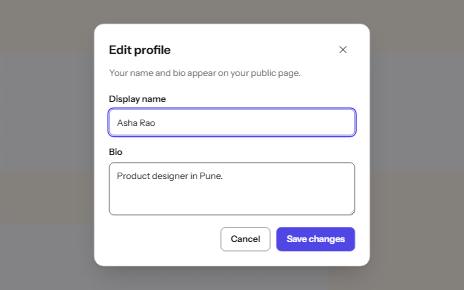
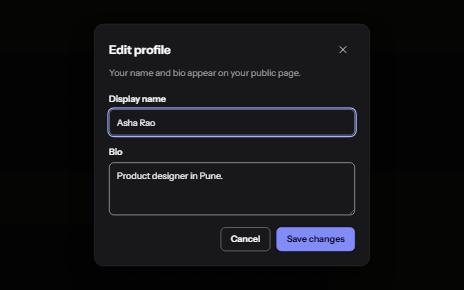
पेज के ऊपर खुलने वाली एक विंडो, जो बंद होने तक फ़ोकस अपने पास रखती है, नेटिव dialog एलिमेंट पर बनी।
-
कैरोसेल
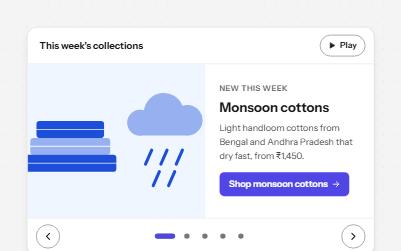
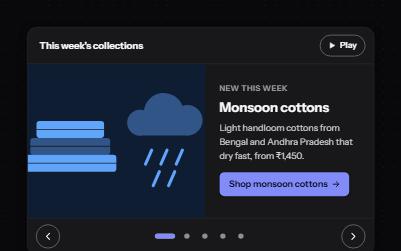
घूमती स्लाइडें, रोकने, पिछली, अगली और स्लाइड चुनने के बटन के साथ, जो किसी के पढ़ते या इस्तेमाल करते समय रुकी रहती हैं।
-
इमेज के विकल्प
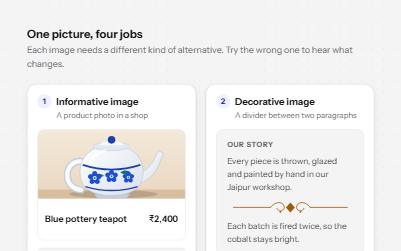
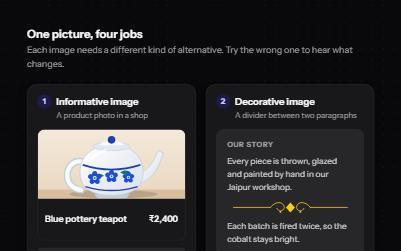
चार तरह की इमेज और हर एक के लिए ज़रूरी alt टेक्स्ट, ग़लत होने पर स्क्रीन रीडर क्या कहता है, और एक निर्णय वृक्ष।
-
जटिल इमेज
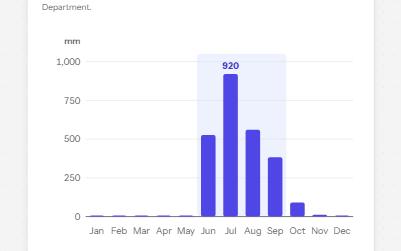
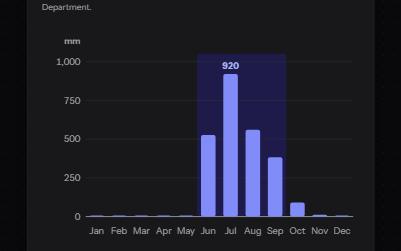
एक चार्ट, जिसका छोटा alt उसकी मुख्य बात बताता है, एक डिस्क्लोज़र में लंबा विवरण है, और बगल की तालिका में उसका डेटा।