फ़ोटो निबंध · 6 मिनट का पाठ
सुलभता पैटर्न · ओवरले
बॉटम शीट
बॉटम शीट निचले किनारे पर टिका एक मोडल डायलॉग है, अंगूठे की पहुँच में। हर जेस्चर के लिए एक बटन है: ड्रैग हैंडल सिर्फ़ सजावट है, बड़ा करें ऊँचाई बदलता है, और क्लोज़ बटन और Escape उसे बंद करते हैं।
- डब्ल्यूसीएजी मानदंड
- 7
- कीबोर्ड नियम
- 5
- जाँच का तरीक़ा
- axe, कीबोर्ड और इंस्पेक्टर
लाइव डेमो
आज़माएँ
इसे माउस, कीबोर्ड या स्क्रीन रीडर से इस्तेमाल करें। साथ का इंस्पेक्टर दिखाता है कि आपके इस्तेमाल के दौरान ब्राउज़र सहायक तकनीक को क्या बताता है: फ़ोकस, स्थिति में बदलाव और घोषणाएँ।
जावास्क्रिप्ट के बिना डेमो उतना ही काम करता है जितना उसका एचटीएमएल; इंस्पेक्टर के लिए जावास्क्रिप्ट चाहिए।
कीबोर्ड
जिन कुंजियों पर यह काम करता है
हर क्रिया पॉइंटर के बिना काम करती है।
| कुंजी | यह क्या करती है |
|---|---|
| EnterयाSpace | शेयर करें पर, शीट खोलता है और फ़ोकस लिंक कॉपी करें पर रखता है। |
| TabयाShiftTab | सिर्फ़ शीट के बटनों के बीच चलता है; पीछे के पेज तक नहीं पहुँचा जा सकता। |
| EnterयाSpace | बड़ा करें पर, शीट को पूरी ऊँचाई तक उठाता है; बटन छोटा करें बन जाता है, जो उसे फिर नीचे कर देता है। |
| EnterयाSpace | किसी विकल्प पर, उसे पूरा करता है, शीट बंद करता है और बताता है कि क्या हुआ। |
| Escape | बिना शेयर किए शीट बंद करता है और फ़ोकस शेयर करें पर लौटाता है। |
स्क्रीन रीडर
यह क्या घोषित करता है
मार्कअप की भूमिकाओं, नामों और स्थितियों से लिखा गया।
| कब | अपेक्षित घोषणा |
|---|---|
| शीट खुलती है | शेयर करें, डायलॉग। लिंक कॉपी करें, बटन |
| फ़ोकस बड़ा करें पर पहुँचता है | बड़ा करें, बटन, संक्षिप्त |
| बड़ा करें दबाया जाता है | छोटा करें, बटन, विस्तारित |
| कोई विकल्प चुना जाता है | लिंक कॉपी हो गया (फ़ोकस वापस शेयर करें पर है) |
ये अपेक्षित घोषणाएँ हैं, रिकॉर्डिंग नहीं। स्क्रीन रीडर और ब्राउज़र के हिसाब से शब्द और क्रम बदलते हैं।
कोड
कोड कॉपी करें
वही फ़ाइलें जिन पर यह डेमो चलता है। स्टाइल एक प्रीफ़िक्स के साथ परोसी जाती हैं जो इस साइट की अपनी स्टाइल को डेमो से दूर रखता है; आप जो कॉपी करते हैं वह मूल है।
<div class="ap-bottom-sheet" data-ap-bottom-sheet>
  <article class="ap-bottom-sheet__story">
    <svg class="ap-bottom-sheet__art" viewBox="0 0 320 132" preserveAspectRatio="xMidYMid slice" aria-hidden="true" focusable="false">
      <rect class="ap-bottom-sheet__sky" width="320" height="132"/>
      <path class="ap-bottom-sheet__cloud" d="M188 44a15 15 0 0 1 28-9 13 13 0 0 1 24 7 11 11 0 0 1-1 22h-49a10 10 0 0 1-2-20Z"/>
      <path class="ap-bottom-sheet__cloud" d="M84 30a10 10 0 0 1 19-6 9 9 0 0 1 16 5 7.5 7.5 0 0 1-1 15H86a7 7 0 0 1-2-14Z"/>
      <path class="ap-bottom-sheet__rain" d="M196 70l-4 9M210 72l-4 9M224 70l-4 9M238 72l-4 9M92 50l-4 9M104 52l-4 9M116 50l-4 9M30 18l-4 9M150 14l-4 9M282 24l-4 9M300 54l-4 9M160 62l-4 9"/>
      <path class="ap-bottom-sheet__bank" d="M0 90c34-9 66-11 100-6s68 5 108-3 82-8 112 1v18H0Z"/>
      <rect class="ap-bottom-sheet__water" y="96" width="320" height="36"/>
      <path class="ap-bottom-sheet__ripple" d="M108 120h28M150 124h44M248 112h40M262 124h26M20 118h34"/>
      <path class="ap-bottom-sheet__near" d="M0 100c20-7 46-9 78-4v8H0Z"/>
      <path class="ap-bottom-sheet__palm" d="M40 99c3-20 3-35-3-50M37 49c-9-6-20-6-28 1M37 49c3-9 12-15 24-13M37 49c-2-10-9-16-18-18M37 49c9-2 19 3 23 12M62 99c1-12 0-21-4-30M58 69c-6-4-13-4-18 1M58 69c2-6 8-10 15-9M58 69c6-1 12 2 14 8"/>
      <path class="ap-bottom-sheet__roof" d="M164 106c2-11 11-17 25-17h18c14 0 23 6 25 17Z"/>
      <path class="ap-bottom-sheet__hull" d="M150 105h96c-3 7-11 10-22 10h-52c-11 0-19-3-22-10Z"/>
    </svg>
    <div class="ap-bottom-sheet__copy">
      <p class="ap-bottom-sheet__kicker">Photo essay · 6 min read</p>
      <h3 class="ap-bottom-sheet__story-name">Monsoon on the Kerala backwaters</h3>
      <div class="ap-bottom-sheet__byline">
        <p class="ap-bottom-sheet__by">By Meera Nair</p>
        <button type="button" class="ap-btn" data-ap-open aria-haspopup="dialog">
          <svg class="ap-btn__icon" viewBox="0 0 24 24" aria-hidden="true" focusable="false"><circle cx="18" cy="5.5" r="2.5"/><circle cx="6" cy="12" r="2.5"/><circle cx="18" cy="18.5" r="2.5"/><path d="m8.2 13.2 7.6 4.1M15.8 6.7l-7.6 4.1"/></svg>
          Share
        </button>
      </div>
    </div>
  </article>
  <p class="ap-bottom-sheet__status" role="status" data-ap-status></p>

  <dialog class="ap-bottom-sheet__sheet" id="bottom-sheet-dialog" aria-labelledby="bottom-sheet-name" data-snap="half">
    <div class="ap-bottom-sheet__grip" data-ap-grip>
      <span class="ap-bottom-sheet__handle" aria-hidden="true"></span>
    </div>
    <div class="ap-bottom-sheet__top" data-ap-grip>
      <h2 class="ap-bottom-sheet__name" id="bottom-sheet-name">Share</h2>
      <button type="button" class="ap-bottom-sheet__expand" data-ap-expand aria-expanded="false" aria-controls="bottom-sheet-dialog">
        <svg viewBox="0 0 24 24" aria-hidden="true" focusable="false"><path d="m6 15 6-6 6 6"/></svg>
        <span data-ap-expand-label>Expand</span>
      </button>
      <button type="button" class="ap-bottom-sheet__close" data-ap-close aria-label="Close">
        <svg viewBox="0 0 24 24" aria-hidden="true" focusable="false"><path d="M6 6l12 12M18 6 6 18"/></svg>
      </button>
    </div>
    <div class="ap-bottom-sheet__scroll">
      <div class="ap-bottom-sheet__item">
        <svg class="ap-bottom-sheet__mini" viewBox="0 0 48 48" aria-hidden="true" focusable="false">
          <rect class="ap-bottom-sheet__sky" width="48" height="48"/>
          <path class="ap-bottom-sheet__cloud" d="M14 17a5 5 0 0 1 9.5-2 4.5 4.5 0 0 1 8 2.5 4 4 0 0 1-.5 8H15a4 4 0 0 1-1-8.5Z"/>
          <path class="ap-bottom-sheet__bank" d="M0 31c8-3 16-3 24-1s16 1 24-1v6H0Z"/>
          <rect class="ap-bottom-sheet__water" y="34" width="48" height="14"/>
          <path class="ap-bottom-sheet__roof" d="M17 37c.6-3.5 3.5-5.5 8-5.5h3c4.5 0 7.4 2 8 5.5Z"/>
          <path class="ap-bottom-sheet__hull" d="M13 37h28c-1 2.5-3.5 3.5-7 3.5H20c-3.5 0-6-1-7-3.5Z"/>
        </svg>
        <div>
          <p class="ap-bottom-sheet__item-name">Monsoon on the Kerala backwaters</p>
          <p class="ap-bottom-sheet__item-meta">Photo essay by Meera Nair</p>
        </div>
      </div>
      <ul class="ap-bottom-sheet__grid">
          <li><button type="button" class="ap-bottom-sheet__tile" data-ap-action="link" autofocus><span class="ap-bottom-sheet__disc"><svg viewBox="0 0 24 24" aria-hidden="true" focusable="false"><path d="M10 14a4 4 0 0 0 5.7 0l3-3a4 4 0 0 0-5.7-5.7l-1 1"/><path d="M14 10a4 4 0 0 0-5.7 0l-3 3a4 4 0 0 0 5.7 5.7l1-1"/></svg></span><span>Copy link</span></button></li>
          <li><button type="button" class="ap-bottom-sheet__tile" data-ap-action="email"><span class="ap-bottom-sheet__disc"><svg viewBox="0 0 24 24" aria-hidden="true" focusable="false"><rect x="3" y="5" width="18" height="14" rx="2"/><path d="m3.5 6.5 8.5 6.5 8.5-6.5"/></svg></span><span>Email</span></button></li>
          <li><button type="button" class="ap-bottom-sheet__tile" data-ap-action="message"><span class="ap-bottom-sheet__disc"><svg viewBox="0 0 24 24" aria-hidden="true" focusable="false"><path d="M4 5h16v11H9.5L4 20Z"/><path d="M8 9.5h8M8 12.5h5"/></svg></span><span>Message</span></button></li>
          <li><button type="button" class="ap-bottom-sheet__tile" data-ap-action="qr"><span class="ap-bottom-sheet__disc"><svg viewBox="0 0 24 24" aria-hidden="true" focusable="false"><rect x="3.5" y="3.5" width="6" height="6" rx="1"/><rect x="14.5" y="3.5" width="6" height="6" rx="1"/><rect x="3.5" y="14.5" width="6" height="6" rx="1"/><path d="M14.5 14.5h2v2h-2ZM18.5 18.5h2v2h-2ZM14.5 20.5h2M20.5 14.5v2"/></svg></span><span>QR code</span></button></li>
      </ul>
      <h3 class="ap-bottom-sheet__group" id="bottom-sheet-more">More options</h3>
      <ul class="ap-bottom-sheet__list" aria-labelledby="bottom-sheet-more">
          <li><button type="button" class="ap-bottom-sheet__row" data-ap-action="later"><svg viewBox="0 0 24 24" aria-hidden="true" focusable="false"><path d="M6.5 3.5h11v17l-5.5-4-5.5 4Z"/></svg><span>Save for later</span></button></li>
          <li><button type="button" class="ap-bottom-sheet__row" data-ap-action="pdf"><svg viewBox="0 0 24 24" aria-hidden="true" focusable="false"><path d="M12 4v11M7.5 10.5 12 15l4.5-4.5"/><path d="M5 20h14"/></svg><span>Download as PDF</span></button></li>
          <li><button type="button" class="ap-bottom-sheet__row" data-ap-action="collection"><svg viewBox="0 0 24 24" aria-hidden="true" focusable="false"><path d="M3.5 7a2 2 0 0 1 2-2h4l2 2h7a2 2 0 0 1 2 2v8.5a2 2 0 0 1-2 2h-13a2 2 0 0 1-2-2Z"/><path d="M12 10.5v5M9.5 13h5"/></svg><span>Add to a collection</span></button></li>
          <li><button type="button" class="ap-bottom-sheet__row" data-ap-action="report"><svg viewBox="0 0 24 24" aria-hidden="true" focusable="false"><path d="M5.5 21V4"/><path d="M5.5 4h11l-2 4 2 4h-11"/></svg><span>Report this story</span></button></li>
      </ul>
    </div>
  </dialog>
</div>
/* Shared primitives: buttons and form fields used across the patterns.
   Uses the --ap-* design tokens. */

.ap-btn {
  display: inline-flex;
  align-items: center;
  justify-content: center;
  gap: 8px;
  min-height: 40px;
  padding: 0 16px;
  border: 1px solid var(--ap-border-strong);
  border-radius: var(--ap-radius-sm);
  background: var(--ap-surface);
  color: var(--ap-text);
  font: inherit;
  font-weight: 600;
  line-height: 1.2;
  text-decoration: none;
  white-space: nowrap;
  cursor: pointer;
  transition: background-color var(--ap-duration) var(--ap-ease), border-color var(--ap-duration) var(--ap-ease), box-shadow var(--ap-duration) var(--ap-ease);
}
.ap-btn:hover {
  background: var(--ap-surface-2);
}
.ap-btn:focus-visible {
  outline: 2px solid var(--ap-focus);
  outline-offset: 2px;
}
.ap-btn:disabled,
.ap-btn[aria-disabled="true"] {
  opacity: .55;
  cursor: not-allowed;
}
.ap-btn--primary {
  border-color: var(--ap-accent);
  background: var(--ap-accent);
  color: var(--ap-on-accent);
  box-shadow: var(--ap-shadow-sm);
}
.ap-btn--primary:hover {
  border-color: var(--ap-accent-hover);
  background: var(--ap-accent-hover);
}
.ap-btn--danger {
  border-color: var(--ap-danger);
  background: var(--ap-danger);
  color: var(--ap-surface);
}
.ap-btn--danger:hover {
  filter: brightness(1.08);
}
.ap-btn--ghost {
  border-color: transparent;
  background: transparent;
}
.ap-btn--ghost:hover {
  background: var(--ap-surface-2);
}
.ap-btn__icon {
  width: 18px;
  height: 18px;
  flex-shrink: 0;
  fill: none;
  stroke: currentColor;
  stroke-width: 2;
  stroke-linecap: round;
  stroke-linejoin: round;
}

.ap-field {
  display: grid;
  gap: 6px;
}
.ap-label {
  color: var(--ap-text);
  font-weight: 600;
  font-size: .9375rem;
}
.ap-hint {
  margin: 0;
  color: var(--ap-text-3);
  font-size: .875rem;
  line-height: 1.45;
}
.ap-error {
  display: flex;
  align-items: flex-start;
  gap: 6px;
  margin: 0;
  color: var(--ap-danger);
  font-size: .875rem;
  font-weight: 600;
  line-height: 1.45;
}
.ap-input {
  width: 100%;
  min-height: 44px;
  padding: 10px 12px;
  border: 1px solid var(--ap-border-strong);
  border-radius: var(--ap-radius-sm);
  background: var(--ap-surface);
  color: var(--ap-text);
  font: inherit;
  line-height: 1.4;
  transition: border-color var(--ap-duration) var(--ap-ease), box-shadow var(--ap-duration) var(--ap-ease);
}
.ap-input::placeholder {
  color: var(--ap-text-3);
}
.ap-input:hover {
  border-color: var(--ap-text-2);
}
.ap-input:focus-visible {
  outline: 2px solid var(--ap-focus);
  outline-offset: 1px;
  border-color: var(--ap-focus);
}
.ap-input[aria-invalid="true"] {
  border-color: var(--ap-danger);
  box-shadow: inset 4px 0 0 var(--ap-danger);
}
textarea.ap-input {
  resize: vertical;
  min-height: 88px;
}

@media (prefers-reduced-motion: reduce) {
  .ap-btn,
  .ap-input { transition: none; }
}

/* Bottom sheet. Uses the --ap-* design tokens and the shared primitives. */
.ap-bottom-sheet {
  display: grid;
  justify-items: center;
  gap: 14px;
}

/* The story card the trigger lives in */
.ap-bottom-sheet__story {
  width: min(100%, 420px);
  overflow: hidden;
  border: 1px solid var(--ap-border);
  border-radius: var(--ap-radius-lg);
  background: var(--ap-surface);
  box-shadow: var(--ap-shadow-md);
}
.ap-bottom-sheet__art {
  display: block;
  width: 100%;
  height: auto;
  aspect-ratio: 320 / 132;
}
.ap-bottom-sheet__sky { fill: var(--ap-info-soft); }
.ap-bottom-sheet__cloud { fill: var(--ap-surface-3); }
.ap-bottom-sheet__bank { fill: var(--ap-success); opacity: .22; }
.ap-bottom-sheet__near { fill: var(--ap-success); opacity: .4; }
.ap-bottom-sheet__water { fill: var(--ap-accent-soft); }
.ap-bottom-sheet__rain,
.ap-bottom-sheet__ripple {
  fill: none;
  stroke: var(--ap-info);
  stroke-width: 1.4;
  stroke-linecap: round;
  opacity: .45;
}
.ap-bottom-sheet__ripple { stroke: var(--ap-accent); opacity: .35; }
.ap-bottom-sheet__palm {
  fill: none;
  stroke: var(--ap-success);
  stroke-width: 2.6;
  stroke-linecap: round;
}
.ap-bottom-sheet__roof {
  fill: var(--ap-warning-soft);
  stroke: var(--ap-warning);
  stroke-width: 1.5;
  stroke-linejoin: round;
}
.ap-bottom-sheet__hull { fill: var(--ap-text-2); }

.ap-bottom-sheet__copy {
  padding: 16px 20px 18px;
}
.ap-bottom-sheet__kicker {
  margin: 0 0 4px;
  color: var(--ap-text-3);
  font-size: .8125rem;
  font-weight: 600;
}
.ap-bottom-sheet__story-name {
  margin: 0;
  font-size: 1.125rem;
  font-weight: 650;
  line-height: 1.3;
}
.ap-bottom-sheet__byline {
  display: flex;
  flex-wrap: wrap;
  align-items: center;
  justify-content: space-between;
  gap: 10px 16px;
  margin-top: 14px;
}
.ap-bottom-sheet__by {
  margin: 0;
  color: var(--ap-text-2);
  font-size: .9375rem;
}
.ap-bottom-sheet__byline .ap-btn {
  min-height: var(--ap-target);
}
.ap-bottom-sheet__status {
  min-height: 1.5em;
  margin: 0;
  color: var(--ap-success);
  font-weight: 600;
}

/* The sheet: a modal dialog pinned to the bottom edge */
.ap-bottom-sheet__sheet {
  position: fixed;
  inset: auto 0 0;
  width: min(100%, 560px);
  max-width: 100%;
  height: auto;
  max-height: min(56dvh, 380px);
  margin: 0 auto;
  padding: 0;
  border: 1px solid var(--ap-border);
  border-bottom: 0;
  border-radius: var(--ap-radius-lg) var(--ap-radius-lg) 0 0;
  background: var(--ap-surface);
  color: var(--ap-text);
  box-shadow: var(--ap-shadow-lg);
  overflow: hidden;
  translate: 0 0;
  transition: translate 280ms var(--ap-ease), max-height 280ms var(--ap-ease), overlay 280ms allow-discrete, display 280ms allow-discrete;
}
.ap-bottom-sheet__sheet[open] {
  display: flex;
  flex-direction: column;
}
.ap-bottom-sheet__sheet[data-snap="full"] {
  max-height: calc(100dvh - 24px);
}
.ap-bottom-sheet__sheet:not([open]) {
  translate: 0 100%;
}
@starting-style {
  .ap-bottom-sheet__sheet[open] {
    translate: 0 100%;
  }
}
.ap-bottom-sheet__sheet--dragging {
  transition: none;
}
.ap-bottom-sheet__sheet::backdrop {
  background: var(--ap-scrim);
  transition: opacity 280ms, overlay 280ms allow-discrete, display 280ms allow-discrete;
}
@starting-style {
  .ap-bottom-sheet__sheet[open]::backdrop { opacity: 0; }
}

/* Handle and header: the drag zone */
.ap-bottom-sheet__grip {
  display: grid;
  place-items: center;
  height: 20px;
  flex-shrink: 0;
  cursor: grab;
  touch-action: none;
}
.ap-bottom-sheet__handle {
  width: 40px;
  height: 4px;
  border-radius: var(--ap-radius-full);
  background: var(--ap-border-strong);
}
.ap-bottom-sheet__top {
  display: flex;
  align-items: center;
  gap: 8px;
  flex-shrink: 0;
  padding: 0 12px 10px 24px;
  touch-action: none;
}
.ap-bottom-sheet__name {
  flex: 1;
  margin: 0;
  font-size: 1.1875rem;
  font-weight: 650;
  line-height: 1.3;
}
.ap-bottom-sheet__expand,
.ap-bottom-sheet__close {
  display: inline-flex;
  align-items: center;
  justify-content: center;
  gap: 6px;
  min-width: var(--ap-target);
  min-height: var(--ap-target);
  padding: 0 12px;
  border: 0;
  border-radius: var(--ap-radius-full);
  background: var(--ap-surface-2);
  color: var(--ap-text);
  font: inherit;
  font-size: .875rem;
  font-weight: 600;
  cursor: pointer;
}
.ap-bottom-sheet__close {
  padding: 0;
}
.ap-bottom-sheet__expand:hover,
.ap-bottom-sheet__close:hover {
  background: var(--ap-surface-3);
}
.ap-bottom-sheet__expand svg,
.ap-bottom-sheet__close svg {
  width: 18px;
  height: 18px;
  fill: none;
  stroke: currentColor;
  stroke-width: 2;
  stroke-linecap: round;
  stroke-linejoin: round;
  transition: transform var(--ap-duration) var(--ap-ease);
}
.ap-bottom-sheet__expand[aria-expanded="true"] svg {
  transform: rotate(180deg);
}

/* Content */
.ap-bottom-sheet__scroll {
  flex: 1;
  min-height: 0;
  overflow-y: auto;
  overscroll-behavior: contain;
  padding: 4px 24px 28px;
}
.ap-bottom-sheet__item {
  display: flex;
  align-items: center;
  gap: 14px;
  padding: 12px;
  border: 1px solid var(--ap-border);
  border-radius: var(--ap-radius);
}
.ap-bottom-sheet__mini {
  width: 48px;
  height: 48px;
  flex-shrink: 0;
  border-radius: var(--ap-radius-sm);
}
.ap-bottom-sheet__mini .ap-bottom-sheet__roof {
  stroke-width: 1;
}
.ap-bottom-sheet__item p {
  margin: 0;
}
.ap-bottom-sheet__item-name {
  font-weight: 600;
  line-height: 1.35;
}
.ap-bottom-sheet__item-meta {
  color: var(--ap-text-3);
  font-size: .875rem;
}

.ap-bottom-sheet__grid {
  display: grid;
  grid-template-columns: repeat(4, minmax(0, 1fr));
  gap: 4px;
  margin: 16px -8px 0;
  padding: 0;
  list-style: none;
}
.ap-bottom-sheet__tile {
  display: flex;
  flex-direction: column;
  align-items: center;
  gap: 8px;
  width: 100%;
  min-height: var(--ap-target);
  padding: 10px 4px;
  border: 0;
  border-radius: var(--ap-radius);
  background: transparent;
  color: var(--ap-text);
  font: inherit;
  font-size: .8125rem;
  font-weight: 600;
  line-height: 1.25;
  text-align: center;
  cursor: pointer;
}
.ap-bottom-sheet__disc {
  display: grid;
  place-items: center;
  width: 52px;
  height: 52px;
  border-radius: var(--ap-radius-full);
  background: var(--ap-accent-soft);
  color: var(--ap-accent-soft-text);
  transition: background-color var(--ap-duration) var(--ap-ease);
}
.ap-bottom-sheet__tile:hover .ap-bottom-sheet__disc {
  background: var(--ap-surface-3);
  color: var(--ap-text);
}
.ap-bottom-sheet__disc svg,
.ap-bottom-sheet__row svg {
  width: 22px;
  height: 22px;
  fill: none;
  stroke: currentColor;
  stroke-width: 1.8;
  stroke-linecap: round;
  stroke-linejoin: round;
}

.ap-bottom-sheet__group {
  margin: 22px 0 6px;
  color: var(--ap-text-3);
  font-size: .75rem;
  font-weight: 700;
  letter-spacing: .08em;
  text-transform: uppercase;
}
.ap-bottom-sheet__list {
  margin: 0 -12px;
  padding: 0;
  list-style: none;
}
.ap-bottom-sheet__row {
  display: flex;
  align-items: center;
  gap: 14px;
  width: 100%;
  min-height: 48px;
  padding: 0 12px;
  border: 0;
  border-radius: var(--ap-radius-sm);
  background: transparent;
  color: var(--ap-text);
  font: inherit;
  text-align: start;
  cursor: pointer;
}
.ap-bottom-sheet__row svg {
  color: var(--ap-text-2);
}
.ap-bottom-sheet__row:hover {
  background: var(--ap-surface-2);
}

.ap-bottom-sheet__expand:focus-visible,
.ap-bottom-sheet__close:focus-visible,
.ap-bottom-sheet__tile:focus-visible,
.ap-bottom-sheet__row:focus-visible {
  outline: 2px solid var(--ap-focus);
  outline-offset: 0;
}

@media (prefers-reduced-motion: reduce) {
  .ap-bottom-sheet__sheet,
  .ap-bottom-sheet__sheet::backdrop,
  .ap-bottom-sheet__expand svg,
  .ap-bottom-sheet__disc { transition: none; }
}
/**
 * Bottom sheet: a modal dialog pinned to the bottom edge, here share options.
 *
 * Markup: [data-ap-bottom-sheet] holding a trigger button[data-ap-open], a
 * dialog[aria-labelledby][data-snap] with drag zones [data-ap-grip], an
 * Expand button[data-ap-expand][aria-expanded], a close button[data-ap-close]
 * and option buttons[data-ap-action], and a role=status paragraph
 * [data-ap-status] for the result. Swiping down closes the sheet and
 * swiping up expands it, but every gesture also has a button.
 */

const SAID = {
  email: "Email draft opened",
  message: "Message draft opened",
  qr: "QR code created",
  later: "Saved for later",
  pdf: "PDF download started",
  collection: "Added to your collection",
  report: "Report form opened",
};

export function init(root) {
  const opener = root.querySelector("[data-ap-open]");
  const dialog = root.querySelector("dialog");
  const status = root.querySelector("[data-ap-status]");
  const expand = dialog.querySelector("[data-ap-expand]");
  const expandLabel = expand.querySelector("[data-ap-expand-label]");
  const html = document.documentElement;
  let saved = null;
  let drag = null;

  function lockPage() {
    saved = [html.style.overflow, html.style.scrollbarGutter];
    // Keep the scrollbar's space so the page behind does not jump sideways.
    if (window.innerWidth > html.clientWidth) html.style.scrollbarGutter = "stable";
    html.style.overflow = "hidden";
  }
  function unlockPage() {
    if (!saved) return;
    [html.style.overflow, html.style.scrollbarGutter] = saved;
    saved = null;
  }

  function setFull(full) {
    dialog.dataset.snap = full ? "full" : "half";
    expand.setAttribute("aria-expanded", String(full));
    expandLabel.textContent = full ? "Collapse" : "Expand";
  }

  function open() {
    lockPage();
    status.textContent = "";
    setFull(false);
    dialog.showModal();
  }

  function act(key) {
    dialog.close();
    if (key === "link") {
      const copied = navigator.clipboard ? navigator.clipboard.writeText(location.href) : Promise.reject();
      copied.then(
        () => { status.textContent = "Link copied"; },
        () => { status.textContent = "Could not copy the link"; },
      );
    } else status.textContent = SAID[key];
  }

  function onClick(event) {
    const action = event.target.closest("[data-ap-action]");
    if (action) act(action.dataset.apAction);
    else if (event.target.closest("[data-ap-expand]")) setFull(dialog.dataset.snap !== "full");
    // A click on the dialog element itself, not its content, is the backdrop.
    else if (event.target.closest("[data-ap-close]") || event.target === dialog) dialog.close();
  }

  /* Swipe: an extra for pointers. Down past a third of the sheet (or a quick
     flick) closes it; up expands it. Buttons in the drag zone are left alone. */
  function onPointerDown(event) {
    const zone = event.target.closest("[data-ap-grip]");
    if (!zone || event.button !== 0 || event.target.closest("button")) return;
    drag = { id: event.pointerId, y: event.clientY, t: event.timeStamp, dy: 0 };
    zone.setPointerCapture(event.pointerId);
    dialog.classList.add("ap-bottom-sheet__sheet--dragging");
  }
  function onPointerMove(event) {
    if (!drag || event.pointerId !== drag.id) return;
    drag.dy = event.clientY - drag.y;
    // Down follows the pointer; up resists, as a hint that the sheet can grow.
    dialog.style.translate = `0 ${drag.dy > 0 ? drag.dy : drag.dy / 4}px`;
  }
  function onPointerUp(event) {
    if (!drag || event.pointerId !== drag.id) return;
    const { dy, t } = drag;
    const flick = dy > 30 && dy / Math.max(1, event.timeStamp - t) > 0.6;
    drag = null;
    dialog.classList.remove("ap-bottom-sheet__sheet--dragging");
    dialog.style.translate = "";
    if (event.type === "pointercancel") return;
    if (dy > dialog.offsetHeight / 3 || flick) dialog.close();
    else if (dy < -48) setFull(true);
  }

  function onClose() {
    unlockPage();
    // Browsers do this for modal dialogs; older engines need telling.
    opener.focus();
  }

  opener.addEventListener("click", open);
  dialog.addEventListener("click", onClick);
  dialog.addEventListener("pointerdown", onPointerDown);
  dialog.addEventListener("pointermove", onPointerMove);
  dialog.addEventListener("pointerup", onPointerUp);
  dialog.addEventListener("pointercancel", onPointerUp);
  dialog.addEventListener("close", onClose);

  return () => {
    dialog.removeEventListener("close", onClose);
    if (dialog.open) dialog.close();
    unlockPage();
    opener.removeEventListener("click", open);
    dialog.removeEventListener("click", onClick);
    dialog.removeEventListener("pointerdown", onPointerDown);
    dialog.removeEventListener("pointermove", onPointerMove);
    dialog.removeEventListener("pointerup", onPointerUp);
    dialog.removeEventListener("pointercancel", onPointerUp);
  };
}

for (const root of document.querySelectorAll("[data-ap-bottom-sheet]")) init(root);
/* Design tokens for the pattern components. Light by default, dark when the
   system asks for it; set data-theme="dark" on :root to force dark. */
:root {
    --ap-radius-sm: 8px;
    --ap-radius: 12px;
    --ap-radius-lg: 16px;
    --ap-radius-full: 999px;
    --ap-font: "Instrument Sans", ui-sans-serif, system-ui, -apple-system, "Segoe UI", Roboto, sans-serif;
    --ap-mono: "JetBrains Mono", ui-monospace, "Cascadia Mono", "SF Mono", Consolas, monospace;
    --ap-ease: cubic-bezier(.2, .8, .2, 1);
    --ap-duration: 180ms;
    --ap-target: 44px;
    --ap-bg: #F4F4F5;
    --ap-surface: #FFFFFF;
    --ap-surface-2: #F4F4F5;
    --ap-surface-3: #E4E4E7;
    --ap-border: #E4E4E7;
    --ap-border-strong: #76767F;
    --ap-text: #18181B;
    --ap-text-2: #3F3F46;
    --ap-text-3: #5E5E66;
    --ap-accent: #4F46E5;
    --ap-accent-hover: #4338CA;
    --ap-on-accent: #FFFFFF;
    --ap-accent-text: #4338CA;
    --ap-accent-soft: #EEF2FF;
    --ap-accent-soft-text: #3730A3;
    --ap-focus: #4F46E5;
    --ap-danger: #B91C1C;
    --ap-danger-soft: #FEF2F2;
    --ap-success: #15803D;
    --ap-success-soft: #F0FDF4;
    --ap-warning: #A15C07;
    --ap-warning-soft: #FEFCE8;
    --ap-info: #1D4ED8;
    --ap-info-soft: #EFF6FF;
    --ap-scrim: rgb(9 9 11 / .48);
    --ap-shadow-sm: 0 1px 2px rgb(9 9 11 / .06);
    --ap-shadow-md: 0 1px 2px rgb(9 9 11 / .05), 0 6px 16px -4px rgb(9 9 11 / .1);
    --ap-shadow-lg: 0 2px 6px rgb(9 9 11 / .06), 0 20px 40px -12px rgb(9 9 11 / .22);
    --ap-light-bg: #F4F4F5;
    --ap-light-surface: #FFFFFF;
    --ap-light-surface-2: #F4F4F5;
    --ap-light-surface-3: #E4E4E7;
    --ap-light-border: #E4E4E7;
    --ap-light-border-strong: #76767F;
    --ap-light-text: #18181B;
    --ap-light-text-2: #3F3F46;
    --ap-light-text-3: #5E5E66;
    --ap-light-accent: #4F46E5;
    --ap-light-accent-hover: #4338CA;
    --ap-light-on-accent: #FFFFFF;
    --ap-light-accent-text: #4338CA;
    --ap-light-accent-soft: #EEF2FF;
    --ap-light-accent-soft-text: #3730A3;
    --ap-light-focus: #4F46E5;
    --ap-light-danger: #B91C1C;
    --ap-light-danger-soft: #FEF2F2;
    --ap-light-success: #15803D;
    --ap-light-success-soft: #F0FDF4;
    --ap-light-warning: #A15C07;
    --ap-light-warning-soft: #FEFCE8;
    --ap-light-info: #1D4ED8;
    --ap-light-info-soft: #EFF6FF;
    --ap-light-scrim: rgb(9 9 11 / .48);
    --ap-light-shadow-sm: 0 1px 2px rgb(9 9 11 / .06);
    --ap-light-shadow-md: 0 1px 2px rgb(9 9 11 / .05), 0 6px 16px -4px rgb(9 9 11 / .1);
    --ap-light-shadow-lg: 0 2px 6px rgb(9 9 11 / .06), 0 20px 40px -12px rgb(9 9 11 / .22);
    --ap-dark-bg: #09090B;
    --ap-dark-surface: #18181B;
    --ap-dark-surface-2: #27272A;
    --ap-dark-surface-3: #3F3F46;
    --ap-dark-border: #2E2E33;
    --ap-dark-border-strong: #8E8E97;
    --ap-dark-text: #FAFAFA;
    --ap-dark-text-2: #D4D4D8;
    --ap-dark-text-3: #A1A1AA;
    --ap-dark-accent: #818CF8;
    --ap-dark-accent-hover: #A5B4FC;
    --ap-dark-on-accent: #0C0A1F;
    --ap-dark-accent-text: #A5B4FC;
    --ap-dark-accent-soft: #1E1B4B;
    --ap-dark-accent-soft-text: #C7D2FE;
    --ap-dark-focus: #A5B4FC;
    --ap-dark-danger: #F87171;
    --ap-dark-danger-soft: #2A1215;
    --ap-dark-success: #4ADE80;
    --ap-dark-success-soft: #0F2A1A;
    --ap-dark-warning: #FACC15;
    --ap-dark-warning-soft: #2A2410;
    --ap-dark-info: #60A5FA;
    --ap-dark-info-soft: #0F1D33;
    --ap-dark-scrim: rgb(0 0 0 / .62);
    --ap-dark-shadow-sm: 0 1px 2px rgb(0 0 0 / .4);
    --ap-dark-shadow-md: 0 1px 2px rgb(0 0 0 / .4), 0 8px 20px -6px rgb(0 0 0 / .5);
    --ap-dark-shadow-lg: 0 2px 8px rgb(0 0 0 / .45), 0 24px 48px -12px rgb(0 0 0 / .7);
}
@media (prefers-color-scheme: dark) {
  :root:not([data-theme="light"]) {
      --ap-bg: #09090B;
      --ap-surface: #18181B;
      --ap-surface-2: #27272A;
      --ap-surface-3: #3F3F46;
      --ap-border: #2E2E33;
      --ap-border-strong: #8E8E97;
      --ap-text: #FAFAFA;
      --ap-text-2: #D4D4D8;
      --ap-text-3: #A1A1AA;
      --ap-accent: #818CF8;
      --ap-accent-hover: #A5B4FC;
      --ap-on-accent: #0C0A1F;
      --ap-accent-text: #A5B4FC;
      --ap-accent-soft: #1E1B4B;
      --ap-accent-soft-text: #C7D2FE;
      --ap-focus: #A5B4FC;
      --ap-danger: #F87171;
      --ap-danger-soft: #2A1215;
      --ap-success: #4ADE80;
      --ap-success-soft: #0F2A1A;
      --ap-warning: #FACC15;
      --ap-warning-soft: #2A2410;
      --ap-info: #60A5FA;
      --ap-info-soft: #0F1D33;
      --ap-scrim: rgb(0 0 0 / .62);
      --ap-shadow-sm: 0 1px 2px rgb(0 0 0 / .4);
      --ap-shadow-md: 0 1px 2px rgb(0 0 0 / .4), 0 8px 20px -6px rgb(0 0 0 / .5);
      --ap-shadow-lg: 0 2px 8px rgb(0 0 0 / .45), 0 24px 48px -12px rgb(0 0 0 / .7);
  }
}
:root[data-theme="dark"] {
    --ap-bg: #09090B;
    --ap-surface: #18181B;
    --ap-surface-2: #27272A;
    --ap-surface-3: #3F3F46;
    --ap-border: #2E2E33;
    --ap-border-strong: #8E8E97;
    --ap-text: #FAFAFA;
    --ap-text-2: #D4D4D8;
    --ap-text-3: #A1A1AA;
    --ap-accent: #818CF8;
    --ap-accent-hover: #A5B4FC;
    --ap-on-accent: #0C0A1F;
    --ap-accent-text: #A5B4FC;
    --ap-accent-soft: #1E1B4B;
    --ap-accent-soft-text: #C7D2FE;
    --ap-focus: #A5B4FC;
    --ap-danger: #F87171;
    --ap-danger-soft: #2A1215;
    --ap-success: #4ADE80;
    --ap-success-soft: #0F2A1A;
    --ap-warning: #FACC15;
    --ap-warning-soft: #2A2410;
    --ap-info: #60A5FA;
    --ap-info-soft: #0F1D33;
    --ap-scrim: rgb(0 0 0 / .62);
    --ap-shadow-sm: 0 1px 2px rgb(0 0 0 / .4);
    --ap-shadow-md: 0 1px 2px rgb(0 0 0 / .4), 0 8px 20px -6px rgb(0 0 0 / .5);
    --ap-shadow-lg: 0 2px 8px rgb(0 0 0 / .45), 0 24px 48px -12px rgb(0 0 0 / .7);
}
डब्ल्यूसीएजी 2.2
यह किन मानदंडों को पूरा करता है
वे सफलता मानदंड जिनका यह पैटर्न ध्यान रखता है, और कैसे।
-
2.1.1 कीबोर्ड
स्तर A
बड़ा करें, बंद करें और हर शेयर विकल्प बटन हैं, और Escape शीट बंद करता है; किसी भी काम के लिए स्वाइप ज़रूरी नहीं।
-
2.4.3 फ़ोकस क्रम
स्तर A
शीट खुलने पर फ़ोकस पहले विकल्प पर जाता है और बंद होने पर शेयर करें पर लौटता है।
-
2.5.1 पॉइंटर जेस्चर
स्तर A
नीचे स्वाइप करके बंद करना एक अतिरिक्त तरीका है: क्लोज़ बटन और Escape एक टैप या एक कुंजी से वही काम करते हैं।
-
2.5.7 ड्रैगिंग मूवमेंट
स्तर AA
हैंडल को ऊपर या नीचे खींचने के एक-पॉइंटर विकल्प बड़ा करें, छोटा करें और बंद करें में मौजूद हैं।
-
2.5.8 टारगेट साइज़ (न्यूनतम)
स्तर AA
हर विकल्प, बड़ा करें और बंद करें कम से कम 44 पिक्सेल ऊँचे हैं, 24 पिक्सेल की न्यूनतम सीमा से काफ़ी ऊपर।
-
4.1.2 नाम, भूमिका, मान
स्तर A
शीट एक नाम वाला मोडल डायलॉग है, और बड़ा करें अपना लेबल बदलने के साथ aria-expanded से अपनी स्थिति बताता है।
-
4.1.3 स्टेटस मैसेज
स्तर AA
किसी विकल्प का नतीजा एक स्टेटस लाइन में लिखा जाता है, जो शीट बंद होने के बाद घोषित होती है।
उपयोग
इसे कब इस्तेमाल करें
इसे अपनाएँ
- फ़ोन पर क्रियाओं की छोटी सूची, जैसे किसी एक चीज़ को शेयर करना, क्रम बदलना या उसके लिए कोई विकल्प चुनना।
- एक छोटा काम जिसके दौरान पीछे का पेज नज़र में रहना चाहिए।
कुछ और इस्तेमाल करें
- चौड़ी स्क्रीन, जहाँ नीचे फैली शीट पॉइंटर से दूर रहती है: वहाँ पॉपओवर या बीच में खुलने वाला डायलॉग बेहतर है।
- लंबे फ़ॉर्म या ऐसी सामग्री जिसे लोग देर तक पढ़ें: उसे एक अलग पेज दें।
- साइट के हिस्सों के बीच नेविगेशन: मोबाइल नेविगेशन पैटर्न इस्तेमाल करें।
आम विफलताएँ
आमतौर पर यह कहाँ गलत होता है
बाहर निकलने का अकेला तरीका स्वाइप
कीबोर्ड, स्विच, वॉइस कंट्रोल या स्क्रीन रीडर इस्तेमाल करने वाला व्यक्ति शीट को स्वाइप करके नहीं हटा सकता। क्लोज़ बटन और Escape हमेशा काम करते हैं।
कंट्रोल होने का दिखावा करता हैंडल
फ़ोकस होने वाला "ड्रैग हैंडल" जो कीबोर्ड से कुछ नहीं करता, Tab क्रम में एक बेकार पड़ाव है। यहाँ हैंडल सहायक तकनीक से छिपा है और उसका काम बड़ा करें करता है।
बिना शब्दों के आइकन
लोगो और चिह्नों की एक पंक्ति लोगों को अंदाज़ा लगाने पर छोड़ देती है, और स्क्रीन रीडर कुछ नहीं या कोई फ़ाइल नाम पढ़ते हैं। हर विकल्प का एक दिखने वाला टेक्स्ट लेबल है।
ऐसी शीट जो मोडल नहीं है
पेज को निष्क्रिय किए बिना धुँधला करने से Tab और स्क्रीन रीडर शीट के पीछे फिसल जाते हैं। showModal() बाकी पेज को पहुँच से बाहर कर देता है।
शीट की जगह पेज स्क्रॉल होता है
हैंडल पर touch-action के बिना, खींचने से पीछे का पेज स्क्रॉल या रीफ़्रेश हो जाता है। हैंडल वाला हिस्सा जेस्चर को अपने पास रखता है, और पेज रुका रहता है।
नोट्स
इसे बनाना
- यह showModal() से खुलने वाला मोडल डायलॉग है; सीएसएस इसे निचले किनारे पर टिकाता और ऊपर सरकाता है, और फ़ोकस, Escape और निष्क्रिय पेज ब्राउज़र सँभालता है।
- बड़ा करें अपना लेबल और aria-expanded साथ-साथ बदलता है, और aria-controls शीट की ओर इशारा करता है, इसलिए टेक्स्ट और स्थिति एक-दूसरे से मेल खाते हैं।
- ड्रैग वाला हिस्सा setPointerCapture और touch-action: none के साथ पॉइंटर इवेंट इस्तेमाल करता है; उसके अंदर के बटन अछूते रहते हैं, और नीचे की सूची सामान्य रूप से स्क्रॉल होती है।
- सिस्टम के कम मोशन माँगने पर शीट बिना सरके दिखती है; खींचने पर वह फिर भी उँगली के साथ चलती है, क्योंकि उसे व्यक्ति ख़ुद हिला रहा है।
स्रोत: WAI-एआरआईए ऑथरिंग प्रैक्टिसेज़: डायलॉग (मोडल) · डब्ल्यूसीएजी 2.2 को समझना: ड्रैगिंग मूवमेंट्स
लाइट और डार्क थीम में, डेस्कटॉप और फ़ोन की चौड़ाई पर axe से और कीबोर्ड से जाँचा गया। अभी हर स्क्रीन रीडर और ब्राउज़र जोड़ी के साथ नहीं परखा गया। सुधार बताएँ
संबंधित
इसके साथ जाने वाले पैटर्न
-
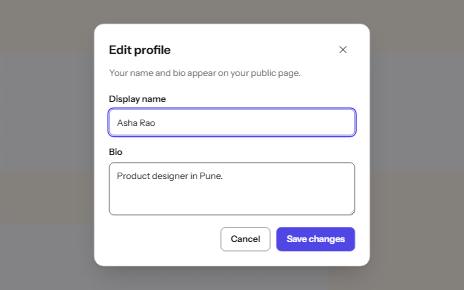
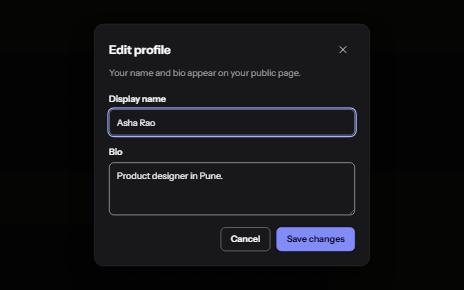
मोडल डायलॉग
पेज के ऊपर खुलने वाली एक विंडो, जो बंद होने तक फ़ोकस अपने पास रखती है, नेटिव dialog एलिमेंट पर बनी।
-
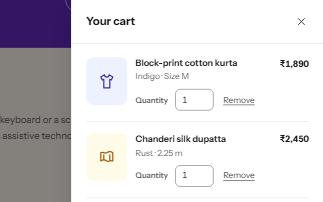
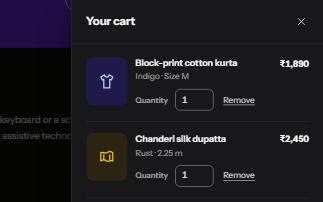
ड्रॉअर
स्क्रीन के किनारे से सरककर आने वाला पैनल, कार्ट, फ़िल्टर या सेटिंग्स के लिए, मोडल डायलॉग पर बना।
-
मेन्यू बटन
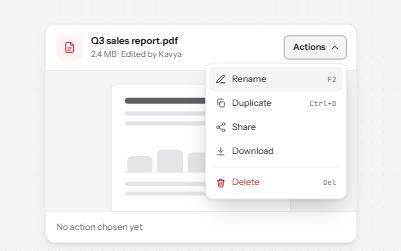
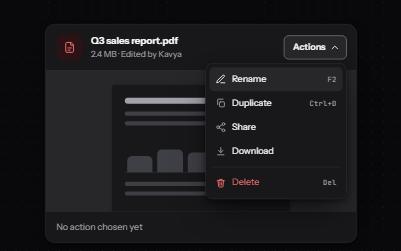
एक्शन की सूची खोलने वाला बटन, जिसमें ऐरो कुंजियों से चला जाता है और Escape से बंद किया जाता है, और फ़ोकस बटन पर लौट आता है।
-
क्लिपबोर्ड पर कॉपी करें
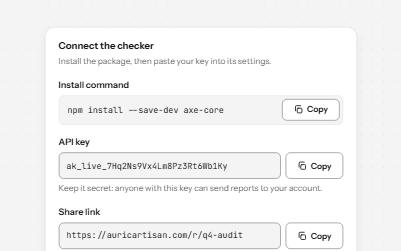
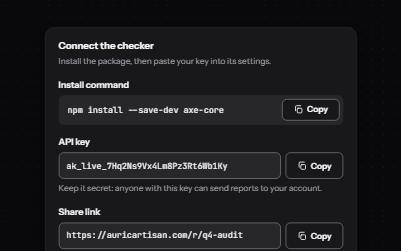
एक बटन जो कमांड, कुंजी या लिंक कॉपी करता है, बटन पर और स्टेटस मैसेज में इसकी पुष्टि करता है, और नाकाम होने पर बताता है कि क्या करें।